Sales
After Integrations (setup step 12) and Listings (step 13), link units on Channels and monitor availability here — see Getting Started — Distribution & channels (optional). Complete core setup steps 1–15 before channel imports at scale.
Start with Overview tab KPIs and availability charts, then open Multicalendar tab (availability timeline) for unit × time Gantt or Pricing tab (monthly rent grid) for bulk rent edits. Stay-window search: Date range waits for both dates (count reads Updating... until the range result is ready). Day-click free units: Availability popover stays on the day you clicked. Account credentials live under Channel Manager and Settings → Integrations. Guide subsection map: Sales guide subsection index (tab sections + Related subsections). Habit-specific shortcuts live under Related below.
The Sales module is where you review portfolio availability and rent levels, edit monthly prices in bulk, and manage channel manager connections to external platforms.
Open the Sales module at platform.vivin.app/sales. Primary tab routes include /sales/overview, /sales/multicalendar (Multicalendar — availability timeline), /sales/pricing (Pricing — monthly rent grid), and /sales/channels (Channel Manager). Legacy bookmark /sales/calendar redirects to /sales/pricing. Bookmarks to /sales/channel-manager open the Channel Manager tab. See Deep Links for all routes.
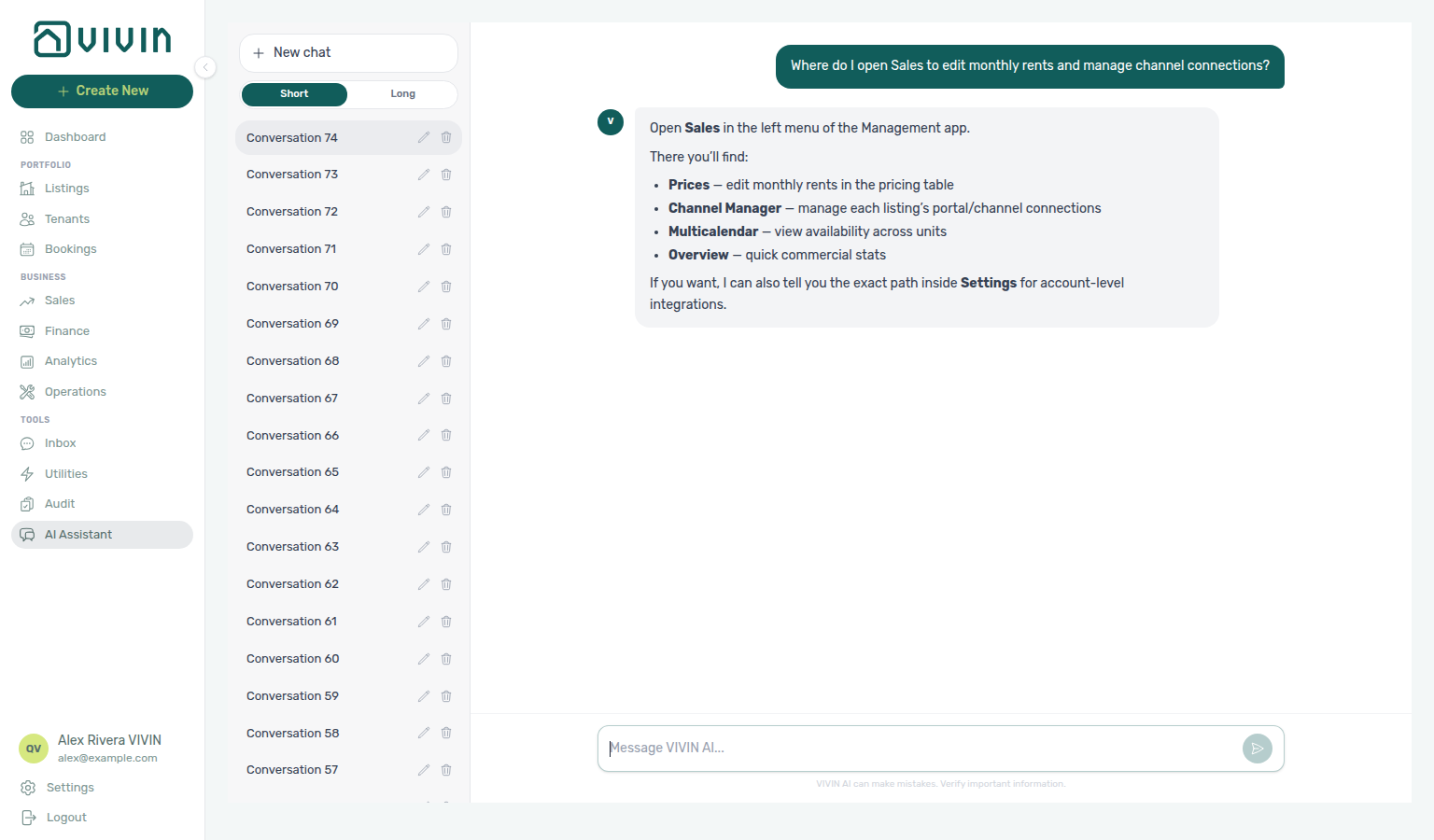
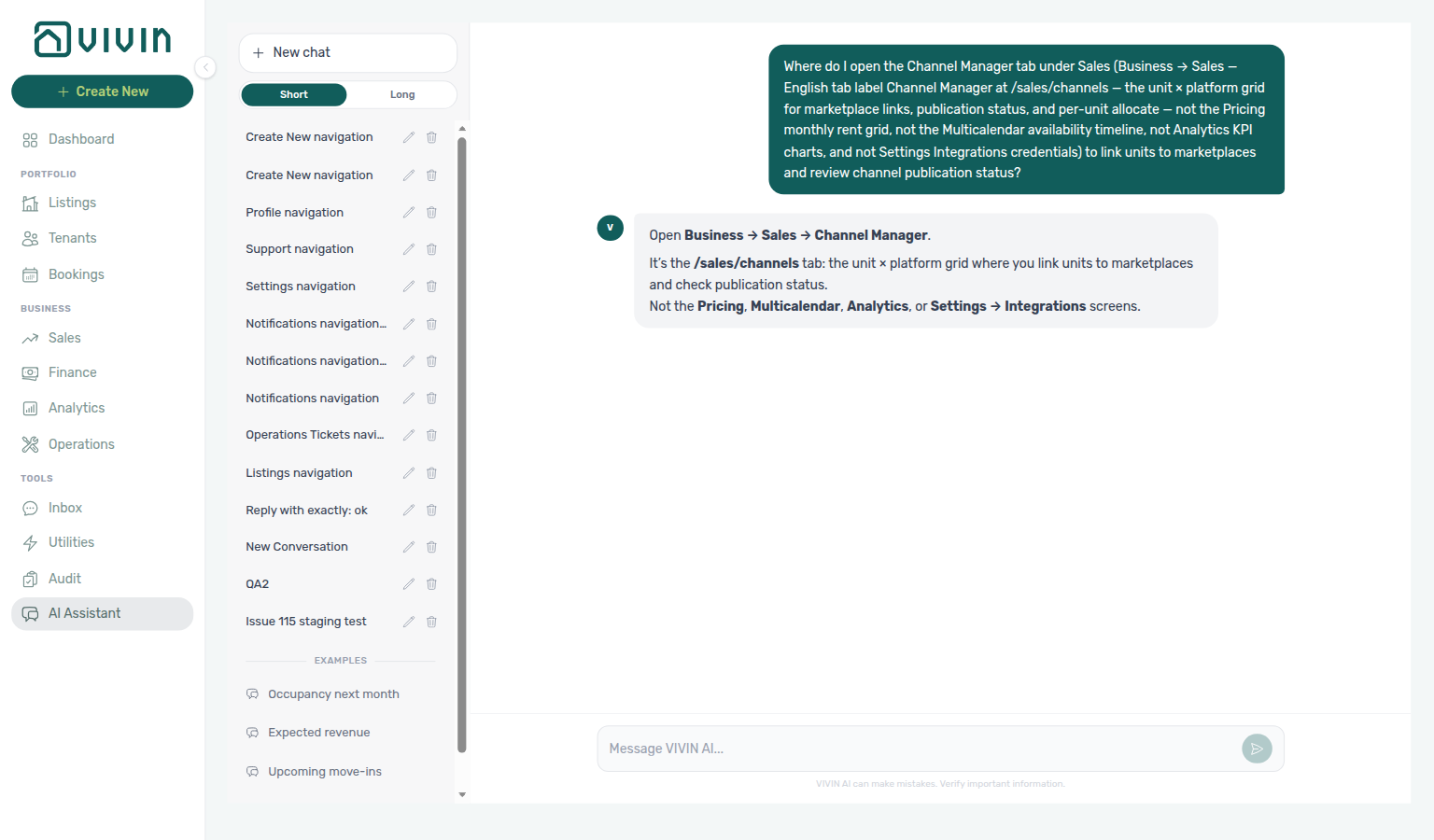
Not sure which Business item holds monthly rents and channel links? Ask AI Chat “Where do I open Sales to edit monthly rents and manage channel connections?” — then open Business → Sales (ai-chat-product-context-sales-reply.png, ai-chat-product-context-sales-flow.mp4). The assistant may say Prices; the tab label is Pricing. For Sales KPIs and availability charts, ask where to open the Overview tab (ai-chat-product-context-overview-reply.png, ai-chat-product-context-overview-flow.mp4) — see Overview tab. For the monthly rent grid specifically, ask where to open the Pricing tab (ai-chat-product-context-pricing-reply.png, ai-chat-product-context-pricing-flow.mp4) — see Pricing tab (monthly rent grid). For the unit × time availability timeline, ask where to open Multicalendar (ai-chat-product-context-multicalendar-reply.png, ai-chat-product-context-multicalendar-flow.mp4) — see Multicalendar tab (availability timeline). For per-unit marketplace links, ask where to open Channel Manager (ai-chat-product-context-channel-manager-reply.png, ai-chat-product-context-channel-manager-flow.mp4) — see Channel Manager. Use Overview / Multicalendar / Pricing / Channel Manager; portfolio KPI charts stay on Analytics. Account credentials: Settings → Integrations.
Any unknown Sales tab slug (without a documented legacy alias) redirects to /sales (Overview) so the address bar matches the tab you see. Legacy /sales/calendar redirects to /sales/pricing (the Pricing grid). See Deep Links — Invalid, legacy, and mistyped URLs.
Month-range KPIs live in Analytics; reconcile Overview heatmaps with Dashboard Vacant Units and Bookings → Timeline. When a dip looks tied to one listing type or tenant segment, use Select tags / Select listing types here first, then Bookings — Tenant categories and Finance — Tenant category filter — Portfolio KPI review — Step 6. During Portfolio KPI review — Step 7, pair occupancy/revenue reconciliation with AI usage API (landlord_chat, utility_bill_extraction) when assistant or utility-bill extraction volume should explain operational cost. Channel-imported reservations with unpaid schedules can surface payment overdue rows — row-click opens the booking for Handling a Late Payment — Step 1.
The module has four tabs: Overview (KPIs, occupancy forecast, and availability views), Multicalendar (unit × time Gantt without rent cells — route /sales/multicalendar), Pricing (listing × month grid with occupancy and monthly rents — route /sales/pricing), and Channel Manager (integrations list and per-unit linking — route /sales/channels).
Current management builds expose four Sales tabs: Multicalendar, Overview, Channel Manager (/sales/channels), and Pricing (/sales/pricing). The tab label in the product is Channel Manager; deep links still use /sales/channels. Legacy bookmark /sales/calendar redirects to /sales/pricing. Older three-tab shells placed the monthly rent grid at /sales/multicalendar — if you still see that layout, update to a current build before following route-specific steps below.
Directory refresh
Directory refresh pairs with FAQ — Directory list refresh — distinct from a successful load that simply matches zero rows.
When Overview needs a refresh, use Retry under the page header — or reload the page. Tab pills stay hidden until the workspace is ready. An empty grid after a successful load means your search matched nothing. See Glossary — Directory list refresh.
Mobile and narrow layouts
Sales uses the shared management bottom tab bar on viewports below 768px (same breakpoint as Operations):
| Pattern | When it applies | What changes |
|---|---|---|
| Bottom tab bar | Browser width < 768px | Fixed footer tabs switch between Multicalendar, Overview, Channel Manager, and Pricing. The page adds bottom padding (pb-20) so grid content is not hidden behind the bar. |
| In-tab tab pills | Multicalendar, Pricing, or Channel Manager active on narrow width | The sticky pill strip under the page header is hidden on these tabs. Each tab body renders its own salesTabRow — the same four tab pills repeated at the top so you can switch views without scrolling back to the module header. |
| Desktop | ≥ 768px | One sticky pill strip under the Sales header for all tabs; Multicalendar, Pricing, and Channel Manager do not duplicate pills inside the tab body. |
On Channel Manager, the in-tab row may also show platform icon chips on the right (your enabled marketplace integrations) beside the tab pills.
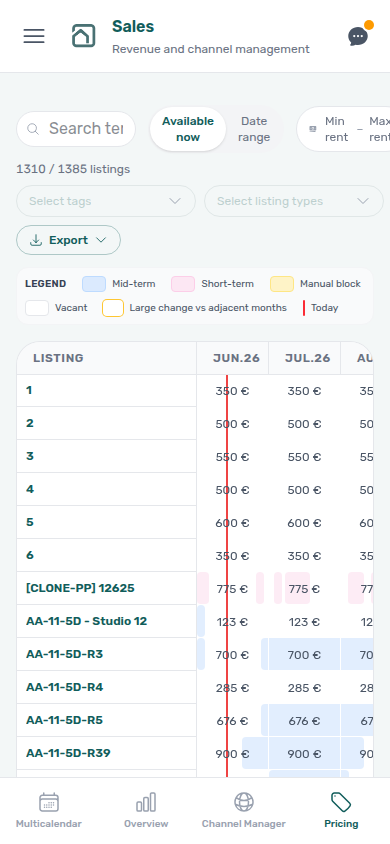
Narrow Sales layout is a responsive pattern — you can still open Dashboard, Bookings, and other modules from the mobile drawer. It is not the Operations-only phone route guard that locks non-Operations URLs on actual mobile phone user agents. See Operations — Phone-only operations shell.
Overview tab
Overview KPIs pair with Dashboard — Vacant Units and Analytics — Occupancy tab — day-click free units with Availability popover stays on the day you clicked; segment dips with Bookings — Tenant categories.
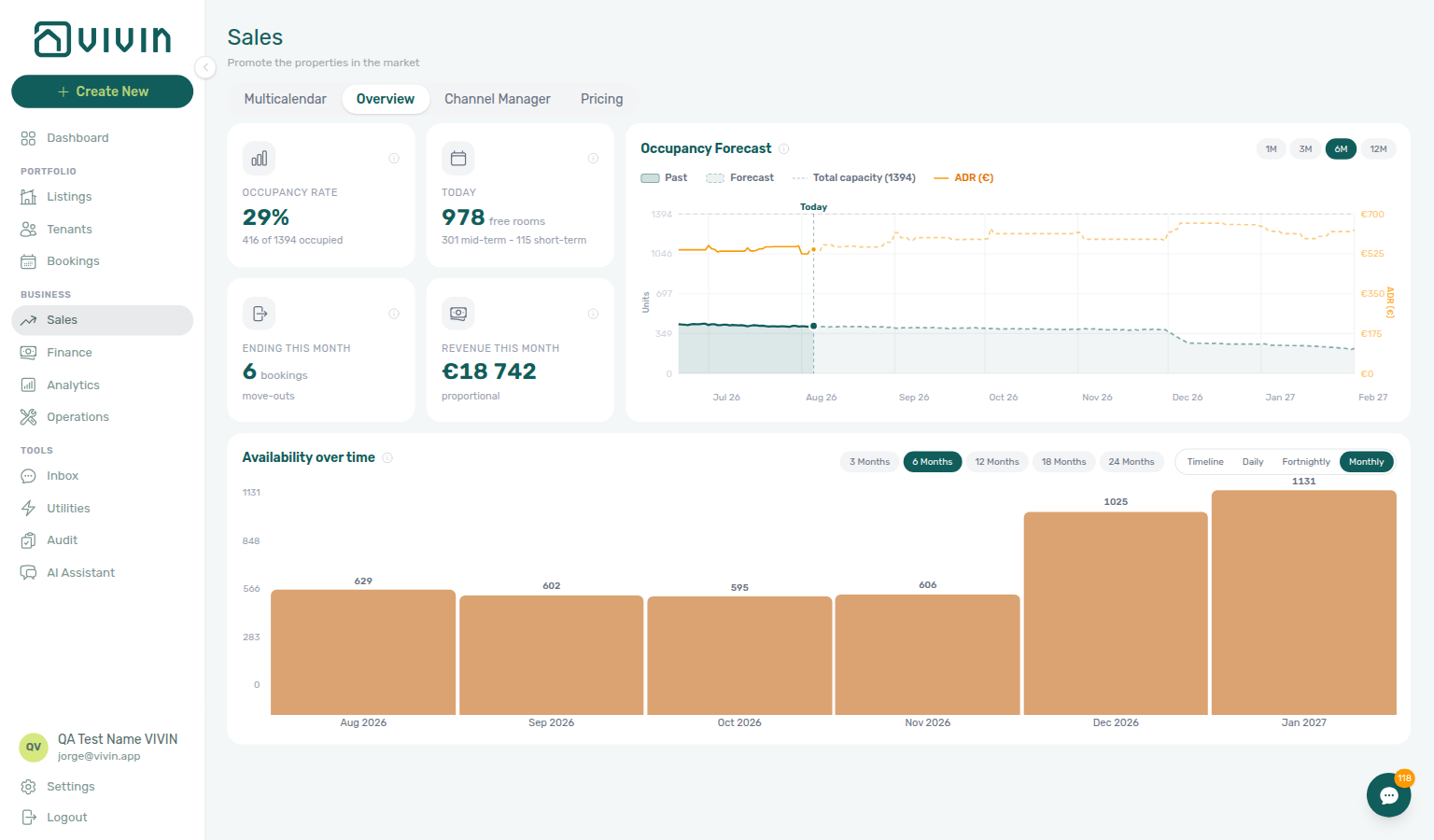
The Overview tab is the default /sales view. It combines a KPI strip, the same Occupancy forecast chart family used on the Dashboard, and an Availability over time workspace so you can see where units go free and how many listings are free on a given day.
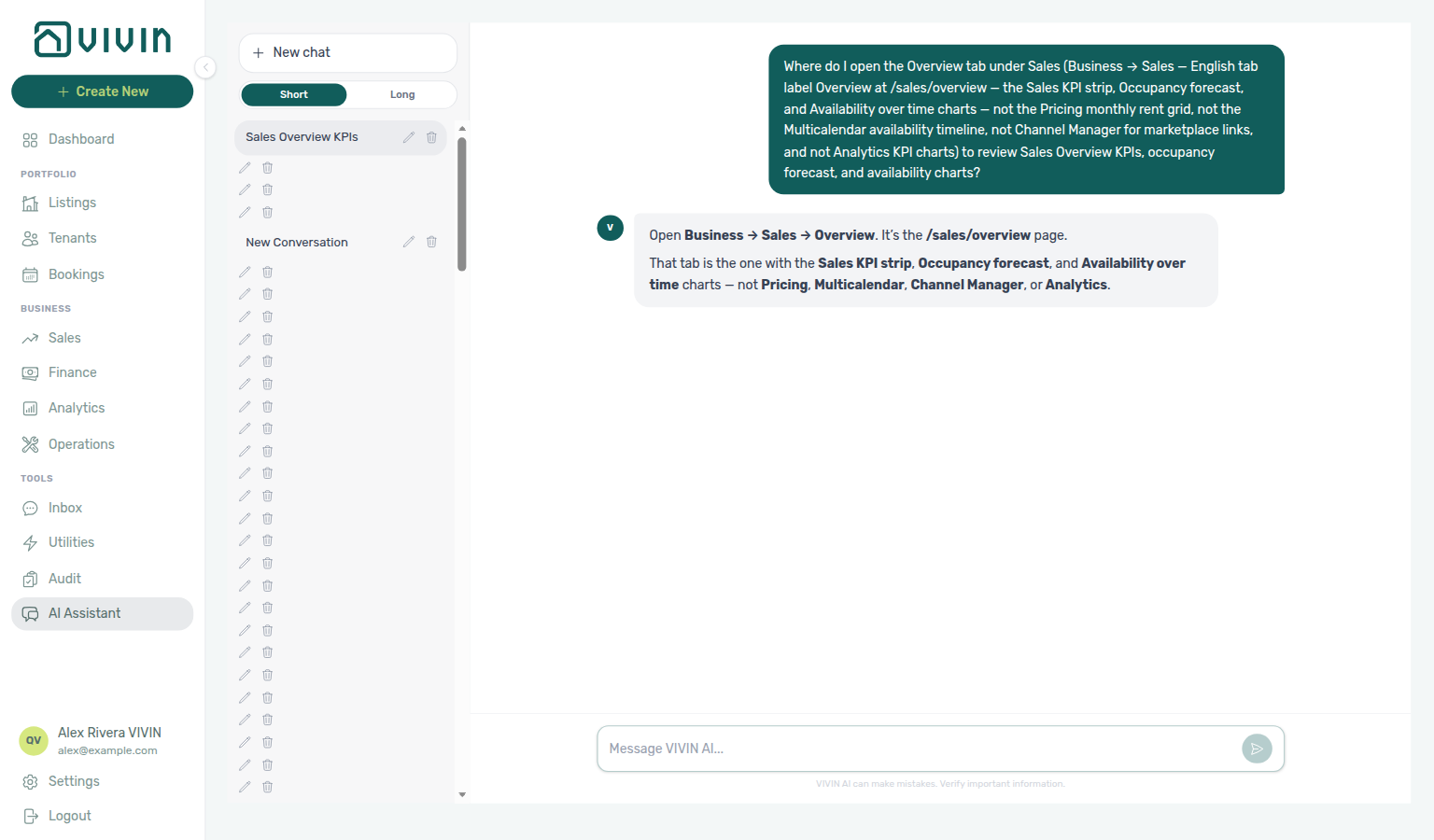
Need the Sales KPI strip, Occupancy forecast, and Availability over time charts (not Pricing, Multicalendar, Channel Manager, or Analytics)? Ask AI Chat “Where do I open the Overview tab under Sales (Business → Sales — English tab label Overview at /sales/overview — the Sales KPI strip, Occupancy forecast, and Availability over time charts — not the Pricing monthly rent grid, not the Multicalendar availability timeline, not Channel Manager for marketplace links, and not Analytics KPI charts) to review Sales Overview KPIs, occupancy forecast, and availability charts?” — then open Business → Sales → Overview (ai-chat-product-context-overview-reply.png, ai-chat-product-context-overview-flow.mp4). The assistant typically says Business → Sales → Overview. Canonical route: /sales/overview.
KPI cards
| Card | What it shows |
|---|---|
| Occupancy rate | Share of listings with an active stay or block today (bookings plus unavailabilities such as manual blocks or short-term iCal), with occupied vs total counts. |
| Today | How many listings count as free rooms today, with optional subtitle segments for mid-term stays, short-term (for example Airbnb / Booking.com style) stays, and manual blocks when those buckets are non-zero. Refunded-but-active stays still count as occupied for this headline so the number matches the Dashboard Today card and Multicalendar Available now; other Overview KPIs (for example Revenue this month) keep using non-refunded booking sets. |
| Ending this month | Count of bookings whose move-out falls in the current calendar month. |
Most Sales → Overview metrics (occupancy rate, revenue, forecast bars, availability charts) come from a cached snapshot refreshed on a schedule. The Today / free rooms headline is the exception — it is recomputed live on each load so it always agrees with Multicalendar → Available now and the Dashboard Today card. After availability changes, refresh the tab before you compare Today with a chart that may still reflect the prior cache window. Preferences → Vacant Unit Preference (Include manual blocks) also applies to Today, Available Now, occupancy bars, and Multicalendar Available now / Date range filters — manual operator blocks no longer suppress those surfaces; OTA/iCal and booking-linked holds still do.
| Revenue this month | Expected rent for the current month, calculated proportionally for partial stays (not only full-month contracts). | Use the info icons on each card in the product for the full in-app definitions.
Occupancy forecast
The wide chart on the right reuses the Occupancy forecast interaction from the Dashboard (past plus forward window, horizon controls, occupied counts and ADR context). See Dashboard — Occupancy Forecast for behaviour detail. For a month-end reconciliation pass that compares these KPIs with Analytics and Finance, use Portfolio KPI review.
Availability over time
Below the KPI row, Availability over time helps you spot when units go free and how many units are free in each bucket.
View modes
-
Timeline — each listing is a row of horizontal bars showing continuous free periods (between bookings and blocking unavailabilities). Pick a horizon (7d, 15d, 1m, 3m, 6m) to set how far forward the axis runs. Hover a bar for dates; click the chart on a day to open a popover listing all free units that day (and open a listing from there when your role allows). The popover stays on that day while you scroll or tab away.
-
Daily, Fortnightly, or Monthly — aggregated bar charts: each bar is how many listings are free for the entire day, fortnight, or month in that bucket. Use the period-count buttons (for example 30 Days or 6 Months) to change how many bars you see. Click a bar to highlight it and list the free units in that period — same stay-on-period popover.
Availability popover stays on the day you clicked
Click a day on Timeline, or a bar on Daily / Fortnightly / Monthly. A popover lists every unit that is free for that period. The header shows the period, N free, and Close.
- Open Business → Sales → Overview (
/sales/overview). - Scroll to Availability over time.
- Click the day or bar you care about. The popover opens beside that column — if it would run off the right edge, it opens to the left so it stays on screen.
- Scroll the unit list. The period, N free, and Close stay put at the top.
- Click a unit name to open that listing when your role allows. Use Close, or click another period, when you are done.
The list stays on that period while you keep working on Overview — including if you tab away and come back. Clicking a different day or bar replaces the list for that period. A period you already opened shows its list right away.
When that period has no vacant rooms, the list says No free units in this period. Pick another day, or use Multicalendar / Pricing Date range for a multi-day vacant window.
Dashboard → Vacant Units is a different list (units free today, sorted by consecutive free days). Bookings → Timeline is the reservation Gantt, not this chart popover.

See FAQ — Does the Sales Overview free-unit list stay after I click a day?, Glossary — Sales Overview availability popover, and Portfolio KPI review — Step 7 when reconciling free-unit counts with Dashboard or Analytics.
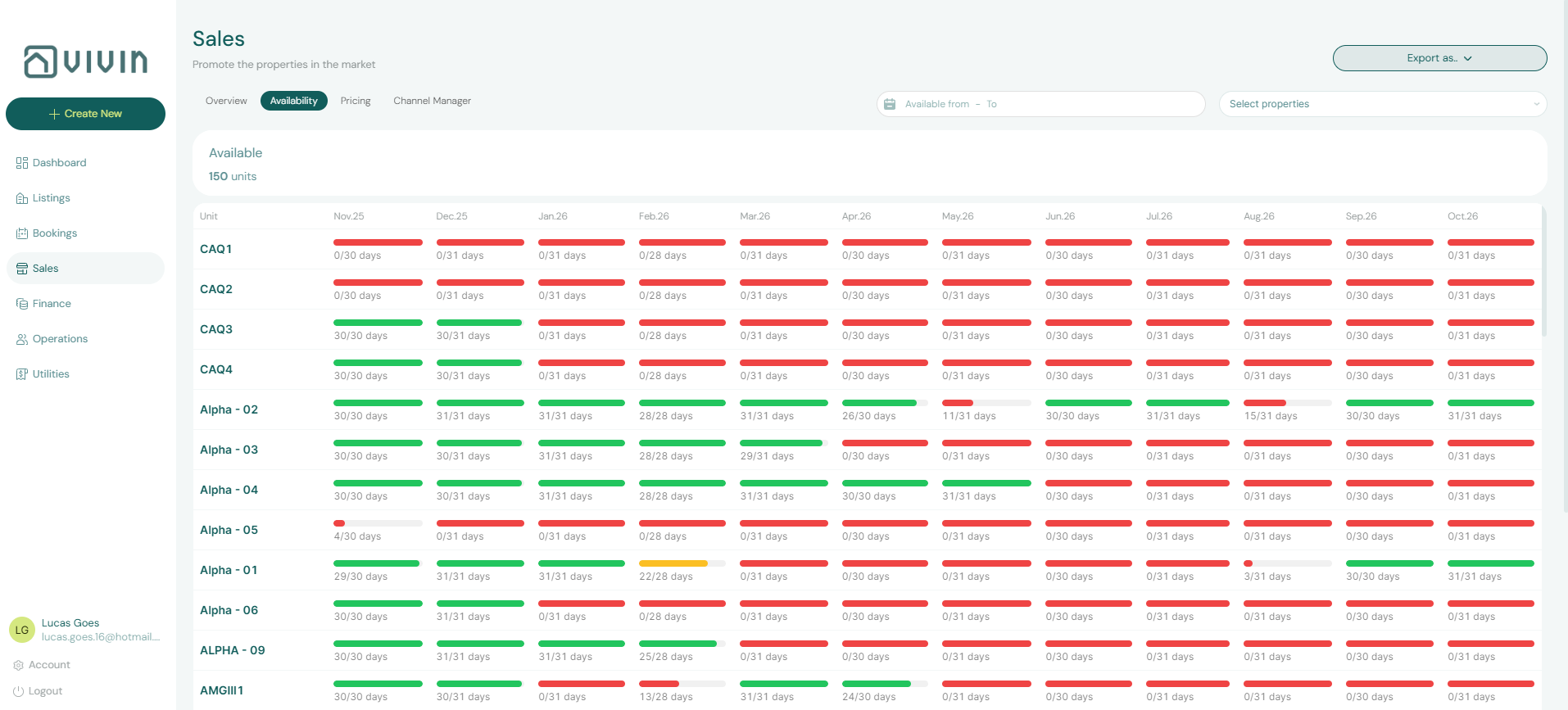
The capture above shows the timeline-style availability view: coloured free windows per unit row, with the horizon selector in the header.
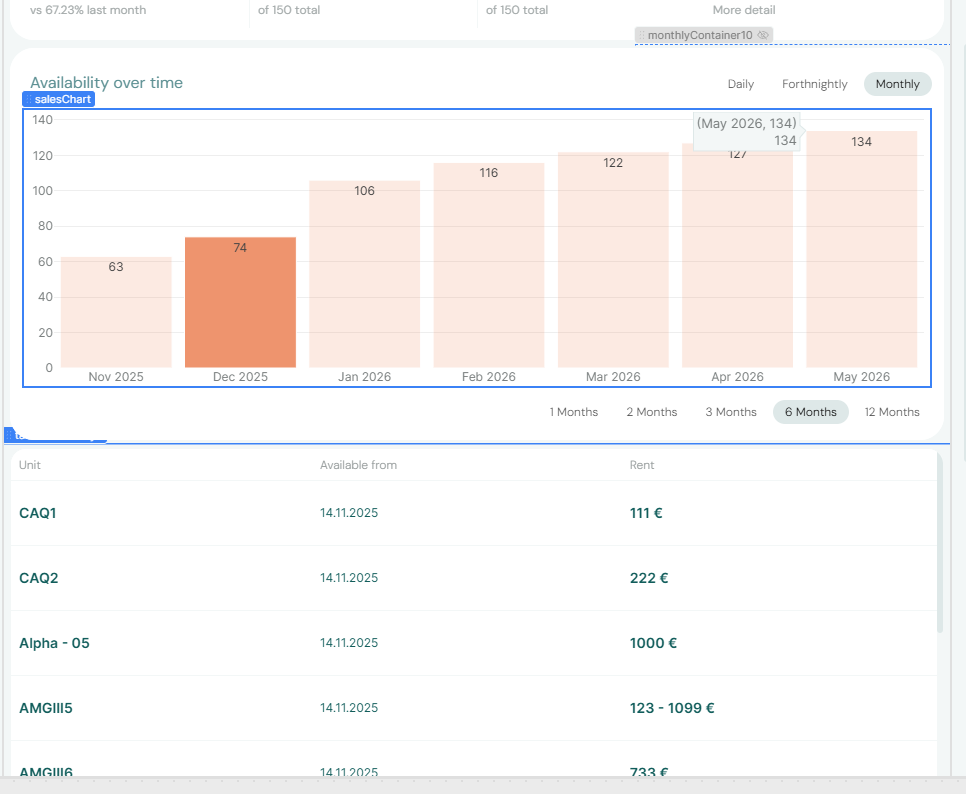
The second capture illustrates an aggregated availability mode (daily / fortnightly / monthly bar chart), including the view toggle next to the horizon controls.
Multicalendar tab (availability timeline)
Multicalendar pairs with Bookings — Timeline view and Audit module — same-day turnover: Glossary — Same-day turnover.
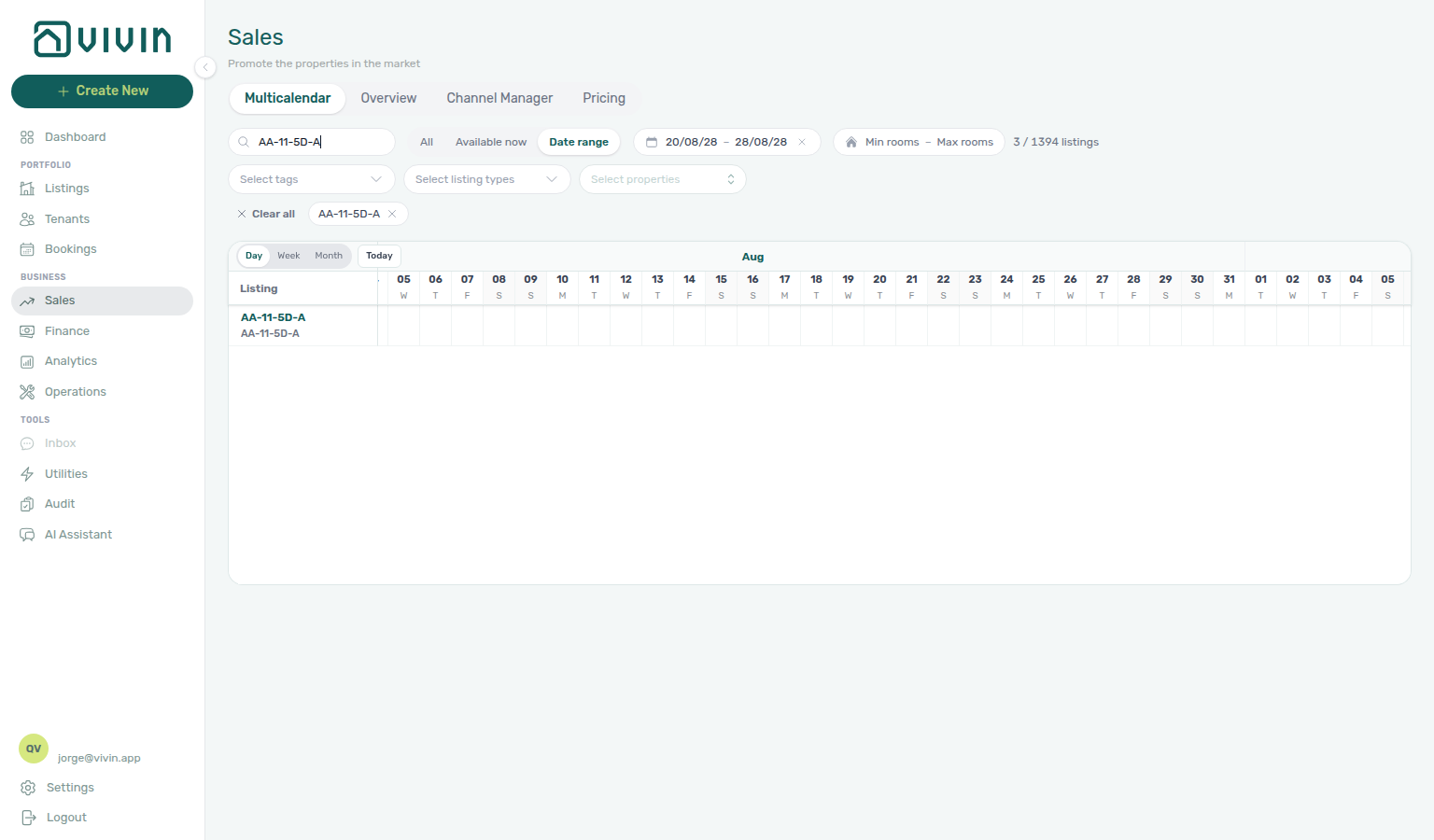
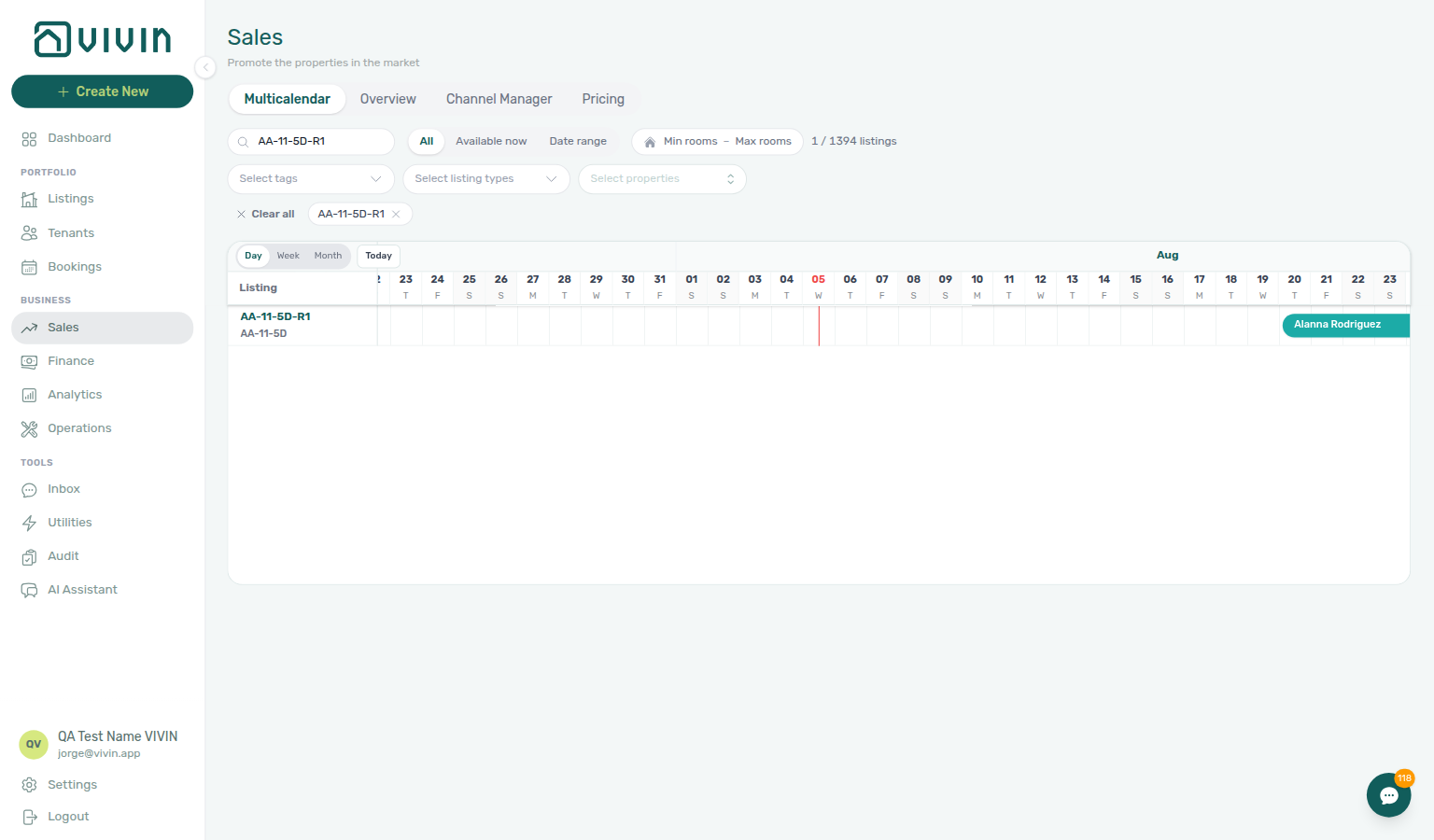
The Multicalendar tab uses route /sales/multicalendar. It is a unit × time Gantt in the same family as Bookings → Timeline, but scoped to Sales filters and without rent cells — mid-term bookings, short-term channel blocks, and manual unavailabilities only.
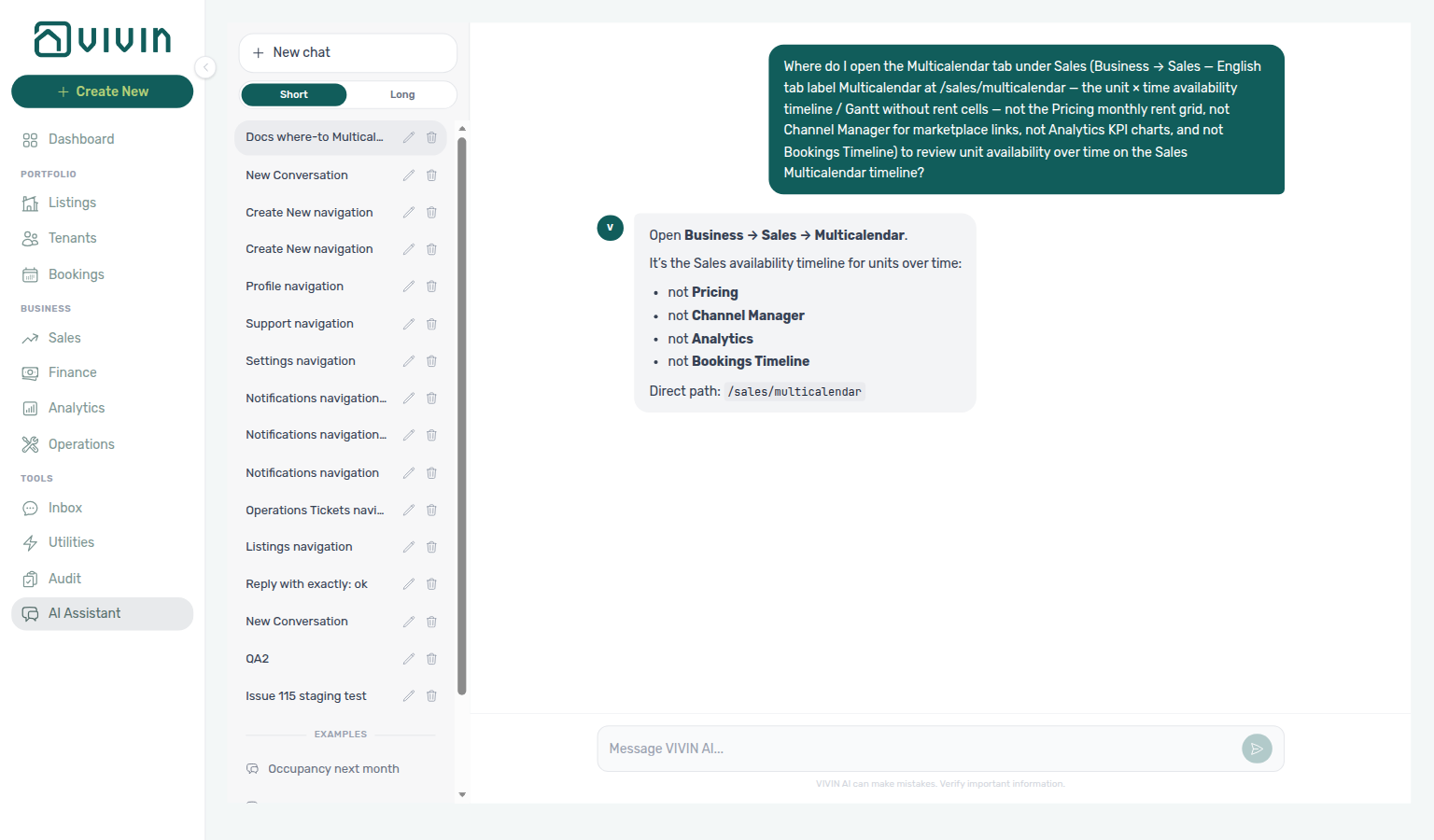
Need the unit × time availability timeline (not Pricing, Channel Manager, Analytics, or Bookings Timeline)? Ask AI Chat “Where do I open the Multicalendar tab under Sales (Business → Sales — English tab label Multicalendar at /sales/multicalendar — the unit × time availability timeline / Gantt without rent cells — not the Pricing monthly rent grid, not Channel Manager for marketplace links, not Analytics KPI charts, and not Bookings Timeline) to review unit availability over time on the Sales Multicalendar timeline?” — then open Business → Sales → Multicalendar (ai-chat-product-context-multicalendar-reply.png, ai-chat-product-context-multicalendar-flow.mp4). The assistant typically says Business → Sales → Multicalendar. Canonical route: /sales/multicalendar.
Scale and navigation
- Day / Week / Month — switch the time axis granularity (same control family as Bookings Timeline).
- Today — jump the viewport to the current date.
- Listing axis — infinite scroll loads listing rows in batches as you scroll vertically.
- Booking bar click — opens the booking detail sidebar from Sales without leaving the module.
Filters mirror the Pricing toolbar so you can scope the same portfolio slice on both tabs: Search, Available now / Date range, Number of rooms (min/max on units registered per property), Select tags, Select listing types, and Select properties (server-driven picker with chips). After you pick a tag, open Select tags again to add a second neighbourhood — on Listings the same-named control stays open instead.
Number of rooms opens a house-icon pill (Min rooms – Max rooms) that expands to a popover with the same Min / Max fields as Bookings → Other filters → Advanced. Set both bounds to keep only properties whose registered unit count falls in range; clear the pill or use Clear all when you return to the full portfolio. Invalid min > max shows the same inline error as Bookings.
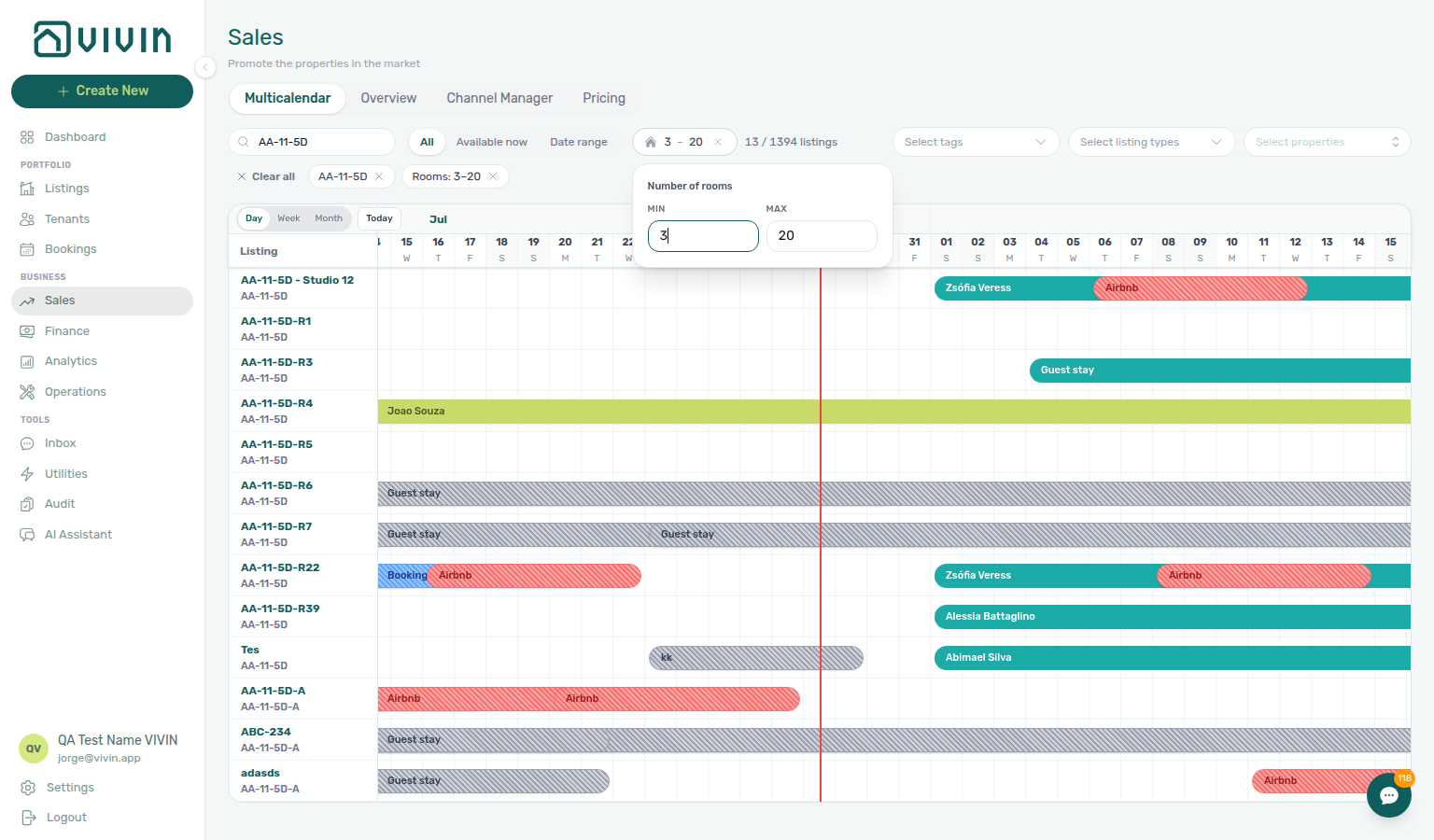
- Available now / Date range — Available now keeps listings vacant today (no active booking; manual blocks exclude the row unless Preferences → Vacant Unit Preference is Include manual blocks). Date range opens Start date and End date pickers: with both dates set, only listings free on every day from start through end remain; with only a start date, only listings free on that single day remain. On Multicalendar, click End date right after Start date so the search is the full window — a pause on start searches that single day instead. The toolbar count reads Updating... until the matching result is ready. See Date range waits for both dates and the same occupancy rule on Pricing — Toolbar filters.
Available now, Date range, the Pricing grid’s availability filter, CSV/Excel export, and bulk rent update by filter all decide “occupied” from each booking’s linked listing unavailability block (check-out–aligned, including preparation days) — not from the raw contract calendar end alone. If a booking’s contract still reaches into your search window but the unit block already ended at check-out, the listing correctly stays free for that window. A booking with no linked block still occupies via the contract range (legacy fallback).
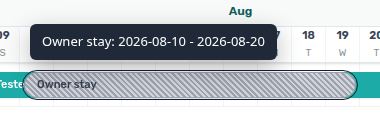
On Multicalendar (and Bookings → Timeline), hover a manual or channel unavailability bar to read its date range. The end date is the day the unit is free again (checkout convention) — the same end the unit Calendar in Listings already showed — not the last blocked night alone. Booking bars on the same chart already used checkout; block tooltips now match. Bar geometry still spans the blocked nights only. Blocks without a checkout field fall back to the stored end night so every surface stays consistent. Tools → Audit → Manual Blocks still lists End as the last blocked night — pair with Audit — End vs free-again day (audit-manual-blocks-end-last-blocked-night.png, audit-manual-blocks-end-vs-free-again-flow.mp4) when the two surfaces look a day apart. Subscribed iCal calendars use the same free-again morning as exclusive DTEND — iCal feeds — DTEND exclusive end.
bookings-timeline-block-free-again-tooltip.png.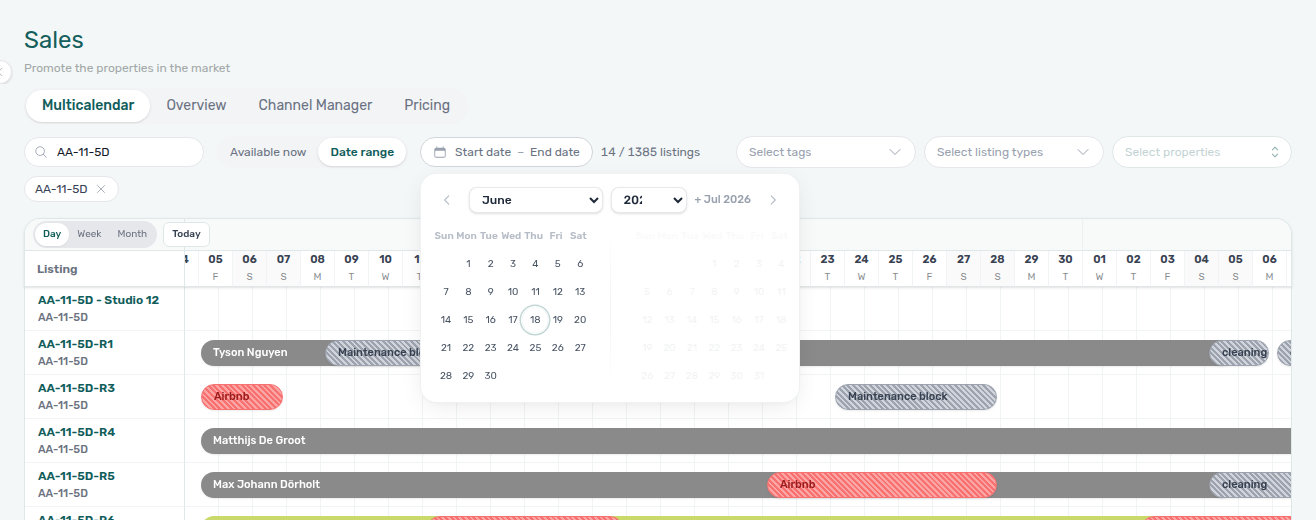
Date range waits for both dates
Stay-window search pairs with Available now / Date range occupancy (check-out–aligned free nights) and Pricing — Toolbar filters (same occupancy rule on the rent grid). Symptom: FAQ — Date range still lists booked units. Term: Glossary — Date range (Multicalendar).
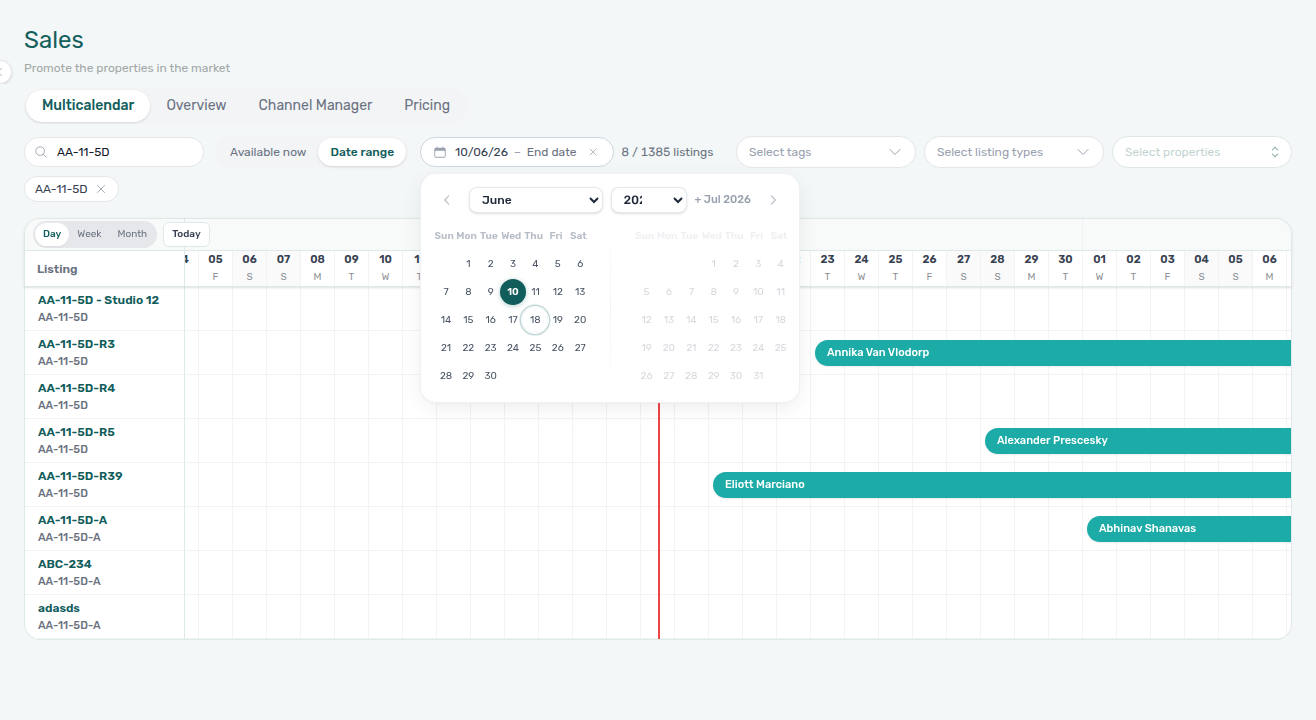
On Sales → Multicalendar, Date range is two clicks: Start date, then End date. Click both without pausing on the start — Vivin searches once for units free every night from start through end. Use that list for a stay window (for example student check-in week).
If you click only Start date and wait about a second, Vivin searches that single day — units free on the start, including units already booked later in the season. Use that when you mean “free on this day,” not as a step toward a longer window.
While the search runs, the toolbar count reads Updating... instead of the previous N / M listings total. Wait until the listing count returns before you treat the Gantt as the answer — the rows on screen can still belong to the last filter until then. Clearing the pill (×) or Clear all applies at once.
If the search does not finish, use Retry on the timeline — do not read an empty grid as “nothing matches” until Updating... is gone.

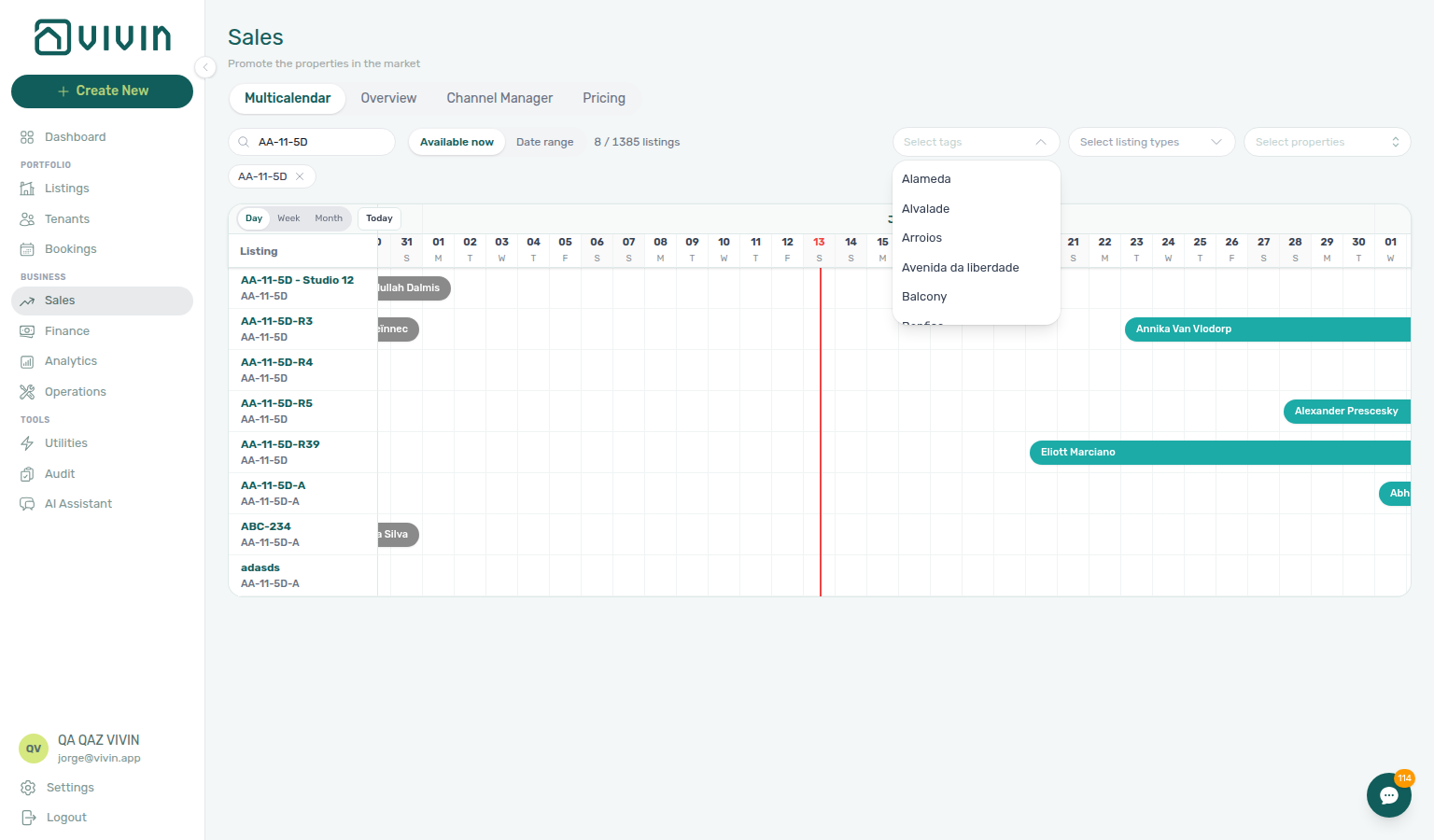
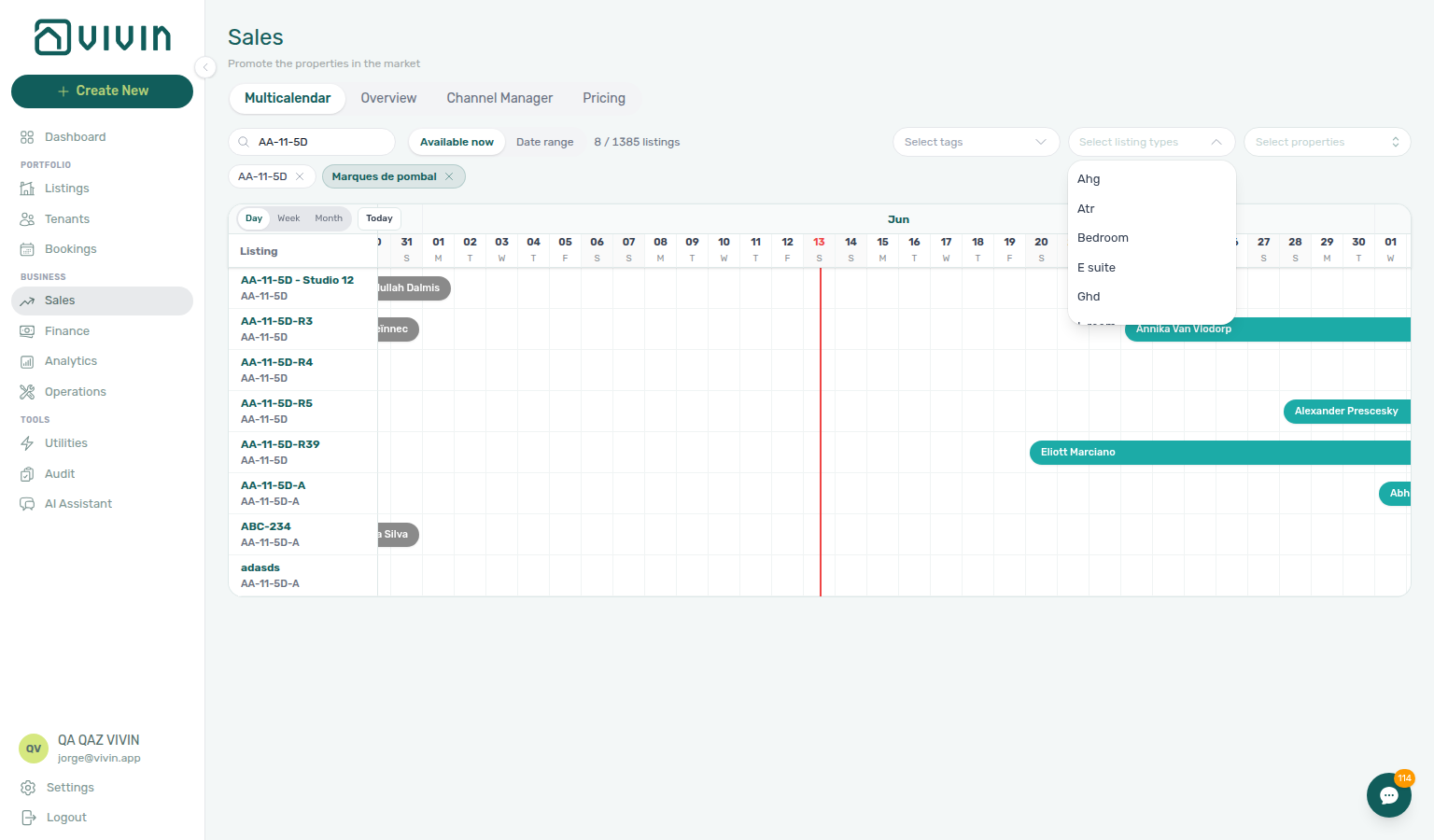
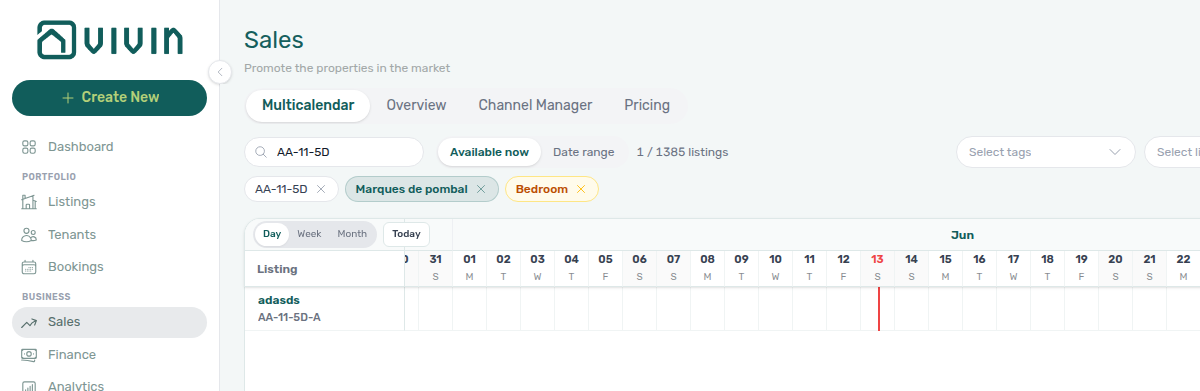
After you pick tags and listing types, removable chips appear under the toolbar while the timeline refetches. Clear an individual chip with its ×, or clear search / date range / rooms with the dedicated clear control on that pill. When any filter value is active (search, tags, types, properties, date range dates, or rooms min/max), a one-click Clear all control appears at the start of the chip row and resets every Multicalendar filter at once — same pattern as Listings, Bookings, and Finance. Switching the availability toggle to Available now or Date range without filling dates does not count as an active filter on its own (the list still shows every unit), but Clear all still returns the mode to All when it runs.
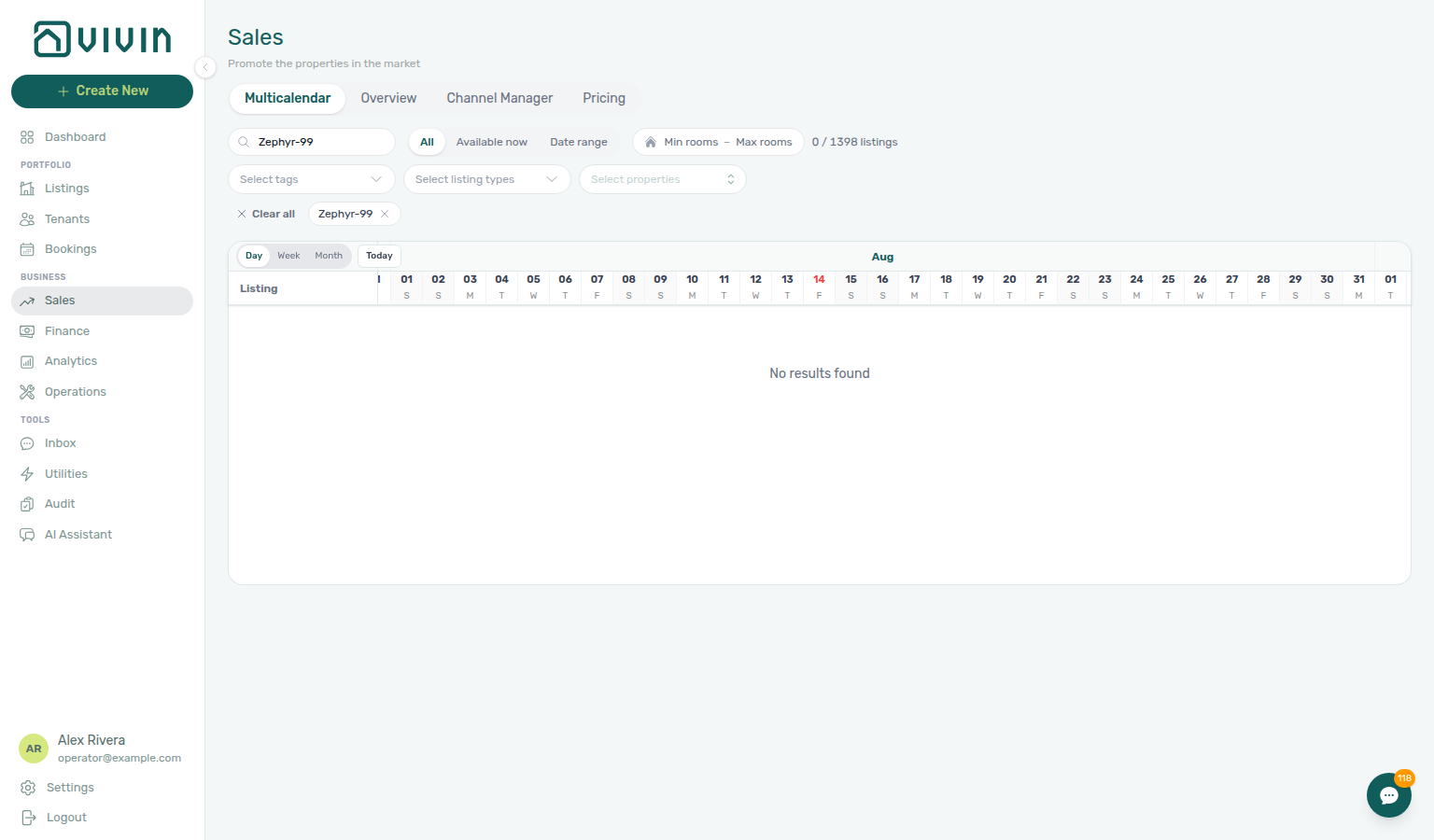
When Search matches nothing, Multicalendar clears the listing axis (date header stays; the grid shows No results found; the rooms pill can read 0 / … listings). That is a successful empty filter — click Clear all or the search chip to restore units. Bookings → Timeline does the same axis clear and uses No bookings found.

Pricing tab (monthly rent grid)
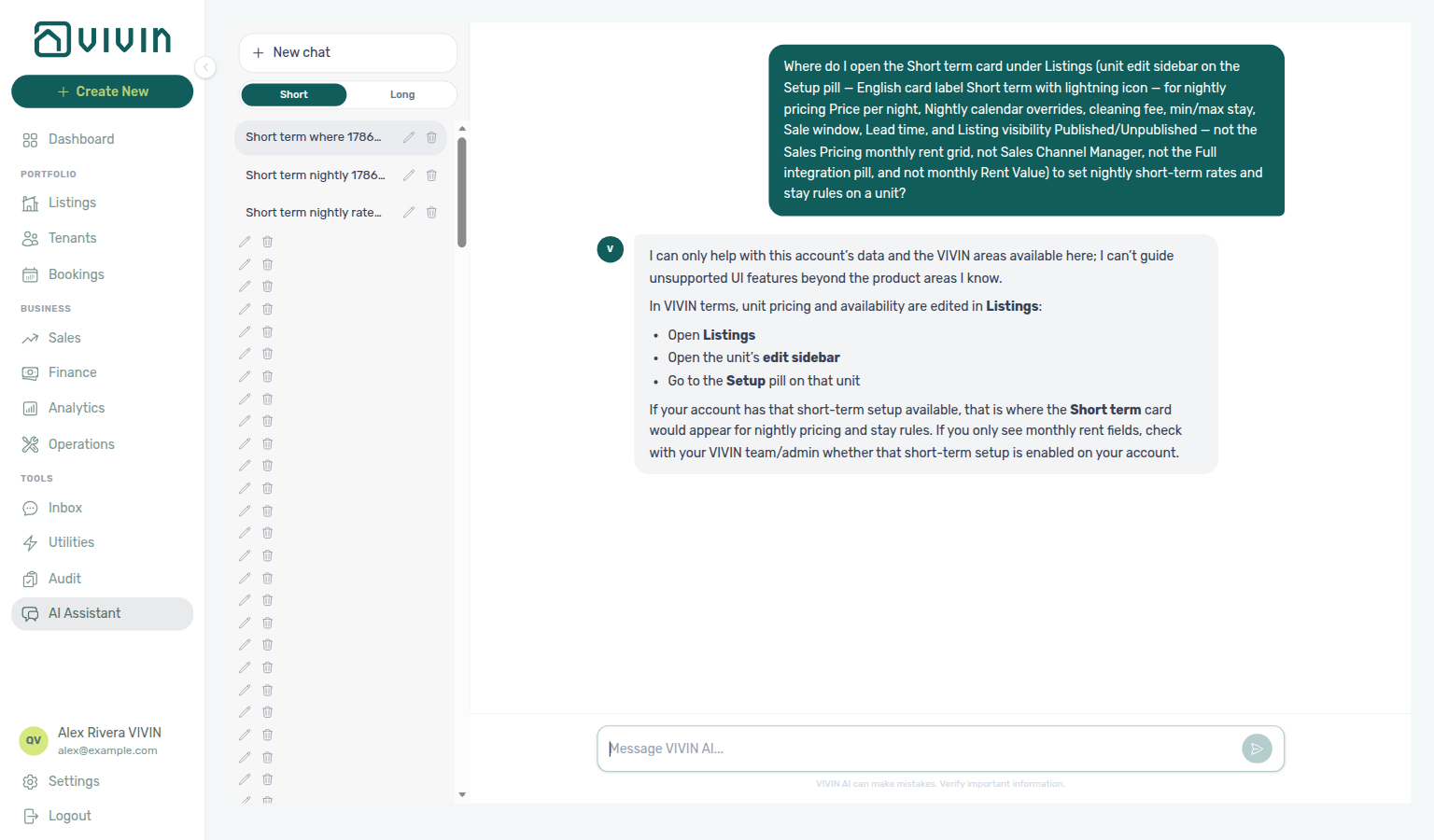
Pricing grid pairs with Listings — Rent Value tab — respect invoiced floor (rent) before lowering cells. Nightly channel rates live on Listings → Short term (ask AI Chat where to open that card — ai-chat-product-context-short-term-reply.png, ai-chat-product-context-short-term-flow.mp4), not on this monthly grid.
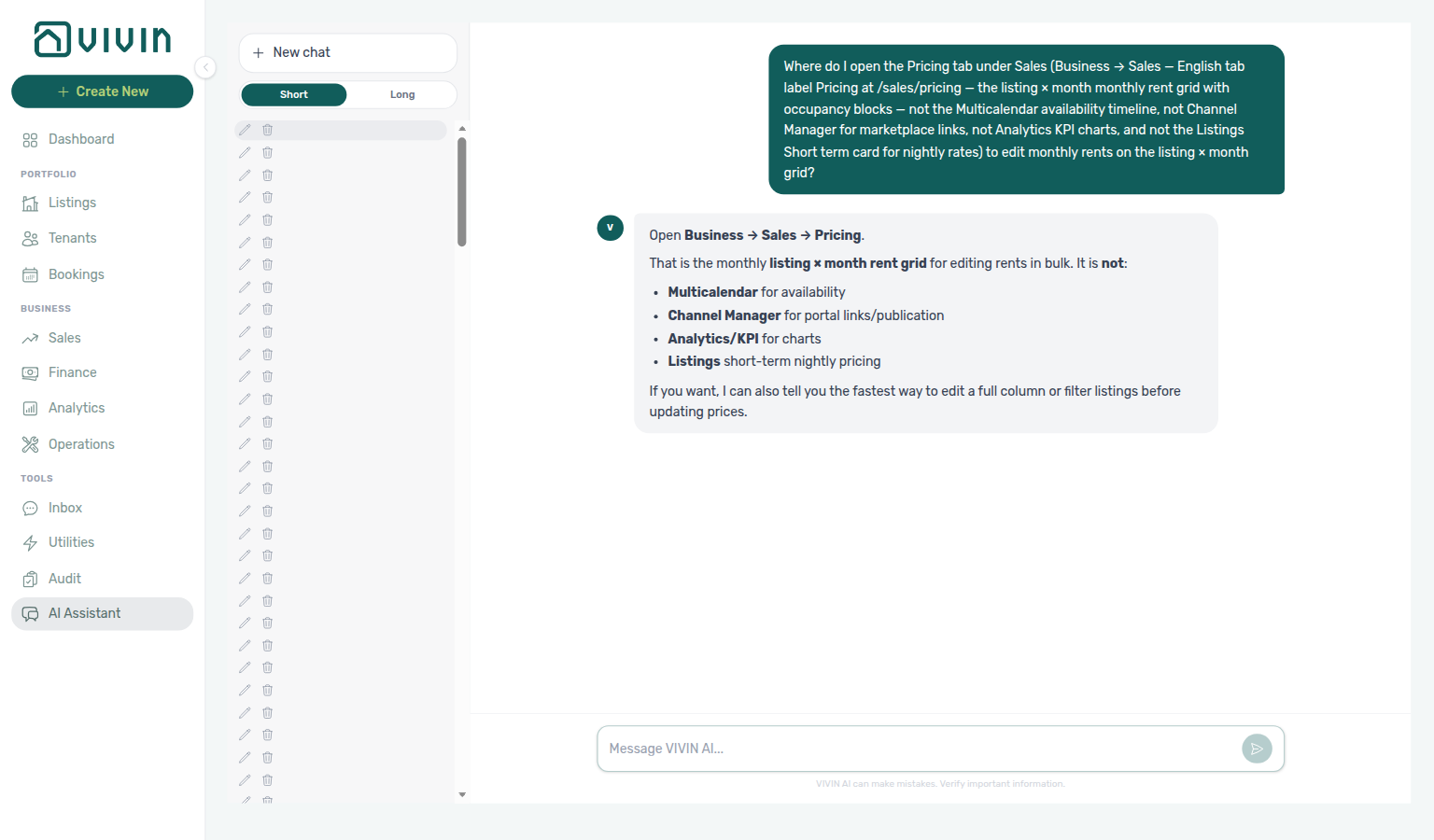
Need the listing × month monthly rent grid (not Multicalendar, Channel Manager, Analytics, or Listings Short term)? Ask AI Chat “Where do I open the Pricing tab under Sales (Business → Sales — English tab label Pricing at /sales/pricing — the listing × month monthly rent grid with occupancy blocks — not the Multicalendar availability timeline, not Channel Manager for marketplace links, not Analytics KPI charts, and not the Listings Short term card for nightly rates) to edit monthly rents on the listing × month grid?” — then open Business → Sales → Pricing (ai-chat-product-context-pricing-reply.png, ai-chat-product-context-pricing-flow.mp4). The assistant typically says Business → Sales → Pricing. Canonical route: /sales/pricing.
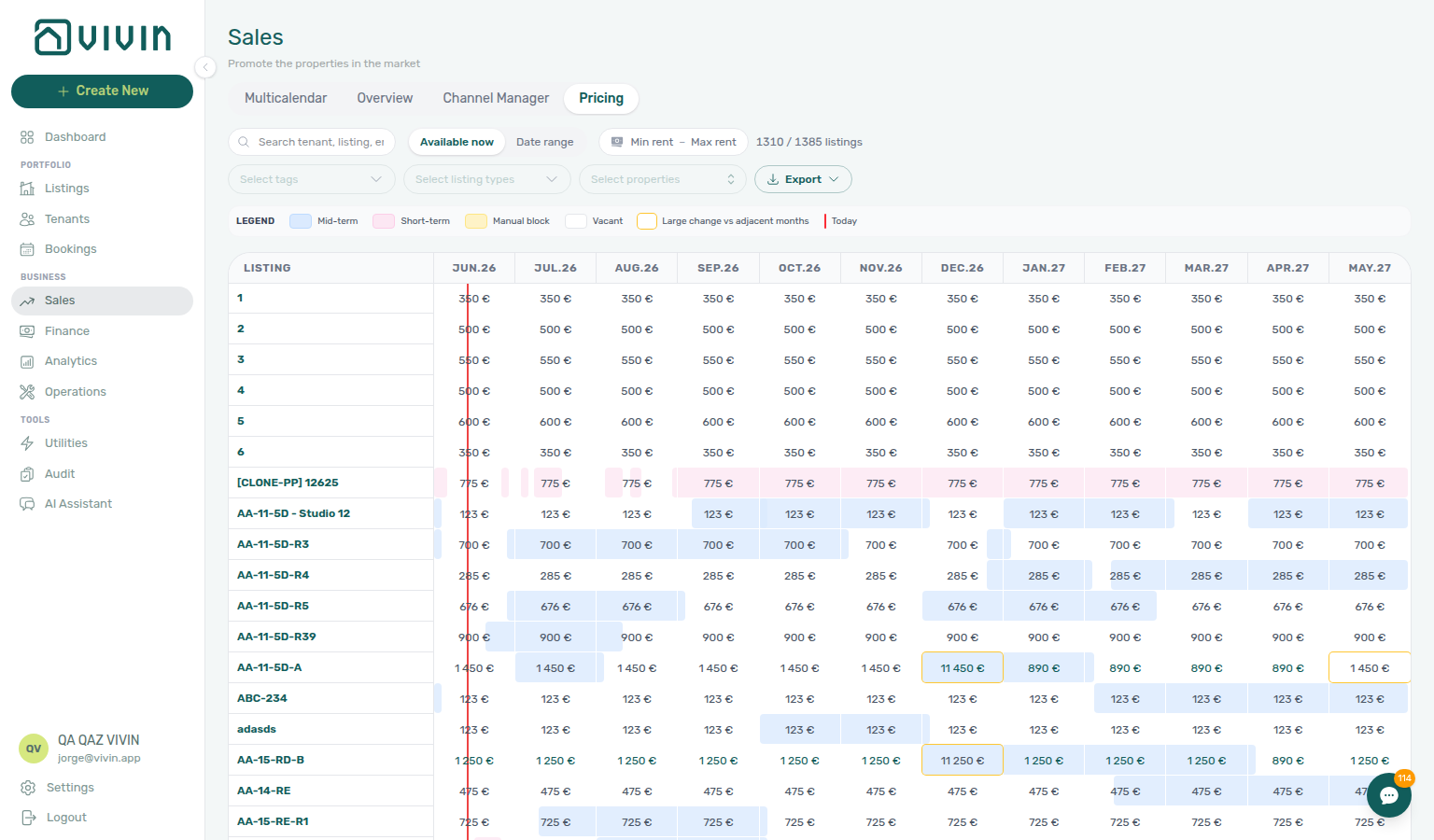
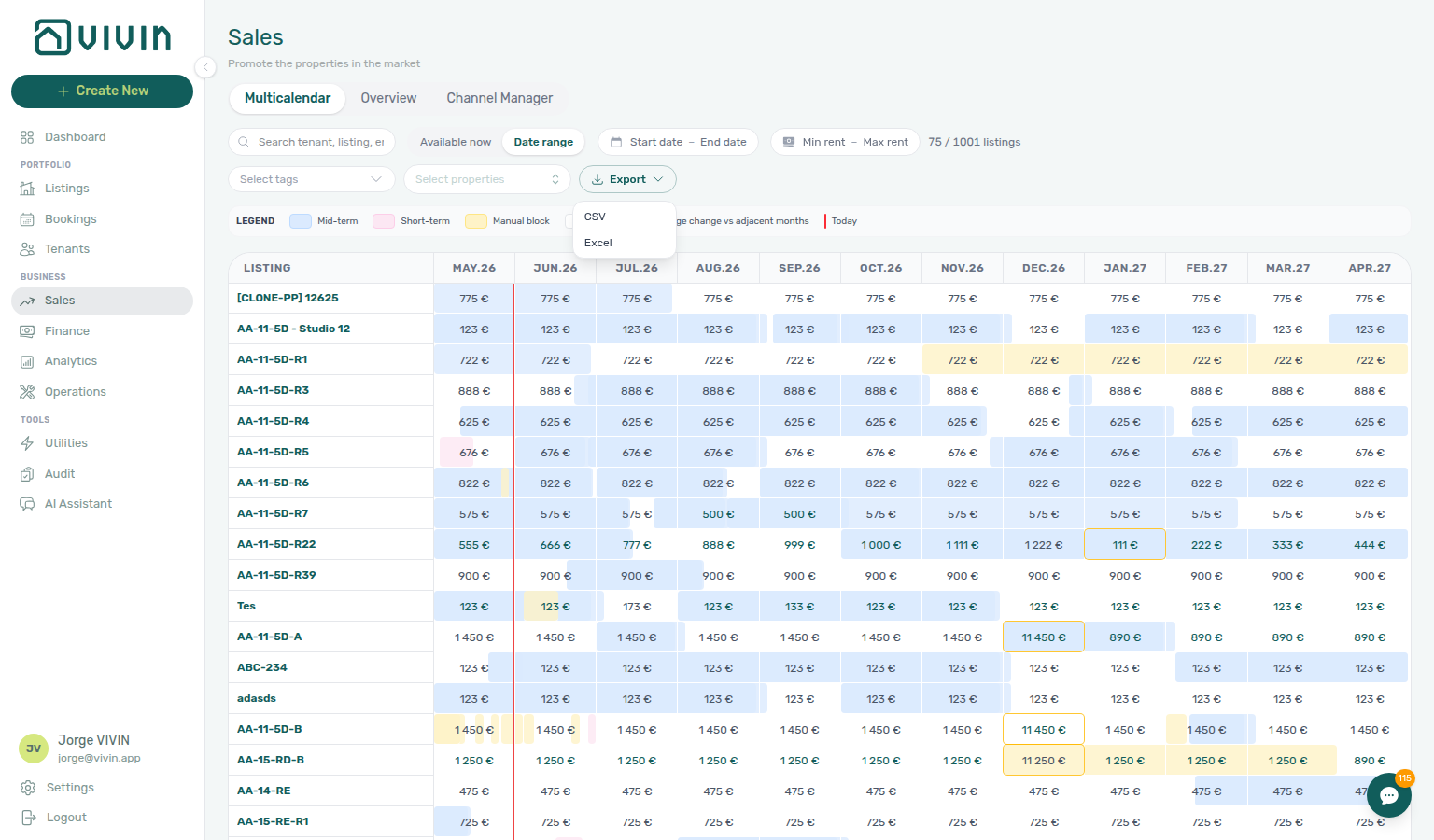
The Pricing tab uses route /sales/pricing (the pill label reads Pricing in the English UI). It is the listing × month workspace: each row is a unit, each column is a calendar month, and cells show rent with occupancy blocks (bookings and unavailabilities) drawn behind the prices. Legacy bookmark /sales/calendar redirects to /sales/pricing.
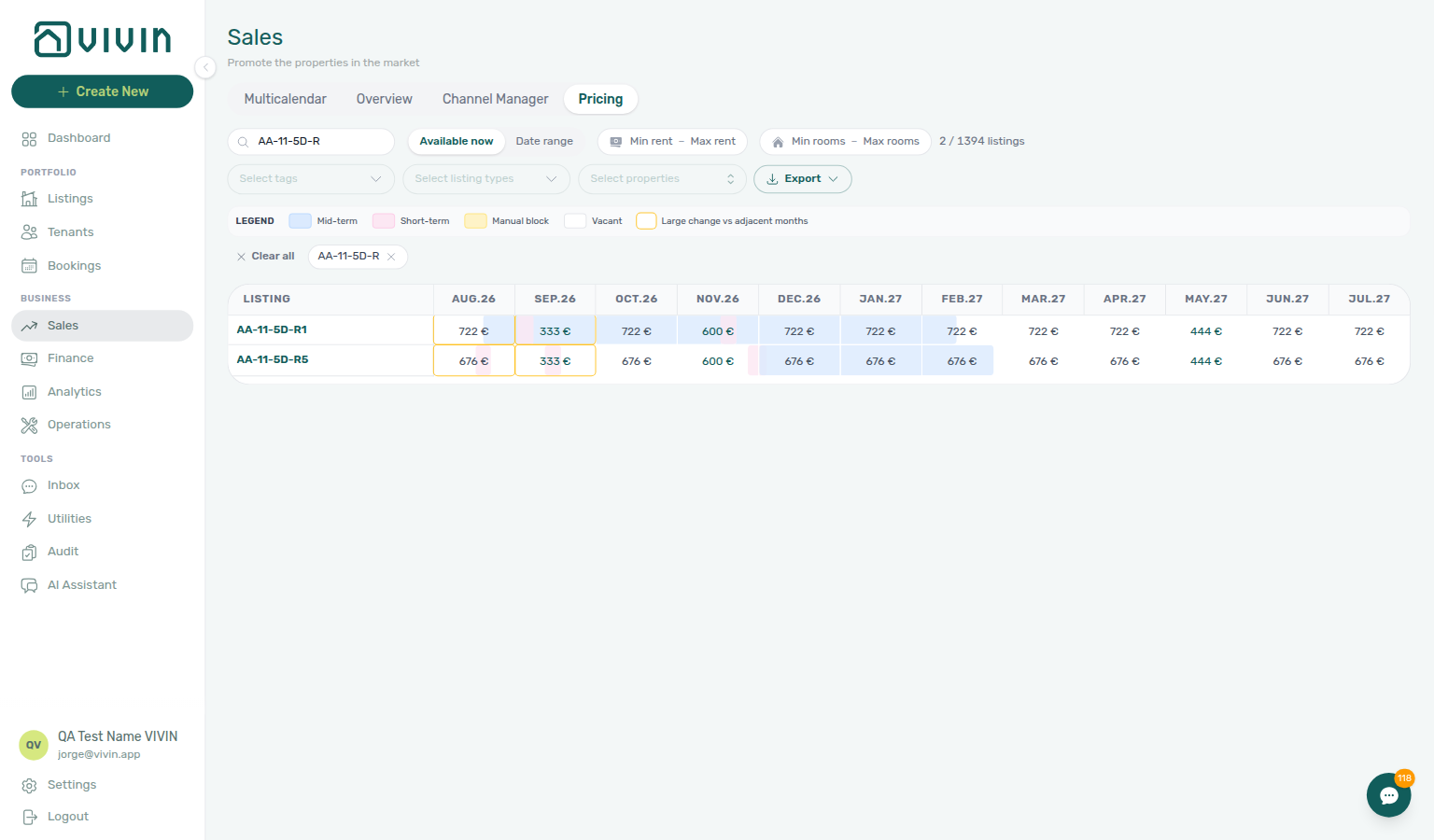
Reading the grid
- Row label (first column) — The sticky left column shows the unit (listing) internal name only (for example
AA-11-5D-R2). Property/building names are not repeated on every row; use Select properties chips, Search, and Select tags when you need building context. - Bookings appear as coloured spans in the month cells (active reservations).
- Manual blocks and other unavailabilities use distinct styling so you can tell them from mid-term stays and short-term/channel blocks.
- Short-term iCal imports (for example Airbnb or Booking.com calendar feeds) use the pink Short-term tint. Hover a block to read dates and a platform label; raw feed text such as
CLOSED - Not availableon Booking.com imports is shown as Booking.com in the tooltip (same normalization as the unit Calendar in Listings). - Rent is shown in each cell; cells without an explicit monthly override still reflect the listing’s configured rent where applicable.
- Custom monthly overrides use the teal rent label; default inherited rent stays neutral grey until you set an explicit month price.
- Recently edited cells (same browser session, after Apply on Edit Price) get a light blue background so you can spot which units and months you just changed before you scroll away or refresh. The highlight is session-only — it clears on a full page reload and does not mean the price is unsaved.
Grid legend
Below the toolbar, a Legend strip decodes occupancy colours, rent anomalies, and the current-day marker on the grid:
| Legend item (English UI) | Meaning |
|---|---|
| Mid-term | Blue-tinted cell background — mid-term stay occupancy in that month. |
| Short-term | Pink-tinted background — short-term or channel-style blocks. |
| Manual block | Amber-tinted background — manual unavailability (not a paid booking). |
| Vacant | White / neutral cell — no booking or block covering that month. |
| Large change vs adjacent months | Amber ring around a rent cell when the month’s price jumps sharply versus neighbouring months on the same row — investigate before publishing or syncing channels. |
| Today | Red vertical line across the grid — current calendar date for orientation when scrolling wide ranges. |
The legend is read-only reference text; it does not filter rows. Large change rings are persistent until rents normalize or you edit the outlier month. Session blue highlights after Edit Price → Apply are separate — they show what you changed in the current browser session only (see Reading the grid above).

Toolbar filters and export
Use the toolbar above the grid to narrow the row set:
- Search — matches tenant, listing, email, property label, and related text on the row.
- Available now / Date range — Available now keeps listings that are vacant today. Date range uses Start date and End date pickers: with both dates set, only listings free on every day from start through end remain; with only a start date, only listings free on that single day remain. Occupancy uses each booking’s linked unit block (check-out–aligned), not a longer contract end alone — same rule as Multicalendar ( tip). On Multicalendar, click the end date right after the start so the search is the full window — see Date range waits for both dates.
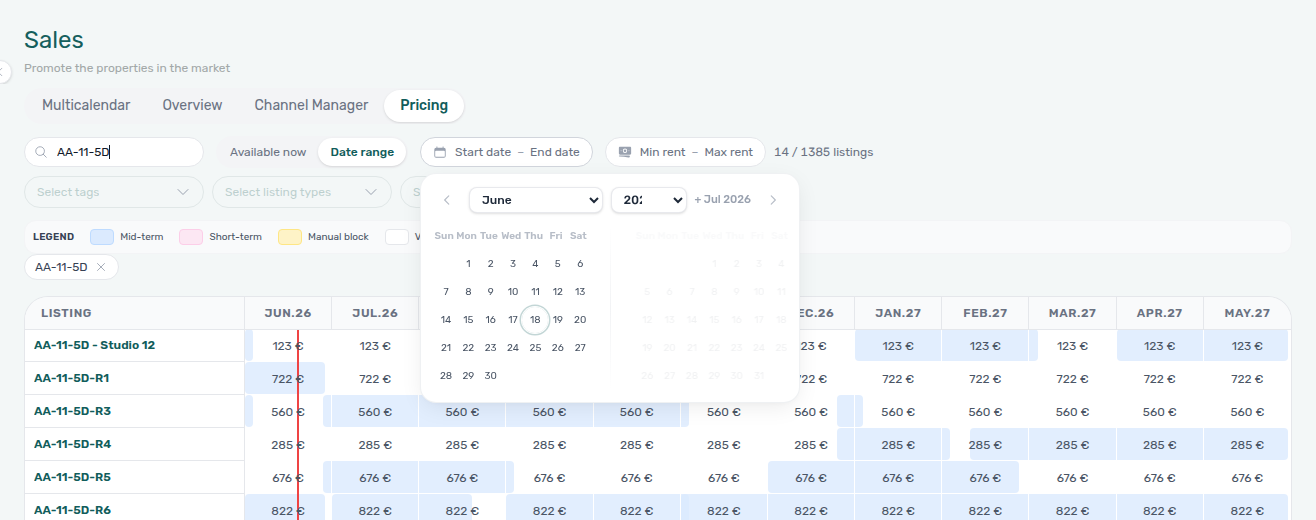
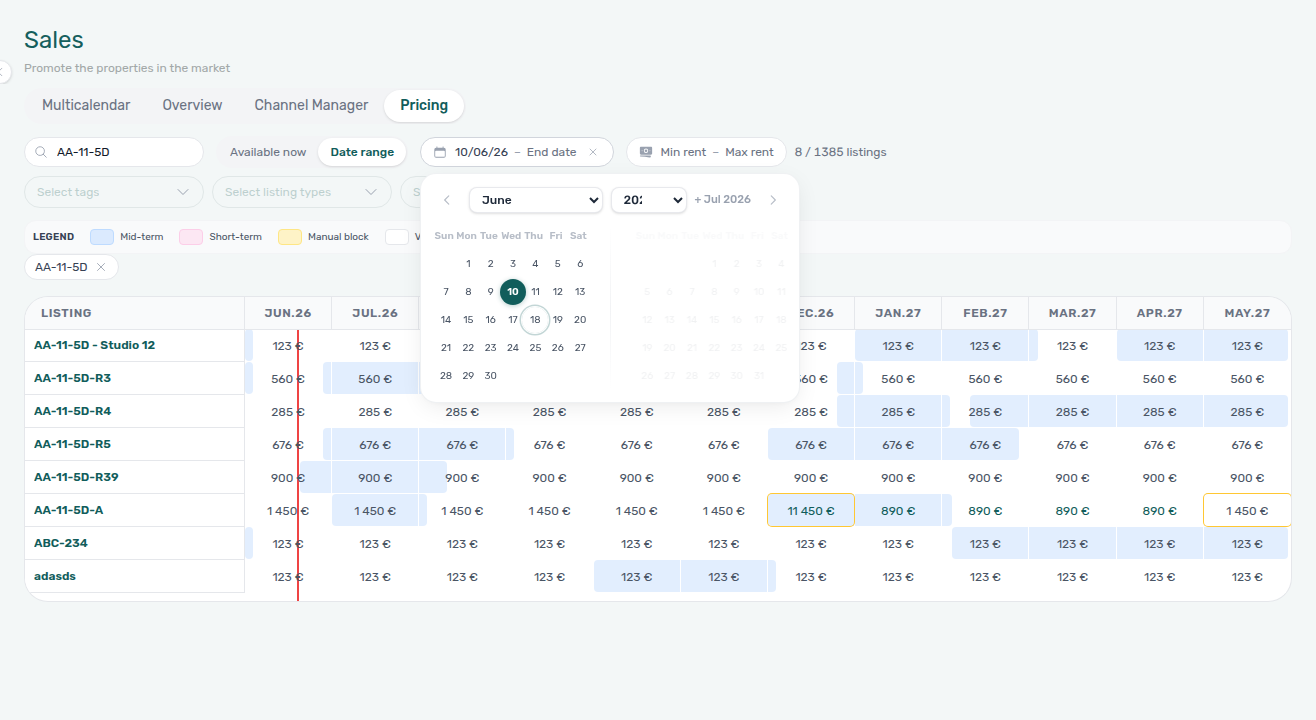
- Min rent / Max rent — optional € range pill; clear with the control beside the pill when set.
- Number of rooms — optional min / max on how many units (listings) are registered under each property. Opens a popover like the rent-range pill; invalid min > max shows an inline error. Sent to the listings directory as
minRooms/maxRoomsand pairs with the same filter on Bookings → Other filters → Advanced (see also the Multicalendar popover).
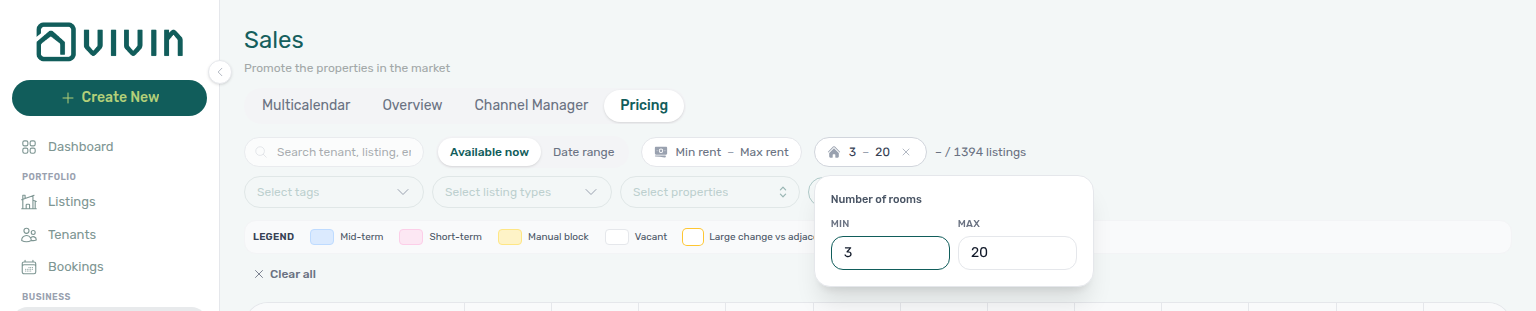
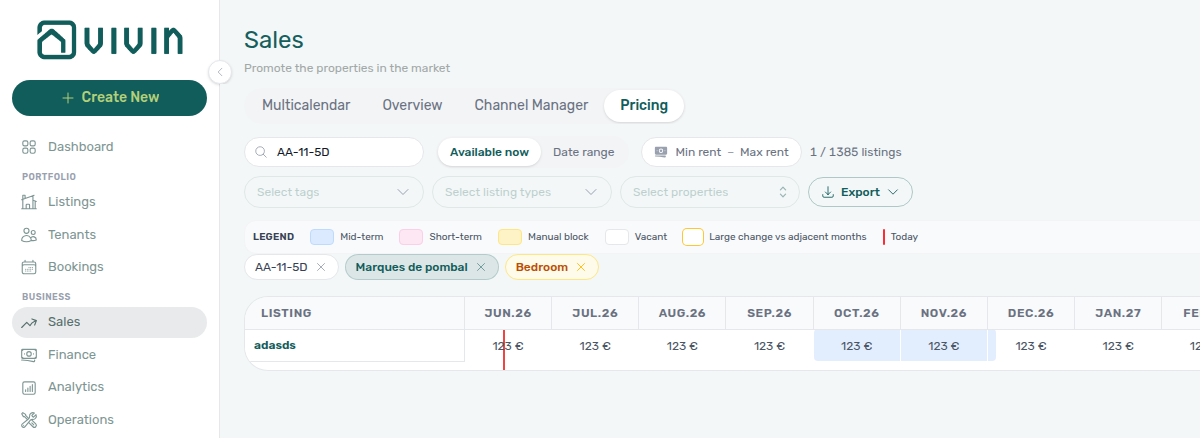
- Select tags / Select listing types / Select properties — multi-select chips. After you pick a tag or type, open the Sales menu again to add another value — on Listings those toolbar menus stay open. Select listing types filters by the same type labels configured under Settings > Categories. Select properties uses a server-driven property picker (search + infinite scroll over properties, not a single upfront list). Active tag, type, and property choices appear as removable chips (clear each with ×). Search, date/availability view, rent range, and rooms each have their own clear control on the pill. When any filter value is set, Clear all appears on the chip row and resets search, tags, types, properties, rent range, rooms, and the availability mode in one click — same control as Multicalendar and Channel Manager. See Glossary — Listing type (filter) and the captures below (Pricing grid) and on the Multicalendar tab (timeline Gantt).
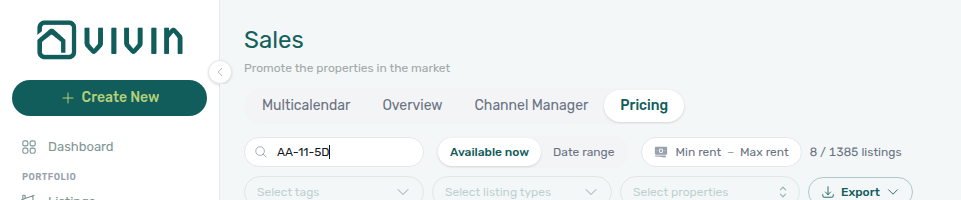
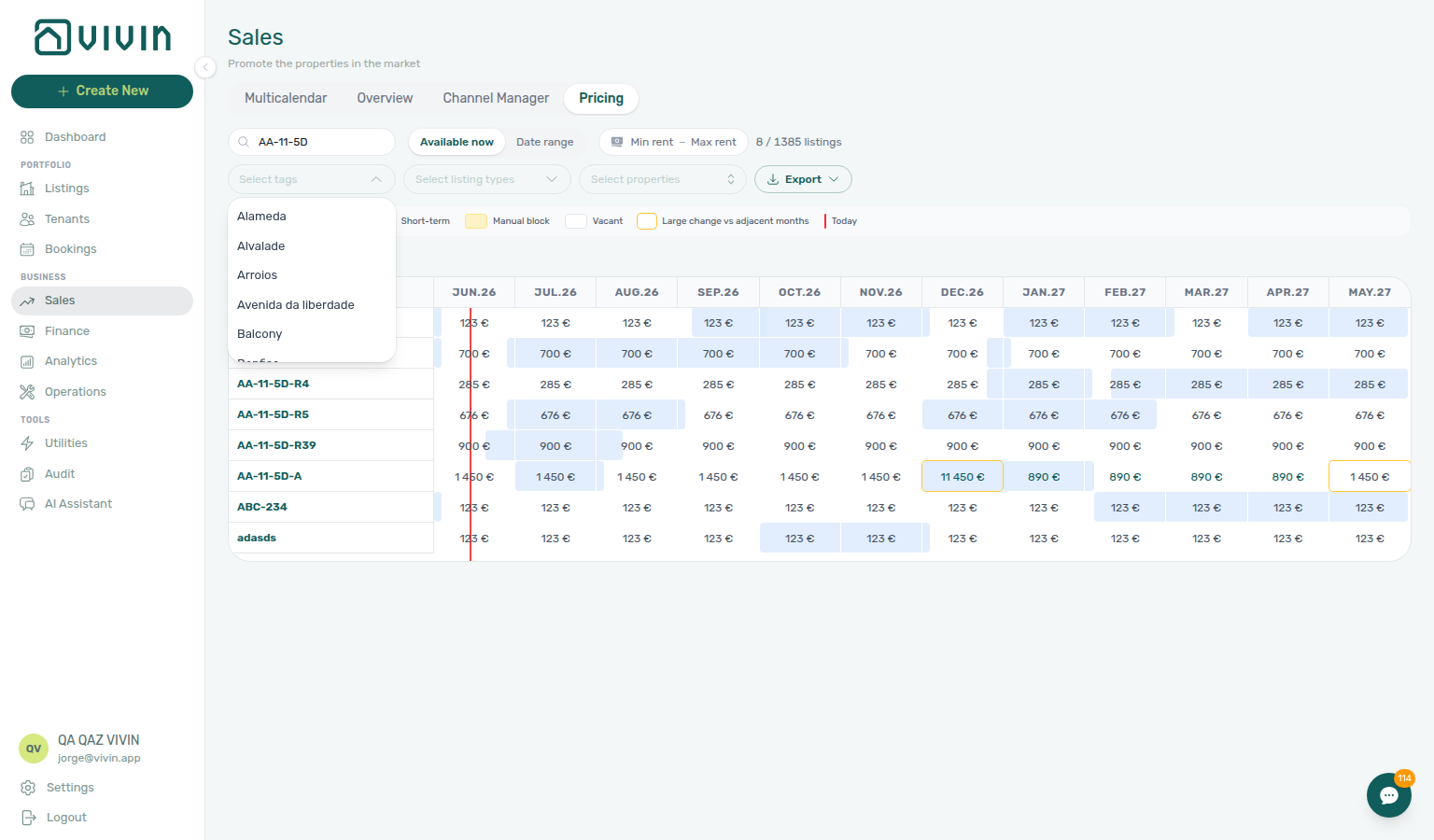
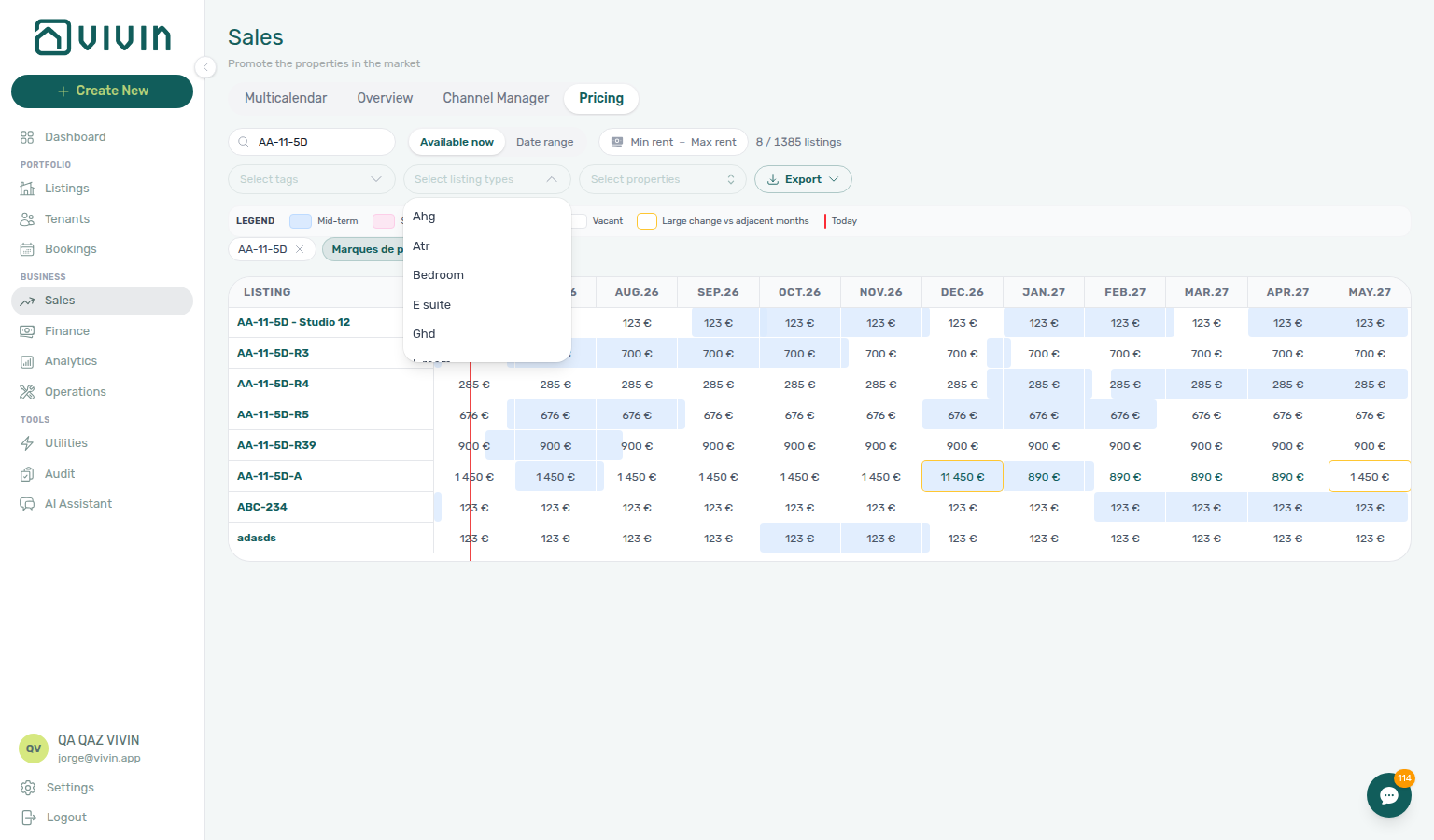
After you pick tags and listing types, removable chips render under the legend strip while the grid refetches. Clear all sits at the start of that chip row whenever any filter value is active:

Select properties uses a server-driven search picker: open the control, type to search property names on the server (debounced), and scroll the menu to load more matches in chunks. Each row shows the internal property code with the address on a second line. Selected properties appear as removable chips in the toolbar.

Export downloads the currently filtered grid as CSV or Excel from the Export split button. Open Export, then choose CSV or Excel (.xlsx). The file reflects search, Available now / date range, rent range, tags, and properties active on the tab — not only the rows currently scrolled into view.
If Export does not download a file, check your filters and use Export again. See Glossary — Export and download issues.
Listing grid loading (infinite scroll)
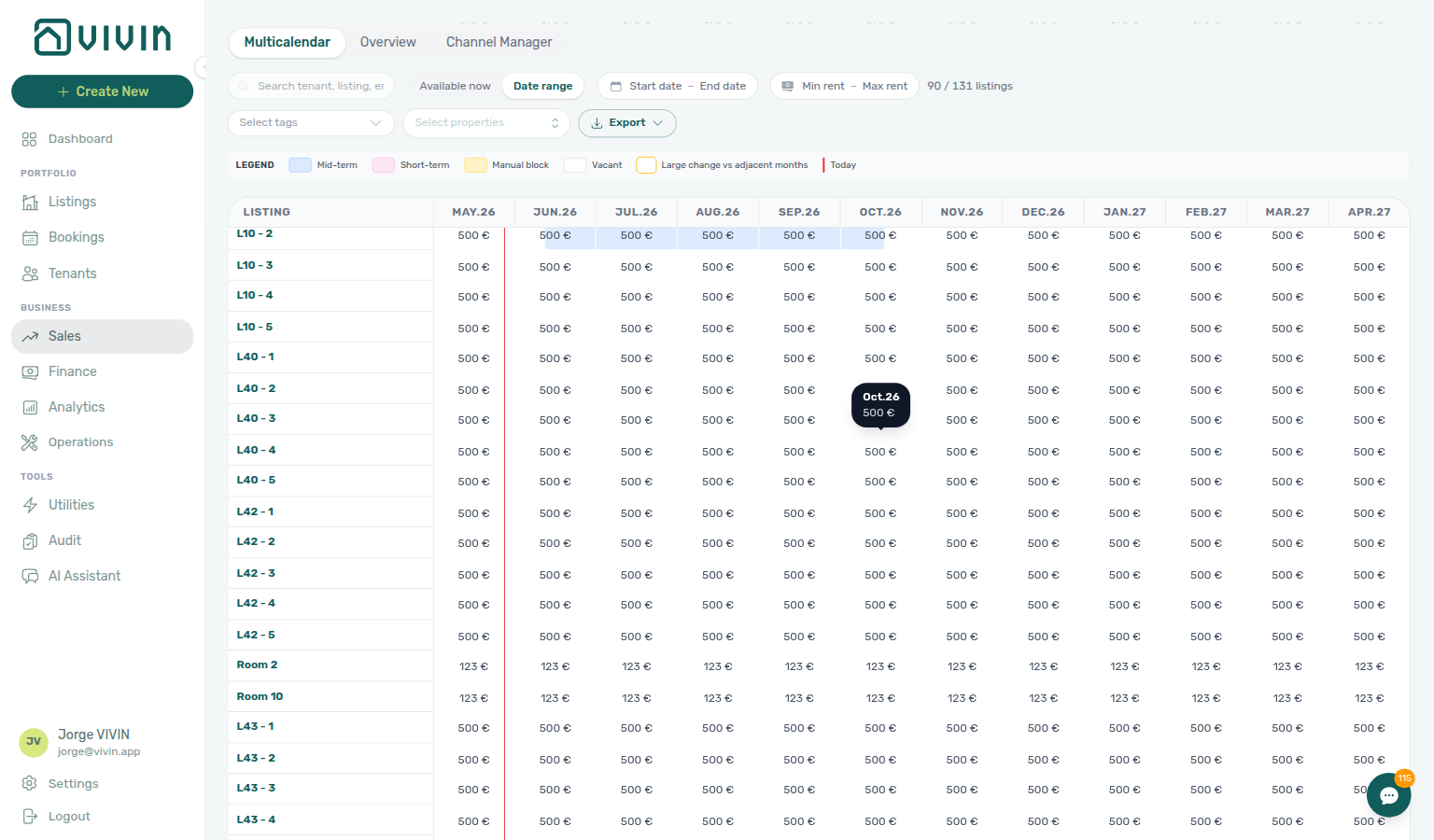
The Pricing row list is server-paged like Listings and Bookings: the first request loads an initial batch of units, and scrolling near the bottom of the grid fetches the next batch automatically (no Load more button).
- Scroll for more — When you approach the bottom of the pricing grid, the next batch loads. While the request runs, skeleton rows appear at the bottom (listing label plus month cells).
- Filters reset the list — Changing search, Available now, date range, rent range, tags, or properties clears the grid and starts again from the first batch. Export always reflects the full filtered result set, not only rows currently on screen.
Bulk price editing
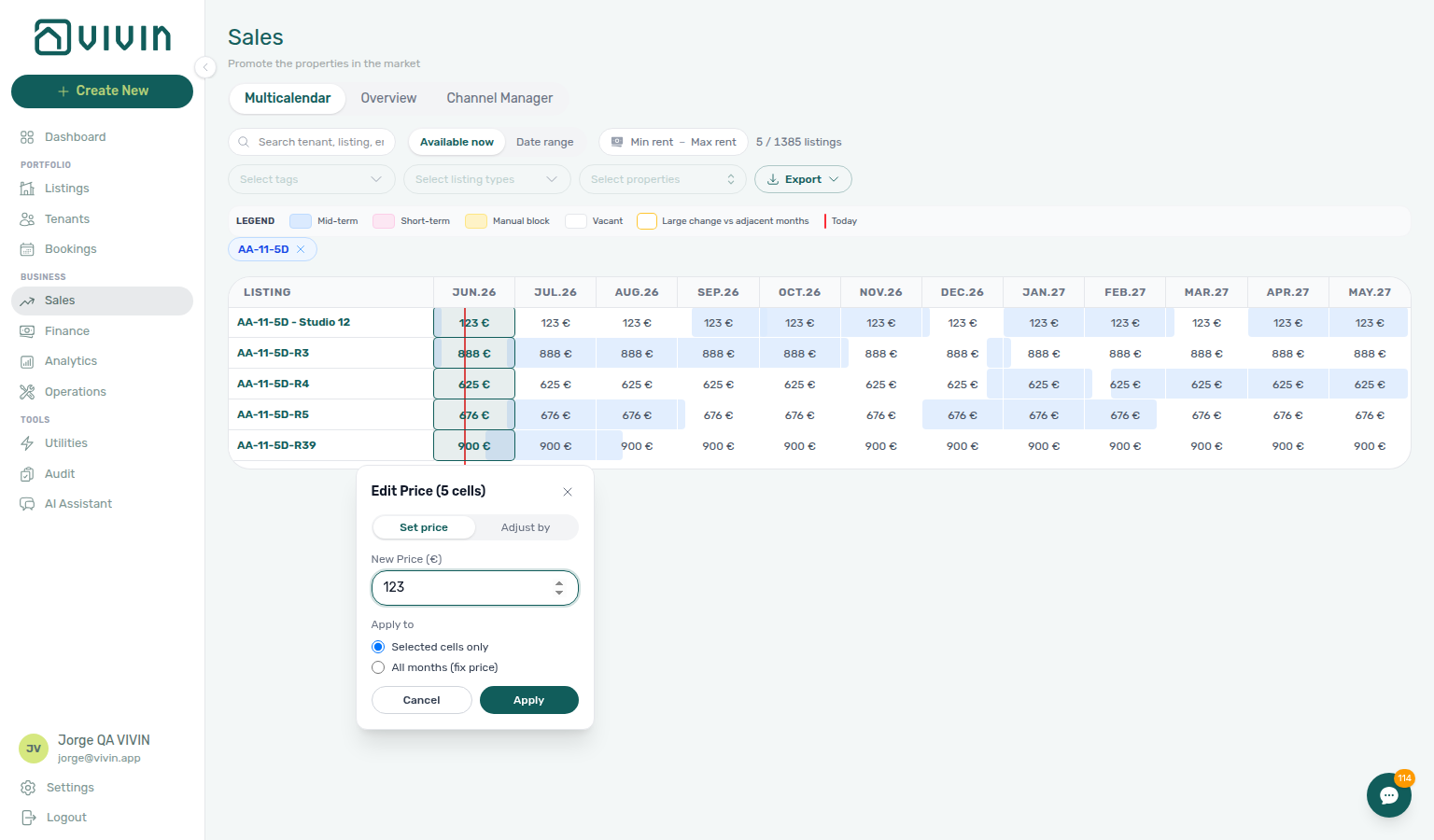
- Click individual cells, drag to select a rectangle of cells (multiple units and months), or click a month column header to select that month for every listing row currently loaded in the filtered grid.
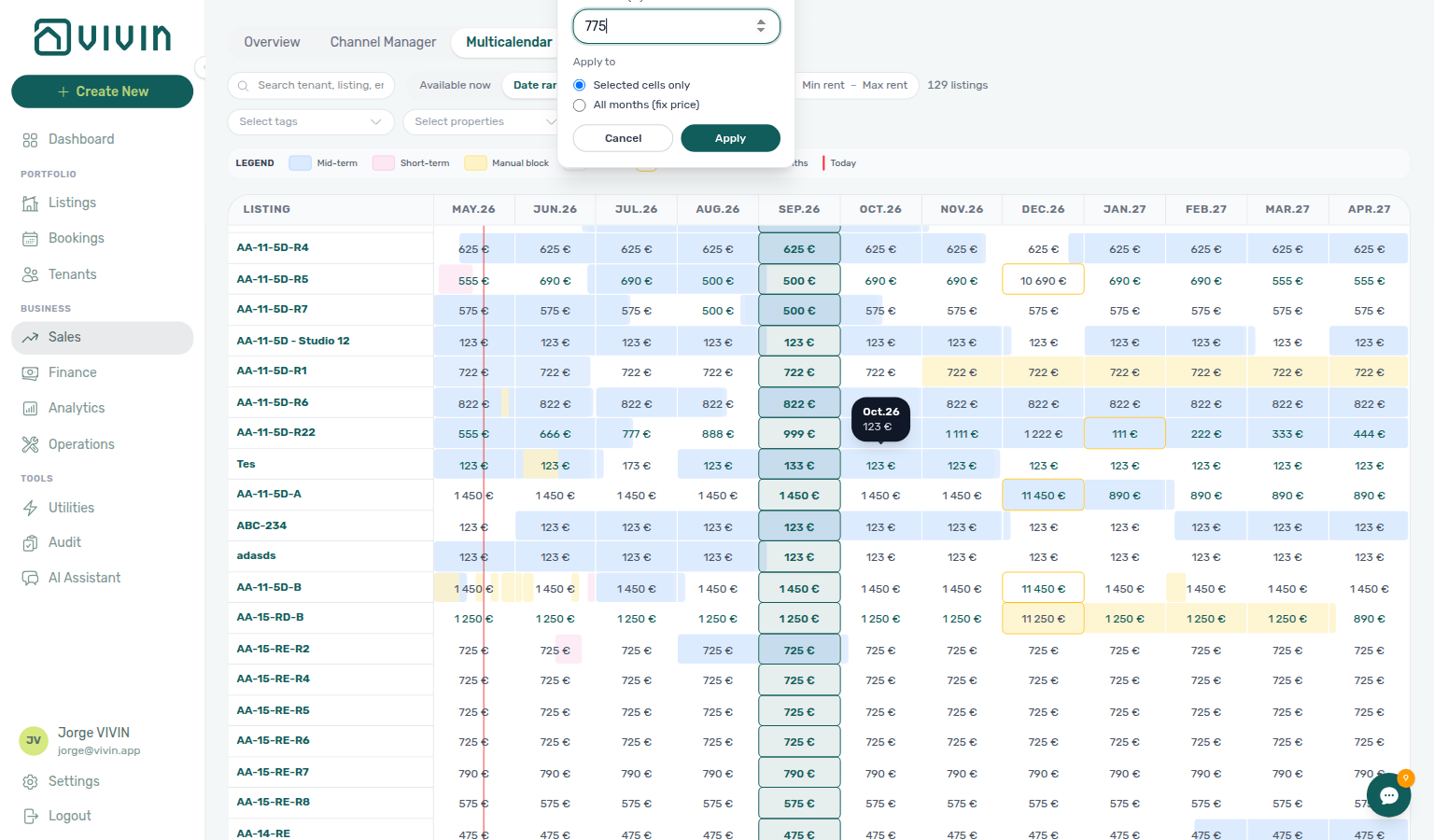
- When you release the mouse (or after a column-header click), the Edit Price popover opens for the selection. Choose Set price (replace the cell value) or Adjust by (add or subtract euros), enter the amount, and choose Selected cells only or All months (fix price).
- Click Apply to persist; the grid refreshes with updated monthly rents. Use Cancel to discard the selection without saving.
- After a successful Apply, affected cells keep a pale blue tint for the rest of the session so you can audit a bulk pass without re-opening Edit Price.
Column-header selection respects the active Select properties / tag filters and infinite-scroll rows already on screen — narrow the portfolio first when you want a seasonal repricing pass across a subset.
Rent changes made in the Pricing grid apply to future pricing for that unit and month. They do not retroactively change rent on existing bookings that already fixed their rent at creation.
Time-on-axis availability (today vs upcoming)
For a time-on-axis view of bookings and blocks without month rent cells, use one of these surfaces:
- Sales → Multicalendar (
/sales/multicalendar) — portfolio Gantt with Day / Week / Month scale, Sales toolbar filters, and booking-bar click into detail (see Multicalendar tab). - Sales → Overview → Availability over time — per-unit free windows or aggregated bar charts (see Overview tab).
- Bookings → Timeline — dense unit × time Gantt across the whole portfolio when you need the Bookings module context (for example Only bookings toggle and contract workflows).
- Overview — account-level KPIs plus Availability over time charts (aggregated or per-unit free windows).
- Multicalendar (
/sales/multicalendar) — unit × time Gantt without rent cells, scoped to Sales filters; click a booking bar to open booking detail. - Pricing (
/sales/pricing) — month cells with rent and bulk Edit Price workflows. - Bookings Timeline — portfolio Gantt from the Bookings module when you need Bookings-specific toggles and navigation patterns.
Channel Manager
Channel Manager pairs with Settings > Integrations and Listings — Channels tab — imported bookings with unpaid schedules surface payment overdue rows.
Need the unit × platform marketplace grid (not Pricing, Multicalendar, Analytics, or Settings Integrations credentials)? Ask AI Chat “Where do I open the Channel Manager tab under Sales (Business → Sales — English tab label Channel Manager at /sales/channels — the unit × platform grid for marketplace links, publication status, and per-unit allocate — not the Pricing monthly rent grid, not the Multicalendar availability timeline, not Analytics KPI charts, and not Settings Integrations credentials) to link units to marketplaces and review channel publication status?” — then open Business → Sales → Channel Manager (ai-chat-product-context-channel-manager-reply.png, ai-chat-product-context-channel-manager-flow.mp4). The assistant typically says Business → Sales → Channel Manager. Canonical route: /sales/channels.
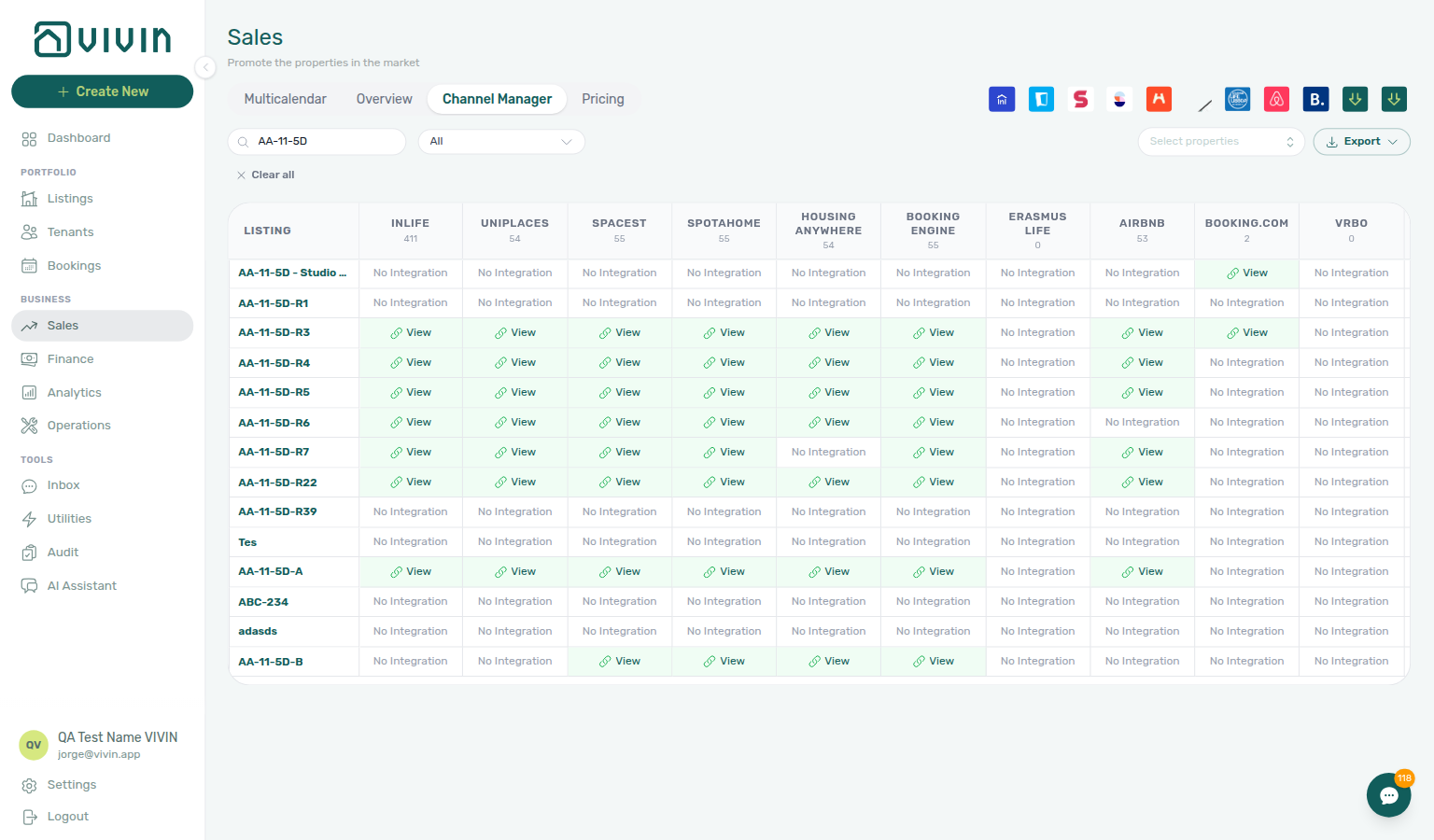
The Channel Manager tab (/sales/channels) connects Vivin to external booking platforms so availability and pricing stay aligned across marketplaces you enable in account settings.
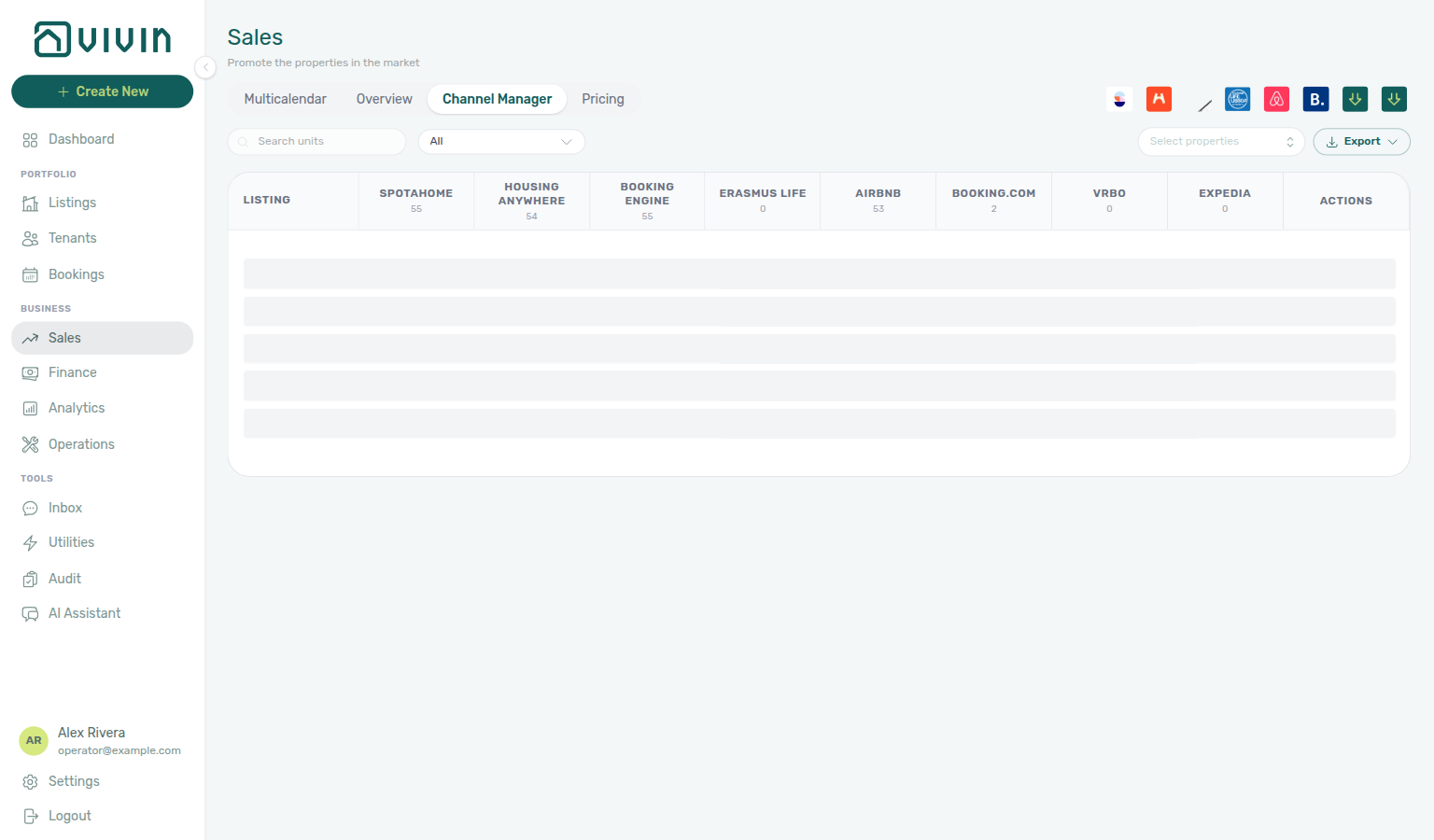
Initial load placeholder (toolbar stays put)
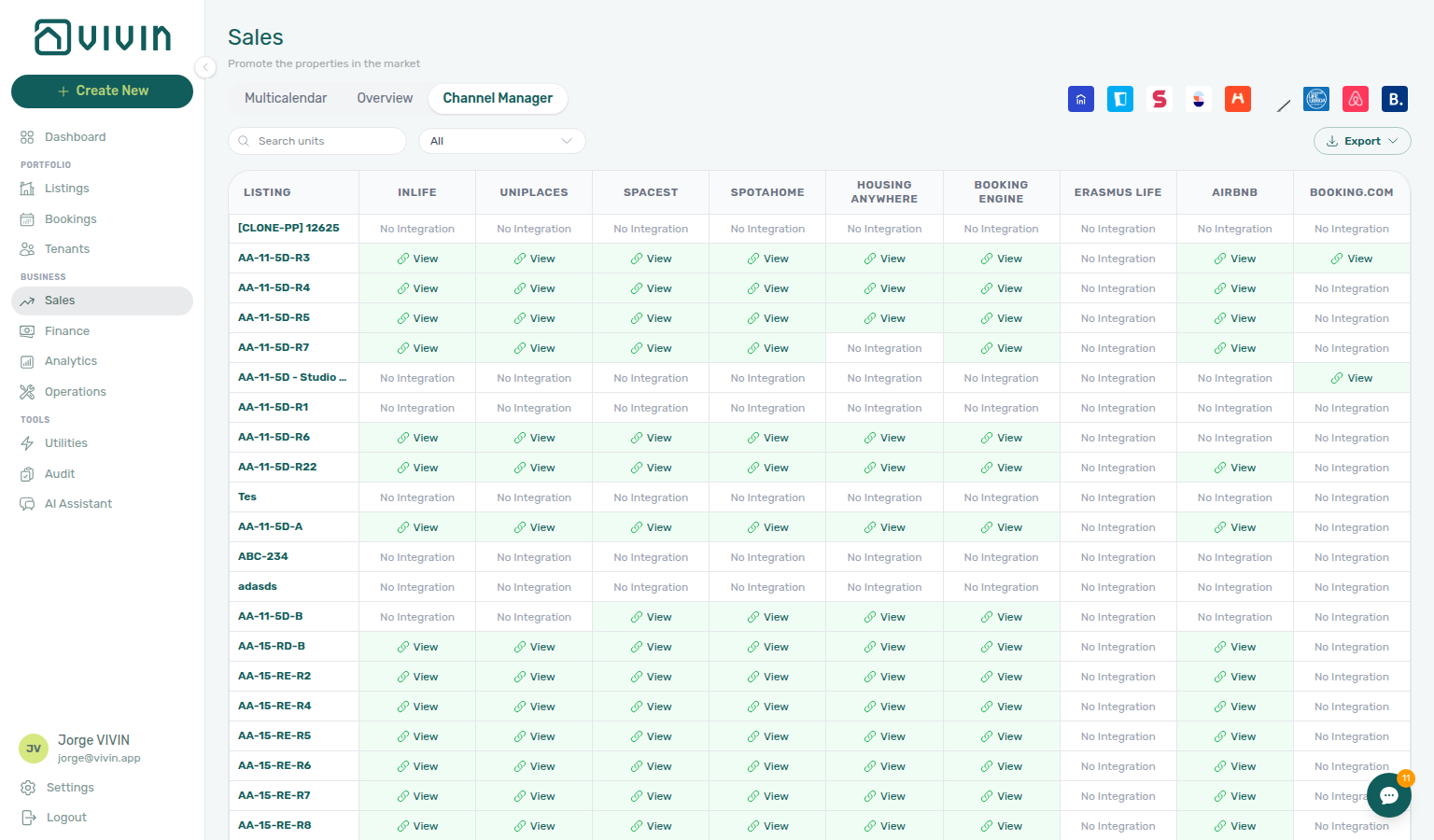
Platform column header counts can appear a moment before the first unit rows arrive (counts come from the full integrations snapshot; rows come from the paginated portfolio list). While those rows are still on the way, Channel Manager keeps the Search units / Select properties / Export toolbar mounted and shows pulse placeholder bars in the grid body — not the definitive No units found empty state.
No units found appears only after loading settles on a genuine empty (or filter-miss) result. That way a healthy account never looks empty for several seconds just because header badges finished first.
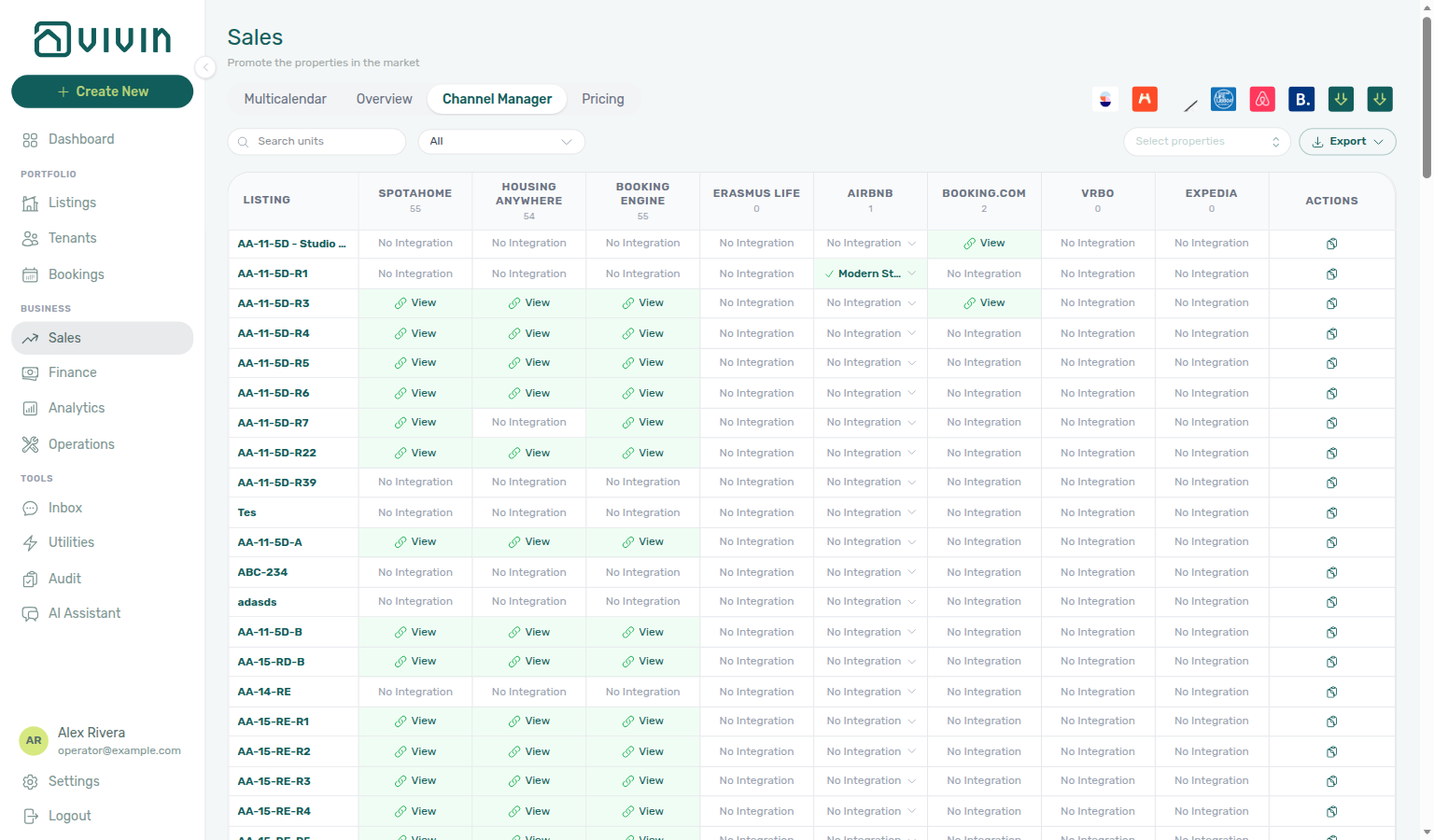
Scroll loading for later pages (skeleton rows at the bottom) is covered under Channels toolbar, filters, and export.
Connected platforms
The grid lists platforms your account has turned on under Settings > Integrations that also appear as Sales channel columns in the product today: Inlife, Uniplaces, RoomLess (Spacest), Spotahome, Housing Anywhere, the Vivin booking engine, Erasmus Life Lisboa, Airbnb, and Booking.com — only enabled integrations appear as columns you can filter and act on.
Edu Portugal, Idealista, and Coliving can be enabled under Settings > Integrations and affect bookings, Finance filters, and per-unit Listings > Channels links, but they do not currently render as columns on Sales > Channel Manager. Channex also has no standalone column — when a Channex OTA rail (Airbnb, Booking.com, Vrbo, Expedia) is channel-connected on Integrations, that OTA column switches to channel-account allocate mode instead of the classic iCal cell. See Integrations — Channex and Listings — Short term.
Channex channel-account mode (allocate OTA listing)
When Vivin has provisioned a Channex connection for an OTA (for example Channex → Airbnb) and that rail reports connected on Settings → Integrations, the matching Airbnb / Booking.com / Vrbo / Expedia column on this grid stops using the iCal Manage modal. What you pick in the cell depends on the OTA:
- Airbnb, Vrbo, and Expedia — a searchable listing picker of listings from that Channex connection that are not already mapped to another unit.
- Booking.com — hotel IDs you registered in the Booking.com hotel IDs dialog on the Booking.com connection card (one ID per room). Register the pool first under Integrations — Booking.com hotel IDs; IDs already allocated to another unit stay disabled in this picker.
- Finish the OTA Connect flow on the Channex connection card under Integrations (credentials stay managed by Vivin). For Booking.com, also register hotel IDs in the Booking.com hotel IDs dialog on that card (Add hotel ID) before you allocate here.
- Open Sales → Channels and find the unit row.
- In the OTA column, open the picker (Allocate this unit to a … listing), search by title, city, or id, and select the listing — or, for Booking.com, the hotel ID (for example 6519420 — Single Room).
- Vivin allocates the unit, shows a green cell when linked, and starts pushing prices and availability (usually within about a minute). Use the remove control on the picker to unlink without deleting the Channex structures. Unlink a Booking.com hotel ID here before you can remove it from the Integrations pool.
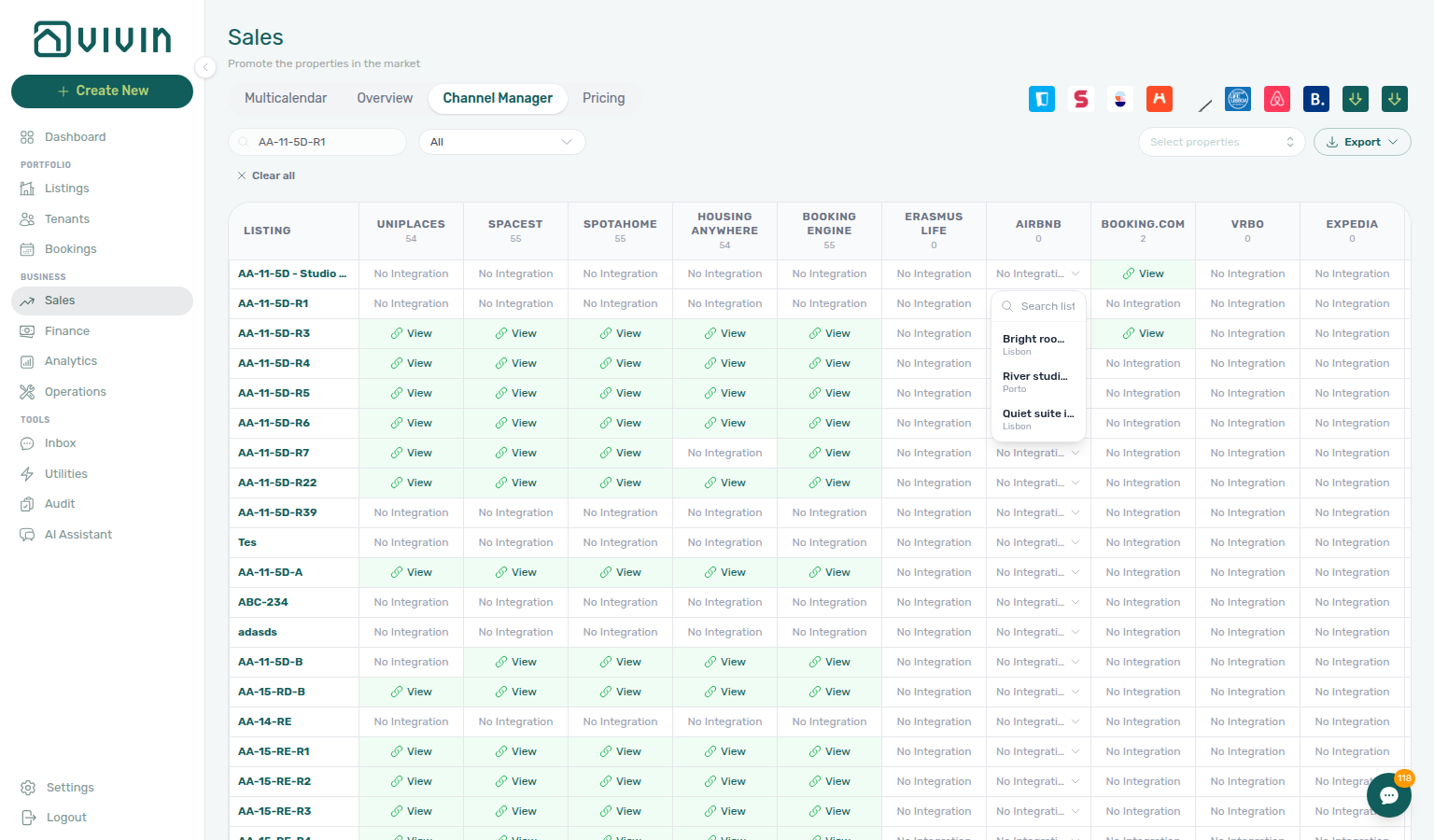
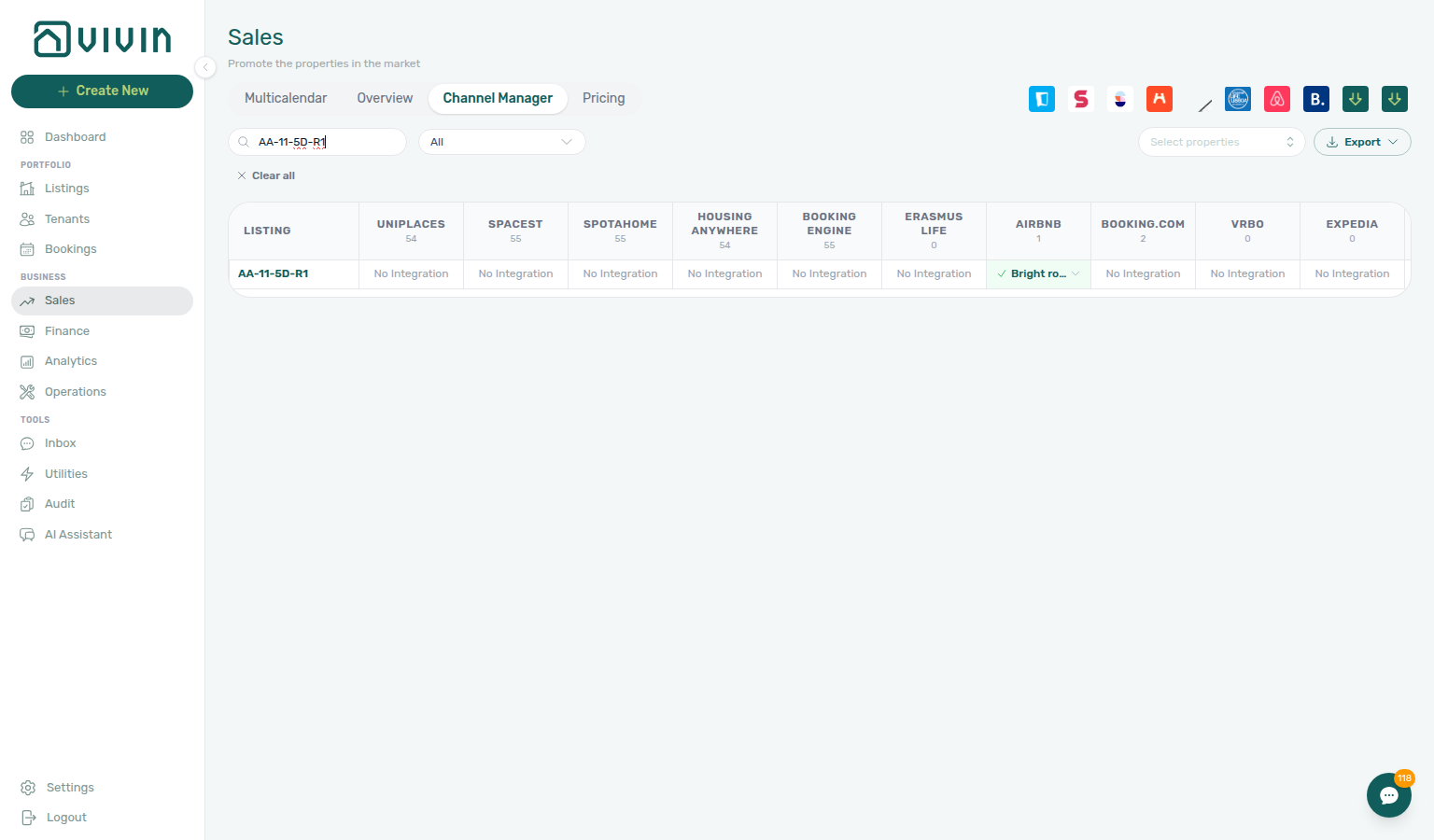
Header badge counts for those platforms then reflect live allocations, not classic iCal integrations. Nightly rates and stay rules still come from the unit Short term card. After allocate, open the unit Listings → Channels tab to confirm the read-only Airbnb (or OTA) room URL (listings-unit-channels-channex-row.png, listings-unit-channels-channex-row-flow.mp4) — there is no pencil / trash on that synthetic row because the id lives on the Channex mapping. Mid-term marketplaces (Uniplaces, Inlife, and similar) keep the classic click-to-manage iCal path.
How calendar synchronization works
When a booking is created in Vivin (manually or imported), the corresponding dates are blocked on other connected channels according to your integration rules. When a booking is created on an external platform and imported into Vivin, those dates are reflected here and blocked elsewhere as configured.
Setting up a new integration
- Go to Settings > Integrations
- Enable the platform and complete its setup (API keys, iCal URLs, or linking flows as guided)
- Return to Sales > Channels to link each unit to its external listing where required
See Integrations for platform-specific steps.
Enabling an integration does not automatically map every unit — you still link listings in Channel Manager (and satisfy each platform’s requirements) before sync is meaningful.
Toolbar filters and export
Above the grid, use Search units, Select properties, and the Filter by platform control (only platforms enabled in Settings > Integrations appear as columns). Export downloads the currently filtered rows as CSV or Excel (vivin-channel-manager-YYYY-MM-DD.csv / .xls). Export failures surface as a toast — see Glossary — Export and download issues.
Search units is debounced (~1 second) and matches the unit’s internal name, property label, tenant or email fields on the row, and stored platform external ids on enabled integrations (for example an Airbnb listing id or Uniplaces external key). Paste an OTA id when you know the link but not the Vivin unit code. Pricing search does not include integration ids — use Channels when you are hunting by marketplace reference.
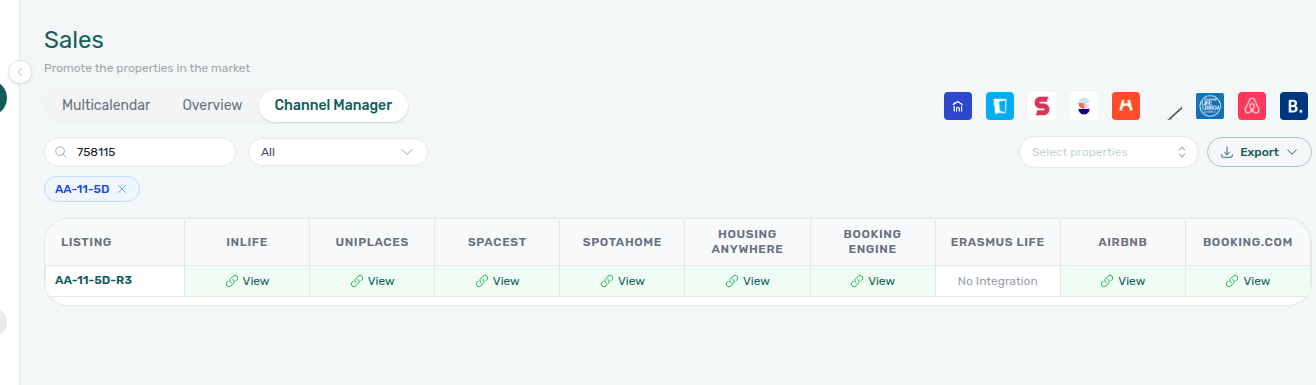
Filter by platform is a dropdown anchored next to Search units. All shows every enabled platform column; each other option lists a platform name only (no counts in the menu). Pick a platform to narrow the grid to units that have an active link on that marketplace (externalId set — same semantics as a green Connected / View cell).
Column header counts — In the sticky grid header, each platform column shows a small number under the platform name. That figure is how many currently filtered rows have an active integration on that column — it updates when you change Search units, Filter by platform, or Select properties chips. It is not a fixed account-wide total; scope the grid first when you need a building-specific link count.

Select properties uses the same server-driven search picker as Pricing: open the control, type to search buildings on the server, and add one or more properties. Leave the picker empty to include all units in the account.
After you add buildings, removable chips render on a second row directly under the Channels toolbar (internal property name on each chip; × removes one building without clearing Search units or the platform filter). When Search units, Filter by platform (not All), or any property chip is active, Clear all appears at the start of that chip row and resets every Channels filter in one click — same control as Multicalendar and Pricing. The grid, infinite scroll batches, and Export all respect the scoped property list — changing search, platform filters, or property chips resets pagination from the first batch so rows from a previous filter do not linger on screen.
The open picker menu is the same control as on Pricing (server search + infinite scroll; each row shows internal code and address):


The Channels unit table uses the same infinite scroll pattern as Pricing: an initial batch loads first; scrolling near the bottom fetches more rows with skeleton placeholders while the next page is in flight. Changing search, platform filters, or properties resets the list from the first batch (exports still include every row that matches the filter).
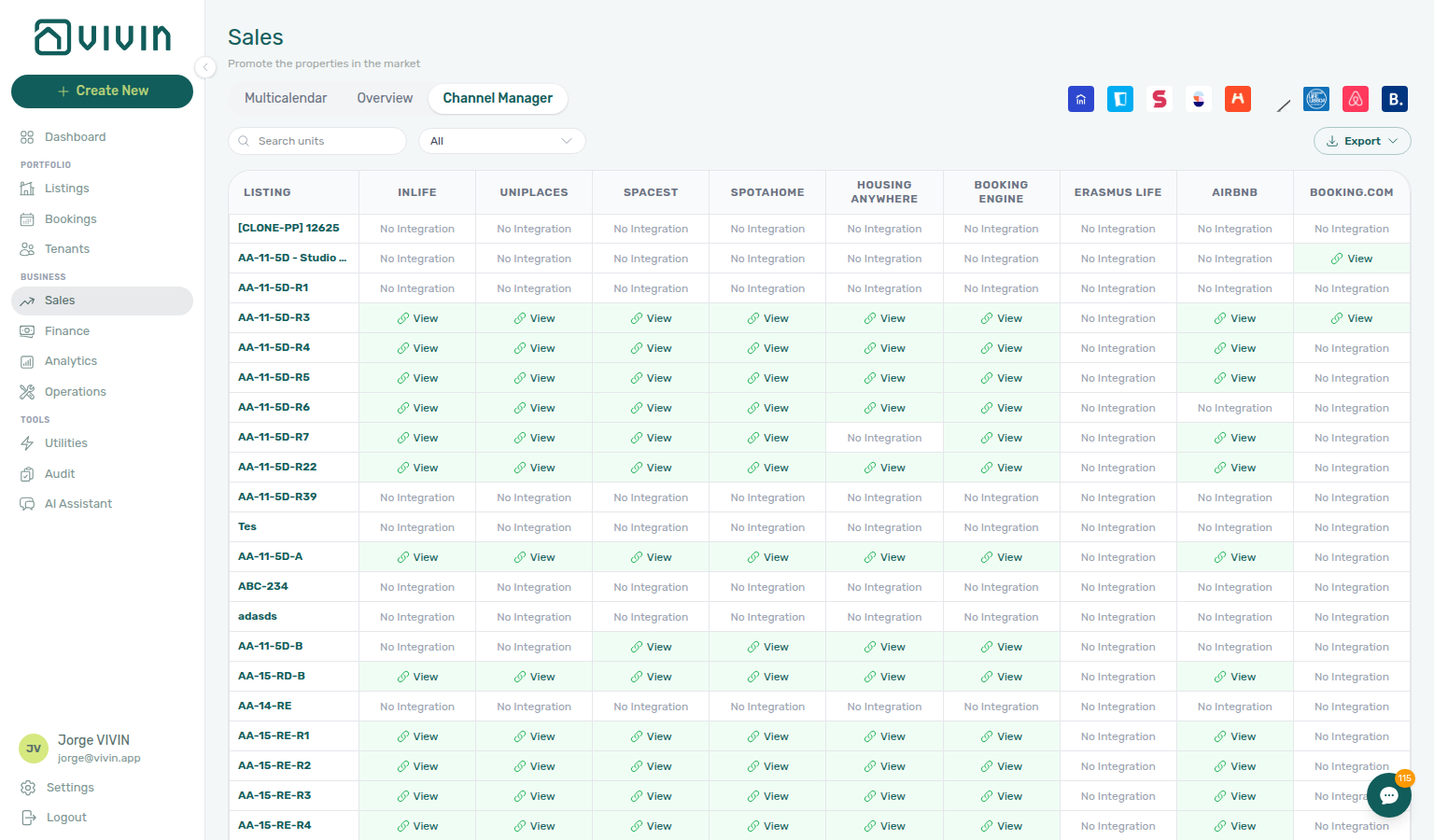
The skeleton row pattern on Channels matches Pricing (listing label plus platform cells); only the column layout differs. If the Channels-specific capture is unavailable in your checkout, the same loading UX appears on Pricing — see the screenshot in Pricing tab (monthly rent grid) above.
Each export row includes:
| Column | Content |
|---|---|
| Unit Name | Listing label (internal name, public name, or listing id) |
| VIVIN iCal | Per-unit outbound iCal feed URL — the same link you can copy from the grid actions column or when linking a unit in the integration modal |
| Platform columns | One column per enabled integration (for example Airbnb, Booking.com) — Yes / external id when linked, No when not; Excel exports may hyperlink View URLs for Airbnb / Booking.com iCal setups |
Use the VIVIN iCal export column when you need a spreadsheet of subscribe links for OTAs or tools that accept iCal (VRBO, Tripadvisor, custom middleware) without opening every unit in Listings. The feed respects Short-term iCal Max Date and other availability rules configured on the account.
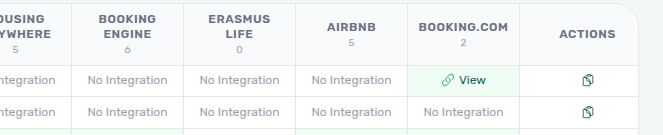
Copy iCal (per row) — The trailing actions column on the on-screen grid holds a Copy iCal control (clipboard icon) for every unit. Click it to copy that row’s outbound feed URL to the clipboard; a toast confirms the copy. The URL matches the export column and the Airbnb / Booking.com wizard step 2 field — use Copy iCal for one-off pastes; use Export when you need many links at once.
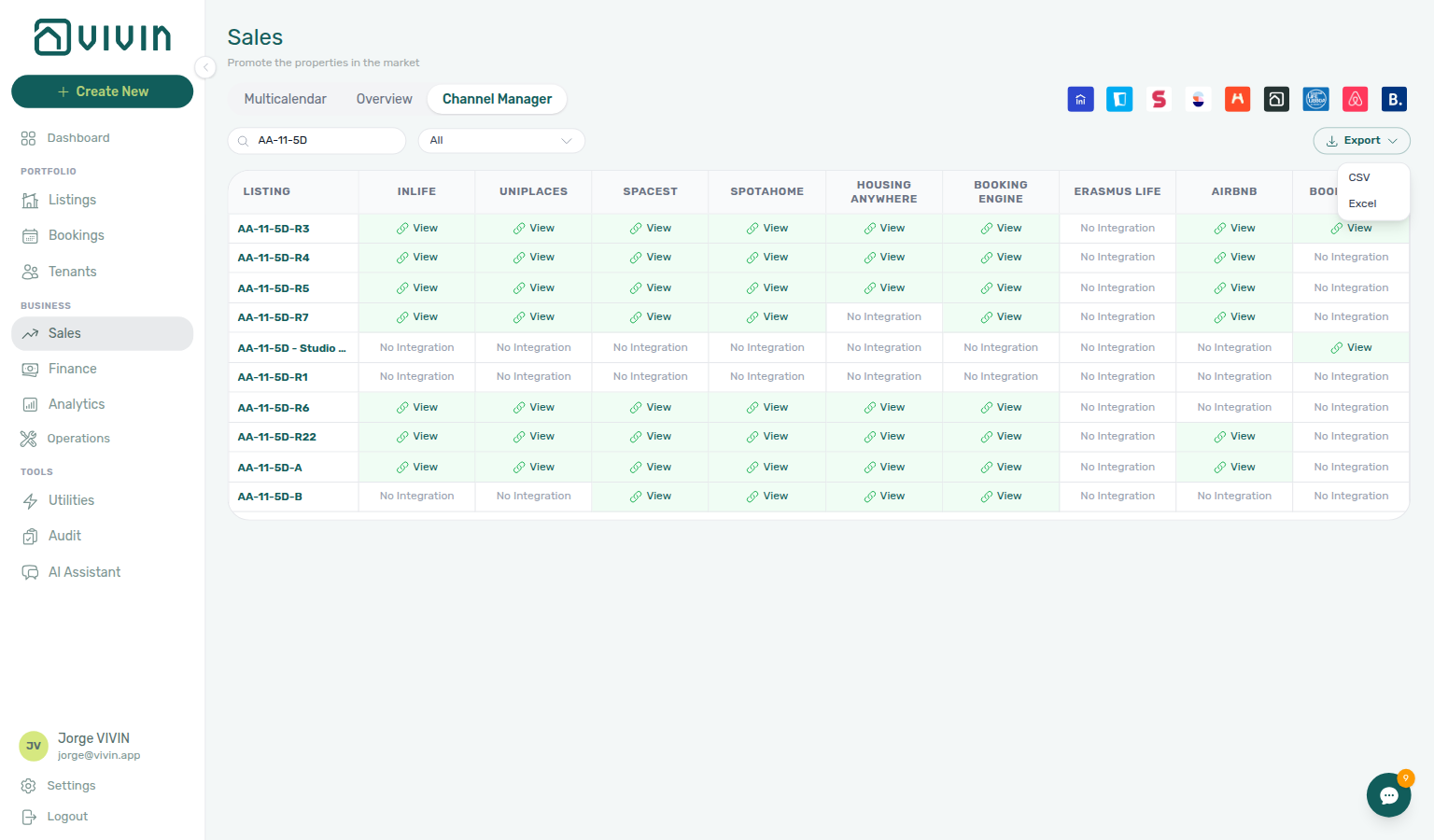
When a unit is not linked on a platform, the cell shows No Integration; click View on a connected cell (or the equivalent control on your enabled platforms) to open the per-unit linking dialog without leaving the grid:
Airbnb and Booking.com (iCal two-way setup)
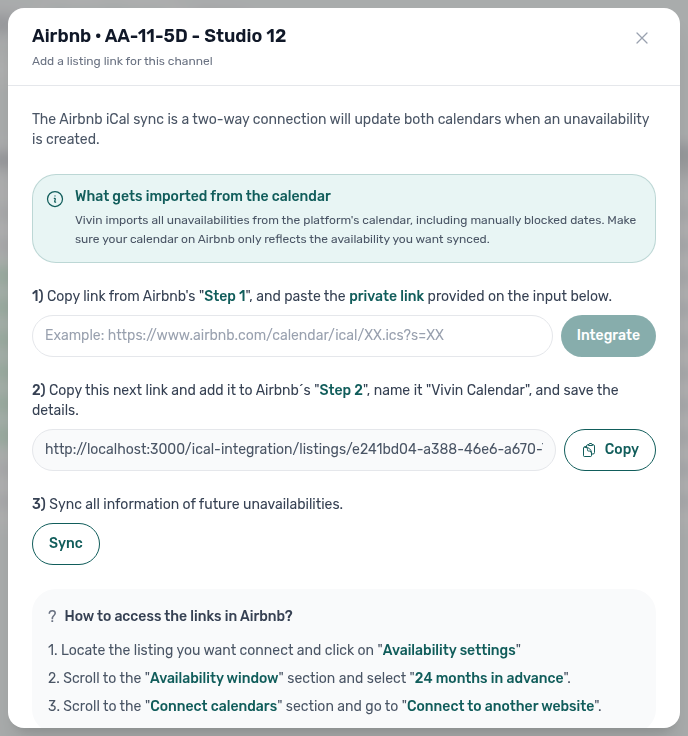
For Airbnb and Booking.com, clicking a No Integration cell opens a dedicated iCal wizard instead of a single URL field. The modal walks through three steps:
| Step | What you do |
|---|---|
| 1 | Paste the platform’s private iCal export URL from their calendar / availability settings, then click Integrate so Vivin stores the inbound feed. |
| 2 | Copy Vivin’s outbound feed URL and add it on the OTA as an imported calendar (for example named Vivin Calendar). |
| 3 | Click Sync to pull future unavailabilities from the platform calendar into Vivin. While the request runs, the button shows Syncing…; a toast confirms when the import finishes so you can leave the modal open. |
The in-modal note explains that Vivin imports all unavailabilities from the platform calendar (including manual blocks), so the OTA calendar should only reflect availability you want exported.
After a link exists, clicking the green cell again (not the external View control, which opens the OTA listing) opens manage view: Connected summary, read-only platform iCal link with Copy and Sync, and Delete integration to remove the mapping.
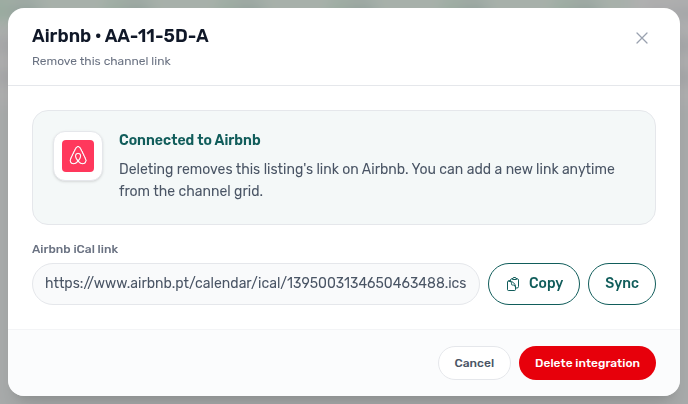
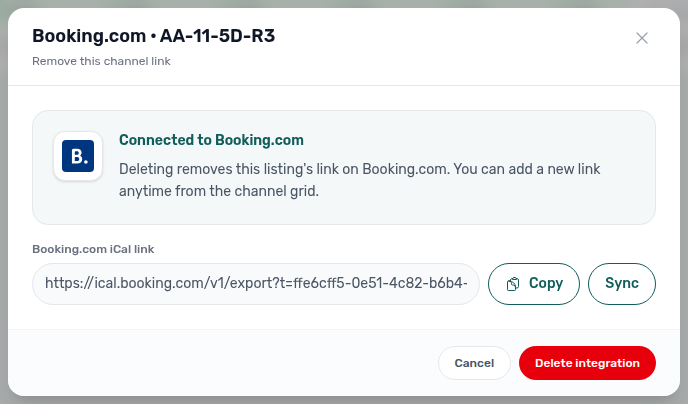
Use Sync in the initial iCal wizard (step 3) and from manage (connected Airbnb / Booking.com cells — read-only platform iCal row with Copy + Sync beside Delete integration) whenever the OTA calendar changed outside Vivin. You do not need to delete and reconnect first. While Sync runs, the button shows Syncing…; a toast confirms when the import finishes in both views.
Use Sync after you finish step 2, after editing blocks on the OTA, or from manage when you need a fresh import. New bookings created in Vivin still propagate to other channels through the normal integration rules; Sync is for importing blocks and reservations already on the platform feed.
Manual unavailability
When you add manual unavailability on a unit in Listings, those dates are treated like other blocks for availability and, where integrations apply, propagate to external calendars. See Adding Manual Unavailability.
Sales guide subsection index
This index pairs Sales tab sections with Related subsections — use it when availability heatmaps disagree with Dashboard vacant units, Bookings — Timeline, or Analytics KPI charts.
Sales section cross-reference
Use the sections above for this module. Related pages are linked from Related below when present, or from Modules.
Related
Related below links this module to settings, concepts, workflows, and escalation paths.
Documentation map & escalation
- Modules hub — Hub pairing matrix across operator workspaces
- Glossary — Term definitions used across sales and availability workflows
Upstream & downstream workflows
- Onboarding a New Property — Channels linking step after Settings integrations are enabled
- Processing a New Booking — First reservation after pricing and channel linking
- Cancelling a Booking — Verify availability on Overview after a reservation is canceled
- Managing a Check-out & Deposit Refund — Multicalendar overlap checks before same-day turnover departures
- Entering Monthly Utility Bills — Monthly supplier bills after occupancy dips on Overview heatmaps
- Portfolio KPI review — Reconcile Sales heatmaps with Analytics and Dashboard occupancy signals
- Handling a Late Payment — Step 1 — Collections on channel-imported bookings with unpaid schedules; upstream path from Notifications — Payment overdue alerts
- Manual block hygiene (workflow) — Audit pass when Multicalendar shows unexpected holds
Deeper workflow reads
See Upstream & downstream workflows above for the same guides.
Settings that shape Sales
- Settings > Integrations — Enable platforms before the Channels tab can link units
- Settings > Categories — Listing tags and types used by Select tags / Select listing types filters
- Settings > Tenant categories — Segment definitions when Step 6 weak metrics tie to tenant profile, not listing type — pair with Bookings — Tenant categories and Finance — Tenant category filter
- Settings > Preferences — In-app notifications — Account-wide channel or booking alerts before you triage
/notifications - Settings > Emails — Lifecycle and payment Communication Rules for channel-imported reservations
Deeper concept reads
- Integrations & Distribution — Distribution, booking engine, and calendar strategy
- Tenant Portal — Where tenants pay and view schedules for units you price here
- FAQ — Tenant contract signing blocked — No PDF yet, mandatory Your Details gates, category locks, or Lease purpose; portal signing vs paper upload on Contract Info
- Payment Allocation — Two-layer receipts, invoiced-floor rent edits, and credit note reject/revert warnings
- Booking Lifecycle — Computed Upcoming → Ongoing → Ended / Canceled status model, list filters, and Timeline
Operator modules (pairing surfaces)
- Bookings — Timeline view — Bookings-module Gantt with Only bookings and rent cells (complements Multicalendar)
- Dashboard — Account-wide KPIs not duplicated on the Sales Overview strip; Vacant Units is a today-only list, not the Availability popover
- Finance — Payments, deposits, and receivables detail
- Listings — Property and unit setup, rent defaults, and manual unavailability
- Audit — Cross-portfolio manual blocks when heatmaps show unexpected unavailability
- Audit — Discounts tab — Cross-portfolio discounted rents when Overview heatmaps dip after rate changes
- Analytics (KPI workspace) — Portfolio Revenue, Occupancy, ADR, and RevPAR trends (complements Sales Overview heatmaps)
- Notifications module — Full
/notificationshistory when channel imports trigger payment or booking alerts - Notifications — Payment overdue alerts — Operator Payments category rows when imported reservations have unpaid schedules
- Property & listing details (booking engine) — Rich copy and amenities partners ingest from full feeds after you price here
Navigation & bookmarks
Bookmark routes pair with Management Frontend Deep Links and Create New menu.
- Create New menu — Quick path to Unit setup when a channel row needs linking
- FAQ — Permission denied toast — Red You do not have permission to perform this action. toast when RBAC blocks a save; fix in Users → Role Permissions
Operator habit hubs
Day-to-day operator habits (lockout catch-up, pending receipts, payment triage, handoffs, and related playbooks) live on the Common Workflows habit hub.
Deep-link anchors for habit hubs
Lockout catch-up after password recovery
Pending manual receipt approval
Reject/revert mistaken receipts
Check-out ledger cleanup before refund
Utility overage collections
Cancellation collections before void
Check-out collections before refund
Handling a Late Payment collections
Check-out vs cancellation
Deposit missing on Finance Deposits
Notification row-click navigation
Payment alert to receivables triage
Finance debt receivables triage
Finance Income status drill-down
Cash flow forecast drill-down
Confirmation alert triage
New inventory to first booking handoff
Property setup to first arrival handoff
Confirmation to check-in handoff
Check-in to check-out handoff
Check-out final utilities handoff
WhatsApp per-booking messaging
Bot reasoning (audit)
ChatBot settings
Rent reduction after invoicing
Same-day turnover coordination
Occupancy KPI to block hygiene handoff
Partly collected security deposit
Month-end invoicing (fixed date)
Bulk Hostkit invoicing
Portfolio segmentation by tenant category
Directory list refresh
When Overview needs a refresh, use Retry under the page header — or reload the page. Zero rows after a successful load means your filters matched nothing — widen filters or clear search.
See FAQ — Directory list refresh and Glossary — Directory list refresh.
Key glossary terms
- Glossary — End-of-Booking cost split — Charge Time → End of Booking splits daily overage across every occupied unit; still-staying roommates stay in the denominator
- Glossary — Change history — Operator-initiated edits on Listings setup and Bookings Changelog; create-time defaults excluded
- Glossary — Archived booking ledger visibility — Delete Booking hides manual/provider_platform rows on Finance → Transactions; vIBAN and credit card stay visible
- Glossary — Finance tenant category cache refresh — Recategorizing a tenant updates
booking.tenantCategoryIdimmediately; ledger tabs reflect it on reload, while Overview can lag up to ~10 minutes - Glossary — SIMAR water contract ID — SIMAR (Loures e Odivelas) water bills use Cód. Local in Connections — not Nº de Contador; leading zeros stripped
- Glossary — Per-booking maintenance ticket opt-out — Add booking checkboxes skip automatic CI/CO tickets for one reservation only; property rule unchanged
- Glossary — Full term list
API & companion guides
- API Reference — iCal feeds — Outbound
…/ical-integration/listings/{listingId}/iCal.icsbehaviour behind Copy iCal and Export - API Reference — Listings & Availability — Partial partner pulls that reflect pricing and availability edited here
- API Reference — Webhooks & Notifications — Partner HTTP
unavailability.*andbooking.*callbacks when Channels sync changes calendar blocks - AI usage API — Internal LLM token ledger (
GET /ai-usage/summary) during Portfolio KPI review — Step 7; no management UI screen yet
Module documentation hubs
- Sales module — Portfolio availability, monthly rent editing, and channel manager connections (this page)
- Utilities module — Bills Included ceiling model, Connections, AI bill upload, and tenant overage charges on payment plans (hub)
- Operations module — Maintenance tickets, cash flows, check-in/out coordination, Draft ticket queues, and linked cash flows (hub)
- Dashboard module — Post-login Today, Total debt, Vacant Units, and forecast KPI snapshot with bell notification triage (hub)
- Analytics module — Month-range portfolio KPI charts (Overview, Revenue, Occupancy, ADR, RevPAR, Maintenance) with rankings and heatmaps (hub)
- Listings module — Property wizard, Channels tab, Archived inventory, and unit management (hub)
- Properties workspace — Legacy
/propertiesURL redirects into Listings (hub) - Booking engine details — Rich marketplace payload editor via the Full integration pill (hub)
- Finance module — Portfolio ledgers (Overview, Income, Contract Values, Transactions, Payouts, Deposits) with payment approval and deposit settlement (hub)
- Tenants module — Tenant directory, profile sidebars, With Debt segmentation, and table expand for linked bookings (hub)
- Inbox module — Portfolio-wide WhatsApp workspace with Dashboard bell Inbox sub-tab deep links (hub)
- Notifications module — Full
/notificationshistory with search, filters, and row-click navigation (hub) - AI Chat module — AI Assistant using Landlord MCP tools for portfolio Q&A (hub)
- Audit module — Portfolio-wide Manual Blocks and Discounts contract-value review (hub)
- Account Settings — Workspace-wide financial policies, templates, integrations, and operational defaults (hub)
- API Reference hub — Partner HTTP contracts, Swagger onboarding, and partial vs full feeds (hub)
Key business rules
-
Blocked dates propagate by integration rules. New bookings and manual blocks should prevent double bookings across the channels you connect; exact behaviour depends on the platform and mapping.
-
Pricing grid edits are forward-looking. Changing a month cell updates future rent for that slot; existing bookings keep the rent agreed when they were created. After Finance invoices a month, lowering that booking's net below the exported total is blocked by the invoiced floor — use credit notes in your accounting system when you truly need a lower invoiced amount. See FAQ — Lower rent below invoiced.
-
Integrations are configured in Settings first. The Sales Channels tab surfaces status and linking for platforms already enabled on the account.
-
Overview vs Multicalendar vs Pricing vs Bookings Timeline. Use Overview for account KPIs and aggregated availability charts; use Multicalendar (
/sales/multicalendar) for a unit × time Gantt with Sales filters; use Pricing (/sales/pricing) for month-by-month rent and bulk Edit Price passes; use Bookings Timeline when you need the Bookings module Gantt and its toggles.