Common Workflows
This section provides step-by-step guides for the most frequently performed tasks in Vivin. Each workflow describes the complete sequence of actions, the modules involved, and what to watch out for at each step.
For the management shell (sidebar, Create New, dashboard bell vs full Notifications), see Getting Started. First-time administrators should complete Getting Started — Recommended Setup Sequence (steps 1–3 account-wide, then Onboarding a New Property for steps 4–12, then setup steps 13–15 and Step 7 — Verify in Listings) before daily operational guides. Unfamiliar setup labels: Glossary — Setup sequence vocabulary. Self-serve troubleshooting during setup: FAQ & Troubleshooting). To bookmark or share exact pages, use Management Frontend Deep Links. Tenant-facing payment and portal behaviour pairs with Tenant Portal (including Portal access by tenant category); booking-scoped external automation pairs with Tenant MCP. Each workflow sub-guide opens with a First-time workspace setup tip tailored to that workflow's go-live prerequisites and a Finding your way in this guide tip with step anchors. Habit-specific shortcuts live under Related below and on every workflow sub-guide.
Complete Getting Started — Recommended Setup Sequence (steps 1–12 on Account Settings tabs per Recommended setup order, then steps 13–15 in Listings, Bookings, and Tenants) and Onboarding a New Property — Step 7 go-live verification before you rely on the operational guides below. Guided walkthrough of settings steps 4–12: Onboarding a New Property. Each workflow sub-guide opens with a First-time workspace setup tip tailored to that workflow's go-live prerequisites. When behaviour does not match expectations during setup, check FAQ — Navigation & shortcuts, FAQ — Settings & tenant communications, and FAQ — Help & Vivin support before filing support tickets. When sign-in was restored mid-setup, see Getting Started — Lockout catch-up after password recovery. Step-to-workflow pairing after go-live: Setup sequence after go-live. Tab map: Account Settings — Tab cross-reference. Escalation: Support — Setup sequence escalation.
Product maps
These click paths open the same modules the At a glance table routes to — then follow the matching sub-guide for the checklist.
Ask AI Chat “Where do I open Listings for property onboarding, Bookings for processing a new reservation, Operations for check-in and check-out queues, Finance for late payments and deposits, and Notifications for alert triage (English labels — Common Workflows hub for Onboarding a New Property, Processing a New Booking, Managing a Check-in, Handling a Late Payment, and Notification triage — product navigation only, no account data)?” — then open those surfaces (ai-chat-product-context-workflows-hub-reply.png, ai-chat-product-context-workflows-hub-flow.mp4). The assistant typically points at the left-hand menu for Listings, Bookings, Operations, and Finance, and at Notifications for alert triage (bookmark /notifications or View all from the Dashboard bell — it is not a sidebar item). Same grounding external MCP clients get from get-vivin-context-overview (or get-vivin-context-bookings-tenants / get-vivin-context-operations / get-vivin-context-finance). Deep guides: Onboarding a New Property, Processing a New Booking, Managing a Check-in, Handling a Late Payment, Notification triage.
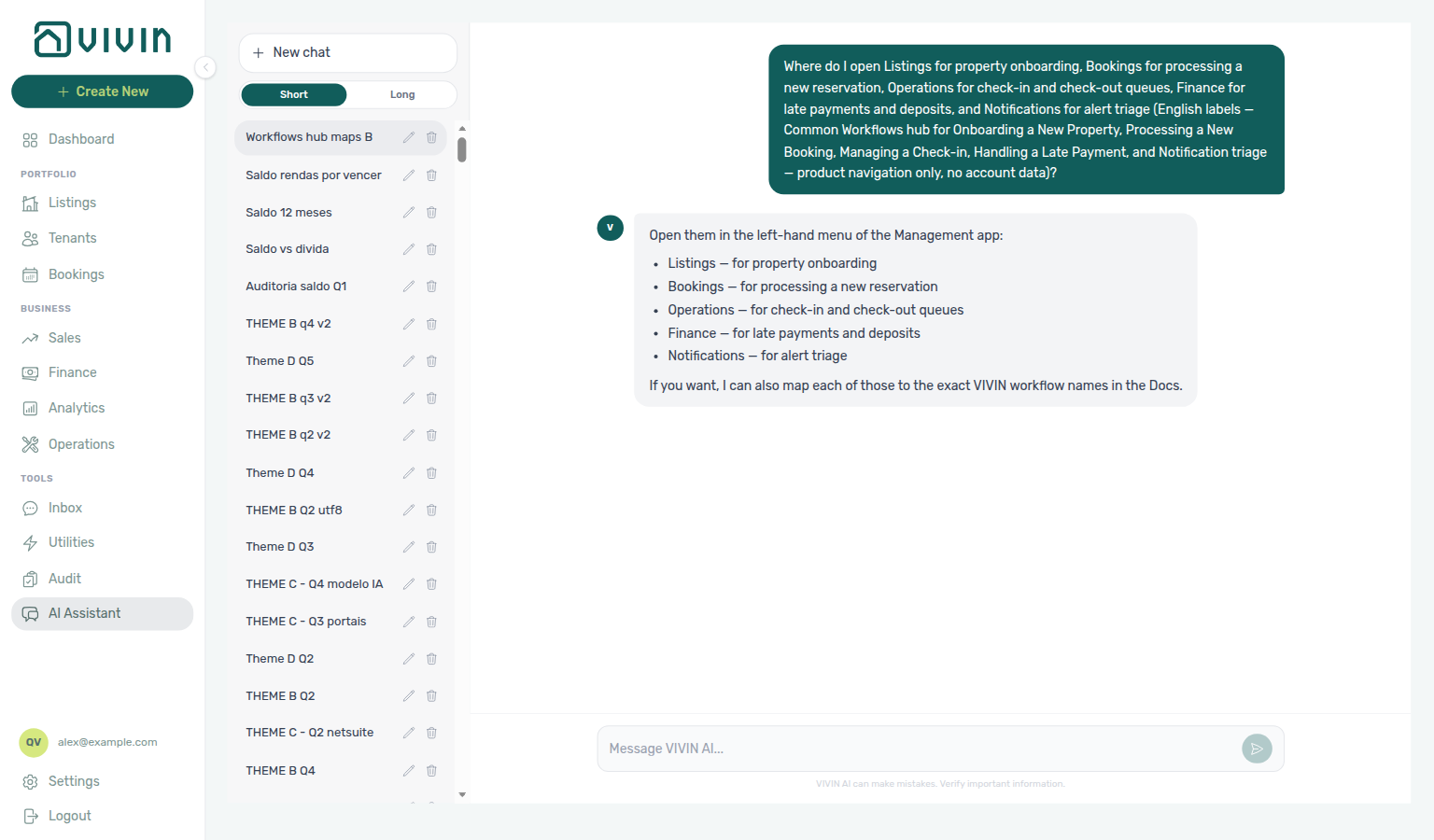
For the owner-then-Listings click path alone, see Onboarding a New Property (ai-chat-product-context-onboarding-property-reply.png, ai-chat-product-context-onboarding-property-flow.mp4) — ask AI Chat “Where do I open Owners under Settings Team and Listings under Portfolio to onboard a new property…?”
For the Bookings-then-Create-New click path alone, see Processing a New Booking (ai-chat-product-context-processing-booking-reply.png, ai-chat-product-context-processing-booking-flow.mp4) — ask AI Chat “Where do I open Bookings under Portfolio and Create New Booking to process a new booking…?”
For the Operations Check-in & Check-out click path alone, see Managing a Check-in (ai-chat-product-context-check-in-reply.png, ai-chat-product-context-check-in-flow.mp4) — ask AI Chat “Where do I open Operations under Business and the Check-in & Check-out tab to manage a check-in…?”
For the Operations Check-outs click path alone, see Managing a Check-out (ai-chat-product-context-check-out-reply.png, ai-chat-product-context-check-out-flow.mp4) — ask AI Chat “Where do I open Operations under Business and the Check-in & Check-out tab to manage a check-out — review upcoming departures with Next 7 days and the Check-outs filter…?”
For the Finance Debt Aging / Contract Values click path alone, see Handling a Late Payment (ai-chat-product-context-late-payment-reply.png, ai-chat-product-context-late-payment-flow.mp4) — ask AI Chat “Where do I open Finance under Business to handle a late payment — review Debt Aging on Overview and Contract Values with the In Debt filter…?”
For the Dashboard bell and full inbox click path alone, see Notification triage (ai-chat-product-context-notification-triage-reply.png, ai-chat-product-context-notification-triage-flow.mp4) — ask AI Chat “Where do I open the Dashboard bell and the full Notifications inbox at /notifications to triage alerts — use Unread and Mark all as read…?”
For the Bookings Contract Info Cancel booking click path alone, see Cancelling a Booking (ai-chat-product-context-cancelling-booking-reply.png, ai-chat-product-context-cancelling-booking-flow.mp4) — ask AI Chat “Where do I open Bookings under Portfolio to cancel a booking — open the booking sidebar Contract Info tab and Cancel booking with refund types…?”
For the Utilities Bills Add Bill click path alone, see Entering Monthly Utility Bills (ai-chat-product-context-monthly-utility-bills-reply.png, ai-chat-product-context-monthly-utility-bills-flow.mp4) — ask AI Chat “Where do I open Utilities under Tools to enter monthly utility bills — use the Bills tab and Add Bill with Upload PDF or Manual Entry…?”
For the Audit Manual Blocks click path alone, see Manual block hygiene (ai-chat-product-context-manual-block-hygiene-reply.png, ai-chat-product-context-manual-block-hygiene-flow.mp4) — ask AI Chat “Where do I open Audit under Tools to review manual blocks for Manual block hygiene — use the Manual Blocks tab with Reason and End columns, Created by filter, and unit Calendar edits…?”
For the Analytics month-range KPI click path alone, see Portfolio KPI review (ai-chat-product-context-portfolio-kpi-review-reply.png, ai-chat-product-context-portfolio-kpi-review-flow.mp4) — ask AI Chat “Where do I open Analytics under Business for Portfolio KPI review — use the month-range picker with Overview, Revenue, Occupancy, ADR, and RevPAR tabs, then reconcile on Dashboard and Sales…?”
For the sign-in Forgot password and Settings Users Resend password click path alone, see Resetting a Management User Password (ai-chat-product-context-password-reset-reply.png, ai-chat-product-context-password-reset-flow.mp4) — ask AI Chat “Where do I reset a management user password for Resetting a Management User Password — use the sign-in Forgot password link and /reset-password request form with Send reset link, or Settings Users Resend password for a teammate…?”
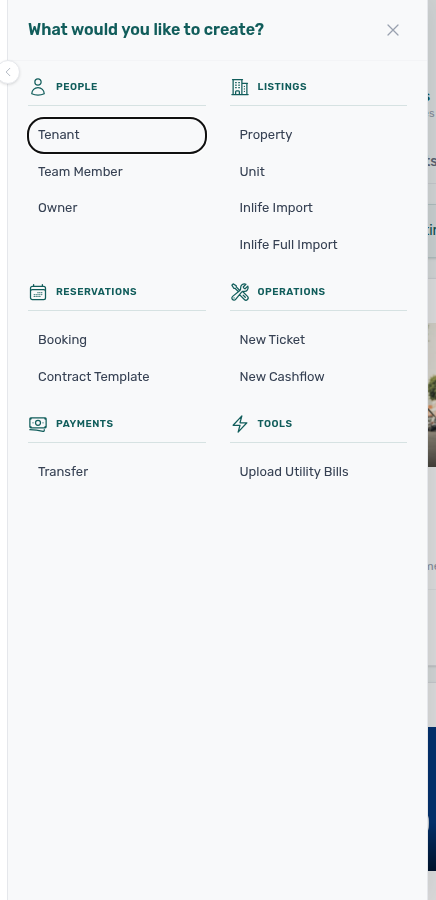
On desktop, + Create New opens the quick-create panel from almost any screen (categories such as People, Listings, Reservations, and Operations; Vivin internal accounts also see Tools shortcuts):
At a glance
Workflow cross-reference
Use the handoff rows in At a glance and the habit hubs under Non-linear habits when a task spans multiple guides.
Use this table when one operator task naturally leads into another. Each sub-guide also opens with a First-time workspace setup tip for that workflow's go-live prerequisites.
Non-linear habits (no dedicated step page yet — open the habit hub below):
| Habit | Typical trigger | Start here |
|---|---|---|
| Wrong tenant on a booking | Reservation linked to the wrong tenant profile | Wrong tenant on a booking, Bookings — Change tenant |
| Cancel Booking vs Delete Booking | Real stay voided vs mistaken/test row | Cancel Booking vs Delete Booking, Portfolio retirement decisions |
| Portfolio retirement decisions | Archive a building vs cancel/delete a stay | Portfolio retirement decisions, Archive property (building-level) |
| Provider platform Delete Booking guard | Delete blocked on an integration reservation | Provider platform Delete Booking guard |
| Archived booking ledger visibility | Manual payments missing after Delete Booking | Archived booking ledger visibility |
| Archive property (building-level) | Retire a whole building from active pickers | Archive property (building-level) |
| Month-end invoicing (fixed date) | Same document date on many invoices | Month-end invoicing (fixed date), Bulk Hostkit invoicing |
| Rent reduction after invoicing | Mid-stay discount after Finance export | Rent reduction after invoicing |
| Bulk Hostkit invoicing | Month-end Issue allocation / credit notes | Bulk Hostkit invoicing |
| Lockout catch-up after password recovery | Sign-in restored after password reset | Lockout catch-up after password recovery |
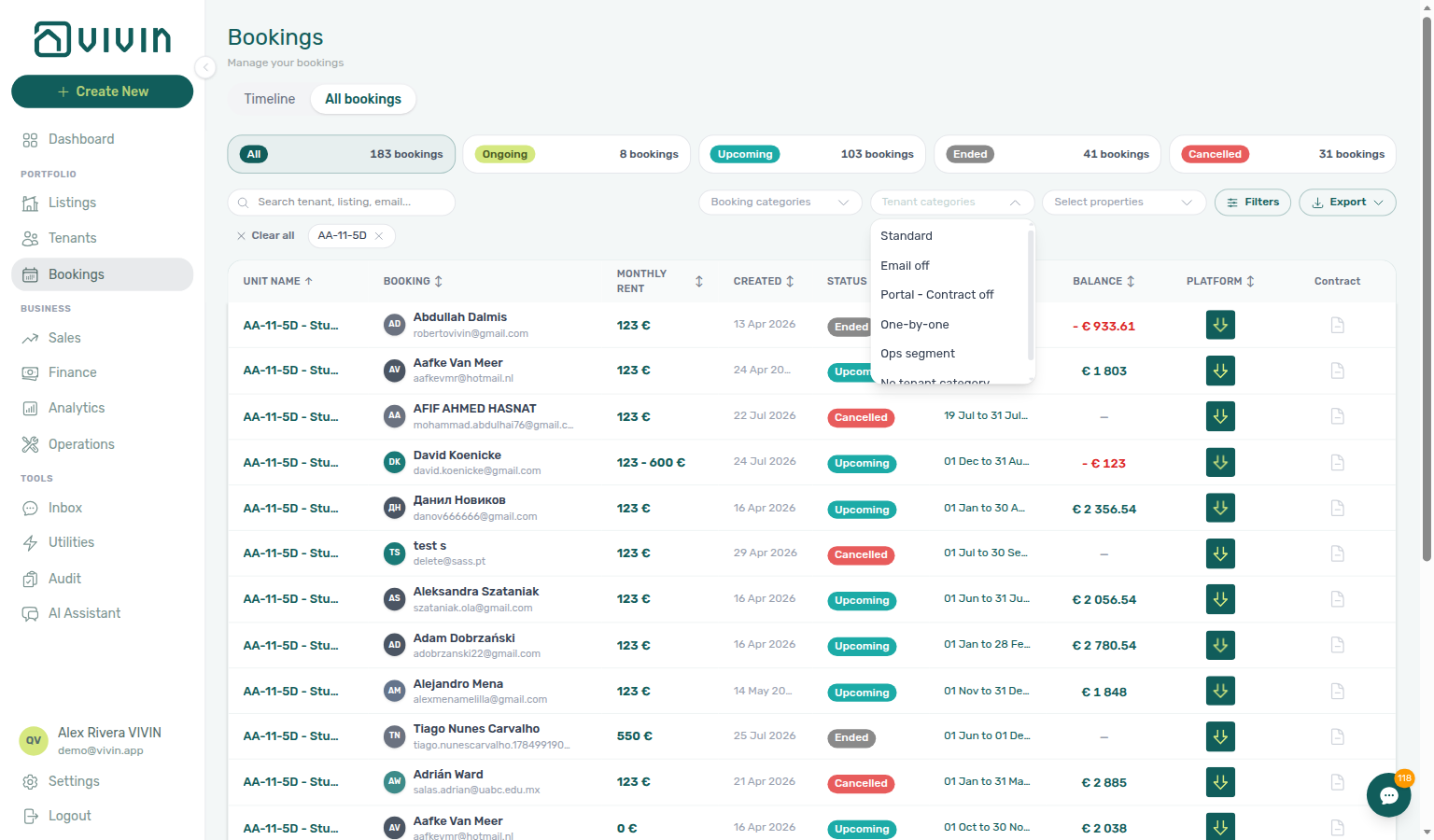
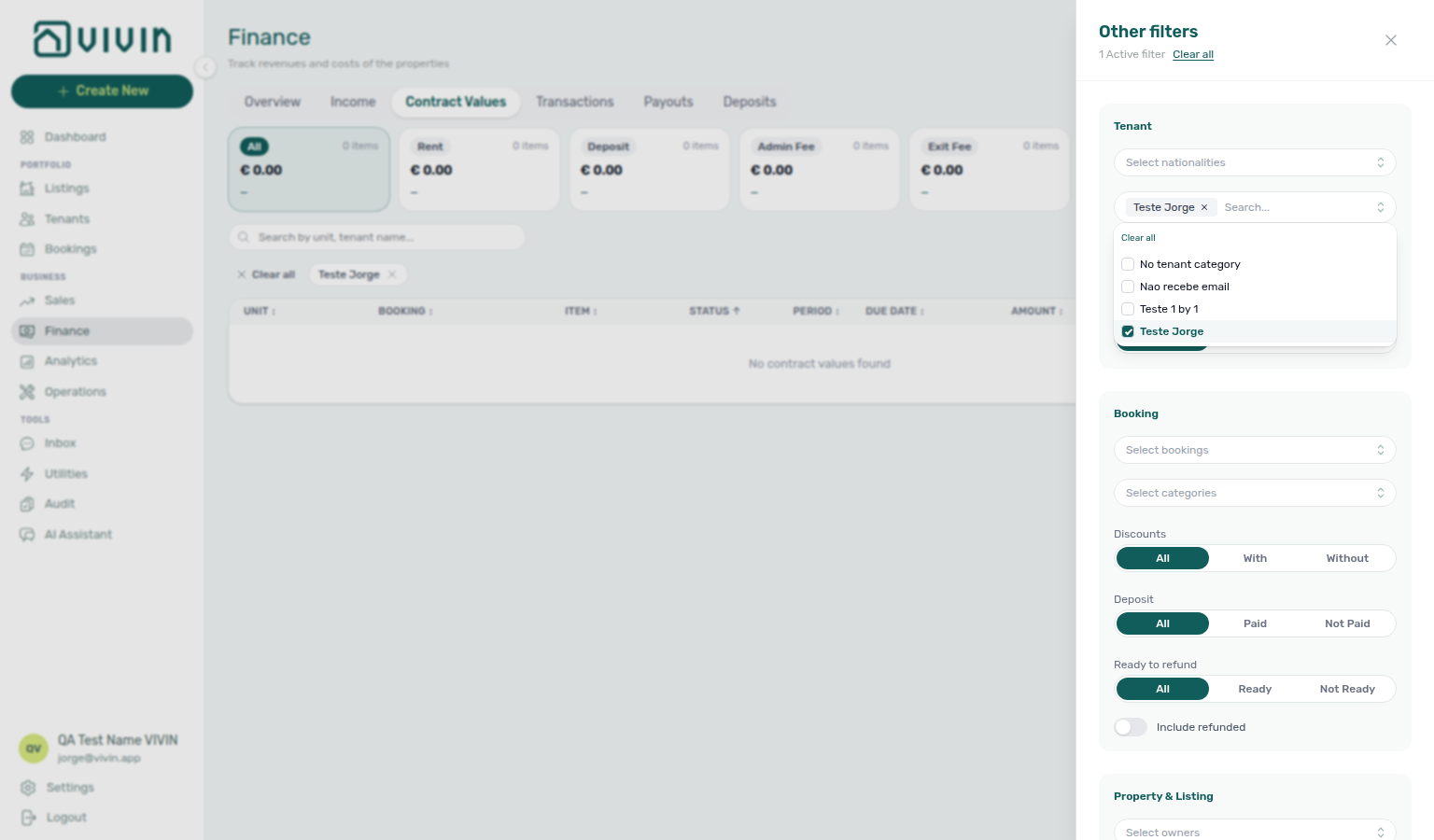
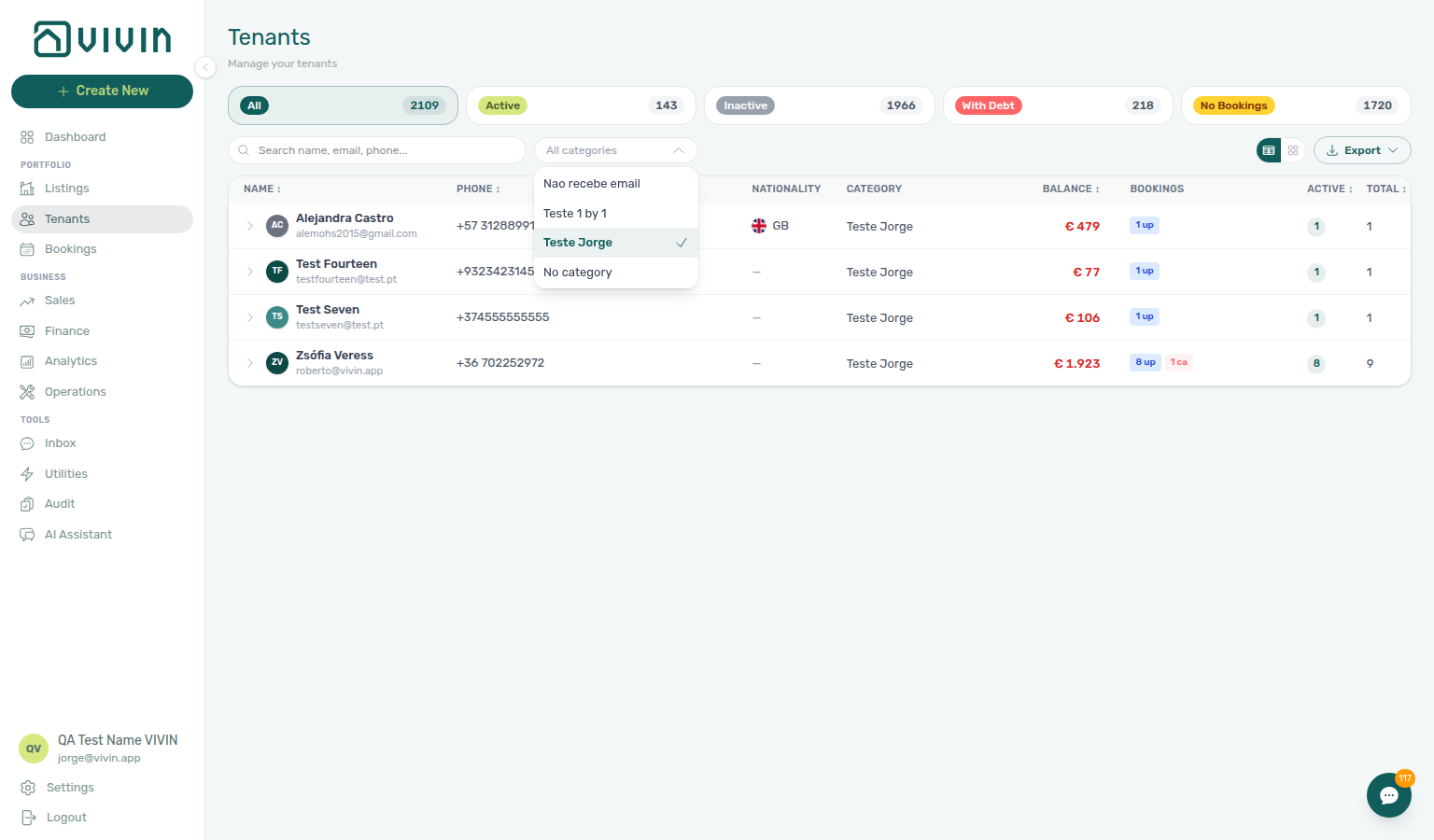
| Portfolio segmentation by tenant category | Review one tenant segment across modules | Portfolio segmentation by tenant category |
| Partly collected security deposit | Deposit paid but below the full amount | Partly collected security deposit |
| Deposit missing on Finance Deposits | Older move-out outside the default date range | Deposit missing on Finance Deposits |
| Pending manual receipt approval | Bank transfer still pending approval | Pending manual receipt approval |
| Reject/revert mistaken receipts | Duplicate or wrong-amount transfer | Reject/revert mistaken receipts |
| Directory list refresh | Large directory needs a Retry | Directory list refresh |
| Booking sidebar tab refresh | Communication or Tickets needs a refresh inside a booking | Booking sidebar tab refresh |
| Finance debt receivables triage | Unsure which Finance surface to open | Finance debt receivables triage |
| WhatsApp per-booking messaging | Inbox vs Bookings → Communication | WhatsApp per-booking messaging |
| Bot reasoning (audit) | Why the tenant chatbot sent a Bot reply | Bot reasoning (audit) |
| ChatBot settings | Persona, IF/THEN rules, Status Bot | ChatBot settings |
Lockout catch-up after password recovery
After Resetting a Management User Password — Step 3, work through backlog in this order — pick the row that matches your symptom:
| Symptom after regaining sign-in | Start here | Notes |
|---|---|---|
| Unread payment or operations alerts | /notifications → Notification triage — Step 4 | Row-click into booking before bulk Mark all as read — Notification row-click navigation |
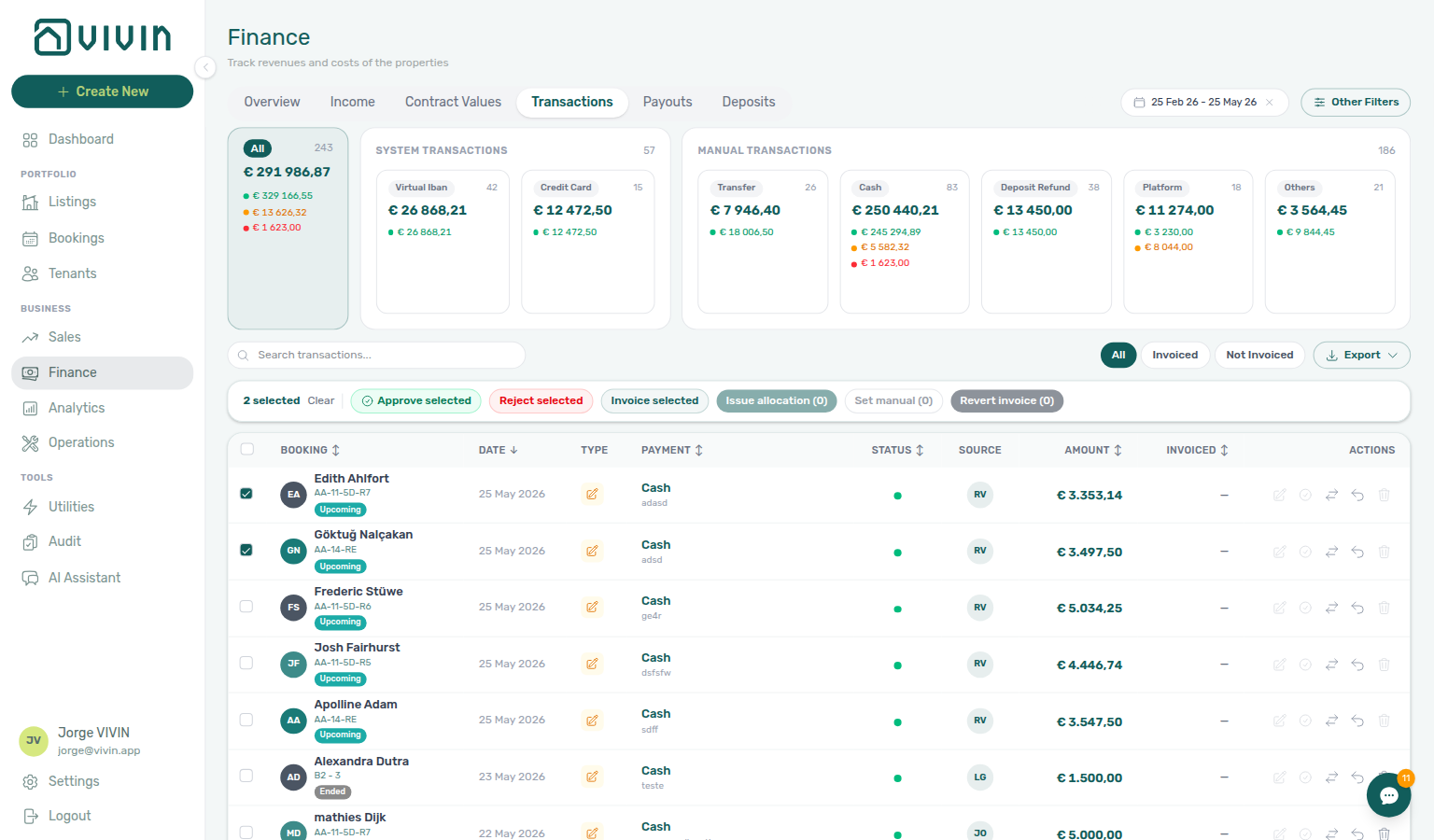
| Pending manual in-payment alerts after lockout | Notification row-click navigation → Pending manual receipt approval | Row-click → Transactions → Approve (notifications-row-navigate-to-booking-detail.png) |
| Pending manual receipts inflated Total Debt | Pending manual receipt approval | Steps 6b across booking workflows — amber Pending chip on Finance → Transactions |
| Portal Copy / contract mail still blocked | Processing a New Booking — Step 6 | Gates on live bookings delayed during lockout |
| Month-end KPIs / debt aging stale | Portfolio KPI review — Step 7 | Poll AI usage API only after JWT refresh |
| External automation returns 403 | Landlord MCP — How it connects | Rotate Bearer JWT + Mcp-Session-Id after Step 3 |
| Deposit shortfalls surfaced during catch-up | Partly collected security deposit | Partial paid lifecycle card — distinct from rent Payment Plan |
| Older move-outs missing from Finance → Deposits | Deposit missing on Finance Deposits | Clear toolbar date range (~3 months default) before refund or dispute triage |
| Symptom | Likely cause | Fix |
| --------------------------------------------------------------------- | -------------------------------------------------- | ---------------------------------------------------------------------------------------------------------------------------------------------------------------------------------------------------------------------------------------------------- |
| Total Debt still high after alert triage | Receipts still pending approval | Pending manual receipt approval — do not skip Steps 6b (finance-transactions-pending-pill.png); duplicate rows → Reject/revert mistaken receipts before Debt Aging |
| Landlord MCP / AI Chat auth errors | Stale management JWT | Resetting a Management User Password — Step 3 then refresh MCP credentials |
| Cannot open in-app Support tickets | Still signed out or missing Support permission | FAQ — Management Account Access before Using in-app support |
| Setup wizard blocked mid-sequence | Lockout delayed steps 4–15 | Getting Started — Lockout catch-up then rerun Onboarding — Step 7 |
| Partial paid card empty but booking Deposit shows shortfall | Toolbar date range excludes the stay | Deposit missing on Finance Deposits — clear range, then Partly collected security deposit |
| Deposit on booking Deposit tab but row missing on Finance | Default ~3 months window | Deposit missing on Finance Deposits (finance-deposits-date-range-clear-flow.mp4) |
/notifications or Bookings list needs a refresh after lockout | Directory first-fetch incomplete | Directory list refresh — Retry before alert triage |
| Row-click opened booking but Communication still incomplete | Tab-scoped refresh only | Booking sidebar tab refresh — header Refresh |
Also see: FAQ — Management Account Access · Landlord MCP.

/notifications row-click → Finance → Transactions amber Pending chip → Approve payment (cancel) → Finance → Overview debt sign-off.Also see: FAQ — Lockout catch-up after password recovery hub · Glossary — Lockout catch-up after password recovery hub.
Also see: Common Workflows — Lockout catch-up after password recovery.
Portfolio segmentation by tenant category
Three surfaces share the same Tenant category vocabulary — pick the module that matches your triage scope:
| Question | Start here | Notes |
|---|---|---|
| Reservation list or timeline by segment | Bookings → Tenant categories (toolbar) | Full account-wide portfolio filter catalog |
| Receivables, deposits, or contract values by segment | Finance → Other filters → Tenant category | Drawer lists every segment from GET /tenant-categories; ledger tabs read live |
| Profile counts and debt badges by segment | Tenants toolbar Tenant category dropdown | Same catalog as Bookings |
| Payment alerts cluster on one cohort | /notifications row-click → add segment filter | Pair Notification row-click navigation before account-wide rule changes |
| Symptom | Likely cause | Fix |
| --------------------------------------------------------------------- | ----------------------------------------------------- | ------------------------------------------------------------------------------------------------------------------------------------------------------------------------------------------------------------------------- |
| Segment on Bookings but missing on Finance drawer | Stale session or segment deleted in Settings | Refresh Finance Other filters — Finance loads full GET /tenant-categories catalog; see FAQ — Finance tenant category filter parity |
| Filter results stale after Tenants → Tenant Info recategorization | Ledger tab not reloaded, or Overview cache (~10 min) | Reload ledger tabs; wait up to ~10 min on Overview — Glossary — Finance tenant category cache refresh |
| Direct booking has wrong portal modules | Add booking has no category field | Assign on Tenant Info before contract mail — FAQ — Assign tenant category for direct booking |
| Month-end KPIs skewed to one segment | Mixed portfolio in default views | Portfolio KPI review — Step 6 — align filters across modules |
| Collections concentrated on Unassigned | Integration default not set | Settings > Tenant categories |
| Top debtors skewed to one segment | Mixed portfolio in default Finance views | Finance debt receivables triage — add Tenant category filter on Overview / Contract Values first |
| Segment filter on Finance but Debt Aging still mixed | Filter applies to ledger tabs, not KPI headline alone | Mirror segment on Bookings and Tenants — Portfolio KPI review — Step 6 |
| Question | Segment-scoped debt | Whole-portfolio debt |
| ------------------------------------------ | ------------------------------------------------------------------------------------------------------------------------------------------------------- | --------------------------------------------------------------------------------------------------------------------------------------- |
| Where to filter | Finance → Other filters → Tenant category | Debt Aging / Top debtors without segment filter |
| When segment missing on Finance drawer | Mirror Bookings filter first — FAQ — Finance tenant category filter parity | Load Contract Values for a property |
| Month-end sign-off | Portfolio KPI review — Step 6 + Step 7 | Portfolio KPI review — Step 7 |
| Departure-week debt on one segment | Bookings → Other filters + Finance → Deposits | Managing a Check-out — Step 6 |
| Cancellation backlog on one segment | Bookings → Other filters before settlement | Cancelling a Booking — Step 2 |
| First-month bulk export after confirm | Settings → Invoicing fixed Invoice date before Issue allocation | Processing a New Booking — Month-end invoicing (fixed date) |
| Collections month-end bulk export | Fixed Invoice date before Issue allocation during Step 6b | Handling a Late Payment — Month-end invoicing (fixed date) |
| Move-in month-end bulk export | Fixed Invoice date before Issue allocation during Step 6b | Managing a Check-in — Month-end invoicing (fixed date) |
| Alert cleanup before month-end bulk export | Finish Pending triage in Step 5 before Issue allocation | Notification triage — Month-end invoicing (fixed date) |
| Departure-week month-end bulk export | Fixed Invoice date before Issue allocation during Step 6b | Managing a Check-out — Month-end invoicing (fixed date) |
| Utility bill month-end bulk export | Finish Missing data + overage Pending before Issue allocation | Entering Monthly Utility Bills — Month-end invoicing (fixed date) |
| Occupancy hygiene before month-end export | Clear stale holds in Step 5 before Issue allocation unmasks receivables | Manual block hygiene — Month-end invoicing (fixed date) |
When KPI drift, collections concentration, or profile hygiene applies to only one tenant segment (corporate, short-stay, or Unassigned), apply Tenant category filters consistently on Bookings → Tenant categories (toolbar), Finance → Other filters, and Tenants toolbar — then reconcile in Portfolio KPI review — Step 6. Pair with FAQ — Portfolio segmentation by tenant category hub, Glossary — Portfolio segmentation by tenant category hub, Glossary — Tenant category, FAQ — Assign tenant category for direct booking, FAQ — Finance tenant category filter parity, Occupancy KPI to block hygiene handoff (when segment — not holds — explains the dip), and Finance debt receivables triage when overdue rows cluster on one segment.
Month-end invoicing (fixed date)
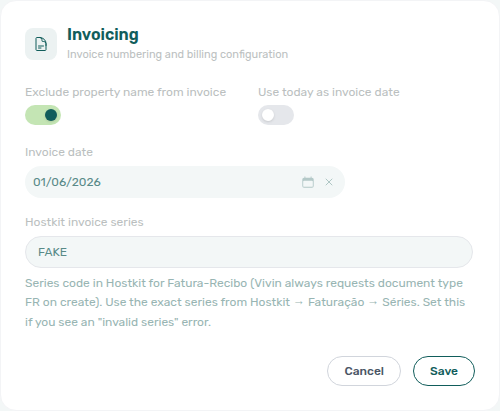
When month-end close requires every Fatura or Invoice-xpress document in a batch to share one posting date (for example the last calendar day of the month), set a fixed Invoice date under Settings → Invoicing before you run bulk Issue allocation / Invoice selected on Finance → Transactions — the same bulk toolbar Hostkit accounts use for Bulk Hostkit invoicing.
| Question | Use fixed date | Use day-of-issue |
|---|---|---|
| Month-end batch needs same document date | Use today as invoice date off + saved date | Leave toggle on |
| One-off invoice today | Toggle on before issuing | Fixed date would back-date or forward-date wrongly |
| Hostkit month-end Issue allocation | Amber banner confirms saved date on Transactions | N/A for uniform backdating |
| Symptom | Likely cause | Fix |
| ---------------------------------------------- | ----------------------------------- | ------------------------------------------------------------------------------------------------------------------------------- |
| Issued invoices show wrong document date | Fixed Invoice date still active | Invoicing — Default invoice date — turn toggle on after batch |
| No amber banner on Transactions | Toggle still on or unsaved date | Save fixed date in Invoicing, reload Transactions |
| Bulk Pending on Hostkit — not a date issue | API pacing | Bulk Hostkit invoicing — leave batch running; refresh before re-issue |
| Forgot to reset after month-end | Next day's invoices use saved date | Turn Use today as invoice date back on |
| Question | Settings Invoicing | Finance → Transactions bulk |
| ------------------------------- | ----------------------------------------------- | --------------------------------------------------------------------- |
| Uniform month-end document date | Use today off + Invoice date + Save | Invoice selected / Issue allocation with amber toolbar banner |
| Hostkit large batch | Same fixed date applies to every document | Same pacing as Bulk Hostkit invoicing |
| After batch completes | Toggle Use today back on | Spot-check document dates in transaction detail |
Also see: FAQ — Month-end invoicing (fixed date) hub · Invoicing — Default invoice date.


Bulk Hostkit invoicing
When month-end Issue allocation or Invoice selected runs on many Finance → Transactions rows, Vivin paces Hostkit API calls per listing key and retries rate-limit responses with backoff — large batches can take several minutes even though the UI stays responsive.
| What you see | What it usually means | What to do |
|---|---|---|
| Rows stay Pending for several minutes | Hostkit rate limit — Vivin is pacing per listing key | Leave the batch running; refresh Transactions before duplicate Issue allocation |
| Rows still not Invoiced after a refresh | Missing Listing keys or blank Hostkit invoice series | Integrations — Hostkit + Invoicing — Hostkit series |
| Hostkit invoice series is not configured toast | Series field empty on account | Save the exact FR code from Hostkit Faturação → Séries |
| Month-end date wrong on issued documents | Fixed Invoice date still active | Month-end invoicing (fixed date) — toggle Use today back on after batch |
| Need uniform document date before bulk export | Day-of-issue toggle still on | Month-end invoicing (fixed date) — save fixed date first (settings-invoicing-invoice-date-toggle.png) |
| Not issued credit note queue after month-end cleanup | Reject / Revert on invoiced charges | Reject/revert mistaken receipts → Issue credit notes (N) — same Hostkit pacing as Issue allocation |
| Duplicate Issue allocation on same rows | Batch still Pending | Refresh Transactions first — do not stack runs |
| Change monthly rent clamped below exported total | Invoiced floor — not a Hostkit issue | Rent reduction after invoicing — external credit note, then Issue credit notes (bookings-rent-reduction-invoiced-floor-flow.mp4) — not more Issue allocation |
| Month-end repricing before first export | Schedule still editable on booking | Issue allocation here — floor applies only after export |
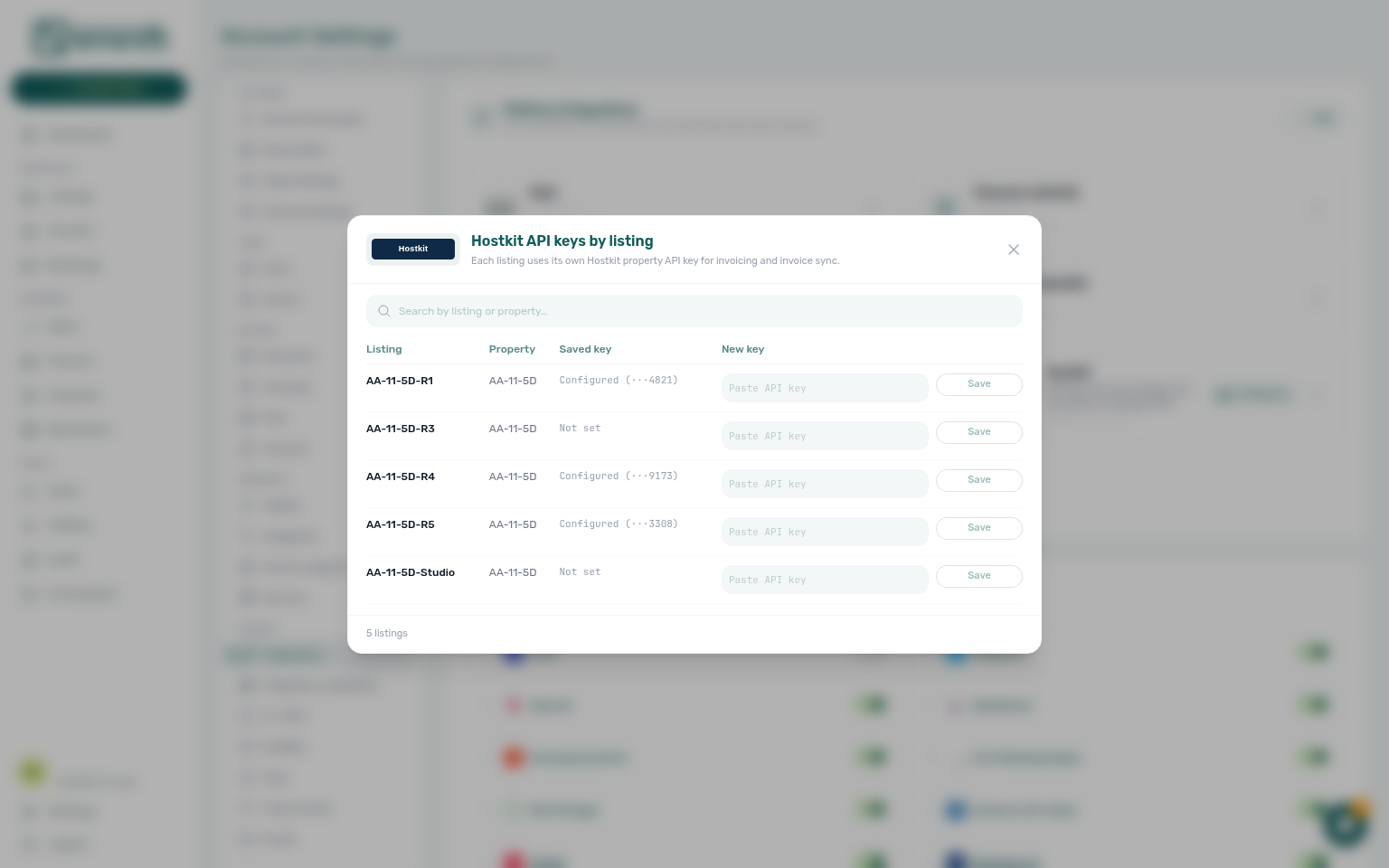
| Question | Booking workspace | Finance → Transactions bulk |
|---|---|---|
| Reduce exported rent net | Change monthly rent clamps; Edit amount issues a credit note | Not issued credit note → Issue credit notes (N) |
| Export many uninvoiced rent rows | N/A | Issue allocation — Bulk Hostkit invoicing |
| Pending / Failed Hostkit rows | Unrelated to rent floor | Leave batch running; refresh before re-issue |
Also see: FAQ — Bulk Hostkit invoicing hub · FAQ — Bulk Hostkit invoicing slow.

Notification row-click navigation
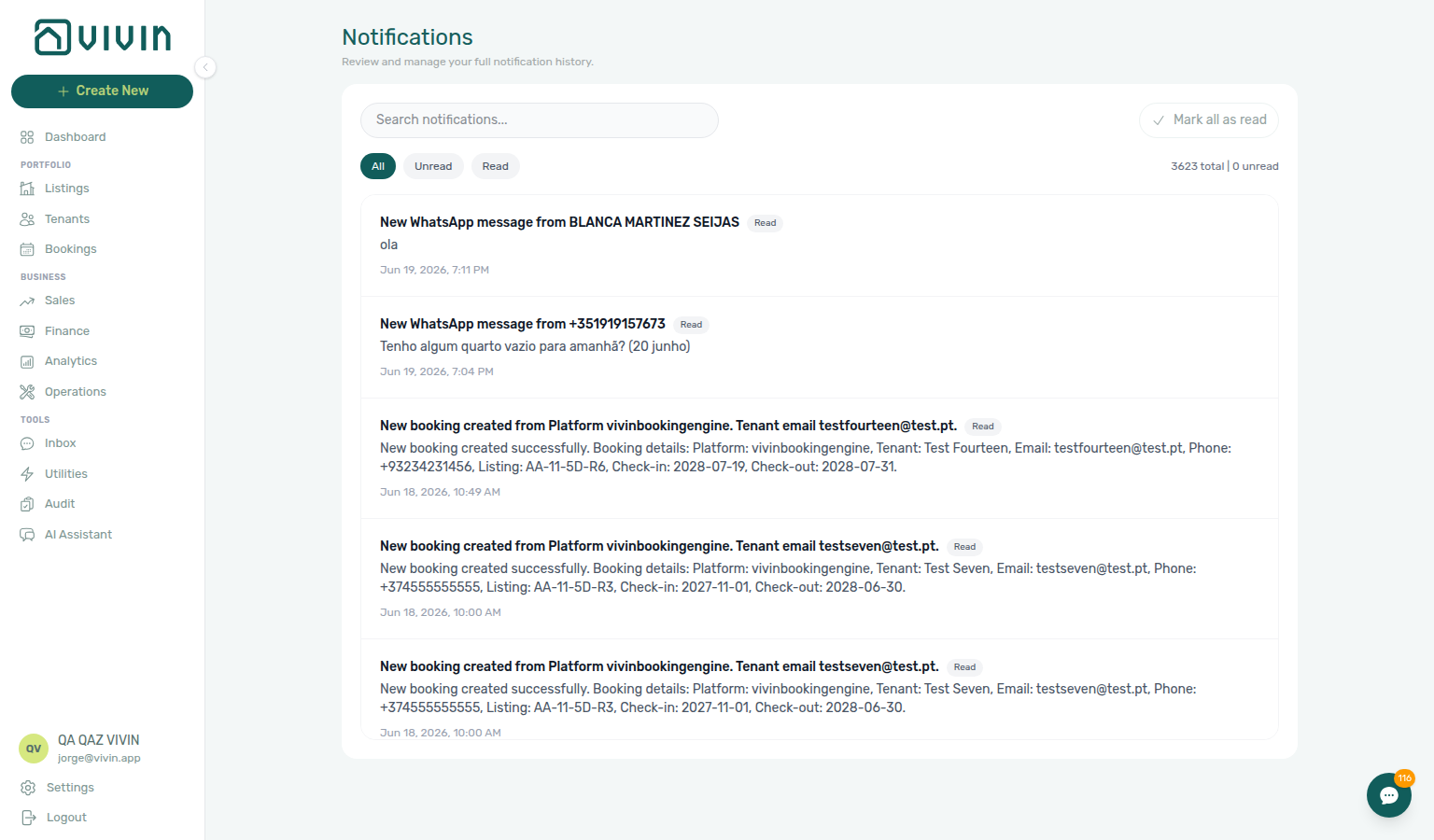
On the full Notifications page at /notifications, row click marks unread items read, then navigates when the event carries a target — not on most Dashboard bell General rows (they open Notification detail in-panel unless link is set).
| Surface | Row click behaviour | Best for |
|---|---|---|
/notifications | Opens link, then bookingId, tenantId, listingId, or propertyId (first match) | Payment alerts, ticket pings, portfolio triage with search/filters |
| Dashboard bell — General | Opens in-panel detail; rarely jumps to Bookings | Quick scan of recent events on desktop |
| Dashboard bell — Inbox | Follows link to /inbox or booking Communication | WhatsApp / inbox message pings |
| Mobile | Bell hidden — bookmark /notifications | Same row-click navigation as desktop full page |
| Symptom | Likely cause | Fix |
| ------------------------------------------------------- | ---------------------------------------------------------- | ---------------------------------------------------------------------------------------------------------------- |
| Pending manual in-payment alert will not clear | Receipt still pending on ledger | Row-click → Transactions → Approve — Pending manual receipt approval |
| Payment overdue row opened booking but debt unclear | Alert deep-linked reservation only | Payment Plan / Debt Aging — Finance debt receivables triage |
| Bell General row did not open Bookings | In-panel detail is default | Use /notifications for row-click triage |
| Total Debt unchanged after row-click + approve | Wrong alert type — still pending elsewhere | Amber Pending chip on Finance → Transactions |
| Unread count returns after Mark all as read | New Pending manual in-payment rows | Expected until ledger approval — not a bug |
New WhatsApp message from … on /notifications | Message alert mixed with payment rows | Bell Inbox sub-tab or Tools → Inbox — WhatsApp per-booking messaging |
| Row-click opened booking but need Payment Plan | bookingId deep link, not link to Communication | Bookings → Communication after landing — same WhatsApp thread as Inbox |
| Bell General row did not open thread | In-panel detail is default for payment alerts | Switch to bell Inbox or /notifications when summary reads New WhatsApp message from … |
| Question | Message alert entry | Payment / ticket alert entry |
| --------------------------------------- | --------------------------------------------------------- | ----------------------------------------------------------------------------------------------------- |
| Start on Dashboard | Bell Inbox sub-tab (rows with link) | Bell General or bookmark /notifications |
| Need reservation context while replying | Bookings → Communication | Row-click → booking sidebar — Notification row-click navigation |
| Full inbox history + filters | /notifications (mixed General + Inbox rows) | Same page — row-click opens link or entity id |
Also see: FAQ — Notification row-click navigation hub · Glossary — Notification row navigation.
Payment notification (operator)
Email and in-app alerts tell operators when tenant money lands or balances fall behind. Three row families on /notifications often confuse triage — distinguish them before bulk mark-read:
| Row type | Typical summary | Next step |
|---|---|---|
| Payment received | Payment received from tenant … | Row-click → booking Transactions — Approve when status is still pending (Pending manual receipt approval) |
| Pending manual in-payment | Operator-recorded receipt still pending | Row-click → Approve payment — Pending manual in-payment (Finance) |
| Payment overdue | Scheduled charge or balance past due | Payment alert to receivables triage — Ongoing/Ended before Debt Aging |
| Question | Start here | Notes |
| -------------------------------------------------------- | ---------------------------------------------------------------------------------------------------------------------------------------------------------------------------------------------------------- | ---------------------------------------------------------------------------------------------------------------- |
| No email when tenant pays | Preferences → Notifications & Emails + Personal Settings → Your email preferences | Both account master and per-user Payment notification emails required |
| Email but no in-app row | Preferences → In-app notifications → Payments + your Payments opt-out | Personal Payment notification emails also gates in-app audience |
| Teammate missing payment rows | They need Payment notification emails on /settings/personal | Rows use visibleToPropertyManagerIds per-PM scoping |
| Payment received but Total Debt unchanged | Receipt still pending | Pending manual receipt approval — not a broken notification |
| Opened Debt Aging from payment overdue too early | Skipped single-booking triage | Payment alert to receivables triage — row-click → Payment Plan first |
| Upcoming alert treated as collections | Wrong lifecycle band | Confirmation alert triage — contrast Upcoming vs Ongoing/Ended |
Also see: FAQ — Payment notification (operator) hub · Glossary — Payment notification (operator).
/notifications before bulk mark-read.Rent reduction after invoicing
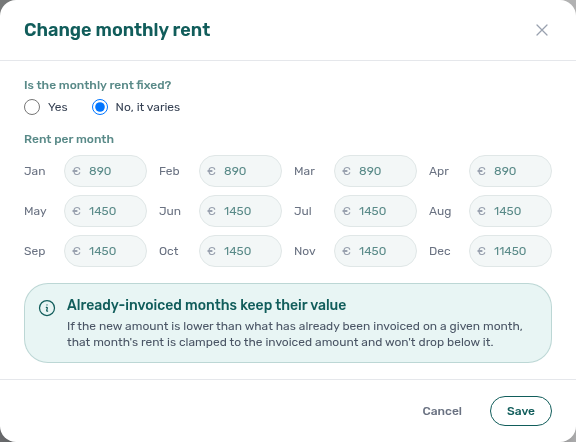
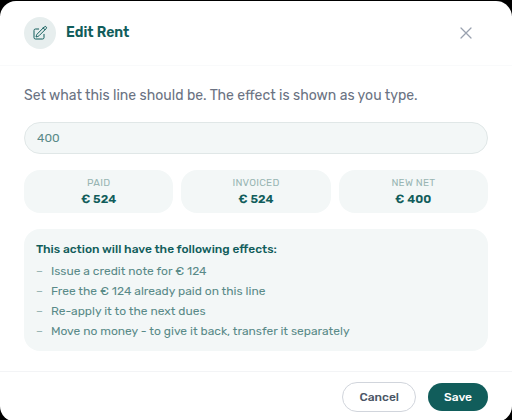
When Finance has already invoiced rent for a calendar month, Change monthly rent still clamps exported months. On booking Contract Values → Edit amount, lowering a fully invoiced line issues a credit note; Save stays blocked only on a partly invoiced mix. The Finance → Contract Values table does not run this editor — use Open booking.
| Symptom | Surface | Fix |
|---|---|---|
| Month saves at invoiced amount, not your lower entry | Contract Info → Change monthly rent | Blue Already invoiced months banner — clamped months keep exported totals; other months save at your amount |
| Edit amount lists Issue a credit note | Contract Values → Edit amount | Save creates the pending credit note — then Not issued credit note → Issue credit notes (N) (Edit amount) |
| Save disabled on a partly invoiced line | Contract Values → Edit amount | Mixed invoiced + not-invoiced cash cannot share one instrument |
| Hostkit Not issued credit note after rent relief | Credit note registered in Vivin | Issue credit notes (N) — same pacing as Bulk Hostkit invoicing |
| Repricing after equal-month inference on variable unit | Change monthly rent reopen | Same floor applies — pair FAQ — Fixed rent on variable unit |
| Question | In-product rent edit | Hostkit month-end batch |
| ------------------------------- | --------------------------------------------------- | ----------------------------------------------------------------------------------------------------------------------------- |
| Lower net on a fully invoiced month | Edit amount issues a credit note | Then Issue credit notes on Transactions |
| First-time export of rent lines | N/A — schedule still editable | Issue allocation / Invoice selected — Bulk Hostkit invoicing |
| Batch stays Pending | Floor unrelated — check booking modals | Refresh Transactions before duplicate Hostkit run |
Also see: FAQ — Rent reduction after invoicing hub · FAQ — Lower rent below invoiced.
Pending manual receipt approval
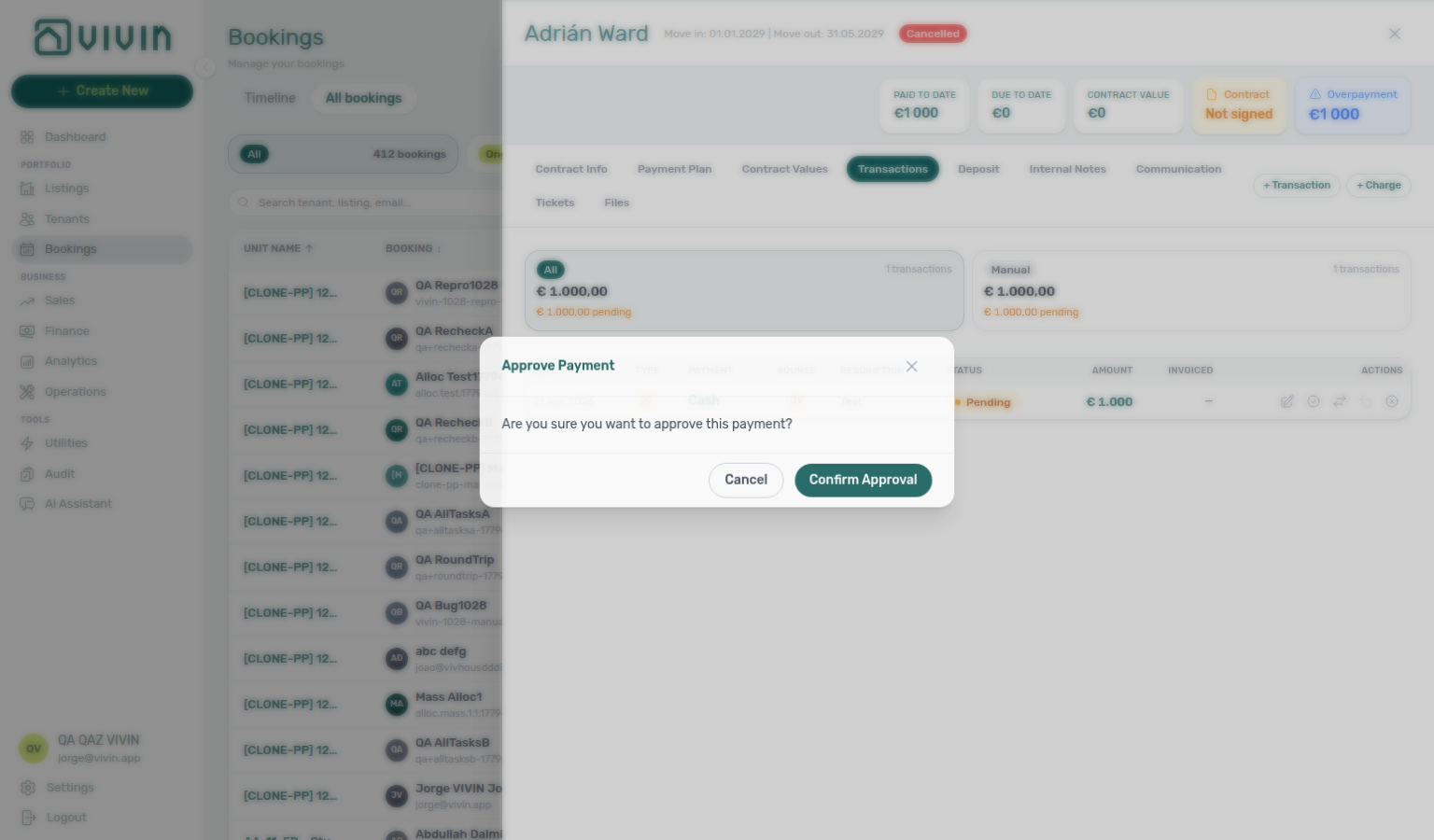
Three surfaces share the same pending ledger state — pick the one that matches your triage scope:
| Question | Start here | Notes |
|---|---|---|
| Portfolio-wide Pending queue or bulk approve | Finance → Transactions | Amber Pending chip on All card; Reject selected is bulk-only |
| Approve while reviewing one booking | Bookings → Transactions | Per-row Approve payment with Payment Plan context |
Alert on /notifications or bell | Row-click → booking Transactions | Notification triage — Step 4 before Step 5 |
| Symptom | Likely cause | Fix |
| ------------------------------------------------------ | ----------------------------------------------------------------------------------------------------------- | ----------------------------------------------------------------------------------------------------------------------- |
| Total Debt / In debt unchanged after recording | Receipt still pending — not approved | Approve payment on Finance → Transactions or booking Transactions |
| Manual Payments KPI non-zero but queue unclear | KPI totals monthly manual in-payments including pending — card opens month drill-down, not pending-only | Triage amber Pending chip on Transactions, not Overview alone |
| Pending manual in-payment alert persists | Same ledger state — alert is expected | Row-click → Approve — Notification row-click navigation |
| Duplicate bank transfer recorded | Wrong amount or wrong booking | Reject while still pending — Reject/revert mistaken receipts |
| Typed the wrong € on a real pending receipt | Receipt is correct; amount is not | Pencil Edit amount, then Approve — Bookings — Edit payment amount |
| Month-end KPIs disagree after lockout | Pending mesh accumulated during sign-in outage | Lockout catch-up after password recovery + Steps 5b / 6b |
| Duplicate transfer in Pending queue | Wrong booking or double entry before approval | Reject selected — Reject/revert mistaken receipts; do not Approve both rows |
| Duplicate already approved during month-end | Wrong amount slipped through Approve selected | Revert payment — Reject/revert mistaken receipts |
| Question | Legitimate receipt | Duplicate / mistake |
| ----------------------------------------------- | ------------------------------------------ | -------------------------------------------------------------------------------------------------------------------------------------------- |
| Row still pending | Approve payment / Approve selected | Reject payment / Reject selected — Reject/revert mistaken receipts |
| Row already approved | N/A — receipt is live | Revert payment — same hub |
| Finance already invoiced charge | Approve only when amount is correct | Reject / Revert → Issue credit notes (N) |
| Total Debt / KPI lag | Expected until Approve | Reject duplicate — not a receivables drill-down issue |
| Debt Aging still high after Approve | Real arrears remain | Finance debt receivables triage — Top debtors / overdue buckets |
| Opened Debt Aging before approving transfer | Pending rows still inflate KPIs | Pending manual receipt approval — amber Pending chip first (finance-transactions-pending-pill.png) |
Until approval, Total Debt, Manual Payments KPI (monthly total — clickable drill-down is not the pending queue), and /notifications Pending manual in-payment rows may lag. Pair with FAQ — Pending manual receipt approval hub (finance-transactions-pending-pill.png, finance-transactions-pending-approve-flow.mp4), Glossary — Pending manual in-payment (Finance), Glossary — Pending manual receipt approval hub, FAQ — Manual receipt still pending, FAQ — Pending manual in-payment on /notifications, FAQ — Reject or revert an incoming payment (Reject while pending vs Revert after Approve), Reject/revert mistaken receipts (duplicate cleanup — finance-transactions-bulk-reject-selected-bar.png, bookings-payment-row-actions-flow.mp4), Notification row-click navigation (alert-driven entry on /notifications), Finance debt receivables triage (Total Debt / In debt until approval clears), Payment Allocation, Glossary — Credit note (payment reject/revert), FAQ — Dashboard Total Debt subtitle, Lockout catch-up after password recovery, and Portfolio KPI review — Step 7.
Wrong tenant on a booking
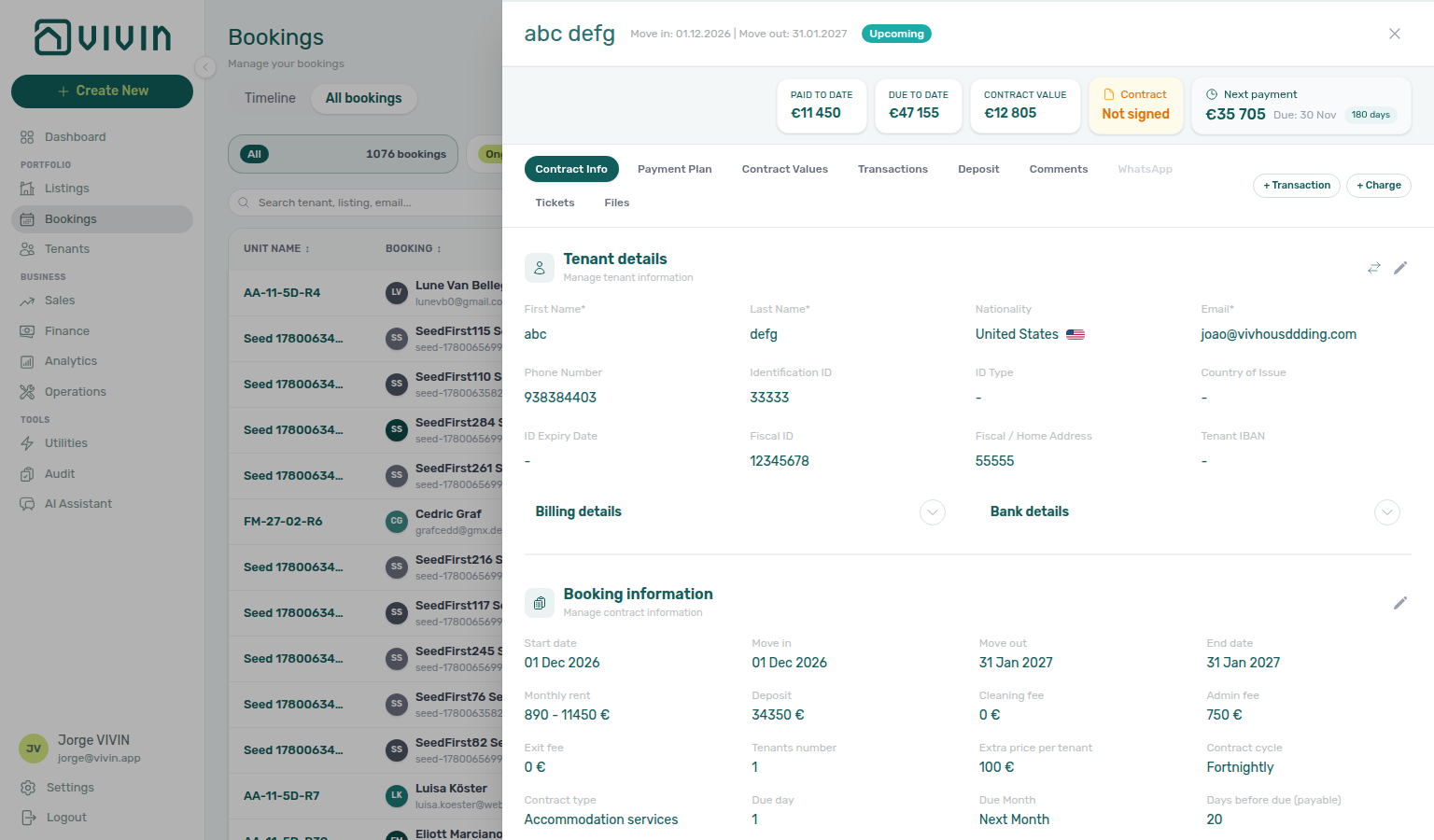
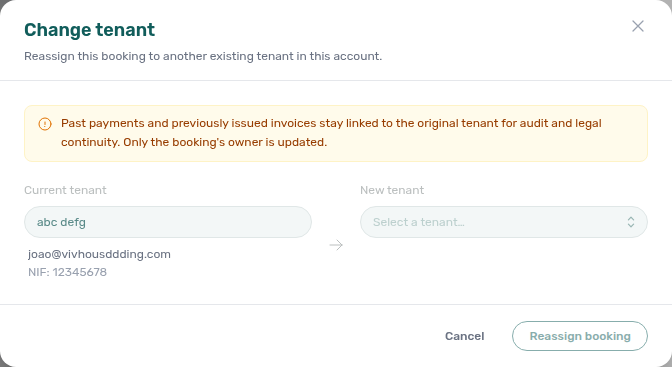
When the reservation is valid but linked to the wrong tenant profile (duplicate email/NIF picker mistake, channel import matched the wrong person), use Change tenant on Contract Info — not Delete Booking or Cancel booking.
| Question | Use | Notes | | ------------------------------------------------------------------ | ------------------------------------------------------------------------------------------------------------------------------------------------------------------------------------- | ---------------------------------------------------------------------------------------------------------------------------------------------------------- | -------------------- | | Wrong person on valid upcoming stay | Change tenant | Upcoming, future check-in, no signed contract | | Entire row is duplicate import / test | Delete Booking | Cancel Booking vs Delete Booking | | Real stay voided under policy | Cancel booking | Refund dialog — same hub |
| Symptom | Likely wrong control | Fix |
|---|---|---|
| Need different tenant, booking otherwise correct | Delete Booking or editing tenant master data in place | Change tenant swap icon on Contract Info |
| Duplicate channel import for same dates | Change tenant | Delete Booking after Processing a New Booking — Step 1 duplicate check |
| Change tenant greyed out | Signed contract or check-in passed | Cannot reassign — see Bookings — Change tenant guards |
| Reassign booking rejected on confirm | Paid + invoiced allocation on booking | Expected — past invoices stay on original tenant for audit |
| Question | Change tenant | Delete Booking |
| -------------------------- | ------------------------ | ------------------------- |
| Booking row valid? | Yes — wrong profile link | No — remove mistaken row |
| Payment plan rebuilt? | No | N/A (soft-archive) |
| Finance → Transactions | Unchanged on reassign | Manual hidden |
| Duplicate import but dates/unit valid — wrong person linked | Change tenant on Step 6 — not Delete Booking | Processing a New Booking — Wrong tenant on a booking |
| Pre-cancel profile linked to wrong tenant | Change tenant before Step 4 when stay is Upcoming | Cancelling a Booking — Wrong tenant on a booking |
| Departure week finds wrong Tenant card | Change tenant disabled after check-in — fix upstream on Step 1 | Managing a Check-out — Wrong tenant on a booking |
| Go-live import linked wrong profile | Change tenant on first confirmation after Step 7 | Onboarding a New Property — Wrong tenant on a booking |
| Month-end used Delete when profile was wrong | Change tenant on Upcoming rows — not soft-archive on Step 5 | Manual block hygiene — Wrong tenant on a booking |
| Collections triage finds wrong Tenant card on Upcoming row | Change tenant on Step 1 before escalation — not Delete Booking | Handling a Late Payment — Wrong tenant on a booking |
| Arrival week finds wrong profile on Contract Info | Change tenant on Step 5 before key handover — greys out after check-in | Managing a Check-in — Wrong tenant on a booking |
| Month-end used Delete when profile link was wrong | Change tenant on Upcoming rows during Step 7 — not soft-archive | Portfolio KPI review — Wrong tenant on a booking |
| Utility overage landed on wrong guest's booking | Change tenant while still Upcoming on Step 4 — not tenant master-data edit in place | Entering Monthly Utility Bills — Wrong tenant on a booking |
| Alert row-click shows wrong Tenant card | Change tenant after Step 4 — before contract signing | Notification triage — Wrong tenant on a booking |
| Lockout catch-up backlog has wrong profile links | Change tenant during Step 3 catch-up mesh — not Delete Booking | Resetting a Management User Password — Wrong tenant on a booking |
| Change tenant greyed out or guard defect | File Bookings module ticket on New Support Ticket modal — attach booking URL | Using in-app support — Wrong tenant on a booking |
Also see: FAQ — Wrong tenant on a booking · Glossary — Wrong tenant on a booking hub.
Cancel Booking vs Delete Booking
| Question | Use | Finance → Transactions after action |
|---|---|---|
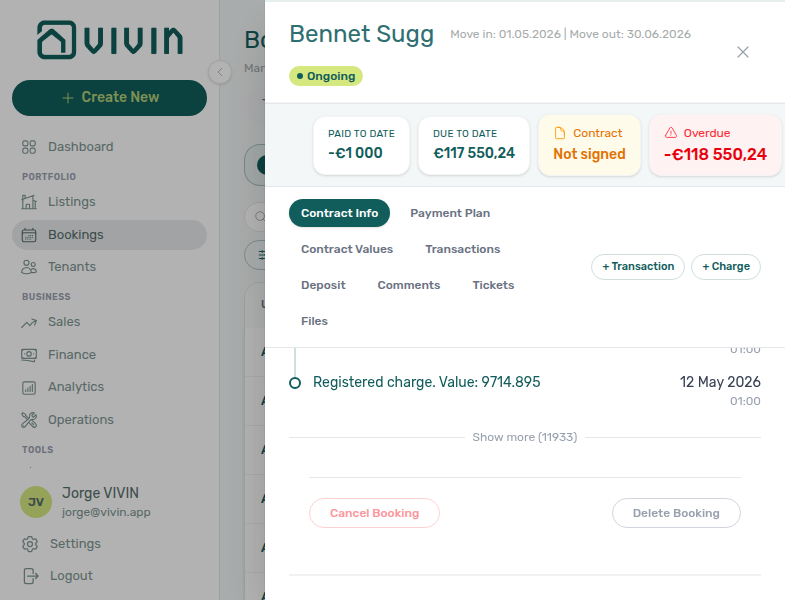
| Real stay voided under policy | Cancel booking on Contract Info | All payment types stay visible — filter Canceled |
| Duplicate import or training row | Delete Booking (soft-archive) | Manual Transactions hidden; System Transactions stay |
| Wrong person on valid upcoming stay | Change tenant — not this hub | Wrong tenant on a booking (bookings-detail-change-tenant-modal.png) |
| Whole building leaves pickers | Archive property — not this hub | Portfolio retirement decisions |
| Sunsetting building by deleting every reservation | Delete Booking on each stay | Archive property on Listings → Portfolio |
| Need refund dialog on real void | Delete Booking | Cancel booking — workflows-cancel-booking-refund-modal-flow.mp4 |
| Question | Building scope | One reservation |
| ------------------------------------------------------ | ---------------------------------- | --------------------------------------- |
| Retire whole building from pickers | Archive property | N/A — use building Archive |
| Void real stay under policy | N/A | Cancel booking |
| Remove duplicate import / test row | N/A | Delete Booking |
| Month-end ledger still shows manual rows after cleanup | Used Delete on reconciled stay | Cancel when history matters |
| Symptom | Likely wrong control | Fix |
| ------------------------------------------------------------------------ | ------------------------------------------------------------------------------------------------------------------------------------------------------------------------------ | ------------------------------------------------------------------------------------------------------------------------------------------------------------ |
| Need refund dialog and settlement history | Delete Booking | Cancel booking — Cancelling a Booking |
| Manual receipts vanished from Finance | Delete Booking on reconciled stay | Expected — use Cancel when ledger history matters |
| Delete Booking blocked with toast | provider platform in-payment still present | Reject or assign first — FAQ — Delete Booking on integration reservation |
| Month-end totals short after cleanup | Soft-archived rows with manual receipts | FAQ — Manual payments after Delete Booking |
| Need different tenant, not a duplicate row | Delete Booking on valid stay | Change tenant — Wrong tenant on a booking |
| Picker linked wrong profile during Add booking | Cancel booking or Delete | Change tenant when stay is otherwise correct |
| Duplicate channel import on same dates | Delete Booking on Step 1 — not Cancel booking | Processing a New Booking — Cancel Booking vs Delete Booking |
| Real void needs refund dialog — not soft-archive | Cancel booking on Step 4 — hub: Cancel Booking vs Delete Booking | Cancelling a Booking — Cancel Booking vs Delete Booking |
| Month-end totals short after Delete on reconciled stays | Cancel when ledger history matters — Step 5 | Manual block hygiene — Cancel Booking vs Delete Booking |
| Go-live test booking on new inventory | Delete Booking on duplicate import after Step 7 — not building Archive | Onboarding a New Property — Cancel Booking vs Delete Booking |
| Reconciled Ended departure — manual receipts still needed | Leave Ended or Cancel — not Delete Booking on Step 7 | Managing a Check-out — Cancel Booking vs Delete Booking |
| Month-end ledger gaps after soft-archive cleanup | Cancel when Manual Transactions must stay visible — Step 7 | Portfolio KPI review — Cancel Booking vs Delete Booking |
| Last-resort collections escalation needs policy void with settlement | Cancel booking on Step 6 — not Delete Booking when manual receipts matter | Handling a Late Payment — Cancel Booking vs Delete Booking |
| Test or duplicate Upcoming arrival before key handover | Delete Booking on mistaken row on Step 1 — not Cancel for real voids | Managing a Check-in — Cancel Booking vs Delete Booking |
| Month-end utility close missing overage Manual Transactions | Cancel when ledger history matters — Step 5 | Entering Monthly Utility Bills — Cancel Booking vs Delete Booking |
| Payment alert row-click — unsure Cancel vs Delete vs Archive | Confirm reservation scope on Step 4 before acting | Notification triage — Cancel Booking vs Delete Booking |
| Lockout catch-up backlog has test imports to clean up | Delete Booking on duplicate rows during Step 3 catch-up — Cancel for real voids | Resetting a Management User Password — Cancel Booking vs Delete Booking |
| Delete Booking blocked or ledger rows vanished unexpectedly | File Bookings module ticket from New Support Ticket modal — attach booking URL | Using in-app support — Cancel Booking vs Delete Booking |
Cancel booking runs policy settlement and keeps the reservation in Canceled filters with full ledger history. Delete Booking soft-archives mistaken or test rows and drops them from default Bookings lists. Pair with Wrong tenant on a booking when the reservation is valid but the Tenant card points at the wrong profile — Change tenant, not Delete. Pair with FAQ — Cancel Booking vs Delete Booking, Glossary — Cancel Booking vs Delete Booking hub, FAQ — Wrong tenant on a booking, Portfolio retirement decisions (three-way Archive vs Cancel vs Delete — listings-archived-populated-table.png), FAQ — Manual payments after Delete Booking (Manual Transactions hidden), Cancelling a Booking (real voids), Processing a New Booking — Step 1 (duplicate imports), and Portfolio KPI review — Step 7 (month-end ledger gaps).

Portfolio retirement decisions
Three controls retire inventory at different scopes — pick the one that matches your goal:
| Goal | Control | Scope | List visibility | Finance → Transactions |
|---|---|---|---|---|
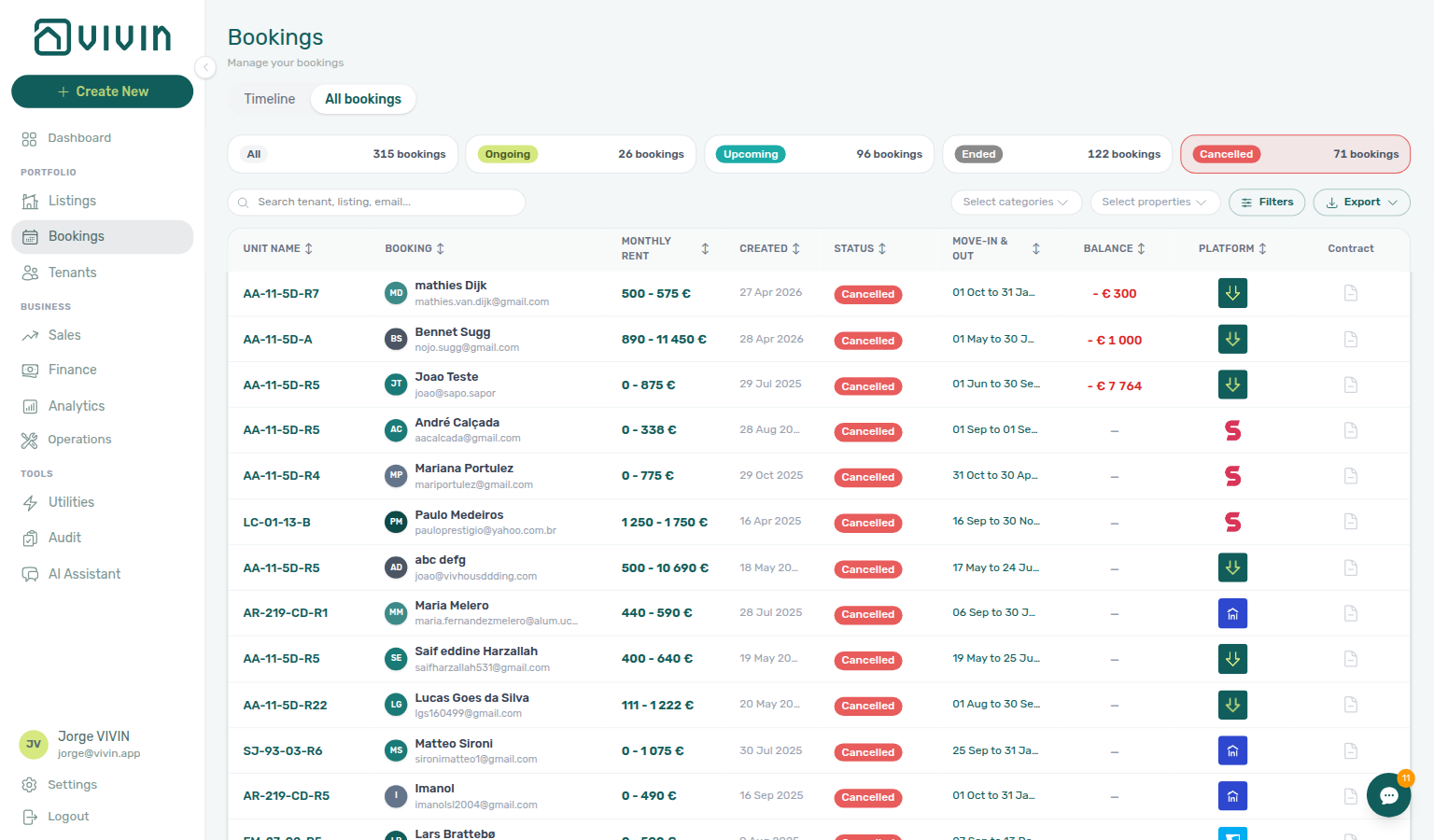
| Sunset a whole building | Archive property | Building | Listings → Archived tab; hidden from default pickers | All booking history and payment rows stay visible |
| Void a real stay under policy | Cancel booking | One reservation | Canceled filter / status | All payment types stay visible |
| Remove mistaken/test reservation | Delete Booking | One reservation | Drops from default Bookings lists (soft-archive) | System Transactions (vIBAN, credit card) stay; Manual Transactions hidden |
| Symptom | Likely wrong control | Fix | ||
| ----------------------------------------------- | ------------------------------------------------ | ------------------------------------------------------------------------------------------------------------------------------------------------------------------------------------------------------- | ||
| Need full ledger for a voided real stay | Delete Booking | Use Cancel booking — Cancelling a Booking | ||
| Manual receipts vanished after cleanup | Delete Booking on a stay you still reconcile | Expected — use Cancel when you need manual rows; see FAQ — Manual payments after Delete Booking | ||
| Building should leave pickers but history stays | Delete Booking on every reservation | Archive property on Listings → Portfolio — FAQ — Archive a property | ||
| Delete Booking blocked on OTA import | Pending provider platform in-payment | Reject or assign first — FAQ — Delete Booking on integration reservation | ||
| Reservation void needed but used Delete | No refund dialog on soft-archive | Cancel booking — Cancel Booking vs Delete Booking | ||
| Building sunsetting via many Delete actions | Reservations gone but building still in pickers | Archive property — not per-reservation Delete | ||
| Question | Archive property | Cancel booking | Delete Booking | |
| ------------------------------------------------------- | ------------------------------------------------------------------------------------------------------------------------------------------------------------------------------ | ------------------------------------------------------------------------------------------------------------------------------------------------- | --------------------------------------- | |
| Scope | Whole building | One real void | One mistaken/test row | |
| Finance → Transactions | All rows stay | All types stay | Manual hidden | |
| List visibility | Listings → Archived | Canceled filter | Drops from default lists | |
| Month-end Step 7 | Occupancy / pickers | Full ledger on voids | Ledger gaps if used on reconciled stays | |
| Whole building leaves portfolio after hygiene pass | Clear holds on Step 5 then Archive property — not per-reservation Delete | Manual block hygiene — Portfolio retirement decisions | ||
| Real void needs refund dialog — not soft-archive | Cancel booking on Step 4 — hub: Cancel Booking vs Delete Booking | Cancelling a Booking — Portfolio retirement decisions | ||
| Last departure before building sunsetting | Finish Step 7 before Archive property on Listings → Portfolio | Managing a Check-out — Portfolio retirement decisions | ||
| Go-live mistaken test booking on new inventory | Delete Booking on duplicate import Step 1 — not building Archive | Processing a New Booking — Portfolio retirement decisions | ||
| New property accidentally archived during setup | Unarchive from Listings → Archived after Step 7 — building Archive is sunsetting only | Onboarding a New Property — Portfolio retirement decisions | ||
| Month-end utility gaps before building sunsetting | Finish Step 5 before Archive property — not per-reservation Delete | Entering Monthly Utility Bills — Portfolio retirement decisions | ||
| Collections escalation before policy void | Step 6 — Cancel booking not Delete Booking for real arrears | Handling a Late Payment — Portfolio retirement decisions | ||
| Upcoming arrivals on building being retired | Step 1 — finish departures before Archive property | Managing a Check-in — Portfolio retirement decisions | ||
| Alert row-click before retirement scope choice | Step 4 — Cancel vs Delete vs building Archive | Notification triage — Portfolio retirement decisions | ||
| Lockout-delayed retirement catch-up | Step 3 → hub Lockout catch-up | Resetting a Management User Password — Portfolio retirement decisions | ||
| Archive / Unarchive or Delete guard defects | New Support Ticket modal — module Listings or Bookings | Using in-app support — Portfolio retirement decisions |
Also see: FAQ — Portfolio retirement decisions · Glossary — Portfolio retirement decisions hub.
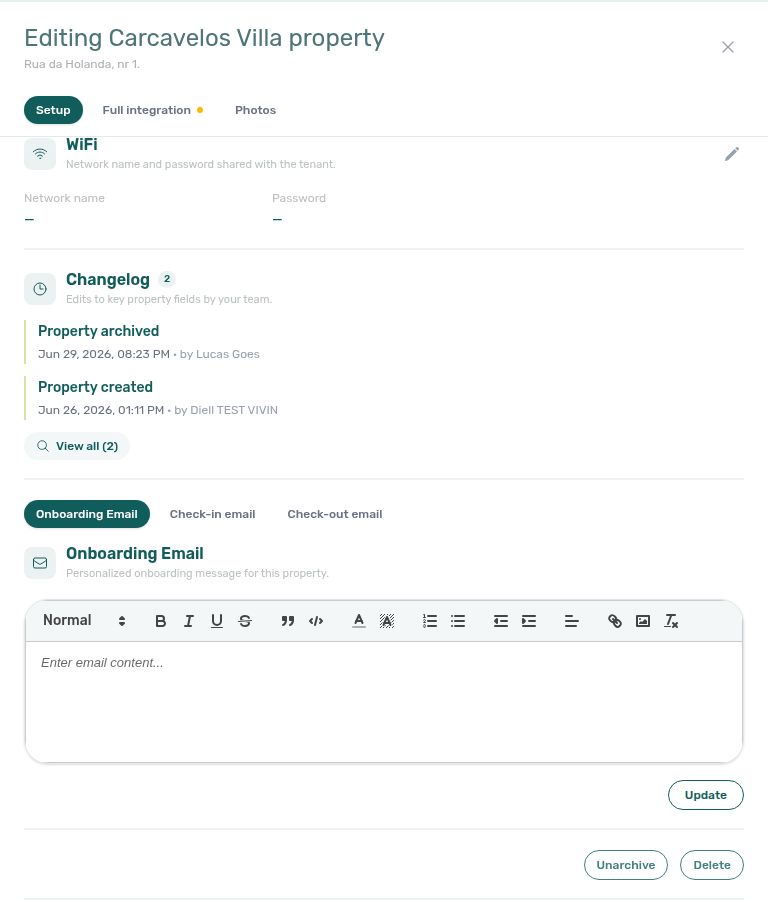
Provider platform Delete Booking guard
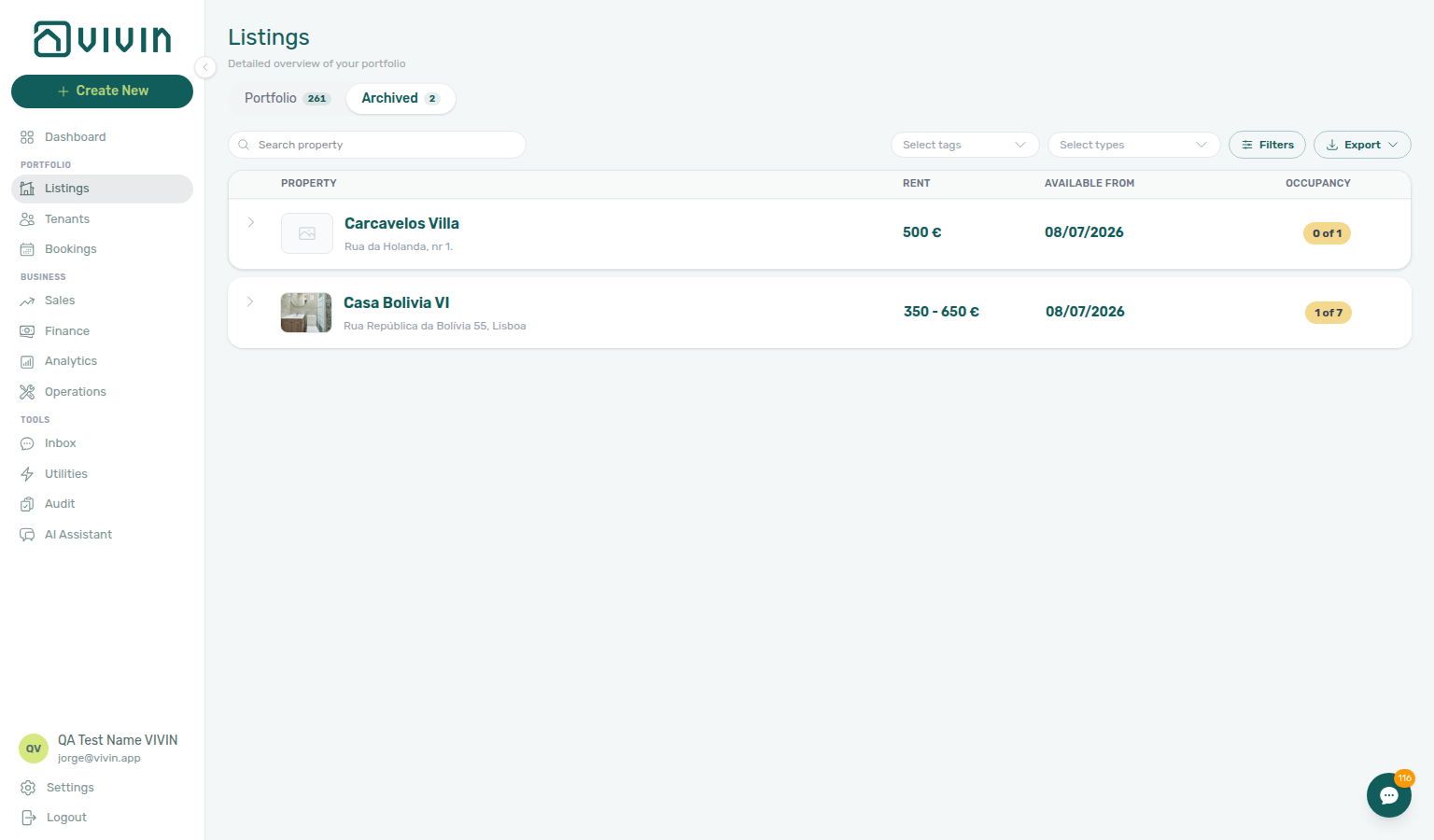
Integration reservations with a non-rejected provider platform in-payment cannot be soft-archived until that row is Rejected or assigned to another booking. Open booking Transactions or Finance → Transactions, clear the in-payment, then retry Delete Booking on Contract Info → Check-in & Check-out.
| Symptom | Likely wrong control | Fix |
|---|---|---|
| Delete Booking blocked with toast | provider platform in-payment still present | Reject or assign on booking Transactions / Finance → Transactions — then retry Delete Booking |
| Tried Delete payment on provider-platform row | Ledger rail does not support delete | Reject or assign — see Bookings — Provider platform payment |
| Real void needs full ledger history | Delete Booking on integration stay | Cancel booking — Cancelling a Booking |
| Month-end ledger gaps after Delete | Soft-archive on reconciled stay | Use Cancel when Manual Transactions must stay — Archived booking ledger visibility |
| Duplicate channel import on same dates | Delete before clearing in-payment | Processing a New Booking — Step 1 — Reject first |
| Test Upcoming row before key handover | Delete blocked on integration import | Managing a Check-in — Step 1 — clear in-payment then Delete |
| Go-live test booking on new inventory | Delete blocked after Step 7 | Onboarding a New Property — Provider platform Delete Booking guard |
| Alert row-click — Delete on integration import | Pending provider platform in-payment | Notification triage — Step 4 — Reject before Delete |
| Lockout catch-up duplicate imports | Delete blocked during Step 3 catch-up | Resetting a Management User Password — Provider platform Delete Booking guard |
| Guard persists after correct Reject / assign | Product defect | Using in-app support — Provider platform Delete Booking guard — module Bookings ticket |
Also see: FAQ — Delete Booking on integration reservation · Glossary — Provider platform Delete Booking guard hub.

Archived booking ledger visibility
Delete Booking soft-archives the reservation. On Finance → Transactions, Manual Transactions rows tied to that booking — transfer, cash, deposit refund, provider platform, and similar operator-recorded types — are hidden so test or mistaken stays do not clutter the portfolio ledger. System Transactions (vIBAN, credit card) stay visible for bank/card reconciliation. Canceled bookings that are not archived keep every type visible. Use Cancel booking when you need full ledger history for a real void.
| Symptom | Likely wrong control | Fix |
|---|---|---|
| Manual receipts vanished after cleanup | Delete Booking on reconciled stay | Use Cancel when Manual Transactions must stay — Cancel Booking vs Delete Booking |
| Month-end totals short after training-row cleanup | Delete Booking on stays you still reconcile | Portfolio KPI review — Step 7 — use Cancel when history matters |
| Need full ledger for voided real stay | Delete Booking | Cancel booking — Cancelling a Booking |
| vIBAN / credit card rows still visible | Expected — not a sync bug | System Transactions stay for reconciliation |
| Building sunsetting ledger gaps | Per-reservation Delete vs Archive | Portfolio retirement decisions — Archive property keeps all ledger rows |
| Duplicate import cleanup on Step 1 | Delete hides manual rows afterward | Processing a New Booking — Step 1 — expected for test rows |
| Collections escalation needs policy void | Delete Booking on real arrears | Cancel booking on Step 6 when manual receipts matter |
| Utility close missing overage manual rows | Delete on reconciled stay | Entering Monthly Utility Bills — Step 5 — use Cancel when history matters |
| Reconciled Ended departure | Delete Booking when manual receipts needed | Leave Ended or Cancel — Managing a Check-out — Step 7 |
| Test Upcoming row before key handover | Delete hides manual rows afterward | Managing a Check-in — Step 1 — expected for mistaken rows |
| Lockout catch-up cleanup used Delete | Ledger gaps after soft-archive | Resetting a Management User Password — Step 3 — prefer Cancel when history matters |
| Ledger rows vanish unexpectedly | Product confusion vs expected | Using in-app support — Archived booking ledger visibility — module Bookings when behaviour differs |
Also see: FAQ — Manual payments after Delete Booking · Glossary — Archived booking ledger visibility hub.
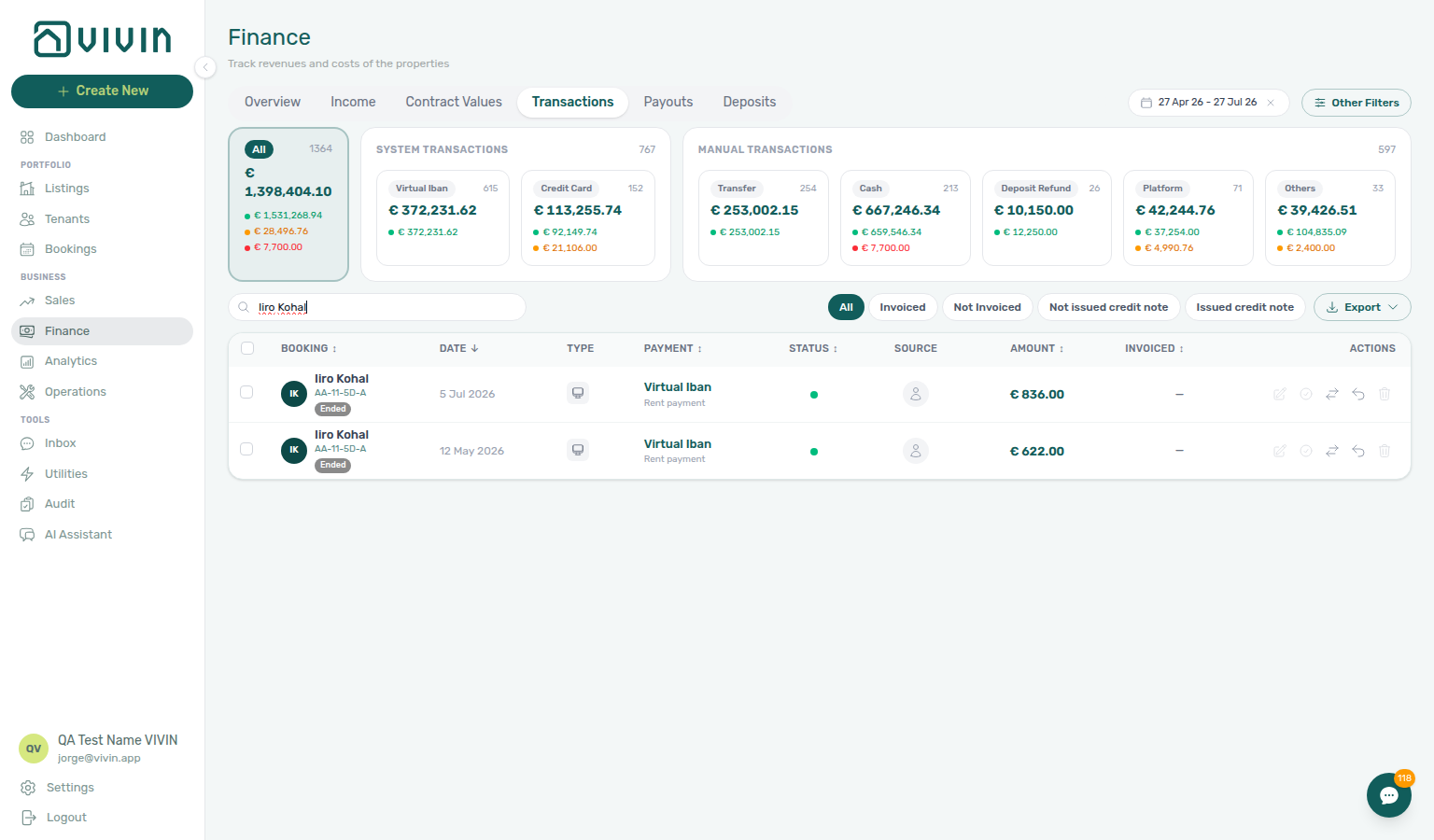
Archive property (building-level)
When a whole building leaves the portfolio for good, retire it from active pickers without deleting booking or finance history — distinct from per-reservation Cancel Booking vs Delete Booking and the three-way scope table in Portfolio retirement decisions.
| Step | Action | Notes |
|---|---|---|
| 1 | Clear stale manual blocks on each unit calendar | Manual block hygiene — Step 5 before sunsetting |
| 2 | Confirm no Upcoming arrivals remain on the building | Managing a Check-in — Step 1 — finish departures before Archive |
| 3 | Open Listings → Portfolio, Edit property sidebar → danger zone Archive | App confirms first; active bookings may trigger an extra warning — FAQ — Archive a property |
| 4 | Review retired inventory on Listings → Archived | /listings/archived; legacy /properties/archived redirects — Listings — Archived properties |
| 5 | Unarchive if archived by mistake during go-live | Onboarding a New Property — Step 7 — building Archive is sunsetting only |
| Symptom | Likely wrong control | Fix |
| -------------------------------------------------------------- | ------------------------------------- | ------------------------------------------------------------------------------------------------------------------------------------------------------------------------ |
| Building still in pickers after deleting every reservation | Delete Booking on each stay | Archive property on Listings → Portfolio — FAQ — Archive a property |
| Property missing from Portfolio after setup mistake | Accidental Archive during go-live | Unarchive from Listings → Archived — Onboarding a New Property — Portfolio retirement decisions |
| Used Delete Booking to clean duplicate imports | Reservation scope only | Delete Booking on Processing a New Booking — Step 1 — not building Archive |
| Unsure whether to Archive, Cancel, or Delete | Scope confusion | Portfolio retirement decisions — three-way decision table |
| Archive / Unarchive guard defect despite correct steps | Product bug | Using in-app support — Portfolio retirement decisions — module Listings |
Archive property does not remove bookings or Finance → Transactions rows — archived buildings drop from default pickers and Sales active grids while historical Bookings rows remain. Pair with Glossary — Archive property (building-level) hub, Portfolio retirement decisions, FAQ — Archive a property, Glossary — Archived property, Manual block hygiene (portfolio sunsetting), Portfolio KPI review — Step 7 (month-end sunsetting review), and Managing a Check-out — Archive property (building-level) (last departure before building Archive).
Directory list refresh
When a large directory shows a Retry control instead of rows, your portfolio is not empty — use Retry, or reload the page.
| Situation | What to do |
|---|---|
| Directory alert with Retry | Click Retry, or reload the page |
| Bookings Timeline chart alert | Retry on the chart, or switch to List |
| Empty table, no alert | Widen filters or clear search |
| Finance empty table + non-zero summary cards | Reload the browser tab |
| Tools → Inbox conversations blank | Reload the browser tab |
| Only one booking tab affected | Booking sidebar tab refresh |
Pair with FAQ — Directory list refresh and Glossary — Directory list refresh hub.
Booking sidebar tab refresh
Inside an open booking, Communication and Tickets load independently — a tab refresh does not block Contract Info, Payment Plan, or Deposit.
| Situation | What to do |
|---|---|
| Communication | Refresh in the booking sidebar header |
| Tickets | Retry on the banner inside the tab |
| Other tabs still work | Keep working — only the affected tab needs refresh |
| Tab still looks incomplete | Close and reopen the booking from the list |
| Whole Bookings list alert | Directory list refresh |
Pair with FAQ — Communication or Tickets won't open and Glossary — Booking sidebar tab refresh hub.
Finance debt receivables triage
Before you rank debtors on Debt Aging or reconcile Dashboard Total Debt at month-end, clear the amber Pending queue on Finance → Transactions when operators just recorded bank transfers — Total Debt, In debt, and Manual Payments KPIs lag until Approve payments confirms each row (Pending manual receipt approval).
| Question | Start with Pending approval | Start with receivables triage |
|---|---|---|
| Just recorded Add Payment | Amber Pending chip → Approve | N/A — KPIs update after approval |
Pending manual in-payment alert on /notifications | Row-click → Transactions → Approve | Not Debt Aging until queue clears |
| Total Debt unchanged after transfer | Receipt still pending | Top debtors only after approval |
| Month-end sign-off with lingering Pending | Steps 5b / 6b mesh — finance-transactions-pending-approve-flow.mp4 | Portfolio KPI review — Step 7 after queue clears |
| Top debtors still high after Approve | Duplicate transfer approved by mistake | Reject/revert mistaken receipts — Revert before collections (bookings-detail-transactions-revert-modal-info-banner.png) |
| Debt Aging bucket shows paid-looking booking | Ledger duplicate not cleaned up | Booking Transactions → Revert payment — then re-open Top debtors |
| Question | Ledger cleanup first | Receivables triage first |
| --------------------------------------------- | ----------------------------------------------------------------------------------------- | --------------------------------------------------- |
| Two identical transfers, one pending | Reject selected — Reject/revert mistaken receipts | Not Debt Aging until queue clears |
| Two identical transfers, both approved | Revert duplicate — same hub | Re-check Top debtors after Revert |
| Total Debt high, tenant insists they paid | Open booking Transactions for duplicate rows | Debt Aging only after ledger is clean |
| Month-end Step 7 sign-off | Pending + Revert mesh | Debt Aging / Dashboard Total Debt reconcile |
Four surfaces answer “who owes money?” at different scopes — pick the one that matches your question:
| Question | Start here | Opens |
|---|---|---|
| Quick ongoing-debt headline on login | Dashboard → Total Debt | Summary only — >15 days subtitle, not clickable |
| Ranked debtors with days overdue | Finance → Overview → Debt Aging | Top debtors or overdue bucket → booking sidebar |
| Payment lines for one month | Finance → Overview → Income → In debt | Month-scoped modal — not a debtor ranking |
| Deposit coverage gap | Finance → Overview → Uncovered Debt KPI | Pair with Top debtors when close to Total Debt |
| Symptom | Likely cause | Fix |
| --------------------------------------------------------------- | -------------------------------------------------------------- | ------------------------------------------------------------------------------------------------------------------------------------------------------------ |
| Need tenant · unit rows with days overdue | Opened Income → In debt modal (payment lines) | Debt Aging → Top debtors or overdue bucket |
| Dashboard Total Debt card not clickable | Post-login headline is summary only | Finance → Overview → Debt Aging |
| Uncovered Debt close to Total Debt | Thin deposit coverage on debtors | Prioritize Top debtors — FAQ — Uncovered Debt KPI |
| Payment alert opened booking but balance unclear | Alert deep-linked reservation | Payment Plan / Transactions on sidebar — Notification triage — Step 4 |
| Total Debt headline lags after bank transfer | Receipt still pending | Pending manual receipt approval — approve before Debt Aging triage (finance-transactions-pending-pill.png) |
| Debt Aging high but transfer just recorded | Pending rows still on ledger | Same hub — not collections escalation yet |
| Top debtors row shows tenant who paid twice | Duplicate approved — not real arrears | Reject/revert mistaken receipts — Revert duplicate (bookings-detail-transactions-revert-modal-info-banner.png) |
| Total Debt unchanged after Revert | Not issued credit note queue still open on invoiced charge | Issue credit notes (N) — then re-triage Debt Aging |
| Payment overdue alert but balance looks paid | Transfer recorded but not approved | Row-click → Approve — Notification row-click navigation |
| Pending manual in-payment alert after month-end | Operator mesh still pending | Amber Pending chip before KPI sign-off |
| Top debtors dominated by one cohort | Arrears cluster on Unassigned or one segment | Portfolio segmentation by tenant category — Finance → Other filters → Tenant category before collections |
| Segment filter works on Bookings but not Finance drawer | Cache has no rows with that tenantCategoryId | FAQ — Finance tenant category filter parity — load Contract Values first |
| Question | Segment-scoped collections | Whole-portfolio receivables |
| ---------------------------------- | ------------------------------------------------------------------------------------------------ | --------------------------------------------------------------------------------------- |
| Start here | Finance → Other filters → Tenant category + Debt Aging | Debt Aging → Top debtors without segment filter |
| Align filters across modules | Bookings / Finance / Tenants toolbar | Portfolio segmentation by tenant category |
| Month-end KPI drift on one segment | Portfolio KPI review — Step 6 | Step 7 receivables sign-off |
Also see: FAQ — Finance debt receivables triage hub · Glossary — Finance debt receivables triage hub.
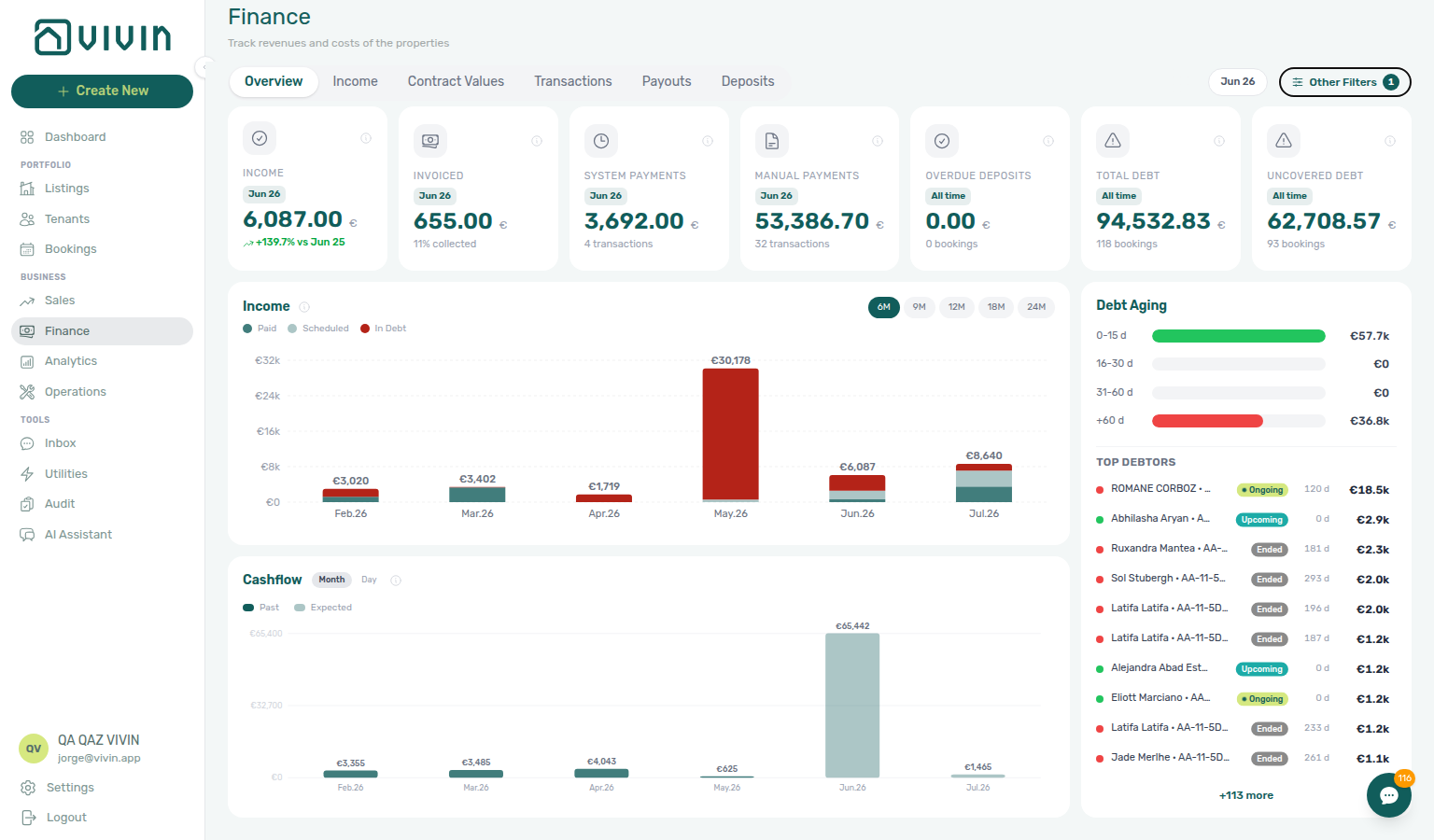
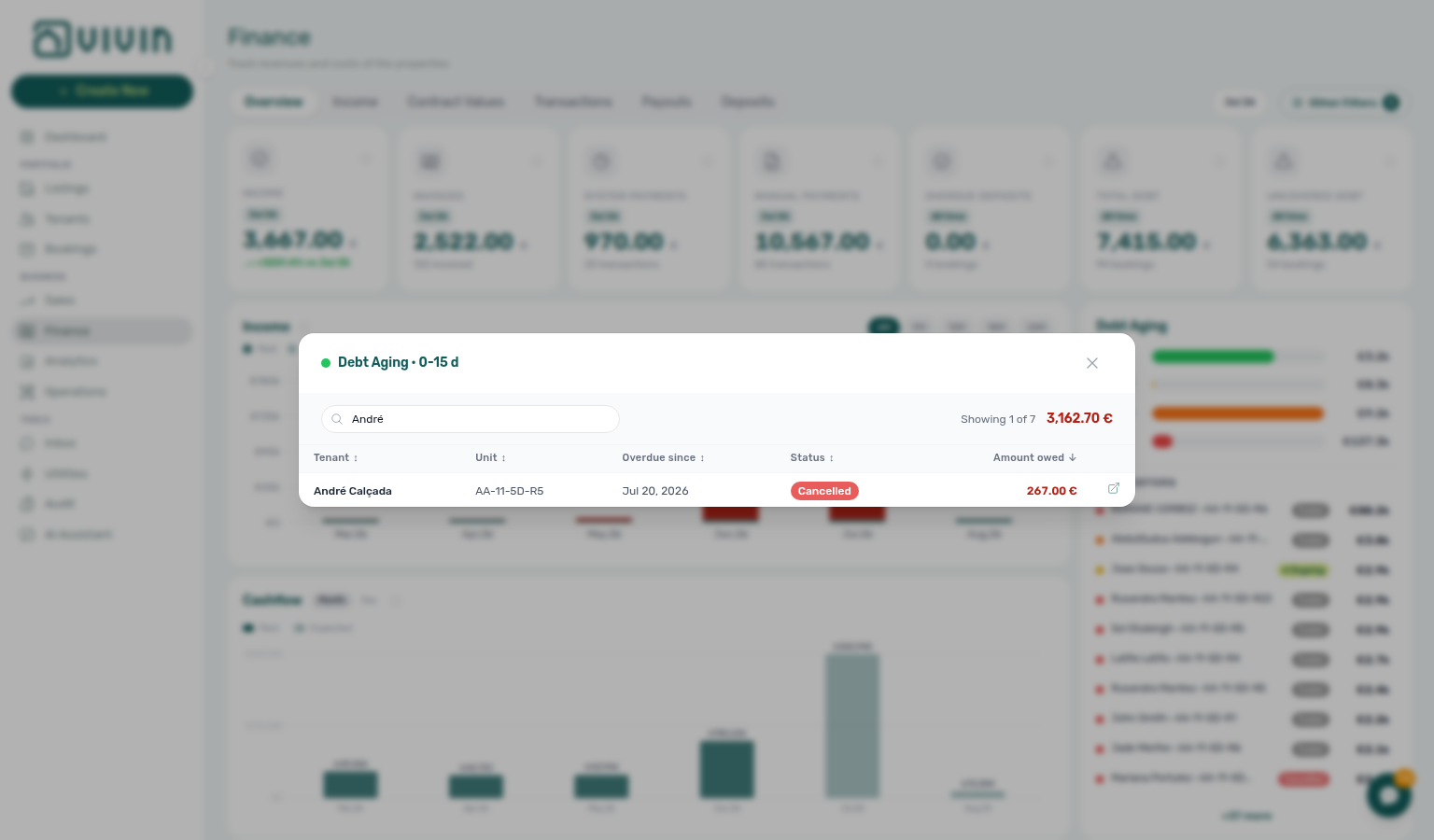
Uncovered Debt KPI
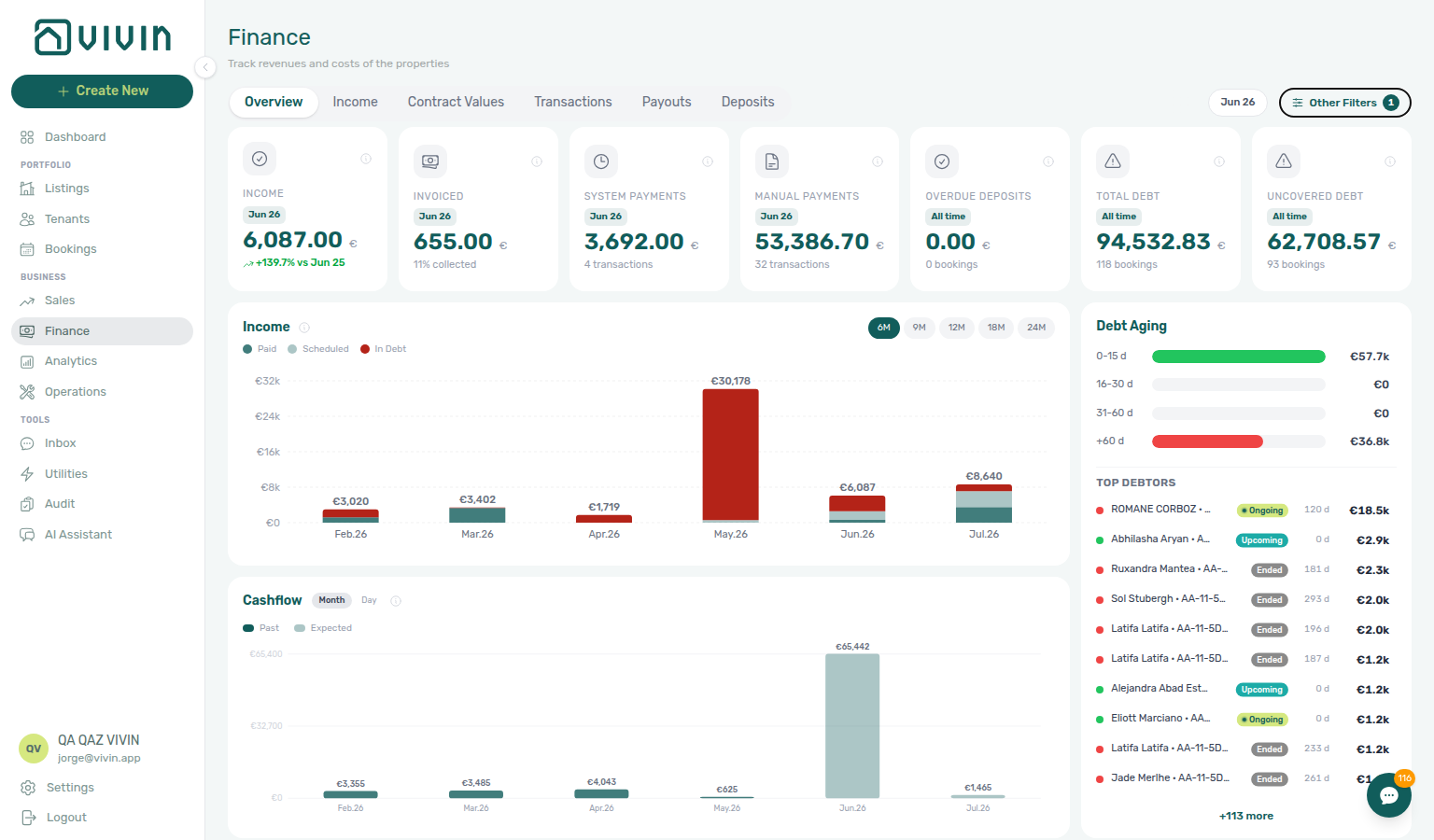
On Finance → Overview, compare Total Debt with Uncovered Debt on the seven-card KPI strip before you rank Debt Aging Top debtors or clear the last notification rows at month-end. Uncovered Debt is the portion of portfolio underpayment not offset by security deposits you still hold — when it tracks Total Debt closely, deposit cushions are thin and collections risk is higher.
| Question | Start here | Opens |
|---|---|---|
| Quick ongoing-debt headline on login | Dashboard → Total Debt | Summary only — does not show Uncovered Debt |
| Deposit coverage gap | Finance → Overview → Uncovered Debt KPI | Pair with Top debtors when close to Total Debt |
| Ranked debtors with days overdue | Finance → Overview → Debt Aging | Top debtors after KPI strip compare |
| Symptom | Likely cause | Fix |
| -------------------------------------------------- | ---------------------------------------- | ---------------------------------------------------------------------------------------------------------------------------------------------------- |
| Uncovered Debt close to Total Debt | Thin deposit coverage on debtors | Prioritize Top debtors — Finance debt receivables triage (finance-overview-debt-aging-expanded-bucket.png) |
Looking for Uncovered Debt on / | Dashboard Total Debt is ongoing-only | Open Finance → Overview — finance-overview-kpi-cards.png |
| Total Debt high, Uncovered Debt much lower | Strong deposit cushions | Collections still possible — focus highest absolute Top debtors rows |
| KPI strip unchanged after bank transfer | Receipt still pending | Pending manual receipt approval — finance-transactions-pending-pill.png |
| Month-end Step 7 debt looks low on deposits | Compared Dashboard ongoing card only | Portfolio KPI review — Step 7 — Finance all-booking KPIs |
Also see: FAQ — Uncovered Debt KPI hub · Glossary — Uncovered Debt hub.
Finance Income status drill-down
On Finance → Overview, the stacked Income chart breaks each calendar month into Paid (dark teal), Scheduled (light teal), and In debt (red). Click a bar segment or a row in its hover tooltip to open a payment-line modal scoped to that month and status — tenant · unit rows with View booking, not a ranked debtor list.
| Question | Start here | Opens |
|---|---|---|
| Payment lines for one month + status | Income → Paid / Scheduled / In debt | Month-scoped modal (finance-overview-income-status-in-debt-modal.png) |
| Same tenant in Paid and Scheduled | Partly collected charge — expected split | Partial payments across Paid, Scheduled, and In debt |
| Who owes, days overdue, booking sidebar | Debt Aging → Top debtors or overdue bucket | Booking-level rows (finance-overview-debt-aging-expanded-bucket.png) |
| Opened In debt modal but need debtor rank | Wrong surface — modal is payment-line scope | Debt Aging — FAQ — Bookings that owe money |
| Month-end Analytics vs Finance mismatch | Income segments by month | Pair with Portfolio KPI review — Step 7 (finance-overview-income-drill-down-flow.mp4) |
| Alert row-clicked booking but portfolio rank unclear | Single-booking triage first | Debt Aging after Notification triage — Step 4 |
Also see: FAQ — Finance Income status drill-down · FAQ — Finance Income status drill-down hub.
finance-overview-income-status-in-debt-modal.png).Cash flow forecast drill-down
On Finance → Overview, the Cash flow forecast chart below Income shows actual cash received per period (confirmed in-payments only — no scheduled or In debt amounts). Toggle Month vs Day on the chart header. Click a month or day bar to open an All payments drill-down listing every collection in that period.
| Question | Start here | Opens |
|---|---|---|
| Which payments landed in one month/day? | Cash flow forecast bar click | All payments modal (finance-overview-cash-flow-all-payments-modal.png) |
| Scheduled vs collected for one month | Income → Paid / Scheduled / In debt | Status-scoped payment-line modal — Finance Income status drill-down |
| When is rent due (not yet collected)? | Dashboard → Cash Flow Forecast | Rent-due timing — Glossary — Cash Flow Forecast (Dashboard) |
| Month-end collections vs Analytics | Cash flow forecast Day view | finance-overview-cash-flow-day-view.png; pair Portfolio KPI review — Step 7 |
Also see: FAQ — Cash flow forecast drill-down · FAQ — Cash flow forecast drill-down hub.
Payment alert to receivables triage
Notification triage Step 4 row-click opens the booking behind a Payments alert — Finance debt receivables triage picks the portfolio surface when you need ranked debtors or month-end KPI sign-off before Handling a Late Payment — Step 1 outreach. Pick the row that matches the alert text:
Alert on /notifications | Notification triage step | Receivables surface | Collections follow-through |
|---|---|---|---|
| Payment overdue | Step 4 → Payment Plan | Debt Aging / Top debtors when portfolio-wide rank needed | Handling a Late Payment — Step 1 → Step 3 |
| Payment received from tenant … | Step 4 → Transactions | N/A — confirm ledger on opened booking | Approve — Pending manual receipt approval before Step 5 |
| Pending manual in-payment | Step 4 → Approve | Amber Pending chip on Finance → Transactions | Not Debt Aging until queue clears |
| Month-end Total Debt drift after alert triage | Step 5 only after approval | Portfolio KPI review — Step 7 + Dashboard Total Debt | Step 6b mesh |
| Alert cleared but portfolio debt unclear | N/A — re-open Finance → Overview | Hub: Finance debt receivables triage — four-surface matrix | Handling a Late Payment collections hub |
| Question | Alert-driven entry (Step 4) | Portfolio receivables triage | |
| ------------------------------------------ | ----------------------------------------------- | ------------------------------------------------------------------------------------------------------------------- | |
| One booking behind the ping | Row-click → Payment Plan / Transactions | Confirm balance before Step 5 | |
| Need ranked debtors with days overdue | Finish single-booking triage first | Finance → Overview → Debt Aging — Top debtors | |
| Dashboard Total Debt headline only | Not enough for collections list | Debt Aging — card is not clickable | |
| Income → In debt modal opened | Payment-line scope — not debtor rows | Debt Aging buckets — FAQ — Bookings that owe money | |
| Uncovered Debt close to Total Debt | Deposit coverage gap on opened booking | Prioritize Top debtors — thin deposit offsets | |
| Symptom | Alert triage fix | Receivables fix | |
| -------------------------------------------- | ------------------------------------------------------ | --------------------------------------------------------------------------------------------------- | |
| Total Debt unchanged after row-click | Receipt still pending | Pending manual receipt approval — not Debt Aging yet | |
| Payment overdue but balance looks paid | Transfer recorded, not approved | Row-click → Approve — then Step 5 | |
| Top debtors still high after Approve | Duplicate transfer approved | Reject/revert mistaken receipts — Revert before collections | |
| Unread returns after Mark all as read | New Pending manual in-payment rows | Expected until ledger approval | |
| Bell General row did not open Bookings | In-panel detail is default | Bookmark /notifications — Notification row-click navigation | |
| Segment-wide arrears after alert batch | Add Tenant category on Finance → Other filters | Portfolio segmentation by tenant category |
Also see: FAQ — Payment alert to receivables triage hub · Glossary — Payment alert to receivables triage.
Occupancy KPI to block hygiene handoff
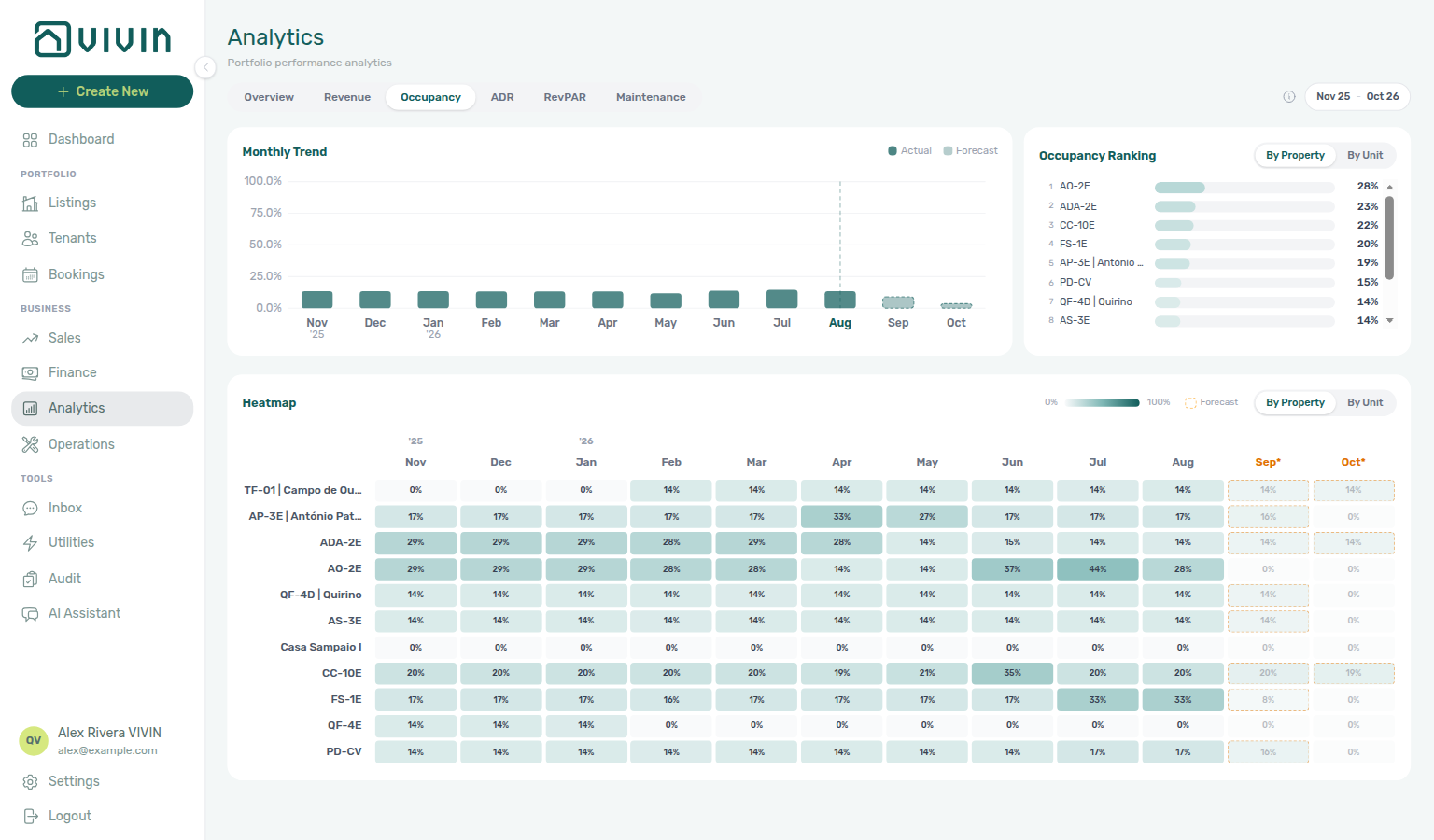
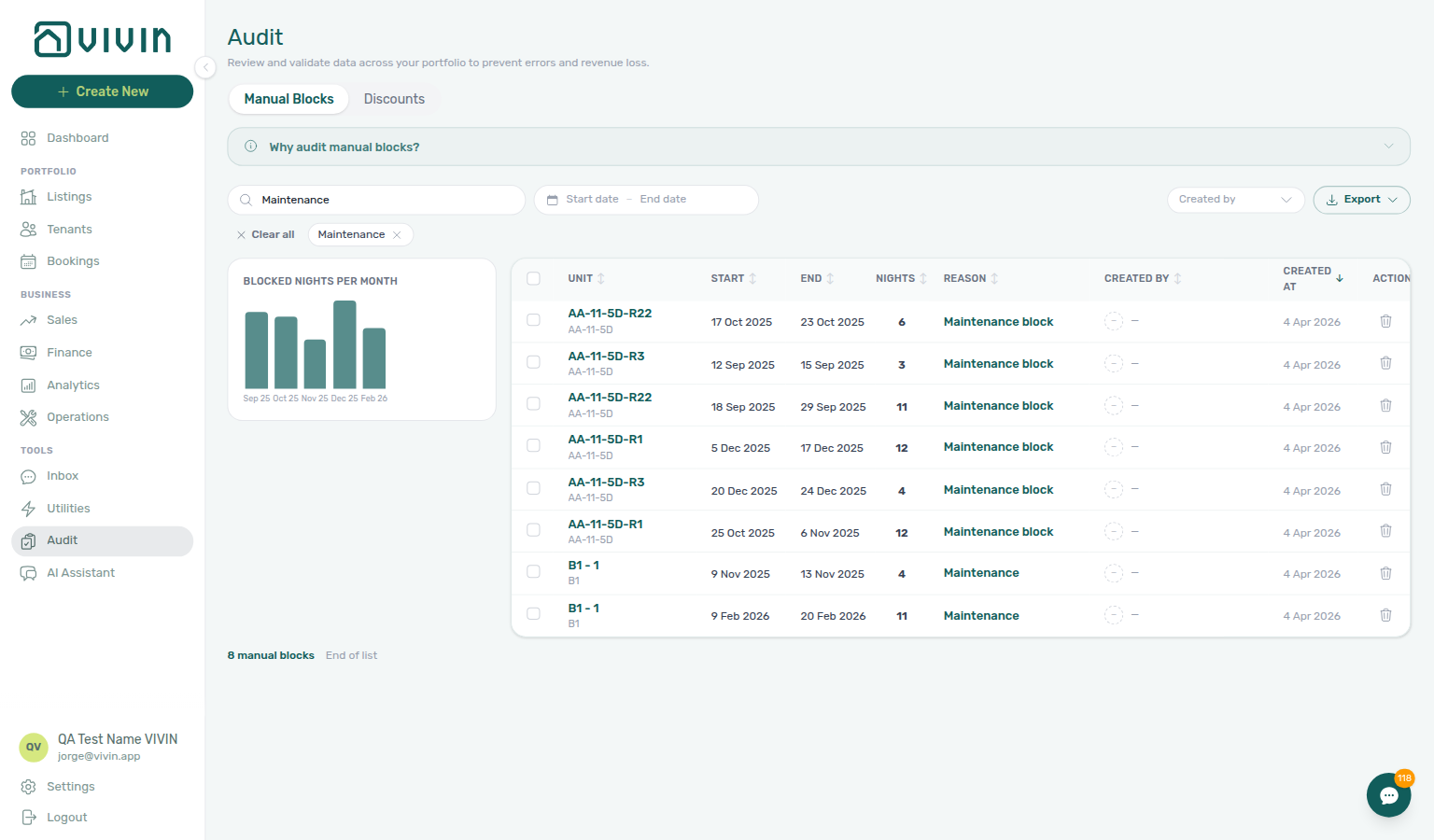
Portfolio KPI review Steps 2–4 surface occupancy or RevPAR dips — Manual block hygiene Steps 1–5 clear stale manual blocks before you change rates or tenant-category rules account-wide. Pick the row that matches the KPI signal:
| KPI signal on Analytics | Portfolio KPI review step | Block hygiene follow-through |
|---|---|---|
| Overview occupancy bar dips without revenue change | Step 2 → Step 3 | Step 1 — Tools → Audit |
| Occupancy Ranking concentrates on one unit | Step 3 | Step 2 Date range + Search |
| RevPAR low but ADR healthy | Step 4 | Holds suppressing available nights — not Sales → Pricing yet |
| Segment filters look healthy | Step 6 — tenant category / tags | Hub: block hygiene before portal rule edits |
| Dashboard Vacant Units lower than Analytics | Step 7 | Step 5 after Step 4 |
| Month-end sign-off, occupancy still suppressed | Step 7 | Step 3 Created by after staff turnover |
| Question | KPI review answer | Block hygiene answer |
| ------------------------------------------------------------------------------------------------------ | ------------------------------------------------------------------------------- | ---------------------------------------------------------------------------------------------------------------- |
| Dip on one property only | Ranking roll-up By Property | Audit Search + row-click unit sidebar |
| Dip portfolio-wide, rates unchanged | Step 3 heatmap | Step 1 Blocked nights per month chart |
| Sales Multicalendar shows mystery blocks | Step 7 | Step 4 on unit Calendar |
| Tenant WhatsApp about blocked dates | N/A — not Analytics-first | Step 3 + get-listing-calendar |
| Vacant Unit Preference includes manual blocks | Today / Vacant Units may still list held units | Confirm preference before blaming holds |
| Symptom | KPI review fix | Block hygiene fix |
| ------------------------------------------------------------------ | -------------------------------------------------------------------------------------------------------------------------------------------------------------------------------------------------------- | ----------------------------------------------------------------------------------------------------------------------------------------------------------------- |
| Occupancy recovers after hold removed | Re-run Step 2 next month | Step 5 — Multicalendar + Dashboard |
| Dip tracks one tenant category | Step 6 — not holds | Do not clear blocks — edit Settings → Tenant categories |
| Blocked nights per month chart spike | Note month in Analytics range | Step 2 overlap filter |
| Rate change planned on suppressed unit | Pause Step 4 | Clear hold first — Glossary — Manual unavailability |
| Calendar edit blocked after hygiene | Manual block hygiene — Step 6 | Using in-app support — not tenant notify-landlord |
| New inventory holds from onboarding | Onboarding — Step 7 | Processing a New Booking — Step 1 overlap |
| Occupancy Ranking dip on month-end review | Step 3 → Step 1 Tools → Audit | Portfolio KPI review — Occupancy KPI to block hygiene handoff |
| Stale holds suppressing Multicalendar after go-live | Step 7 Multicalendar pass before first reservation | Onboarding a New Property — Occupancy KPI to block hygiene handoff |
| Timeline overlap from forgotten holds on channel import | Step 1 overlap check before Add booking | Processing a New Booking — Occupancy KPI to block hygiene handoff |
| Occupancy recovers after Audit pass | Step 5 Dashboard / Multicalendar reconciliation | Manual block hygiene — Occupancy KPI to block hygiene handoff |
| Arrival-week Timeline overlap from stale manual holds | Step 1 Timeline / Multicalendar before blaming channel double-book | Managing a Check-in — Occupancy KPI to block hygiene handoff |
| Calendar bars persist after departure Ended | Step 7 → Manual block hygiene — Step 4 | Managing a Check-out — Occupancy KPI to block hygiene handoff |
| Availability not restored after cancellation void | Step 5 Multicalendar pass before repricing | Cancelling a Booking — Occupancy KPI to block hygiene handoff |
| Month-end Dashboard Vacant Units vs Analytics mismatch | Step 5 utility sign-off → Portfolio KPI review — Step 7 | Entering Monthly Utility Bills — Occupancy KPI to block hygiene handoff |
| Bell scan shows occupancy dip — not payment alerts | Step 1 Vacant Units vs Analytics before Mark all as read | Notification triage — Occupancy KPI to block hygiene handoff |
| Lockout-delayed occupancy KPI review | Step 3 catch-up → hub Lockout catch-up after password recovery | Resetting a Management User Password — Occupancy KPI to block hygiene handoff |
| Calendar edit blocked after block hygiene | Manual block hygiene — Step 6 → New Support Ticket modal | Using in-app support — Occupancy KPI to block hygiene handoff |
| Unit looks vacant on Dashboard but Multicalendar blocked | Step 1 collections triage — not a rent arrears issue | Handling a Late Payment — Occupancy KPI to block hygiene handoff |
Also see: FAQ — Occupancy KPI to block hygiene handoff hub · Glossary — Occupancy KPI to block hygiene handoff hub.
New inventory to first booking handoff
Onboarding a New Property Steps 1–7 make inventory bookable — Processing a New Booking Steps 1–6 create or confirm the first Upcoming stay. Pick the row that matches where you are after go-live:
| Question | Onboarding workflow | First booking workflow |
|---|---|---|
| Property wizard not finished | Step 2 → Step 3 | Not Step 2 until units exist |
| Channel connected, import expected | Step 5 | Step 1 before Add booking |
| Portfolio table looks wrong | Step 7 read-only pass | Not Step 6 until Listings verified |
| Direct enquiry, no channel row | Step 4 tenant category | Step 2 + Tenant Info category |
| First Booking created alert | Step 7 Multicalendar check | Step 1 duplicate check → Step 6 |
| Confirmation transfer Pending | Step 7 alert triage | Step 5b |
| ~7 days to first move-in | Step 7 Timeline overlap | Hub: Property setup to first arrival handoff → Managing a Check-in — Step 1 (workflows-operations-check-in-out-planning-view.png) |
| Symptom | Onboarding fix | First booking fix |
| -------------------------------------- | ----------------------------------------------------------------------------------------------------------------------- | --------------------------------------------------------------------------------------------------------------------------------- |
| Duplicate channel import on new unit | Step 7 + Manual block hygiene | Step 1 → Delete Booking — not Add booking |
| Wrong tenant on valid import | N/A — profile issue | Change tenant — Wrong tenant on a booking |
| Portal modules hidden on first stay | Step 4 Tenant category | Step 6 + Tenant Info |
| Unexpected Multicalendar hold | Step 7 | Manual block hygiene before Step 4 |
| Month-end Pending on first imports | Portfolio KPI review — Step 7 | Step 6b |
Also see: FAQ — Processing a New Booking hub · FAQ — Managing a Check-in hub.
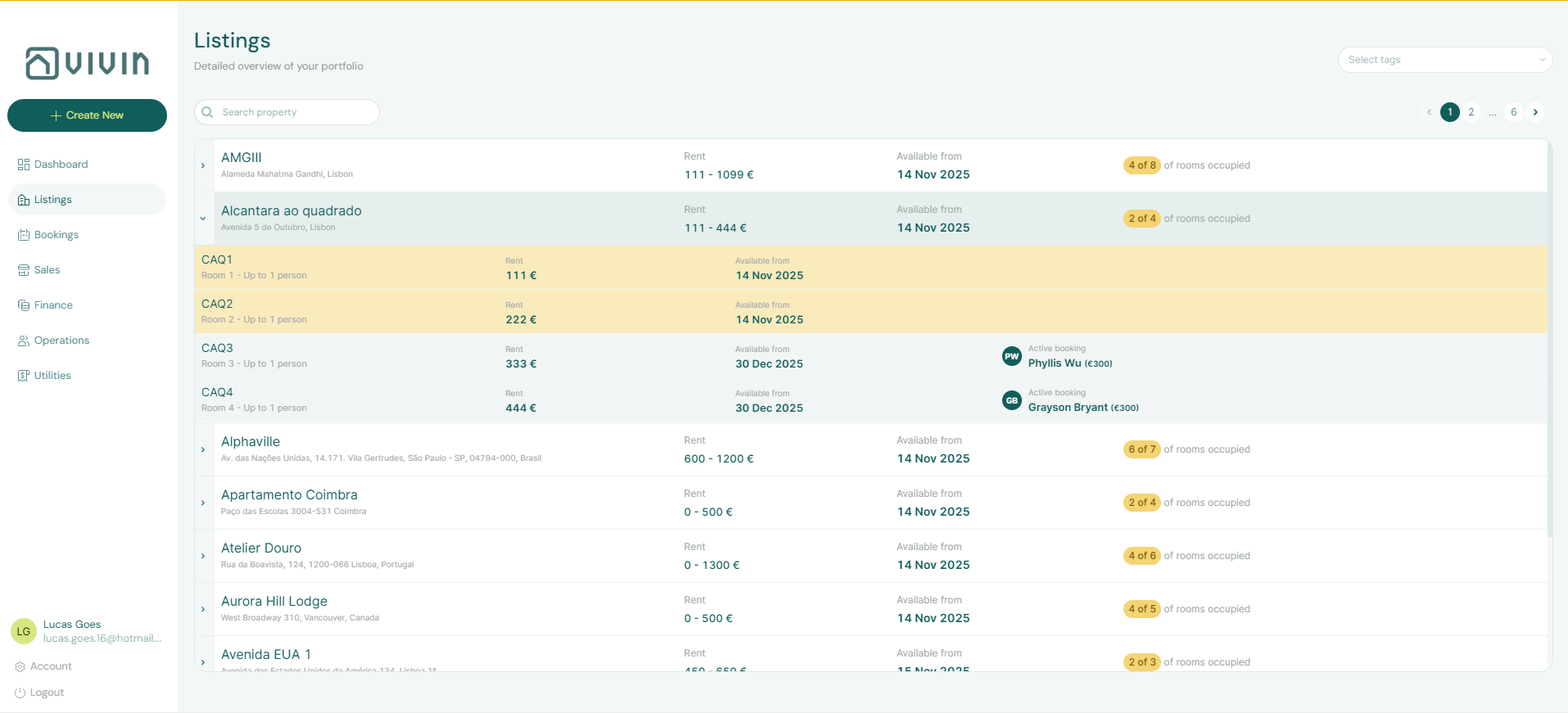
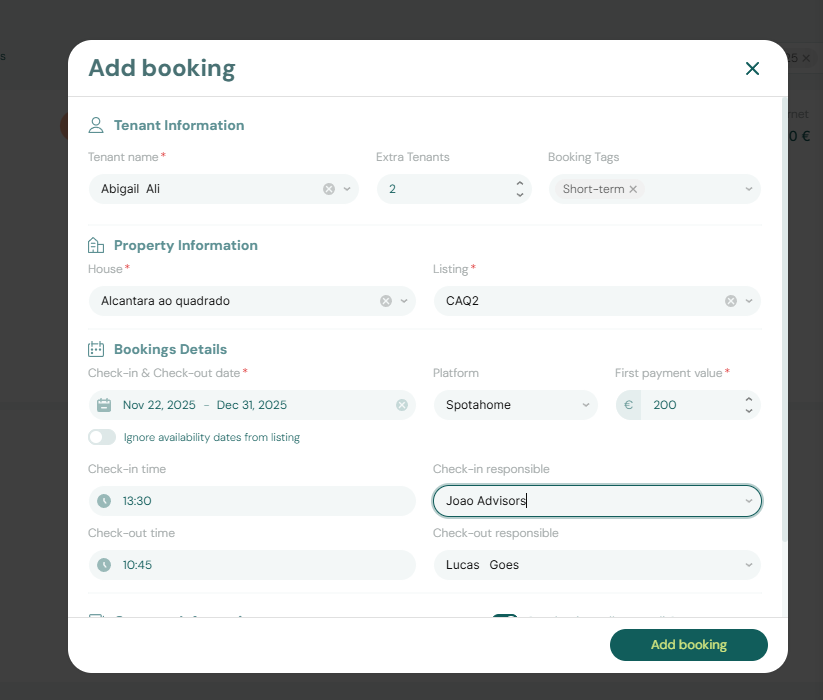
Property setup to first arrival handoff
Onboarding a New Property Steps 1–7 make inventory and access ready — Managing a Check-in Steps 1–4 run about one week before the first guest moves in. Pick the row that matches where you are after go-live:
| Question | Onboarding workflow | First arrival workflow |
|---|---|---|
| Property wizard not finished | Step 2 → Step 3 | Not Step 1 until units exist |
| Access Lockers / Nuki not configured | Step 4 + Listings — Access Lockers | Step 4 blocked without codes |
| Tenant category wrong on portal | Step 4 | Step 1 re-verify Tenant Info before keys |
| First reservation still Upcoming | Step 7 Multicalendar check | Hub: Confirmation to check-in handoff → Step 1 |
| ~7 days to first move-in on new inventory | Step 7 Timeline overlap | Step 1 → Step 2 |
| Move-in charges unpaid | Processing a New Booking — Step 6 | Step 3 before Step 4 |
| Same-day turnover on first unit | Step 7 | FAQ — Same-day turnovers + Managing a Check-out — Step 2 |
| Symptom | Onboarding fix | Check-in fix |
| ----------------------------------------------------- | -------------------------------------------------------------------------------------------------------------------------- | ------------------------------------------------------------------------------------------------------------------------------------------------------------------------------------ |
| Check-ins + Next 7 days empty on new property | Step 7 — confirm first booking exists | Extend Custom date range — Operations — Check-in & Check-out |
| Portal modules hidden on first stay | Step 4 Tenant category | Step 1 Category check |
| Nuki invitation failed after go-live | Settings → Integrations + Access Lockers | Step 6 |
| Move-in receipt Pending at month-end | Portfolio KPI review — Step 7 | Step 3b / Step 6b |
| Payment overdue on first arrival | Notification triage — Step 4 | Handling a Late Payment — Step 1 → Step 3 |
| Utilities Missing on new building | Step 6 | Entering Monthly Utility Bills — Step 5 after first cycle |
Also see: FAQ — Managing a Check-in hub · Glossary — Tenant category.
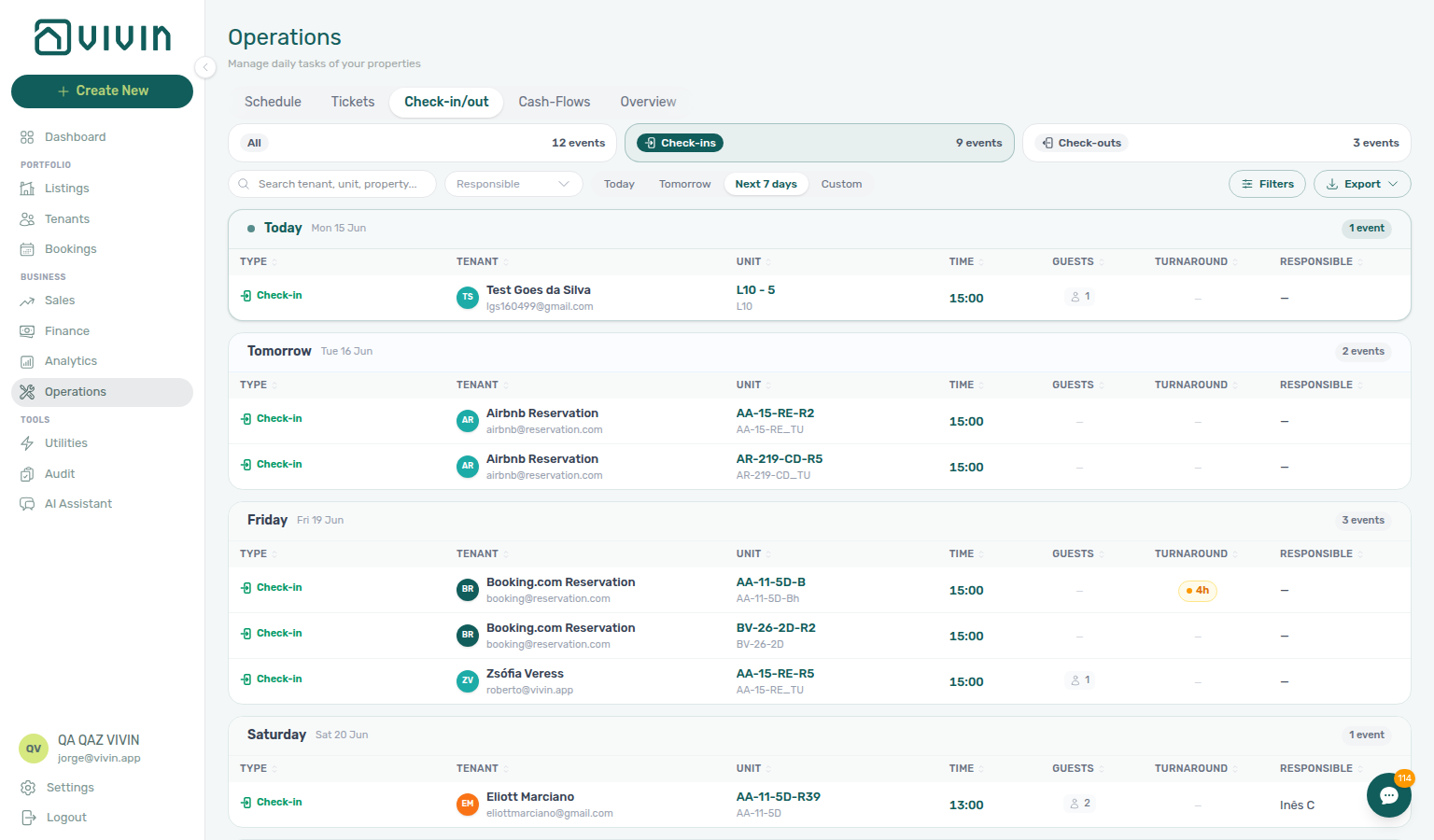
Confirmation to check-in handoff
Processing a New Booking Steps 1–6 close when the reservation is Upcoming and portal-ready — Managing a Check-in Steps 1–4 begin about one week before move-in. Pick the row that matches where you are in the lifecycle:
| Question | Finish on confirmation workflow | Start on check-in workflow |
|---|---|---|
| Contract not signed yet | Step 4 → Step 5 | Not Step 1 until contract + confirmation charges clear |
| Portal Copy / Impersonate Tenant blocked | Step 6 | Step 6 only after category + receipts are correct |
| Confirmation bank transfer still Pending | Step 5b | Step 3b for move-in receipts — distinct charge bucket |
| Move-in week but unpaid Payment Plan pills | Handling a Late Payment — Step 1 before handoff | Step 3 before Step 4 |
| Arrival ~7 days out, planning prep tickets | Step 6 portal sanity check | Step 1 → Step 2 |
| Same-day turnover on shared unit | Step 1 overlap check | FAQ — Same-day turnovers + Managing a Check-out on departure unit |
| Symptom | Confirmation workflow | Check-in workflow |
| ------------------------------------------- | ----------------------------------------------------------------------------------------------------------- | --------------------------------------------------------------------------------------------------------------- |
| Tenant category wrong on portal | Step 2 / Tenant Info | Step 1 re-verify before access codes |
| Deposit only partly collected | Step 5 | Partly collected security deposit — not rent collections |
| Month-end Pending confirmation receipts | Step 6b | Step 6b for move-in week |
| Payment overdue alert before arrival | Notification triage — Step 4 | Step 3 before key handover |
Also see: FAQ — Processing a New Booking hub · FAQ — Managing a Check-in hub.
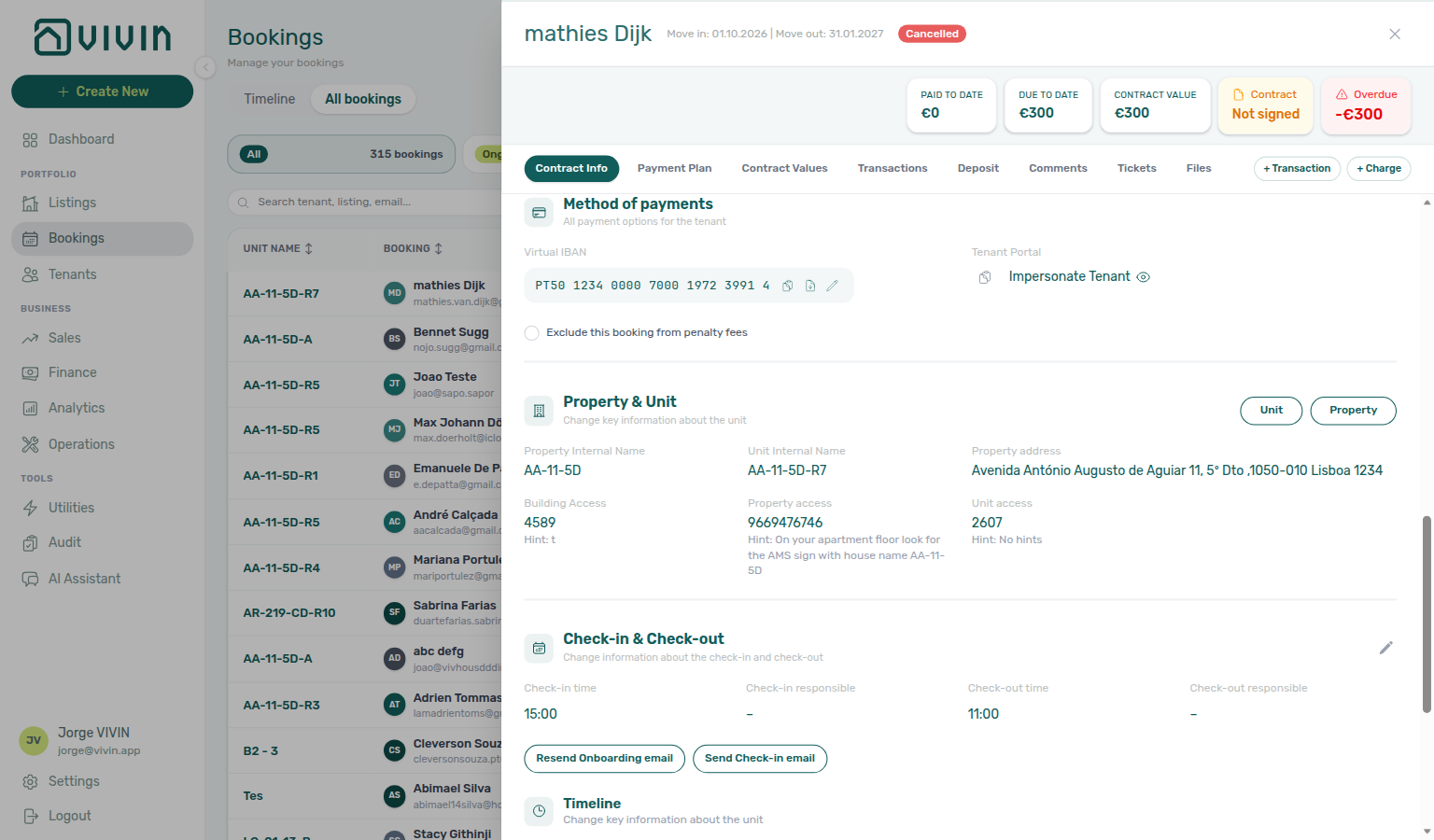
Confirmation alert triage
Notification triage Step 4 row-click opens the Upcoming booking behind a confirmation-week alert — Processing a New Booking Steps 5b / 6 / 6b finish ledger and portal gates before you clear unread in Step 5. Pick the row that matches the alert text:
Alert on /notifications | Notification triage step | Confirmation workflow step |
|---|---|---|
| Booking created / new reservation | Step 4 row-click | Step 6 portal sanity — not Managing a Check-in — Step 1 until ~7 days out |
| Payment received from tenant … | Step 4 → Transactions | Step 5b when receipt stays pending |
| Pending manual in-payment | Step 4 → Approve | Step 5b — hub: Pending manual receipt approval |
| Payment overdue on Upcoming stay | Step 4 → Payment Plan | Handling a Late Payment — Step 1 before Step 6 handoff |
| Month-end lingering Pending on imports | Step 5 only after approval | Step 6b |
| Alert cleared but portal still blocked | N/A — re-open booking from Bookings | Step 6 + Tenant category on Tenant Info |
| Symptom | Alert triage fix | Confirmation fix |
| -------------------------------------------------------------- | -------------------------------------------------------------------------------------------------------------------------------------------------------------------------- | ---------------------------------------------------------------------------------------------------------------------------------------------------------------------------------------------- |
| Row-click opened wrong booking | Notification triage — Step 6 | Step 1 duplicate check |
| Payment Plan still unpaid after Payment received alert | Pending manual receipt approval | Step 5b |
| Unread returns after Mark all as read | New Pending manual in-payment rows — expected | Finish Step 5b before Step 5 |
| Total Debt unchanged after alert triage | Receipt still pending | Step 5b — not Finance debt receivables triage yet |
| ~7 days to move-in, alerts quiet | Step 5 | Hub: Confirmation to check-in handoff → Managing a Check-in — Step 1 |
| First reservation on new property | Hub: New inventory to first booking handoff — Step 7 Listings pass | Step 1 duplicate check → Step 6 |
Also see: FAQ — Confirmation alert triage hub · Glossary — Confirmation alert triage.
Check-in to check-out handoff
Managing a Check-in Steps 1–4 close when the guest is Ongoing with keys and move-in charges settled — Managing a Check-out Steps 1–7 begin about one week before departure. Pick the row that matches where you are in the occupancy window:
| Question | Stay on check-in workflow | Start on check-out workflow |
|---|---|---|
| Guest just arrived, keys not handed over | Step 4 | Not Step 1 until Ongoing |
| ~7 days to departure, planning turnover tickets | Step 2 only if prep still open | Step 1 → Step 2 |
| Same-day turnover on shared unit | Hub: Same-day turnover coordination — finish Step 2 before Step 4 | FAQ — Same-day turnovers numbered habit |
| Deposit only partly collected at move-in | Partly collected security deposit — chase before access | Step 5 blocked until Fully Paid |
| Final utility meter reads before refund | Entering Monthly Utility Bills mid-stay overages | Step 6 before Step 5 |
| Departure-week bank transfer still Pending | N/A — move-in bucket closed | Step 6b |
| Symptom | Check-in workflow | Check-out workflow |
| ------------------------------------------------ | -------------------------------------------------------------------------------------------------------------------------------------------------- | --------------------------------------------------------------------------------------------------------------------------------------------------------------------------------------------- |
| Payment overdue on move-in charges | Step 3 before Step 4 | Handling a Late Payment — Step 1 before Step 5 |
| Damage ticket with contractor invoice | Step 2 prep only | Step 3 + linked cash flows |
| Deposit dispute before refund | Partly collected security deposit | Step 5 + Glossary — Deposit dispute |
| Booking still Ongoing after departure day | N/A | Step 7 |
| Older move-out missing on Finance → Deposits | N/A | Deposit missing on Finance Deposits — clear toolbar date range |
| payment overdue on Ongoing stay during bell scan | Step 4 row-click → Managing a Check-out — Step 1 | Notification triage — Check-in to check-out handoff |
| First Ongoing stay on go-live inventory needs departure planning | Step 7 → Managing a Check-in — Step 4 → Managing a Check-out — Step 1 | Onboarding a New Property — Check-in to check-out handoff |
| Canceled void frees unit — incoming import is separate lifecycle | Step 5 — not check-out mesh on voided stay | Cancelling a Booking — Check-in to check-out handoff |
| Ongoing past departure day after calendar hold cleanup | Step 5 → Managing a Check-out — Step 7 | Manual block hygiene — Check-in to check-out handoff |
| Support ticket asks when to switch from check-in to check-out workflow | Self-serve hub before New Support Ticket modal | Using in-app support — Check-in to check-out handoff |
| Lockout-delayed departure-week planning backlog | Step 3 → hub Lockout catch-up after password recovery → Managing a Check-out — Step 1 | Resetting a Management User Password — Check-in to check-out handoff |
| Confirmed Ongoing after import needs departure planning | Step 6 → Managing a Check-in — Step 4 → Managing a Check-out — Step 1 | Processing a New Booking — Check-in to check-out handoff |
| Keys handed over — scan departure week ~7 days out | Step 4 → Managing a Check-out — Step 1 — hub: Confirmation to check-in handoff | Managing a Check-in — Check-in to check-out handoff |
| Canonical departure-week entry after mid-stay | Step 1 — upstream Managing a Check-in — Step 4 | Managing a Check-out — Check-in to check-out handoff |
| payment overdue on Ongoing stay blocks departure planning | Step 1 → Managing a Check-out — Step 1 | Handling a Late Payment — Check-in to check-out handoff |
| Missing bills on departing units during bill cycle | Step 5 → Managing a Check-out — Step 1 | Entering Monthly Utility Bills — Check-in to check-out handoff |
| Month-end Ongoing entering departure week backlog | Step 7 → Operations → Check-in & Check-out Check-outs pill | Portfolio KPI review — Check-in to check-out handoff |
Also see: FAQ — Managing a Check-in hub · FAQ — Managing a Check-out hub.
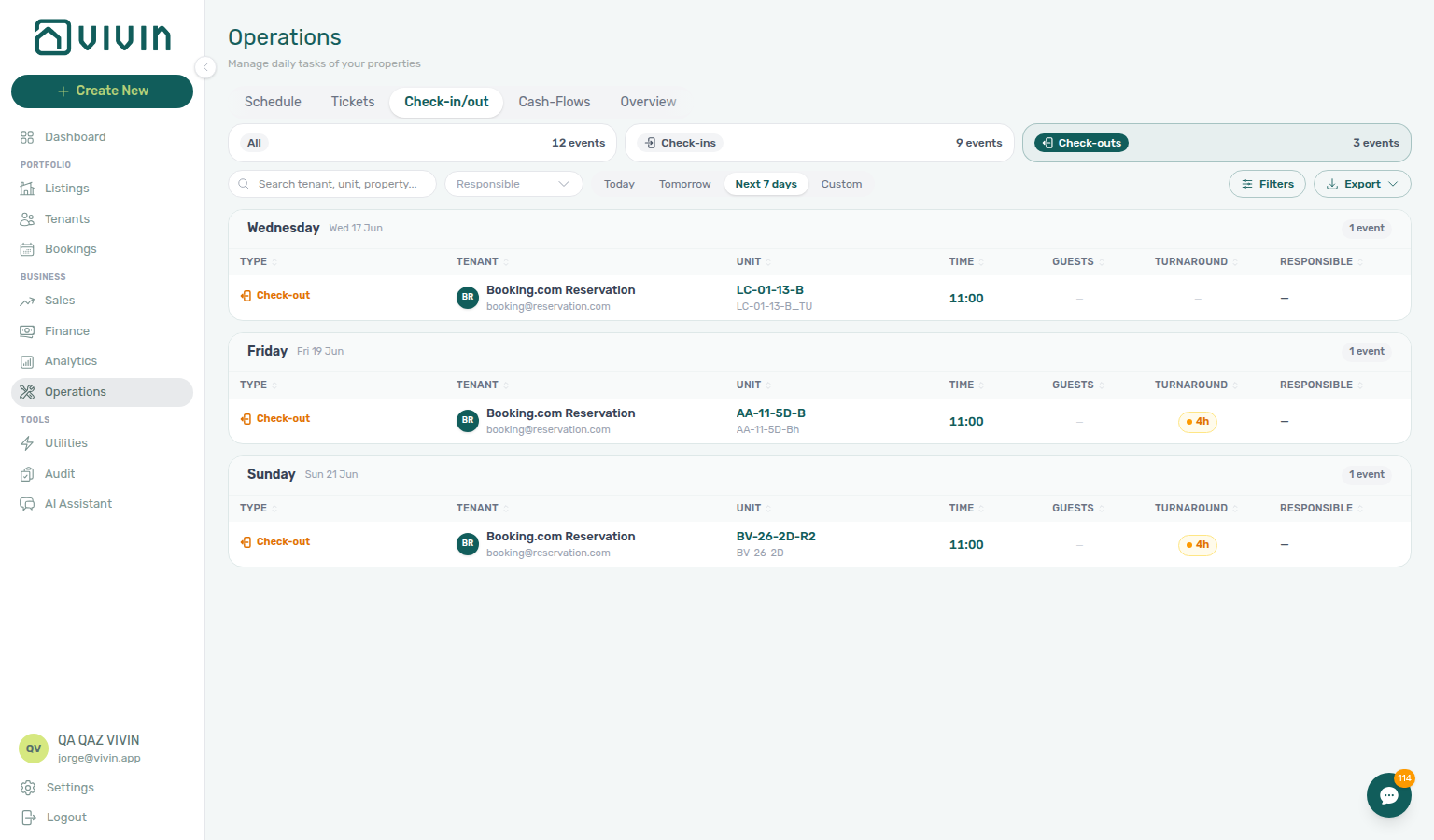
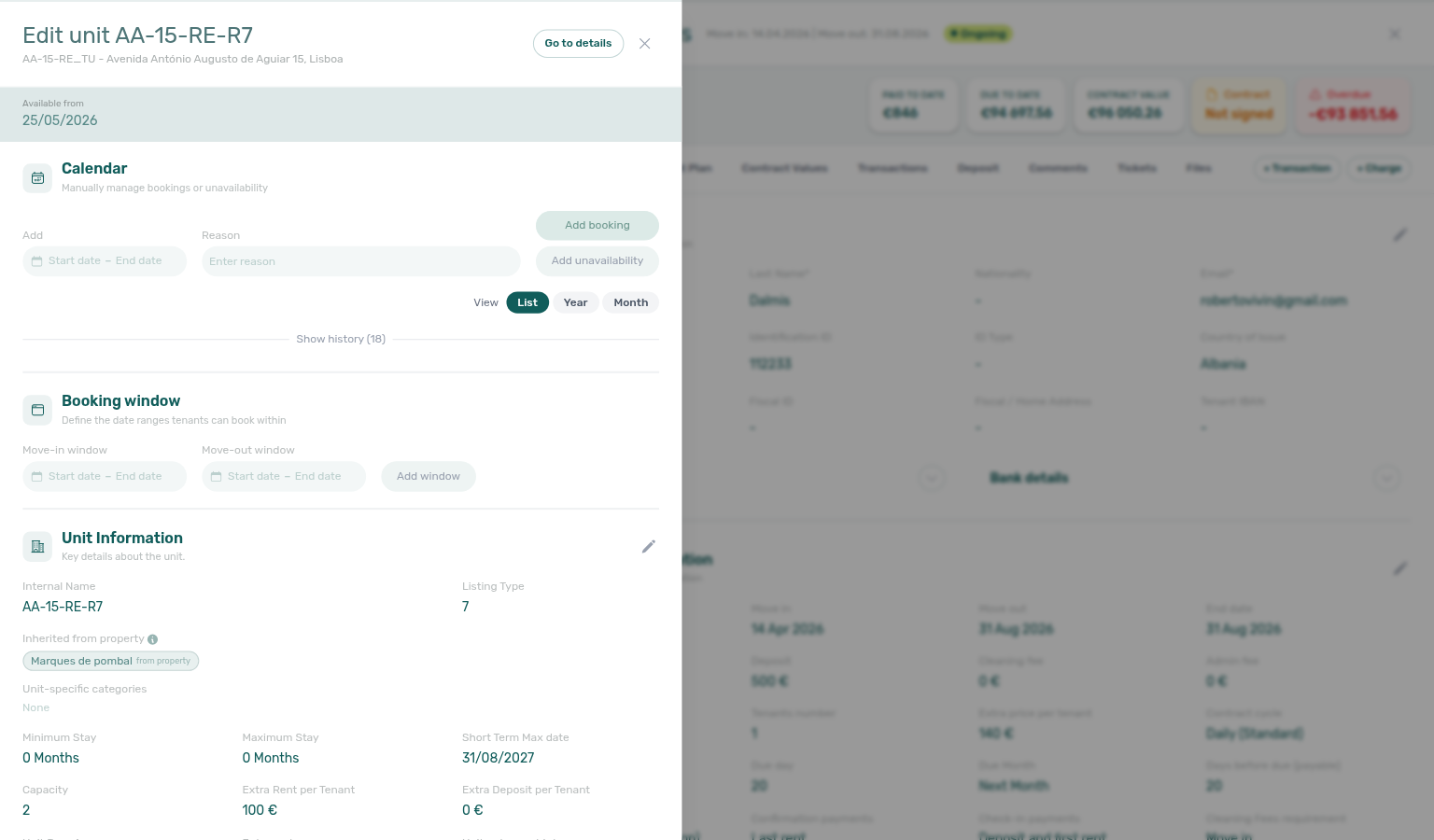
Same-day turnover coordination
When a check-out and check-in share the same calendar day on one unit, run Managing a Check-out Steps 1–2 on the departing stay before Managing a Check-in Step 4 hands keys to the incoming guest. Pick the row that matches turnover day:
| Question | Check-out workflow step | Check-in workflow step |
|---|---|---|
| ~7 days out, spot shared-unit overlap | Step 1 Check-outs + unit Search | Step 1 Check-ins on same unit code |
| Cleaning ticket not yet assigned | Step 2 Add ticket / verify auto ticket | Not Step 4 until turnover due date passes |
| Who cleans when on turnover morning | Step 2 → Operations → Planning (when Planning (schedule board) is granted) | Step 2 Planning board before key handover |
| Visual overlap on one unit row | Bookings → Timeline Week scale | Same Timeline search — incoming bar after departure bar |
| Outgoing guest still Ongoing on turnover morning | Step 3 inspection | Step 3 only on incoming stay |
| Deposit refund vs incoming move-in charges | Step 5 after Step 6 | Partly collected security deposit on incoming deposit |
| Calendar block after departure | Step 7 + Manual block hygiene | Step 4 access codes |
| Symptom | Check-out fix | Check-in fix |
| ----------------------------------------------------------------- | -------------------------------------------------------------------------------------------------------------------------------------------------------------------------------------------------------------------------- | -------------------------------------------------------------------------------------------------------------------------------------------------- |
| Incoming guest blocked by outgoing Ongoing status | Step 7 Ended | Not Step 4 until departure row ends |
| Turnover ticket still Unassigned on handover day | Step 2 reassign / escalate — or drag from Unscheduled on Planning | Step 6 |
| Same unit shows only departure in Next 7 days | Extend Custom range on Check-ins pill | Step 1 |
| Payment overdue on incoming move-in charges | N/A on outgoing ledger | Step 3 before Step 4 |
| Outgoing In Debt blocks Ready to Refund | Check-out collections before refund | Delay incoming key handover until outgoing Step 6 clears |
| Short-term iCal pseudo row on turnover day | Glossary — Short-term iCal pseudo check-in/out | Filter Stay type → Mid-term on Step 1 |
| Shared-unit turnover ~7 days out on one unit code | Step 1 Check-ins + Step 1 Check-outs with unit Search | Managing a Check-in — Same-day turnover coordination |
| Turnover ticket due date before incoming key handover | Step 2 Add ticket / verify auto ticket before Step 4 | Managing a Check-out — Same-day turnover coordination |
| Timeline overlap on shared unit during channel import | Step 1 Week scale — not a duplicate row | Processing a New Booking — Same-day turnover coordination |
| First reservation on high-turnover new inventory | Step 7 Multicalendar / Timeline pass before first Upcoming import | Onboarding a New Property — Same-day turnover coordination |
| Cancellation void but incoming Upcoming on same unit | Step 5 Multicalendar + Step 6 turnover tickets | Cancelling a Booking — Same-day turnover coordination |
| Departure-week final utility overages on turnover unit | Step 4 before incoming Step 4 | Entering Monthly Utility Bills — Same-day turnover coordination |
| Timeline overlap persists after hold cleanup on turnover unit | Step 4 → Processing a New Booking — Step 1 | Manual block hygiene — Same-day turnover coordination |
| Arrival/access alerts during turnover week | Step 4 row-click before bulk Mark all as read | Notification triage — Same-day turnover coordination |
| Multicalendar turnover gaps at month-end KPI sign-off | Step 7 Sales pass before rate cuts | Portfolio KPI review — Same-day turnover coordination |
| Lockout-delayed turnover ticket catch-up | Step 3 → hub Lockout catch-up after password recovery | Resetting a Management User Password — Same-day turnover coordination |
| Turnover coordination blocked — file support | Managing a Check-in — Step 6 → New Support Ticket modal | Using in-app support — Same-day turnover coordination |
| Outgoing In Debt blocks incoming key handover | Step 1 on outgoing stay before Step 4 | Handling a Late Payment — Same-day turnover coordination |
Also see: FAQ — Same-day turnovers · FAQ — Where is the Planning dispatch board? · FAQ — Managing a Check-in hub.
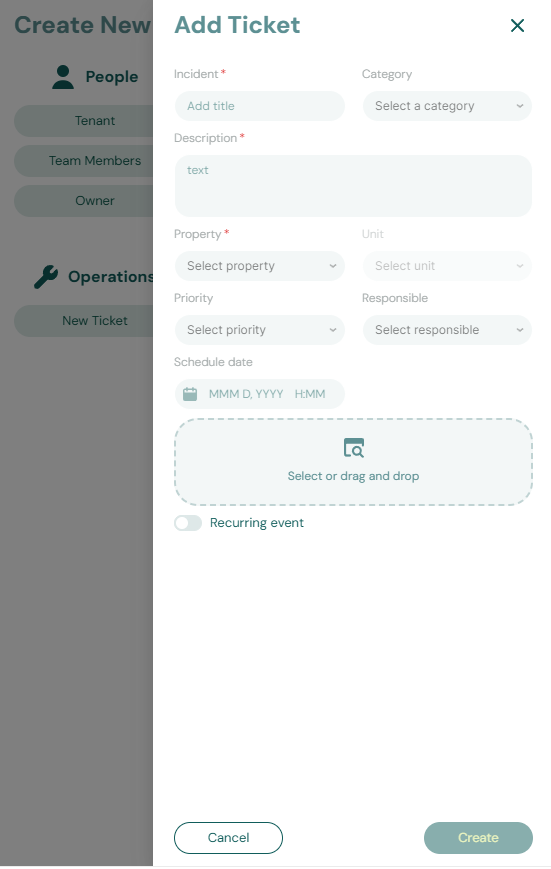
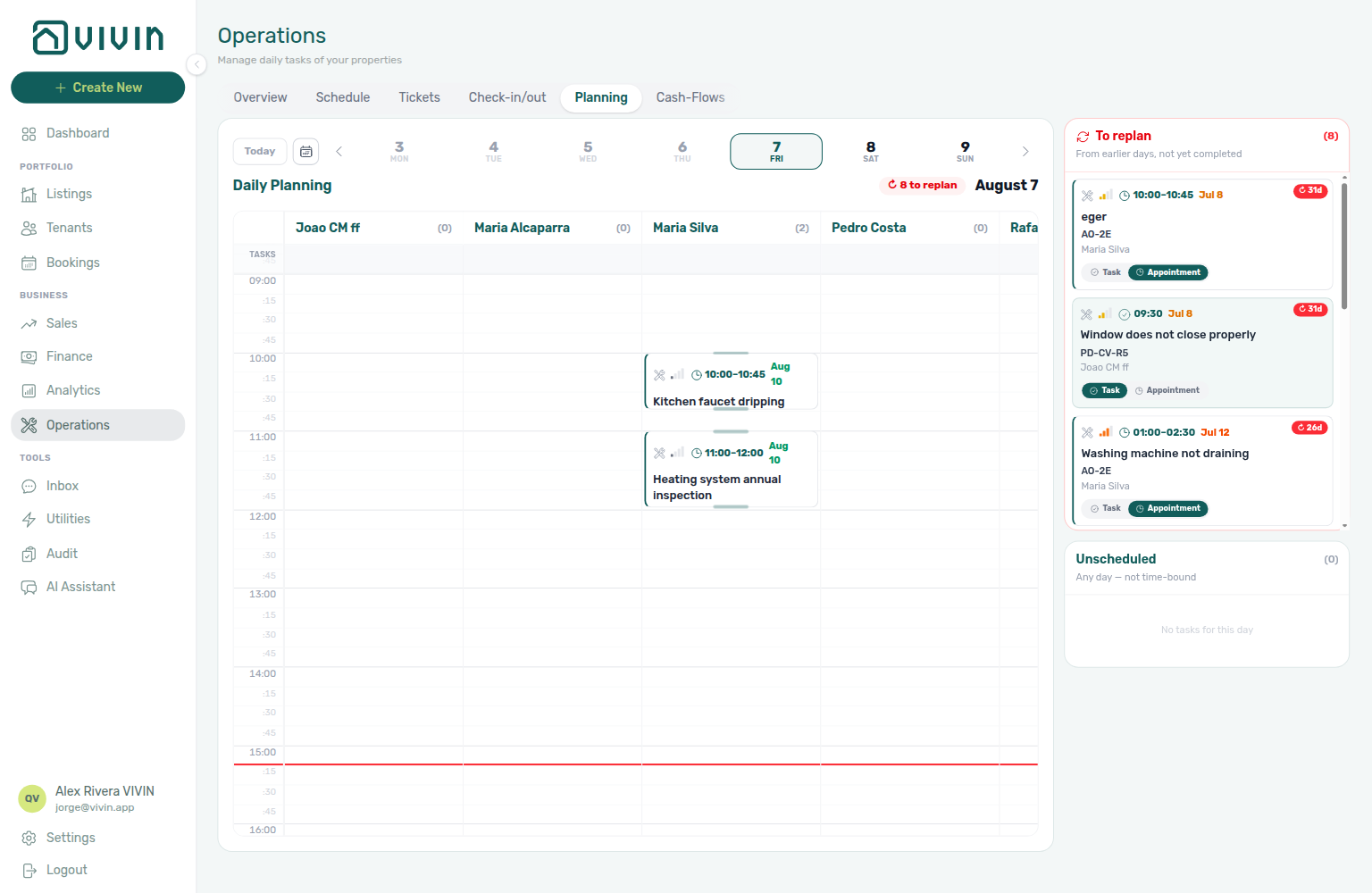
Check-out final utilities handoff
Managing a Check-out Step 6 blocks deposit release until every charge — including final utility overages — is settled. Entering Monthly Utility Bills Steps 2–4 post landlord bills and tenant overage lines; pick the row that matches where you are in departure week:
| Question | Utility bills workflow | Check-out workflow |
|---|---|---|
| Final supplier bill not yet entered | Step 2 → Step 3 | Not Step 5 until overage posts |
| Overage line on Payment Plan but unpaid | Step 4 → Handling a Late Payment — Step 1 | Step 6 before refund |
| Overage payment recorded, still Unpaid | Step 4b | Step 6b same Pending mesh |
| End of Booking charge time — overage not visible yet | Glossary — End-of-Booking cost split — posts after checkout | Step 7 triggers posting |
| Missing bill gaps at month-end | Step 5 | Portfolio KPI review — Step 7 |
| Coliving split looks wrong for leaver | Step 3 + Cost map | Step 6 — confirm roommate still occupied |
| Symptom | Utility bills fix | Check-out step |
| ------------------------------------------------------- | ------------------------------------------------------------------------------------------------------------------------------------------------------------------------ | ------------------------------------------------------------------------------------------------------------------------------------------------------------------- |
| In Debt on departure booking includes utility line | Step 4 | Step 6 |
| Ready to Refund blocked by overage | Step 4b | Step 5 |
| Final meter read after inspection damage charge | Step 2 after Step 4 | Step 6 net of both |
| SIMAR water bill did not match property | FAQ — SIMAR water bill | N/A until bill enters Step 2 |
| End of Booking — overage posts only after departure | Step 3 review before checkout | Step 7 — then Step 6 re-check |
| Rent arrears + utility overage both block refund | Utility overage collections for overage line | Check-out collections before refund for rent/fee lines |
| Departure-week operator question | Utility bills answer | Check-out answer |
| ---------------------------------------------- | -------------------------------------------------------------------------------------------------------------------------------------------------------------------------------------------- | --------------------------------------------------------------------------------------------------------- |
| Which step posts the final overage? | Step 2 → Step 4 | Confirm on Payment Plan in Step 6 |
| Overage paid but Ready To Refund greyed | Step 4b | Step 6b |
| Coliving leaver share looks high | Step 3 + Cost map | Glossary — End-of-Booking cost split |
| Month-end Missing bills on departing units | Step 5 | Portfolio KPI review — Step 7 |
Also see: FAQ — Entering Monthly Utility Bills hub · FAQ — Managing a Check-out hub.
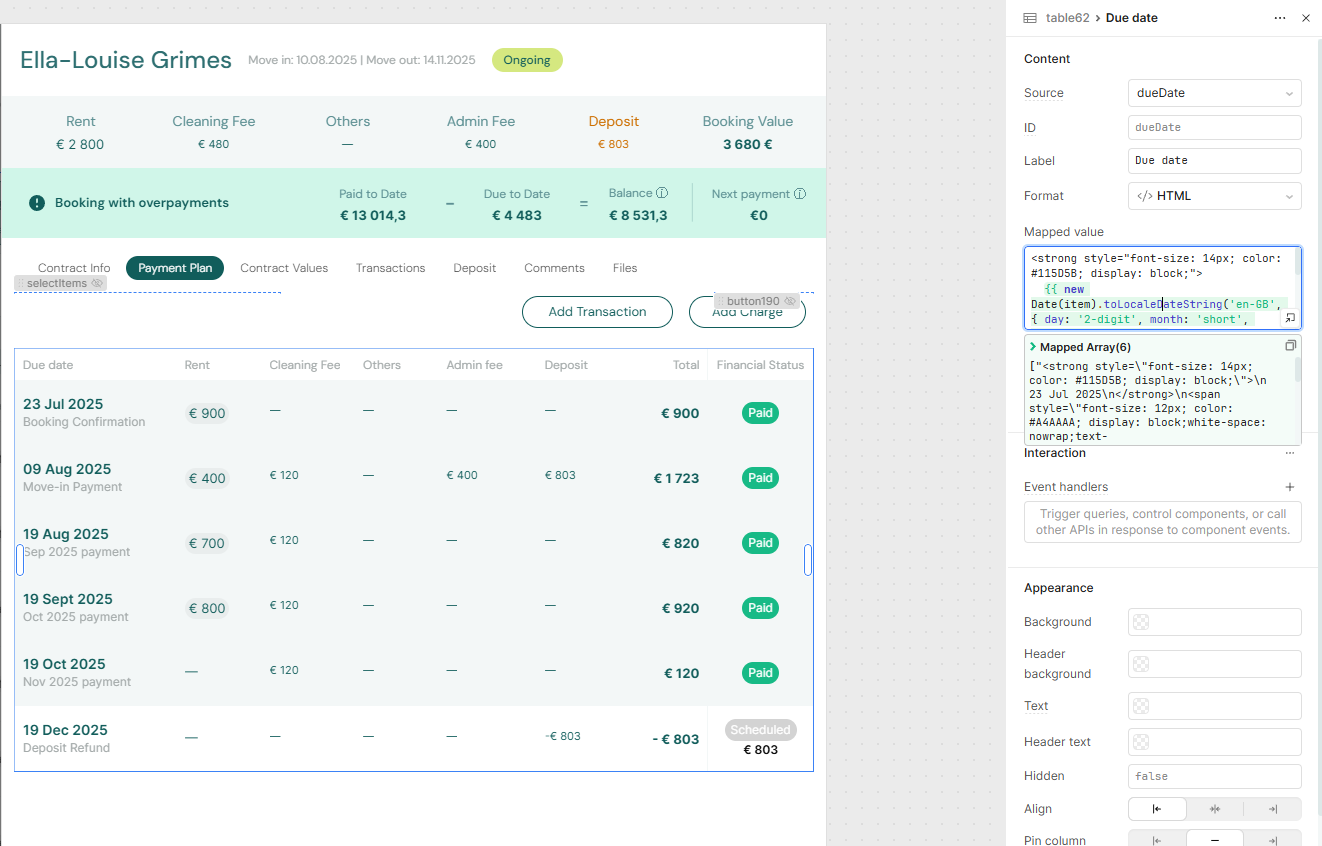
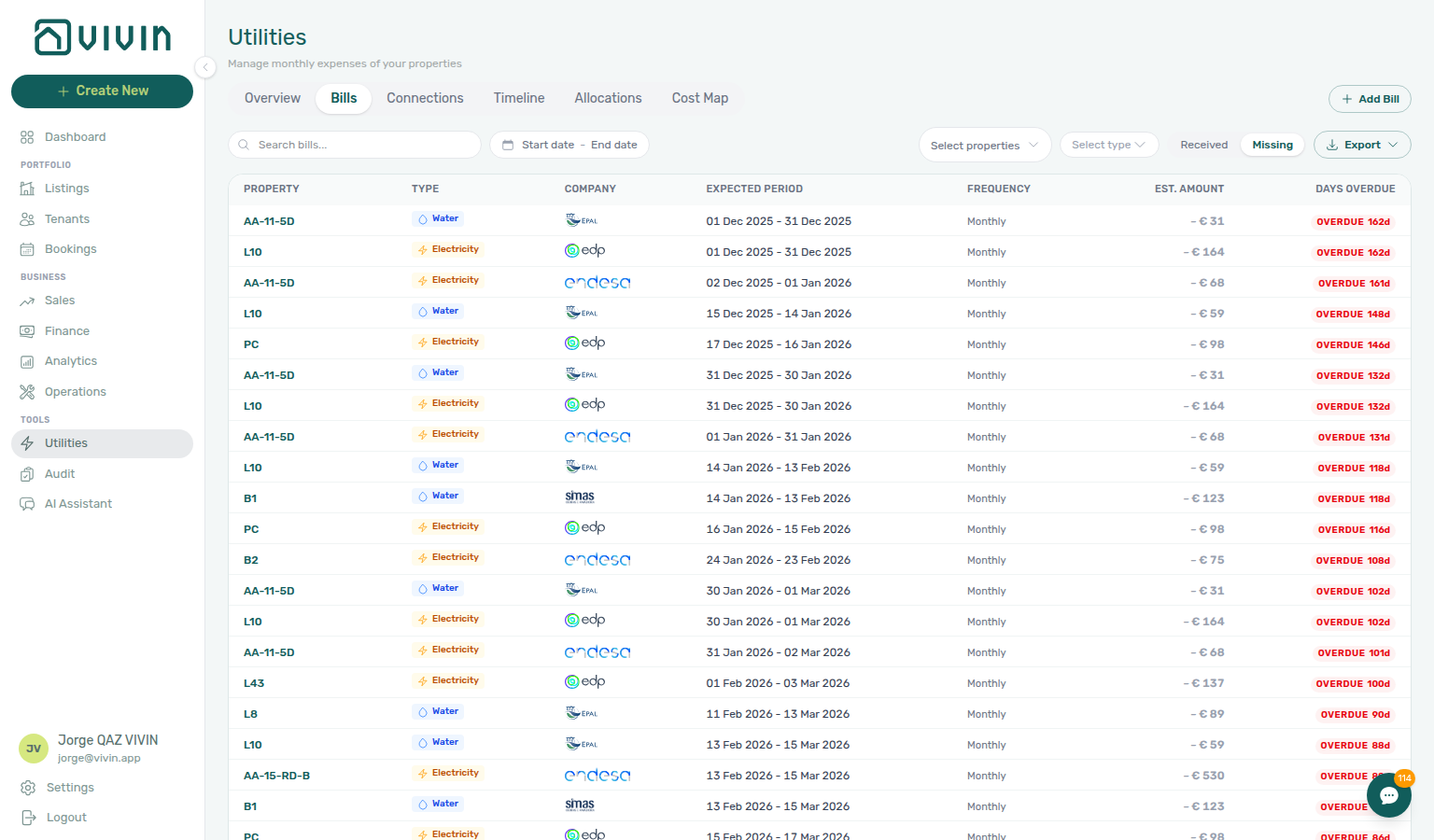
Utility overage collections
Entering Monthly Utility Bills Steps 2–4 post landlord bills and tenant overage lines on Payment Plan — when those lines stay Unpaid or Overdue, Handling a Late Payment Steps 1–4 collect or approve the same way as rent arrears. Pick the row that matches what blocks settlement:
| Question | Utility bills workflow | Collections workflow |
|---|---|---|
| Overage line not on Payment Plan yet | Step 2 → Step 4 | Not Step 1 until charge posts |
| Overage Overdue after due date | Step 4 spot-check | Step 1 → Step 3 |
| Tenant paid overage, balance unchanged | Step 4b | Step 4b same Pending mesh |
| End of Booking charge time — line not visible yet | Glossary — End-of-Booking cost split | Managing a Check-out — Step 7 triggers posting — not mid-stay collections |
| Overage on Canceled stay after void | Step 4 | Step 1 — not Cancellation collections before void rent mesh |
| Departure-week overage blocks refund | Check-out final utilities handoff | Check-out collections before refund when rent + utility mix |
| Coliving split looks wrong | Step 3 + Cost map | Re-triage after math fix — not outreach first |
| Symptom | Utility bills fix | Collections step |
| ------------------------------------------------------------- | ------------------------------------------------------------------------------------------------ | ----------------------------------------------------------------------------------------------------------------------------------------------------------------------------- |
| In Debt includes utility-type line on Contract Values | Step 4 | Step 1 — filter Property when portfolio is large |
| Payment overdue alert after monthly bill cycle | Step 4 | Step 1 after Notification row-click navigation |
| Overage receipt still Pending at month-end | Step 4b | Step 6b |
| Tenant insists they paid — duplicate on ledger | Reject/revert mistaken receipts | Step 1 re-triage before Step 3 |
| Segment-wide overage arrears at month-end | Step 5 (Missing gaps) | Step 6 → Portfolio KPI review — Step 7 |
Also see: FAQ — Entering Monthly Utility Bills hub · FAQ — Handling a Late Payment hub.
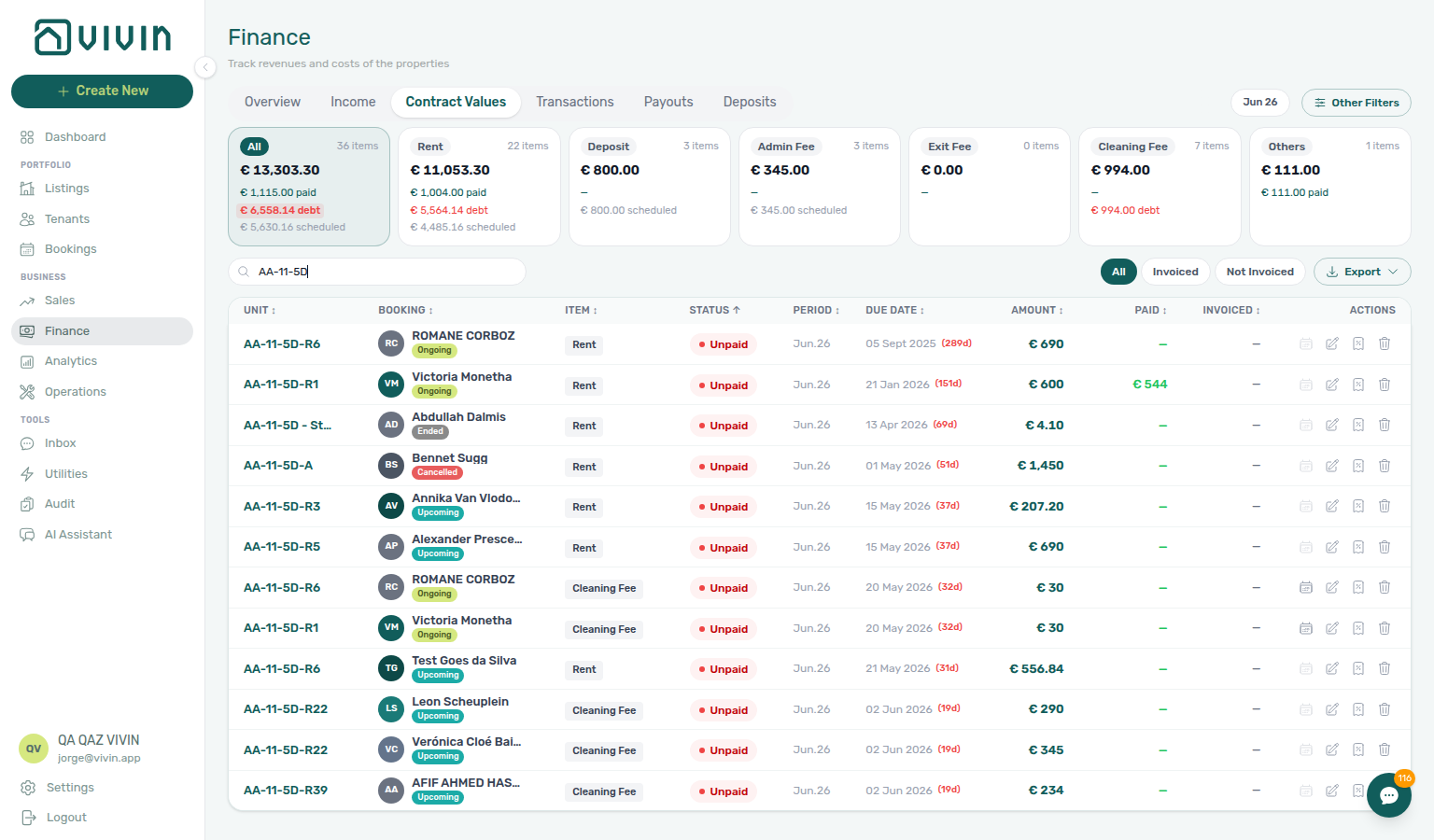
Check-out collections before refund
Managing a Check-out Step 5 (Ready To Refund / Mark refunded) and Step 6 (In Debt on Payment Plan) block deposit release until scheduled charges are settled — not only utility overages (Check-out final utilities handoff). Handling a Late Payment Steps 1–4 collect or approve departure-week rent and fee arrears; pick the row that matches what blocks refund:
| Question | Collections workflow | Check-out workflow |
|---|---|---|
| Unpaid rent/fee row on Payment Plan | Step 1 → Step 3 | Not Step 5 until settled — Step 6 |
| Tenant paid final rent, balance still Unpaid | Step 4b | Step 6b same Pending mesh |
| Payment overdue alert during departure week | Step 1 after Notification row-click navigation | Step 6 before refund queue |
| Arrears after check-out day, status still Ongoing | Step 1 → Step 4 | Step 7 after settlement |
| Shortfall is deposit collection, not rent | Partly collected security deposit — Finance → Deposits Partial paid | Not rent collections — collect deposit first |
| Unpaid line is utility overage | Entering Monthly Utility Bills — Step 4 | Check-out final utilities handoff |
| Symptom | Collections fix | Check-out step |
| ---------------------------------------------------------- | ------------------------------------------------------------------------------------------------------------------------------------------------------------ | ---------------------------------------------------------------------------------------------------------------------------------------------------------------------- |
| Ready to Refund toggle greyed / In Debt on booking | Step 3 → Step 4 | Step 6 |
| Est. Refund wrong after tenant paid | Step 4b | Step 6b |
| Tenant insists they paid — duplicate on ledger | Reject/revert mistaken receipts — hub: Check-out ledger cleanup before refund | Step 6 before Step 5 |
| Segment-wide departure arrears at month-end | Step 6 | Portfolio KPI review — Step 7 |
Also see: FAQ — Managing a Check-out hub · FAQ — Handling a Late Payment hub.
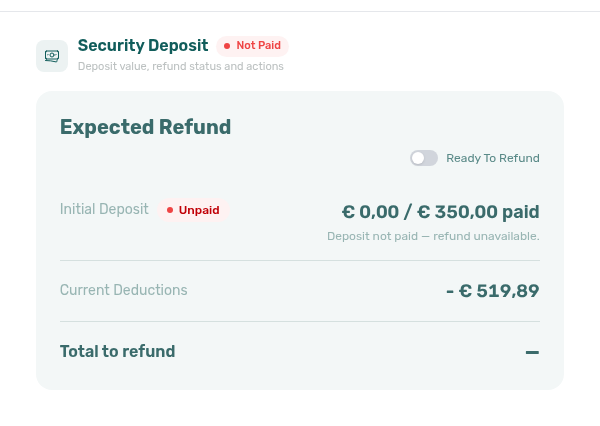
Check-out ledger cleanup before refund
Managing a Check-out Step 6 and Step 6b can show In Debt or a wrong Est. Refund when the tenant paid correctly but the ledger holds duplicate departure transfers — not unpaid rent (Check-out collections before refund) or utility overages (Check-out final utilities handoff). Reject/revert mistaken receipts Reject / Revert clears phantom balances before Ready To Refund:
| Question | Ledger cleanup workflow | Check-out workflow |
|---|---|---|
| Two identical final transfers, one pending | Reject payment / Reject selected — Reject/revert mistaken receipts | Step 6b — approve legitimate row only |
| Two identical transfers, both approved | Revert payment on duplicate — same hub | Step 6 before Step 5 |
| Tenant paid once, balance still Unpaid | Check for duplicate before Pending manual receipt approval | Step 6b if single row is pending |
| Reject / Revert on invoiced departure charge | Not issued credit note → Issue credit notes (N) | Step 6 after credit-note queue clears |
| Est. Refund inflated by duplicate | Revert duplicate receipt | Step 5 net of real charges only |
| Month-end departure duplicates in Pending queue | Reject selected — not Approve both | Portfolio KPI review — Step 7 |
| Symptom | Ledger cleanup fix | Check-out step |
| ---------------------------------------------------- | --------------------------------------------------------------------------------- | ---------------------------------------------------------------------------------------------------------------------------------------------------------------------- |
| Ready to Refund blocked despite tenant paid | Revert duplicate on Transactions | Step 6 |
| In Debt on Contract Values after tenant paid | Reject / Revert mistaken row | Step 6 before Step 5 |
| Amber Pending shows two identical transfers | Reject selected on Finance ledger | Step 6b |
| Red / blue modal after Reject / Revert | Issue credit notes — Bulk Hostkit invoicing pacing | Re-check Est. Refund on Deposit tab |
| Tenant insists they paid — ledger shows overpayment | Revert duplicate, not collections | Not Handling a Late Payment — Step 3 until ledger is clean |
Also see: FAQ — Managing a Check-out hub · FAQ — Reject/revert mistaken receipts hub.
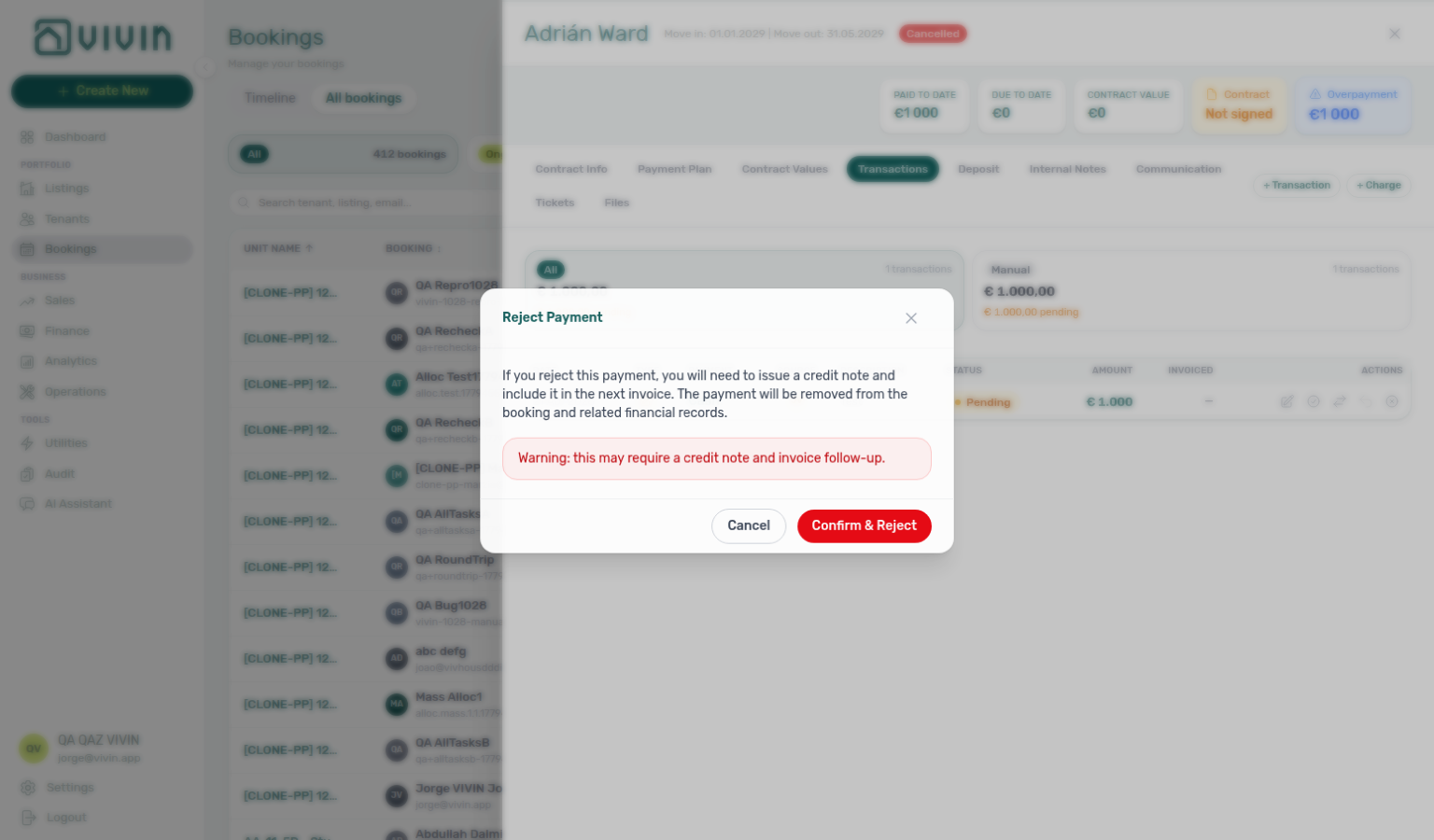
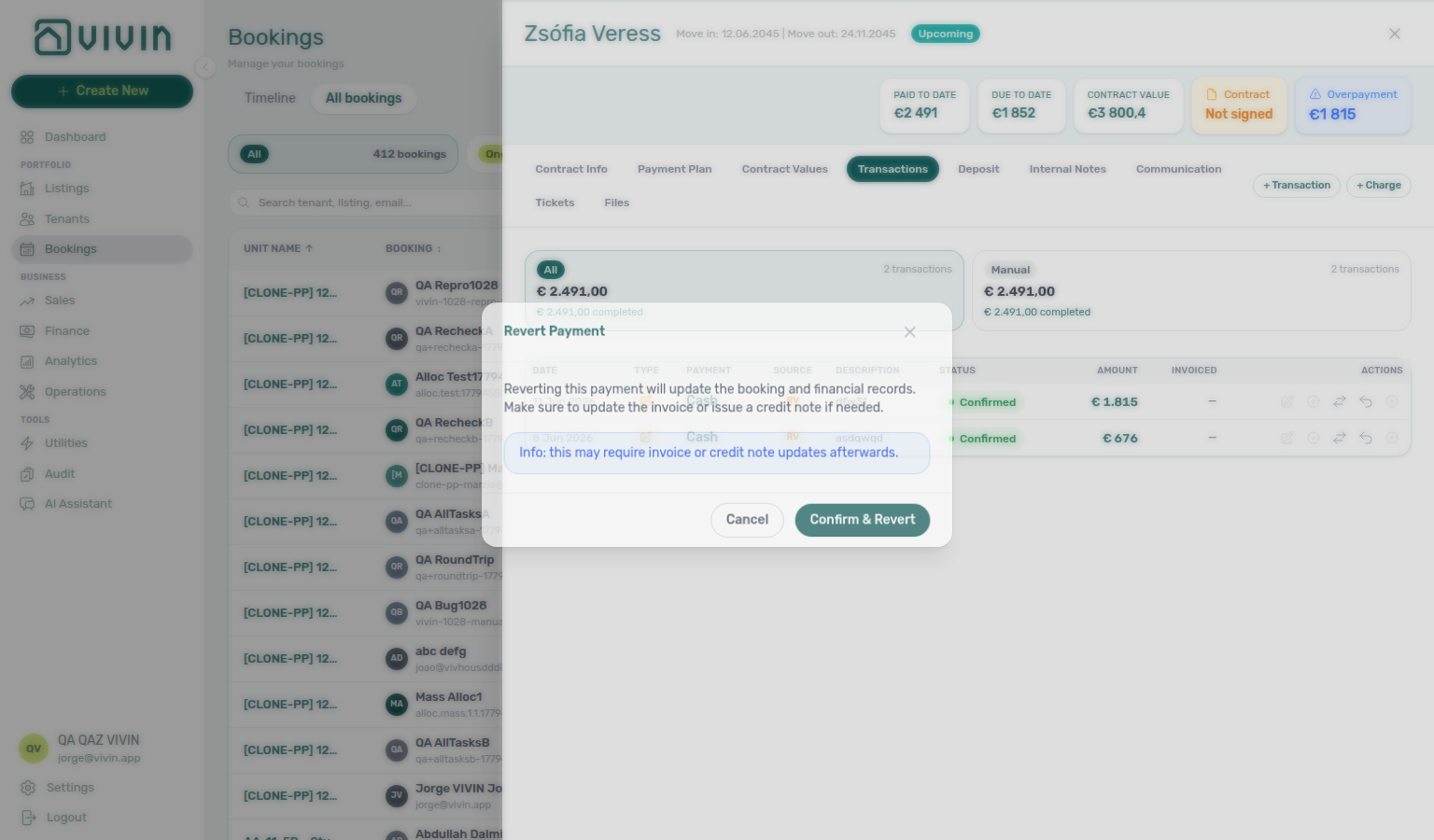

Check-out vs cancellation
When a stay ends, pick Managing a Check-out for a completed occupancy that should reach Ended status — or Cancelling a Booking when the reservation is voided under your cancellation policy and should appear in Canceled filters. Neither replaces Delete Booking for mistaken or test rows. Deposit settlement steps overlap on both paths — use the tables below before you run the wrong workflow:
| Question | Cancellation workflow | Check-out workflow |
|---|---|---|
| Tenant backs out before arrival (Upcoming) | Cancelling a Booking — Steps 1–4 | Not Step 1 — guest never moved in |
| Mid-stay early termination (Ongoing) | Step 4 refund-type dialog | Step 3 inspection + Step 5 only when stay completes normally |
| Need Canceled filter + full ledger history | Step 4 — bookings-list-canceled-tab.png | Ended status — Step 7 |
| Mistaken Add booking / training duplicate | Delete Booking — Cancel Booking vs Delete Booking | Not cancellation or check-out |
| Last-resort collections failed | Handling a Late Payment — Step 6 → cancel | Step 6 collections before refund |
| Calendar still blocked after void | Step 5 + Manual block hygiene | Step 7 + manual block hygiene |
| Symptom | Cancellation fix | Check-out fix |
| ------------------------------------------------- | -------------------------------------------------------------------------------------------------------------------------------------------------------- | ---------------------------------------------------------------------------------------------------------------------------------------------------------------------------------- |
| Ended status fails but stay was voided | Step 6 ticket closure | Not Step 7 — row is Canceled |
| Deposit refund after policy void | Step 3 + Step 2a | Step 5 + Step 6b |
| Settlement receipt still Pending at month-end | Step 6b | Step 6b |
| Utility overage on Canceled stay | Entering Monthly Utility Bills — Step 4 | Check-out final utilities handoff |
Stale cancellation alerts on /notifications | Step 6b | N/A — clear departure alerts via Step 7 |
Also see: FAQ — Cancelling a Booking hub · FAQ — Managing a Check-out hub.
Also see: Common Workflows — Check-out vs cancellation · FAQ — Check-out vs cancellation.
Cancellation collections before void
Cancelling a Booking Step 4 (Cancel booking refund-type dialog) and Step 3 (deposit settlement) assume scheduled charges through the cancellation date are settled — not only deposit rows. Handling a Late Payment Steps 1–4 collect or approve pre-cancel rent and fee arrears; pick the row that matches what blocks Cancel booking:
| Question | Collections workflow | Cancellation workflow |
|---|---|---|
| Unpaid rent/fee row on Payment Plan | Step 1 → Step 3 | Not Step 4 until Step 2 clears |
| Tenant paid settlement transfer, balance unchanged | Step 4b | Step 2a same Pending mesh |
| Payment overdue alert before cancel | Step 1 after Notification row-click navigation | Step 2 before refund dialog |
| Collections failed after outreach | Step 6 → last-resort cancel | Step 4 refund types |
| Shortfall is deposit collection, not rent | Partly collected security deposit — Finance → Deposits Partial paid | Step 3 — not rent collections |
| Unpaid line is utility overage on Canceled stay | Entering Monthly Utility Bills — Step 4 | Post-cancel utility mesh — not Step 2 rent |
| Symptom | Collections fix | Cancellation step |
| ------------------------------------------------------------------------ | ----------------------------------------------------------------------------------------------------------------------------------------------------------------------------------------------------------------------------------------------------------------------------------- | ------------------------------------------------------------------------------------------------------------------------------------------------------------------------------------------------------------------------- |
| In Debt on Contract Values before sidebar | Step 3 → Step 4 | Step 2 |
| Settlement receipt still Pending | Step 4b | Step 2a / Step 6b |
| Tenant insists they paid — duplicate on ledger | Reject/revert mistaken receipts | Step 2 before Step 4 |
| Segment-wide arrears at month-end | Step 6 | Portfolio KPI review — Step 7 |
| Pre-cancel payment overdue alert blocks void | Step 4 row-click → Cancelling a Booking — Step 2 before Step 4 | Notification triage — Cancellation collections before void |
| Pre-cancel rent arrears on first go-live booking | Step 7 → Cancelling a Booking — Step 2 before void | Onboarding a New Property — Cancellation collections before void |
| Rent arrears on Payment Plan during settlement (canonical void path) | Step 2 → Handling a Late Payment — Steps 1–4 before Step 4 | Cancelling a Booking — Cancellation collections before void |
| Phantom rent In Debt after hold cleanup mistaken for cancel | Step 5 — confirm real arrears on Contract Values before void | Manual block hygiene — Cancellation collections before void |
| Support ticket cites In Debt blocking Cancel booking | Self-serve Cancelling a Booking — Step 2 before New Support Ticket modal | Using in-app support — Cancellation collections before void |
| Lockout-delayed pre-cancel collections backlog | Step 3 → hub Lockout catch-up after password recovery → Step 2 | Resetting a Management User Password — Cancellation collections before void |
| Pre-cancel rent arrears on Upcoming import before policy void | Step 6 → Cancelling a Booking — Step 2 before Step 4 | Processing a New Booking — Cancellation collections before void |
| Tenant backs out before arrival — move-in rent arrears block void | Step 3 / Step 4 → Cancelling a Booking — Step 2 | Managing a Check-in — Cancellation collections before void |
| Policy void mid-stay vs departure-week arrears (contrast) | Step 6 — Check-out collections before refund, not pre-cancel void | Managing a Check-out — Cancellation collections before void |
| Canonical pre-cancel collections before last-resort void | Steps 1–4 → Cancelling a Booking — Step 4 after Step 6 fails | Handling a Late Payment — Cancellation collections before void |
| Utility overage on Canceled stay — not rent pre-cancel mesh | Step 4 — utility collections, not Step 2 rent | Entering Monthly Utility Bills — Cancellation collections before void |
| Month-end segment-wide pre-cancel arrears at KPI sign-off | Step 7 → Cancelling a Booking — Step 2 before void queue | Portfolio KPI review — Cancellation collections before void |
Also see: FAQ — Cancelling a Booking hub · FAQ — Handling a Late Payment hub.
Handling a Late Payment collections hub
Receivables triage surfaces answer “who owes?” — Handling a Late Payment Steps 1–6 answer “what do I do next?” Pick the row that matches where you are in the flow:
| Question | Start with receivables triage | Start with collections workflow |
|---|---|---|
| Need ranked debtors with days overdue | Finance → Overview → Debt Aging — Finance debt receivables triage | Handling a Late Payment — Step 1 after you pick a booking |
| Payment overdue alert row-click | Confirm balance on opened booking — Notification row-click navigation | Step 3 outreach after Step 2 |
| Tenant paid but Total Debt unchanged | Pending manual receipt approval — Approve first | Step 4 / Step 4b |
| Tenant insists they paid twice | Reject/revert mistaken receipts — Revert duplicate | Re-open Debt Aging — not Step 3 until ledger is clean |
| Month-end Pending collections receipts | Amber Pending chip — Pending manual receipt approval | Step 6b mesh |
| Segment-wide arrears after self-serve Steps 1–5 | Portfolio segmentation by tenant category | Step 6 Vivin support ticket |
| Symptom | Triage surface | Collections step |
| --------------------------------------------------- | ----------------------------------------------- | -------------------------------------------------------------------------------------------------------------------------------------------------------- |
| Opened Income → In debt modal, need tenant rows | Debt Aging buckets — not payment-line modal | Step 1 |
| Dashboard Total Debt not clickable | Finance → Overview | Step 1 |
| Balance unclear after alert row-click | Payment Plan / Transactions on sidebar | Step 1 confirm before Step 3 |
| Partly collected deposit, not rent arrears | Finance → Deposits Partial paid card | Partly collected security deposit — not rent collections |
Also see: FAQ — Handling a Late Payment hub · FAQ — Finance debt receivables triage hub.
Also see: Common Workflows — Handling a Late Payment collections hub · FAQ — Handling a Late Payment collections hub.
WhatsApp per-booking messaging
Three surfaces share the same WhatsApp conversation state — pick the one that matches your triage scope:
| Question | Start here | Notes |
|---|---|---|
| Quick reply without opening a booking | Tools → Inbox (/inbox) or bell Inbox sub-tab | Cross-booking list; click tenant name for Tenant sidebar |
| Message one tenant with Payment Plan / Tickets context | Bookings → Communication | WhatsApp composer + read-only Email; header Refresh |
| Payment or ticket alert (not a message thread) | Bell General or /notifications | Switch to Inbox when summary reads New WhatsApp message from … |
| Symptom | Likely cause | Fix |
| ----------------------------------------------------- | ------------------------------------------------ | ----------------------------------------------------------------------------------------------------------------- |
Bell ping reads New WhatsApp message from … | Message alert on General or /notifications | Open bell Inbox sub-tab or Tools → Inbox |
| Need Payment Plan while replying | Cross-booking Inbox lacks booking context | Bookings → Communication for that reservation |
| Unlock your communication history | Chatbot not enabled (isTenantChatBotEnabled) | ChatBot settings — Status Bot |
| Communication messages need a refresh | Tab-scoped reload | Header Refresh — Booking sidebar tab refresh |
New WhatsApp message from … on /notifications | Message alert on full inbox | Bell Inbox or row with link — Notification row-click navigation |
| Row-click landed on booking, thread empty | bookingId target without link | Open Communication tab — Notification row-click navigation |
| Supplier thread got a Bot reply | Shared WhatsApp business line | Dedicated tenant number — Automation & AI — WhatsApp Support |
| Question | Message thread | Payment / ticket alert |
| ----------------------------------- | ---------------------------- | --------------------------------------------------------------------------------------------- |
| Dashboard entry | Bell Inbox sub-tab | Bell General or /notifications |
| Reply with Payment Plan visible | Bookings → Communication | Row-click → booking — Notification row-click navigation |
| Cross-booking triage | Tools → Inbox (/inbox) | /notifications filters + row-click |
Also see: FAQ — WhatsApp per-booking messaging hub · Glossary — WhatsApp per-booking messaging hub.
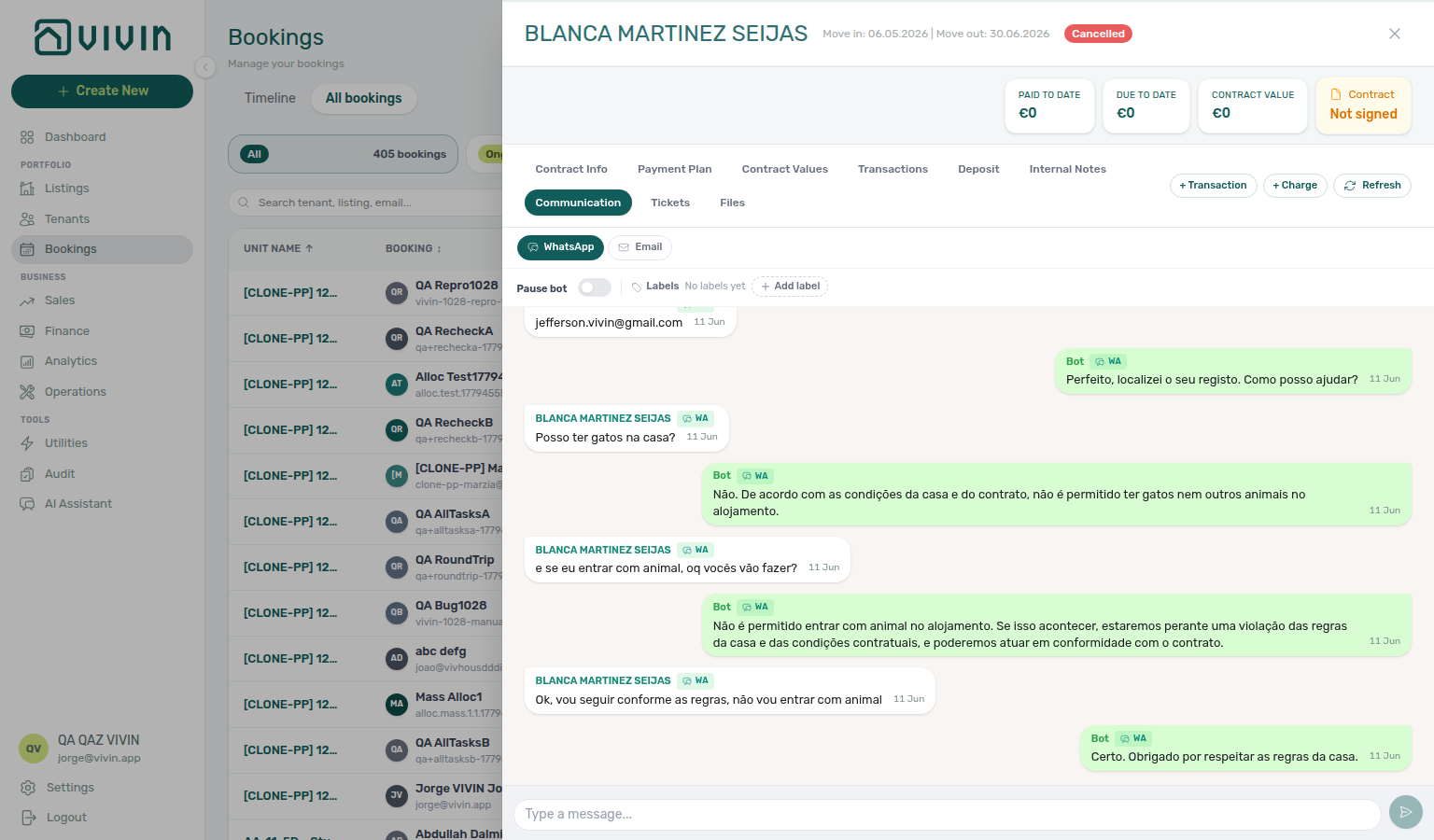
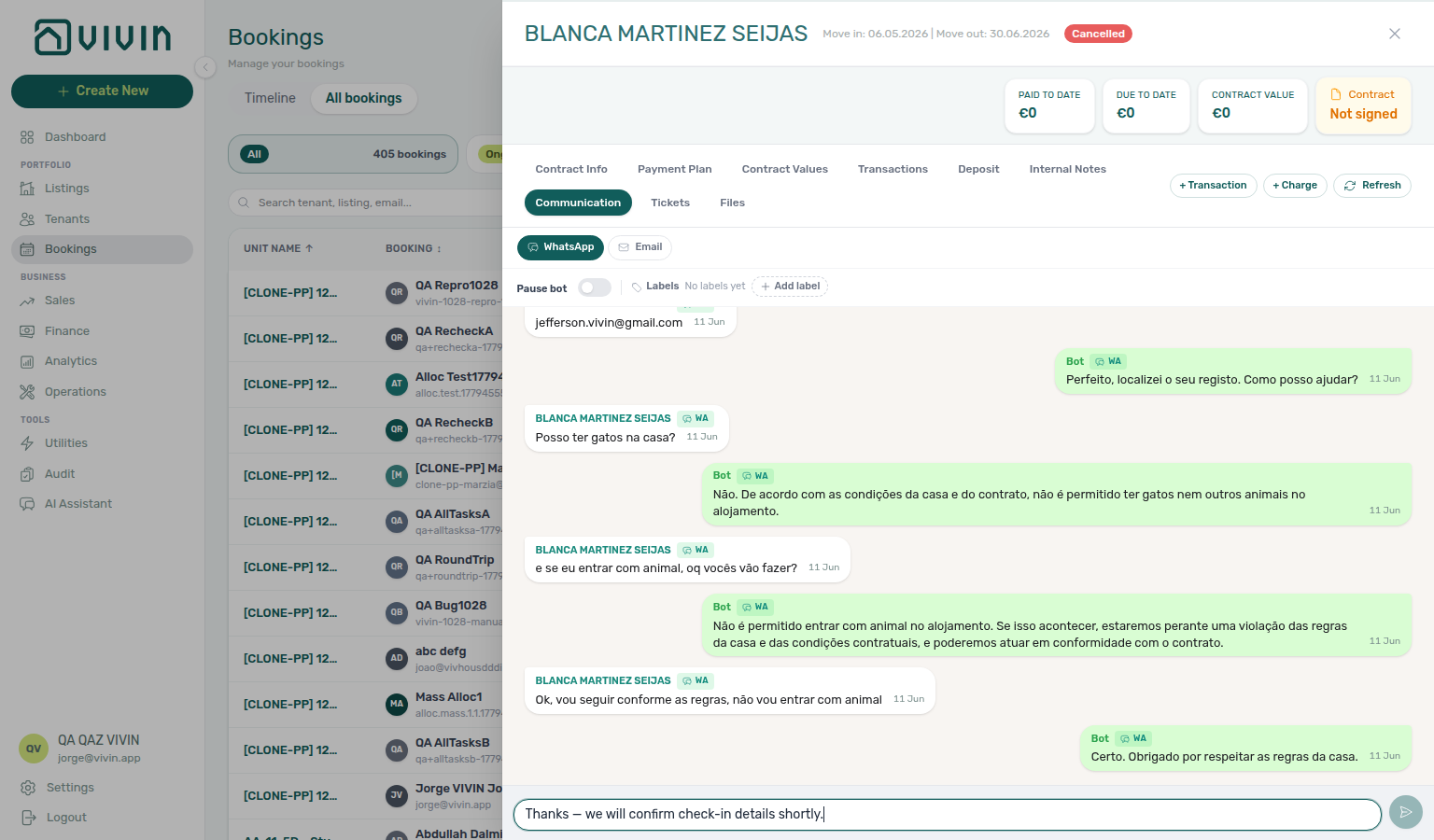
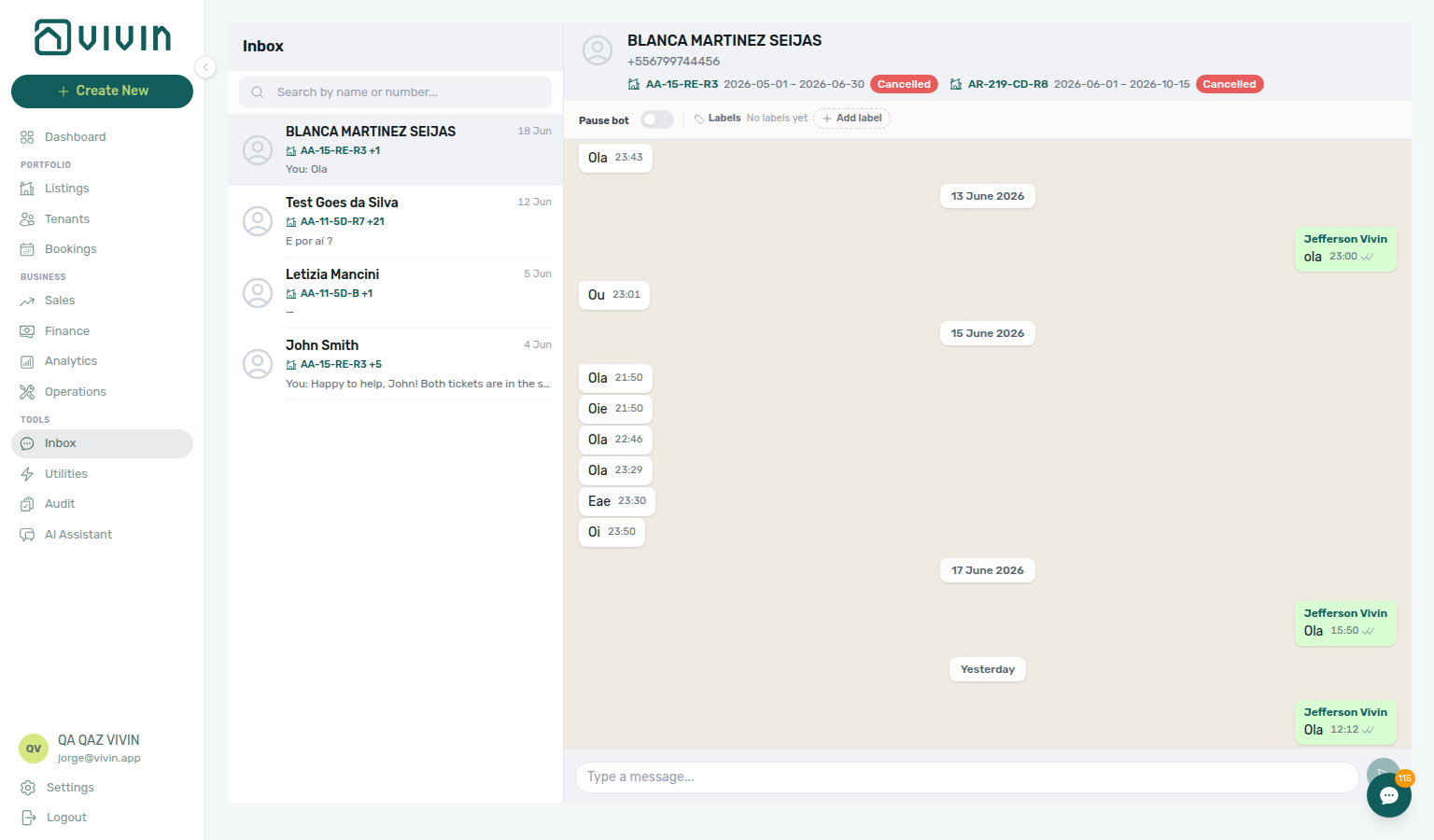
Bot reasoning (audit)
When a tenant Bot reply looks wrong, audit before you edit rules — Reasoning on the thread is read-only; ChatBot settings change future behaviour only:
| Question | Start here | Notes |
|---|---|---|
| Why did the bot send this specific message? | Bookings → Communication → WhatsApp → Bot → Reasoning | Only mint Bot bubbles; not tenant or You |
| How do I stop similar replies in future? | Account Settings → ChatBot — narrow IF/THEN or edit Persona | Pair thread audit with ChatBot settings |
| Bot still replies after I messaged the tenant | Communication → Pause bot (when configured) | Per-booking; global rules unchanged |
| No Reasoning control visible | Vivin did not store reasoning for that send | Not a display bug — adjust rules from tenant message content instead |
| Symptom | Likely cause | Fix |
| ----------------------------------- | -------------------------------- | --------------------------------------------------------------------------------------------------------- |
| Generic bot answer on every message | Catch-all IF/THEN If phrase | Expand Reasoning → replace with specific rule — IF/THEN rules |
| Wrong policy quoted in bot reply | Outdated or conflicting rules | Audit thread → edit matching IF/THEN row → Save |
| Need proof for support ticket | Operator dispute over automation | Screenshot expanded Reasoning — Using in-app support |
Also see: FAQ — Bot reasoning (audit) hub · Glossary — Bot reasoning (audit) hub.
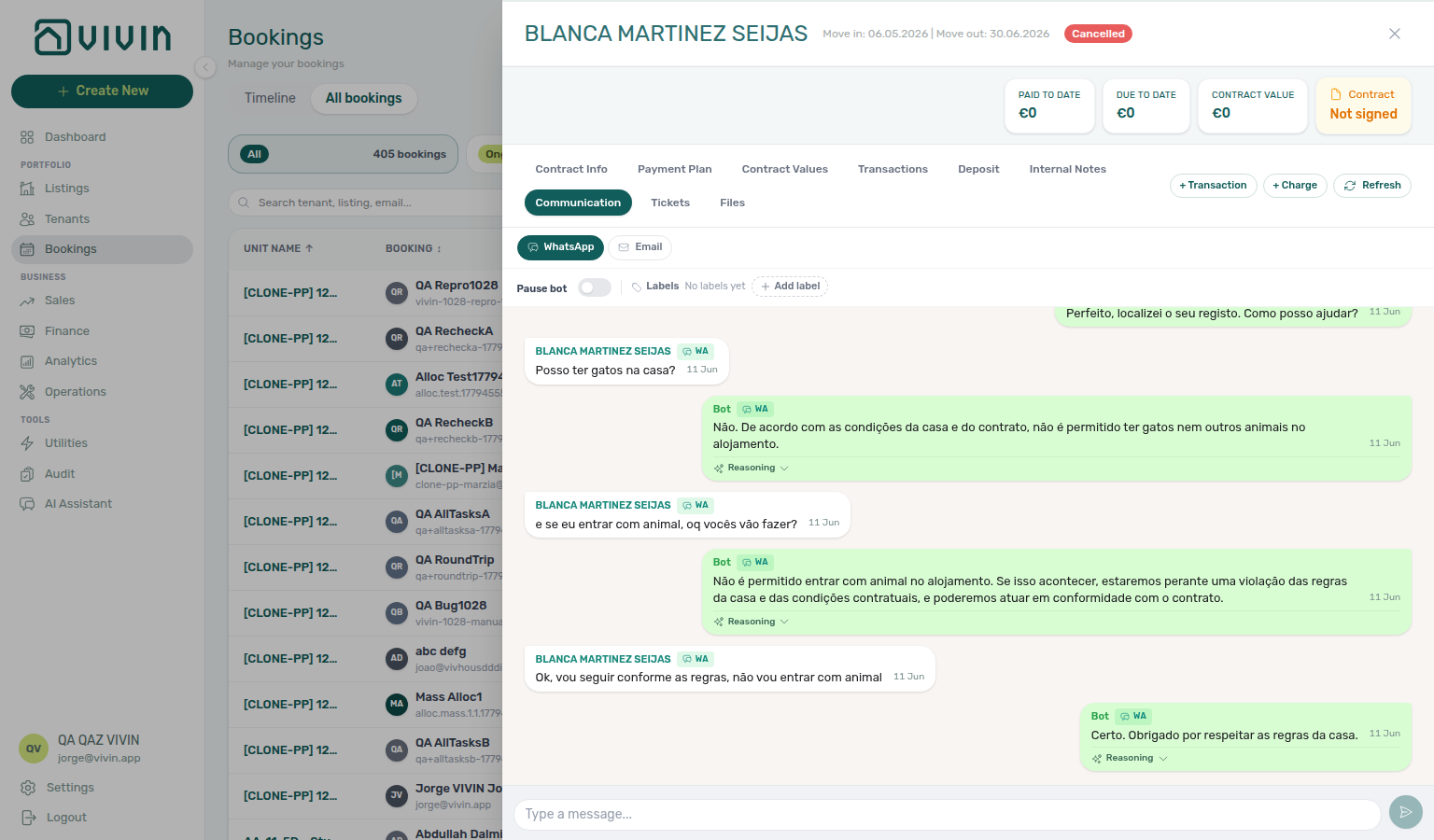
ChatBot settings
Account Settings → ChatBot configures tenant-facing automation — pair Persona + Special Rules authoring with Bot Status before tenants message you. Bot Status also shows the separate Genius WhatsApp connection card (often Vivin-managed):
| Question | Start here | Notes |
|---|---|---|
| First-time chatbot setup | Persona then Special Rules subtabs | Optional Getting Started step 11 pairing |
| Tenant WhatsApp line disconnected | Bot Status → WhatsApp connection — Connect WhatsApp / scan QR | Confirm Connect anyway after the warning countdown; Inbox and Communication stay gated until Connected |
| Genius WhatsApp / scheduled digests | Bot Status → Genius WhatsApp connection | Often Connected with “managed by VIVIN — no QR pairing needed”; staff still link phones on Users |
| Bot too chatty or off-topic | Review IF/THEN — replace broad If phrases | Max 20 rules; see IF/THEN rules |
| Verify a sent reply before changing rules | Bot reasoning (audit) | Thread Reasoning is read-only |
| Tenant should hear the bot is AI at the start | ChatBot → Persona — Introduce as AI on start | Off by default; distinct from AI Disclosure (answers only when asked) — Introduce as AI on start |
| Symptom | Likely cause | Fix |
| ------------------------------------- | ------------------------------------------------------ | --------------------------------------------------------------------------------------------------------------------- |
| Inbox greyed in sidebar | Chatbot not enabled or tenant WhatsApp connection Disconnected | Bot Status → Connect WhatsApp until Connected |
| Unlock your communication history | isTenantChatBotEnabled false | Contact Vivin; then pair tenant WhatsApp connection |
| ChatBot tab missing, cannot edit rules | Your role does not have the Chatbot permission | Who can edit ChatBot settings |
| Rules saved but behaviour unchanged | Wrong If phrase never matches | Audit live threads — Bot reasoning (audit) |
| QR expired before scan | Session timed out on phone | Refresh QR code on the tenant WhatsApp connection card |
Also see: FAQ — ChatBot settings hub · Glossary — ChatBot settings hub.
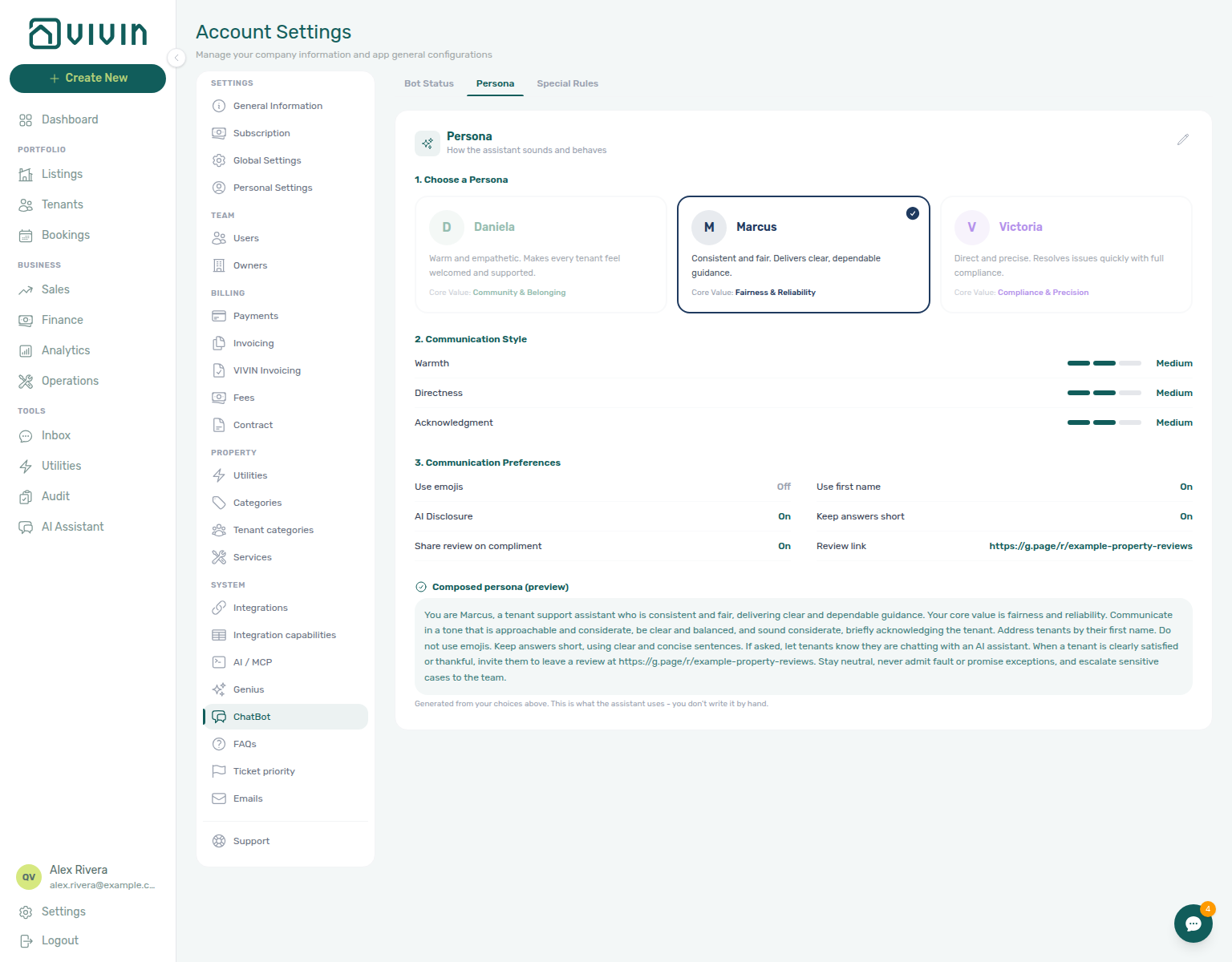
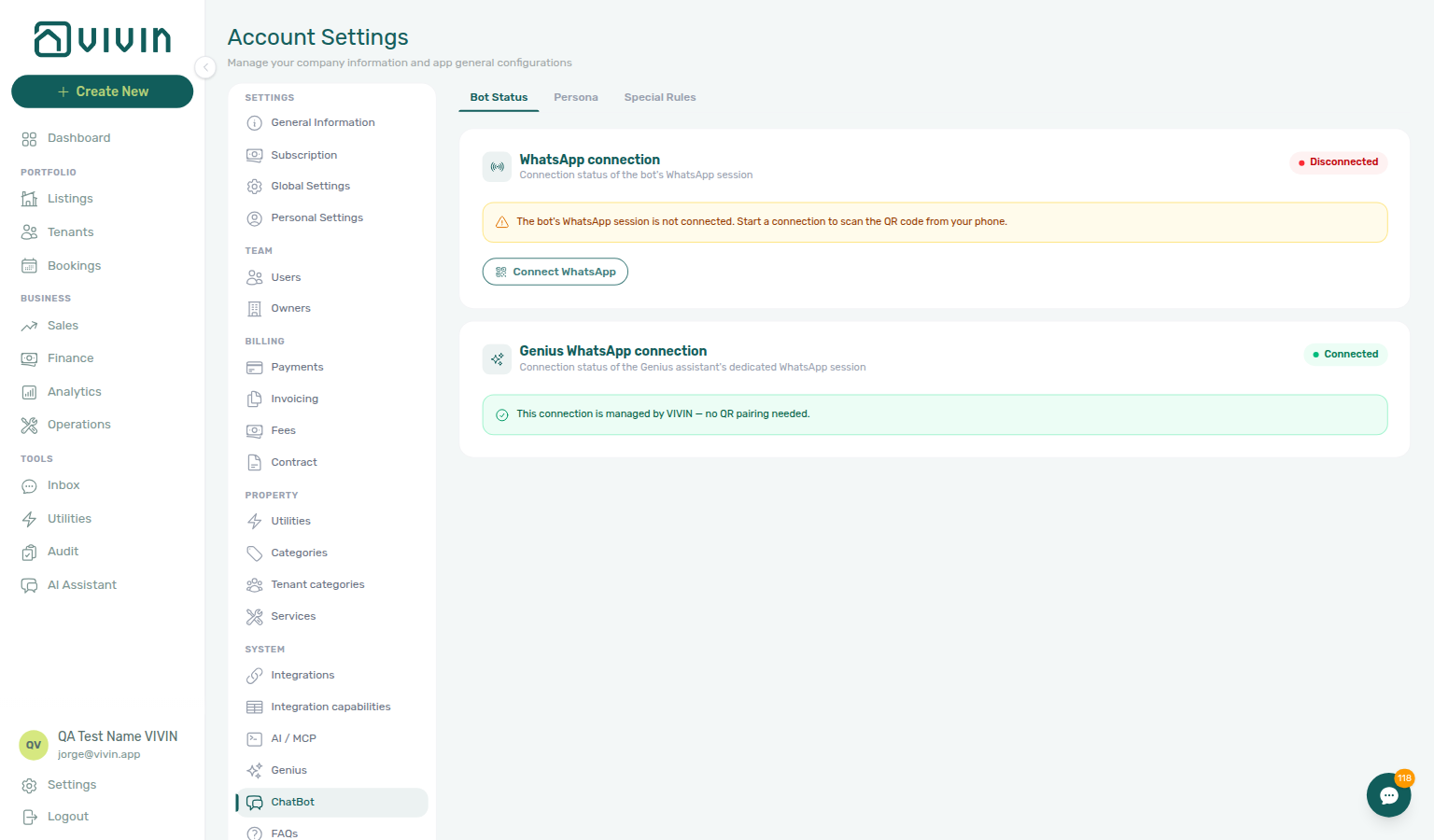

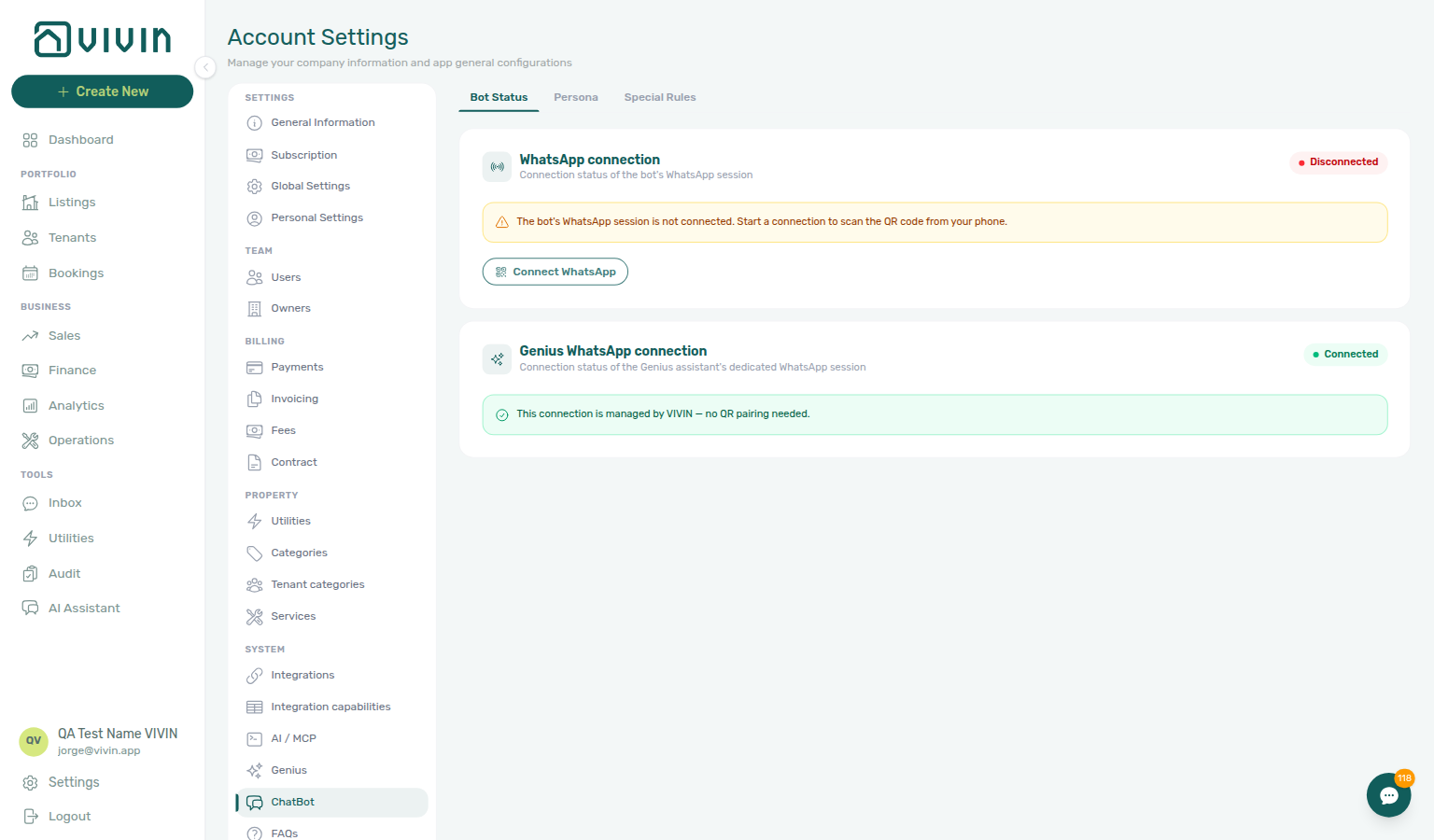

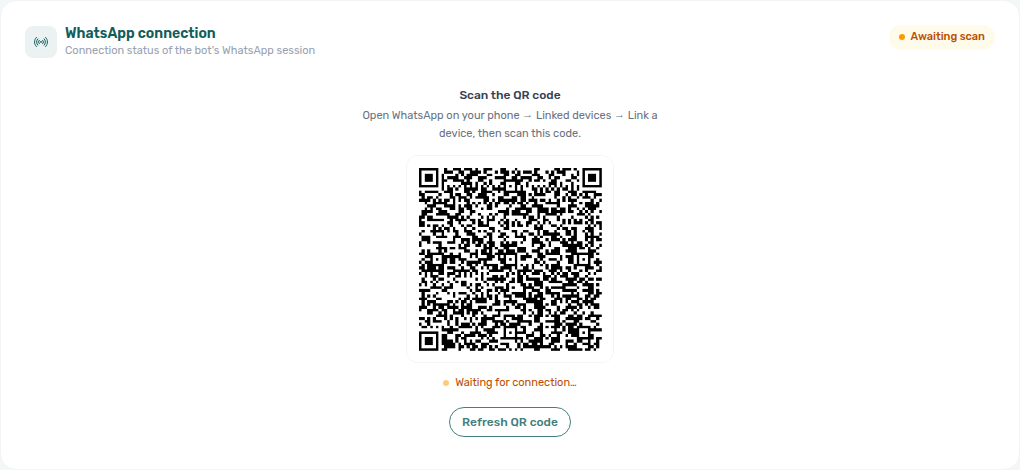
Reject/revert mistaken receipts
Four ledger corrections share the same Transactions surfaces — pick the action that matches receipt status and whether Finance already invoiced the charge:
| Question | Start here | Notes |
|---|---|---|
| Duplicate still pending (never approved) | Reject payment on booking Transactions, or Reject selected on Finance → Transactions | Ledger Reject is bulk-only — no per-row reject icon on Finance |
| Duplicate already approved | Revert payment on booking Transactions or Finance row menu | Rolls allocations and balances back |
| Wrong row, not yet invoiced | Delete payment on Finance → Transactions when enabled | Disabled for vIBAN / provider platform or invoiced allocations |
| Reject / Revert on an invoiced charge | Finance → Transactions — Not issued credit note filter → Issue credit notes (N) | Red / blue modals reference this queue — not a spreadsheet |
| Symptom | Likely cause | Fix |
| ---------------------------------------------------------------- | --------------------------------------------------------------------------------------------------------- | ------------------------------------------------------------------------------------------------------------------------------------------------------------------------------------------ |
| Duplicate bank transfer still pending | Never approved — same ledger state as Pending manual receipt approval | Reject payment / Reject selected — do not Approve |
| Duplicate already approved | Wrong amount or wrong booking slipped through month-end | Revert payment on booking Transactions or Finance row menu |
| Delete payment disabled on Finance | vIBAN / provider platform rail or invoiced allocation | Revert or Issue credit notes after reject/revert on invoiced charges |
| Red / blue modal after Reject / Revert | Finance already invoiced the charge | Not issued credit note filter → Issue credit notes (N) |
| Total Debt unchanged after cleanup | Receipt still pending or credit note not issued | Pair Pending manual receipt approval + Finance — Issuing credit notes |
| Not issued credit note rows stay Pending after bulk push | Hostkit rate limit on Issue credit notes | Same pacing as Bulk Hostkit invoicing — leave batch running, refresh Transactions before re-issue |
| Need goodwill rent cut below exported month | Invoiced floor blocks in-product net | Rent reduction after invoicing — external credit notes |
| Total Debt still high — duplicate never rejected | Both rows approved by mistake | Revert the duplicate — then Finance debt receivables triage re-check Top debtors (bookings-detail-transactions-revert-modal-info-banner.png) |
| Amber Pending chip shows two identical transfers | Duplicate before any Approve | Reject selected on Finance → Transactions — Pending manual receipt approval |
| Question | Receipt still pending | Receipt already approved |
| ---------------------------- | ----------------------------------------------------------------------------------------- | ---------------------------------------------------- |
| Legitimate bank transfer | Approve payment — Pending manual receipt approval | N/A |
| Duplicate / wrong booking | Reject payment / Reject selected | Revert payment |
| Finance already invoiced | Red modal → Issue credit notes after Reject | Blue modal → Issue credit notes after Revert |
| Month-end Step 7 sign-off | Clear Pending queue first | Then Revert / credit-note cleanup |
When a duplicate bank transfer, wrong booking, or wrong amount slips through Approve, use the tables above before month-end KPI sign-off — then re-open Finance debt receivables triage (Top debtors / Dashboard Total Debt) only after ledger cleanup. During departure week, pair duplicate settlement transfers with Check-out ledger cleanup before refund (Managing a Check-out — Step 6 / Step 6b before Step 5). Pair with FAQ — Credit note warning (reject/revert) hub (bookings-detail-transactions-reject-modal-credit-note-banner.png, bookings-detail-transactions-revert-modal-info-banner.png, finance-transactions-bulk-reject-selected-bar.png, bookings-payment-row-actions-flow.mp4), Glossary — Credit note warning (reject/revert), Glossary — Credit note warning (reject/revert) hub, FAQ — Reject or revert an incoming payment, FAQ — Managing a Check-out hub, FAQ — Finance debt receivables triage hub (collections vs ledger-cleanup decision table), Pending manual receipt approval (amber Pending chip — approve legitimate rows before you Revert an approved duplicate; Reject duplicates still pending), Payment Allocation — Correcting mistaken receipts, Glossary — Credit note (payment reject/revert), Handling a Late Payment — Step 1 (re-triage Debt Aging after Revert), Bulk Hostkit invoicing (Issue credit notes batch pacing), and Portfolio KPI review — Step 7 during month-end reconciliation. Recover access first with Resetting a Management User Password — Troubleshooting when a lockout delayed ledger triage.
- FAQ — Credit note warning (reject/revert) hub — Red/blue modal banners and Not issued credit note queue symptom table
Deposit lifecycle status
The depositStatus lifecycle pill on the booking Deposit tab and matching Finance → Deposits row chips share one vocabulary — pick the surface that matches what you are chasing:
| Question | Start here | Notes |
|---|---|---|
| Which lifecycle state is this deposit in? | Booking sidebar Deposit tab lifecycle pill | Not Paid → Partial Paid → Fully Paid → Ready to Refund → Refunded; optional Disputed freeze |
| Portfolio triage by lifecycle state | Finance → Deposits — Deposit lifecycle status cards | Click Partial paid, Ready to refund, Refunded, or other cards — counts scope to toolbar date range |
| Filter without opening Finance first | Other filters → Deposit status on Bookings / Finance | Same lifecycle slice as the status cards |
| Deposit shortfall (Partial Paid) vs rent Partial Paid | Booking Deposit tab vs Payment Plan | Amber Partially paid on Initial Deposit — not scheduled rent — Partly collected security deposit |
| Ready To Refund blocked at departure | Managing a Check-out — Step 6 before Step 5 | Rent In Debt on Payment Plan — Check-out collections before refund |
| Refund blocked by contested retention | Booking Deposit tab Disputed pill | Deposit dispute — distinct from shortfall and rent arrears meshes |
| Lifecycle card counts look too low | Toolbar date range on Finance → Deposits | Deposit missing on Finance Deposits — clear range before month-end sign-off |
| Month-end deposit lifecycle sign-off | Portfolio KPI review — Step 7 | Partial paid, Ready to refund, Disputed filters — pair with Partly collected security deposit |
Also see: FAQ — Deposit lifecycle status hub · Glossary — Deposit lifecycle status.

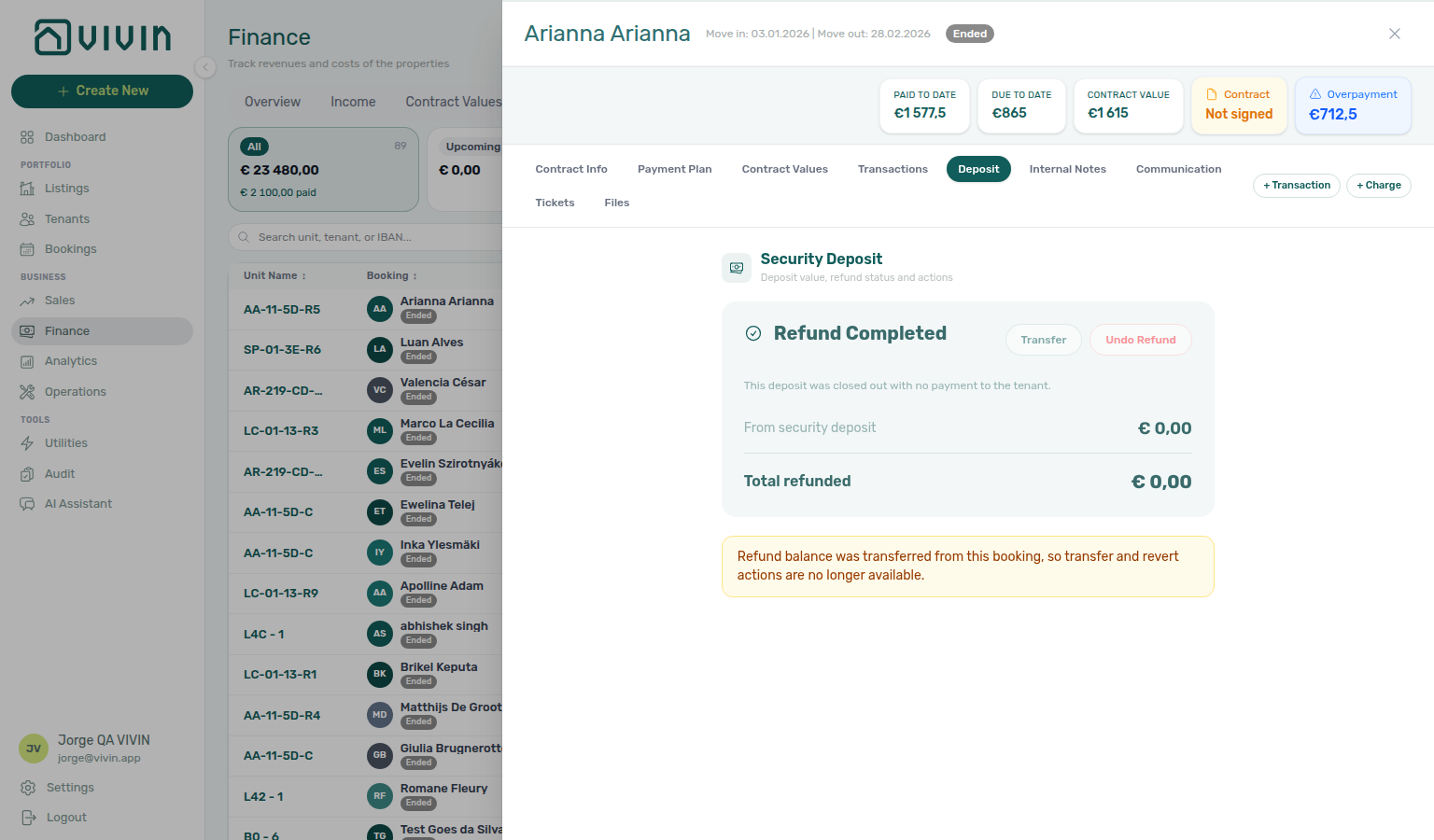
Partly collected security deposit
Two different Partial Paid signals look alike — pick the surface that matches what you are chasing:
| Question | Start here | Notes |
|---|---|---|
| Security deposit short after confirmation or move-in | Finance → Deposits — Partial paid lifecycle card | Paid above zero but below Amount on booking Deposit — depositStatus pill Partial Paid |
| Rent schedule line only partly covered | Bookings → Payment Plan or Finance → Contract Values | Scheduled rent charge — not the Initial Deposit row on Deposit |
| Portfolio filter without opening Finance first | Other filters → Deposit status → Partial paid on Bookings / Finance | Same lifecycle slice as the Partial paid card |
| Per-booking badge and remaining helper | Booking sidebar Deposit tab | Amber Partially paid on Initial Deposit — open from Finance row-click or the booking list |
| Partial paid lifecycle card shows zero rows | Toolbar date range excludes the stay | Deposit missing on Finance Deposits — clear range first |
| Catch-up after password recovery | Lockout delayed deposit triage | Lockout catch-up after password recovery |
| Deposit shortfall discovered at departure inspection | Step 3 Deposit tab before Step 5 | Managing a Check-out — Partly collected security deposit |
| Month-end deposit sign-off alongside utility close | Portfolio KPI review — Step 7 Partial paid card during bill month-end | Entering Monthly Utility Bills — Partly collected security deposit |
| Payment alert for deposit shortfall — opened wrong tab | Step 4 — Deposit tab, not Payment Plan rent lines | Notification triage — Partly collected security deposit |
| First confirmation deposit shortfall after property go-live | Processing a New Booking — Step 5 after Step 7 | Onboarding a New Property — Partly collected security deposit |
| Debt KPIs high after calendar holds cleared | Step 5 — Partial paid card when holds masked receivables | Manual block hygiene — Partly collected security deposit |
| Lockout-delayed deposit triage after password recovery | Step 3 → hub Lockout catch-up after password recovery | Resetting a Management User Password — Partly collected security deposit |
| Partially paid badge or partial filter defects | When to use in-app support → New Support Ticket modal | Using in-app support — Partly collected security deposit |
When a tenant pays less than the full security deposit (or confirmation bundle) in one transfer, Vivin marks the deposit line Partially paid on the booking Deposit tab with a remaining helper — this is not the same as Partial Paid rent rows on Payment Plan (lifecycle pill Partial Paid on depositStatus — see Glossary — Deposit lifecycle status). Pair with FAQ — Partly collected security deposit (finance-deposits-lifecycle-partial-paid-card.png, bookings-detail-deposit-tab-partial-badge.png, finance-deposits-partial-collection-walkthrough.mp4), Glossary — Deposit lifecycle status, and Payment Allocation — Partly collected security deposit.


Deposit missing on Finance Deposits
A deposit row can exist on the booking Deposit tab but stay hidden on Finance → Deposits when the toolbar date range excludes the stay — pick the fix that matches your symptom:
| Symptom | Likely cause | Fix |
|---|---|---|
| Tenant or unit missing from Deposits after an older move-out | Default ~3 months window excludes check-out / Refund Due Date | Clear date range selection or widen from / to, then Search |
| Mark disputed / Resolve dispute row chips missing | Same date filter — dispute actions only render on visible rows | Clear or widen the toolbar range before portfolio dispute triage |
| Lifecycle card counts look too low | Status summary cards scope to the active date window | Clear the range before month-end deposit sign-off |
| Row visible on booking Deposit but never on Finance | Booking may lack deposit line, or dates still outside a widened window | Confirm Initial Deposit on booking Deposit; then clear range and search by tenant |
| Partly collected deposit after clearing range | Paid > 0 but < Amount on Initial Deposit | Partly collected security deposit — Partial paid lifecycle card |
| Missed refund/dispute triage during lockout | Delayed check-out catch-up | Lockout catch-up after password recovery |
| Confirmation deposit on booking Deposit but missing on Finance | Clear toolbar date range before portfolio triage after Step 5 | Processing a New Booking — Deposit missing on Finance Deposits |
| Deposit shortfall vs rent Partial Paid on collections Step 1 | Widen Finance → Deposits range before Partial paid lifecycle card | Handling a Late Payment — Deposit missing on Finance Deposits |
| Move-in deposit triage before key handover | Clear toolbar range on Step 3 before Partial paid card | Managing a Check-in — Deposit missing on Finance Deposits |
| Payment alert row-click but Finance Deposits row hidden | Clear or widen toolbar range on Step 4 before Mark all as read | Notification triage — Deposit missing on Finance Deposits |
| First check-out deposit triage after go-live | Clear toolbar range on Step 7 before Finance → Deposits portfolio search | Onboarding a New Property — Deposit missing on Finance Deposits |
| Departure-week deposit release after utility month-end | Widen range on Step 5 before Managing a Check-out — Step 5 | Entering Monthly Utility Bills — Deposit missing on Finance Deposits |
| Debt KPIs high after holds cleared — deposit row hidden | Clear Finance → Deposits range on Step 5 before calendar escalation | Manual block hygiene — Deposit missing on Finance Deposits |
| Support ticket — deposit row missing on Finance | Self-serve FAQ — Deposit missing on Finance Deposits before New Support Ticket modal | Using in-app support — Deposit missing on Finance Deposits |
The tab’s date range defaults to about the last three months. Rows appear when check-in, check-out, or Refund Due Date intersects that window — not when the booking was created. Pair with FAQ — Deposit missing on Finance Deposits (finance-deposits-date-range-toolbar-default.png, finance-deposits-date-range-toolbar-cleared.png, finance-deposits-date-range-clear-flow.mp4), Glossary — Finance Deposits date range, Finance — Deposits tab, Managing a Check-out — Step 5, Cancelling a Booking — Step 3, and Portfolio KPI review — Step 7.


Also see: FAQ — Deposit missing on Finance Deposits hub · Glossary — Deposit missing on Finance Deposits hub.
Also see: Common Workflows — Deposit missing on Finance Deposits · FAQ — Deposit missing on Finance Deposits hub.
Common Workflows section cross-reference
Use the workflow list above. Open a specific guide for step-by-step help.
All guides
Each linked sub-guide opens with a First-time workspace setup tip for that workflow's go-live prerequisites.
- Onboarding a New Property — Add a property to your portfolio from owner registration through utility connections and channel setup; pair with Getting Started — Recommended Setup Sequence (steps 1–3 before, steps 13–15 + Step 7 after)
- Processing a New Booking — Create a booking from enquiry to confirmation
- Managing a Check-in — Coordinate tenant arrivals and key handovers
- Managing a Check-out & Deposit Refund — Handle departures, inspections, and deposit returns
- Handling a Late Payment — Follow up on overdue payments consistently
- Cancelling a Booking — Process cancellations with proper deposit handling
- Resetting a Management User Password — Recover management account access using email reset links and token-based password update
- Entering Monthly Utility Bills — Monthly billing process for accurate tenant overage calculations
- Using in-app support — Email support versus Vivin support tickets in the management app, permissions, and mobile behaviour
- Portfolio KPI review — Month-range Analytics review (Overview through Maintenance) with Sales and Dashboard reconciliation
- Notification triage — Clear unread alerts via Dashboard bell or full
/notificationsinbox; row-click navigation into Bookings, Tenants, or Listings - Manual block hygiene — Cross-portfolio Audit pass for stale manual holds; edit or remove blocks on unit calendars; reconcile Sales and Dashboard vacancy
- Property & listing details (booking engine) — Marketplace-oriented property and unit fields (Vivin internal operators); bookmarkable URLs in Deep Links
Walkthrough media
Recent guides
MP4 clips complement PNG screenshots on individual sub-guides — pair with Modules and Account Settings module clips for cross-workspace flows.
Several step-by-step guides include short MP4 walkthroughs (muted, with controls) beside PNG screenshots. Use them when you prefer motion over static captures:
| Guide | Video asset | What the clip shows |
| -------------------------------------------------------------------------------------------------------------------------------------------------------------- | -------------------------------------------------------------------------------------------------------------------------------------------------------------------------------------------------------------------------------------------------------------------------------------------------------------------------------------------------------------------------------------------------------------------------------------------------------------------------------------------------------------------------------------------------------------------------------------------------------------------------- | ------------------------------------------------------------------------------------------------------------------------------------------------------------------------------------------------------------------------------------------------------------------------------------------------------------------------------------------------------------------------------------------------------------------------------------------------------ | ---------- |
| Onboarding a New Property | workflows-onboarding-property-wizard.mp4 | Create New → Property wizard steps, Sales → Channels, return to Listings (demo closes wizard without Submit) |
| Cancelling a Booking | workflows-cancel-booking-refund-modal-flow.mp4 | Open Contract Info, Cancel booking, review refund types (example closes without confirming) |
| Handling a Late Payment | finance-overview-debt-aging-walkthrough-flow.mp4, finance-overview-income-drill-down-flow.mp4, workflows-late-payment-triage-flow.mp4, workflows-late-payment-due-date-extension.mp4 | Step 1 Debt Aging / In debt drill-downs on Finance Overview; triage from Contract Values; optional Edit due date extension (demo cancels before save) |
| Entering Monthly Utility Bills | ai-chat-product-context-monthly-utility-bills-reply.png, ai-chat-product-context-monthly-utility-bills-flow.mp4, workflows-monthly-utility-bills-flow.mp4, workflows-monthly-utility-bills-ai-upload-flow.mp4, utilities-bills-bulk-selection-flow.mp4 (module) | AI where-to → Bills / Add Bill; Manual Add Bill and ledger review; Upload PDF tab through Overview and Payment Plan spot-check; optional Bills bulk Download selected / Delete selected on the Received ledger |
| Utilities — After you upload | FAQ — What does the Upload PDF banner mean? (recapture: utilities-add-bill-upload-processed-successfully.png, utilities-add-bill-upload-already-uploaded.png, utilities-add-bill-upload-results-flow.mp4; idle drop zone: utilities-add-bill-upload-tab.png) | Add Bill → Upload PDF — green N processed successfully means the invoice is on Received; Already uploaded means close without sending the same PDF again; Unconfirmed — check the Bills list means look at Received first. |
| Using in-app support | settings-support-new-ticket-flow.mp4, settings-support-last-activity-flow.mp4, settings-support-mobile-drawer-flow.mp4 | Open support drawer and new-ticket modal; last-message preview, Last activity sort, and full-inbox Last Activity column; phone header icon opens the full-width drawer with Sort by Last activity |
| Portfolio KPI review | analytics-kpi-tab-switching.mp4, finance-overview-income-drill-down-flow.mp4, finance-overview-cash-flow-drill-down-flow.mp4, finance-overview-debt-aging-walkthrough-flow.mp4 (embedded on guide) | Switch metric tabs with one shared month range; reconcile Analytics with Finance Income, Cash flow, and Debt Aging drill-downs |
| Notification triage | notifications-triage-unread-flow.mp4, notifications-row-navigation-flow.mp4 | Dashboard bell (General / Inbox sub-tabs) → Mark all as read → full /notifications → Unread / Read filters; Step 4 row-click opens Bookings from a bookingId alert |
| Manual block hygiene | audit-manual-blocks-filter-scroll.mp4, workflows-manual-block-hygiene-calendar-edit.mp4 (embedded on guide) | Search Manual Blocks → open row to unit sidebar; calendar-edit clip deletes a temporary hold then opens Sales Multicalendar |
| Managing a Check-out & Deposit Refund | workflows-check-out-coordination-flow.mp4, deposit-dispute-mark-and-resolve-flow.mp4, finance-deposits-tab-mark-refunded-flow.mp4, finance-deposits-date-range-clear-flow.mp4 (also Deposit missing hub) | Plan departures in Operations, review Tickets, freeze refunds with Mark as Disputed when needed, open Finance → Deposits and the booking Deposit tab — clear the toolbar date range for older move-outs; separate clips for dispute resolution and Mark refunded (also on Finance) |
| Managing a Check-in | workflows-check-in-coordination-flow.mp4, operations-planning-dispatch-flow.mp4 | Plan arrivals in Operations, verify tickets and Payment Plan, confirm Access Lockers in Listings; optional Planning day board for prep dispatch |
| Managing a Check-out — Step 2 / Operations — Planning | operations-planning-dispatch-flow.mp4 (also on check-in Step 2) | Open Planning, review To replan / person columns, open a turnover ticket card |
| Processing a New Booking | bookings-add-booking-flow.mp4, payment-allocation-record-and-allocate-flow.mp4, bookings-contract-onboarding-portal-access-flow.mp4 | + Create New → Booking wizard; record confirmation payment from Transactions (demo cancels before save); Contract Info onboarding / portal-access / check-in emails (demo does not send mail) |
| Bookings — Ignore unit preparation days | FAQ — Why are the days after checkout grey on Add Booking?, Creating Bookings — Ignore unit preparation days | Add booking — tick Ignore unit preparation days to start in the previous stay’s prep buffer. Occupied nights stay blocked. Marketplace POST cannot send this skip. Cancel without creating. |
| Bookings — Allow check-in date in the past | Creating Bookings — Allow check-in date in the past, FAQ — Marketplace booking Allow check-in date in the past | Add booking — tick Allow check-in date in the past to start before listing Available from. Occupied nights stay blocked. Marketplace POST cannot send this skip. Cancel without creating. |
| Bookings — Use check in date as contract start date | Creating Bookings — Use check in date as contract start date, FAQ — Marketplace booking Use check in date as contract start date | Contract Info → Change contract start date — tick Use check in date as contract start date so the contract follows operational check-in. Marketplace POST cannot send this overlay. Leave the box off unless you intend to change that stay. |
| Bookings — Send onboarding email & contract | Creating Bookings — Send onboarding, FAQ — Marketplace booking onboarding email | Add booking — leave Send onboarding email & contract off to skip the welcome email at create. Marketplace POST always sends. Cancel without creating. |
| Bookings — Use unit contract rents | Creating Bookings — Use unit contract rents, FAQ — Marketplace booking unit contract rents | Add booking — leave Use unit contract rents and other contract details on to copy the unit, or turn it off for custom rent and fees. Marketplace POST always copies. Cancel without creating. |
| Bookings — Extra price per tenant | Creating Bookings — Extra Charge, FAQ — Marketplace booking Extra Charge | Add booking — turn off Use unit contract rents to tick Extra price per tenant / Extra deposit per tenant. Marketplace POST copies unit rates from occupant headcount. Cancel without creating. |
| Bookings — Second tenant | Creating Bookings — Second tenant, FAQ — Marketplace booking Second tenant | Contract Info → Second tenant — fill co-occupant identity after import when Tenants number is at least 2. Marketplace POST cannot send those fields. Leave empty unless you intend to add that person. |
| Bookings — Guarantor | Creating Bookings — Guarantor, FAQ — Marketplace booking Guarantor | Contract Info → Guarantor — fill identity and Guarantor amount (€) after import when Preferences Guarantor is On. Marketplace POST cannot send those fields. Occupant headcount does not fill them. Leave empty unless you intend to add a guarantor. |
| Bookings — Provider platform payment | Creating Bookings — Platform commission, FAQ — Marketplace platform commission | Contract Info — read-only Provider platform payment. Marketplace POST records platformProviderPaymentValue. Add Booking First payment value (€) when Platform is a channel. Does not change tenant rent except Booking Engine Daily stays shorter than one month. |
| Bookings — Exclude this booking from penalty fees | Creating Bookings — Exclude from penalty fees, FAQ — Marketplace booking penalty exclusion | Contract Info → Method of payments — tick Exclude this booking from penalty fees for one stay. Marketplace POST cannot send this flag. Leave the box off unless you intend to exclude that stay. |
| Bookings — Stay bars update after create or delete | FAQ — Do I need to reload Timeline after Create Booking?; PNGs: bookings-timeline-vacant-unit-rows.png, bookings-timeline-view.png | Timeline with Only bookings off — Create Booking draws the stay bar without reload; Delete Booking / Cancel booking drop it. Month you scrolled to stays put. |
| Bookings — Unit list updates after create or delete | FAQ — Do I need to reload Timeline after Create Booking?; Glossary — Timeline unit list; PNGs: bookings-timeline-view.png, bookings-timeline-vacant-unit-rows.png | Timeline with Only bookings on (or Search / a booking filter hiding vacant rooms) — Create Booking adds the unit row in place; Delete Booking / Cancel booking drop a unit whose last stay in the window you removed. Month stays put. |
| Utilities — Calendar blocks do not replace Covered | FAQ — Did a calendar block remove my Covered allocation?; Glossary — Covered (utilities allocation); PNG: utilities-allocations-tab-list.png | Utilities → Allocations — a calendar block (Absorbed) on a unit does not remove that unit’s Covered stay. Click Covered then Absorbed. Do not Recalculate Allocations to check. |
| Bookings — Date calendar stays clear for several units | FAQ — Why doesn’t the Add Booking calendar grey occupied days for several units?; PNGs: bookings-add-booking-multi-unit-toggle.png, bookings-add-booking-multi-unit-selected.png | Book several units at once — date calendar stays clear; after Create N bookings, named clashes and Remove these units from the selection. Occupancy greying is single-unit only. |
| Booking lifecycle | booking-lifecycle-status-tabs-flow.mp4, bookings-timeline-day-week-month-and-sidebar.mp4 | List status filters (All → Cancelled); Timeline Day / Week / Month, Only bookings, open booking from a bar |
| Resetting a Management User Password | ai-chat-product-context-password-reset-reply.png, ai-chat-product-context-password-reset-flow.mp4, workflows-reset-password-flow.mp4 | AI where-to → Forgot password? / Settings → Users Resend password; Sign-in Forgot password? link → request form → Check your email → tokenized Create new password form (see workflows-reset-password-*.png) |
| FAQ — Reject or revert an incoming payment | bookings-payment-row-actions-flow.mp4 (also on Bookings and Handling a Late Payment) | Booking Transactions — Approve, Reject, and Revert confirmation modals (demo cancels each) |
| Subscription — Remove or replace the card | settings-subscription-remove-card-flow.mp4 (also FAQ — Remove or replace card) | Subscribed Payment method → Remove card → armed Yes, remove / Cancel (demo cancels; never removes the shared docs card) |
| Subscription — When a card is required | FAQ — Why can’t I dismiss Subscription checkout? | After sign-in, Subscription – Action Required as a block: amber A payment method is required…, Sign out, no I'll do it later. |
| Bookings — Finance Deposits updates from the booking tab | FAQ — Does Mark refunded on the booking leave the row on Finance Deposits? | After Mark refunded, Revert refund, a dispute action, or Transfer on the booking Deposit tab, Finance → Deposits already matches — a Ready to refund row leaves that queue. |
| Bookings — Deposit status filter updates while you work | FAQ — Does Ready To Refund leave the booking on Fully paid?; PNGs: bookings-list-other-filters-deposit-status.png, bookings-detail-deposit-tab-ready-to-refund-toggle.png | Filters → Deposit status → Fully paid, open Deposit, turn on Ready To Refund, close — the row leaves Fully paid. Switch the filter to Ready to refund. Distinct from Finance → Deposits after Mark refunded. |
| Subscription — Billing History | settings-subscription-billing-history-subscribed-flow.mp4 (also FAQ — Billing History Action Required; Action Required contrast: settings-subscription-billing-history-action-required-flow.mp4) | Subscribed tab → scroll Payment method → Billing history with Upcoming, Current, and past period rows (clean teaching mocks when docs account is Action Required) |
| Listings — Save keeps your place in the list | listings-portfolio-save-keeps-scroll-flow.mp4 (also FAQ — Does saving a listing send me back to the top?; PNGs: listings-portfolio-save-keeps-scroll-before.png, listings-property-edit-update-keeps-list.png, listings-portfolio-save-keeps-scroll.png) | Search Casa, scroll to Casa Dias, Update Property Information, close — the portfolio stays on Casa Dias |
| Finance — Booking sidebar stays on the drill-down | FAQ — Does opening a booking from Total Debt close the list? | Open Total Debt (or a Debt Aging bucket / Overdue Deposits / System / Manual Payments / Income list), click a row — the booking opens on top of the list; close the sidebar to keep search, Booking status, and (on debt lists) Booking category / Tenant category. |
| Finance — Filter the debt list by category | FAQ — Can I filter Total Debt by category without closing the list? | Open Total Debt, tick Booking category then Tenant category (menus stay open), read Showing N of M, Clear all. Distinct from Other filters. Do not change the booking. |
| Finance — Filter toolbar stays two bars | FAQ — Where do I see which Total Debt filters are on? (recapture: finance-overview-debt-filter-two-bars.png, finance-overview-debt-filter-menu-stays-on-trigger.png, finance-overview-debt-filter-two-bars-flow.mp4) | Open Total Debt — search and pickers on the white bar; chips, Clear all, and € totals on the grey bar. Tick a second filter while a menu is open. Do not change the booking. |
| Sales — Availability popover stays on the day you clicked | FAQ — Does the Sales Overview free-unit list stay after I click a day?; PNG: sales-overview-availability-timeline-day-popover.png | Sales → Overview → Availability over time — click a Timeline day or a Daily / Fortnightly / Monthly bar; scroll the list (header stays); Close. Dashboard → Vacant Units is a different list. |
| Listings — Select types stays open | listings-portfolio-select-types-stays-open-flow.mp4 (also FAQ — Does picking a second listing type close the menu?; PNGs: listings-portfolio-select-types-stays-open.png, listings-portfolio-select-types-two-types.png, listings-portfolio-select-types-two-chips.png) | Search Conde, open Select types, tick Double Room, then Single Room — the menu stays open |
| Listings — Select tags stays open | FAQ — Does picking a second listing tag close the menu? | Open Select tags, tick Alameda, then Saldanha — the menu stays open. The table shows buildings with any of those tags. On Sales, Select tags is a separate control. |
| Bookings — Contract mark stays on the list | bookings-list-contract-mark-keeps-scroll-flow.mp4 (also FAQ — Does uploading a signed contract send me back to the top?; PNGs: bookings-list-contract-mark-keeps-scroll-before.png, bookings-list-contract-mark-keeps-scroll.png, tenants-table-ct-signed-check.png) | Search Casa Bolivia VIII, open the signed stay, close — All bookings stays on the same house; Tenants CT shows Signed on |
| Bookings — Select properties stays open | bookings-list-select-properties-stays-open-flow.mp4, bookings-timeline-select-properties-stays-open-flow.mp4 (also FAQ — Does picking a second building on Timeline close the property menu?; PNGs: bookings-list-select-properties-stays-open.png, bookings-list-select-properties-two-buildings.png, bookings-timeline-select-properties-stays-open.png, bookings-timeline-select-properties-two-buildings.png) | All bookings — type Casa, tick Casa Beatriz - Porto, then Casa Eduardo I; Timeline — same menu, then Casa Dias; the menu stays open while the table or Gantt refreshes |
| Bookings — Booking categories stays open | FAQ — Does picking a second booking category close the menu? | Open Booking categories, tick Student, then No booking category — the menu stays open. The table shows stays with any of those choices. Finance → Other filters → Booking → Select categories is a different control. |
| Bookings — Tenant categories stays open | FAQ — Does picking a second tenant category close the Bookings menu? | Open Tenant categories, tick a named segment, then No tenant category — the menu stays open. The table shows stays with any of those choices. Tenants → All categories is a different control. |
| Bookings — Select all on category filters | FAQ — How do I show every category except one? | Open Booking categories or Tenant categories, click Select all, then untick the one tag or segment to hide. Same strip on Finance → Other filters. Do not Create Booking. |
| Bookings — Return of value rows on Transactions | FAQ — Why does Transactions show a negative Return of Value row? | Open a booking that already has a return → Transactions — one negative Return of Value row (Returned on …), All / Manual net the amount. Do not Apply a new return. Do not Approve. |
| Tenants — All categories stays open | FAQ — Does picking a second tenant category close the Tenants menu? | Open All categories, tick a named segment, then No category — the menu stays open. The directory shows tenants with any of those choices. Bookings → Tenant categories is a different control. |
| Operations — Category stays open | operations-tickets-category-filter-stays-open-flow.mp4 (also FAQ — Does picking a second ticket category close the menu?; PNGs: operations-tickets-category-filter-stays-open.png, operations-tickets-category-filter-two-types.png) | Search hallway, open Category, tick Limpeza, then Maintenance — the menu stays open |
| Operations — Source stays open | FAQ — Does picking a second ticket source close the menu? | Open Source, tick Tenant portal, then Chatbot — the menu stays open. Tenant (all channels) is not a shortcut that includes those two. |
| Operations — Assignee stays open | FAQ — Does picking a second ticket assignee close the menu? | Open Assignee, tick the first teammate, then a second teammate — the menu stays open. Filters → Responsible is one person. Unassigned is a status card. |
| Operations — Responsible stays open | FAQ — Does picking a second responsible teammate close the Check-in & Check-out menu? | Open Responsible, tick the first teammate, then a second teammate — the menu stays open. Assigned responsible With/Without is a different control. |
| Audit — Created by stays open | FAQ — Does picking a second Created by teammate close the Manual Blocks menu? | Open Created by, tick the first teammate, then a second teammate — the menu stays open. The table shows holds created by any of those people. Tickets Assignee is a different control. |
| Using in-app support — Status stays open | FAQ — Does picking a second Status close the Help & Support drawer menu? | Open Status on the Help & Support drawer, tick Pending, then Awaiting your reply — the menu stays open. The list shows tickets in any of those states. Open is not on this menu. Sort by and Operations Tickets status are different controls. |
| Using in-app support — Reopen lands on Pending | FAQ — What status does a reopened support ticket use? | On a Closed ticket, Reopen continues the same thread and sets Pending. Find it on Active + Status → Pending, or full inbox All — not the Open chip. Do not Reopen a live customer thread for a screenshot. |
| Using in-app support — Your reply emails the assigned teammate | FAQ — Do I also email support after I reply in Help & Support? (recapture: settings-support-ticket-reply-composer.png, settings-support-ticket-reply-pending-after-send.png, settings-support-ticket-reply-emails-assigned-flow.mp4; PNGs: settings-support-ticket-thread-fresh-open.png, settings-support-ticket-message-edit-hover.png) | Open a dedicated test ticket in Help & Support, send a short reply, confirm Pending. Do not also email the support mailbox. Do not reply on a live customer thread. |
| Emails — Select smart locks stays open | FAQ — Does picking a second smart lock close the Communication Rule menu? | New Rule or Edit — set Specific Nuki locks to Include only, open Select smart locks…, tick the first lock, then a second lock — the menu stays open. Cancel unless you intend to keep the audience. |
| Emails — Booking tags stays open | FAQ — Does picking a second booking tag close the Communication Rule menu? | New Rule or Edit — set Booking tags to Include only, open All tags, tick Corporate, then Renewal — the menu stays open. Named tags only. Cancel unless you intend to keep the audience. |
| Emails — Tenant categories stays open | FAQ — Does picking a second tenant category close the Communication Rule menu? | New Rule or Edit — set Tenant categories to Include only, open Select tenant categories…, tick Corporate, then a second named segment — the menu stays open. Named segments only. Cancel unless you intend to keep the audience. |
| Emails — Auto-cancellation | FAQ — Does Cancel booking send the Auto-cancellation Communication Rule? | New Rule — Event Auto-cancellation, read Send at Hour (default 10:00), Cancel. Emails the tenant after Auto-cancel unpaid move-in only. Do not Create Rule. Do not auto-cancel a live booking. |
| Emails — Send now is fire-once | FAQ — Why did my Send now rule turn Inactive after I sent it?; PNGs: settings-emails-communication-rules-now-filter-tab.png, settings-emails-send-now-confirm-modal.png | Now chip — after confirm, the rule is Inactive and queued messages still send. Play on Inactive opens the preview again. Do not confirm Send now on a live audience. |
| Payments — Select properties / Select categories stay open | FAQ — Does picking a second property close the Rent adjustment menu? | Review and apply → Preview — open Select properties, tick Casa Abel II, then Casa Bolívia VIII — the menu stays open. Select categories (booking tags) stays open the same way. Cancel unless you intend to raise rent. |
| Payments — View booking details stays on the preview | FAQ — Does opening a booking from Rent adjustment close the preview? (PNGs: settings-payments-rent-adjustment-preview-tenant-name.png, settings-payments-rent-adjustment-booking-sidebar-over-preview.png; clip: settings-payments-rent-adjustment-booking-sidebar-flow.mp4) | Review and apply → Preview — click the teal tenant name (View booking details). The booking opens on top of the preview. Close the sidebar, not the Rent adjustment X. The rest of the row still checks the stay. Cancel unless you intend to raise rent. |
| Operations — Schedule hour on the list | operations-tickets-schedule-hour-flow.mp4 (also FAQ — Does the Tickets Schedule column show the hour?; PNGs: operations-tickets-schedule-hour.png, operations-tickets-other-filters-scheduled-time.png, operations-tickets-other-filters-scheduled-time-with.png, operations-tickets-schedule-hour-without-hallway.png) | Search Bolivia, open Draft, read 15:00 on Schedule; Filters → Scheduled time With / Without; search hallway for a dash |
| Operations — Internal note filter and sort | operations-tickets-internal-note-filter-flow.mp4 (also FAQ — How do I find tickets that have an internal note?; PNGs: operations-tickets-other-filters-internal-note.png, operations-tickets-other-filters-internal-note-with.png, operations-tickets-filters-badge-internal-note.png, operations-tickets-internal-note-column-sorted.png) | Filters → Internal note With / Without; sort the Internal note column when it is on under Personal Settings. Do not edit tickets. |
| Bookings — Search in comments | bookings-comments-search-flow.mp4 (also FAQ — How do I search bookings by words in Internal Notes?; PNGs: bookings-other-filters-comments-with-search.png, bookings-other-filters-comments-search-filled.png, bookings-list-comments-search-chip.png) | Filters → Comments → With, type in Search in comments…, read the Comments: With · … chip and Filters badge. Do not edit Internal Notes. |
| Utilities — Select type stays open | utilities-bills-select-type-stays-open-flow.mp4 (also FAQ — Does picking a second utility type close the Bills menu?; PNGs: utilities-bills-select-type-stays-open.png, utilities-bills-select-type-two-types.png, utilities-bills-select-type-two-chips.png) | Scope Casa Abel II, open Select type, tick Water, then Electricity — the menu stays open |
| Listings — Airbnb only settings | listings-unit-short-term-airbnb-only-settings-flow.mp4 (also FAQ — Airbnb only settings; PNGs: listings-unit-short-term-airbnb-only-settings.png, listings-unit-short-term-airbnb-only-settings-edit.png) | Unit Short term — common nightly fields then Airbnb only settings, Edit, Cancel |
| Bookings — Platform badge and filters follow the real OTA | bookings-ota-real-ota-identity-flow.mp4 (also FAQ — Why do channel-manager bookings show Airbnb or Booking.com?; PNGs: bookings-list-ota-real-ota-airbnb-search.png, bookings-other-filters-source-platform-real-ota.png, bookings-list-airbnb-filter-channel-manager.png, bookings-detail-ota-real-ota-contract-info.png, bookings-detail-communication-tab-ota-real-ota.png, finance-transactions-select-platforms-real-ota.png) | Search a channel-manager guest → Airbnb logos on the list → Filters → Source platform shows Airbnb and Booking.com (no channel-manager row) → tick Airbnb |
| Bookings — Card (recorded manually) | FAQ — When should I use Card (recorded manually)? (PNGs: bookings-detail-transactions-add-payment-modal.png, bookings-detail-transactions-add-payment-type-card-recorded-manually.png, bookings-detail-transactions-add-payment-type-card-recorded-manually-menu.png; clip: bookings-detail-transactions-card-recorded-manually-flow.mp4) | Booking + Transaction → Type → Credit Card for a desk/POS tap (Credit card (VIVIN) is not in the list). Demo Cancel without Add. |
| Integrations — Billing from the invoicing connection | FAQ — How do I turn invoicing on? (PNGs: settings-integrations-vivin-invoicing-card.png, settings-integrations-hostkit-card.png, settings-integrations-add-invoicing-provider.png; clip: settings-integrations-billing-from-invoicing-connection-flow.mp4) | Settings → Integrations → Platform Integrations → + Add — connecting Hostkit / Invoice Express / VIVIN Invoicing / NetSuite / Sage50c turns invoicing on. No separate billing switch. Demo close without Add or Delete. |
| Inbox — Browser tab title | FAQ — Why does my browser tab say VIVIN | Inbox? (inbox-browser-tab-vivin-inbox.png, inbox-browser-tab-vivin-inbox-flow.mp4) | Open Tools → Inbox — the browser tab reads VIVIN | Inbox (including /inbox?contact=…). Bell Inbox slide-over does not rename the tab until you land on /inbox. OS chrome still and clip show **VIVIN | Inbox**. |
| Tenant Portal — Install app | FAQ — How do tenants install the Tenant Portal on their phone? (PNGs: tenant-portal-install-app-prompt.png, tenant-portal-install-app-ios-share-steps.png, tenant-portal-install-app-android.png, tenant-portal-install-app-android-card.png; clips: tenant-portal-install-app-flow.mp4, tenant-portal-install-app-android-flow.mp4) | Open a booking portal link on a phone — read Install plus your company name, Quick Access / Native Experience. iPhone 1. Tap Share → 2. Add to Home Screen. Android Install App. Maybe later without installing. Distinct from management Install app. |
| Tenant Portal — Logo website | FAQ — How do tenants open the company website from the portal logo? (PNGs: tenant-portal-logo-website-home.png, tenant-portal-logo-website-sidebar.png, tenant-portal-logo-website-contact-us.png, tenant-portal-logo-website-phone.png, tenant-portal-logo-website-phone-header.png; clip: tenant-portal-logo-website-flow.mp4) | Open the portal — read the company logo at the top of the computer sidebar (or the phone top bar). When Website URL is set, it opens your site in a new tab. Same URL as Home → Contact us. Distinct from Powered by VIVIN. Do not Sign out. |
| Tenant Portal — Language switcher | FAQ — How do tenants change the Tenant Portal language? (PNGs: tenant-portal-language-switcher.png, tenant-portal-language-switcher-button.png, tenant-portal-language-switcher-menu.png, tenant-portal-language-switcher-menu-list.png, tenant-portal-language-switcher-phone.png, tenant-portal-language-switcher-phone-menu.png; clip: tenant-portal-language-switcher-flow.mp4) | Open the portal — read globe + EN at the left of the computer top bar (or the compact phone control). Open the menu: EN / PT / ES / IT. Distinct from management Interface language. Do not persist a language on a shared booking. Do not Sign out. |
| Portal settings — Default language | FAQ — How do I set the Tenant Portal default language? (PNGs: settings-portal-default-language.png, settings-portal-default-language-edit.png, settings-portal-default-language-options.png; clip: settings-portal-default-language-flow.mp4) | Open Settings → Tenant Portal → Portal settings, pencil the Tenant Portal card, read Default language (Not set (English) / English / Português / Español / Italiano), then Cancel without Save. Distinct from management Interface language. |
| Tenants — Portal language | FAQ — How do I set one tenant’s Portal language? (PNGs: tenants-sidebar-portal-language.png, tenants-sidebar-portal-language-menu.png, tenants-sidebar-portal-language-full.png; clip: tenants-sidebar-portal-language-flow.mp4) | Open a tenant sidebar — read Portal language (Account default / English / Português / Español / Italiano). Open the menu to confirm options, then leave without changing the value (saves on change). Account default is not the same as English. |
| Tenant Portal — Sign out | FAQ — How do tenants sign out of the Tenant Portal? (PNGs: tenant-portal-sign-out-button.png, tenant-portal-more-sign-out-card.png, tenant-portal-sign-out-email-form.png; clip: tenant-portal-sign-out-flow.mp4) | Computer: click Sign out in the top bar → email access-link form. Phone: More → Sign out / End this session on this device → same form. Access code is unchanged. Distinct from management Logout. Do not Send access link. |
| Tenant Portal — More | FAQ — How do tenants open More on the Tenant Portal phone? (PNGs: tenant-portal-more-bottom-nav.png, tenant-portal-more-page.png, tenant-portal-more-page-phone.png, tenant-portal-more-documents.png; clip: tenant-portal-more-page-flow.mp4) | Phone: open More in the bottom bar (swipe the bar if needed) → read Documents / Utilities / Services / Surveys / Account → open Documents → return to More. Do not Sign out. Do not Save. Distinct from desktop sidebar. |
| Preferences — Satisfaction surveys | FAQ — Why is Surveys missing from the Tools sidebar? (PNGs: settings-preferences-satisfaction-surveys-card-on.png, settings-preferences-satisfaction-surveys-edit.png, surveys-sidebar-tools-entry.png, surveys-hub-overview-after-enable.png; clip: settings-preferences-satisfaction-surveys-enable-flow.mp4) | Open Settings → System → Global Settings — find Satisfaction surveys, pencil, confirm Enable satisfaction surveys (Cancel without Save on shared demo), then open Tools → Surveys Overview. Distinct from portal Surveys Home prompt. Do not mutate surveys. Do not Save Preferences on shared accounts. |
| Tenant Portal — Surveys Home prompt | FAQ — How do tenants see surveys to answer on portal Home? (PNGs: tenant-portal-surveys-home-prompt.png, tenant-portal-surveys-home-prompt-card.png, tenant-portal-surveys-home-prompt-answer.png, tenant-portal-surveys-home-prompt-list.png, tenant-portal-surveys-home-prompt-phone.png; clip: tenant-portal-surveys-home-prompt-flow.mp4) | Open portal Home — read You have N surveys to answer, tap Answer, open Surveys. Distinct from Open requests and from Services. Do not submit survey answers. Do not Sign out. |
| Tenant Portal — Greeting and listing address | FAQ — How do tenants see the greeting and listing address on portal Home? (PNGs: tenant-portal-home-greeting.png, tenant-portal-home-listing-address.png; clip: tenant-portal-home-greeting-and-listing-address-flow.mp4) | Open portal Home — read Hello, First name! and the map-pin listing address (Floor when stored). Distinct from Lease information / Contact us. Do not Save. Do not Create Booking. Do not Sign out. |
| Tenant Portal — Balance card | FAQ — How do tenants see their balance on portal Home? (PNG: tenant-portal-home-balance-card.png; clip: tenant-portal-home-balance-card-flow.mp4) | Open portal Home — read the balance card (Overdue payment / Outstanding payment, total-due sentence when present). Tap Make payment (paywall opens — do not complete a payment), then go back. Outline View transactions opens Payments → Transaction History. Do not Save. Do not Create Booking. Do not Sign out. |
| Tenant Portal — All payments up to date | FAQ — When does portal Home show All payments up to date? (PNGs: tenant-portal-home-balance-all-payments-up-to-date.png, tenant-portal-home-balance-all-payments-up-to-date-card.png, tenant-portal-home-balance-all-payments-up-to-date-status.png, tenant-portal-home-balance-all-payments-up-to-date-phone.png, tenant-portal-home-balance-all-payments-up-to-date-phone-card.png; clip: tenant-portal-home-balance-all-payments-up-to-date-flow.mp4) | Open portal Home — read the green All payments up to date balance card (green check; View transactions). Distinct from Overdue payment / Outstanding payment. Do not complete a payment. Do not Save. Do not Sign out. |
| Tenant Portal — Open requests and Contract | FAQ — How do tenants open requests and the contract from portal Home? (PNGs: tenant-portal-home-open-requests-card.png, tenant-portal-home-contract-card.png; clip: tenant-portal-home-open-requests-and-contract-flow.mp4) | Open portal Home — read Open requests and the neighbouring Contract card. Open Requests → History (ticket row or View all N requests), go back, then tap Create request (New Request / What do you need?). Do not submit a request. Do not finish Sign contract. Do not Save. Do not Sign out. |
| Tenant Portal — Lease information and Contact us | FAQ — How do tenants see lease dates and landlord contact on portal Home? (PNGs: tenant-portal-home-lease-and-contact-cards.png, tenant-portal-home-lease-information-card.png, tenant-portal-home-contact-us-card.png; clip: tenant-portal-home-lease-and-contact-flow.mp4) | Open portal Home — scroll to Lease information and Contact us. Read the four-digit-year stay timeline, then the landlord Website on Contact us. Distinct from the greeting pin and from Logo website. Do not edit the listing, General Information, or portal settings. Do not Sign out. |
| Tenant Portal — IBAN | FAQ — How do tenants enter an IBAN? (PNGs: tenant-portal-account-iban-field.png, tenant-portal-account-iban-field-typed.png; clip: tenant-portal-account-iban-field-flow.mp4) | Open Account → Bank account — read empty IBAN (placeholder example), type a sample personal IBAN for deposit refunds, then leave without Save changes. Distinct from European bank account (layout toggle) and from booking virtual IBAN. Do not Sign out. |
| Tenant Portal — First name and last name | FAQ — How do tenants enter first and last name? (PNGs: tenant-portal-account-first-last-name-fields-empty.png, tenant-portal-account-first-last-name-fields.png; clip: tenant-portal-account-first-last-name-fields-flow.mp4) | Open Account → Personal information — read empty First name / Last name (placeholders), type a sample such as Maria then Costa, then leave without Save changes. Email on the same row is read-only. Distinct from Phone and Nationality. Do not Sign out. |
| Tenant Portal — Save changes success | FAQ — How do tenants know Account changes saved? (PNGs: tenant-portal-account-save-changes-button.png, tenant-portal-account-save-changes-success-banner.png; clip: tenant-portal-account-save-changes-success-flow.mp4) | Open Account — click Save changes with already-valid fields (no edits), then read the green Details updated successfully! notice above the button. The page stays on Account; the notice disappears after a few seconds. Distinct from Sign out and from operator save on Tenants → Tenant Info. Do not change field values. Do not Sign out. |
| Tenant Portal — ID document details | FAQ — How do tenants enter ID type, expiry, and country of issue? (PNGs: tenant-portal-account-id-document-fields.png, tenant-portal-account-id-document-fields-filled.png; clip: tenant-portal-account-id-document-fields-flow.mp4) | Open Account → Personal information — open ID Type (CC / Passport / ID / Residence Permit), fill a sample Identification ID and expiry, read the Country of issue required hint, then leave without Save changes. Distinct from Fiscal number and Nationality. Do not Sign out. |
| Tenant Portal — Fiscal number and home address | FAQ — How do tenants enter a fiscal number and home address? (PNGs: tenant-portal-account-fiscal-number-home-address.png, tenant-portal-account-fiscal-number-home-address-filled.png; clip: tenant-portal-account-fiscal-number-home-address-flow.mp4) | Open Account → Personal information — type a sample tax ID in Fiscal number and a street in Home address, read the Country of issue required hint, then leave without Save changes. Distinct from Identification ID, Billing address, and Company fiscal number. Do not Sign out. |
| Tenant Portal — Documents preview and download | FAQ — How do tenants see files and invoices on portal Documents? (PNGs: tenant-portal-documents-file-list.png, tenant-portal-documents-file-card.png, tenant-portal-documents-preview.png, tenant-portal-documents-preview-header.png; clip: tenant-portal-documents-preview-download-flow.mp4) | Open Documents — read a PDF tile (badge + filename + Download), open the in-portal preview, use Download or Close / Escape. Distinct from Contract → Download contract and from Payments → Receipt. Do not upload or delete. Do not Sign out. |
| Tenant Portal — Phone | FAQ — How do tenants enter a phone number? (PNGs: tenant-portal-account-phone-field.png, tenant-portal-account-phone-field-typed.png; clip: tenant-portal-account-phone-field-flow.mp4) | Open Account → Personal information — read empty Phone (placeholder Phone number), type a spaced sample such as +351 912 345 678, then leave without Save changes. Spaces are removed on save. Distinct from Nationality and Identification ID on the same row. Do not Sign out. |
| Tenant Portal — European bank account | FAQ — How do tenants enter a non-European bank account? (PNGs: tenant-portal-account-european-bank-account-on.png, tenant-portal-account-european-bank-account-off.png; clip: tenant-portal-account-european-bank-account-flow.mp4) | Open Account → Bank account — leave European bank account On (IBAN only), turn it Off to reveal Bank country / SWIFT / BIC / bank address fields, then turn it back On. Distinct from Account IBAN (deposit refunds) and from booking virtual IBAN. Leave without Save changes. Do not Sign out. |
| Tenant Portal — Use company billing | FAQ — How do tenants use company billing? (PNGs: tenant-portal-account-use-company-billing-off.png, tenant-portal-account-use-company-billing-on.png; clip: tenant-portal-account-use-company-billing-flow.mp4) | Open Account → Billing information — leave Use company details Off (personal address only), turn it On to reveal Company name / Company fiscal number, then turn it back Off. Distinct from European bank account and from booking virtual IBAN. Leave without Save changes. Do not Sign out. |
| Tenant Portal — Billing address | FAQ — How do tenants enter a billing address? (PNGs: tenant-portal-account-home-address-field.png, tenant-portal-account-billing-address-fields.png, tenant-portal-account-billing-address-fields-typed.png; clip: tenant-portal-account-billing-address-fields-flow.mp4) | Open Account — read Personal information → Home address, then Billing information empty Billing address / City / Postal code / Country, type a sample invoice street, and leave without Save changes. Distinct from Home address and from Use company details. Do not Sign out. |
| Tenant Portal — Nationality | FAQ — How do tenants enter nationality? (PNGs: tenant-portal-account-nationality-field.png, tenant-portal-account-nationality-dropdown.png; clip: tenant-portal-account-nationality-flow.mp4) | Open Account → Personal information — read Nationality (for example Spanish), open Select nationality to browse nationality words with flags (not country names), then leave without Save changes. Distinct from Country of issue and billing Country. Do not Sign out. |
| Tenant Portal — Powered by VIVIN | FAQ — What does Powered by VIVIN mean in the Tenant Portal? (PNGs: tenant-portal-powered-by-vivin-home.png, tenant-portal-powered-by-vivin-sidebar.png, tenant-portal-powered-by-vivin-access.png, tenant-portal-powered-by-vivin-phone.png; clip: tenant-portal-powered-by-vivin-flow.mp4) | Open the portal on a computer — read Powered by VIVIN at the bottom of the left sidebar. The email access-link screen shows the same mark. Distinct from the company Logo / Contact us Website. Do not follow the destination tab. Do not Send access link. Do not Sign out. |
| Tenant Portal — WiFi Show password | FAQ — How do tenants see WiFi on portal Home? (PNGs: tenant-portal-home-wifi-home.png, tenant-portal-home-wifi-card.png, tenant-portal-home-wifi-password-revealed.png, tenant-portal-home-wifi-password-revealed-card.png, tenant-portal-home-wifi-password-copied.png, tenant-portal-home-wifi-password-copied-card.png, tenant-portal-home-wifi-phone.png; clip: tenant-portal-home-wifi-reveal-copy-flow.mp4) | Open Home — scroll to WiFi. Tap Show password (eye), then Copy password (green check), then Hide password. Distinct from Copy virtual IBAN on Make payment. Do not edit Listings WiFi. Do not Sign out. |
| Tenant Portal — Entry codes Show code | FAQ — How do tenants show and copy entry codes on portal Home? (PNGs: tenant-portal-home-entry-codes-home.png, tenant-portal-home-entry-codes-card.png, tenant-portal-home-entry-codes-revealed.png, tenant-portal-home-entry-codes-revealed-card.png, tenant-portal-home-entry-codes-copied.png, tenant-portal-home-entry-codes-copied-card.png, tenant-portal-home-entry-codes-phone.png; clip: tenant-portal-home-entry-codes-show-copy-flow.mp4) | Open Home — scroll to Entry codes. Tap Show code (eye), then Copy code (green check), then Hide code. Distinct from WiFi Show password and from Copy virtual IBAN on Make payment. Do not edit Access Lockers. Do not Sign out. |
| Tenant Portal — FAQ accordion | FAQ — Where do tenants see published FAQs? (PNGs: tenant-portal-requests-faq-accordion.png, tenant-portal-requests-faq-accordion-open.png; clip: tenant-portal-requests-faq-accordion-flow.mp4) | Open Requests — scroll to FAQ under New Request and History. Expand a published question, then a second (the first collapses). Do not Submit Request. Do not publish or unpublish. Distinct from ChatBot persona. |
| Tenant Portal — What do you need? | FAQ — Report an Issue vs General Inquiry (PNGs: tenant-portal-requests-new-request-form.png, tenant-portal-requests-new-request-report-an-issue.png, tenant-portal-requests-new-request-general-inquiry.png; clip: tenant-portal-requests-what-do-you-need-flow.mp4) | Open Requests → New Request — pick Report an Issue (location + required files), then General Inquiry (no location, optional files). Do not Submit Request. Distinct from Services catalogue orders. |
| Tenant Portal — Received status | FAQ — How do tenants see Received on a portal request? (PNGs: tenant-portal-requests-received-status.png, tenant-portal-requests-received-status-home.png, tenant-portal-requests-received-status-home-card.png, tenant-portal-requests-received-status-home-row.png, tenant-portal-requests-received-status-history.png, tenant-portal-requests-received-status-chip.png, tenant-portal-requests-received-status-phone.png; clip: tenant-portal-requests-received-status-flow.mp4) | Open Home → Open requests — read Received under an unassigned ticket (for example Maintenance follow-up). Open Requests → History — read the same ticket’s blue Received chip. Operations still says Unassigned. Do not Submit Request. Distinct from Payments Pending. |
| Tenant Portal — Daily Breakdown | FAQ — How do tenants see daily utility consumption? (PNGs: tenant-portal-utilities-daily-breakdown.png, tenant-portal-utilities-daily-breakdown-tooltip.png; clip: tenant-portal-utilities-daily-breakdown-flow.mp4) | Open Utilities — read Daily Breakdown (Property, Unit, (you)). Scroll months. Hover a euro cell for the date and amount. Distinct from Your Property Bills. Do not Save. Do not Sign out. |
| Tenant Portal — Download contract | FAQ — How do tenants download the contract from the portal? (PNGs: tenant-portal-contract-download.png, tenant-portal-contract-download-toolbar.png; clip: tenant-portal-contract-download-flow.mp4) | Open Contract — read 3 pages and the download icon, save contract.pdf. Distinct from Documents Download. Do not click Sign. Do not Sign out. |
| Tenant Portal — Read to the end to sign | FAQ — How do tenants unlock Sign on the Contract tab? (PNGs: tenant-portal-contract-read-to-the-end.png, tenant-portal-contract-read-to-the-end-banner.png, tenant-portal-contract-ready-to-sign.png, tenant-portal-contract-ready-to-sign-banner.png; clip: tenant-portal-contract-read-to-the-end-flow.mp4) | Open Contract — read Read to the end to sign, scroll the PDF, then Ready to sign with Sign. Home Sign contract opens this tab first. Distinct from Download contract. Do not click Sign. Do not Sign out. |
| Tenant Portal — Your Property Bills | FAQ — How do tenants see property utility bills? (PNGs: tenant-portal-utilities-property-bills.png, tenant-portal-utilities-property-bills-card.png, tenant-portal-utilities-bill-preview.png, tenant-portal-utilities-bill-preview-header.png; clip: tenant-portal-utilities-property-bills-flow.mp4) | Open Utilities — read Your Property Bills (Type, Provider, Bill, Period, Amount, Total). Preview (eye) opens Bill Preview when a file is stored; a dash means no file. Distinct from Documents. Do not download or print. Do not Save. Do not Sign out. |
| Tenant Portal — Order History | FAQ — How do tenants see ordered services? (PNGs: tenant-portal-services-order-history.png, tenant-portal-services-order-history-list.png; clip: tenant-portal-services-order-history-flow.mp4; recapture: tenant-portal-services-awaiting-approval.png, tenant-portal-services-request-history.png) | Open Services — read the Active catalogue card, then Order History (Active / Nx ordered). Pending rows are Awaiting approval (Cancel). Distinct from Requests → History. Do not Confirm request. Do not Cancel. |
| Tenant Portal — Show more | FAQ — How do tenants expand a long service description? (PNGs: tenant-portal-services-show-more.png, tenant-portal-services-show-more-card.png, tenant-portal-services-show-more-expanded.png, tenant-portal-services-show-more-expanded-card.png, tenant-portal-services-show-more-phone.png; clip: tenant-portal-services-show-more-flow.mp4) | Open Services — on a card whose description overflows two lines, tap Show more, then Show less. Short descriptions have no control. Confirm request shows the full text (do not confirm). Distinct from Order History. Do not Confirm request. Do not Sign out. |
| Tenant Portal — Confirm request | FAQ — How do tenants confirm a service request? (PNGs: tenant-portal-services-confirm-request-catalogue.png, tenant-portal-services-confirm-request.png, tenant-portal-services-confirm-request-panel.png, tenant-portal-services-confirm-request-description.png, tenant-portal-services-confirm-request-phone.png; clip: tenant-portal-services-confirm-request-flow.mp4) | Open Services — tap Request Service, read the full description, Monthly or One-time, and Total on Confirm request, then Cancel (or X). Opening the panel does not charge the booking. Distinct from Show more on the card. Do not Confirm request. Do not Sign out. |
| Tenant Portal — View transactions | FAQ — How do tenants open Transaction History from portal Home? (PNGs: tenant-portal-home-view-transactions.png, tenant-portal-home-view-transactions-card.png, tenant-portal-payments-view-transactions-history.png, tenant-portal-payments-view-transactions-heading.png, tenant-portal-home-view-transactions-phone.png; clip: tenant-portal-home-view-transactions-flow.mp4) | Open Home — on the balance card, tap outline View transactions. Payments opens on Transaction History. Distinct from Make payment, from Payment details (timeline tap), and from Export CSV. Do not complete a payment. Do not Sign out. |
| Tenant Portal — Transaction History search | FAQ — How do tenants search payment history in the portal? (PNGs: tenant-portal-payments-transaction-search-idle.png, tenant-portal-payments-transaction-search.png, tenant-portal-payments-transaction-search-results.png, tenant-portal-payments-transaction-search-field.png, tenant-portal-payments-transaction-search-phone.png; clip: tenant-portal-payments-transaction-search-flow.mp4) | Open Payments → Transaction History — type Bank in Search by type, description, date, amount.... Only Bank Transfer rows stay. Clear the field to show every row again. Distinct from Date / Amount sort and from Export CSV. Do not complete a payment. Do not Sign out. |
| Tenant Portal — Transaction History sort | FAQ — How do tenants sort payment history in the portal? (PNGs: tenant-portal-payments-transaction-sort-date.png, tenant-portal-payments-transaction-sort-amount.png, tenant-portal-payments-transaction-sort-phone.png; clip: tenant-portal-payments-transaction-sort-flow.mp4) | Open Payments → Transaction History — click Date (newest first), then Amount (low to high), then Amount again. On a phone, use the Sort menu. Total stays chronological. Distinct from Export CSV. Do not complete a payment. Do not Sign out. |
| Tenant Portal — Transaction History pagination | FAQ — How do tenants page through payment history in the portal? (PNGs: tenant-portal-payments-transaction-pagination.png, tenant-portal-payments-transaction-pagination-table.png, tenant-portal-payments-transaction-pagination-footer.png, tenant-portal-payments-transaction-pagination-page-2.png, tenant-portal-payments-transaction-pagination-phone.png; clip: tenant-portal-payments-transaction-pagination-flow.mp4) | Open Payments → Transaction History — when more than 10 rows match, read Showing 1–10 of 18 Page 1 of 2, tap next for Page 2 of 2, then previous. Search and sort return to page 1. Export CSV includes every matching row. Distinct from Search and from Sort. Do not complete a payment. Do not Sign out. |
| Tenant Portal — Virtual IBAN processing notice | FAQ — How long do virtual IBAN payments take in the Tenant Portal? (PNGs: tenant-portal-payments-viban-processing-notice.png, tenant-portal-payments-viban-processing-notice-banner.png; clip: tenant-portal-payments-viban-processing-notice-flow.mp4) | Open Payments — when Transaction History has a row, read the blue Virtual IBAN payments may take up to 3 business days notice under the table. Empty history hides it. Distinct from Make payment → Bank Transfer (48 hours to match). Do not complete a payment. Do not Sign out. |
| Tenant Portal — Copy virtual IBAN | FAQ — How do tenants copy the virtual IBAN in the Tenant Portal? (PNGs: tenant-portal-paywall-copy-iban.png, tenant-portal-paywall-copy-iban-panel.png, tenant-portal-paywall-copy-iban-copied-panel.png, tenant-portal-paywall-copy-iban-phone.png; clip: tenant-portal-paywall-copy-iban-flow.mp4) | Open Make payment — expand Bank Transfer (IBAN), dismiss Payment Due Soon if it appears, tap the virtual IBAN, and read the green check. Distinct from Account → IBAN (deposit refunds). Do not complete a payment. Do not Sign out. |
| Tenant Portal — Select an amount | FAQ — How do tenants select an amount in the Tenant Portal? (PNGs: tenant-portal-paywall-select-amount.png, tenant-portal-paywall-select-amount-radios.png, tenant-portal-paywall-select-amount-overdue.png, tenant-portal-paywall-select-amount-entire-balance.png, tenant-portal-paywall-select-amount-phone.png; clip: tenant-portal-paywall-select-amount-flow.mp4) | Open Make payment — read Select an amount radios (Pay overdue debt, Pay next payment, Pay overdue + next payment, Pay entire balance). Tap each radio and confirm Bank Transfer / Credit Card amounts follow. Distinct from Copy virtual IBAN. Do not expand Bank Transfer. Do not tap Credit Card. Do not complete a payment. Do not Sign out. |
| Tenant Portal — Payment Due Soon | FAQ — What does Payment Due Soon mean in the Tenant Portal? (PNGs: tenant-portal-paywall-payment-due-soon-modal.png, tenant-portal-paywall-payment-due-soon-dialog.png, tenant-portal-paywall-payment-due-soon-phone.png; clip: tenant-portal-paywall-payment-due-soon-flow.mp4) | Open Make payment — expand Bank Transfer (IBAN) when a charge is due soon, read Payment Due Soon, then dismiss with X. Distinct from Copy virtual IBAN. Do not tap Credit Card. Do not complete a payment. Do not Sign out. |
| Tenant Portal — Make payment Back | FAQ — How do tenants leave Make payment without paying? (PNGs: tenant-portal-paywall-back-home.png, tenant-portal-paywall-back-heading.png, tenant-portal-paywall-back-returned-home.png, tenant-portal-paywall-back-returned-payments.png, tenant-portal-paywall-back-phone.png; clip: tenant-portal-paywall-back-flow.mp4) | Open Make payment from Home, tap the left chevron next to Make payment to return to Home. From Payments, the same chevron returns to Payments. Distinct from Sign out. Do not complete a payment. Do not Sign out. |
| Tenant Portal — Payment details | FAQ — How do tenants open payment details in the portal? (PNGs: tenant-portal-payments-details-sidebar.png, tenant-portal-payments-details-sidebar-panel.png, tenant-portal-payments-details-sidebar-phone.png; clip: tenant-portal-payments-details-sidebar-flow.mp4) | Open Payments — tap a Payment Timeline card (for example Booking Confirmation) and read Paid, Total, and Breakdown. Distinct from Transaction History and from Receipt. Do not complete a payment. Do not Sign out. |
| Tenant Portal — Same-month installment titles | FAQ — How do tenants tell two payments in the same month apart? (PNGs: tenant-portal-payments-same-month-titles.png, tenant-portal-payments-same-month-titles-cards.png, tenant-portal-payments-same-month-titles-phone.png; clip: tenant-portal-payments-same-month-titles-flow.mp4) | Open Payments — on Payment Timeline, read two regular cards in the same month as MMM YYYY payment — due D (for example Aug 2026 payment — due 20 and due 23). Distinct from Payment details (panel title stays the month label). Do not open details. Do not complete a payment. Do not Sign out. |
| Tenant Portal — TODAY far-due date | FAQ — When does the portal TODAY divider show a calendar date? (PNGs: tenant-portal-payments-today-far-due.png, tenant-portal-payments-today-far-due-divider.png, tenant-portal-payments-today-far-due-chip.png, tenant-portal-payments-today-far-due-phone.png; clip: tenant-portal-payments-today-far-due-flow.mp4) | Open Payments — on Payment Timeline, when the next installment is 60+ days away, read TODAY D MMM · next payment due DD MMM YYYY (for example 26 Aug · next payment due 11 Feb 2028) and the chip Due 11 Feb 2028. Distinct from next payment in N days. Do not open details. Do not complete a payment. Do not Sign out. |
| Tenant Portal — TODAY compact tick at the end | FAQ — Where does TODAY sit when every portal payment is already due? (PNGs: tenant-portal-payments-today-end.png, tenant-portal-payments-today-end-last-card.png, tenant-portal-payments-today-end-tick.png, tenant-portal-payments-today-end-phone.png; clip: tenant-portal-payments-today-end-flow.mp4) | Open Payments — on Payment Timeline, when no installment is still in the future, read the compact TODAY tick after the last card (not a full divider with next payment in N days). Distinct from the compact tick above a near-term future card. Do not open details. Do not complete a payment. Do not Sign out. |
| Tenant Portal — Overdue days past due | FAQ — How do tenants see how many days a portal payment is overdue? (PNGs: tenant-portal-payments-overdue-days-past-due.png, tenant-portal-payments-overdue-days-past-due-card.png, tenant-portal-payments-overdue-days-past-due-chip.png, tenant-portal-payments-overdue-days-past-due-phone.png; clip: tenant-portal-payments-overdue-days-past-due-flow.mp4) | Open Payments — on Payment Timeline, read Overdue plus N days past due on a late card (for example Booking Confirmation 96 days past due). Distinct from Home Overdue payment. Do not open details. Do not complete a payment. Do not Sign out. |
| Tenant Portal — Paid installment | FAQ — How do tenants see a paid installment on the portal timeline? (PNGs: tenant-portal-payments-paid-installment.png, tenant-portal-payments-paid-installment-card.png, tenant-portal-payments-paid-installment-check.png, tenant-portal-payments-paid-installment-phone.png; clip: tenant-portal-payments-paid-installment-flow.mp4) | Open Payments — on Payment Timeline, read Paid with a green check and green Total on a settled card (for example Booking Confirmation 2.100 €). Distinct from the Payment details sidebar Paid badge and from Home All payments up to date. Do not open details. Do not complete a payment. Do not Sign out. |
| Tenant Portal — Pending installment | FAQ — How do tenants see a pending installment on the portal timeline? (PNGs: tenant-portal-payments-pending-installment.png, tenant-portal-payments-pending-installment-card.png, tenant-portal-payments-pending-installment-chip.png, tenant-portal-payments-pending-installment-phone.png; clip: tenant-portal-payments-pending-installment-flow.mp4) | Open Payments — on Payment Timeline, read Pending with amber Remaining on a due-window card (for example Move-in Payment Due 11 Feb 2028 Remaining 1.921,24 €). Distinct from Overdue Remaining, from Home Outstanding payment, and from Due in N days. Do not open details. Do not complete a payment. Do not Sign out. |
| Tenant Portal — Pending N days remaining | FAQ — How do tenants see N days remaining on a pending installment? (PNGs: tenant-portal-payments-pending-days-remaining.png, tenant-portal-payments-pending-days-remaining-card.png, tenant-portal-payments-pending-days-remaining-chip.png, tenant-portal-payments-pending-days-remaining-phone.png; clip: tenant-portal-payments-pending-days-remaining-flow.mp4) | Open Payments — on Payment Timeline, read Pending with N days remaining on a due-window card (for example Sep 2026 payment 4 days remaining Remaining 459 €). Distinct from Pending Due DD MMM YYYY (60+ days), from Due in N days (grey clock), and from Overdue N days past due. Do not open details. Do not complete a payment. Do not Sign out. |
| Tenant Portal — Discounted installment | FAQ — How do tenants see a discounted installment on the portal timeline? (PNGs: tenant-portal-payments-discounted-installment.png, tenant-portal-payments-discounted-installment-card.png, tenant-portal-payments-discounted-installment-strike.png, tenant-portal-payments-discounted-installment-phone.png; clip: tenant-portal-payments-discounted-installment-flow.mp4) | Open Payments — on Payment Timeline, read a Paid card whose Total is below the original scheduled amount, with that original struck through (for example Dec 2025 payment 380 € / 760 €). Distinct from Paid without a strikethrough. Do not open details. Do not complete a payment. Do not Sign out. |
| Tenant Portal — Scheduled Due in N days | FAQ — How do tenants see Due in N days on the portal timeline? (PNGs: tenant-portal-payments-scheduled-due-in-n-days.png, tenant-portal-payments-scheduled-due-in-n-days-card.png, tenant-portal-payments-scheduled-due-in-n-days-chip.png, tenant-portal-payments-scheduled-due-in-n-days-phone.png; clip: tenant-portal-payments-scheduled-due-in-n-days-flow.mp4) | Open Payments — on Payment Timeline, read Due in N days with a grey clock on a future Scheduled card (for example Sep 2026 payment Due in 25 days). Distinct from TODAY Due DD MMM YYYY (60+ days), from Upcoming, and from Overdue N days past due. Do not open details. Do not complete a payment. Do not Sign out. |
| Tenant Portal — Upcoming | FAQ — How do tenants see Upcoming on the portal timeline? (PNGs: tenant-portal-payments-scheduled-upcoming.png, tenant-portal-payments-scheduled-upcoming-card.png, tenant-portal-payments-scheduled-upcoming-chip.png, tenant-portal-payments-scheduled-upcoming-phone.png; clip: tenant-portal-payments-scheduled-upcoming-flow.mp4) | Open Payments — on Payment Timeline, read Upcoming with a grey clock on a Scheduled card whose due date is today or already past (for example Deposit Refund Upcoming Total -1.310 €). Distinct from Due in N days and from Overdue. Do not open details. Do not complete a payment. Do not Sign out. |
| Tenant Portal — Platform payment label | FAQ — How do tenants see which platform paid in the portal? (PNGs: tenant-portal-payments-platform-label.png, tenant-portal-payments-platform-label-table.png, tenant-portal-payments-platform-label-row.png, tenant-portal-payments-platform-label-phone.png; clip: tenant-portal-payments-platform-label-flow.mp4) | Open Payments → Transaction History — type Roomless (or Airbnb) and read the platform name and logo. Distinct from Bank Transfer / Credit Card. Do not complete a payment. Do not Sign out. |
| Tenant Portal — Cash type label | FAQ — How do tenants see a cash payment in the portal? (PNGs: tenant-portal-payments-cash-label.png, tenant-portal-payments-cash-label-table.png, tenant-portal-payments-cash-label-row.png, tenant-portal-payments-cash-label-search.png, tenant-portal-payments-cash-label-phone.png; clip: tenant-portal-payments-cash-label-flow.mp4) | Open Payments → Transaction History — type Cash and read the Cash label (plain text, no logo). Distinct from Bank Transfer / Platform Payment / Roomless. Do not complete a payment. Do not Sign out. |
| Tenant Portal — Bank Transfer type label | FAQ — How do tenants see a bank transfer in the portal? (PNGs: tenant-portal-payments-bank-transfer-label.png, tenant-portal-payments-bank-transfer-label-table.png, tenant-portal-payments-bank-transfer-label-row.png, tenant-portal-payments-bank-transfer-label-search.png, tenant-portal-payments-bank-transfer-label-phone.png; clip: tenant-portal-payments-bank-transfer-label-flow.mp4) | Open Payments → Transaction History — type Bank and read the Bank Transfer label (plain text, no logo). Distinct from Make payment → Bank Transfer (IBAN), from Cash, and from Platform Payment / Roomless. Do not complete a payment. Do not Sign out. |
| Tenant Portal — Viban type label | FAQ — How do tenants see a Viban payment in the portal? (PNGs: tenant-portal-payments-viban-label.png, tenant-portal-payments-viban-label-table.png, tenant-portal-payments-viban-label-row.png, tenant-portal-payments-viban-label-search.png, tenant-portal-payments-viban-label-phone.png; clip: tenant-portal-payments-viban-label-flow.mp4) | Open Payments → Transaction History — type Viban and read the Viban label (plain text, no logo). Distinct from Make payment → Bank Transfer (IBAN), from the Virtual IBAN processing notice, from Bank Transfer, and from Platform Payment / Inlife. Do not complete a payment. Do not Sign out. |
| Tenant Portal — Credit Card type label | FAQ — How do tenants see a credit card payment in the portal? (PNGs: tenant-portal-payments-credit-card-label.png, tenant-portal-payments-credit-card-label-table.png, tenant-portal-payments-credit-card-label-row.png, tenant-portal-payments-credit-card-label-search.png, tenant-portal-payments-credit-card-label-phone.png; clip: tenant-portal-payments-credit-card-label-flow.mp4) | Open Payments → Transaction History — type Credit and read the Credit Card label (plain text, no logo). Distinct from Make payment → Credit Card, from Card (recorded manually), from Cash, from Bank Transfer, and from Platform Payment. Do not complete a payment. Do not Sign out. |
| Tenant Portal — Automatic Adjustment type label | FAQ — How do tenants see an automatic adjustment in the portal? (PNGs: tenant-portal-payments-automatic-adjustment-label.png, tenant-portal-payments-automatic-adjustment-label-table.png, tenant-portal-payments-automatic-adjustment-label-row.png, tenant-portal-payments-automatic-adjustment-label-search.png, tenant-portal-payments-automatic-adjustment-label-phone.png; clip: tenant-portal-payments-automatic-adjustment-label-flow.mp4) | Open Payments → Transaction History — type Automatic and read the Automatic Adjustment label (plain text, no logo; grey subtitle Automatic adjustment). Distinct from operator Adjustment on booking Transactions, from Cash, from Bank Transfer, from Viban, from Credit Card, and from Platform Payment. Do not complete a payment. Do not Sign out. |
| Tenant Portal — Overpayment Return type label | FAQ — How do tenants see an overpayment return in the portal? (PNGs: tenant-portal-payments-overpayment-return-label.png, tenant-portal-payments-overpayment-return-label-table.png, tenant-portal-payments-overpayment-return-label-row.png, tenant-portal-payments-overpayment-return-label-search.png, tenant-portal-payments-overpayment-return-label-phone.png; clip: tenant-portal-payments-overpayment-return-label-flow.mp4) | Open Payments → Transaction History — type Overpayment and read the Overpayment Return label (plain text, no logo; grey subtitle Refund of tenant overpayments). Distinct from timeline Deposit Refund, from Automatic Adjustment, from Cash, from Bank Transfer, and from Platform Payment. Do not complete a payment. Do not Sign out. |
| Tenant Portal — Cancelation With Refund type label | FAQ — How do tenants see a cancelation with refund in the portal? (PNGs: tenant-portal-payments-cancelation-with-refund-label.png, tenant-portal-payments-cancelation-with-refund-label-table.png, tenant-portal-payments-cancelation-with-refund-label-row.png, tenant-portal-payments-cancelation-with-refund-label-search.png, tenant-portal-payments-cancelation-with-refund-label-phone.png; clip: tenant-portal-payments-cancelation-with-refund-label-flow.mp4) | Open Payments → Transaction History — type Cancelation and read the Cancelation With Refund label (plain text, no logo; grey subtitle Cancelation with refund). Distinct from timeline Deposit Refund, from Overpayment Return, from Automatic Adjustment, from Cash, from Bank Transfer, and from Platform Payment. Do not complete a payment. Do not Sign out. |
| Tenant Portal — Cancelation With Partial Refund type label | FAQ — How do tenants see a cancelation with partial refund in the portal? (PNGs: tenant-portal-payments-cancelation-with-partial-refund-label.png, tenant-portal-payments-cancelation-with-partial-refund-label-table.png, tenant-portal-payments-cancelation-with-partial-refund-label-row.png, tenant-portal-payments-cancelation-with-partial-refund-label-search.png, tenant-portal-payments-cancelation-with-partial-refund-label-phone.png; clip: tenant-portal-payments-cancelation-with-partial-refund-label-flow.mp4) | Open Payments → Transaction History — type Partial and read the Cancelation With Partial Refund label (plain text, no logo; grey subtitle Cancelation with partial refund). Distinct from Cancelation With Refund, from timeline Deposit Refund, from Overpayment Return, from Automatic Adjustment, from Cash, from Bank Transfer, and from Platform Payment. Do not complete a payment. Do not Sign out. |
| Tenant Portal — Deposit Refund type label | FAQ — How do tenants see a deposit refund in payment history? (PNGs: tenant-portal-payments-deposit-refund-label.png, tenant-portal-payments-deposit-refund-label-table.png, tenant-portal-payments-deposit-refund-label-row.png, tenant-portal-payments-deposit-refund-label-search.png, tenant-portal-payments-deposit-refund-label-phone.png; clip: tenant-portal-payments-deposit-refund-label-flow.mp4) | Open Payments → Transaction History — type Deposit and read the Deposit Refund label (plain text, no logo; grey subtitle Refund of security deposit). Distinct from the timeline Deposit Refund card, from Overpayment Return, from Cancelation With Refund, from Cash, from Bank Transfer, and from Platform Payment. Do not complete a payment. Do not Sign out. |
| Tenant Portal — Others breakdown | FAQ — How do tenants see Others charges on portal payment details? (PNGs: tenant-portal-payments-others-breakdown-timeline.png, tenant-portal-payments-others-breakdown.png, tenant-portal-payments-others-breakdown-drawer.png, tenant-portal-payments-others-breakdown-phone.png; clip: tenant-portal-payments-others-breakdown-flow.mp4) | Open Payments, tap Move-in Payment (or another card with extras) — under BREAKDOWN read Others / Others - Penalty fee and the grey Penalty for late payment applied on … subtitle. Distinct from Transaction History method labels. Do not Make payment / Save / Sign out. |
| Tenant Portal — Manual Card type label | FAQ — How do tenants see a manual card payment in the portal? (PNGs: tenant-portal-payments-manual-card-label.png, tenant-portal-payments-manual-card-label-table.png, tenant-portal-payments-manual-card-label-row.png, tenant-portal-payments-manual-card-label-search.png, tenant-portal-payments-manual-card-label-phone.png; clip: tenant-portal-payments-manual-card-label-flow.mp4) | Open Payments → Transaction History — type Manual and read the Manual Card label (plain text, no logo). Distinct from portal Credit Card checkout, from Cash, from Bank Transfer, and from logo platform rows. Posted after Card (recorded manually) on booking + Transaction. Do not Make payment / Save / Sign out. |
| Tenant Portal — Export CSV | FAQ — How do tenants export payment history from the portal? (PNGs: tenant-portal-payments-export-csv.png, tenant-portal-payments-export-csv-search.png, tenant-portal-payments-export-csv-spreadsheet.png, tenant-portal-payments-export-csv-phone.png, tenant-portal-payments-export-csv-phone-header.png, tenant-portal-payments-export-csv-phone-search.png; clips: tenant-portal-payments-export-csv-flow.mp4, tenant-portal-payments-export-csv-phone-flow.mp4) | Open Payments → Transaction History — read Export CSV (beside the heading on a computer; under the heading on a phone), optionally type Bank, then confirm the spreadsheet columns Date / Description / Amount / Total. Search and sort apply; pagination does not. Distinct from Receipt PDFs and from operator CSV downloads. Do not Make payment / Save / Sign out. |
| Tenant Portal — Receipt column | FAQ — How do tenants open a receipt from portal payment history? (PNGs: tenant-portal-payments-receipt-column.png, tenant-portal-payments-receipt-column-unavailable.png, tenant-portal-payments-receipt-column-phone.png; clip: tenant-portal-payments-receipt-column-flow.mp4; recapture: tenant-portal-payments-receipt-column-download.png) | Open Payments → Transaction History — read the grey Receipt icon and the line Receipts are available in the Documents section when issued by your landlord. Distinct from Export CSV and from Documents. Do not complete a payment. Do not upload Files. Do not Sign out. |
| Cancelling a Booking — Paid, Deposit, and Refund | FAQ — What do Paid, Deposit, and Refund mean on Cancel booking? (PNGs: bookings-cancel-booking-modal-paid-deposit-refund.png, bookings-cancel-booking-modal-paid-deposit-refund-partial.png; clip: bookings-cancel-booking-paid-deposit-refund-flow.mp4) | Open Contract Info → Cancel booking — on step 1 read Paid, Deposit, and Refund. Full refund is the cancel-path return; No refund is € 0; Partial refund starts at € 0 until payment lines are set. Cancel without finishing the flow. |
| Cancelling a Booking — Cancel booking wizard steps 2–4 | FAQ — What happens after Next on Cancel booking? (PNGs: bookings-cancel-booking-modal-settle-deposit.png, bookings-cancel-booking-modal-payment-lines.png, bookings-cancel-booking-modal-confirm.png; clip: bookings-cancel-booking-steps-2-4-flow.mp4) | From step 1 Full refund, click Next through Settle the deposit, Payment lines, and Confirm the cancellation. Close without confirming. |
| Bookings — Leave outstanding on Edit amount | FAQ — What does Leave outstanding on this line mean? (bookings-detail-contract-values-edit-amount-leave-outstanding.png, bookings-detail-contract-values-edit-amount-leave-outstanding-flow.mp4) | Open Contract Values → Edit amount, type an amount whose New net is above Paid, read Leave €X outstanding on this line. Cancel without Save. |
| Finance — Partial payments across Paid, Scheduled, and In debt | FAQ — Why does the same tenant appear under both Paid and Scheduled on Income? (finance-overview-income-partial-paid-segment.png, finance-overview-income-partial-scheduled-segment.png, finance-overview-income-partial-split-flow.mp4) | On Finance → Overview, click Paid then Scheduled on a partly collected charge — Amount is the slice, not the full line. Close without changing receipts. |
| Bookings — Booking.com stays: one rent line due at check-in | bookings-ota-bookingcom-collect-at-check-in-flow.mp4 (also FAQ — Why does a Booking.com stay show one rent line due at check-in?; PNGs: bookings-detail-ota-bookingcom-payment-plan-one-rent-line.png, bookings-detail-ota-bookingcom-transactions-record-payment.png, bookings-detail-ota-bookingcom-add-payment-modal.png) | Open a Booking.com stay → Payment Plan one Move-in Payment line due at check-in → Transactions → + Transaction → Add Payment (demo cancels) |
| Listings — Channels tab | listings-unit-channels-channex-row-flow.mp4 (also Sales — Channex allocate mode; allocate picker: sales-channels-channex-allocate-flow.mp4) | Unit sidebar Channels after Channex allocate — read-only Airbnb room URL (no pencil / trash); pairs with Sales allocate picker |
| Integrations — Booking.com hotel IDs | FAQ — Booking.com hotel IDs / Where did the hotel ID list go? (dialog: Hotel ID list opens as a dialog; recapture: settings-integrations-bookingcom-hotel-id-pool.png, settings-integrations-bookingcom-hotel-id-modal.png, settings-integrations-bookingcom-hotel-id-pool-flow.mp4) | Settings → Integrations compact Booking.com card — Add hotel ID opens the Booking.com hotel IDs dialog; Cancel without adding |
| Invoicing — InvoiceXpress document remarks | settings-invoicexpress-remarks-flow.mp4 (also Integrations — Other providers; PNGs: settings-invoicing-invoicexpress-remarks-view.png, settings-invoicing-invoicexpress-remarks-edit.png) | Invoicing → view Proforma / Invoice Receipt remarks → edit → Cancel (fields visible only when Invoice-xpress is the active invoicing provider) |
| Finance — Invoice-xpress see invoice | invoicexpress-see-invoice-flow.mp4 (also FAQ — Invoice Reference; PNG: finance-transaction-detail-invoicexpress-see-invoice.png) | Finance → Transactions → Felix cash Draft #263420692 with enabled see invoice (Invoice-xpress permalink; Hostkit Files tiles are separate) |
| Integrations — Platform Virtual IBAN | settings-integrations-platform-virtual-iban-flow.mp4 (also Glossary — Virtual IBAN; PNG: settings-integrations-platform-virtual-iban.png; Channex: settings-integrations-channex-platform-card-flow.mp4) | Settings → Integrations → Booking Platforms → expand Uniplaces (or another mid-term card with a provisioned VIBAN) → review Virtual IBAN + copy control |
| Finance — Income Export Booking ID | finance-income-export-booking-id-flow.mp4 (also FAQ — Booking ID column; PNG: finance-income-export-booking-id-columns.png; menu: finance-income-export-menu.png) | Finance → Income → Export → Excel — confirm Booking ID is the first column on the aggregated income file |
| Finance — Payouts Export Booking ID | finance-payouts-export-booking-id-flow.mp4 (also FAQ — Booking ID column; PNG: finance-payouts-export-booking-id-columns.png; menu: finance-payouts-export-menu.png) | Finance → Payouts → Export → Excel — confirm canonical Booking ID after bookingInPaymentDate (not raw bookingId) |
| Finance — Transactions Export Booking ID | finance-transactions-export-booking-id-flow.mp4 (also FAQ — Booking ID column; PNG: finance-transactions-export-booking-id-columns.png; menu: finance-transactions-export-menu.png) | Finance → Transactions → Export → Excel — confirm Booking ID is the first column before Unit Name / Guest Name |
| Audit — Discounts Export Booking ID | audit-discounts-export-booking-id-flow.mp4 (also FAQ — Booking ID column; PNG: audit-discounts-export-booking-id-columns.png; menu: audit-discounts-export-menu.png) | Audit → Discounts → Export → Excel — confirm Booking ID is the first column before unit / property |
| Tenants — Bookings CSV Export Booking ID | tenants-bookings-csv-export-booking-id-flow.mp4 (also FAQ — Booking ID column; PNG: tenants-bookings-csv-export-booking-id-columns.png; menu: tenants-export-menu.png) | Tenants → Export → Bookings CSV — confirm Booking ID is the first column before Tenant Email / Tenant Name |
| Emails — Communication schedule Export Booking ID | settings-emails-communication-schedule-export-booking-id-flow.mp4 (also FAQ — Booking ID column; PNG: settings-emails-communication-schedule-export-booking-id-columns.png; menu: settings-emails-communication-schedule-export-menu.png) | Settings → Communications → Communication schedule → Export → CSV — confirm Booking ID first before Recipient / Subject |
| Bookings — List Export id column | bookings-list-export-id-column-flow.mp4 (also FAQ — Booking ID column; PNG: bookings-list-export-id-columns.png; menu: bookings-list-export-menu-open.png) | Bookings → Export → CSV — leading id is the booking UUID (other booking-row exports use Booking ID) |
| Bookings — List Export contractTotalValue | bookings-list-export-contract-total-flow.mp4 (PNG: bookings-list-export-contract-total-columns.png; menu: bookings-list-export-menu-open.png) | Bookings → Export → CSV — contractTotalValue (contracted rent) beside bookingTotalValue (all payment lines); empty means unknown, not zero |
| Bookings — List Export othersValue | bookings-list-export-others-flow.mp4 (PNG: bookings-list-export-others-columns.png; menu: bookings-list-export-menu-others.png) | Bookings → Export → CSV — othersValue (Other items sum) and othersCategories (JSON labels; [] when none) beside rent totals |
| Operations — Cash Flows Export Invoice # / Tax ID | operations-cashflows-export-invoice-columns-flow.mp4 (PNGs: operations-cashflows-export-invoice-columns.png, operations-cashflows-export-menu.png) | Operations → Cash Flows → Export → CSV — confirm Invoice # and Tax ID sit between Supplier and Property (outflows export as negative Amount) |
Module pages under Modules and Settings may include additional clips (for example Analytics tab switching, Operations mobile shell redirect and bottom tabs, or ChatBot Save).
Platform overview and documentation map: Introduction (hub: Key Platform Capabilities, Introduction — Section cross-reference). First-time setup hub: Getting Started — Recommended Setup Sequence (steps 1–12 tab map: Account Settings — Recommended setup order;). Definitions behind linked terms: Glossary (hub: Glossary cluster cross-reference, Setup sequence vocabulary). Troubleshooting during setup: FAQ & Troubleshooting (hub: FAQ — Section cross-reference). Escalation when self-serve docs do not unblock setup: Get Help & Support (hub: Support — Section cross-reference, Setup sequence escalation).
Common Workflows hub cross-reference
For setup, modules, FAQ, and escalation maps, use the short Related list below — or jump via the hub subsection index.
Common Workflows hub subsection index
Open a subsection when you need the habit hub or documentation map — not as a substitute for the step-by-step guides above.
| Subsection | When to open it |
|---|---|
| Product maps | AI Chat where-to for workflow module paths |
| At a glance | Quick routing to the right procedure |
| Workflow cross-reference | Inter-guide pairing and non-linear habits |
| All guides | Full list of step-by-step procedures |
| Walkthrough media | MP4 walkthroughs beside PNG screenshots |
| Setup sequence after go-live | Post-setup workflows after steps 1–15 |
| Documentation map & escalation | Cross-hub navigation during troubleshooting |
| Navigation & bookmarks | Deep links and global + shortcuts |
| Settings that shape workflows | Account-wide defaults (steps 1–12) |
| Deeper concept reads | Underlying models behind procedures |
| Deeper API reads | Partner HTTP behind imports and webhooks |
| Deeper workflow reads | High-traffic module procedures |
| Recommended operator workflows | Day-to-day procedures after go-live |
| Modules where capabilities surface | Screen docs for each workflow |
| Key glossary terms | Definitions cited on workflow pages |
| Lockout catch-up after password recovery | Backlog after password reset |
| Finance debt receivables triage | Which Finance surface for collections |
| Pending manual receipt approval | Amber Pending chip on Transactions |
| Reject/revert mistaken receipts | Duplicate or wrong-amount transfers |
| Payment alert to receivables triage | Payment overdue on /notifications |
| Confirmation alert triage | Upcoming booking alerts before mark-read |
| WhatsApp per-booking messaging | Inbox vs Bookings → Communication |
Related
Setup sequence after go-live
- Setup steps 1–3 (General Information, Preferences, Users) — Complete before Onboarding a New Property; greyed-out + Create New rows usually mean step 3 permissions are missing (FAQ — Navigation & shortcuts)
- Setup steps 4–12 — Onboarding a New Property (property wizard Steps 1–6 mirror settings configuration; Steps 1–6 of the workflow walk owners through integrations)
- Setup steps 13–15 (Listings, Bookings, Tenants) — First operational data; pair with Processing a New Booking once reservations exist
- After steps 13–15 — Onboarding a New Property — Step 7 go-live verification before you escalate Listings/Multicalendar display defects
- Optional setup sections on Getting Started — Recommended Setup Sequence map to workflows: Entering Monthly Utility Bills (utilities), Managing a Check-in / Managing a Check-out (operations), Handling a Late Payment (finance), Notification triage (communication), Portfolio KPI review (dashboard/analytics), Manual block hygiene (audit)
- When a settings tab, property wizard step, or module permission still blocks progress after self-serve docs, open Get Help & Support or Using in-app support — cite the matching setup step and pair with Support — Setup sequence escalation
Documentation map & escalation
- Getting Started — Management shell layout before you run the guides above; hub: Recommended Setup Sequence (steps 1–12 Account Settings, 13–15 modules); first-time setup tip on that page pairs with Setup sequence after go-live above
- Introduction — Platform overview and how documentation sections connect
- Modules — Full reference for each workspace linked from the At a glance and Workflow cross-reference tables
- Concepts — Deeper models behind booking lifecycle, payments, and integrations;
- Account Settings — Workspace-wide rules that shape workflow outcomes (payments, emails, integrations); Recommended setup order (steps 1–12 tab map) and Tab cross-reference (go-live pairing)
- API Reference — Partner imports and webhooks that trigger workflows in the tables above);
- Glossary — Term definitions used across workflow steps and module docs, Setup sequence vocabulary, Setup sequence after go-live)
- FAQ & Troubleshooting — Quick answers when a workflow step does not match expectations, Setup sequence after go-live; including Reject or revert an incoming payment and Analytics (KPI workspace) when KPI review figures disagree)
- Get Help & Support — Escalation when a workflow step is blocked by permissions or account state, Setup sequence after go-live, Setup sequence escalation)
- Using in-app support — Vivin product tickets when a workflow step is blocked; setup tickets: Support — Setup sequence escalation (step-to-module pairing)
Navigation & bookmarks
- Management Frontend Deep Links — Bookmarkable routes into module tabs referenced in the guides (including Notifications bell vs
/notificationsand booking-engine details query params) - Create New menu — Quick-create entry points referenced across onboarding, booking, and utility workflows
- FAQ — Permission denied toast — Red You do not have permission to perform this action. toast when RBAC blocks a save; fix in Users → Role Permissions
- Settings > Interface language — Personal UI locale before you walk operators through multi-step guides
Settings that shape workflows
- Settings > Preferences — In-app notifications — Account-wide alert categories before you run operational guides in the At a glance table
- Settings > Preferences — Enable deposit disputes — Account toggle before Managing a Check-out Mark as Disputed steps
- Settings > Invoicing & Payments — Due dates, deposit rules, and export providers that shape Finance and booking payment plans across collections workflows
- Settings > Emails — Communication Rules and lifecycle templates across check-in, check-out, and collections workflows
- Settings > Tenant categories — Portal segments and default for integrations before channel imports in onboarding workflows
- Settings > Integrations — Marketplace connections, invoicing providers, and calendar feeds paired with Onboarding a New Property
- Settings > Integration field capability — Partner payload matrix when channel sync affects onboarding workflows
- Settings > Users and roles — Module permissions that gate workflow steps (for example Approve payments, Analytics module, Listings for Audit)
Deeper concept reads
- Payment Allocation — Two-layer receipts, invoiced floor, and credit note reject/revert warnings across operational guides
- Booking Lifecycle — Computed Upcoming → Ongoing → Ended / Canceled status model paired with every reservation workflow; compare Bookings → Timeline with Sales → Multicalendar for time-on-axis views
- Integrations & Distribution — Channel imports, calendar sync, and white-label direct bookings across operator workflows
- Tenant Portal — Tenant self-service paired with Managing a Check-in, Handling a Late Payment, and FAQ — Tenant Portal & Mobile App; segment gates: Portal access by tenant category; phone home screen: Install app
- FAQ — Tenant contract signing blocked — No PDF yet, mandatory Your Details gates, category locks, or Lease purpose; portal signing vs paper upload on Contract Info
- Tenant MCP — Booking-scoped external AI clients (
get-payment-info, portal links, maintenance context) paired with reservation and collections workflows - Services Marketplace — Tenant add-ons that post to Payment plan lines during check-in and collections workflows
- Automation & AI — Tenant chatbot channels vs operator AI Chat when workflows escalate to Inbox
Deeper API reads
- Onboarding a New Property — Channel setup, mapping, and first-reservation verification
- Processing a New Booking — Partner enqueue, white-label direct bookings, and import overlap checks
- Managing a Check-in — Arrival-week status transitions and calendar pseudo rows
- Managing a Check-out & Deposit Refund — Departure closure, deposit settlement, and receipt guards
- Handling a Late Payment — Operator JWT reconciliation and payment webhook context
- Cancelling a Booking — Cancellation validation, calendar release, and rebook enqueue
- Entering Monthly Utility Bills — Supplier ledger scripts and overage receipt events
- Portfolio KPI review — Portfolio JWT reads and occupancy reconciliation pulls
- Notification triage — Webhook-driven in-app rows and Landlord MCP alert follow-up
- Manual block hygiene — Availability pulls, iCal blocks, and overlap validation
- Resetting a Management User Password — Management JWT refresh vs integration Bearer keys
- Using in-app support — JWT and permission failures worth citing on Vivin product tickets
- Creating Bookings — Partner
POST /bookingsenqueue behind channel imports - Booking Lifecycle & Validations — Async validation pipeline vs operator computed list filters
- Webhooks & Notifications — Outbound
booking.*andlisting.*events that trigger in-app alerts - Listings & Availability — Partial
GET /listingspulls paired with onboarding and KPI reconciliation - iCal feeds — Calendar retrofeed imports on Sales Channels tab
- Booking Engine API — White-label
POST /bookingson the same queue as marketplace imports - Management session authentication — Operator Core API JWT for scripts that cannot use partner Bearer keys
- Error Handling — Retry policy when partner imports return
409overlap or422business-rule responses
Deeper workflow reads
- Bookings module — Reservation lifecycle, Timeline, and sidebar tabs
- Finance module — Portfolio ledgers, payment approval, and deposit settlement
- Listings module — Property wizard, Channels tab, unit Calendar, and Archived inventory
- Tenants module — Tenant directory, With Debt segmentation, and profile sidebars
- Operations module — Maintenance tickets, check-in/out coordination, and operational cash flows
- Sales module — Portfolio availability heatmaps, Multicalendar, and Channels tab
- Dashboard module — Post-login KPI snapshot, forecasts, Vacant Units, and bell notification triage
- Analytics module — Month-range portfolio KPI charts with rankings and heatmaps
- Notifications module — Full
/notificationshistory with search, filters, and row-click navigation - Inbox module — Portfolio-wide WhatsApp workspace with Dashboard bell Inbox sub-tab deep links
- Utilities module — Bills Included ceiling model, Connections, AI bill upload, and tenant overage charges
- Audit module — Portfolio-wide Manual Blocks and Discounts contract-value review
- AI Chat module — AI Assistant using Landlord MCP tools for portfolio Q&A
- Properties workspace — Legacy
/propertiesURL redirects into Listings - Booking engine details — Rich marketplace payload editor via the Full integration pill
- Processing a New Booking — Spans all three modules during import and confirmation
- Onboarding a New Property — Listings-first setup before first booking
- Handling a Late Payment — Finance-led collections with Bookings Payment plan context
- Managing a Check-out & Deposit Refund — Finance → Deposits and booking Deposit tab settlement
- Portfolio KPI review — Month-end reconciliation across Finance, Listings filters, and Bookings segments
Recommended operator workflows
- Onboarding a New Property — Guided walkthrough of Getting Started — Recommended Setup Sequence steps 4–12; finish with Step 7 — Verify in Listings after setup steps 13–15
- Processing a New Booking — + Create New → Booking wizard, fiscal-ID lookup, and confirmation payment allocation
- Managing a Check-in — Arrival-week Operations prep, unpaid move-in charges, and same-day turnover coordination
- Managing a Check-out & Deposit Refund — Departure-week Finance → Deposits, deposit disputes, and damage tickets with linked cash flows
- Handling a Late Payment — Contract Values triage, due-date extensions, and notification row navigation from payment alerts
- Cancelling a Booking — Refund types, deposit settlement, and calendar release paired with Manual block hygiene
- Entering Monthly Utility Bills — Supplier ledger, AI bill upload, and tenant overage lines on payment plans
- Portfolio KPI review — Month-range Analytics review with Sales and Dashboard reconciliation
- Notification triage — Dashboard bell (General / Inbox) vs full
/notificationshistory and row-click navigation - Manual block hygiene — Cross-portfolio Audit → Manual Blocks pass before occupancy reconciliation
- Resetting a Management User Password — Email reset links when operators cannot sign in to run the guides above
- Using in-app support — Vivin product tickets when a workflow step is blocked by permissions or account state
- Property & listing details (booking engine) — Rich marketplace copy via the Full integration pill during onboarding
Modules where capabilities surface
-
Listings — Property wizard, Channels tab, unit Calendar holds, and Bills Included ceilings
-
Bookings — Reservation lifecycle, Payment plan, Deposit, Communication, and Change tenant on Contract Info
-
Tenants — Tenant directory, profile sidebars, With Debt segmentation, and table expand
-
Finance — Portfolio ledgers, payment approval, invoiced-floor guards, and Finance → Deposits refund queues
-
Operations — Maintenance tickets, check-in/out coordination, Draft ticket queues, and linked cash flows
-
Utilities — Bills Included ceiling model, Connections, AI bill upload, and tenant overage charges
-
Sales — Portfolio availability, monthly rent editing, and Multicalendar overlap checks
-
Dashboard — Post-login KPI snapshot and bell notification triage (default landing view)
-
Notifications — Full
/notificationshistory with search, filters, and row-click navigation -
Inbox — Portfolio-wide WhatsApp workspace with Dashboard bell Inbox sub-tab deep links
-
Audit — Manual Blocks and Discounts during month-end reconciliation
-
Properties workspace — Legacy
/propertiesURL redirects into Listings during onboarding workflows -
Booking engine details — Rich marketplace payload via the Full integration pill during channel onboarding
-
AI Chat — AI Assistant to sanity-check KPI answers during Portfolio KPI review
Key glossary terms
- Invoiced floor (rent) — Rent edits on live bookings after Finance export (see non-linear Month-end invoicing habit above)
- Credit note (payment reject/revert) — Finance Transactions reject/revert accounting follow-up across collections workflows
- Glossary — End-of-Booking cost split — Charge Time → End of Booking splits daily overage across every occupied unit; still-staying roommates stay in the denominator
- Glossary — Change history — Operator-initiated edits on Listings setup and Bookings Changelog; create-time defaults excluded
- Glossary — Archived booking ledger visibility — Delete Booking hides manual/provider_platform rows on Finance → Transactions; vIBAN and credit card stay visible
- Glossary — Finance tenant category cache refresh — Recategorizing a tenant updates
booking.tenantCategoryIdimmediately; ledger tabs reflect it on reload, while Overview can lag up to ~10 minutes - Glossary — Full term list