Tenant Portal requests and services
Tenants report problems and ask questions from the Support tab of the Tenant Portal, and order the extras you offer from Services.
Support
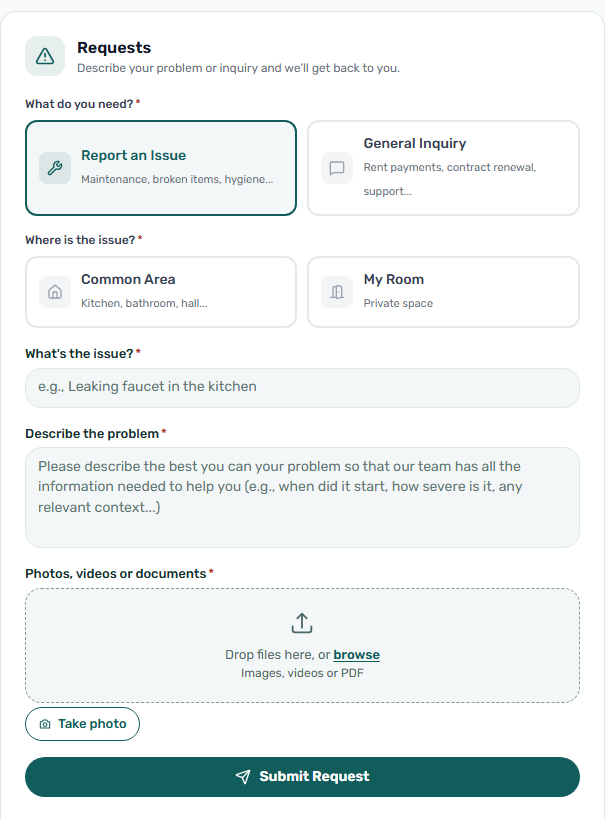
The Support tab opens Maintenance & Support (Repairs & requests with the Booking Engine):
- Report an Issue: Common Area or My Room, a title, a description and at least one photo, video or PDF.
- General Inquiry: a title and a description. Attachments are optional.
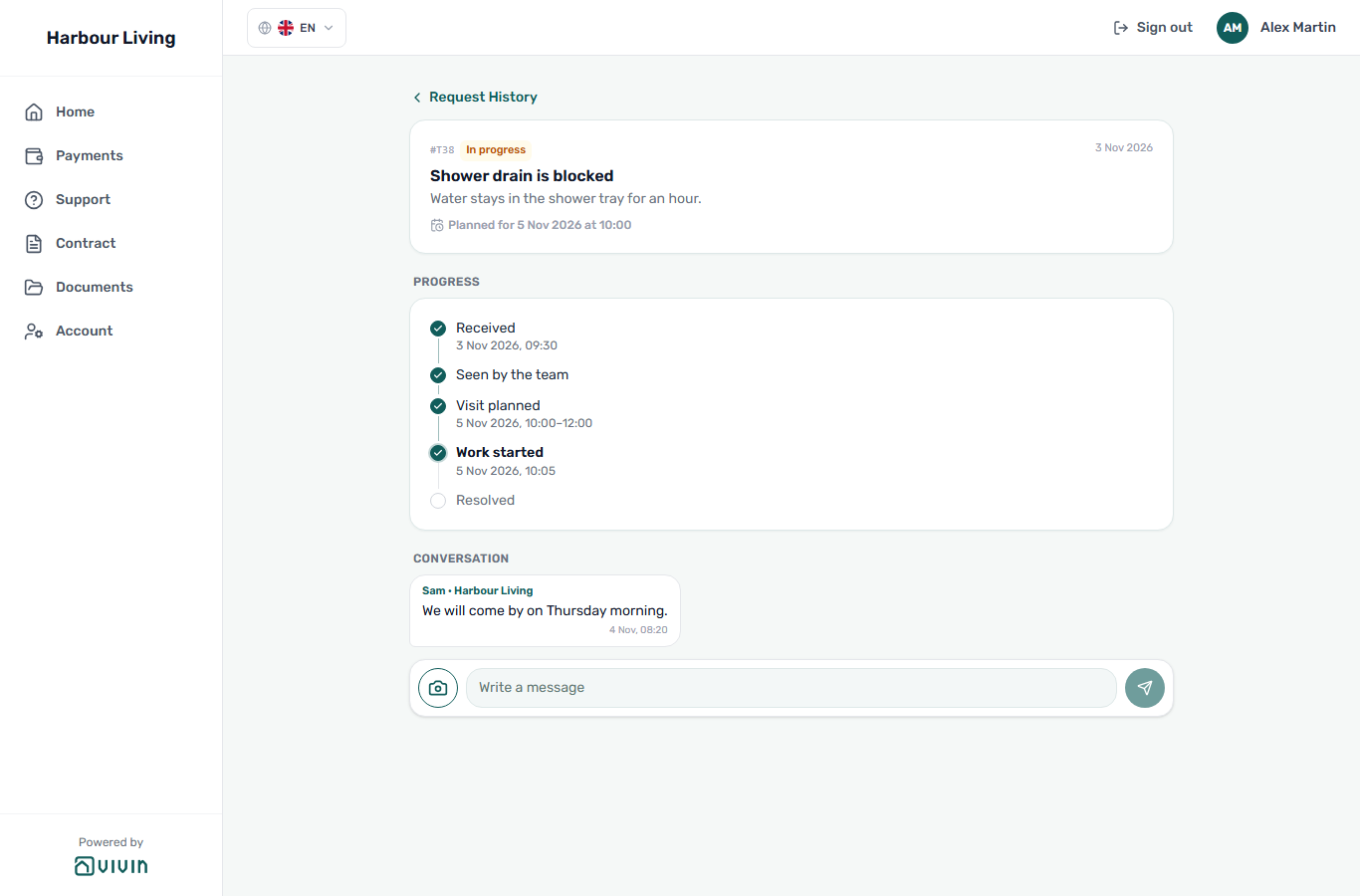
Up to 10 files can be attached, and Submit Request creates a ticket in Operations. Request History shows each status (Received, In progress, Pending, Resolved, Cancelled or Duplicate) and the planned date once your team sets one. With the Booking Engine, Show progress and the request's own page list its steps with their dates when known: Received, Seen by the team, Visit planned, Work started and Resolved (or Cancelled). A Tenant note on the ticket appears as Staff Notes; internal notes stay hidden. Your published FAQs from Settings → FAQs appear below the form.
With Allow tenants to reply on their requests on in Portal settings (off by default), each open request also has a Conversation: the tenant writes messages with photos, and your team replies from Operations → Ticket details under Conversation with the tenant (the tenant gets an email). A resolved request stays readable; write again only after the ticket is reopened.
With Allow to create tickets off, the tab shows only your published FAQs, and is hidden when there are none.
Services
Services shows the extras you set up in Settings → Services, each with its price and Monthly or One-time. The tenant clicks Request Service and confirms; a service that needs your approval waits under Awaiting approval, and nothing is charged until you approve it. See Tenant services for ordering, order history and charges.
Related
- Tenant Portal: the tabs and what controls them.
- Portal settings: defaults for every tenant's portal.