FAQs (FAQ Generator)
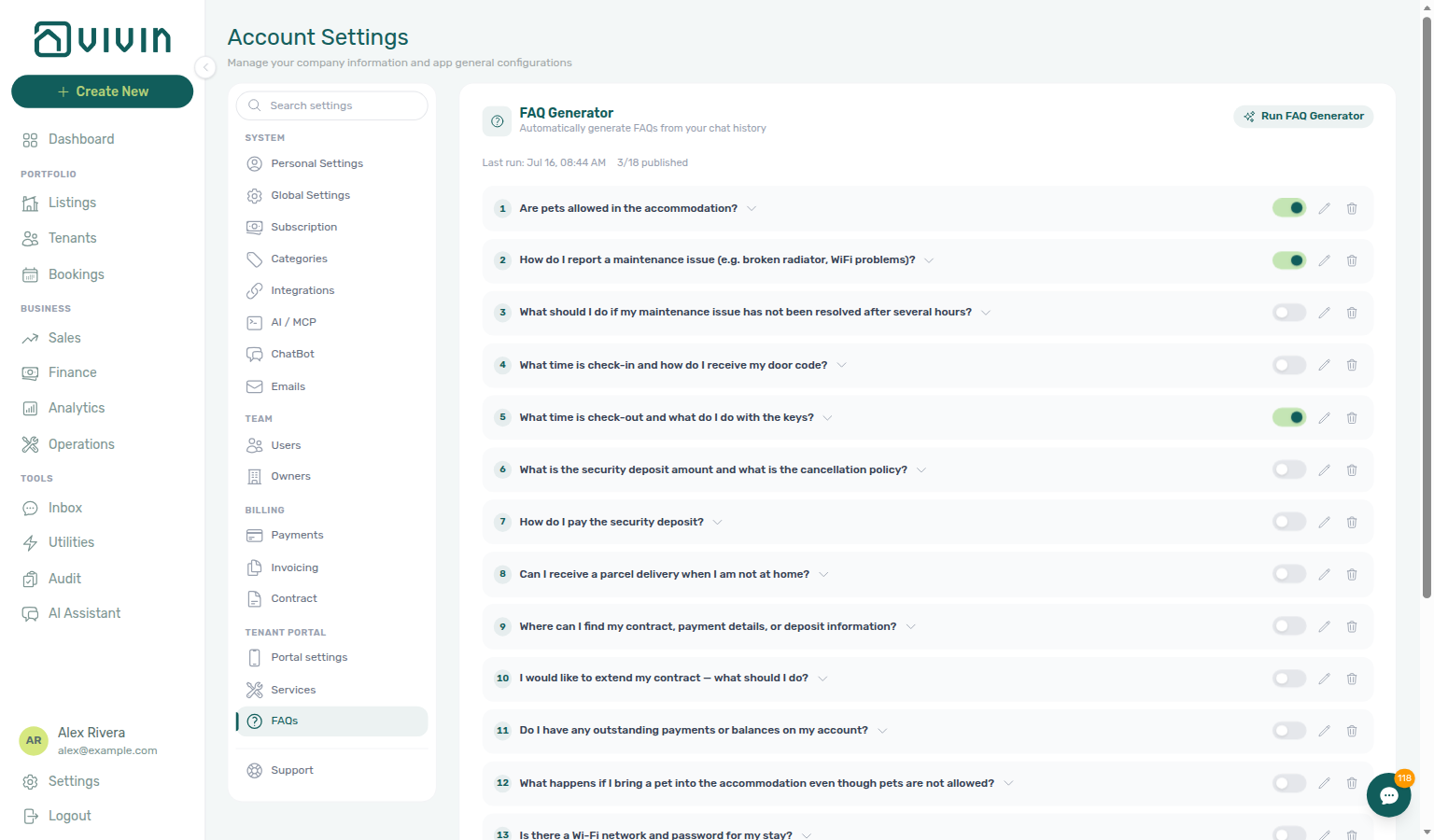
The FAQs tab under Account Settings → Tenant Portal (/settings/faqs) holds the tenant-facing FAQ catalogue. Published entries appear on the Tenant Portal Requests page as an FAQ accordion (below New Request and History) and are one of the sources the tenant ChatBot answers from on WhatsApp and email (via the get-chatbot-faq Tenant MCP tool). Unpublished drafts stay internal. Operators can edit entries by hand or run the FAQ Generator — an AI scan of recent tenant conversations and IF/THEN rules that proposes new draft Q&A pairs. It sits with Portal settings and Services in the Tenant Portal sidebar section — not under System. Distinct from ChatBot persona / IF/THEN rules (under System) and from operator AI Chat.
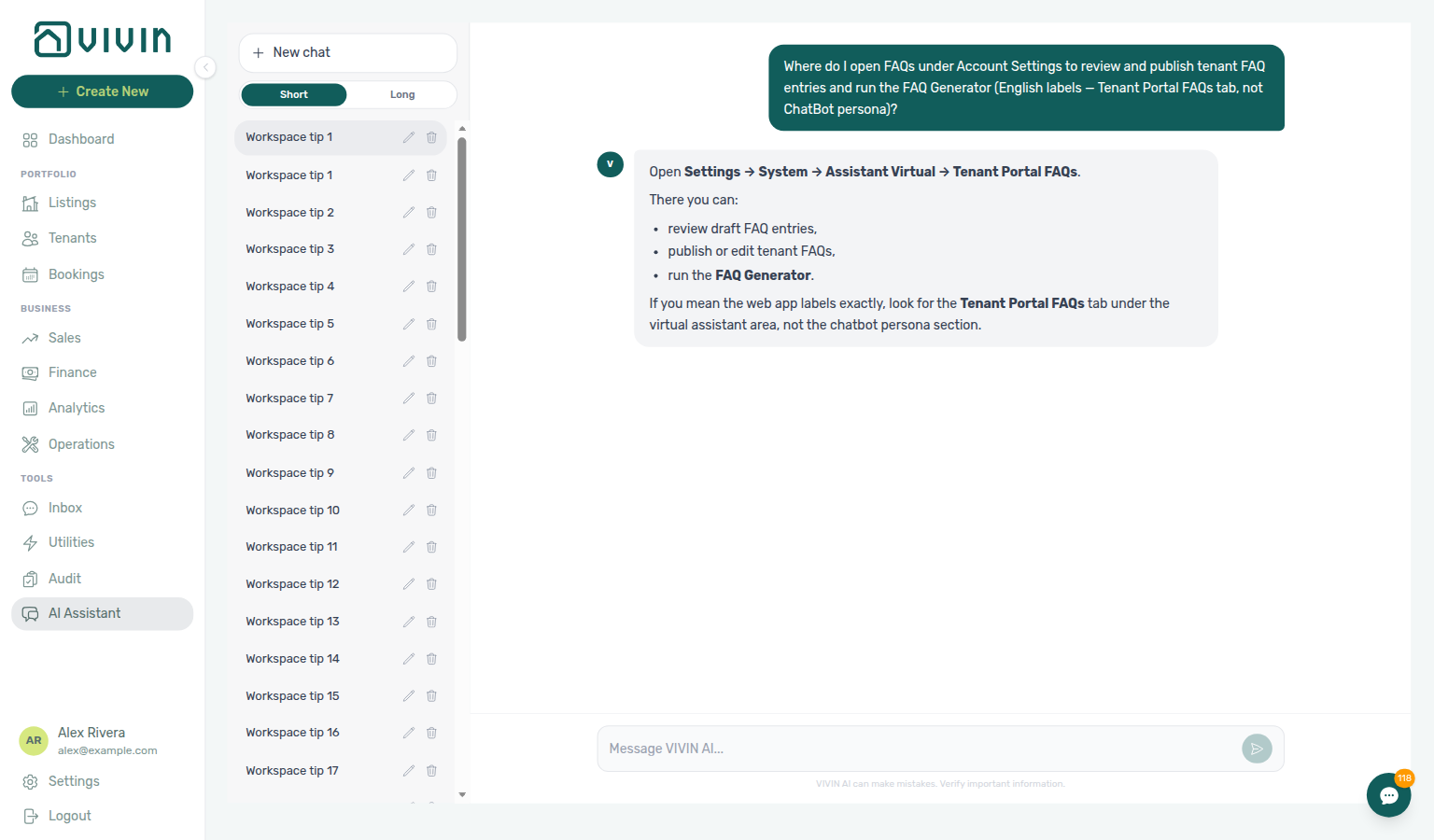
Ask AI Chat “Where do I open FAQs under Account Settings to review and publish tenant FAQ entries and run the FAQ Generator (English labels — Tenant Portal FAQs tab, not ChatBot persona)?” — then open this FAQs tab (ai-chat-product-context-faqs-reply.png, ai-chat-product-context-faqs-flow.mp4). The assistant may still say Settings → System → Assistant Virtual → Tenant Portal FAQs, System → Virtual Assistant → Tenant Portal FAQs, Settings → System → FAQ, or Sistema → Assistente virtual / FAQ; follow Settings → Tenant Portal → FAQs instead. The English tab label is FAQs. Same grounding external MCP clients get from get-vivin-context-platform. Distinct from the tenant ChatBot persona tab (under System) and from operator AI Chat.
Configure ChatBot persona and IF/THEN rules first (setup step 11 companion), then run the FAQ Generator after you have real tenant threads. Pair with Getting Started — Recommended Setup Sequence. Deep link: platform.vivin.app/settings/faqs.
Open Account Settings → Tenant Portal → FAQs at platform.vivin.app/settings/faqs. Route reference: Deep Links — Account Settings.
Published rows appear on Tenant Portal — FAQ accordion and are read by the tenant chatbot — correct an answer here and the bot picks it up on the next conversation. The generator still scans WhatsApp, email, and ChatBot IF/THEN history to draft new pairs — it does not publish them for you. Token cost meters as faq_generation on AI usage API. Contrast operator AI Chat (landlord_chat) — a different surface and ledger feature.
Who can edit FAQs
The FAQs tab uses the same Chatbot permission gate as ChatBot settings. Roles without that permission do not see the tab.
FAQ list
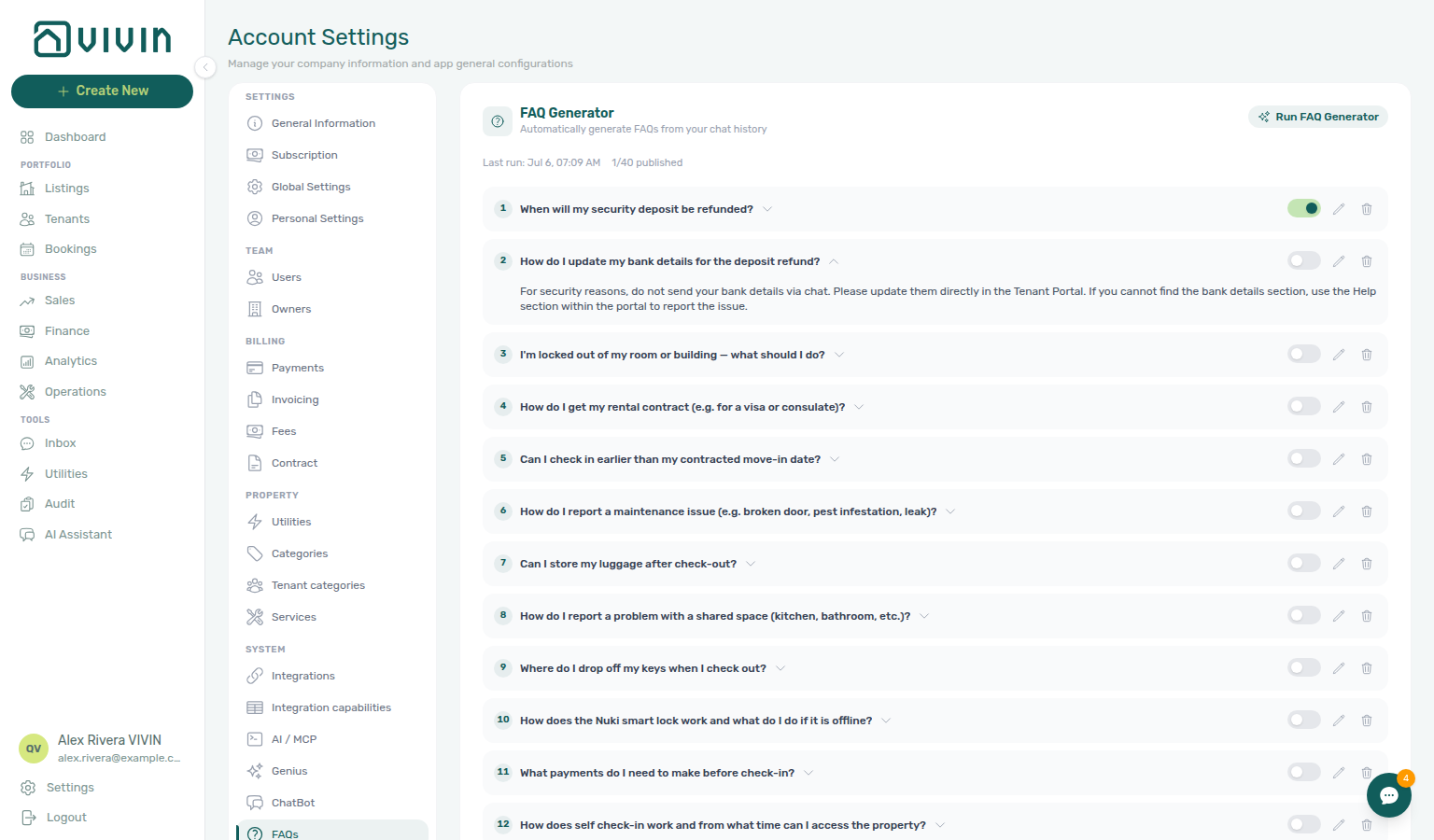
The main panel shows:
| Control | Meaning |
|---|---|
| Run FAQ Generator | Opens the cost-estimate modal, then scans history and appends draft FAQs |
| Last run | Timestamp of the most recent generator run |
| Published count | How many FAQs are currently published vs total (for example 3/18 published) |
| Toggle on each row | Publish / unpublish — unpublished drafts stay internal until you turn them on |
| Edit / Delete | Change question and answer text, or remove an entry |
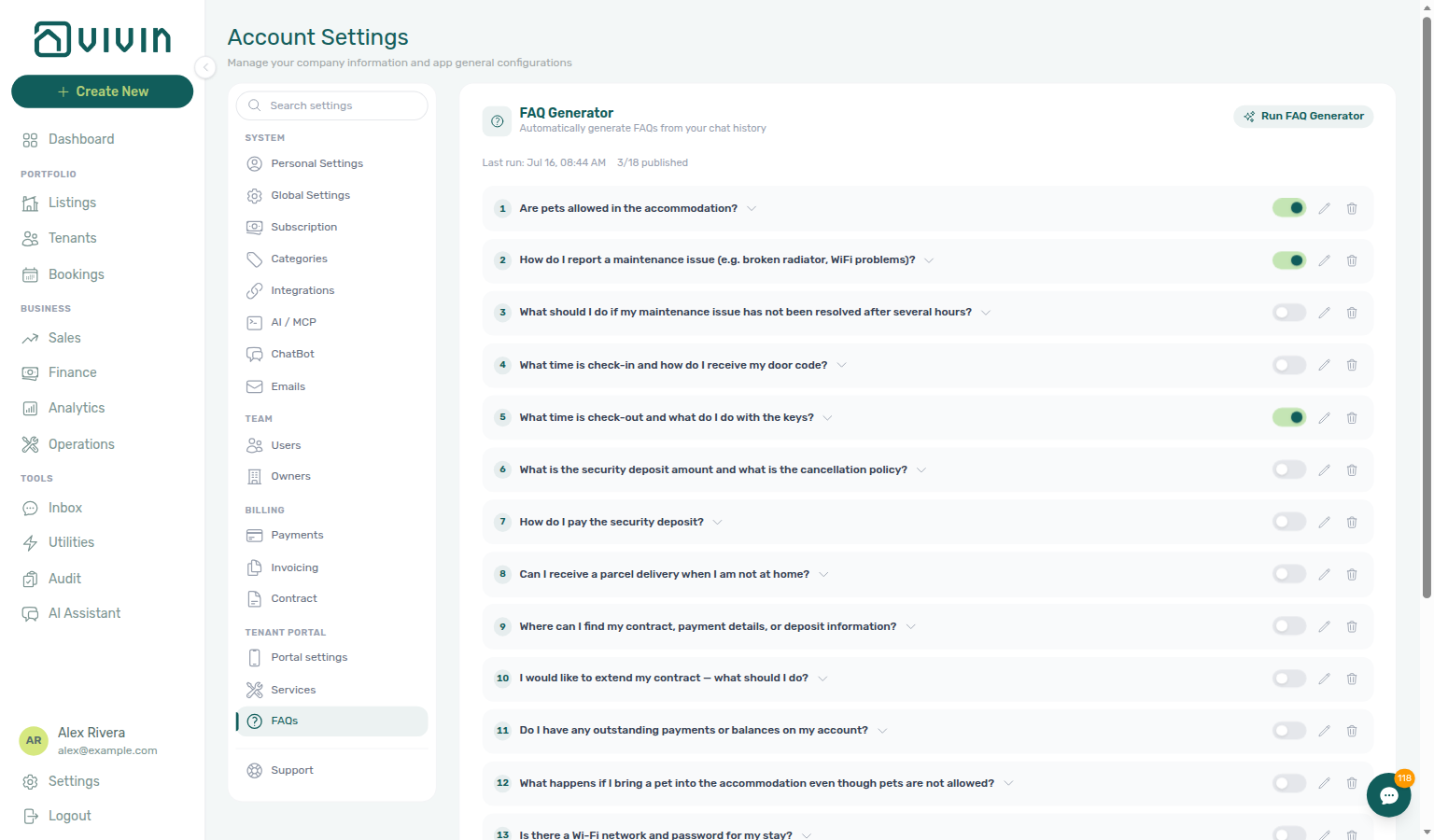
Nothing publishes automatically — every generated entry lands as a draft until you flip its toggle. Tenants see only published rows, on Requests (tenant-portal-requests-faq-accordion.png, tenant-portal-requests-faq-accordion-open.png, tenant-portal-requests-faq-accordion-flow.mp4).
Run FAQ Generator
- Click Run FAQ Generator.
- Choose History to scan (1m–6m) and AI model (Sonnet 4.6 or Opus 4.8).
- Read the estimate: WhatsApp message count, email count, IF/THEN rule count, and approximate token / USD cost.
- Confirm Run FAQ Generator — or Cancel to abort without metering a run.
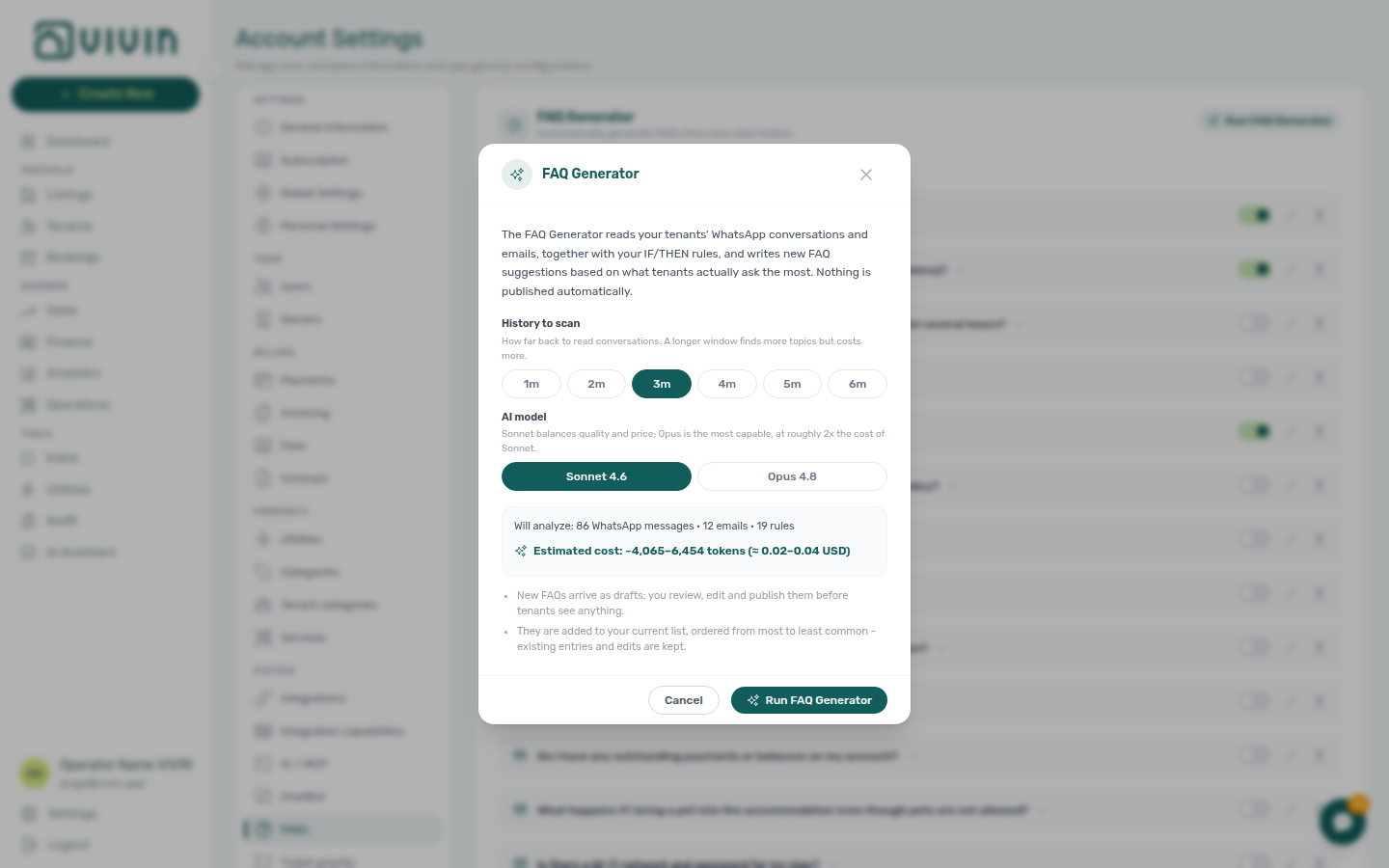
Each confirmed run records faq_generation in the append-only ai_usage ledger (internal USD cost). Poll GET /ai-usage/summary?feature=faq_generation with a management JWT — see AI usage API — Feature values. There is no management-frontend ledger screen yet.
Review and publish
Nothing from the generator is tenant-visible until you publish it. After a run (or any time you open this tab):
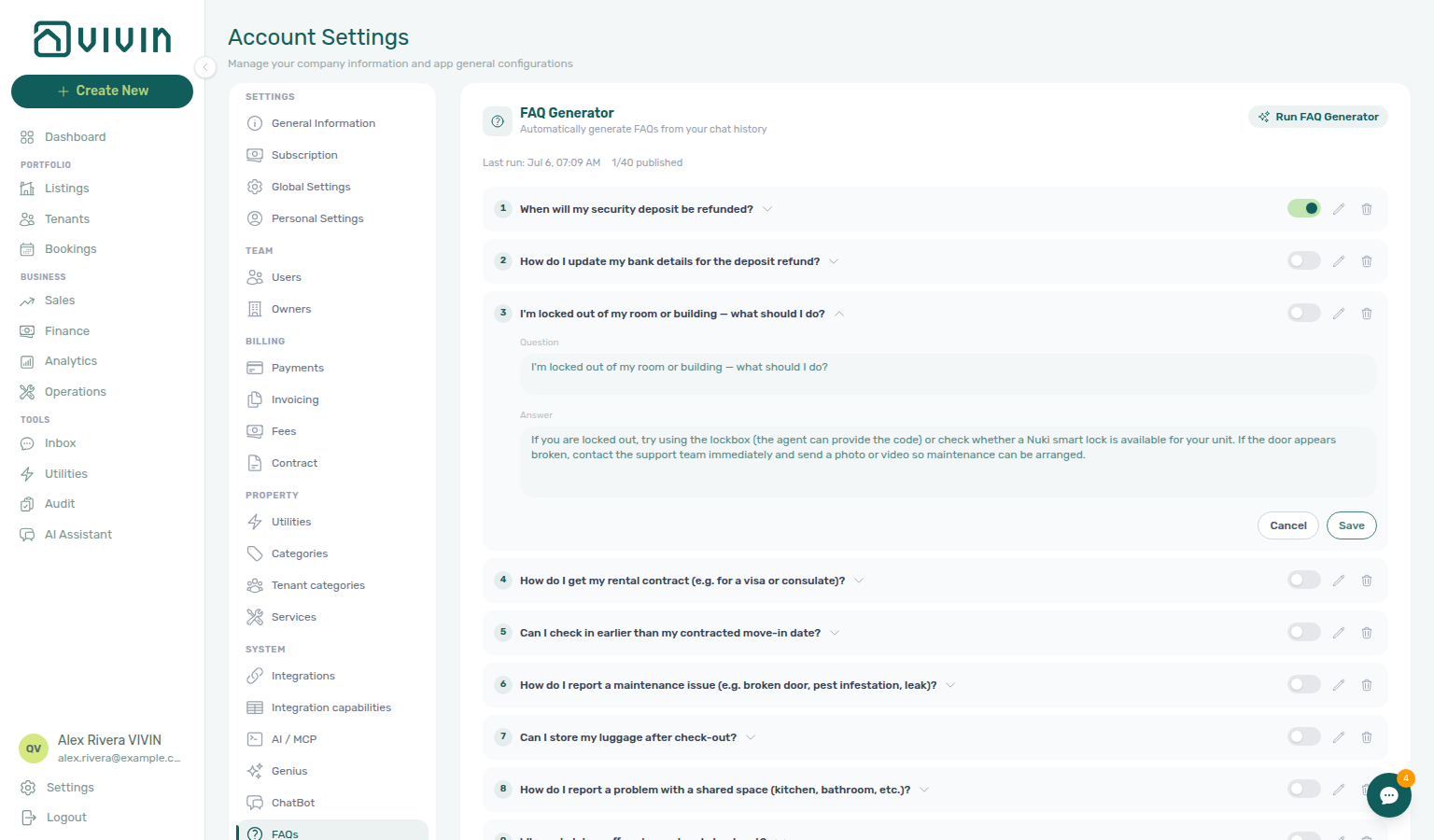
- Expand a draft to read the full answer.
- Click the pencil to edit question and answer wording for your brand voice, then Save — or Cancel to leave the draft unchanged.
- Flip the row toggle to publish (or unpublish) — the header Published count updates immediately (for example 2/40 published).
- Delete weak or duplicate suggestions with the trash control.
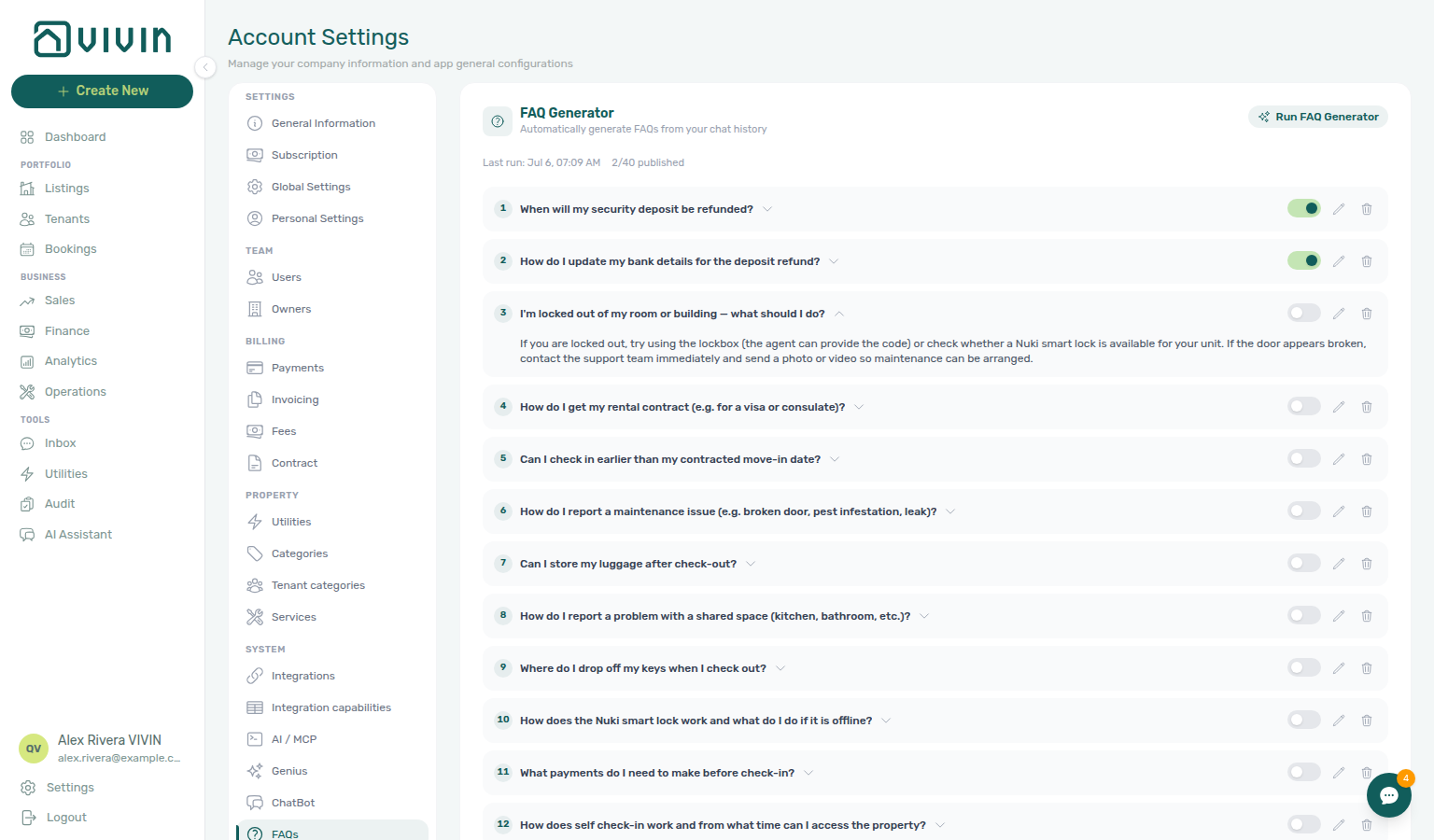
Additive behaviour: new FAQs are appended and ordered from most to least common — existing published entries and your edits are kept.
After you publish, tenants read those answers on Requests without a new portal link. Unpublish (or delete) an entry to remove it from the accordion. If Allow to create tickets is Off, tenants do not see Requests — so they also do not see the accordion.
Related
- Tenant Portal — FAQ accordion — Where published entries appear for tenants
- FAQ — Where do tenants see published FAQs?
- Glossary — FAQ accordion (tenant portal)
- ChatBot settings — Persona and IF/THEN rules that feed the generator
- Automation & AI — AI Tenant Support Chatbot
- AI usage API —
faq_generationfeature value - Glossary — AI usage ledger
- FAQ — How do I see AI token usage for my account?