Services
The Services tab lets you configure the catalogue of services that tenants can discover and request from their portal. These are extra offerings beyond rent — such as cleaning, laundry, gym access, parking, or airport transfers — that generate additional revenue and improve tenant satisfaction.
Overview
Services you create here appear in the Tenant Portal. Tenants can browse and purchase them, and charges are automatically added to their payment schedule in the Finance module.
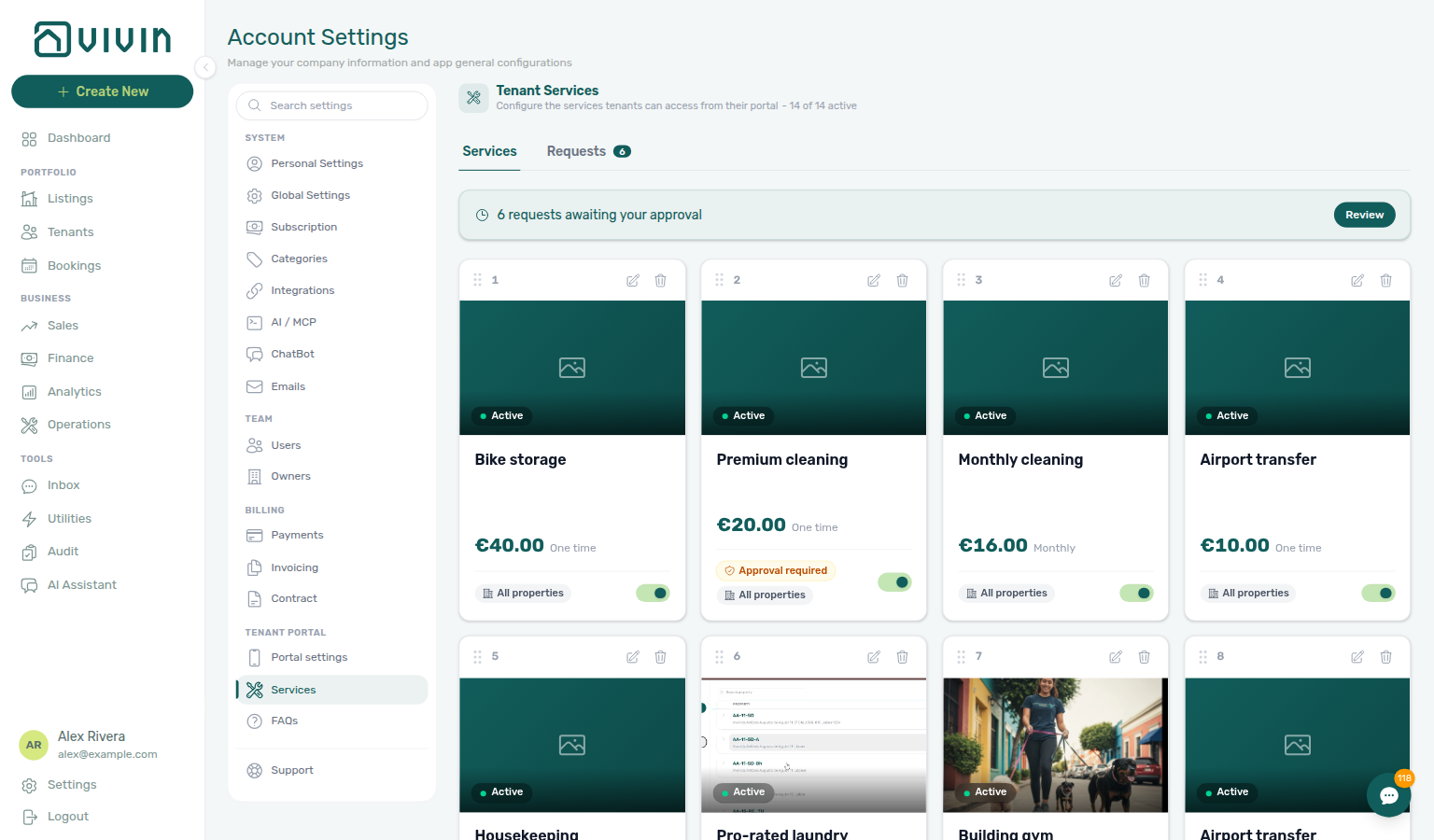
Open Settings → Tenant Portal → Services (route /settings/services) to manage the catalogue and the Requests approval queue. Each teammate chooses which offerings email them under Personal Settings → Service subscription emails.
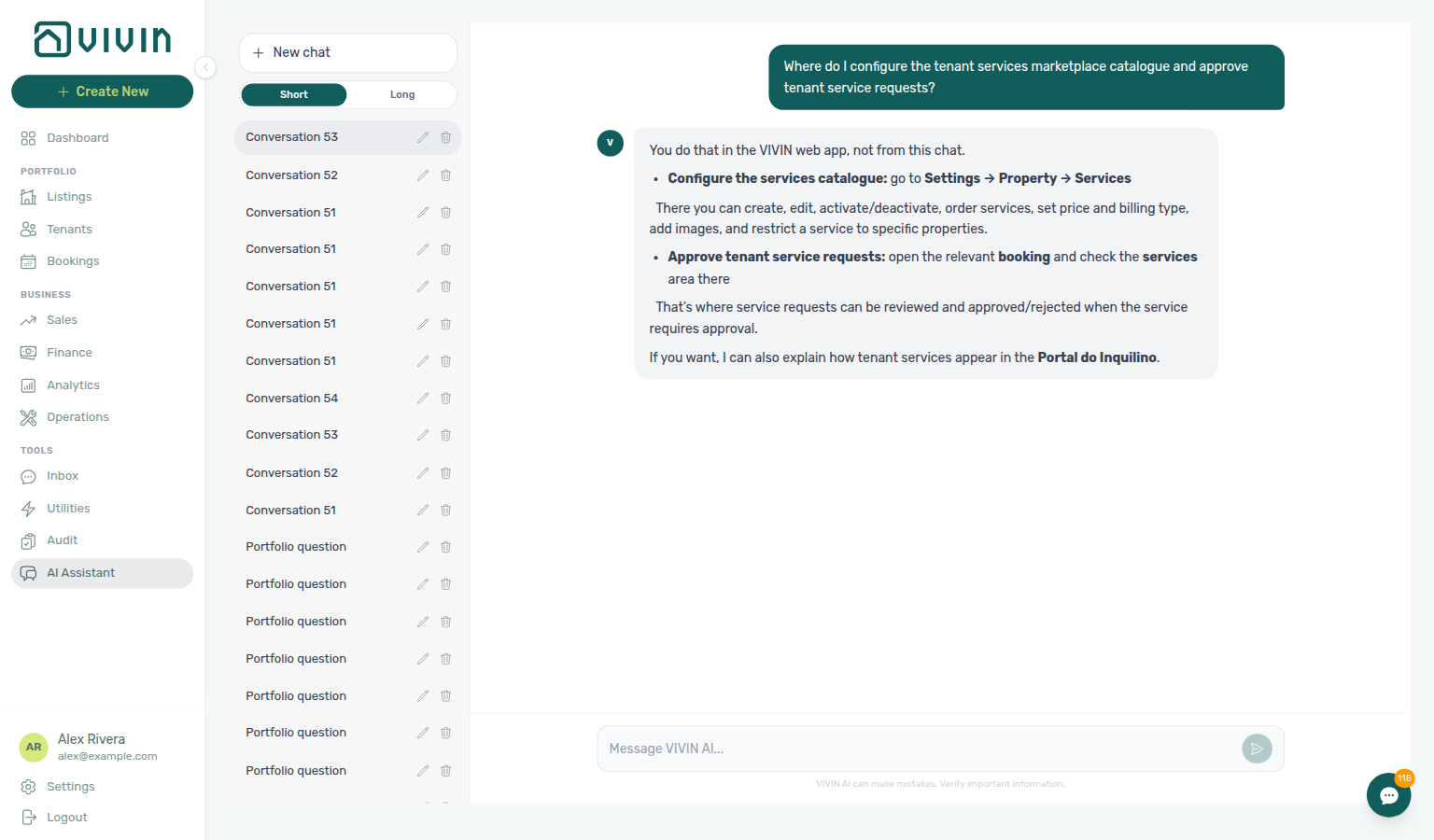
Ask “Where do I configure the tenant services marketplace catalogue and approve tenant service requests?” in AI Chat — the product-context reply may still say Settings → Property → Services (or Portuguese Propriedade → Serviços) and may point approvals at a booking / reservation services area; open Settings → Tenant Portal → Services instead (catalogue on the Services tab + pending work on Requests). Same grounding external MCP clients get from get-vivin-context-operations.
Configure Services during or after the core Getting Started — Recommended Setup Sequence steps 1–12 (optional section on that page) — turn on Allow to see services in Portal settings before go-live if tenants should browse add-ons. Full tab map: Recommended setup order. Finish steps 13–15 and Onboarding a New Property — Step 7. Workflow pairing after go-live: Account Settings — Setup sequence after go-live.
Create catalogue rows in Creating a Service, scope availability in Limiting a service to specific properties, then triage Service approvals (Requests queue). Portal visibility: Making Services Visible to Tenants. Habit-specific shortcuts live under Related below.
Turn on Allow to see services in Portal settings before tenants can browse the catalogue, and reconcile approved charges on Finance → Transactions. Portal service charges are tenant billing — internal landlord_chat spend is on AI usage API, not this catalogue. Hub: Recommended setup order.
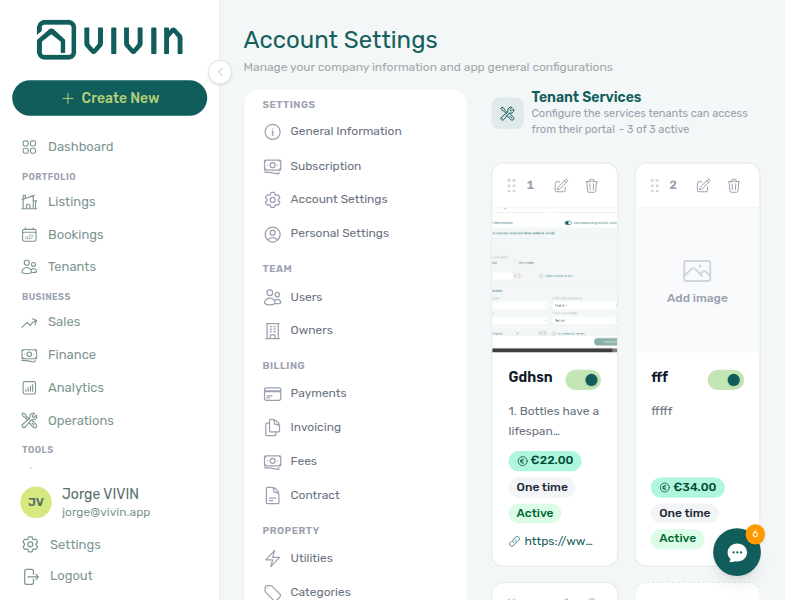
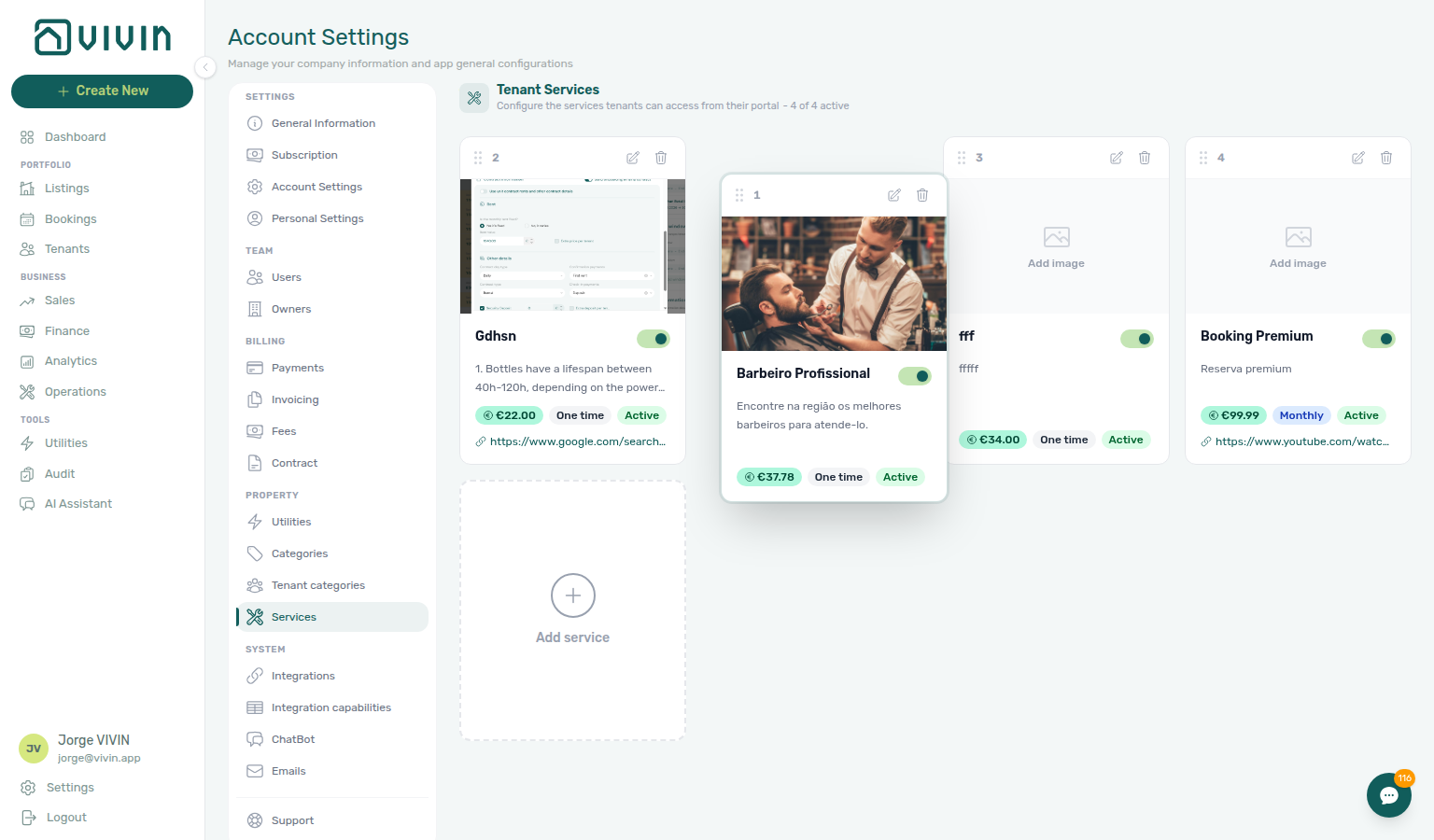
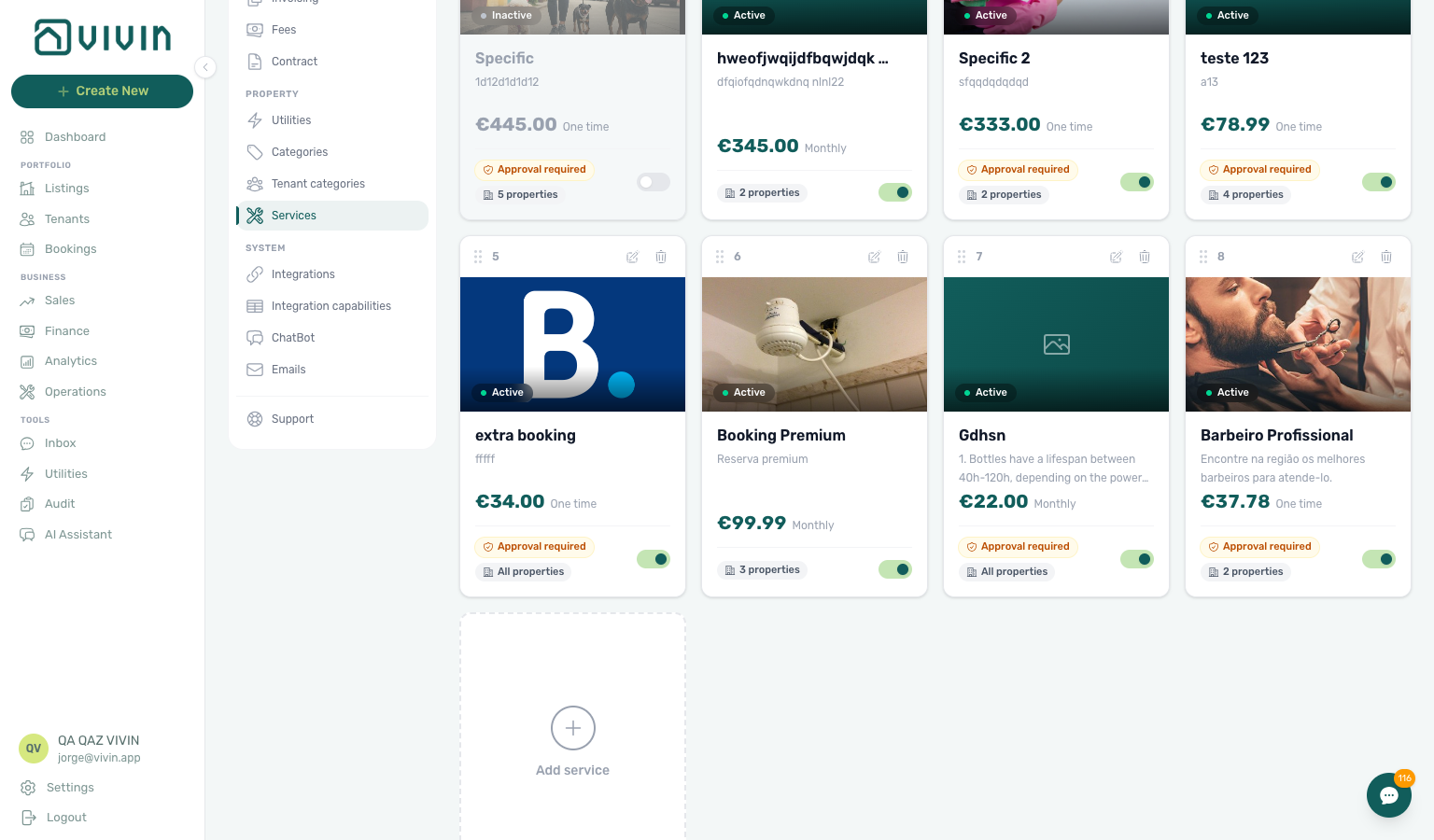
When your account already has offerings, the same tab shows a card grid with sort order, active state, and an Add service tile at the end of the row. The page subtitle includes an active count (for example 3 of 5 active) so you can see how many services tenants can request without opening each card.
Creating a Service
Portal copy and pricing here shape the Tenant Portal — Services catalogue — read Services Marketplace before publishing high-volume add-ons.
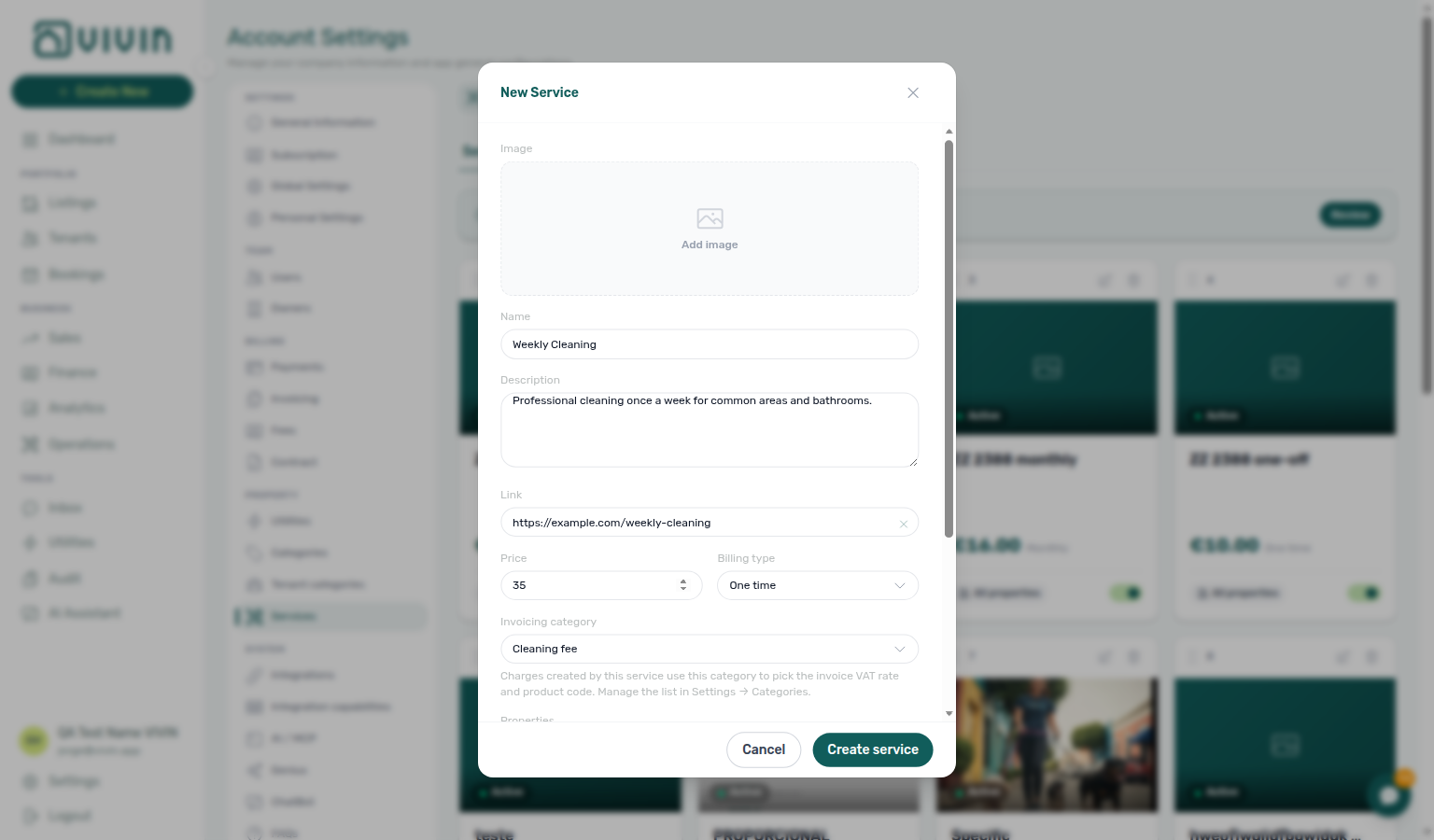
Click + Add Service, Create your first service, or the dashed Add service card to open the create dialog. Configure:
| Field | Description |
|---|---|
| Name | Display name (e.g. "Weekly Cleaning", "Gym Membership") |
| Description | Optional copy shown on the tenant-facing service card and in Confirm request. You can enter multiple lines in the management form. In the Tenant Portal, a long description starts as about two lines on the card; tenants tap Show more (then Show less) to read the rest. Confirm request shows the full text (scroll the panel). Put essentials first, or use Link for full terms hosted on your site. See Tenant Portal — Show more and Tenant Portal — Confirm request. |
| Link | Optional URL (e.g. booking page, external provider) |
| Price | Price in EUR (optional — some services may be free or priced elsewhere) |
| Billing Type | One-time or Monthly |
| Invoicing category | Required. Choose a category from your account’s Others Items Categories (Settings → Categories). Charges created by this service use that category to resolve the invoice VAT rate and product code. Saving without a category (or with a category that was later removed from Settings) blocks reliable invoicing for those lines — manage the chip list under Categories before you publish add-ons. |
| Properties | Optional server-paged multi-select (server-driven search picker): opening the menu prefetches about 10 buildings via GET /properties/search, typing runs debounced search, and scrolling loads more rows. Leave empty (placeholder All properties) so every tenant in the account can see the service. Pick one or more properties to restrict the offering — only tenants whose booking is tied to those buildings see the card in the Tenant Portal. Selected properties appear as removable chips under the control. |
| Active | Whether the service is visible to tenants |
| Requires approval | When on, tenant requests for this service wait in the Requests queue until a manager approves or rejects them — no charge is created until approval. When off, a confirmed portal request charges immediately (legacy behaviour). |
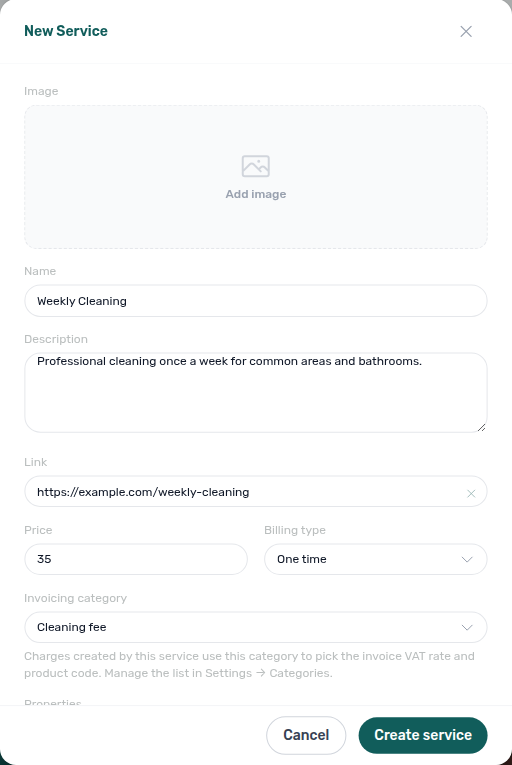
Create the Others Items labels you need under Categories first, then assign each marketplace service an Invoicing category. Map each label’s Tax VAT under Invoicing → Others Categories Taxes so issued documents use the intended rate. Changing the category on an existing service also updates that service’s not-yet-invoiced charges so Finance can keep issuing documents.
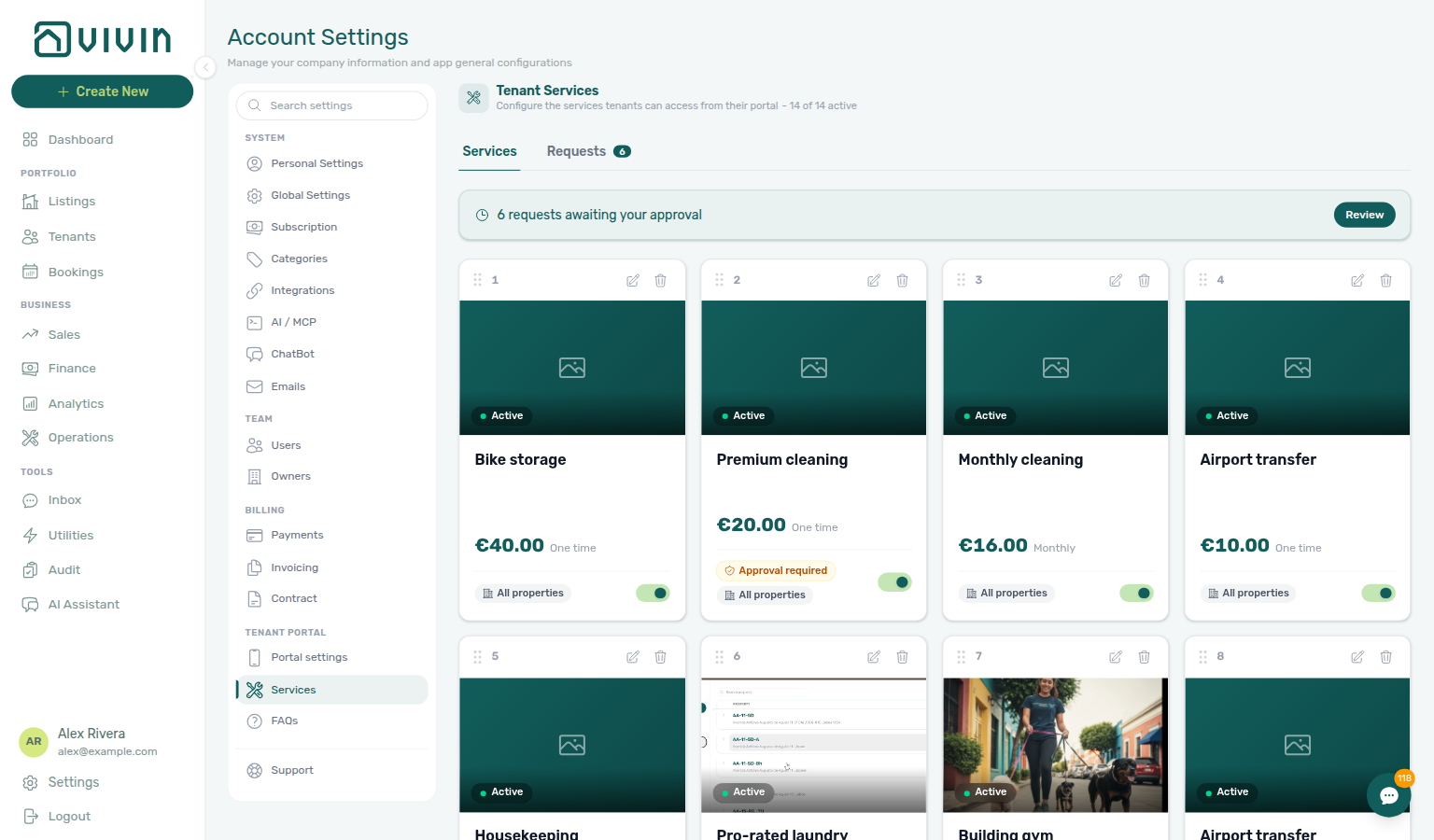
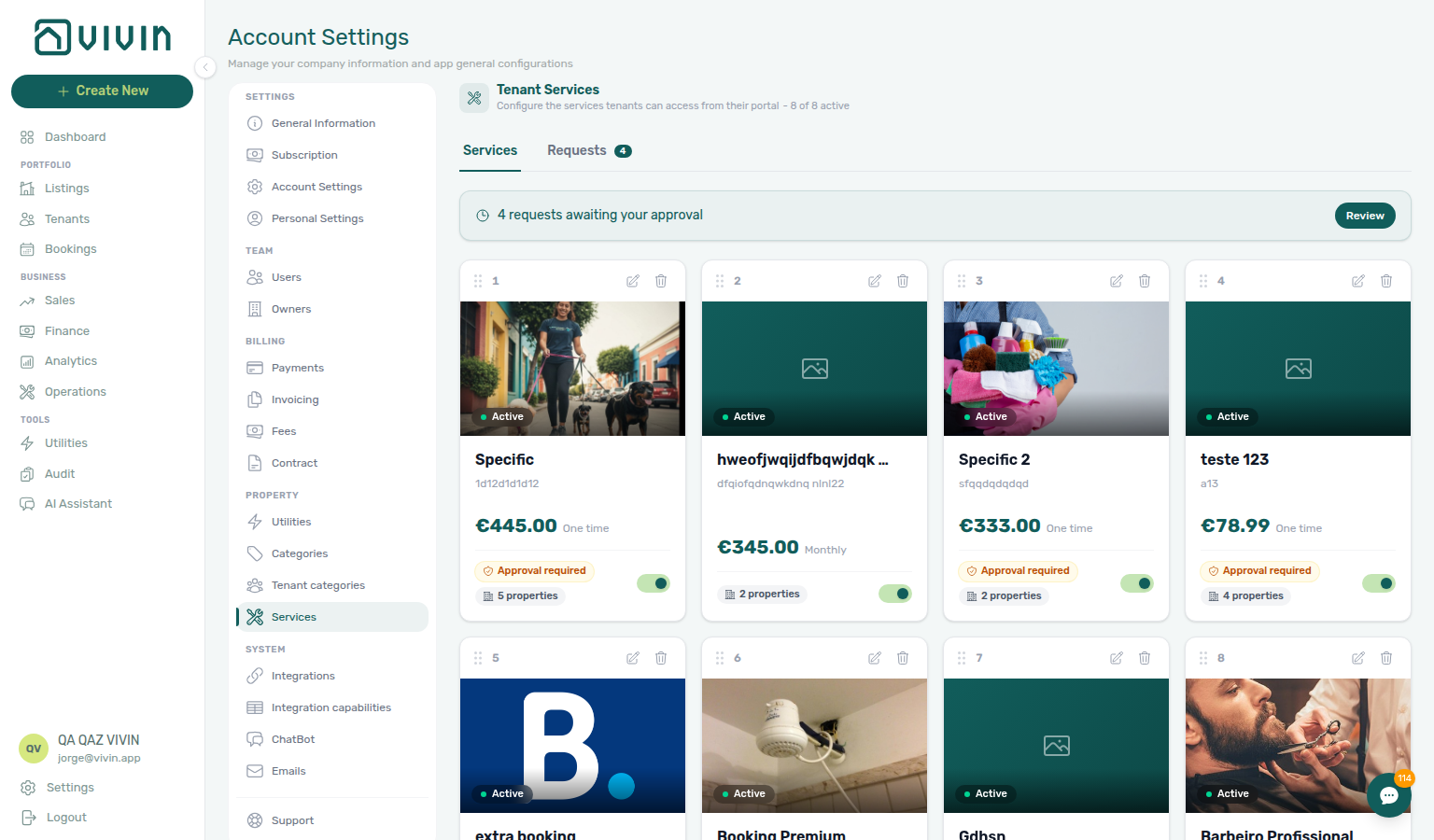
On each catalogue card, a small badge summarizes scope: All properties when no restriction is set, or N property / N properties when the service is limited to specific buildings. Services with Requires approval also show an Approval required badge on the card footer.
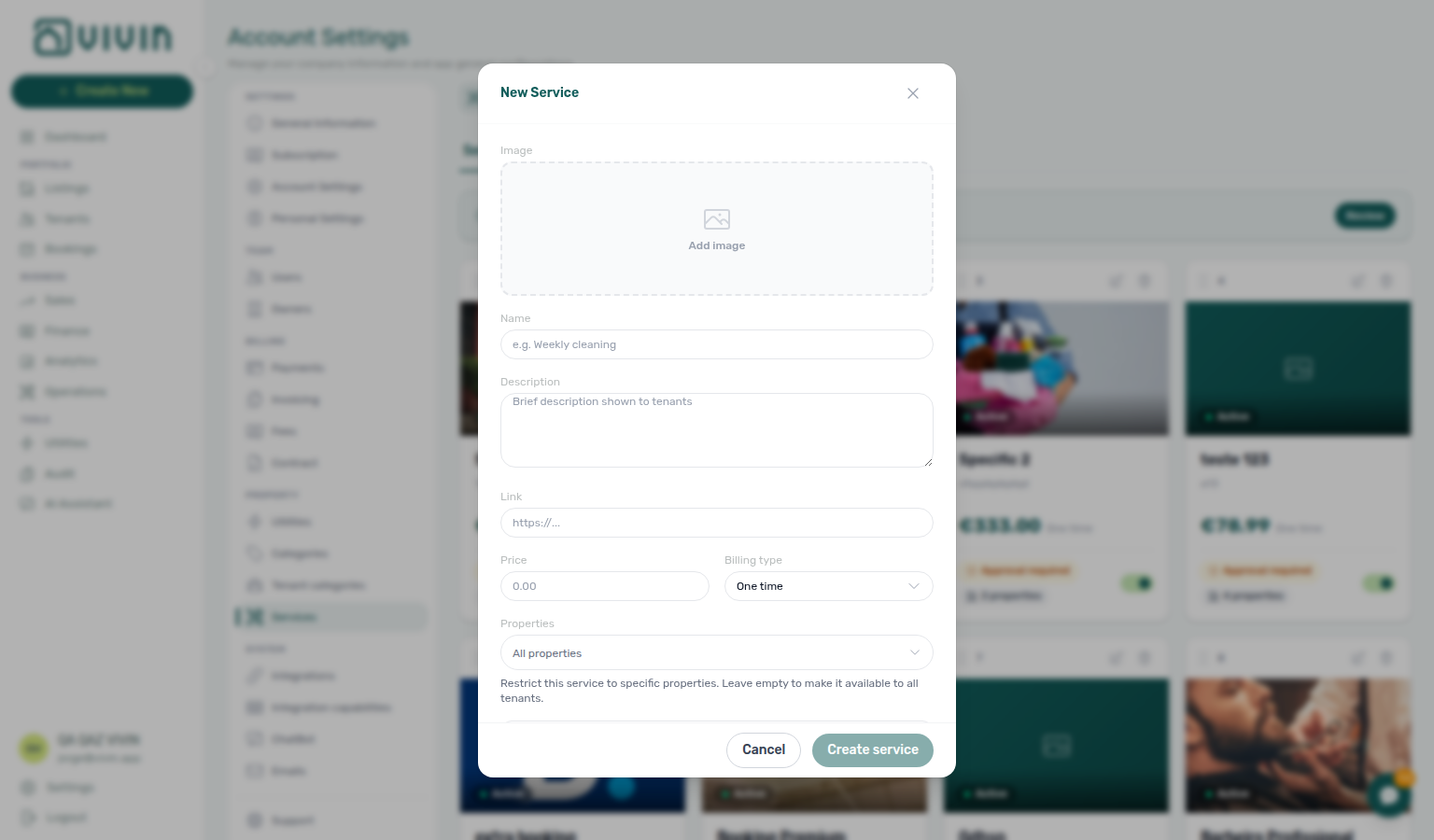
You can also add a hero image for each service (optional in the create/edit dialog, or from the card):
- Add image — Click the photo placeholder on a card, or use Image in the dialog; pick a file, then crop in the image cropper when the product prompts you.
- Change image / Remove image — On cards that already have an image, hover the photo area for upload and delete controls.
Descriptions, terms, and the Tenant Portal
Use the description for what is included, pricing caveats, and a concise summary. For long terms and conditions or policies that must be read in full, prefer hosting the canonical document on your website or document hub and set it as the optional Link so tenants can open it before they request the service. See Tenant Portal — Services catalogue for how descriptions render in the portal today.
Limiting a service to specific properties
The Properties picker shares GET /properties/search semantics with Utilities — Select properties and Emails — Audience: Properties — scope parking and gym add-ons before account-wide catalogue rows go live.
Use the Properties multi-select in the New Service or Edit Service dialog when an add-on applies only to certain buildings (for example parking at one address, or a gym in a single coliving). The control uses the same paged GET /properties/search picker as Communication Rules — Audience: Properties and Utilities — Select properties. With an active query, internalName matches rank above address-only hits — see Glossary — Picker search ranking. The hint under the control explains: leave the field empty to make the service available to all tenants; otherwise only bookings linked to the selected properties can browse and request that service in the portal.
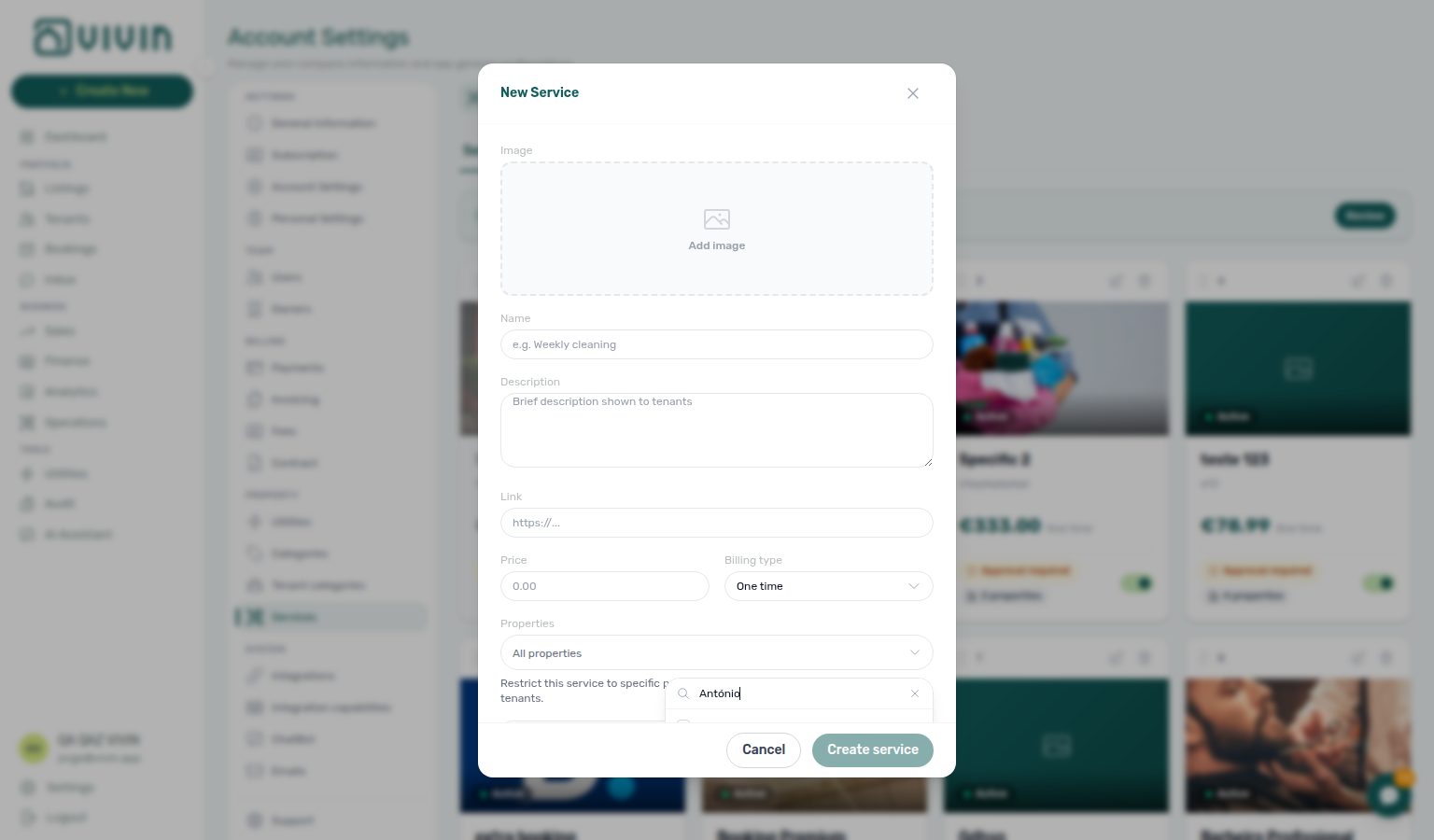
Keep high-volume or account-wide services (generic cleaning packages, account-wide support add-ons) on All properties. Scope parking, gym, or location-specific extras to the relevant property ids so tenants at other sites do not see irrelevant cards.
Managing Services
- Edit — Click the pencil icon on a service card to update its details, including the Properties scope
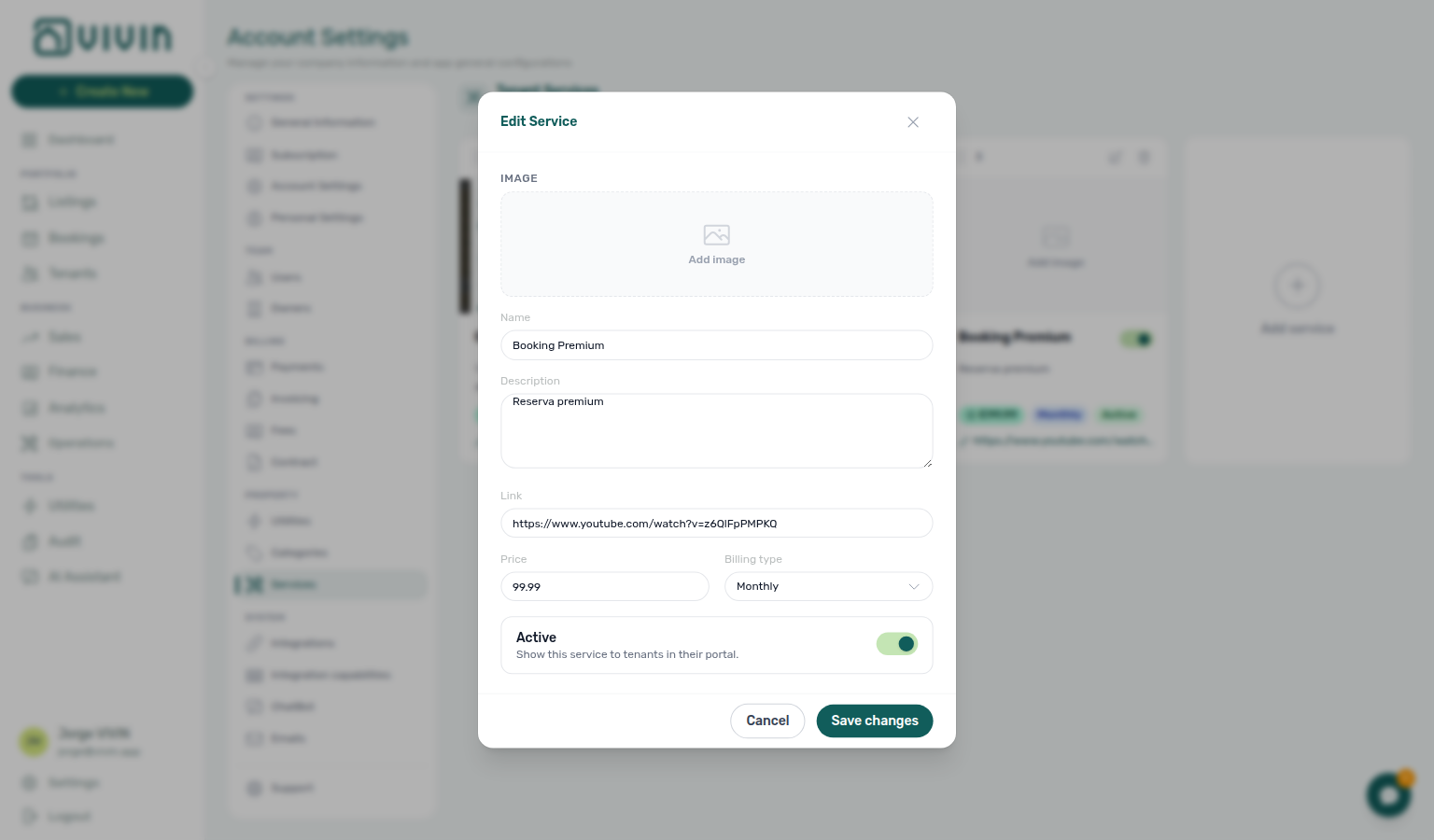
- Toggle Active — Use the switch on each card to show or hide a service in the tenant portal without deleting it
- Delete — Remove a service (consider deactivating first if it has historical usage)
- Reorder — Drag a card by the grip handle (six-dot control at the top-left; tooltip Drag to reorder). While you drag, the card lifts with a stronger shadow and highlight ring so you can see which item you are moving. Drop the card in the new position; Vivin persists sort order for the whole catalogue immediately. Portal listings follow this order (numbered 1, 2, … on each card for reference only).
Service approvals (Requests queue)
Approve & charge posts lines to Finance — Transactions — pair account Preferences — In-app notifications with Notifications — Payment overdue alerts when approval queues back up.
For offerings where Requires approval is enabled, tenant portal requests do not charge immediately. They enter a manager work queue until you Approve & charge or Reject. Services without the toggle keep the previous behaviour: a confirmed portal request creates the charge on the payment schedule right away.
When your account has at least one approval-gated service (or any pending request), Settings → Tenant Portal → Services shows two workspace tabs:
| Tab | Purpose |
|---|---|
| Services | Catalogue cards (create, edit, reorder, activate). When pending requests exist, a teal banner shows the count and a Review shortcut opens the queue. |
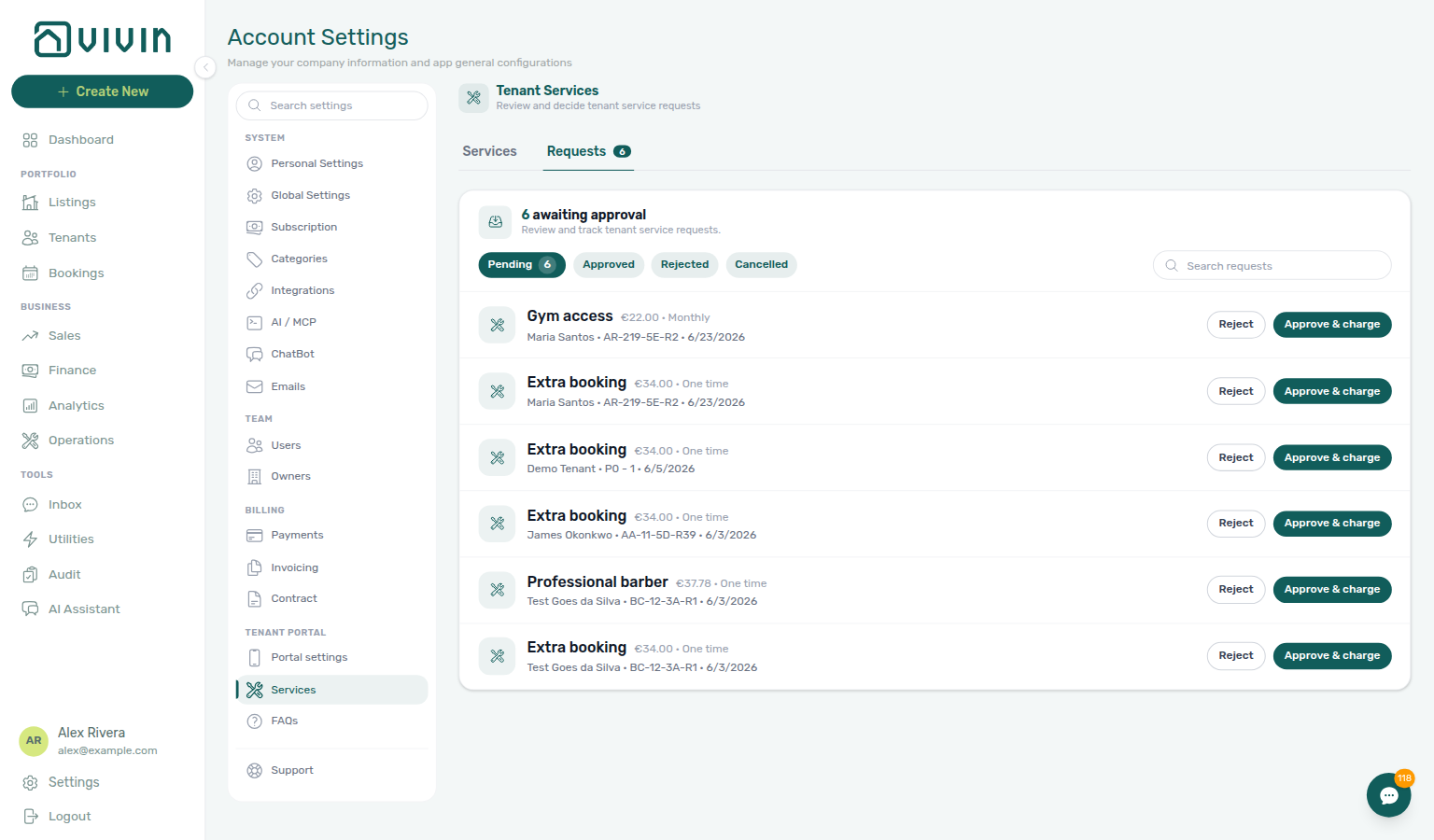
| Requests | Filterable approval inbox — Pending, Approved, Rejected, and Cancelled — with search by tenant or service name. |
Reviewing pending requests
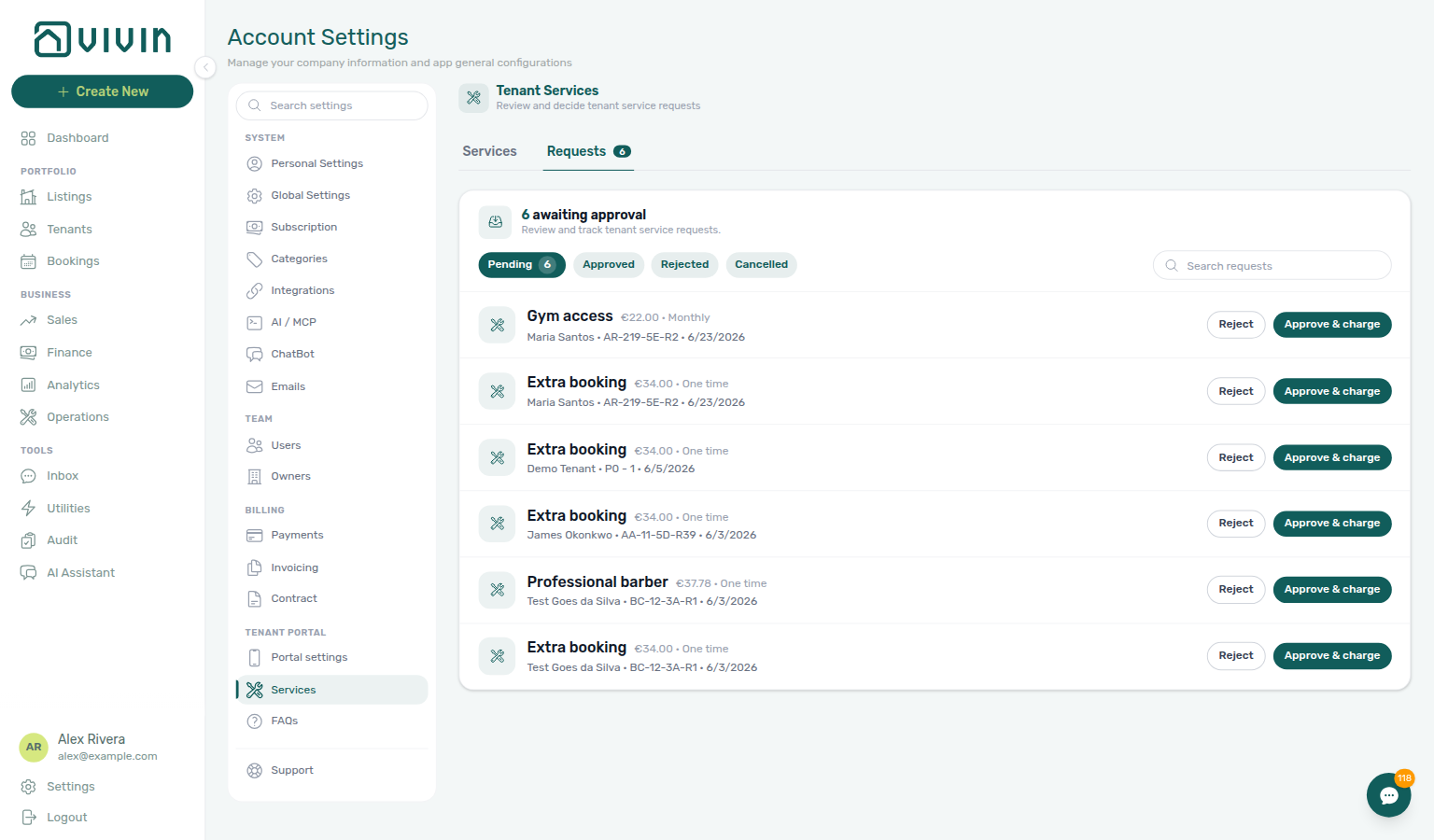
- Open Account Settings → Tenant Portal → Services and switch to the Requests tab (or click Review on the banner).
- Leave Pending selected (badge shows the live count) or pick another status pill to audit history.
- Use Search requests to narrow by tenant or service name.
- On each row, read service name, price, billing type, tenant, unit, and relative request time.
- Approve & charge — creates the booking payment line (same outcome as an immediate portal order) and moves the request to Approved.
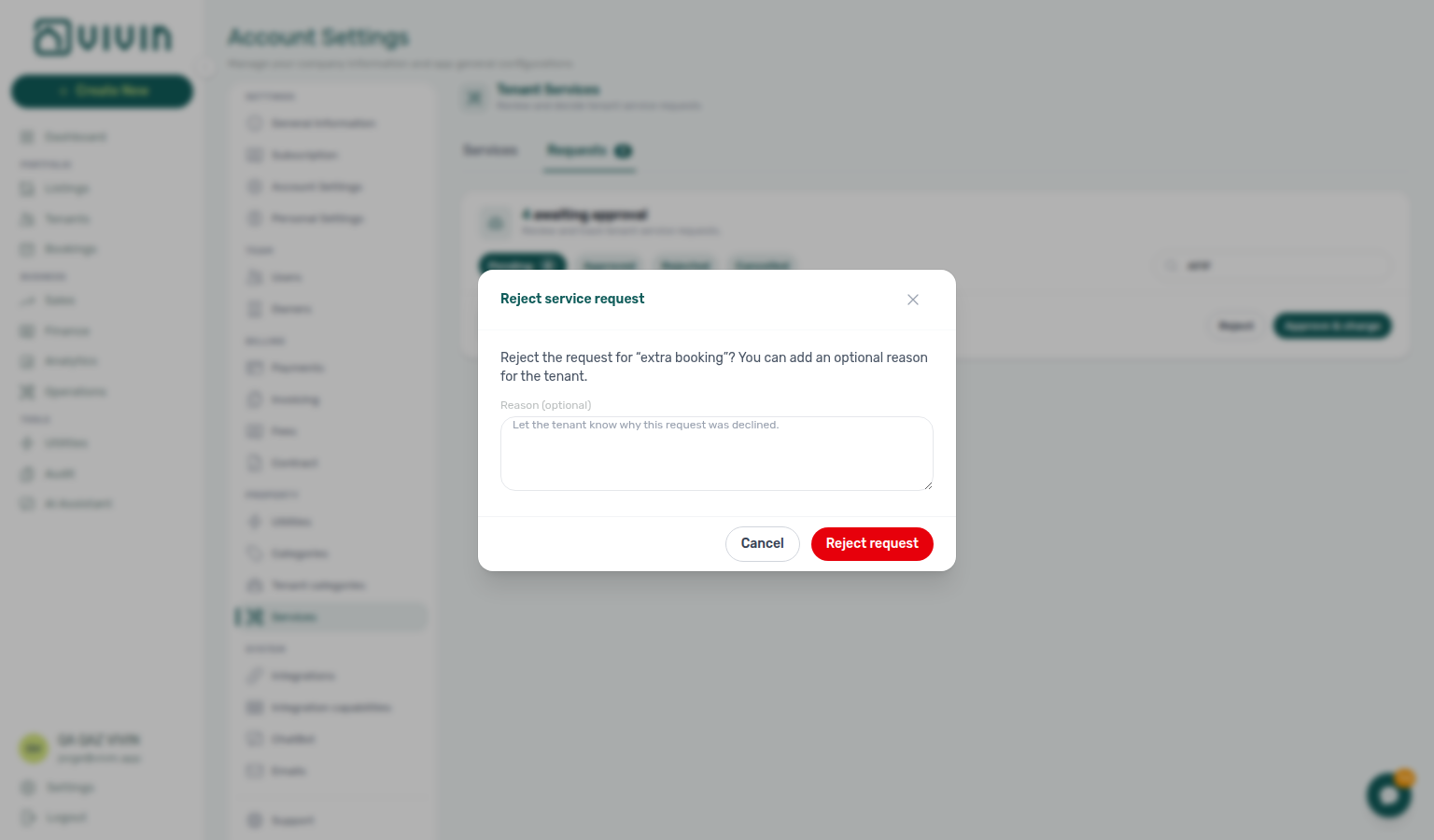
- Reject — opens a confirmation modal; add an optional reason (shown to the tenant on rejected outcomes). No charge is created.
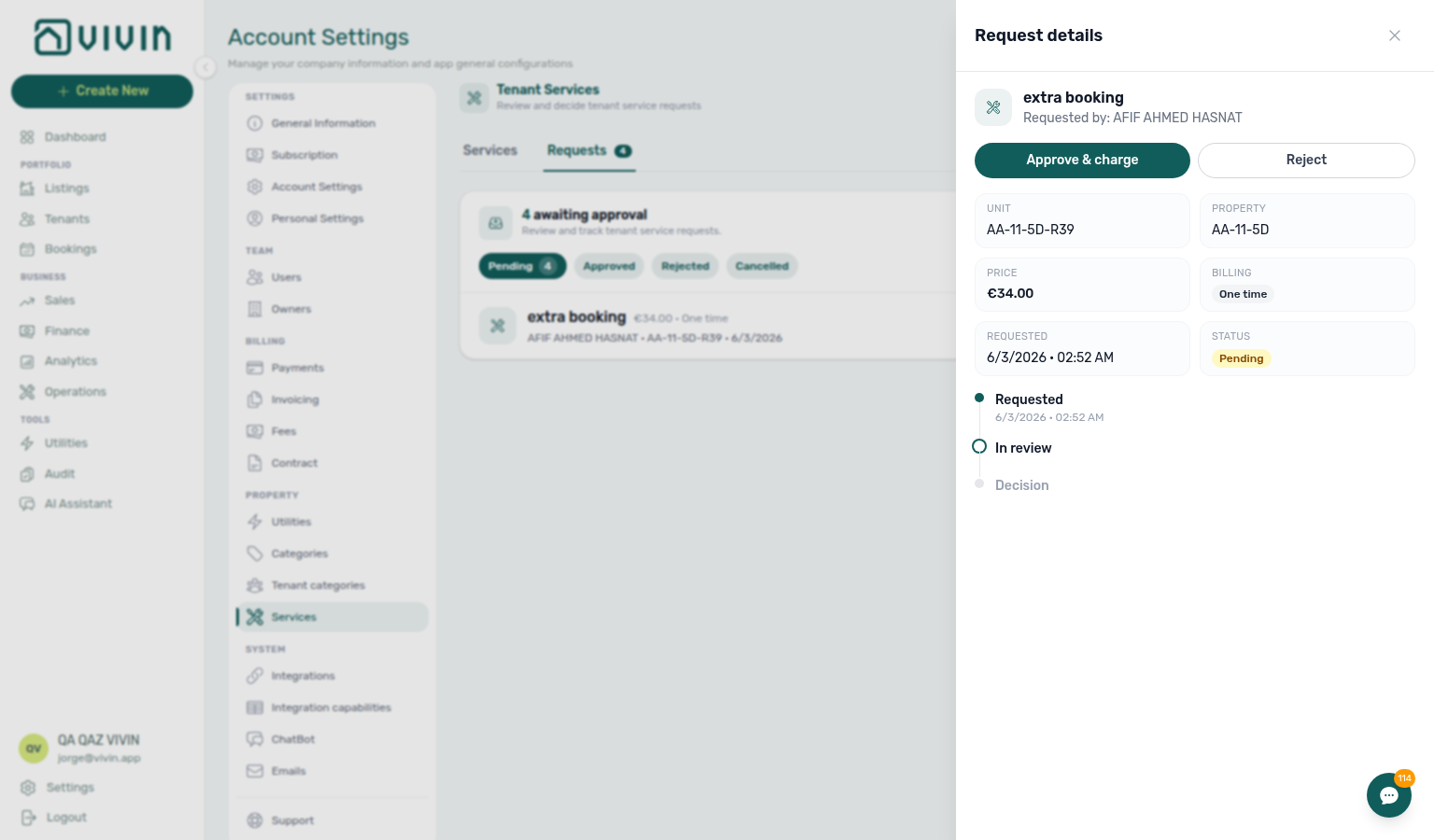
- Click a row (outside the action buttons) to open the Request details drawer: property, unit, price, billing, status, optional rejection reason, and a Requested → In review → Decision timeline. Pending items expose the same approve/reject actions at the top of the drawer.
The Requires approval toggle in the create/edit dialog is independent of Active — you can prepare an offering before tenants see it, or gate an already-published service:
On approval-gated services, the portal shows Awaiting approval after submit and does not add a charge until you approve. Tenants can Cancel a pending request; cancelled rows appear under Cancelled in the Requests tab and on portal Request history. Confirmed add-ons (including monthly Active) list under Order History — tenants cannot cancel an Active monthly from that list. See Tenant Portal — Services catalogue and Services Marketplace.
Making Services Visible to Tenants
Turn on Allow to see services under Portal settings before tenants browse the catalogue — refine per-segment rules on Tenant categories when only some cohorts should see add-ons.
For tenants to see and purchase services in the Tenant Portal, ensure Allow to see services is turned on in Portal settings.
Services section cross-reference
Use the sections above for this settings area. Related setup pages are linked from Related below when present, or from Account Settings.
Related
Related below links this Account Settings tab to modules, workflows, concepts, and escalation paths.
Documentation map & escalation
- Account Settings hub — Where Services sits relative to Preferences portal toggles
- Deep Links — Account Settings — Bookmarkable
/settings/servicesfor fulfilment teams - Glossary — Term definitions used across settings and module docs
Upstream & downstream workflows
- Onboarding a New Property — Configure the services catalogue and portal toggles during property setup
- Processing a New Booking — Service charges attach to the payment plan after portal Request Service confirms
- Handling a Late Payment — Step 1 — Identify overdue portal service charges before approve/reject on Finance → Transactions or when a payment overdue alert row-click brought you here
- Notification triage — Payment-received and payment overdue alerts after a service charge is approved (Step 4)
- Managing a Check-out & Deposit Refund — Clear portal service charges on Payment plan before deposit refund
Deeper workflow reads
See Upstream & downstream workflows above for the same guides.
Related Account Settings tabs
- Portal settings — Allow to see services and portal gates
- Preferences — In-app notifications — Account-wide Service requests alert masters
- Tenant categories — Segment tenants before high-volume portal service uptake
- Categories — Extra charge types service line items may reference on the payment plan
- Interface Language — Service subscription emails — Per-user chips for which catalogue services email you
Operator modules & tenant-facing surfaces
- Finance module — Service charges in payment schedules
- Bookings — Payment Plan — Where approved service charges appear on the schedule
- Operations module — Fulfilment tickets after tenants request on-site services
- Inbox module — WhatsApp follow-up when tenants question service charges before approval
- Audit — Discounts tab — Discount rows when service charges overlap mid-stay repricing
- Notifications — Payment overdue alerts (in-app) — Operator Payments category rows when scheduled charges are overdue on portal service charges
Deeper concept reads
- Tenant Portal — Where tenants browse and purchase services
- Tenant Portal — Order History — Confirmed Active / Nx ordered rows under the catalogue
- FAQ — Tenant contract signing blocked — No PDF yet, mandatory Your Details gates, category locks, or Lease purpose; portal signing vs paper upload on Contract Info
- Services Marketplace — Concept overview and revenue opportunity
- Tenant MCP —
list-available-servicessurfaces this catalogue to the tenant assistant (read-only) - Automation & AI — Scheduled reminders when portal subscriptions need operator approval
- Integrations & Distribution — Portal catalogue is separate from marketplace distribution channels
- Payment Allocation — Two-layer receipts and credit note reject/revert warnings
- Booking Lifecycle — Computed status model
Companion API guides
- API Reference — Creating Bookings — Partner imports that still need manual catalogue setup
- AI usage API — Operator JWT ledger (
landlord_chat) when service-approval triage leaned on AI Chat
Module documentation hubs
- Dashboard — Post-login KPI snapshot
- Listings — Property wizard and per-property scope for services
- Sales — Portfolio availability
- Utilities — Bills Included ceiling model
- Tenants — Tenant directory
- Notifications — Full
/notificationshistory - Analytics — Month-range portfolio KPI charts
- AI Chat — AI Assistant
- Booking engine details — Marketplace payload editor
Operator habit hubs
Day-to-day operator habits (lockout catch-up, pending receipts, payment triage, handoffs, and related playbooks) live on the Common Workflows habit hub.
Deep-link anchors for habit hubs
Lockout catch-up after password recovery
Pending manual receipt approval
Reject/revert mistaken receipts
Portfolio segmentation by tenant category
Notification row-click navigation
Payment alert to receivables triage
Confirmation alert triage
Finance debt receivables triage
Handling a Late Payment collections
Finance Income status drill-down
Cash flow forecast drill-down
Key glossary terms
- Credit note (payment reject/revert) — Reject/revert warnings when a service receipt was already invoiced; concept walkthrough: Payment Allocation — Correcting mistaken receipts; workflow hub: Common Workflows — Reject/revert mistaken receipts
- Glossary — End-of-Booking cost split — Charge Time → End of Booking splits daily overage across every occupied unit; still-staying roommates stay in the denominator
- Glossary — Change history — Operator-initiated edits on Listings setup and Bookings Changelog; create-time defaults excluded
- Glossary — Archived booking ledger visibility — Delete Booking hides manual/provider_platform rows on Finance → Transactions; vIBAN and credit card stay visible
- Glossary — Finance tenant category cache refresh — Recategorizing a tenant updates
booking.tenantCategoryIdimmediately; ledger tabs reflect it on reload, while Overview can lag up to ~10 minutes - Glossary — SIMAR water contract ID — SIMAR (Loures e Odivelas) water bills use Cód. Local in Connections — not Nº de Contador; leading zeros stripped
- Glossary — Full term list