Owners
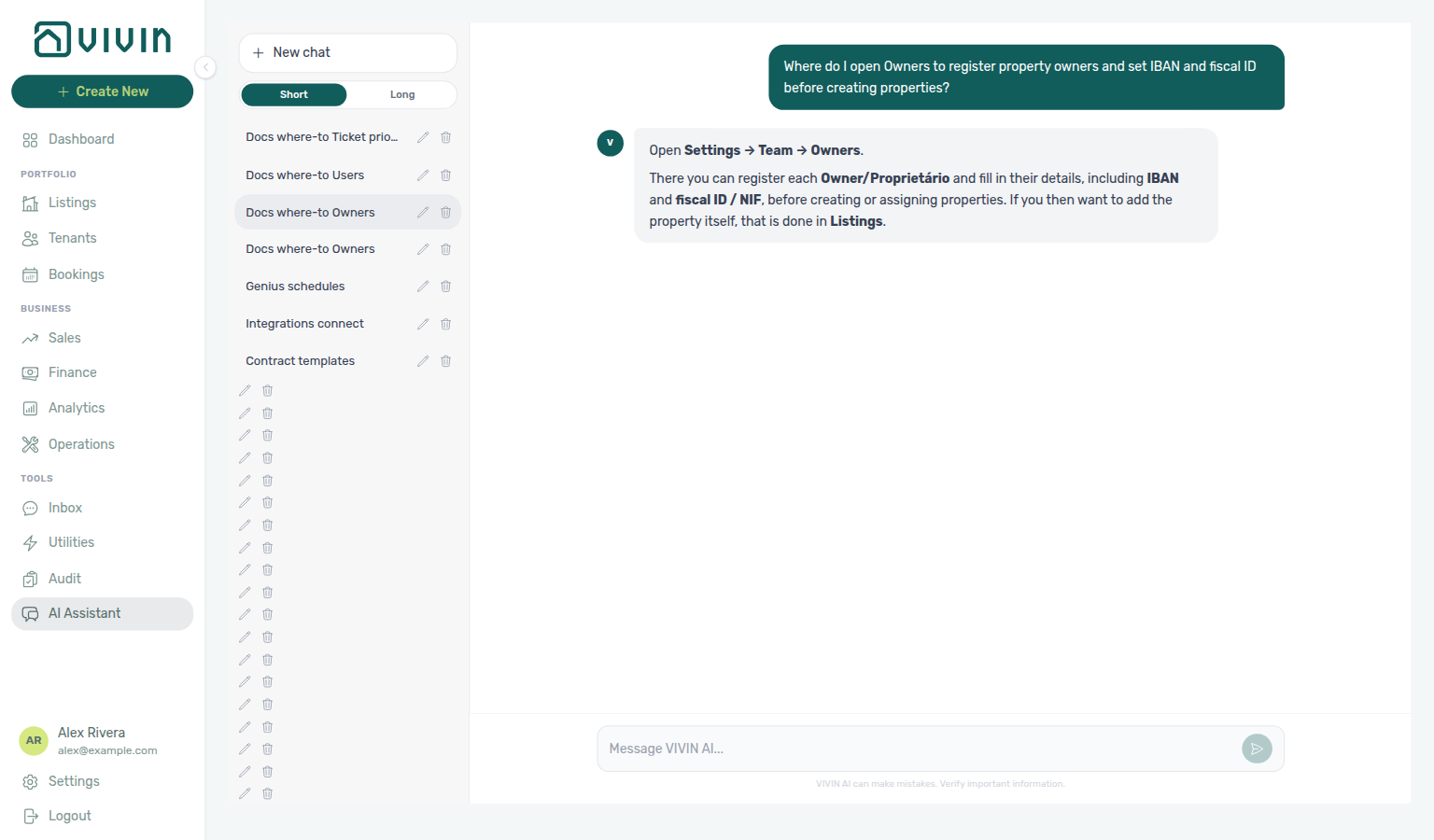
Ask AI Chat “Where do I open Owners to register property owners and set IBAN and fiscal ID before creating properties?” — then open this Owners tab (ai-chat-product-context-owners-reply.png, ai-chat-product-context-owners-flow.mp4). The assistant typically says Settings → Team → Owners, may label the record Owner/Proprietário, and may point you to Listings for creating the property after the landlord exists. Same grounding external MCP clients get from get-vivin-context-platform. Distinct from teammate accounts on Users & Roles.
Complete Getting Started — Recommended Setup Sequence step 4 (this tab — landlord registry before property wizard) after step 3 Users and before step 5 Payments — full tab map: Recommended setup order. Finish steps 13–15 in Listings, Bookings, and Tenants, then Onboarding a New Property — Step 7. Guided steps 4–12: Onboarding a New Property. Lockout catch-up: Getting Started. Workflow pairing after go-live: Account Settings — Setup sequence after go-live.
Follow Adding or editing an owner before linking properties in Listings; field reference: What you maintain here. Commission figures stay hidden until you enable Owner Reports — see When Owner Reports is Off. After you enable the feature, set per-item fees under Owner report configuration and choose the settlement layout under Owner report document. Matching a teammate email creates an owner-linked login. Habit-specific shortcuts live under Related below.
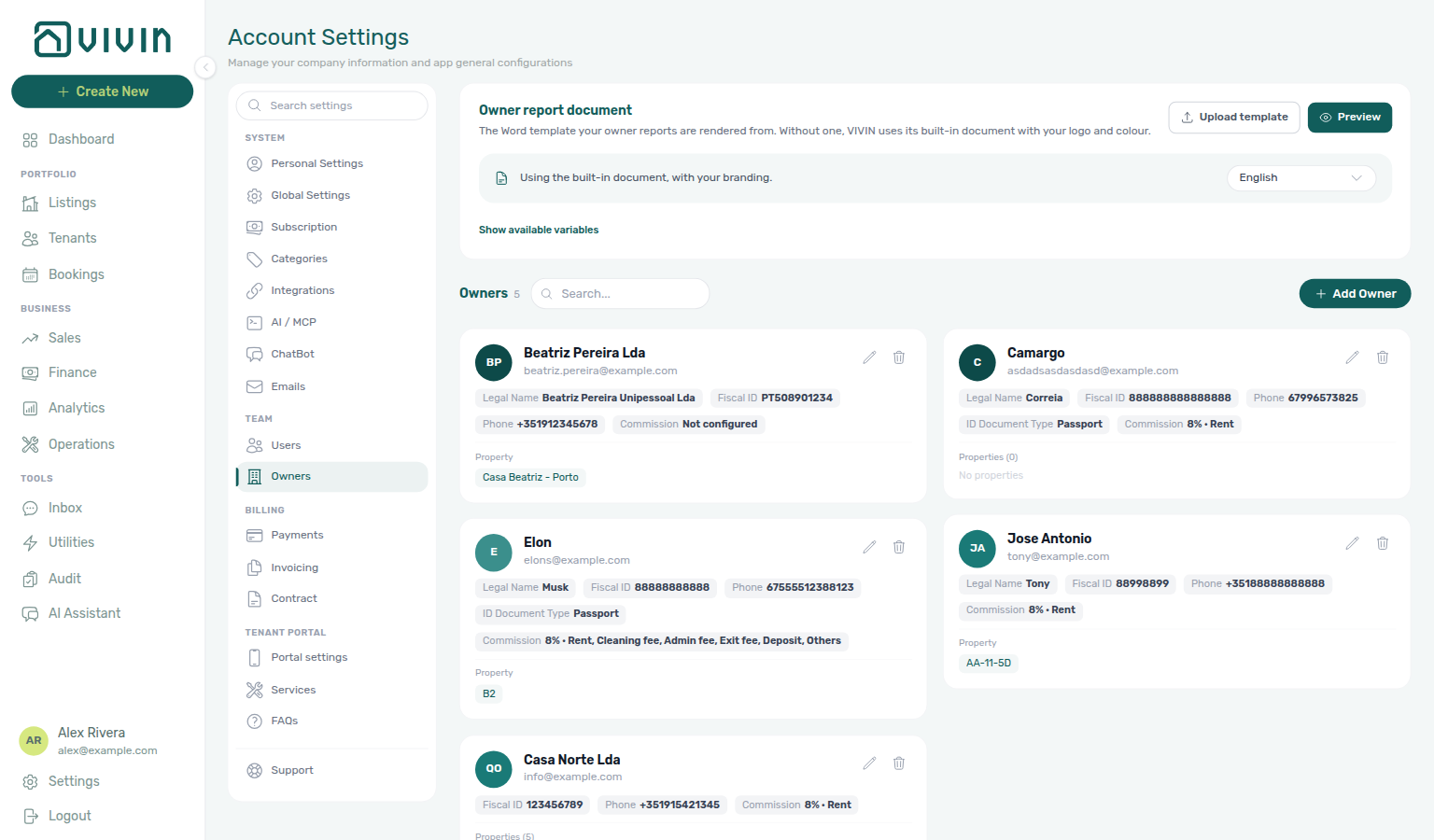
Open Account Settings > Team > Owners at platform.vivin.app/settings/owners. It sits next to Users and roles in the settings sidebar. See Deep Links for neighbouring routes.
Pair owner legal records with Users (who can edit payouts and properties), Contract (owner variables in generated PDFs), and General Information (operator company identity — distinct from landlord IBANs here). Month-end owner payout reconciliation pairs with Portfolio KPI review — Step 7 and optional AI usage API (landlord_chat) when MCP catch-up followed lockout. Hub: Recommended setup order.
The Owners tab is where you register and manage property owners. Owners are the individuals or companies that own the properties you manage. Adding owners here allows you to:
- Associate properties with their correct owner
- Generate monthly Owner Reports settlements (after you enable the feature under Preferences → Owner Reports) and payout records
- Display owner details on contracts and legal documents
Use this page to add, edit, and manage owners — including required fields (Legal Name, Email, Fiscal ID, IBAN, etc.) and how owner data flows into contracts and payouts.
How to open Owners in the app
- Sign in to the management frontend and open Account Settings (gear / company entry in the user area, or go straight to
/settings). - In the Account Settings left sidebar, under Team, choose Owners (same shell as Users and roles).
- Use + Add Owner for a new record, or open an existing row to edit banking and identity details before they are picked on properties or payout runs.
Bookmark: platform.vivin.app/settings/owners — see Deep Links for neighbouring settings routes.
Screenshots
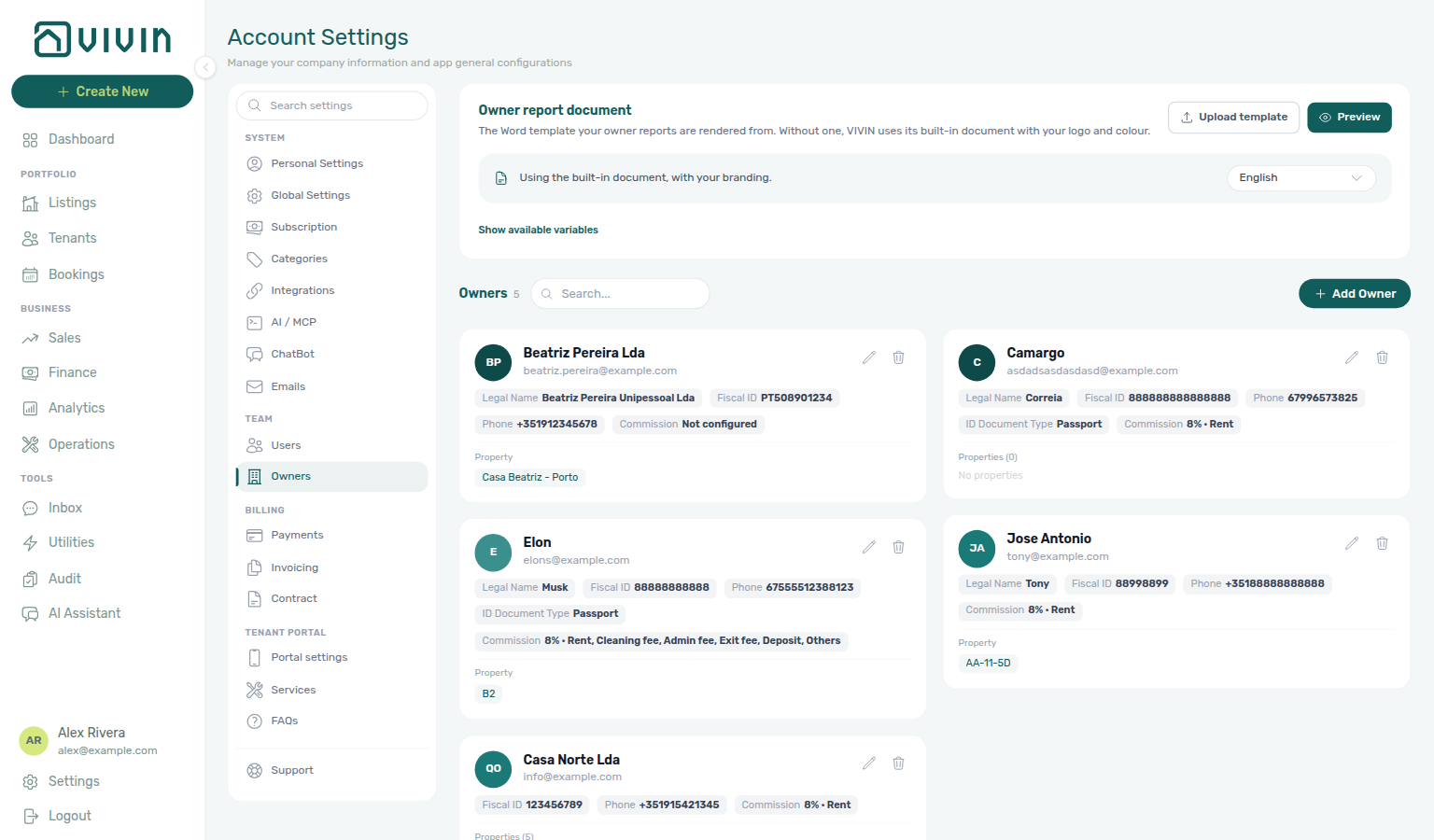
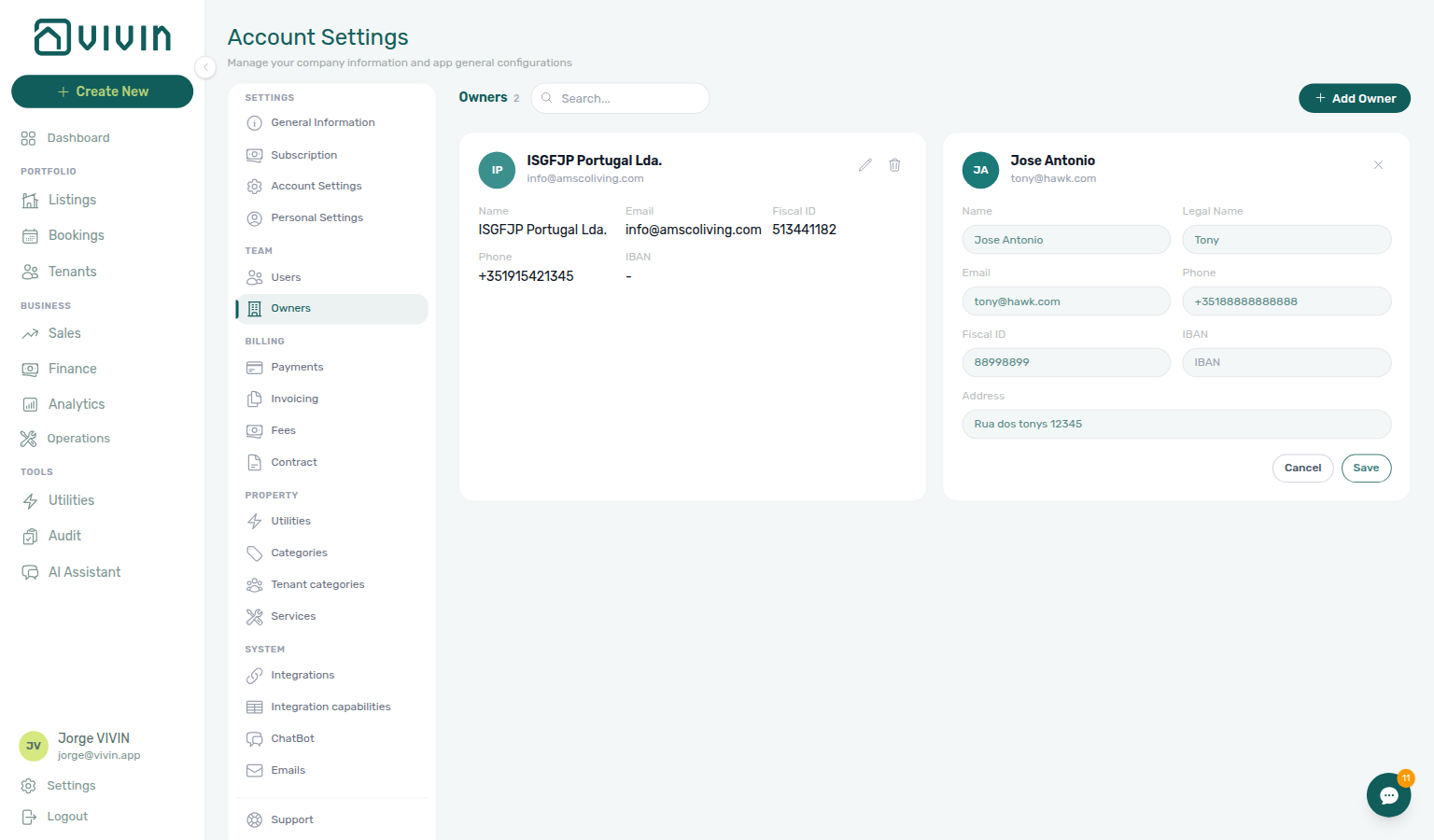
Account Settings — Team — Owners — settings shell with the Owners list, search, and Add Owner (full desktop layout). The sidebar shot above highlights Team → Owners; the overview below focuses on the owner cards:
Adding or editing an owner
Create payout-ready owner records before Listings — Creating a New Property — the property wizard Owner dropdown only lists landlords registered here.
- On the Owners tab (see How to open Owners in the app above), click + Add Owner to register someone new, or use the pencil on an existing owner card to edit inline.
- Complete or update the form (legal identity, contact, and banking fields as shown in your workspace)—pay special attention to IBAN and fiscal identifiers before the next payout cycle.
- Save from the card footer (inline edit) or the modal footer (Add Owner). Updated values flow into new contracts, statements, and payout destinations; review open bookings if you change identifiers mid-season.
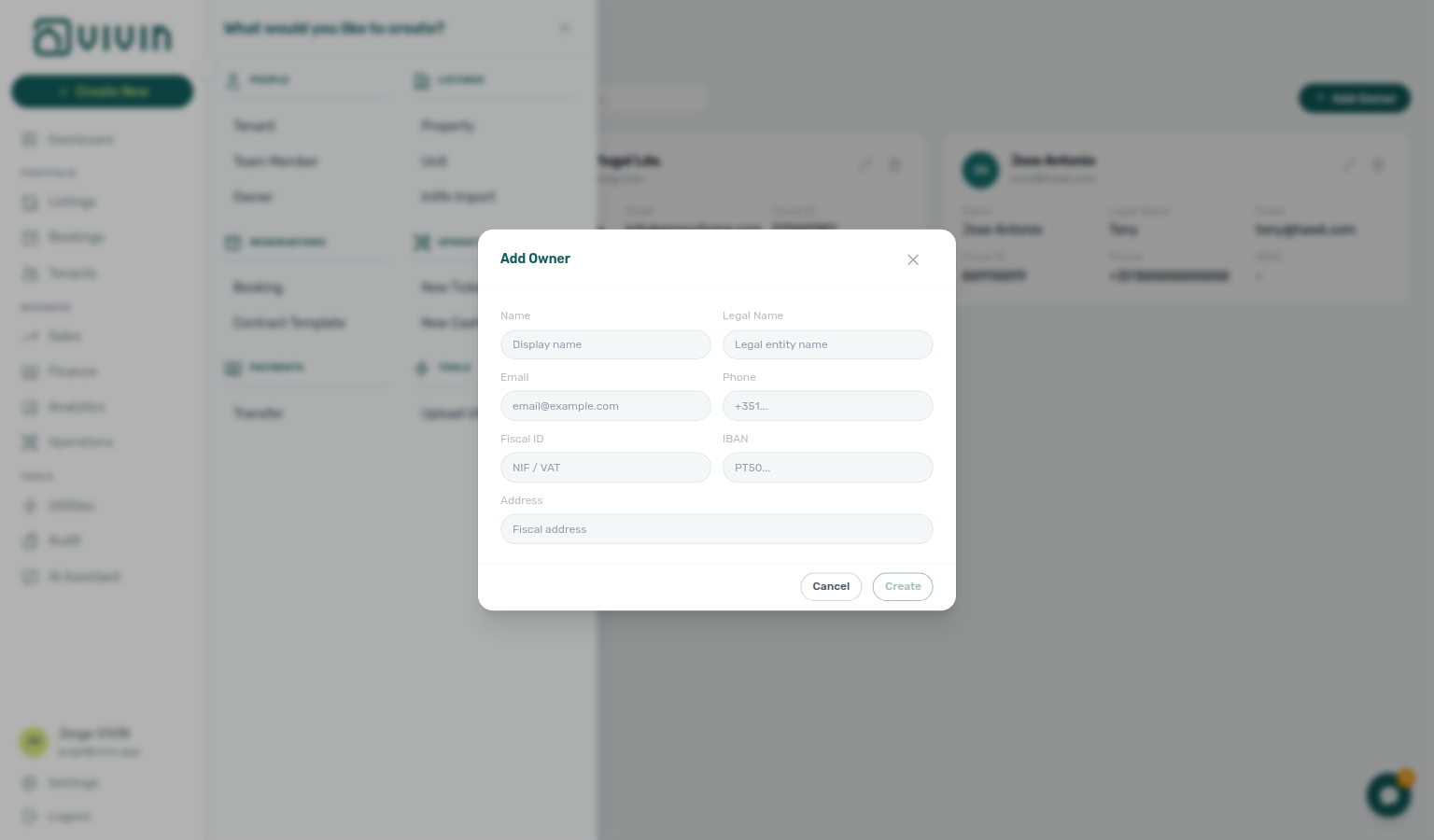
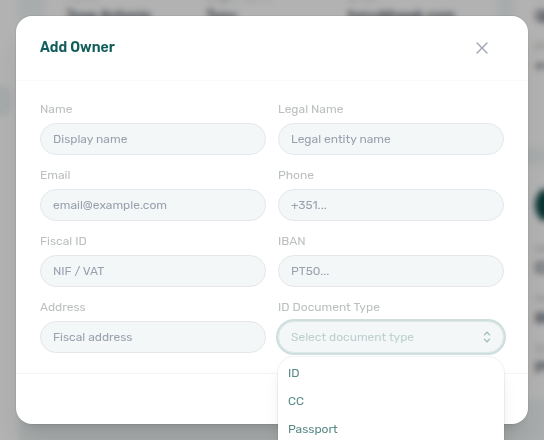
Add Owner opens a centered dialog with the fields you need before a property can reference that payee (display name, legal name, email, phone, fiscal ID, IBAN, fiscal address, and ID document type). Name, Email, and Fiscal ID are required on create:
ID document type
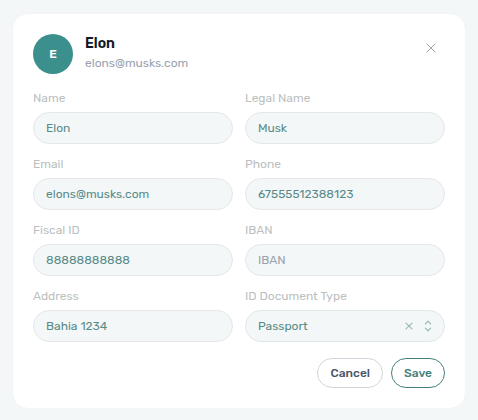
The optional ID Document Type field (Passport, ID, CC, and other account options) feeds the contract token {OwnerIdDocumentType} on Contract templates. Set it on create or later in inline edit — generated contracts for properties linked to that owner print the chosen label.
On Add Owner, open the control to pick a type before you create the record:
Existing owners are edited inline on their card (pencil control) rather than in this modal — the card expands with the same field groups and Cancel / Save actions in the footer:
Inline edit shows ID Document Type beside Address (same options as Add Owner):
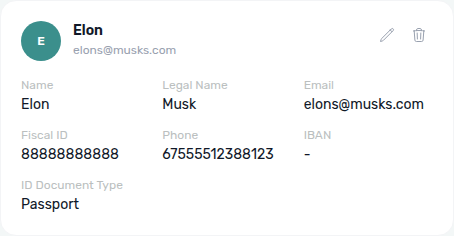
In view mode the card prints the saved type under the identity grid:
Search and delete
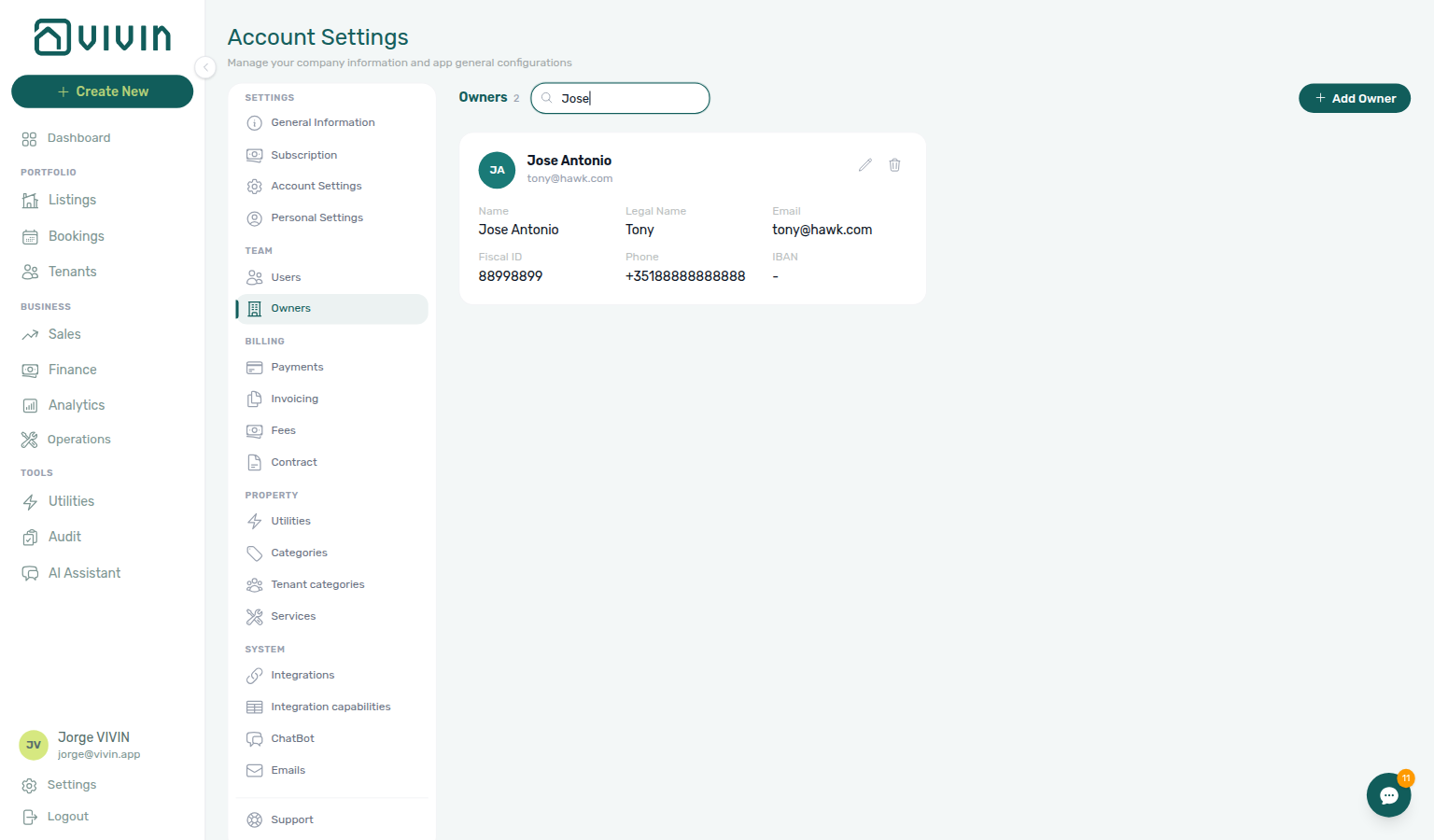
- Search — the header search box matches display name and email (case-insensitive). The owner count in the title still reflects the full list; the grid below narrows to matching cards.
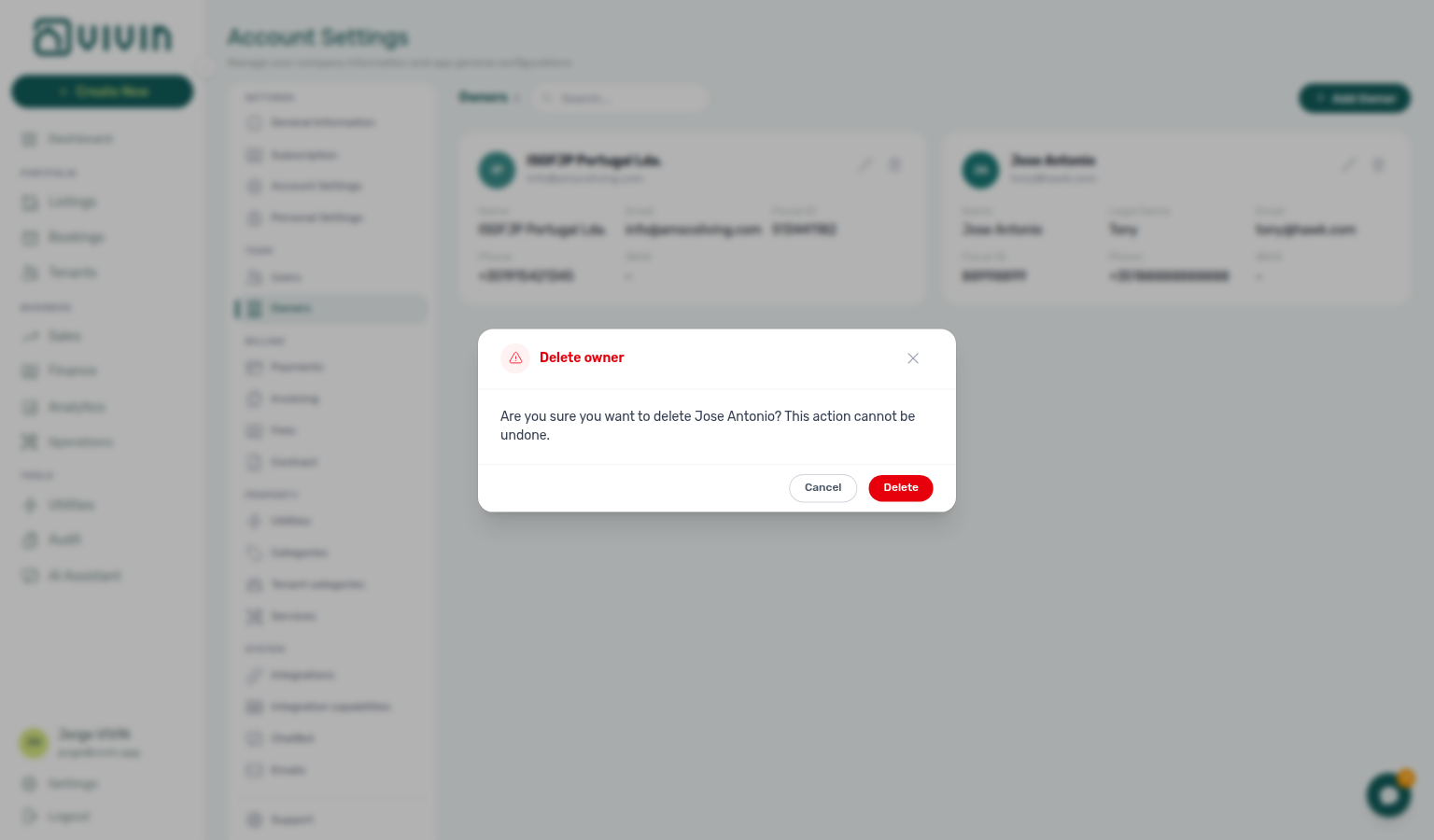
- Delete — the trash icon on a card opens a confirmation dialog naming that owner. Deletion is permanent — remove an owner only when no properties should reference them going forward.
Owner-linked management users
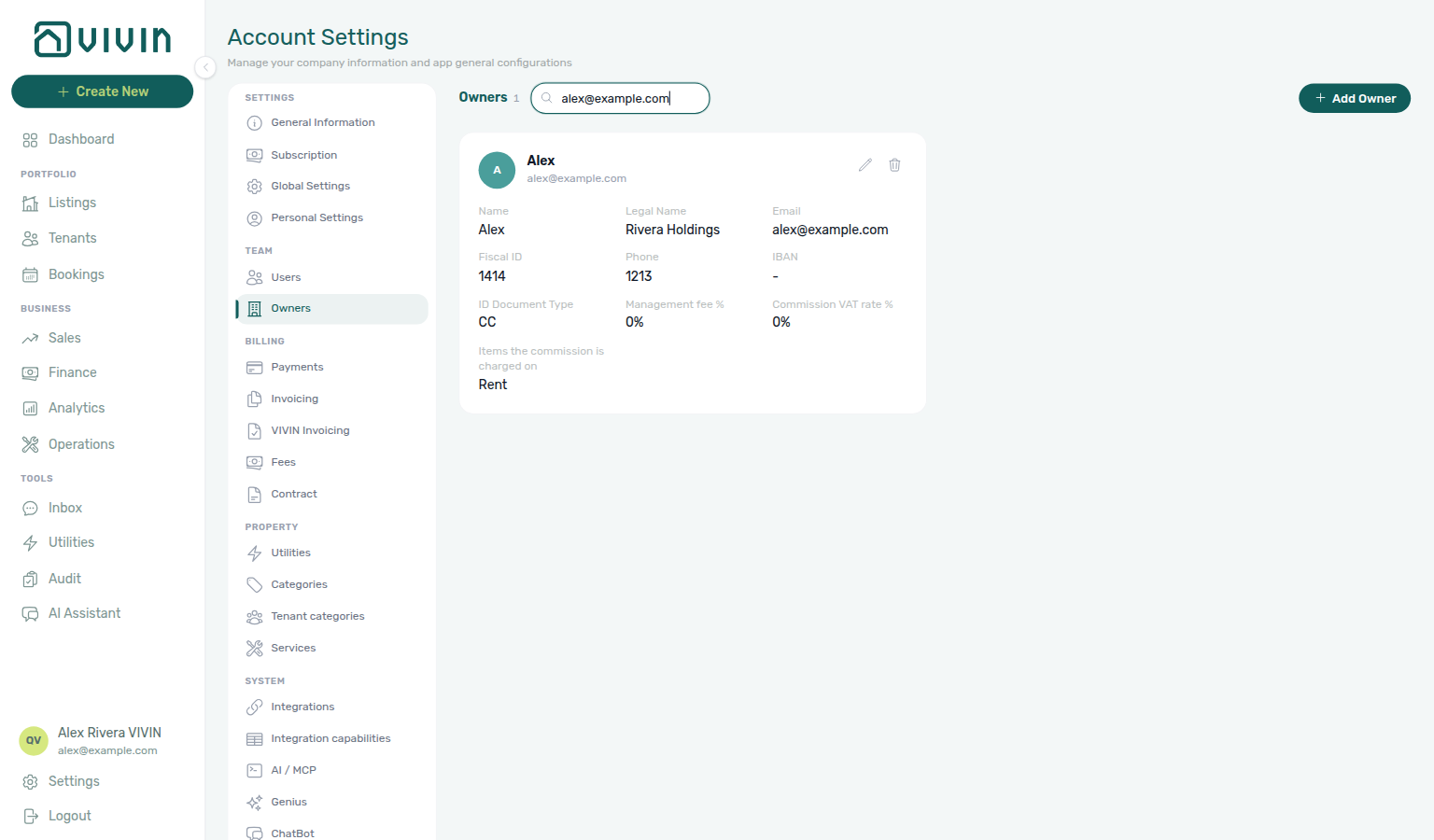
Some teammates sign in with a management account that is linked to one owner record. Vivin ties the link by email match (case-insensitive):
- Invite a user on Users with the same email as an existing owner on this tab — or
- Add an owner here with the same email as an existing user.
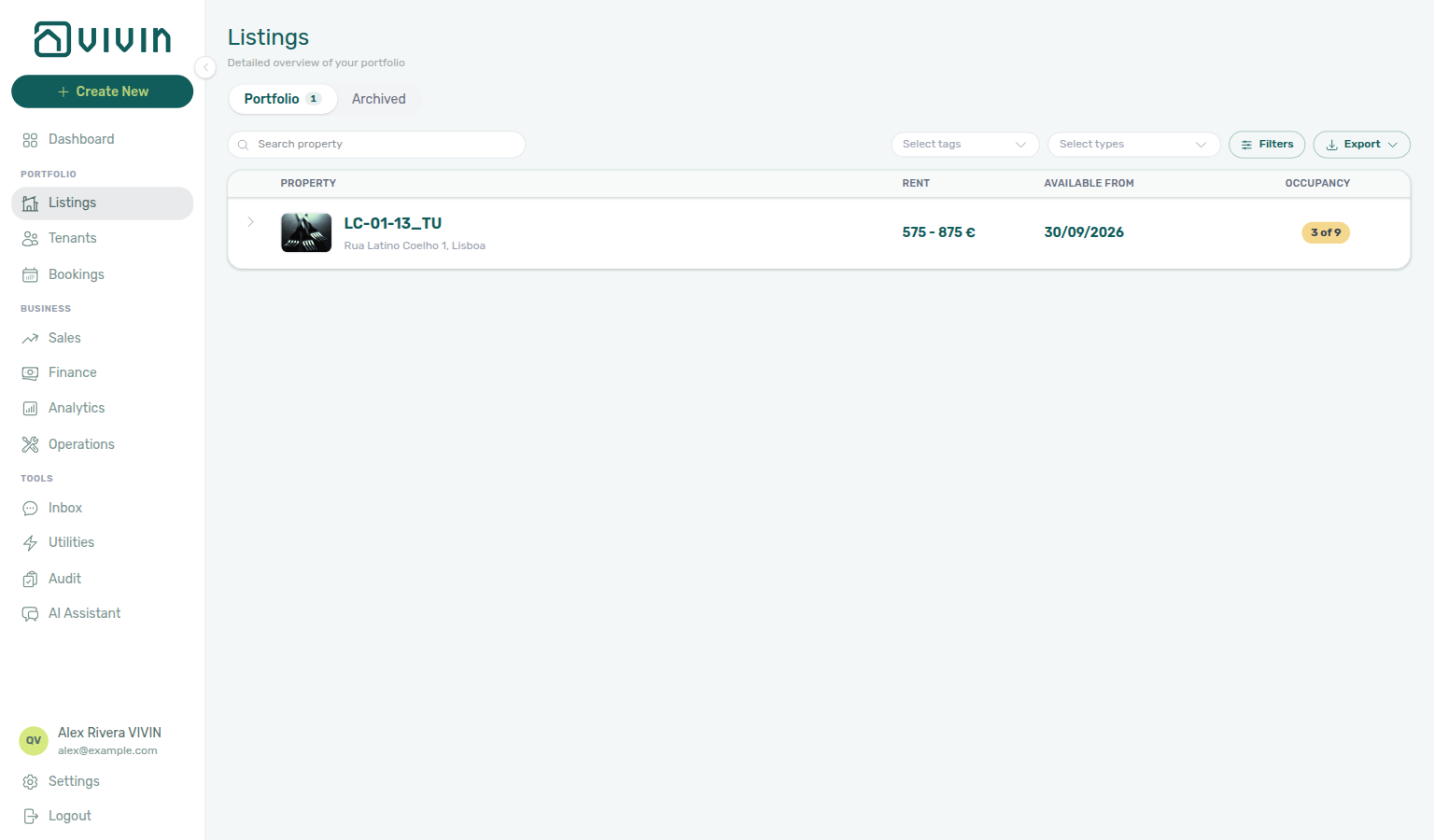
When the emails match, that user’s session is owner-scoped: Listings, Bookings, Tenants, Finance, and related reads only include properties assigned to that owner (and the bookings/tenants on those properties). Staff without an owner link keep the full account portfolio their role already allows.
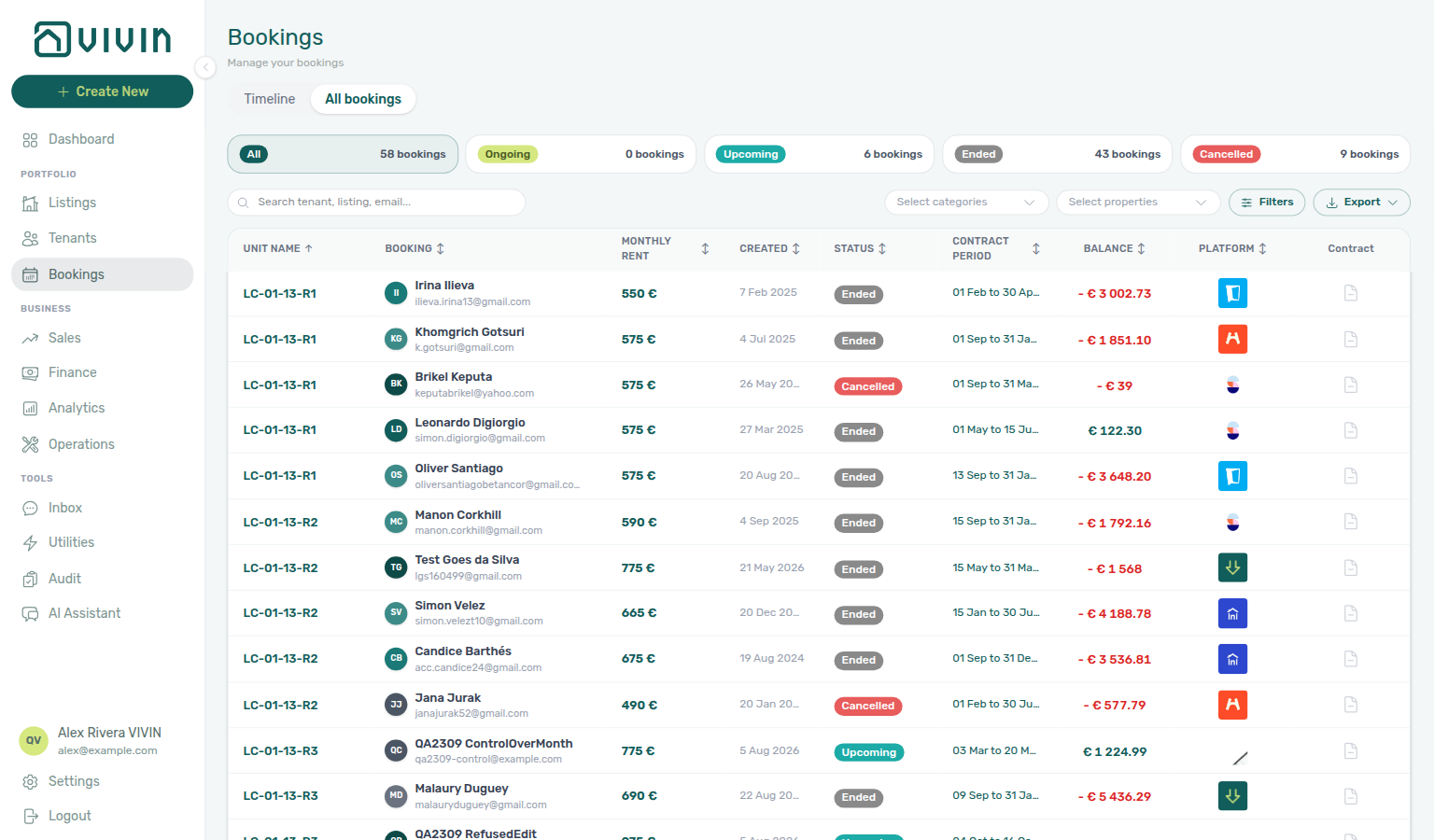
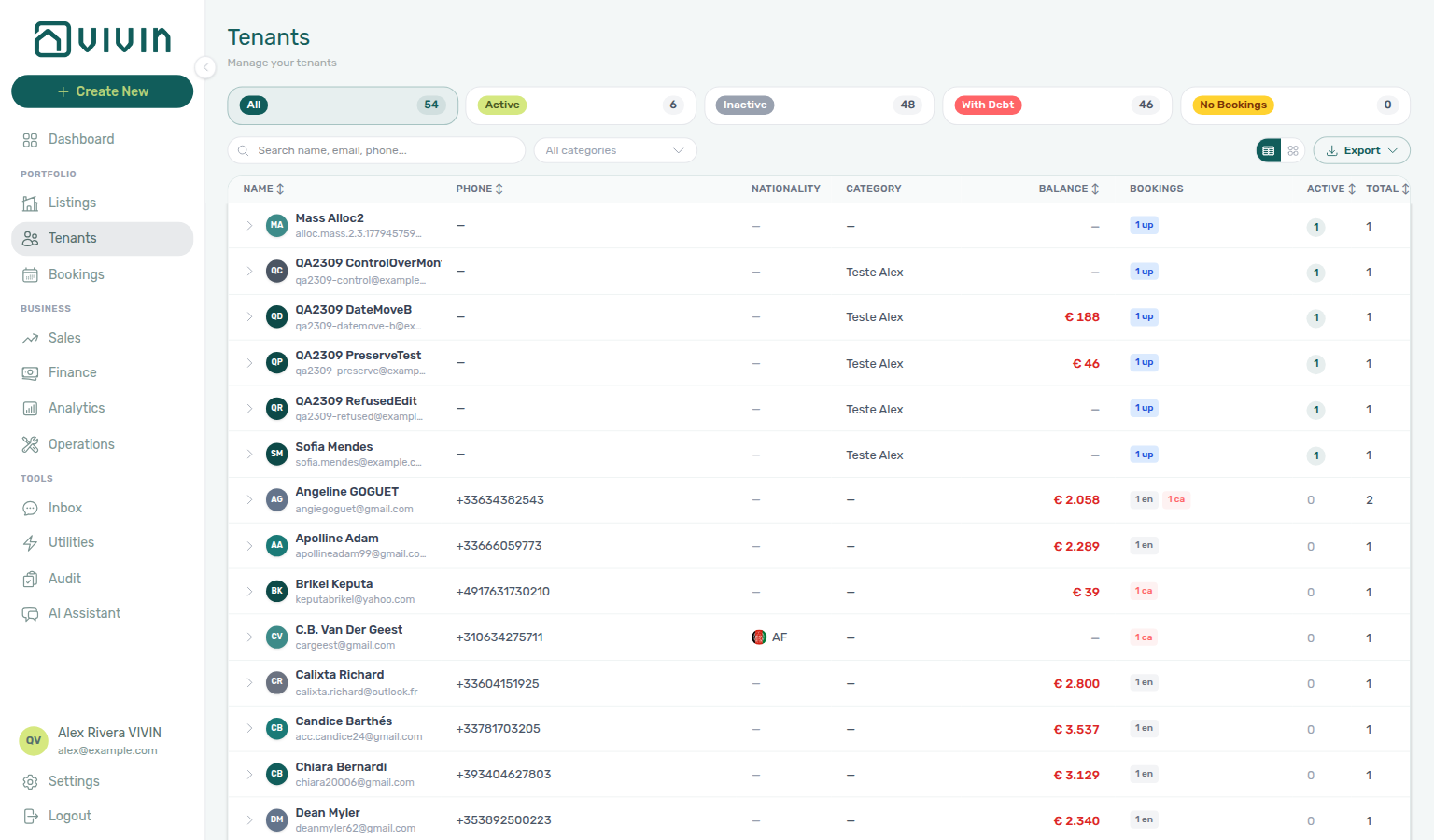
Operations and Utilities stay on the same buildings
Owner scope is not limited to portfolio directories. Day-to-day Operations and Utilities surfaces use the same property set:
| Area | What an owner-linked login sees |
|---|---|
| Operations → Tickets | Maintenance tickets on their buildings (and units/bookings on those buildings) only. |
| Operations → Cash Flows | Cash-flow rows tied to their properties. Account-level rows with no property are hidden. Creating a cash flow requires picking one of their properties. |
| Utilities | Bills, connections, allocations, timeline, and Cost map for their properties only. Select properties lists only their buildings. Account-wide utility actions (for example AI bill upload or Recalculate Allocations on Cost map) stay with full-account staff. |
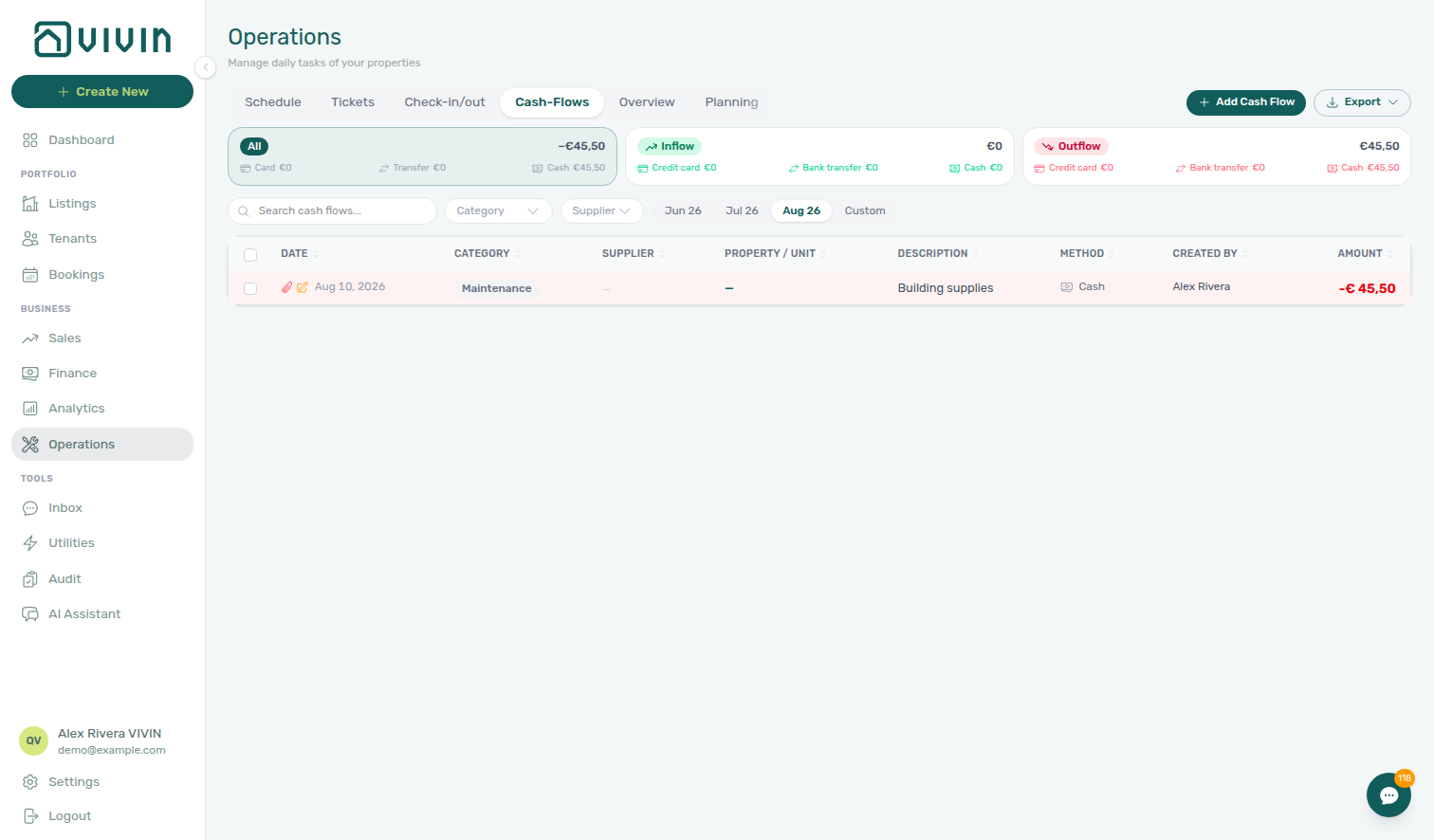
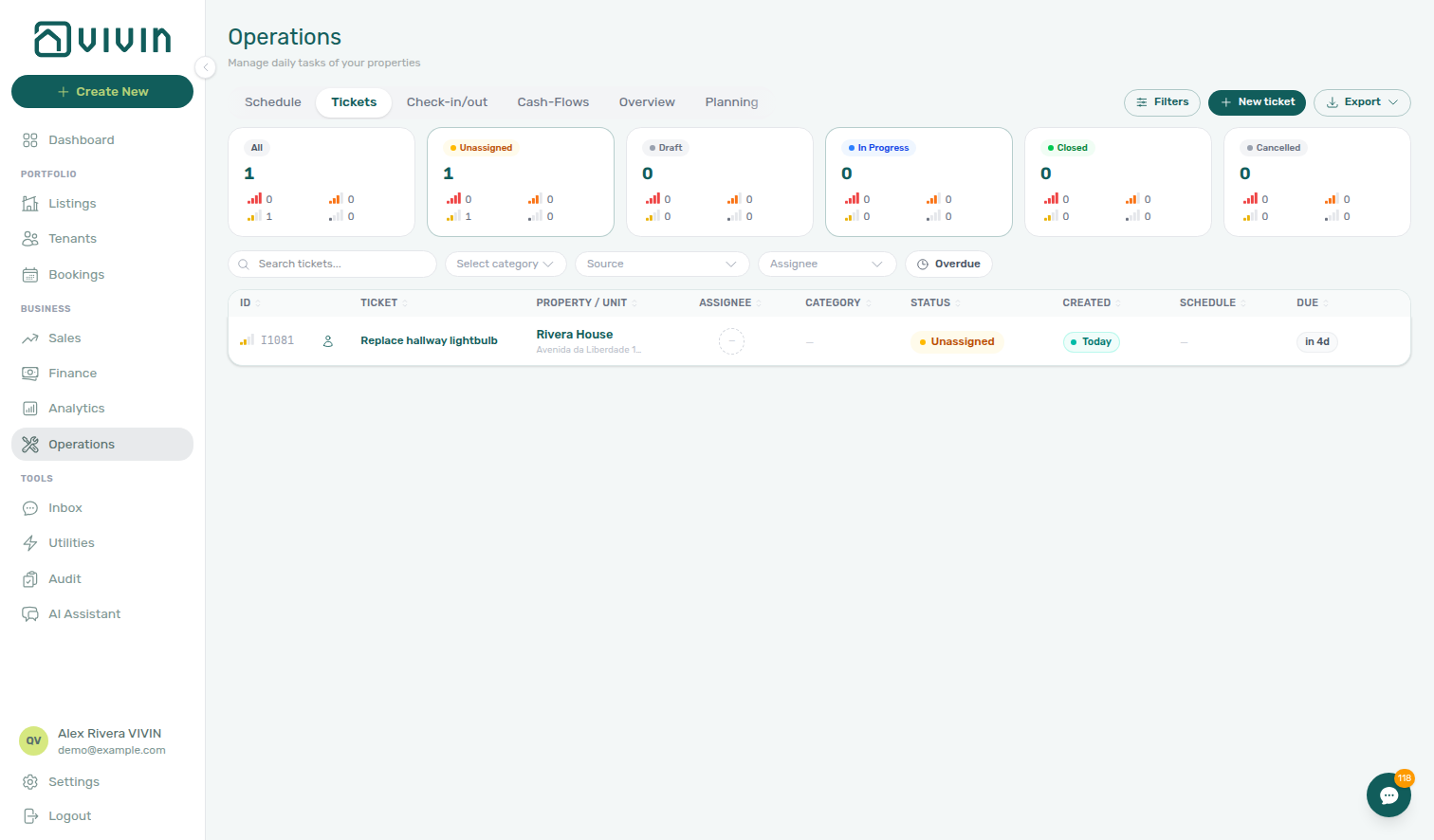
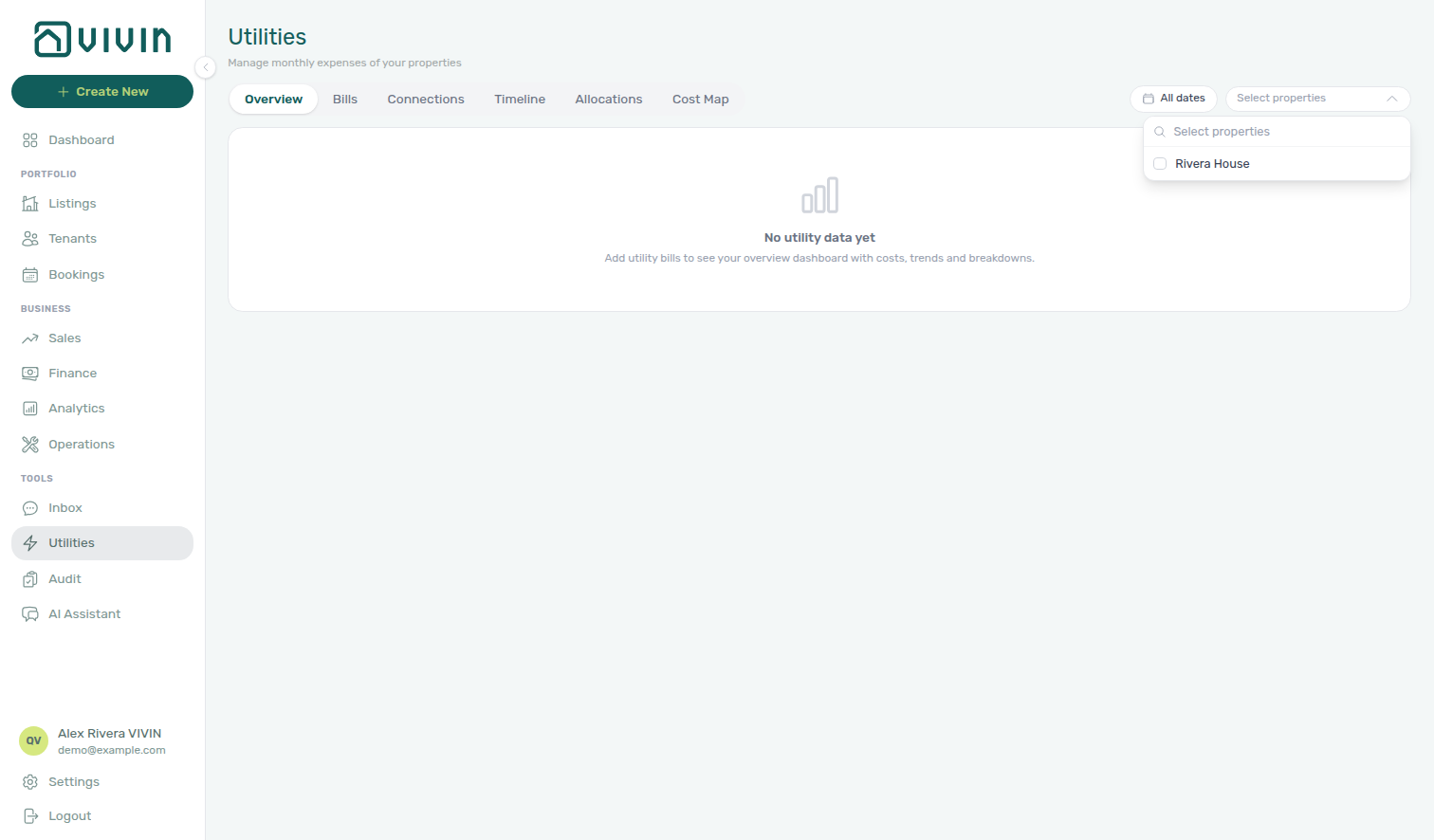
Pair with Operations for ticket and cash-flow workflows, and Utilities for bill entry — the screens look the same; the portfolio behind them is already filtered.
WhatsApp Inbox and alerts
Owner-linked users also get a narrower messaging and alert surface:
| Situation | What they see |
|---|---|
| At least one property assigned to their owner | Inbox lists only WhatsApp conversations for tenants with a non-archived booking on their properties. The Unknown (no-booking) bucket is hidden. Labels and Pause bot stay manager-only — the labels bar is hidden on Inbox and on Bookings → Communication. Dashboard bell Inbox and General rows are filtered to the same portfolio — see Notifications — Owner-linked General alerts. |
| No properties on their owner yet | Tools → Inbox and the bell Inbox sub-tab stay unavailable until you assign at least one property to that owner in Listings. |
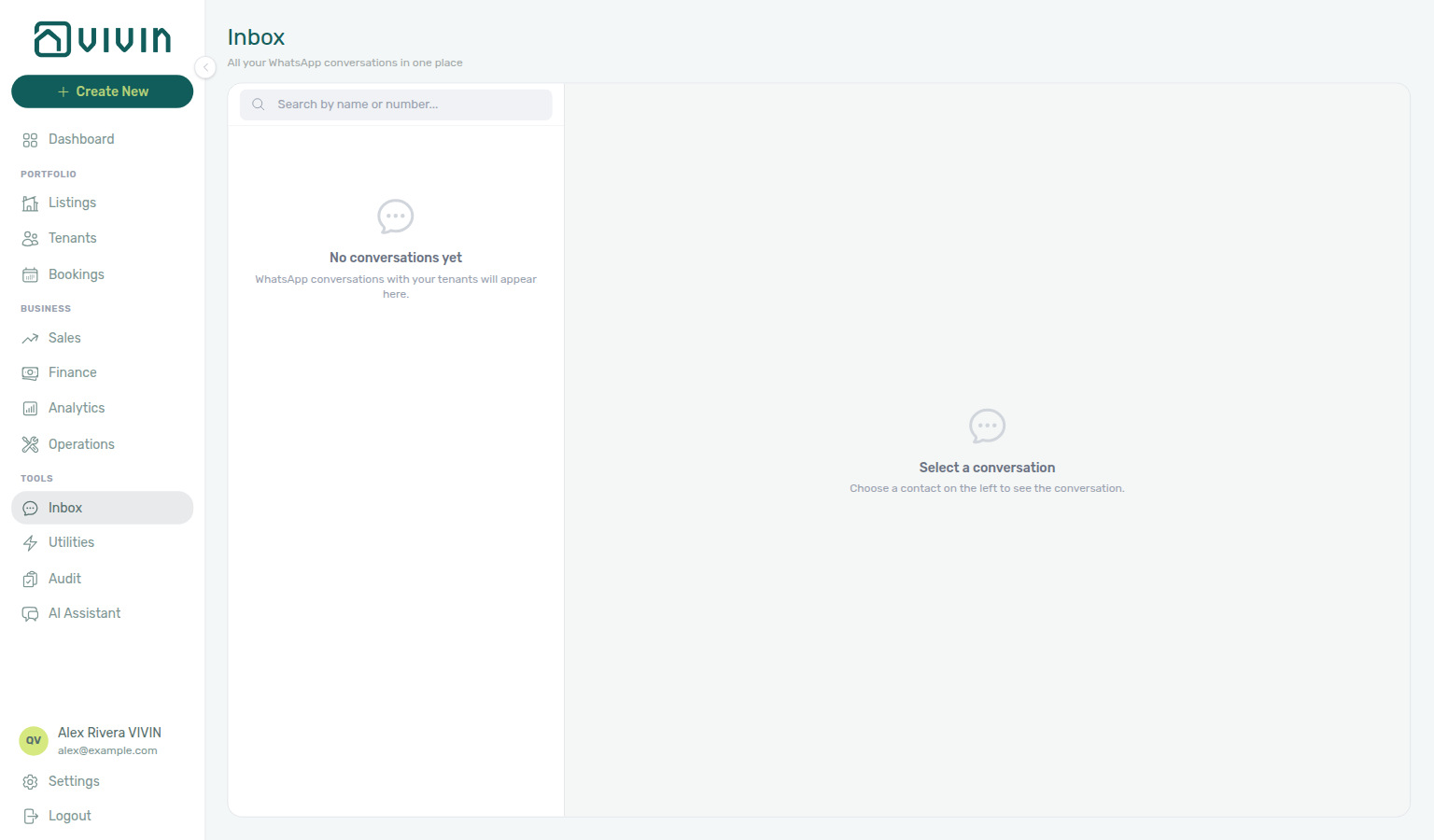
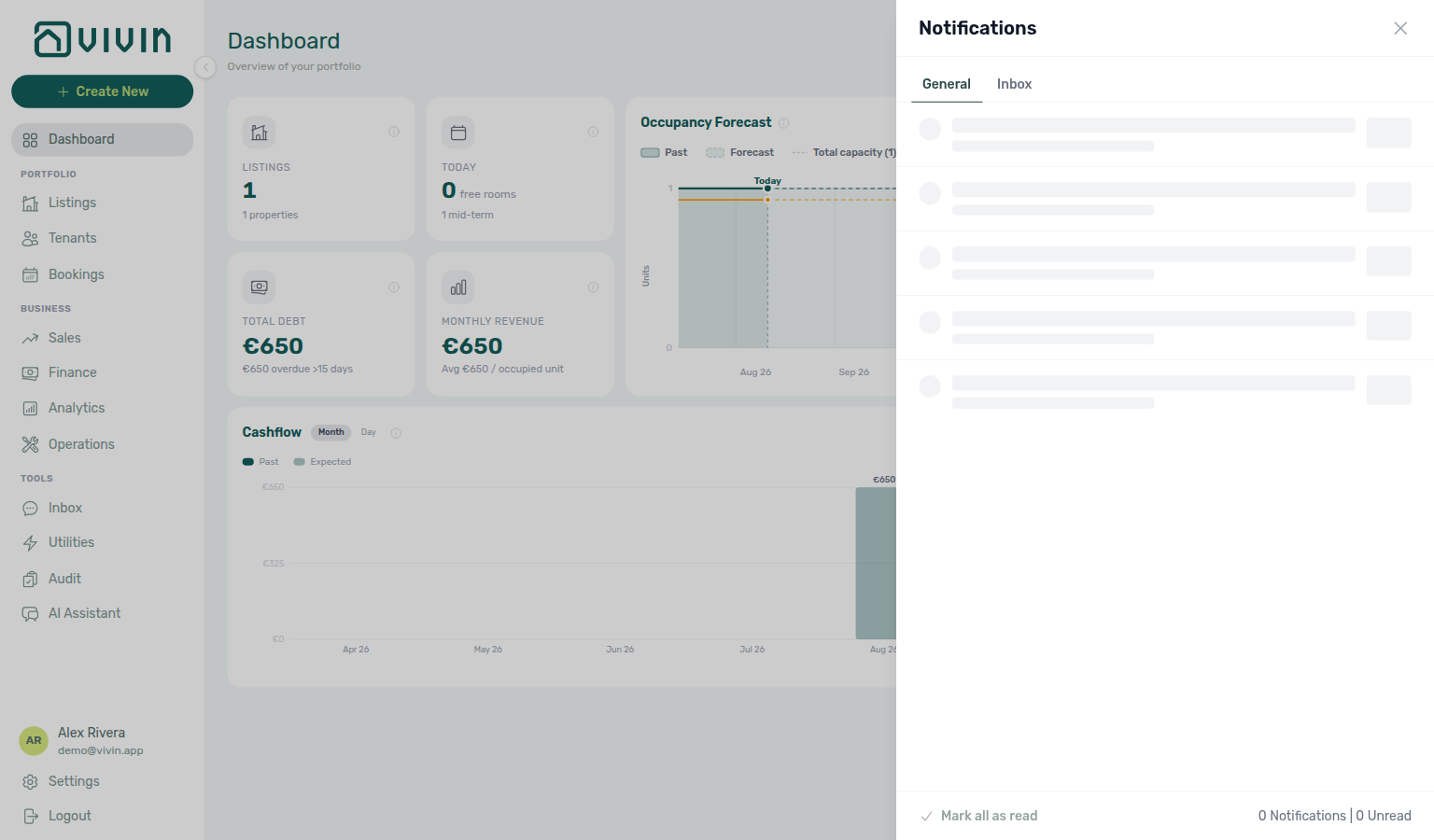
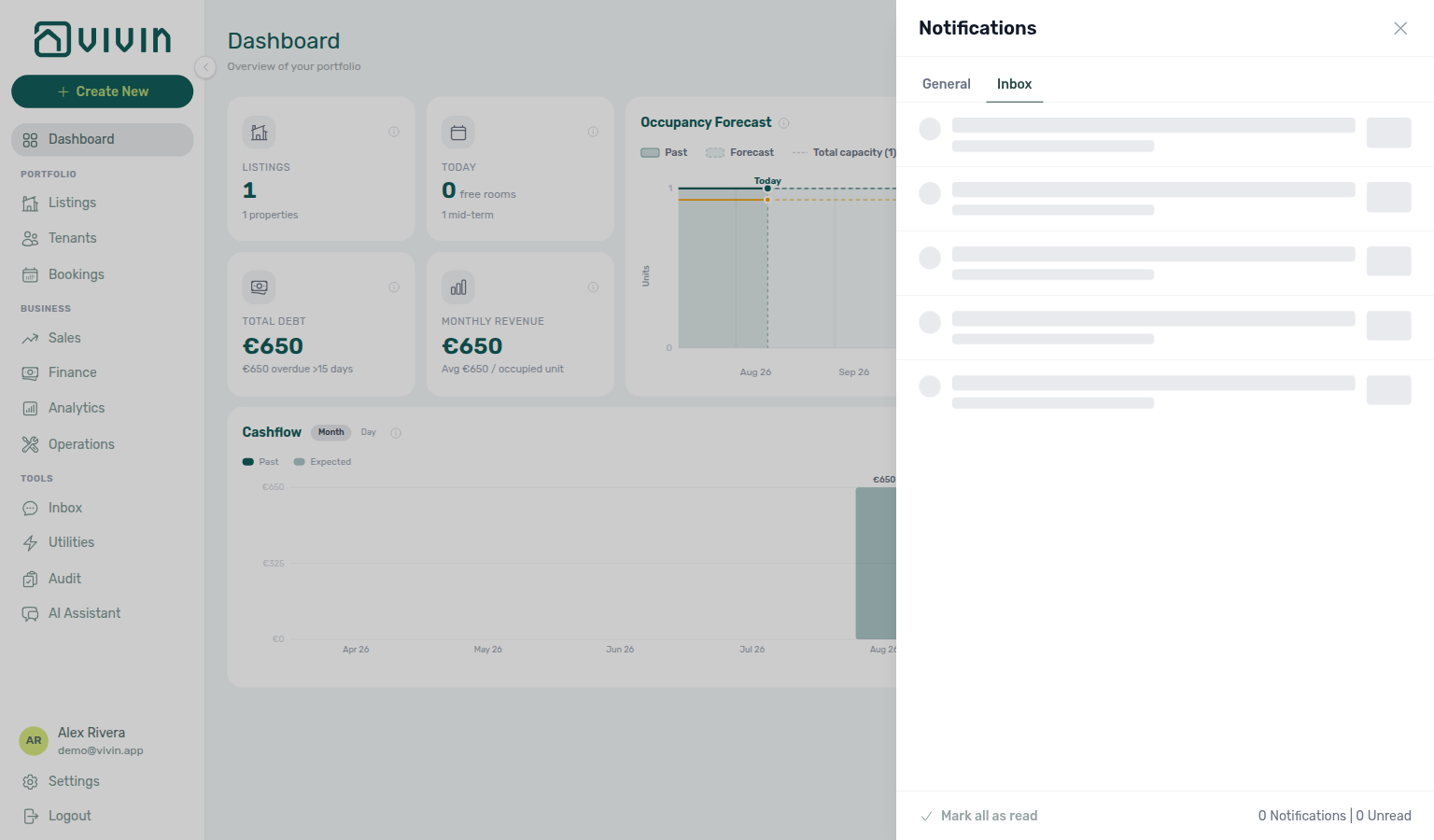

Deleting an owner clears the link on any matching user — they return to full-account access on their next session (subject to role permissions). Keep owner and user emails aligned when you intend portfolio scoping; use different emails when a teammate should manage the whole account.
Other filters → Select owners on Bookings or Finance is a temporary portfolio slice for any staff user. Owner-linked scoping is automatic for that login and cannot be widened from the filter drawer.
Owner report configuration
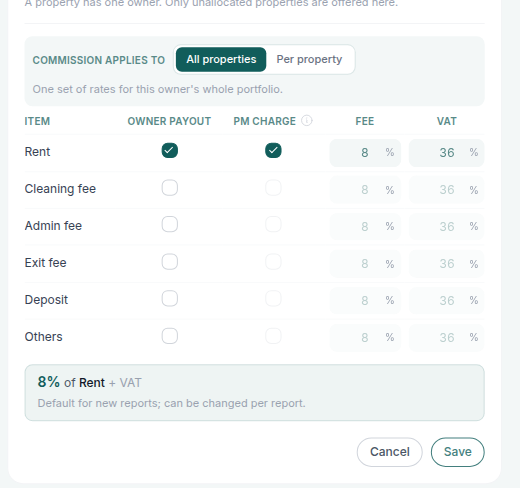
The Commission chip and per-item editor on each owner card appear only when Enable Owner Reports is On under Preferences → Owner Reports. With the switch off, you still maintain legal identity and banking here — fee, VAT, and payout checkboxes stay hidden in both view and edit.
When Owner Reports is Off
If Enable Owner Reports is Off, each owner card shows only identity and banking (name, email, fiscal ID, phone, IBAN, ID document type). The Commission chip and the per-item table do not appear on the read-only card, and inline Edit has no commission block either — so an account that never opted in never sees fee figures it cannot act on.
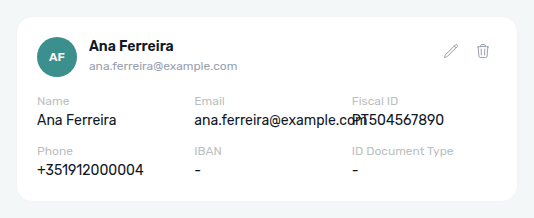
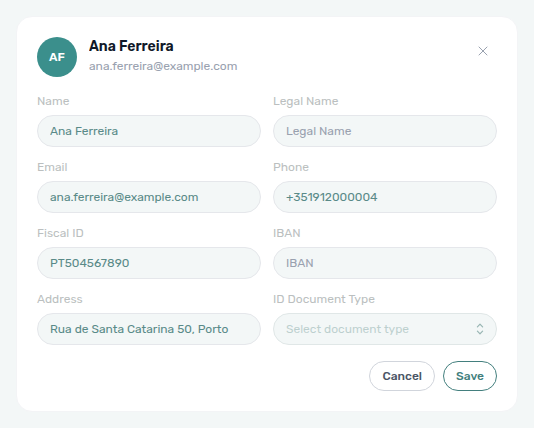
Turn the switch On under Preferences → Owner Reports when you are ready to settle landlords — commission fields then appear on every owner card as below.
When Owner Reports is On
When Owner Reports is enabled, each card’s view mode shows a Commission chip next to identity and banking. Open inline Edit (pencil) to change how that landlord’s monthly settlement is calculated.
View chip
| Chip text | Meaning |
|---|---|
| 8% · Rent | One fee percentage on every charged item (here, Rent only). |
| 8% Rent · 6% Cleaning fee | Mixed rates — each charged item listed with its own percentage. |
| Not configured | No item is charged a commission for this owner. |
| Per property · 8% | Scope is per property; the span is the rates across that landlord’s buildings. |
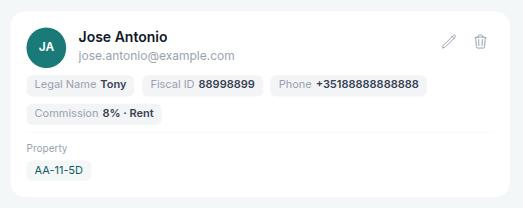
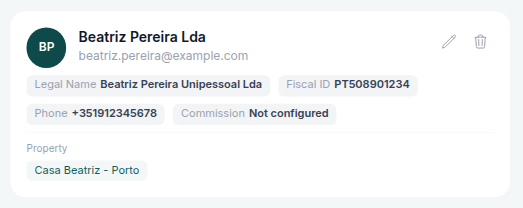
Inline editor
| Control | Purpose |
|---|---|
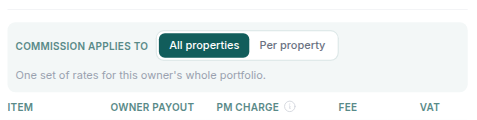
| Commission applies to | All properties — one set of rates for the whole portfolio. Per property — only Fee and VAT change per building; Owner payout and PM Charge stay the same across the portfolio. A property with no rates of its own uses the owner’s. |
| Item | Payment type: Rent, Cleaning fee, Admin fee, Exit fee, Deposit, Others. |
| Owner payout | Credit this item as income on the settlement (paid to the owner). |
| PM Charge | Charge a management fee on that item’s revenue. You can only charge items that are also paid to the owner. |
| Fee | Commission percentage for that item (active when PM Charge is on). |
| VAT | VAT percentage for that item’s fee. |
The summary under the table (for example 8% of Rent + VAT) is the default for new reports; you can still change fee % on a line in Finance → Owner Reports before you generate.
Occupancy rate and outstanding debt are not set on the owner card. On each settlement, use the On report / Hidden on report toggles in the report summary.
Save updates only that owner. Repeat the table on each landlord who should use different rates.
Owner report document
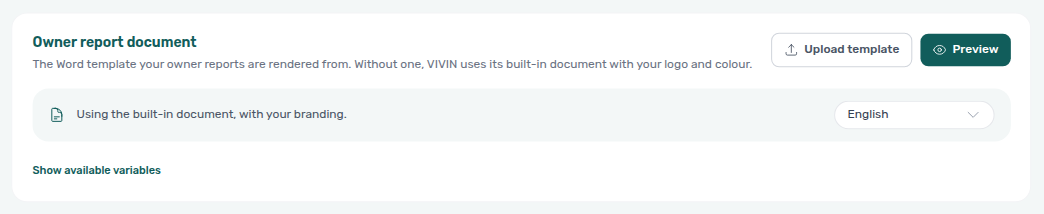
The Owner report document card sits at the top of Settings → Owners only while Enable Owner Reports is On. It controls the Word/PDF shape of every settlement on Finance → Owner Reports — not the per-item Fee / VAT on each owner card.
By default Vivin uses a built-in document with your account logo and brand colour. Use this card when you want a custom Word template or to preview the built-in letterhead:
| Control | What it does |
|---|---|
| Upload template | Replace the built-in layout with your .docx. |
| Preview | Render a sample settlement PDF (built-in or uploaded). |
| Document language | English, Portuguese, Spanish, or Italian labels on the built-in document only — an uploaded Word file keeps whatever language you typed in it. |
| Show available variables | Lists merge fields such as {OwnerName}, {ManagementFee}, {#Lines} … {/Lines} to paste into a custom template. |
| Replace / Remove | Swap or clear an uploaded template and return to the built-in document. |
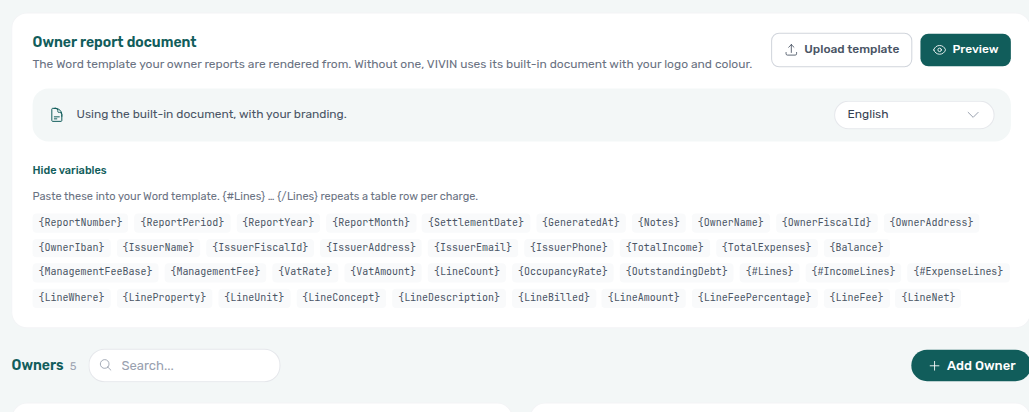
After the settlement PDF looks right, generate and optionally invoice the management fee from Finance → Owner Reports.
After you save fee rules, generate settlements on Finance → Owner Reports.
What you maintain here
Owner IBAN and fiscal identifiers flow into Finance — Owner Reports, Finance — Payouts, and contract variables on Contract templates ({OwnerName}, {OwnerFiscalId}, {OwnerFiscalAddress}, … — FAQ) — reconcile open Finance — Contract Values before mid-season banking changes.
- Create — Use + Add Owner to register a new legal entity or person before they appear on properties or payout reports.
- Edit — Update banking, fiscal, or contact details when they change in the real world; outdated IBANs or fiscal IDs will flow into the wrong statements until corrected.
- Associate — Owners are picked from this list when you assign an Owner on a property in Listings; the link drives Payouts and owner-facing totals elsewhere in Finance.
Typical fields you should expect to complete for a usable payout-ready record (wording in the app may vary slightly by locale):
| Area | Why it matters |
|---|---|
| Legal identity | Name and fiscal identifiers used on contracts and tax-related exports |
| Contact | Email and phone for operational correspondence |
| Banking (IBAN) | Destination for owner payouts from your Vivin-managed rent collection workflow |
| ID document type | The kind of identity document the owner signs with (Passport, ID, CC…). Optional; fills {OwnerIdDocumentType} on contract templates — see ID document type |
Those fields are reused wherever the product needs a stable legal payee for a property: the Owner selector in Listings (property setup), Payouts rows in Finance, and contract or export surfaces that print owner identity. Keeping Legal Name and Fiscal ID aligned with your real-world entities avoids mismatches on statements and tax artefacts.
An owner record must exist before you can create a property assigned to that owner. If an owner is not in this list, the Owner dropdown in the property creation wizard will not show them.
Owners section cross-reference
Use the sections above for this settings area. Related setup pages are linked from Related below when present, or from Account Settings.
Related
Related below links this Account Settings tab to modules, workflows, concepts, and escalation paths.
Documentation map & escalation
- Account Settings hub — Tab pairing matrix across workspace configuration
- Deep Links — Account Settings — Bookmarkable
/settings/owners - Glossary — Term definitions used across settings and module docs
Upstream & downstream workflows
- Onboarding a New Property — Requires owner registration as the first step
- Processing a New Booking — Owner assignment when creating the first reservation on a newly onboarded property
- Managing a Check-in — Owner payout context before first tenant revenue
- Managing a Check-out & Deposit Refund — Owner payout timing when deposit retentions affect landlord settlements
- Portfolio KPI review — Month-end owner payout and contract-value reconciliation (Step 7)
- Handling a Late Payment — Step 1 — Identify overdue charges on owner-linked properties when tenant collections lag or a payment overdue alert row-click brought you here
Deeper workflow reads
See Upstream & downstream workflows above for the same guides.
Related Account Settings tabs
- Users and roles — Who can edit owner records and property assignments; same email as an owner creates an owner-linked login
- General Information — Operator company identity on contracts (distinct from owner legal records here)
- Contract templates — Owner legal identity placeholders in generated PDFs
- Invoicing & Payments — VAT series tied to operator company identity (distinct from owner IBANs)
- Subscription — Vivin platform fees (distinct from owner payout records)
- Emails — Company contact placeholders in lifecycle templates
- Preferences — In-app notifications — Payment alerts during owner payout timing on check-out
Operator modules
- Listings — Assign each property to an owner when you create or edit it; owner-linked logins only see that landlord’s buildings (
owner-scope-listings-single-property.png) - Inbox — WhatsApp portfolio scoped for owner-linked logins (
owner-scope-inbox.png) - Notifications — Owner-linked General alerts — Dashboard bell General and
/notificationsfiltered to the same buildings (owner-scope-notifications-bell-general.png,owner-scope-notifications-flow.mp4) - Finance — Payouts — Outgoing payments linked to owner records
- Finance — Owner Reports — Monthly settlement document (income, fees, VAT, export) per owner; Invoice the management fee after generate (
finance-owner-reports-history-invoice-column.png) - AI Chat — Owner settlement preview — Live monthly totals for one landlord without generating the PDF (
ai-chat-owner-report-preview-june-reply.png) - Owner report configuration — Per-item Fee / VAT and Commission applies to (
settings-owners-owner-report-config-view.png) - Owner report document — Built-in letterhead or custom Word template (
settings-owners-owner-report-document-card.png) - Finance — Contract values — Booking-level financial view where owner context matters
- Finance — Other filters — Owner-scoped property picker on Contract Values and Transactions
- Tenants module — Tenant master data linked to owner financial statements; owner-linked logins see guests on their properties only
- Operations module — Tickets and Cash Flows for owner-linked buildings (owner-linked Operations & Utilities;
owner-scope-operations-tickets.png,owner-scope-ops-utilities-flow.mp4); Linked cash flows on maintenance tickets - Audit — Discounts tab — Owner-scoped discount rows during payout reconciliation
- Notifications — Payment overdue alerts (in-app) — Operator Payments category rows when scheduled charges are overdue on owner-linked properties
- Properties workspace — Legacy
/propertiesbookmarks before assigning owners on new buildings
Deeper concept reads
- Tenant Portal — Owner legal identity on contracts tenants review in the portal
- FAQ — Tenant contract signing blocked — No PDF yet, mandatory Your Details gates, category locks, or Lease purpose; portal signing vs paper upload on Contract Info
- FAQ — Why don’t I see commission on owner cards? — The Commission chip requires Preferences → Owner Reports On (
settings-owners-owner-report-hidden-view.png) - FAQ — How do I invoice the owner management fee? — Reports modal Invoice column after generate (
finance-owner-reports-invoice-management-fee-action.png) - FAQ — How do I ask for an owner settlement preview? — Live monthly totals in AI Chat without generating the PDF (
ai-chat-owner-report-preview-june-reply.png) - Glossary — Owner commission — Per-item Fee / VAT and All properties vs Per property
- FAQ — How do I customise the owner report PDF? — Owner report document card (
settings-owners-owner-report-document-card.png) - Integrations & Distribution — Register owners before linking units to marketplace listings
- Payment Allocation — Two-layer receipts and credit note reject/revert warnings
- Booking Lifecycle — Computed status model
Companion API guides
- API Reference — Property & unit mapping — Partner property payloads referencing owner records
- AI usage API — Operator JWT ledger when auditing automation spend after owner payout reconciliation at month-end
Module documentation hubs
- Dashboard — Post-login KPI snapshot
- Analytics — Month-range portfolio KPI charts
- Bookings — Operator UI for reservations on owner-linked properties; list Export includes
othersValue/othersCategories - Sales — Portfolio availability and channel connections
- Utilities — Bills, allocations, and Cost map for owner-linked buildings (owner-linked Operations & Utilities;
owner-scope-utilities-property-picker.png); Bills Included ceiling model - Inbox — Portfolio-wide WhatsApp workspace (scoped for owner-linked logins)
- Notifications — Full
/notificationshistory - AI Chat — AI Assistant
- Booking engine details — Marketplace payload editor
Operator habit hubs
Day-to-day operator habits (lockout catch-up, pending receipts, payment triage, handoffs, and related playbooks) live on the Common Workflows habit hub.
Deep-link anchors for habit hubs
Lockout catch-up after password recovery
Pending manual receipt approval
Reject/revert mistaken receipts
Portfolio segmentation by tenant category
Notification row-click navigation
Payment alert to receivables triage
Confirmation alert triage
Finance debt receivables triage
Handling a Late Payment collections
Finance Income status drill-down
Cash flow forecast drill-down
Key glossary terms
- Credit note (payment reject/revert) — Accounting follow-up when payout reconciliation finds duplicate invoiced receipts; concept walkthrough: Payment Allocation — Correcting mistaken receipts; workflow hub: Common Workflows — Reject/revert mistaken receipts
- Glossary — End-of-Booking cost split — Charge Time → End of Booking splits daily overage across every occupied unit; still-staying roommates stay in the denominator
- Glossary — Change history — Operator-initiated edits on Listings setup and Bookings Changelog; create-time defaults excluded
- Glossary — Archived booking ledger visibility — Delete Booking hides manual/provider_platform rows on Finance → Transactions; vIBAN and credit card stay visible
- Glossary — Finance tenant category cache refresh — Recategorizing a tenant updates
booking.tenantCategoryIdimmediately; ledger tabs reflect it on reload, while Overview can lag up to ~10 minutes - Glossary — SIMAR water contract ID — SIMAR (Loures e Odivelas) water bills use Cód. Local in Connections — not Nº de Contador; leading zeros stripped
- Glossary — Full term list