Glossary
Skim Visual quick reference for illustrated terms, then jump via Letter-section index (A–Y) or Glossary deep-dive index for #### sub-entries (credit note, tenant category, invoiced floor, and more). Financial and booking vocabulary pairs with **FAQ & Troubleshooting); integrator terms with **API Reference)./introduction./getting-started/index./concepts/index./modules/index./workflows/index./settings/index.md#account-settings-hub-subsection-index). First-time administrators configuring a workspace should pair unfamiliar terms with Getting Started — Recommended Setup Sequence (steps 1–12 tab map: Account Settings — Recommended setup order, then steps 13–15 in Listings, Bookings, and Tenants). Habit-specific shortcuts live under Related below.
Complete Getting Started — Recommended Setup Sequence (steps 1–12 on Account Settings tabs per Recommended setup order, then steps 13–15 in Listings, Bookings, and Tenants) and Onboarding a New Property — Step 7 go-live verification before you rely on glossary deep dives for day-to-day troubleshooting. Step-to-term map: Setup sequence vocabulary. When sign-in was restored mid-setup, see Getting Started — Lockout catch-up after password recovery. Workflow pairing after go-live: Setup sequence after go-live.
Quick reference for key terms used throughout the Vivin Platform.
Visual quick reference
Some terms are easier to recognise on screen than in prose. Use these committed captures when you are onboarding teammates or cross-checking terminology:
| Topic | What to look for | Illustration |
| ---------------------------------------------------------------------------------------------------------------------------------------------------------------------------------------------------------------------------------------------------------------------------------------------------------------------------------------------------------------------------------------------------------------------------------------------------------------------------------------------------------------------------------------------- | ----------------------------------------------------------------------------------------------------------------------------------------------------------------------------------------------------------------------------------------------------------------------------------------------------------------------------------------------------------------------------------------------------------------------------------------------------------------------------------------------------------------------------------------------------------------------------------------------------------------------------------------------------------------------------------------------------------------------------------------------------------------------------------------------------------------------------------------------------------------------------------------------------------------------------------------------------------------------------------------------------------------------------------------------------------------------------------------------------------------------------------------------------- | -------------------------------------------------------------------------------------------------------------------------------------------------------------------------------------------------------------------------------------------------------------------------------------------------------------------------------------------------------------------------------------------------------------------------------------------------------------------------------------------------------------------------------------------------------------------------------------------------------------------------------------------------------------------------------------------------------------------------------------------------------------------------------------------------------------------------------------------------------------------------------------------------------------------------------------------------------------------------------------------------------------------------------------------------------------------------------------------------------------------------------------------------------------------------------------------------------------------------------------- | ------------------------------------------------------------------------------------------------------------------------------------------------------------------------------------------------------------------------------------------------------------------------------------------------------------------------------------------------------------------------------------------------------------------------------------------------------------------------------------------------------------------------------------------------------------------------------------------------------------------------------------------------------------------------------------------------------------------------------------------------------------------------------------------------------------------------------------------ |
| Management shell | Sidebar groups, + Create New, Dashboard KPIs | Getting Started — dashboard-overview-current.png |
| Dashboard KPI cards | Top-left four-card grid on /: Listings (rentable count + property subtitle), Today (free rooms headline — recomputed live on each load so it matches Sales → Overview Today and Multicalendar → Available now; optional mid-term · short-term · manual blocks subtitle when buckets are non-zero), Total Debt (ongoing-booking underpayment + >15 days overdue subtitle; hover info icon for ongoing-booking rules), Monthly Revenue (portfolio rent sum + average per occupied unit). Pair with Occupancy Forecast and Vacant Units on the same page — not the seven-card Finance → Overview strip (Finance > KPI strip adds Uncovered Debt, Manual Payments, and all-booking Total Debt). | Dashboard > KPI cards — dashboard-kpi-listings-card.png, dashboard-kpi-today-card.png, dashboard-kpi-total-debt-tooltip.png, dashboard-kpi-monthly-revenue-card.png; Finance > KPI strip — finance-overview-kpi-cards.png; FAQ — Dashboard Total Debt subtitle; Portfolio KPI review — Step 7; Handling a Late Payment — Step 1; FAQ — Analytics vs Dashboard |
| Occupancy Forecast (Dashboard) | Top-right chart on /: Past strip + Forecast segment on one axis; vertical today marker; 1M / 3M / 6M / 12M horizon buttons (forward calendar months); legend Total capacity + ADR (€) (average monthly rent among units counted occupied that day — not Analytics nightly ADR). Counts active (non-canceled) bookings using occupancy spans. | Dashboard > Occupancy Forecast — dashboard-occupancy-forecast-chart.png; Glossary — ADR; Sales > Overview; Portfolio KPI review — Step 7; FAQ — Analytics vs Dashboard |
| Cash Flow Forecast (Dashboard) | Bottom-left chart on /: expected monthly rent summed on each calendar day when rent is due for active bookings — Past (darker) vs Expected (lighter) bars around today; Forecast total in the card header; same 1M / 3M / 6M / 12M horizons as Occupancy Forecast. Not Operations — Cash Flows expenses and not Finance Overview cash flow (collections history). | Dashboard > Cash Flow Forecast — dashboard-cash-flow-forecast-chart.png, dashboard-cash-flow-and-vacant-units-row.png; Handling a Late Payment; Portfolio KPI review — Step 7; FAQ — Analytics vs Dashboard |
| Vacant Units (Dashboard) | Bottom-right panel on /: units free today (no active booking and no manual block unless Vacant Unit Preference is Include manual blocks); headline free count; scrollable list sorted by consecutive free days from today with relative vacancy bars; click a row → listing edit sidebar in place (listings-edit permission) or deep link /listings/unit/:listingId (view-only). Pair with Today KPI when blocks suppress counts. | Dashboard > Vacant Units — dashboard-vacant-units-listing-sidebar.png, dashboard-cash-flow-and-vacant-units-row.png; Glossary — Vacant Unit Preference; Manual block hygiene; Portfolio KPI review — Step 7; Sales > Overview |
| ADR vs Analytics KPIs | Dashboard occupancy chart ADR (€) vs Analytics ADR tab (nights-based) | Analytics module, FAQ — Analytics, Visual quick reference — Occupancy Forecast (Dashboard) |
| Bookings Timeline | Gantt rows per unit; Day / Week / Month; Only bookings toggle (on = booked axis only, excluding cancelled stays; off = vacant units + calendar blocks); initial full-chart skeleton until listing axis + bars settle; listing axis loads in 50-row chunks as you scroll vertically (bottom spinner while the next page is in flight); search/filter miss clears the listing axis (date header stays; No bookings found — not Retry); sidebar save updates the matching bar/row in place (status-card counts refresh when status changes); Create Booking, Delete Booking, and Cancel booking update stay bars the same way when the unit is already on the chart (leave Only bookings off so vacant rows stay visible); when Only bookings is on (or Search / a booking filter hides vacant rooms), the unit list also refreshes in place so a newly booked room can join the chart; axis/bars first-fetch miss → use Retry to reload the timeline. For portfolio-wide manual holds (filter, export, column sort), use Audit — not Timeline alone | Bookings > Timeline — bookings-timeline-initial-skeleton.png, bookings-timeline-load-more-spinner.png, bookings-timeline-view.png, bookings-timeline-unavailability-blocks-visible.png, bookings-timeline-vacant-unit-rows.png, bookings-timeline-search-empty.png, bookings-timeline-search-empty-flow.mp4; Search with no matches; Timeline refresh; Stay bars update after create or delete; Unit list updates after create or delete; Manual block hygiene |
| Sales Multicalendar (timeline) | Sales → Multicalendar (/sales/multicalendar): unit × time Gantt without rent cells; Day / Week / Month scale; same Sales toolbar filters as Pricing (including Clear all when any filter value is active); Date range waits for End date so a two-click stay window searches once (count reads Updating... until ready); search/filter miss clears the listing axis (date header stays; No results found); click a booking bar to open booking detail from Sales | Sales > Multicalendar — sales-multicalendar-timeline-view.png, sales-multicalendar-clear-all-filters.png, sales-clear-all-filters-flow.mp4, sales-multicalendar-timeline-booking-click.mp4, sales-multicalendar-search-empty.png; Date range waits for both dates; Bookings — Search with no matches |
| Sales Pricing (rent grid) | Sales → Pricing (/sales/pricing): listing × month cells with rent and occupancy blocks behind; bulk Edit Price; toolbar Clear all when any filter value is active; legacy /sales/calendar redirects here | Sales > Pricing — sales-pricing-tab-monthly-rent-grid.png, sales-pricing-clear-all-filters.png |
| Sales Overview availability popover | Click a Timeline day or a Daily / Fortnightly / Monthly bar on Sales → Overview → Availability over time — the popover lists free units for that period; the header (N free, Close) stays while you scroll; the list stays on that period if you tab away. Distinct from Dashboard → Vacant Units (today-only) and Bookings → Timeline. | Sales — Availability popover stays on the day you clicked, FAQ — Does the Sales Overview free-unit list stay after I click a day?, Portfolio KPI review — Step 7 — sales-overview-availability-timeline-day-popover.png; Glossary — Sales Overview availability popover |
| Bot reasoning (audit) | On Bookings → Communication → WhatsApp, automated Bot bubbles can show a Reasoning control that expands Vivin’s internal explanation before the reply was sent (operators only; not on tenant or You bubbles) | Glossary — Bot reasoning (audit) hub, Bookings > Communication tab — bookings-detail-communication-tab-bot-reasoning-expanded.png |
| Bot Status (WhatsApp pairing) | Account Settings → ChatBot → Bot Status: two cards — WhatsApp connection (tenant support: Connected / Disconnected / Awaiting scan / Not configured, Connect WhatsApp + QR) and Genius WhatsApp connection (often managed by VIVIN with no QR) | ChatBot settings — settings-chatbot-status-bot-dual-cards.png, settings-chatbot-status-bot-genius-cloud-managed.png, settings-chatbot-status-bot-qr-pairing.png |
| Finance income status | Overview stacked Income chart (Paid / Scheduled / In debt); click a segment for a month-scoped payment-line drill-down that shows Loading items… until every matching line is gathered on demand (not infinite scroll; Export after load) — Finance — Income status on-demand loading; Debt Aging panel for booking-level receivables. Not Cash flow forecast (Finance Overview) or Cash Flow Forecast (Dashboard), which both track when cash moves rather than the month a charge belongs to. | Finance > Income status drill-down, Debt Aging — finance-overview-income-chart-debt-aging.png, finance-overview-income-status-in-debt-loading.png, finance-overview-income-status-in-debt-modal.png, finance-overview-income-status-on-demand-flow.mp4, finance-overview-debt-aging-expanded-bucket.png, finance-overview-debt-aging-walkthrough-flow.mp4; Finance income status (Finance Overview); Portfolio KPI review — Step 7; Handling a Late Payment; FAQ — Income status & debt list |
| Cash flow forecast (Finance Overview) | Stacked below Income on Finance → Overview: hybrid cash timing: past days show gross cash collected (refunds not subtracted), today and future days show the uncollected rent still expected, grouped by its due date (an early-paid charge is counted once, on its collection day). System / Manual Payments cards are net. Month / Day toggle on the chart header; click a bar → All payments drill-down modal listing exactly the lines that make up that bar. Same series as Cash Flow Forecast (Dashboard); not Operations — Cash Flows. | Finance > Income chart and cash flow forecast — finance-overview-income-chart-debt-aging.png, finance-overview-cash-flow-day-view.png, finance-overview-cash-flow-all-payments-modal.png, finance-overview-cash-flow-drill-down-flow.mp4; Cash flow forecast (Finance Overview); AI Chat — Cash in: net vs gross; Portfolio KPI review — Step 7; Handling a Late Payment |
| Finance → booking highlight | Ring-highlighted row after Open booking from Contract Values or Transactions | Finance — Cross-navigation — finance-contract-values-booking-highlight-row.png, finance-transactions-booking-highlight-row.png |
| Contract Values item month | Export year / month (1–12) next to dueDate — same as on-screen Period, not the due-date month | Glossary — Period (Contract Values), Finance — Item month in the export, FAQ — Contract Values export item month |
| Shared utility connection | Identical contract ID on multiple properties; Cost map amber Shared utility connections detected when selection is partial; with the full group in scope, Cost map counts that bill once and splits the day across occupied rooms | Utilities > Connections, Shared meters count once, Entering Monthly Utility Bills — Step 3 — utilities-cost-map-shared-meter-one-building.png, utilities-cost-map-shared-meter-all-siblings.png, utilities-cost-map-shared-meter-split-flow.mp4 |
| AI usage ledger | Append-only ai_usage rows (one per LLM call) with token counts and Vivin internal USD cost; account-scoped read API — landlord_chat, utility_bill_extraction, booking_communication_summary, faq_generation, ticket_priority_analysis, cashflow_invoice_analysis; no management UI screen yet | FAQ — AI token usage, AI usage API, FAQs settings, Ticket priority settings, Operations — AI Invoice Analysis, Automation & AI, AI Chat module, Portfolio KPI review — Step 7 |
| AI / MCP settings | Account Settings → System → AI / MCP (/settings/mcp): Landlord MCP connection URL, API keys (IDE/custom clients), connector OAuth consent scope (Claude.ai, ChatGPT), account tool permissions, per-user overrides, permission audit trail, and assistant activity — same domain policy as in-app AI Chat and external HTTP /mcp clients; opens for roles granted account_settings.mcp (the same switch as /ai-chat); editing requires the Admin / Super Admin role | AI / MCP settings, Landlord MCP — Connector OAuth, AI Chat — Administrator configuration, FAQ — Claude/ChatGPT connector sign-in, FAQ — MCP API keys and tool permissions |
| Bulk Hostkit invoicing | Month-end Issue allocation / Invoice selected on many Finance → Transactions rows — Vivin paces Hostkit per listing key and retries HTTP 429; same toolbar for Issue credit notes after invoiced floor rent relief or invoiced Reject / Revert cleanup | Glossary — Bulk Hostkit invoicing, Glossary — Bulk Hostkit invoicing hub, Common Workflows — Bulk Hostkit invoicing, FAQ — Bulk Hostkit invoicing hub — finance-transactions-bulk-selection-bar.png, finance-transactions-bulk-toolbar-fixed-invoice-date-banner.png, settings-invoicing-hostkit-series.png |
| Month-end invoicing (fixed date) | Save a fixed Invoice date under Settings → Invoicing before bulk Issue allocation / Invoice selected; turn Use today as invoice date back on after the batch — amber Fixed invoice date reminder on Finance → Transactions | Glossary — Month-end invoicing (fixed date), Glossary — Month-end invoicing (fixed date) hub, FAQ — Month-end invoicing (fixed date) hub, Fixed invoice date reminder hub — settings-invoicing-invoice-date-toggle.png, finance-transactions-fixed-invoice-date-banner.png, finance-transactions-bulk-toolbar-fixed-invoice-date-banner.png |
| Fixed invoice date reminder | Amber banner on Finance → Transactions (above search), in the bulk invoice toolbar when rows with pending/failed allocations are selected, and in transaction detail above allocations when a fixed date is saved | Glossary — Fixed invoice date reminder, Glossary — Fixed invoice date reminder hub, FAQ — Fixed invoice date reminder hub, Month-end invoicing (fixed date), Common Workflows — Bulk Hostkit invoicing, Invoicing — Default invoice date — finance-transactions-fixed-invoice-date-banner.png, finance-transactions-bulk-toolbar-fixed-invoice-date-banner.png, finance-transaction-detail-fixed-invoice-date-banner.png |
| Pending manual in-payment | Operator-recorded receipt (pending / processing) until Approve payments confirms it; triage on Finance → Transactions (Pending pill) or Bookings → Transactions — while still pending, the pencil Edit amount corrects a typed-wrong € (FAQ — Correct a pending transfer amount); the Overview Manual Payments KPI includes pending rows in the monthly total and opens a month drill-down of all manual rails — it is not an approval queue; /notifications Pending manual in-payment rows persist until ledger approval; until approval, Total Debt and In debt lines may not reflect the receipt; ledger Reject is bulk-only (Reject selected); Reject / Revert modals warn about credit notes when charges were already invoiced | Common Workflows — Pending manual receipt approval, Pending manual in-payment (Finance), FAQ — Manual receipt still pending, FAQ — Pending manual in-payment on /notifications, Finance — Pending manual payments, Notification triage — Step 4 — finance-transactions-pending-pill.png, finance-transactions-pending-approve-flow.mp4, bookings-detail-transactions-approve-payment-modal.png, notifications-row-navigate-to-booking-detail.png |
| Credit note warning (reject/revert) | Red banner on Reject Payment and blue info on Revert payment when Finance may already have invoiced the charge — clear the Not issued credit note queue on Finance → Transactions; Hostkit bulk Issue credit notes paces like Issue allocation | Glossary — Credit note warning (reject/revert) — bookings-detail-transactions-reject-modal-credit-note-banner.png, bookings-detail-transactions-revert-modal-info-banner.png, finance-transactions-bulk-reject-selected-bar.png, bookings-payment-row-actions-flow.mp4; FAQ — Credit note warning (reject/revert) hub |
| Finance Debt Aging | Overview right panel: overdue buckets (0–15 d … +60 d) open a modal with band-scoped tenant · unit rows and Overdue since (per-receivable aging), plus Top debtors ranked list — click to open booking sidebar. Pair with Uncovered Debt KPI and In debt on the Income chart — not payment-line drill-down alone. | FAQ — Bookings that owe money, Common Workflows — Finance debt receivables triage, Finance > Debt Aging panel — finance-overview-income-chart-debt-aging.png, finance-overview-debt-aging-expanded-bucket.png, finance-overview-debt-aging-walkthrough-flow.mp4; Finance Debt Aging (Finance Overview); Handling a Late Payment — Step 1 |
| Finance Overview drill-down (booking sidebar) | Click a row in Total Debt, a Debt Aging bucket list, Overdue Deposits, System / Manual Payments, or an Income / Cash flow payment list — the booking opens on top of that list so search, Booking status, and (on debt lists) Booking category / Tenant category stay. Close the sidebar to continue the queue. Top debtors on the Overview panel is not a modal. | Finance — Booking sidebar stays on the drill-down, Finance — Filter the debt list by category, FAQ — Does opening a booking from Total Debt close the list?, Handling a Late Payment — Step 1 — finance-overview-debt-booking-status-ended.png |
| Finance Overview debt filter toolbar | On Total Debt / Uncovered Debt / Debt Aging lists, search and pickers stay on a white bar (placeholders stay); chips, Clear all, Showing N of M, and the € total sit on the grey summary bar. An open menu stays on its trigger when the list shortens. Not on Overdue Deposits / System / Manual / Income. | Finance — Filter toolbar stays two bars, FAQ — Where do I see which Total Debt filters are on?, Finance — Filter the debt list by category |
| Uncovered Debt | Finance Overview all-time KPI beside Total Debt: tenant underpayment not offset by held security deposits — highlights receivables where deposit coverage is insufficient. Not the Dashboard Total Debt card (ongoing bookings only). | Glossary — Uncovered Debt hub, FAQ — Uncovered Debt KPI hub, Common Workflows — Uncovered Debt KPI, Finance > KPI strip — finance-overview-kpi-cards.png, finance-overview-debt-aging-expanded-bucket.png; Glossary — Uncovered Debt; Finance Debt Aging (Finance Overview); Handling a Late Payment; Portfolio KPI review — Step 7 |
| Payout destination IBAN | Finance → Payouts table column showing the outbound bank account; Search also matches tenant names on grouped in-payments; recipient name lives in Payout details sidebar | Finance > Payouts — finance-payouts-list.png |
| Booking defaults (times & prep) | Preferences card with check-in/out and Mid-term / Short-term Prep | Preferences |
| Subscription card required | After sign-in, Subscription – Action Required can be a block: opens immediately on every screen size, amber A payment method is required to keep using VIVIN, no I'll do it later; Sign out stays. Distinct from the desktop reminder that waits five seconds. | Subscription — When a card is required, FAQ — Why can’t I dismiss Subscription checkout?, Getting Started — Accessing the Platform |
| Notifications (compact vs full) | Dashboard header bell slide-over (General / Inbox sub-tabs; Inbox rows coalesced per conversation with New WhatsApp message from … / New email from … summaries) vs /notifications mixed history | Notifications module — notifications-dashboard-bell-slideover-open.png, notifications-dashboard-bell-inbox-tab.png |
| Notification row navigation | On /notifications, row click marks unread then opens link, bookingId, tenantId, listingId, or propertyId (first match) — not on the Dashboard bell General rows without a deep link | Glossary — Notification row navigation — notifications-module-row-click-target.png, notifications-row-navigate-to-booking-detail.png, notifications-row-navigation-flow.mp4; Notification triage — Step 4 |
| WhatsApp Inbox (global) | Portfolio-wide /inbox two-pane workspace — conversation list, thread, labels, reply composer; mirrors Bookings → Communication; greyed-out sidebar and bell Inbox sub-tab when isTenantChatBotEnabled is off | Inbox module — inbox-module-overview.png, inbox-thread-labels-pause-bot.png, inbox-sidebar-chatbot-disabled.png, notifications-dashboard-bell-inbox-chatbot-disabled.png |
| Inbox browser tab | Tools → Inbox sets the browser tab to VIVIN | Inbox (including /inbox?contact=…). The Dashboard bell Inbox slide-over does not rename the tab until you land on /inbox. Distinct from VIVIN | Support and VIVIN | AI Assistant. | Inbox — Browser tab title, FAQ — Why does my browser tab say VIVIN | Inbox? — inbox-module-overview.png |
| Income partial split | A partly collected charge appears under Paid for the collected euros and under Scheduled (or In debt once overdue) for the remainder. Amount is that slice; the header total € matches the segment. | Finance — Partial payments across Paid, Scheduled, and In debt, FAQ — Why does the same tenant appear under both Paid and Scheduled on Income? |
| Large directories (scroll to load) | Skeleton placeholders during search/filter refetch or at the bottom while the next batch fetches; End of list when done | Listings, Tenants |
| Tenants table expand | Table view: click the row chevron for an inline booking sub-table (Unit, Rent, Balance, …); tenant name opens the profile sidebar; a sub-row opens the booking sidebar in place — pair with With Debt or fiscal-ID Search for collections triage | Tenants — Table view — tenants-table-row-expanded-bookings.png, tenants-table-expand-flow.mp4; Handling a Late Payment — Step 1 |
| Directory search ranking | Toolbar Search on large directories: Bookings and Operations (Tickets, Check-in & Check-out, Cash Flows) rank unit / room hits first; Operations → Tickets also gives property internal name the same top tier and floats property-level rows first under an active Property filter; Listings stays A–Z; Tenants matches fiscal ID / identification ID without re-ranking; property-level ticket rows show building name only (no unit suffix) | Glossary — Directory search ranking, Bookings search — bookings-list-search-unit-rank.png, Operations Tickets — operations-tickets-search-unit-rank.png, operations-tickets-search-property-level.png, Check-in & Check-out — operations-check-in-out-search-unit-rank.png, Cash Flows — operations-cashflows-search-unit-rank.png, Tenants fiscal ID — tenants-directory-fiscal-id-search.png |
| End-of-Booking cost split | When Charge Time is End of Booking, daily utility overage divides across every occupied unit that day — including stays whose checkout is still in the future — but charges post only after each booking ends | Glossary — End-of-Booking cost split, Settings — Charge Time, Utilities — Smart Cost Distribution |
| Utility overage collections | Unpaid utility overage on booking Payment Plan after supplier bill posting — triage on Utilities → Allocations, then collect via Handling a Late Payment Steps 1–4 (distinct from departure-week Check-out final utilities handoff) | Glossary — Utility overage collections, Glossary — Utility overage collections hub, Common Workflows — Utility overage collections, FAQ — Utility overage collections hub — utilities-allocations-row-breakdown-expanded.png, finance-contract-values-in-debt-filter.png, utilities-allocations-review-flow.mp4 |
| Check-out final utilities handoff | Final supplier bills + utility overage on booking Payment Plan before Ready To Refund — Entering Monthly Utility Bills — Steps 2–4 then Managing a Check-out — Step 6 (distinct from mid-stay Utility overage collections) | Glossary — Check-out final utilities handoff, Glossary — Check-out final utilities handoff hub, Common Workflows — Check-out final utilities handoff, FAQ — Check-out final utilities handoff hub — bookings-detail-payment-plan-tab-schedule.png, utilities-bills-tab-missing-toggle.png, utilities-allocations-review-flow.mp4, bookings-detail-deposit-tab-ready-to-refund-toggle.png |
| Check-out collections before refund | Rent/fee In Debt on booking Payment Plan blocks Ready To Refund — Handling a Late Payment Steps 1–4 then Managing a Check-out — Step 6 (distinct from utility Check-out final utilities handoff) | Glossary — Check-out collections before refund, Glossary — Check-out collections before refund hub, Common Workflows — Check-out collections before refund, FAQ — Check-out collections before refund hub — workflows-check-out-coordination-flow.mp4, bookings-detail-payment-plan-tab-schedule.png, finance-contract-values-in-debt-filter.png, bookings-detail-deposit-tab-ready-to-refund-toggle.png |
| Check-out ledger cleanup before refund | Tenant paid once but duplicate transfer leaves phantom In Debt before refund — Reject / Revert on booking Transactions before Ready To Refund (distinct from rent Check-out collections before refund) | Glossary — Check-out ledger cleanup before refund, Glossary — Check-out ledger cleanup before refund hub, Common Workflows — Check-out ledger cleanup before refund, FAQ — Check-out ledger cleanup before refund hub — bookings-detail-transactions-revert-modal-info-banner.png, finance-transactions-bulk-reject-selected-bar.png, bookings-detail-deposit-tab-ready-to-refund-toggle.png, bookings-payment-row-actions-flow.mp4 |
| Cancellation collections before void | Pre-cancel rent/fee In Debt on Payment Plan blocks Cancel booking until settlement — Cancelling a Booking — Step 2 then Step 4 (distinct from departure-week Check-out collections before refund) | Glossary — Cancellation collections before void, Glossary — Cancellation collections before void hub, Common Workflows — Cancellation collections before void, FAQ — Cancellation collections before void hub — finance-contract-values-in-debt-filter.png, bookings-detail-payment-plan-tab-schedule.png, bookings-cancel-booking-modal-refund-types.png, workflows-cancel-booking-refund-modal-flow.mp4 |
| Portfolio filter catalog | Account-wide distinct values for Other filters multi-selects (owners, tags, properties, listing types) — not recomputed from only loaded table rows; on Bookings default Unit Name sort, Select owners can look empty until you change sort once (Created / Creation Date) | Glossary — Portfolio filter catalog, Bookings — Select owners — bookings-list-other-filters-select-owners-empty.png, bookings-list-other-filters-select-owners.png; Listings toolbar — listings-portfolio-tags-types-toolbar.png; Finance — Select owners — finance-other-filters-owner-scoped-property-picker.png |
| Lease purpose (booking) | Optional classification on bookings when enabled under Settings → Categories → Lease purpose — searchable dropdown on Add booking and Contract Info; required on tenant Your Details when Make Lease Purpose mandatory is on. Marketplace POST /bookings does not set it. | Bookings — Lease purpose — bookings-detail-contract-info-lease-purpose-readonly.png, bookings-add-booking-lease-purpose-dropdown.png; Categories — Lease purpose — settings-categories-lease-purpose-section.png; Tenant Portal — Lease Purpose — tenant-portal-account-lease-purpose-field.png; Creating Bookings — Lease purpose — api-swagger-create-booking-integration-no-lease-purpose.png |
| Effective contract (template resolution) | Listings property/unit Contract card shows which PDF template applies (unit → property → account fallback) before Vivin generates tenant contracts | Listings — Contract tab — listings-property-effective-contract-card.png, listings-unit-effective-contract-inherited.png; Glossary — Effective contract |
| Contract PDF fonts | LibreOffice conversion needs metric-compatible faces (Calibri, Arial, Cambria, Times New Roman, …). Unsupported fonts (e.g. Aptos) silently re-flow tenant PDFs | Glossary — Contract PDF fonts, Contract — Fonts and PDF fidelity, FAQ — Contract PDF looks different from Word |
| Property edit sidebar pills | Property and unit edit sidebars use Setup / Full integration / Photos pills — operational fields, marketplace payload, and gallery; amber dot on Full integration signals missing partner fields | Glossary — Property edit sidebar pills, Listings — Editing Properties — listings-property-edit-sidebar-pills-setup-full-integration-photos.png, listings-unit-sidebar-pills-setup-full-integration-photos.png, listings-property-edit-photos-reorder-cover.png |
| Finance tenant category cache refresh | Saving a new Category on Tenants → Tenant Info back-syncs booking.tenantCategoryId. Ledger tabs (Contract Values, Income, Transactions, Deposits, Payouts) read the live month-scoped payments path — reload to see new filter results immediately. Overview can lag up to ~10 minutes (cron / read-miss cache) | Glossary — Finance tenant category cache refresh, Finance — Tenant category filter, Tenants — Tenant Info |
| SIMAR water contract ID | SIMAR (Loures e Odivelas) water bills use Cód. Local / Código de Local in Connections — not Nº de Contador; leading zeros stripped | FAQ — SIMAR water bill property match, Glossary — SIMAR water contract ID, Utilities — Connections, Listings — Step 2 Utility Bills ID |
| Per-booking maintenance ticket opt-out | On Add booking, turn off Use unit contract rents and other contract details to reveal Create check-in ticket / Create check-out ticket when the property has auto-create enabled — uncheck to skip automatic tickets for this reservation only. Marketplace POST /bookings cannot send this skip | Glossary — Per-booking maintenance ticket opt-out, Bookings — Creating a New Booking — bookings-add-booking-maintenance-ticket-opt-out.png, Listings — Maintenances tab |
| Ignore unit preparation days | On Add booking, tick to start a stay in the previous booking’s Mid-term Prep / Short-term Prep buffer. Occupied nights and manual/channel holds stay blocked. Distinct from same-day turnover and from Allow check-in date in the past. Marketplace POST /bookings cannot send this skip. | Bookings — Ignore unit preparation days, FAQ — Why are the days after checkout grey on Add Booking?, Creating Bookings — Ignore unit preparation days, Preferences — Booking Defaults (times and preparation) |
| Change history | In-sidebar entityChangeLogEntries on Listings property/unit setup and Bookings Changelog — operator-initiated field edits and milestones only; create-time defaults excluded | FAQ — Booking Changelog scope, Glossary — Change history, Listings — Change history, Bookings — Timeline (booking change log) |
| Provider platform Delete Booking guard | Integration bookings with a pending provider platform in-payment cannot be soft-archived until the row is Rejected or assigned | Glossary — Provider platform Delete Booking guard hub, Provider platform Delete Booking guard, Bookings — Provider platform payment — bookings-detail-provider-platform-payment-field.png, bookings-provider-platform-reject-delete-flow.mp4; FAQ — Delete Booking on integration reservation |
| Cancel Booking vs Delete Booking | Cancel booking for real voids (policy settlement, Canceled filter, full ledger); Delete Booking soft-archives mistaken/test rows (drops from default lists; Manual Transactions hidden on Finance → Transactions; System Transactions (vIBAN, credit card) stay). Clear provider platform in-payment before Delete | Check-out vs cancellation | Common Workflows — Check-out vs cancellation, Managing a Check-out — Step 7, Cancelling a Booking — Step 4, Cancel Booking vs Delete Booking, Cancellation collections before void, Check-out collections before refund, FAQ — Check-out vs cancellation (workflows-cancel-booking-refund-modal-flow.mp4, bookings-cancel-booking-modal-refund-types.png, bookings-list-canceled-tab.png, bookings-detail-deposit-tab-ready-to-refund-toggle.png) |
| FAQ — Cancel Booking vs Delete Booking, Cancelling a Booking, Bookings — Delete Booking (soft archive), FAQ — Portfolio retirement decisions — bookings-cancel-booking-modal-refund-types.png, bookings-list-canceled-tab.png, workflows-cancel-booking-refund-modal-flow.mp4, finance-transactions-type-summary-cards.png |
| Portfolio retirement decisions | Building Archive vs reservation Cancel vs Delete Booking — three scopes with different list visibility and ledger outcomes | Glossary — Portfolio retirement decisions hub, FAQ — Portfolio retirement decisions, Cancel vs Delete, Archive a property — listings-archived-populated-table.png, listings-archived-unarchive-sidebar.png, bookings-cancel-booking-modal-refund-types.png, finance-transactions-type-summary-cards.png |
| Cancel booking Paid / Deposit / Refund | Three amounts on Cancel booking step 1: Paid (already paid), Deposit (collected deposit), Refund (what this choice would return). English Full refund, No refund, Partial refund. Distinct from Cancel Booking vs Delete Booking. | Cancelling a Booking — Paid, Deposit, and Refund, FAQ — What do Paid, Deposit, and Refund mean on Cancel booking? — bookings-cancel-booking-modal-paid-deposit-refund.png, bookings-cancel-booking-modal-paid-deposit-refund-partial.png, bookings-cancel-booking-paid-deposit-refund-flow.mp4 |
| Cancel booking wizard steps 2–4 | After Next on step 1: Settle the deposit before cancelling, Payment lines this cancellation acts on, then Confirm the cancellation. Nothing is written until Confirm Cancellation. Use Close to leave. Partial refund may skip the deposit step. Distinct from Cancel booking Paid / Deposit / Refund. | Cancelling a Booking — Cancel booking wizard steps 2–4, FAQ — What happens after Next on Cancel booking? — bookings-cancel-booking-modal-settle-deposit.png, bookings-cancel-booking-modal-payment-lines.png, bookings-cancel-booking-modal-confirm.png, bookings-cancel-booking-steps-2-4-flow.mp4 |
| Archived property | Archive in the property edit sidebar moves a building to Listings → Archived (/listings/archived); hidden from default pickers; bookings and finance history remain — Unarchive restores to Portfolio | Glossary — Archive property (building-level) hub, Glossary — Archived property, Listings — Archived properties — listings-archived-populated-table.png, listings-archived-unarchive-sidebar.png, FAQ — Archive a property |
| Archived booking ledger | After Delete Booking, Finance → Transactions hides manual/provider_platform rows for that reservation; vIBAN and credit card automated captures stay visible | Glossary — Archived booking ledger visibility hub, Archived booking ledger visibility, Finance — Archived bookings on the ledger, Bookings — Delete Booking (soft archive), FAQ — Manual payments after Delete Booking — finance-transactions-type-summary-cards.png |
| Deposit lifecycle status | Payment-driven depositStatus on bookings: Not Paid → Partial Paid → Fully Paid → Ready to Refund → Refunded, with optional Disputed freeze — lifecycle pill on booking Deposit tab; row chips on Finance → Deposits | Glossary — Deposit lifecycle status, Glossary — Deposit lifecycle status hub, FAQ — Deposit lifecycle status hub, Bookings — Deposit tab, Finance — Deposit lifecycle status cards — finance-deposits-status-cards.png, bookings-detail-deposit-tab.png, bookings-detail-deposit-tab-ready-to-refund-toggle.png, finance-deposits-tab-mark-refunded-flow.mp4 |
| Deposit dispute | Fully Paid deposit flagged while deductions are contested — Refund / Mark refunded frozen until Resolve Dispute; bookings.dispute + account toggle | Glossary — Deposit dispute, Glossary — Deposit dispute hub, Common Workflows — Managing a Check-out — Step 5, FAQ — Deposit dispute hub — bookings-detail-deposit-tab-mark-disputed-button.png, bookings-detail-deposit-tab-disputed-state.png, finance-deposits-mark-disputed-row-action.png, finance-deposits-resolve-dispute-row-action.png, deposit-dispute-mark-and-resolve-flow.mp4 |
| Finance Deposits date range | Default ~3 months window on Finance → Deposits; a row appears when check-in, check-out, or Refund Due Date intersects the range — clear or widen before triaging older move-outs, disputes, or export | Glossary — Finance Deposits date range, Glossary — Finance Deposits date range hub, FAQ — Deposit missing on Finance Deposits hub, Common Workflows — Deposit missing on Finance Deposits — finance-deposits-date-range-toolbar-default.png, finance-deposits-date-range-toolbar-cleared.png, finance-deposits-date-range-clear-flow.mp4 |
| Audit Manual Blocks (column sort) | Tools → Audit table headers sort server-side across the full filtered set (default Created descending); click Unit, End, Nights, or Reason to reorder before export or row-open | Audit — Toolbar and filters, Manual block hygiene — Step 3 — audit-manual-blocks-column-sort-unit-asc.png |
| Audit Manual Blocks (Created by) | Tools → Audit Created by multi-select limits the table, Blocked nights per month chart, and Export to blocks added by chosen property managers — the menu stays open while you add a second teammate; pair with Date range after staff turnover | Audit — Created by stays open, Audit — Toolbar and filters, Manual block hygiene — Step 2 — audit-manual-blocks-created-by-filter-open.png, audit-manual-blocks-created-by-filter-chip.png |
| Help & Support drawer (Status) | Desktop Help & Support drawer Status multi-select stays open while you add a second workflow state — tick Pending, then Awaiting your reply; the list shows tickets in any of those states. Open is not on this menu. Sort by closes after one pick. The full inbox still uses All / Open / Closed chips only. Operations Tickets status is a different control. | Using in-app support — Status stays open, FAQ — Does picking a second Status close the Help & Support drawer menu?, Deep Links — Support |
| Help & Support reply | An in-app reply on a Vivin support ticket is enough — you do not also email the support mailbox. The badge becomes Pending; the assigned teammate (or workspace default assignee) is emailed with the message. Distinct from Support ticket assigned emails. | Using in-app support — Your reply emails the assigned teammate, FAQ — Do I also email support after I reply?, Glossary — Support ticket reply — settings-support-ticket-thread-fresh-open.png, settings-support-ticket-message-edit-hover.png |
| Reopen support ticket | Reopen on a Closed Vivin support ticket continues the same thread and lands on Pending (Pending response on some rows). Find it on the drawer Active chip plus Status → Pending, or the full inbox All chip — not the full-page Open chip. Distinct from filing a New Ticket. | Using in-app support — Reopen lands on Pending, FAQ — What status does a reopened support ticket use?, Glossary — Reopen support ticket |
| Communication Rules (Select smart locks) | Settings → Emails → Communication Rules Select smart locks… menu stays open while you add a second Nuki device — set Specific Nuki locks to Include only, then tick two locks; Include only matches stays whose access points include any of those devices. Mode dropdown, Nuki access type, and Require Nuki tenant ID are different controls. Cancel unless you intend to keep the audience. | Emails — Select smart locks stays open, FAQ — Does picking a second smart lock close the Communication Rule menu?, Integrations — Nuki — settings-emails-communication-rule-smartlocks-include-exclude.png |
| Communication Rules (Booking tags) | Settings → Emails → Communication Rules All tags menu stays open while you add a second booking label — set Booking tags to Include only, then tick Corporate and Renewal; Include only matches stays that carry any of those tags. There is no No booking category row here. Bookings → Booking categories is a different toolbar control. Cancel unless you intend to keep the audience. | Emails — Booking tags stays open, FAQ — Does picking a second booking tag close the Communication Rule menu?, Categories — Bookings — settings-emails-communication-rule-booking-tags-include-exclude.png |
| Communication Rules (Tenant categories) | Settings → Emails → Communication Rules Select tenant categories… menu stays open while you add a second named segment — set Tenant categories to Include only, then tick Corporate and another named segment; Include only matches stays whose tenant profile carries any of those segments. There is no No tenant category row here. Tenants → All categories and Bookings → Tenant categories are different list filters. Cancel unless you intend to keep the audience. | Emails — Tenant categories stays open, FAQ — Does picking a second tenant category close the Communication Rule menu?, Tenant categories — settings-emails-communication-rule-tenant-categories-audience.png |
| Communication Rules (Due Date) | Due Date schedules one reminder per unpaid payment line (rent, deposit, fees, extras), not one message per booking. Fully paid lines drop out; two unpaid lines on the same due date share one send. Financial Balance is the separate event for a single overall-debt nudge. | Emails — Due Date — one reminder per unpaid payment, FAQ — Several Due Date emails for one booking, Glossary — Due Date (Communication Rule) — settings-emails-communication-rule-trigger-card-due-date.png |
| Communication Rules (Send now) | Send now is a one-time blast from the Now chip. After you confirm the preview, the rule shows Inactive while queued messages still send. It does not repeat tomorrow. Enabled / Disabled never list these rules. | Emails — Send now is fire-once, FAQ — Why did my Send now rule turn Inactive?, Glossary — Send now (Communication Rule) — settings-emails-communication-rules-now-filter-tab.png, settings-emails-send-now-confirm-modal.png |
| Bookings (Tenant categories) | Bookings toolbar Tenant categories multi-select stays open while you add a second segment — tick a named segment, then No tenant category; the list shows stays whose tenant is in any of those choices. Placeholder Tenant categories (not All categories). Tenants → All categories and Emails → Communication Rules → Tenant categories are different controls. | Bookings — Tenant categories stays open, FAQ — Does picking a second tenant category close the Bookings menu?, Tenant categories — bookings-list-toolbar-tenant-categories-menu.png, bookings-list-toolbar-tenant-categories-chip.png |
| Finance Deposits lifecycle cards | Deposit lifecycle status row on Finance → Deposits: click Partial paid, Ready to refund, or other lifecycle cards; counts scope to the selected Timeline bucket — pairs with Other filters → Deposit status. After Mark refunded (or a dispute / transfer / revert) on the booking Deposit tab, those cards and the table already match. | Finance > Deposits, Bookings — Finance Deposits updates from this tab — finance-deposits-status-cards.png, finance-deposits-lifecycle-partial-paid-card.png, bookings-detail-deposit-tab-partial-badge.png; walkthrough finance-deposits-partial-collection-walkthrough.mp4 |
| Invoiced floor (rent) | Change monthly rent clamps months below already-invoiced totals; Contract Values → Edit amount issues a credit note on a fully invoiced line (blocked only when the line is partly invoiced) — then Issue credit notes on Finance (or Set manual when accounting handles the document outside Vivin) | Glossary — Invoiced floor (rent) — bookings-detail-change-monthly-rent-modal.png, bookings-detail-contract-values-edit-amount-credit-note.png; FAQ — Invoiced floor (rent) hub |
| Rent reduction after invoicing | Change monthly rent clamps exported months; Contract Values → Edit amount issues a credit note on a fully invoiced line — then Issue credit notes (N) on Finance → Transactions | Glossary — Rent reduction after invoicing, Glossary — Rent reduction after invoicing hub, Common Workflows — Rent reduction after invoicing, FAQ — Rent reduction after invoicing hub — bookings-detail-change-monthly-rent-modal.png, bookings-detail-contract-values-edit-amount-credit-note.png, bookings-detail-contract-values-edit-amount-flow.mp4 |
| Rent adjustment | Portfolio percentage raise from an effective month on Account Settings → Payments (permission Bulk Rent Increase) — preview, export, then Apply; not for lowering invoiced rent | Glossary — Rent adjustment, Payments — Rent adjustment, FAQ — Rent adjustment — settings-payments-rent-adjustment-card.png, settings-payments-rent-adjustment-preview.png, settings-payments-rent-adjustment-flow.mp4 |
| Rent adjustment (Select properties / Select categories) | Settings → Payments → Rent adjustment Step 2 Select properties and Select categories menus stay open while you add a second building or booking tag — tick Casa Abel II, then Casa Bolívia VIII; the preview shows stays in any of those buildings. Select categories uses booking tags (no No booking category row). Search, date range, and Show revised are different controls. Cancel unless you intend to raise rent. | Payments — Select properties / Select categories stay open, FAQ — Does picking a second property close the Rent adjustment menu?, Glossary — Rent adjustment (Select properties / Select categories) — settings-payments-rent-adjustment-select-properties-stays-open.png, settings-payments-rent-adjustment-select-properties-two-buildings.png, settings-payments-rent-adjustment-select-properties-two-chips.png, settings-payments-rent-adjustment-select-categories-stays-open.png, settings-payments-rent-adjustment-filters-stay-open-flow.mp4 |
| Rent adjustment (View booking details) | Settings → Payments → Rent adjustment Step 2 teal tenant name (English View booking details) opens the booking on top of the preview — search, chips, checkboxes, and Show revised stay. Close the sidebar, not the Rent adjustment X. The rest of the row still checks the stay. Distinct from Finance Overview drill-down lists (full row click). Cancel unless you intend to raise rent. | Payments — View booking details stays on the preview, FAQ — Does opening a booking from Rent adjustment close the preview?, Glossary — Rent adjustment (View booking details) — settings-payments-rent-adjustment-preview-tenant-name.png, settings-payments-rent-adjustment-booking-sidebar-over-preview.png, settings-payments-rent-adjustment-booking-sidebar-flow.mp4 |
| Lifecycle check-in email | Settings → Emails → Booking lifecycle emails check-in trigger (including Next payment (balance)); No trigger hides Send Check-in email; auto-send on portal signing / move-in payment / cron; 15-day cutoff; paper upload does not trigger | Emails — When lifecycle check-in emails send, FAQ — automatic check-in email, Bookings — Check-in & Check-out emails (bookings-detail-contract-check-in-out-emails.png, settings-emails-lifecycle-check-in-trigger.png) |
| Portal access email | Send portal access / Resend portal access on Contract Info → Check-in & Check-out — portal login only; not the onboarding template and not the Contract-card Resend | Glossary — Portal access email, Bookings — Check-in & Check-out emails, FAQ — Onboarding vs portal access vs Contract Resend (bookings-detail-contract-check-in-out-emails.png, bookings-detail-contract-section-resend.png) |
| Hostkit listing keys | Account Settings → Integrations — Listing keys on the Hostkit card: server search, ~20-row infinite scroll (GET /listings/hostkit-keys), per-row Save without losing scroll position | Glossary — Hostkit hub, Integrations — Hostkit (invoicing), FAQ — Hostkit hub (settings-invoicing-hostkit-series.png) |
| Payment adjustment (discount / return / impairment) | Line-level or booking-scoped changes on Contract Values; impairment loss on scheduled charges | Bookings > Discounts and payment adjustments — bookings-detail-contract-values-line-discount-modal.png; Glossary — Return of value, Impairment loss |
| Booking discount | Line-level or booking-scoped reduction on scheduled charges (paymentsPlan); Discounts tri-state filter on Bookings and Finance Other filters | Bookings > Discounts and payment adjustments — bookings-detail-contract-values-line-discount-modal.png, bookings-detail-contract-values-apply-booking-discount-modal.png; Finance > Deposit refund readiness filters |
| Operator payment received | Opt-in email + in-app row (Payment received from tenant …); per-PM audience on /notifications | Notifications module, Glossary — Payment notification (operator) |
| Operator payment overdue | In-app Payments category row when a scheduled charge is overdue or a booking balance triggers an operator alert; row-click opens the related booking — continue on Handling a Late Payment | Notifications — Payment overdue alerts, Notification triage — Step 4, Glossary — Notification row navigation — notifications-module-row-click-target.png, notifications-row-navigate-to-booking-detail.png |
| Short-term iCal horizon | Channel Manager date + Apply to all listings on Airbnb / Booking.com cards | Integrations — Short-term configuration — settings-integrations-short-term-ical-channel-manager.png |
| Short-term iCal pseudo check-in/out | Operations → Check-in & Check-out rows imported from calendar-only feeds (not full API bookings) — often labelled Booking.com Reservation or the platform name | Operations — Check-in & Check-out — operations-check-in-out-other-filters-drawer-short-term.png, operations-check-in-out-check-outs-next-7-days.png; Managing a Check-in, Managing a Check-out |
| Partial vs full listing feeds | Partial GET …/listings (calendar/pricing, linked-only) vs full GET …/:landlordKey/listings/full (publish catalogue, includes unlinked units) | API Reference — Partial vs full, Which listings appear |
| Inbound integration webhooks | HA POST …/{landlordKey}/webhook (listing_external_reference = full-feed listingReference); Uniplaces global POST /uniplaces-integration/webhook (offer_api_reference) — Integration Swagger, not the in-app Notifications module | Webhooks & Notifications — Housing Anywhere, Full listing feeds — listingReference, Webhooks & Notifications — Uniplaces |
| Landlord vs Tenant MCP | Account-scoped operator tools vs booking-scoped tenant automation | Landlord MCP, Tenant MCP |
| Booking engine payload | Full integration pill section cards | Booking engine details |
| Booking comments (@mention) | Internal chat thread on a booking; @handle autocomplete, edit your own notes in place, delete confirmation, and email alerts to tagged teammates | Bookings > Internal Notes tab, Edit your own notes in place — bookings-detail-comments-tab.png, bookings-detail-comments-mention-flow.mp4, bookings-detail-comments-delete-confirm.png |
| Booking Communication tab | WhatsApp, email, AI Summary, and (on channel-manager stays) Airbnb or Booking.com guest chat on the booking sidebar; WhatsApp / Email / optional Airbnb or Booking.com / Summary pills; Labels row, optional Pause bot toggle (when configured), Bot reasoning audit on automated replies, and WhatsApp composer on the WhatsApp filter; Airbnb mirrors the OTA thread with a host reply composer (independent of tenant chatbot); Summary persists a metered Communication report (booking_communication_summary); Refresh in the sidebar header toolbar; No messages yet per active channel (including when the other channel has history); expanded emails can list Attachments with preview/download — pair with global Inbox for cross-booking triage | Glossary — WhatsApp per-booking messaging hub, Glossary — Airbnb guest chat, FAQ — WhatsApp and email per booking, FAQ — Airbnb guest chat, Common Workflows — WhatsApp per-booking messaging, Inbox — Relationship to Bookings Communication, Bookings > Communication tab — bookings-detail-communication-tab-whatsapp-thread.png, bookings-detail-communication-tab-airbnb-thread.png, bookings-communication-airbnb-reply-flow.mp4, bookings-detail-communication-tab-summary-report.png, bookings-communication-summary-flow.mp4, bookings-detail-communication-tab-bot-reasoning-expanded.png, bookings-detail-communication-tab-whatsapp-composer.png, bookings-detail-communication-tab-whatsapp-labels.png, bookings-detail-communication-tab-email-inbox.png, inbox-module-overview.png, inbox-module-triage-flow.mp4 |
| Booking Tickets tab | Read-only maintenance ticket table on the booking sidebar when operations.module is granted; Source column (tenant portal, chatbot, team, check-in/out, recurring); Open Operations — Tickets header link (rows are not clickable); refresh Retry; empty No tickets yet state | Bookings > Tickets tab — bookings-detail-tickets-tab.png |
| Directory list refresh | Directory shows a Retry alert instead of rows — distinct from zero-row filter matches and from booking-sidebar tab refresh | Glossary — Directory list refresh hub, Glossary — Directory list refresh, FAQ — Directory list refresh hub, FAQ — Directory list refresh |
| Management session (sign-in) | Silent refresh of the short-lived access token via an httpOnly refresh cookie; Logout in the sidebar user section revokes refresh server-side; Your session expired when refresh can no longer continue; hub may also offer Sign in with Google for invited Users emails |
| Payment Plan schedule grid | One row per due date with Rent, conditional Cleaning / Admin / Exit columns (account toggle or non-zero booking amounts), always-visible Deposit and Others, and a Total that sums only visible columns while Deposit always counts | Bookings > Payment Plan — bookings-detail-payment-plan-tab-schedule.png |
| Deposit refund (booking tab) | Initial Deposit badges; Current Adjustments / Current Deductions from payment-plan balance; Total to refund or Cash back to tenant; post-refund From security deposit / No bank transfer breakdown; Transfer Refund Balance moves credit to another booking for the same tenant (source refund becomes non-reversible) | Bookings > Deposit tab — bookings-detail-deposit-tab.png, bookings-detail-deposit-tab-paid-badge.png, bookings-detail-deposit-tab-no-bank-transfer-callout.png, bookings-deposit-no-bank-transfer-flow.mp4, bookings-detail-deposit-tab-transfer-modal.png, bookings-deposit-transfer-flow.mp4 |
| Tenant Portal (tenant UI) | Signed-in home, Make payment paywall (amount + bank transfer / credit-card iframe), Payments → Export CSV, services catalogue, and request confirmation (plus invalid-link recovery) | Tenant Portal — tenant-portal-home-overdue-balance-card.png, tenant-portal-paywall-amount-and-methods.png, tenant-portal-paywall-credit-card-checkout-iframe.png, tenant-portal-payments-export-csv.png |
| Ticket — linked cash flows | Cost allocation panel on a maintenance ticket: signed € total from linked inflow/outflow rows; click a row to open the Cash flow detail sidebar without leaving the ticket | Operations — Linking cash flows to a ticket — operations-ticket-detail-cashflow-linked-rows.png, operations-ticket-cashflow-linking-flow.mp4 |
| Draft ticket (display status) | Schedule date 30+ days ahead → Draft badge and Draft KPI card filter; underlying workflow status stays Unassigned / In progress until the date nears | Operations — Draft status — operations-tickets-draft-badge-row.png, operations-ticket-draft-filter-flow.mp4 |
| Planning (Operations) | Opt-in people × day dispatch board at /operations/planning (Planning (schedule board) permission) — drag tickets onto a person/time or Tasks strip; distinct from Vivin-internal Schedule | Glossary — Planning (Operations), Operations — Planning — operations-planning-board-desktop.png, operations-planning-dispatch-flow.mp4; Managing a Check-in — Step 2, Managing a Check-out — Step 2 |
| Same-day turnover | One unit with a check-out and a check-in on the same calendar day — plan cleaning tickets, access handover, and deposit timing together; use Operations → Check-in & Check-out, optional Planning for who cleans when, then Bookings → Timeline or Sales → Multicalendar for a Gantt overlap check on the unit row | Glossary — Same-day turnover — operations-check-in-out-check-outs-next-7-days.png, operations-planning-board-desktop.png, bookings-timeline-view.png, sales-multicalendar-timeline-view.png; Managing a Check-in, Managing a Check-out |
Letter-section index
Deep-dive #### terms: Glossary deep-dive index.
| Letter | Section | Pair with |
| --------------------------------------------------------------------------------------------------------------------------------------------------------------------------------------------------------------------------------------------------------------------------------------------------------------------------------------------------------------------------------------------------------------------------------------------------------------------------------------------------------------------------------------------------------------------------------------------------------------------------------------------------------------------------------------------------------------------------------------------------------------------------------------------------------------------------------------------------------------------------------------------------------------------------------------------------------------------------------------------------------------------------------------------------------------------------------------------------------------------------------------------------------------------------------------------------------------------------------------------------------------------------------------------------------------------------------------------------------------------------------------------------------------------------------------------------------------------------------------------------------------------------------------------------------------------------------------------------------------------------------------------------------------------------------------------------------------------------------------------------------------------------------------------------- | ----------------------------------------------------------------------------------------------------------------------------------------------------------------------------------------------------------------------------------------------------------------------------------------------------------------------------------------------------------------------------------------------------------------------------------------------------------------------------------------------------------------------------------------------------------------------------------------------------------------------------- | ----------------------------------------------------------------------------------------------------------------------------------------------------------------------------------------------------------------------------------------------------------------------------------------------------------------------------------------------------------------------------------------------------------------------------------------------------------------------------------------------------------------------------------------------------------------------------------------------------------------------------------------------------------------------------------------------------------------------------------------------------------------------------------------------------------------------------------------------------------------------------------------------------------------------------------------------------------------------------------------------------------------------------------------------------------------------------------------------------------------------------------------------------------------------------------------------------------------------------------------------------------------------------------------------------------------------------------------------------------------------------------------------------------------------------------------------------------------------------------------------------------------------------------------------------------------------------------------------------------------------------------------------------------------------------------------------------------------------------------------------------------------------------------------------------------------------------------------------------------------------------------------------------------------------------------------------------------------------------------------------------------------------------------------------------------------------------------------------------------------------------------------------------------------------------------------------------------------------------------------------------------------------------------------------------------------------------------------------------------------------------------------------------------------------------------------------------------------------------------------------------------------------------------------------------------------------------------------------------------------------------------------------------------------------------------------------------------------------------------------------------------------------------------------------------------------------------------------------------------------------------------------------------------------------------------------------------------------------------------------------------------------------------------------------------------------------------------------------------------------------------------------------------------------------------------------------------------------------------------------------------------------------------------------------------------------------------------------------------------------------------------------------------------------------------------------------------------------------------------------------------------------------------------------------------------------------------------------------------------------------------------------------------------------------------------------------------------------------------------------------------------------------------------------------------------------------------------------------------------------------------------------------------------------------------------------------------------------------------------------------------------------------------------------------------------------------------------------------------------------------------------------------------------------------------------------------------------------------------------------------------------------------------------------------------------------------------------------------------------------------------------------------------------------------------------------------------------------------------------------------------------------------------------------------------------------------------------------------------------------------------------------------------------------------------------------------------------------------------------------------------------------------------------------------------------------------------------------------------------------------------------------------------------------------------------------------------------------------------------------------------------------------------------------------------------------------------------------------------------------------------------------------------------------------------------------------------------------------------------------------------------------------------------------------------------------------------------------------------------------------------------------------------------------------------------------------------------------------------------------------------------------------------------------------------------------------------------------------------------------------------------------------------------------------------------------------------------------------------------------------------------------------------------------------------------------------------------------------------------------------------------------------------------------------------------------------------------------------------------------------------------------------------------------------------------------------------------------------------------------------------------------------------------------------------------------------------------------------------------------------------------------------------------------------------------------------------------------------------------------------------------------- | -------------------------------------------------------------------------------------------------------------------------------------------------------------------------------------------------------------------------------------------------------------------------------------------------------------------------------------------------------------------------------------------------------------------------------------------------------------------------------------------------------------------------------------------------------------------------------------------------------------------------------------------------------------------------------------------------------------------------------------------------------------------------------------------- |
| A | A | FAQ — Analytics, Analytics module, ADR, Allow check-in date in the past, Allow check-in date in the past not on partner POST (Creating Bookings — Allow check-in date in the past, FAQ — Marketplace booking Allow check-in date in the past), Admin fee not on partner POST (Creating Bookings — Admin fee, FAQ — Marketplace booking admin fee), All payments up to date (tenant portal) (Tenant Portal — All payments up to date, FAQ — When does portal Home show All payments up to date?), Automatic Adjustment type label (tenant portal) (Tenant Portal — Automatic Adjustment type label, FAQ — How do tenants see an automatic adjustment in the portal?) |
| B | B | Balance card (tenant portal) (Tenant Portal — Balance card, FAQ — How do tenants see their balance on portal Home?), Bank Transfer type label (tenant portal) (Tenant Portal — Bank Transfer type label, FAQ — How do tenants see a bank transfer in the portal?), Billing address (tenant portal) (Tenant Portal — Billing address, FAQ — How do tenants enter a billing address?), Billing from the invoicing connection (Integrations — Billing from the invoicing connection, FAQ — How do I turn invoicing on?), FAQ — Bookings, Bookings module, Booking, Booking tags not on partner POST (Creating Bookings — Booking tags, FAQ — Marketplace booking tags), billsIncluded, Bills included not on partner POST (Creating Bookings — Bills included, FAQ — Marketplace booking bills included), Bulk Hostkit invoicing (Glossary — Bulk Hostkit invoicing hub, FAQ — Bulk Hostkit invoicing hub) |
| C | C | Cancel booking Paid / Deposit / Refund (Cancelling a Booking — Paid, Deposit, and Refund, FAQ — What do Paid, Deposit, and Refund mean on Cancel booking?), Cancel booking wizard steps 2–4 (Cancelling a Booking — Cancel booking wizard steps 2–4, FAQ — What happens after Next on Cancel booking?), Cancelation With Partial Refund type label (tenant portal) (Tenant Portal — Cancelation With Partial Refund type label, FAQ — How do tenants see a cancelation with partial refund in the portal?), Cancelation With Refund type label (tenant portal) (Tenant Portal — Cancelation With Refund type label, FAQ — How do tenants see a cancelation with refund in the portal?), Card (recorded manually) (Bookings — Card (recorded manually), FAQ — When should I use Card (recorded manually)?), Cash type label (tenant portal) (Tenant Portal — Cash type label, FAQ — How do tenants see a cash payment in the portal?), Credit Card type label (tenant portal) (Tenant Portal — Credit Card type label, FAQ — How do tenants see a credit card payment in the portal?), FAQ — Settings & tenant communications, Contact us (tenant portal) (Tenant Portal — Contact us, FAQ — How do tenants see lease dates and landlord contact on portal Home?), Copy virtual IBAN (tenant portal) (Tenant Portal — Copy virtual IBAN, FAQ — How do tenants copy the virtual IBAN in the Tenant Portal?), Confirm request (tenant portal) (Tenant Portal — Confirm request, FAQ — How do tenants confirm a service request in the portal?), Contract card (tenant portal) (Tenant Portal — Contract card, FAQ — How do tenants open requests and the contract from portal Home?), cleaningFeeValue, Cleaning fee not on partner POST (Creating Bookings — Cleaning fee, FAQ — Marketplace booking cleaning fee), Contract type not on partner POST (Creating Bookings — Contract type, FAQ — Marketplace booking contract type), Confirmation payments not on partner POST (Creating Bookings — Confirmation payments, FAQ — Marketplace booking confirmation payments), Check-in times not on partner POST (Creating Bookings — Check-in times, FAQ — Marketplace booking check-in time), Check-in responsible not on partner POST (Creating Bookings — Check-in responsible, FAQ — Marketplace booking check-in responsible), catalogue fields, Credit note, Credit note warning (reject/revert) (FAQ — Credit note warning hub), Comments search (Bookings), Currently in house, Cleaning days (Listings — Cleaning, Tenant Portal — Cleaning, FAQ — How do tenants see cleaning days on portal Home?), Communication schedule, Cancellation collections before void (Glossary — Cancellation collections before void hub, FAQ — Cancellation collections before void hub), Check-out final utilities handoff (Glossary — Check-out final utilities handoff hub, FAQ — Check-out final utilities handoff hub), Check-out collections before refund (Glossary — Check-out collections before refund hub, FAQ — Check-out collections before refund hub) |
| D | D | Date range (Multicalendar) (Sales — Date range waits for both dates, FAQ — Date range still lists booked units), Documents (tenant portal) (Tenant Portal — Documents, FAQ — How do tenants see files and invoices on portal Documents?), Download contract (tenant portal) (Tenant Portal — Download contract, FAQ — How do tenants download the contract from the portal?), Daily Breakdown (tenant portal) (Tenant Portal — Daily Breakdown, FAQ — How do tenants see daily utility consumption?), Default language (portal settings) (Portal settings — Default language, FAQ — How do I set the Tenant Portal default language?), Discounted installment (tenant portal) (Tenant Portal — Discounted installment, FAQ — How do tenants see a discounted installment on the portal timeline?), FAQ — Payments & Finance, Due Date (Communication Rule), Due date not on partner POST (Creating Bookings — Due date, FAQ — Marketplace booking due day), Days before due not on partner POST (Creating Bookings — Days before due, FAQ — Marketplace booking days before due), Deposit Refund Limit not on partner POST (Creating Bookings — Deposit Refund Limit, FAQ — Marketplace booking Deposit Refund Limit), Deposit lifecycle status (Glossary — Deposit lifecycle status hub, FAQ — Deposit lifecycle status hub), Deposit not on partner POST (Creating Bookings — Deposit, FAQ — Marketplace booking deposit), Deposit dispute (Glossary — Deposit dispute hub, FAQ — Deposit dispute hub), Deposit Refund type label (tenant portal) (Tenant Portal — Deposit Refund type label, FAQ — How do tenants see a deposit refund in payment history?), Partly collected security deposit (Glossary — Partly collected security deposit hub, FAQ — Partly collected security deposit hub), Draft ticket |
| E | E | Edit internal notes (Bookings — Edit your own notes in place, FAQ — How do I correct an internal note without deleting it?), FAQ — Navigation & shortcuts, End of list, Entry codes (tenant portal) (Tenant Portal — Entry codes, Tenant Portal — Show code and Copy code, FAQ — How do tenants show and copy entry codes on portal Home?), European bank account (Tenant Portal — European bank account, FAQ — Non-European bank account), Export CSV (tenant portal) (Tenant Portal — Export CSV, FAQ — How do tenants export payment history from the portal?), Extra Charge per Tenant, Extra Charge not on partner POST (Creating Bookings — Extra Charge, FAQ — Marketplace booking Extra Charge), Extra Deposit per Tenant, Exclude this booking from penalty fees, Exclude from penalty fees not on partner POST (Creating Bookings — Exclude from penalty fees, FAQ — Marketplace booking penalty exclusion), exitFeeValue, Export failures |
| F | F | FAQ accordion (tenant portal) (Tenant Portal — FAQ accordion, FAQ — Where do tenants see published FAQs?), First name (tenant portal) (Tenant Portal — First name and last name, FAQ — How do tenants enter first and last name?), Fiscal number (tenant portal) (Tenant Portal — Fiscal number, FAQ — How do tenants enter a fiscal number and home address?), Finance module, Finance Deposits date range (Glossary — Finance Deposits date range hub, Glossary — Deposit missing on Finance Deposits hub, FAQ — Deposit missing on Finance Deposits hub), Invoiced floor (rent) (FAQ — Invoiced floor (rent) hub), Finance income status |
| G | G | Getting Started, Greeting (tenant portal) (Tenant Portal — Greeting and listing address, FAQ — How do tenants see the greeting and listing address on portal Home?), Guarantor, Guarantor not on partner POST (Creating Bookings — Guarantor, FAQ — Marketplace booking Guarantor), Glossary cluster cross-reference |
| I | I | Install app (tenant portal) (Tenant Portal — Install app, FAQ — How do tenants install the Tenant Portal on their phone?), Inbox browser tab (Inbox — Browser tab title, FAQ — Why does my browser tab say VIVIN | Inbox?), Income partial split (Finance — Partial payments across Paid, Scheduled, and In debt, FAQ — Why does the same tenant appear under both Paid and Scheduled on Income?), ID document details (Tenant Portal — ID document details, FAQ — How do tenants enter ID type, expiry, and country of issue?), IBAN (tenant portal) (Tenant Portal — IBAN, FAQ — How do tenants enter an IBAN?), Ignore unit preparation days, Ignore unit preparation days not on partner POST (Creating Bookings — Ignore unit preparation days, FAQ — Marketplace booking Ignore unit preparation days), Integrations, Infinite scroll, Introduce as AI on start (ChatBot — Introduce as AI on start, FAQ — AI Disclosure vs Introduce as AI) |
| K | K | Dashboard KPI cards |
| L | L | Language switcher (tenant portal) (Tenant Portal — Language switcher, FAQ — How do tenants change the Tenant Portal language?), Leave outstanding (Edit amount) (Bookings — Leave outstanding on Edit amount, FAQ — What does Leave outstanding on this line mean?), Listings module, Listing address (tenant portal) (Tenant Portal — Greeting and listing address, FAQ — How do tenants see the greeting and listing address on portal Home?), Logo website (tenant portal) (Tenant Portal — Logo website, FAQ — How do tenants open the company website from the portal logo?), Lease information (tenant portal) (Tenant Portal — Lease information, FAQ — How do tenants see lease dates and landlord contact on portal Home?), Lease purpose, Lease Purpose (tenant portal), Lease purpose not on partner POST, Locked bank and billing banners (tenant portal) (Tenant Portal — Locked bank and billing banners, FAQ — How do tenants update locked bank or billing details?), landlordEmail, localRentCap |
| Satisfaction surveys (Preferences) | Preferences — Satisfaction surveys, FAQ — Why is Surveys missing from the Tools sidebar?, Surveys Home prompt (tenant portal) (settings-preferences-satisfaction-surveys-card-on.png, settings-preferences-satisfaction-surveys-edit.png, surveys-sidebar-tools-entry.png, surveys-hub-overview-after-enable.png, settings-preferences-satisfaction-surveys-enable-flow.mp4) |
| Surveys Home prompt (tenant portal) | Tenant Portal — Surveys Home prompt, FAQ — How do tenants see surveys to answer on portal Home?, Signed-in home, Balance card (tenant-portal-surveys-home-prompt.png, tenant-portal-surveys-home-prompt-card.png, tenant-portal-surveys-home-prompt-answer.png, tenant-portal-surveys-home-prompt-list.png, tenant-portal-surveys-home-prompt-phone.png, tenant-portal-surveys-home-prompt-flow.mp4) |
| M | M | Make payment Back (tenant portal) (Tenant Portal — Make payment Back, FAQ — How do tenants leave Make payment without paying?), Management session, More (tenant portal) (Tenant Portal — More, FAQ — How do tenants sign out of the Tenant Portal?), Manual Card type label (tenant portal) (Tenant Portal — Manual Card type label, FAQ — How do tenants see a manual card payment in the portal?), Maintenance closure rate, Maintenance tickets not on partner POST (Creating Bookings — Maintenance tickets, FAQ — Marketplace booking maintenance tickets), Manual block hygiene, Month-end invoicing (fixed date) (Glossary — Month-end invoicing hub, FAQ — Month-end invoicing hub) |
| N | N | Nationality (tenant portal) (Tenant Portal — Nationality, FAQ — How do tenants enter nationality?), Notification row navigation (FAQ — Notification row-click navigation hub), Notifications module, Notification triage |
| O | O | Open requests (tenant portal) (Tenant Portal — Open requests, FAQ — How do tenants open requests and the contract from portal Home?), Order History (tenant portal) (Tenant Portal — Order History, Others breakdown (tenant portal) (Tenant Portal — Others breakdown, FAQ — How do tenants see Others charges on portal payment details?), FAQ — How do tenants see ordered services?), Overdue days past due (tenant portal) (Tenant Portal — Overdue days past due, FAQ — How do tenants see how many days a portal payment is overdue?), Overpayment Return type label (tenant portal) (Tenant Portal — Overpayment Return type label, FAQ — How do tenants see an overpayment return in the portal?), Operations module, Operational cost summary, Operations ticket columns, Overdue ticket (SLA) (Operations — What counts as overdue, FAQ — Why is Overview Overdue lower than tickets that look late?), Operations — Same-day turnover FAQ |
| P | P | Paid installment (tenant portal) (Tenant Portal — Paid installment, FAQ — How do tenants see a paid installment on the portal timeline?), Pending installment (tenant portal) (Tenant Portal — Pending installment, FAQ — How do tenants see a pending installment on the portal timeline?), Pending N days remaining (tenant portal) (Tenant Portal — Pending N days remaining, FAQ — How do tenants see N days remaining on a pending installment?), Payment details (tenant portal) (Tenant Portal — Payment details, FAQ — How do tenants open payment details in the portal?), Payment Due Soon (tenant portal) (Tenant Portal — Payment Due Soon, FAQ — What does Payment Due Soon mean in the Tenant Portal?), Platform payment label (tenant portal) (Tenant Portal — Platform payment label, FAQ — How do tenants see which platform paid in the portal?), Payment Allocation, Platform commission on partner POST (Creating Bookings — Platform commission, FAQ — Marketplace platform commission), Pricing Markup (Listings & Availability — Platform markup, FAQ — Extra Charge vs Markup), Honour listing capacity and stay bounds (Creating Bookings — Honour listing), Phone number (tenant portal) (Tenant Portal — Phone, FAQ — How do tenants enter a phone number?), Portal language (tenant sidebar) (Tenants — Portal language, FAQ — How do I set one tenant’s Portal language?), Powered by VIVIN (tenant portal) (Tenant Portal — Powered by VIVIN, FAQ — What does Powered by VIVIN mean in the Tenant Portal?), Period (Contract Values) (Finance — Item month in the export, FAQ — Contract Values export item month), Payment notification (operator) (FAQ — Payment notification (operator) hub, Common Workflows — Payment notification (operator)), Pending manual in-payment (FAQ — Pending manual receipt approval hub), Pending utility allocations (Contract Values) (Bookings — Pending utility allocations, FAQ — Can I approve a utility overage from the booking?) |
| R | R | Read to the end to sign (tenant portal) (Tenant Portal — Read to the end to sign, FAQ — How do tenants unlock Sign on the Contract tab?), Receipt column (tenant portal) (Tenant Portal — Receipt column, FAQ — How do tenants open a receipt from portal payment history?), Received status (tenant portal) (Tenant Portal — Received status, FAQ — How do tenants see Received on a portal request?), Reopen support ticket (Using in-app support — Reopen lands on Pending, FAQ — What status does a reopened support ticket use?), RoomLess (integration), RevPAR, Rent not on partner POST (Creating Bookings — Rent, FAQ — Marketplace booking rent), Rent reduction after invoicing (Glossary — Rent reduction after invoicing hub, FAQ — Rent reduction after invoicing hub), Rent adjustment (Select properties / Select categories) (Payments — Select properties / Select categories stay open, FAQ — Does picking a second property close the Rent adjustment menu?), Rent adjustment (View booking details) (Payments — View booking details stays on the preview, FAQ — Does opening a booking from Rent adjustment close the preview?), Common Workflows — Reject/revert mistaken receipts, Check-out ledger cleanup before refund (Glossary — Check-out ledger cleanup before refund hub, FAQ — Check-out ledger cleanup before refund hub) |
| S | S | Sales Overview availability popover, Same-day turnover, Same-month installment titles (tenant portal) (Tenant Portal — Same-month installment titles, FAQ — How do tenants tell two payments in the same month apart?), Save changes success (tenant portal) (Tenant Portal — Save changes success, FAQ — How do tenants know Account changes saved?), Scheduled Due in N days (tenant portal) (Tenant Portal — Scheduled Due in N days, FAQ — How do tenants see Due in N days on the portal timeline?), Select an amount (tenant portal) (Tenant Portal — Select an amount, FAQ — How do tenants select an amount in the Tenant Portal?), Show more (tenant portal) (Tenant Portal — Show more, FAQ — How do tenants expand a long service description in the portal?), Satisfaction surveys (Preferences) (Preferences — Satisfaction surveys, FAQ — Why is Surveys missing from the Tools sidebar?), Surveys Home prompt (tenant portal) (Tenant Portal — Surveys Home prompt, FAQ — How do tenants see surveys to answer on portal Home?), Sign out (tenant portal) (Tenant Portal — Sign out, FAQ — How do tenants sign out of the Tenant Portal?), Second tenant, Second tenant not on partner POST (Creating Bookings — Second tenant, FAQ — Marketplace booking Second tenant), Send onboarding email & contract, Send onboarding always on partner POST (Creating Bookings — Send onboarding, FAQ — Marketplace booking onboarding email), Search settings, Subscription card required, Support |
| T | T | Hostkit | Glossary — Hostkit hub, FAQ — Hostkit hub, Common Workflows — Bulk Hostkit invoicing, FAQ — Bulk Hostkit invoicing hub, FAQ — Bulk Hostkit invoicing slow, Integrations — Hostkit API pacing, Settings > Invoicing — Hostkit invoice series, Finance — Hostkit invoice links, Finance — Invoice automation (settings-invoicing-hostkit-series.png, finance-transactions-bulk-selection-bar.png) |
| Tenant category, Tenant category not on partner POST, Tenant Portal, TODAY far-due date (tenant portal) (Tenant Portal — TODAY far-due date, FAQ — When does the portal TODAY divider show a calendar date?), TODAY compact tick at the end (tenant portal) (Tenant Portal — TODAY compact tick at the end, FAQ — Where does TODAY sit when every portal payment is already due?), Transaction History pagination (tenant portal) (Tenant Portal — Transaction History pagination, FAQ — How do tenants page through payment history in the portal?), Transaction History search (tenant portal) (Tenant Portal — Transaction History search, FAQ — How do tenants search payment history in the portal?), Transaction History sort (tenant portal) (Tenant Portal — Transaction History sort, FAQ — How do tenants sort payment history in the portal?), Timeline unit list |
| U | U | Upcoming (tenant portal) (Tenant Portal — Upcoming, FAQ — How do tenants see Upcoming on the portal timeline?), Use check in date as contract start date, Use check in date as contract start date not on partner POST (Creating Bookings — Use check in date as contract start date, FAQ — Marketplace booking Use check in date as contract start date), Use company billing (Tenant Portal — Use company billing, FAQ — How do tenants use company billing?), Use unit contract rents, Use unit contract rents always on partner POST (Creating Bookings — Use unit contract rents, FAQ — Marketplace booking unit contract rents), Utilities module, Utility overage collections (Glossary — Utility overage collections hub, FAQ — Utility overage collections hub), Uncovered Debt (Glossary — Uncovered Debt hub, FAQ — Uncovered Debt KPI hub) |
| V | V | Visit (direct booking), Vacant Units (Dashboard), Viban type label (tenant portal) (Tenant Portal — Viban type label, FAQ — How do tenants see a Viban payment in the portal?), Virtual IBAN processing notice (tenant portal) (Tenant Portal — Virtual IBAN processing notice, FAQ — How long do virtual IBAN payments take in the Tenant Portal?), Copy virtual IBAN (tenant portal) (Tenant Portal — Copy virtual IBAN, FAQ — How do tenants copy the virtual IBAN in the Tenant Portal?), View transactions (tenant portal) (Tenant Portal — View transactions, FAQ — How do tenants open Transaction History from portal Home?) |
| W | W | What do you need? (tenant portal) (Tenant Portal — What do you need?, FAQ — Report an Issue vs General Inquiry), WiFi (tenant portal) (Tenant Portal — WiFi, FAQ — How do tenants see WiFi on portal Home?), Webhook, API Reference — Webhooks |
| Y | Y | Your Property Bills (tenant portal) (Tenant Portal — Your Property Bills, FAQ — How do tenants see property utility bills?), Yearly Average (daily contract rent) |
A
Access Code A code (manual or Nuki-generated) that allows tenants to enter a property or unit. Configured in the Access Lockers tab during Onboarding a New Property — Step 4 and verified before Managing a Check-in — Step 4 — hub: Common Workflows — Property setup to first arrival handoff. Codes are automatically included in check-in emails and the Tenant Portal.
Internal access code
Staff-only Internal code / Internal hint on property Access Lockers (building and property doors) and on the unit Setup access fields. Manual values your team stores alongside the tenant-facing code — never shown in the Tenant Portal and never included in tenant emails. See Listings — Internal code (listings-property-access-lockers-internal-code.png, listings-unit-access-lockers-internal-code.png, listings-internal-access-code-flow.mp4).
Allow check-in date in the past
On + Create New → Booking, the checkbox that lets a manual stay start before the listing’s Available from month. Occupied nights stay blocked. Distinct from Ignore unit preparation days (prep buffer after checkout) and from same-day turnover. Marketplace POST /bookings cannot send this skip — Allow check-in date in the past not on partner POST. See Bookings — Allow check-in date in the past and FAQ — Marketplace booking Allow check-in date in the past.
Allow check-in date in the past not on partner POST
Marketplace POST /{platform}-integration/bookings has no ignoreAvailableFrom field. Honour listing JSON availableFrom. Partial listing JSON also omits that skip key (it does publish availableFrom). There is no listing-level or account-level skip default. + Create New → Booking can skip the available-from month for one reservation. After import, Contract Info cannot flip this. See Creating Bookings — Allow check-in date in the past and FAQ — Marketplace booking Allow check-in date in the past (api-swagger-create-booking-integration-no-ignore-available-from.png, api-swagger-listing-dto-capacity-stay-bounds.png). Distinct from Allow check-in date in the past (operator Add booking only), Ignore unit preparation days, and Honour listing capacity and stay bounds.
Admin Fee
A one-time administrative charge added to a booking's payment schedule. Default amounts are configured during property creation or on the property Contract Information card (fixed or tiered). Operators can override the € amount on an existing booking on Contract Info → Booking information (Bookings module); setting €0 disables the fee on that reservation's payment plan. Marketplace POST /bookings does not set this field — Admin fee not on partner POST.
Admin fee not on partner POST
Marketplace POST /{platform}-integration/bookings has no adminFeeValue, adminFeeMode, or adminFeeTiers field. The payment plan resolves the property admin fee (fixed amount, or the matching stay-duration tier). Listing GET still publishes those fields so the channel can advertise the same fee. + Create New → Booking can include or omit Admin fee only when Use unit contract rents is off. See Creating Bookings — Admin fee and FAQ — Marketplace booking admin fee (api-swagger-create-booking-integration-no-admin-fee.png, api-swagger-listing-dto-admin-fee-mode-tiers.png).
ADR
The abbreviation is reused in two places with different definitions:
- Dashboard — Occupancy Forecast — In the chart legend on the Dashboard, ADR (€) is the average monthly rent among units counted occupied on that day (not a nightly rate). Use it alongside Total capacity to compare pricing efficiency with occupancy.
- Analytics (KPI workspace) — On the ADR tab at
/analytics/adr, the product defines average daily rate as total revenue divided by occupied nights in the selected range (open the information icon next to the date range for the exact wording). That tab shares the same layout pattern as Revenue and RevPAR; see Analytics module.
Analytics (KPI workspace)
The Business > Analytics screen at /analytics (sidebar order: after Finance): portfolio KPI charts (Overview, Revenue, Occupancy, ADR, RevPAR, Maintenance) for a configurable date range. Access requires the Analytics module permission (analytics.module); it is a separate surface from Sales calendar and pricing tools. See the Analytics module; bookmarkable routes are listed in Deep Links — Analytics (KPI Dashboard).
Property edit sidebar pills
Property and unit edit sidebars in Listings use a pill row with three layers:
| Pill | Purpose |
|---|---|
| Setup | Operational fields — general info, tags, contract, payments, access, channels, calendar, change history, archive |
| Full integration | Marketplace and booking-engine payload — copy, amenities, partner platforms, readiness checks; opens the same editor as Property & listing details (booking engine) |
| Photos | Property- or unit-level gallery; drag to reorder — first image is the cover |
Bookmark Full integration directly with ?propertyDetails=1 or ?listingDetails=1 on Listings URLs — Deep Links — Booking engine details layer. The revamp removed the legacy header Go to details control; all three pills are visible to every operator with Listings edit access. Ask AI Chat “Where do I open the Photos pill under Listings … to upload and reorder listing gallery and cover photo?” (ai-chat-product-context-photos-reply.png, ai-chat-product-context-photos-flow.mp4) when you need the gallery layer specifically.
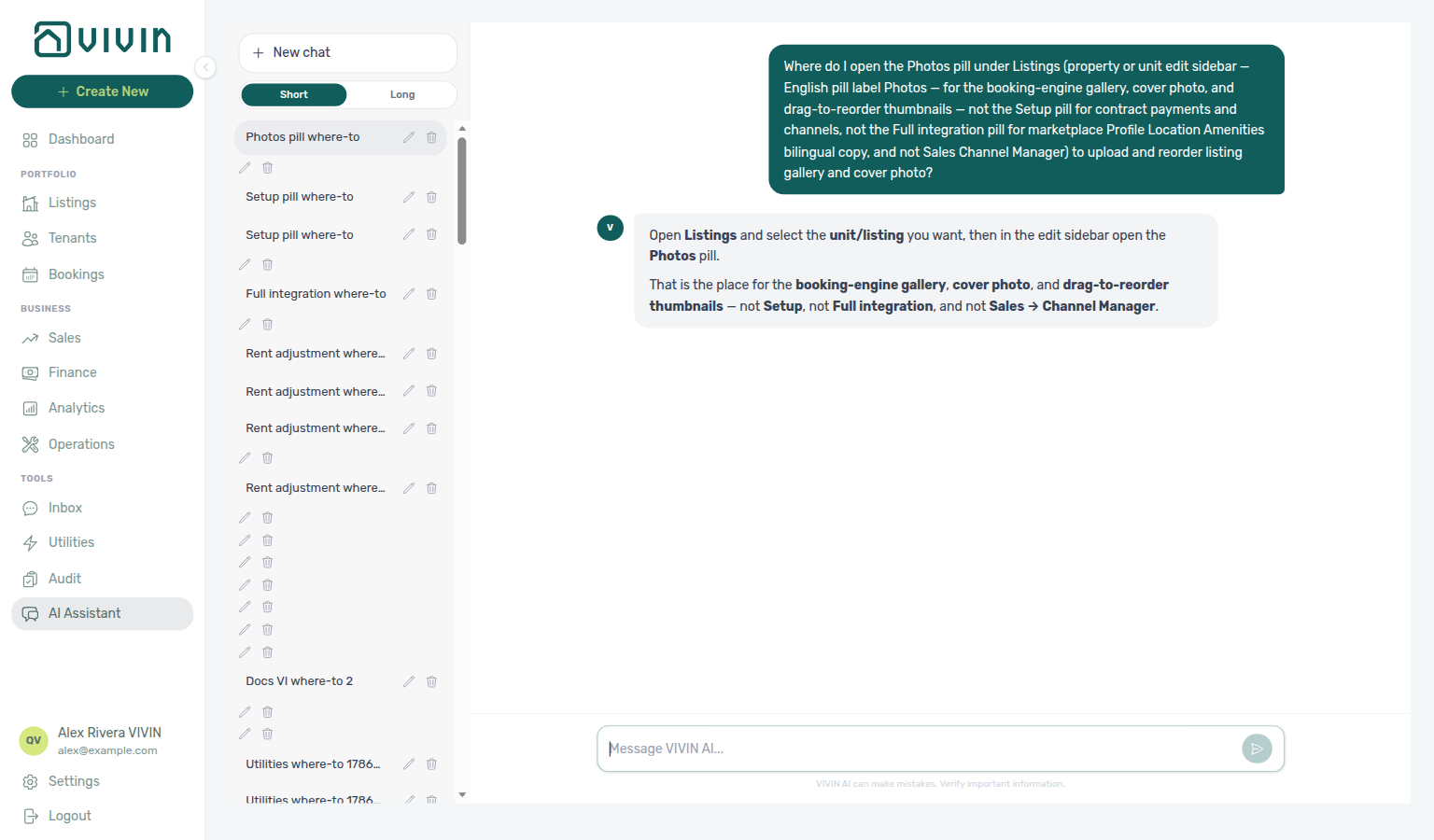
Finance tenant category cache refresh
When you change a tenant's Category on Tenants → Tenant Info (or assign category during + Create New → Tenant), Vivin immediately updates the denormalized booking.tenantCategoryId on every linked reservation. Finance Tenant category filter results then follow two freshness paths:
| Surface | Freshness after recategorization |
|---|---|
| Contract Values, Income, Transactions, Deposits, Payouts | Live month-scoped payments / deposit reads — reload the tab (or continue infinite scroll) and matching rows update right away. There is no whole-ledger payments proxy cache and no mutation-driven force-refresh. |
| Overview (KPI strip, charts, aging, segment-scoped drill-downs) | Still uses a computed Overview cache warmed on a ~10-minute cron (or on read miss). Cards and drill-downs can lag up to about ten minutes after the category save. |
This behaviour updates which rows match the filter. It does not change the drawer option list — since, Finance loads the full segment catalog from GET /tenant-categories. See FAQ — Finance tenant category filter parity. For month-end triage, use Finance — Tenant category filter (and Overview drill-downs honour Tenant category when you open a Debt Aging or Income list under that filter) — same habit as Portfolio KPI review — Step 6 and Common Workflows — Portfolio segmentation by tenant category. Pair with FAQ — Assign tenant category for direct booking when direct bookings still show Unassigned.
SIMAR water contract ID
Portuguese water operators use different identifiers on supplier PDFs. SIMAR (Loures e Odivelas) labels the supply location as Cód. Local or Código de Local — not the water meter number (Nº de Contador). Store that local code (without leading zeros) in the Water column on Utilities → Connections and in property setup Step 2: Utility Bills ID. Example: PDF shows Cód. Local: 0181474 → save 181474 in Connections.
The AI Invoice Reader extracts SIMAR water bills using the same rule and applies a post-extraction fixer when the model picks the meter number by mistake. If a SIMAR PDF still lands on the wrong property, compare the Cód. Local on the statement with your Connections grid before you escalate — see FAQ — SIMAR water bill property match. EPAL uses a similar Código de Local pattern; SIMAS and most other operators still use the meter number.
Per-booking maintenance ticket opt-out
Property-level rules on Listings — Maintenances tab auto-create Operations → Tickets rows for check-ins and check-outs. On Add booking, when you turn off Use unit contract rents and other contract details on the rent step, Vivin shows Maintenance tickets with Create check-in ticket and/or Create check-out ticket — only for event types enabled on the property. Both default checked (same as the property). Unchecking skips automatic ticket creation for this reservation only; later bookings still follow the property rule. When Use unit contract rents and other contract details stays on, Vivin applies today's property defaults with no per-booking override row. Marketplace POST /bookings cannot send this skip — Maintenance tickets not on partner POST. See Bookings — Creating a New Booking (bookings-add-booking-maintenance-ticket-opt-out.png) and FAQ — Skip automatic tickets for one booking.
Archived property
Full hub: Archive property (building-level) (surface/symptom tables, per-guide mesh, and listings-archived-populated-table.png, listings-archived-unarchive-sidebar.png).
A property removed from the active Portfolio tab in Listings via Archive in the property edit sidebar. Archived properties appear under /listings/archived (or legacy /properties/archived, which redirects there — see Legacy /properties URLs — Archived portfolio). Units under an archived building stop advertising as available (vacancy lists and partner availability windows) until you Unarchive. Unarchive restores the property to portfolio pickers and the default Listings view without deleting bookings or financial history. See Common Workflows — Archive property (building-level).
Archived booking ledger visibility
Full hub: Archived booking ledger visibility (symptom table, System vs Manual Transactions buckets, per-guide mesh, and finance-transactions-type-summary-cards.png).
When you Delete Booking (soft-archive), the reservation leaves default Bookings lists but Finance → Transactions may still show some payment rows for that booking. vIBAN and credit card automated captures under System Transactions stay visible for bank/card reconciliation. Manual operator entries — transfer, cash, deposit refund, provider platform, and similar non-automated types under Manual Transactions — are hidden so test or mistaken stays do not clutter the portfolio ledger. Canceled bookings that are not archived keep every transaction type visible. Distinct from Archived property (building-level archive) and from Tools → Audit (manual availability blocks). When unsure whether to Cancel or Delete, start with FAQ — Cancel Booking vs Delete Booking and Common Workflows — Cancel Booking vs Delete Booking (bookings-cancel-booking-modal-refund-types.png, bookings-list-canceled-tab.png, workflows-cancel-booking-refund-modal-flow.mp4). Building sunsetting uses Archived property — not Delete Booking on every reservation: Portfolio retirement decisions.

AI Assistant (management)
The operator-facing conversational assistant in Tools > AI Assistant (URL /ai-chat). Answers portfolio questions using your account data; available to roles granted the AI / MCP permission. API failures show a red inline banner above the composer (for example Failed to send message. Please retry. after a send error — retype your question because the composer clears on submit). See AI Chat module.
Answer mode (Short / Long)
On Tools → AI Assistant, the Short / Long control under New chat saves your preferred reply length: Short for a plain number or fact, Long for the answer plus a brief how-it-was-counted breakdown. Per-message words such as explain or short can override one reply. See AI Chat — Answer mode (ai-chat-answer-mode-short-selected.png, ai-chat-answer-mode-long-reply.png, ai-chat-answer-mode-flow.mp4) and FAQ — Short vs Long answers.
AI Assistant monthly question limit
Account-level cap on how many Tools → AI Assistant questions you can send in a calendar month. Near the limit the reply includes a short N/M monthly assistant questions used note; at the limit the assistant explains that questions resume next month (or ask an administrator about a higher limit). See AI Chat — Monthly question limit and FAQ — AI Assistant monthly question limit.
Load older conversations
On Tools → AI Assistant, the left conversation list loads in pages (about 50 threads). When more history exists, Load older conversations appears under your threads (above Examples) so you can append the next page without losing rows already on screen. New chat still numbers from that full total — Conversation N. See AI Chat — Load older conversations (ai-chat-conversations-sidebar-paginated.png, ai-chat-load-older-conversations-button.png, ai-chat-load-older-conversations-after.png, ai-chat-load-older-conversations-flow.mp4) and FAQ — Find older AI Assistant conversations.
Conversation N (New chat title)
Default title for a New chat on Tools → AI Assistant: Conversation N, where N is the account-wide conversation total plus one — including older pages you have not loaded yet — not the number of rows currently visible. Rename with the pencil; archiving lowers the next number. An empty list (or the replacement after you archive the last thread) uses New Conversation instead. See AI Chat — New chat titles from the full conversation count (ai-chat-empty-state-new-conversation.png) and FAQ — New chat numbering.
Dates, polarity, ties, and caveats (Genius / AI Chat)
Trust habits for Genius and AI Assistant portfolio answers: period figures name concrete dates; better/worse follows the landlord (occupancy up good; vacancy / free nights up = unsold inventory); equal or ~2% values are a tie (numbers before any pick); lead with the one decision-changing caveat. See AI Chat — Dates, polarity, ties, and caveats (ai-chat-trust-dates-on-figures-reply.png, ai-chat-trust-metric-polarity-reply.png, ai-chat-trust-near-tie-reply.png, ai-chat-trust-protocol-flow.mp4) and FAQ — Dates, polarity, and ties.
AI Chatbot
An intelligent chatbot that provides automated 24/7 tenant support via WhatsApp and email (not an in-portal chat in the Tenant Portal). Handles common enquiries about payments, contracts, maintenance, and move-in information, with intelligent routing to your team for complex issues. Account-level persona and IF/THEN rules are edited under Account Settings → Chatbot (/settings/chatbot). On each booking, Bookings → booking detail → Communication exposes WhatsApp (send replies, conversation labels) and read-only email; ingested channel history loads when the integration is enabled on the account (isTenantChatBotEnabled). See Automation & AI and Bookings — Communication tab.
AI Invoice Reader An AI-powered tool that automatically reads utility bills, identifies the correct property, and extracts key data (provider, amount, consumption, billing dates) without manual input. After Upload, N processed successfully means the invoice is already on Received; Already uploaded means that statement is already on the ledger; Unconfirmed — check the Bills list means look at Received before you send the file again — Utilities — After you upload. See Utilities Module.
Allocation In Finance, matching an incoming payment to scheduled charges. See Payment Allocation. In Utilities, the product also uses “allocation” for utility cost shares proposed per booking before they become tenant charges — review and approve/reject those rows under Utilities > Allocations tab, or Approve allocation / Reject allocation on booking (or tenant) Contract Values. That workflow is separate from payment allocation. After a security deposit is already refunded, leftover pending rows cannot be approved — see Utilities — Deposit already refunded. A Covered row means the period was calculated and Extra to charge is € 0,00.
Allocated cost (utilities)
On Utilities → Allocations, the consumption assigned to this booking (or calendar block) for the period. Context, not what the tenant owes. Distinct from Extra to charge. See Utilities — Allocations tab.
All bills included
Per-unit Rent pricing option (No cap). When Yes, utilities are fully included in rent for that unit: no monthly euro ceiling. Utilities → Allocations records a Covered row with Extra to charge € 0,00 (never a pending overage). The unit still counts toward how many occupied rooms share a supplier bill, so roommates’ shares stay the same. Independent of the property Bills Included (Ceiling). Vivin reads the switch on the next allocation run (including current stays). Listing JSON publishes billsIncluded: true and billsIncludedMaxValue: null — billsIncluded (listing JSON). See Listings — All bills included (listings-unit-edit-all-bills-included-view.png, listings-unit-all-bills-included-flow.mp4).
Audit
The Tools → Audit workspace at /audit for reviewing manual availability blocks (operator holds on unit calendars — same underlying records as Add unavailability in Listings). Access requires the Listings module permission. The first tab is Manual Blocks, with guidance on spotting stale or vague blocks that can silently reduce occupancy; column headers sort server-side across the full filtered set (see Manual block hygiene). Full module documentation: Audit. Bookmarkable routes: Deep Links — Audit.
All payments up to date (tenant portal)
Portal Home balance card green status when the booking has a payment schedule and nothing is overdue or outstanding. Green check plus All payments up to date. Make payment is usually hidden; outline View transactions (tenant portal) stays. Empty schedule shows No payments scheduled yet instead. No Portal settings hide toggle. Marketplace POST /bookings cannot send this status. Distinct from Outstanding payment (amber) and Overdue payment (red) on the same card, and from Paid installment (tenant portal) (a timeline card, not the Home headline). See Tenant Portal — All payments up to date and FAQ — When does portal Home show All payments up to date? (tenant-portal-home-balance-all-payments-up-to-date.png, tenant-portal-home-balance-all-payments-up-to-date-card.png, tenant-portal-home-balance-all-payments-up-to-date-status.png, tenant-portal-home-balance-all-payments-up-to-date-phone.png, tenant-portal-home-balance-all-payments-up-to-date-phone-card.png, tenant-portal-home-balance-all-payments-up-to-date-flow.mp4).
Automatic Adjustment type label (tenant portal)
Portal Payments → Transaction History label for a system ledger adjustment. The row shows Automatic Adjustment as plain text — no platform logo. The grey subtitle is the ledger note Automatic adjustment. Search matches Automatic. Export CSV (tenant portal) writes Automatic Adjustment in Description. This is the history label, not operator Adjustment on booking Transactions (Approve / Reject while pending). No Portal settings hide toggle — tenant-category VIVIN payments (or an unprovisioned payment module) hides the whole Payments tab. Distinct from Cash type label (tenant portal), from Bank Transfer type label (tenant portal), from Viban type label (tenant portal), from Credit Card type label (tenant portal), from Overpayment Return type label (tenant portal) / Cancelation With Refund type label (tenant portal), and from Platform payment label (tenant portal) (name and logo). Marketplace POST /bookings cannot send this label. See Tenant Portal — Automatic Adjustment type label (tenant-portal-payments-automatic-adjustment-label.png, tenant-portal-payments-automatic-adjustment-label-table.png, tenant-portal-payments-automatic-adjustment-label-row.png, tenant-portal-payments-automatic-adjustment-label-search.png, tenant-portal-payments-automatic-adjustment-label-phone.png, tenant-portal-payments-automatic-adjustment-label-flow.mp4) and FAQ — How do tenants see an automatic adjustment in the portal?.
B
B booking and billing terms pair C (credit note, communication schedule), D (deposit dispute, draft ticket), and FAQ — Bookings. Partner Housing Anywhere booking windows: Listings & Availability — Housing Anywhere booking windows.
Balance card (tenant portal)
Portal Home card under the greeting when the booking’s payment module is on. Statuses: Overdue payment (red), Outstanding payment (amber), All payments up to date (tenant portal) (green), or No payments scheduled yet (neutral). Next payment can appear with the amount, Due: DD MMM YYYY plus chip Today / N day(s) remaining, or a far-date chip Due DD MMM YYYY. Buttons: Make payment and View transactions (tenant portal). When the headline is more than €1 below the full amount due: The amount above is your overdue balance. Your total amount due is …, which you can settle in full from the payment screen. (or outstanding balance). Not gated by the check-in email. No Portal settings hide toggle. Hidden when VIVIN payments is off on the tenant category, when Property Payments Active is off on the listing, or when the account payment module is not provisioned. Distinct from Open requests (tenant portal), Contract card (tenant portal), Lease information (tenant portal), Contact us (tenant portal), and WiFi (tenant portal). Marketplace POST /bookings cannot send this card. See Tenant Portal — Balance card (tenant-portal-home-balance-card.png, tenant-portal-home-balance-card-flow.mp4) and FAQ — How do tenants see their balance on portal Home?.
Bank Transfer type label (tenant portal)
Portal Payments → Transaction History label for a payment recorded as a bank transfer. The row shows Bank Transfer as plain text — no platform logo. Search matches Bank. Export CSV (tenant portal) writes Bank Transfer in Description. This is the history label, not Make payment → Bank Transfer (IBAN). No Portal settings hide toggle — tenant-category VIVIN payments (or an unprovisioned payment module) hides the whole Payments tab. Distinct from Cash type label (tenant portal), from Platform payment label (tenant portal) (name and logo), from Copy virtual IBAN (tenant portal) / Virtual IBAN processing notice (tenant portal), from Automatic Adjustment type label (tenant portal) / Overpayment Return type label (tenant portal) / Cancelation With Refund type label (tenant portal) on the same table, and from operator Card (recorded manually). Marketplace POST /bookings cannot send this label. See Tenant Portal — Bank Transfer type label (tenant-portal-payments-bank-transfer-label.png, tenant-portal-payments-bank-transfer-label-table.png, tenant-portal-payments-bank-transfer-label-row.png, tenant-portal-payments-bank-transfer-label-search.png, tenant-portal-payments-bank-transfer-label-phone.png, tenant-portal-payments-bank-transfer-label-flow.mp4) and FAQ — How do tenants see a bank transfer in the portal?.
Billing address (tenant portal)
Portal Account → Billing information Billing address (placeholder Street address), plus City, Postal code, and Country — also on Sign contract → Billing (Company Address when company billing is On). Invoice street, not Home address on Personal information. Filling one does not copy into the other. Empty is allowed — there is no Require Billing address toggle. Billing Country is required when a fiscal/tax number is on file or Use company billing is On (Account hint: Required when a fiscal/tax number is provided). Allow edit billing details (and after-signature billing edit) controls these fields — when Off, the portal shows the locked billing banner. A tenant category can hide or lock Billing address, Billing city, Billing postal code, or Billing country. Operators use Tenants → Tenant Info → Billing Information Billing address. Marketplace POST /bookings accepts billingAddress, billingCity, billingPostalCode, and billingCountry. Distinct from Fiscal number (tenant portal), Use company billing (the toggle), Country of issue, Nationality (tenant portal), and Bank address. See Tenant Portal — Billing address and FAQ — How do tenants enter a billing address? (tenant-portal-account-home-address-field.png, tenant-portal-account-billing-address-fields.png, tenant-portal-account-billing-address-fields-typed.png, tenant-portal-account-billing-address-fields-flow.mp4).
Billing from the invoicing connection
Connecting Hostkit, Invoice-xpress, VIVIN Invoicing, NetSuite, or Sage50c under Settings → Integrations is what turns invoicing on. There is no separate billing switch. After the first connection, Settings → Billing → Invoicing can load Tax VAT options and Finance → Transactions can Issue allocation. AI Chat / WhatsApp Genius may list billing as an active module when that connection exists. Distinct from Billing address (tenant portal) (invoice street) and from account Payments (Tenant Portal card / vIBAN). See FAQ — How do I turn invoicing on? (settings-integrations-vivin-invoicing-card.png, settings-integrations-hostkit-card.png, settings-integrations-add-invoicing-provider.png, settings-integrations-billing-from-invoicing-connection-flow.mp4).
Bills Included (Ceiling)
The maximum utility cost per month that is absorbed into the tenant's rent. If the actual bill exceeds this ceiling, the tenant is charged the difference (overage). Set during property creation Step 3, and override per reservation on Bookings → Contract Info → Booking information (edit mode € input — inert for the payment plan). Distinct from per-unit All bills included (No cap), which shows as Covered on Allocations (nothing to charge) instead of a pending overage. Listing JSON copies that property ceiling only when the unit flag is off — an All-bills unit publishes billsIncludedMaxValue: null (billsIncluded). Marketplace POST /bookings does not set this field — Bills included not on partner POST.
billsIncluded (listing JSON)
The billsIncluded and billsIncludedMaxValue fields on partial listing JSON (GET /listings). When the unit has All bills included (No cap), the pull is billsIncluded: true and billsIncludedMaxValue: null — even if the property Bills Included toggle is off or still has a euro ceiling. When the unit flag is off, the pull mirrors the property flag and cap (null when no cap is stored). A stored 0 is a euro amount of zero, not unlimited. Housing Anywhere partial costs[] then uses payableBy: "included-in-rent" with value: null; the Housing Anywhere full catalogue omits those lines. Uniplaces listing_pricing.bills is the boolean; Inlife omits billsMax when the cap is null. Marketplace POST /bookings does not set these fields — Bills included not on partner POST. See Listings & Availability — All bills included and FAQ — Listing billsIncludedMaxValue is null.
Bills included not on partner POST
Marketplace POST /{platform}-integration/bookings has no billsIncluded or billsIncludedMaxValue field. The imported stay copies the property Bills Included ceiling. Listing GET still publishes those fields so the channel can advertise the same cap. When the unit has All bills included, listing GET publishes a null cap — that is not a POST input. + Create New → Booking can include or omit Bills included (max) only when Use unit contract rents is off. See Creating Bookings — Bills included and FAQ — Marketplace booking bills included (api-swagger-create-booking-integration-no-bills-included.png, api-swagger-listing-dto-bills-included.png).
Booking
A reservation linking a tenant to a unit for a specified period. Booking status follows the implemented lifecycle: upcoming -> current -> ended, with canceled available via cancellation.
Book several units at once
On + Create New → Booking, when the tenant’s tenant category has Multiple concurrent bookings enabled, turn on Book several units at once to create a separate booking for each selected unit in the same house (same tenant, dates, and details; at most 30 rooms in one run). The date calendar stays clear (no grey nights); after Create N bookings, Vivin names any room that cannot take those dates — Date calendar stays clear. Distinct from + Create New → Unavailability (manual holds, not stays). See Bookings — Book several units at once (bookings-add-booking-multi-unit-toggle.png, bookings-add-booking-multi-unit-flow.mp4) and FAQ — Book several units at once / Why doesn’t the Add Booking calendar grey occupied days for several units?.
Booking.com hotel ID
On a Channex Booking.com connection, each room is its own Booking.com property. Operators open Add hotel ID on the Booking.com card under Settings → Integrations (dialog Booking.com hotel IDs — the card stays compact with Connected · N hotel IDs · M allocated), then allocate one ID per unit on Sales → Channel Manager. Distinct from Airbnb / Vrbo / Expedia listing pickers and from classic iCal URLs. FAQ: How do I add Booking.com hotel IDs? / Where did the hotel ID list on the Booking.com card go?.
Booking Engine (White Label) A fully branded booking interface that can be embedded on your website for commission-free direct bookings. Includes instant availability display, visits management, video calls, and conversion tracking. See Integrations & Distribution.
Booking window
Allowed move-in and move-out date ranges on a unit (Setup → Booking window). Partners still receive bookingWindows on partial listing JSON. Housing Anywhere also paints nights outside the first still-open window as extra unavailabilities (reason: Booking window restriction) and rewrites stay length from that envelope. Those extra rows are on the JSON pull only — not operator Calendar holds. Housing Anywhere full blockedPeriods do not include them; Uniplaces, Spotahome, and Inlife full occupancy does. See Listings — Booking window, Listings & Availability — Housing Anywhere booking windows, and FAQ — Housing Anywhere booking window blocks.
Booking engine details editor
The management UI’s full-page Property Details / Listing Details layer, opened from Listings via the Full integration pill in the property or unit sidebar. It edits the marketplace and booking-engine payload (grouped tabs, bilingual fields where supported), separate from the standard Listings setup fields in the same sidebars. You can also open the same layer from a bookmark or shared link using the propertyDetails=1 or listingDetails=1 query flags on Listings URLs (see Deep Links — Booking engine details). See Property & listing details (booking engine).
Booking Tag
A classification label applied to a booking for filtering and reporting purposes. Configured in Settings > Categories > Bookings. The same vocabulary appears in the Booking categories toolbar on Bookings (includes No booking category for empty tags; the menu stays open while you pick; Select all ticks every visible row) and under Booking → Select categories in Finance → Other filters (empty-case label No category; same Select all strip). Distinct from Listing tag (filter) on properties and units. Marketplace POST /bookings does not set this field — Booking tags not on partner POST.
Booking tags not on partner POST
Marketplace POST /{platform}-integration/bookings has no bookingTags field. The imported stay leaves Booking categories empty. Partial listing JSON also omits that key. The Categories chip list is allowed values, not a default copied onto the stay. + Create New → Booking can pick them at create. After import, Contract Info → Booking information can still set them for that reservation. Untagged marketplace stays match No booking category. See Creating Bookings — Booking tags and FAQ — Marketplace booking tags (api-swagger-create-booking-integration-no-booking-tags.png, settings-categories-bookings-section.png, bookings-list-select-categories-no-category.png). Distinct from Tenant category (default segment for new integration tenants) and Lease purpose (why the tenant is renting).
Bot reasoning (audit)
Full hub: Bot reasoning (audit) hub (thread Reasoning audit vs ChatBot persona / IF/THEN editing, symptom table, and per-guide/module mesh).
On Bookings → Communication → WhatsApp, when Vivin stored internal reasoning text with an automated Bot reply, the mint bubble shows a compact Reasoning control under the message body. Click it to expand the explanation the bot used before sending (italic text in parentheses). Tenant and operator (You) bubbles do not include this toggle. Use it to audit automated answers without server logs — then adjust rules under ChatBot settings. See Bookings — Communication tab (bookings-detail-communication-tab-bot-reasoning-expanded.png), FAQ — Bot reasoning (audit) hub, and Common Workflows — Bot reasoning (audit).
Brand Color The hex color code used as the primary accent color in the Tenant Portal and automated emails. Configured in Settings > General Information.
Bulk Hostkit invoicing
Full hub: Bulk Hostkit invoicing (month-end Issue allocation / Invoice selected Hostkit pacing, Issue credit notes cleanup, symptom table, and per-guide mesh).
When month-end Issue allocation or Invoice selected runs on many Finance → Transactions rows, Vivin paces Hostkit API calls per listing key and retries HTTP 429 with backoff — large batches can take several minutes even though the UI stays responsive. The same bulk toolbar pushes Issue credit notes (N) after invoiced floor rent relief or invoiced Reject / Revert cleanup. Pair Month-end invoicing (fixed date) when every document must share one posting date (finance-transactions-bulk-toolbar-fixed-invoice-date-banner.png).
C
Partner Capital Rooms feed: API Reference — Kiwi, Capital Rooms, Porta85 & Lisbeyond.
Calendar (Listings) The Calendar section at the top of a unit’s sidebar in the Listings module. It shows booked nights, external channel blocks, and manual unavailability on one timeline and list; use Add unavailability for operator holds (renovations, owner use). Booking dates and platform blocks are changed at their source, not by deleting those rows here.
Calendar Block (days)
A per-platform threshold on Settings → Integrations (Calendar Block on the card). When set to N days, listing JSON for that platform can stay closed for about two years after the latest occupancy if that last night is still more than N days away. Outbound JSON only — not a unit Calendar hold, not Short-term iCal Max Date, and not preparation days. See Listings & Availability — Calendar Block (days) and FAQ — Marketplace blocked for years after the last stay.
Capital Rooms (integration)
A single-landlord partial listing + booking feed (capital-rooms-integration), same pattern as Kiwi (integration), Porta85 (integration), and Lisbeyond (integration): one provisioned account, all listings in the pull, UUID externalId + listingInternalName when unlinked. See API Reference — Kiwi, Capital Rooms, Porta85 & Lisbeyond and Source platform.
Cancel booking Paid / Deposit / Refund
Three amount cells on Contract Info → Cancel booking step 1. Paid is the total already paid, Deposit is the deposit already collected, and Refund is the amount this cancel choice would return. English choices: Full refund (cancel-path return — often Paid minus deposit kept for the deposit flow), No refund (€ 0), Partial refund (starts at € 0 until payment-line amounts are set). Use Cancel to leave without finishing; Next continues the multi-step flow. Distinct from Cancel Booking vs Delete Booking (void vs soft-archive). See FAQ — What do Paid, Deposit, and Refund mean on Cancel booking? (bookings-cancel-booking-modal-paid-deposit-refund.png, bookings-cancel-booking-modal-paid-deposit-refund-partial.png, bookings-cancel-booking-paid-deposit-refund-flow.mp4).
Cancel booking wizard steps 2–4
After Next on Cancel booking step 1, the wizard continues through Settle the deposit before cancelling (step 2), Payment lines this cancellation acts on (step 3), and Confirm the cancellation (step 4). Nothing is written until Confirm Cancellation; use Close to leave. On Partial refund, step 2 may be skipped when the deposit needs no decision. Distinct from Cancel booking Paid / Deposit / Refund (step 1 amounts). See FAQ — What happens after Next on Cancel booking? (bookings-cancel-booking-modal-settle-deposit.png, bookings-cancel-booking-modal-payment-lines.png, bookings-cancel-booking-modal-confirm.png, bookings-cancel-booking-steps-2-4-flow.mp4).
Cancelation With Partial Refund type label (tenant portal)
Portal Payments → Transaction History label for money returned when you cancel Partial refund. The row shows Cancelation With Partial Refund as plain text — no platform logo. The grey subtitle is the ledger note Cancelation with partial refund. Search matches Partial. Export CSV (tenant portal) writes Cancelation With Partial Refund in Description. This is the history label after Cancel booking → Partial refund, not the Deposit Refund card on Payment Timeline, and not a Cancelation With Refund type label (tenant portal) row. No Portal settings hide toggle — tenant-category VIVIN payments (or an unprovisioned payment module) hides the whole Payments tab. Distinct from Cash type label (tenant portal), from Bank Transfer type label (tenant portal), from Viban type label (tenant portal), from Credit Card type label (tenant portal), from Automatic Adjustment type label (tenant portal), from Overpayment Return type label (tenant portal), from Cancelation With Refund type label (tenant portal), from Platform payment label (tenant portal) (name and logo), and from operator Cancelation with partial refund on Finance → Transactions. Marketplace POST /bookings cannot send this label. See Tenant Portal — Cancelation With Partial Refund type label (tenant-portal-payments-cancelation-with-partial-refund-label.png, tenant-portal-payments-cancelation-with-partial-refund-label-table.png, tenant-portal-payments-cancelation-with-partial-refund-label-row.png, tenant-portal-payments-cancelation-with-partial-refund-label-search.png, tenant-portal-payments-cancelation-with-partial-refund-label-phone.png, tenant-portal-payments-cancelation-with-partial-refund-label-flow.mp4) and FAQ — How do tenants see a cancelation with partial refund in the portal?.
Cancelation With Refund type label (tenant portal)
Portal Payments → Transaction History label for money returned when you cancel With refund. The row shows Cancelation With Refund as plain text — no platform logo. The grey subtitle is the ledger note Cancelation with refund. Search matches Cancelation. Export CSV (tenant portal) writes Cancelation With Refund in Description. This is the history label after Cancel booking → With refund, not the Deposit Refund card on Payment Timeline, and not a Cancelation With Partial Refund type label (tenant portal) row. No Portal settings hide toggle — tenant-category VIVIN payments (or an unprovisioned payment module) hides the whole Payments tab. Distinct from Cash type label (tenant portal), from Bank Transfer type label (tenant portal), from Viban type label (tenant portal), from Credit Card type label (tenant portal), from Automatic Adjustment type label (tenant portal), from Overpayment Return type label (tenant portal), from Platform payment label (tenant portal) (name and logo), and from operator Cancelation with refund on Finance → Transactions. Marketplace POST /bookings cannot send this label. See Tenant Portal — Cancelation With Refund type label (tenant-portal-payments-cancelation-with-refund-label.png, tenant-portal-payments-cancelation-with-refund-label-table.png, tenant-portal-payments-cancelation-with-refund-label-row.png, tenant-portal-payments-cancelation-with-refund-label-search.png, tenant-portal-payments-cancelation-with-refund-label-phone.png, tenant-portal-payments-cancelation-with-refund-label-flow.mp4) and FAQ — How do tenants see a cancelation with refund in the portal?.
Card (recorded manually)
Desk/POS card habit on booking + Transaction / Add Payment — a card tap on your terminal, not Tenant Portal checkout. On the modal, Type shows Credit Card (with Cash and Transfer); Credit card (VIVIN) is not offered there. After save, the booking table may show Manual Card; Finance → Transactions may show Card (manual) under Manual Transactions. Distinct from Credit card (VIVIN) / System Transactions (automated Tenant Portal card captures). Stays pending until Approve payments. Hides with other manual rows after Delete Booking. See FAQ — When should I use Card (recorded manually)? (bookings-detail-transactions-add-payment-type-card-recorded-manually.png, bookings-detail-transactions-card-recorded-manually-flow.mp4).
Cash type label (tenant portal)
Portal Payments → Transaction History label for a payment recorded as cash. The row shows Cash as plain text — no platform logo. Search matches Cash. Export CSV (tenant portal) writes Cash in Description. No Portal settings hide toggle — tenant-category VIVIN payments (or an unprovisioned payment module) hides the whole Payments tab. Distinct from Platform payment label (tenant portal) (name and logo), from Bank Transfer type label (tenant portal) / Credit Card / Virtual IBAN / Automatic Adjustment type label (tenant portal) / Overpayment Return type label (tenant portal) / Cancelation With Refund type label (tenant portal) on the same table, from operator Card (recorded manually), and from operator Cash Flow (building expenses, not a booking receipt). Marketplace POST /bookings cannot send this label. See Tenant Portal — Cash type label (tenant-portal-payments-cash-label.png, tenant-portal-payments-cash-label-table.png, tenant-portal-payments-cash-label-row.png, tenant-portal-payments-cash-label-search.png, tenant-portal-payments-cash-label-phone.png, tenant-portal-payments-cash-label-flow.mp4) and FAQ — How do tenants see a cash payment in the portal?.
Cash Flow
Operational financial transactions not tied to a specific booking — for example, contractor invoices, supplies, or building repairs. Tracked in the Operations module. On Add Cash Flow, Files / Images accepts multiple receipts (click or drag-and-drop; Tap to add more after the first) before you save — see Operations — Multi-file attach (operations-cashflows-add-modal-multi-attachments.png, operations-cashflows-add-attachments-flow.mp4). This is not the same object as the Cash Flow Forecast chart on the post-login Dashboard, which charts expected rent on due dates for active bookings.
Cash Flow Forecast (Dashboard) The bottom-left chart on the Dashboard: expected monthly rent summed on each calendar day when rent is due for active (non-canceled) bookings, with Past vs Expected styling around “today” and the same 1M / 3M / 6M / 12M horizon controls as Occupancy Forecast. Use it for near-term inflow timing from the rent schedule — not for recording operator expenses or non-booking cash lines (those live under Operations — Cash Flows). See the Cash Flow Forecast (Dashboard) row in Visual quick reference.
Credit Card type label (tenant portal)
Portal Payments → Transaction History label for a payment collected by card. The row shows Credit Card as plain text — no platform logo. Search matches Credit. Export CSV (tenant portal) writes Credit Card in Description. This is the history label, not Make payment → Credit Card. No Portal settings hide toggle — tenant-category VIVIN payments (or an unprovisioned payment module) hides the whole Payments tab. Distinct from Cash type label (tenant portal), from Bank Transfer type label (tenant portal), from Viban type label (tenant portal), from Automatic Adjustment type label (tenant portal), from Overpayment Return type label (tenant portal) / Cancelation With Refund type label (tenant portal), from Platform payment label (tenant portal) (name and logo), and from operator Card (recorded manually). Marketplace POST /bookings cannot send this label. See Tenant Portal — Credit Card type label (tenant-portal-payments-credit-card-label.png, tenant-portal-payments-credit-card-label-table.png, tenant-portal-payments-credit-card-label-row.png, tenant-portal-payments-credit-card-label-search.png, tenant-portal-payments-credit-card-label-phone.png, tenant-portal-payments-credit-card-label-flow.mp4) and FAQ — How do tenants see a credit card payment in the portal?.
Finance income status (Finance Overview)
- Common Workflows — Finance Income status drill-down — Operator habit hub
A partly collected charge can appear under Paid and Scheduled (or In debt) for different slices of the same line — Income partial split.
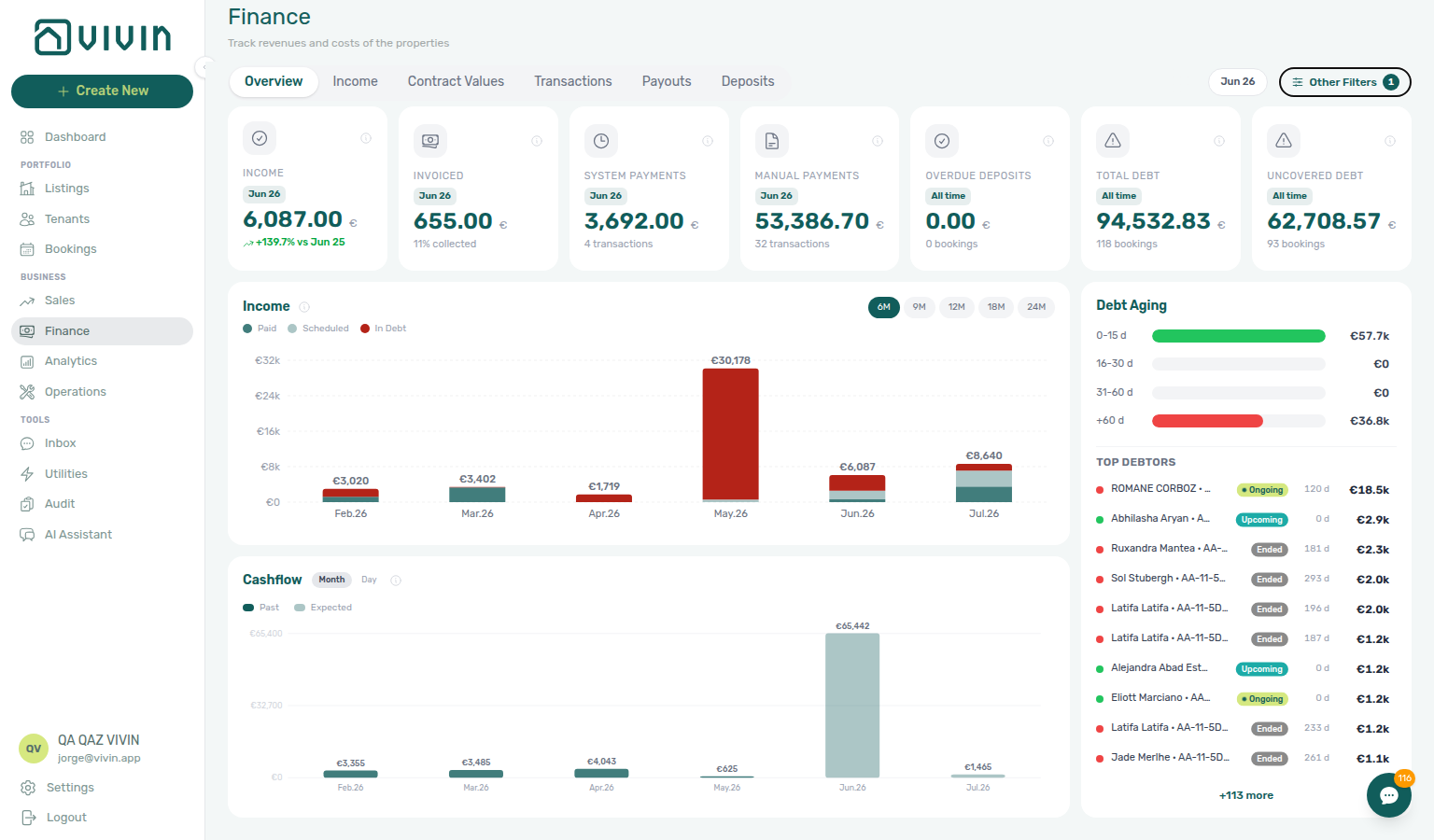
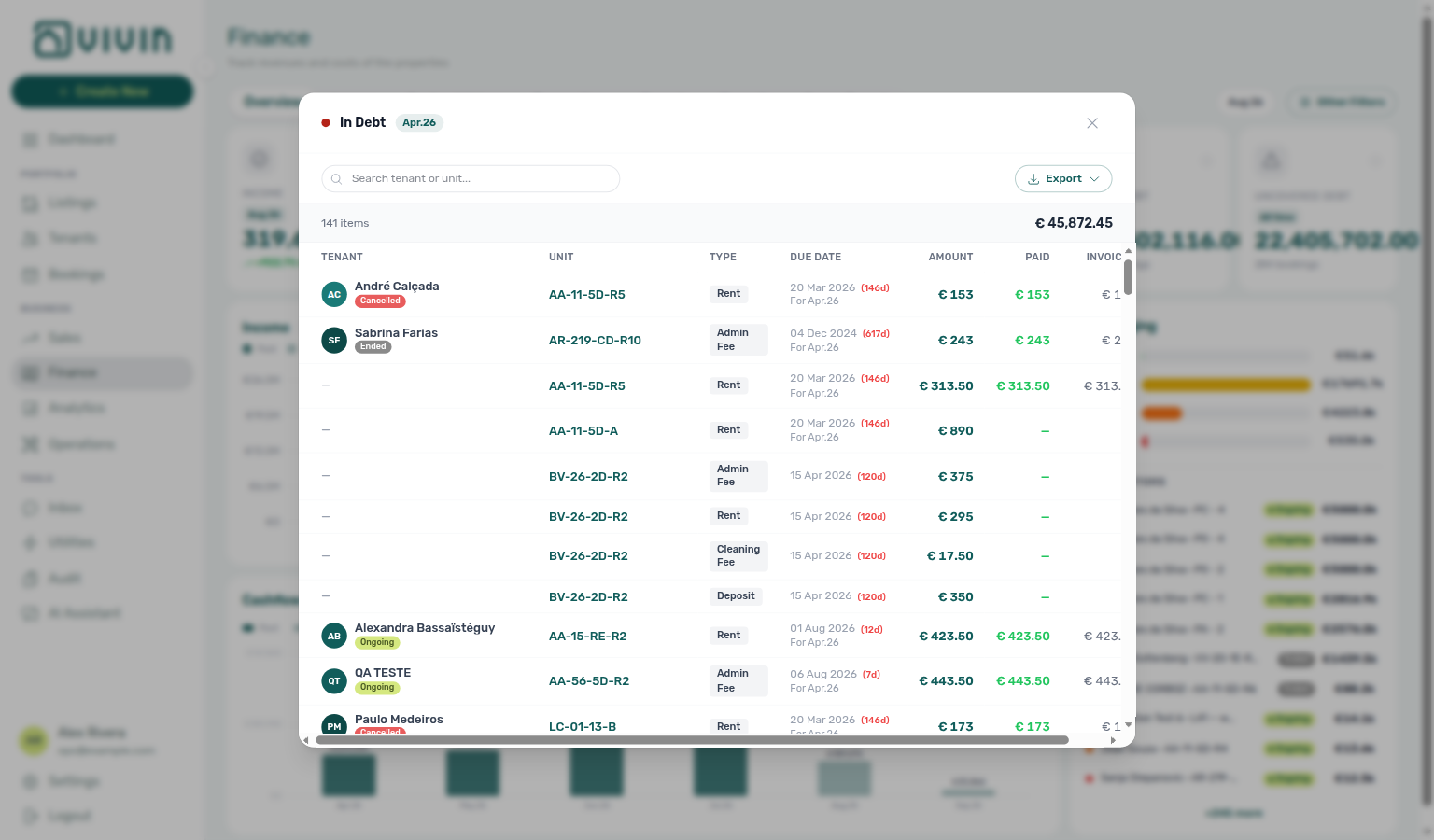
Cash flow forecast (Finance Overview)
- Common Workflows — Cash flow forecast drill-down — Operator habit hub
Channel Manager
Two related surfaces: Sales > Channel Manager for an operational grid of listings and their per-channel status (including per-row Copy iCal in the actions column, Export with a VIVIN iCal spreadsheet column for bulk outbound feed URLs, Search units that also matches stored platform external ids such as Uniplaces or Airbnb listing keys — see sales-channel-manager-integration-id-search.png on the Sales page — connected Airbnb / Booking.com manage modals with platform iCal Copy + Sync — sales-channel-airbnb-ical-manage-modal.png, sales-channel-airbnb-ical-manage-flow.mp4, sales-channel-bookingcom-ical-manage-modal.png, sales-channel-bookingcom-ical-manage-flow.mp4 — and, when a Channex Booking.com rail is connected, a hotel ID picker from the Integrations pool); and the Channel Manager block at the top of Account Settings > Integrations for account-wide Short-term iCal Max Date and bulk apply actions. Platform credentials, toggles, and optional Pricing Markup live on the Integrations page; use Sales when you are reconciling availability or links per listing.
Change history
An in-sidebar audit trail on property and unit setup editors in Listings (entityChangeLogEntries): human-readable log lines with timestamp and author for operator-initiated field edits (including formatted admin fee tier diffs when tiers change) — not every default populated at create time ( stops untouched defaults and normalized fields from appearing as phantom edits in the booking Changelog too). It does not cover the Vivin-internal Property Details / Listing Details booking-engine layer — see Booking engine details. On bookings, the Changelog section inside Contract Info → Check-in & Check-out serves a similar role for milestone dates and booking field changes — when more than four events exist, View all (N) opens the full changelog modal with search. Three audit surfaces operators confuse: booking Changelog (reservation edits), Listings Change history (building/unit setup), and Tools → Audit (cross-portfolio manual blocks and discounts). Operator troubleshooting when create-time defaults seem “missing”: FAQ — Booking Changelog scope. See Bookings > Timeline (booking change log) and Manual block hygiene.
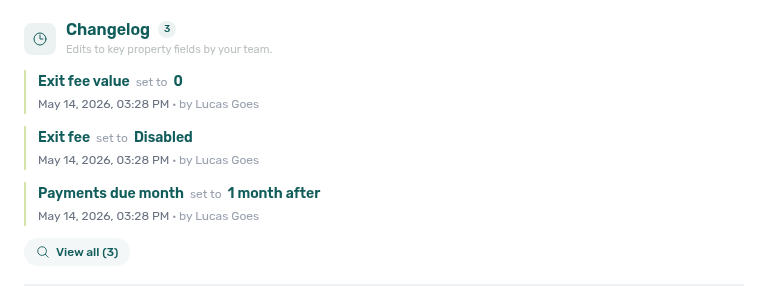
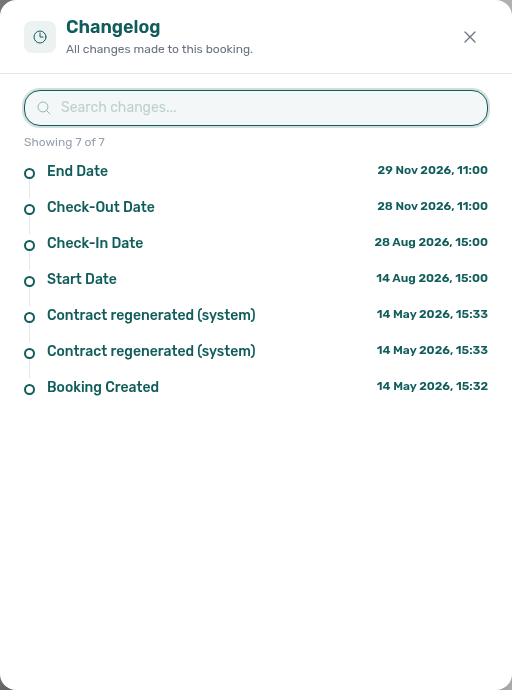
Check-in The event of a tenant physically moving into a unit. Managed through the Operations > Check-in & Check-out tab and the Managing a Check-in workflow.
Check-in time / Check-out time
Clock times on a booking for arrival and departure. Account defaults live on Preferences — Booking Defaults. Marketplace POST /bookings does not set these fields — Check-in times not on partner POST. Distinct from Check-in payments on Contract Info (which charges are due at move-in).
Check-in times not on partner POST
Marketplace POST /{platform}-integration/bookings has no checkInTime or checkOutTime field. The imported stay copies account Check-in time and Check-out time. Partial listing JSON also omits those keys. + Create New → Booking can pick them at create. After import, Contract Info → Check-in & Check-out can still override both fields for that reservation. See Creating Bookings — Check-in times and FAQ — Marketplace booking check-in time (api-swagger-create-booking-integration-no-check-in-times.png, settings-preferences-booking-defaults-times-preparation.png). Distinct from Check-in responsible (teammates stay empty until assigned).
Check-in responsible / Check-out responsible
Team members named on a booking for arrival and departure handover. Account Booking Defaults do not set a default teammate. Marketplace POST /bookings does not set these fields — Check-in responsible not on partner POST. Distinct from Check-in time / Check-out time (clock) and from Operations toolbar Responsible (filter of names already on a handover).
Check-in responsible not on partner POST
Marketplace POST /{platform}-integration/bookings has no checkInResponsableId or checkOutResponsableId field. The imported stay leaves Check-in responsible and Check-out responsible empty. Partial listing JSON also omits those keys. + Create New → Booking can pick them at create. After import, Contract Info → Check-in & Check-out can still assign both fields for that reservation. Operations → Assigned responsible → Without lists marketplace stays that still have no assignee. See Creating Bookings — Check-in responsible and FAQ — Marketplace booking check-in responsible (api-swagger-create-booking-integration-no-check-in-responsible.png, bookings-add-booking-modal.png, bookings-detail-contract-check-in-out-emails.png).
Check-out The event of a tenant physically leaving a unit. Involves inspection and deposit handling; booking status then updates automatically based on dates. See the Managing a Check-out workflow.
Check-out final utilities handoff
Full hub: Check-out final utilities handoff (final supplier bills → Payment Plan overage → Ready To Refund, Pending receipt mesh, symptom table, and per-guide/module mesh).
Managing a Check-out Step 6 blocks deposit release until every charge — including final utility overages — is settled. Entering Monthly Utility Bills Steps 2–4 post landlord bills and tenant overage lines on Payment Plan before Step 5 — distinct from mid-stay Utility overage collections and rent Check-out collections before refund. Pair End-of-Booking cost split when Charge Time defers posting until checkout (utilities-allocations-review-flow.mp4).
Check-out collections before refund
Full hub: Check-out collections before refund (rent/fee Payment Plan arrears → collections → Ready To Refund, Pending receipt mesh, symptom table, and per-guide/module mesh).
Managing a Check-out Step 6 blocks deposit release until every scheduled charge is settled — including rent and fee arrears on Payment Plan. Handling a Late Payment Steps 1–4 collect departure-week rent/fee In Debt before Step 5 — distinct from utility Check-out final utilities handoff, duplicate Check-out ledger cleanup before refund, and pre-cancel Cancellation collections before void.
Check-out ledger cleanup before refund
Full hub: Check-out ledger cleanup before refund (duplicate departure transfers → Reject / Revert on Transactions → Ready To Refund, Pending receipt mesh, symptom table, and per-guide/module mesh).
Managing a Check-out Step 6 and Step 6b can show In Debt or a wrong Est. Refund when the tenant paid correctly but the ledger holds duplicate departure transfers — not unpaid rent (Check-out collections before refund) or utility overages (Check-out final utilities handoff). Reject/revert mistaken receipts Reject / Revert clears phantom balances before Ready To Refund.
Cancellation collections before void
Full hub: Cancellation collections before void (pre-cancel rent/fee Payment Plan arrears → collections → Cancel booking, Pending receipt mesh, symptom table, and per-guide/module mesh).
Cancelling a Booking Step 2 blocks Cancel booking on Step 4 until every rent/fee line on Payment Plan is settled — including Upcoming and Ongoing stays voided under policy. Handling a Late Payment Steps 1–4 collect pre-cancel rent/fee In Debt before the refund-type dialog — distinct from departure-week Check-out collections before refund, duplicate Check-out ledger cleanup before refund, and utility Utility overage collections on Canceled stays.
Lifecycle check-in email
The default Check-in template under Account Settings → Emails → Booking lifecycle emails. Vivin evaluates your chosen check-in trigger when move-in payments post, when the booking’s next installment is €0 (Next payment (balance)), when the tenant completes digital contract signing in the Tenant Portal (signedContractPath), or on daily cron for date-based triggers — then sends at most one automatic message per booking (checkInEmailSentAt). No trigger turns that automation off and hides Send Check-in email on Contract Info. Uploading a signed PDF on Contract Info does not count as portal signing for this automation; use Send Check-in email on Contract Info → Check-in & Check-out after manual upload when move-in requirements are met and a check-in trigger is set — see Emails — Operator upload vs portal signing. Automatic send is skipped when check-in day is more than 15 days in the past or the booking is Canceled. Optional Only for Nuki access requires Nuki access points before send. A Communication Rule email with Check-in trigger and This is the check-in email on can write the same checkInEmailSentAt watermark (and replace this automatic template for matching bookings) so portal Entry codes unlock when you author check-in mail on the rules sub-tab instead — see Emails — This is the check-in email. When tenants never reach portal Sign, pair FAQ — Tenant contract signing blocked with Processing a New Booking — Step 4 — hub: Common Workflows — Confirmation to check-in handoff (do not start Managing a Check-in — Step 1 until contract + confirmation charges clear). Full trigger matrix: When lifecycle check-in emails send. Operator troubleshooting: FAQ — automatic check-in email. Portal login vs welcome email: FAQ — Onboarding vs portal access vs Contract Resend.

Portal access email
Send portal access / Resend portal access on Contract Info → Check-in & Check-out sends only the tenant portal login message. It is not the onboarding welcome template and does not attach the contract. Resend on the Contract card is the control that forces the contract PDF onto the onboarding email. See Bookings — Check-in & Check-out emails (bookings-contract-onboarding-portal-access-flow.mp4) and FAQ — Onboarding vs portal access vs Contract Resend.
Cleaning Fee
A charge for cleaning services, either recurring (Every Month — one line per contract month) or one-time (One-Time Fee at Booking Confirmation or One-Time Fee at Move-in). Default frequency is configured in the property's Payments tab (Contract Information section); individual bookings can override it on Contract Info. Listing JSON cleaningFeeValue is the euro amount only — frequency is not published (cleaningFeeValue).
Cleaning days
Weekday schedules tenants read on portal Home under Cleaning: property Common areas cleaning days (shared spaces for every booking in the building) and unit Room cleaning days (Your room for that listing). Operators set chips on Listings — Cleaning and Room cleaning days. The card appears when at least one schedule has days; it does not wait for the check-in email and has no Portal settings toggle. Distinct from cleaningFeeValue (euro cleaning fee on the payment plan) and from Airbnb short-term dual cleaning fees. Marketplace POST /bookings cannot send these days. See Tenant Portal — Cleaning and FAQ — How do tenants see cleaning days on portal Home? (listings-property-edit-cleaning-days-section.png, tenant-portal-home-cleaning-card.png, listings-cleaning-days-flow.mp4).
cleaningFeeValue (listing JSON)
The cleaningFeeValue field on partial listing JSON (GET /listings) is the property cleaning amount (EUR). 0 when Cleaning fee is off. Frequency (Every Month / one-time) is not on the pull — it drives the booking payment plan. Pricing Markup does not apply. Housing Anywhere costs cleaning-fee copies the amount with payableAt: "monthly". Uniplaces full catalogues send cleaning / cleaning_included booleans, not the euro amount. Distinct from Airbnb short-term dual cleaning fees. Marketplace POST /bookings does not set this field — Cleaning fee not on partner POST. See Listings & Availability — Cleaning fee and FAQ — Listing cleaningFeeValue is not one-time.
Cleaning fee not on partner POST
Marketplace POST /{platform}-integration/bookings has no cleaningFeeValue field. The payment plan copies the property cleaning amount (and Frequency). + Create New → Booking can include or omit Cleaning fee and type a custom amount. See Creating Bookings — Cleaning fee and FAQ — Marketplace booking cleaning fee (api-swagger-create-booking-integration-no-cleaning-fee.png, api-swagger-listing-dto-cleaning-fee-value.png).
Catalogue fields (listing JSON)
Photos, street address, amenities, and marketing copy are not on partial listing JSON (GET /listings). That pull is calendar and pricing (ListingDto). Catalogue content lives on partner full feeds (GET …/listings/full). A Wi-Fi amenity can appear on the full catalogue; the Wi-Fi password is never exported. See Listings & Availability — Catalogue fields, Full listing feeds — Catalogue fields, and FAQ — Photos missing from listing JSON.
Confirmation Payment
The payment(s) a tenant must make to confirm their booking — typically a deposit, first rent, or both. Confirmation payments on Contract Info flag Layer 1 lines for booking confirmation with due date min(booking created, check-in date). Defaults are set during property creation Step 4; operators can override per booking without changing property defaults. See Payment allocation — Confirmation vs move-in due dates and Bookings — Confirmation payments and check-in payments. Marketplace POST /bookings does not set this field — Confirmation payments not on partner POST.
Check-in Payment
Charges due on the booking’s check-in date — configured as Check-in payments on Contract Info (move-in requirement). Common combinations include Deposit and last rent when confirmation already collected first rent. Same overlap rules as confirmation payments; see Payment allocation. Marketplace POST /bookings does not set this field — Confirmation payments not on partner POST.
Confirmation payments not on partner POST
Marketplace POST /{platform}-integration/bookings has no bookingConfirmationRequirements or moveInRequirements field. The imported stay copies the property Confirmation payments and Check-in payments. Partial listing JSON also omits those keys. + Create New → Booking can pick both only when Use unit contract rents is off. After import, Contract Info can still override both fields for that reservation. See Creating Bookings — Confirmation payments and FAQ — Marketplace booking confirmation payments (api-swagger-create-booking-integration-no-confirmation-payments.png, listings-property-edit-contract-tab.png).
Confirm request (tenant portal)
Portal Services review panel after Request Service. It shows the full Description (no Show more), a Monthly or One-time badge, the unit price, Total, teal Confirm request, and Cancel (or X). Opening the panel does not charge the booking. There is no Portal settings hide toggle for this panel; Allow to see services Off hides Services and therefore Request Service. Distinct from Show more (tenant portal) (the two-line clamp on the catalogue card) and from Order History (tenant portal) (confirmed add-ons after a successful order). Marketplace POST /bookings cannot send this panel. See Tenant Portal — Confirm request (tenant-portal-services-confirm-request-catalogue.png, tenant-portal-services-confirm-request.png, tenant-portal-services-confirm-request-panel.png, tenant-portal-services-confirm-request-description.png, tenant-portal-services-confirm-request-phone.png, tenant-portal-services-confirm-request-flow.mp4) and FAQ — How do tenants confirm a service request in the portal?.
Communication Rules
Automated tenant message rules configured under Account Settings → Emails → Communication Rules (/settings/communications). Each rule defines a trigger (event, offset, send time, balance and audience filters — Due Date schedules one send per unpaid payment line; Auto-cancellation is same-day Send at Hour only), subject/body (with {VariableName} placeholders), optional Hide contact info on standard (non-HTML) emails (omits the trailing Contact information block from General Information — see Emails — Hide contact info), and whether it is enabled. The list uses server-side status chips (Enabled / Disabled / Now), Search rules… (name, subject, or message wording), and infinite scroll with an End of list marker after the last batch — list rows stay lightweight (name, subject, trigger, audience counts) until Edit fetches the full rule into the drawer (loading placeholders, then the message + audience form) — see Emails — Browse, search, and load more and Emails — Edit loads the full rule. Audience can include Require Nuki tenant ID, Send Nuki invite, This is the check-in email (email + Check-in trigger only — writes checkInEmailSentAt and replaces the lifecycle check-in template for matching bookings), Specific Nuki locks, Booking tags, and Tenant categories — the last three share No filter / Include only / Exclude modes (include = booking carries at least one selected value; exclude = none of the selected values). When Specific Nuki locks is scoped, Select smart locks… stays open while you add a second device. When Booking tags is scoped, All tags stays open while you add a second label. When Tenant categories is scoped, Select tenant categories… stays open while you add a second named segment. Row actions include Edit, Test, Send now / Schedule (when the role has communication.send_now — on an inactive Now rule, Send now opens a recipient preview with deliverable counts before you confirm; after confirm the rule is fire-once Inactive while queued messages still send; on an active Now rule, play deactivates), and enable/disable. See Emails and This is the check-in email.
Auto-cancellation (Communication Rule)
A Communication Rules event (Auto-cancellation in the Event picker; list summary On auto-cancellation at …) that emails the tenant the same day Auto-cancel unpaid move-in voids the stay. Cancel booking on Contract Info does not send it. Send at Hour defaults to 10:00; Send Nuki invite and balance filters are hidden. See Emails — Auto-cancellation.
Due Date (Communication Rule)
A Communication Rules event that reminds tenants about unpaid payment lines. Vivin schedules one message per unpaid line (rent, deposit, fees, extras) using that line’s due date plus the rule’s offset and Send at Hour — not one message per booking. Fully paid lines are skipped; two unpaid lines on the same due date share one send. Financial Balance is the separate event for a single overall-debt nudge. See Emails — Due Date — one reminder per unpaid payment (settings-emails-communication-rule-trigger-card-due-date.png).
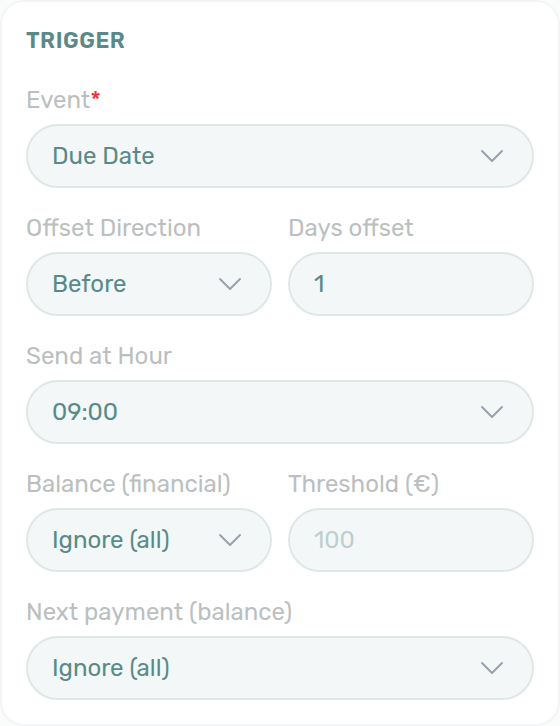
Send now (Communication Rule)
A Communication Rules event that blasts matching tenants once, from the Now chip. After you confirm the recipient preview, Vivin queues the messages and the rule shows Inactive — that does not cancel the send you just queued, and it does not repeat tomorrow. Enabled / Disabled never list these rules. Play on Inactive opens the preview again. Requires communication.send_now. See Emails — Send now is fire-once (settings-emails-communication-rules-now-filter-tab.png, settings-emails-send-now-confirm-modal.png, settings-emails-send-now-confirm-flow.mp4).
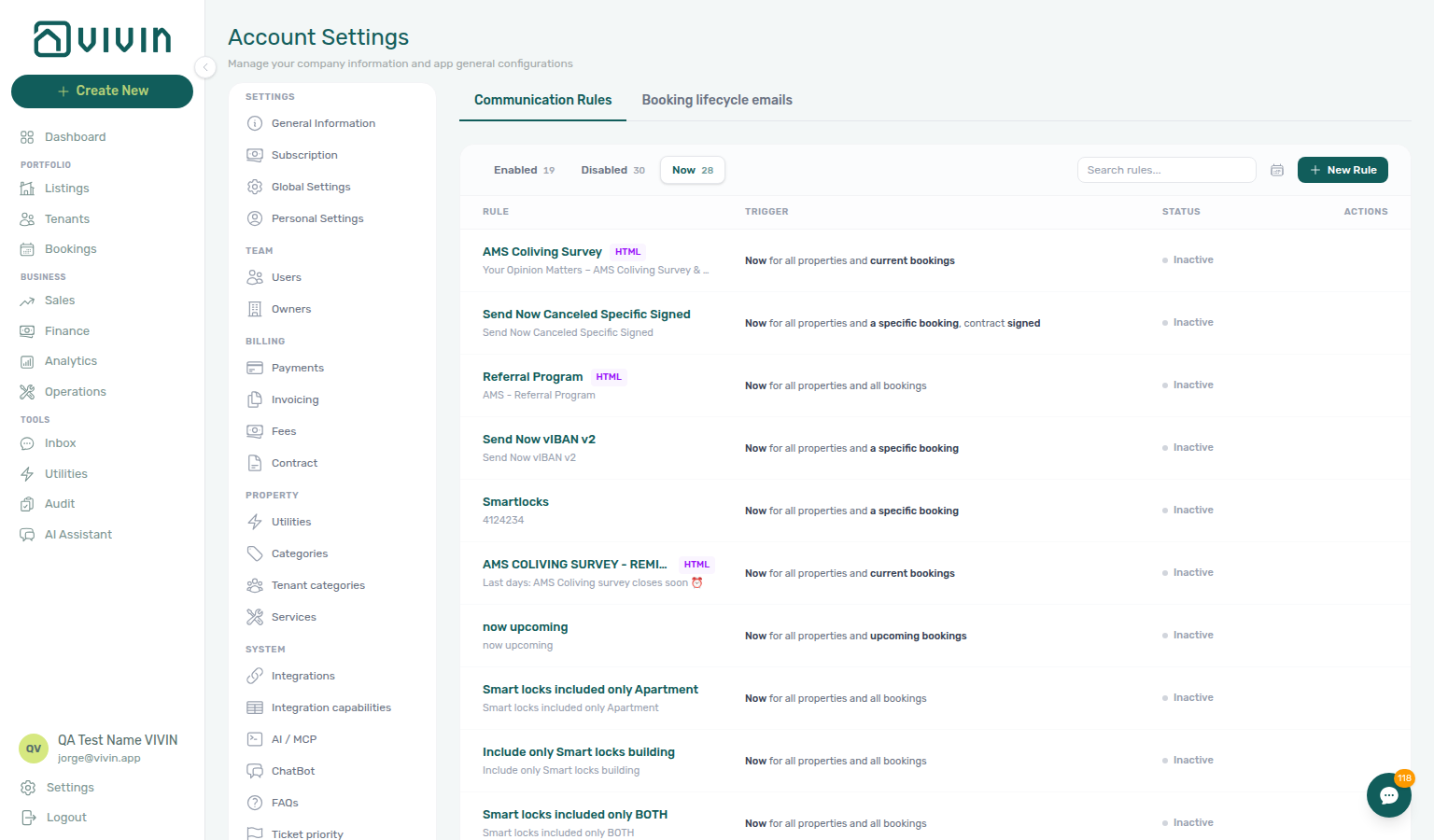
Comments search (Bookings)
Other filters → Comments → With plus Search in comments… on Bookings → All bookings. Matches only internal comment text (every word must appear; case- and accent-insensitive). Hidden unless Comments is With. Combines with toolbar Search and other filters. Bookmark: /bookings?comments=with&commentsQ=…. Removable Comments: With · … chip and Filters badge. Distinct from toolbar Search (which scans comments and tenant / unit / property / platform / IBAN) and from Operations Internal note filter. See FAQ — How do I search bookings by words in Internal Notes? (bookings-other-filters-comments-with-search.png, bookings-other-filters-comments-search-filled.png, bookings-list-comments-search-chip.png, bookings-comments-search-flow.mp4).
Currently in house
Other filters → Currently in house on Bookings → All bookings (All / In house). In house keeps stays with arrival recorded and departure not recorded (not canceled). Visible only while the account check-in / check-out process and Record arrival and departure are both on. Distinct from the Ongoing status card (calendar dates). Teal In house badge on list/grid cards and the booking sidebar while matched. Removable Currently in house chip; Filters badge; bookmark /bookings?inhouse=1. See FAQ — How do I find guests who are currently in house? (bookings-list-other-filters-currently-in-house-all.png, bookings-list-other-filters-currently-in-house-selected.png, bookings-list-currently-in-house-chip.png, bookings-list-currently-in-house-filter-flow.mp4).
Communication schedule
The All schedules modal opened from the calendar icon on the Communication Rules toolbar (or from a single rule’s View sent/scheduled messages control). Lists queued and sent messages with recipient, subject, status, and scheduled/sent timestamps; supports search and Export (CSV/Excel). A Due Date rule can show several rows for one booking — one per unpaid payment line. Clicking a row opens the related booking in the Booking detail sidebar. Status can include Cancelled — Tenant categor… when the tenant’s category has Communications / Email off; turning that toggle off → on rebuilds missing email schedules for the segment in the background — see Tenant categories — Communications / Email and schedule rebuild and FAQ — Enabling Communications / Email. See Communication schedule (calendar).
Contact us (tenant portal)
Portal Home Contact us card with your Company Name, company Address, and Website URL from General Information (Branding Website URL). Empty fields are omitted; the card title still shows. The website opens in a new tab; Vivin adds https:// when the saved value has no scheme. Always on Home after sign-in — not gated by the check-in email, not a Portal settings toggle, and not editable by tenants. Distinct from Balance card (tenant portal) (amounts due), Lease information (tenant portal) (listing name, street, stay timeline), Logo website (tenant portal) (the same Website URL on the sidebar / header logo), Open requests (tenant portal), Contract card (tenant portal), WiFi (tenant portal), Entry codes, and the tenant’s Home address. Marketplace POST /bookings cannot send these values; listing JSON is not the source. See Tenant Portal — Contact us (tenant-portal-home-contact-us-card.png, tenant-portal-home-lease-and-contact-flow.mp4) and FAQ — How do tenants see lease dates and landlord contact on portal Home?.
Contract card (tenant portal)
Portal Home Contract card: Contract pending signature with Since (booking creation date) and Sign contract, or Contract signed with Signed on and View contract. Always on Home after sign-in — not gated by the check-in email, not a Portal settings hide toggle. Sign contract needs the unsigned PDF on Contract Info. Distinct from Balance card (tenant portal) (amounts due), Open requests (tenant portal), Lease information (tenant portal), and Lease Purpose (tenant portal). See Tenant Portal — Contract card (tenant-portal-home-contract-card.png, tenant-portal-home-open-requests-and-contract-flow.mp4) and FAQ — How do tenants open requests and the contract from portal Home?.
Contract Date The date a rental agreement legally begins, used for payment scheduling. May differ from the Occupancy Date (move-in date). See Getting Started > Dates.
Contract type not on partner POST
Marketplace POST /{platform}-integration/bookings has no contractType or contractDayType field. The imported stay copies the property Rental payment frequency (Daily / Fortnightly / Monthly) and Contract type (Traditional rental / Accommodation services / Others). Partial listing JSON also omits those keys. + Create New → Booking can pick both only when Use unit contract rents is off. See Creating Bookings — Contract type and FAQ — Marketplace booking contract type (api-swagger-create-booking-integration-no-contract-type.png, listings-property-edit-contract-tab.png).
Contract duration tokens
Placeholders on Settings → Contract that print lease length: {ContractDurationMonths} (whole months as a number) and {ContractDurationInTextEn|Pt|Es|It} (words + figure, e.g. seis [6] meses). Counted between the same dates as {StartDate} / {EndDate} (end inclusive; partial months dropped). Pair with FAQ — Contract duration tokens and Amount-in-text variables for language suffixes (settings-contract-variables-contract-duration.png, settings-contract-duration-rooms-flow.mp4).
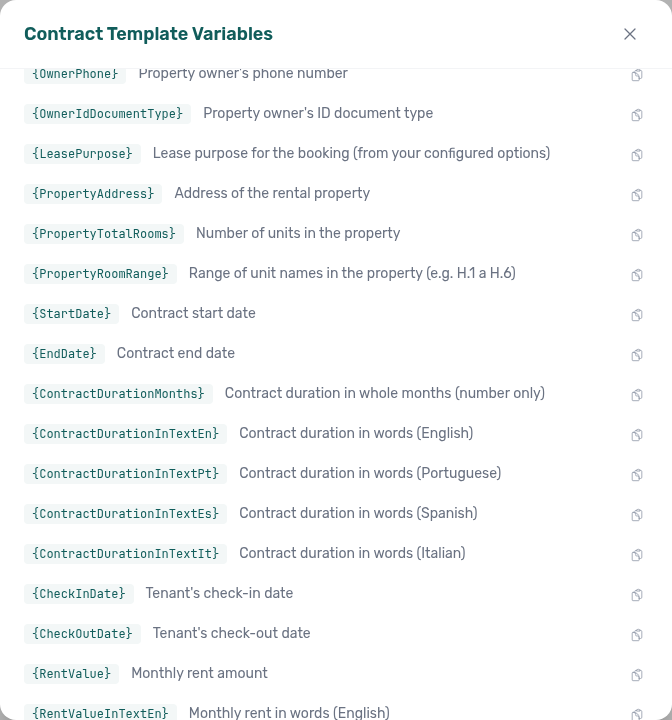
Contract sign date vs generation date
Two placeholders for a printed signature day — on Settings → Contract and in Emails → Variables: {ContractSignDate} (today only before start; booking start date afterward) and {ContractGenerationDate} (always the day Vivin builds the PDF or sends the email). Prefer generation date on renewals. Guides: Contract — Sign date vs generation date (settings-contract-variables-generation-date.png); Emails — Sign date vs generation date (settings-emails-lifecycle-variables-generation-date.png); FAQ: Which date token on a signature line?.
Surface area tokens
Contract placeholders for unit and building area in m²: {ListingArea} / {PropertyArea} (figures) and {…AreaInTextEn|Pt|Es|It} (words + bracketed figure). Sourced from Full integration area fields; unset areas print blank. Catalogue: Contract — Surface area variables (settings-contract-variables-surface-area.png); FAQ: How do surface area tokens work?; setup: Booking engine details — Surface area.
Booking Engine short-stay rent
On Vivin Booking Engine Daily stays under one month with a positive Provider platform payment from the engine, Vivin bills that quoted stay total on the payment plan instead of monthly-rate × nights. Date or rent edits drop the preservation. See Bookings — Changing contract dates and rent and FAQ — Booking Engine short-stay rent.
Contract Value A single scheduled charge in a booking's payment plan — the "expected" side of the financial picture. Each line has a Period (Contract Values) (the month it is for) that can differ from its due date. See Payment Allocation and Finance — Item month in the export.
Effective contract
The contract template Vivin uses when generating a tenant PDF for a given unit or property. Resolution follows a fallback chain: unit template (when uploaded on the unit) → property template → account default. The effective contract card on Listings property and unit editors shows the resolved source and lets operators preview the PDF before bookings inherit it. Changing templates on a property does not retroactively replace PDFs already generated on active bookings.
Contract PDF fonts
Fonts that Vivin’s LibreOffice conversion can render with correct metrics so tenant PDFs match Word pagination: Arial / Helvetica, Times New Roman, Courier New, Calibri / Carlito (including Calibri Light), and Cambria / Caladea. Other faces (notably Aptos) substitute and silently re-flow. Author guidance: Contract — Fonts and PDF fidelity. Troubleshooting: FAQ — Why does my contract PDF look different from Word?.
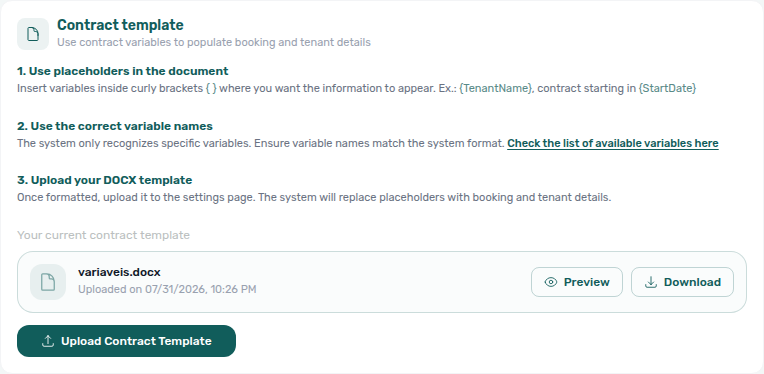
Copy virtual IBAN (tenant portal)
Portal Make payment → Bank Transfer (IBAN) tap-to-copy for the booking virtual IBAN. A green check replaces the grey copy icon for a couple of seconds. Distinct from the tenant’s personal IBAN (tenant portal) (deposit refunds on Account), from Select an amount (tenant portal) (how much to pay on the same screen), from Payment Due Soon (tenant portal) (the Bank Transfer timing dialog), from Virtual IBAN processing notice (tenant portal) (Payments 3-business-days copy), and from Copy password on WiFi (tenant portal). No Portal settings hide toggle — tenant-category VIVIN payments (or an unprovisioned payment module) hides Make payment. Marketplace POST /bookings cannot send this control. See Tenant Portal — Copy virtual IBAN (tenant-portal-paywall-copy-iban.png, tenant-portal-paywall-copy-iban-panel.png, tenant-portal-paywall-copy-iban-copied-panel.png, tenant-portal-paywall-copy-iban-phone.png, tenant-portal-paywall-copy-iban-flow.mp4) and FAQ — How do tenants copy the virtual IBAN in the Tenant Portal?.
Mandatory for contract signing
Account-level toggles under Account Settings → Tenant Portal → Portal settings that require specific Your Details fields in the Tenant Portal before digital contract signature (first name and last name, phone, nationality, ID document details, fiscal number, and IBAN). Each enabled toggle is enforced in the portal UI and server-side on sign — tenants cannot bypass a gate by calling the sign API directly. Defaults are Off for every field. Configure: Portal settings — Mandatory fields before contract signing. Tenants see asterisk labels on the Your Details step of the Digital contract signing wizard. Account → Save changes still requires both names when those fields are editable, even if Require First Name / Require Last Name stay Off. Operator troubleshooting when Sign contract is blocked: FAQ — Tenant contract signing blocked.
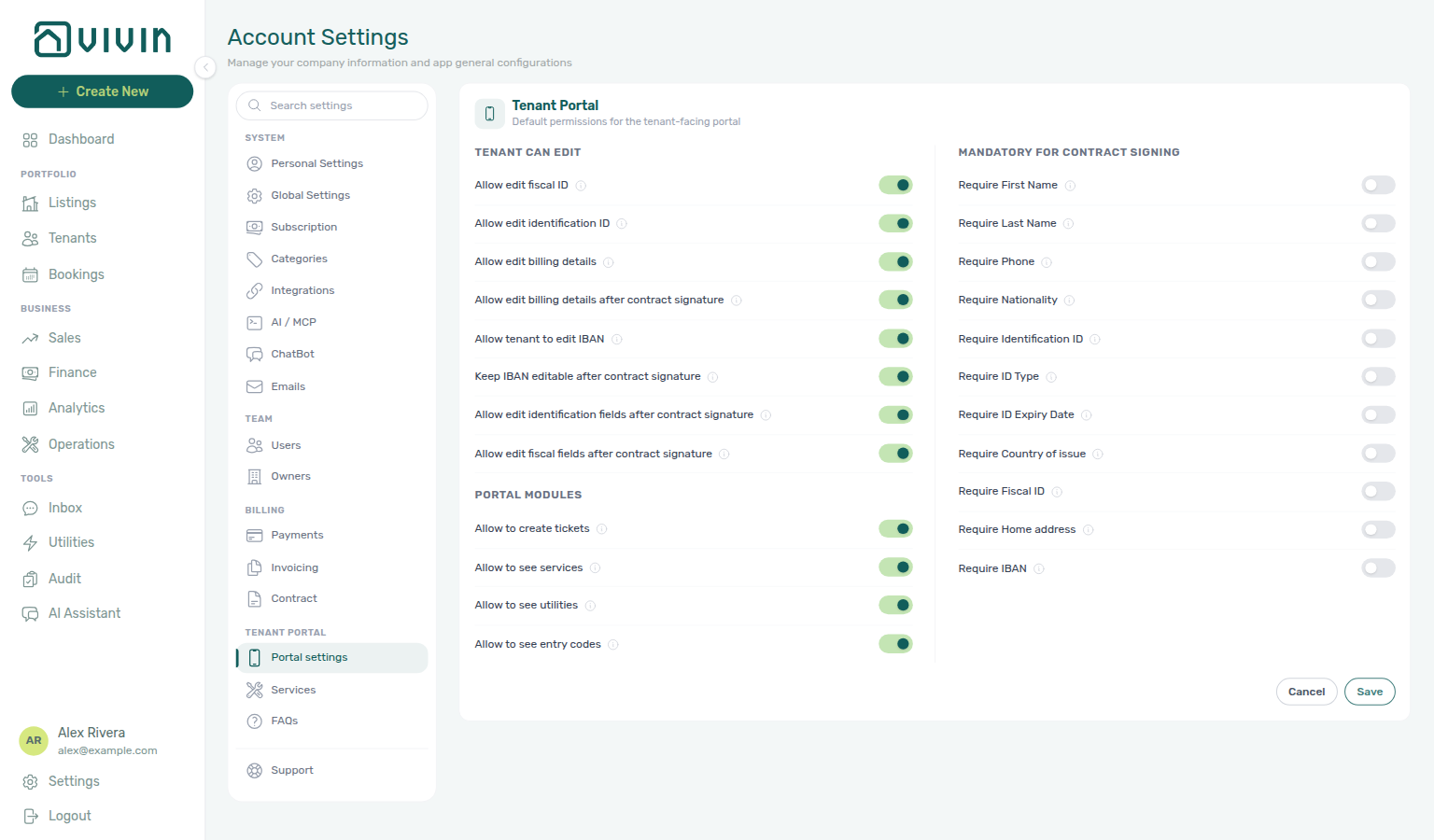
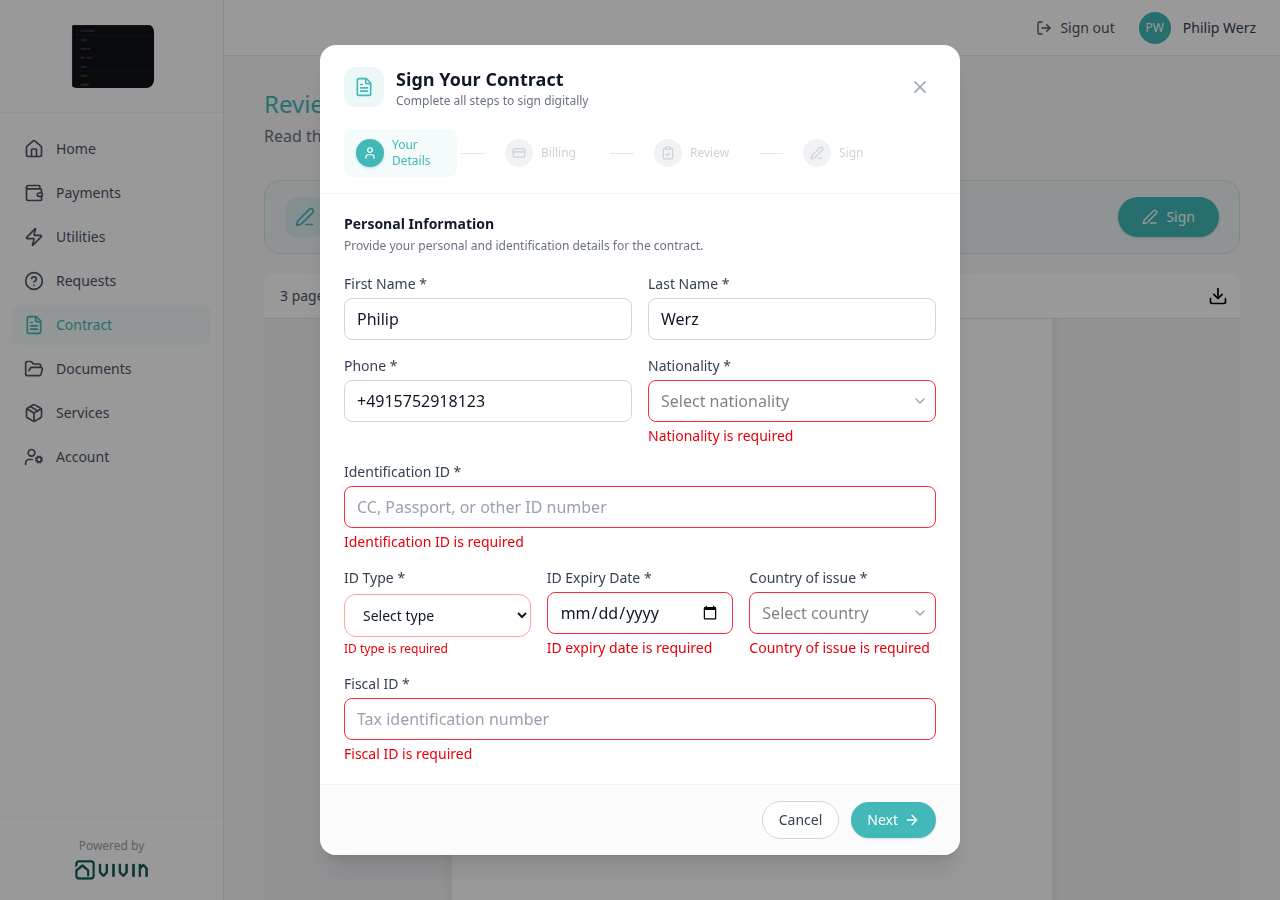
Coliving / flex living
Portfolio-model context pairs with Getting Started — Core Concepts and Terminology, Distribution & channels (optional setup), and Integrations & Distribution.
Operating models where multiple unrelated tenants share a property or building with shared spaces and services (coliving) or where stay length and channel mix vary across mid-term and short-term demand (flex living). Vivin’s product language and workflows assume multi-unit portfolios, turnover, and channel distribution — see Getting Started and Integrations & Distribution.
Create New
The + Create New control in the left sidebar (shown from medium-width layouts upward) opens a slide-out of quick-create actions: People, Listings, Reservations, Operations, Payments, plus Tools (utility bill upload) for Vivin @vivin.app accounts. See the Create New Menu reference.
Cost Allocation A category assigned to a cash flow entry for expense reporting. Configured in Settings > Categories > Cashflows and applied when you create or edit rows on the Operations > Cash Flows tab. On a maintenance Ticket, the Cost allocation sidebar panel also classifies who bears repair cost (Owner, Tenant, Internal) and can link existing cash flows so the ticket’s signed € total reflects linked ledger lines.
Covered (utilities allocation)
On Utilities → Allocations, a calculated period that costs the tenant nothing. Extra to charge is € 0,00 (a real zero, not a dash). Teal Covered badge; no checkbox, no Approve or Reject; never in Pending. Two kinds: consumption stayed within the rent-included budget, or the unit has All bills included. The Covered card’s € is consumption covered, not an amount to charge. Distinct from Absorbed (calendar block, Extra to charge —): a block on the same unit does not replace the booking’s Covered row — Calendar blocks do not replace Covered. FAQ: Why is there a Covered row with Extra to charge of € 0,00? and Did a calendar block remove my Covered allocation?.
Credit note warning (reject/revert)
Full hub: Credit note warning (reject/revert) (modal banner surfaces, Not issued credit note queue symptom table, and per-guide mesh).
Red banner on Reject Payment and blue info on Revert payment when Finance may already have invoiced the charge — the in-product cue to clear the Not issued credit note queue on Finance → Transactions. Accounting vocabulary: Credit note (payment reject/revert).
Credit note (payment reject/revert)
Modal banners and queue triage: Credit note warning (reject/revert). Full hub: Reject/revert mistaken receipts hub · Credit note warning (reject/revert) hub. See Common Workflows — Reject/revert mistaken receipts.
Accounting follow-up copy Vivin shows when you reject or revert an in-payment that may already be invoiced through your integration (for example Invoice-xpress). Reject payment (on pending rows on booking Transactions, or Reject selected on Finance → Transactions) opens a confirmation modal with a red banner: Warning: this may require a credit note and invoice follow-up. Revert payment (on confirmed or rejected rows) shows a blue info banner: Info: this may require invoice or credit note updates afterwards. Vivin removes or rolls back the allocation in-product and creates credit-note reversal rows when needed. Issue those documents from Finance → Transactions — use the invoice filter pills beside Export (All / Invoiced / Not Invoiced / Not issued credit note / Issued credit note), filter Not issued credit note, then Issue credit notes (N) on the bulk bar or Issue credit note to provider on each reversal allocation in transaction detail — or mark reversals Set manual when accounting handles the nota de crédito outside Vivin. Operator walkthrough: FAQ — Reject or revert an incoming payment (bookings-detail-transactions-reject-modal-credit-note-banner.png, bookings-payment-row-actions-flow.mp4).
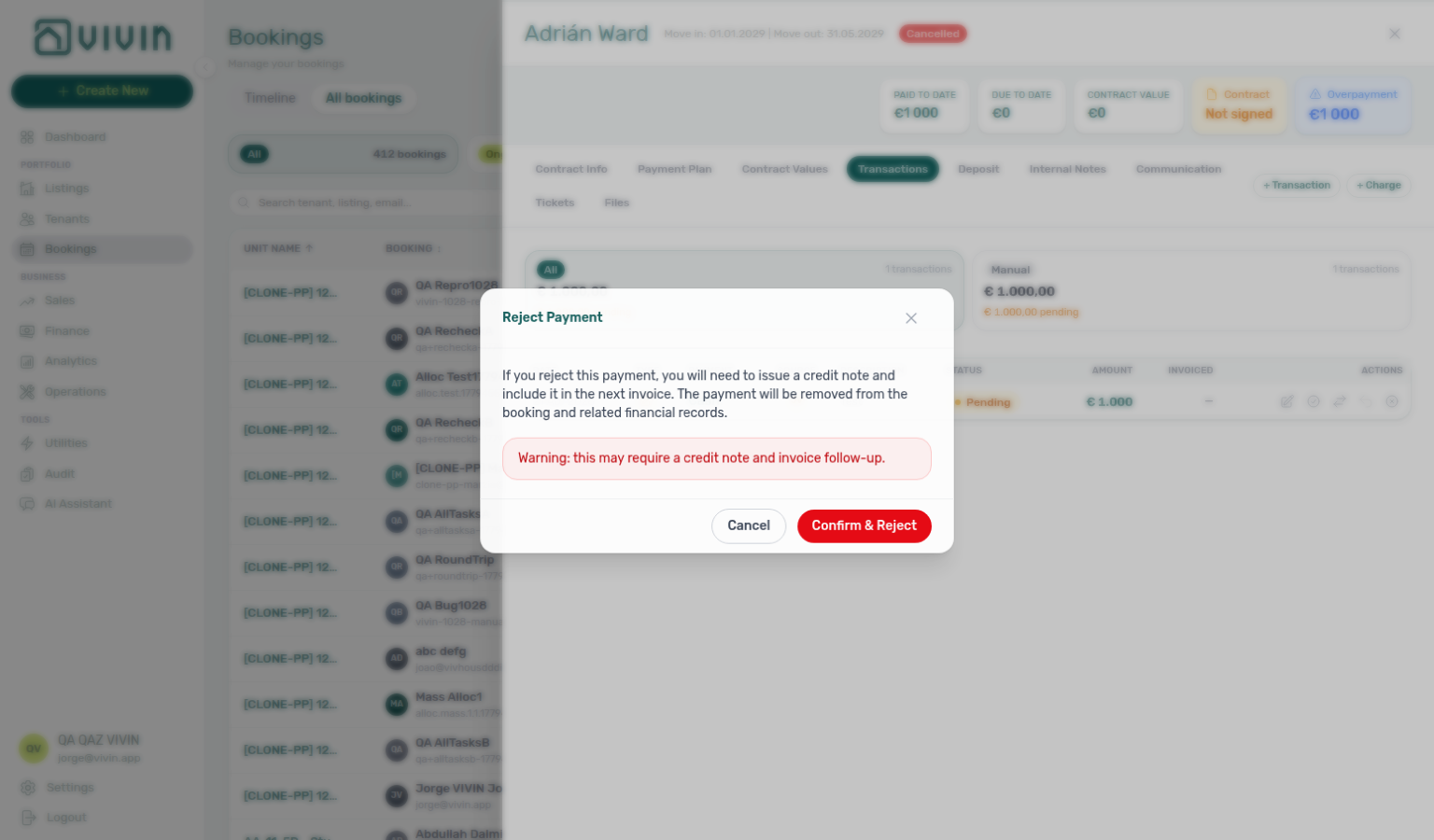
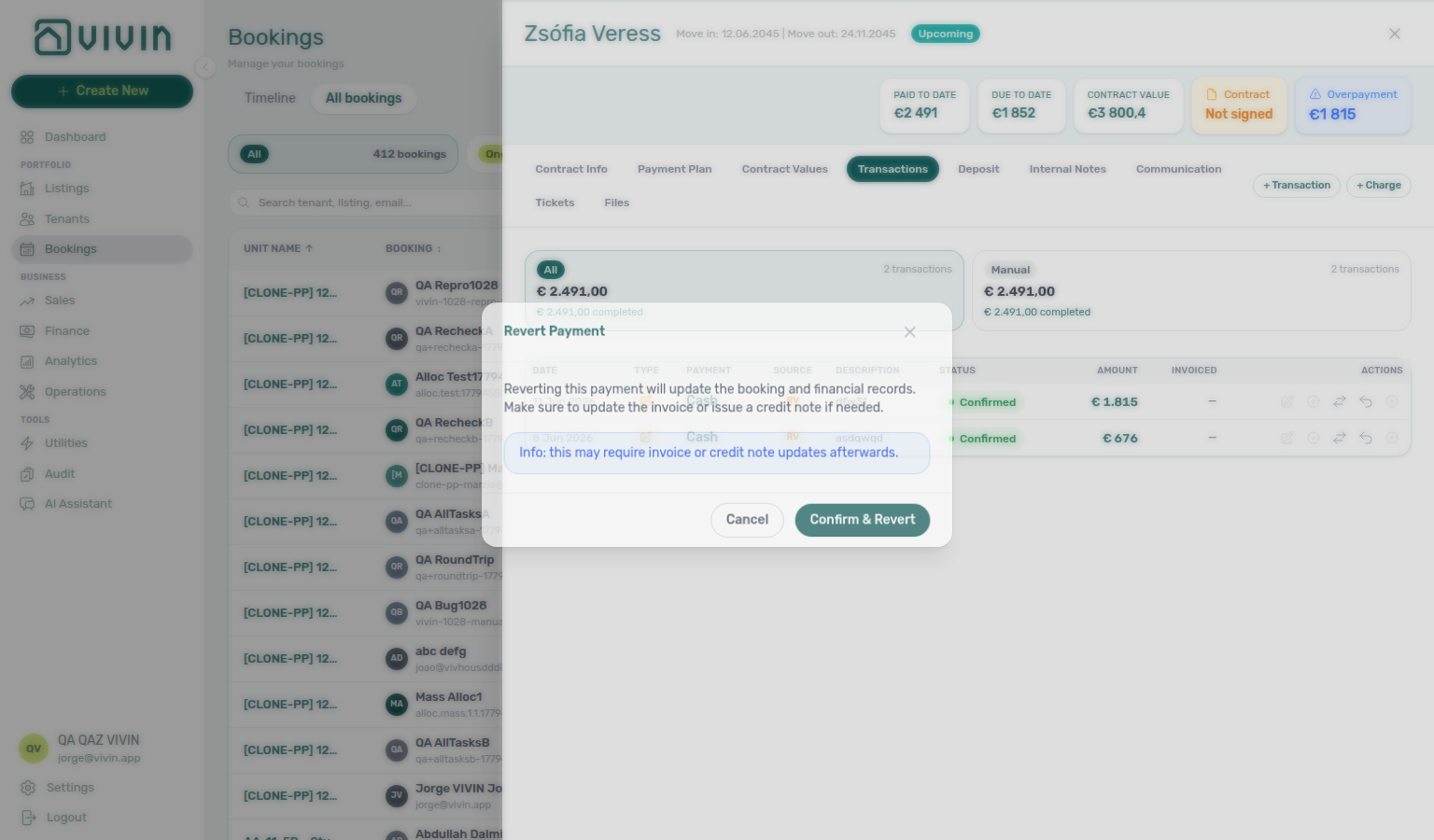 The same reject modal appears from Processing a New Booking, Handling a Late Payment, Managing a Check-in, Entering Monthly Utility Bills, Managing a Check-out (duplicate final payment during settlement), and Cancelling a Booking. Cancelling with already-invoiced schedule lines also requires credit notes outside Vivin — see Cancelling a Booking — Step 2b. Rent edits below the invoiced floor need the same external follow-up. See Common Workflows — Reject/revert mistaken receipts.
D
D deposit, directory, portal Documents, and portal Daily Breakdown terms pair F (Finance Deposits date range), N (notification navigation), and FAQ — Payments & Finance.
Ticket workflow status
On Operations → Tickets, operators set Unassigned, In progress, Completed, or Cancelled from the ticket sidebar Status menu. There is no Open value. The list and KPI cards label finished work Closed (same value as sidebar Completed). Draft is a display-only label for far-future Schedule date, not a menu choice. See Operations — Ticket status (no Open) (operations-tickets-status-unassigned-row.png, operations-ticket-detail-status-picker.png, operations-ticket-detail-status-picker-flow.mp4).
Draft ticket (display status)
On Operations → Tickets, Draft is a display-only label — not a separate API status you assign manually. When a ticket’s Schedule date is more than 30 days in the future, the list shows a Draft badge and the Draft KPI card counts it, even though the saved workflow value remains Unassigned or In progress in the sidebar. Far-future scheduled work therefore stays out of the actionable Unassigned / In progress buckets until the schedule date moves inside the window. Use the Draft summary card or status pill to review long-lead jobs without mixing them into today’s queue. When the toolbar Overdue filter is on (including after you click the Overview Overdue KPI card), the Draft card drops to 0 with the other non-overdue buckets — see Operations — Overdue filter and status cards. Genius / AI Chat quote the same Draft bucket in ticket status counts (ai-chat-ticket-status-counts-reply.png) and the five Draft-card priority chips in draft priority counts (ai-chat-ticket-draft-priority-counts-reply.png).
Tickets toolbar category filter
The Category control on Operations → Tickets lists every chip from Settings → Categories → Tickets, plus any label still stored on a loaded ticket. It is not limited to types on the first page of the queue. Scroll the menu, or type to search when the catalog is long. After you pick a type, a chip stays under the toolbar and the menu stays open with the full catalog so you can add another type. See FAQ — Ticket category missing from the filter, FAQ — Does picking a second ticket category close the menu? (operations-tickets-category-filter-open.png, operations-tickets-category-filter-search.png, operations-tickets-category-filter-selected.png, operations-tickets-category-filter-flow.mp4, operations-tickets-category-filter-stays-open.png, operations-tickets-category-filter-two-types.png, operations-tickets-category-filter-stays-open-flow.mp4).
Tickets toolbar source filter
The Source control on Operations → Tickets is a multi-select of how the ticket was created: Tenant portal, Chatbot, Tenant (all channels) (the generic tenant source — not a shortcut that includes portal and chatbot), Internal Team, Automatic - Check-in/out, and Automatic - Recurring. After you pick a channel, a chip stays under the toolbar and the menu stays open so you can add another channel. See FAQ — Does picking a second ticket source close the menu?.
Tickets toolbar assignee filter
The Assignee control on Operations → Tickets is a multi-select of teammates you can assign maintenance work to. After you pick a name, a chip stays under the toolbar and the menu stays open so you can add another teammate. The queue shows tickets assigned to any of the people you picked. Ticking names here only filters the list — it does not change who is assigned on a ticket. Filters → Responsible is one person at a time. Unassigned tickets stay on the Unassigned status card, not in this menu. Distinct from Check-in & Check-out Responsible. See FAQ — Does picking a second ticket assignee close the menu?.
Check-in & Check-out Responsible filter
The Responsible control on Operations → Check-in & Check-out is a multi-select of teammates already named on a handover in that tab. After you pick a name, a chip stays under the toolbar and the menu stays open so you can add another teammate. It is not the full Users roster, and it is not Filters → Assigned responsible (With / Without). Distinct from Tickets toolbar Assignee, and from Check-in responsible (the booking fields marketplace POST cannot set). See FAQ — Does picking a second responsible teammate close the Check-in & Check-out menu?.
Ticket — linked cash flows
On a maintenance ticket sidebar, the Cost allocation panel connects repair work to the Operations → Cash Flows ledger: link existing inflow/outflow rows, review a signed € total, and click a linked row to open the Cash flow detail sidebar without leaving the ticket. Use this when contractor invoices should reconcile with ticket-level spend — for example turnover cleaning paid to a supplier or damage repairs during Managing a Check-out. See Operations — Linking cash flows to a ticket.
Dashboard The first screen shown upon login, providing a real-time overview of KPI cards (Listings, Today, Total Debt, Monthly Revenue), plus Occupancy Forecast, Cash Flow Forecast, and Vacant Units. See Dashboard module.
Date range (Multicalendar)
On Sales → Multicalendar, Date range with Start date and End date keeps units free every night in that window. Click both dates without pausing on the start so Vivin searches the full window once. A pause after Start date searches that single day (units free on the start, including units booked later). While the search runs, the toolbar count reads Updating... instead of the previous listing total. Distinct from Finance Deposits date range (deposit table window). See Sales — Date range waits for both dates and FAQ — Date range still lists booked units.
Deep link (management frontend)
A direct https://platform.vivin.app/… URL that opens a specific module, tab, or editor state (for example Listings on a unit with filters applied, the booking-engine details layer via query flags, or Operations → Tickets with ?ticket=<ticketId> from a maintenance assignment email). Use them in bookmarks, runbooks, and hand-offs between operators. Route patterns and caveats are listed in Management Frontend Deep Links.
Documents (tenant portal)
Portal Documents (/files) lists booking files for the stay: type badges PDF / IMG / DOC / FILE, in-portal preview for PDFs and images (Download / Close / Escape), and a new tab for Word and other types. Hostkit Invoice_<ref>.pdf tiles open in a new browser tab. Tenants cannot upload or delete. No Portal settings hide toggle — tenant-category Documents / invoices hides the desktop sidebar item. Distinct from Contract card (tenant portal) (signing), Download contract (tenant portal) (the rental PDF on Contract), and from Receipt column (tenant portal) on Payments. Marketplace POST /bookings cannot send files. See Tenant Portal — Documents / Preview and download (tenant-portal-documents-empty-state.png, tenant-portal-documents-file-list.png, tenant-portal-documents-file-card.png, tenant-portal-documents-preview.png, tenant-portal-documents-preview-header.png, tenant-portal-documents-preview-download-flow.mp4) and FAQ — How do tenants see files and invoices on portal Documents?.
Download contract (tenant portal)
Portal Contract PDF viewer header: page count on the left (for example 3 pages) and a download icon on the right (tooltip Download contract). The file is always named contract.pdf. Available as soon as the PDF is on screen — tenants do not scroll to the end first (Read to the end to sign only unlocks Sign). Unsigned copy before signature; signed copy after, same filename. No Portal settings hide toggle — tenant-category Contract Off hides the tab. Distinct from Documents (tenant portal) and from Export CSV (tenant portal). Marketplace POST /bookings cannot send this control. See Tenant Portal — Download contract (tenant-portal-contract-download.png, tenant-portal-contract-download-toolbar.png, tenant-portal-contract-download-flow.mp4), Read to the end to sign, and FAQ — How do tenants download the contract from the portal?.
Daily Breakdown (tenant portal)
Portal Utilities card above Your Property Bills. Heading Daily Breakdown. Property (when more than one building is on the map) and Unit, with this stay’s listing underlined and (you). Today has a red outline. Occupied days can show a euro amount; hover a cell for the calendar date and amount. Scroll sideways across months. Empty copy: No cost data available for your booking period. There is no Portal settings hide toggle for this card; Allow to see utilities Off hides Utilities and therefore the grid. Refunded bookings do not show the tab. Distinct from Your Property Bills (tenant portal) (supplier PDFs) and from Payments tab overage lines. Marketplace POST /bookings cannot send this grid. See Tenant Portal — Daily Breakdown (tenant-portal-utilities-daily-breakdown.png, tenant-portal-utilities-daily-breakdown-tooltip.png, tenant-portal-utilities-daily-breakdown-flow.mp4) and FAQ — How do tenants see daily utility consumption?.
Demand Forecasting A general industry term for projecting future booking demand. In Vivin, forward-looking occupancy is visualised with the Occupancy forecast chart on the Dashboard and on Sales > Overview; operators still set rents manually in Sales > Pricing. See Visual quick reference — Occupancy Forecast (Dashboard).
Deposit Refund Deadline The account-wide number of days after a booking’s refund anchor by which the security deposit should be returned. Configured in Settings > Payments as Deposit Refund Deadline. Individual bookings can override it with Deposit Refund Limit on Contract Info.
Default language (portal settings)
Account-wide language the Tenant Portal opens in for tenants who have not picked one themselves — set on Settings → Tenant Portal → Portal settings at the top of the Tenant Portal card. Options: Not set (English) (empty — English), English, Português, Español, and Italiano. A tenant who picks EN / PT / ES / IT in the portal Language switcher (tenant portal) keeps that choice on every stay. Account default on Portal language (tenant sidebar) hands a tenant back to this setting. Distinct from management Interface language. See Portal settings — Default language and FAQ — How do I set the Tenant Portal default language? (settings-portal-default-language.png, settings-portal-default-language-edit.png, settings-portal-default-language-options.png, settings-portal-default-language-flow.mp4).
Deposit Refund Limit
Per-booking override of the account Deposit Refund Deadline on Settings > Payments (English UI: Deposit Refund Limit on Bookings → Contract Info → Booking information). Blank inherits the account setting; 0 means due on the refund anchor date itself; a positive day count sets a booking-only ceiling. Vivin applies the effective term to Refund Due Date on Finance → Deposits and to post-checkout Add Charge due-date bounds. Marketplace POST /bookings does not set this field — Deposit Refund Limit not on partner POST. See Bookings — Deposit Refund Limit (bookings-detail-deposit-refund-limit-inherited.png, bookings-detail-deposit-refund-limit-edit.png, bookings-detail-deposit-refund-limit-override.png, bookings-deposit-refund-limit-flow.mp4).
Deposit Refund Limit not on partner POST
Marketplace POST /{platform}-integration/bookings has no depositReturnDueDay field. The imported stay inherits account Deposit Refund Limit on every read (it is not copied onto the row at create). Partial listing JSON also omits that key. There is no property-level Deposit Refund Limit. + Create New → Booking cannot pick it at create. After import, Contract Info can still override Deposit Refund Limit for that reservation. Changing Payments still moves every booking that has no override. See Creating Bookings — Deposit Refund Limit and FAQ — Marketplace booking Deposit Refund Limit (api-swagger-create-booking-integration-no-deposit-refund-limit.png, settings-payments-tab-overview.png, bookings-detail-deposit-refund-limit-inherited.png). Distinct from Deposit not on partner POST (the euro hold) and from Days before due not on partner POST (that window is copied at create).
Owner report document
The Word/PDF layout for monthly Owner Reports settlements. Configured on Settings → Owners — Owner report document when Enable Owner Reports is On: built-in branded letterhead by default, or an uploaded .docx with merge variables. Distinct from per-item Fee / VAT on the same Owners tab.
Owner commission
Per-item management fee on Settings → Owners when Owner Reports is On. Each payment type has Owner payout, PM Charge, Fee, and VAT. Commission applies to is All properties or Per property. The card chip shows a rate such as 8% · Rent, or Not configured. Occupancy and outstanding debt export are On report toggles on Finance → Owner Reports, not on the owner card.
Owner management fee invoice
Provider invoice for the management fee on a generated owner settlement. Issued from Finance → Owner Reports — Invoice the management fee (Reports modal Invoice column). Requires Approve payments. Use one VAT percentage on every charged item if you bill the fee from the report. Invoiced settlements cannot be deleted.
Deposit Refund (payment type)
A manual outgoing in-payment recorded when an operator refunds a security deposit from Bookings → Deposit (permission bookings.refund). Appears on Finance → Transactions under the Manual Transactions group (Deposit Refund sub-card) and as a scheduled line on the booking Payment plan with subtitle Deposit Refund, a minus-prefixed Deposit amount, and a green Refunded status (not Overdue) once the return is recorded — even when other fees share that due date (bookings-detail-payment-plan-deposit-refund-refunded-status.png, bookings-detail-payment-plan-deposit-refund-refunded-breakdown.png, bookings-payment-plan-deposit-refund-refunded-flow.mp4). The same Mark refunded action also posts a fiscal reversal on the deposit collection — pending credit note when that cash was invoiced/manual/draft, or return of value when it was paid but not invoiced (bookings-detail-payment-plan-deposit-refund-credit-note.png, bookings-deposit-refund-fiscal-reversal-flow.mp4). Distinct from Deposit collection lines (tenant pay-in) and from Mark refunded on Finance → Deposits (status tracking after the external bank transfer). After Refund Completed, Transfer Refund Balance can move remaining credit to another booking for the same tenant (creates a destination credit payment; source refund becomes non-reversible) — bookings-detail-deposit-tab-transfer-modal.png, bookings-detail-deposit-tab-transfer-picker-identity.png (property — unit · contract dates · status), bookings-deposit-transfer-flow.mp4. The same identity labels appear on Switch IBAN when swapping Virtual IBANs between same-tenant stays — bookings-detail-contract-info-switch-iban-picker-identity.png, bookings-contract-switch-iban-flow.mp4.
Deposit lifecycle status
Full hub: Deposit lifecycle status (payment-driven depositStatus pill vocabulary, lifecycle state table, symptom table, surfaces, and per-guide/module mesh).
When payment-driven lifecycle is enabled, Vivin stores a single depositStatus on each booking and mirrors it as a lifecycle pill on the Deposit tab and on matching Finance → Deposits rows (distinct from the amber Partially paid collection badge, which compares Paid vs Amount on the same tab).
| Status (English UI) | Typical meaning |
|---|---|
| Not Paid | No deposit allocation recorded yet. |
| No deposit | Display pill on the booking Deposit tab when no security deposit is configured — not a Finance → Deposits filter value. Overpayment returns still use Mark refunded on that tab. |
| Partial Paid | Some deposit collected but below the configured Amount. |
| Fully Paid | Deposit collected in full; pre-refund — Refund / dispute actions apply here. |
| Ready to Refund | Operations marked Ready To Refund (when required) — finance can queue the bank return. |
| Disputed | Deposit dispute freeze — refund actions blocked until resolved. |
| Refunded | Outbound deposit return recorded in Vivin (bank transfer still happens outside the platform). |
Portfolio triage uses Finance → Deposits Deposit lifecycle status cards plus Other filters → Deposit status on Bookings and Finance — see Finance — Deposit status filter. After Ready To Refund, a dispute action, Mark refunded, Revert refund, or Transfer on the booking Deposit tab, All bookings already respects that Deposit status slice (Bookings — Deposit status filter updates while you work). After Mark refunded, Revert refund, a dispute action, or Transfer, the Finance Deposits cards and table already match too (Bookings — Finance Deposits updates from this tab). Child topics: Partly collected security deposit (Partial Paid shortfall), Deposit dispute (Disputed freeze), Finance Deposits date range (toolbar window hides lifecycle card counts), Deposit refund summary (tenant-facing) (portal Payments net display after Mark refunded). Marketplace POST /bookings does not set the hold amount — Deposit not on partner POST.
Deposit not on partner POST
Marketplace POST /{platform}-integration/bookings has no depositValue or extraDepositPerTenant field. The payment plan copies listing JSON depositValue (computed property hold). Extra Deposit euros copy from the unit using occupant headcount — Extra Charge not on partner POST. + Create New → Booking can include or omit Security deposit only when Use unit contract rents is off. See Creating Bookings — Deposit and FAQ — Marketplace booking deposit (api-swagger-create-booking-integration-no-deposit.png, api-swagger-listing-dto-deposit-value.png).
Deposit refund summary (tenant-facing)
After operators record Mark refunded, Vivin stores a booking_deposit_refund row and returns a DepositRefundSummary to the tenant portal. The portal Payments tab uses this summary — not the contract deposit amount — for the Deposit Refund transaction line.
| Field | Meaning |
|---|---|
grossReversed | Full deposit amount reversed on the ledger |
appliedToCharges | Portion retained against outstanding charges |
netToTenant | Cash returned to the tenant (what the portal displays) |
status: refunded | Bank return to this tenant |
status: transferred | Balance moved to another booking (netToTenant = 0) |
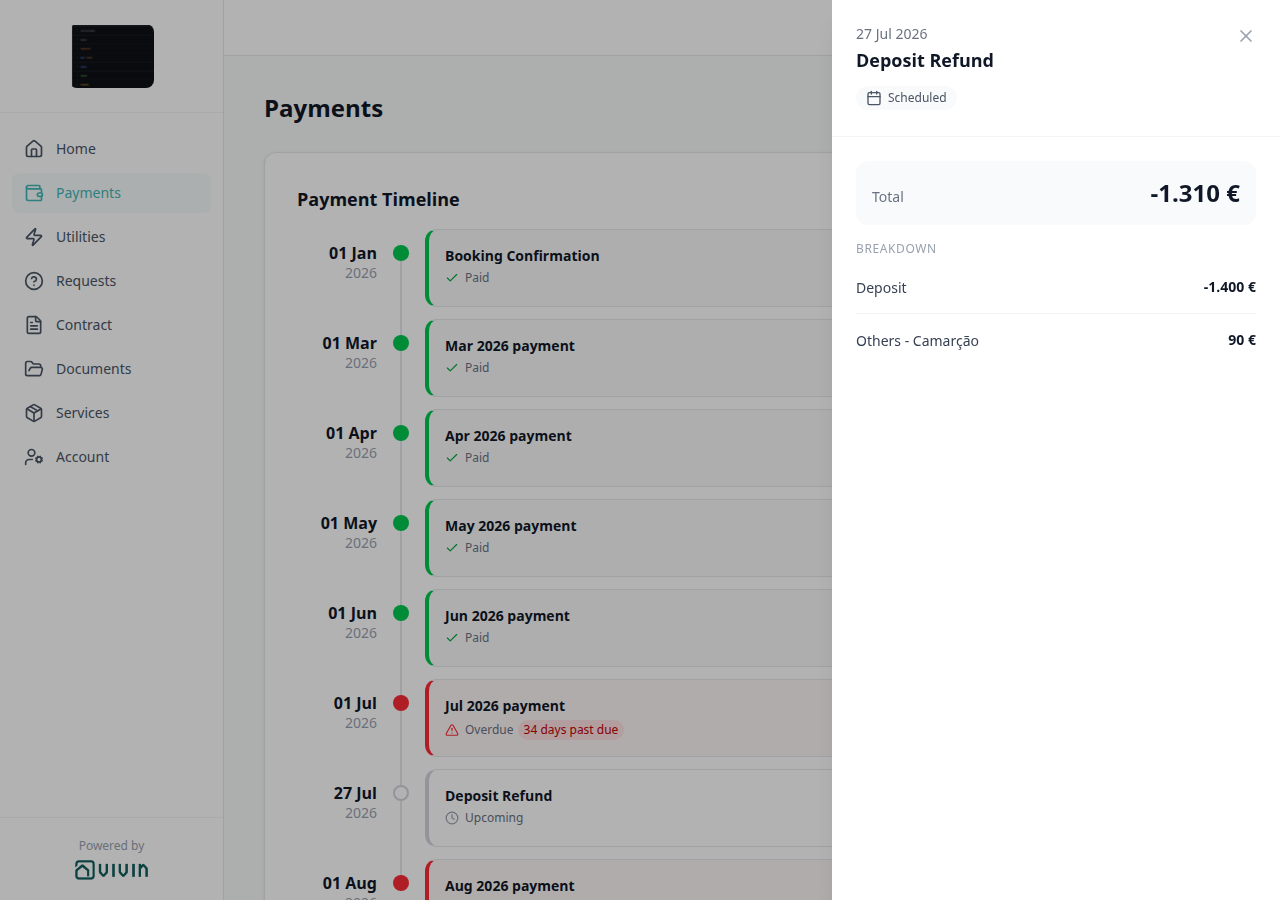
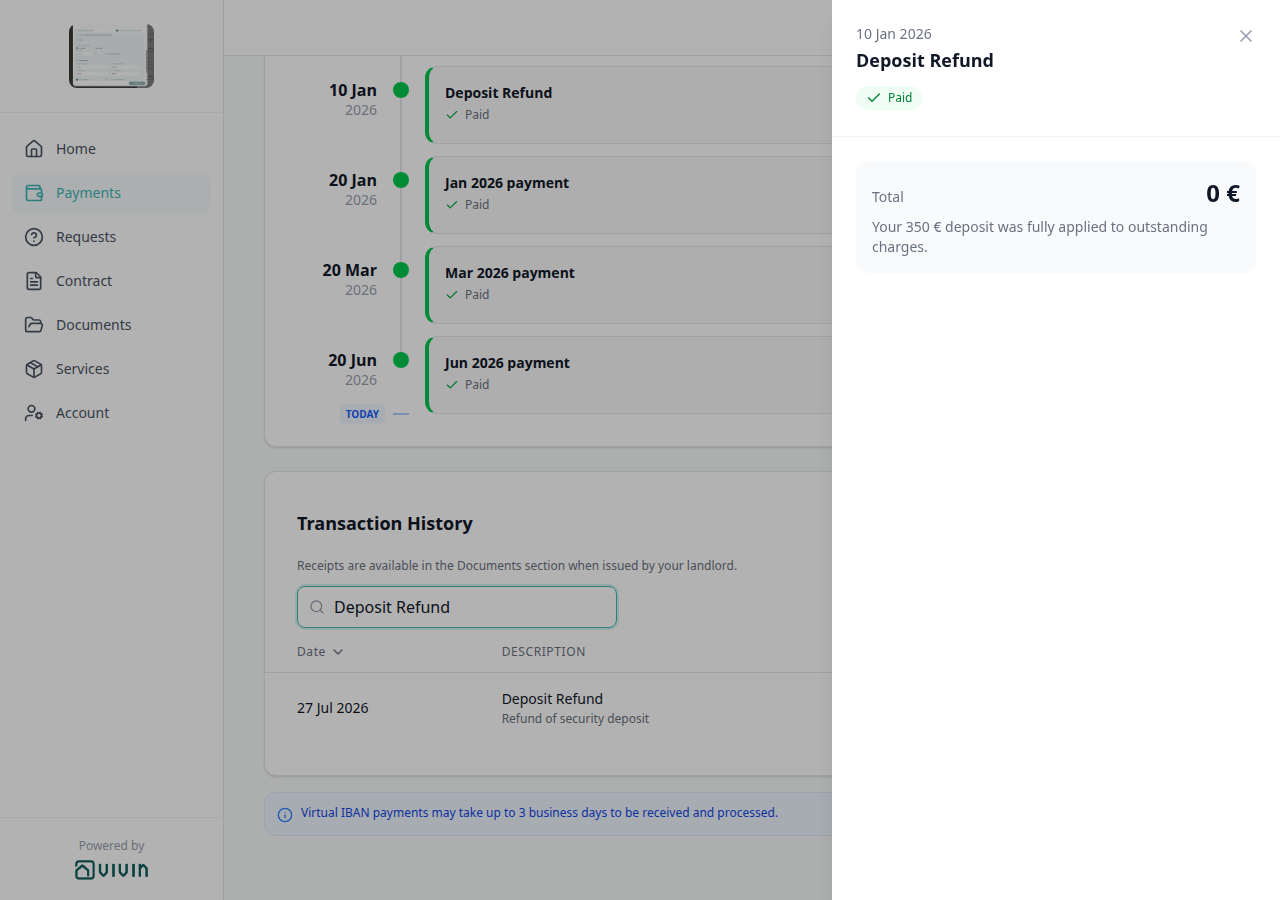
Transaction search on the portal accepts signed amounts — -5.400 matches a -5.400 € inbound Bank Transfer line (; tenant-portal-payments-transaction-signed-search.png, tenant-portal-transaction-signed-search-flow.mp4). After Mark refunded, Payments → Transaction History also shows Deposit Refund type label (tenant portal). Operator workflow: Managing a Check-out — Step 5. FAQ: Tenant portal deposit refund amount, How do tenants see a deposit refund in payment history?, Portal transaction search signed amounts.
Deposit Refund type label (tenant portal)
Portal Payments → Transaction History label for money returned after operators Mark refunded. The row shows Deposit Refund as plain text — no platform logo. The grey subtitle is the ledger note Refund of security deposit. Search matches Deposit. Export CSV (tenant portal) writes Deposit Refund in Description. This is the history label after Mark refunded, not the Deposit Refund card on Payment Timeline, and not an Overpayment Return type label (tenant portal) row. No Portal settings hide toggle — tenant-category VIVIN payments (or an unprovisioned payment module) hides the whole Payments tab. Distinct from Cash type label (tenant portal), from Bank Transfer type label (tenant portal), from Viban type label (tenant portal), from Credit Card type label (tenant portal), from Automatic Adjustment type label (tenant portal), from Overpayment Return type label (tenant portal), from Cancelation With Refund type label (tenant portal), from Cancelation With Partial Refund type label (tenant portal), and from Platform payment label (tenant portal). See Tenant Portal — Deposit Refund type label (tenant-portal-payments-deposit-refund-label.png, tenant-portal-payments-deposit-refund-label-table.png, tenant-portal-payments-deposit-refund-label-row.png, tenant-portal-payments-deposit-refund-label-search.png, tenant-portal-payments-deposit-refund-label-phone.png, tenant-portal-payments-deposit-refund-label-flow.mp4) and FAQ — How do tenants see a deposit refund in payment history?.
WhatsApp Genius (operator)
Landlord-side WhatsApp Genius lets team members message an AI assistant from a personal Phone Number linked on Account Settings → Users (Edit card — not Add Team Member). Authorization uses property_manager.phone — the sender acts as their real user and MCP tool permissions follow that role. Replies are WhatsApp-shaped (no markdown tables; language matches the user; honest read/write tool surface). Every turn includes a prompt-safe active-account identity (company name, contact fields, fiscal ID, whether payments and operations are enabled, and whether billing is on because an invoicing connection exists — no secrets). Money answers use Finance-sourced portfolio metrics (get-finance-overview, get-revenue-summary, get-income-by-property) so figures match Finance → Overview / Income, not Analytics ADR/RevPAR. Operators can also ask Genius to create scheduled reports (vacancy / open debt / upcoming check-ins / Finance overview digests on a cadence). Distinct from the tenant-facing ChatBot (tenant WhatsApp/email) and in-browser AI Chat. Setup and troubleshooting: Users — WhatsApp Genius phone linking, Automation & AI — WhatsApp Genius, FAQ — Genius does not recognize my number, FAQ — Genius / AI Chat account identity, FAQ — Genius revenue vs Analytics, FAQ — Schedule recurring reports.
Scheduled report (Genius)
A per-user recurring digest Genius (or AI Chat / Landlord MCP) creates from a fixed catalogue — vacancy summary (next 30 days), open debt summary, upcoming check-ins (next 7 days), or Finance overview (current-month income expected, cash collected, invoiced, pending invoicing, total debt, overdue deposits) — delivered by WhatsApp, email, or both on a daily / weekly / monthly cadence. Content is deterministic (not LLM-written figures) in English or Portuguese. Cap: 10 active schedules per user. Tools: create-scheduled-report, list-scheduled-reports, update-scheduled-report (pause, resume, cancel, change cadence, switch channel, or change language). Manage the same rows on Account Settings → Genius → Scheduled reports (settings-genius-scheduled-reports-list.png, settings-genius-scheduled-reports-last-outcome.png, settings-genius-scheduled-reports-create-flow.mp4, settings-genius-scheduled-reports-finance-overview-modal.png, settings-genius-scheduled-reports-finance-overview-flow.mp4, ai-chat-scheduled-reports-finance-overview-confirm-prompt.png, ai-chat-scheduled-reports-finance-overview-reply.png, ai-chat-scheduled-reports-finance-overview-flow.mp4); read delivery results under Last outcome. WhatsApp delivery needs a linked Phone Number on Users (ai-chat-scheduled-reports-create-whatsapp-check-ins-reply.png, ai-chat-scheduled-reports-create-both-open-debt-reply.png, ai-chat-scheduled-reports-create-portuguese-check-ins-reply.png, ai-chat-scheduled-reports-update-channel-vacancy-reply.png, ai-chat-scheduled-reports-update-language-vacancy-reply.png). See Automation & AI — Scheduled reports, Genius — Finance overview digest, and Landlord MCP — Scheduled reports tools.
Last outcome (Genius)
Column on Account Settings → Genius → Scheduled reports for the most recent delivery attempt (Lisbon timestamp underneath). Badges are always localized (Sent via email, Sent via WhatsApp, Sent, Skipped (access revoked), channel-specific delivery labels, or generic Failed). Hover tips show a short safe token when Vivin recognizes the result (for example email_sent), or the same friendly label when the result is not on that allowlist — including Failed. Both-channel runs may tip whatsapp_sent,email_sent while the badge still says Sent. Internal exception text never appears in the cell or tip. See Genius — Last outcome labels and tooltips (settings-genius-scheduled-reports-last-outcome-tooltip.png, settings-genius-scheduled-reports-last-outcome-multichannel-tooltip.png, settings-genius-scheduled-reports-last-outcome-trust-flow.mp4) and FAQ — Genius Last outcome labels and tooltips.
Deposit dispute
Full hub: Deposit dispute (contested retention on Fully Paid deposits, Mark as Disputed / Resolve Dispute, symptom table, and per-guide/module mesh).
A Fully Paid (pre-refund) security deposit flagged while your team investigates damage claims or tenant pushback on deductions. Requires Enable deposit disputes and bookings.dispute. Managing a Check-out Step 5 and Cancelling a Booking Step 3 freeze outbound deposit returns when retention is contested — distinct from rent Check-out collections before refund, partly collected Partly collected security deposit shortfalls, and Deposit missing on Finance Deposits toolbar date range hiding older rows.
Partly collected security deposit
Full hub: Partly collected security deposit (deposit Partial paid card vs rent Payment Plan, symptom table, surfaces, and per-guide/module mesh).
A security deposit where Paid is above zero but still below Amount — lifecycle pill Partial Paid on depositStatus. Distinct from Partial Paid rent rows on Payment Plan. Portfolio triage: Finance → Deposits Partial paid lifecycle card or Other filters → Deposit status → Partial paid — distinct from Deposit dispute freeze on Fully Paid deposits and Deposit missing on Finance Deposits toolbar date range hiding rows.
Finance Deposits date range
Full hub: Finance Deposits date range (default ~3 months toolbar window, intersection rule on check-in / check-out / Refund Due Date, symptom table, surfaces, and per-guide/module mesh). Operator symptom mesh: Deposit missing on Finance Deposits hub.
On Finance → Deposits, the toolbar date range defaults to roughly the last three months through today. A deposit row appears when check-in, check-out, or Refund Due Date intersects the window — clear or widen before triaging older move-outs, dispute row chips, lifecycle card counts, or Export. Distinct from Partly collected security deposit shortfalls and Deposit dispute freeze on Fully Paid deposits.
Discount (booking)
A reduction applied to a scheduled charge on a booking’s payment plan — either per line (fixed € or % on one rent, fee, or service row) or booking-scoped (percentage or fixed total across the whole reservation or a selected scope). Discounts lower the net amount allocations compare against; the original amount column on Contract Values stays for audit. Operators add them on Bookings → Contract Values (Discounts row action or Apply booking discount toolbar pill) with permission bookings.add_discounts; deposit lines cannot be discounted. Portfolio triage uses Other filters → Booking → Discounts (With / Without) on the Bookings list and Finance drawer (same API field), or the dedicated Audit — Discounts tab (/audit/discounts) for KPI summary, export, and cross-portfolio review. See Discounts and payment adjustments. On the Tenant Portal, a Paid timeline card whose Total is below that original amount shows the original struck through — Discounted installment (tenant portal).
Discounted installment (tenant portal)
Portal Payments → Payment Timeline Paid card whose Total is below the original scheduled amount: green check Paid, green Total, and the original amount struck through under Total (for example Dec 2025 payment 380 € with 760 € crossed out). Distinct from Paid installment (tenant portal) without a strikethrough, from Upcoming (tenant portal) minus Total on a refund, and from operator Discount (booking) on Contract Values. No Portal settings hide toggle — tenant-category VIVIN payments (or an unprovisioned payment module) hides the whole Payments tab. Marketplace POST /bookings cannot send this label. See Tenant Portal — Discounted installment (tenant-portal-payments-discounted-installment.png, tenant-portal-payments-discounted-installment-card.png, tenant-portal-payments-discounted-installment-strike.png, tenant-portal-payments-discounted-installment-phone.png, tenant-portal-payments-discounted-installment-flow.mp4) and FAQ — How do tenants see a discounted installment on the portal timeline?.
Dual pricing / Local rent cap
Account-level option on Payments, Invoicing & Utilities → Payments that splits each monthly Rent line on new bookings into a capped Rent portion and an Others line for the remainder (accommodation services). Requires Enable Dual Pricing, an Others category, and a per-unit Local Rent Cap in Listings. Frozen on the booking at create; see Payment allocation — Dual pricing rent split and Bookings — Dual pricing. Listing JSON does not publish the cap — advertised rent is the full monthly amount (localRentCap).
Due Date
The calendar date by which a scheduled payment must be made. Recurring lines use Tenant Due Day and Tenant Due Month from Settings > Payments, unless the property Due date / Due Month override them. Marketplace POST /bookings does not set these fields — Due date not on partner POST. Distinct from Due Date (Communication Rule) (one reminder per unpaid line), from Edit due date on a single Contract Values charge, and from Days before due date (when a line appears as payable).
Due date not on partner POST
Marketplace POST /{platform}-integration/bookings has no dueDay or dueDayMonth field. The imported stay copies the property Due date and Due Month, or account Tenant Due Day / Tenant Due Month when the property has no override. Partial listing JSON also omits those keys. + Create New → Booking cannot pick them at create. After import, Contract Info can still override both fields for that reservation. See Creating Bookings — Due date and FAQ — Marketplace booking due day (api-swagger-create-booking-integration-no-due-day.png, listings-property-edit-contract-tab.png, settings-payments-tab-overview.png).
Days before due date
How many days before a charge’s due date Vivin marks the line as payable for operators and tenants. Account default lives on Payments — When to show payment as due (English field Days before due date; Contract Info label Days before due (payable)). Marketplace POST /bookings does not set this field — Days before due not on partner POST. Distinct from Due Date (the calendar day itself) and from Deposit Refund Limit (days after checkout to return the hold).
Days before due not on partner POST
Marketplace POST /{platform}-integration/bookings has no daysBeforeDueAsPayable field. The imported stay copies account Days before due date. Partial listing JSON also omits that key. There is no property-level Days before due date. + Create New → Booking cannot pick it at create. After import, Contract Info can still override Days before due (payable) for that reservation without rebuilding the payment plan. See Creating Bookings — Days before due and FAQ — Marketplace booking days before due (api-swagger-create-booking-integration-no-days-before-due.png, settings-payments-when-to-show-due-card.png, bookings-detail-deposit-refund-limit-inherited.png).
Dynamic Pricing Industry term for rates that change with demand or rules. Vivin’s Sales > Pricing tab is where operators edit monthly rent per unit and month (with bulk tools); the product does not auto-rewrite your published rates from an in-app “dynamic pricing engine.” See Sales module.
E
E export, effective contract, entry codes, and end-of-list terms pair I (infinite scroll), F (fixed invoice date), Tenant Portal, and FAQ — Navigation & shortcuts.
Edit internal notes
Correct a booking Internal Notes bubble you already sent, instead of deleting it and typing a new one. Hover a bubble labelled You and use the pencil. Enter / Save writes the new text; Esc / Cancel leaves the original. Saved edits show italic edited next to the original time. You cannot edit a teammate’s note. A new @mention in the edit emails that teammate; people already mentioned are not emailed again. Distinct from Booking comments (@mention) compose and delete, and from tenant-facing Booking Communication tab. See Bookings — Edit your own notes in place and FAQ — How do I correct an internal note without deleting it?.
Email Template A customizable email sent automatically to tenants at lifecycle events (onboarding, check-in, check-out) or based on rules (payment reminders). Configured in Settings > Emails. Lifecycle check-in send rules (portal signing vs paper upload, 15-day cutoff, Nuki-only toggle) are documented under Lifecycle check-in email and When lifecycle check-in emails send.
Email body variables
Single-brace placeholders (for example {TenantName}, {CheckInDate}) that Vivin substitutes into Communication Rule subjects/bodies and into Booking lifecycle / property Email Customization body text when the message is sent. Open the in-app Variables catalogue from a rule drawer, from Settings → Emails → Booking lifecycle emails, or from Listings — Email Customization. Lifecycle and property surfaces are body-only; unknown tokens stay verbatim. Full table: Emails — Dynamic variables for emails. FAQ: Can I use Variables on a property’s Email Customization? (listings-property-edit-email-variables-modal.png, listings-property-email-variables-flow.mp4).
Empty variables (contracts)
Account setting on Settings → Contract that chooses whether a template placeholder with no value stays blank or prints N/A. Default is blank. Signature image tokens are never replaced with N/A. FAQ: What prints when a contract variable has no value? (settings-contract-empty-variables.png, settings-contract-empty-variables-flow.mp4).
Entry codes (tenant portal)
Portal Home card with tenant-facing Building access, Property access, and Unit access codes after the booking’s check-in email has been sent, while the stay is still active, and when Allow to see entry codes is on. Empty levels are omitted. Codes are masked until Show code (eye); Copy code copies the real value even while masked (green check). Hide code masks the row again. Optional Hint: lines stay visible. Operators store tenant-facing codes and hints on Listings — Access Lockers. Internal code / Internal hint never appear here. Distinct from WiFi (tenant portal) (network name plus password), Copy virtual IBAN (tenant portal) (Make payment), and Balance card (tenant portal) (amounts due). Marketplace POST /bookings cannot send entry codes. See Tenant Portal — Entry codes / Show code and Copy code (tenant-portal-home-entry-codes-home.png, tenant-portal-home-entry-codes-card.png, tenant-portal-home-entry-codes-revealed.png, tenant-portal-home-entry-codes-revealed-card.png, tenant-portal-home-entry-codes-copied.png, tenant-portal-home-entry-codes-copied-card.png, tenant-portal-home-entry-codes-phone.png, tenant-portal-home-entry-codes-show-copy-flow.mp4) and FAQ — How do tenants show and copy entry codes on portal Home?.
European bank account
Portal Account type switch on Account → Bank account (and Sign contract → Your Details). Default On (IBAN / SEPA — IBAN only). Off reveals Bank country, SWIFT / BIC, Interbank code, Bank name, Branch, Bank address, and Bank city. Operators edit the same bank fields on Tenants → Tenant Info → Bank Details without this toggle. Marketplace POST /bookings has no European-account flag. Distinct from IBAN (tenant portal) (the personal refund account), booking virtual IBAN (rent collection), Use company billing, Phone number (tenant portal), and ID document details. See Tenant Portal — European bank account and FAQ — Non-European bank account (tenant-portal-account-european-bank-account-on.png, tenant-portal-account-european-bank-account-off.png, tenant-portal-account-european-bank-account-flow.mp4).
Exact Location
Interactive map under the property Address field on Listings → Editing Properties → Exact Location. Address autocomplete fills the structured street/postal/city fields, and a draggable pin stores latitude/longitude for partner feeds and booking-engine location. Moving the pin refreshes the written address to match its new spot. FAQ: How do I set the Exact Location pin? (listings-property-edit-address-autocomplete-map.png, listings-property-edit-address-suggestions-open.png, listings-property-exact-location-flow.mp4).
Exit Fee
A one-time check-out charge on a booking. Operators turn it on under Account Settings > Fees, set the euro amount on the property Payments tab, and can override it on Bookings → Contract Info. The payment-plan line is due on check-out (it does not block check-in). Listing JSON does not publish an exitFeeValue field — exitFeeValue. Distinct from Cleaning Fee.
exitFeeValue (listing JSON)
There is no exitFeeValue field on partial listing JSON (GET /listings) or on partner full catalogues. Admin, cleaning, bills, and deposit appear on the pull; the exit / check-out fee does not — it is absent, not published as 0. Housing Anywhere costs[] has no exit-fee type. Partner POST /bookings cannot send the amount; Vivin still copies the property exit fee onto the created booking. See Listings & Availability — Exit fee and FAQ — Listing JSON has no exit fee.
Extra Charge per Tenant
Monthly extra rent for each occupant beyond the first, set on the unit when Capacity is greater than 1. The unit Setup sidebar hides Extra Charge and Extra Deposit when Capacity is 1. Listing JSON publishes that extra as extraPricePerTenant and sends 0 when capacity is 1, even if a leftover amount is stored. Pricing Markup does not apply — Extra Charge stays the stored amount. Extra Deposit is booking-time only (not on the pull). Marketplace POST /bookings cannot send Extra Charge or Extra Deposit euros — send occupant headcount only — Extra Charge not on partner POST. Distinct from Airbnb extra guest fee. See Listings — Extra Charge per Tenant, Listings & Availability — Extra price per tenant, Listings & Availability — Platform markup, and FAQ — Extra Charge missing on a studio.
Extra Deposit per Tenant
Amount added to the security deposit at booking for each occupant beyond the first. It is not on listing JSON — listing depositValue is the property computed deposit only. Marketplace POST /bookings cannot send Extra Deposit euros either — Extra Charge not on partner POST. Same Capacity visibility as Extra Charge per Tenant. See FAQ — Listing depositValue vs Extra Deposit.
Extra Charge not on partner POST
Marketplace POST /{platform}-integration/bookings has no extraPricePerTenant or extraDepositPerTenant field. Send occupant headcount (numberOfExtraTenants). Vivin copies unit Extra Charge (listing JSON extraPricePerTenant) and Extra Deposit, then multiplies each by the extra occupants. Extra Charge is added into monthly rent. Extra Deposit is added to listing depositValue. + Create New → Booking can tick Extra price per tenant / Extra deposit per tenant only when Use unit contract rents is off. See Creating Bookings — Extra Charge and FAQ — Marketplace booking Extra Charge (api-swagger-create-booking-integration-no-extra-price-per-tenant.png, api-swagger-listing-dto-extra-price-per-tenant.png). Distinct from Extra Charge per Tenant (unit Setup rate), Rent not on partner POST (base monthly rent), Deposit not on partner POST (base hold), and Second tenant not on partner POST (co-occupant identity).
Extra to charge (utilities)
On Utilities → Allocations, what the tenant would pay after the period allowance. € 0,00 on a Covered row means covered, not missing. — on an Absorbed (calendar block) row: no tenant to charge; the cost already sits under Allocated cost. Distinct from Extra Charge per Tenant (occupancy rent).
External listing ID
The identifier a third-party marketplace (for example Airbnb or Booking.com) uses for a published listing. In Vivin, each unit is linked to that ID (and to channel URLs where applicable) on the Listings → Channels tab so imported bookings and calendar sync map to the right row in your portfolio. For Channex channel-account allocations, the OTA id surfaces as a read-only Airbnb (or OTA) room URL on Channels (listings-unit-channels-channex-row.png, listings-unit-channels-channex-row-flow.mp4) after you allocate on Sales → Channels — not as a classic iCal row you paste yourself. Booking.com uses hotel IDs registered on the Integrations connection card, then allocated on Channel Manager. Marketplace enablement and account credentials live under Settings > Integrations.
End of list
A subtle footer line some large directories show after the app has loaded every row that matches the current filters (search, status segment, tags, and so on). It confirms there is nothing left to fetch — not a button. Appears on full-page lists such as Listings portfolio, Listings archived, Tenants, Audit — Manual Blocks, the Notifications module, the full Support inbox at /settings/support, and Emails → Communication Rules after you scroll past the first batch. The Bookings list, Bookings Timeline unit axis, Dashboard notifications bell slide-over, and Help & Support drawer also load in chunks on scroll but do not show this marker; use /notifications when you need the explicit end-of-history line on notifications — see Notification triage — Step 5.
Exclude this booking from penalty fees
On Bookings → Contract Info → Method of payments, the checkbox that skips account Payment Delay Penalties for this reservation only. Defaults off. + Create New → Booking has no create-time control. Penalty Fee Communication Rules skip an excluded stay. Operators can still add a one-off extra charge on Payment Plan. Airbnb channel-manager stays keep the box locked. Marketplace POST /bookings cannot send this flag — Exclude from penalty fees not on partner POST. See FAQ — Marketplace booking penalty exclusion (bookings-detail-contract-method-of-payments.png).
Exclude from penalty fees not on partner POST
Marketplace POST /{platform}-integration/bookings has no ignorePenaltyFees field. Imported stays land with Exclude this booking from penalty fees off. Partial listing JSON also omits that key. There is no listing-level or account-level exclusion default. + Create New → Booking cannot pick it at create. After import, Contract Info can still tick it for that reservation. See Creating Bookings — Exclude from penalty fees and FAQ — Marketplace booking penalty exclusion (api-swagger-create-booking-integration-no-ignore-penalty-fees.png, settings-payments-tab-overview.png, bookings-detail-contract-method-of-payments.png). Distinct from Exclude this booking from penalty fees (operator Contract Info checkbox), Ignore unit preparation days not on partner POST, and Payment Delay Penalties (account rules that still apply unless excluded).
Infinite scroll (directory loading)
Pattern used when a module’s primary table or card grid is server-paged: the first request loads a batch sized for the viewport, and scrolling near the bottom triggers the next batch automatically (no Load more button). While the next batch is in flight, the UI shows skeleton or spinner placeholders at the bottom. Changing filters or search resets the list and starts again from the first batch. On Listings, Update from a property or unit sidebar does not reset scroll — only a new search or filter does. On Bookings, uploading or regenerating a signed contract patches the Contract column (and the CT icon on Tenants) without jumping the list — unless Contract status is Signed, Not Signed or N/A, which refetches that slice. Changing the deposit lifecycle on the booking Deposit tab (for example Ready To Refund) already updates Other filters → Deposit status on All bookings so a Fully paid row leaves that slice (Deposit status filter updates while you work). On most directory modules, Export still reflects the full filtered result set even when you have not scrolled through every chunk (for example Bookings — Exporting the list, Operations — Tickets, Operations — Cash Flows, and Finance — Transactions, Contract Values, Payouts, Deposits, and Income). Utilities → Connections still exports only rows already loaded — scroll to the end of that grid first when you need a complete spreadsheet. Documented in Listings, Bookings (list view) and Bookings Timeline (unit rows on the Gantt chart), Audit — Manual Blocks, Tenants, Notifications, Sales (Multi-calendar and Channels), Finance, Operations (Tickets and Cash Flows), Utilities — Connections, the Dashboard bell slide-over, in-app Support (drawer and full inbox), and Emails → Communication Rules.
Export CSV (tenant portal)
Portal Payments → Transaction History Export CSV download. Filename transaction-history-YYYY-MM-DD.csv. Columns Date, Description, Amount, Total. On a phone, Export CSV sits under the Transaction History heading (above the receipts line and search). Transaction History search and Transaction History sort apply; pagination does not. Inbound amounts use a minus. No Portal settings hide toggle — tenant-category VIVIN payments (or an unprovisioned payment module) hides the whole Payments tab. Distinct from operator list CSV downloads, from Documents (tenant portal) receipt PDFs, and from Receipt column (tenant portal) (icons on the table, not in the spreadsheet). Marketplace POST /bookings cannot send this download. See Tenant Portal — Export CSV (tenant-portal-payments-export-csv.png, tenant-portal-payments-export-csv-search.png, tenant-portal-payments-export-csv-spreadsheet.png, tenant-portal-payments-export-csv-phone.png, tenant-portal-payments-export-csv-phone-header.png, tenant-portal-payments-export-csv-phone-search.png, clips tenant-portal-payments-export-csv-flow.mp4, tenant-portal-payments-export-csv-phone-flow.mp4) and FAQ — How do tenants export payment history from the portal?.
Export and download issues
When a CSV/Excel export, bulk PDF download, or similar file action fails (network timeout, HTTP 4xx/5xx, or assembly error), Vivin surfaces the failure instead of closing the menu with no file:
| Surface | How the failure appears |
|---|---|
| Bookings list | Inline red alert under the toolbar |
| Tenants, Listings, Sales (Pricing / Channels), Audit | Toast (for example Failed to export.) |
| Utilities → Bills Download selected | Toast when one or more PDFs in the batch fail |
| Utilities → Timeline bill preview | Toast when a stored bill PDF cannot be opened |
Timeouts and aborted downloads use the same localized export / download message as other failures — not a raw technical timeout string. Retry after checking connectivity or narrowing filters. An empty filtered list still produces no file by design — that is not an error state.
Booking ID (export column)
Canonical spreadsheet header for the Vivin booking UUID on booking-scoped CSV/Excel downloads. Finance → Deposits / Contract Values / Income / Transactions, Audit → Discounts, Operations → Check-in & Check-out, and Tenants → Bookings CSV place Booking ID first (finance-transactions-export-booking-id-columns.png, finance-transactions-export-booking-id-flow.mp4); Overview Income drill-downs already used the same label; Payouts standardised the former raw bookingId key (column stays after bookingInPaymentDate — finance-payouts-export-booking-id-columns.png, finance-payouts-export-booking-id-flow.mp4); Listings → Portfolio listings CSV uses Current Booking ID beside the active-booking fields (unit rows); the Bookings list export keeps the shorter id header for the same UUID. Empty cells mean no booking on that row. On Contract Values, year and month (the item Period) sit next to dueDate. See Finance — Booking ID in exports, Finance — Item month in the export, and FAQ — Which exports include a Booking ID column?.
Directory list refresh
Full hub: Directory list refresh hub.
When a large directory shows a Retry control instead of rows, your portfolio is not empty — use Retry, or reload the page. A successful fetch with zero rows for your filters is the normal empty state.
| Surface | What to do |
|---|---|
| Bookings, Tenants, Listings, Sales, Operations, Notifications, Audit → Manual Blocks, Support inbox | Retry on the alert |
| Bookings Timeline | Retry on the chart (or switch to List) |
| Finance ledger tabs | Reload the browser tab when cards show totals but the table looks empty |
| Dashboard / Analytics | Retry on the banner |
| One booking Communication / Tickets tab | Booking detail sidebar tab refresh |
See FAQ — Directory list refresh.
Booking detail sidebar tab refresh
Full hub: Booking sidebar tab refresh hub.
Inside the booking detail sidebar, each tab loads on its own. When Communication or Tickets needs a refresh, other tabs stay usable.
| Tab | What to do |
|---|---|
| Communication | Refresh in the booking sidebar header |
| Tickets | Retry on the banner inside the tab |
See FAQ — Communication or Tickets won't open and Directory list refresh for whole-module lists.
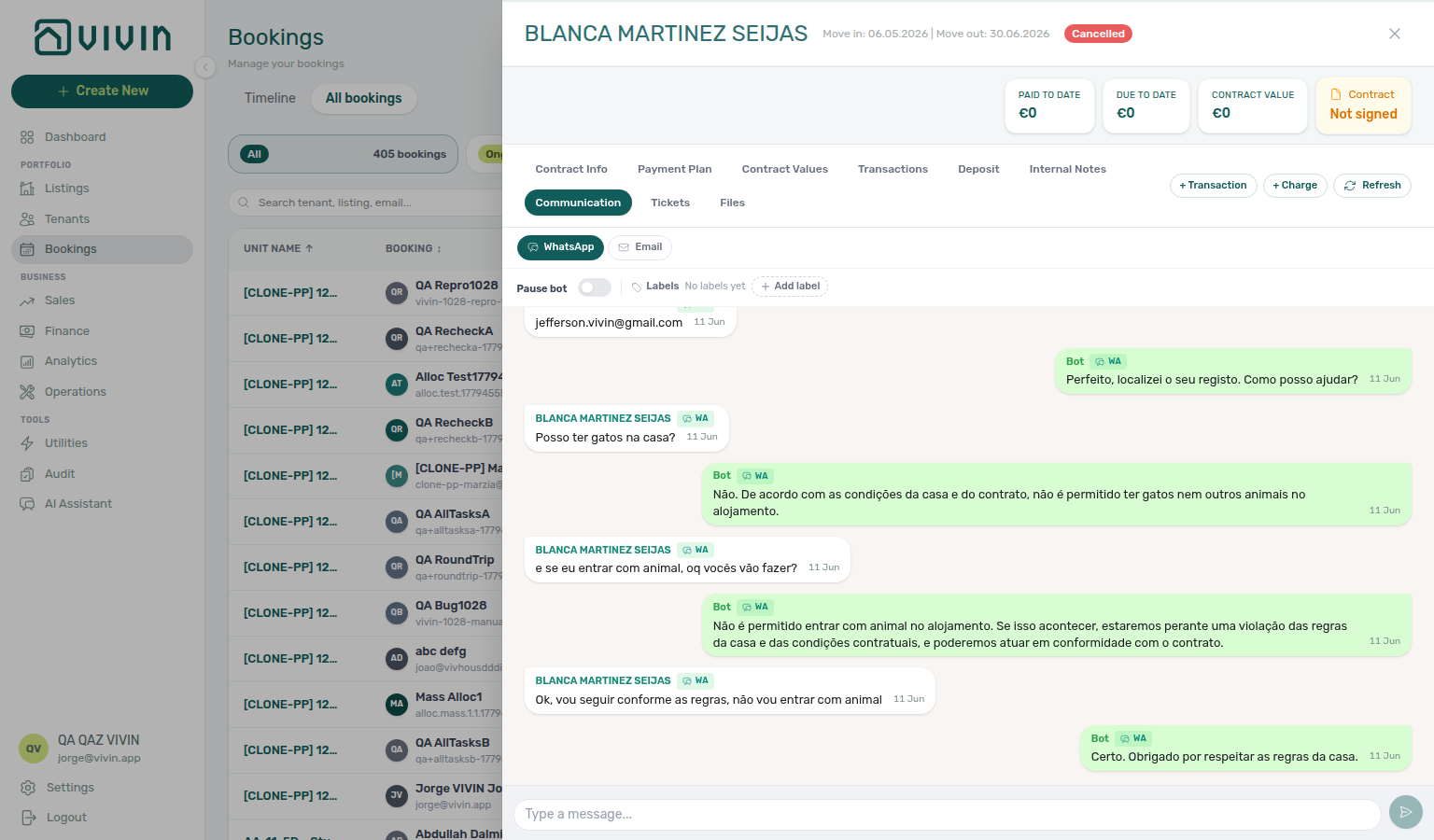
Settings and profile recovery
Some Account Settings tabs and My Profile show a short status message when a section needs a refresh, instead of a full-page directory card:
| Surface | What to do |
|---|---|
| Tenant categories list | Reload the tab or reopen Account Settings if categories do not appear |
| Emails Communication Rules tab | Use Retry if rules do not appear (saved rules are unchanged; not the zero-rules empty state) |
| Integrations Other providers | Reload before assuming no Nuki / Hostkit / Invoice-xpress connections if the provider list is empty after a first load. Remove connection outcomes also show a toast while the confirmation modal stays open |
| Invoicing Tax codes (while editing) | Use Retry if tax options do not appear while editing |
My Profile (/profile) | Reload the page if profile details do not appear |
Notification read actions
On /notifications and the Dashboard bell slide-over, Mark all as read clears unread for every notification matching the current filter (full page) or the loaded inbox slice (bell). Mark as read on a single row clears that item only.
| Outcome | Feedback |
|---|---|
| Mark all as read succeeds | Success toast — All notifications marked as read. |
| Mark all as read fails | Error toast — Failed to mark all notifications as read. Please retry. — unread badges stay unchanged |
| Mark as read on one row (button) succeeds | Success toast — Notification marked as read. |
| Mark as read fails | Error toast — Failed to mark notification as read. Please retry. |
| Row click marks unread | No success toast (same as before); failures still surface as a toast |
See Notifications module and Notification triage.
Notification row navigation
Full hub: Notification row navigation (surface table, target-field symptom table, and per-guide mesh).
On the full Notifications page at /notifications, clicking a row does more than update read status when the platform attached a navigation target:
- If the row is still Unread, it is marked read in the background (no success toast).
- The app navigates using the first match in this order: backend
link, thenbookingId,tenantId,listingId, orpropertyId.
| Target field | Typical outcome |
|---|---|
bookingId | Opens the booking detail sidebar on Bookings (/bookings/list/:id) |
tenantId | Opens the tenant profile on Tenants |
listingId | Opens the unit editor on Listings |
propertyId | Opens the property editor on Listings |
link | Follows the backend deep link (for example Inbox or Communication) |
| (none set) | Marks read when applicable; you stay on the inbox |
This behaviour applies to the full module only. On desktop Dashboard, the header bell opens Notification detail inside the panel for most General rows, or navigates when the row carries a link (Inbox message rows jump to /inbox or booking Communication). Use /notifications when you want search, All / Unread / Read filters, and one-click triage into Bookings, Tenants, or Listings from payment and ticket alerts.
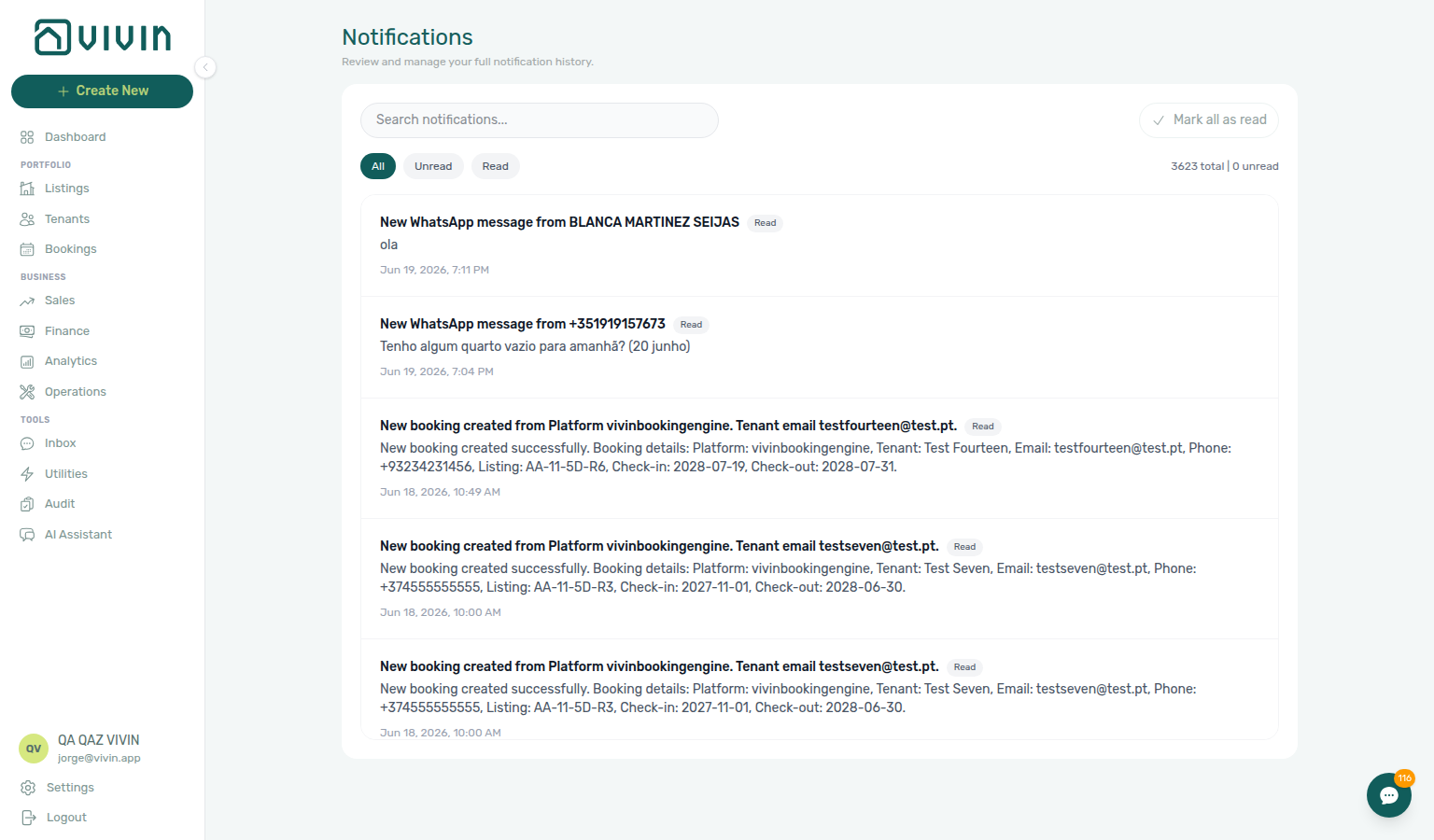
- Common Workflows — Notification row-click navigation — Operator habit hub
Directory search ranking
When a large directory’s toolbar Search matches more than one field on the same row, Vivin may re-rank results so the most likely match appears first. Behaviour differs by module:
| Module | Ranking when search is active |
|---|---|
| Bookings | Unit internal name first, then tenant name or email, then rows that matched only on property, platform, IBAN, internal notes, or other columns. |
| Operations → Tickets | Unit / room hits and property internal name hits share the top tier; title, description, category-only matches rank below. With an active Property filter and default sort, property-level rows (building name only — no unit suffix) float first; explicit column sort opts out. Paste the full sequential ticket ID (for example S259, T27) to jump to one row. |
| Operations → Check-in & Check-out | Unit / listing name first, then tenant name or email, then property-only matches (client-side on the loaded date slice). |
| Operations → Cash Flows | Unit / listing name first, then title, description, or property-only matches (server search + client buffer re-rank). |
| Listings | No ranking — matching properties stay sorted A–Z by internal name. |
| Tenants | No ranking — server returns matches in the directory’s current sort order (name, balance, and so on). |
Use at least two characters on Bookings search (single-character input is ignored). Paste a unit code on Bookings or Operations when you want the room reservation, ticket, handover event, or cash flow first; on Operations → Tickets, a property code shares the same top relevance tier as unit hits — use it for common area or building-wide tickets. Paste the full ticket ID on Operations → Tickets when email or support references #S259 / T27 — see FAQ — Find a ticket by its ID; use fiscal ID or identification ID on Tenants when paperwork references tax or passport numbers instead of display names.
End-of-Booking cost split
When Account Settings → Utilities → Charge Time is End of Booking, Vivin calculates daily utility overage per property but defers posting an allocation row for each stay until that booking’s check-out date has passed. See Common Workflows — Utility overage collections.
Example — A coliving house has two active rooms in March. Tenant A checks out 1 June; tenant B stays through 1 August. A March electricity overage is split equally across both rooms for each day both were occupied. Tenant A’s allocation row appears only after A’s checkout; tenant B’s row appears after B’s checkout. A is not charged for B’s weeks after A has left.
Notification triage — Utility overage collections, Onboarding a New Property — Utility overage collections, Cancelling a Booking — Utility overage collections, Manual block hygiene — Utility overage collections, Using in-app support — Utility overage collections, Resetting a Management User Password — Utility overage collections, Processing a New Booking — Utility overage collections, Managing a Check-in — Utility overage collections, Managing a Check-out — Utility overage collections, Handling a Late Payment — Utility overage collections, Entering Monthly Utility Bills — Utility overage collections, Portfolio KPI review — Utility overage collections, Notification triage — Check-out final utilities handoff, Onboarding a New Property — Check-out final utilities handoff, Cancelling a Booking — Check-out final utilities handoff, Manual block hygiene — Check-out final utilities handoff, Using in-app support — Check-out final utilities handoff, Resetting a Management User Password — Check-out final utilities handoff, Processing a New Booking — Check-out final utilities handoff, Managing a Check-in — Check-out final utilities handoff, Managing a Check-out — Check-out final utilities handoff, Handling a Late Payment — Check-out final utilities handoff, Entering Monthly Utility Bills — Check-out final utilities handoff, Portfolio KPI review — Check-out final utilities handoff. Pair with Utilities → Allocations review (utilities-allocations-review-flow.mp4), Entering Monthly Utility Bills, and Managing a Check-out — Step 6 when month-end true-ups look high for departing tenants — hub: Common Workflows — Check-out final utilities handoff. Contrast with Every Month charge time, which includes active bookings in the billing month without waiting for checkout.
Multi-word tenant names — On Tenants, Bookings, and Utilities → Allocations search, a query that spans first and last name (for example Maria Silva) also matches the concatenated full name, not only each name column on its own. This keeps directory search aligned with how operators type names from paperwork.
Tenants table expand
In Tenants table view, each tenant occupies one summary row. Click the chevron area to expand or collapse an inline sub-table of linked bookings (Unit, Rent, Created, Status, Period, Balance, Src, CT). Click the tenant name to open the tenant detail sidebar (/tenants/<id>) without leaving the directory; click a booking sub-row to open the booking sidebar in place (same pattern as grid cards). CT is the same signed-contract mark as the Bookings Contract column — it updates in place after upload or portal signing. See Bookings — Contract mark stays on the list (tenants-table-ct-signed-check.png).
Linked bookings (table expand, grid previews, sidebar Bookings, Bookings CSV) share one server-side order: check-in → check-out → unit internal name (natural numeric) → booking id. See Tenants — How linked bookings are ordered.
Use table view when you need column sort and a quick per-tenant booking roll-up without opening every profile. Pair with the With Debt status pill or toolbar Search (including fiscal ID / identification ID) during collections triage — see Handling a Late Payment — Step 1. Grid view stays better when debt badges and multi-status booking previews matter at a glance.
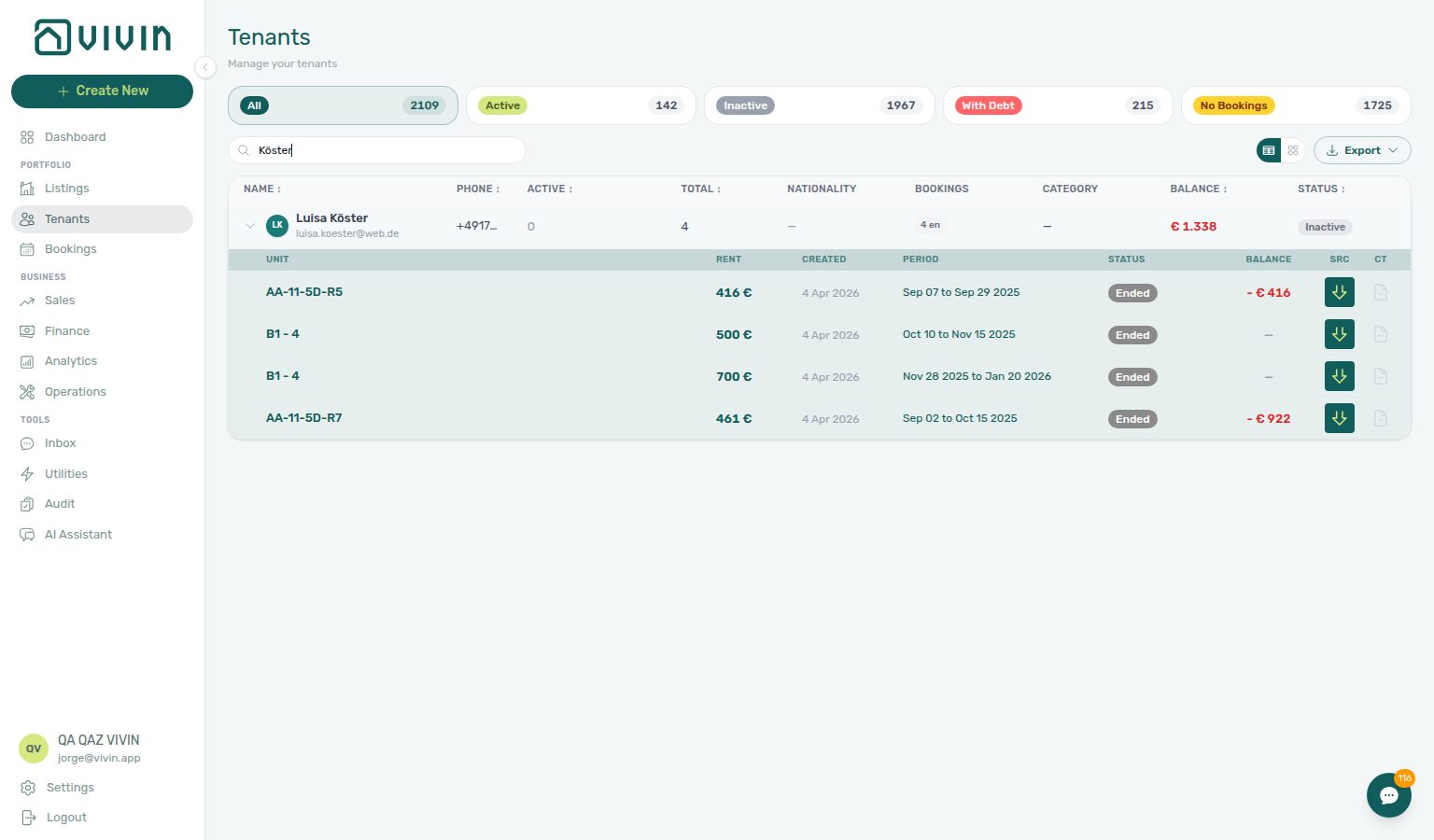
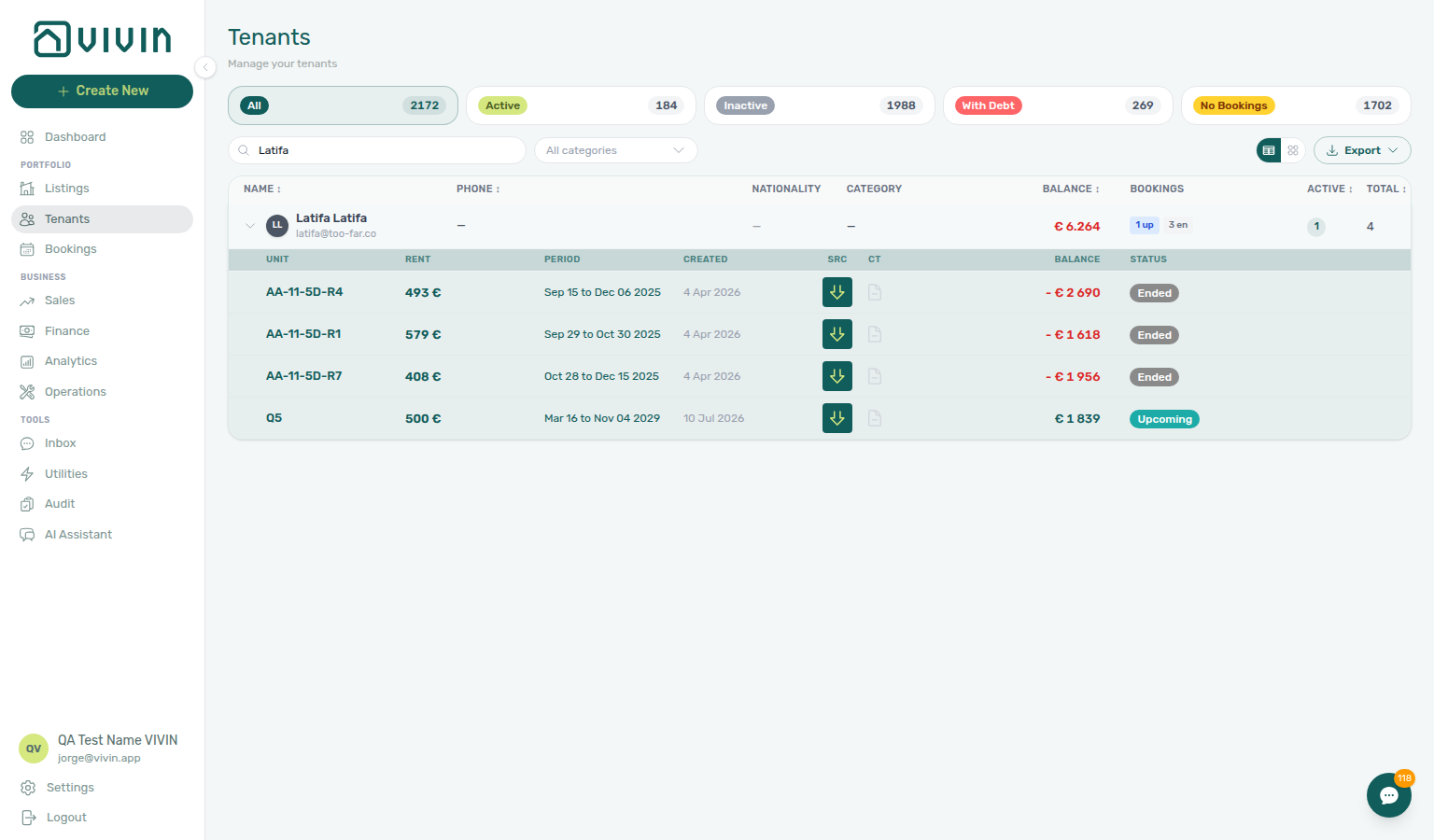
Tenant consolidated finance tabs
On the tenant detail sidebar, Payment Plan, Contract Values, and Transactions mirror the booking sidebar tabs but merge every linked stay into one table. Each row carries a Booking attribution that prefers the unit internal name, then unit + stay dates when the same unit appears twice, and a short id only as a last-resort collision fallback. When the tenant has more than one booking, an All bookings header filter can narrow the consolidated view; booking-scoped header actions (+ Charge, + Transaction, Apply Discount) require an explicit booking pick. Pair with Tenants — Consolidated finance tabs.
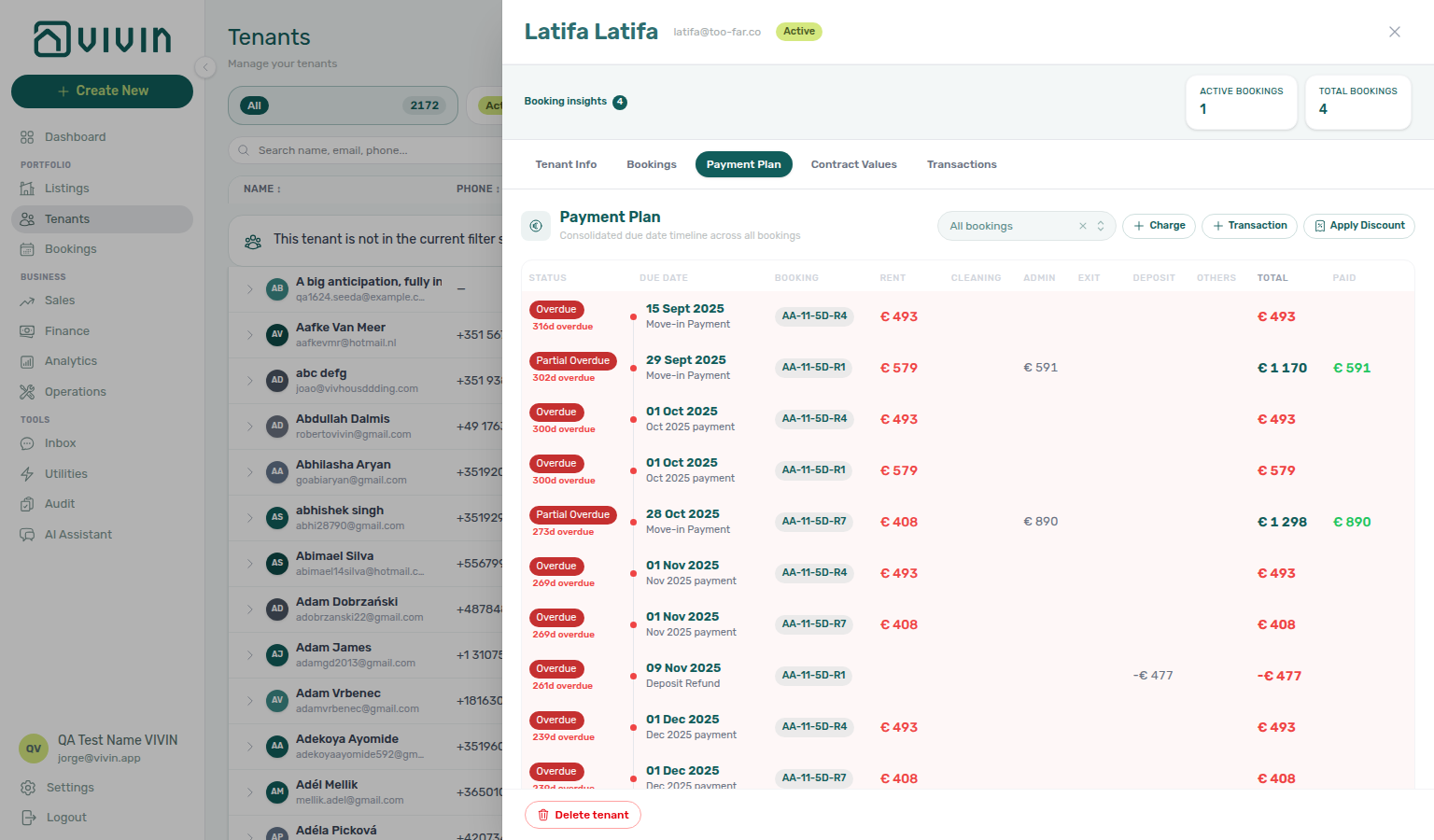
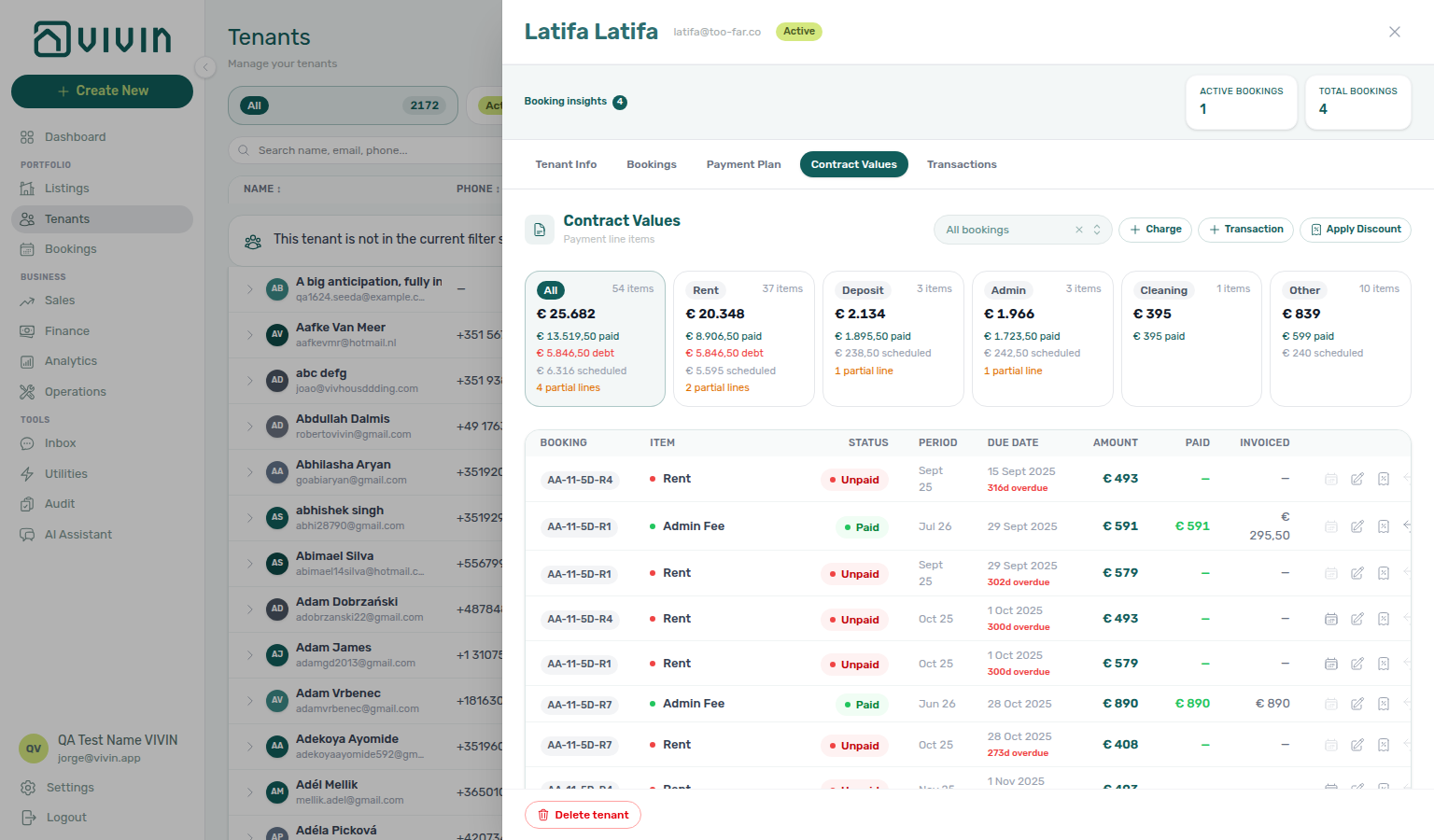
Server-driven search picker
Compact searchable dropdown used when a form must link to a large portfolio entity (tenant, property, listing, or booking) without loading the full account list up front. When you open the control, Vivin prefetches a small first page (about 10 rows), runs debounced server search as you type, and loads the next page when you scroll near the bottom of the menu — the same chunked pattern as infinite scroll (directory loading), but inside a popover. Property pickers call GET /properties/search (archived buildings excluded by default; owner scope mirrors other property routes). The legacy bulk GET /properties list was removed in the June 2026 performance pass — pickers always page. Row labels show the primary name; a secondary line can show email or address. Listing (unit) pickers are property-scoped: the server only returns units for the property you selected first; changing property clears the unit and resets the listing menu. When labels are property or unit internal names, options are ordered with natural numeric sort. With an active search query, property and listing (unit) pickers on Add booking apply name-first relevance before pagination: an internalName hit (exact, then prefix, then substring) ranks above a row that matched only on address, postal code, tags, or room number — so typing António surfaces Casa António I before buildings whose address contains “António” but whose code does not. Without a query, ordering is unchanged (natural numeric internalName only). See Picker search ranking. Documented examples: Add booking — tenant, property, and unit pickers, Sales Multi-calendar — Select properties, Finance — Other filters → Property (multi-select chips, owner-scoped server search), and Utilities — Select properties (module toolbar on Connections, Cost map, and other tabs).
Server-driven picker (directory select)
Compact dropdown used when a form or filter must reference one tenant, property, or similar entity from a large account without loading the full list up front. Behaviour matches the infinite-scroll directories, scaled to a popover:
- Prefetch — opening the menu loads an initial page (typically about ten rows).
- Search — typing debounces to a server search endpoint; results replace the list.
- Infinite scroll — scrolling to the bottom of the menu fetches the next page until exhausted.
- States — explicit empty and error messaging when search returns nothing or the request fails.
In product today: Select tenant on Add booking (TenantPickerSelect), Select properties on Sales → Pricing (PropertyPickerSelect), the multi-select Property control in Finance → Other filters (PropertyMultiPickerSelect, owner-scoped when owners are selected), Property in Operations → Other filters (PropertyPickerSelect, add-to-multi-select), Select properties on Utilities tabs (PropertyMultiPickerSelect), Properties audience on Settings → Emails — Communication Rules (PropertyMultiPickerSelect), and Properties scope on Settings → Services (PropertyMultiPickerSelect). The Bookings list Select properties toolbar control is a multi-select fed from portfolio filter metadata (distinct property names on the account), not the paged search endpoint — additional picker components exist for listings in other filter surfaces.
Picker search ranking
When a server-driven search picker has an active query, property and unit menus backed by GET /properties/search (and property-scoped listing pickers) rank matches before slicing the page — including Add booking, Finance → Other filters → Property, Operations → Other filters, Utilities → Select properties, Communication Rules → Properties, and Services → Properties scope:
| Tier | Match on internalName (property or unit) |
|---|---|
| 0 | Exact equals query |
| 1 | Name starts with query |
| 2 | Name contains query |
| 3 | Matched only on a secondary field (address, postal code, property tags, room number, …) |
Within the same tier, rows keep natural numeric internalName order. Ranking runs on the full matched set before pagination so a name hit on page two of an alphabetical sort still appears on page one when you search — the same “unit / name first” idea as Directory search ranking on large lists, applied inside picker popovers.
Examples: search António on Add booking → Property, Finance → Other filters → Property, Operations → Other filters → Property, Utilities → Select properties, Communication Rules → Properties, or Services → Properties — Casa António I and Casa António II appear above AA-11-5D (matched only because the address line contains “António”). Captures: bookings-add-booking-property-picker-search-rank.png (Bookings — Creating a new booking), finance-other-filters-property-picker-search-rank.png (Finance — Property & Listing filters), operations-other-filters-property-picker-search-rank.png (Operations — Overview tab), utilities-select-properties-picker-search-rank.png (Utilities — Portfolio scoping), settings-emails-communication-rule-property-picker-search-rank.png (Communication Rules — Audience: Properties), and settings-tenant-services-properties-picker-search-rank.png (Services — Properties scope).
Server-driven picker
Searchable dropdown used when loading every row in the account at once would be slow or unreliable on large portfolios. When you open the control, the app prefetches about 10 matches, runs debounced server search as you type, and loads the next page when you scroll to the bottom of the dropdown list — the same chunked pattern as infinite scroll, but inside a form or filter field. Empty and error states are shown explicitly in the panel. Examples today include the tenant field on Add booking (Bookings), property filters on Sales > Pricing, the Property multi-select in Finance > Other filters, Property in Operations > Other filters, Select properties on Utilities, Properties on Settings > Emails — Communication Rules, and Properties scope on Settings > Services.
F
FAQ accordion (tenant portal)
Portal Requests (heading Maintenance & Support) FAQ card under New Request and History. Tenants see published catalogue answers from Settings → Tenant Portal → FAQs — tap a question to read the answer; opening one closes the previous. Drafts stay hidden. When nothing is published, the card is omitted. There is no Portal settings hide toggle; Allow to create tickets Off hides Requests and therefore this accordion. Distinct from ChatBot persona / IF/THEN rules and from operator AI Chat. Marketplace POST /bookings cannot send FAQ entries. See Tenant Portal — FAQ accordion (tenant-portal-requests-faq-accordion.png, tenant-portal-requests-faq-accordion-open.png, tenant-portal-requests-faq-accordion-flow.mp4) and FAQ — Where do tenants see published FAQs?.
First name (tenant portal)
Portal Account → Personal information First name and Last name (placeholders First name / Last name) — also on Sign contract → Your Details as First Name / Last Name. Email on the same Account row is always read-only. Save changes requires both names when the fields are editable (trimmed; spaces-only does not count), even if Require First Name / Require Last Name is Off. Those toggles only add asterisks on Your Details. After a successful save, tenants see Save changes success (Details updated successfully!), and portal Home shows Hello, First name!. There is no account-level Allow edit first name — a tenant category can hide or lock First name or Last name. Operators use Tenants → Tenant Info First Name / Last Name. Marketplace POST /bookings requires firstName and lastName (minimum two characters). Distinct from Email, Phone number (tenant portal), Nationality (tenant portal), ID document details, and Fiscal number (tenant portal). See Tenant Portal — First name and last name and FAQ — How do tenants enter first and last name? (tenant-portal-account-first-last-name-fields-empty.png, tenant-portal-account-first-last-name-fields.png, tenant-portal-account-first-last-name-fields-flow.mp4).
Fiscal number (tenant portal)
Portal Account → Personal information Fiscal number (placeholder Tax ID number) and Home address (placeholder Your home address) — also on Sign contract → Your Details as Fiscal ID and Home address. Personal tax ID (NIF in Portugal), not Identification ID and not Company fiscal number. Filling Fiscal number also requires Country of issue and billing Country. Empty is allowed unless Require Fiscal ID / Require Home address is On. Allow edit fiscal ID (and after-signature fiscal edit) controls these fields plus Country of issue. A tenant category can hide or lock Fiscal ID (NIF) or Home address. Operators use Tenants → Tenant Info Fiscal ID / Home address; Bookings Other filters include Fiscal Id All / With / Without. Marketplace POST /bookings accepts fiscalId and fiscalAddress. Distinct from Billing address (tenant portal) (invoice street), ID document details, Lease Purpose (tenant portal), Use company billing, Phone number (tenant portal), Nationality (tenant portal), and European bank account. See Tenant Portal — Fiscal number and home address and FAQ — How do tenants enter a fiscal number and home address? (tenant-portal-account-fiscal-number-home-address.png, tenant-portal-account-fiscal-number-home-address-filled.png, tenant-portal-account-fiscal-number-home-address-flow.mp4).
Lease Purpose (tenant portal)
Portal Account → Personal information Lease Purpose (placeholder Set during contract signature) — disabled on Account; tenants pick on Sign contract → Your Details (Select lease purpose) when Settings → Categories → Lease Purpose Enable Lease Purpose field is On. Make Lease Purpose mandatory adds an asterisk and blocks Next with Lease purpose is required. Review only displays the value. There is no Allow edit lease purpose toggle and no tenant-category portal field. Operators use Bookings → Contract Info Lease Purpose. Marketplace POST /bookings cannot send leasePurpose. Distinct from Fiscal number (tenant portal), Nationality (tenant portal), Country of issue, and Use company billing. See Tenant Portal — Lease Purpose and FAQ — How do tenants enter lease purpose? (tenant-portal-account-lease-purpose-field.png).
Fixed Rent A rent amount that remains constant for all bookings on a unit, regardless of season or demand. The alternative is Variable Rent. Configured in the unit's Rent Value tab. On + Create New → Booking, a blank Fixed rent (€) (after you turn off Use unit contract rents and other contract details) reads as €0 and settles to a visible 0 when you leave the field — the same blank-as-zero read as Monthly Rent Value on + Create New → Unit.
At booking level, Vivin may still store isRentFixed = true when the listing is variable but every calendar month covered by the reservation’s contract dates shares the same configured rent — payment amounts are unchanged; only the booking-level flag and headline rent field reflect the constant value. The unit’s Rent Value tab stays variable for future stays. After Add booking, confirm Contract Info → Monthly rent — see Processing a New Booking — Step 3. Legacy bookings created before that inference shipped were backfilled to match the same rule. Operator-facing detail: Bookings > Fixed rent on a variable unit and FAQ — Fixed rent on variable unit.
Fixed invoice date reminder
Full hub: Fixed invoice date reminder (amber banner surfaces on Finance → Transactions and transaction detail, symptom table, and per-guide mesh).
Amber status banner Vivin shows when Use today as invoice date is off and a fixed Invoice date is saved under Settings > Invoicing — inline above Finance → Transactions search, compact in the bulk invoice toolbar beside Issue allocation / Invoice selected, and in transaction detail above allocations. Accounting setting: Fixed invoice date. Month-end workflow: Month-end invoicing (fixed date).
Fixed invoice date
An account-wide calendar date used on every invoice Vivin issues while Use today as invoice date is off under Settings > Invoicing. Operators see the amber Fixed invoice date reminder on Finance → Transactions (inline strip above search) and, when relevant, in the transaction detail sidebar (compact toolbar layout). Turn the toggle back on to return to day-of-issue dating. See Common Workflows — Month-end invoicing (fixed date).
Month-end invoicing (fixed date)
Full hub: Month-end invoicing (fixed date) (save fixed Invoice date → bulk Issue allocation / Invoice selected → reset Use today as invoice date, symptom table, and per-guide mesh).
When month-end close requires every invoice in a batch to share one posting date, turn Use today as invoice date off under Settings > Invoicing, save a fixed Invoice date, bulk-export on Finance → Transactions, then turn the toggle back on. Pair the amber Fixed invoice date reminder on Transactions and Bulk Hostkit invoicing when Hostkit Issue allocation paces the same toolbar.
Uncovered Debt
Full hub: Uncovered Debt (seven-card KPI strip compare, deposit-coverage symptom table, and per-guide mesh).
- Common Workflows — Uncovered Debt KPI — Operator habit hub
Finance Debt Aging (Finance Overview)
- Common Workflows — Finance debt receivables triage — Operator habit hub
Finance Overview drill-down (booking sidebar)
Click a row in an Overview drill-down list (Total Debt, Uncovered Debt, a Debt Aging bucket, Overdue Deposits, System / Manual Payments, or an Income / Cash flow payment list) and the booking opens on top of that list. Search, Booking status, and (on Total Debt / Uncovered Debt / Debt Aging lists) Booking category and Tenant category stay. Close the sidebar to continue the queue. Top debtors on the Overview panel is not a modal. Distinct from Rent adjustment (View booking details) (teal tenant name on the Rent adjustment preview). See Finance — Booking sidebar stays on the drill-down (finance-overview-debt-booking-status-ended.png).
Finance Overview debt category filters
On Total Debt, Uncovered Debt, or a Debt Aging bucket list, Booking category and Tenant category slice the open rows without re-running Overview. Distinct from Other filters → Tenant category / Booking → Select categories, which rebuild the KPI cards. Search and pickers stay on the white bar; chips and € totals sit on the grey summary bar — Filter toolbar stays two bars. See Finance — Filter the debt list by category and FAQ — Can I filter Total Debt by category without closing the list?.
Finance Overview debt filter toolbar
On Total Debt, Uncovered Debt, or a Debt Aging bucket list, Search tenant or unit…, Booking status, Booking category, and Tenant category stay on a white bar (placeholders stay after a tick). Showing N of M, Clear all, removable chips, and the filtered € total sit on the grey summary bar below. An open menu stays on its trigger when the list shortens. Overdue Deposits, System / Manual Payments, and Income lists keep search and the total on one bar. See Finance — Filter toolbar stays two bars and FAQ — Where do I see which Total Debt filters are on?.
Full listing feed
Partner-shaped JSON catalogue export (GET /{platform}-integration/:landlordKey/listings/full) used when a marketplace ingests rich listing create/update payloads (descriptions, amenities, photos). Includes units not yet on Channels, keyed by the Vivin listing id. Distinct from the partial GET …/listings calendar contract, which is linked-only and omits gallery, address, amenities, and marketing copy (Catalogue fields). Platforms with full feeds today include Uniplaces, Spotahome, Housing Anywhere, and Inlife. See Full listing feeds — Which listings appear, Full listing feeds — Catalogue fields, and FAQ — Full feed has more units.
Housing Anywhere costs
On Housing Anywhere, partial GET /listings money is whole euros (costs[] array). Full GET …/listings/full money is cents (flatPrice, monthlyPrices[].price, costs object). The full object drops lines the tenant does not pay and renames utility-bills to other-additional-costs. See Full listing feeds — euros vs cents and FAQ — Housing Anywhere catalogue prices.
G
Full integration pill
The Listings sidebar pill (alongside Setup and Photos) that opens the Property Details / Listing Details editor for marketplace and booking-engine payloads — the same surface documented under Booking engine details editor in this glossary. Property and unit edit sidebars merged operational setup, marketplace payload, and gallery into these three pills, replacing the older header Go to details shortcut. An amber dot on the pill means required partner fields are still missing. Ask AI Chat “Where do I open the Full integration pill under Listings … to edit partner marketplace descriptions and amenities?” (ai-chat-product-context-full-integration-reply.png, ai-chat-product-context-full-integration-flow.mp4) — the assistant typically says Listings → unit edit sidebar → Full integration. See Property edit sidebar pills, Property & listing details (booking engine), and FAQ — Properties & Listings.
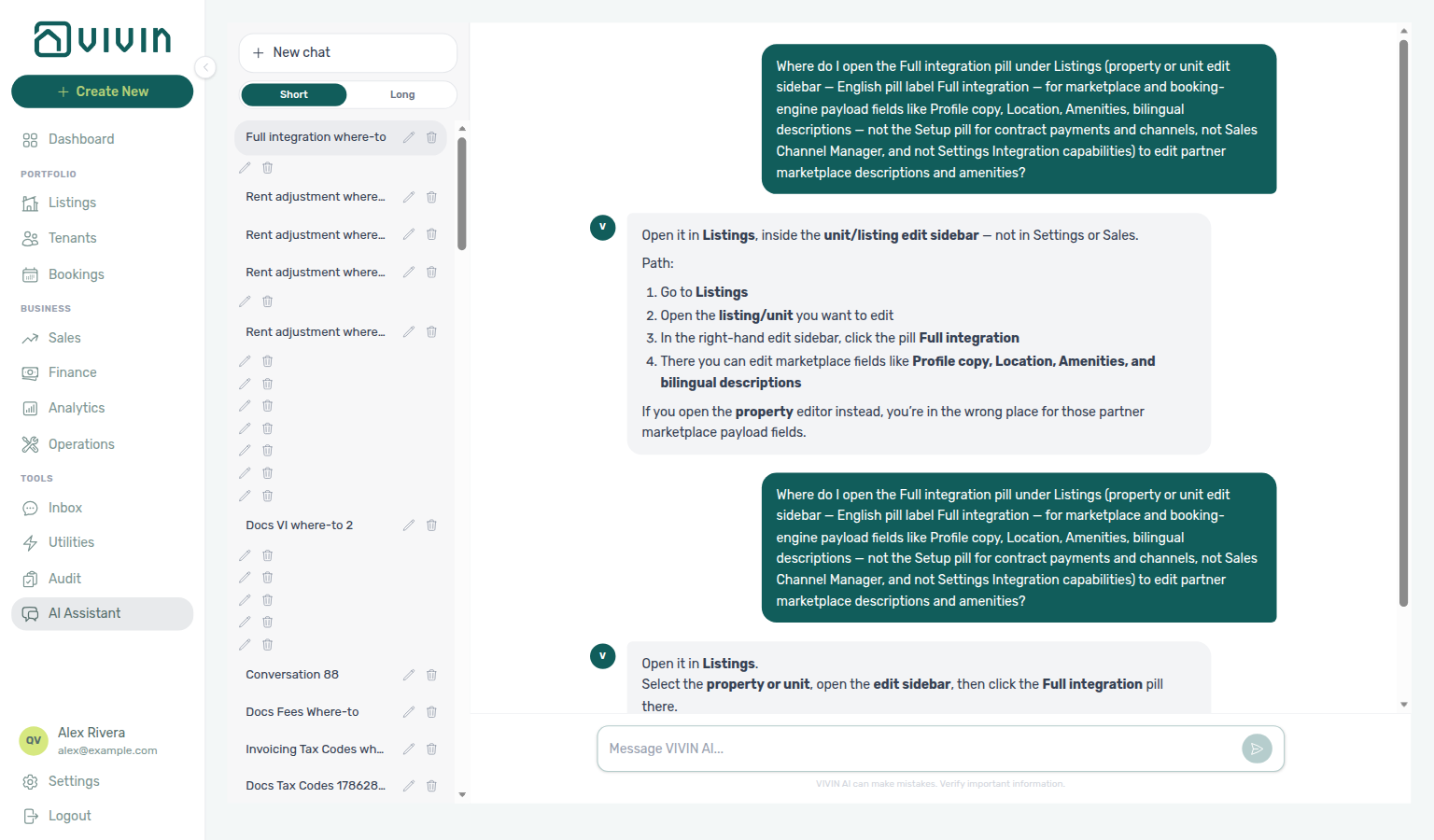
Setup pill
The Listings sidebar pill (alongside Full integration and Photos) for operational property and unit fields — contract terms, payments, channels, calendar, access, and related setup. Distinct from marketplace payload on Full integration. Ask AI Chat “Where do I open the Setup pill under Listings … to edit listing contract payments and channels?” (ai-chat-product-context-setup-reply.png, ai-chat-product-context-setup-flow.mp4) — the assistant typically says Listings → unit edit sidebar → Setup. See Property edit sidebar pills and Listings — Editing Properties.
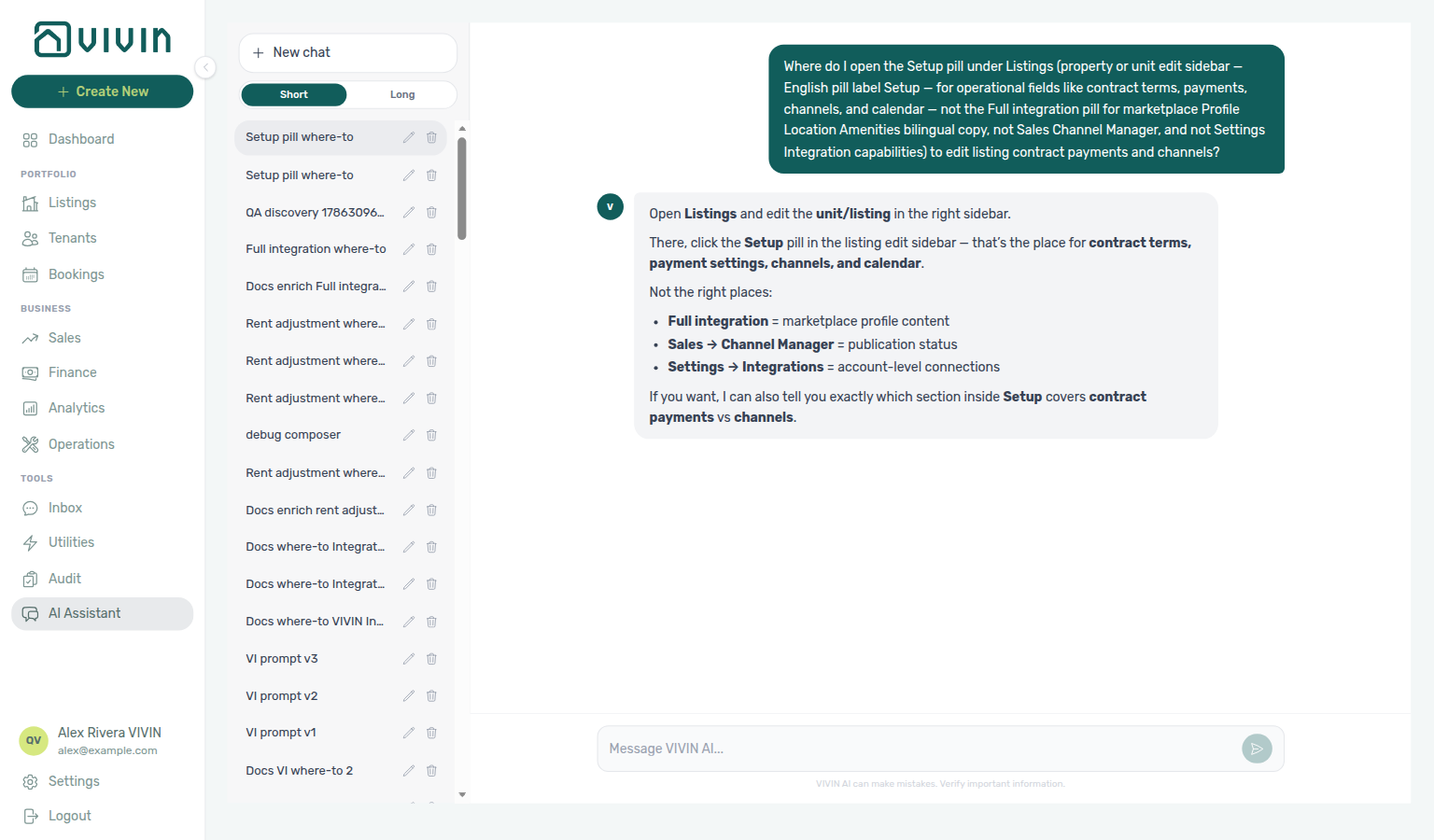
Photos pill
The Listings sidebar pill (alongside Setup and Full integration) for the booking-engine gallery — upload images, set the Main cover, and drag thumbnails to reorder. Distinct from operational Setup and marketplace copy on Full integration. Calendar GET /listings JSON does not include this gallery — partners that publish photos poll the full listing feed. Ask AI Chat “Where do I open the Photos pill under Listings … to upload and reorder listing gallery and cover photo?” (ai-chat-product-context-photos-reply.png, ai-chat-product-context-photos-flow.mp4) — the assistant typically says Listings → unit edit sidebar → Photos. See Property edit sidebar pills, Listings — Photos pill, and FAQ — Photos missing from listing JSON.
Gap Analysis A general term for finding empty nights or short holes between stays. In Vivin, inspect free periods on Sales > Overview — Availability over time and occupancy behind prices on Sales > Pricing; closing gaps remains an operational decision (rates, minimum stay, channels).
Greeting (tenant portal)
Portal Home line Hello, First name! after sign-in (first word of the tenant name), or Hello! when the name is empty so the line never reads Hello, !. Not gated by the check-in email. No Portal settings hide toggle. Tenants change it by saving First name (tenant portal) on Account. Distinct from Listing address (tenant portal) (the map pin on the same row), Lease information (tenant portal), and management Logout. Marketplace POST /bookings must send firstName / lastName. See Tenant Portal — Greeting and listing address (tenant-portal-home-greeting.png, tenant-portal-home-listing-address.png, tenant-portal-home-greeting-and-listing-address-flow.mp4) and FAQ — How do tenants see the greeting and listing address on portal Home?.
Guarantor
Optional identity block on a booking’s Contract Info tab for someone who backs the rent without occupying the unit, gated only by Preferences → Booking Defaults → Guarantor. Independent of Second tenant and not gated on tenant count or unit capacity. Identity fields plus optional Guarantor amount (€) / {GuarantorAmount} / {GuarantorAmountInTextEn|Pt|Es|It} / {%GuarantorSignature} — no billing, IBAN, or tenant category. Contract tokens: {Guarantor*} and {%GuarantorSignature} (drawn on the portal Guarantor step when a guarantor is on file — Digital contract signing, tenant-portal-signature-modal-guarantor-step.png, tenant-portal-contract-signing-guarantor-flow.mp4) — see Contract — Guarantor variables (settings-contract-variables-guarantor.png, settings-contract-variables-guarantor-signature.png, settings-contract-guarantor-second-tenant-flow.mp4). FAQ: How do I record a guarantor on a booking? (settings-preferences-guarantor-toggle.png, bookings-detail-contract-info-guarantor-accordion.png, bookings-guarantor-flow.mp4). Marketplace POST /bookings cannot send those identity fields or Guarantor amount (€) — Guarantor not on partner POST.
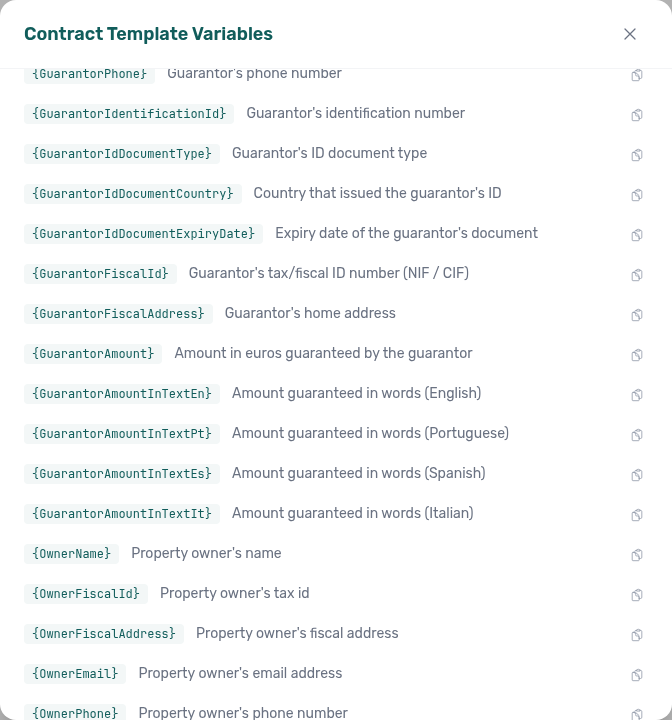
Guarantor not on partner POST
Marketplace POST /{platform}-integration/bookings has no guarantor object and no guarantor* fields, including guarantorAmount. Occupant headcount (numberOfExtraTenants) does not open or fill Guarantor. When Preferences → Guarantor is On, the accordion appears on every imported stay; identity and Guarantor amount (€) stay empty until an operator fills Contract Info. + Create New → Booking also has no Guarantor fields at create. See Creating Bookings — Guarantor and FAQ — Marketplace booking Guarantor (api-swagger-create-booking-integration-no-guarantor.png, api-swagger-create-tenant-dto-no-second-tenant.png, bookings-detail-contract-info-guarantor-accordion.png). Distinct from Guarantor (operator Contract Info accordion), Second tenant not on partner POST (co-occupant identity; headcount can open that accordion), and Extra Charge not on partner POST (unit rates from headcount).
VIVIN Invoicing
Vivin’s built-in invoicing provider — add it under Integrations (no external credentials), then click Configure on the card to set issuer details, document numbering, tax rates, and Word templates (VIVIN Invoicing). Tax rate names must match Tax Codes on the shared Invoicing tab (and Others Categories Taxes when you invoice by Others Items label). VIVIN Invoicing can coexist with NetSuite via catch-all + filtered peers (dual stack); Hostkit, Invoice-xpress, and Sage50c remain exclusive. Issuer/numbering/templates are per VIVIN connection — with two or more VIVIN peers, use the VIVIN connection picker in the Configure modal (tax rates stay account-wide). FAQ: How do I set up VIVIN Invoicing? (settings-integrations-vivin-invoicing-card.png, settings-vivin-invoicing-overview.png, settings-vivin-invoicing-setup-flow.mp4).
Hostkit
Full hub: Hostkit (per-listing Listing keys, FR invoice series, document {series}/{id} identity, and see invoice surfaces).
Portuguese invoicing provider connected under Settings > Integrations. Unlike Nuki or Invoice-xpress account keys, Hostkit uses one API key per listing, entered via Listing keys on the Hostkit card — the modal searches server-side and infinite-scrolls about 20 rows per request (GET /listings/hostkit-keys). Set Hostkit invoice series on Settings > Invoicing (Fatura-Recibo / FR) to the exact code from Hostkit Faturação → Séries — Hostkit identifies each document by series + numeric id together; Vivin stores {series}/{id} references and resolves PDF links from Hostkit's permalink for that pair. Hostkit is mutually exclusive with Invoice-xpress, Sage50c, and the VIVIN / NetSuite dual stack — remove Hostkit before adding those providers (see dual stack). Bulk export pacing: Bulk Hostkit invoicing — Vivin paces Hostkit requests and retries HTTP 429 with backoff on Issue allocation, Invoice selected, and Issue credit notes (N).
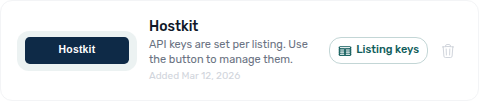
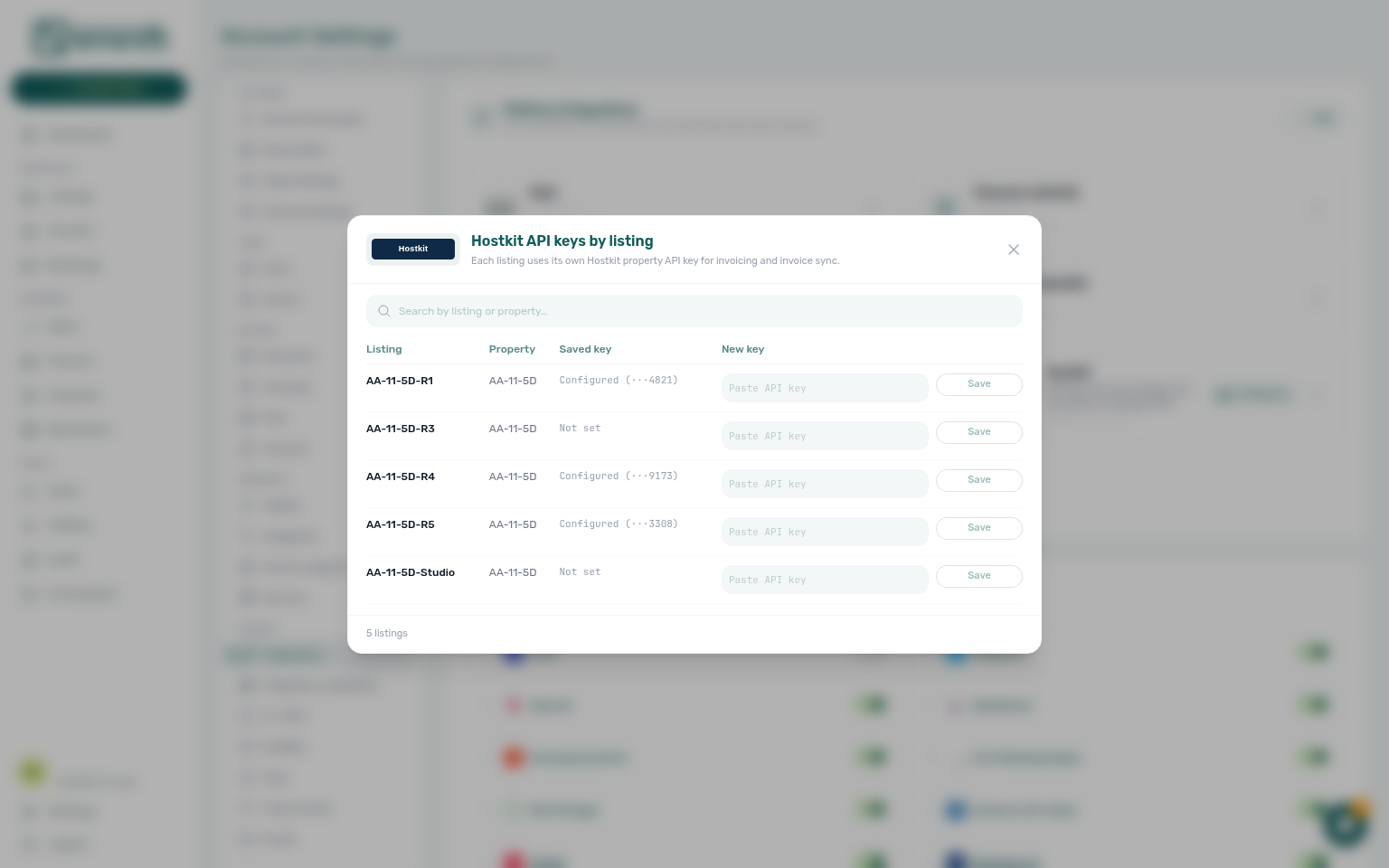
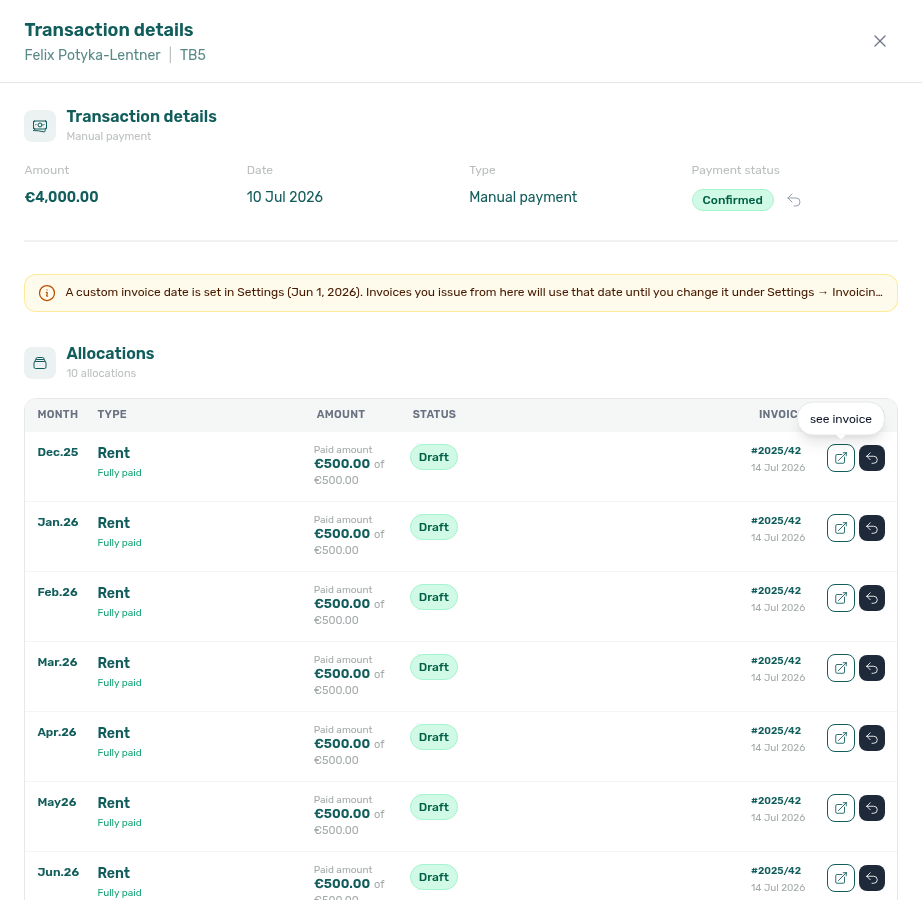
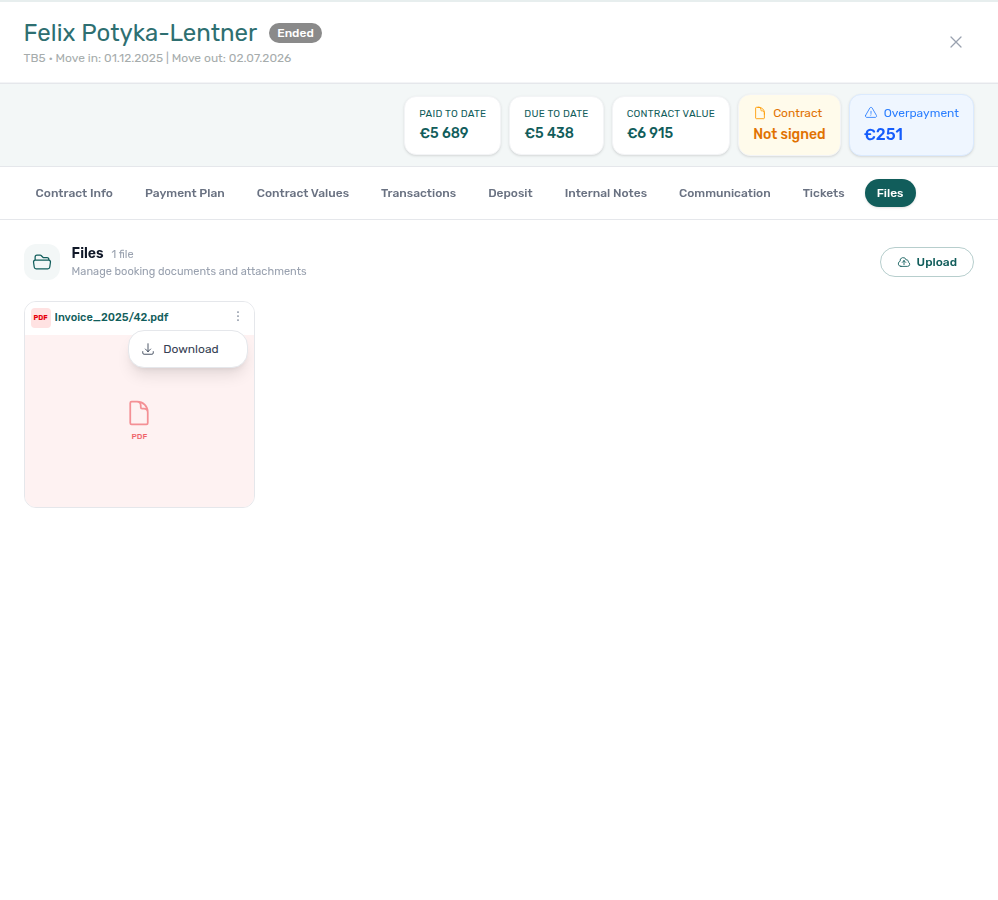
Listing options (management API)
Thin account-wide unit list the management app loads from GET /listings/options — each row exposes id, internal name, listing tags, and property without the full listing payload. Use cases include Change listing on a booking’s Contract Info tab and other multi-selects that only need labels and ids. The legacy management GET /listings load-all endpoint was removed in the June 2026 performance pass; pickers that only need id + label use /listings/options instead. This route is not the partner partial GET /listings calendar/pricing feed documented in Integration Swagger for marketplace integrations. Related slim endpoints: GET /listings/tags (distinct tag strings for Finance filters) and GET /listings/hostkit-keys (paginated Hostkit key rows). Landlord MCP list-listings wraps GET /listings/options — see Landlord MCP.
I
I integration and invoicing terms pair Webhook under W, Hostkit under H (FAQ — Bulk Hostkit invoicing slow), and FAQ — Integrations & Distribution.
iCal
A standard calendar format used to synchronize availability between Vivin and external platforms. Each unit can export an outbound feed at {Core API host}/ical-integration/listings/{listingId}/iCal.ics that other platforms subscribe to. Operators copy links from Sales > Channels — Copy iCal per row, integration wizards, or Export for bulk URLs; API behaviour (headers, exclusive DTEND, retrofeed, horizon) is documented in API Reference — iCal feeds. DTEND is the first free morning (one day after the last blocked night); listing JSON to and Audit End stay inclusive last-night. Account-wide Short-term iCal Max Date is configured under Settings > Integrations. Operators: FAQ — iCal block ends one day after Audit End.
Instant Booking Partner-export eligibility so marketplaces can confirm a stay without a manual host accept step. Enable the property Instant booking chip under Full integration → Rules & host → Booking Engine Features, then set unit Minimum age, Maximum age, and Instant booking — max days before check-in on Partner platforms. Couples allowed is under unit Room fixtures. See Instant Booking (property + unit) and FAQ — Instant Booking.
ID document details
Portal Account → Personal information fields Identification ID, ID Type (CC, Passport, ID, Residence Permit), ID Expiry Date, and Country of issue (also on Sign contract → Your Details). Country of issue is required when an ID field or fiscal number is on file (hint: Required when ID or fiscal number is provided) — it is not billing Country and not Nationality (tenant portal). Identification number, type, and expiry follow Allow edit identification ID; Country of issue follows Allow edit fiscal ID. Operators use Tenants → Tenant Info (ID Number, ID Document Type, ID Document Country, ID Expiry Date). Marketplace POST /bookings accepts identificationId, idDocumentType, idDocumentCountry, and idDocumentExpiryDate. Distinct from Fiscal number (tenant portal), Phone number (tenant portal), IBAN (tenant portal), European bank account, and Use company billing. See Tenant Portal — ID document details and FAQ — How do tenants enter ID type, expiry, and country of issue? (tenant-portal-account-id-document-fields.png, tenant-portal-account-id-document-fields-filled.png, tenant-portal-account-id-document-fields-flow.mp4).
IBAN (tenant portal)
Portal Account → Bank account IBAN (placeholder e.g. PT50 0002 0123 1234 5678 9015 4) — also on Sign contract → Your Details. Personal bank account for deposit refunds, not the booking virtual IBAN for rent. Empty is allowed unless Require IBAN is On (asterisk on Your Details; IBAN is required to sign). Max 128 characters. Allow tenant to edit IBAN (and after-signature IBAN edit) controls this field and the European bank account switch — when Off, the portal shows the locked bank banner. A tenant category can hide or lock IBAN. Operators use Tenants → Tenant Info → Bank Details IBAN; Bookings Other filters include IBAN All / With / Without. Marketplace POST /bookings accepts tenantIBAN. Distinct from European bank account, booking virtual IBAN / Copy virtual IBAN (tenant portal), and Use company billing. See Tenant Portal — IBAN and FAQ — How do tenants enter an IBAN? (tenant-portal-account-iban-field.png, tenant-portal-account-iban-field-typed.png, tenant-portal-account-iban-field-flow.mp4).
Introduce as AI on start
ChatBot → Persona Communication Preference (English label Introduce as AI on start). When On, the tenant-facing assistant identifies as AI at the start of a new WhatsApp or email conversation. Off by default on Daniela, Marcus, and Victoria. Distinct from AI Disclosure, which only answers if a tenant asks. See ChatBot — Introduce as AI on start and FAQ — AI Disclosure vs Introduce as AI.
Internal note filter (Operations Tickets)
Other filters → Internal note on Operations → Tickets: All / With / Without the ticket’s resolution note (empty or whitespace-only counts as no note). Status cards and the toolbar Filters badge follow the choice. When the Internal note column is on (Operations ticket columns), click the header to sort; blank notes sort last. Distinct from booking Edit internal notes (chat thread on a stay). See FAQ — How do I find tickets that have an internal note? (operations-tickets-other-filters-internal-note.png, operations-tickets-other-filters-internal-note-with.png, operations-tickets-filters-badge-internal-note.png, operations-tickets-internal-note-column-sorted.png, operations-tickets-internal-note-filter-flow.mp4).
Inlife recognised cities
Inlife’s full listing feed only publishes units whose property City (then Region) maps to a city Inlife supports: Lisboa, Porto, Madrid, Barcelona, Roma, Milan, Sevilla, Valencia, Aveiro, Braga (common aliases such as Lisbon, Oporto, Rome, Milano, Seville also match). Unknown or blank cities are omitted from the catalogue — the unit stays in Vivin and on Inlife partial listing pulls. Set City on Full integration → Location & geography. See Full listing feeds — Recognised cities and FAQ — Listing missing from Inlife.
Inlife listing id (propertyId_roomId)
Inlife’s stored channel key is propertyId_roomId. The full catalogue splits it into listing id (property) and room.id (room) — both underscore-free. Partial GET /listings and POST /bookings still use the joined string. See Full listing feeds — Inlife id and room.id and FAQ — How does Inlife identify a listing.
Inbox browser tab
Tools → Inbox (/inbox) sets the browser tab to VIVIN | Inbox. A Dashboard bell Inbox row that opens /inbox?contact=… keeps that title — it does not show the tenant’s name. Opening the bell Inbox slide-over on another module does not rename the tab until you land on /inbox. Distinct from VIVIN | Support (Help & Support) and VIVIN | AI Assistant. See Inbox — Browser tab title (inbox-browser-tab-vivin-inbox.png, inbox-browser-tab-vivin-inbox-flow.mp4) and FAQ — Why does my browser tab say VIVIN | Inbox?.
Install app (tenant portal)
Portal overlay Install plus your company name (or Install Tenant Portal) so tenants add your portal to the phone home screen — Quick Access / Native Experience, then iPhone 1. Tap Share → 2. Add to Home Screen or Android Install App, plus Maybe later. The browser tab after sign-in also uses Company Name. Distinct from management Install app (PWA) (Install VIVIN). Marketplace POST /bookings cannot send this overlay. See Tenant Portal — Install app (tenant-portal-install-app-prompt.png, tenant-portal-install-app-ios-share-steps.png, tenant-portal-install-app-flow.mp4, tenant-portal-install-app-android.png, tenant-portal-install-app-android-card.png, tenant-portal-install-app-android-flow.mp4) and FAQ — How do tenants install the Tenant Portal on their phone?.
Income partial split
On Finance → Overview, a partly collected charge appears under Paid for the euros already collected and under Scheduled (or In debt once overdue) for the remainder. Amount in each modal is that slice; the header total € matches the segment you clicked. Distinct from Cash flow forecast (Finance Overview) (collected cash once, by arrival day) and from Leave outstanding (Edit amount) (raising a charge line). See FAQ — Why does the same tenant appear under both Paid and Scheduled on Income? (finance-overview-income-partial-paid-segment.png, finance-overview-income-partial-scheduled-segment.png, finance-overview-income-partial-split-flow.mp4).
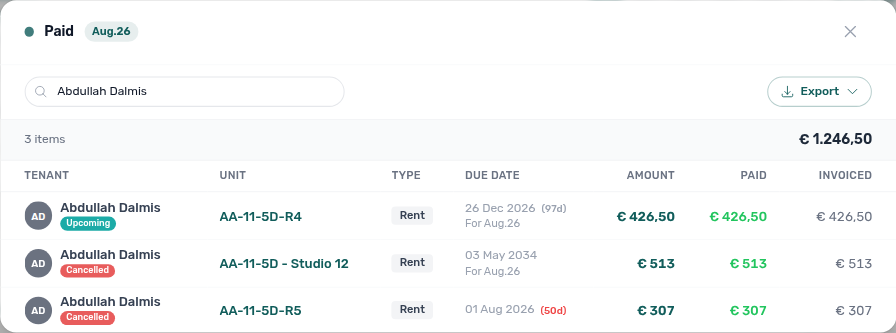
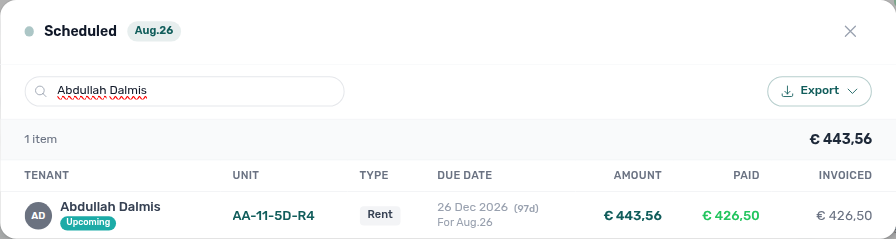
Incoming Payment A real payment received from a tenant. Recorded in the Finance module and allocated to scheduled charges.
Impairment loss
A negative adjustment on a scheduled charge line (impairment_loss in product data) that reduces what the tenant owes without deleting the underlying schedule row. Appears on Payment plan breakdowns and in Finance transaction Type when recorded — distinct from a discount (operator-applied reduction) and return of value (Vivin-internal credit against allocated amounts). See Discounts and payment adjustments and Payment allocation — Adjustments.
Contract-date change warning
Amber warning icon on Payment Plan / Contract Values after a contract span is shortened (move-in anticipation, earlier move-out, and related date edits with Update Payment Plan) while already-invoiced charge lines remain on the ledger. Hover copy: The dates were changed, but already-invoiced amounts cannot be modified, so this line may be inconsistent. Informational only — reconcile with Finance (credit notes / adjustments) before trusting the schedule. Distinct from the invoiced floor (rent) that clamps or blocks lowering rent on an exported month. See Bookings — Changing contract dates and rent (bookings-detail-payment-plan-contract-date-warning.png, bookings-contract-date-stranded-warning-flow.mp4) and FAQ — Amber warnings after contract-date change.
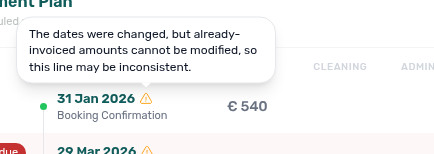
Invoiced floor (rent)
Full hub: Invoiced floor (rent) (booking modal surfaces, symptom table, and per-guide mesh).
When Finance has already invoiced rent for a calendar month, lowering the scheduled net below that invoiced total would break accounting alignment. Vivin enforces an invoiced floor on Contract Info → Change monthly rent: months where the new amount would fall below the invoiced total are clamped to the invoiced value (blue Already invoiced months banner). On Contract Values → Edit amount, lowering a fully invoiced line issues a credit note for the difference (Edit amount); Save stays blocked only when the line is partly invoiced. Issue the pending credit note from Finance → Transactions. Workflow hub: Rent reduction after invoicing. Shortening the contract span (rather than lowering rent) leaves stranded invoiced lines with a contract-date change warning instead of clamping amounts.
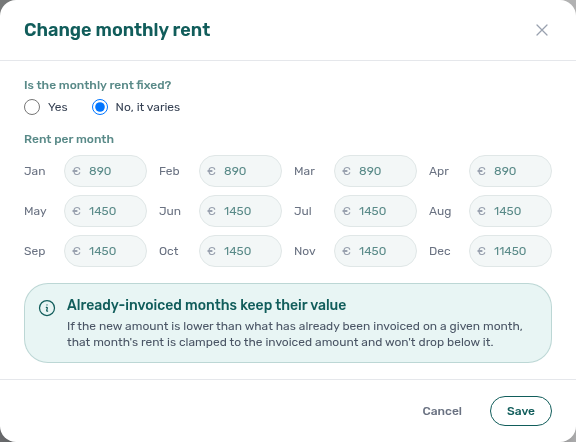
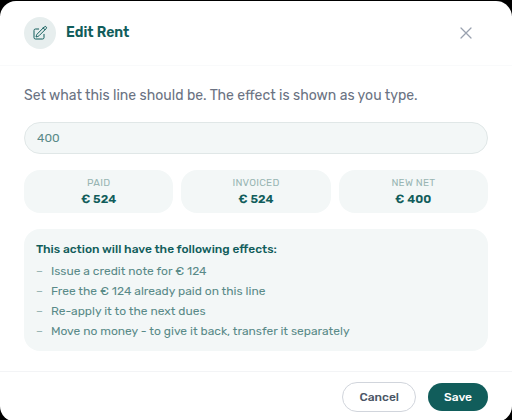
Integration A connection between Vivin and an external platform (for example Airbnb, Booking.com, Nuki, Hostkit, Invoice-xpress) that enables automatic data synchronization. Account-wide credentials, enable toggles, optional Pricing Markup, Short-term iCal Max Date, and non-marketplace providers are configured on Settings > Integrations. Per-unit marketplace listing IDs, channel URLs, and import wiring for each row in your portfolio live under Listings > Channels — turn a platform on in Integrations first, then link each unit on Channels (see the tip at the top of the Integrations settings page). Per-unit Included in feed / Excluded from feed switches live on Integration listings.
Integration listings
Unit Full integration tab that controls whether a listing appears on a marketplace’s outbound listing pull. Default is Included in feed. Excluded from feed omits the unit from that platform’s partial GET /listings and full catalogue, even when Channels has an ID. Airbnb and Booking.com are not on this card. See Booking engine details — Integration listings (booking-engine-details-listing-integration-listings-tab.png) and FAQ — Listing missing from a marketplace pull.
In-App Support
Permission-gated support inside the management hub for creating and tracking tickets with the Vivin team (distinct from operational maintenance tickets in Operations). The Help & Support drawer and the full /settings/support inbox both use server-side search, sort, and infinite scroll (chunked loading, about 20 tickets per request). Default sort Last activity orders by the last message in the thread (not a status or assignee change). Drawer rows show a last-message preview; the full page adds a Last Activity column, table layout, Showing X of Y, End of list, and a default assignee for new tickets. An open ticket refreshes so new Vivin replies appear without a full page reload. Sending a reply in the thread is enough — you do not also email the support mailbox (Support ticket reply). See Using in-app support — Last activity (settings-support-drawer-last-activity-preview.png, settings-support-last-activity-flow.mp4) and Get Help & Support.
Invoice
A tax document generated when a payment is recorded, typically through an integration with Invoice-xpress or Hostkit. VAT rates for each charge type are configured in Settings > Invoicing; Hostkit accounts also set Hostkit invoice series. When Invoice-xpress is the active invoicing provider, optional Proforma / Invoice Receipt remarks on the same Invoicing tab become InvoiceXpress document observations on newly issued PDFs (settings-invoicing-invoicexpress-remarks-view.png, settings-invoicing-invoicexpress-remarks-edit.png, settings-invoicexpress-remarks-flow.mp4). After issue, Finance → Transactions allocation rows show the Invoice-xpress document id (for example #263420692) with an enabled see invoice control that opens the stored Invoice-xpress permalink — same control as Hostkit, different destination URL (finance-transaction-detail-invoicexpress-see-invoice.png, invoicexpress-see-invoice-flow.mp4). Invoice-xpress does not synthesise Hostkit-style booking Files PDF tiles.
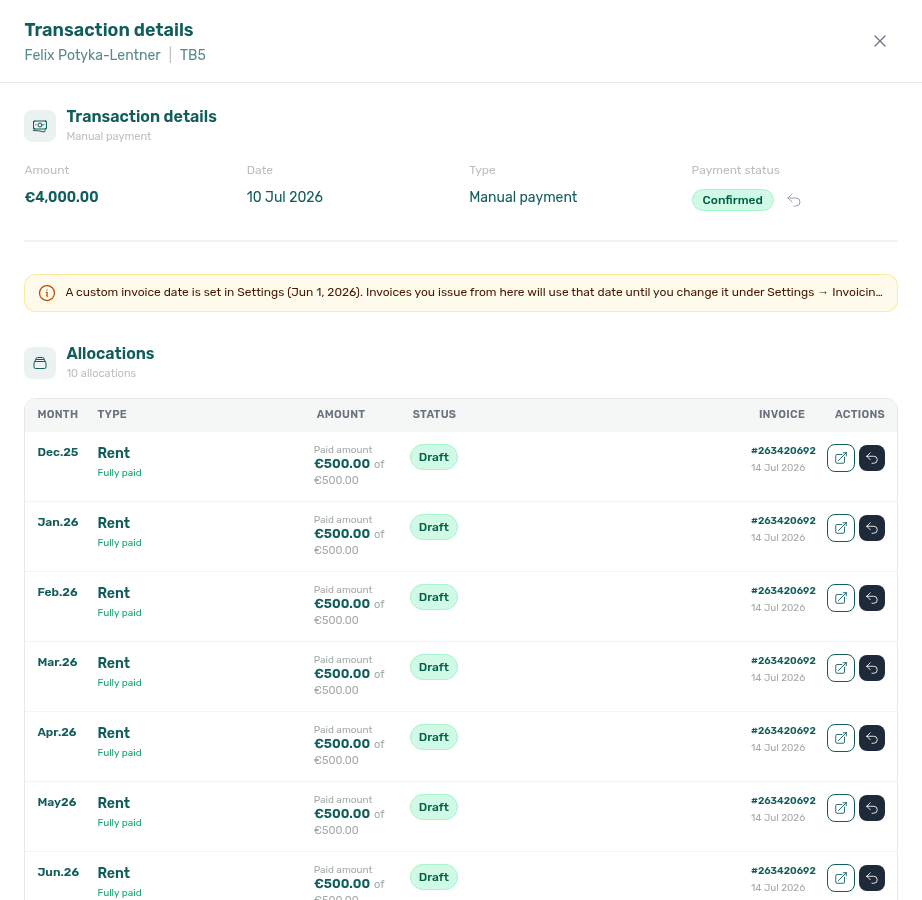
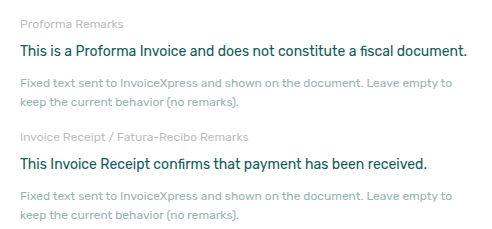
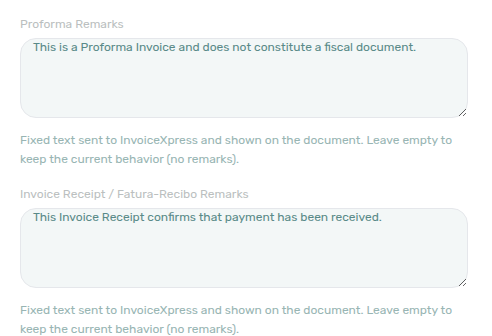
K
K KPI abbreviations pair ADR, RevPAR, and Analytics module. Partner Kiwi feed: API Reference — Kiwi, Capital Rooms, Porta85 & Lisbeyond.
Kiwi (integration)
A single-landlord partial listing + booking feed (kiwi-integration). Vivin scopes the route to one provisioned account and returns all that account’s listings; unlinked units use the Vivin listing UUID as externalId plus listingInternalName. Not a general self-serve Settings → Integrations card. Same pattern as Capital Rooms (integration), Porta85 (integration), and Lisbeyond (integration). See API Reference — Kiwi, Capital Rooms, Porta85 & Lisbeyond and Source platform.
KPI (Key Performance Indicator) A real-time metric displayed on the Dashboard, such as Listings, Today (free rooms), Total Debt, and Monthly Revenue. See the Dashboard KPI cards row in Visual quick reference for card-by-card definitions and PNG closeups (distinct from the seven-card Finance → Overview strip).
L
L lease and listing terms pair B (booking), P (portfolio filter catalog), and Listings module. Partner Lisbeyond feed: API Reference — Kiwi, Capital Rooms, Porta85 & Lisbeyond.
Language switcher (tenant portal)
Portal globe + flag + two-letter code for EN, PT, ES, and IT. Desktop: left of the top bar (same bar as Sign out (tenant portal)). Phone: compact control in the top bar — not a More (tenant portal) card. Stored on the tenant (every stay). Until the tenant picks, the portal uses Portal settings — Default language (Not set (English) opens in English). Operators can set Portal language on the tenant sidebar (Account default is not the same as English). No Portal settings hide toggle. Distinct from management Interface language. Marketplace POST /bookings cannot send this control. See Tenant Portal — Language switcher (tenant-portal-language-switcher.png, tenant-portal-language-switcher-button.png, tenant-portal-language-switcher-menu.png, tenant-portal-language-switcher-menu-list.png, tenant-portal-language-switcher-phone.png, tenant-portal-language-switcher-phone-menu.png, tenant-portal-language-switcher-flow.mp4; operator: settings-portal-default-language.png, settings-portal-default-language-edit.png, settings-portal-default-language-options.png, settings-portal-default-language-flow.mp4, tenants-sidebar-portal-language.png, tenants-sidebar-portal-language-menu.png, tenants-sidebar-portal-language-full.png, tenants-sidebar-portal-language-flow.mp4) and FAQ — How do tenants change the Tenant Portal language?.
Landlord MCP
The account-scoped Model Context Protocol server that exposes typed portfolio tools to external AI clients (same permission model as the management app; Core API–backed), plus the always-available get-vivin-context-* product-help topic tools (static reference slices, no account data). See Landlord MCP and Product context. For booking-scoped tenant automation, see Tenant MCP.
Landlord signature
Reusable per-account signature image managed on Settings → Contract (upload PNG or draw). Inserted into {%LandlordSignature} automatically when a tenant e-signs — never baked into draft PDFs. FAQ: How does the landlord signature appear on contracts?.
landlordKey
Path segment in full listing feed URLs (GET /{platform}-integration/:landlordKey/listings/full) and in some inbound webhook routes. Vivin resolves the segment to an account when it matches either the stored account landlordKey or that account’s integration email for the platform (the email on the platform card under Integrations). Housing Anywhere inbound webhooks use that same path resolution and echo full-feed listingReference as listing_external_reference. Uniplaces inbound has no path key — the listing comes from offer_api_reference. See Full listing feeds and Housing Anywhere listingReference.
Lisbeyond (integration)
A single-landlord partial listing + booking feed (lisbeyond-integration), same pattern as Kiwi (integration), Capital Rooms (integration), and Porta85 (integration): one provisioned account, all listings in the pull, UUID externalId + listingInternalName when unlinked. Not a general self-serve Settings → Integrations card. See API Reference — Kiwi, Capital Rooms, Porta85 & Lisbeyond and Source platform.
landlordEmail (listing JSON)
The landlordEmail field on partial listing JSON (GET /listings) is the Integration Email from that platform’s Booking Platforms card — not the property manager’s login, not the General Information company email, and not a per-unit contact. Uniplaces / Inlife full catalogues copy the same address as landlord_email. Distinct from landlordKey (a URL path that may use that email). See Listings & Availability — Landlord email and FAQ — Listing landlordEmail vs login.
localRentCap (listing JSON)
There is no localRentCap field on partial listing JSON (GET /listings) or on partner full catalogues. Advertised rent (and rentsPerMonth) is the full monthly amount after Markup — not a legal-rent slice. Housing Anywhere costs[] has no local-rent-cap or dual-pricing cost type. Partner POST /bookings cannot send the cap; when dual pricing is on, Vivin can still freeze Local Rent Cap from the unit onto the payment plan. See Listings & Availability — Local rent cap and FAQ — Listing JSON has no local rent cap.
Listing address (tenant portal)
Portal Home map pin next to Greeting (tenant portal). Shows the listing street from Listings → Property Details → Address, plus Floor with the same wording as Lease information (tenant portal) (3 → , Floor 3; a value that already includes “floor” is kept). Hidden when the listing has no street. Not gated by the check-in email. No Portal settings hide toggle. Tenants cannot edit it on Home. Operators set Address and Floor on the listing. Distinct from Lease information Address (labeled field in that card), Contact us (tenant portal) (company address), and Account Home address. Marketplace POST /bookings cannot send this pin. See Tenant Portal — Greeting and listing address (tenant-portal-home-listing-address.png, tenant-portal-home-greeting-and-listing-address-flow.mp4) and FAQ — How do tenants see the greeting and listing address on portal Home?.
Lease information (tenant portal)
Portal Home Lease information card with Property (listing name), Address (listing street plus Floor when stored), and a Timeline when contract start, check-in, check-out, and contract end span at least two calendar days. Same-day milestones merge (for example CONTRACT START & CHECK-IN). Dates use a four-digit year. Always on Home after sign-in — not gated by the check-in email, not a Portal settings toggle, and not editable by tenants. Distinct from Greeting (tenant portal) / Listing address (tenant portal) (the Home pin next to Hello, First name!), Balance card (tenant portal) (amounts due), Lease Purpose (tenant portal), Contact us (tenant portal), Open requests (tenant portal), Contract card (tenant portal), WiFi (tenant portal), Entry codes, and Account Home address. See Tenant Portal — Lease information (tenant-portal-home-lease-information-card.png, tenant-portal-home-lease-and-contact-cards.png, tenant-portal-home-lease-and-contact-flow.mp4) and FAQ — How do tenants see lease dates and landlord contact on portal Home?.
Lease purpose (booking)
An optional classification for why a tenant is renting (for example Tourism, Studies, Work, Internship). Enable allowed values under Settings → Categories → Lease purpose; operators pick from the chip list on Add booking and Contract Info, and tenants may be required to choose on the portal Your Details step when Make Lease Purpose mandatory is on. Values outside the configured list are rejected on save. Portfolio filters do not expose lease purpose today — use booking detail or exports for reporting. Marketplace POST /bookings does not set this field — Lease purpose not on partner POST. See Lease Purpose (tenant portal).
Lease purpose not on partner POST
Marketplace POST /{platform}-integration/bookings has no leasePurpose field. The imported stay leaves Lease purpose empty (No lease purpose). Partial listing JSON also omits that key. The Categories chip list is allowed values, not a default copied onto the stay. + Create New → Booking can pick it at create. After import, Contract Info → Booking information can still set it for that reservation. Make Lease Purpose mandatory does not reject channel create — the tenant picks on portal Your Details when required. See Creating Bookings — Lease purpose, Tenant Portal — Lease Purpose, and FAQ — Marketplace booking lease purpose (api-swagger-create-booking-integration-no-lease-purpose.png, settings-categories-lease-purpose-section.png, bookings-add-booking-lease-purpose-dropdown.png). Distinct from Check-in responsible (teammates) and Tenant category (default segment for new integration tenants).
Leave outstanding (Edit amount)
An effects line on booking Contract Values → Edit amount when New net is higher than Paid: Leave €X outstanding on this line (X is New net minus Paid). Standing balance after Save, not a cash movement and not a credit note. Distinct from Keep as credit / Return to tenant (lowering a paid line) and from the invoiced floor (lowering exported rent). See FAQ — What does Leave outstanding on this line mean? (bookings-detail-contract-values-edit-amount-leave-outstanding.png, bookings-detail-contract-values-edit-amount-leave-outstanding-flow.mp4).
Logo website (tenant portal)
Portal company Logo in the computer sidebar and phone top bar. When General Information has both a Logo and a Website URL, the image is a link that opens your site in a new tab. Empty Website URL leaves the logo visible but not tappable. No logo shows Company Name as text instead. Distinct from Contact us (tenant portal) (labelled Website row on Home), from Powered by VIVIN (tenant portal) (always Vivin’s site), and from Install app (tenant portal) (overlay image is not a website link). No Portal settings hide toggle. Marketplace POST /bookings cannot send this control. See Tenant Portal — Logo website (tenant-portal-logo-website-home.png, tenant-portal-logo-website-sidebar.png, tenant-portal-logo-website-contact-us.png, tenant-portal-logo-website-phone.png, tenant-portal-logo-website-phone-header.png, tenant-portal-logo-website-flow.mp4) and FAQ — How do tenants open the company website from the portal logo?.
Listing See Unit. In the Listings module, "Unit" and "Listing" are used interchangeably.
Listing tag (filter)
A label from Settings > Categories > Listing Categories applied to properties and units in Listings. The same vocabulary powers portfolio filters: Select tags on the Listings Portfolio toolbar, Select tags on Sales Multicalendar / Pricing, and Select categories under Property & Listing in Finance → Other filters. On Listings, the Select tags menu stays open after each tick so you can add another neighbourhood or amenity; the table shows properties that have any of the tags you picked — see Listings — Select tags stays open and FAQ — Does picking a second listing tag close the menu?. Distinct from Booking Tag on reservations.
Listing type (filter)
A label from Settings > Categories > Listing Types describing property or unit shape (for example Studio, Room). Used in Select types on the Listings Portfolio toolbar and Select listing types on Sales Multicalendar and Sales Pricing — sales-pricing-active-tag-type-chips.png, sales-pricing-clear-all-filters.png — not on Finance ledger filters today. On Listings, the Select types menu stays open after each tick so you can add another type — see Listings — Select types stays open (listings-portfolio-select-types-stays-open.png, listings-portfolio-select-types-two-types.png, listings-portfolio-select-types-stays-open-flow.mp4) and FAQ — Does picking a second listing type close the menu?. Sales Clear all resets type chips with the rest of the filter bar.
Listing channels (per unit) The Channels tab on a property’s unit in the Listings module: external listing IDs, marketplace URLs, and calendar/booking import links for that unit. This is not the same screen as Account Settings > Integrations (account credentials and account-wide channel rules). Operators usually configure Integrations once, then complete or audit channel links per unit in Listings; for a consolidated grid of connection status, use Sales > Channel Manager.
Locked bank and billing banners (tenant portal)
Amber notices on portal Account → Bank account and Account → Billing information when Portal settings lock those cards. Bank copy: Bank details cannot be changed here based on your landlord’s settings. Please contact your property manager if you need an update. Billing copy: Billing details cannot be changed here. Please contact your property manager if you need an update. Fields stay visible and disabled. The same notices appear in Sign contract. Home does not have Edit details. Bank locks from Allow tenant to edit IBAN (Off by default) and, after signature, Keep IBAN editable after contract signature. Billing locks from Allow edit billing details (On by default) and, after signature, Allow edit billing details after contract signature. Operators still edit Tenants → Tenant Info. Distinct from a tenant category hide of a single field (no landlord-settings notice), Require IBAN (signing gate), read-only Email, and disabled Lease Purpose (tenant portal) on Account. See Tenant Portal — Locked bank and billing banners and FAQ — How do tenants update locked bank or billing details?.
M
M maintenance, MCP, and management session terms pair O (operations tickets), T (tenant portal), and Automation & AI.
Maintenance tickets not on partner POST
Marketplace POST /{platform}-integration/bookings has no createCheckInMaintenanceTicket or createCheckOutMaintenanceTicket field. Imported stays copy Create maintenance ticket at check-in / Create maintenance ticket at check-out from the property Maintenances tab. Partial listing JSON also omits those keys. There is no listing-level or account-level ticket default. + Create New → Booking can skip tickets for one reservation. After import, Contract Info cannot flip this snapshot. See Creating Bookings — Maintenance tickets and FAQ — Marketplace booking maintenance tickets (api-swagger-create-booking-integration-no-maintenance-tickets.png, listings-property-edit-maintenances-tab.png, bookings-add-booking-maintenance-ticket-opt-out.png). Distinct from Per-booking maintenance ticket opt-out (operator Add booking only) and Ignore unit preparation days.
Maintenance closure rate
Tickets closed divided by tickets received in a trailing window (1–90 days; default 7). Ask Genius / AI Chat to quote closed, received, and the percentage for a named window (for example last 60 days) — the 7-day default can be 0% even when a longer window has closures. Ask for last 45 days when you want a mid-length window that can already have closures while 30 days is still 0% — quote received, because closed can match one assignee. Ask for last 50 days when you want a window between 45 and 60 — quote received, because nearby windows can share a close count. Ask for last 90 days when you want the longest allowed window — quote received, because closed can match a shorter window. This is not the Operations Tickets Closed card (all-time completed) and not Staff Workload (open tickets now). Reconcile the created-vs-closed shape on Operations → Overview — Ticket volume trend. Enable Analytics on AI / MCP. See Landlord MCP — Maintenance closure rate, Landlord MCP — 45-day window, Landlord MCP — 50-day window, Landlord MCP — 90-day window, FAQ — Maintenance closure rate, FAQ — 45-day maintenance closure rate, FAQ — 50-day maintenance closure rate, and FAQ — 90-day maintenance closure rate (ai-chat-maintenance-closure-rate-reply.png, ai-chat-maintenance-closure-rate-45-day-reply.png, ai-chat-maintenance-closure-rate-50-day-reply.png, ai-chat-maintenance-closure-rate-90-day-reply.png).
Management session
The signed-in state for a management platform user (platform.vivin.app). After login (email/password or Sign in with Google when shown), Vivin stores a short-lived access token in the browser and keeps a secure httpOnly refresh cookie for silent renewal — API calls that hit an expired access token are retried once after POST /auth/refresh succeeds. Logout in the sidebar user section calls POST /auth/logout, revokes the refresh token server-side, and clears local sign-in state (use this on shared computers). Closing a tab alone does not immediately end the session; you see Your session expired. Please log in again. only when refresh can no longer continue (logout elsewhere, revoked access, or expired refresh cookie). Distinct from tenant portal Sign out. See Getting Started — Staying signed in and logging out and FAQ — Management Account Access / Sign in with Google.
More (tenant portal)
Phone overflow page in the Tenant Portal bottom bar. Heading More, subtitle Access additional features and settings. Cards: Documents (View your contracts and documents), Utilities (View your utility usage and bills — when utilities are on and the booking is not refunded), Services (Request additional services — when services are on), Surveys (Share your feedback about your stay — when surveys are available for the stay; count badge while pending), Account (Manage your account settings), and Sign out (End this session on this device). When many modules are on, swipe the bottom bar to reach More. Desktop tenants use the left sidebar instead — More is phone-only. Distinct from Management session Logout. See Tenant Portal — More (tenant-portal-more-bottom-nav.png, tenant-portal-more-page.png, tenant-portal-more-page-phone.png, tenant-portal-more-documents.png; clip: tenant-portal-more-page-flow.mp4), FAQ — How do tenants open More on the Tenant Portal phone?, and FAQ — How do tenants sign out of the Tenant Portal?.
Manual Card type label (tenant portal)
Portal Payments → Transaction History label for a card payment operators recorded by hand (booking + Transaction → Type → Credit Card for desk/POS — the habit this guide calls Card (recorded manually)). The row shows Manual Card as plain text — no platform logo. Search matches Manual. Export CSV (tenant portal) writes Manual Card in Description. Distinct from Credit Card type label (tenant portal) (VIVIN portal card checkout), from Cash type label (tenant portal), from Bank Transfer type label (tenant portal), from Viban type label (tenant portal), and from Platform payment label (tenant portal). No Portal settings hide toggle — tenant-category VIVIN payments (or an unprovisioned payment module) hides the whole Payments tab. See Tenant Portal — Manual Card type label (tenant-portal-payments-manual-card-label.png, tenant-portal-payments-manual-card-label-table.png, tenant-portal-payments-manual-card-label-row.png, tenant-portal-payments-manual-card-label-search.png, tenant-portal-payments-manual-card-label-phone.png, tenant-portal-payments-manual-card-label-flow.mp4), Bookings — Card (recorded manually), and FAQ — How do tenants see a manual card payment in the portal?.
Market Intelligence
Industry term for external benchmarks and competitor context. Portfolio Analytics (/analytics, when your role has analytics.module) surfaces KPI trends separate from Sales; for your live availability and rents, use Sales and Dashboard.
Marketplace (Tenant Services) A feature that allows operators to offer extra services and add-ons to tenants (cleaning, gym memberships, insurance, transportation, etc.), integrated into the booking and billing workflow. See Services Marketplace.
Maximum stay period
Unit Maximum Stay Period in months. 0 means no maximum; 12 means twelve months, not unlimited. Minimum Stay Period 0 means no minimum. New units can inherit Min/Max Stay Defaults. Distinct from Short term nightly min/max stay. Listing JSON publishes the stored months as minStayPeriod / maxStayPeriod (0 is present, not omitted). Add Booking uses those bounds; marketplace POST /bookings honours listing JSON — Honour listing. See Listings — Maximum stay 0, Listings & Availability — Maximum stay, FAQ — Does 12-month maximum stay mean unlimited?, and FAQ — maxStayPeriod is 0.
Manual unavailability (manual block)
An operator-created date hold on a unit (renovation, owner stay, cleaning buffer, and similar) — not a paid booking and not a channel/iCal import. Create with Add unavailability on the unit Calendar or + Create New → Unavailability. Change dates or reason in place with Edit block / Save changes (Listings, Audit — listings-edit-unavailability-modal.png, listings-edit-unavailability-flow.mp4). Review portfolio-wide on Tools → Audit → Manual Blocks. Month-end habit: Manual block hygiene.
- Common Workflows — Occupancy KPI to block hygiene handoff — Operator habit hub
Model Context Protocol (MCP) An open standard for connecting AI clients to tools and data over HTTP (streamable transport in VIVIN’s servers). The product ships two servers: Landlord MCP (account-scoped operator tools) and Tenant MCP (booking-scoped tenant automation). See Automation & AI.
Move-in The date a tenant physically enters the property. Also called the Occupancy Date or Check-in Date. Tracked in Operations > Check-in & Check-out.
Move-out The date a tenant physically leaves the property. Also called the Check-out Date. Tracked in Operations > Check-in & Check-out.
N
N notification vocabulary pairs Inbox module, Bot reasoning (audit) under B, and FAQ — Notifications & alerts.
Nationality (tenant portal)
Portal Account → Personal information Nationality (also on Sign contract → Your Details). Searchable list of nationality words with flags (for example Spanish, Portuguese) — not country names. Empty is allowed unless Require Nationality is On. There is no account-level Allow edit nationality — a tenant category can hide or lock the field Nationality. Operators use Tenants → Tenant Info and Bookings → Contract Info; the Bookings list Other filters include All Nationalities / No Nationality. Marketplace POST /bookings accepts nationality as a two-letter country code. Distinct from ID document details (Country of issue), billing Country, Phone number (tenant portal), European bank account, and Use company billing. See Tenant Portal — Nationality and FAQ — How do tenants enter nationality? (tenant-portal-account-nationality-field.png, tenant-portal-account-nationality-dropdown.png; clip: tenant-portal-account-nationality-flow.mp4).
Natural numeric sort
Ordering used wherever Vivin sorts internal property or unit names in lists and Select dropdowns (for example Room 2 before Room 10, or AA-11-5D-R2 before AA-11-5D-R10). This replaces plain alphabetic order, which would place Room 10 above Room 2. Sentinel options such as All properties stay at the top of filter menus. On the Bookings list, the same order also breaks ties on other columns: reversing Contract Period / Move-In & Out keeps BP-Quarto 1 → 4 when every stay starts on the same day (bookings-list-contract-period-sort-unit-name-tiebreak.png). Documented examples: Bookings — Sort By (default Unit Name ascending — bookings-list-unit-name-sort-default.png), Listings — unit order within an expanded property, Operations — Tickets property filter, and Server-driven search picker option lists.
Number of rooms (filter)
Portfolio filter on how many units (listings) are registered under a property — not bedroom count inside one unit. Bookings → Other filters → Advanced exposes Min / Max number inputs and a removable toolbar pill; Sales → Multicalendar / Pricing uses the same bounds in a house-icon popover. Queries send minRooms / maxRooms (Bookings portfolio and Sales listings directory). Invalid min > max surfaces Min rooms must be less than or equal to max. Pair with FAQ — Filter by number of rooms (bookings-list-other-filters-number-of-rooms.png, bookings-list-number-of-rooms-pill.png, sales-multicalendar-number-of-rooms-filter.png, sales-pricing-number-of-rooms-filter.png, bookings-number-of-rooms-filter-flow.mp4).
Notifications
Alerts for bookings, payments, tickets, and other events. On desktop Dashboard, the header bell opens a slide-over with recent items and Mark all as read; the full Notifications module at /notifications adds search and All / Unread / Read filters (labels follow Interface language) and complete history — open it from the URL or a bookmark; there is no separate Notifications item in the left sidebar. See Deep Links — Notifications. Payment received operator alerts (email + in-app, per-user opt-in) are documented under Payment notification (operator).
Nuki A smart lock integration that allows Vivin to generate temporary access codes for tenants automatically. Connected via API key in Settings > Integrations and linked to properties in the Access Lockers tab.
NetSuite
Oracle NetSuite ERP invoicing connection under Settings > Integrations — NetSuite. Add Integration requires Account ID, OAuth client ID, Certificate ID, and private key (PEM). The connection card shows an Active badge and Configure, which opens fiscal Invoice defaults (dropdowns fed from the connected NetSuite account when lists are available; free text for render script/deploy ids and for any table Vivin cannot query), an optional SII identification type map, and Property class mappings (property → NetSuite class code via Search properties… + infinite-scroll picker). NetSuite can coexist with VIVIN Invoicing via catch-all + filtered peers (dual stack); it remains mutually exclusive with Hostkit and Invoice-xpress. Fiscal Configure settings are per NetSuite connection (settings-integrations-dual-vivin-netsuite-cards.png, settings-integrations-dual-stack-flow.mp4). settings-integrations-netsuite-card.png, settings-integrations-netsuite-config-modal.png, settings-integrations-netsuite-config-subsidiary-dropdown.png, settings-integrations-netsuite-config-flow.mp4, settings-integrations-netsuite-config-property-class-section.png, settings-integrations-netsuite-config-property-class-picker.png, settings-integrations-netsuite-property-class-picker-flow.mp4.
O
O operations and overpayment terms pair T under T, D under D, and Operations module.
Operational cost summary
Cash Flows spend for a date window: total outflow and average cost per unit (outflow ÷ listing count), plus a category split when you ask by category, plus remaining totals when you exclude an exact Cash Flows category name. Ask Genius / AI Chat to quote those totals for named from/to dates (for example 1 July through 31 July) — the tool default is the current month through today, so a mid-month ask understates a settled month. Ask for June 2026 when you want another named settled month (ai-chat-operational-cost-summary-june-reply.png). Ask for April 2026 when you want a third named settled month (ai-chat-operational-cost-summary-april-reply.png). Ask by category when you need each cost-allocation category’s outflow (ai-chat-operational-cost-by-category-reply.png). Ask by category in June when you want another named month’s split, including uncategorized when it has outflow (ai-chat-operational-cost-by-category-june-reply.png). Ask excluding a category when you want remaining outflow and average cost per unit after dropping one name as it appears on Cash Flows (for example Carpentry & doors, not a shortened Carpentry) (ai-chat-operational-cost-exclude-category-reply.png). Ask excluding Maintenance when you want remaining totals after dropping a different exact name (ai-chat-operational-cost-exclude-maintenance-reply.png). Ask excluding Manutenção in June when that month’s Cash Flows name is Portuguese (ai-chat-operational-cost-exclude-manutencao-june-reply.png). Ask excluding uncategorized in June when you want remaining totals after dropping that other exact Cash Flows name (ai-chat-operational-cost-exclude-uncategorized-june-reply.png). Ask excluding maintenance in April when you want remaining totals after dropping that month’s exact Cash Flows name (ai-chat-operational-cost-exclude-maintenance-april-reply.png). Ask excluding maintenance and uncategorized in April when you want remaining totals after dropping both exact names (ai-chat-operational-cost-exclude-maintenance-uncategorized-april-reply.png). Ask for 1–15 April 2026 when you want a custom half-month window (ai-chat-operational-cost-summary-april-first-half-reply.png). Ask for 16–30 April 2026 when you want the other custom half-month window (ai-chat-operational-cost-summary-april-second-half-reply.png). Ask for February 2026 when you want a fourth named settled month (ai-chat-operational-cost-summary-february-reply.png). Ask for 1–14 February 2026 when you want a custom February half-month window (ai-chat-operational-cost-summary-february-first-half-reply.png). Ask for 15–28 February 2026 when you want the other custom February half-month window (ai-chat-operational-cost-summary-february-second-half-reply.png). Ask for January 2026 when you want a fifth named settled month (ai-chat-operational-cost-summary-january-reply.png). Ask for March 2026 when you want a sixth named settled month (ai-chat-operational-cost-summary-march-reply.png). Ask for May 2026 when you want a seventh named settled month (ai-chat-operational-cost-summary-may-reply.png). This is not Finance → Overview income or cash collected, and not Dashboard Cash Flow Forecast. Reconcile on Operations → Cash Flows with the matching month chip. Enable Analytics on AI / MCP. See Landlord MCP — Operational cost summary and FAQ — Operational cost summary (ai-chat-operational-cost-summary-reply.png).
Occupancy Date The date a tenant physically moves into the unit. May differ from the Contract Date. See Getting Started > Dates.
Ongoing (booking status)
The management UI label for a stay that is active today — API value current, between move-in/start and end/check-out per your account’s status date basis. List filters often say Ongoing while exports and integrations may still use current. See Booking lifecycle and Bookings — Status Filter Cards.
Open requests (tenant portal)
Portal Home Open requests card when Allow to create tickets is On. Lists up to three open tickets (Received / Pending / In Progress); View all N requests opens Requests → History; Create request opens New Request. Empty copy: No open requests at the moment. Not gated by the check-in email. Hidden when tickets are off. Distinct from Balance card (tenant portal) (money, not tickets), Contract card (tenant portal), and Vivin in-app product support. See Tenant Portal — Open requests (tenant-portal-home-open-requests-card.png, tenant-portal-home-open-requests-and-contract-flow.mp4), Received status (tenant portal), and FAQ — How do tenants open requests and the contract from portal Home?.
Order History (tenant portal)
Portal Services list under the catalogue. Heading Order History when at least one confirmed add-on exists. Monthly rows show a green Active badge and a /mo price; one-time rows show Nx ordered and a Total. Matching catalogue cards show Active or Requested. Tenants cannot cancel an Active monthly from this list. Pending approval-gated rows live under Awaiting approval (with Cancel); rejected and cancelled rows under Request history. There is no Portal settings hide toggle for this list; Allow to see services Off hides Services and therefore the list. Distinct from Payments tab Transaction History and from Requests → History (maintenance tickets). Marketplace POST /bookings cannot send these rows. See Tenant Portal — Order History (tenant-portal-services-order-history.png, tenant-portal-services-order-history-list.png, tenant-portal-services-order-history-flow.mp4) and FAQ — How do tenants see ordered services?.
Others breakdown (tenant portal)
Portal Payments → payment details → BREAKDOWN group for extras on an installment. Lines show Others, or Others - Category when categorized (for example Others - Penalty fee). Grey subtitles carry the charge reason — late-payment penalties often read Penalty for late payment applied on DD/MM/YYYY. The Payment Timeline card keeps its normal title (Move-in Payment, MMM YYYY payment, and similar); tenants open the card to read these lines. No Portal settings hide toggle — tenant-category VIVIN payments (or an unprovisioned payment module) hides the whole Payments tab. Distinct from Payment details (tenant portal) (the panel habit), from Rent / Deposit / named fee rows on the same BREAKDOWN, and from Transaction History method labels such as Cash type label (tenant portal) or Manual Card type label (tenant portal). Marketplace POST /bookings cannot send this breakdown. See Tenant Portal — Others breakdown (tenant-portal-payments-others-breakdown-timeline.png, tenant-portal-payments-others-breakdown.png, tenant-portal-payments-others-breakdown-drawer.png, tenant-portal-payments-others-breakdown-phone.png, tenant-portal-payments-others-breakdown-flow.mp4) and FAQ — How do tenants see Others charges on portal payment details?.
Overdue days past due (tenant portal)
Portal Payments → Payment Timeline Overdue chip on an unpaid installment whose due date is already in the past. Copy is N days past due (or 1 day past due). Counts use calendar days from start-of-day — the same helper as the TODAY far-due date (tenant portal) and the balance card (tenant portal). On the due date itself the card still reads Overdue without a day-count chip. The card also shows red Remaining next to Total. This chip is per installment — Home Overdue payment is the booking total of every late row. No Portal settings hide toggle — tenant-category VIVIN payments (or an unprovisioned payment module) hides the whole Payments tab. Distinct from Pending N days remaining, from Paid installment (tenant portal) (green check, no Remaining), from Scheduled Due in N days (tenant portal) (future Due in N days), from Upcoming (tenant portal) (Scheduled leftover, not Overdue), and from TODAY far-due date (tenant portal) (future due dates). Marketplace POST /bookings cannot send this label. See Tenant Portal — Overdue days past due (tenant-portal-payments-overdue-days-past-due.png, tenant-portal-payments-overdue-days-past-due-card.png, tenant-portal-payments-overdue-days-past-due-chip.png, tenant-portal-payments-overdue-days-past-due-phone.png, tenant-portal-payments-overdue-days-past-due-flow.mp4) and FAQ — How do tenants see how many days a portal payment is overdue?.
Overpayment Return type label (tenant portal)
Portal Payments → Transaction History label for money returned because the tenant paid more than the plan required. The row shows Overpayment Return as plain text — no platform logo. The grey subtitle is the ledger note Refund of tenant overpayments. Search matches Overpayment. Export CSV (tenant portal) writes Overpayment Return in Description. This is the history label after Mark refunded on an overpayment (including no deposit), not the Deposit Refund card on Payment Timeline. No Portal settings hide toggle — tenant-category VIVIN payments (or an unprovisioned payment module) hides the whole Payments tab. Distinct from Cash type label (tenant portal), from Bank Transfer type label (tenant portal), from Viban type label (tenant portal), from Credit Card type label (tenant portal), from Automatic Adjustment type label (tenant portal), and from Platform payment label (tenant portal) (name and logo). Marketplace POST /bookings cannot send this label. See Tenant Portal — Overpayment Return type label (tenant-portal-payments-overpayment-return-label.png, tenant-portal-payments-overpayment-return-label-table.png, tenant-portal-payments-overpayment-return-label-row.png, tenant-portal-payments-overpayment-return-label-search.png, tenant-portal-payments-overpayment-return-label-phone.png, tenant-portal-payments-overpayment-return-label-flow.mp4) and FAQ — How do tenants see an overpayment return in the portal?.
Operations ticket columns
Per-user layout of the Operations → Tickets table: which columns you see and in which order. Configured on Personal Settings → Operations ticket columns (/settings/personal). ID and Status stay visible. Internal note is off until you turn it on — turn it on to read or sort notes; filter With / Without works even when the column stays hidden. Save applies the arrangement; Reset to default restores the shipped layout immediately. Does not change ticket data or other operators’ views. Distinct from Module tab order (tabs, not columns) and from tenant-portal Open requests. See FAQ — How do I choose which columns I see on Operations Tickets?.
Owner A person or legal entity entitled to revenue from one or more properties. Owners are registered in Settings > Owners and can be linked when you create or edit a property so payouts and reporting stay aligned with your portfolio structure.
Owner-linked user
A management login whose email matches an Owners record. Vivin scopes Listings, Bookings, Tenants, Finance, Operations (tickets and cash flows), Utilities, Notifications — General alerts, and Inbox to that owner’s properties. Labels / Pause bot stay manager-only. Owners with no properties cannot open Inbox until inventory is assigned. Distinct from the temporary Select owners filter on Bookings/Finance. See Owners — Owner-linked management users, Operations and Utilities stay on the same buildings, and WhatsApp Inbox and alerts (owner-scope-listings-single-property.png, owner-scope-operations-tickets.png, owner-scope-notifications-bell-general.png, owner-scope-notifications-flow.mp4).
Overage The amount by which a utility bill exceeds the Bills Included ceiling. Automatically charged to tenants when utility bills are entered. See Utilities module.
Overdue ticket (SLA)
An open Operations ticket whose computed due date is already past. Vivin adds the priority’s SLA hours from Settings → Preferences → Ticket Priorities to the ticket’s Schedule date (or opened/created date). Tickets with None priority, or a priority with blank SLA hours, are never overdue. The Overview Overdue card, the Tickets Overdue filter, the status-card recount, and the row late badge all use this one definition — so the Overview headline matches the Tickets overdue chip. There is no custom due-date field; change Schedule, priority, or account hours. Distinct from payment overdue (rent, not maintenance). See Operations — What counts as overdue, FAQ — Why is Overview Overdue lower than tickets that look late?, and Operations ticket columns (operations-overview-overdue-kpi-card.png, settings-preferences-ticket-priorities-card.png).
Overpayment When a tenant pays more than the outstanding amount. The excess becomes a credit applied to future charges. See Payment Allocation.
P
P payment and portal terms pair Credit note (payment reject/revert) under C, Allocation under A, and Payment Allocation.
Operations-only phone shell (management UI)
On an actual mobile phone user agent (iPhone, Android phone, etc.), operators whose role includes the Operations module get a route guard that redirects non-Operations URLs to /operations and limits the mobile drawer to Operations only. iPads, tablets, and desktop browsers resized narrow are not locked — only phone-class user agents trigger the redirect. This is separate from the 768px bottom tab bar inside Operations (width-based on any device). Use a tablet or desktop browser when you need Listings, Bookings, Finance, or other modules from a phone-class device. /settings/support and /notifications still open when bookmarked. Pair with FAQ — Phone shows Operations only, Getting Started — Mobile phones (operations-only shell), Operations — Mobile and narrow layouts, and Deep Links — Operations. Distinct from tenant Phone on the portal Account tab.
Phone number (tenant portal)
Portal Account → Personal information Phone (also on Sign contract → Your Details). Optional leading + and 7–15 digits; spaces, parentheses, and hyphens are removed on save. Empty is allowed unless Require Phone is On. There is no account-level Allow edit phone — a tenant category can hide or lock the field Phone. Operators use Tenants → Tenant Info Phone. Marketplace POST /bookings accepts phone. Distinct from the operator operations-only phone shell, Nationality (tenant portal), ID document details, European bank account, and Use company billing. See Tenant Portal — Phone and FAQ — How do tenants enter a phone number? (PNGs: tenant-portal-account-phone-field.png, tenant-portal-account-phone-field-typed.png; clip: tenant-portal-account-phone-field-flow.mp4).
Portal language (tenant sidebar)
Operator override for one tenant’s Tenant Portal language — compact select in the Tenants detail sidebar header (not behind a Tenant Info pencil). Options: Account default (follow Default language (portal settings)), English, Português, Español, and Italiano. Picking a language saves immediately (Portal language updated). Account default is not the same as English. A tenant who then uses the portal Language switcher (tenant portal) keeps their own pick on every stay. Distinct from management Interface language. See Tenants — Portal language and FAQ — How do I set one tenant’s Portal language? (tenants-sidebar-portal-language.png, tenants-sidebar-portal-language-menu.png, tenants-sidebar-portal-language-full.png, tenants-sidebar-portal-language-flow.mp4).
Powered by VIVIN (tenant portal)
Portal Powered by line plus the VIVIN mark. Tenants tap it to open Vivin’s site in a new tab. Computer: bottom of the left sidebar. Email access-link screen: under Send access link (computer and phone). Signed-in phone chrome does not show it. Distinct from Logo website (tenant portal) and Contact us (tenant portal) (those open your Website URL). No Portal settings hide toggle. Marketplace POST /bookings cannot send this control. See Tenant Portal — Powered by VIVIN (tenant-portal-powered-by-vivin-home.png, tenant-portal-powered-by-vivin-sidebar.png, tenant-portal-powered-by-vivin-access.png, tenant-portal-powered-by-vivin-phone.png, tenant-portal-powered-by-vivin-flow.mp4) and FAQ — What does Powered by VIVIN mean in the Tenant Portal?.
Permission denied toast (management UI)
Red error toast when a signed-in operator triggers an API action their role cannot perform. English copy: You do not have permission to perform this action. (localized per interface language). Replaces generic Forbidden resource 403 responses from the RBAC guard; domain-specific denials keep their own API messages. + Create New greys out disallowed rows up front (Create New menu — Permissions); Finance hides Transactions / Payouts / Deposits without Approve payments (Finance — Access tabs and toolbar). Other buttons may still look clickable until save time. Administrators fix roles in Users and roles — Role Permissions; changes apply on the next page load. Pair with FAQ — Permission denied toast, Error Handling — Authentication errors, and Using in-app support when external clients hit the same 403.
Planning (Operations)
The opt-in Planning tab under Operations (/operations/planning): a people × day dispatch board for maintenance tickets. Columns are active team members; drag cards from Unscheduled or To replan onto a time slot (timed Appointment) or the hourless Tasks strip. Requires Planning (schedule board) (operations.planning) — off by default for every role. Distinct from Vivin-internal Schedule (Operations) (property timeline). Teaching media: operations-planning-board-desktop.png, operations-planning-mobile-day.png, operations-planning-dispatch-flow.mp4. Arrival/departure habits: Managing a Check-in — Step 2, Managing a Check-out — Step 2, FAQ — Where is the Planning dispatch board?.
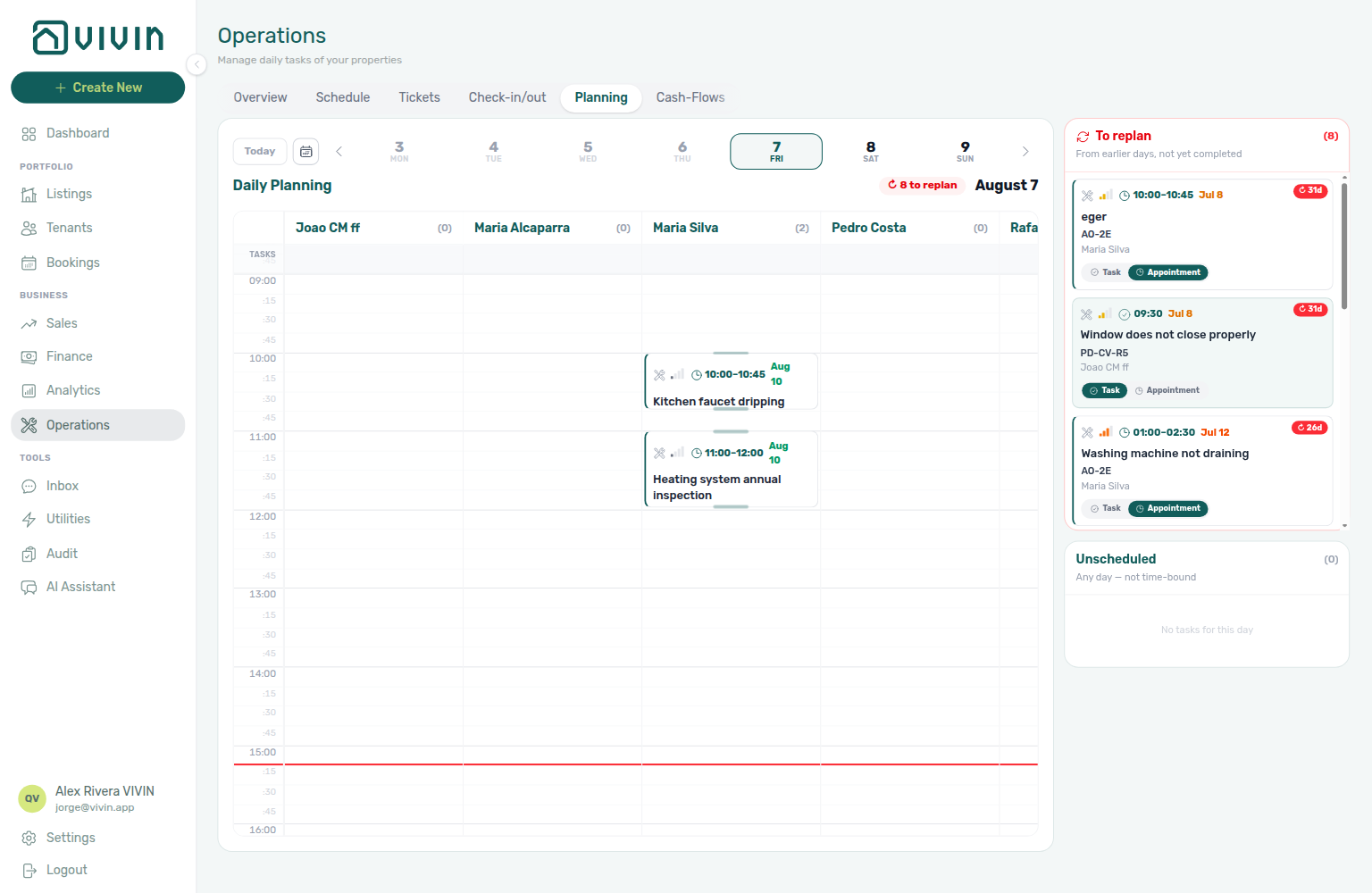
AI conversation summary (Communication tab)
On Bookings → Communication → Summary, operators generate a short AI Communication report from that booking’s WhatsApp + email history (overview, key topics, pending items). Each run is metered as booking_communication_summary in the AI usage ledger; the last report is stored per booking so reopening the panel does not bill again. Internal only — tenants never see it. See Bookings — AI conversation summary (bookings-detail-communication-tab-summary-report.png, bookings-communication-summary-flow.mp4) and FAQ — WhatsApp and email per booking.
Pause bot (Communication tab)
On Bookings → booking detail → Communication (WhatsApp filter), a Pause bot toggle appears when Vivin has configured a pause label on your WhatsApp business line (chatBotPauseLabelId). Turning it on applies that label so automated bot replies stop for this booking until you turn it off or remove the label. Distinct from manual Add label chips for other tags. See Bookings — Communication tab.
Platform commission on partner POST
Marketplace POST /{platform}-integration/bookings records platformProviderPaymentValue as channel commission. Operators see it as read-only Provider platform payment on Contract Info. It does not change the tenant payment schedule, except Vivin Booking Engine Daily stays shorter than one month. + Create New → Booking can type First payment value (€) when Platform is a channel. See Creating Bookings — Platform commission and FAQ — Marketplace platform commission (api-swagger-create-booking-integration-platform-commission.png, bookings-detail-provider-platform-payment-field.png). Distinct from Rent not on partner POST (listing JSON monthly amounts), Extra Charge not on partner POST (unit rates from headcount), and Guarantor not on partner POST (operator-only identity and amount).
Honour listing capacity and stay bounds
Marketplace POST /{platform}-integration/bookings trusts the channel to honour listing JSON capacity, minStayPeriod, maxStayPeriod, and availableFrom. Occupied nights (unavailabilities) still reject. Partner POST cannot skip the prep buffer — Ignore unit preparation days not on partner POST. Partner POST cannot send Allow check-in date in the past — Allow check-in date in the past not on partner POST. Extra Charge / Extra Deposit euros are not on that POST — send occupant headcount only — Extra Charge not on partner POST. That POST does record platform commission — Platform commission on partner POST. + Create New → Booking still enforces those unit fields. See Creating Bookings — Honour listing, FAQ — Honour listing Capacity and stay bounds, and FAQ — Marketplace booking exceeded Capacity (api-swagger-listing-dto-capacity-stay-bounds.png, api-swagger-create-booking-integration-occupants.png). That POST does not set rent — Rent not on partner POST. That POST does not set depositValue — Deposit not on partner POST. That POST does not set adminFeeValue — Admin fee not on partner POST. That POST does not set billsIncludedMaxValue — Bills included not on partner POST. That POST does not set contractType / contractDayType — Contract type not on partner POST. That POST does not set confirmation / check-in payments — Confirmation payments not on partner POST. That POST does not set due day / due month — Due date not on partner POST. That POST does not set check-in / check-out times — Check-in times not on partner POST. That POST does not set days before due — Days before due not on partner POST. That POST does not set check-in / check-out responsible — Check-in responsible not on partner POST. That POST does not set leasePurpose — Lease purpose not on partner POST. That POST does not set depositReturnDueDay — Deposit Refund Limit not on partner POST. That POST does not set bookingTags — Booking tags not on partner POST. That POST does not set createCheckInMaintenanceTicket / createCheckOutMaintenanceTicket — Maintenance tickets not on partner POST. That POST does not set ignoreListingPreparationDays — Ignore unit preparation days not on partner POST. That POST does not set ignoreAvailableFrom — Allow check-in date in the past not on partner POST.

Partial listing feed
The shared ListingDto JSON pull (GET /{platform}-integration/listings and GET …/listings/:externalId) — calendar blocks, pricing, availability windows, and booking-oriented fields. Linked-only: a unit appears after you save a Channels mapping. The full catalogue can include unlinked units. Poll every 15–30 minutes for sync and booking import. A unit with €0 rent (or a variable grid with any zero month) is omitted — you never receive rent: 0 (Usable rent required). extraPricePerTenant is 0 when capacity is 1. Platform markup applies only to rent / rentsPerMonth (Platform markup). When isRentFixed is false, rent is the highest month in rentsPerMonth. depositValue is the computed security deposit (Fixed amount, or Half / 1 / 2 Rents × that headline; Extra Deposit is booking-time only). cleaningFeeValue is the property cleaning amount (frequency is not on the pull — Cleaning fee). The exit fee is not on the pull (Exit fee). Local Rent Cap is not on the pull (Local rent cap). Photos, address, amenities, and marketing copy are not on the pull (Catalogue fields). When the unit has All bills included, billsIncluded is true and billsIncludedMaxValue is null (All bills included). landlordEmail is the platform Integration Email (Landlord email). maxStayPeriod 0 means no maximum (12 is twelve months) — Maximum stay. Marketplace POST /bookings honours capacity, stay months, and availableFrom — Honour listing. That POST does record platform commission — Platform commission on partner POST. That POST does not set rent — Rent not on partner POST. That POST does not set depositValue — Deposit not on partner POST. That POST does not set adminFeeValue — Admin fee not on partner POST. That POST does not set billsIncludedMaxValue — Bills included not on partner POST. That POST does not set contractType / contractDayType — Contract type not on partner POST. That POST does not set confirmation / check-in payments — Confirmation payments not on partner POST. That POST does not set due day / due month — Due date not on partner POST. That POST does not set check-in / check-out times — Check-in times not on partner POST. That POST does not set days before due — Days before due not on partner POST. That POST does not set check-in / check-out responsible — Check-in responsible not on partner POST. That POST does not set leasePurpose — Lease purpose not on partner POST. That POST does not set depositReturnDueDay — Deposit Refund Limit not on partner POST. That POST does not set bookingTags — Booking tags not on partner POST. That POST does not set createCheckInMaintenanceTicket / createCheckOutMaintenanceTicket — Maintenance tickets not on partner POST. That POST does not set ignoreListingPreparationDays — Ignore unit preparation days not on partner POST. That POST does not set ignoreAvailableFrom — Allow check-in date in the past not on partner POST. Housing Anywhere partial rows add a costs array in whole euros (the Housing Anywhere full catalogue uses cents) and extra Booking window restriction unavailability rows when a booking window is set. A Calendar Block (days) value can add a further closed span after a far-future occupancy. See Listings & Availability, Usable rent required, Extra price per tenant, Variable rent headline, Computed deposit, Cleaning fee, Exit fee, Local rent cap, Catalogue fields, All bills included, Landlord email, Maximum stay, Housing Anywhere euros vs cents, Housing Anywhere booking windows, Calendar Block (days), and Which listings appear.
Porta85 (integration)
A single-landlord partial listing + booking feed (porta85-integration), same pattern as Kiwi (integration), Capital Rooms (integration), and Lisbeyond (integration): one provisioned account, all listings in the pull, UUID externalId + listingInternalName when unlinked. Not a general self-serve Settings → Integrations card. See API Reference — Kiwi, Capital Rooms, Porta85 & Lisbeyond and Source platform.
Payout An outgoing payment from your company to a property owner (or to the account’s consolidated bank destination) for revenue distribution. Tracked in the Finance > Payouts tab. Batch creation and whether new payouts require manual approval are configured under Settings > Payments — Out Payments (Approval type, Payout Type).
Period (Contract Values)
On Finance → Contract Values, Period is the month the scheduled charge is for (on screen as Sep.26). Due date is when it is payable. CSV and Excel export that period as year and month (1–12) next to dueDate — do not infer the item month from the due date. Same split as Income vs cash flow. See Finance — Item month in the export and FAQ — Contract Values export item month.
Pricing Markup (listing JSON)
Markup on a Settings → Integrations Booking Platforms card (None, Percentage (%), or Fixed (€)). Listing JSON applies it only to rent and rentsPerMonth, then rounds those amounts up to a whole euro. Extra Charge (extraPricePerTenant), cleaning fee, and the computed deposit stay as stored. See Listings & Availability — Platform markup and FAQ — Extra Charge vs Markup (api-swagger-listing-dto-markup-rent-only.png).
Penalty A late payment fee applied when a tenant misses a due date. Penalty rules (type, frequency, value) are configured in Settings > Payments, but must be manually applied as charges. See the Handling a Late Payment workflow.
Pending utility allocations (Contract Values)
A utility overage waiting for review, shown as a Pending row on booking (or tenant) Contract Values — Extra bills value from July of 2026 (month and year of the bill). It is not a scheduled charge yet: category totals, Payment Plan, and the booking balance stay unchanged until you Approve allocation. Rows appear on All and Other (the Other card shows N pending approval); they hide under other category or status filters. Reject allocation asks for confirmation, then leaves the row on Utilities → Allocations for later review. Same Approve payments grant as Allocations. Approve stays disabled after a refunded deposit. The Finance → Contract Values portfolio table does not list these rows. Distinct from Pending manual in-payment (a recorded receipt waiting for Approve payment). See FAQ — Can I approve a utility overage from the booking?.
Pending manual in-payment (Finance)
Operator-recorded receipt (pending / processing) until Approve payments confirms it — distinct from automatic vIBAN / card rails that post without approval. While the row is still pending, the pencil Edit amount corrects a typed-wrong € (Edit payment amount) without Reject or Revert. Full hub: Pending manual receipt approval hub · Pending manual in-payment (Finance) hub (symptom table, surfaces, and per-guide mesh).
- Common Workflows — Pending manual receipt approval — Operator habit hub

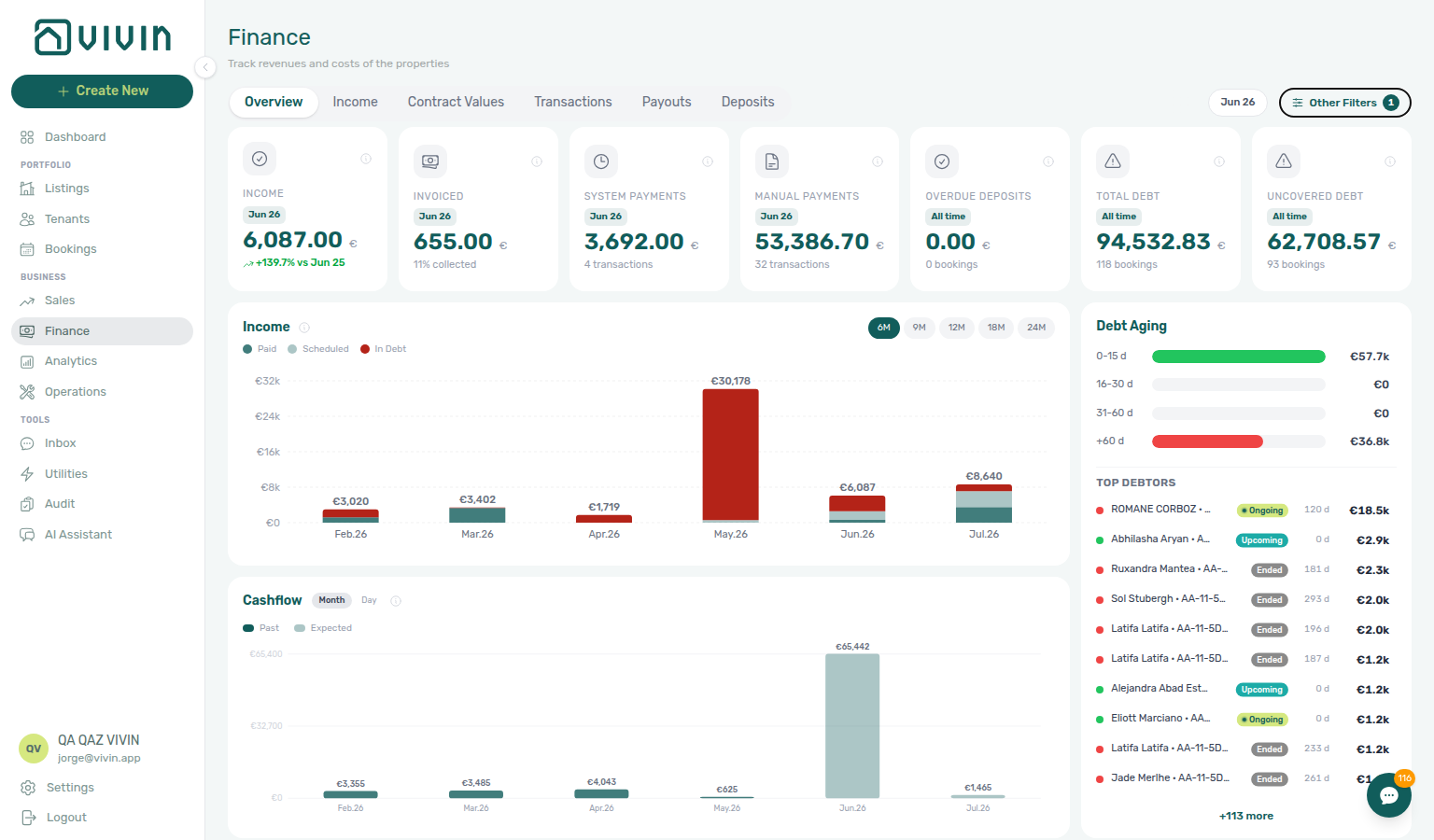

Paid installment (tenant portal)
Portal Payments → Payment Timeline Paid card on a fully settled installment: green check Paid, green Total, and no Remaining. Distinct from the Payment details (tenant portal) sidebar Paid badge (tap the card), from Home All payments up to date on the balance card (tenant portal) (the booking headline), from Pending installment (tenant portal) (amber Remaining on a due-window card), from Scheduled Due in N days (tenant portal) (grey clock Due in N days), from Upcoming (tenant portal) (the same grey clock when that due date is today or already past), from Discounted installment (tenant portal) (same Paid card plus a struck-through original), and from Overdue days past due (tenant portal) (late cards with red Remaining). No Portal settings hide toggle — tenant-category VIVIN payments (or an unprovisioned payment module) hides the whole Payments tab. Marketplace POST /bookings cannot send this label. See Tenant Portal — Paid installment (tenant-portal-payments-paid-installment.png, tenant-portal-payments-paid-installment-card.png, tenant-portal-payments-paid-installment-check.png, tenant-portal-payments-paid-installment-phone.png, tenant-portal-payments-paid-installment-flow.mp4) and FAQ — How do tenants see a paid installment on the portal timeline?.
Pending installment (tenant portal)
Portal Payments → Payment Timeline Pending card on an unpaid installment that is already in its due window but not yet overdue: amber dot Pending, amber Remaining, and Total. The chip is N days remaining (within 60 days), Due DD MMM YYYY (60+ days — for example Move-in Payment Due 11 Feb 2028 Remaining 1.921,24 €), or the word Pending only when the due date is today or already past and the row is still not overdue. Distinct from Overdue days past due (tenant portal) (red Remaining), from Home Outstanding payment on the balance card (tenant portal) (the booking headline — Overdue payment still wins when a late row exists), from Scheduled Due in N days (tenant portal) (grey clock, no Remaining), from Upcoming (tenant portal), and from Paid installment (tenant portal) (no Remaining). No Portal settings hide toggle — tenant-category VIVIN payments (or an unprovisioned payment module) hides the whole Payments tab. Marketplace POST /bookings cannot send this label. See Tenant Portal — Pending installment (tenant-portal-payments-pending-installment.png, tenant-portal-payments-pending-installment-card.png, tenant-portal-payments-pending-installment-chip.png, tenant-portal-payments-pending-installment-phone.png, tenant-portal-payments-pending-installment-flow.mp4) and FAQ — How do tenants see a pending installment on the portal timeline?.
Pending N days remaining (tenant portal)
Portal Payments → Payment Timeline amber chip N days remaining (or 1 day remaining) on a Pending installment (tenant portal) whose due date is 1–59 calendar days away. The card still shows amber Remaining and Total. For example Sep 2026 payment Pending 4 days remaining Remaining 459 €. Distinct from Pending installment (tenant portal) Due DD MMM YYYY (60+ days — for example Move-in Payment Due 11 Feb 2028), from Scheduled Due in N days (tenant portal) (grey clock, no Remaining), and from Overdue days past due (tenant portal) (N days past due). Home Overdue payment on the balance card (tenant portal) still wins when a late row exists. No Portal settings hide toggle — tenant-category VIVIN payments (or an unprovisioned payment module) hides the whole Payments tab. Marketplace POST /bookings cannot send this label. See Tenant Portal — Pending N days remaining (tenant-portal-payments-pending-days-remaining.png, tenant-portal-payments-pending-days-remaining-card.png, tenant-portal-payments-pending-days-remaining-chip.png, tenant-portal-payments-pending-days-remaining-phone.png, tenant-portal-payments-pending-days-remaining-flow.mp4) and FAQ — How do tenants see N days remaining on a pending installment?.
Payment details (tenant portal)
Portal Payments (and Home) Payment Timeline sidebar for one installment. Header: due date, title, status (Paid / Pending / Overdue / Scheduled). Total with a paid/remaining bar except on Scheduled and Deposit Refund. Breakdown lists Rent, Deposit, and fee lines (custom account labels apply). Timeline chips can say Upcoming, Due in N days, or Due DD MMM YYYY (when the date is 60+ days away) for the same unpaid row. Close with X, backdrop, or Escape. No Portal settings hide toggle — tenant-category VIVIN payments (or an unprovisioned payment module) hides the whole Payments tab. Distinct from Transaction History sort (tenant portal), from Receipt column (tenant portal), and from Paid installment (tenant portal) (the timeline card itself). Marketplace POST /bookings cannot send this panel. See Tenant Portal — Payment details (tenant-portal-payments-details-sidebar.png, tenant-portal-payments-details-sidebar-panel.png, tenant-portal-payments-details-sidebar-phone.png, tenant-portal-payments-details-sidebar-flow.mp4) and FAQ — How do tenants open payment details in the portal?.
Payment Due Soon (tenant portal)
Portal Make payment dialog after expanding Bank Transfer (IBAN) when an unpaid charge is due within about three days, or when a bank transfer (up to 48 hours) might not arrive before the due date. Recommends Credit Card for instant confirmation; IBAN transfers may take up to 48h. Dismiss with Escape, X, or backdrop — that does not start a card checkout. Distinct from Copy virtual IBAN (tenant portal) (tap-to-copy after dismiss), from Select an amount (tenant portal) (how much to pay), from Virtual IBAN processing notice (tenant portal) (Payments 3-business-days copy), and from operator Card (recorded manually). No Portal settings hide toggle — tenant-category VIVIN payments (or an unprovisioned payment module) hides Make payment. Marketplace POST /bookings cannot send this control. See Tenant Portal — Payment Due Soon (tenant-portal-paywall-payment-due-soon-modal.png, tenant-portal-paywall-payment-due-soon-dialog.png, tenant-portal-paywall-payment-due-soon-phone.png, tenant-portal-paywall-payment-due-soon-flow.mp4) and FAQ — What does Payment Due Soon mean in the Tenant Portal?.
Platform payment label (tenant portal)
Portal Payments → Transaction History label for a payment collected on a listing platform. The row shows that platform’s name and logo (for example Roomless, Airbnb, Housing Anywhere) instead of a generic Platform Payment label. Search matches the visible name. Export CSV (tenant portal) writes the same name in Description. When the booking has no known platform, the row stays Platform Payment with no logo. No Portal settings hide toggle — tenant-category VIVIN payments (or an unprovisioned payment module) hides the whole Payments tab. Distinct from Cash type label (tenant portal), from Bank Transfer type label (tenant portal), from Automatic Adjustment type label (tenant portal) / Overpayment Return type label (tenant portal) / Cancelation With Refund type label (tenant portal) on the same table, from Transaction History sort (tenant portal) and from operator Provider platform payment on Contract Info. Marketplace POST /bookings cannot send this label. See Tenant Portal — Platform payment label (tenant-portal-payments-platform-label.png, tenant-portal-payments-platform-label-table.png, tenant-portal-payments-platform-label-row.png, tenant-portal-payments-platform-label-phone.png, tenant-portal-payments-platform-label-flow.mp4) and FAQ — How do tenants see which platform paid in the portal?.
Payment notification (operator)
Full hub: Payment notification (operator) (symptom table, surfaces, and per-guide mesh).
Email and in-app alerts to operators when a tenant payment is received (summary like Payment received from tenant … on /notifications and the Dashboard bell) or when a scheduled charge is overdue (balance alerts that row-click into Handling a Late Payment — Steps 1–3 via Notification triage — Step 4 / Step 5 —.
Portfolio filter catalog
Account-wide distinct values that power multi-select and dropdown filters on large directory modules — for example booking tags, property internal names, listing types, property owners, and Others Items categories. The catalog is not recomputed from only the rows already loaded on screen; it reflects your whole account (or the current owner scope where that applies).
| Module | How the catalog loads |
|---|---|
| Listings | Once per session from GET /properties/portfolio/filter-options (tags, types, capacities). Each scroll page still calls GET /properties/portfolio for rows only. |
| Bookings | Usually attached to GET /bookings/portfolio as meta.filterOptions. A dedicated GET /bookings/portfolio/filter-options endpoint returns the same owner/tag/property vocabulary without loading a page of bookings. Tenant category segment names load from the same catalog on Bookings and Tenants. |
| Finance | Tenant category in Other filters lists every segment from GET /tenant-categories. See FAQ — Finance tenant category filter parity. |
On Bookings with the default Unit Name sort, meta.filterOptions.owners can be empty even when Settings → Owners lists owners — the in-memory fallback only sees owner names on loaded row DTOs, which often omit the relation. Workaround: change sort once (for example click Created or pick Creation Date from Sort By) so the response uses the SQL-backed catalog, then reopen Other filters. Finance owner filters use the same owner registry but narrow the Property picker server-side when owners are selected first.
Preparation Days The number of buffer days between a check-out and the next check-in, allowing time for cleaning and inspection. Separate values for mid-term and short-term stays. Configured in Settings > Preferences — Booking Defaults (times and preparation).
Legacy /properties URLs
Older /properties bookmarks in the browser; they redirect into Listings (portfolio + property/unit editing). There is no separate card-only workspace. See the dedicated doc (guide subsection index). Ask AI Chat “Where do older /properties bookmarks go now, and where do I open Listings under Portfolio to manage properties and units?” (ai-chat-product-context-properties-workspace-reply.png, ai-chat-product-context-properties-workspace-flow.mp4).
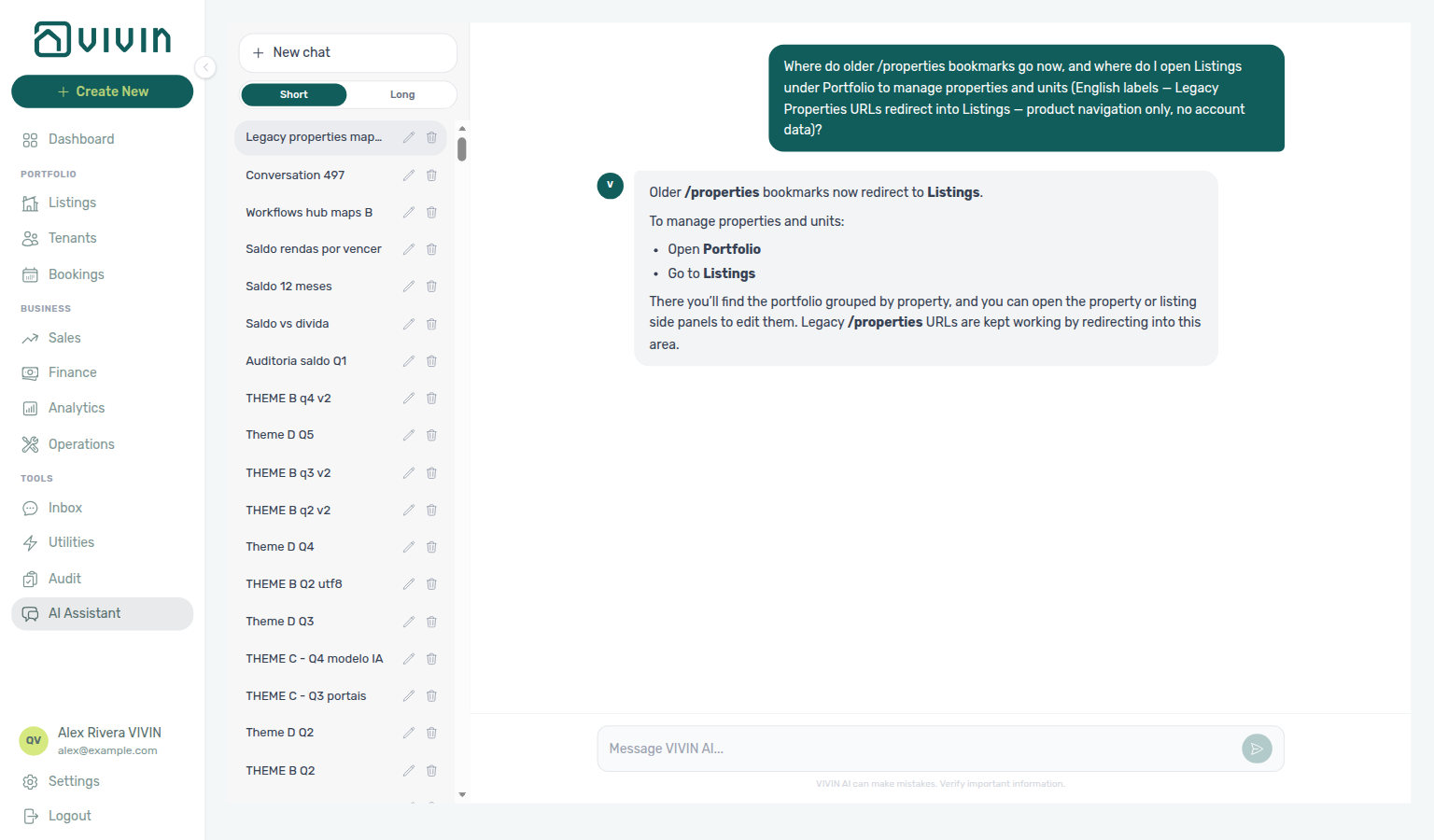
Property A physical building or location in your portfolio (e.g., "Central Apartment Building"). Contains one or more units. Managed in the Listings module.
Property rooms tokens
Contract placeholders {PropertyTotalRooms} (unit count on the property) and {PropertyRoomRange} (unit internal names, ranged only when contiguous and same-prefix). Documented under Contract — Property rooms; catalogue shot settings-contract-variables-property-rooms.png. Pair with FAQ — Property rooms tokens and Listings — Unit order (settings-contract-duration-rooms-flow.mp4).
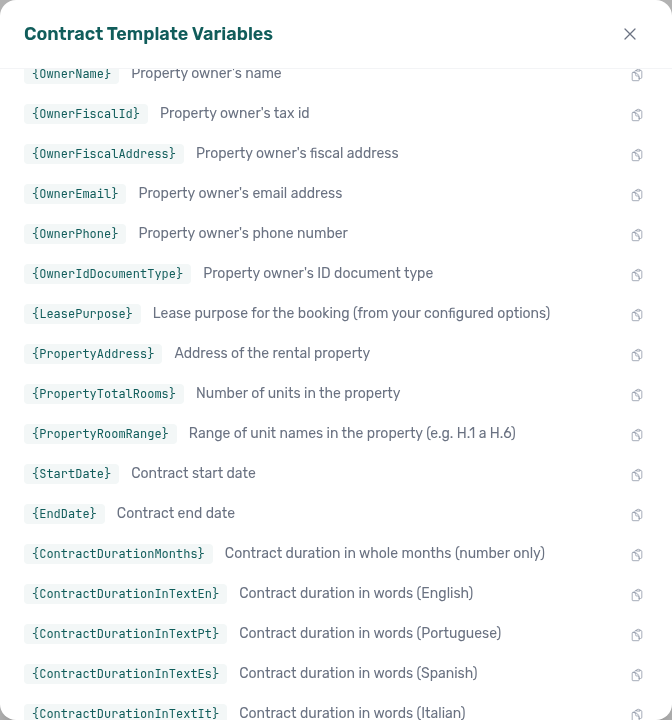
R
R rent, RevPAR, and return-of-value terms pair F (fixed rent), I under I, and FAQ — Bookings. Partner RoomLess (Spacest) feed: Listings & Availability — RoomLess nights before move-in.
RoomLess (integration)
A partial-only listing + booking feed (roomless-integration) for the Spacest marketplace. When availableFrom is still in the future, GET /listings adds an unavailabilities row from today through the night before move-in so a calendar that paints only that array does not offer those nights. Other platforms do not add this row — they still send availableFrom. See Listings & Availability — RoomLess nights before move-in, FAQ — RoomLess nights before move-in, and Source platform.
Read to the end to sign (tenant portal)
The Read to the end to sign banner on the tenant portal Contract tab while the PDF preview is still above the last page. Sign stays hidden until the tenant scrolls to the end (or a short PDF already fits). The banner then becomes Ready to sign with a teal Sign button. Distinct from Download contract (tenant portal) (available without scrolling) and from Home Sign contract (that button only opens this tab). See Tenant Portal — Read to the end to sign (tenant-portal-contract-read-to-the-end.png, tenant-portal-contract-ready-to-sign.png, tenant-portal-contract-read-to-the-end-flow.mp4) and FAQ — How do tenants unlock Sign on the Contract tab?.
Receipt column (tenant portal)
Portal Payments → Transaction History Receipt control on every row. Grey icon when no Invoice / receipt file is matched; a line under the heading points tenants to Documents (tenant portal). Inbound rows can download when operators attach those files on Bookings → Files. Not a CSV column — Export CSV (tenant portal) stays Date, Description, Amount, Total. No Portal settings hide toggle — tenant-category VIVIN payments (or an unprovisioned payment module) hides the whole Payments tab. Distinct from Virtual IBAN processing notice (tenant portal) and from Download contract (tenant portal). Marketplace POST /bookings cannot send this column. See Tenant Portal — Receipt column (tenant-portal-payments-receipt-column.png, tenant-portal-payments-receipt-column-unavailable.png, tenant-portal-payments-receipt-column-phone.png, tenant-portal-payments-receipt-column-flow.mp4) and FAQ — How do tenants open a receipt from portal payment history?.
Received status (tenant portal)
Portal Home → Open requests and Requests → Request History status for an unassigned ticket. Both surfaces say Received (blue text on Home, a blue chip on History). Operations lists the same ticket as Unassigned. Closed work (Resolved, Cancelled, Duplicate) stays on History. There is no Portal settings hide toggle for these labels; Allow to create tickets Off hides Requests and Open requests. Distinct from Pending installment (tenant portal) (a payment-timeline word) and from Open requests (tenant portal) (the Home card that lists Received / Pending / In Progress). Marketplace POST /bookings cannot send this label. See Tenant Portal — Received status (tenant-portal-requests-received-status-home-card.png, tenant-portal-requests-received-status-history.png, tenant-portal-requests-received-status-flow.mp4) and FAQ — How do tenants see Received on a portal request?.
Reopen support ticket
Reopen on a Closed Support ticket (Vivin) continues the same thread and sets the badge to Pending (rows may read Pending response). Vivin owes the next reply. Find the ticket on the Help & Support drawer Active chip with Status → Pending, or on /settings/support All. The full-page Open chip still means tickets whose badge is literally Open, so a reopened thread does not appear there. Distinct from filing a New Ticket. See Using in-app support — Reopen lands on Pending and FAQ — What status does a reopened support ticket use?.
Rent (Fixed) See Fixed Rent.
Rent (Variable) See Variable Rent.
Rent not on partner POST
Marketplace POST /{platform}-integration/bookings has no rent, isRentFixed, or rentsPerMonth field. The payment plan copies advertised listing JSON amounts (after Markup). Extra Charge euros copy from the unit using occupant headcount — Extra Charge not on partner POST. + Create New → Booking can type a custom rent only when Use unit contract rents is off. See Creating Bookings — Rent and FAQ — Marketplace booking rent (api-swagger-create-booking-integration-no-rent.png, api-swagger-listing-dto-rent-source-for-partner-post.png).
Rent adjustment
Portfolio percentage raise on Account Settings → Payments → Rent adjustment (/settings/payments). Operators with Bulk Rent Increase (bookings.bulk_rent_increase) preview eligible bookings, optionally export CSV/Excel, then Apply to rewrite Rent instalments from a chosen effective month onward. On Step 2, Select properties and Select categories stay open while you add a second building or booking tag. The teal tenant name opens booking details on top of the preview. Skips dual-pricing, cancelled, and invoicing-in-progress stays. Raises only — not a substitute for invoiced floor credit-note relief when you need to lower exported rent. Single-booking alternative: Change monthly rent. Guide: Payments — Rent adjustment (ai-chat-product-context-rent-adjustment-reply.png, ai-chat-product-context-rent-adjustment-flow.mp4, settings-payments-rent-adjustment-card.png, settings-payments-rent-adjustment-setup.png, settings-payments-rent-adjustment-preview.png, settings-payments-rent-adjustment-flow.mp4).
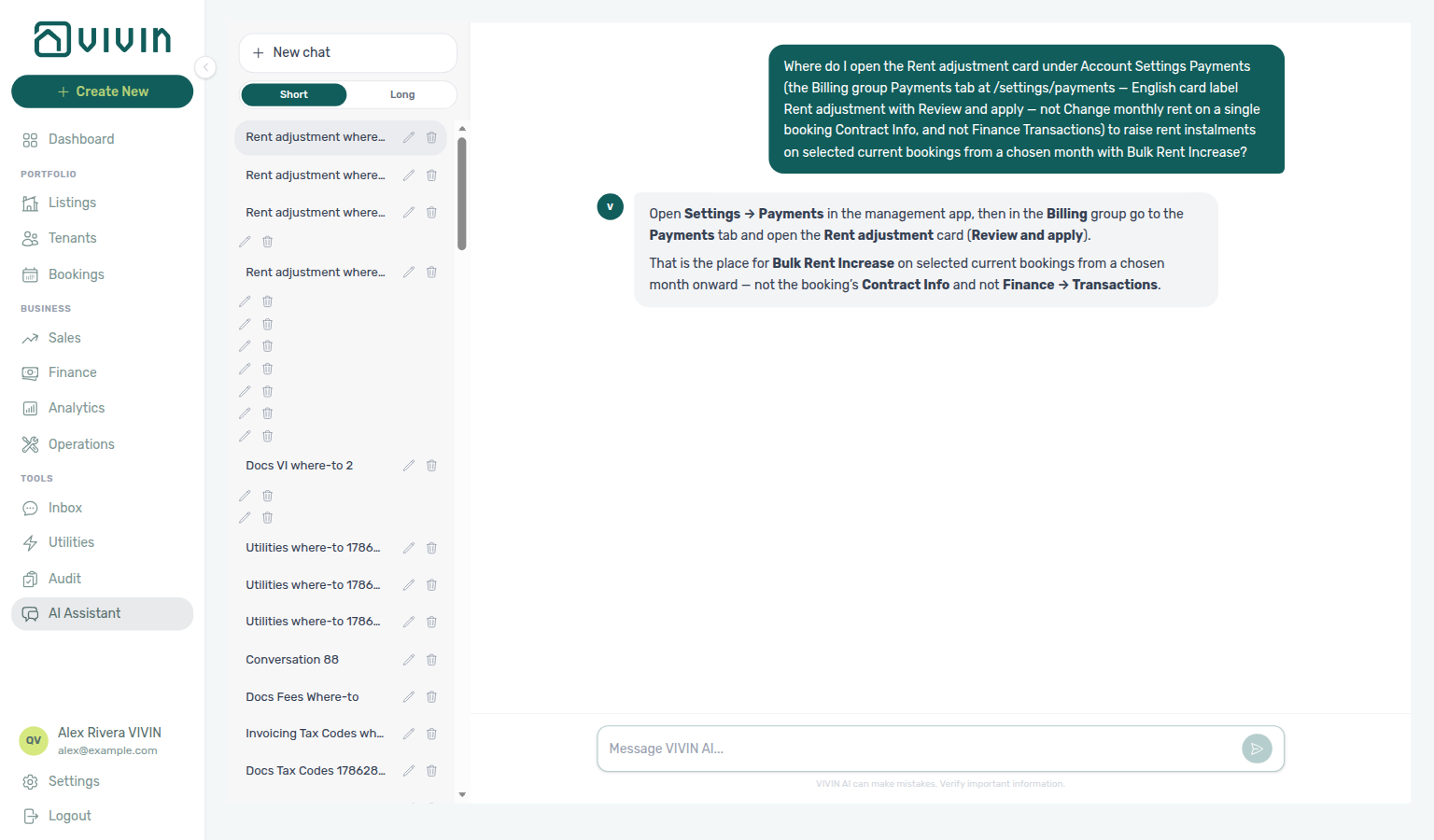
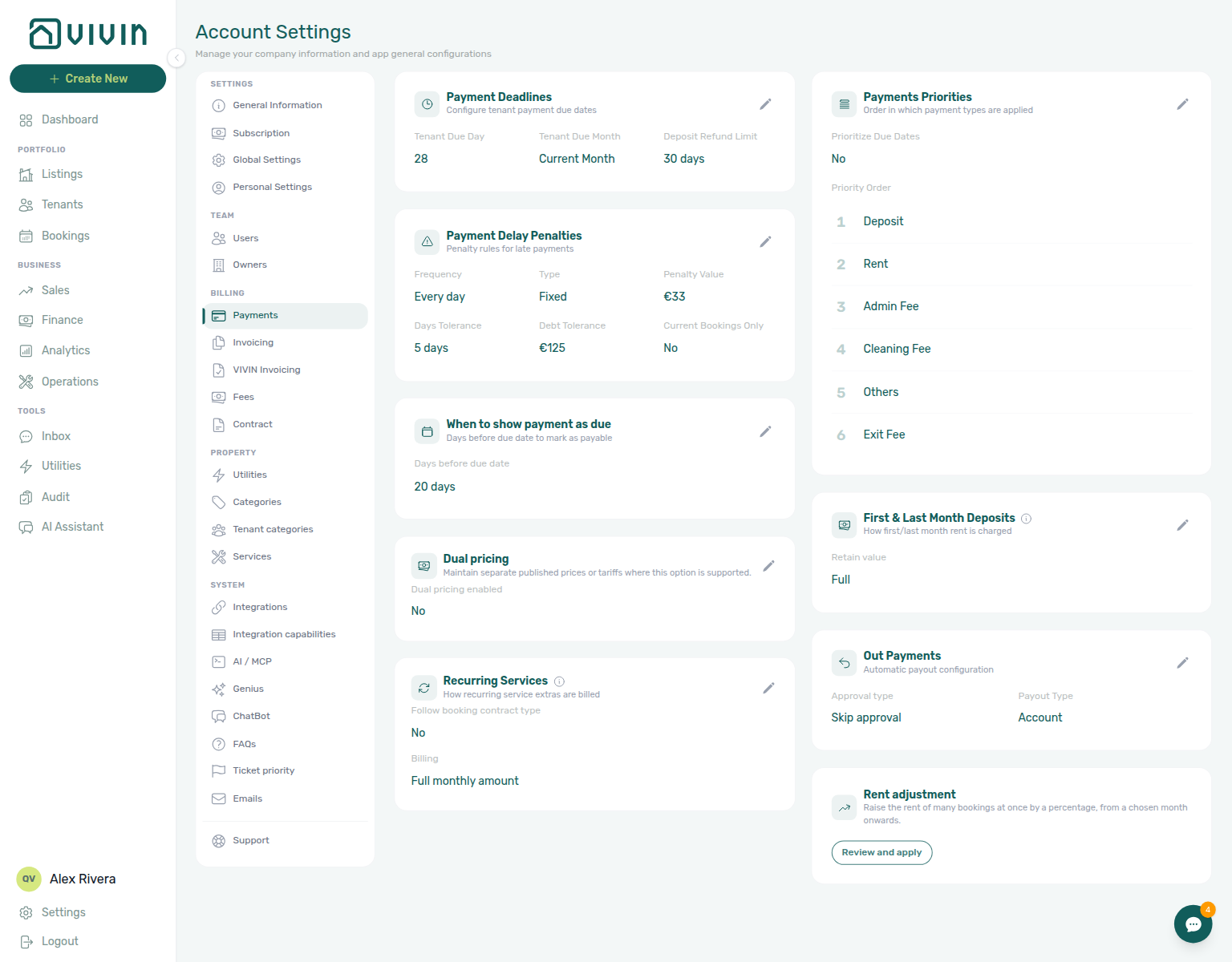
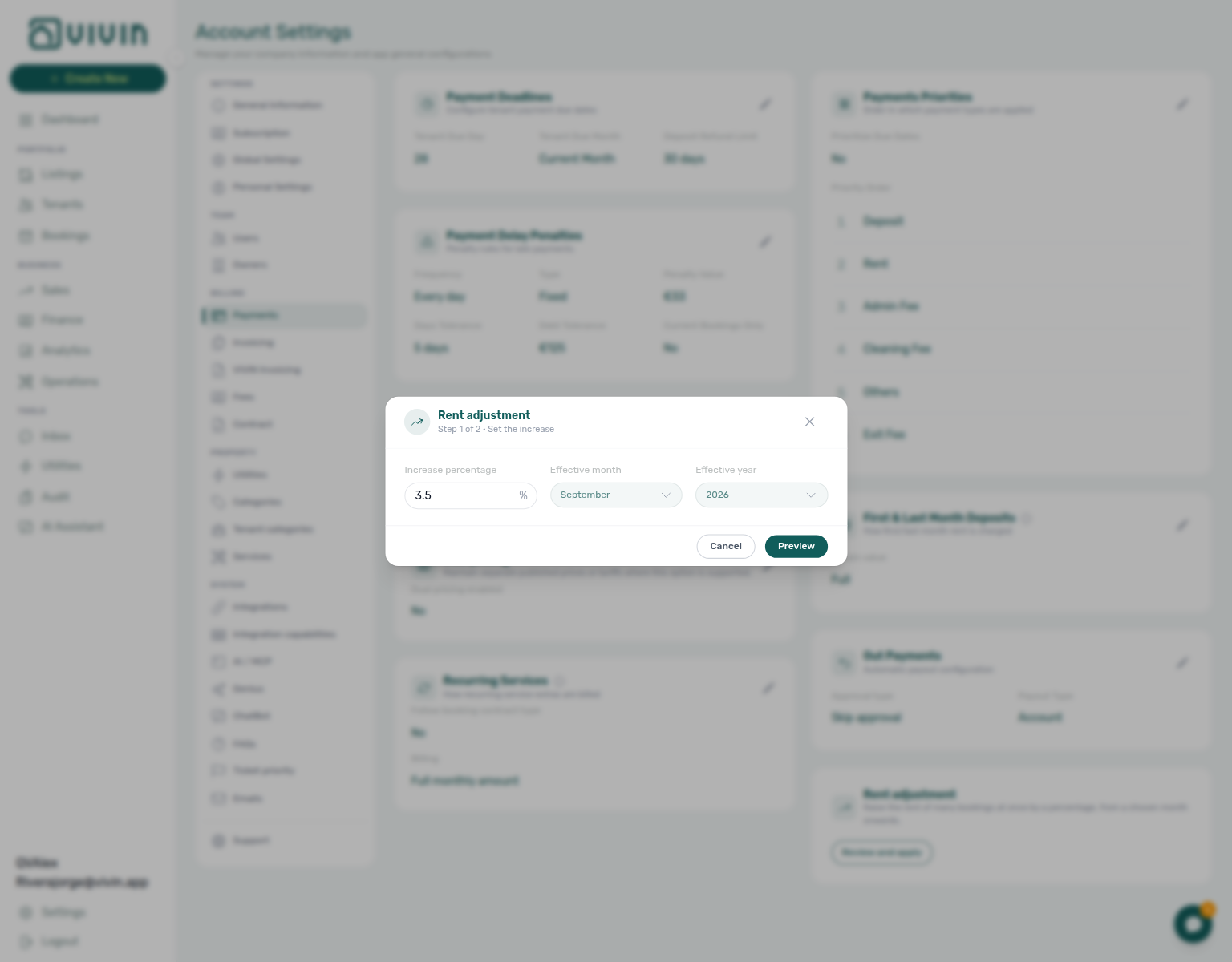
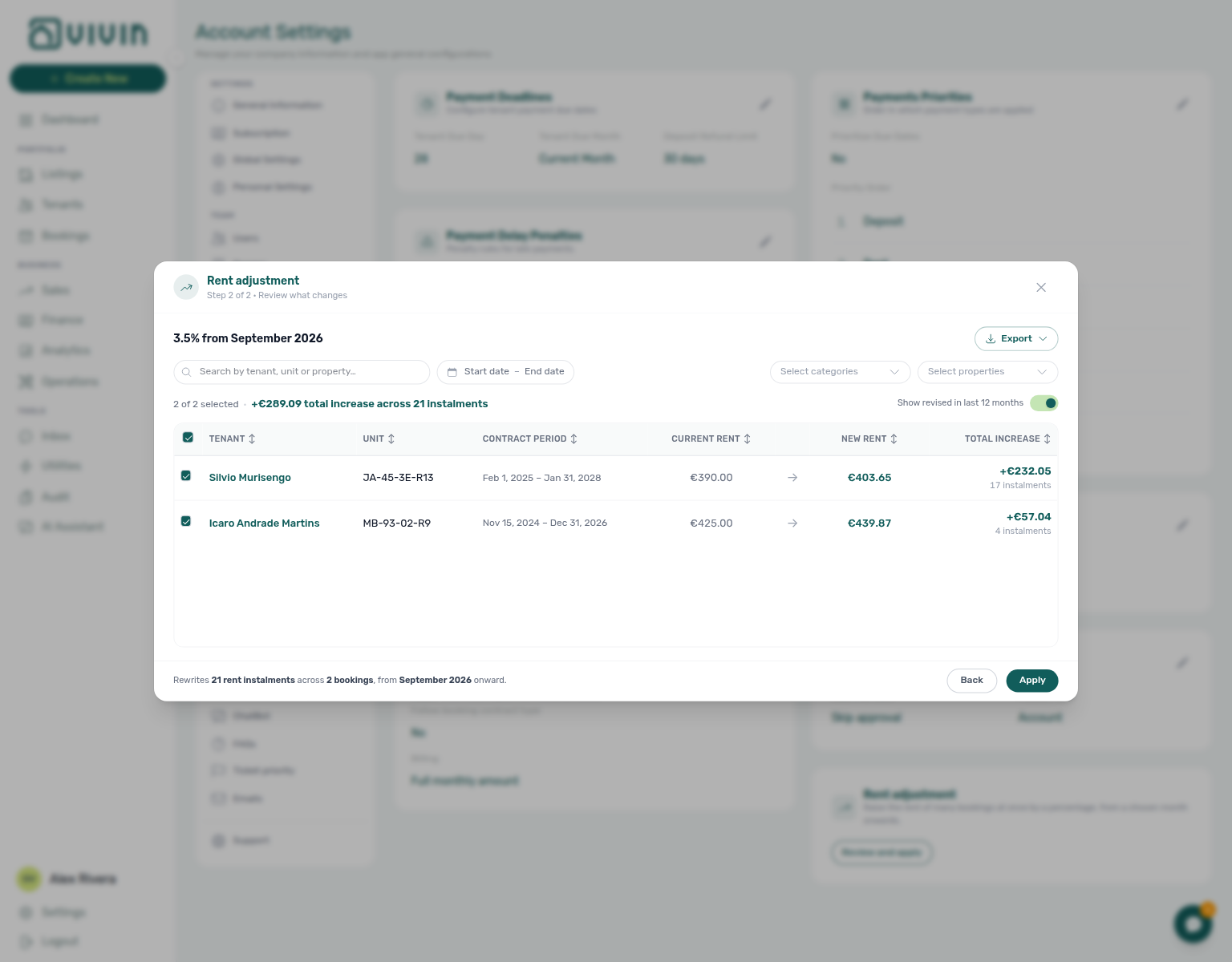
Rent adjustment (Select properties / Select categories)
On Account Settings → Payments → Rent adjustment Step 2, Select properties and Select categories stay open while you add a second building or booking tag. Tick Casa Abel II, then Casa Bolívia VIII — the menu keeps both checks; the preview shows stays in any of those buildings. Select categories uses booking tags the same way (for example Extra tenant); there is no No booking category row. Search, date range, and Show revised in last 12 months are different controls. Cancel unless you intend to raise rent. See Payments — Select properties / Select categories stay open and FAQ — Does picking a second property close the Rent adjustment menu? (settings-payments-rent-adjustment-select-properties-stays-open.png, settings-payments-rent-adjustment-select-properties-two-buildings.png, settings-payments-rent-adjustment-select-properties-two-chips.png, settings-payments-rent-adjustment-select-categories-stays-open.png, settings-payments-rent-adjustment-filters-stay-open-flow.mp4).
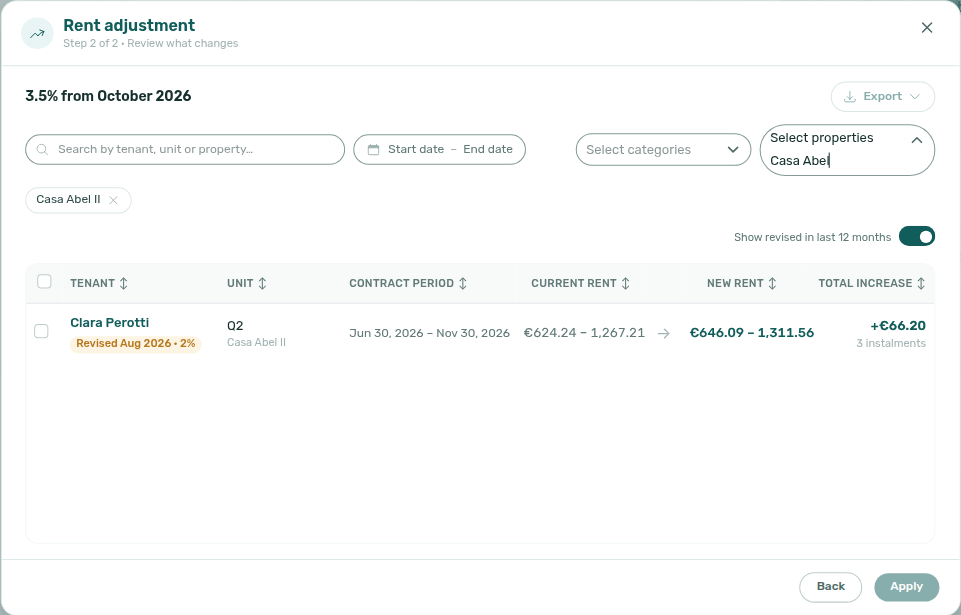
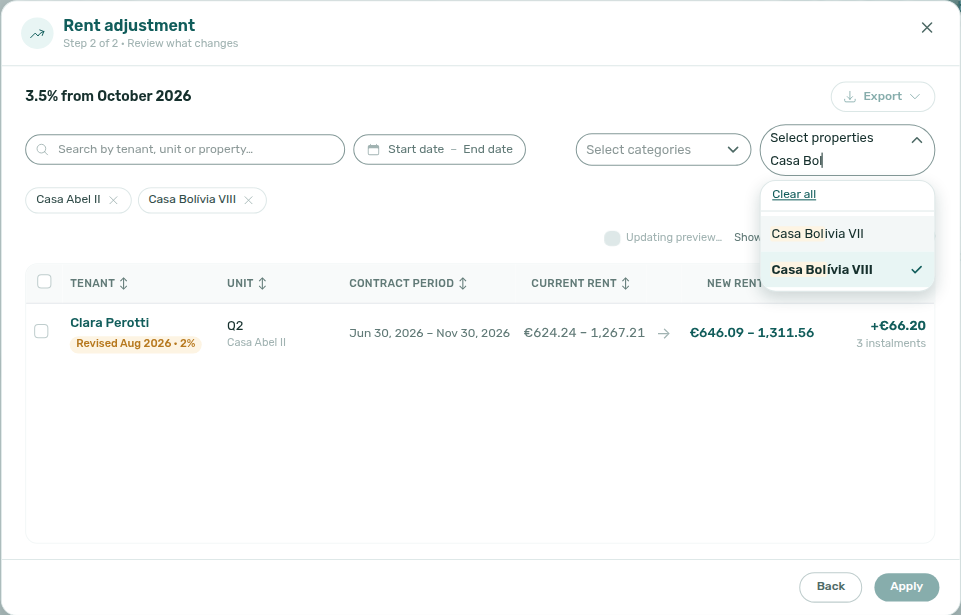
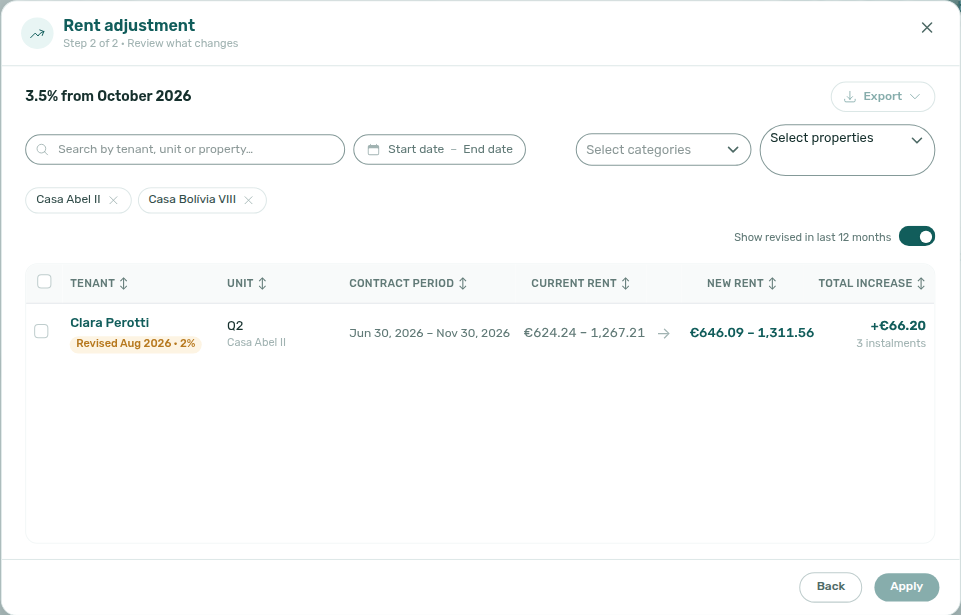
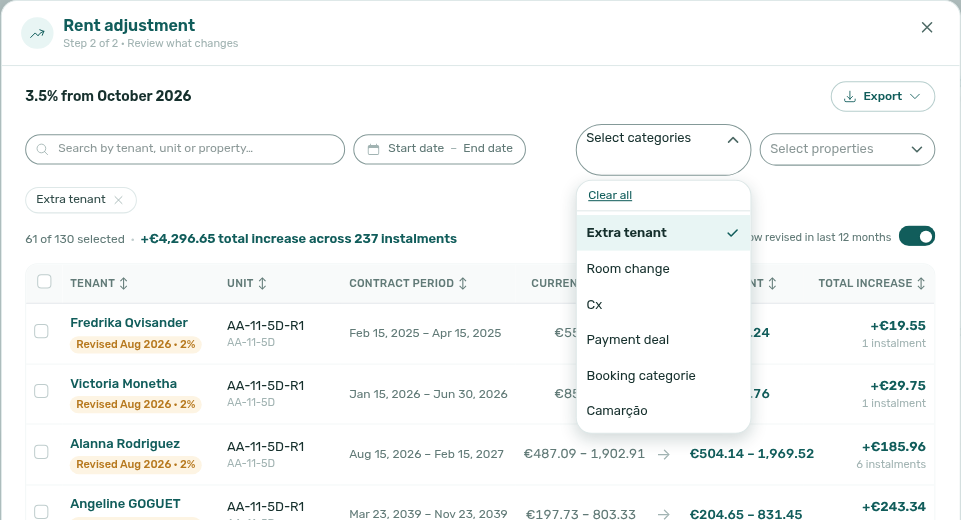
Rent adjustment (View booking details)
On Account Settings → Payments → Rent adjustment Step 2, the teal tenant name (English View booking details) opens the booking on top of the preview. Search, property and category chips, checkboxes, and Show revised in last 12 months stay. Close the sidebar — not the Rent adjustment X — to continue the list. Clicking the rest of the row checks or unchecks the stay; it does not open the booking. Names are clickable only when your role can open booking detail. Distinct from Finance Overview drill-down (booking sidebar) (full row click on a Finance list). See Payments — View booking details stays on the preview and FAQ — Does opening a booking from Rent adjustment close the preview? (settings-payments-rent-adjustment-preview-tenant-name.png, settings-payments-rent-adjustment-booking-sidebar-over-preview.png, settings-payments-rent-adjustment-booking-sidebar-flow.mp4).
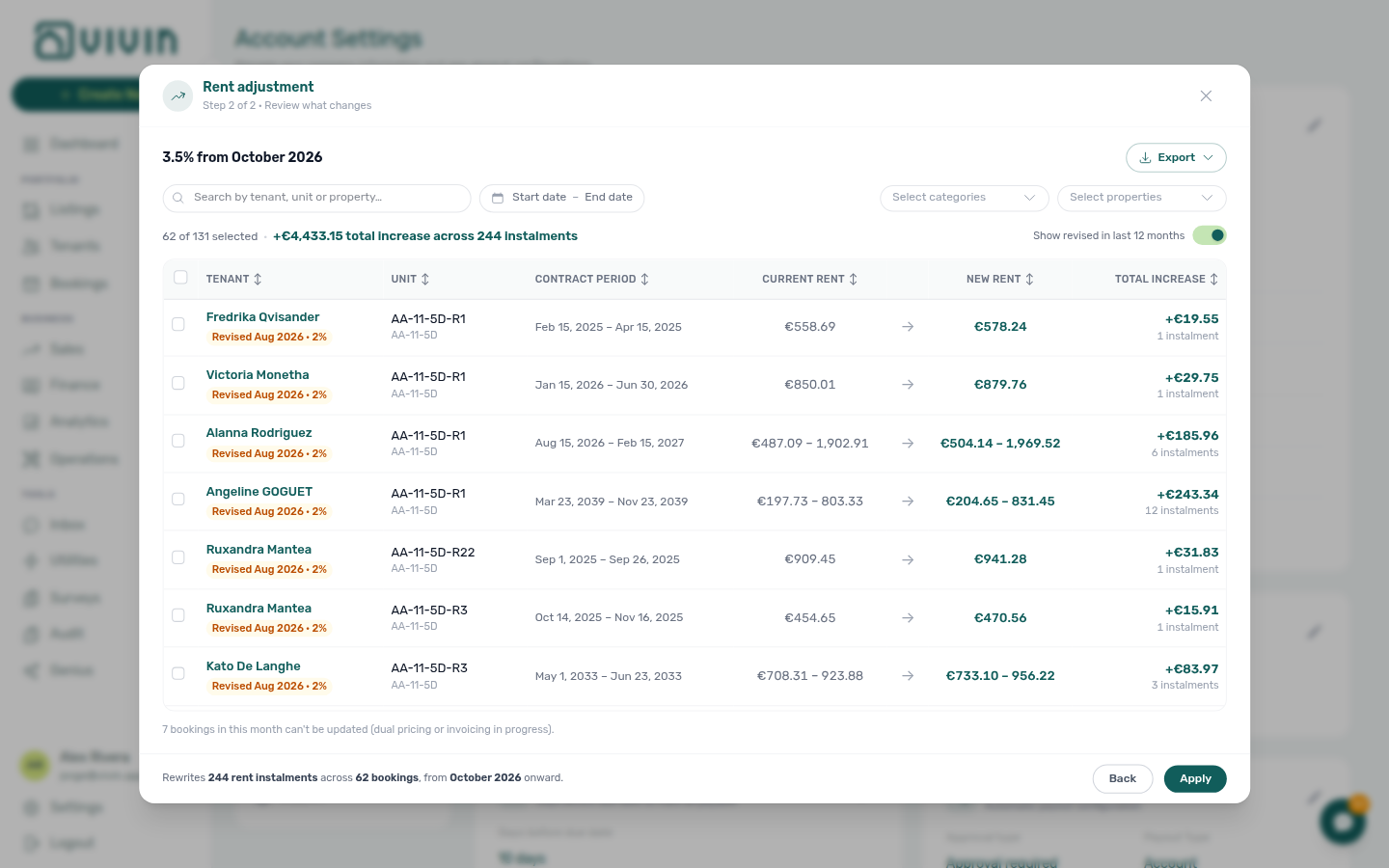
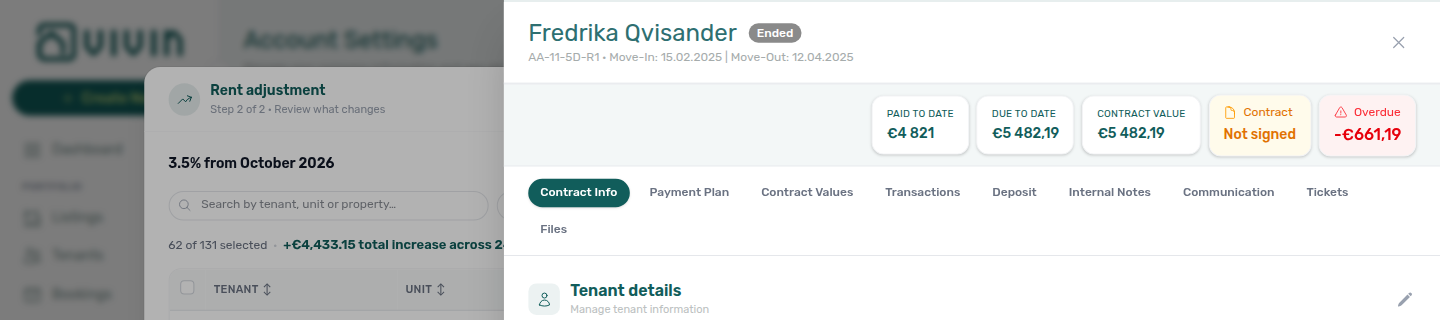
Rent reduction after invoicing
Full hub: Rent reduction after invoicing (Change monthly rent clamps, Edit amount issues a credit note on a fully invoiced line, Issue credit notes pacing, symptom table, and per-guide mesh).
When Finance has already invoiced rent for a calendar month, Contract Info → Change monthly rent clamps exported months (blue Already invoiced months banner). Contract Values → Edit amount issues a credit note when you lower a fully invoiced line; Save stays blocked only on a partly invoiced mix. Then push Issue credit notes (N) on Finance → Transactions with the same Hostkit pacing as Bulk Hostkit invoicing. Pair Invoiced floor (rent) and Bookings — Edit amount (bookings-detail-contract-values-edit-amount-credit-note.png).
RevPAR
Revenue per available room/night — on the Analytics tab RevPAR at /analytics/revpar, the product uses total revenue divided by available nights in the selected month range (see the tab’s information tooltip beside the date range for the exact definition). Same chart layout as Revenue and ADR; distinct from the Dashboard occupancy legend’s ADR (€), which averages monthly rent among occupied units on a single day. See Deep Links — Analytics.
Return of value
A permission-gated adjustment on Contract Values (bookings.add_return_of_value — Admin and Finance by default) that credits value back against an existing cash allocation that is not on an invoice. Create it from Edit amount → Return to tenant when the freed cash was paid and never invoiced. Fully invoiced / manual cash uses a credit note from the same Edit amount modal instead. Deposit lines keep Edit amount disabled — not-invoiced deposit cash reverses automatically when you Mark refunded (bookings-detail-payment-plan-deposit-refund-return-of-value.png). Requires money already allocated; not a standard operator discount. Pairs with a negative allocation in Finance. After you record it, the booking Transactions tab lists one negative row per return (type Return of Value, description Returned on …, dated the day you recorded it) so All and Manual match what the tenant actually paid — those rows are not receipts and keep Approve / Reject / Revert off. Find portfolio lines with a nested return on Finance → Contract Values — Return of Value (finance-contract-values-return-of-value-filter.png, finance-contract-values-invoice-filter-pills-flow.mp4). Finance → Transactions (the portfolio receipt ledger) does not list these rows. See Manage return of value, FAQ — Why does Transactions show a negative Return of Value row?, Discounts and payment adjustments, and Users and roles.
Role A permission level assigned to a team member that determines which modules and actions they can access. Available roles: Super Admin, Admin, Finance, Sales, Operations Admin, Operations. Configured in Settings > Users.
S
S sales, schedule, and short-term iCal terms pair I under I, O under O, and Sales module.
Sales Overview availability popover
Click a Timeline day or a Daily / Fortnightly / Monthly bar on Sales → Overview → Availability over time. The popover lists every unit free for that period. The header shows the period, N free, and Close — those stay put while you scroll. The list stays on that period if you tab away and come back. Click a unit to open the listing when your role allows. Distinct from Vacant Units (Dashboard) (units free today) and Bookings → Timeline (reservation Gantt). See FAQ — Does the Sales Overview free-unit list stay after I click a day? (sales-overview-availability-timeline-day-popover.png).
Send onboarding email & contract
On + Create New → Booking, the checkbox that generates the contract and sends the welcome email at create. Defaults off. Book several units at once keeps it off. Distinct from Send portal access and from Resend on the Contract card. Marketplace POST /bookings always sends — Send onboarding always on partner POST. See FAQ — Marketplace booking onboarding email.
Send onboarding always on partner POST
Marketplace POST /{platform}-integration/bookings has no sendOnBoarding field. Imported stays always generate the contract (when a template exists) and queue the welcome email. Partial listing JSON also omits that key. There is no listing-level or account-level skip-on-import. + Create New → Booking can leave the box off. Account Onboarding No trigger still skips the welcome email. See Creating Bookings — Send onboarding and FAQ — Marketplace booking onboarding email (api-swagger-create-booking-integration-no-send-onboarding.png, bookings-detail-contract-check-in-out-emails.png, bookings-detail-contract-section-resend.png). Distinct from Send onboarding email & contract (operator Add booking only).
Same-day turnover
- Common Workflows — Same-day turnover coordination — Operator habit hub
Add Booking calendar: Availability is counted in nights. The next stay’s check-in consumes that day’s night (blocked while you pick check-in), but a check-out consumes none — so that arrival day stays selectable as your check-out. Extra nights after checkout are preparation days — tick Ignore unit preparation days only when the new stay should start in that buffer. See Bookings — Creating a New Booking (bookings-add-booking-same-day-turnover-checkout-enabled.png, bookings-add-booking-same-day-turnover-flow.mp4) and FAQ — Same-day turnovers.
| Surface | Use it for |
|---|---|
| + Create New → Booking | Book the adjacent stay on one unit — check-out may equal the next booking’s check-in; illustrated bookings-add-booking-same-day-turnover-checkin-blocked.png / …-checkout-enabled.png. Occupancy greying is off when Book several units at once is on. |
| Operations → Check-in & Check-out | Week-ahead lists grouped by day — switch Check-ins / Check-outs, use Next 7 days or Custom, and paste the unit internal name in Search (unit hits rank first). |
| Operations → Tickets | Turnover cleaning and inspection — assign a tight due date before the incoming arrival; far-future jobs may show Draft until the schedule date nears (Draft ticket (display status)). |
Operations → Planning (/operations/planning) | Day dispatch board (when Planning (schedule board) is granted) — place cleaning cards on a person and time for turnover morning (Planning (Operations)). |
Bookings → Timeline (/bookings/timeline) | Portfolio Gantt — paste the unit in toolbar Search, use Week or Month scale, clear Only bookings when channel or manual blocks share the row. |
Sales → Multicalendar (/sales/multicalendar) | Sales-scoped Gantt without rent cells — same overlap check while you stay in pricing/availability context; click a bar to open booking detail from Sales. |
On departure day, plan deposit settlement (including deposit disputes when deductions are contested) so the incoming guest’s check-in is not blocked by an unresolved refund queue — see Managing a Check-out — Step 5.
Step-by-step: Managing a Check-in and Managing a Check-out.
Same-month installment titles (tenant portal)
Portal Payments → Payment Timeline titles for regular installments. Default is MMM YYYY payment (calendar month of the due date). When two or more regular installments share that month, each card adds — due D (for example Aug 2026 payment — due 20 vs due 23). Booking Confirmation, Move-in Payment, and Deposit Refund keep those names and do not trigger the suffix. The payment details panel title stays the month label (due date already in the header). No Portal settings hide toggle — tenant-category VIVIN payments (or an unprovisioned payment module) hides the whole Payments tab. Distinct from Payment details (tenant portal) (the sidebar) and from Transaction History sort (tenant portal). Marketplace POST /bookings cannot send this label. See Tenant Portal — Same-month installment titles (tenant-portal-payments-same-month-titles.png, tenant-portal-payments-same-month-titles-cards.png, tenant-portal-payments-same-month-titles-phone.png, tenant-portal-payments-same-month-titles-flow.mp4) and FAQ — How do tenants tell two payments in the same month apart?.
Save changes success (tenant portal)
Green Details updated successfully! notice on portal Account after Save changes. The Account page stays open and reloads stored values; the notice disappears after a few seconds. Home does not have Edit details. Save still works for unlocked cards when locked bank and billing banners are showing. Distinct from Digital contract signing (Next / Finish & Sign), Sign out (tenant portal) (leaves the portal), operator save on Tenants → Tenant Info, and marketplace POST /bookings. See Tenant Portal — Save changes success (tenant-portal-account-save-changes-button.png, tenant-portal-account-save-changes-success-banner.png; clip: tenant-portal-account-save-changes-success-flow.mp4) and FAQ — How do tenants know Account changes saved?.
Sign out (tenant portal)
Ends the Tenant Portal session on this device. Desktop: top-bar Sign out (logout icon + label). Phone: More (tenant portal) last card, subtitle End this session on this device. After Sign out, tenants see the Send access link email form. The booking access code is not rotated. No Portal settings hide toggle. Distinct from management Logout and from Save changes success (tenant portal) (stays signed in). Marketplace POST /bookings cannot send this control. See Tenant Portal — Sign out (tenant-portal-sign-out-button.png, tenant-portal-more-sign-out-card.png, tenant-portal-sign-out-email-form.png; clip: tenant-portal-sign-out-flow.mp4) and FAQ — How do tenants sign out of the Tenant Portal?.
Satisfaction surveys (Preferences)
Account master switch Enable satisfaction surveys on Preferences → Satisfaction surveys (Global Settings). Off by default. When On, Tools → Surveys appears so operators can open Overview, Responses, and build surveys; tenants can receive surveys in the portal and by email. When Off, the sidebar entry is hidden and /surveys shows Satisfaction surveys are turned off. Distinct from the tenant-facing Surveys Home prompt (tenant portal). Marketplace POST /bookings cannot send this switch. See Preferences — Satisfaction surveys (settings-preferences-satisfaction-surveys-card-on.png, settings-preferences-satisfaction-surveys-edit.png, surveys-sidebar-tools-entry.png, surveys-hub-overview-after-enable.png, settings-preferences-satisfaction-surveys-enable-flow.mp4) and FAQ — Why is Surveys missing from the Tools sidebar?.
Surveys Home prompt (tenant portal)
Portal Home card under the greeting when at least one satisfaction survey is still pending for the booking. Title You have a survey to answer (one) or You have N surveys to answer (two or more), plus the first pending survey’s name and Answer. Answer opens Surveys without submitting. Desktop sidebar shows Surveys with a count while anything is pending. The prompt disappears when every survey for the stay is answered. No Portal settings hide toggle. Distinct from Open requests (tenant portal) and from Order History (tenant portal). Marketplace POST /bookings cannot send this prompt. See Tenant Portal — Surveys Home prompt (tenant-portal-surveys-home-prompt.png, tenant-portal-surveys-home-prompt-card.png, tenant-portal-surveys-home-prompt-answer.png, tenant-portal-surveys-home-prompt-list.png, tenant-portal-surveys-home-prompt-phone.png, tenant-portal-surveys-home-prompt-flow.mp4) and FAQ — How do tenants see surveys to answer on portal Home?.
Ignore unit preparation days
On + Create New → Booking, the checkbox that lets a manual stay start in the previous booking’s Mid-term Prep / Short-term Prep buffer. Occupied nights stay blocked. Manual, owner, maintenance, and channel holds stay blocked. After create, Vivin shortens the previous stay’s unit block to end at checkout. Distinct from same-day turnover (checkout may equal the next check-in without this checkbox) and from Allow check-in date in the past (listing available-from month). Marketplace POST /bookings cannot send this skip — Ignore unit preparation days not on partner POST. See Bookings — Ignore unit preparation days and FAQ — Why are the days after checkout grey on Add Booking?.
Ignore unit preparation days not on partner POST
Marketplace POST /{platform}-integration/bookings has no ignoreListingPreparationDays field. Occupied nights and preparation nights already in listing unavailabilities still reject. Partial listing JSON also omits that key. There is no listing-level or account-level skip default. + Create New → Booking can skip the buffer for one reservation. After import, Contract Info cannot flip this. See Creating Bookings — Ignore unit preparation days and FAQ — Marketplace booking Ignore unit preparation days (api-swagger-create-booking-integration-no-ignore-preparation-days.png, settings-preferences-booking-defaults-times-preparation-card.png). Distinct from Ignore unit preparation days (operator Add booking only), same-day turnover, and Maintenance tickets not on partner POST.
Schedule (Operations)
The Vivin internal-only Schedule tab under Operations (/operations/schedule): a wide-screen Gantt-style chart of maintenance tickets by property, with bars spanning from schedule / created dates through due or closed. Use Today and the Day / Week zoom pills to scan ticket bars; click a bar to open Ticket details. Distinct from check-in and check-out events on the Check-in & Check-out tab, and from the people-based Planning (Operations) dispatch board.
Scheduled Due in N days (tenant portal)
Portal Payments → Payment Timeline Scheduled chip on a future unpaid installment: grey clock Due in N days (or Due in 1 day). Counts use calendar days from start-of-day — the same helper as the TODAY far-due date (tenant portal) and the balance card (tenant portal). When the next installment is 15–59 days away, the TODAY divider uses the same N. At 60 or more calendar days, the chip switches to Due DD MMM YYYY. At 0 or fewer days the chip says Upcoming (tenant portal). Payment details (tenant portal) still shows Scheduled. There is no Remaining on a Scheduled card. No Portal settings hide toggle — tenant-category VIVIN payments (or an unprovisioned payment module) hides the whole Payments tab. Distinct from Pending N days remaining, from Upcoming (tenant portal), from Overdue days past due (tenant portal), and from Paid installment (tenant portal). Marketplace POST /bookings cannot send this label. See Tenant Portal — Scheduled Due in N days (tenant-portal-payments-scheduled-due-in-n-days.png, tenant-portal-payments-scheduled-due-in-n-days-card.png, tenant-portal-payments-scheduled-due-in-n-days-chip.png, tenant-portal-payments-scheduled-due-in-n-days-phone.png, tenant-portal-payments-scheduled-due-in-n-days-flow.mp4) and FAQ — How do tenants see Due in N days on the portal timeline?.
Search settings
The Search settings box at the top of the Account Settings sidebar. Type a label to open that tab or card; matching text highlights and a tab · card line shows where the result lives. Click (or arrow keys + Enter) to open the tab, scroll to the control, and briefly highlight it. Results only include tabs and cards your role can open. See Account Settings — Search settings (settings-search-idle.png, settings-search-results-guarantor.png, settings-search-flow.mp4) and FAQ — Search settings.
Select all (category filters)
Select all / Clear all strip at the top of Bookings → Booking categories and Tenant categories, and of Finance → Other filters Select categories / Tenant category. Ticks every visible row, including the empty-case row (No booking category / No tenant category / No category). Search-scoped: Select all after typing only ticks matching rows. All except one: Select all, then untick. Count reads N of M or All N selected. Tenants → All categories does not include Select all. Distinct from Select all units on Add booking. See FAQ — How do I show every category except one?.
Select an amount (tenant portal)
Portal Make payment radios for how much to pay: Pay overdue debt, Pay next payment, Pay overdue + next payment (when both apply), and Pay entire balance. When both overdue and next apply, Pay overdue + next payment is selected first. Method tiles show the selected amount. When nothing is due, the copy is You have nothing to pay right now. Your payments are up to date. and Select a payment method is hidden. Distinct from Copy virtual IBAN (tenant portal) (the receiving number after Bank Transfer), from Payment Due Soon (tenant portal) (the Bank Transfer timing dialog), from Make payment Back (tenant portal) (leave checkout without paying), from Payment details (tenant portal) (the Payments timeline sidebar), and from IBAN (tenant portal) (deposit refunds on Account). No Portal settings hide toggle — tenant-category VIVIN payments (or an unprovisioned payment module) hides Make payment. Marketplace POST /bookings cannot send this control. See Tenant Portal — Select an amount (tenant-portal-paywall-select-amount.png, tenant-portal-paywall-select-amount-radios.png, tenant-portal-paywall-select-amount-overdue.png, tenant-portal-paywall-select-amount-entire-balance.png, tenant-portal-paywall-select-amount-phone.png, tenant-portal-paywall-select-amount-flow.mp4) and FAQ — How do tenants select an amount in the Tenant Portal?.
Show more (tenant portal)
Portal Services catalogue control on a card whose Description overflows about two lines. Show more expands the rest on that card; Show less collapses it. Cards whose copy already fits have no control. Confirm request (tenant portal) shows the full description (scroll the panel) and does not use Show more. There is no Portal settings hide toggle for this control; Allow to see services Off hides Services and therefore the control. Distinct from Order History (tenant portal) (confirmed add-ons under the catalogue) and from Requests tab (maintenance tickets). Marketplace POST /bookings cannot send this control. See Tenant Portal — Show more (tenant-portal-services-show-more.png, tenant-portal-services-show-more-card.png, tenant-portal-services-show-more-expanded.png, tenant-portal-services-show-more-expanded-card.png, tenant-portal-services-show-more-phone.png, tenant-portal-services-show-more-flow.mp4) and FAQ — How do tenants expand a long service description in the portal?.
Make payment Back (tenant portal)
Portal Make payment left chevron next to the Make payment heading. Leaves checkout without paying. From Home returns to Home; from Payments returns to Payments; a direct Make payment link returns to Home. Distinct from Sign out (tenant portal) (ends the session), from Select an amount (tenant portal) (how much to pay if they stay), from Payment Due Soon (tenant portal) (the Bank Transfer timing dialog), and from Payment details (tenant portal) (the Payments timeline sidebar). No Portal settings hide toggle — tenant-category VIVIN payments (or an unprovisioned payment module) hides Make payment. Marketplace POST /bookings cannot send this control. See Tenant Portal — Make payment Back (tenant-portal-paywall-back-home.png, tenant-portal-paywall-back-heading.png, tenant-portal-paywall-back-returned-home.png, tenant-portal-paywall-back-returned-payments.png, tenant-portal-paywall-back-phone.png, tenant-portal-paywall-back-flow.mp4) and FAQ — How do tenants leave Make payment without paying?.
Shared utility connection
When two or more properties use the same utility contract ID for a service (one physical meter or supplier account), Vivin links their Timeline and Cost map attribution. Partial Select properties filters on Cost map can trigger an amber Shared utility connections detected banner listing sibling buildings still out of scope. With the full group in scope, Cost map counts that supplier bill once and splits the day across occupied rooms on every building — the same euro share per occupied room, not a full copy of the invoice on each property. See Utilities — Shared meters count once (utilities-cost-map-shared-meter-one-building.png, utilities-cost-map-shared-meter-all-siblings.png, utilities-cost-map-shared-meter-split-flow.mp4). Maintain IDs on the Utilities > Connections grid and include every property on a shared contract before relying on Cost map colouring or Recalculate Allocations. Month-end workflow: Entering Monthly Utility Bills — Step 3.
AI usage ledger
Vivin records each LLM invocation that flows through the metered Anthropic service as one row in ai_usage, scoped to an accountId with feature (landlord_chat for AI Chat, utility_bill_extraction for Utilities PDF extraction, booking_communication_summary for Bookings — AI conversation summary, faq_generation for Settings → FAQs, ticket_priority_analysis for Settings → Ticket priority, cashflow_invoice_analysis for Operations → Cash Flows — AI Invoice Analysis), token splits, and internal USD cost. Operators poll GET /ai-usage (paginated call log) and GET /ai-usage/summary (aggregates by feature and model) with a management JWT — see AI usage API and FAQ — AI token usage. There is no dedicated management-frontend screen for this ledger today; month-end habit: Portfolio KPI review — Step 7.
Scheduled Payment See Contract Value — what the tenant is expected to pay and when.
Second tenant
Optional co-occupant / co-signer identity block on a booking’s Contract Info tab, gated by Preferences → Booking Defaults → Second tenant and a booking Tenants number of at least 2. Identity fields only (no billing, IBAN, or tenant category). Independent of Guarantor. Marketplace POST /bookings cannot send those identity fields — Second tenant not on partner POST. Contract tokens: {SecondTenant*} — see Contract — Second tenant variables (settings-contract-variables-second-tenant.png, settings-contract-guarantor-second-tenant-flow.mp4). FAQ: How do I record a second tenant on a booking?.
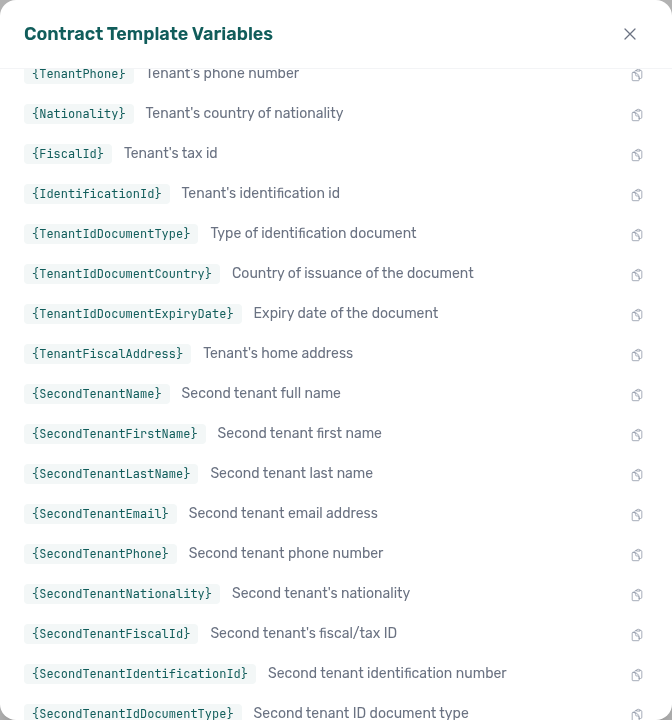
Second tenant not on partner POST
Marketplace POST /{platform}-integration/bookings has no secondTenant object and no secondTenant* fields. Send occupant headcount (numberOfExtraTenants). That count can open the Second tenant accordion; identity stays empty until an operator fills Contract Info. + Create New → Booking also has no Second tenant fields at create. See Creating Bookings — Second tenant and FAQ — Marketplace booking Second tenant (api-swagger-create-tenant-dto-no-second-tenant.png, api-swagger-create-booking-integration-occupants.png, bookings-detail-contract-info-second-tenant-accordion.png). Distinct from Second tenant (operator Contract Info accordion), Extra Charge not on partner POST (unit rates from headcount), and Guarantor not on partner POST (rent-backer identity and amount; also absent from this POST).
Security Deposit
A refundable amount collected at confirmation or check-in, returned (fully or partially) at check-out. Can be Fixed (a euro amount) or Variable (Half Rent, 1 Rent, or 2 Rents × unit rent). Listing JSON publishes the computed amount as depositValue — on a variable-rent unit that uses the highest month, and it does not include Extra Deposit per Tenant (Computed deposit). Tracked portfolio-wide on Finance > Deposits and per booking on the Deposit tab — Total to refund there is max(0, effective deposit collected + payment-plan balance) before Mark refunded is clicked. When no deposit is configured (pill No deposit, Initial Deposit shows —), the same button still records a bank return of a payment-plan overpayment (Refund an overpayment when there is no deposit — bookings-detail-deposit-tab-overpayment-no-deposit.png, bookings-deposit-overpayment-no-deposit-flow.mp4). After refund, From security deposit / From overpayment balance lines show actual ledger payouts (or a No bank transfer notice when the deposit offset charges only); a no-deposit refund omits From security deposit. The action always reads Mark refunded — never a live Refund €… amount on the button. On the booking Deposit tab, a confirm modal notes that Vivin does not send money to the tenant; on Finance → Deposits, the row chip applies immediately with no modal (finance-deposits-mark-refunded-row-action.png, finance-deposits-mark-refunded-row-flow.mp4). After you confirm Mark refunded, Revert refund, a dispute action, or Transfer on the booking tab, the Finance queue already matches — a Ready to refund row leaves that list without a reload (Bookings — Finance Deposits updates from this tab). The bank transfer still happens outside the platform.
Short-term A booking type characterized by nightly or weekly stays (e.g., Airbnb). Short-term bookings use the Short-term Preparation Days setting for turnaround buffers between stays.
Short term (nightly pricing)
Unit sidebar card (Short term) for nightly rates pushed to channel managers (Channex → Airbnb, Booking.com, and related OTAs). The card splits every-channel fields (Price per night, min/max stay, Sale window) from Airbnb only settings (Monthly discount, Extra guest fee (per night) as fee € · after N guests, both cleaning fees, Lead time) — Booking.com has no matching fields for that second group (listings-unit-short-term-airbnb-only-settings.png, listings-unit-short-term-airbnb-only-settings-edit.png, listings-unit-short-term-airbnb-only-settings-flow.mp4). Enabling the toggle does not change monthly Rent Value or contract templates. Nightly calendar sets per-night overrides. Dual cleaning fees keep a full-stay and short-stay amount side by side — see Listings — Dual cleaning fees (listings-unit-short-term-dual-cleaning-fees-view.png, listings-unit-short-term-dual-cleaning-fees-edit.png, listings-unit-short-term-dual-cleaning-fees-flow.mp4). Channel discounts (Airbnb) shows read-only chips for Airbnb-side weekly / last-minute / early-bird rules applied on top of the pushed nightly rate (monthly stays editable in Vivin and is not repeated as a chip) — see Listings — Channel discounts (listings-unit-short-term-channel-discounts.png, listings-unit-short-term-channel-discounts-card.png, listings-unit-short-term-channel-discounts-flow.mp4) and FAQ — Channel discounts. Channel sync badges report Synced with channel (with Last sync), Sync pending, or Sync error. Compatible Airbnb-side edits to nightly price, discount, extra-guest fee, and cleaning fees can also import back into this card without immediately re-pushing — see Listings — Airbnb → Vivin pricing import (listings-unit-short-term-airbnb-pricing-import-before.png, listings-unit-short-term-airbnb-pricing-import-after.png, listings-unit-short-term-airbnb-pricing-import-flow.mp4) and FAQ — Airbnb price edits on Short term. See Listings — Extra guest fee (listings-unit-short-term-extra-guest-fee-view.png, listings-unit-short-term-extra-guest-fee-edit.png, listings-unit-short-term-extra-guest-fee-flow.mp4), Listings — Channel sync badges (listings-unit-short-term-sync-synced-card.png, listings-unit-short-term-sync-pending-card.png, listings-unit-short-term-sync-error-card.png, listings-unit-short-term-sync-badges-flow.mp4) and FAQ — Short term sync badges. Ask AI Chat “Where do I open the Short term card under Listings … to set nightly short-term rates and stay rules on a unit?” (ai-chat-product-context-short-term-reply.png, ai-chat-product-context-short-term-flow.mp4) — the assistant typically says Listings → unit Setup → Short term. See Listings — Short term, FAQ — Airbnb only settings, Sales — Channex allocate mode (sales-channels-channex-allocate-picker.png, sales-channels-channex-allocate-flow.mp4), and FAQ — Nightly short-term prices (listings-unit-short-term-no-listing-visibility.png, listings-unit-short-term-flow.mp4).
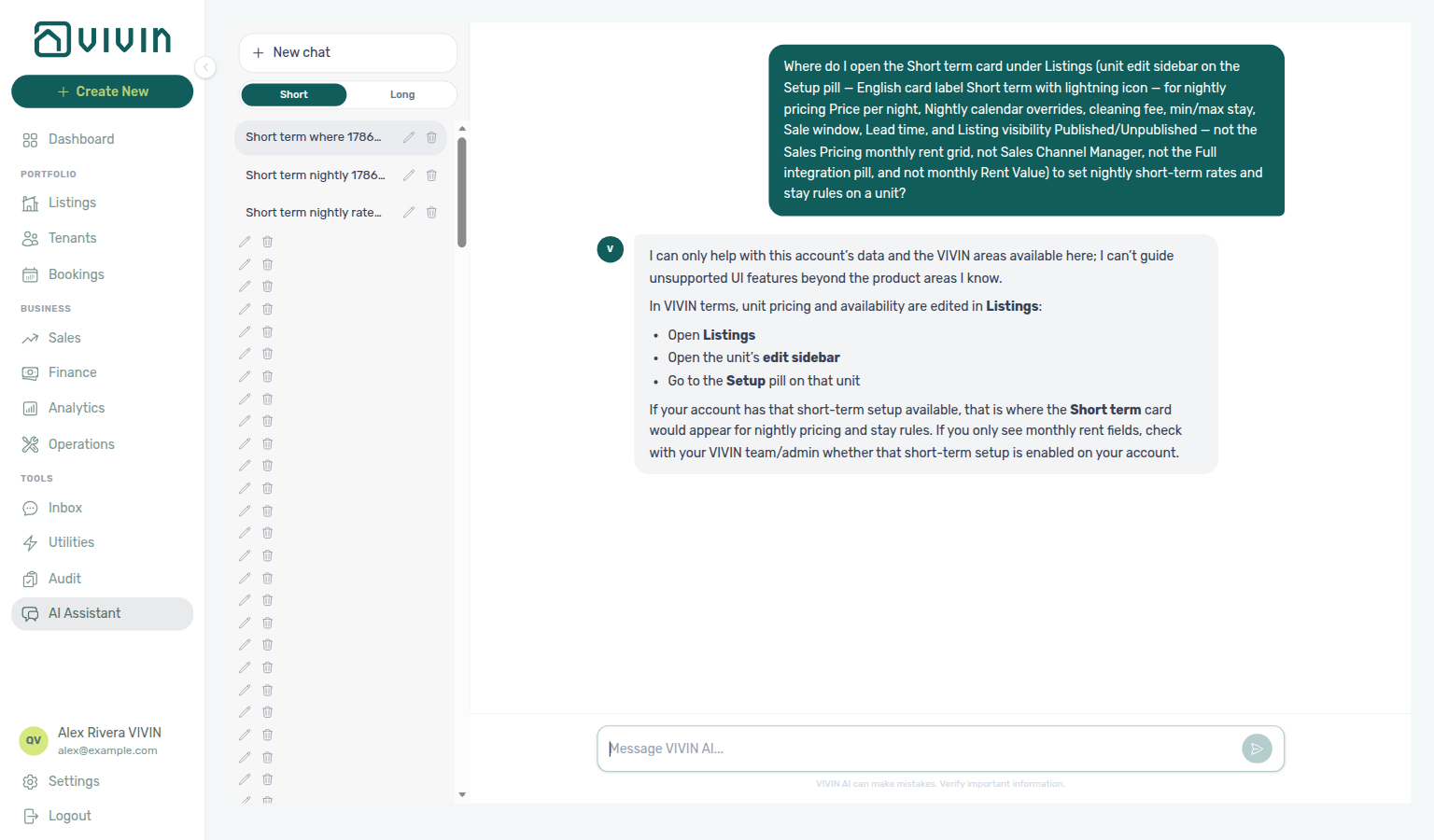
Channel-manager (Airbnb) booking
A reservation imported through the Channex channel manager for a guest who booked on Airbnb or Booking.com. The PLATFORM badge and Source platform / Select platforms filters show that OTA name — not a channel-manager chip. See Bookings — Platform badge and filters follow the real OTA. Contract Info → Booking information is dates-only (stay dates, OTA Platform badge, Provider platform payment, categories) — mid-term rent, deposit, and fee fields stay hidden because the guest paid the OTA. Stay dates and most sidebar edit actions are locked in Vivin (tooltip This can't be edited on Airbnb bookings.), including Contract Preview / Regenerate / Resend / Upload Signed Contract — Airbnb guests already agreed on the OTA, so you do not upload a separate signed PDF here. Change dates, cancel, or correct the payout on Airbnb and Vivin syncs when the channel revision applies. Booking categories remain editable. On Airbnb import, Payment Plan totals (Paid to Date / Due to Date / Contract Value) equal that payout — visible on the booking insights bar and on Payment Plan — with a matching Provider Platform in-payment on Transactions (+ Charge / + Transaction / Apply Discount stay locked). On Booking.com, the property collects the guest’s money: Payment Plan shows one rent line due at check-in (even when the stay crosses a month), + Transaction stays available so you can record the collection, and + Charge / Apply Discount stay locked. See Bookings — Booking.com stays: one rent line due at check-in (bookings-detail-ota-bookingcom-payment-plan-one-rent-line.png, bookings-ota-bookingcom-collect-at-check-in-flow.mp4). Airbnb date or payout revisions are acknowledged from Channex and applied automatically to the Vivin booking when safe (Changelog records the apply; review warnings appear when a change cannot be applied). Communication → Airbnb or Booking.com mirrors the OTA guest thread with a host reply composer. See Bookings — Channel-manager (Airbnb) bookings, Edit lockdown on Airbnb bookings (bookings-detail-ota-airbnb-lockdown-upload-signed-locked.png, bookings-detail-ota-airbnb-lockdown-upload-signed-tooltip.png, bookings-ota-airbnb-upload-signed-lock-flow.mp4, bookings-detail-ota-airbnb-lockdown-dates-note.png, bookings-detail-ota-airbnb-lockdown-check-in-out.png, bookings-detail-ota-airbnb-lockdown-payment-plan.png, bookings-ota-airbnb-edit-lockdown-flow.mp4), Payment plan matches the Airbnb payout (bookings-detail-ota-insights-bar-payout-matched-crop.png, bookings-detail-ota-contract-info-payout-matched.png, bookings-detail-ota-payment-plan-payout-matched.png, bookings-detail-ota-transactions-provider-platform.png, bookings-ota-insights-bar-payout-matched-flow.mp4, bookings-ota-payout-matched-plan-flow.mp4), When Airbnb changes dates or the payout, Airbnb guest chat, FAQ — Why do channel-manager bookings show Airbnb or Booking.com?, and FAQ — Airbnb Contract Info / FAQ — Airbnb edit lockdown / FAQ — Airbnb payout-matched plan / FAQ — Booking.com one rent line at check-in / FAQ — Airbnb date or payout changes.
Airbnb guest chat
On Bookings → Communication, channel-manager stays show a pill named after the OTA the guest booked on — Airbnb or Booking.com. It mirrors the live host↔guest conversation (Guest left, Host right) and a Reply to the guest on Airbnb… or Reply to the guest on Booking.com… composer. Independent of the tenant chatbot flag; requires the channel-manager Messages application when Vivin prompts you to install it. See Bookings — Airbnb guest chat (bookings-detail-communication-tab-ota-real-ota.png, bookings-detail-communication-tab-airbnb-thread.png, bookings-detail-communication-tab-airbnb-bubbles.png, bookings-detail-communication-tab-airbnb-composer.png, bookings-communication-airbnb-reply-flow.mp4), Platform badge and filters follow the real OTA, and FAQ — Airbnb guest messages.
Short-term iCal Max Date
Account-wide (and optionally per-listing) cutoff for how far ahead iCal availability is exported to short-term platforms such as Airbnb and Booking.com. Dates after the cutoff appear blocked on external feeds as a safety horizon. Configured under Account Settings > Integrations (Channel Manager block and Apply to all listings / Apply to selected listings on platform cards — see screenshots on that page); you can apply the same date to all units or only selected listings from there.
Short-term iCal pseudo check-in/out
Calendar-only iCal imports (for example Airbnb or Booking.com feeds without a deep API booking) can surface as arrival or departure rows on Operations > Check-in & Check-out even when no mid-term Vivin booking exists for that window. Labels often read Booking.com Reservation or the platform name instead of a tenant name — that is expected for short-stay channel blocks. Use Filters → Stay type → Mid-term when you only want long-stay handovers; use Short-term when reconciling channel turnover with Sales > Multicalendar or the unit Calendar in Listings (see Operations — Other filters, Stay type Short-term).
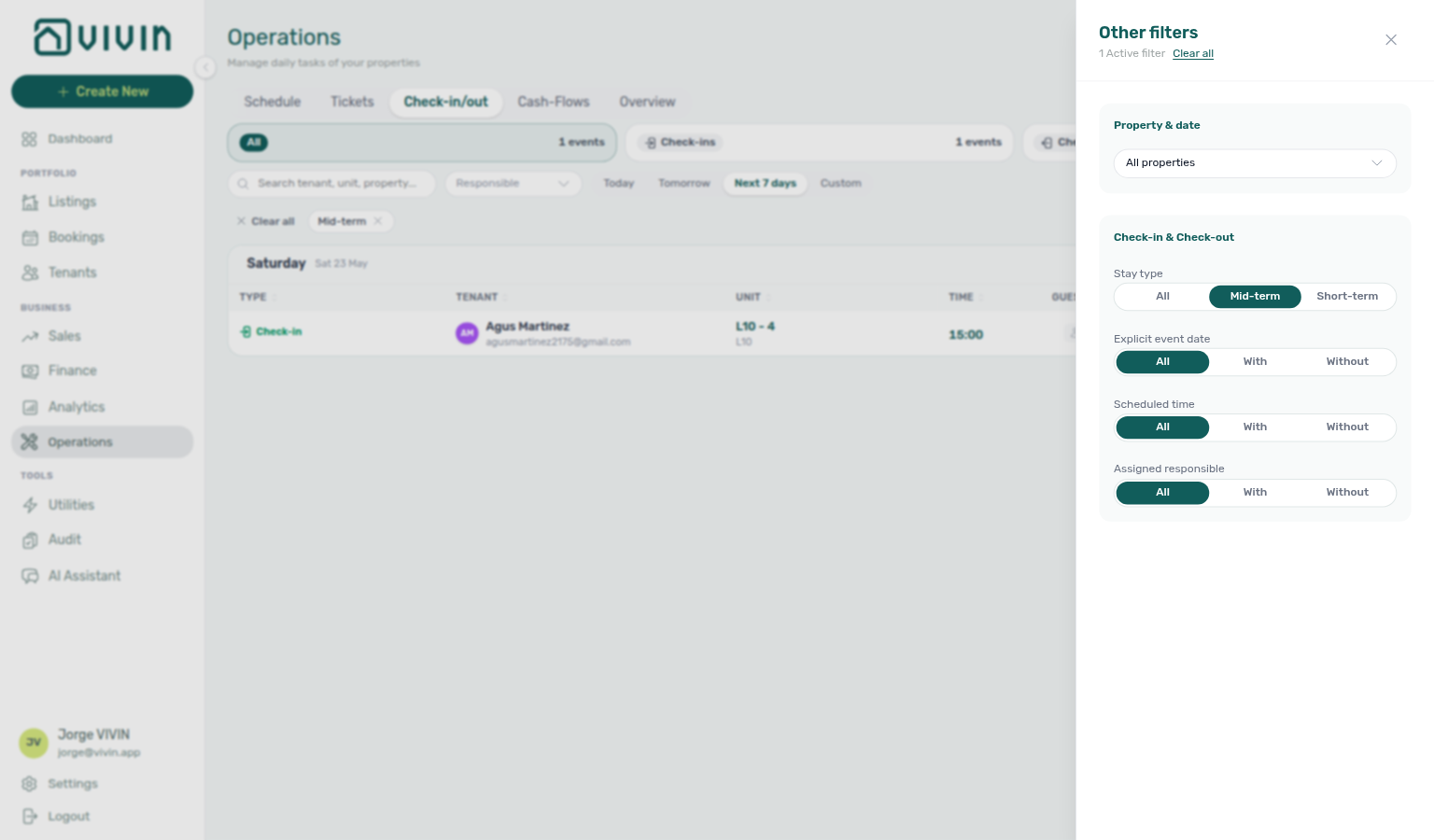
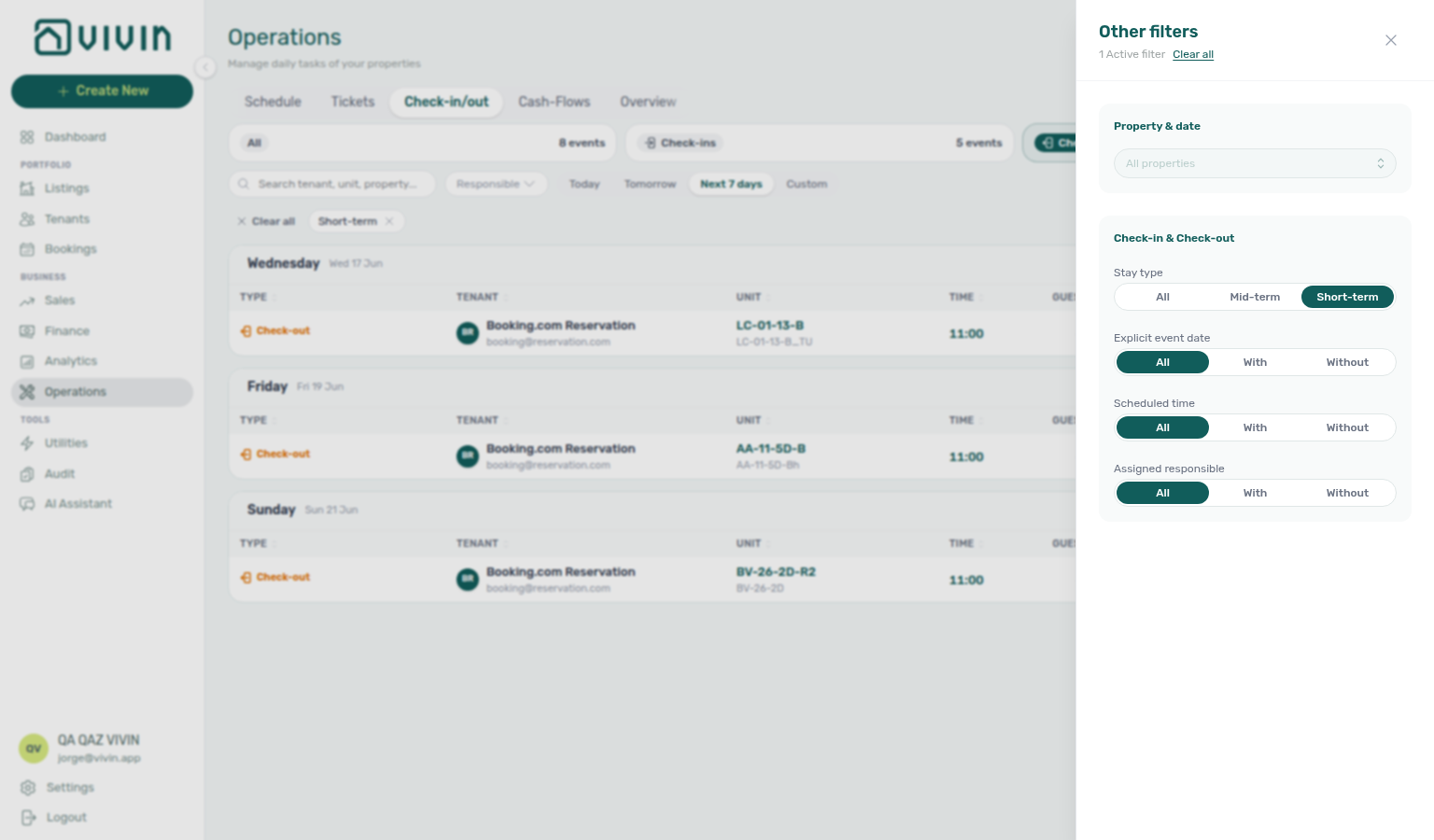
See Managing a Check-in and Managing a Check-out.
Service subscription emails
Per-user chips on Personal Settings → Your email preferences: choose which Services catalogue offerings email you when a tenant orders, subscribes, or submits an approval request from the Tenant Portal. Distinct from in-app Service requests. See Interface Language — Service subscription emails and FAQ — Why didn't I get a service subscription email?.
Source platform
The channel or origin recorded on a booking, such as Uniplaces, Inlife, RoomLess (Spacest), Spotahome, Housing Anywhere, Erasmus Life Lisboa, Edu Portugal, Idealista, Coliving, Kiwi, Capital Rooms, Porta85, Lisbeyond, Airbnb, Booking.com, the Vivin booking engine, Direct, or Long-stay (LS). Channel-manager stays show as Airbnb or Booking.com — there is no separate channel-manager option in Bookings or Finance → Transactions. On Finance > Transactions, open Other filters and use Select platforms in the Transactions section to narrow the ledger to one or more channels when reconciling bank inflows. Rows without a linked booking are treated as LS for this filter. See Bookings — Platform badge and filters follow the real OTA, Other filters, and Financial Reconciliation. Kiwi, Capital Rooms, Porta85, and Lisbeyond use single-landlord partial feeds — API Reference — Kiwi, Capital Rooms, Porta85 & Lisbeyond.
Subscription
Your organisation’s Vivin platform billing: plan line items (such as per managed listing, virtual IBAN transfers, and booking-engine usage), payment method on file, and billing period history. Managed under Settings > Subscription. Use Remove card / Add card for self-serve payment-method changes (settings-subscription-payment-method-remove-card.png, settings-subscription-remove-card-flow.mp4). Subscribed Billing history shows Upcoming + Current / past period rows (settings-subscription-billing-history-table.png, settings-subscription-billing-history-subscribed-flow.mp4); Action Required keeps Upcoming only until a card is on file. On some workspaces a saved card is a condition of use — see Subscription card required. Contact Vivin support for plan tier or contract changes.
Subscription card required
On some workspaces, Subscription – Action Required is a block after sign-in: it opens immediately on every screen size, cannot be dismissed, and shows A payment method is required to keep using VIVIN. Add your card to continue. Sign out stays; I'll do it later does not. Finance, Sales, and Operations logins see it too. Tenants and listing feeds keep working. The block clears a few seconds after a card is saved. Distinct from the desktop reminder that waits five seconds and offers I'll do it later. See Subscription — When a card is required and FAQ — Why can’t I dismiss Subscription checkout?.
Support permission
The role capability (support.module) that unlocks Account Settings > Support, the floating Help & Support control on desktop, and bookmarkable /settings/support routes for Vivin support threads. In Users and roles, only Administrator and Super administrator roles can be assigned this capability in the matrix. Users with Support but no Account Settings tab permissions see a browse-only /settings shell (disabled tabs, active Support entry) — see Account Settings — Support-only browse layout. See Users and roles and Using in-app support.
Support ticket (Vivin)
A conversation thread between your organisation and the Vivin product team, created from Account Settings > Support or the floating Help & Support control when your role has the Support permission. Attachments include images, videos (up to 100 MB each, with inline players in the thread), PDF, and Word documents. Distinct from an operational Ticket (maintenance, cleaning, etc.) in the Operations module. Sending a reply in the thread is enough — you do not also email the support mailbox (Support ticket reply). Reopen on a Closed ticket continues the same thread and lands on Pending — Reopen support ticket. See Using in-app support and Attachments and inline video.
Support ticket reply
An in-app message you send on a Support ticket (Vivin) from the Help & Support drawer or /settings/support sidebar. After Send, the badge becomes Pending (rows may read Pending response), and the Vivin teammate assigned to the ticket is emailed (workspace default assignee when the ticket has no assignee). If nobody is assigned and there is no default, the shared support inbox still receives the alert. Distinct from Support ticket assigned emails under Personal Settings — Your email preferences. See Using in-app support — Your reply emails the assigned teammate (settings-support-ticket-thread-fresh-open.png, settings-support-ticket-message-edit-hover.png).
T
T tenant, ticket, and turnover terms pair S under S, D under D, and Tenant Portal.
Tag A classification label for filtering and reporting. Configure vocabulary under Settings > Categories. Apply listing tags on Listings — Tags Tab (Listing tag (filter)); apply booking tags via Bookings and Finance filters (Booking Tag). Property-level tags propagate to all units in the building.
Tenant The person renting a unit. Tenant profiles, activity, and debt visibility live in the Tenants module; each booking also stores tenant contact details for that stay.
Tenant category
- Common Workflows — Portfolio segmentation by tenant category — Operator habit hub
An account-defined segment assigned to a tenant that controls Tenant Portal access, which portal modules and profile fields are available, Communications / Email behaviour, multiple concurrent bookings (Book several units at once on Add booking), and optional default for integration-created tenants. Marketplace POST /bookings does not send a category — allowlisted channels assign that default when the person is new or uncategorized — Tenant category not on partner POST. The workspace must turn on Preferences → Enable tenant categories before the Tenants card on Settings → System → Categories and portfolio filters appear (/settings/tenantCategories redirects to Categories) — turning that switch Off hides the tooling but does not stop rules already assigned to a tenant. Assigned on the Tenants profile (Tenant Info) — Add booking has no category field (FAQ — Assign tenant category for direct booking). Turning Communications / Email off → on rebuilds Communication Rules schedules for that segment in the background — Communications / Email and schedule rebuild (settings-tenant-categories-communications-email-toggle.png, settings-tenant-categories-communications-email-flow.mp4). Define segments during Onboarding a New Property — Step 4 before the first reservation; assign on direct bookings in Processing a New Booking — Step 2; verify on each arrival in Managing a Check-in — Step 1 before key handover. Portfolio filters: Tenants — Tenant category filter toolbar All categories (empty-case No category; the menu stays open while you pick), Bookings — Tenant categories (empty-case No tenant category; the menu stays open while you pick; Select all ticks every visible row), and Finance — Other filters tenant category on every Finance tab that honours Other filters (OR-combined with the empty-case row on all three surfaces). Bookings and Tenants load segment names from the account-wide portfolio filter catalog; Finance loads the full segment catalog from GET /tenant-categories — see the parity tip on Finance — Tenant category filter and FAQ — Finance tenant category filter parity. After you recategorize a tenant on Tenant Info, ledger tabs reflect the new segment on reload while Overview can lag up to ~10 minutes — see Finance tenant category cache refresh. Month-end habit: Portfolio KPI review — Step 6 when Analytics ranking points at one segment; after Manual block hygiene when cleared holds still leave a segment-specific occupancy dip; during Entering Monthly Utility Bills — Step 4 when utility overages cluster on one segment; during Managing a Check-out — Step 6 when departure balances cluster before Ended; during Cancelling a Booking — Step 2 when settlement balances cluster before Cancel booking; and during Handling a Late Payment — Step 6 when repeated arrears on one profile type warrant account-wide rule changes. Distinct from booking tags on Categories. Modules hub overview: Modules — Bookings, Modules — Tenants, and Modules — Finance.
Tenant category not on partner POST
Marketplace POST /{platform}-integration/bookings has no booking-level tenant category field. Allowlisted channels assign Default for integration-created tenants when the person is new or still has no category. A returning guest keeps the stored segment. + Create New → Booking never auto-assigns. See Creating Bookings — Tenant category and FAQ — Marketplace booking tenant category (api-swagger-create-booking-integration-no-tenant-category.png, api-swagger-create-tenant-dto-no-tenant-category.png, settings-tenant-categories-tab-when-enabled.png).
Tenant MCP The booking-scoped MCP server for tenant-facing automation: listings calendar, portal links, chatbot rules, maintenance, and related tools identified by tenant email, phone, and/or booking ID. See Tenant MCP. For portfolio-wide tools, see Landlord MCP.
Tenant Portal
A web-based, white-labelled interface where tenants can view their payment schedule, contract details, access property information, submit maintenance requests with photos (if enabled), browse add-on services when enabled, and (if enabled) make payments. AI-assisted tenant support runs on external channels such as WhatsApp and email where configured — the portal web UI does not include an in-portal operator chat screen. Operator workflows: Processing a New Booking (portal access after creation), Common Workflows — Confirmation alert triage (Notification triage Step 4 / Step 5 → Step 5b / Step 6; notifications-row-navigation-flow.mp4, bookings-detail-transactions-approve-payment-modal.png).
TODAY far-due date (tenant portal)
Portal Payments → Payment Timeline TODAY marker. When the next installment is 60 or more calendar days away, the standalone divider shows D MMM · next payment due DD MMM YYYY (for example 26 Aug · next payment due 11 Feb 2028) instead of next payment in N days. Installment chips use Due DD MMM YYYY. 15–59 days keep the day count on a full divider; 14 days or fewer use a compact TODAY tick above that next card. When no installment is still in the future, the same compact tick sits after the last card — TODAY compact tick at the end (tenant portal). Same calendar-day helper as the balance card (tenant portal). No Portal settings hide toggle — tenant-category VIVIN payments (or an unprovisioned payment module) hides the whole Payments tab. Distinct from Same-month installment titles (tenant portal) (card titles), from Overdue days past due (tenant portal) (late cards), from Scheduled Due in N days (tenant portal) (near-term Due in N days), and from Payment details (tenant portal) (the sidebar). Marketplace POST /bookings cannot send this label. See Tenant Portal — TODAY far-due date (tenant-portal-payments-today-far-due.png, tenant-portal-payments-today-far-due-divider.png, tenant-portal-payments-today-far-due-chip.png, tenant-portal-payments-today-far-due-phone.png, tenant-portal-payments-today-far-due-flow.mp4) and FAQ — When does the portal TODAY divider show a calendar date?.
TODAY compact tick at the end (tenant portal)
Portal Payments → Payment Timeline compact TODAY marker when no installment is still in the future: a small TODAY chip plus a short blue dash after the last card, not a full divider with next payment in N days or next payment due DD MMM YYYY. The same compact tick sits above the next card when that due date is 14 days or fewer away — this entry is the end-of-timeline case. Late cards stay above the tick (Overdue days past due (tenant portal)); a leftover Scheduled card can show Upcoming (tenant portal) on the same line. No Portal settings hide toggle — tenant-category VIVIN payments (or an unprovisioned payment module) hides the whole Payments tab. Distinct from TODAY far-due date (tenant portal) (60+ day calendar divider) and from the compact tick above a near-term future card. Marketplace POST /bookings cannot send this label. See Tenant Portal — TODAY compact tick at the end (tenant-portal-payments-today-end.png, tenant-portal-payments-today-end-last-card.png, tenant-portal-payments-today-end-tick.png, tenant-portal-payments-today-end-phone.png, tenant-portal-payments-today-end-flow.mp4) and FAQ — Where does TODAY sit when every portal payment is already due?.
Transaction History pagination (tenant portal)
Portal Payments → Transaction History page footer when more than 10 matching rows exist. Showing X–Y of Z on the left, Page N of M with previous / next chevrons on the right (for example Showing 1–10 of 18 Page 1 of 2). Each page holds 10 rows. The footer is omitted at 10 or fewer matches. Transaction History search (tenant portal) and Transaction History sort (tenant portal) return to page 1. Export CSV (tenant portal) includes every matching row, not only the current page. On a phone, the same footer sits under the history cards. No Portal settings hide toggle — tenant-category VIVIN payments (or an unprovisioned payment module) hides the whole Payments tab. Distinct from operator infinite-scroll lists on Finance → Transactions. Marketplace POST /bookings cannot send this pagination. See Tenant Portal — Transaction History pagination (tenant-portal-payments-transaction-pagination.png, tenant-portal-payments-transaction-pagination-table.png, tenant-portal-payments-transaction-pagination-footer.png, tenant-portal-payments-transaction-pagination-page-2.png, tenant-portal-payments-transaction-pagination-phone.png, tenant-portal-payments-transaction-pagination-flow.mp4) and FAQ — How do tenants page through payment history in the portal?.
Transaction History search (tenant portal)
Portal Payments → Transaction History search field (Search by type, description, date, amount...). Empty search shows every row. Matches what the table shows: type label (Bank Transfer, Cash, Roomless), description, short date, and signed amount (-610 or 610). Typing returns to page 1 (10 rows per page). Export CSV (tenant portal) uses the same query (every matching row, not only the current page). Transaction History sort (tenant portal) still applies to matching rows. On a phone, the field sits above the Sort menu. No Portal settings hide toggle — tenant-category VIVIN payments (or an unprovisioned payment module) hides the whole Payments tab. Distinct from Transaction History sort (tenant portal) (column order, not which rows stay) and from operator search on Finance → Transactions. Marketplace POST /bookings cannot send this search. See Tenant Portal — Transaction History search (tenant-portal-payments-transaction-search-idle.png, tenant-portal-payments-transaction-search.png, tenant-portal-payments-transaction-search-results.png, tenant-portal-payments-transaction-search-field.png, tenant-portal-payments-transaction-search-phone.png, tenant-portal-payments-transaction-search-flow.mp4) and FAQ — How do tenants search payment history in the portal?.
Transaction History sort (tenant portal)
Portal Payments → Transaction History Date / Amount sort. View transactions (tenant portal) on Home opens this table. Default is newest date first. On a computer, tenants click a column heading (first Amount click is low to high). On a phone, a Sort menu lists newest date, oldest date, largest amount, and smallest amount. Total stays a chronological running total when Amount is active. Transaction History search (tenant portal) and sort reset pagination to page 1. Export CSV (tenant portal) uses the same order. Receipt column (tenant portal) stays on the same table. No Portal settings hide toggle — tenant-category VIVIN payments (or an unprovisioned payment module) hides the whole Payments tab. Distinct from operator column sort on Finance → Transactions. Marketplace POST /bookings cannot send this sort. See Tenant Portal — Transaction History sort (tenant-portal-payments-transaction-sort-date.png, tenant-portal-payments-transaction-sort-amount.png, tenant-portal-payments-transaction-sort-phone.png, tenant-portal-payments-transaction-sort-flow.mp4) and FAQ — How do tenants sort payment history in the portal?.
Ticket
An actionable operational task (maintenance, cleaning, inspection, tenant request) with priority, workflow status (Unassigned / In progress / Completed–Closed / Cancelled — no Open), assignee, SLA due date (schedule or opened date plus priority hours — not a typed field), and optional Schedule date. When a clock time is set, the Tickets Schedule column shows that hour next to the date — Operations — Schedule hour (operations-tickets-schedule-hour.png, operations-tickets-schedule-hour-flow.mp4). Which list columns you see is Operations ticket columns on Personal Settings. Managed in the Operations module. The ticket sidebar Cost allocation panel can link cash flows from the operational ledger and show a signed € total. Far-future Schedule date values surface as Draft (display status) in the list — distinct from the saved workflow status. Not the same as a Support ticket (Vivin) to the Vivin team.
Turnover The process of preparing a unit between one tenant's check-out and the next tenant's check-in. Includes cleaning, inspection, repairs, and key changeover. Managed through Operations tickets and automatic maintenance configuration.
Timeline unit list
The left-hand listing axis on Bookings → Timeline — one row per unit, separate from the coloured stay bar. When Only bookings is on (or Search / a booking-attribute filter hides vacant rooms), the axis lists only units that already have a stay in the visible window. After Create Booking, Delete Booking, or Cancel booking, Timeline re-reads that list in place: a newly booked unit joins, a unit whose last stay in the window you removed leaves, and the month you scrolled to stays put (the list does not jump back to the first 50 rows). Distinct from Stay bars update after create or delete (the bar still needs a row to draw on) and from Retry (only when Timeline could not load — that path starts from the first page of units). See Bookings — Unit list updates after create or delete and FAQ — Do I need to reload Timeline after Create Booking? (bookings-timeline-view.png, bookings-timeline-vacant-unit-rows.png).
U
U uncovered debt and utility terms pair F under F, Utilities module, and FAQ — Utilities.
Upcoming (tenant portal)
Portal Payments → Payment Timeline Scheduled chip when the due date is today or already past and the row has not become Pending or Overdue: grey clock Upcoming. Same clock as Scheduled Due in N days (tenant portal) while the date is still in the future. Unpaid rent usually becomes Pending or Overdue when the date arrives — Upcoming is the leftover Scheduled label. A live example is a Deposit Refund not yet paid out (Upcoming with a minus Total). Payment details (tenant portal) still shows Scheduled. There is no Remaining on a Scheduled / Upcoming card. No Portal settings hide toggle — tenant-category VIVIN payments (or an unprovisioned payment module) hides the whole Payments tab. Distinct from Scheduled Due in N days (tenant portal), from Pending N days remaining, from Overdue days past due (tenant portal), and from TODAY compact tick at the end (tenant portal) (the now marker after the last card, not this chip). Marketplace POST /bookings cannot send this label. See Tenant Portal — Upcoming (tenant-portal-payments-scheduled-upcoming.png, tenant-portal-payments-scheduled-upcoming-card.png, tenant-portal-payments-scheduled-upcoming-chip.png, tenant-portal-payments-scheduled-upcoming-phone.png, tenant-portal-payments-scheduled-upcoming-flow.mp4) and FAQ — How do tenants see Upcoming on the portal timeline?.
Unit An individual rentable space within a property (e.g., "Room 101," "Studio A"). Every unit belongs to exactly one property. Also referred to as a "Listing" in some contexts.
Use check in date as contract start date
On Bookings → Contract Info → Change contract start date, the checkbox that makes the contract (PDF, displayed Start date, related finance dates) follow operational check-in instead of the billing-period start. The matching end control is Use check out date as contract end date. Helper text: Without impact in the payments plan. Defaults off. + Create New → Booking has no create-time control. Airbnb channel-manager stays keep Change contract start/end date locked. Marketplace POST /bookings cannot send these flags — Use check in date as contract start date not on partner POST. See FAQ — Marketplace booking Use check in date as contract start date (bookings-detail-change-contract-start-date-modal.png, bookings-detail-change-contract-end-date-modal.png). Distinct from Contract type not on partner POST (property Rental payment frequency still sets stored Start date / End date at create).
Use check in date as contract start date not on partner POST
Marketplace POST /{platform}-integration/bookings has no useCheckInDateInContract or useCheckOutDateInContract field. Imported stays land with Use check in date as contract start date and Use check out date as contract end date off. Partial listing JSON also omits those keys. There is no listing-level or account-level overlay default. + Create New → Booking cannot pick them at create. After import, Contract Info can still tick them for that reservation. See Creating Bookings — Use check in date as contract start date and FAQ — Marketplace booking Use check in date as contract start date (api-swagger-create-booking-integration-no-use-check-in-date-in-contract.png, bookings-detail-change-contract-start-date-modal.png, bookings-detail-change-contract-end-date-modal.png). Distinct from Use check in date as contract start date (operator Contract Info after import), Contract type not on partner POST, and Allow check-in date in the past.
Use company billing
Portal Billing type switch on Account → Billing information (and Sign contract → Billing). Default Off (personal billing — billing address fields only). On reveals Company name and Company fiscal number; Sign contract copy is Company billing / Use company details for invoices. Operators set the same flag on Tenants → Tenant Info and Bookings → Contract Info (Use company details for billing, Yes/No in view). Marketplace POST /bookings accepts useCompanyBilling. Distinct from Billing address (tenant portal) (the invoice street on the same card), European bank account, booking virtual IBAN, Phone number (tenant portal), and ID document details. See Tenant Portal — Use company billing and FAQ — How do tenants use company billing? (tenant-portal-account-use-company-billing-off.png, tenant-portal-account-use-company-billing-on.png; clip: tenant-portal-account-use-company-billing-flow.mp4).
Use unit contract rents and other contract details
On + Create New → Booking, the checkbox that copies the unit’s monthly rent, deposit, Extra Charge / Extra Deposit, Confirmation payments, Check-in payments, and property fees onto the stay. Defaults on. Turn it off to type custom contract details for this reservation only. Distinct from Send onboarding email & contract. Marketplace POST /bookings always copies — Use unit contract rents always on partner POST. See FAQ — Marketplace booking unit contract rents.
Use unit contract rents always on partner POST
Marketplace POST /{platform}-integration/bookings has no useListingValues field. Imported stays always copy unit and property contract values. Partial listing JSON also omits that key. There is no listing-level or account-level custom-contract-on-import. + Create New → Booking can turn the box off. See Creating Bookings — Use unit contract rents and FAQ — Marketplace booking unit contract rents (api-swagger-create-booking-integration-no-use-listing-values.png, bookings-add-booking-empty-fixed-rent.png, api-swagger-listing-dto-rent-source-for-partner-post.png). Distinct from Use unit contract rents (operator Add booking only) and from the per-field copy pages (Rent not on partner POST, Deposit not on partner POST).
Unavailability to (listing feed)
On partner listing JSON, to is the last blocked night (inclusive), not check-out. The first night a new stay can start after that block is the next calendar day. Listing availableFrom is already the next move-in. Catalogue full feeds use the same last night under partner names (Uniplaces / Spotahome to, Housing Anywhere endDate, Inlife end) — Full listing feeds — Last blocked night. iCal DTEND is that next calendar day (exclusive free-again morning) — iCal feeds — DTEND exclusive end. Same last-night vs free-again split as Audit — End vs free-again day. API: Listings & Availability — Last blocked night. White-label sites: Booking Engine API — Unavailability to. Operators: FAQ — Booking site first available day, FAQ — Marketplace listing blocked through check-out night, and FAQ — iCal block ends one day after Audit End.
Utility overage collections
Full hub: Utility overage collections (bill posting → Payment Plan overage In Debt, Pending receipt mesh, symptom table, and per-guide/module mesh).
When landlord supplier bills post through Entering Monthly Utility Bills Steps 2–4, Vivin adds tenant utility overage lines on booking Payment Plan. When those lines stay Unpaid or Overdue, Handling a Late Payment Steps 1–4 collect the same way as rent arrears — distinct from departure-week Check-out final utilities handoff, rent Cancellation collections before void, and rent Check-out collections before refund. Pair End-of-Booking cost split when Charge Time defers posting until checkout (utilities-allocations-review-flow.mp4).
V
V virtual IBAN and vacancy terms pair P (payout destination), Dashboard module, and Finance module.
Variable Rent
A rent amount that changes based on season, demand, or other factors. Different rent values can be configured for different date ranges on a unit. The alternative is Fixed Rent. Configured in the unit's Rent Value tab. On partner listing JSON, top-level rent is the highest month in rentsPerMonth — not a leftover base — Listings & Availability — Variable rent headline.
Vacant Unit Preference
Account setting on Preferences → Booking Defaults: whether a manual block (operator-added unavailability with no booking) still counts as vacant on Dashboard Today and Vacant Units, Sales → Overview Available Now, and Multicalendar / Pricing Available now / Date range filters.
| Option | Behaviour |
|---|---|
| Default | Manual blocks exclude the unit from vacancy KPIs and availability filters (legacy behaviour). |
| Include manual blocks | Manually blocked but unbooked units count as free on the surfaces above. OTA/iCal blocks and booking-linked holds still occupy the unit. |
For booking-linked occupancy on Sales → Multicalendar / Pricing Available now / Date range (and the same filter on CSV export / bulk rent update), Vivin uses each booking’s linked listing unavailability block (check-out–aligned), not a longer contract end alone — see Sales — Multicalendar.
Use Include manual blocks when maintenance buffers or owner holds should still appear on Vacant Units for physical-occupancy triage. Pair with Manual block hygiene when counts look wrong after clearing stale holds, and with Common Workflows — Occupancy KPI to block hygiene handoff when Portfolio KPI review — Step 3 Occupancy dips may be hold-driven (analytics-kpi-occupancy-tab.png). See FAQ — Vacant Unit Preference.
Vacant Units (Dashboard)
The bottom-right panel on the post-login Dashboard: listings that are free today — no active booking and no manual block (unless Vacant Unit Preference is Include manual blocks). The headline shows how many units are free; the list sorts by consecutive free days from today (longer projected availability first) with relative vacancy bars. Click a row to act on that unit: roles with Listings edit access open the listing edit sidebar in place; view-only access navigates to /listings/unit/:listingId. Distinct from the Sales Overview availability popover (day or bar click on Availability over time, not a today-only list). See the Vacant Units (Dashboard) row in Visual quick reference.
Visit (direct booking)
Visit scheduling pairs with Integrations & Distribution — White-label booking engine, Booking engine details, and FAQ — Integrations & Distribution. Distinct from Managing a Check-in (move-in).
A scheduled in-person or remote viewing of a unit or property initiated from the white-label booking engine or connected flows — distinct from a tenant check-in or move-in. Availability and visit options depend on how your booking engine and listings are configured. See Integrations & Distribution.
VAT (Value Added Tax) A consumption tax applied to invoiced items. Rates are configured per charge type (rent, deposit, cleaning fee, admin fee) in Settings > Invoicing.
Virtual IBAN
A unique bank account identifier assigned to each tenant for rent payments via bank transfer. Enables zero-commission collection with automatic payment matching — no manual reconciliation needed. See Finance > Automated Rent Collection. On Bookings → Contract Info, operators can Switch IBAN to swap the virtual IBAN with another same-tenant stay — picker rows use property — unit · contract dates · status — bookings-detail-contract-info-switch-iban-modal.png, bookings-detail-contract-info-switch-iban-picker-identity.png, bookings-contract-switch-iban-flow.mp4. Distinct from the tenant’s personal IBAN (tenant portal) used for deposit refunds, from Copy virtual IBAN (tenant portal) (tap-to-copy on Make payment), and from platform-level Virtual IBANs on Settings → Integrations → Booking Platforms cards (for example Uniplaces) when Vivin has provisioned a non-empty VIBAN for that platform slug — settings-integrations-platform-virtual-iban.png, settings-integrations-platform-virtual-iban-flow.mp4 (Channex: settings-integrations-channex-platform-card.png). Portal Payments shows a 3-business-days processing notice when Transaction History is not empty.
Viban type label (tenant portal)
Portal Payments → Transaction History label for a payment matched through the booking virtual IBAN. The row shows Viban as plain text — no platform logo. Search matches Viban. Export CSV (tenant portal) writes Viban in Description. This is the history label, not the words Virtual IBAN on Virtual IBAN processing notice (tenant portal), and not Make payment → Bank Transfer (IBAN). No Portal settings hide toggle — tenant-category VIVIN payments (or an unprovisioned payment module) hides the whole Payments tab. Distinct from Bank Transfer type label (tenant portal), from Cash type label (tenant portal), from Platform payment label (tenant portal) (name and logo), from Automatic Adjustment type label (tenant portal) / Overpayment Return type label (tenant portal) / Cancelation With Refund type label (tenant portal) on the same table, and from Copy virtual IBAN (tenant portal). Marketplace POST /bookings cannot send this label. See Tenant Portal — Viban type label (tenant-portal-payments-viban-label.png, tenant-portal-payments-viban-label-table.png, tenant-portal-payments-viban-label-row.png, tenant-portal-payments-viban-label-search.png, tenant-portal-payments-viban-label-phone.png, tenant-portal-payments-viban-label-flow.mp4) and FAQ — How do tenants see a Viban payment in the portal?.
View transactions (tenant portal)
Portal Home outline button on the balance card. Opens Payments scrolled to Transaction History. Shown whenever the booking’s payment module is on — including when Make payment is hidden. No Portal settings hide toggle. Hidden when VIVIN payments is off on the tenant category, when Property Payments Active is off on the listing, or when the account payment module is not provisioned. Distinct from Payment details (tenant portal) (tap a Payment Timeline card), Transaction History search (tenant portal), Transaction History sort (tenant portal), Export CSV (tenant portal), and operator Finance → Transactions. Marketplace POST /bookings cannot send this button. See Tenant Portal — View transactions (tenant-portal-home-view-transactions.png, tenant-portal-home-view-transactions-card.png, tenant-portal-payments-view-transactions-history.png, tenant-portal-payments-view-transactions-heading.png, tenant-portal-home-view-transactions-phone.png, tenant-portal-home-view-transactions-flow.mp4) and FAQ — How do tenants open Transaction History from portal Home?.
Virtual IBAN processing notice (tenant portal)
Portal Payments blue notice under Transaction History: Virtual IBAN payments may take up to 3 business days to be received and processed. Shows when the booking has at least one history row; hidden on an empty ledger. Distinct from Make payment → Bank Transfer copy (up to 48 hours to match), from Copy virtual IBAN (tenant portal) (tap-to-copy on checkout), from the tenant’s personal IBAN (tenant portal), and from Receipt column (tenant portal). No Portal settings hide toggle — tenant-category VIVIN payments (or an unprovisioned payment module) hides the whole Payments tab. Marketplace POST /bookings cannot send this notice. See Tenant Portal — Virtual IBAN processing notice (tenant-portal-payments-viban-processing-notice.png, tenant-portal-payments-viban-processing-notice-banner.png, tenant-portal-payments-viban-processing-notice-flow.mp4) and FAQ — How long do virtual IBAN payments take in the Tenant Portal?.
W
W WiFi, webhook, and WhatsApp terms pair I (inbound integration webhooks), N (notifications), Tenant Portal, and API Reference — Webhooks.
WiFi (tenant portal)
Portal Home card with the property Network name and Password after the booking’s check-in email has been sent. Password is masked until Show password (eye); Copy password copies the real value even while masked (green check). Hide password masks it again. Operators store both fields on Listings — WiFi (property-scoped). No Portal settings hide toggle. Distinct from Balance card (tenant portal) (amounts due), Entry codes (tenant portal) (stay-window + Allow to see entry codes), and Copy virtual IBAN (tenant portal) (Make payment). The check-in email does not insert the password automatically. Marketplace POST /bookings cannot send WiFi; partner listing JSON never includes the password. See Tenant Portal — WiFi / Show password and Copy password (tenant-portal-home-wifi-home.png, tenant-portal-home-wifi-card.png, tenant-portal-home-wifi-password-revealed.png, tenant-portal-home-wifi-password-revealed-card.png, tenant-portal-home-wifi-password-copied.png, tenant-portal-home-wifi-password-copied-card.png, tenant-portal-home-wifi-phone.png, tenant-portal-home-wifi-reveal-copy-flow.mp4) and FAQ — How do tenants see WiFi on portal Home?.
What do you need? (tenant portal)
Portal Requests (Maintenance & Support) New Request first choice: What do you need? — Report an Issue (then Where is the issue? Common Area / My Room, and at least one file) or General Inquiry (no location; files optional). The rest of the form appears after the tenant picks a tile. Both paths create an Operations ticket; General Inquiry still shows as Common Area (there is no Inquiry category). There is no Portal settings toggle for the two tiles; Allow to create tickets Off hides Requests and therefore this form. Distinct from FAQ accordion (tenant portal) (published Q&A under the form) and from Open requests (tenant portal) (Home shortcut). Marketplace POST /bookings cannot send this choice. See Tenant Portal — What do you need? (tenant-portal-requests-new-request-form.png, tenant-portal-requests-new-request-report-an-issue.png, tenant-portal-requests-new-request-general-inquiry.png, tenant-portal-requests-what-do-you-need-flow.mp4) and FAQ — Report an Issue vs General Inquiry.
Webhook
Webhook integration pairs with API Reference — Webhooks & notifications, Creating bookings, and Integrations & Distribution. Distinct from in-app Notifications rows.
An HTTPS callback Vivin sends to your server when selected events occur (for example booking or payment lifecycle changes), so integrations can react without polling. Payload shape, signing, and retry behaviour are described in Webhooks & notifications. Inbound Uniplaces callbacks use a single global POST /uniplaces-integration/webhook (listing in offer_api_reference). Housing Anywhere posts to POST …/{landlordKey}/webhook (path key or integration email) and echoes full-feed listingReference as listing_external_reference.
Integration booking pipeline
The path from POST …/bookings (queued job, validations, then record creation) is documented for integrators in Creating bookings and Booking lifecycle & validations. That is separate from the computed bookingStatus values operators see in the hub (upcoming, current, ended, canceled — see Booking lifecycle).
White Label Booking Engine See Booking Engine (White Label). A branded booking interface embedded on your website for commission-free direct bookings.
Workflow Automation Rule-based triggers and automated pipelines that eliminate manual steps — from booking confirmation to contract signing, payment reminders, invoice generation, and status updates. See Automation & AI.
Y
Y yearly-average rent calculation pairs Payment Allocation, Bookings module, and Preferences — Cancellation & Rent. Portal Your Property Bills pairs Tenant Portal — Utilities.
Your Property Bills (tenant portal)
Portal Utilities card under Daily Breakdown. Heading Your Property Bills, with Total, then Type, Provider, Bill, Period, and Amount. An eye opens Bill Preview when a file is stored; a dash means there is no file. Escape, X, or a click outside closes the preview (no Download in this lightbox). Empty copy: No utility bills for your booking period yet. There is no Portal settings hide toggle for this card; Allow to see utilities Off hides Utilities and therefore the list. Refunded bookings do not show the tab. Distinct from Documents (tenant portal) (booking files) and from Payments tab overage lines. Marketplace POST /bookings cannot send these bills. See Tenant Portal — Your Property Bills (tenant-portal-utilities-property-bills.png, tenant-portal-utilities-property-bills-card.png, tenant-portal-utilities-bill-preview.png, tenant-portal-utilities-bill-preview-header.png; clip: tenant-portal-utilities-property-bills-flow.mp4) and FAQ — How do tenants see property utility bills?.
Yearly Average (daily contract rent)
Under Preferences → Cancellation & Rent, Daily Contract — Rent Calculation can use Yearly Average (nightly) instead of Standard (monthly) when the product needs a nightly breakdown for daily-contract math (for example proration and cancellation windows). The alternative derives each night from a monthly rent figure. Affects how scheduled amounts are computed on affected bookings — coordinate with Payment allocation and booking Contract Values when you change the account default.
Glossary deep-dive index
These #### sub-entries expand letter-section terms with module pointers — start from Letter-section index when you know the first letter.
Glossary cluster cross-reference
Cluster rows pair illustrated terms in Visual quick reference with FAQ sections, concepts, and modules. Setup labels: Setup sequence vocabulary.
Use this table when one term naturally leads into a related cluster — each row links to the FAQ sections, concepts, or modules that expand the definition.
Step-by-step setup procedures: Getting Started — Recommended Setup Sequence (steps 1–12 tab map: Account Settings — Recommended setup order). Troubleshooting when a term does not match on-screen behaviour: FAQ & Troubleshooting (hub: FAQ — Section cross-reference, FAQ subsection cross-reference).
Glossary hub cross-reference
This table pairs Related subsections below with setup, modules, and escalation hubs.
Use this table when one glossary hub topic naturally leads into another — each row links to the sections you should read before or after the primary topic.
| Section | Pair with these sections |
| ----------------------------------------------------------------------------------------- | ----------------------------------------------------------------------------------------------------------------------------------------------------------------------------------------------------------------------------------------------------------------------------------------------------------------------------------------------------------------------------------------------------------------------------------------------------------------------------------------------------------------------------------------------------------------------------------------------------------------------------------------------------------------------------------------------------------------------------------------------------------------------------------------------------------------------------------------------------------------------------------------- | --------------------------------------------------------------------------------------------------------------------------------------------------------------------------------------------------------------------------------------------------------------------------------------------------------------------------------------------------------------------------------------------------------------------------------------------------------------------------------------------------------------------------------------------------------------------------------------------------------------------------------------------------------------------------------------------------------------------------------------------------------------------------------------------------------------------------------------------------------------------------------------------------------------------------------------------------------------------------------------------------------------------------------------------------------------------------------------------------------------------------------------------------------------------------------------------------------------------------------------------------------------------------------------------------- |
| Letter-section index | Visual quick reference (illustrated terms), Glossary deep-dive index (#### sub-entries), Glossary cluster cross-reference (topic clusters) |
| Glossary deep-dive index | Letter-section index (A–Y jump table), Getting Started hub subsection index (onboarding sections), Concepts hub subsection index (underlying models), Modules hub subsection index (screen workspaces), Common Workflows hub subsection index (operational procedures), Account Settings hub subsection index (setup tabs), FAQ subsection cross-reference (troubleshooting pairs), Glossary cluster cross-reference |
| Setup sequence after go-live | Getting Started — Recommended Setup Sequence (steps 1–15), Onboarding a New Property — Step 7, Support — Setup sequence escalation, Setup sequence vocabulary |
| Documentation map & escalation | Introduction — Section cross-reference, Introduction hub subsection index, Getting Started hub subsection index, Concepts hub subsection index, Modules hub subsection index, API hub subsection index, FAQ — Section cross-reference, Support — Section cross-reference, Common Workflows section cross-reference, Using in-app support |
| Navigation & bookmarks | Management Frontend Deep Links, Create New menu, Getting Started — Bookmarkable routes, Settings > Interface language |
| Setup sequence vocabulary | Getting Started — Recommended Setup Sequence, Account Settings — Recommended setup order, Glossary cluster cross-reference (first-time setup row) |
| FAQ quick reference | FAQ — Section cross-reference, FAQ — Navigation & shortcuts, FAQ — Payments & Finance, FAQ — Bookings |
| Concepts & integrations | Payment Allocation, Tenant Portal, API Reference hub, Integrations & Distribution |
| Settings vocabulary | Account Settings — Tab cross-reference, Settings > Emails, Settings > Integrations, Settings > Categories |
| Operator workflows | Common Workflows — Workflow cross-reference, Portfolio KPI review, Notification triage, Managing a Check-out & Deposit Refund |
| Deeper workflow reads | Portfolio KPI review, Manual block hygiene, Managing a Check-out |
| Key glossary terms | Glossary cluster cross-reference, Visual quick reference, FAQ — Key glossary terms, Support — Key glossary terms |
| Lockout catch-up after password recovery | Sign-in restored after password reset; onboarding, alert, or month-end backlog accumulated during lockout | Glossary — Lockout catch-up after password recovery hub, FAQ — Lockout catch-up after password recovery hub, Common Workflows — Lockout catch-up after password recovery, Getting Started — Lockout catch-up after password recovery, Resetting a Management User Password, Pending manual receipt approval, Directory list refresh hub (workflows-login-reset-password-link.png, notifications-row-navigate-to-booking-detail.png, finance-transactions-pending-pill.png) |
| Walkthrough media | MP4 walkthroughs beside PNG screenshots | Common Workflows — Walkthrough media, Modules, Account Settings |
| Notification row-click navigation | /notifications row-click into modules before bulk mark-read | Glossary — Notification row navigation hub, FAQ — Notification row-click navigation hub, Common Workflows — Notification row-click navigation, Glossary — Notification row navigation, Notifications module, Notification triage — Step 4, FAQ — Notification row-click (notifications-module-row-click-target.png, notifications-row-navigation-flow.mp4) |
| Directory list refresh | First-fetch directory or dashboard aggregate miss — Retry; distinct from filter-empty zero rows and booking-sidebar tab errors | Glossary — Directory list refresh hub, FAQ — Directory list refresh hub, Common Workflows — Directory list refresh, Glossary — Booking sidebar tab refresh hub, Glossary — Booking detail sidebar tab refresh, FAQ — Booking sidebar tab refresh hub |
| Booking sidebar tab refresh | Tab-scoped Refresh / Retry inside one booking when Communication or Tickets fail — Payment Plan may still load | Glossary — Booking sidebar tab refresh hub, FAQ — Booking sidebar tab refresh hub, Common Workflows — Booking sidebar tab refresh, Glossary — Booking detail sidebar tab refresh, Glossary — Directory list refresh hub, Glossary — WhatsApp per-booking messaging hub, Bookings — Sidebar tab refresh (bookings-detail-communication-tab-whatsapp-thread.png, bookings-detail-tickets-tab.png) |
| WhatsApp per-booking messaging | Inbox, bell Inbox, or Bookings → Communication for tenant WhatsApp / email — same conversation state, different triage scope | Glossary — WhatsApp per-booking messaging hub, FAQ — WhatsApp per-booking messaging hub, Common Workflows — WhatsApp per-booking messaging, FAQ — WhatsApp and email per booking, Glossary — Notification row navigation hub, Bookings — Communication tab, Inbox module (bookings-detail-communication-tab-whatsapp-thread.png, inbox-module-overview.png, inbox-module-triage-flow.mp4) |
| Bot reasoning (audit) | Expand Reasoning under Bot bubbles on Communication → WhatsApp — read-only audit vs ChatBot persona / IF/THEN edits | Glossary — Bot reasoning (audit) hub, FAQ — Bot reasoning (audit) hub, Common Workflows — Bot reasoning (audit), Glossary — ChatBot settings hub, ChatBot settings, Bookings — Communication tab (bookings-detail-communication-tab-bot-reasoning-expanded.png) |
| ChatBot settings | Persona Setup, IF/THEN rules (AI Examples starter picker), and Status Bot WhatsApp pairing — distinct from operator AI Chat | Glossary — ChatBot settings hub, FAQ — ChatBot settings hub, Common Workflows — ChatBot settings, Glossary — Bot reasoning (audit) hub, ChatBot settings, Inbox — Chatbot gating (settings-chatbot-tab-overview.png, settings-chatbot-persona-setup-flow.mp4, settings-chatbot-special-rules-ai-examples-button.png, settings-chatbot-ai-examples-flow.mp4, settings-chatbot-status-bot-disconnected.png, settings-chatbot-status-bot-connected.png, settings-chatbot-save-rule-flow.mp4) |
| Payment notification (operator) | Operator payment received / payment overdue email + in-app opt-in layers and row-type triage | Glossary — Payment notification (operator) hub, FAQ — Payment notification (operator) hub, Notifications — Payment received alerts, Notifications — Payment overdue alerts, Common Workflows — Payment alert to receivables triage, Common Workflows — Confirmation alert triage, Glossary — Pending manual in-payment (Finance) |
| Payment notification (operator) | Operator payment received / payment overdue email + in-app opt-in layers and row-type triage | Glossary — Payment notification (operator) hub, FAQ — Payment notification (operator) hub, Notifications — Payment received alerts, Notifications — Payment overdue alerts, Common Workflows — Payment alert to receivables triage, Common Workflows — Confirmation alert triage, Glossary — Pending manual in-payment (Finance) |
| Payment alert to receivables triage | Ongoing/Ended payment overdue alerts → receivables before collections | Glossary — Payment alert to receivables triage hub, FAQ — Payment alert to receivables triage hub, Common Workflows — Payment alert to receivables triage, Glossary — Payment notification (operator), Finance module, Handling a Late Payment — Step 1 (notifications-row-navigate-to-booking-detail.png, notifications-row-navigation-flow.mp4) |
| Confirmation alert triage | Upcoming Booking created / Payment received before mark-read | Glossary — Confirmation alert triage hub, FAQ — Confirmation alert triage hub, Common Workflows — Confirmation alert triage, Glossary — Pending manual in-payment (Finance), Processing a New Booking — Step 5b / Step 6 (notifications-row-navigate-to-booking-detail.png, bookings-detail-transactions-approve-payment-modal.png, notifications-row-navigation-flow.mp4) |
| Finance debt receivables triage | Portfolio Total Debt, Debt Aging Top debtors, and Uncovered Debt after alert triage | Glossary — Finance debt receivables triage hub, Glossary — Handling a Late Payment collections hub, Glossary — Uncovered Debt hub, FAQ — Finance debt receivables triage hub, FAQ — Handling a Late Payment collections hub, FAQ — Uncovered Debt KPI hub, Common Workflows — Finance debt receivables triage, Common Workflows — Handling a Late Payment collections hub, Common Workflows — Uncovered Debt KPI, Glossary — Finance Debt Aging (Finance Overview), Finance module — Finance debt receivables triage, Handling a Late Payment — Step 1 (finance-overview-income-chart-debt-aging.png, finance-overview-debt-aging-walkthrough-flow.mp4, finance-overview-kpi-cards.png) |
| Handling a Late Payment collections | Receivables triage surfaces → Handling a Late Payment Steps 1–6 collections follow-through after Debt Aging / alert row-click | Glossary — Handling a Late Payment collections hub, FAQ — Handling a Late Payment collections hub, Common Workflows — Handling a Late Payment collections hub, Finance debt receivables triage, Payment alert to receivables triage, Pending manual receipt approval, Handling a Late Payment — Step 1 (finance-overview-income-chart-debt-aging.png, notifications-row-navigate-to-booking-detail.png, finance-overview-debt-aging-walkthrough-flow.mp4) |
| Uncovered Debt | Finance Total Debt minus deposit offsets — thin coverage when Uncovered Debt ≈ Total Debt | Glossary — Uncovered Debt hub, FAQ — Uncovered Debt KPI hub, Common Workflows — Uncovered Debt KPI, Finance debt receivables triage, Glossary — Partly collected security deposit, Portfolio KPI review — Step 7 (finance-overview-kpi-cards.png, finance-overview-debt-aging-expanded-bucket.png, dashboard-kpi-total-debt-tooltip.png) |
| Finance Income status drill-down | Income chart Paid / Scheduled / In debt segment-click vs Debt Aging | Glossary — Finance Income status drill-down hub, FAQ — Finance Income status drill-down hub, Common Workflows — Finance Income status drill-down, Glossary — Finance income status (Finance Overview), Finance module — Income status drill-down (finance-overview-income-status-in-debt-modal.png, finance-overview-income-drill-down-flow.mp4) |
| Cash flow forecast drill-down | Finance Cash flow forecast bar-click — same hybrid series as the Dashboard chart | Glossary — Cash flow forecast drill-down hub, FAQ — Cash flow forecast drill-down hub, Common Workflows — Cash flow forecast drill-down, Glossary — Cash flow forecast (Finance Overview), Finance module — Income chart and cash flow forecast (finance-overview-cash-flow-all-payments-modal.png, finance-overview-cash-flow-drill-down-flow.mp4) |
| Same-day turnover coordination | Shared-unit check-out + check-in on one calendar day — departure Steps 1–2 before incoming key handover | Glossary — Same-day turnover coordination hub, Common Workflows — Same-day turnover coordination, Glossary — Same-day turnover, Operations module — Same-day turnover coordination, FAQ — Same-day turnover coordination, FAQ — Same-day turnovers (operations-check-in-out-check-outs-next-7-days.png, operations-add-ticket-modal.png, bookings-timeline-day-week-month-and-sidebar.mp4) |
| Hostkit | Per-listing Listing keys + FR invoice series before Issue allocation / see invoice | Glossary — Hostkit hub, FAQ — Hostkit hub, Integrations — Hostkit API pacing, Settings > Invoicing — Hostkit invoice series, Finance — Hostkit invoice links (settings-invoicing-hostkit-series.png, finance-transactions-bulk-selection-bar.png) |
| Bulk Hostkit invoicing | Month-end Issue allocation / Invoice selected paces Hostkit — refresh Transactions before re-issue | Common Workflows — Bulk Hostkit invoicing, Glossary — Bulk Hostkit invoicing hub, Glossary — Hostkit hub, Glossary — Hostkit, Month-end invoicing (fixed date), Settings > Integrations — Hostkit API pacing, FAQ — Bulk Hostkit invoicing hub, FAQ — Bulk Hostkit invoicing slow |
| Month-end invoicing (fixed date) | Fixed Invoice date before bulk Issue allocation — toggle Use today back on after batch | Common Workflows — Month-end invoicing (fixed date), Glossary — Fixed invoice date reminder hub, FAQ — Fixed invoice date reminder hub, FAQ — Month-end invoicing (fixed date) hub, Bulk Hostkit invoicing (settings-invoicing-invoice-date-toggle.png, finance-transactions-fixed-invoice-date-banner.png, finance-transactions-bulk-toolbar-fixed-invoice-date-banner.png) |
| Fixed invoice date reminder | Amber banner on Finance → Transactions and transaction detail when fixed Invoice date is saved | Glossary — Fixed invoice date reminder hub, FAQ — Fixed invoice date reminder hub, Month-end invoicing (fixed date), Invoicing — Default invoice date (finance-transactions-fixed-invoice-date-banner.png, finance-transaction-detail-fixed-invoice-date-banner.png) |
| Rent reduction after invoicing | Change monthly rent / Edit amount blocked below exported rent — external credit notes then Issue credit notes | Common Workflows — Rent reduction after invoicing, Glossary — Invoiced floor (rent), Bookings module — Rent reduction after invoicing, FAQ — Rent reduction after invoicing hub, FAQ — Lower rent below invoiced |
| Occupancy KPI to block hygiene handoff | Analytics Occupancy / RevPAR dip without rate change — stale manual holds before category or pricing edits | Glossary — Occupancy KPI to block hygiene handoff hub, Common Workflows — Occupancy KPI to block hygiene handoff, Glossary — Manual unavailability (manual block), Glossary — Vacant Unit Preference, Audit module, FAQ — Occupancy KPI to block hygiene handoff hub (analytics-kpi-occupancy-tab.png, audit-manual-blocks-workspace.png, audit-manual-blocks-filter-scroll.mp4) |
| Utility overage collections | Unpaid utility overage on Payment Plan after bill posting — not departure-week final bills alone | Common Workflows — Utility overage collections, Glossary — End-of-Booking cost split, Entering Monthly Utility Bills — Step 4, FAQ — Utility overage collections (utilities-allocations-row-breakdown-expanded.png, finance-contract-values-in-debt-filter.png, utilities-allocations-review-flow.mp4) |
| Check-out final utilities handoff | Final supplier bills + utility overage on Payment Plan before Ready To Refund | Common Workflows — Check-out final utilities handoff, Glossary — End-of-Booking cost split, Entering Monthly Utility Bills — Step 4, FAQ — Check-out final utilities handoff (utilities-allocations-review-flow.mp4) |
| Check-out collections before refund | Rent/fee In Debt on Payment Plan blocks deposit release — not utility overage alone | Common Workflows — Check-out collections before refund, Managing a Check-out — Step 6, Handling a Late Payment — Step 1, FAQ — Check-out collections before refund (workflows-check-out-coordination-flow.mp4, bookings-detail-payment-plan-tab-schedule.png, finance-contract-values-in-debt-filter.png, bookings-detail-deposit-tab-ready-to-refund-toggle.png) |
| Cancellation collections before void | Pre-cancel rent/fee In Debt blocks Cancel booking until Payment Plan settles — not departure-week refund mesh | Common Workflows — Cancellation collections before void, Cancelling a Booking — Step 2, Handling a Late Payment — Steps 1–4, FAQ — Cancellation collections before void hub (finance-contract-values-in-debt-filter.png, bookings-detail-payment-plan-tab-schedule.png, bookings-cancel-booking-modal-refund-types.png, workflows-cancel-booking-refund-modal-flow.mp4) |
| Deposit lifecycle status | Payment-driven depositStatus pill on booking Deposit tab and Finance → Deposits lifecycle cards — parent vocabulary for shortfall, dispute, and refund meshes | Common Workflows — Deposit lifecycle status, FAQ — Deposit lifecycle status hub, Finance — Deposit lifecycle status cards, Partly collected security deposit (Partial Paid), Deposit dispute (Disputed), Finance Deposits date range (card counts scoped to toolbar window) (finance-deposits-status-cards.png, bookings-detail-deposit-tab.png, finance-deposits-tab-mark-refunded-flow.mp4) |
| Deposit dispute | Contested retention on Fully Paid deposit blocks Refund / Mark refunded until Resolve Dispute — not rent Check-out collections before refund or deposit shortfall mesh | Managing a Check-out — Step 5, Cancelling a Booking — Step 3, FAQ — Deposit dispute hub, Glossary — Deposit lifecycle status, Partly collected security deposit (shortfall contrast) (bookings-detail-deposit-tab-mark-disputed-button.png, bookings-detail-deposit-tab-disputed-state.png, finance-deposits-mark-disputed-row-action.png, finance-deposits-resolve-dispute-row-action.png, deposit-dispute-mark-and-resolve-flow.mp4) |
| Partly collected security deposit | Paid above zero but below Amount on security deposit — distinct from rent Partial Paid on Payment Plan and Deposit dispute freeze on Fully Paid deposits | Common Workflows — Partly collected security deposit, Processing a New Booking — Step 5, Managing a Check-in — Step 3, FAQ — Partly collected security deposit hub, Glossary — Deposit lifecycle status, Deposit dispute (dispute freeze contrast) (finance-deposits-lifecycle-partial-paid-card.png, bookings-detail-deposit-tab-partial-badge.png, finance-deposits-partial-collection-walkthrough.mp4) |
| Deposit missing on Finance Deposits | Booking Deposit tab shows data but Finance → Deposits row is hidden — default ~3 months toolbar date range | Common Workflows — Deposit missing on Finance Deposits, FAQ — Deposit missing on Finance Deposits hub, Glossary — Finance Deposits date range hub, Partly collected security deposit (empty Partial paid card until range clears), Deposit dispute (dispute chips hidden on filtered rows) (finance-deposits-date-range-toolbar-default.png, finance-deposits-date-range-toolbar-cleared.png, finance-deposits-date-range-clear-flow.mp4) |
| Finance Deposits date range | Default ~3 months toolbar window on Finance → Deposits — row, lifecycle counts, dispute chips, and Export hide until clear or widen | Common Workflows — Deposit missing on Finance Deposits, Deposit missing on Finance Deposits hub, FAQ — Deposit missing on Finance Deposits hub, Managing a Check-out — Step 5, Partly collected security deposit (empty Partial paid card until range clears), Deposit dispute (dispute chips hidden on filtered rows) (finance-deposits-date-range-toolbar-default.png, finance-deposits-date-range-toolbar-cleared.png, finance-deposits-date-range-clear-flow.mp4) |
| Wrong tenant on a booking | Valid Upcoming reservation linked to wrong tenant profile — Change tenant on Contract Info, not duplicate-row Delete Booking or Cancel booking | Glossary — Wrong tenant on a booking hub, Common Workflows — Wrong tenant on a booking, FAQ — Wrong tenant on a booking hub, Bookings — Change tenant, Common Workflows — Cancel Booking vs Delete Booking, Processing a New Booking — Step 6 (bookings-detail-change-tenant-control.png, bookings-detail-change-tenant-modal.png, bookings-detail-change-tenant-flow.mp4) |
| Cancel Booking vs Delete Booking | Real stay voided under policy → Cancel booking (refund dialog, Canceled filter, full ledger); mistaken/test row → Delete Booking soft-archive (Manual Transactions hidden); clear provider platform in-payment before Delete | Glossary — Cancel Booking vs Delete Booking hub, Common Workflows — Cancel Booking vs Delete Booking, Cancelling a Booking — Step 4, Bookings — Delete Booking (soft archive), Wrong tenant on a booking (Change tenant contrast), FAQ — Cancel Booking vs Delete Booking hub (bookings-cancel-booking-modal-refund-types.png, bookings-list-canceled-tab.png, workflows-cancel-booking-refund-modal-flow.mp4) |
| Check-out vs cancellation | Completed stay → Ended (Managing a Check-out — Step 7) vs policy void → Canceled (Cancelling a Booking — Step 4) — not Delete Booking for mistaken rows | Glossary — Check-out vs cancellation hub, Common Workflows — Check-out vs cancellation, FAQ — Check-out vs cancellation, Cancel Booking vs Delete Booking, Cancellation collections before void, Check-out collections before refund (workflows-cancel-booking-refund-modal-flow.mp4, bookings-cancel-booking-modal-refund-types.png, bookings-list-canceled-tab.png, bookings-detail-deposit-tab-ready-to-refund-toggle.png) |
| Portfolio retirement decisions | Building Archive vs reservation Cancel vs Delete Booking — three scopes with different list visibility and ledger outcomes | Glossary — Portfolio retirement decisions hub, Glossary — Archive property (building-level) hub, Common Workflows — Portfolio retirement decisions, Common Workflows — Archive property (building-level), Cancel Booking vs Delete Booking, Glossary — Archived property, Glossary — Archived booking ledger visibility, FAQ — Portfolio retirement decisions hub, FAQ — Archive a property (listings-archived-populated-table.png, listings-archived-unarchive-sidebar.png, bookings-cancel-booking-modal-refund-types.png, finance-transactions-type-summary-cards.png) |
| Provider platform Delete Booking guard | Integration bookings with pending provider platform in-payment block Delete Booking until Rejected or assigned | Glossary — Provider platform Delete Booking guard hub, Common Workflows — Provider platform Delete Booking guard, FAQ — Delete Booking on integration reservation hub, Bookings — Provider platform payment, Cancel Booking vs Delete Booking, Bookings — Delete Booking (soft archive), Processing a New Booking — Step 1 (bookings-detail-provider-platform-payment-field.png, bookings-provider-platform-reject-delete-flow.mp4) |
| Archived booking ledger visibility | After Delete Booking, Finance → Transactions hides Manual Transactions for that reservation; System Transactions (vIBAN, credit card) stay | Glossary — Archived booking ledger visibility hub, Common Workflows — Archived booking ledger visibility, FAQ — Manual payments after Delete Booking hub, Finance — Archived bookings on the ledger, Finance — Type summary cards, Cancel Booking vs Delete Booking, Portfolio retirement decisions, Bookings — Delete Booking (soft archive), Portfolio KPI review — Step 7 (finance-transactions-type-summary-cards.png) |
| Check-out ledger cleanup before refund | Tenant paid once but duplicate transfer leaves phantom In Debt before refund | Common Workflows — Check-out ledger cleanup before refund, Reject/revert mistaken receipts, Managing a Check-out — Step 6b, FAQ — Check-out ledger cleanup before refund (bookings-detail-transactions-revert-modal-info-banner.png, finance-transactions-bulk-reject-selected-bar.png, bookings-detail-deposit-tab-ready-to-refund-toggle.png, bookings-payment-row-actions-flow.mp4) |
| New inventory to first booking handoff | Property wizard (Steps 1–7) → first Upcoming reservation on new inventory | Common Workflows — New inventory to first booking handoff, Onboarding — Step 7 → Processing a New Booking — Step 1 / Step 6, FAQ — New inventory to first booking handoff (listings-module-overview.png, bookings-add-booking-modal.png, workflows-onboarding-property-wizard.mp4) |
| Property setup to first arrival handoff | Go-live inventory (Steps 1–7) → first arrival week ~7 days before move-in | Common Workflows — Property setup to first arrival handoff, Onboarding — Step 7 → Managing a Check-in — Step 1, FAQ — Property setup to first arrival handoff (listings-property-edit-access-lockers-tab.png, workflows-onboarding-property-wizard.mp4, workflows-operations-check-in-out-planning-view.png) |
| Confirmation to check-in handoff | Upcoming portal gates → arrival-week planning ~7 days before move-in | Glossary — Confirmation to check-in handoff hub, FAQ — Confirmation to check-in handoff, Common Workflows — Confirmation to check-in handoff, Processing a New Booking — Step 6 → Managing a Check-in — Step 1 (bookings-detail-contract-method-of-payments.png, booking-lifecycle-status-tabs-flow.mp4, workflows-operations-check-in-out-planning-view.png) |
| Check-in to check-out handoff | Mid-stay Ongoing after keys handed over — switch to departure-week workflow ~7 days before checkout | Glossary — Check-in to check-out handoff hub, FAQ — Check-in to check-out handoff, Common Workflows — Check-in to check-out handoff, Managing a Check-in — Step 4 → Managing a Check-out — Step 1 (operations-check-in-out-check-outs-next-7-days.png, bookings-timeline-view.png) |
| Portfolio segmentation by tenant category | Review only corporate, short-stay, or unassigned tenants across reservations, receivables, and profiles | Glossary — Portfolio segmentation by tenant category hub, Common Workflows — Portfolio segmentation by tenant category, Settings > Tenant categories, Glossary — Tenant category, FAQ — Portfolio segmentation by tenant category hub, FAQ — Finance tenant category filter parity (bookings-list-other-filters-tenant-category.png, finance-other-filters-tenant-category.png, tenants-list-tenant-category-filter.png) |
| Pending manual receipt approval | Recorded bank transfers still pending until Approve payments — Total Debt / In debt lag | Glossary — Pending manual receipt approval hub, FAQ — Pending manual receipt approval hub, Common Workflows — Pending manual receipt approval, Glossary — Pending manual in-payment (Finance) hub, Payment Allocation, FAQ — Manual receipt still pending (finance-transactions-pending-pill.png, finance-transactions-pending-approve-flow.mp4) |
| Reject/revert mistaken receipts | Duplicate bank transfer or wrong booking — Reject while pending; Revert after Approve; Issue credit notes when Finance already invoiced | Glossary — Reject/revert mistaken receipts hub, FAQ — Reject/revert mistaken receipts hub, Common Workflows — Reject/revert mistaken receipts, Credit note warning (reject/revert), Glossary — Credit note warning (reject/revert) hub, Payment Allocation — Correcting mistaken receipts, FAQ — Reject or revert an incoming payment (bookings-detail-transactions-reject-modal-credit-note-banner.png, bookings-payment-row-actions-flow.mp4) |
| Module documentation hubs | Modules — Module cross-reference, Finance module, Bookings module, Support — Module documentation hubs |
Related
Related below links term definitions to setup, modules, workflows, and escalation paths.
Setup sequence after go-live
Post-go-live pairing starts with Getting Started — Recommended Setup Sequence (steps 1–15) and Setup sequence vocabulary. When a definition still disagrees with the live product, continue to Support — Setup sequence escalation.
- Setup steps 1–3 — Management session (sign-in) and Users invites before operators open modules; greyed-out + Create New rows usually mean step 3 permissions are missing (FAQ — Navigation & shortcuts)
- Setup steps 4–12 — Terms in Setup sequence vocabulary (Tenant category, Communication schedule, Invoiced floor (rent), Deposit dispute, and more); guided walkthrough: Onboarding a New Property
- Setup steps 13–15 (Listings, Bookings, Tenants) — Infinite scroll (directory loading), Portfolio filter catalog, and Tenant category filters once reservations exist
- After steps 13–15 — Onboarding a New Property — Step 7 go-live verification, then New inventory to first booking handoff for the first Upcoming stay
- After first Upcoming stay — Property setup to first arrival handoff for arrival week ~7 days before move-in
- Optional setup sections on Getting Started — Recommended Setup Sequence map to glossary clusters: Financial & payments (step 5+), Bookings & lifecycle (step 14+), Tenant experience (steps 10–12), Integrations & API (step 12+)
- When a definition still does not match the live product after self-serve docs, open Get Help & Support or Using in-app support — cite the matching setup step and pair with Support — Setup sequence escalation
Documentation map & escalation
- Introduction — Platform overview and navigation map for this documentation site;
- Getting Started — Management shell layout and where many illustrated terms appear on screen; first-time setup hub: Recommended Setup Sequence (steps 1–12 Account Settings: Recommended setup order; steps 13–15 Listings, Bookings, Tenants);
- FAQ & Troubleshooting — “Why doesn’t this work?” answers that expand on glossary entries (hub: FAQ — Section cross-reference, Setup sequence after go-live; pairs with Recommended Setup Sequence during workspace configuration)
- Common Workflows — Step-by-step guides that apply glossary terms in daily operator work (hub: Setup sequence after go-live)
- Concepts — How booking lifecycle, payment allocation, and integrations behave under the hood;
- Modules — Module docs linked from individual glossary entries;
- Account Settings — Workspace-wide configuration vocabulary (payments, integrations, templates);
- API Reference — Partner HTTP contracts and partial vs full feeds for integrator terms;
- Get Help & Support — Escalation when a definition does not resolve the underlying issue (hub: Setup sequence after go-live, Setup sequence escalation)
Navigation & bookmarks
Bookmark routes pair with Management Frontend Deep Links and Getting Started — Bookmarkable routes. Missing records: Create New menu.
- Management Frontend Deep Links — Bookmarkable
platform.vivin.approutes for modules and tabs named in definitions (including Notifications bell vs/notificationsand booking-engine details query params) - Create New menu — Global + slide-out shortcuts when glossary entries reference quick-create actions
- Deep Links — Account Settings —
/settings/*tab routes paired with settings vocabulary in letter sections (including/settings/tenantCategories) - Settings > Tenant categories — Portal segments, integration defaults, and portfolio filter vocabulary
- Settings > Interface language — Personal UI locale before you share deep links with multilingual operators
- Getting Started — Bookmarkable routes — Starter URL table for operators learning terminology on screen
- Getting Started — Recommended Setup Sequence — Steps 1–15 hub where setup optional sections cite glossary terms (Deposits & check-out settlement, Payment allocation & invoiced floor, Operations, tickets & cash flows)
Setup sequence vocabulary
Setup labels here pair with Getting Started — Recommended Setup Sequence optional sections and Account Settings — Recommended setup order.
- Glossary — Tenant category — Setup step 10 before channel imports assign default for integrations
- Glossary — Communication schedule — Setup step 11 Emails toolbar calendar for lifecycle outreach
- Glossary — Management session (sign-in) — Setup step 3 Users invites and silent refresh before operators open modules
- Glossary — Finance Deposits date range — Toolbar default window on Finance → Deposits after setup step 14 goes live
- Glossary — Deposit dispute — Preferences → Charges & payments during setup step 5 Payments pairing
- Glossary — Credit note (payment reject/revert) — Reject/revert warnings once Invoicing (setup step 6) and first receipts are live
- Glossary — Invoiced floor (rent) — Rent edits blocked below exported invoice totals after invoicing is configured
- Glossary — Draft ticket (display status) — Operations far-future prep jobs after setup step 9 Categories
- Glossary — Infinite scroll (directory loading) — Scroll-to-load behaviour when setup steps 13–15 open large directories
FAQ quick reference
- FAQ — Navigation & shortcuts — Permission, directory UX, and shell behaviour behind glossary entries
- FAQ — Payments & Finance — Ledger, deposit, and invoiced-floor troubleshooting paired with financial terms
- FAQ — Bulk Hostkit invoicing hub — Month-end Issue allocation / Issue credit notes Hostkit pacing symptom table
- FAQ — Month-end invoicing (fixed date) hub — Fixed Invoice date before bulk export + toggle reset after batch
- FAQ — Fixed invoice date reminder hub — Amber banner surfaces + reciprocal symptom table
- FAQ — Invoiced floor (rent) hub — Change monthly rent clamp vs Edit amount Save block symptom table
- FAQ — Rent reduction after invoicing hub — Change monthly rent clamp + Issue credit notes after external rent relief
- FAQ — Utility overage collections hub — Bill posting → Payment Plan overage In Debt symptom table
- FAQ — Check-out final utilities handoff hub — Final supplier bills + overage lines before Ready To Refund symptom table
- FAQ — Check-out collections before refund hub — Rent/fee In Debt on Payment Plan before deposit release symptom table
- FAQ — Check-out ledger cleanup before refund hub — Duplicate transfer phantom In Debt before Ready To Refund symptom table
- FAQ — Cancellation collections before void hub — Pre-cancel rent/fee In Debt blocking Cancel booking symptom table
- FAQ — Deposit lifecycle status hub —
depositStatuspill vocabulary symptom table - FAQ — Deposit dispute hub — Contested deposit retention blocking Refund / Mark refunded symptom table
- FAQ — Partly collected security deposit hub — Deposit shortfall vs rent Partial Paid symptom table
- FAQ — Deposit missing on Finance Deposits hub — Toolbar date range hiding deposit rows symptom table
- FAQ — Pending manual receipt approval hub — Amber Pending chip / Total Debt lag symptom table
- FAQ — Lockout catch-up after password recovery hub — Post-recovery backlog symptom table
- Glossary — Pending manual in-payment (Finance) hub — Legacy alias — same surface table + mesh
- FAQ — Credit note warning (reject/revert) hub — Red/blue modal banners and Not issued credit note queue symptom table
- FAQ — Reject/revert mistaken receipts hub — Reject / Revert / Issue credit notes symptom table
- FAQ — Wrong tenant on a booking hub — Change tenant vs duplicate-row Delete Booking symptom table
- FAQ — Cancel Booking vs Delete Booking hub — Cancel vs Delete decision table
- FAQ — Portfolio retirement decisions hub — Three-way Archive vs Cancel vs Delete decision table
- FAQ — Notification row-click navigation hub —
/notificationsrow-click vs Dashboard bell symptom table - FAQ — Payment notification (operator) hub — Email/in-app opt-in layers and payment row-type symptom table
- FAQ — Payment alert to receivables triage hub — Ongoing/Ended payment overdue alert symptom table
- FAQ — Confirmation alert triage hub — Upcoming Booking created / Payment received alert symptom table
- FAQ — Confirmation to check-in handoff — Upcoming portal gates → arrival-week planning symptom table
- FAQ — Check-in to check-out handoff — Mid-stay Ongoing → departure-week planning symptom table
- FAQ — Bookings — Reservation lifecycle, Timeline, and Communication tab vocabulary
- FAQ — Analytics (KPI workspace) — ADR, RevPAR, and Dashboard vs Analytics distinctions
Concepts & integrations
Concept reads pair with Integrations & API cluster rows and API Reference hub. Tenant-facing: Tenant Portal.
- Management Frontend Deep Links — Bookmarkable routes for modules and tabs named in definitions
- Payment Allocation — Two-layer receipts, invoiced-floor rent edits, and credit note reject/revert vocabulary
- Tenant Portal — Booking-scoped tenant self-service vocabulary (payments, contract signing, Requests)
- Services Marketplace — Ancillary tenant revenue catalogue and portal purchases
- Tenant MCP — Booking-scoped automation vocabulary paired with portal and chatbot terms
- Create New menu — Operator quick-create vocabulary used in several glossary entries
- API Reference — Integrator terminology (partial vs full feeds, webhooks,
landlordKey)
Settings vocabulary
Letter-section definitions in this glossary.
- Settings > Subscription — Billing vocabulary for Action Required, hosted checkout, and card-required block
- Settings > Integrations — Channex — Channel-manager connection and ARI sync (imported stays filter as Airbnb or Booking.com)
- Settings > Categories — Tag catalogues referenced in ticket and cashflow glossary entries
- Settings > Emails — Communication Rules and Communication schedule glossary entries
Operator workflows
Month-end: Portfolio KPI review.
- Portfolio KPI review — Month-end reconciliation across Dashboard, Analytics, Sales, and Finance
- Notification triage — Bell slide-over vs
/notificationswhen alerts deep-link into modules - Manual block hygiene — Audit workflow when manual unavailability suppresses occupancy KPIs
- Managing a Check-out & Deposit Refund — Operator workflow for Deposit dispute and Refund Due Date terms defined here
- Cancelling a Booking — Refund types and settlement vocabulary used during early termination
Deeper workflow reads
- Portfolio KPI review — Month-end reconciliation across Dashboard, Analytics, Sales, and Finance
- Notification triage — Bell slide-over vs
/notificationswhen alerts deep-link into modules - Manual block hygiene — Audit workflow when manual unavailability suppresses occupancy KPIs
- Managing a Check-out & Deposit Refund — Deposit dispute and Refund Due Date vocabulary in practice
- Cancelling a Booking — Refund types and settlement vocabulary during early termination
Module documentation hubs
Individual glossary entries that link into each module.
- Utilities module — Bills Included ceiling model, Connections, AI bill upload, and tenant overage charges on payment plans (guide subsection index; section cross-reference; Deeper workflow reads; hub)
- Operations module — Maintenance tickets, cash flows, check-in/out coordination, Draft ticket queues, and linked cash flows (guide subsection index; section cross-reference; Deeper workflow reads; hub)
- Dashboard module — Post-login Today, Total debt, Vacant Units, and forecast KPI snapshot with bell notification triage (guide subsection index; section cross-reference; Deeper workflow reads; hub)
- Analytics module — Month-range portfolio KPI charts (Overview, Revenue, Occupancy, ADR, RevPAR, Maintenance) with rankings and heatmaps (guide subsection index; section cross-reference; Deeper workflow reads; hub)
- Listings module — Property wizard, Channels tab, Archived inventory, and unit management (guide subsection index; section cross-reference; Deeper workflow reads; hub)
- Properties workspace — Legacy
/propertiesURL redirects into Listings (guide subsection index; section cross-reference; Deeper workflow reads; hub) - Booking engine details — Rich marketplace payload editor via the Full integration pill (guide subsection index; section cross-reference; Deeper workflow reads; hub); amenities, house rules, and media vocabulary
- Finance module — Portfolio ledgers (Overview, Income, Contract Values, Transactions, Payouts, Deposits) with payment approval and deposit settlement (guide subsection index; section cross-reference; Deeper workflow reads; hub)
- Tenants module — Tenant directory, profile sidebars, With Debt segmentation, and table expand for linked bookings (guide subsection index; section cross-reference; Deeper workflow reads; hub)
- Sales module — Portfolio availability, monthly rent editing, and channel manager connections (guide subsection index; section cross-reference; Deeper workflow reads; hub)
- Inbox module — Portfolio-wide WhatsApp workspace with Dashboard bell Inbox sub-tab deep links (guide subsection index; section cross-reference; Deeper workflow reads; hub)
- Notifications module — Full
/notificationshistory with search, filters, and row-click navigation (guide subsection index; section cross-reference; Deeper workflow reads; hub); see also In-app notification preferences for bell behaviour - Bookings module — Reservation workspace terms like Contract Values and Deposit dispute (guide subsection index; section cross-reference; Deeper workflow reads; hub)
- AI Chat module — AI Assistant using Landlord MCP tools for portfolio Q&A (guide subsection index; section cross-reference; Deeper workflow reads; hub)
- Audit module — Portfolio-wide Manual Blocks and Discounts contract-value review (guide subsection index; section cross-reference; Deeper workflow reads; hub); see also Audit — Discounts tab for repricing export disputes
- Account Settings — Workspace-wide financial policies, templates, integrations, and operational defaults
- API Reference hub — Partner HTTP contracts, Swagger onboarding, and partial vs full feeds
Operator habit hubs
Day-to-day operator habits (lockout catch-up, pending receipts, payment triage, handoffs, and related playbooks) live on the Common Workflows habit hub.
Deep-link anchors for habit hubs
Notification row-click navigation
Payment alert to receivables triage
Confirmation alert triage
Finance debt receivables triage
Handling a Late Payment collections
Finance Income status drill-down
Cash flow forecast drill-down
Lockout catch-up after password recovery
Portfolio segmentation by tenant category
Pending manual receipt approval
Reject/revert mistaken receipts
Occupancy KPI to block hygiene handoff
Occupancy KPI vocabulary pairs with Glossary — Manual unavailability (manual block), Glossary — Vacant Unit Preference, Portfolio segmentation by tenant category, and Listings & portfolio cluster rows.
When Analytics Occupancy or RevPAR dips without a rate change, run Portfolio KPI review Step 3 before you edit Settings → Tenant categories or Sales → Pricing — then Manual block hygiene Steps 1–5 clear stale operator holds. Contrast with Portfolio segmentation by tenant category (segment filters look unhealthy on Step 6) and Same-day turnover coordination hub (shared-unit one-day overlap — distinct triage).
| Surface | Use it for |
| --------------------------------------------------------------------------------------------------------------------- | -------------------------------------------------------------------------------------------------------------------------------------------------------------- | ------------------------------------------------------------------------------------------------------------------------------------------------------------------------------------------------------------------------------------------------------------- |
| Analytics — Occupancy | Ranking roll-up and seasonality heatmap when rates are unchanged (analytics-kpi-occupancy-tab.png) |
| Tools → Audit — Manual Blocks | Portfolio-wide hold table — Created by, Reason, End columns (audit-manual-blocks-workspace.png) |
| Portfolio KPI review — Step 3 | Upstream dip signal before block hygiene |
| Manual block hygiene — Steps 1–5 | Downstream Audit pass + unit Calendar edit (audit-manual-blocks-filter-scroll.mp4) |
| Listings — Calendar | Row-click from Audit → edit or remove hold on unit Calendar |
| Sales — Multicalendar | Mystery blocks before Pricing edits — month-end reconciliation on Step 7 |
| Dashboard — Vacant Units | Physical vacancy lower than Analytics after holds suppress nights |
| Symptom | Likely cause | Fix |
|---|---|---|
| Occupancy / RevPAR dip without rate change | Stale manual holds | Portfolio KPI review — Step 3 → Manual block hygiene — Step 1 (analytics-kpi-occupancy-tab.png) |
| Ranking concentrates on one unit | Hold on high-suppression unit | Manual block hygiene — Step 2 Search — not Sales → Pricing yet |
| Segment filters look healthy on Step 6 | Category-driven dip — not holds | Edit Settings → Tenant categories — contrast Portfolio segmentation by tenant category |
| Dashboard Vacant Units lower than Analytics | Holds suppressing available nights | Portfolio KPI review — Step 7 → Manual block hygiene — Step 5 |
| Sales Multicalendar mystery blocks after go-live | Forgotten onboarding holds | Onboarding — Step 7 → Manual block hygiene — Step 4 |
| Timeline overlap on channel import | Hold vs duplicate booking | Processing a New Booking — Step 1 — clear holds before Add booking |
| Calendar bars persist after Ended departure | Post-checkout hold not removed | Managing a Check-out — Step 7 → Manual block hygiene — Step 4 |
| Availability not restored after cancellation void | Hold left after Canceled | Cancelling a Booking — Step 5 — Multicalendar before repricing |
| Unit looks vacant but collections triage shows arrears | Rent debt — not a hold issue | Handling a Late Payment — Step 1 — distinguish holds from rent debt |
| Calendar edit blocked after hold cleanup | Permission or integration block | Manual block hygiene — Step 6 → Using in-app support |
| Lockout-delayed occupancy KPI review | Password recovery backlog | Resetting a Management User Password — Step 3 → hub Lockout catch-up after password recovery |
| Shared-unit Timeline overlap on turnover day | Same-day turnover — not portfolio holds | Same-day turnover coordination hub — distinct triage path |
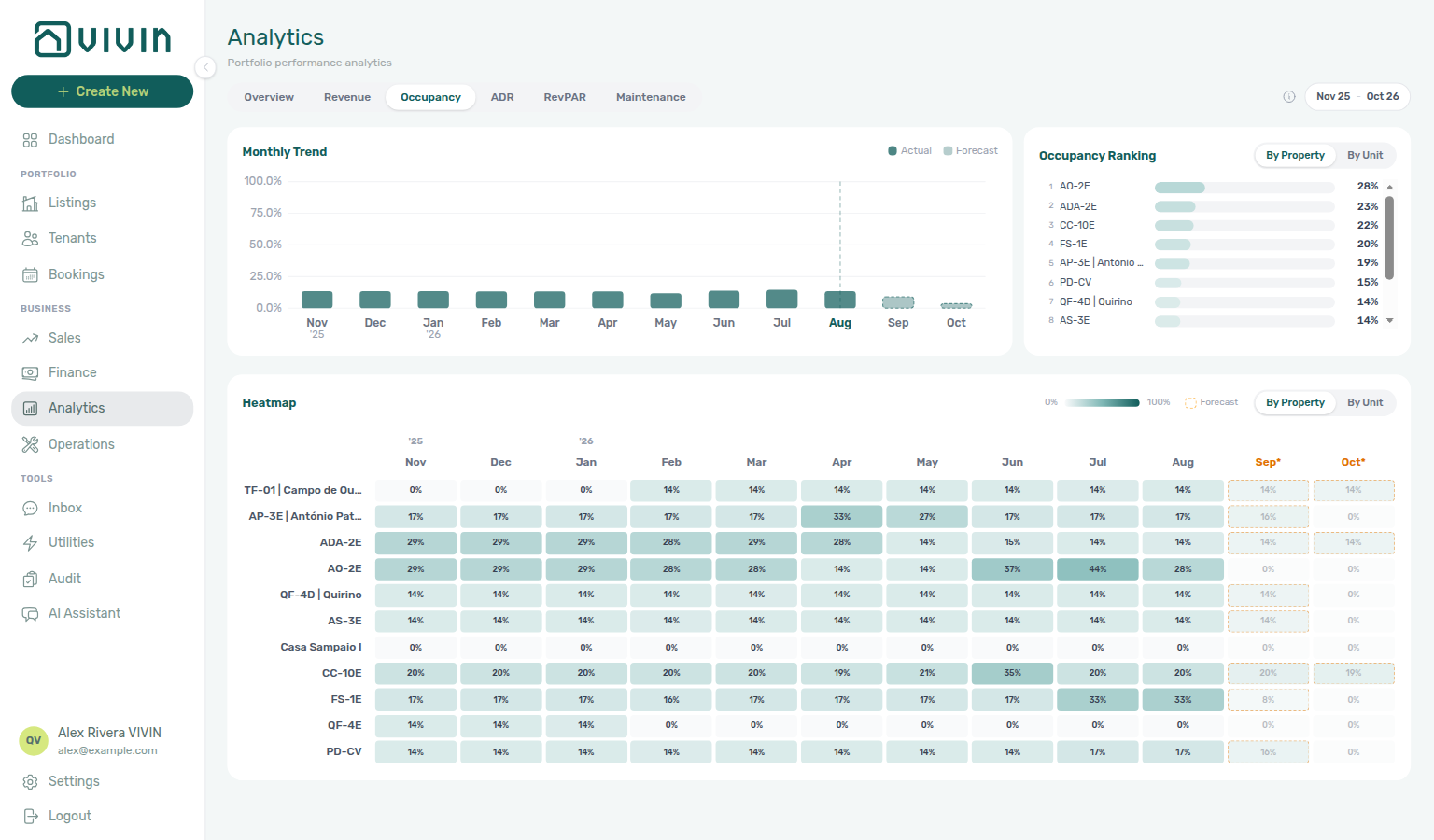
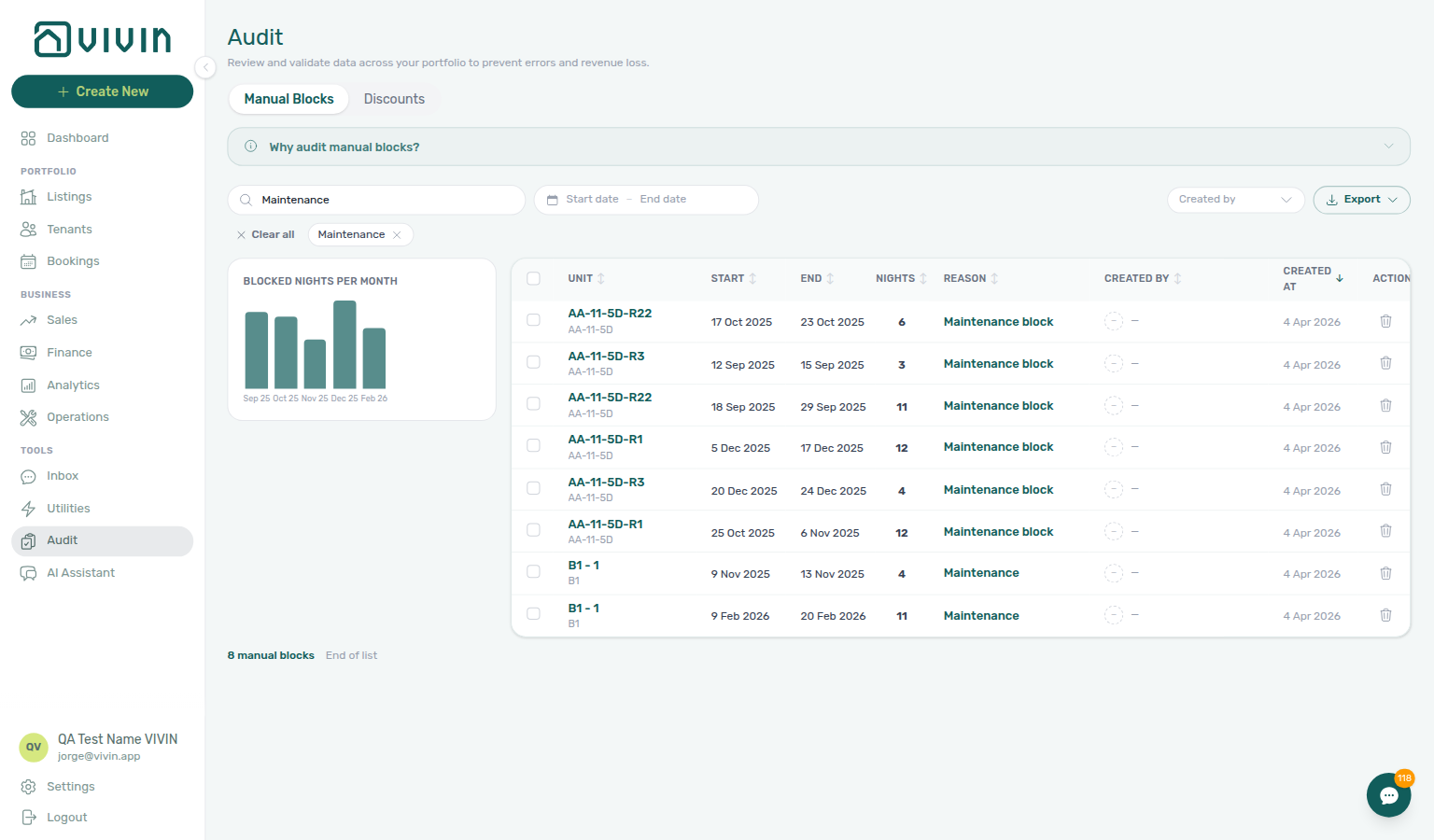
- Common Workflows — Occupancy KPI to block hygiene handoff — Operator habit hub
Occupancy KPI to block hygiene handoff
Occupancy KPI vocabulary pairs with Glossary — Manual unavailability (manual block), Glossary — Vacant Unit Preference, and Listings & portfolio cluster rows.
- Common Workflows — Occupancy KPI to block hygiene handoff — Operator habit hub
Same-day turnover coordination
Turnover coordination vocabulary pairs with Glossary — Same-day turnover, Check-in to check-out handoff, Confirmation to check-in handoff, Check-out collections before refund, Check-out final utilities handoff.
When a check-out and check-in share the same calendar day on one unit, run Managing a Check-out Steps 1–2 on the departing stay before Managing a Check-in Step 4 hands keys to the incoming guest. Contrast with Check-in to check-out handoff (mid-stay Ongoing → departure week) and Confirmation to check-in handoff (Upcoming portal gates before arrival week).
| Surface | Use it for |
| ----------------------------------------------------------------------------------------------------- | ----------------------------------------------------------------------------------------------------------------------------------------------------------------------------- | ------------------------------------------------------------------------------------------------------------------------------------------------------------------------------------------------------------------------------------------------------------------------------ |
| Operations — Check-in & Check-out | Check-outs / Check-ins pills + Next 7 days — paste unit in Search to spot shared turnover (operations-check-in-out-check-outs-next-7-days.png) |
| Operations — Tickets | Turnover cleaning ticket — assign tight due date before incoming Step 4 (operations-add-ticket-modal.png) |
| Bookings — Timeline | Week scale overlap on one unit row — departure bar adjacent to arrival bar (bookings-timeline-view.png) |
| Sales — Multicalendar | Sales-scoped Gantt overlap without rent cells — month-end turnover gap scan |
| Managing a Check-out — Step 2 | Canonical turnover ticket due date before incoming arrival |
| Managing a Check-in — Step 4 | Key handover only after outgoing turnover due date passes and stay is Ended |
| Symptom | Likely cause | Fix |
|---|---|---|
| Incoming guest waiting but unit not ready | Turnover ticket still Unassigned | Managing a Check-out — Step 2 before Managing a Check-in — Step 4 (operations-add-ticket-modal.png) |
| Same unit shows two bookings on Timeline Week scale | Same-day turnover — not duplicate import | Bookings — Timeline — paste unit in toolbar Search (same-day-turnover-coordination-flow.mp4, bookings-timeline-day-week-month-and-sidebar.mp4) |
| Outgoing tenant still In Debt on Payment Plan | Rent/fee arrears block key handover | Handling a Late Payment — Step 1 → Check-out collections before refund before incoming Step 4 |
| Keys handed before outgoing checkout Ended | Handover before departure workflow closed | Managing a Check-out — Step 7 before incoming Step 4 |
| Turnover ticket shows Draft far from due date | Schedule date too far in future | Operations → Tickets — assign tight due date before incoming arrival |
| Arrival/access alert before turnover ticket done | Bell scan skipped turnover week | Notification triage — Step 4 row-click before bulk mark-read |
| Multicalendar gap on turnover day at month-end | High-churn unit turnover backlog | Portfolio KPI review — Step 7 before rate cuts |
| Lockout-delayed turnover catch-up | Password recovery backlog | Resetting a Management User Password — Step 3 → hub Lockout catch-up after password recovery |
| Turnover coordination blocked after self-serve checks | Escalation path skipped | Using in-app support — New Support Ticket modal — not tenant notify-landlord |
| Final utilities not posted before deposit release on turnover day | Departure-week overage gap | Check-out final utilities handoff — outgoing Step 6 before incoming Step 4 |
| Mid-stay Ongoing entering departure week | Distinct from same-calendar-day turnover | Check-in to check-out handoff hub — ~7 days before checkout, not one-day overlap |
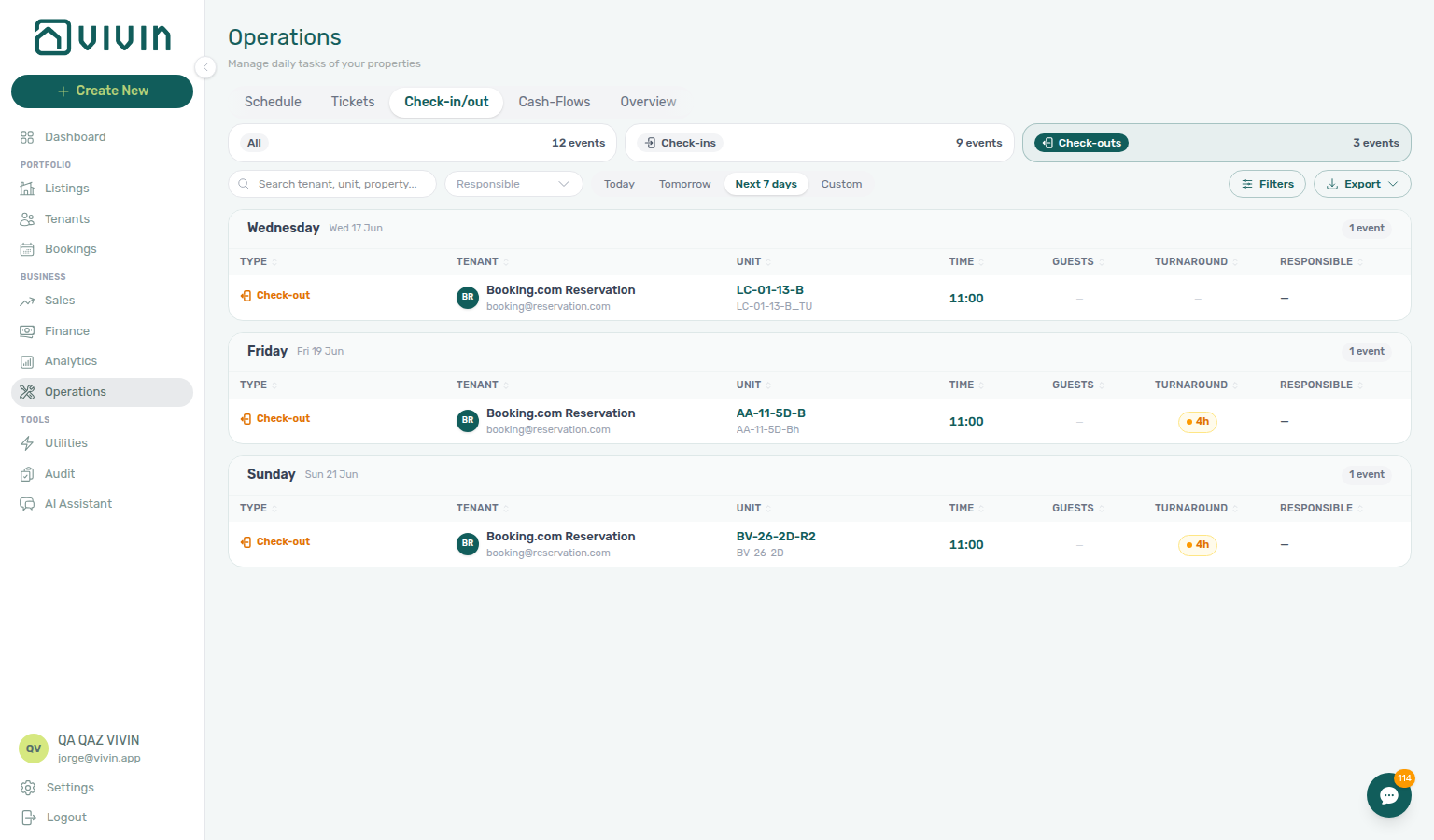
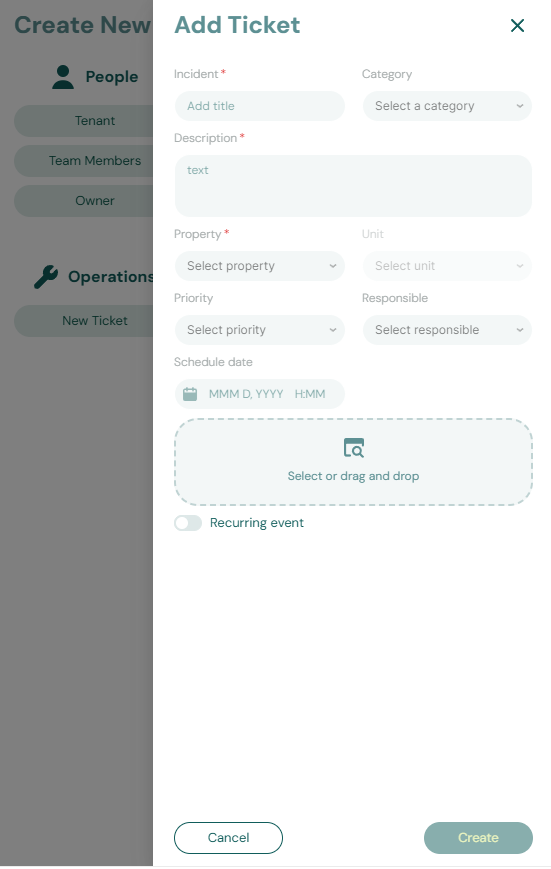
- Common Workflows — Same-day turnover coordination — Operator habit hub
Same-day turnover coordination
Turnover vocabulary pairs with Glossary — Same-day turnover and Bookings & lifecycle cluster rows.
- Common Workflows — Same-day turnover coordination — Operator habit hub
Hostkit
Hostkit setup vocabulary pairs with Glossary — Bulk Hostkit invoicing, Glossary — Month-end invoicing (fixed date), Glossary — Credit note (payment reject/revert), and Integrations & API cluster rows.
Portuguese invoicing provider connected under Settings > Integrations. Unlike Nuki or Invoice-xpress account keys, Hostkit uses one API key per listing — add the provider under Other providers, then open Listing keys on the Hostkit card to paste keys per unit. Save Hostkit invoice series on Settings > Invoicing before Vivin calls Hostkit to create documents. Hostkit and Invoice-xpress remain mutually exclusive with each other and with the VIVIN / NetSuite dual stack.
| Surface | Setup / retrieval behaviour | Best for |
|---|---|---|
| Settings > Integrations — Hostkit Listing keys | Server search + ~20-row infinite scroll (GET /listings/hostkit-keys); per-row Save without losing scroll position | Per-listing API keys before first Issue allocation |
| Settings > Invoicing — Hostkit invoice series | Required FR code from Hostkit Faturação → Séries — empty series triggers a toast | Account-wide series before any Hostkit document create |
| Finance → Transactions bulk toolbar | Issue allocation / Invoice selected; Issue credit notes (N) after invoiced cleanup | Month-end export (finance-transactions-bulk-selection-bar.png) |
| Finance → Transactions allocation row | see invoice opens Hostkit permalink for {series}/{id} | Post-export PDF retrieval |
| Booking → Files tab | Invoice_ PDF tiles when allocation is invoiced | Tenant-facing document copy |
| Symptom | Likely cause | Fix |
| -------------------------------------------------------- | ------------------------------------------------------------------------ | ------------------------------------------------------------------------------------------------------------------------------------------------------------------------------------------ |
| Hostkit invoice series is not configured toast | Blank FR series on account | Save exact series from Hostkit Faturação → Séries — settings-invoicing-hostkit-series.png |
| Rows stay Failed after refresh | Missing Listing keys for unit | Integrations → Hostkit → Listing keys — search unit, paste key, Save |
| see invoice disabled or 404 | Series typo or wrong {series}/{id} pair | Match Invoicing series to live Hostkit FR code |
| Batch stays Pending for minutes | Hostkit API pacing — not setup | Bulk Hostkit invoicing — leave batch running; refresh Transactions before re-issue |
| Not issued credit note after Reject / Revert | Invoiced charge reversed in Vivin | Issue credit notes (N) — same Hostkit pacing as Issue allocation |
| Wrong document date on issued invoices | Fixed Invoice date still active | Fixed invoice date reminder hub · Month-end invoicing (fixed date) — turn Use today back on after batch |
| Rent cut blocked below exported month | Invoiced floor — distinct from Hostkit setup | External credit notes first — Rent reduction after invoicing |

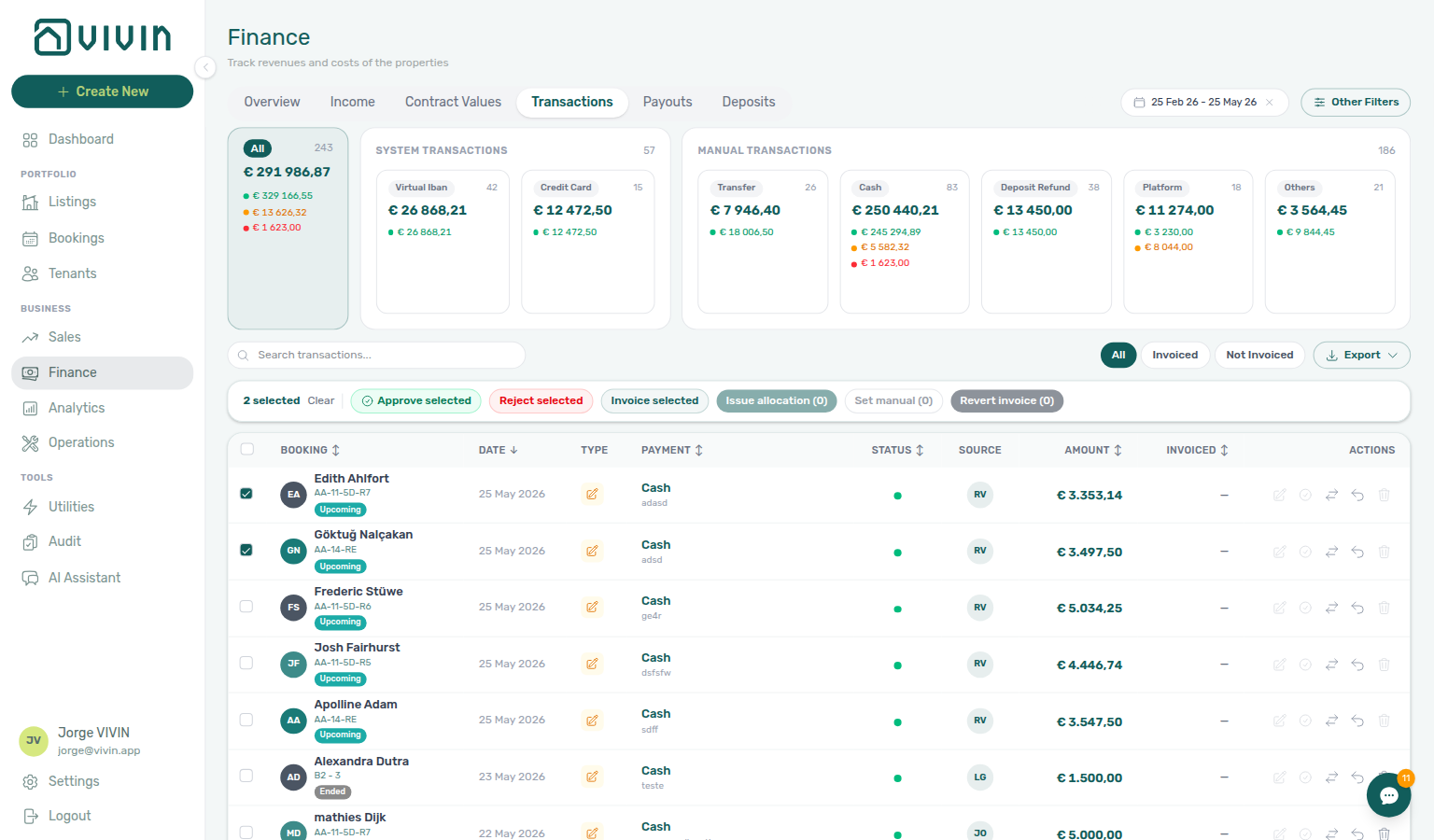
- Common Workflows — Bulk Hostkit invoicing — Operator habit hub
Bulk Hostkit invoicing
Hostkit bulk vocabulary pairs with Glossary — Bulk Hostkit invoicing, Glossary — Hostkit hub, Glossary — Hostkit, Glossary — Fixed invoice date, and Financial & payments cluster rows.
When month-end Issue allocation or Invoice selected runs on many Finance → Transactions rows, Vivin paces Hostkit API calls per listing key and retries HTTP 429 with backoff — large batches can take several minutes even though the UI stays responsive. The same bulk toolbar pushes Issue credit notes (N) after invoiced floor rent relief or invoiced Reject / Revert cleanup.
| Surface | Use it for |
| ---------------------------------------------------------------------------------------------------------------- | -------------------------------------------------------------------------------------------------------------------------------------------------------------------------------- | ------------------------------------------------------------------------------------------------------------------------------------------------------------------ |
| Finance → Transactions bulk toolbar | Tick rows → Issue allocation / Invoice selected for first-time export; Issue credit notes (N) on Not issued credit note filter rows |
| Settings > Invoicing — Hostkit invoice series | Save exact FR code from Hostkit Faturação → Séries before bulk export — empty series triggers a toast |
| Settings > Integrations — Hostkit Listing keys | One API key per listing — missing keys cause Failed rows after refresh |
| Month-end invoicing (fixed date) | Save fixed Invoice date before bulk Issue allocation when every document must share one posting date (finance-transactions-bulk-toolbar-fixed-invoice-date-banner.png) |
| Symptom | Likely cause | Fix |
|---|---|---|
| Rows stay Pending / Failed for several minutes | Hostkit rate limit — Vivin paces per listing key | Leave batch running; refresh Transactions before duplicate Issue allocation |
| Same rows still Failed after refresh | Missing Listing keys or blank Hostkit invoice series | Integrations — Hostkit + Invoicing — Hostkit series |
| Hostkit invoice series is not configured toast | Series field empty | Save exact FR code from Hostkit Faturação → Séries |
| Wrong document date on issued invoices | Fixed Invoice date still active | Month-end invoicing (fixed date) — turn Use today back on after batch |
| Not issued credit note queue after Reject / Revert | Invoiced charge reversed in Vivin | Issue credit notes (N) — same Hostkit pacing as Issue allocation |
| Change monthly rent clamped below exported total | Invoiced floor — not Hostkit slowness | External credit notes first — Rent reduction after invoicing |
| Month-end export blocked by Pending receipts | Duplicate or confirmation transfers still pending | Pending manual receipt approval — finish Pending mesh before Issue allocation |
| Support ticket cites slow Hostkit batch | Self-serve pacing before escalation | FAQ — Bulk Hostkit invoicing slow before filing |

- Common Workflows — Bulk Hostkit invoicing — Operator habit hub
Fixed invoice date reminder
Amber banner vocabulary pairs with Glossary — Fixed invoice date, Glossary — Month-end invoicing (fixed date), Glossary — Bulk Hostkit invoicing, Glossary — Hostkit hub, and Financial & payments cluster rows.
When Use today as invoice date is off and a fixed Invoice date is saved under Settings > Invoicing, Vivin surfaces an amber status banner on Finance screens so operators confirm the posting date before Issue allocation / Invoice selected. The banner is informational — it does not block export — but missing it usually means the toggle is still on or the date was not saved.
| Surface | Banner layout | Best for |
|---|---|---|
| Finance → Transactions inline strip | Full-width above search and invoice filter pills | Confirm saved date before filtering or selecting rows (finance-transactions-fixed-invoice-date-banner.png) |
| Finance → Transactions bulk toolbar | Compact beside Issue allocation / Invoice selected when selected rows include pending/failed allocations | Month-end bulk export (finance-transactions-bulk-toolbar-fixed-invoice-date-banner.png) |
| Finance — Transaction detail sidebar | Compact above allocation rows on one payment line | Single-row Invoice selected before you issue (finance-transaction-detail-fixed-invoice-date-banner.png) |
| Settings > Invoicing — Default invoice date | Toggle off + date picker — no banner here | Source of truth before banners appear on Transactions (settings-invoicing-invoice-date-toggle.png) |
| Symptom | Likely cause | Fix |
| ------------------------------------------------ | ------------------------------------------ | ------------------------------------------------------------------------------------------------------------------------------------------- |
| No amber banner on Transactions | Use today still on or date unsaved | Turn toggle off, pick Invoice date, Save, reload Transactions |
| Banner shows wrong calendar date | Stale session or unsaved picker | Re-open Invoicing, confirm date, Save, hard-refresh Transactions |
| Issued invoices show wrong document date | Fixed date still active after batch | Turn Use today as invoice date back on — Month-end invoicing (fixed date) |
| Bulk toolbar banner missing | No allocatable rows selected | Tick rows with Pending / Failed invoicing — banner appears with bulk bar |
| Bulk Pending for minutes with banner visible | Hostkit API pacing — not banner bug | Bulk Hostkit invoicing — leave batch running; refresh before re-issue |
| Support ticket cites wrong document date | Self-serve toggle check skipped | Using in-app support — Month-end invoicing (fixed date) before filing |

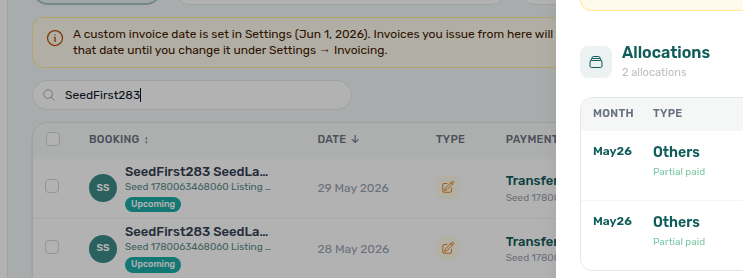
- Common Workflows — Month-end invoicing (fixed date) — Operator habit hub
Month-end invoicing (fixed date)
Fixed document-date vocabulary pairs with Glossary — Fixed invoice date reminder (Fixed invoice date reminder hub), Glossary — Fixed invoice date, Glossary — Bulk Hostkit invoicing, Glossary — Hostkit hub.
When month-end close requires every Fatura or Invoice-xpress document in a batch to share one posting date (for example the last calendar day of the month), save a fixed Invoice date under Settings → Invoicing before bulk Issue allocation / Invoice selected on Finance → Transactions. Turn Use today as invoice date back on after the batch so day-of-issue dating resumes for one-off invoices.
| Surface | Use it for |
| ------------------------------------------------------------------------------------------------------------ | ----------------------------------------------------------------------------------------------------------------------------------------------------------------------------------------- | ------------------------------------------------------------------------------------------------------------------------------------------- |
| Settings > Invoicing — Default invoice date | Turn Use today off, pick Invoice date, Save — applies to every invoice until toggle returns on |
| Finance → Transactions inline banner | Amber reminder above search confirms saved fixed date before you filter or bulk-export (finance-transactions-fixed-invoice-date-banner.png) |
| Finance → Transactions bulk toolbar | Amber banner beside Issue allocation / Invoice selected when selected rows include pending/failed allocations (finance-transactions-bulk-toolbar-fixed-invoice-date-banner.png) |
| Transaction detail sidebar | Compact fixed-date reminder above allocations on a single row (finance-transaction-detail-fixed-invoice-date-banner.png) |
| Bulk Hostkit invoicing | Hostkit Issue allocation pacing on the same toolbar — slow Pending is usually API pacing, not wrong date |
| Symptom | Likely cause | Fix |
|---|---|---|
| Issued invoices show wrong document date | Fixed Invoice date still active | Invoicing — Default invoice date — turn toggle on after batch |
| No amber banner on Transactions | Toggle still on or unsaved date | Save fixed date in Invoicing, reload Transactions |
| Bulk Pending on Hostkit — not a date issue | API pacing | Bulk Hostkit invoicing — leave batch running; refresh before re-issue |
| Forgot to reset after month-end | Next day's invoices use saved date | Turn Use today as invoice date back on |
| Month-end export blocked by Pending mesh | Confirmation or duplicate receipts | Pending manual receipt approval — finish workflow Step 6b before Issue allocation |
| Support ticket cites wrong document date | Self-serve toggle check skipped | Using in-app support — Month-end invoicing (fixed date) before filing |
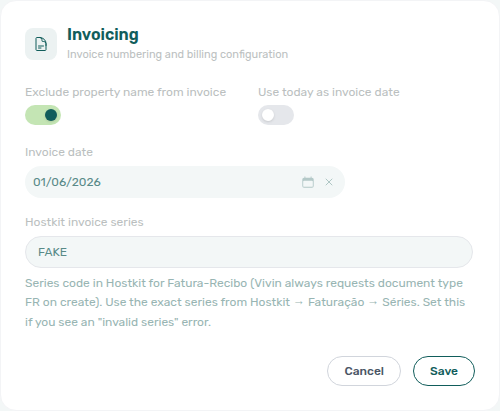
- Common Workflows — Month-end invoicing (fixed date) — Operator habit hub
Invoiced floor (rent)
Invoiced-floor vocabulary pairs with Glossary — Rent reduction after invoicing, Glossary — Credit note (payment reject/revert), Glossary — Bulk Hostkit invoicing, Glossary — Credit note warning (reject/revert), and Financial & payments cluster rows.
When Finance has already invoiced rent for a calendar month, Vivin enforces an invoiced floor in the booking workspace — lowering scheduled net below the exported total is blocked on Contract Info → Change monthly rent (months clamp to invoiced value) and Contract Values → Edit amount (Save disabled when net would drop below invoiced+draft totals). Repricing does not start on Finance → Transactions; external credit notes or manual adjustments are required before Vivin can reflect goodwill below exported rent, then Issue credit notes (N) on Transactions with the same Hostkit pacing as Bulk Hostkit invoicing.
| Surface | Modal / queue behaviour | Best for |
|---|---|---|
| Bookings — Contract Info → Change monthly rent | Months below exported totals clamp to invoiced value (blue Already invoiced months banner) | Portfolio-wide repricing (bookings-detail-change-monthly-rent-modal.png) |
| Bookings — Contract Values → Edit amount | Save disabled when net would drop below invoiced+draft totals (red inline validation) | Per-line net edit (bookings-detail-contract-values-invoiced-floor-edit-amount.png) |
| Finance → Transactions Not issued credit note filter | After external rent relief registers in Vivin — bulk Issue credit notes (N) | Post-accounting rent relief (finance-transactions-bulk-selection-bar.png) |
| Bulk Hostkit invoicing | Hostkit Issue credit notes pacing after external rent relief | Month-end reversal batch — slow Pending is API pacing, not floor block |
| Month-end invoicing (fixed date) | Fixed Invoice date before first Issue allocation | Repricing during same month-end batch as export |
| Symptom | Likely cause | Fix |
| ------------------------------------------------------ | ------------------------------------ | ----------------------------------------------------------------------------------------------------------------------------------------- |
| Month saves at invoiced amount, not your lower entry | Invoiced floor on exported month | Change monthly rent — clamped months keep exported totals; other months save at your amount |
| Save disabled under New net amount | Net below invoiced+draft on line | Contract Values → Edit amount — external credit notes first |
| Need goodwill discount below exported rent | Accounting alignment rule | Issue credit notes in Hostkit/accounting — Vivin will not persist lower nets on exported months |
| Hostkit Not issued credit note after rent relief | Credit note registered in Vivin | Issue credit notes (N) — same pacing as Bulk Hostkit invoicing |
| Batch stays Pending on Transactions | Hostkit API pacing | Floor unrelated — check booking modals; refresh Transactions before duplicate Hostkit run |
| Repricing after equal-month inference on variable unit | Fixed rent headline on variable unit | Pair FAQ — Fixed rent on variable unit |
| Red banner on Reject / blue info on Revert | Receipt cleanup — not rent floor | Credit note warning (reject/revert) — distinct from rent edit blocks |
| Support ticket cites blocked rent cut | Self-serve modal check skipped | Using in-app support — Rent reduction after invoicing before filing |
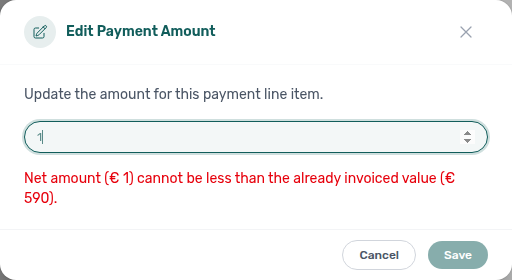
- Common Workflows — Rent reduction after invoicing — Operator habit hub
Rent reduction after invoicing
Invoiced-floor vocabulary pairs with Glossary — Invoiced floor (rent), Glossary — Credit note (payment reject/revert), Glossary — Bulk Hostkit invoicing, and Financial & payments cluster rows.
When Finance has already invoiced rent for a calendar month, Vivin enforces an invoiced floor — lowering scheduled net below the exported total is blocked in the booking workspace (Contract Info → Change monthly rent or Contract Values → Edit amount), not on Finance → Transactions. To reduce below exported rent, issue external credit notes or manual adjustments, then push Issue credit notes (N) on Transactions with the same Hostkit pacing as Bulk Hostkit invoicing.
| Surface | Use it for |
| ------------------------------------------------------------------------------------------------------------------ | -------------------------------------------------------------------------------------------------------------------------------------------------------------------------------- | ----------------------------------------------------------------------------------------------------------------------------------------- |
| Bookings — Contract Info → Change monthly rent | Portfolio-wide repricing — months below exported totals clamp to invoiced value (blue Already invoiced months banner — bookings-detail-change-monthly-rent-modal.png) |
| Bookings — Contract Values → Edit amount | Per-line net edit — Save disabled when net would drop below invoiced+draft totals (red inline validation — bookings-detail-contract-values-invoiced-floor-edit-amount.png) |
| Finance → Transactions Not issued credit note filter | After external rent relief registers in Vivin — bulk Issue credit notes (N) (finance-transactions-bulk-selection-bar.png) |
| Bulk Hostkit invoicing | Hostkit Issue credit notes pacing after external rent relief — slow Pending is API pacing, not invoiced-floor block |
| Month-end invoicing (fixed date) | Fixed Invoice date before first Issue allocation when repricing follows month-end export |
| Symptom | Likely cause | Fix |
|---|---|---|
| Month saves at invoiced amount, not your lower entry | Invoiced floor on exported month | Change monthly rent — clamped months keep exported totals; other months save at your amount |
| Save disabled under New net amount | Net below invoiced+draft on line | Contract Values → Edit amount — external credit notes first |
| Need goodwill discount below exported rent | Accounting alignment rule | Issue credit notes in Hostkit/accounting — Vivin will not persist lower nets on exported months |
| Hostkit Not issued credit note after rent relief | Credit note registered in Vivin | Issue credit notes (N) — same pacing as Bulk Hostkit invoicing |
| Batch stays Pending on Transactions | Hostkit API pacing | Floor unrelated — check booking modals; refresh Transactions before duplicate Hostkit run |
| Repricing after equal-month inference on variable unit | Fixed rent headline on variable unit | Pair FAQ — Fixed rent on variable unit |
| Support ticket cites blocked rent cut | Self-serve modal check skipped | Using in-app support — Rent reduction after invoicing before filing |
- Common Workflows — Rent reduction after invoicing — Operator habit hub
Utility overage collections
Utility overage vocabulary pairs with Glossary — End-of-Booking cost split, Glossary — Shared utility connection, and Financial & payments cluster rows.
When landlord supplier bills post through Entering Monthly Utility Bills Steps 2–4, Vivin adds tenant utility overage lines on booking Payment Plan. When those lines stay Unpaid or Overdue, Handling a Late Payment Steps 1–4 collect the same way as rent arrears — distinct from departure-week Check-out final utilities handoff, rent Cancellation collections before void, and rent Check-out collections before refund.
| Surface | Use it for |
| ---------------------------------------------------------------------------------------------------- | ------------------------------------------------------------------------------------------------------------------------------------------------------ | ------------------------------------------------------------------------------------------------------------------------------------------------------------------------------------------------------------------------------------------------------------------------------------- |
| Utilities → Allocations | Confirm overage posted per stay after supplier bill (utilities-allocations-row-breakdown-expanded.png) |
| Bookings — Payment Plan | Overage schedule lines tenant owes after bill posting |
| Finance → Contract Values In Debt filter | Portfolio-ranked overage arrears — distinct from rent Top debtors alone (finance-contract-values-in-debt-filter.png) |
| /notifications row-click | payment overdue after monthly bill cycle → booking before outreach |
| Finance → Transactions / booking Transactions | Pending overage receipts — Approve payment (bookings-detail-transactions-approve-payment-modal.png, finance-transactions-pending-pill.png) |
| Symptom | Likely cause | Fix |
|---|---|---|
| In Debt includes utility-type line on Contract Values | Overage posted after bill cycle | Step 4 → Step 1 |
| Payment overdue alert after monthly bill cycle | Unpaid overage on Payment Plan | Row-click → Step 4 before Step 1 |
| Overage receipt still Pending at month-end | Manual bank transfer not approved | Step 4b |
| Tenant insists they paid — duplicate on ledger | Duplicate overage transfer | Reject/revert mistaken receipts on Step 4b |
| End of Booking — line not visible yet | Deferred posting | End-of-Booking cost split — wait until checkout |
| Rent line mistaken for utility overage | Wrong line type on Payment Plan | Check-out collections before refund contrast — not utility mesh alone |
| Support ticket cites utility overage on Payment Plan | Self-serve triage skipped | Using in-app support — Utility overage collections before filing |
| Lockout-delayed overage payment overdue backlog | Password recovery delayed triage | Resetting a Management User Password — Step 3 → Step 4 (utilities-allocations-review-flow.mp4) |
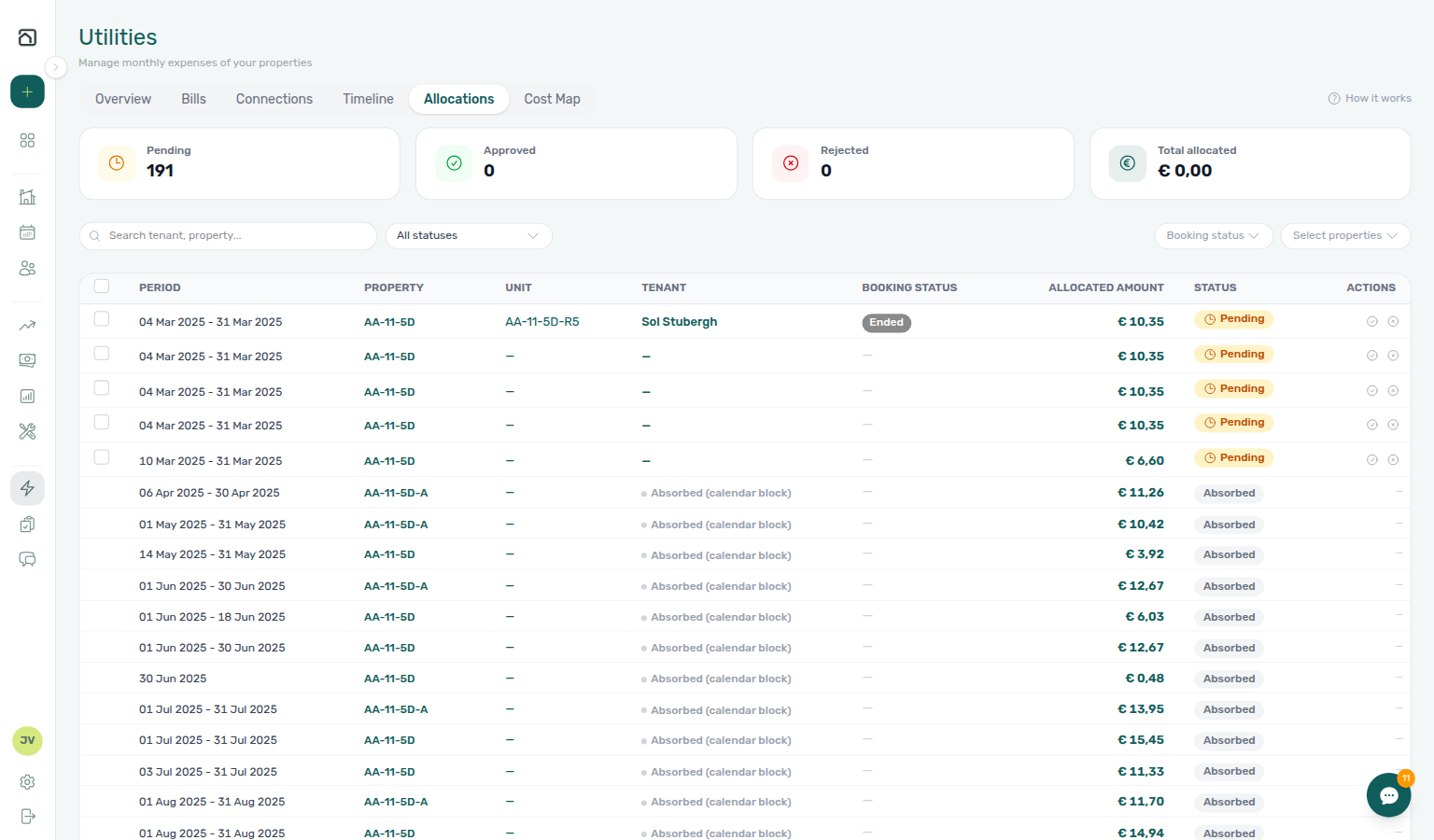
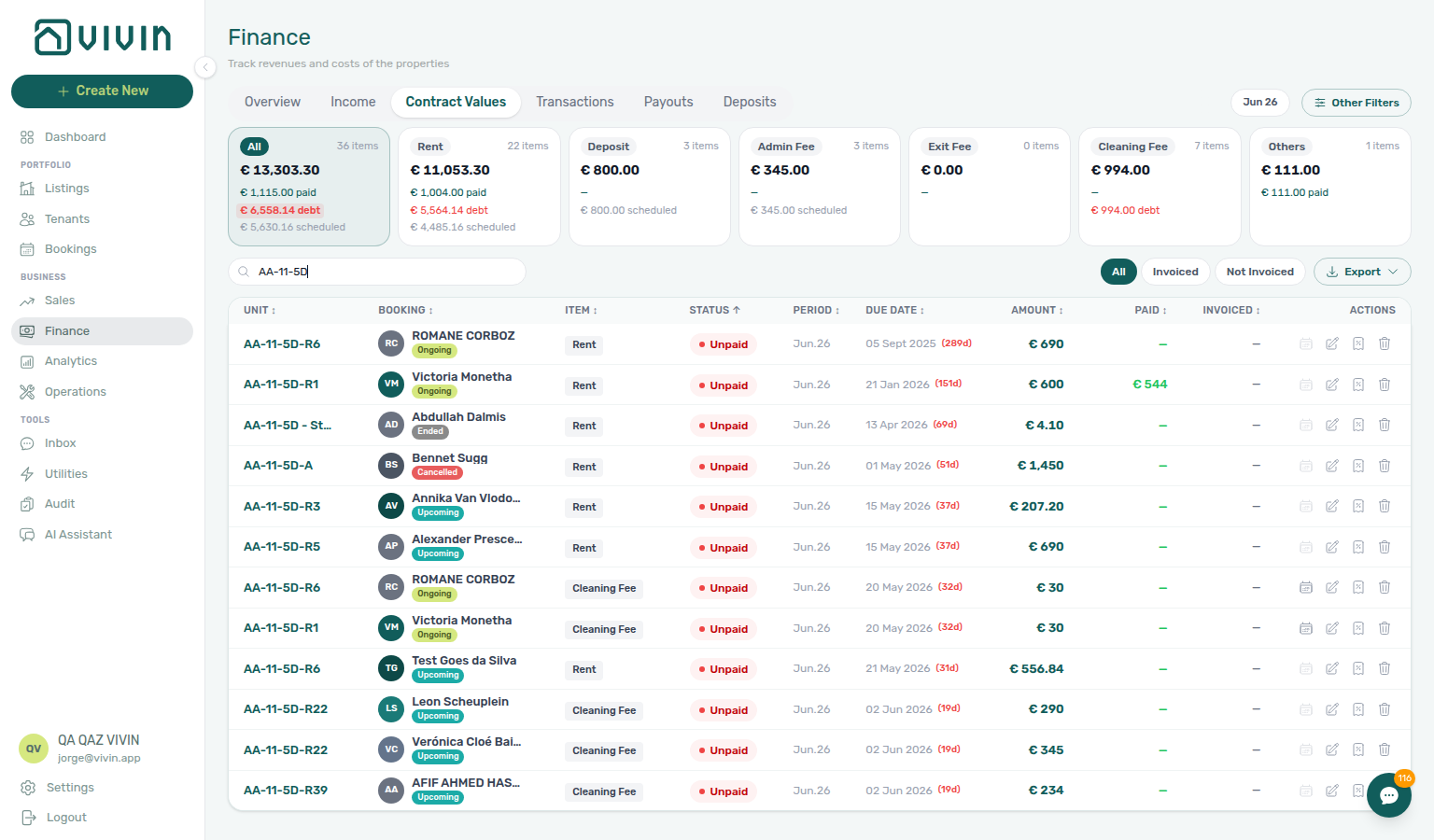
- Common Workflows — Utility overage collections — Operator habit hub
Check-out final utilities handoff
Departure-week utility vocabulary pairs with Glossary — End-of-Booking cost split and Bookings & lifecycle cluster rows.
Managing a Check-out Step 6 blocks deposit release until every charge — including final utility overages — is settled. Entering Monthly Utility Bills Steps 2–4 post landlord bills and tenant overage lines on Payment Plan before Step 5 — distinct from mid-stay Utility overage collections and rent Check-out collections before refund.
| Surface | Use it for |
| ---------------------------------------------------------------------------------------------------- | ------------------------------------------------------------------------------------------------------------------------------------------------------------ | -------------------------------------------------------------------------------------------------------------------------------------------------------------------------------------------------------------------------------------------------------------------------------------- |
| Utilities → Bills | Enter final supplier bills + Missing toggle gaps (utilities-bills-tab-missing-toggle.png) |
| Utilities → Allocations | Review calculated final-cycle overage per stay (utilities-allocations-row-breakdown-expanded.png) |
| Bookings — Payment Plan | Final overage schedule lines blocking settlement (bookings-detail-payment-plan-tab-schedule.png) |
| Bookings — Deposit | Ready To Refund / Est. Refund gated until overage clears (bookings-detail-deposit-tab-ready-to-refund-toggle.png) |
| /notifications row-click | Departure-week utility payment overdue → booking before refund queue |
| Finance → Transactions / booking Transactions | Pending final overage receipts — Approve payment (bookings-detail-transactions-approve-payment-modal.png, finance-transactions-pending-pill.png) |
| Symptom | Likely cause | Fix |
|---|---|---|
| Final utility overage unpaid on Payment Plan | Bill posted but line still Unpaid | Step 4 → Step 6 |
| Ready To Refund blocked by overage | Overage line still In Debt | Step 4 → Step 1 → Step 6 |
| Overage paid but Ready To Refund greyed | Receipt still Pending | Step 4b ↔ Step 6b |
| End of Booking — overage not visible yet | Deferred posting until checkout | End-of-Booking cost split — Step 7 then re-check Step 6 |
| Month-end Missing bills on departing units | Supplier bill not entered | Step 5 → Portfolio KPI review — Step 7 |
| Rent + utility both block Ready To Refund | Mixed line types on Payment Plan | Utility overage collections (utility line) · Check-out collections before refund (rent/fee lines) |
| Same-day turnover blocked by outgoing overage | Outgoing final overages unsettled | Managing a Check-out — Step 6 before Managing a Check-in — Step 4 |
| Support ticket cites final overage blocking Ready To Refund | Self-serve triage skipped | Using in-app support — Check-out final utilities handoff before filing |
| Lockout-delayed departure-week utility backlog | Password recovery delayed triage | Resetting a Management User Password — Step 3 → Managing a Check-out — Step 6 (utilities-allocations-review-flow.mp4) |
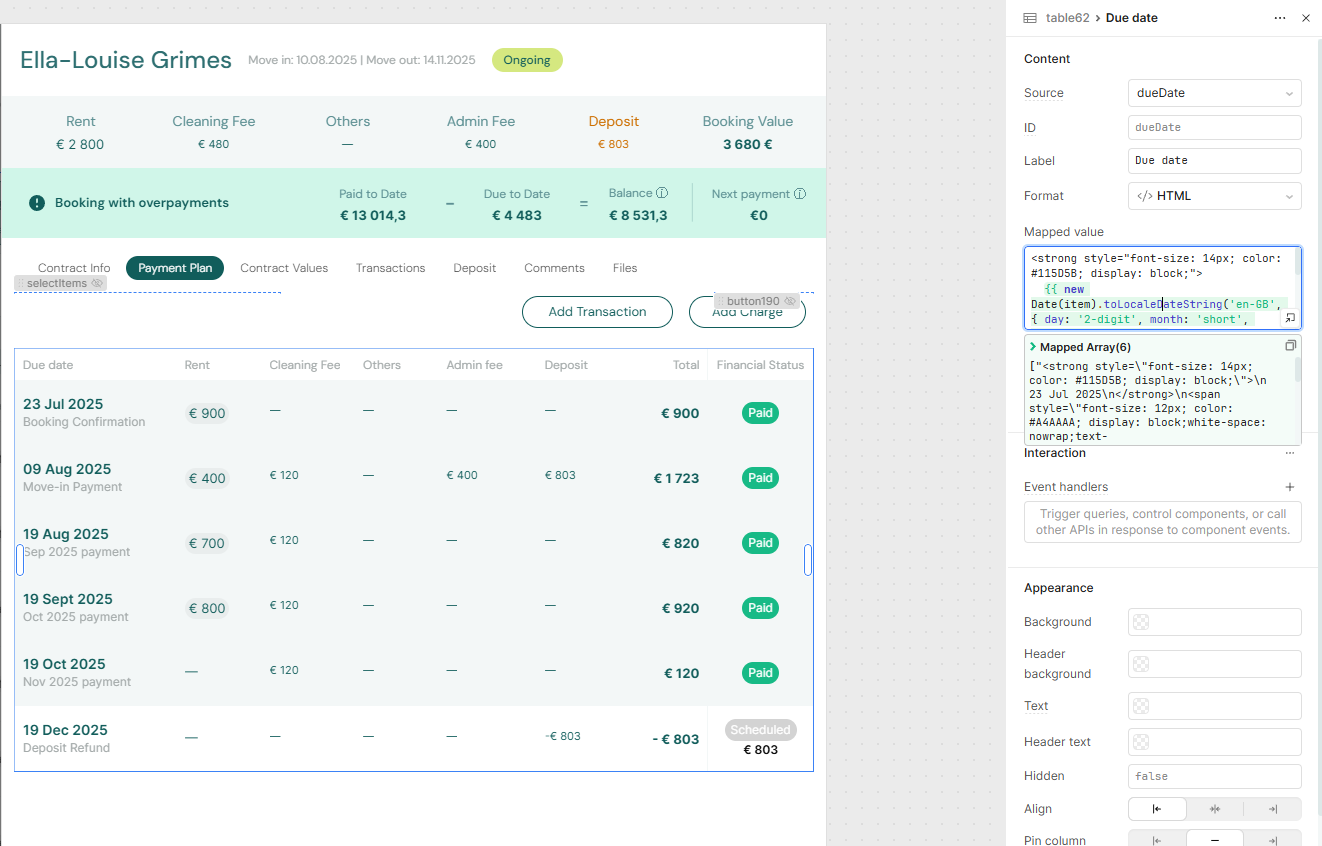
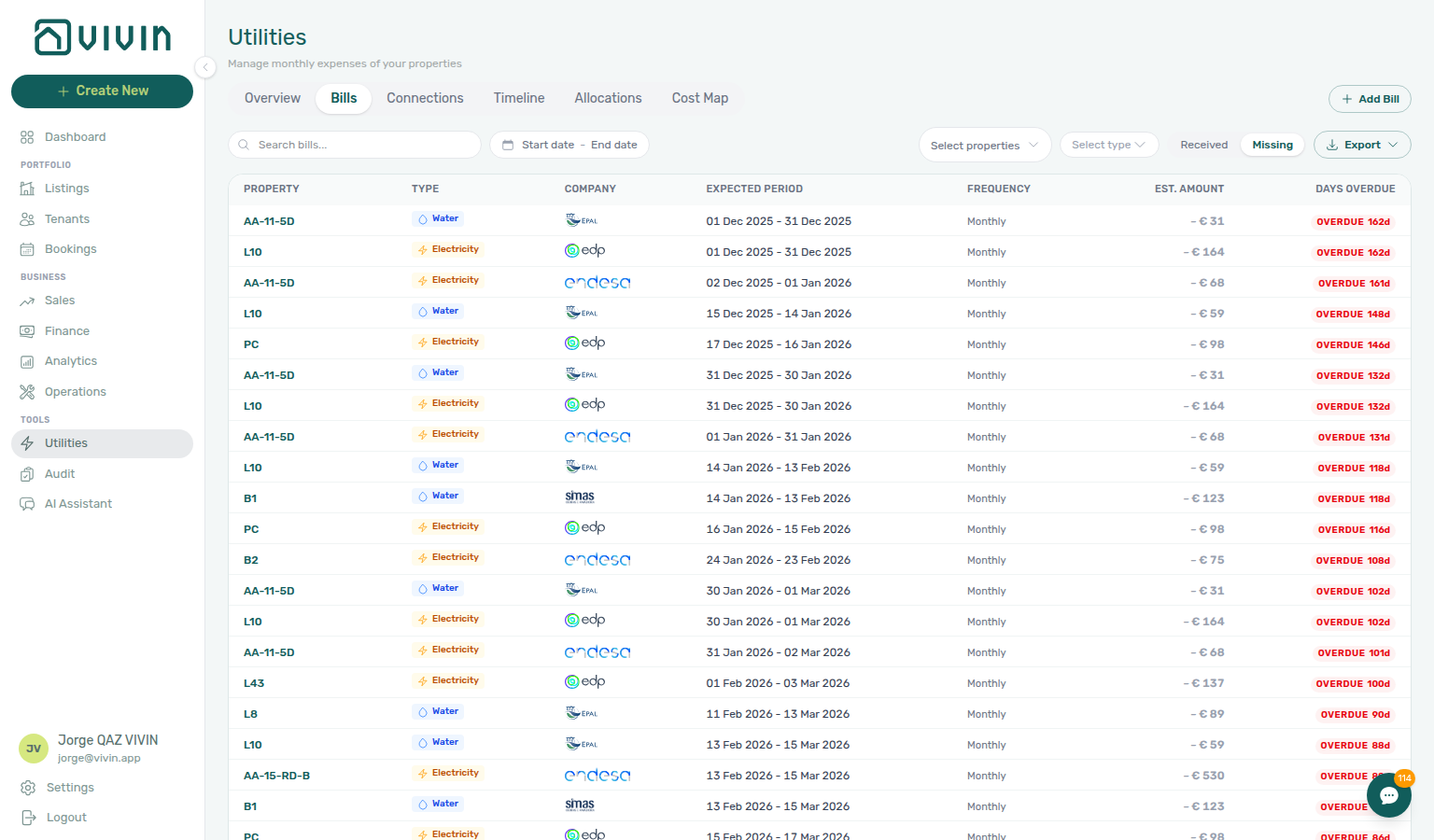
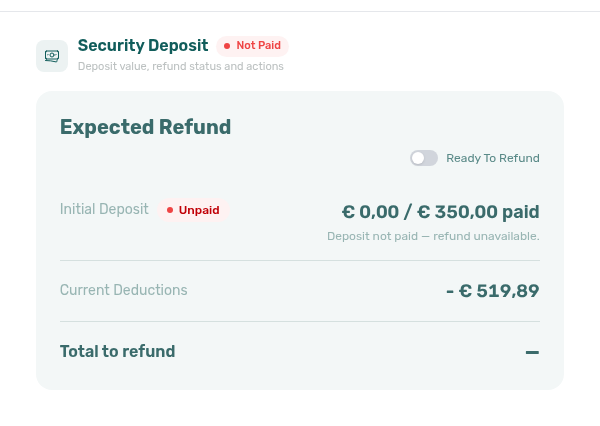
- Common Workflows — Check-out final utilities handoff — Operator habit hub
Check-out collections before refund
Departure-week collections vocabulary pairs with Glossary — Pending manual in-payment (Finance) and Financial & payments cluster rows.
Managing a Check-out Step 6 blocks deposit release until every scheduled charge is settled — including rent and fee arrears on Payment Plan. Handling a Late Payment Steps 1–4 collect departure-week rent/fee In Debt before Step 5 — distinct from utility Check-out final utilities handoff, duplicate Check-out ledger cleanup before refund, and pre-cancel Cancellation collections before void.
| Surface | Use it for |
| ---------------------------------------------------------------------------------------------------- | -------------------------------------------------------------------------------------------------------------------------------------------------------- | -------------------------------------------------------------------------------------------------------------------------------------------------------------------------------------------------------------------------------------------------------------------------- |
| Bookings — Payment Plan | Rent/fee schedule lines blocking settlement (bookings-detail-payment-plan-tab-schedule.png) |
| Bookings — Deposit | Ready To Refund / Est. Refund gated until arrears clear (bookings-detail-deposit-tab-ready-to-refund-toggle.png) |
| Finance → Contract Values | Portfolio In Debt filter for departure-week arrears (finance-contract-values-in-debt-filter.png) |
| /notifications row-click | Departure-week payment overdue → booking before collections outreach |
| Finance → Transactions / booking Transactions | Pending departure receipts — Approve payment (finance-transactions-pending-pill.png, bookings-detail-transactions-approve-payment-modal.png) |
| Finance → Deposits | Deposit shortfall vs rent In Debt — not rent collections mesh (Partly collected security deposit) |
| Symptom | Likely cause | Fix |
|---|---|---|
| Ready To Refund greyed / In Debt on rent | Unpaid rent/fee on Payment Plan | Step 1 → Step 4 → Step 6 |
| Tenant paid once, balance still Unpaid | Duplicate transfer on ledger | Check-out ledger cleanup before refund — Revert duplicate |
| Unpaid line is utility overage | Wrong line type on Payment Plan | Check-out final utilities handoff |
| Departure transfer still Pending | Receipt not approved | Step 6b ↔ Pending manual receipt approval |
| Shortfall is deposit collection, not rent | Deposit not fully collected | Partly collected security deposit — Finance → Deposits Partial paid |
| Rent + utility both block Ready To Refund | Mixed line types on Payment Plan | Utility overage collections (utility line) · Check-out collections before refund (rent/fee lines) |
| Same-day turnover blocked by outgoing arrears | Outgoing rent In Debt unsettled | Managing a Check-out — Step 6 before Managing a Check-in — Step 4 |
| Departure-week payment overdue alert | Row-click before collections | Step 4 → Step 1 → Step 6 |
| Support ticket cites Ready To Refund blocked by arrears | Self-serve triage skipped | Using in-app support — Check-out collections before refund before filing |
| Lockout-delayed departure-week collections backlog | Password recovery delayed triage | Resetting a Management User Password — Step 3 → Step 1 (workflows-check-out-coordination-flow.mp4) |
- Common Workflows — Check-out collections before refund — Operator habit hub
Cancellation collections before void
Pre-cancel collections vocabulary pairs with Glossary — Deposit lifecycle status, Glossary — Pending manual in-payment (Finance), and Bookings & lifecycle cluster rows.
Cancelling a Booking Step 2 blocks Cancel booking on Step 4 until every rent/fee line on Payment Plan is settled — including Upcoming and Ongoing stays voided under policy. Handling a Late Payment Steps 1–4 collect pre-cancel rent/fee In Debt before the refund-type dialog — distinct from departure-week Check-out collections before refund, duplicate Check-out ledger cleanup before refund, and utility Utility overage collections on Canceled stays.
| Surface | Use it for |
| ---------------------------------------------------------------------------------------------------- | --------------------------------------------------------------------------------------------------------------------------------------------------------------- | ----------------------------------------------------------------------------------------------------------------------------------------------------------------------------------------------------------------------------------------------------------------------- |
| Bookings — Payment Plan | Rent/fee schedule lines blocking Cancel booking (bookings-detail-payment-plan-tab-schedule.png) |
| Bookings — Contract Info | Cancel booking control gated by In Debt until settlement (bookings-cancel-booking-modal-refund-types.png) |
| Finance → Contract Values | Portfolio In Debt filter for pre-cancel arrears (finance-contract-values-in-debt-filter.png) |
| /notifications row-click | Pre-cancel payment overdue → booking before collections outreach |
| Finance → Transactions / booking Transactions | Settlement receipts still Pending — Approve payment (finance-transactions-pending-pill.png, bookings-detail-transactions-approve-payment-modal.png) |
| Bookings — Deposit | Deposit shortfall vs rent In Debt — not rent pre-cancel mesh (Partly collected security deposit) |
| Symptom | Likely cause | Fix |
|---|---|---|
| Cancel booking blocked by In Debt | Unpaid rent/fee on Payment Plan | Step 2 → Steps 1–4 → Step 4 |
| Tenant paid once, balance still Unpaid | Duplicate settlement transfer | Check-out ledger cleanup before refund — Revert duplicate during Step 2 |
| Unpaid line is utility overage | Wrong line type on Payment Plan | Utility overage collections — not rent pre-cancel mesh |
| Settlement receipt still Pending at cancel | Receipt not approved | Step 2a ↔ Pending manual receipt approval |
| Shortfall is deposit collection, not rent | Deposit not fully collected | Partly collected security deposit — Finance → Deposits Partial paid |
| Tenant backs out before arrival | Departure-week mesh mistaken | Managing a Check-in hub move-in arrears → Step 4 — not Step 6 |
| Pre-cancel payment overdue alert on Upcoming stay | Row-click before collections | Step 4 → Step 1 → Step 2 |
| Support ticket cites In Debt blocking Cancel booking | Self-serve triage skipped | Using in-app support — Cancellation collections before void before filing |
| Lockout-delayed pre-cancel collections backlog | Password recovery delayed triage | Resetting a Management User Password — Step 3 → Step 2 |
| Month-end pre-cancel arrears at KPI sign-off | Void queue with open In Debt | Portfolio KPI review — Step 7 — settle before policy void batch |
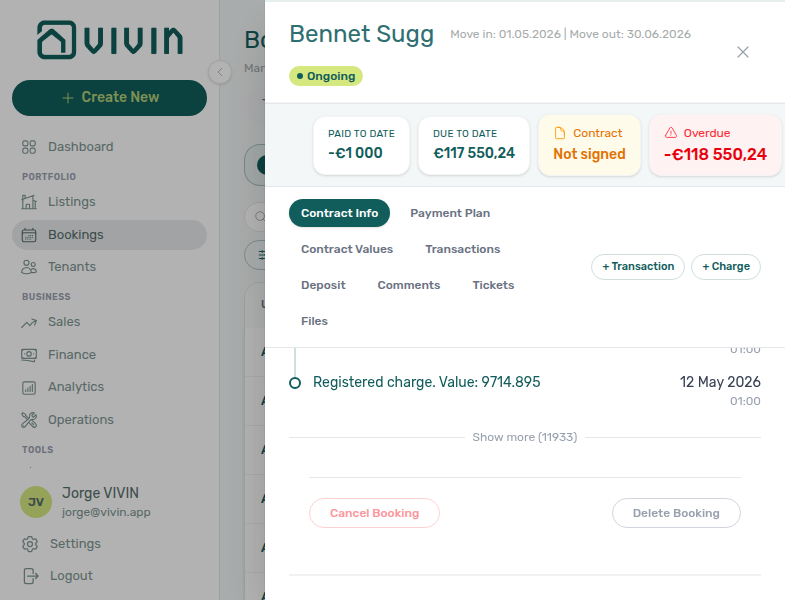
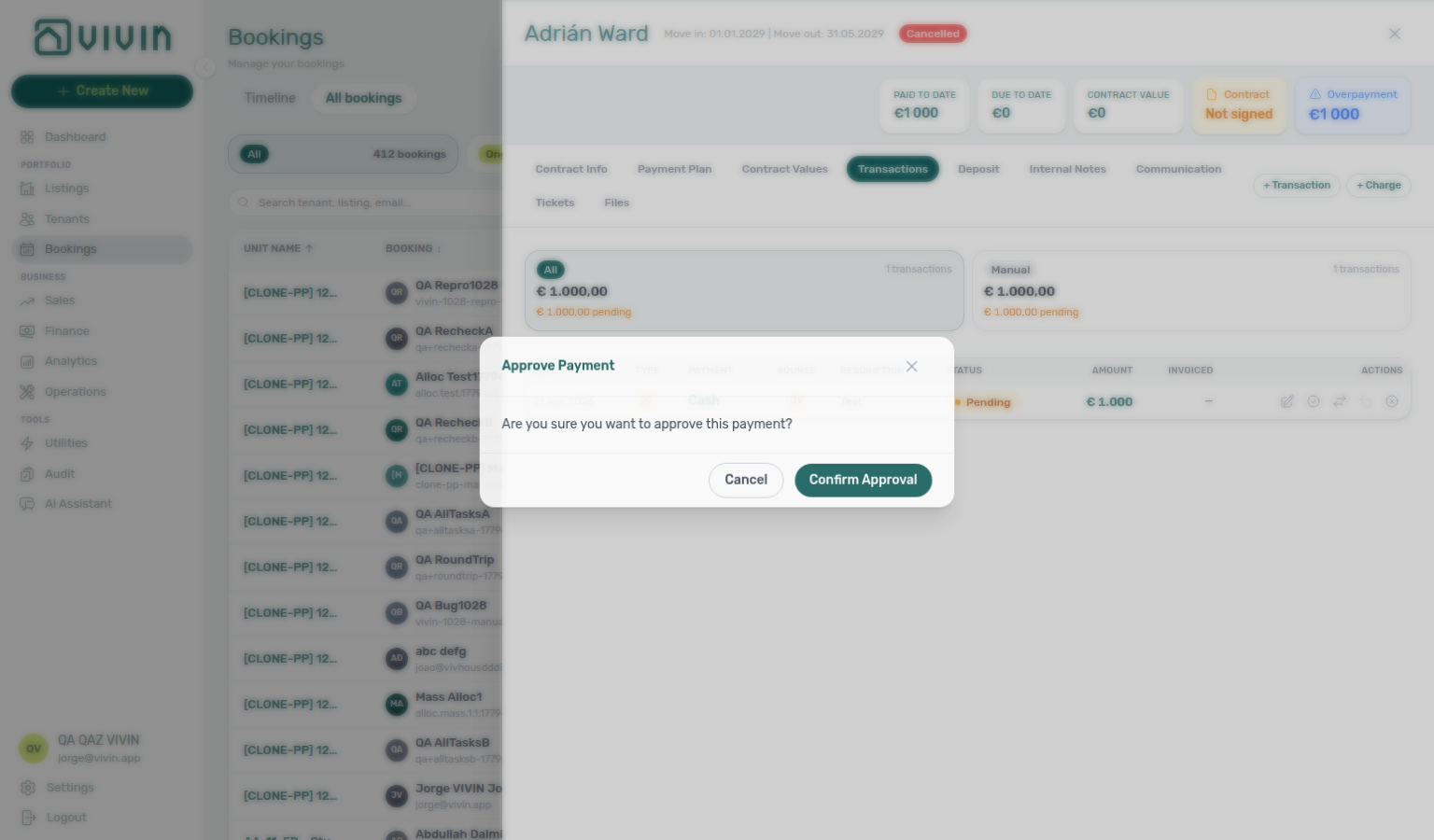
- Common Workflows — Cancellation collections before void — Operator habit hub
Wrong tenant on a booking
Wrong-tenant reassignment vocabulary pairs with Cancel Booking vs Delete Booking (duplicate import row → Delete, not Change tenant), Glossary — Archived booking ledger visibility, and Bookings & lifecycle cluster rows.
When the reservation is valid but linked to the wrong tenant profile (duplicate email/NIF picker mistake, channel import matched the wrong person), use Change tenant on Contract Info — not Delete Booking or Cancel booking. Requires bookings.edit_items, Upcoming status, future check-in, no signed contract, and no paid + invoiced allocation blocking reassignment.
| Question | Use | Notes |
|---|---|---|
| Wrong person on valid upcoming stay | Change tenant | Upcoming, future check-in, no signed contract |
| Entire row is duplicate import / test | Delete Booking | Cancel Booking vs Delete Booking |
| Real stay voided under policy | Cancel booking | Refund dialog — not profile reassignment |
| Surface | Use it for | |
| ------------------------------------------------------------------------------------------------ | ---------------------------------------------------------------------------------------------------------------- | |
| Bookings — Contract Info | Change tenant swap icon on Tenant card — Upcoming only (bookings-detail-change-tenant-control.png) | |
| Bookings — Change tenant modal | Searchable picker + audit warning before Reassign booking (bookings-detail-change-tenant-modal.png) | |
| Tenants module | Tenant master-data edit does not reassign an existing reservation | |
| Finance module | Paid + invoiced guard blocks reassignment — invoices stay on original tenant | |
| Symptom | Likely wrong control | Fix |
| ------------------------------------------------ | --------------------------------------------------------- | ---------------------------------------------------------------------------------------------------------------------------------------------------------------------------------------- |
| Need different tenant, booking otherwise correct | Delete Booking or editing tenant master data in place | Change tenant swap icon on Contract Info |
| Duplicate channel import for same dates | Change tenant | Delete Booking after Processing a New Booking — Step 1 duplicate check |
| Change tenant greyed out | Signed contract or check-in passed | Cannot reassign — see Bookings — Change tenant guards |
| Reassign booking rejected on confirm | Paid + invoiced allocation on booking | Expected — past invoices stay on original tenant for audit |
| Month-end used Delete when profile was wrong | Delete Booking on valid stay | Change tenant on Upcoming rows — Portfolio KPI review — Step 7 |
| Alert row-click shows wrong Tenant card | Tenant master-data edit | Change tenant after Notification triage — Step 4 |
| Utility overage on wrong guest booking | Edit tenant profile in Tenants | Change tenant while still Upcoming — Entering Monthly Utility Bills — Step 4 |
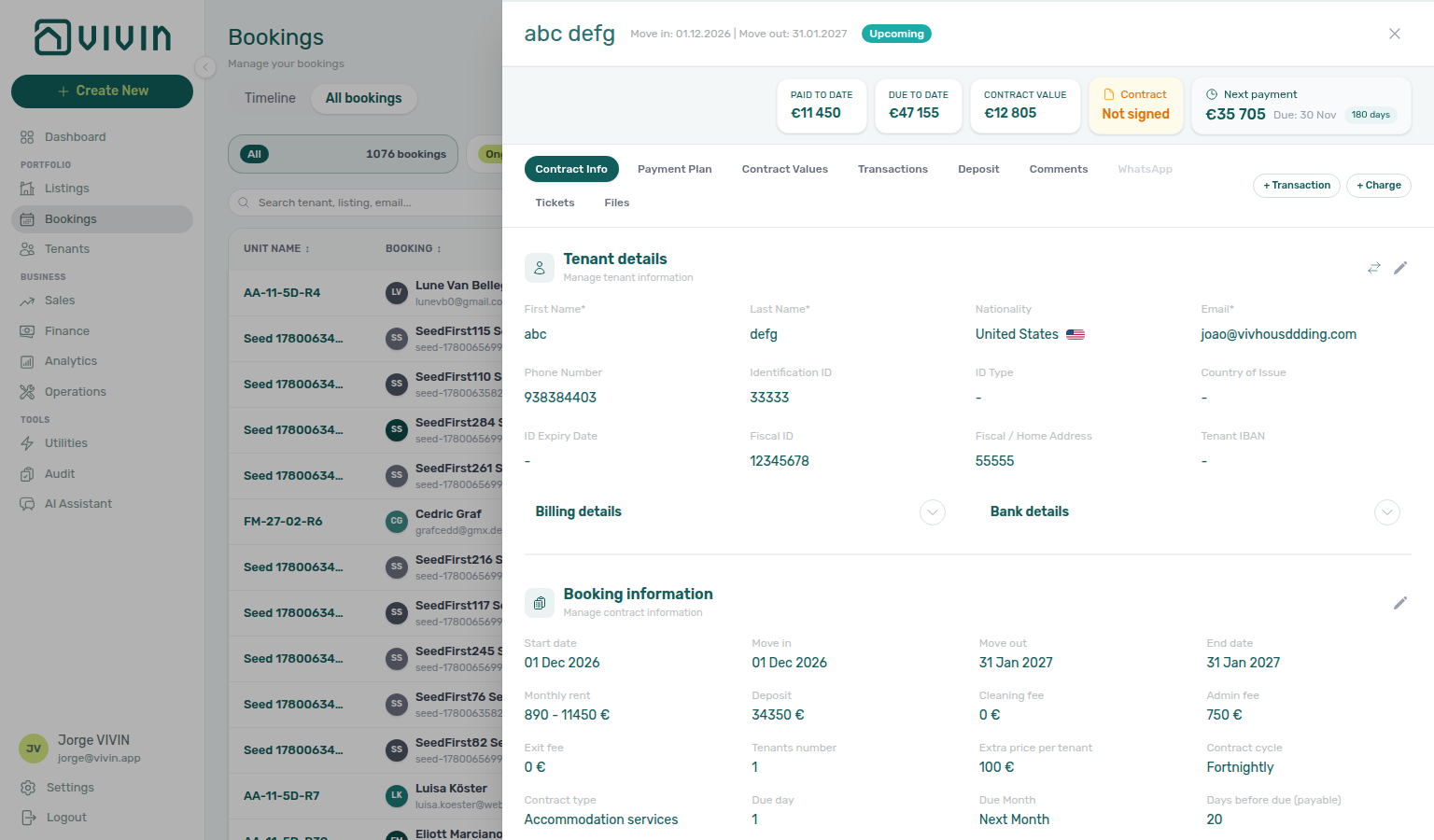
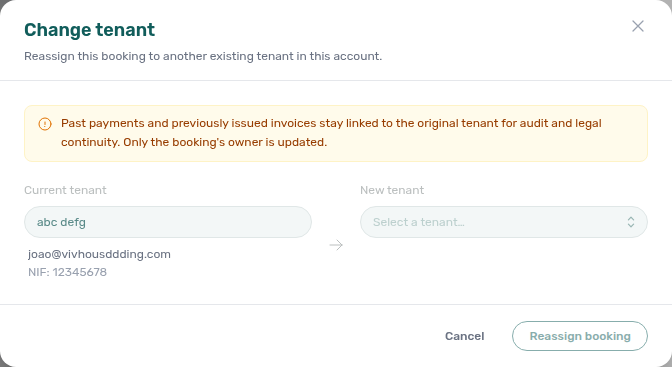
- Common Workflows — Wrong tenant on a booking — Operator habit hub
Wrong tenant on a booking
Wrong-tenant reassignment vocabulary pairs with FAQ — Cancel Booking vs Delete Booking (duplicate import row → Delete, not Change tenant), Glossary — Archived booking ledger visibility, and Bookings & lifecycle cluster rows.
- Common Workflows — Wrong tenant on a booking — Operator habit hub
Cancel Booking vs Delete Booking
Cancel-vs-delete vocabulary pairs with Wrong tenant on a booking (valid stay with wrong profile → Change tenant, not Delete), [Glossary — Archived booking ledger visibility](#archived-booking-ledger-visibility (Manual Transactions hidden after soft-archive), Cancellation collections before void (settlement before Cancel booking), and Bookings & lifecycle cluster rows.
Cancel booking runs policy settlement and keeps the reservation in Canceled filters with full Finance → Transactions history. Delete Booking soft-archives mistaken or test rows and drops them from default Bookings lists — Manual Transactions hide on the ledger while System Transactions (vIBAN, credit card) stay. Clear provider platform in-payment before Delete on integration bookings.
| Question | Use | Finance → Transactions after action |
|---|---|---|
| Real stay voided under policy | Cancel booking on Contract Info | All payment types stay visible — filter Canceled |
| Duplicate import or training row | Delete Booking (soft-archive) | Manual Transactions hidden; System Transactions stay |
| Wrong person on valid upcoming stay | Change tenant — not this hub | Wrong tenant on a booking (bookings-detail-change-tenant-modal.png) |
| Whole building leaves pickers | Archive property — not this hub | Portfolio retirement decisions |
| Surface | Use it for | |
| ------------------------------------------------------------------------------------------------------- | -------------------------------------------------------------------------------------------------------------------------------------------------- | |
| Bookings — Contract Info | Cancel booking refund dialog vs Delete Booking soft-archive on Check-in & Check-out (bookings-cancel-booking-modal-refund-types.png) | |
| Bookings — Delete Booking (soft archive) | Mistaken/test rows — clear provider platform in-payment first | |
| Bookings list — Canceled tab | Voided stays still searchable after Cancel booking (bookings-list-canceled-tab.png) | |
| Finance — Type summary cards | System vs Manual Transactions buckets affected by Delete (finance-transactions-type-summary-cards.png) | |
| Symptom | Likely wrong control | Fix |
| ------------------------------------------------- | --------------------------------------------------------- | ----------------------------------------------------------------------------------------------------------------------------------------------------------- |
| Need refund dialog and settlement history | Delete Booking | Cancel booking — Cancelling a Booking — Step 4 |
| Manual receipts vanished from Finance | Delete Booking on reconciled stay | Expected — use Cancel when ledger history matters |
| Delete Booking blocked with toast | provider platform in-payment still present | Reject or assign first — FAQ — Delete Booking on integration reservation |
| Need different tenant, not a duplicate row | Delete Booking on valid stay | Change tenant — Wrong tenant on a booking |
| Duplicate channel import on same dates | Cancel booking | Delete Booking on Processing a New Booking — Step 1 |
| Month-end totals short after soft-archive cleanup | Cancel when Manual Transactions must stay visible | Portfolio KPI review — Step 7 |
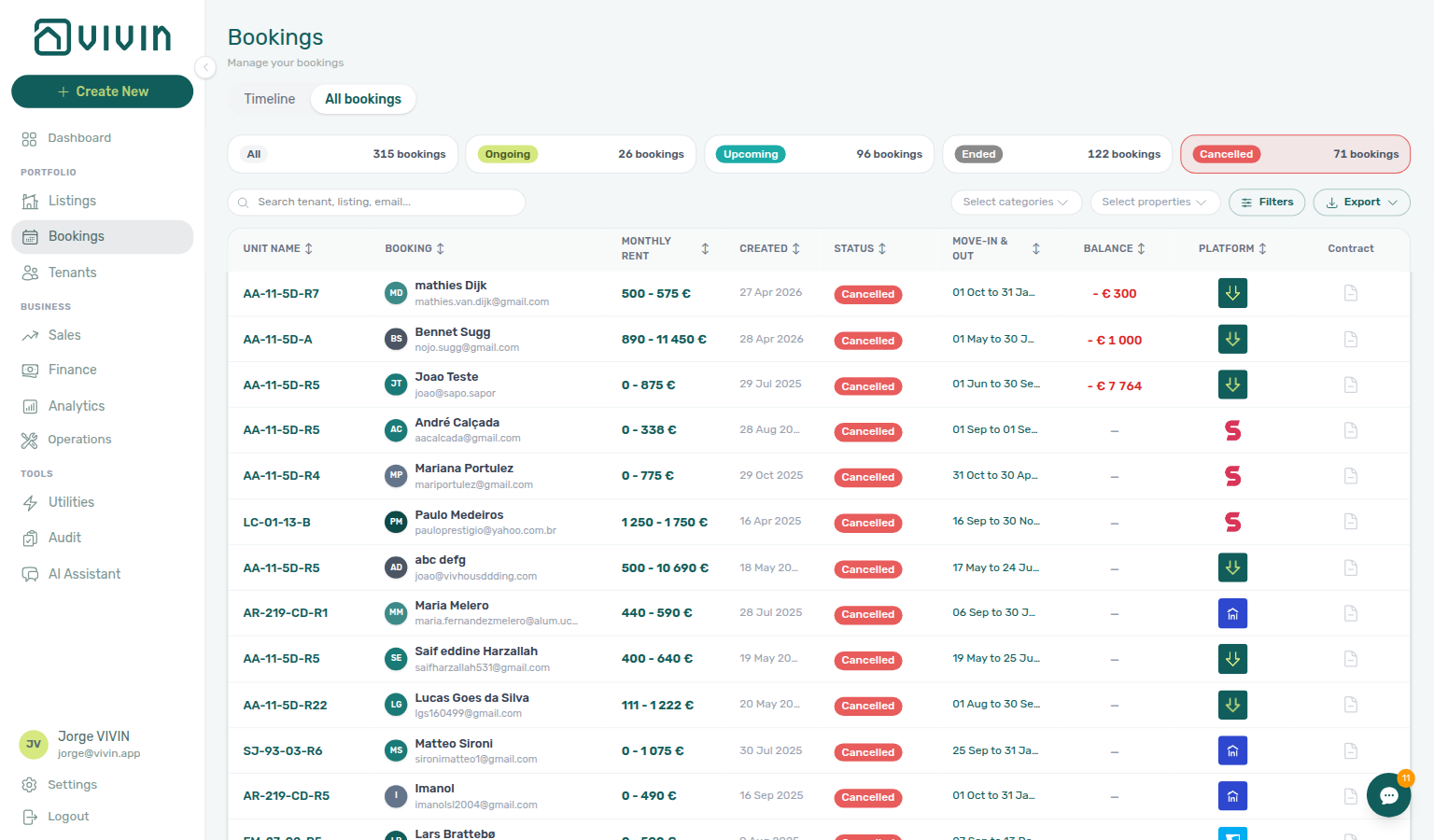
- Common Workflows — Cancel Booking vs Delete Booking — Operator habit hub
Cancel Booking vs Delete Booking
Cancel-vs-delete vocabulary pairs with Wrong tenant on a booking (valid stay with wrong profile → Change tenant, not Delete), [Glossary — Archived booking ledger visibility](#archived-booking-ledger-visibility (Manual Transactions hidden after soft-archive), Cancellation collections before void (settlement before Cancel booking), and Bookings & lifecycle cluster rows.
- Common Workflows — Cancel Booking vs Delete Booking — Operator habit hub
Check-out vs cancellation
Lifecycle-exit vocabulary pairs with Cancel Booking vs Delete Booking (mistaken row → Delete Booking, not policy void), Cancellation collections before void (pre-cancel rent arrears on Canceled path), Check-out collections before refund (departure-week arrears on Ended path), Glossary — Deposit lifecycle status, and Bookings & lifecycle cluster rows.
When a stay ends, pick Managing a Check-out for completed occupancy that should reach Ended status — or Cancelling a Booking when the reservation is voided under your cancellation policy and should appear in Canceled filters. Neither replaces Delete Booking for mistaken or test rows.
| Question | Cancellation workflow | Check-out workflow |
|---|---|---|
| Tenant backs out before arrival (Upcoming) | Cancelling a Booking — Steps 1–4 | Not Step 1 — guest never moved in |
| Mid-stay early termination (Ongoing) | Step 4 refund-type dialog | Step 3 inspection + Step 5 when stay completes normally |
| Need Canceled filter + full ledger history | Step 4 — bookings-list-canceled-tab.png | Ended status — Step 7 |
| Mistaken Add booking / training duplicate | Delete Booking — Cancel Booking vs Delete Booking | Not cancellation or check-out |
| Last-resort collections failed | Handling a Late Payment — Step 6 → cancel | Step 6 collections before refund |
| Surface | Use it for | |
| ----------------------------------------------------------------------------------------------- | --------------------------------------------------------------------------------------------------------------------------- | |
| Bookings — Contract Info | Cancel booking refund dialog vs Ended closure on completed stays (bookings-cancel-booking-modal-refund-types.png) | |
| Bookings list — Canceled tab | Voided stays still searchable after Cancel booking (bookings-list-canceled-tab.png) | |
| Bookings — Deposit tab | Ready To Refund on departure-week Ended path (bookings-detail-deposit-tab-ready-to-refund-toggle.png) | |
| Finance → Deposits | Refund queue on both lifecycle exits — deposit settlement steps overlap | |
| Symptom | Likely wrong path | Fix |
| ---------------------------------------------------- | ----------------------------------------------------------------------------------------------------------- | -------------------------------------------------------------------------------------------------------------------------------------------------------------------------------------------------------------------------------------------------------------- |
| Guest never moved in but operator ran check-out flow | Managing a Check-out Ended | Cancelling a Booking — Step 4 → Canceled filter |
| Mid-stay policy void but operator used Ended | Step 7 on voided stay | Cancelling a Booking — Step 4 |
| Completed stay but Cancel booking was used | Canceled filter + refund dialog | Managing a Check-out — Step 7 — Ended status |
| Ready To Refund blocked on policy void | Check-out collections before refund mesh | Cancellation collections before void — Step 2 before Step 4 |
| Utility overage on Canceled stay | Managing a Check-out — Step 6 | Entering Monthly Utility Bills — Step 4 |
- Common Workflows — Check-out vs cancellation — Operator habit hub
Check-out vs cancellation
Lifecycle-exit vocabulary pairs with Cancel Booking vs Delete Booking, Cancellation collections before void, Check-out collections before refund, and Bookings & lifecycle cluster rows.
Completed occupancy → Ended (Managing a Check-out — Step 7) vs policy void → Canceled (Cancelling a Booking — Step 4) — distinct from Cancel Booking vs Delete Booking (mistaken row cleanup). Full hub: Check-out vs cancellation hub.
- Common Workflows — Check-out vs cancellation — Operator habit hub
Portfolio retirement decisions
Portfolio-retirement vocabulary pairs with Cancel Booking vs Delete Booking (reservation void vs soft-archive), Glossary — Archived property (building-level Archive), [Glossary — Archived booking ledger visibility](#archived-booking-ledger-visibility (Manual Transactions hidden after Delete), and Bookings & lifecycle cluster rows.
Three controls retire inventory at different scopes — pick the one that matches your goal before you Archive property, Cancel booking, or Delete Booking:
| Goal | Control | Scope | List visibility | Finance → Transactions |
|---|---|---|---|---|
| Sunset a whole building | Archive property | Building | Listings → Archived tab; hidden from default pickers | All booking history and payment rows stay visible |
| Void a real stay under policy | Cancel booking | One reservation | Canceled filter / status | All payment types stay visible |
| Remove mistaken/test reservation | Delete Booking | One reservation | Drops from default Bookings lists (soft-archive) | System Transactions (vIBAN, credit card) stay; Manual Transactions hidden |
| Surface | Use it for | |||
| ---------------------------------------------------------------------------------------------------------------- | -------------------------------------------------------------------------------------------------------------------------------------------------- | |||
| Listings — Archived properties | Building Archive / Unarchive on property edit sidebar (listings-archived-populated-table.png, listings-archived-unarchive-sidebar.png) | |||
| Bookings — Cancel Booking vs Delete Booking | Reservation void vs soft-archive on Contract Info → Check-in & Check-out (bookings-cancel-booking-modal-refund-types.png) | |||
| Finance — Type summary cards | System vs Manual Transactions buckets affected by Delete (finance-transactions-type-summary-cards.png) | |||
| Common Workflows — Archive property (building-level) | Building sunsetting after holds and departures are cleared | |||
| Symptom | Likely wrong control | Fix | ||
| ----------------------------------------------- | ------------------------------------------------ | ------------------------------------------------------------------------------------------------------------------------------------------------------------------------------------------------------ | ||
| Need full ledger for a voided real stay | Delete Booking | Use Cancel booking — Cancelling a Booking — Step 4 | ||
| Manual receipts vanished after cleanup | Delete Booking on a stay you still reconcile | Expected — use Cancel when you need manual rows; see FAQ — Manual payments after Delete Booking | ||
| Building should leave pickers but history stays | Delete Booking on every reservation | Archive property on Listings → Portfolio — FAQ — Archive a property | ||
| Delete Booking blocked on OTA import | Pending provider platform in-payment | Reject or assign first — FAQ — Delete Booking on integration reservation | ||
| Reservation void needed but used Delete | No refund dialog on soft-archive | Cancel booking — Cancel Booking vs Delete Booking | ||
| Building sunsetting via many Delete actions | Reservations gone but building still in pickers | Archive property — not per-reservation Delete |
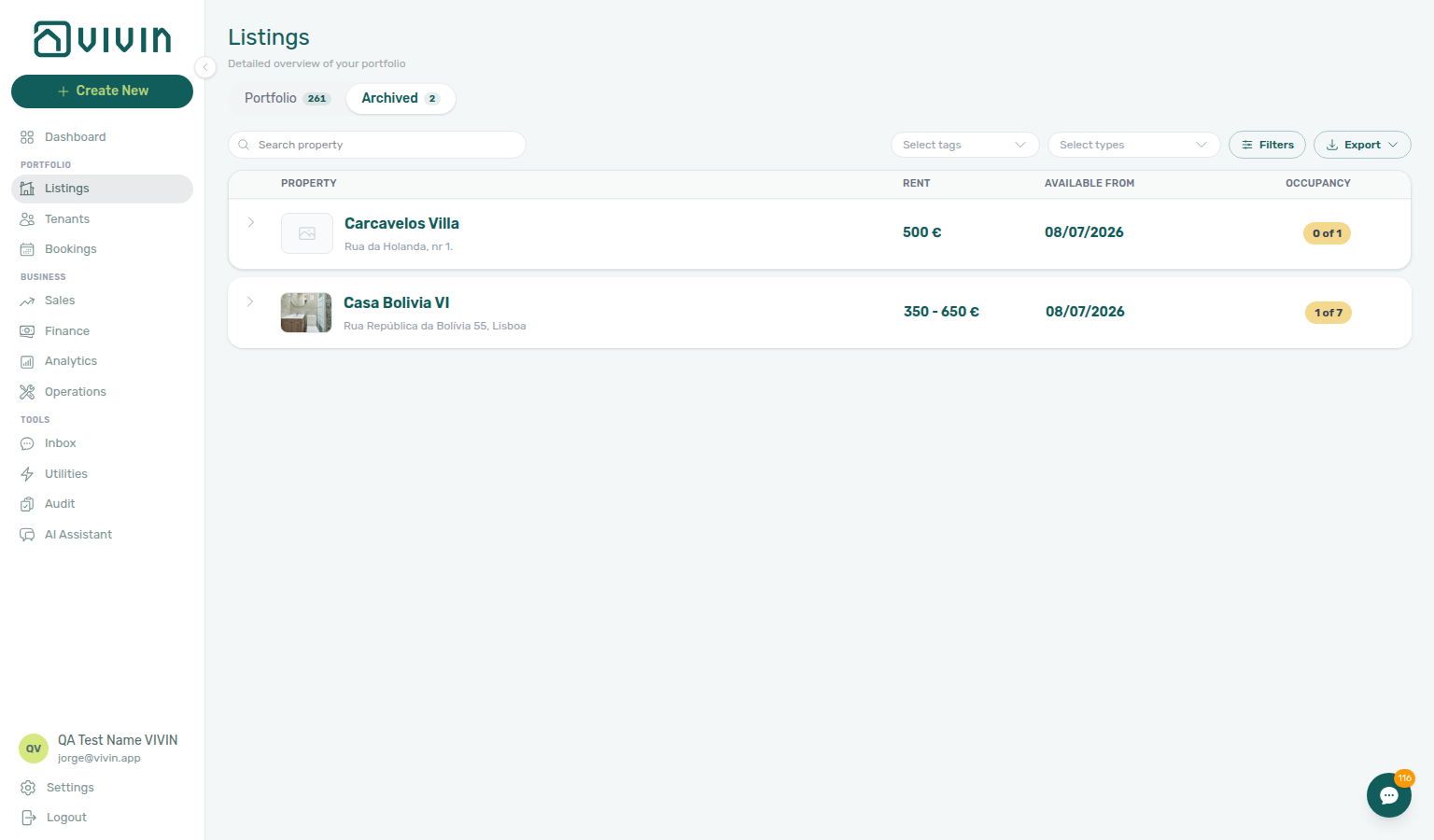
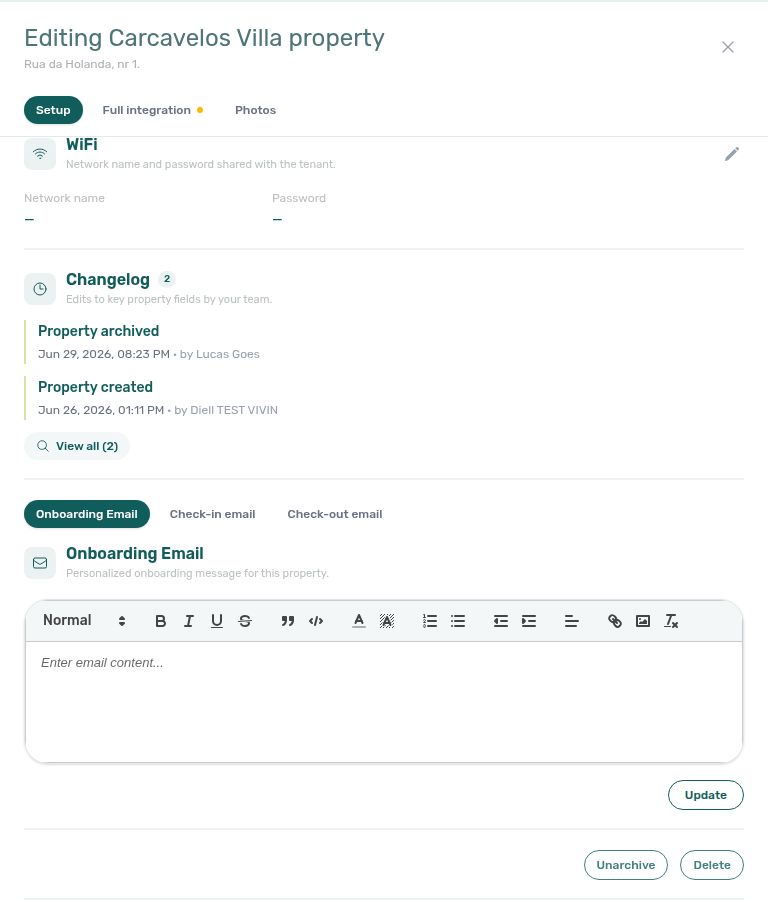
- Common Workflows — Archive property (building-level) — Operator habit hub
Portfolio retirement decisions
Portfolio-retirement vocabulary pairs with Cancel Booking vs Delete Booking (reservation void vs soft-archive), Glossary — Archived property (building-level Archive), [Glossary — Archived booking ledger visibility](#archived-booking-ledger-visibility (Manual Transactions hidden after Delete), and Bookings & lifecycle cluster rows.
- Common Workflows — Portfolio retirement decisions — Operator habit hub
Provider platform Delete Booking guard
Provider-platform Delete guard vocabulary pairs with Cancel Booking vs Delete Booking (when Delete is appropriate vs Cancel booking), Portfolio retirement decisions (building Archive does not clear in-payment), [Glossary — Archived booking ledger visibility](#archived-booking-ledger-visibility (Manual Transactions after soft-archive), and Bookings & lifecycle cluster rows.
Integration reservations with a non-rejected provider platform in-payment cannot be soft-archived until that row is Rejected or assigned. Open booking Transactions or Finance → Transactions, clear the in-payment, then retry Delete Booking on Contract Info → Check-in & Check-out.
| Surface | Use it for |
| ------------------------------------------------------------------------------------------------------------------- | ----------------------------------------------------------------------------------------------------------------------------- | --------------------------------------------------------------------------------------------------------------------------------------------------------------------------- |
| Bookings — Provider platform payment | Read-only Provider platform payment field on integration bookings (bookings-detail-provider-platform-payment-field.png) |
| Bookings — Delete Booking (soft archive) | Soft-archive control on Contract Info → Check-in & Check-out — blocked until in-payment cleared |
| Finance — Row actions on in-payment rows | Reject pending provider platform rows — Delete payment stays disabled on this rail |
| Finance — Assign a payment to another booking | Move in-payment to another reservation when invoicing rules allow — alternative to Reject |
| Symptom | Likely wrong control | Fix |
|---|---|---|
| Delete Booking blocked with toast | provider platform in-payment still present | Reject or assign on booking Transactions / Finance → Transactions — then retry Delete Booking |
| Tried Delete payment on provider-platform row | Ledger rail does not support delete | Reject or assign — see Bookings — Provider platform payment |
| Real void needs full ledger history | Delete Booking on integration stay | Cancel booking — Cancelling a Booking — Step 4 |
| Month-end ledger gaps after Delete | Soft-archive on reconciled stay | Use Cancel when Manual Transactions must stay — Archived booking ledger visibility |
| Duplicate channel import on same dates | Delete before clearing in-payment | Processing a New Booking — Step 1 — Reject first |
| Test Upcoming row before key handover | Delete blocked on integration import | Managing a Check-in — Step 1 — clear in-payment then Delete |
| Go-live test booking on new inventory | Delete blocked after Step 7 | Onboarding a New Property — Provider platform Delete Booking guard |
| Alert row-click — Delete on integration import | Pending provider platform in-payment | Notification triage — Step 4 — Reject before Delete |
| Lockout catch-up duplicate imports | Delete blocked during Step 3 catch-up | Resetting a Management User Password — Provider platform Delete Booking guard |
| Guard persists after correct Reject / assign | Product defect | Using in-app support — Provider platform Delete Booking guard — module Bookings ticket |

- Common Workflows — Provider platform Delete Booking guard — Operator habit hub
Provider platform Delete Booking guard
Provider-platform Delete guard vocabulary pairs with Cancel Booking vs Delete Booking (when Delete is appropriate vs Cancel booking), Portfolio retirement decisions (three-way scope — building Archive does not clear in-payment), [Glossary — Archived booking ledger visibility](#archived-booking-ledger-visibility (Manual Transactions after soft-archive), and Bookings & lifecycle cluster rows.
- Common Workflows — Provider platform Delete Booking guard — Operator habit hub
Archived booking ledger visibility
Archived-ledger visibility vocabulary pairs with Cancel Booking vs Delete Booking (use Cancel when Manual Transactions must stay), Portfolio retirement decisions (Delete ledger gaps during building sunsetting), Provider platform Delete Booking guard (clear in-payment before Delete), and Financial & payments cluster rows.
Delete Booking soft-archives the reservation. On Finance → Transactions, Manual Transactions rows tied to that booking — transfer, cash, deposit refund, provider platform, and similar operator-recorded types — are hidden so test or mistaken stays do not clutter the portfolio ledger. System Transactions (vIBAN, credit card) stay visible for bank/card reconciliation. Canceled bookings that are not archived keep every transaction type visible.
| Surface | Use it for |
| ----------------------------------------------------------------------------------------------------------- | ----------------------------------------------------------------------------------------------------------- | -------------------------------------------------------------------------------------------------------------------------------------------------------------------------------- |
| Finance — Type summary cards | System vs Manual Transactions buckets on the ledger (finance-transactions-type-summary-cards.png) |
| Finance — Archived bookings on the ledger | Visibility table after soft-archive — which rails stay vs hide |
| Bookings — Delete Booking (soft archive) | Soft-archive control on Contract Info → Check-in & Check-out |
| Bookings list — Canceled tab | Cancel booking keeps voided stays searchable with full ledger — contrast with Delete |
| Symptom | Likely wrong control | Fix |
|---|---|---|
| Manual receipts vanished after cleanup | Delete Booking on reconciled stay | Use Cancel when Manual Transactions must stay — Cancel Booking vs Delete Booking |
| Month-end totals short after training-row cleanup | Delete Booking on stays you still reconcile | Portfolio KPI review — Step 7 — use Cancel when history matters |
| Need full ledger for voided real stay | Delete Booking | Cancel booking — Cancelling a Booking — Step 4 |
| vIBAN / credit card rows still visible | Expected — not a sync bug | System Transactions stay for reconciliation |
| Building sunsetting ledger gaps | Per-reservation Delete vs Archive | Portfolio retirement decisions — Archive property keeps all ledger rows |
| Duplicate import cleanup on Step 1 | Delete hides manual rows afterward | Processing a New Booking — Step 1 — expected for test rows |
| Collections escalation needs policy void | Delete Booking on real arrears | Cancel booking on Step 6 when manual receipts matter |
| Utility close missing overage manual rows | Delete on reconciled stay | Entering Monthly Utility Bills — Step 5 — use Cancel when history matters |
| Reconciled Ended departure | Delete Booking when manual receipts needed | Leave Ended or Cancel — Managing a Check-out — Step 7 |
| Test Upcoming row before key handover | Delete hides manual rows afterward | Managing a Check-in — Step 1 — expected for mistaken rows |
| Lockout catch-up cleanup used Delete | Ledger gaps after soft-archive | Resetting a Management User Password — Step 3 — prefer Cancel when history matters |
| Ledger rows vanish unexpectedly | Product confusion vs expected | Using in-app support — Archived booking ledger visibility — module Bookings when behaviour differs |
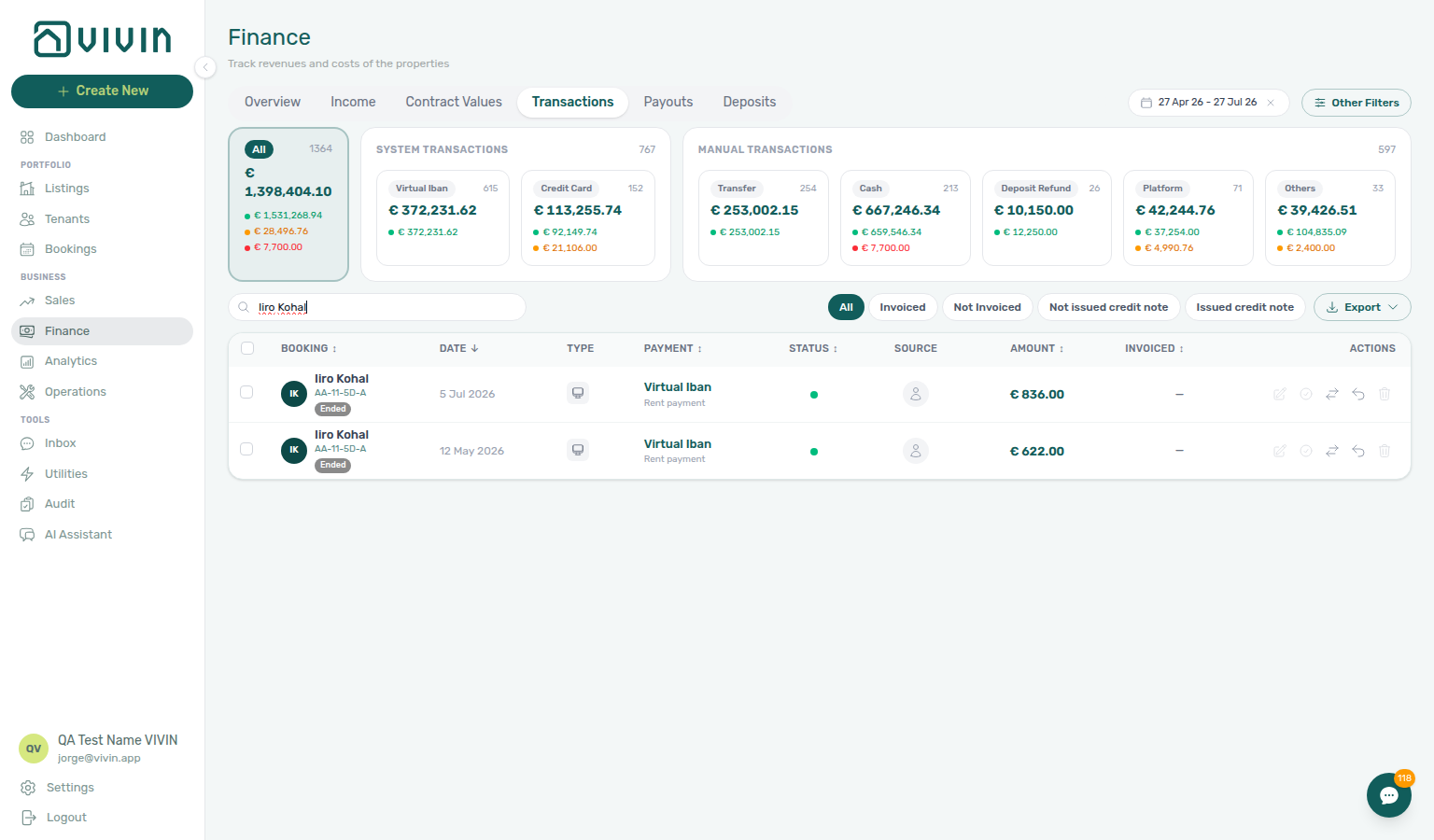
- Common Workflows — Archived booking ledger visibility — Operator habit hub
Archived booking ledger visibility
Archived-ledger visibility vocabulary pairs with Cancel Booking vs Delete Booking (use Cancel when Manual Transactions must stay), Portfolio retirement decisions (Delete ledger gaps during building sunsetting), Provider platform Delete Booking guard (clear in-payment before Delete), and Financial & payments cluster rows.
- Common Workflows — Archived booking ledger visibility — Operator habit hub
Archive property (building-level)
Building Archive vocabulary pairs with Portfolio retirement decisions (three-way Archive vs Cancel vs Delete), Glossary — Archived property (letter definition), [Glossary — Archived booking ledger visibility](#archived-booking-ledger-visibility (Delete hides manual rows — building Archive does not), and Listings & portfolio cluster rows.
When a whole building leaves the portfolio for good, retire it from active pickers without deleting booking or finance history — distinct from per-reservation Cancel Booking vs Delete Booking and the three-way scope table in Portfolio retirement decisions.
| Surface | Use it for |
| ----------------------------------------------------------------------------------------------- | ----------------------------------------------------------------------------------------------------------------------------------------- | -------------------------------------------------------------------------------------------------------------------------------------------------------------------------------------------------- |
| Listings — Archived properties | Archive / Unarchive on property edit sidebar (listings-archived-populated-table.png, listings-archived-unarchive-sidebar.png) |
| Listings — Portfolio | Danger zone Archive after holds and departures are cleared |
| Sales module | Archived buildings drop from active pricing/channel grids — historical bookings remain |
| Bookings module | Historical reservation rows stay searchable — building Archive does not remove them |
| Symptom | Likely wrong control | Fix |
|---|---|---|
| Building still in pickers after deleting every reservation | Delete Booking on each stay | Archive property on Listings → Portfolio — FAQ — Archive a property |
| Property missing from Portfolio after setup mistake | Accidental Archive during go-live | Unarchive from Listings → Archived — Onboarding a New Property — Step 7 |
| Used Delete Booking to clean duplicate imports | Reservation scope only | Delete Booking on Processing a New Booking — Step 1 — not building Archive |
| Unsure whether to Archive, Cancel, or Delete | Scope confusion | Portfolio retirement decisions — three-way decision table |
| Archive / Unarchive guard defect despite correct steps | Product bug | Using in-app support — Archive property (building-level) — module Listings |
| Month-end sunsetting before last departure | Archive while Upcoming remain | Managing a Check-out — Step 7 — finish departures first |
| Stale holds block sunsetting | Archive with active manual blocks | Manual block hygiene — Step 5 — clear holds first |
| Lockout-delayed sunsetting backlog | Deferred building Archive | Resetting a Management User Password — Step 3 — hub Lockout catch-up |
| Collections still open on building | Archive before arrears settled | Handling a Late Payment — Step 6 — settle or Cancel stays first |
| Utility month not closed before sunsetting | Building Archive mid-cycle | Entering Monthly Utility Bills — Step 5 — finish utility close first |
- Common Workflows — Archive property (building-level) — Operator habit hub
Archive property (building-level)
Building Archive vocabulary pairs with Portfolio retirement decisions (three-way Archive vs Cancel vs Delete), Glossary — Archived property (letter definition), [Glossary — Archived booking ledger visibility](#archived-booking-ledger-visibility (Delete hides manual rows — building Archive does not), and Listings & portfolio cluster rows.
- Common Workflows — Archive property (building-level) — Operator habit hub
Directory list refresh
When a large directory does not finish its first request, use Retry on the alert (or reload the page). That is different from a filter that genuinely returns zero rows, and different from one booking tab needing Refresh.
| Situation | What to do |
|---|---|
| Directory alert with Retry | Click Retry, or reload after connectivity recovers |
| Empty table, no alert | Widen filters or clear search |
| Finance empty table + non-zero summary cards | Reload the browser tab |
| Only Communication / Tickets affected | Booking detail sidebar tab refresh |
- Common Workflows — Directory list refresh — Operator habit hub
- FAQ — Booking sidebar tab refresh hub — Tab-scoped recovery
Booking sidebar tab refresh
Inside one booking, Communication and Tickets refresh on their own — keep working in Payment Plan or Contract Info while you recover the affected tab.
| Situation | What to do |
|---|---|
| Communication needs a refresh | Header Refresh |
| Tickets needs a refresh | Banner Retry |
| Whole Bookings list alert | Directory list refresh hub |
| Tab never recovers | Close and reopen the booking; then Using in-app support if needed |
- Glossary — Booking detail sidebar tab refresh — Short definition
- Common Workflows — Booking sidebar tab refresh — Operator habit hub
WhatsApp per-booking messaging
Three surfaces share the same WhatsApp conversation state — pick the one that matches your triage scope:
| Surface | Use it for | Notes |
|---|---|---|
Tools → Inbox (/inbox) or bell Inbox sub-tab | Cross-booking triage, unknown numbers, alert-driven entry | Click tenant name for Tenant sidebar; composer for quick replies |
| Bookings → Communication | One reservation with Payment Plan, Tickets, and Files context | WhatsApp composer + read-only Email; header Refresh |
/notifications or bell General | Payment or ticket alerts — not message threads | Switch to Inbox when summary reads New WhatsApp message from … |
| Symptom | Likely cause | Fix |
| ----------------------------------------------------- | ------------------------------------------------ | ----------------------------------------------------------------------------------------------------------- |
Bell ping reads New WhatsApp message from … | Message alert on General or /notifications | Open bell Inbox sub-tab or Tools → Inbox |
| Need Payment Plan while replying | Cross-booking Inbox lacks booking context | Bookings → Communication for that reservation |
| Unlock your communication history | Chatbot not enabled (isTenantChatBotEnabled) | ChatBot settings — Status Bot |
| Communication messages need a refresh | Tab-scoped reload | Header Refresh — Booking sidebar tab refresh hub |
New WhatsApp message from … on /notifications | Message alert on full inbox | Bell Inbox or row with link — Notification row navigation hub |
| Row-click landed on booking, thread empty | bookingId target without link | Open Communication tab manually |
| Question | Message thread | Payment / ticket alert |
| ----------------------------------- | ---------------------------- | ----------------------------------------------------------------------------------------- |
| Dashboard entry | Bell Inbox sub-tab | Bell General or /notifications |
| Reply with Payment Plan visible | Bookings → Communication | Row-click → booking — Notification row navigation hub |
| Cross-booking triage | Tools → Inbox (/inbox) | /notifications filters + row-click |
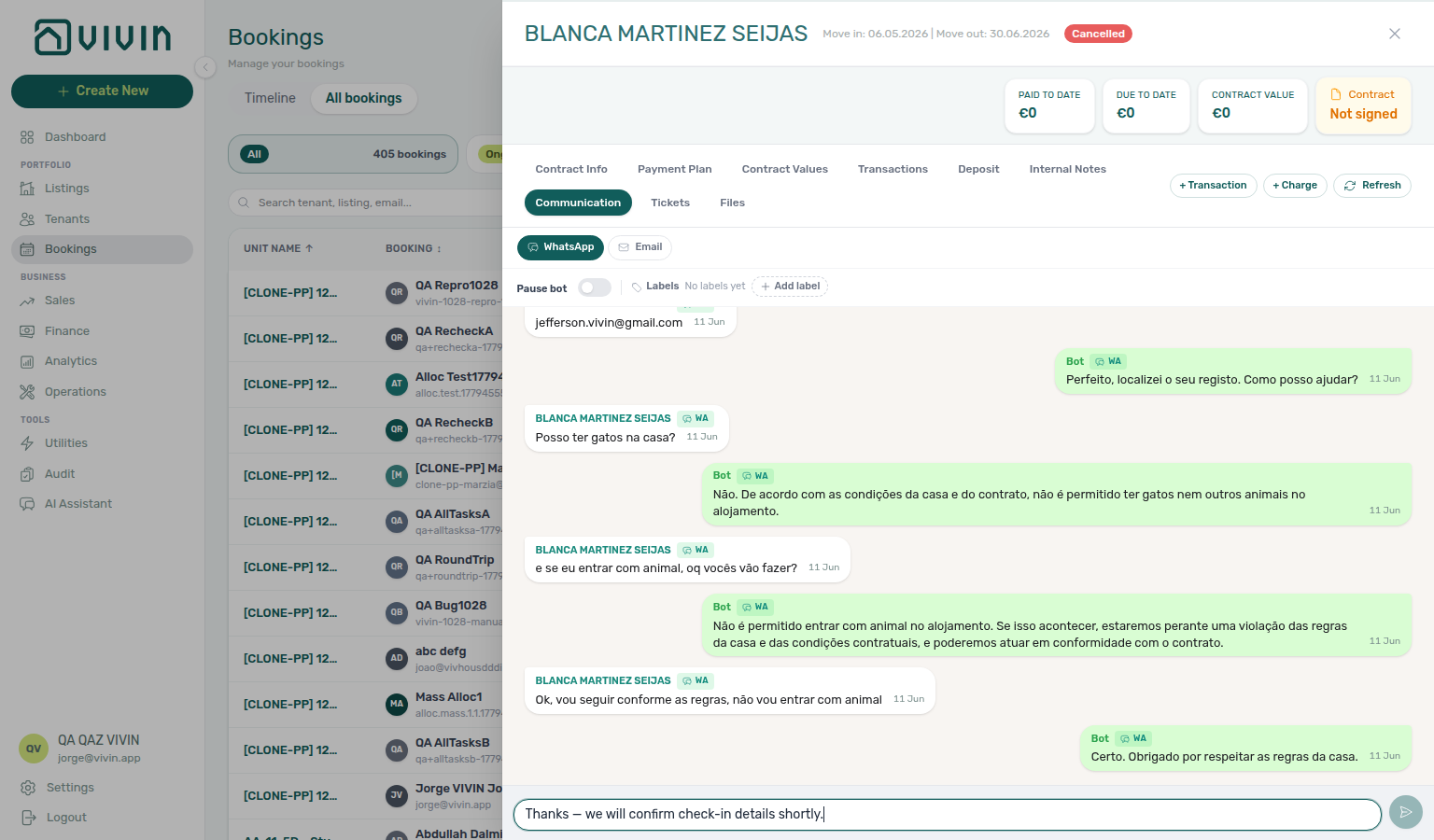
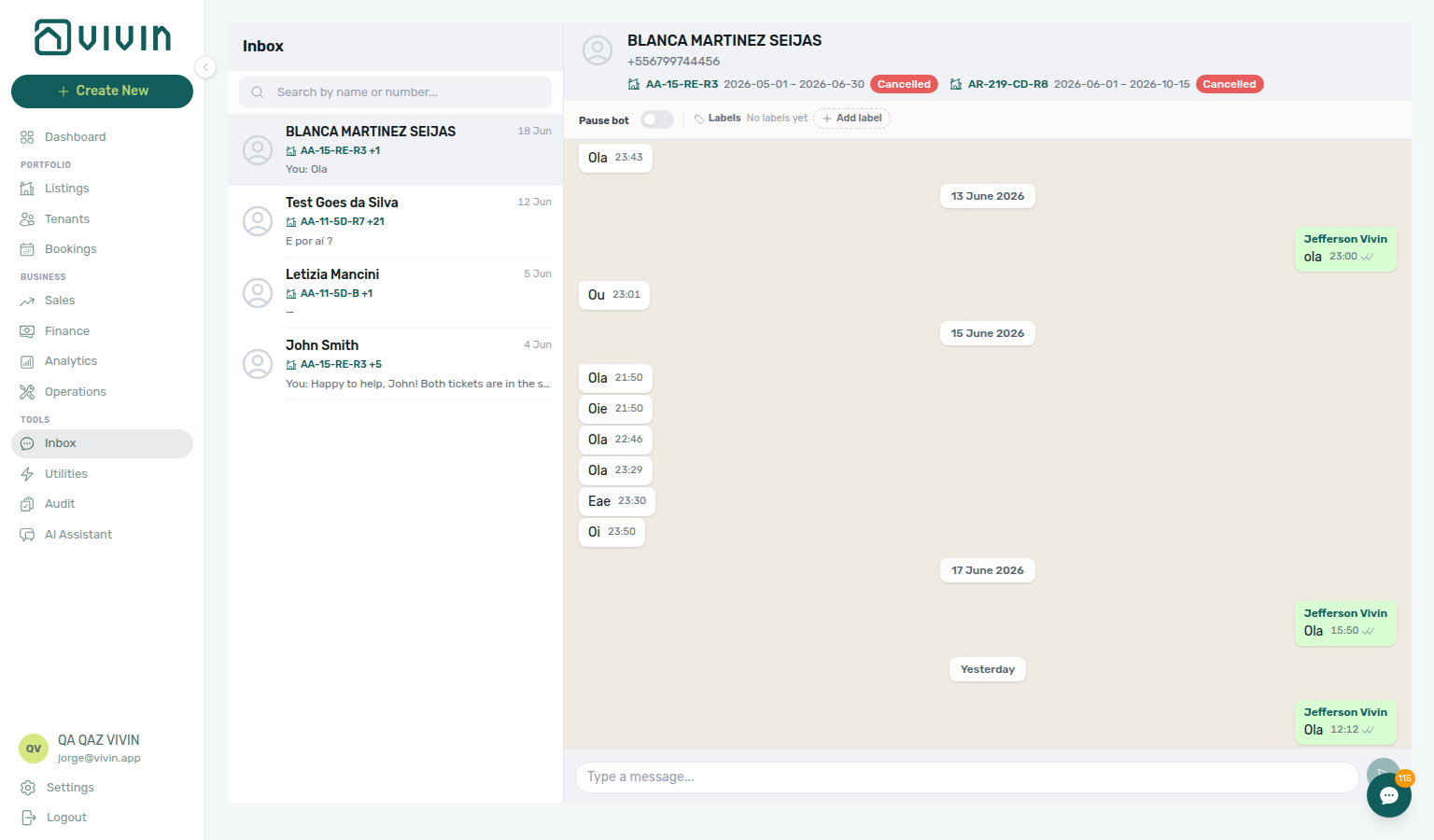
- Common Workflows — WhatsApp per-booking messaging — Operator habit hub
Bot reasoning (audit)
Bot audit vocabulary pairs with Glossary — ChatBot settings hub (edit persona / IF/THEN after thread review), Glossary — WhatsApp per-booking messaging hub (Communication thread context), and Notifications & messaging cluster rows.
Two surfaces answer “why did the bot say that?” — configure rules in one place, audit a specific reply in another:
| Surface | Use it for | Notes |
|---|---|---|
| Bookings → Communication → Bot bubble → Reasoning | Audit one automated reply Vivin already sent | Read-only; expands internal explanation (italic text in parentheses) |
| Account Settings → ChatBot | Change future behaviour — Persona Setup and IF/THEN rules | Does not rewrite past messages on the thread |
| Bookings → Communication → Pause bot | Stop automation for one reservation | Per-booking; global rules unchanged |
| Symptom | Likely cause | Fix |
| -------------------------------------------------- | ------------------------------------------- | ---------------------------------------------------------------------------------------------------------------- |
| Bot gave a generic or wrong answer | Broad IF/THEN If phrase fired | Expand Reasoning on thread → narrow rule at ChatBot settings |
| No Reasoning control under Bot bubble | Vivin did not store reasoning for that send | Not a UI bug — only some automated replies include audit text |
| Need to change tone across channels | Persona Setup preset / style / preferences need a refresh | ChatBot — Persona — structured presets (Daniela / Marcus / Victoria) |
| Tenant still gets bot replies after you intervened | Pause bot not applied on booking | Communication → WhatsApp toggle when chatBotPauseLabelId is configured |
| Supplier got an automated tenant reply | Shared WhatsApp business line | Dedicated tenant number — Automation & AI — WhatsApp Support |
| Question | Thread Reasoning (audit) | ChatBot settings (configure) |
| -------------------------------- | ---------------------------- | ------------------------------------------------------ |
| Changes past messages? | No — read-only | No — affects future replies only |
| Which bubbles show control? | Mint Bot only | N/A — settings are account-wide |
| Pair with collections triage? | Communication on booking | IF/THEN escalation to Operations |
| External automation read access? | N/A | Tenant MCP — chatbot rules |
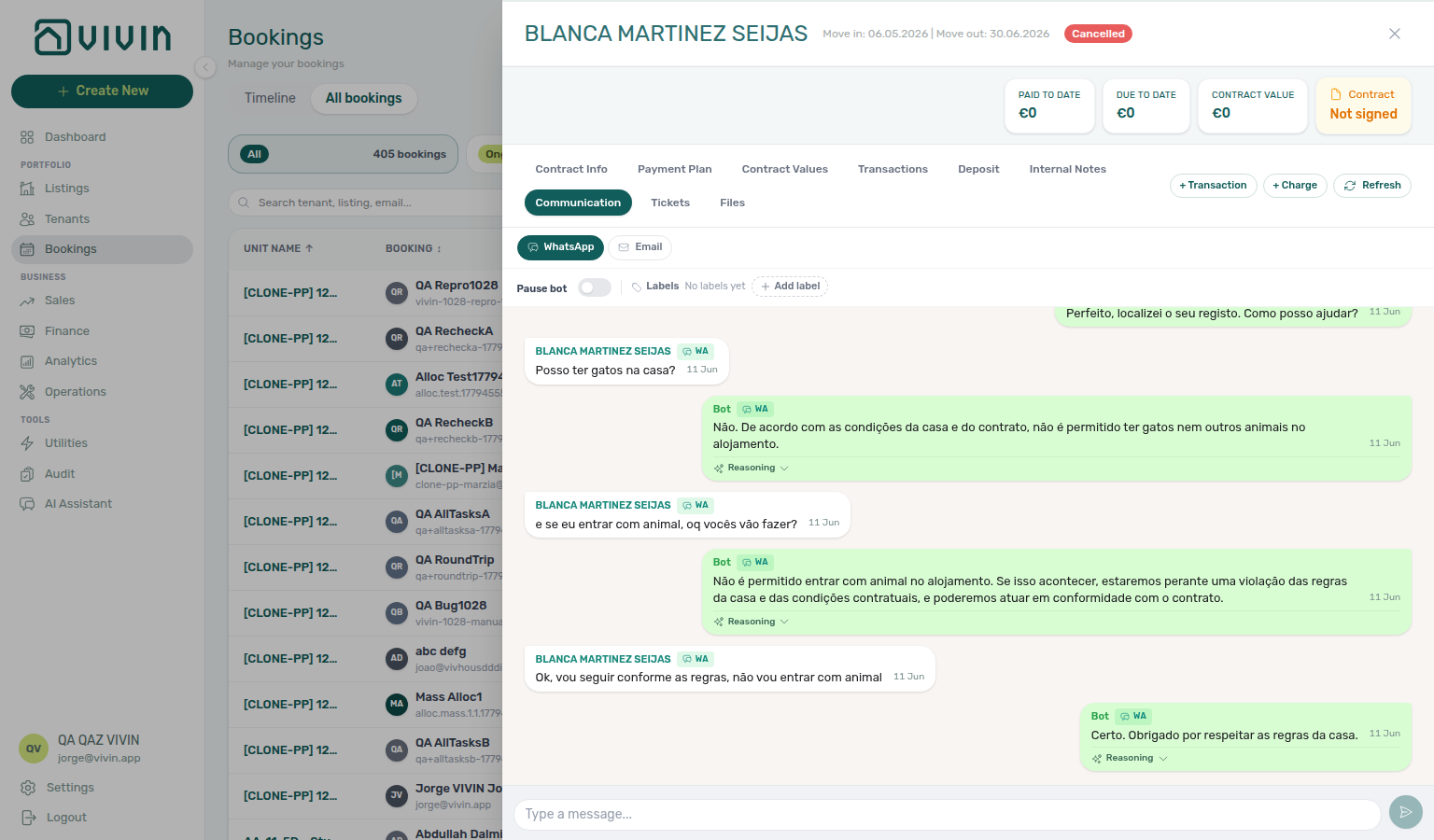
- Common Workflows — Bot reasoning (audit) — Operator habit hub
ChatBot settings
ChatBot configuration vocabulary pairs with Glossary — Bot reasoning (audit) hub (thread audit after rule edits), Glossary — WhatsApp per-booking messaging hub (Inbox / Communication gating), and Tenant experience cluster rows.
Account Settings → ChatBot configures the tenant-facing assistant — distinct from operator AI Chat (/ai-chat) and Landlord MCP:
| Subtab / surface | Use it for | Notes |
|---|---|---|
| Persona subtab | Tone, languages, topics to avoid — including Introduce as AI on start vs AI Disclosure | Structured Persona Setup (presets, style, preferences); applies across WhatsApp and email |
| Special Rules subtab | Situation-specific bot behaviour (max 20 IF/THEN rules) | Seed with AI Examples (Rule examples picker); narrow If phrases — broad rules fire on almost every message |
| Bot Status subtab | Dual WhatsApp cards — tenant WhatsApp connection (Connected / Disconnected / QR) and Genius WhatsApp connection (often Vivin-managed) | Tenant card gates Inbox, bell Inbox, and Communication composer; Genius card is for landlord Genius delivery |
| Bookings → Communication | Live threads, Pause bot, read-only Reasoning audit | Pair with WhatsApp per-booking messaging hub |
| Symptom | Likely cause | Fix |
| ------------------------------------------------ | --------------------------------------------- | ------------------------------------------------------------------------------------------------------------------------------ |
| Inbox nav greyed out | isTenantChatBotEnabled false or not paired | Bot Status — Connect WhatsApp → scan QR until Connected |
| Unlock your communication history on booking | Chatbot not enabled for workspace | Contact Vivin to enable integration; then pair Bot Status |
| Bot replies on almost every tenant message | Catch-all IF/THEN rule | Replace with specific If situations — IF/THEN rules or seed from AI Examples |
| WhatsApp composer missing on Communication | Outbound WhatsApp not provisioned | Thread may load; bottom shows WhatsApp replies aren't available yet |
| Rules saved but tenant still sees old tone | Edited the wrong account | Who can edit ChatBot settings |
| Need to verify a specific automated reply | Configuration alone does not show past logic | Bot reasoning (audit) hub — Reasoning on Bot bubble |
| QR expired before scan | Session timed out on phone | Refresh QR code on Bot Status |
| Question | ChatBot settings | Bookings → Communication |
| ------------------------------ | -------------------------------------- | ---------------------------------- |
| Edit future bot behaviour? | Persona + Special Rules | Pause bot per booking only |
| Portfolio-wide message triage? | Bot Status must be Connected | Use Inbox or bell Inbox |
| Audit one sent reply? | N/A | Reasoning under Bot bubble |
| External read-only automation? | Tenant MCP | N/A |
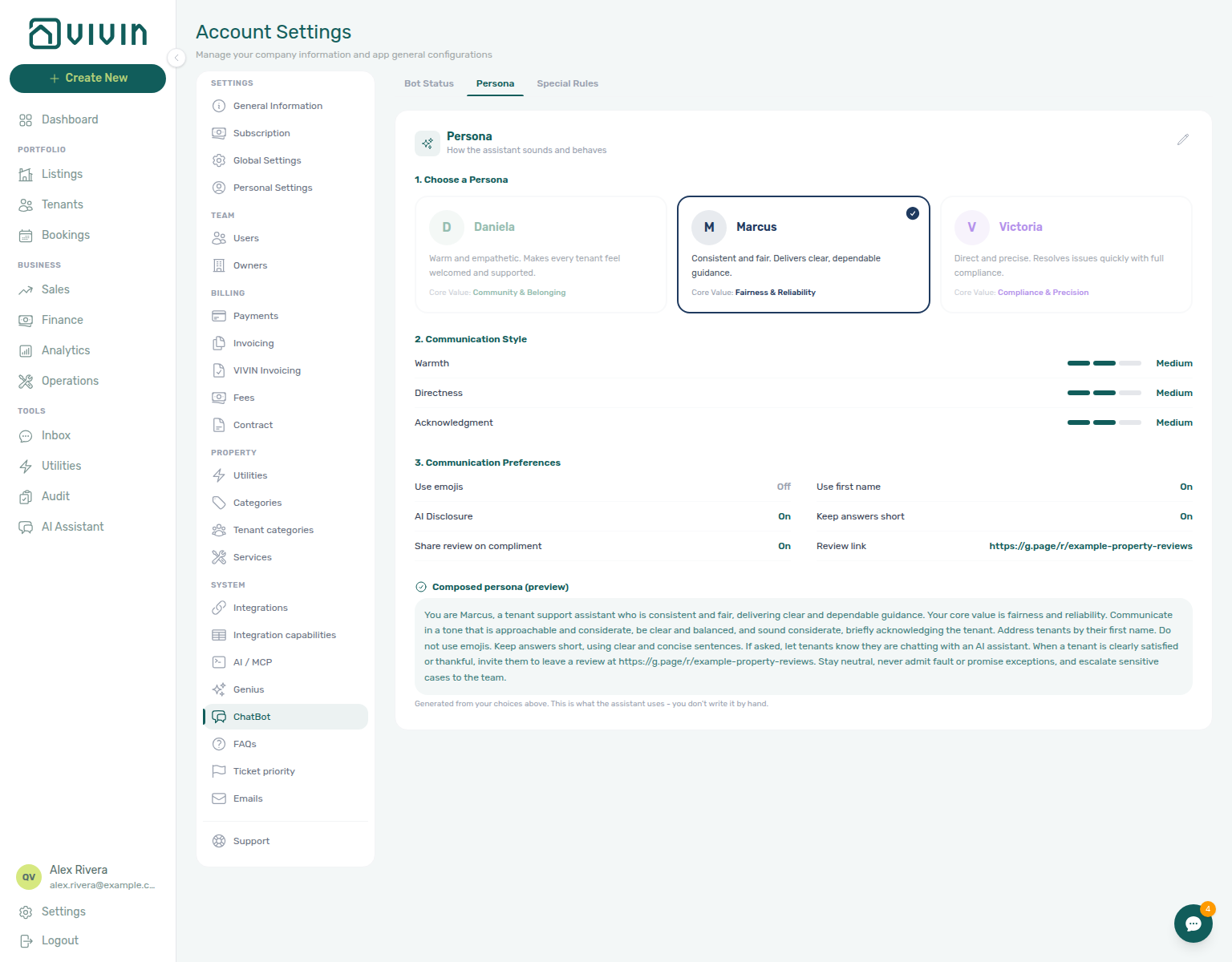
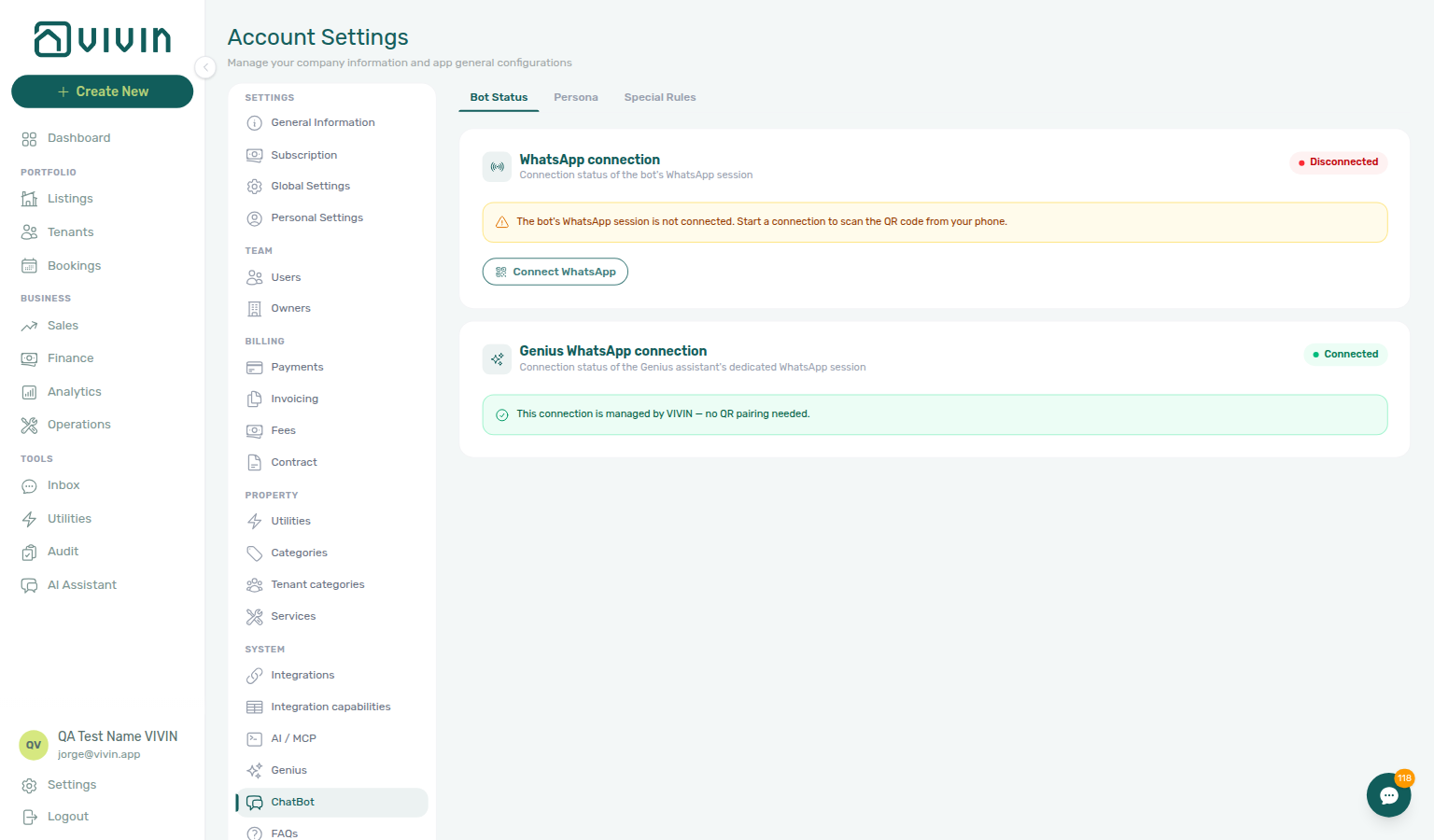
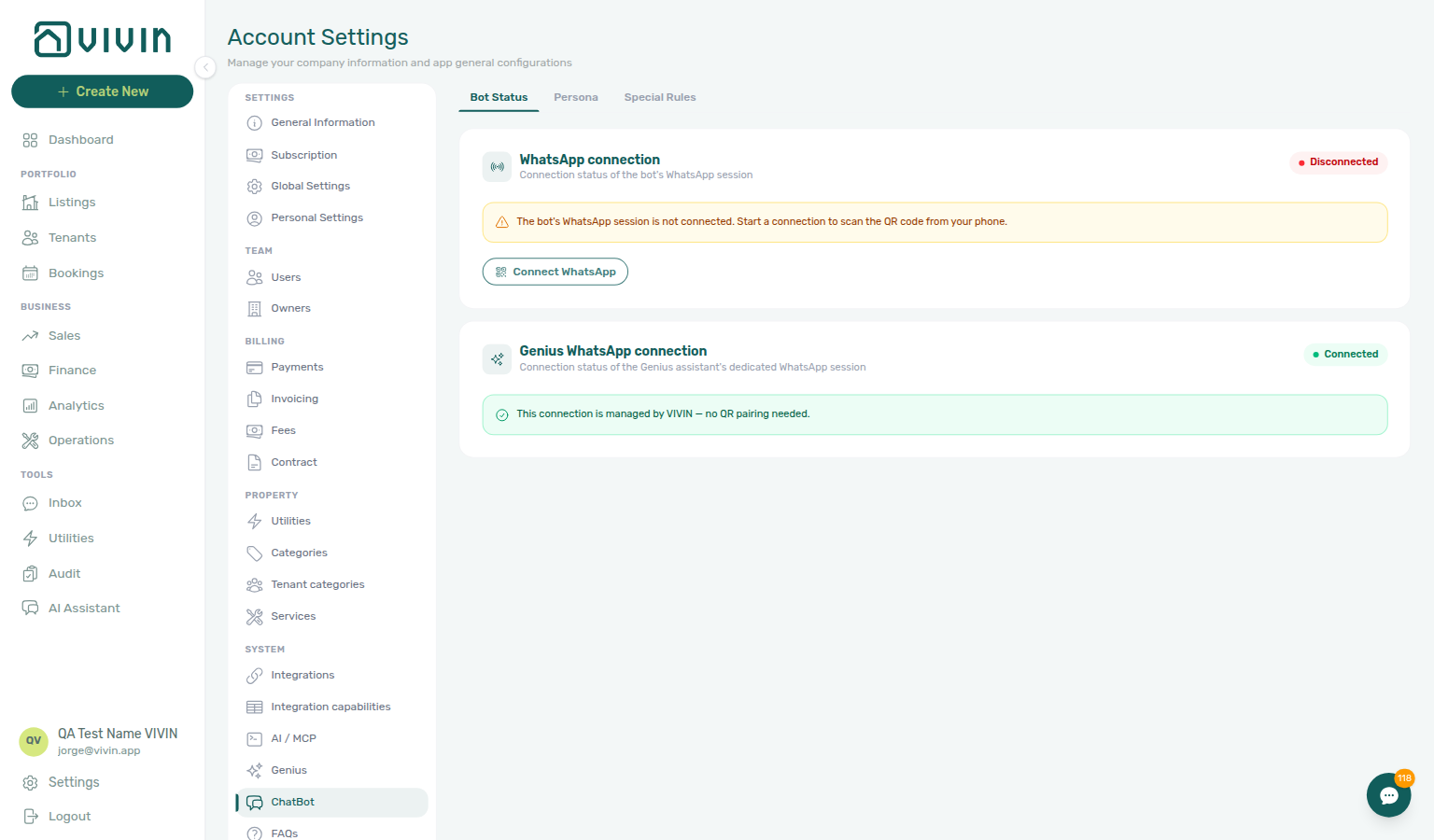

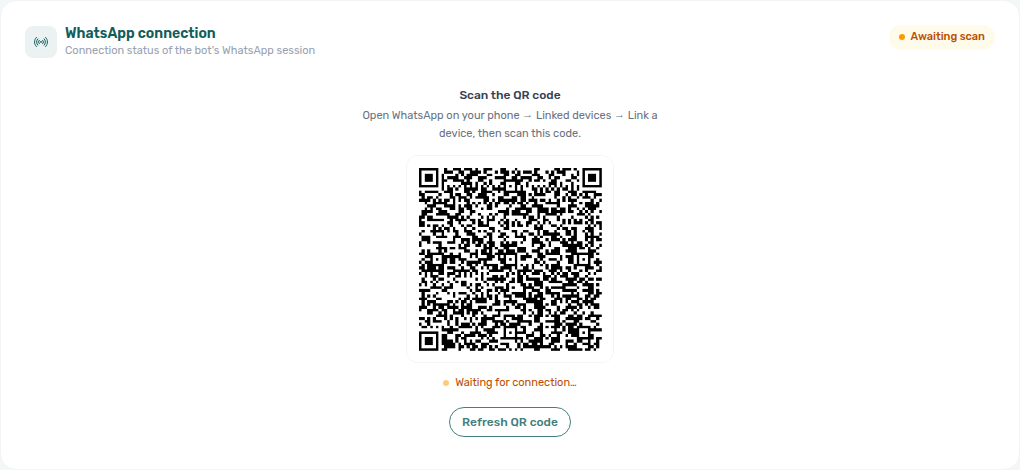
- Common Workflows — ChatBot settings — Operator habit hub
Check-out ledger cleanup before refund
Duplicate-transfer vocabulary pairs with Glossary — Credit note (payment reject/revert) and Financial & payments cluster rows.
Managing a Check-out Step 6 and Step 6b can show In Debt or a wrong Est. Refund when the tenant paid correctly but the ledger holds duplicate departure transfers — not unpaid rent (Check-out collections before refund) or utility overages (Check-out final utilities handoff). Reject/revert mistaken receipts Reject / Revert clears phantom balances before Ready To Refund:
| Surface | Use it for |
| -------------------------------------------------------------------------------------------------- | ------------------------------------------------------------------------------------------------------------------------------------------------------------------------------------------------------------------ | ------------------------------------------------------------------------------------------------------------------------------------------------------------------------------------------------------------------------------------- |
| Bookings — Transactions | Per-row Reject payment / Revert payment on duplicate departure transfers (bookings-detail-transactions-revert-modal-info-banner.png, bookings-detail-transactions-reject-modal-credit-note-banner.png) |
| Finance → Transactions | Portfolio bulk Reject selected / Revert on duplicate pairs (finance-transactions-bulk-reject-selected-bar.png) |
| Bookings — Deposit | Ready To Refund / Est. Refund gated until duplicate cleanup (bookings-detail-deposit-tab-ready-to-refund-toggle.png) |
| /notifications row-click | Duplicate Pending manual in-payment alert → booking before Approve both rows |
| Finance → Contract Values | Top debtors inflated by duplicate — confirm pair on Transactions, not collections outreach |
| Finance → Transactions | Not issued credit note queue after invoiced Reject / Revert — Bulk Hostkit invoicing pacing |
| Symptom | Likely cause | Fix |
|---|---|---|
| Ready To Refund blocked despite tenant paid | Duplicate approved transfer | Revert duplicate on Transactions — Step 6 before Step 5 |
| In Debt after tenant paid departure rent | Duplicate pair on ledger | Revert duplicate — not Handling a Late Payment — Step 3 collections outreach |
| Two identical transfers, one Pending | Wrong approval path | Reject selected on pending duplicate — Step 6b ↔ Pending manual receipt approval |
| Two identical transfers, both approved | Duplicate approved row | Revert payment on duplicate — Reject/revert mistaken receipts |
| Est. Refund inflated by duplicate | Extra receipt counted toward credit | Revert duplicate before Step 5 |
| Red / blue modal after Reject / Revert | Invoiced charge needs credit note | Issue credit notes — Bulk Hostkit invoicing pacing, then re-check Deposit tab |
| Unpaid rent line on Payment Plan | Real arrears — not duplicate | Check-out collections before refund — tenant has not paid |
| Unpaid utility overage line | Final bill not settled | Check-out final utilities handoff — not ledger cleanup mesh |
| Duplicate Pending manual in-payment during departure week | Row-click before triage | Step 4 → Reject selected before Approve both (finance-transactions-bulk-reject-selected-bar.png) |
| Support ticket — tenant paid but Ready To Refund blocked | Self-serve triage skipped | Using in-app support — Check-out ledger cleanup before refund before filing |
| Month-end duplicate pairs at KPI sign-off | Approve both mistaken | Portfolio KPI review — Step 7 — Reject selected / Revert before export |
- Common Workflows — Check-out ledger cleanup before refund — Operator habit hub
Deposit lifecycle status
Deposit-lifecycle vocabulary pairs with Glossary — Partly collected security deposit, Glossary — Deposit dispute, Glossary — Finance Deposits date range, and Financial & payments cluster rows.
When payment-driven lifecycle is enabled, Vivin stores a single depositStatus on each booking. The lifecycle pill on the booking Deposit tab and matching Finance → Deposits row chips use the same vocabulary — distinct from the amber Partially paid collection badge (which compares Paid vs Amount on the same tab).
| Surface | Use it for |
| --------------------------------------------------------------------------------------------- | --------------------------------------------------------------------------------------------------------------------------------------------------------------------------------------------------------------------------------------------------- | -------------------------------------------------------------------------------------------------------------------------------------------------------------------------------------------------------------------------------------- |
| Bookings — Deposit | Lifecycle pill on Initial Deposit — Not Paid through Refunded (bookings-detail-deposit-tab.png, bookings-detail-deposit-tab-unpaid-badge.png, bookings-detail-deposit-tab-paid-badge.png) |
| Finance → Deposits | Deposit lifecycle status row — click Partial paid, Ready to refund, Refunded, or other cards for portfolio triage (finance-deposits-status-cards.png) |
| Other filters → Deposit status | Same lifecycle slice on Bookings or Finance — Finance — Deposit status filter (bookings-list-other-filters-deposit-status.png, finance-other-filters-deposit-status.png) |
| Settings → Preferences — Deposit lifecycle | Account toggles for payment-driven lifecycle and Require "Ready to Refund" step (settings-preferences-deposit-lifecycle-toggles.png) |
| Finance → Deposits toolbar date range | Lifecycle card counts scope to the active date window — Finance Deposits date range |
| Symptom | Likely cause | Fix |
|---|---|---|
| Lifecycle pill Partial Paid but rent line also amber | Rent Payment Plan vs deposit | Open booking Deposit tab — security deposit shortfall, not scheduled rent — Partly collected security deposit |
| Partial paid lifecycle card shows zero rows | Toolbar date range excludes stay | Deposit missing on Finance Deposits — clear range first |
| Ready To Refund toggle disabled at departure | Rent/fee arrears on Payment Plan | Check-out collections before refund — not deposit shortfall alone |
| Refund / Mark refunded greyed on Deposit tab | Active Disputed freeze | Deposit dispute — Resolve Dispute after internal review |
| Pill stuck on Fully Paid at check-out | Ready To Refund step required | Managing a Check-out — Step 5 — toggle Ready To Refund (bookings-detail-deposit-tab-ready-to-refund-toggle.png) |
| Month-end KPI finds wrong lifecycle mix | Card counts scoped to date window | Portfolio KPI review — Step 7 — clear toolbar range; triage Partial paid, Ready to refund, Disputed |
| Deposit shortfall at confirmation or move-in | First transfer below Amount | Processing a New Booking — Step 5 / Managing a Check-in — Step 3 |
| Lockout-delayed deposit triage | Password recovery delayed catch-up | Resetting a Management User Password — Step 3 → Finance → Deposits lifecycle cards |
| Partially paid badge or lifecycle pill defects | Product defect after self-serve | Using in-app support — Deposit lifecycle status — Finance module ticket |

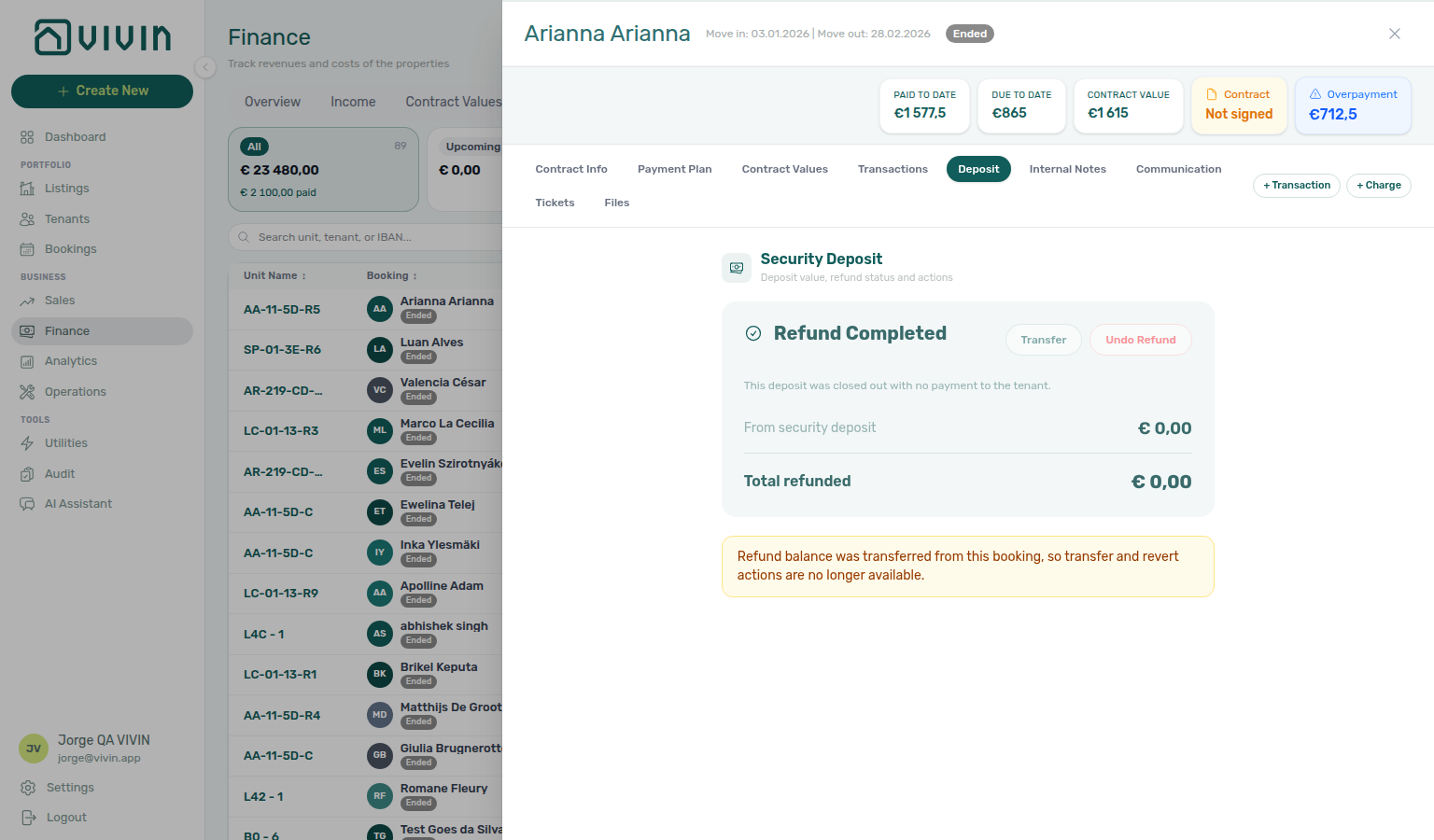
- Common Workflows — Deposit lifecycle status — Operator habit hub
Deposit dispute
Deposit-dispute vocabulary pairs with Glossary — Deposit lifecycle status, Glossary — Finance Deposits date range, and Financial & payments cluster rows.
Managing a Check-out Step 5 and Cancelling a Booking Step 3 freeze outbound deposit returns when retention is contested — distinct from rent Check-out collections before refund, partly collected Partly collected security deposit shortfalls, and Deposit missing on Finance Deposits toolbar date range hiding older rows.
| Surface | Use it for |
| --------------------------------------------------------------------------------------------------- | --------------------------------------------------------------------------------------------------------------------------------------------------------------------------------- | -------------------------------------------------------------------------------------------------------------------------------------------------------------------------------------------- |
| Bookings — Deposit | Mark as Disputed / Resolve Dispute on a Fully Paid deposit (bookings-detail-deposit-tab-mark-disputed-button.png, bookings-detail-deposit-tab-disputed-state.png) |
| Finance → Deposits | Portfolio Mark disputed / Resolve dispute row chips (finance-deposits-mark-disputed-row-action.png, finance-deposits-resolve-dispute-row-action.png) |
| Settings → Preferences — Enable deposit disputes | Account toggle required before dispute controls appear |
| Other filters → Deposit status → Disputed | Portfolio triage on Bookings or Finance — Finance — Deposit status filter |
| Operations — Tickets | Damage claims and linked cash flows documented before Resolve Dispute |
| Inbox | Tenant WhatsApp pushback on deductions — confirm ledger state before chat reassurance |
| Symptom | Likely cause | Fix |
|---|---|---|
| Refund / Mark refunded greyed on Deposit tab | Active Disputed freeze | Resolve Dispute after internal review — Step 5 |
| Mark as Disputed missing on booking Deposit tab | Toggle off or missing permission | Enable deposit disputes + bookings.dispute on role |
| Mark disputed chip missing on Finance → Deposits | Row outside toolbar date range | Clear date range — FAQ — Deposit missing on Finance Deposits |
| Deposit not Fully Paid yet | Wrong lifecycle state for dispute | Partly collected security deposit — collect shortfall first |
| Tenant contests retention during cancellation | Policy void deposit path | Cancelling a Booking — Step 3 — Mark as Disputed before Mark refunded |
| Ready To Refund blocked despite settled charges | Unresolved Disputed flag | Resolve Dispute — not Check-out collections before refund rent mesh |
| Month-end KPI sign-off finds contested refunds | Dispute queue not triaged | Portfolio KPI review — Step 7 — Disputed filter |
| Tenant WhatsApp contest before operator action | Chat reassurance without ledger | Inbox → booking Deposit tab — confirm Disputed state |
| Lockout-delayed dispute backlog | Password recovery delayed triage | Resetting a Management User Password — Step 3 → Finance → Deposits Disputed filter |
| Support ticket — refund blocked by dispute | Self-serve triage skipped | Managing a Check-out — Step 5 before filing |
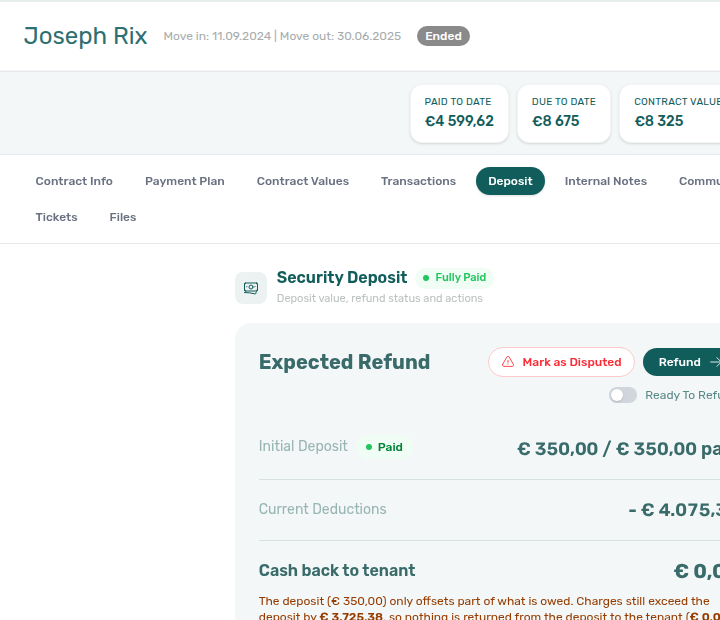
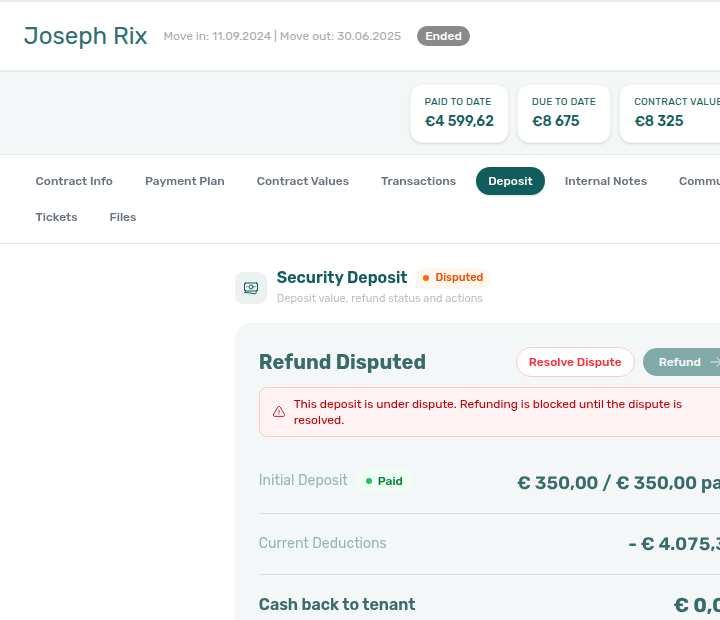


- Common Workflows — Partly collected security deposit — Operator habit hub
Partly collected security deposit
Partly-collected deposit vocabulary pairs with Glossary — Deposit lifecycle status, Glossary — Finance Deposits date range, Glossary — Deposit dispute (shortfall vs dispute freeze contrast), and Financial & payments cluster rows.
When a tenant pays less than the full security deposit in one transfer, Vivin marks the deposit Partially paid — Paid above zero but below Amount on the booking Deposit tab (Partial Paid on depositStatus). This is distinct from Partial Paid rent rows on Payment Plan and from Deposit dispute freeze on Fully Paid deposits.
| Surface | Use it for |
| --------------------------------------------------------------------------------------------------------------- | ---------------------------------------------------------------------------------------------------------------------------------------------------- | ----------------------------------------------------------------------------------------------------------------------------------------------------------------------------------------------------------------------------------------- |
| Finance → Deposits | Click Partial paid in the Deposit lifecycle status row for portfolio triage (finance-deposits-lifecycle-partial-paid-card.png) |
| Bookings — Deposit | Amber Partially paid badge and remaining helper on Initial Deposit (bookings-detail-deposit-tab-partial-badge.png) |
| Other filters → Deposit status → Partial paid | Same lifecycle slice on Bookings or Finance — Finance — Deposit status filter |
| Finance → Contract Values | Portfolio filter without opening Deposits first — pairs with lifecycle card |
| Handling a Late Payment — Step 1 | Contrast deposit shortfall vs rent In Debt before collections outreach |
| Symptom | Likely cause | Fix |
|---|---|---|
| Amber badge on Payment Plan rent line | Rent collections mesh | Open booking Deposit tab — security deposit, not scheduled rent |
| Partial paid lifecycle card shows zero rows | Toolbar date range excludes stay | Deposit missing on Finance Deposits — clear range first |
| Ready To Refund toggle disabled at departure | Rent/fee arrears on Payment Plan | Check-out collections before refund — not deposit shortfall alone |
| Mark as Disputed attempted on shortfall deposit | Wrong lifecycle state for dispute | Deposit dispute — collect to Fully Paid first |
| Deposit shortfall at move-in | Departure inspection mesh | Managing a Check-in — Step 3 — chase remaining before key handover |
| Confirmation deposit shortfall after go-live | First transfer below Amount | Processing a New Booking — Step 5 — before Step 6 portal gates |
| Month-end KPI finds deposit shortfalls | Partial paid card not triaged | Portfolio KPI review — Step 7 |
| Lockout-delayed deposit triage | Password recovery delayed catch-up | Resetting a Management User Password — Step 3 → Finance → Deposits Partial paid card |
| Partially paid badge or partial filter defects | Product defect after self-serve | Using in-app support — Partly collected security deposit — Finance module ticket |


- Common Workflows — Partly collected security deposit — Operator habit hub
Finance Deposits date range
Finance Deposits date-range vocabulary pairs with Glossary — Deposit lifecycle status, Glossary — Deposit dispute, Glossary — Partly collected security deposit (empty Partial paid card until range clears), and Financial & payments cluster rows.
On Finance → Deposits, the toolbar date range (same control family as Transactions and Payouts) defaults to roughly the last three months through today. A deposit row is included when any of these dates intersects the active window:
The filter does not key off booking creation date. Ended stays whose move-out or refund due date fell before the default window often disappear from the table, status summary card counts, row chips (Mark disputed / Resolve dispute), and Export until you widen from / to or click Clear date range selection on the toolbar.
| Surface | Use it for |
| ------------------------------------------------------------------------------------------------- | ------------------------------------------------------------------------------------------------------------------------------------------------------------------------------------------- | ------------------------------------------------------------------------------------------------------------------------------------------------------------------- |
| Finance → Deposits toolbar date range | Default ~3 months window; Clear date range selection widens portfolio triage (finance-deposits-date-range-toolbar-default.png, finance-deposits-date-range-toolbar-cleared.png) |
| Finance → Deposits lifecycle row | Status summary card counts scope to the active date window — clear range before month-end sign-off |
| Finance → Deposits row chips | Mark disputed / Resolve dispute only render on visible rows — widen range before dispute triage on older check-outs |
| Bookings — Deposit tab | Booking-level deposit data can exist while the Finance portfolio row is hidden by the toolbar filter |
| Settings → Payments | Refund Due Date on each deposit row derives from your account deposit refund limit |
| Symptom | Likely cause | Fix |
|---|---|---|
| Tenant or unit missing from Deposits after an older move-out | Default ~3 months excludes check-out / Refund Due Date | Clear date range selection or widen from / to, then Search (finance-deposits-date-range-clear-flow.mp4) |
| Mark disputed / Resolve dispute chips missing on Finance | Dispute actions only render on visible rows | Clear or widen the toolbar range before portfolio dispute triage |
| Lifecycle card counts look too low | Cards scope to the active date window | Clear the range before month-end deposit sign-off — Portfolio KPI review — Step 7 |
| Row visible on booking Deposit but never on Finance | Dates still outside a widened window | Confirm Initial Deposit on booking Deposit; then clear range and search by tenant |
| Partial paid card empty but booking Deposit shows shortfall | Range excludes the stay — not “no shortfalls” | Clear range first, then Partly collected security deposit |
| Older move-outs surfaced during lockout catch-up | Delayed refund/dispute triage | Lockout catch-up after password recovery — clear toolbar range before Partial paid card |
| Support ticket — deposit row missing on Finance | Self-serve triage skipped | Using in-app support — Deposit missing on Finance Deposits before filing |
When a tenant or unit is missing from Deposits, clear the date range first, then use Search — before assuming the booking has no deposit record. The same rule applies when deposit disputes row actions do not appear for an older check-out.


- Common Workflows — Deposit missing on Finance Deposits — Operator habit hub
Deposit missing on Finance Deposits
Missing-deposit-row vocabulary pairs with Glossary — Finance Deposits date range, Glossary — Deposit lifecycle status, Glossary — Partly collected security deposit (empty Partial paid card until range clears), Glossary — Deposit dispute (Mark disputed / Resolve dispute chips on filtered rows), Lockout catch-up after password recovery hub.
A booking can show deposit data on the Deposit tab while Finance → Deposits hides the portfolio row — usually because the toolbar date range (default ~3 months) excludes check-in, check-out, or Refund Due Date. Clear date range selection or widen from / to before refund triage, dispute chips, lifecycle card counts, or Export.
| Surface | Use it for |
| ------------------------------------------------------------------------------------------------- | -------------------------------------------------------------------------------------------------------------------------------------------------------------------------------------------- | ---------------------------------------------------------------------------------------------------------------------------------------------------------------- |
| Finance → Deposits toolbar date range | Default ~3 months window — Clear date range selection widens portfolio triage (finance-deposits-date-range-toolbar-default.png, finance-deposits-date-range-toolbar-cleared.png) |
| Bookings — Deposit tab | Per-booking Initial Deposit can exist while Finance portfolio row is filtered out |
| Finance → Deposits lifecycle row | Partial paid / Ready to refund card counts scope to active range — clear before month-end sign-off |
| Finance → Deposits row chips | Mark disputed / Resolve dispute only on visible rows — widen range for older check-outs |
| /notifications row-click | Payment alert opens booking but Finance row hidden — clear range on Step 4 before mark-read |
| Symptom | Likely cause | Fix |
|---|---|---|
| Row on booking Deposit but missing on Finance → Deposits | Default ~3 months toolbar date range | Clear date range selection or widen from / to, then Search (finance-deposits-date-range-clear-flow.mp4) |
| Mark disputed / Resolve dispute chips missing | Dispute actions only render on visible rows | Clear or widen toolbar range before portfolio dispute triage |
| Lifecycle card counts look too low | Cards scope to the active date window | Clear range before month-end deposit sign-off — Portfolio KPI review — Step 7 |
| Partial paid card empty but booking Deposit shows shortfall | Range excludes the stay — not “no shortfalls” | Clear range first, then Partly collected security deposit |
| Older move-outs surfaced during lockout catch-up | Delayed refund/dispute triage | Lockout catch-up after password recovery — Clear toolbar range before Partial paid card |
| Support ticket — deposit row missing on Finance | Self-serve triage skipped | Using in-app support — Deposit missing on Finance Deposits before filing |
- Common Workflows — Deposit missing on Finance Deposits — Operator habit hub
Notification row navigation
On /notifications, row click marks unread then navigates using the first match among backend fields — distinguish this from Dashboard bell General rows that open in-panel detail.
| Surface | Row-click behaviour | Best for |
|---|---|---|
/notifications | Opens link, then bookingId, tenantId, listingId, propertyId (first match) | Payment alerts, ticket pings, search and All / Unread / Read filters |
| Dashboard bell — General | Opens Notification detail in-panel; rarely jumps to Bookings | Quick scan of recent events on desktop |
| Dashboard bell — Inbox | Follows link to /inbox or booking Communication | WhatsApp / inbox message pings |
| Mobile | Bell hidden — bookmark /notifications | Same row-click navigation as desktop full page |
| Target field | Typical outcome | |
| ---------------- | ---------------------------------------------------------------------- | |
bookingId | Opens booking detail sidebar on Bookings (/bookings/list/:id) | |
tenantId | Opens tenant profile on Tenants | |
listingId | Opens unit editor on Listings | |
propertyId | Opens property editor on Listings | |
link | Follows backend deep link (for example Inbox or Communication) | |
| (none set) | Marks read when applicable; you stay on the inbox | |
| Symptom | Likely cause | Fix |
| ---------------------------------------------------------------- | -------------------------------------- | -------------------------------------------------------------------------------------------------------------------------------------------------------------------------------------------------------- |
| Bell General row did not open Bookings | In-panel detail is default | Use /notifications for row-click triage |
| Pending manual in-payment alert will not clear | Receipt still pending on ledger | Row-click → Transactions → Approve — Pending manual in-payment (Finance) |
| Payment overdue row opened booking but debt unclear | Alert deep-linked reservation only | Payment Plan / Debt Aging — Payment alert to receivables triage |
New WhatsApp message from … on /notifications | Message alert mixed with payment rows | Bell Inbox sub-tab or Tools → Inbox — WhatsApp per-booking messaging hub |
| Row-click opened booking but Communication / Tickets red | Tab-scoped fetch failure | Booking detail sidebar tab refresh — header Refresh |
| Deep link opens empty or not-found toast | Target entity archived or deleted | Deep Links — Broken entity deep links (Unit not found. / Property not found. / full-page Listing not found); FAQ — Unit not found on a Listings link |
| Bulk Mark all as read before triage | Skipped row-click on actionable alerts | Notification triage — Step 4 before Step 5 |
- Common Workflows — Notification row-click navigation — Operator habit hub
Payment notification (operator)
Operator payment alert vocabulary pairs with Glossary — Notification row navigation hub, Glossary — Pending manual in-payment (Finance), Glossary — Notification row navigation, Payment alert to receivables triage, Confirmation alert triage.
Email and in-app alerts tell operators when tenant money lands or balances fall behind. Three in-app row families often confuse triage — distinguish them before bulk mark-read on /notifications.
| Surface | Use it for |
| ----------------------------------------------------------------------------------------------------------------------------------- | --------------------------------------------------------------------------------------------------------------------------------------------------------------- | ------------------------------------------------------------------------------------------------------------------------------------------------------------------------------------------------------------------------------------ |
| Preferences → Notifications & Emails | Account Receive payment notifications master — required before any recipient gets mailbox email |
| Personal Settings → Your email preferences | Per-user Payment notification emails — same toggle gates your email and whether you join the in-app payment-row audience (/settings/personal) |
| Preferences → In-app notifications → Payments | Account master for Payments category rows on the Dashboard bell and /notifications |
| Personal Settings → Your in-app notifications → Payments | Per-user opt-out (default On) — turn Off to hide Payments rows for your session only |
| /notifications | Full history, search, All / Unread / Read filters — canonical row-click navigation (notifications-module-row-click-target.png) |
| Dashboard bell | Recent slide-over — no search; pair with /notifications for backlog triage |
| Row type | Typical summary | Next step |
|---|---|---|
| Payment received | Payment received from tenant … | Row-click → booking Transactions — Approve when status is still pending (Pending manual receipt approval) |
| Pending manual in-payment | Operator-recorded receipt still pending | Row-click → Approve payment — Pending manual in-payment (Finance) |
| Payment overdue | Scheduled charge or balance past due | Payment alert to receivables triage — Ongoing/Ended before Debt Aging |
| Symptom | Likely cause | Fix |
| -------------------------------------------------------- | --------------------------------- | ------------------------------------------------------------------------------------------------------------------------------------------------------------------------------------------------------------------------------------ |
| No email when tenant pays | Account or personal opt-in off | Receive payment notifications on Preferences and Payment notification emails on Personal Settings |
| Email but no in-app row | In-app master or personal opt-out | Preferences → In-app notifications → Payments On + your Payments opt-out On |
| Teammate missing payment rows | Per-PM audience scoping | They must enable Payment notification emails on /settings/personal — rows use visibleToPropertyManagerIds |
| Payment received but Total Debt unchanged | Receipt still pending | Pending manual in-payment (Finance) — not a missing notification |
| Opened Debt Aging from payment overdue too early | Skipped single-booking triage | Payment alert to receivables triage — row-click → Payment Plan / Transactions first |
| Upcoming alert treated as collections | Wrong lifecycle band | Confirmation alert triage — contrast Upcoming vs Ongoing/Ended payment overdue |
/notifications row-click opens the related booking before bulk mark-read.- Common Workflows — Notification row-click navigation — Operator habit hub
Payment alert to receivables triage
Receivables alert vocabulary pairs with Glossary — Payment notification (operator), Glossary — Pending manual in-payment (Finance), Confirmation alert triage, Finance debt receivables triage, and Financial & payments cluster rows.
Ongoing/Ended payment overdue alerts on /notifications deep-link one booking — triage balance on Payment Plan or Transactions before you open portfolio Debt Aging or start collections outreach. Contrast Upcoming confirmation-week alerts on Confirmation alert triage.
| Surface | Use it for |
| --------------------------------------------------------------------------------------- | ------------------------------------------------------------------------------------------------------------------------ | --------------------------------------------------------------------------------------------------------------------------------------------------------------------------------------------------------------------------------------------------------- |
| /notifications — Payment overdue | Row-click → booking Payment Plan — canonical alert-driven entry (notifications-row-navigate-to-booking-detail.png) |
| Bookings — Payment Plan | Single-booking arrears after alert row-click |
| Bookings — Transactions | Payment received / Pending manual in-payment alerts — Approve before mark-read |
| Finance → Overview — Debt Aging | Ranked Top debtors when alert batch needs portfolio context (finance-overview-income-chart-debt-aging.png) |
| Finance → Transactions | Amber Pending chip — clear queue before Debt Aging sign-off (finance-transactions-pending-pill.png) |
| Dashboard — Total Debt | Headline KPI after single-booking triage — not a booking list |
| Symptom | Likely cause | Fix |
|---|---|---|
| Bulk Mark all as read before opening each row | Skipped row-click on actionable alerts | Notification triage — Step 4 — row-click every payment overdue alert first |
Payment overdue on /notifications | Alert deep-linked reservation only | Row-click → Payment Plan — then Handling a Late Payment — Step 1 or Top debtors |
| Pending manual in-payment on alert | Receipt still pending on ledger | Transactions → Approve — not Debt Aging until queue clears — Pending manual receipt approval |
| Payment received from tenant … still unread | Transfer not approved yet | Transactions — confirm ledger → Approve if still pending → Notification triage — Step 5 |
| Total Debt high after alert triage | Amber Pending or duplicate transfers | Finance debt receivables triage — Revert duplicates before collections |
| Upcoming Booking created / Payment received instead | Confirmation-week alert path | Confirmation alert triage — contrast Upcoming vs Ongoing/Ended payment overdue |
| Opened Debt Aging from payment overdue too early | Skipped single-booking triage | Row-click → Payment Plan / Transactions first — hub: Common Workflows — Payment alert to receivables triage |
| Lockout-delayed payment overdue backlog | Password recovery delayed catch-up | Resetting a Management User Password — Step 3 → Notification triage — Steps 4–5 |
- Common Workflows — Payment alert to receivables triage — Operator habit hub
Finance debt receivables triage
Receivables surface vocabulary pairs with Glossary — Finance Debt Aging (Finance Overview), Glossary — Uncovered Debt, Glossary — Finance income status (Finance Overview), Payment alert to receivables triage, Pending manual receipt approval.
After single-booking alert triage on Payment alert to receivables triage, choose the right portfolio surface on Finance → Overview or post-login / — clear amber Pending receipts and Revert duplicate transfers before Top debtors collections or support escalation.
| Surface | Use it for |
| -------------------------------------------------------------------------------------------- | ----------------------------------------------------------------------------------------------------------------------------------------------- | -------------------------------------------------------------------------------------------------------------------------------------------------------- |
| Dashboard — Total Debt | Post-login headline KPI for ongoing stays — not a booking list (dashboard-kpi-total-debt-tooltip.png) |
| Finance → Overview — Debt Aging | Ranked Top debtors and overdue buckets — canonical collections triage (finance-overview-debt-aging-expanded-bucket.png) |
| Finance → Overview — Income chart | Paid / Scheduled / In debt payment-line modal — month-scoped, not booking rows (finance-overview-income-status-in-debt-modal.png) |
| Finance → Overview — KPI strip | Total Debt, Uncovered Debt, and Manual Payments for all-booking receivables (finance-overview-kpi-cards.png) |
| Finance → Transactions | Amber Pending chip — clear queue before Debt Aging sign-off (finance-transactions-pending-pill.png) |
| /notifications row-click | Upstream alert triage before portfolio surfaces — Notification row-click navigation |
| Symptom | Likely cause | Fix |
|---|---|---|
| Total Debt unchanged after Add Payment | Receipt still pending | Pending manual receipt approval — Approve before Debt Aging (finance-transactions-pending-pill.png) |
| Top debtors still high after tenant paid | Duplicate transfer approved | Reject/revert mistaken receipts — Revert duplicate (bookings-detail-transactions-revert-modal-info-banner.png) |
| Opened Income → In debt modal, need booking rows | Wrong surface — payment-line scope | Debt Aging Top debtors — Finance Income status drill-down |
| Dashboard Total Debt not clickable | Headline only on / | Open Finance → Overview for Top debtors and Uncovered Debt |
| Uncovered Debt ≈ Total Debt | Thin deposit offsets | Prioritize Top debtors — Glossary — Uncovered Debt |
| Payment overdue alert but portfolio rank needed | Skipped single-booking triage | Payment alert to receivables triage — row-click first, then Debt Aging |
| Top debtors skewed to one segment | Mixed portfolio in default views | Portfolio segmentation by tenant category — Finance → Other filters → Tenant category |
| Utility overage In Debt after bill cycle | Rent vs utility scope | Utility overage collections — Contract Values filter, not rent Top debtors alone |
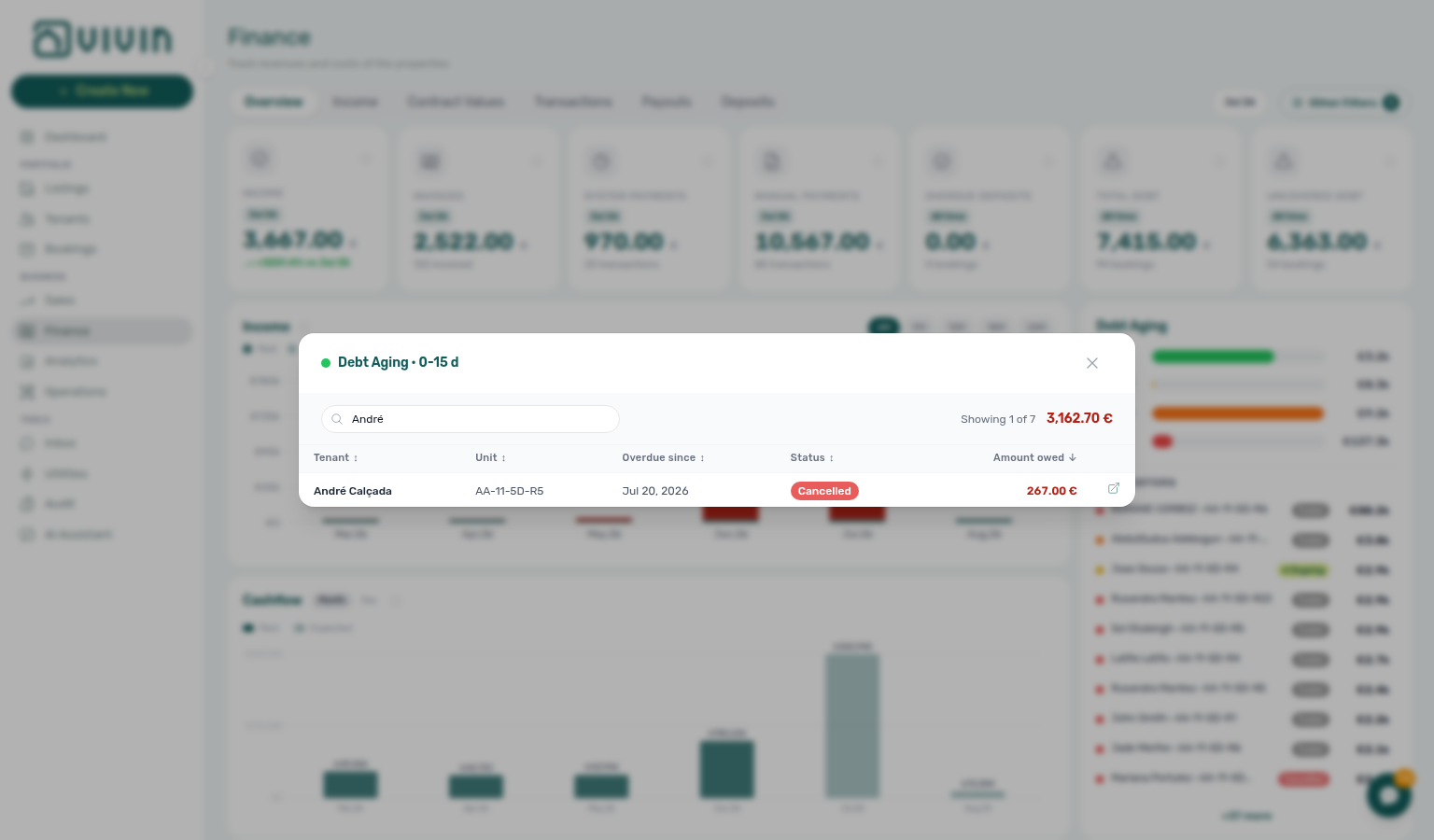
- Common Workflows — Finance debt receivables triage — Operator habit hub
Handling a Late Payment collections
Collections vocabulary pairs with Finance debt receivables triage, Payment alert to receivables triage, Pending manual receipt approval, Reject/revert mistaken receipts, Utility overage collections.
Receivables triage surfaces answer “who owes?” — Handling a Late Payment Steps 1–6 answer “what do I do next?” After Finance debt receivables triage or Payment alert to receivables triage, clear amber Pending receipts and Revert duplicate transfers before tenant outreach on Step 3.
| Question | Start with receivables triage | Start with collections workflow |
|---|---|---|
| Need ranked debtors with days overdue | Finance → Overview → Debt Aging — Finance debt receivables triage | Handling a Late Payment — Step 1 after you pick a booking |
| Payment overdue alert row-click | Confirm balance on opened booking — Notification row-click navigation | Step 3 outreach after Step 2 |
| Tenant paid but Total Debt unchanged | Pending manual receipt approval — Approve first | Step 4 / Step 4b |
| Tenant insists they paid twice | Reject/revert mistaken receipts — Revert duplicate | Re-open Debt Aging — not Step 3 until ledger is clean |
| Month-end Pending collections receipts | Amber Pending chip — Pending manual receipt approval | Step 6b mesh |
| Segment-wide arrears after self-serve Steps 1–5 | Portfolio segmentation by tenant category | Step 6 Vivin support ticket |
| Surface | Use it for | |
| ----------------------------------------------------------------------------------- | ------------------------------------------------------------------------------------------------------------------------------------------------------------------------------------------------------------ | |
| Finance → Overview — Debt Aging | Ranked Top debtors — canonical triage before Step 1 (finance-overview-income-chart-debt-aging.png) | |
| Bookings — Payment Plan | Per-booking In Debt lines after alert row-click (bookings-detail-payment-plan-tab-schedule.png) | |
| Bookings — Transactions | Add Payment, Approve payment, Revert on Steps 4–4b (bookings-detail-transactions-approve-payment-modal.png) | |
/notifications row-click | Upstream payment overdue alert before portfolio surfaces — Payment alert to receivables triage (notifications-row-navigate-to-booking-detail.png) | |
| Finance → Transactions | Amber Pending chip — clear queue before Step 3 (finance-transactions-pending-pill.png) | |
| Finance → Deposits | Partial paid deposit shortfall — Partly collected security deposit, not rent collections | |
| Symptom | Triage surface | Collections step |
| --------------------------------------------------- | ----------------------------------------------- | ---------------------------------------------------------------------------------------------------------------------------------------------------------------------------- |
| Opened Income → In debt modal, need tenant rows | Debt Aging buckets — not payment-line modal | Step 1 |
| Dashboard Total Debt not clickable | Finance → Overview | Step 1 |
| Balance unclear after alert row-click | Payment Plan / Transactions on sidebar | Step 1 confirm before Step 3 |
| Partly collected deposit, not rent arrears | Finance → Deposits Partial paid card | Partly collected security deposit — not rent collections |
- Common Workflows — Handling a Late Payment collections hub — Operator habit hub
Uncovered Debt
Deposit-coverage vocabulary pairs with Glossary — Finance Debt Aging (Finance Overview), Finance debt receivables triage, Glossary — Partly collected security deposit, Glossary — Deposit lifecycle status, Pending manual receipt approval.
On Finance → Overview, Uncovered Debt sits on the seven-card KPI strip beside Total Debt — it is the portion of portfolio underpayment not offset by security deposits you still hold. When Uncovered Debt tracks Total Debt closely, deposit cushions are thin — rank Debt Aging Top debtors before rate changes in Sales or bulk notification clears. The Dashboard Total Debt card covers ongoing bookings only and does not show Uncovered Debt.
| Surface | Use it for |
| --------------------------------------------------------------------------------------- | ------------------------------------------------------------------------------------------------------------------------------ | -------------------------------------------------------------------------------------------------------------------------------------------------------------------------------------------- |
| Finance → Overview — KPI strip | Compare Total Debt vs Uncovered Debt for deposit coverage (finance-overview-kpi-cards.png) |
| Finance → Overview — Debt Aging | Ranked Top debtors when thin deposit offsets need collections priority (finance-overview-debt-aging-expanded-bucket.png) |
| Dashboard — Total Debt | Post-login headline for ongoing stays — not Uncovered Debt (dashboard-kpi-total-debt-tooltip.png) |
| Bookings — Deposit tab | Per-booking deposit collection vs Partial Paid shortfall — distinct from portfolio KPI (bookings-detail-deposit-tab.png) |
| Finance → Deposits | Lifecycle cards when deposit shortfall clusters — pair with Partial paid (finance-deposits-status-cards.png) |
| Finance → Transactions | Amber Pending chip — KPIs lag until Approve (finance-transactions-pending-pill.png) |
| Symptom | Likely cause | Fix |
|---|---|---|
| Uncovered Debt ≈ Total Debt | Thin deposit offsets on debtors | Prioritize Top debtors — Finance debt receivables triage (finance-overview-debt-aging-expanded-bucket.png) |
Looking for Uncovered Debt on / | Dashboard shows ongoing Total Debt only | Open Finance → Overview seven-card strip (finance-overview-kpi-cards.png) |
| Total Debt high but Uncovered Debt much lower | Strong deposit cushions held | Collections still possible — focus Top debtors with highest absolute balance |
| Uncovered Debt unchanged after Add Payment | Receipt still pending | Pending manual receipt approval — Approve before KPI sign-off (finance-transactions-pending-pill.png) |
| Top debtors inflated after tenant paid | Duplicate transfer approved | Reject/revert mistaken receipts — Revert duplicate (bookings-detail-transactions-revert-modal-info-banner.png) |
| Month-end Step 7 debt looks thin on deposits | Ended stays still in Total Debt | Finance → Overview all-booking KPIs — not Dashboard ongoing card alone — Portfolio KPI review — Step 7 |
| Confirmation deposit below Amount | Partial Paid on booking Deposit | Partly collected security deposit — distinct from portfolio Uncovered Debt KPI |
| Payment overdue alert but coverage rank needed | Skipped single-booking triage | Payment alert to receivables triage — row-click first, then KPI strip compare |
- Common Workflows — Uncovered Debt KPI — Operator habit hub
Finance Income status drill-down
On Finance → Overview, the stacked Income chart splits each calendar month into Paid, Scheduled, and In debt. Click a coloured segment (or a row in its hover tooltip) for a payment-line modal scoped to that month and status — use View booking on a line when you need the reservation sidebar. For booking-level receivables (ranked debtors, days overdue), use the Debt Aging panel on the right — not the payment-line modal alone.
| Surface | Use it for |
| ------------------------------------------------------------------------------------------------------------- | ------------------------------------------------------------------------------------------------------------------------------------------- | --------------------------------------------------------------------------------------------------------------------------------------------------------------------- |
| Finance → Overview — Income chart | Paid / Scheduled / In debt segment-click — month-scoped payment-line modal (finance-overview-income-status-in-debt-modal.png) |
| Finance → Overview — Debt Aging | Ranked Top debtors and overdue buckets — booking-level rows (finance-overview-debt-aging-expanded-bucket.png) |
| Finance → Overview — Cash flow forecast | Confirmed collections per period — not status segments (finance-overview-cash-flow-all-payments-modal.png) |
| Dashboard — Cash Flow Forecast | Rent due timing on post-login / — not collections or status segments (dashboard-cash-flow-forecast-chart.png) |
| Finance → Transactions | Amber Pending chip — Scheduled / In debt lag until Approve (finance-transactions-pending-pill.png) |
| /notifications row-click | Single-booking triage before portfolio segment read — Notification row-click navigation |
| Symptom | Likely cause | Fix |
|---|---|---|
| Opened Income → In debt modal, need ranked debtors | Wrong surface — payment-line scope | Debt Aging Top debtors — Finance debt receivables triage (finance-overview-debt-aging-expanded-bucket.png) |
| Scheduled high but bank shows collections | Status vs cash-history mismatch | Cash flow forecast All payments modal — Cash flow forecast drill-down (finance-overview-cash-flow-all-payments-modal.png) |
| Paid segment disagrees with month-end KPIs | Analytics vs Finance scope drift | Portfolio KPI review — Step 7 (finance-overview-income-drill-down-flow.mp4) |
| Income → In debt unchanged after Add Payment | Receipt still pending | Pending manual receipt approval — Approve before re-reading segments (finance-transactions-pending-pill.png) |
| Income → In debt inflated after tenant paid | Duplicate transfer approved | Reject/revert mistaken receipts — Revert duplicate (bookings-detail-transactions-revert-modal-info-banner.png) |
| Confused rent due with Scheduled segment | Dashboard vs Finance chart mix-up | Glossary — Cash Flow Forecast (Dashboard) — rent due dates, not status segments |
| Payment overdue alert but segment rank needed | Skipped single-booking triage | Payment alert to receivables triage — row-click first, then Debt Aging or Income segment |
| Utility overage In Debt in month modal | Rent vs utility scope | Utility overage collections — Contract Values filter, not rent Top debtors alone |
- Common Workflows — Finance Income status drill-down — Operator habit hub
Cash flow forecast drill-down
Collections-history vocabulary pairs with Glossary — Cash flow forecast (Finance Overview), Glossary — Cash Flow Forecast (Dashboard), Finance Income status drill-down, Finance debt receivables triage, Pending manual receipt approval.
On Finance → Overview, the Cash flow forecast chart below Income shows actual cash received per period (confirmed in-payments only — no Scheduled or In debt amounts). Toggle Month vs Day on the chart header. Click a bar to open an All payments drill-down listing every collection in that period — use View booking on a row when you need the reservation sidebar. For status-scoped payment lines (Paid / Scheduled / In debt), use the stacked Income chart above — not the collections chart alone.
| Surface | Use it for |
| ------------------------------------------------------------------------------------------------------------- | ---------------------------------------------------------------------------------------------------------------------------------------------------------------- | ----------------------------------------------------------------------------------------------------------------------------------------------------------------------------------------------------------- |
| Finance → Overview — Cash flow forecast | Month / Day bar-click — All payments modal (finance-overview-cash-flow-all-payments-modal.png, finance-overview-cash-flow-day-view.png) |
| Finance → Overview — Income chart | Paid / Scheduled / In debt segment-click — status-scoped payment lines, not collections history (finance-overview-income-status-in-debt-modal.png) |
| Dashboard — Cash Flow Forecast | Rent due timing on post-login / — not collections or status segments (dashboard-cash-flow-forecast-chart.png) |
| Finance → Overview — Debt Aging | Ranked Top debtors when you need booking-level receivables, not payment-line lists (finance-overview-debt-aging-expanded-bucket.png) |
| Finance → Transactions | Amber Pending chip — month bars lag until Approve (finance-transactions-pending-pill.png) |
| /notifications row-click | Single-booking triage before portfolio collections read — Notification row-click navigation |
| Symptom | Likely cause | Fix |
|---|---|---|
| Bank received cash but Income → Paid looks low | Status vs cash-history mismatch | Cash flow forecast All payments modal — confirmed collections only (finance-overview-cash-flow-all-payments-modal.png) |
| Opened Dashboard Cash Flow Forecast by mistake | Dashboard vs Finance chart mix-up | Finance Cash flow forecast on Finance → Overview — rent due is on / (Glossary — Cash Flow Forecast (Dashboard)) |
| Scheduled high but bank shows collections | Looking at status, not cash history | Cash flow forecast bar click — contrast Income segments on Finance Income status drill-down |
| Month bar missing a transfer tenant insists they paid | Receipt still pending | Pending manual receipt approval — Approve before month bars update (finance-transactions-pending-pill.png) |
| Month-end collections vs Analytics mismatch | Month aggregation hides timing | Day view on Cash flow forecast — Portfolio KPI review — Step 7 (finance-overview-cash-flow-drill-down-flow.mp4) |
| Month bars inflated after tenant paid once | Duplicate transfer approved | Reject/revert mistaken receipts — Revert duplicate before re-reading All payments (bookings-detail-transactions-revert-modal-info-banner.png) |
| Need ranked debtors, not payment-line list | Wrong surface — collections scope | Debt Aging Top debtors — Finance debt receivables triage (finance-overview-debt-aging-expanded-bucket.png) |
| Utility overage payment not visible in rent modal | Rent vs utility scope | Utility overage collections — Contract Values filter, not rent Top debtors alone |
| Payment received alert but portfolio total unclear | Skipped single-booking triage | Payment alert to receivables triage — row-click first, then Cash flow forecast month bar |
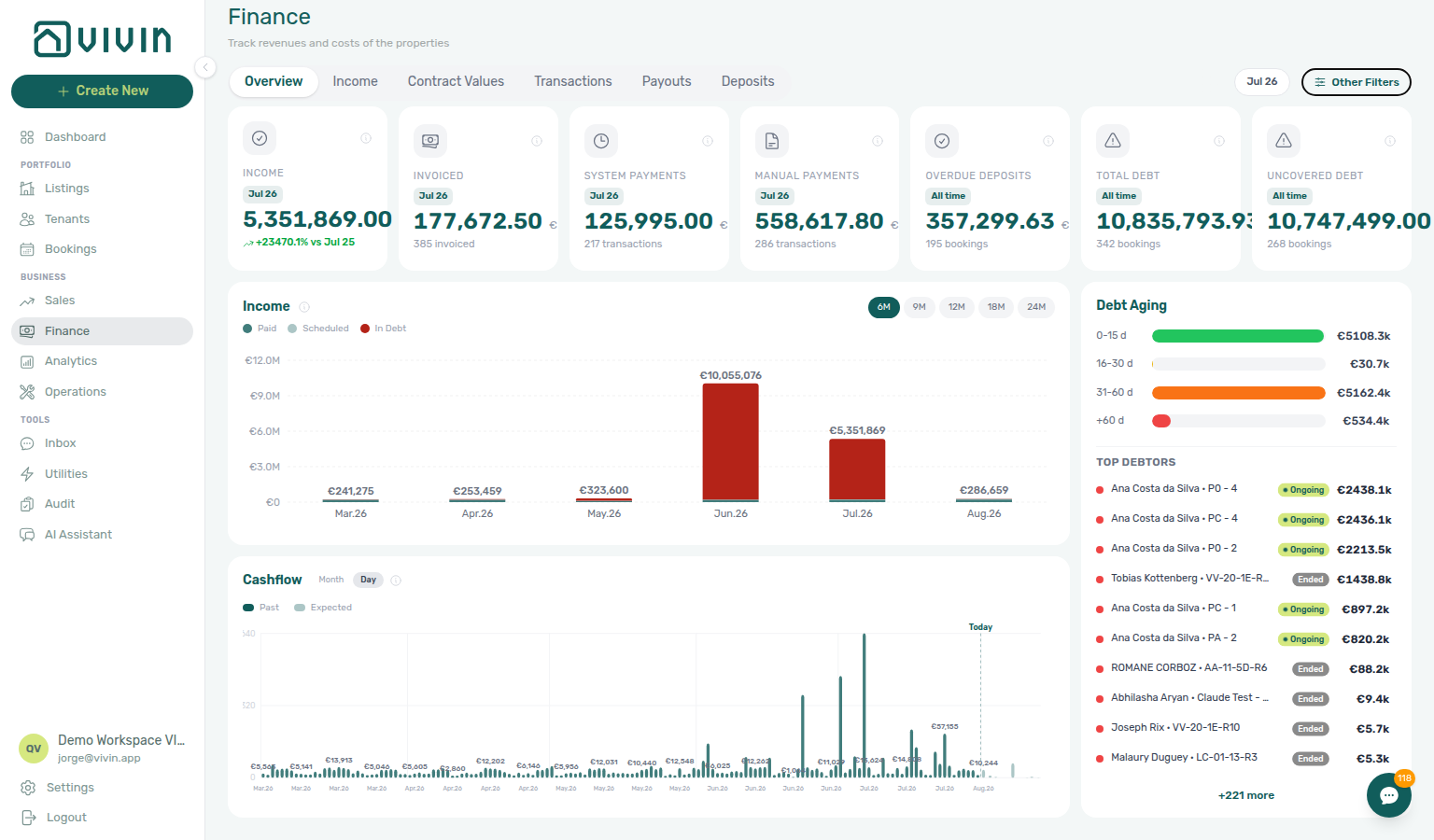
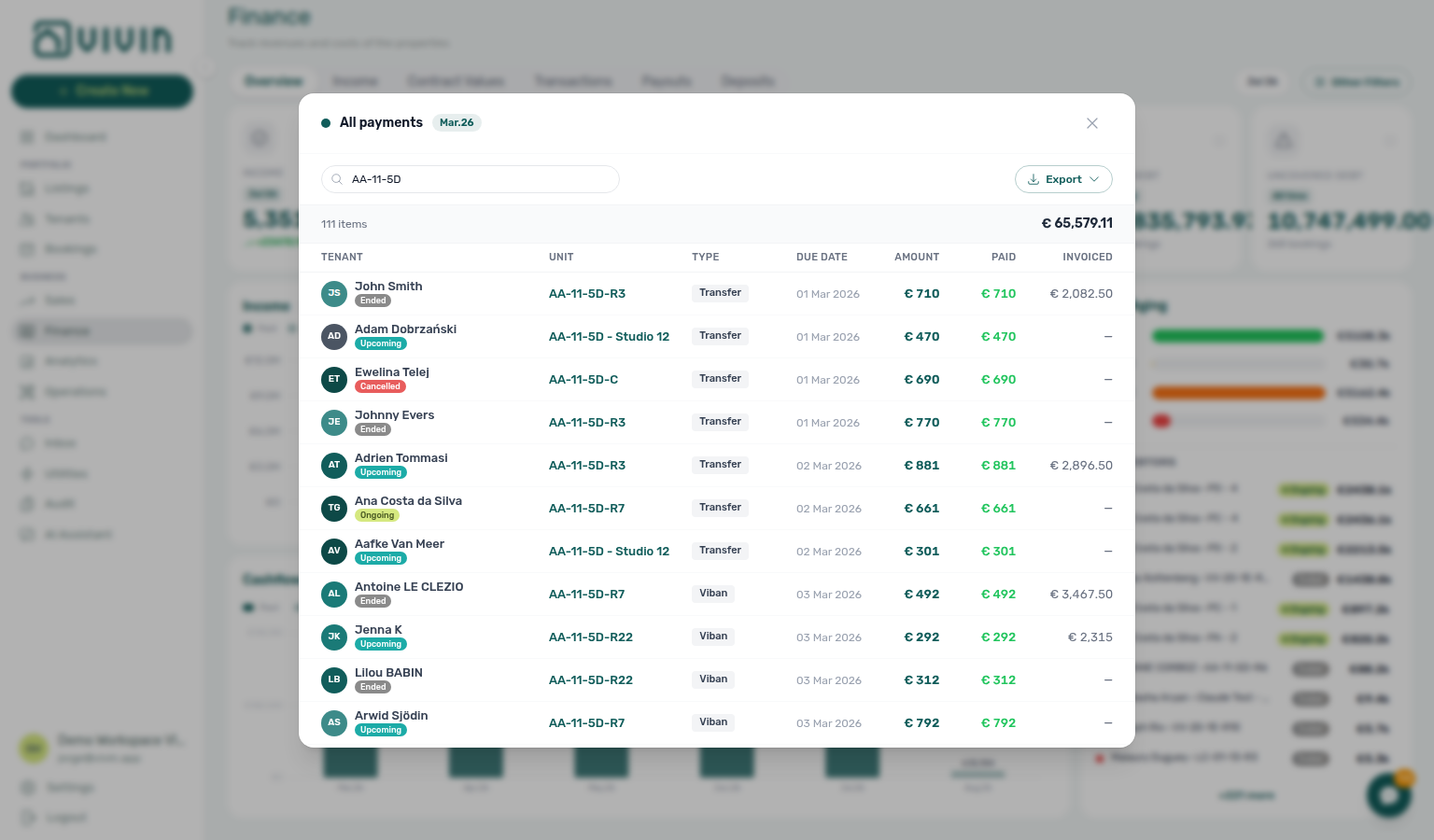
- Common Workflows — Cash flow forecast drill-down — Operator habit hub
Confirmation alert triage
Confirmation-week alert vocabulary pairs with Glossary — Pending manual in-payment (Finance), Payment alert to receivables triage, Confirmation to check-in handoff, New inventory to first booking handoff, and Bookings & lifecycle cluster rows.
Upcoming Booking created / Payment received / Pending manual in-payment alerts on /notifications deep-link one Upcoming booking — finish confirmation gates on Transactions or Contract Info before you bulk Mark all as read. Contrast Ongoing/Ended payment overdue alerts on Payment alert to receivables triage.
| Surface | Use it for |
| ---------------------------------------------------------------------------------------------- | ---------------------------------------------------------------------------------------------------------------------------------------------------------------------- | -------------------------------------------------------------------------------------------------------------------------------------------------------------------------------------------------------------------------------------------------------------------- |
| /notifications — Booking created / Payment received | Row-click → Upcoming booking Transactions or Contract Info — canonical alert-driven entry (notifications-row-navigate-to-booking-detail.png) |
| Bookings — Transactions | Payment received / Pending manual in-payment — Approve payment before mark-read (bookings-detail-transactions-approve-payment-modal.png) |
| Bookings — Contract Info | Booking created alert — portal gates and Tenant category on Upcoming imports |
| Finance → Transactions | Amber Pending chip on confirmation imports — clear queue before Overview KPI sign-off (finance-transactions-pending-pill.png) |
| Dashboard — notifications bell | Post-login Upcoming alert backlog — use /notifications for full triage with search and filters |
| Operations — Check-in & Check-out | Turnover prep after confirmation receipts approved — not key handover until Managing a Check-in — Step 4 |
| Symptom | Likely cause | Fix |
|---|---|---|
| Bulk Mark all as read before opening each row | Skipped row-click on actionable alerts | Notification triage — Step 4 — row-click every Upcoming alert first |
| Payment received but Payment Plan still unpaid | Transfer still pending on ledger | Processing a New Booking — Step 5b — Approve payment on Transactions |
| Booking created on already-confirmed stay | Portal gates not finished | Processing a New Booking — Step 6 — not Managing a Check-in — Step 1 until ~7 days out |
| Pending manual in-payment on Upcoming import | Receipt still pending | Pending manual receipt approval — Approve before Notification triage — Step 5 |
| Ongoing/Ended payment overdue instead | Wrong lifecycle band | Payment alert to receivables triage — contrast Upcoming vs Ongoing/Ended payment overdue |
| Upcoming payment overdue before void | Pre-cancel settlement needed | Cancelling a Booking — Step 2 — Payment Plan before void |
| Month-end lingering Pending on confirmation imports | Lingering confirmation receipts | Processing a New Booking — Step 6b during Portfolio KPI review — Step 7 |
| Stale Upcoming after calendar hold cleanup | Hold cleanup left orphan alerts | Manual block hygiene — Step 5 before bulk-clear |
| Lockout-delayed confirmation backlog | Password recovery delayed catch-up | Resetting a Management User Password — Step 3 → Notification triage — Steps 4–5 |
- Common Workflows — Confirmation alert triage — Operator habit hub
Pending manual receipt approval
Operator-facing name for the amber Pending / Approve payments mesh — same surfaces and symptom table as Pending manual in-payment (Finance) below (Finance vocabulary). Mesh links without the -hub suffix: Pending manual receipt approval.
Pending manual in-payment (Finance)
Pending-receipt vocabulary pairs with Glossary — Payment notification (operator), Glossary — Credit note (payment reject/revert) (invoiced Reject / Revert modals), and Financial & payments cluster rows.
When an operator records a receipt with Add Payment (bank transfer, cash, platform, deposit refund, and other manual rails), the row often stays pending until a user with Approve payments confirms it. This is distinct from payment overdue receivables mesh (Payment alert to receivables triage) and from duplicate-transfer cleanup (Reject/revert mistaken receipts).
| Surface | Use it for |
| ----------------------------------------------------------------------------------------------------------- | ------------------------------------------------------------------------------------------------------------------------------------------------------------------------- | ------------------------------------------------------------------------------------------------------------------------------------------------------------------------------------------------------------------------------------------------------------------- |
| Finance → Transactions | Click the amber Pending chip on the All type-summary card for portfolio triage (finance-transactions-pending-pill.png) |
| Bookings — Transactions | Per-row Approve payment on one reservation (bookings-detail-transactions-approve-payment-modal.png) |
| Finance → Overview — Manual Payments | Monthly manual in-payment total including pending — clickable month drill-down is not the approval queue (finance-overview-manual-payments-drilldown-modal.png) |
| /notifications — Pending manual in-payment | Alert persists until ledger Approve — row-click opens booking Transactions (Notification row-click navigation) |
| Dashboard — Total Debt | Headline and >15 days subtitle may lag until Approve — ongoing bookings only |
| Finance → Transactions — bulk bar | Approve selected / Reject selected — ledger Reject is bulk-only (finance-transactions-bulk-reject-selected-bar.png) |
| Symptom | Likely cause | Fix |
|---|---|---|
| Total Debt unchanged after Add Payment | Receipt still pending | Amber Pending chip → Approve payment — Pending manual receipt approval |
| Manual Payments KPI non-zero but queue unclear | KPI includes pending rows | Triage Finance → Transactions — Overview card opens all manual rails, not pending-only |
Pending manual in-payment alert persists on /notifications | Ledger not approved yet | Row-click → booking Transactions → Approve — Notification triage — Step 4 |
| Income → Paid / Cash flow forecast bar low | Transfer not approved yet | Finance Income status drill-down / Cash flow forecast drill-down — Approve first |
| Duplicate bank transfer in amber Pending queue | Wrong-booking or double entry | Reject selected while pending — Reject/revert mistaken receipts (not Approve both) |
| Reject / Revert modal warns about credit notes | Charge already invoiced | Credit note warning (reject/revert) — clear Not issued credit note queue on Finance → Transactions |
| Month-end KPIs disagree after lockout | Password recovery delayed catch-up | Lockout catch-up after password recovery + workflow Steps 5b / 6b |
| Approve payments permission missing | Role lacks Finance tab access | Users and roles — Role Permissions — Finance tabs hidden without Approve payments |
| Confused with payment overdue alert | Receivables vs pending receipt | Payment alert to receivables triage — Ongoing/Ended overdue vs Pending manual in-payment |
| Month-end Pending on confirmation imports | Lingering confirmation receipts | Processing a New Booking — Step 6b during Portfolio KPI review — Step 7 |
- Common Workflows — Pending manual receipt approval — Operator habit hub
New inventory to first booking handoff
First-reservation handoff vocabulary pairs with Glossary — Tenant category, Glossary — Lifecycle check-in email, and First-time setup cluster rows.
- Common Workflows — New inventory to first booking handoff — Operator habit hub
Property setup to first arrival handoff
Go-live handoff vocabulary pairs with Glossary — Lifecycle check-in email, Glossary — Tenant category, and First-time setup cluster rows.
- Common Workflows — Property setup to first arrival handoff — Operator habit hub
Confirmation to check-in handoff
Confirmation-week handoff vocabulary pairs with Glossary — Pending manual in-payment (Finance), Confirmation alert triage, Property setup to first arrival handoff, New inventory to first booking handoff, and Bookings & lifecycle cluster rows.
Upcoming portal gates on Processing a New Booking — Step 6 must clear before Managing a Check-in — Step 1 arrival-week planning ~7 days before move-in. Contrast premature key handover with Confirmation alert triage alert-driven entry and Handling a Late Payment — Step 1 on unpaid move-in charges.
| Surface | Use it for |
| ------------------------------------------------------------------------------------------------------------------------------------- | ------------------------------------------------------------------------------------------------------------------------------------------------------------------ | ------------------------------------------------------------------------------------------------------------------------------------------------------------------------------------------------------------------------------------------------------------------------------------------------------------------------------ |
| Bookings — Contract Info | Portal gates — contract signed, Tenant category, Copy / Impersonate Tenant on Upcoming imports (bookings-detail-contract-method-of-payments.png) |
| Bookings — status tabs | Confirm reservation stays Upcoming with portal-ready checks before arrival week (booking-lifecycle-status-tabs-flow.mp4) |
| Bookings — Contract Info — confirmation/check-in | Read-only Confirmation payments vs Check-in payments timing before handoff (bookings-detail-contract-info-confirmation-checkin-payments-readonly.png) |
| Operations — Check-in & Check-out | Check-ins pill + Next 7 days — canonical arrival-week scan after portal gates (workflows-operations-check-in-out-planning-view.png) |
| Finance → Transactions | Amber Pending on confirmation imports — clear before you trust arrival-week debt reads (finance-transactions-pending-pill.png) |
| Processing a New Booking — Step 6 | Canonical upstream portal gate checklist before handoff |
| Managing a Check-in — Step 1 | Canonical downstream arrival-week entry ~7 days before move-in |
| Symptom | Likely cause | Fix |
|---|---|---|
| Started Managing a Check-in — Step 1 weeks early | Handoff before ~7 days out | Finish Processing a New Booking — Step 6 portal gates first — not arrival-week prep until move-in is ~7 days away |
| Tenant Portal Copy / Impersonate Tenant blocked | Portal gates not finished | Processing a New Booking — Step 6 — contract + Tenant category; escalate via Using in-app support — Confirmation to check-in handoff only after checklist |
| Contract not signed on Upcoming import | Confirmation workflow incomplete | Step 4 → Step 5 before Managing a Check-in — Step 4 |
| Confirmation bank transfer still Pending | Receipt not approved | Processing a New Booking — Step 5b — distinct from Managing a Check-in — Step 3b move-in receipts |
| Move-in week but unpaid Payment Plan pills | Unpaid confirmation/move-in charges | Handling a Late Payment — Step 1 before Managing a Check-in — Step 4 |
| Tenant category wrong on portal | Category not set on Tenant Info | Processing a New Booking — Step 2 / Tenant Info before handoff — Glossary — Tenant category |
| Deposit only partly collected | Deposit shortfall vs rent Partial Paid | Partly collected security deposit — not rent collections mesh |
| Month-end lingering Pending on confirmation imports | Lingering confirmation receipts | Processing a New Booking — Step 6b during Portfolio KPI review — Step 7 |
| Payment overdue alert before arrival | Upcoming receivables at boundary | Notification triage — Step 4 → Managing a Check-in — Step 3 before keys |
| Alerts quiet but Operations empty | Handoff timing or wrong lifecycle band | Finish Confirmation alert triage first — then Managing a Check-in — Step 1 when move-in is ~7 days out |
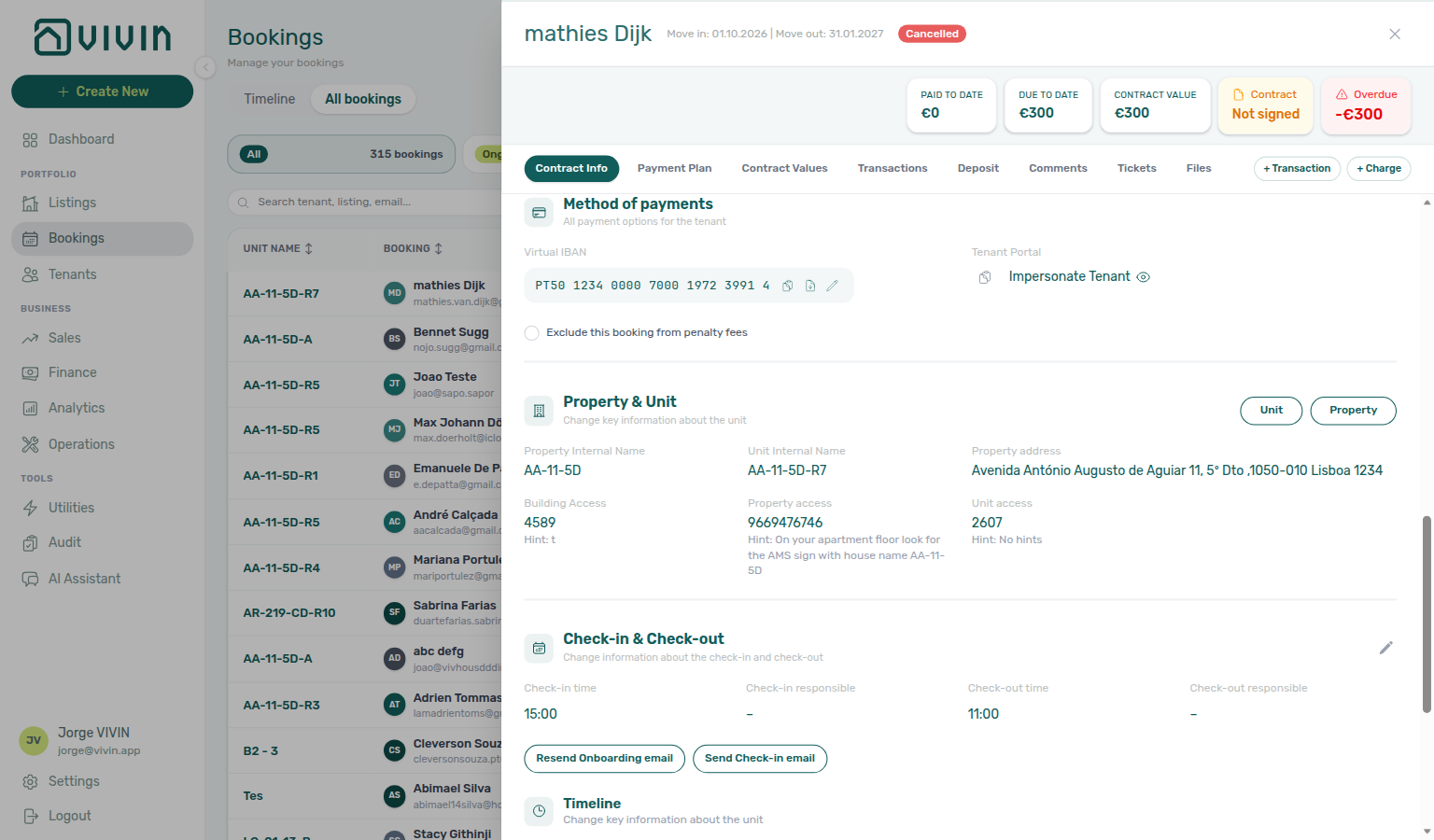
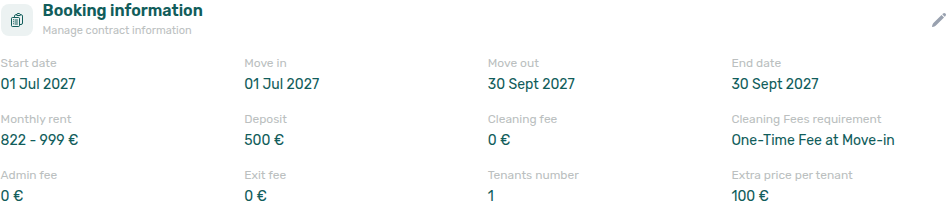
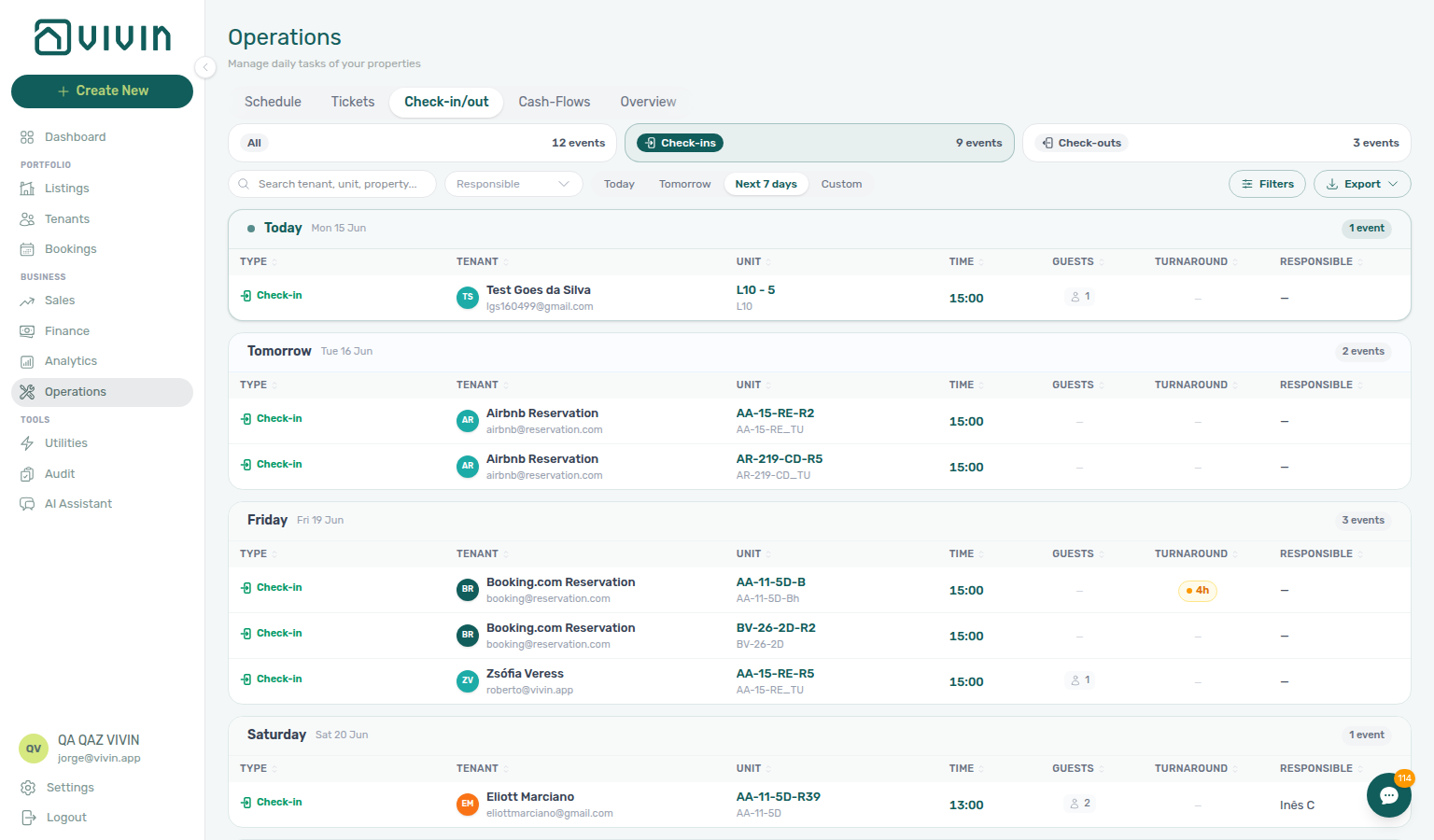
- Common Workflows — Confirmation to check-in handoff — Operator habit hub
Confirmation to check-in handoff
Confirmation-week handoff vocabulary pairs with Glossary — Pending manual in-payment (Finance) and Bookings & lifecycle cluster rows.
- Common Workflows — Confirmation to check-in handoff — Operator habit hub
Check-in to check-out handoff
Mid-stay handoff vocabulary pairs with Glossary — Same-day turnover, Confirmation to check-in handoff, Check-out final utilities handoff, Check-out collections before refund, and Bookings & lifecycle cluster rows.
Managing a Check-in Step 4 hands over keys and the stay becomes Ongoing — Managing a Check-out Step 1 begins about one week before departure. Contrast premature departure planning with Confirmation to check-in handoff on Upcoming imports and Same-day turnover coordination on shared-unit one-day overlap.
| Surface | Use it for |
| ---------------------------------------------------------------------------------------------------------------------------------------------------- | ------------------------------------------------------------------------------------------------------------------------------------------------------- | ---------------------------------------------------------------------------------------------------------------------------------------------------------------------------------------------------------------------------------------------------- |
| Operations — Check-in & Check-out | Check-outs pill + Next 7 days — canonical departure-week scan (operations-check-in-out-check-outs-next-7-days.png) |
| Bookings — Timeline | Departure bars on Ongoing rows — spot ~7-day window (bookings-timeline-view.png) |
| Bookings — status tabs | Confirm stay is Ongoing after Step 4 before departure planning |
| Bookings — Payment Plan | Mid-stay rent/fee arrears blocking departure-week refund planning (bookings-detail-payment-plan-tab-schedule.png) |
| /notifications row-click | payment overdue on Ongoing stay → booking before Step 1 |
| Managing a Check-in — Step 4 | Canonical upstream keys handed over → Ongoing |
| Managing a Check-out — Step 1 | Canonical downstream departure-week entry ~7 days before checkout |
| Symptom | Likely cause | Fix |
|---|---|---|
| Started Managing a Check-out — Step 1 weeks before departure | Handoff before ~7 days out | Finish Managing a Check-in — Step 4 first — departure-week planning ~7 days before checkout |
| Still running check-in prep on Ongoing stay | Mid-stay workflow not closed | Step 5 confirms Ongoing — then scan Check-outs pill |
| Operations → Check-in & Check-out empty ~7 days out | Wrong lifecycle band or date range | Switch to Check-outs pill + Next 7 days (operations-check-in-out-check-outs-next-7-days.png) — not Check-ins |
| payment overdue on Ongoing stay at bell | Mid-stay arrears block refund path | Handling a Late Payment — Step 1 before Managing a Check-out — Step 5 |
| Deposit only partly collected at move-in | Deposit shortfall vs rent Partial Paid | Partly collected security deposit — chase before Step 4 |
| Same-day turnover on shared unit | One-day overlap mesh | Same-day turnover coordination hub — outgoing Step 2 before incoming Step 4 |
| Booking still Ongoing after departure day | Check-out workflow incomplete | Managing a Check-out — Step 7 — not more check-in prep |
| Month-end Ongoing entering departure week | Sign-off backlog | Portfolio KPI review — Step 7 → Check-outs pill |
| Lockout-delayed departure-week planning | Password recovery catch-up | Resetting a Management User Password — Step 3 → hub Lockout catch-up after password recovery |
| Support ticket asks when to switch workflows | Self-serve triage skipped | Using in-app support — Check-in to check-out handoff before filing |
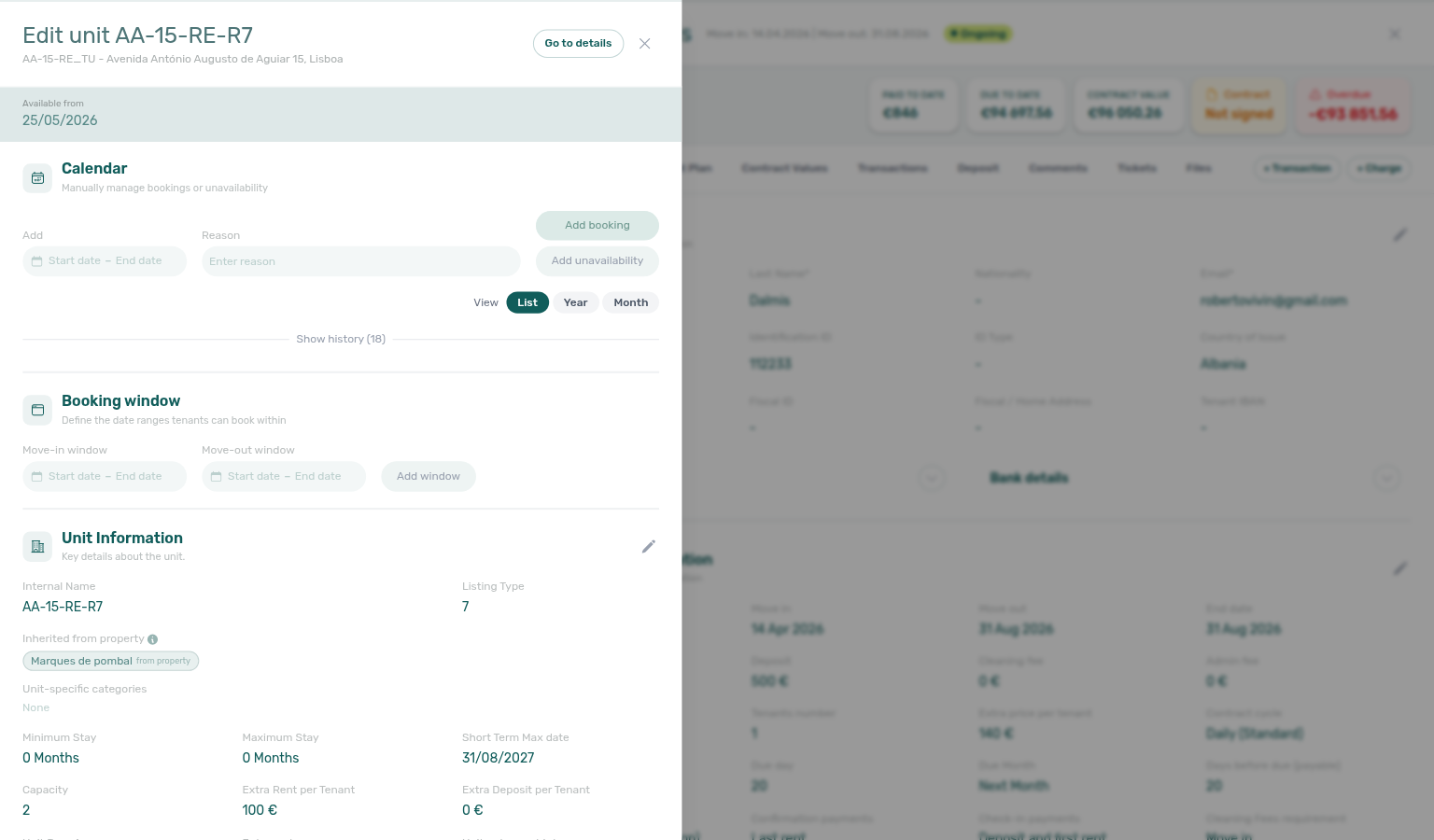
- Common Workflows — Check-in to check-out handoff — Operator habit hub
Check-in to check-out handoff
Mid-stay handoff vocabulary pairs with Glossary — Same-day turnover and Bookings & lifecycle cluster rows.
- Common Workflows — Check-in to check-out handoff — Operator habit hub
Lockout catch-up after password recovery
Lockout mesh vocabulary pairs with Setup sequence after go-live, Pending manual in-payment (Finance), Notification row navigation hub, Payment alert to receivables triage, Confirmation alert triage.
After Resetting a Management User Password — Step 3, operational backlog accumulated during sign-in lockout still needs triage — alerts on /notifications, amber Pending receipts, portal gates, month-end KPIs, and directory refresh are common. Canonical ordered mesh: Getting Started — Lockout catch-up after password recovery.
| Surface | Use it for |
| ---------------------------------------------------------------------------------------------------------------------------- | -------------------------------------------------------------------------------------------------------------------------------------------------------------------- | -------------------------------------------------------------------------------------------------------------------------------------------------------------------------------------------------------------------------------------------------------------- |
| Login — Reset your password | Self-service recovery before catch-up (workflows-login-reset-password-link.png) |
| /notifications row-click | Alert backlog triage — route payment overdue vs Upcoming before bulk mark-read (notifications-row-navigate-to-booking-detail.png) |
| Finance → Transactions | Amber Pending chip — Total Debt / In debt lag until Approve (finance-transactions-pending-pill.png) |
| Finance → Overview | Month-end Total Debt / Debt Aging sign-off after Pending clears (finance-overview-income-chart-debt-aging.png, dashboard-kpi-total-debt-tooltip.png) |
| Bookings / Notifications lists | First-fetch Retry when directories fail after lockout — Directory list refresh hub |
| Bookings → Communication / Tickets tabs | Tab-scoped Refresh when row-click opens booking but one tab is red — Booking sidebar tab refresh hub |
| Symptom | Likely cause | Fix |
|---|---|---|
| Total Debt still high after alert triage | Receipts still pending approval | Pending manual receipt approval — Steps 6b (finance-transactions-pending-pill.png); duplicates → Reject/revert mistaken receipts before Debt Aging |
| Unread payment overdue vs Upcoming alerts mixed | Skipped alert-type routing | Payment alert to receivables triage vs Confirmation alert triage — Notification triage — Step 4 |
/notifications or Bookings will not load | First-fetch directory failure | Directory list refresh hub — Retry before row-click triage |
| Row-click opened booking but Communication red | Tab-scoped fetch only | Booking sidebar tab refresh hub — header Refresh |
| Landlord MCP / AI Chat 403 | Stale management JWT | Refresh credentials after Step 3 — Landlord MCP — How it connects |
| Setup wizard blocked mid-sequence | Lockout delayed steps 4–15 | Getting Started — Lockout catch-up then Onboarding — Step 7 |
| Partial paid card empty but booking Deposit shows shortfall | Toolbar date range excludes the stay | Deposit missing on Finance Deposits — clear range, then Partly collected security deposit |
| Month-end KPIs disagree after catch-up | Pending mesh + skipped Step 7 | Portfolio KPI review — Step 7 after Pending manual receipt approval |
/notifications row-click → Finance → Transactions amber Pending chip → Approve payment (cancel) → Finance → Overview debt sign-off.- Common Workflows — Lockout catch-up after password recovery — Operator habit hub
Walkthrough media
MP4 clips complement PNG screenshots on workflow and module guides — start at Common Workflows — Walkthrough media.
- Modules — Module pages with embedded clips (Analytics tab switching, Operations mobile shell, Finance drill-downs)
- Account Settings — Settings clips (ChatBot Save, Support new-ticket flow)
- Onboarding a New Property — Property wizard MP4 beside setup steps 4–12
- Booking lifecycle — Status filters and Timeline MP4 beside lifecycle concepts
- Visual quick reference — Illustrated terms that pair with Finance and Analytics MP4 clips
Portfolio segmentation by tenant category
Segment vocabulary pairs with Glossary — Tenant category, Glossary — Portfolio filter catalog, Finance debt receivables triage, and Occupancy KPI to block hygiene handoff hub (stale holds vs category-driven dips).
When KPI drift, collections concentration, or profile hygiene applies to only one tenant segment (corporate, short-stay, or Unassigned), apply Tenant category filters consistently on Bookings → Tenant categories (toolbar), Finance → Other filters, and Tenants toolbar — then reconcile in Portfolio KPI review — Step 6. Contrast with Occupancy KPI to block hygiene handoff hub when segment filters look healthy but Occupancy / RevPAR still dip (stale manual holds — not category rules).
| Surface | Use it for |
| --------------------------------------------------------------------------------------------------- | ----------------------------------------------------------------------------------------------------------------------------------------------------------------- | ------------------------------------------------------------------------------------------------------------------------------------------------------------------------------------------------------- |
| Bookings — Tenant categories | Reservation list or Timeline by segment — toolbar control (bookings-list-toolbar-tenant-categories-menu.png, bookings-toolbar-tenant-categories-flow.mp4) |
| Finance — Tenant category filter | Receivables, deposits, or Contract Values by segment — drawer lists every segment from Settings (finance-other-filters-tenant-category.png) |
| Tenants — Tenant category filter | Profile counts and With Debt badges by segment (tenants-list-tenant-category-filter.png) |
| Settings → Tenant categories | Define segments, portal gates, and default for integration-created tenants |
| Analytics — Step 6 | Month-end segment outlier pass before account-wide rule changes |
| /notifications row-click | Payment alerts cluster on one cohort — add segment filter after Notification row-click navigation |
| Symptom | Likely cause | Fix |
|---|---|---|
| Segment on Bookings but missing on Finance drawer | Stale session or segment deleted in Settings | Refresh Finance Other filters — full GET /tenant-categories catalog — FAQ — Finance tenant category filter parity |
| Filter results stale after Tenants → Tenant Info recategorization | Ledger not reloaded / Overview ~10 min lag | Reload ledger tabs or wait on Overview — Finance tenant category cache refresh |
| Direct booking has wrong portal modules | Add booking has no category field | Assign on Tenant Info before contract mail — FAQ — Assign tenant category for direct booking |
| Month-end KPIs skewed to one segment | Mixed portfolio in default views | Portfolio KPI review — Step 6 — align filters across modules |
| Collections concentrated on Unassigned | Integration default not set | Settings > Tenant categories |
| Top debtors skewed to one segment | Mixed portfolio in default Finance views | Finance debt receivables triage — add Tenant category on Overview / Contract Values first |
| Segment filters healthy but Occupancy still dips | Stale manual holds — not category rules | Occupancy KPI to block hygiene handoff hub — contrast category-driven vs hold-driven dips |
| Payment alerts cluster on one cohort | Segment-scoped arrears | /notifications row-click → Finance → Other filters → Tenant category before account-wide collections |
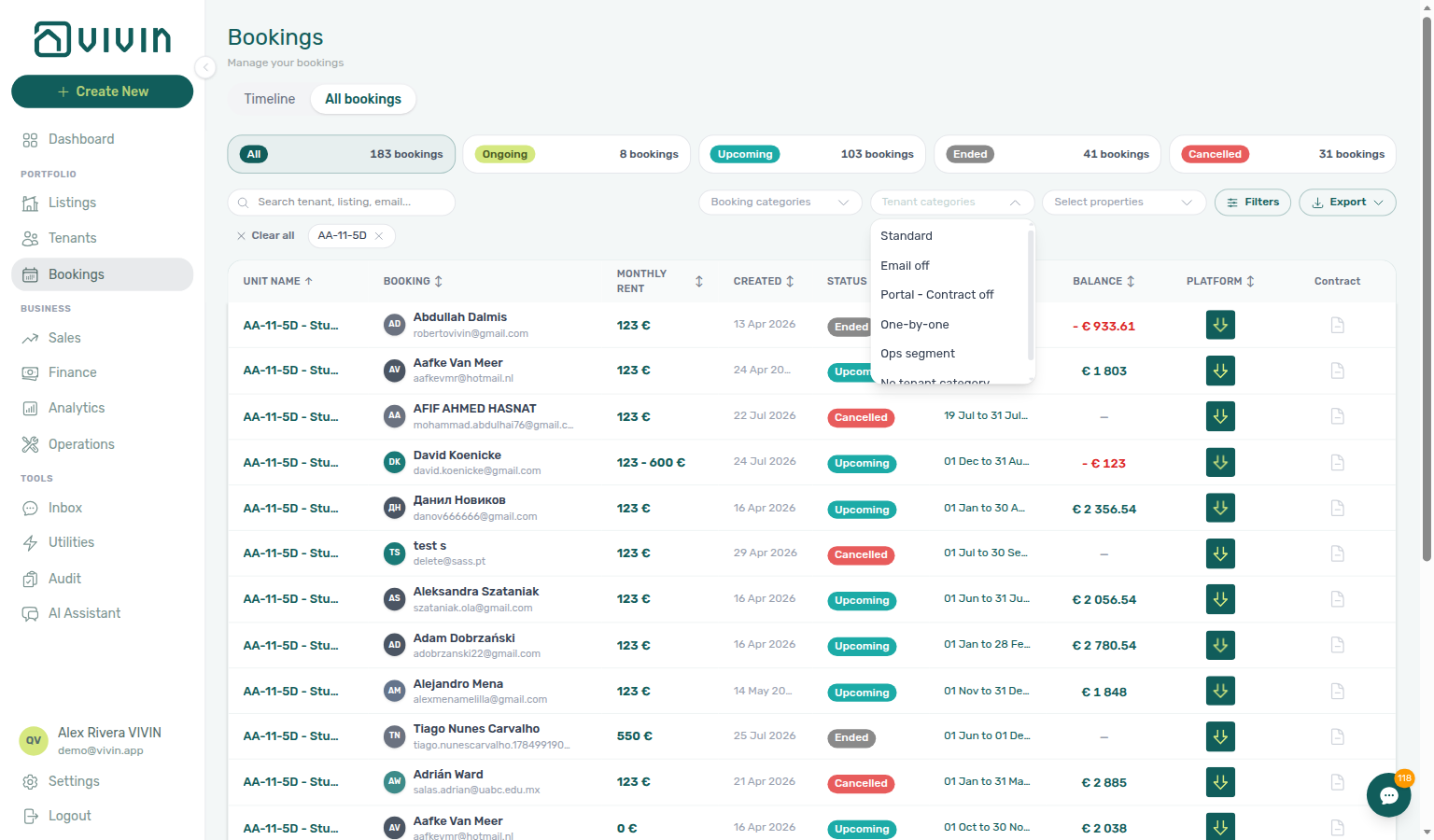
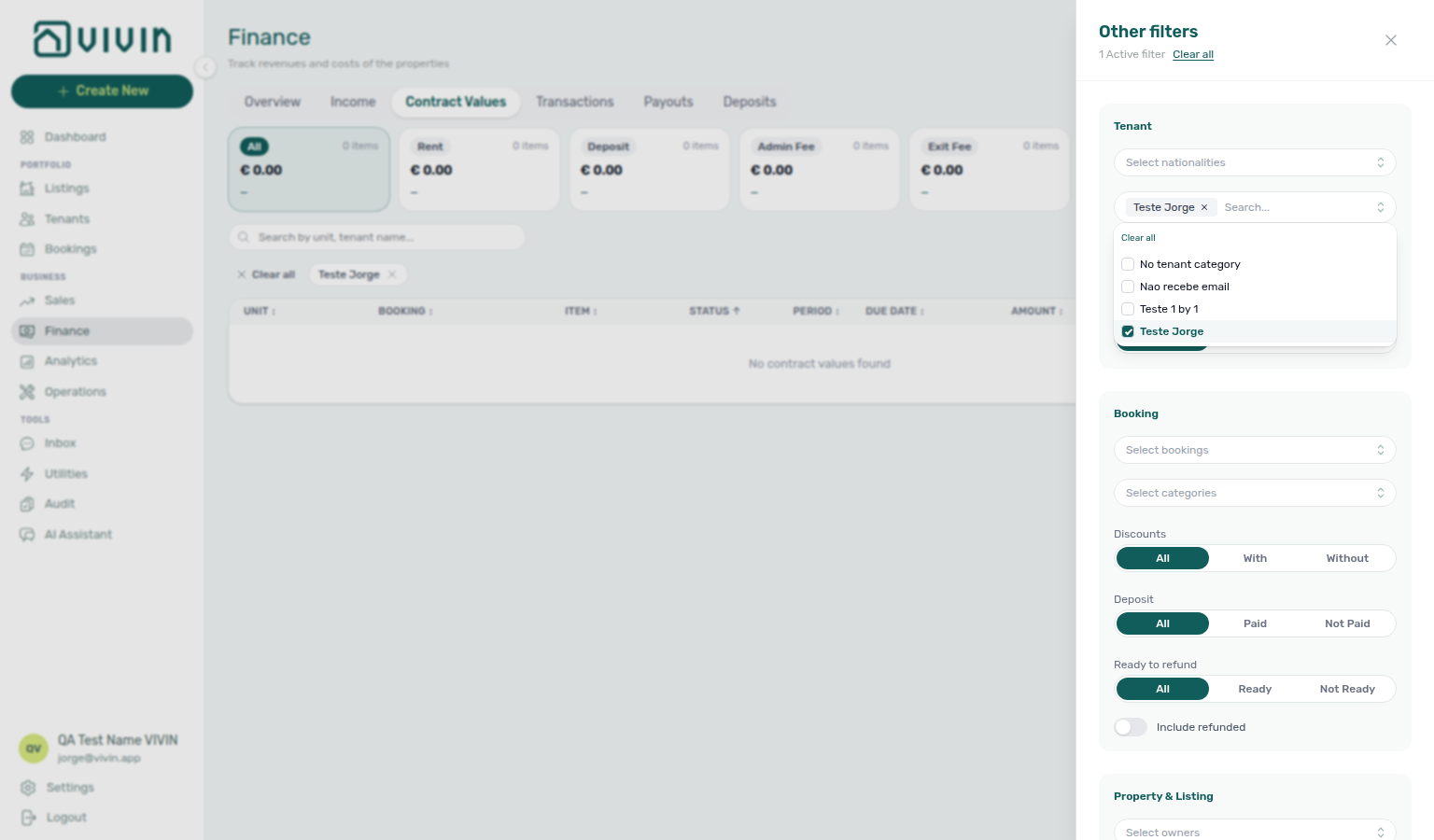
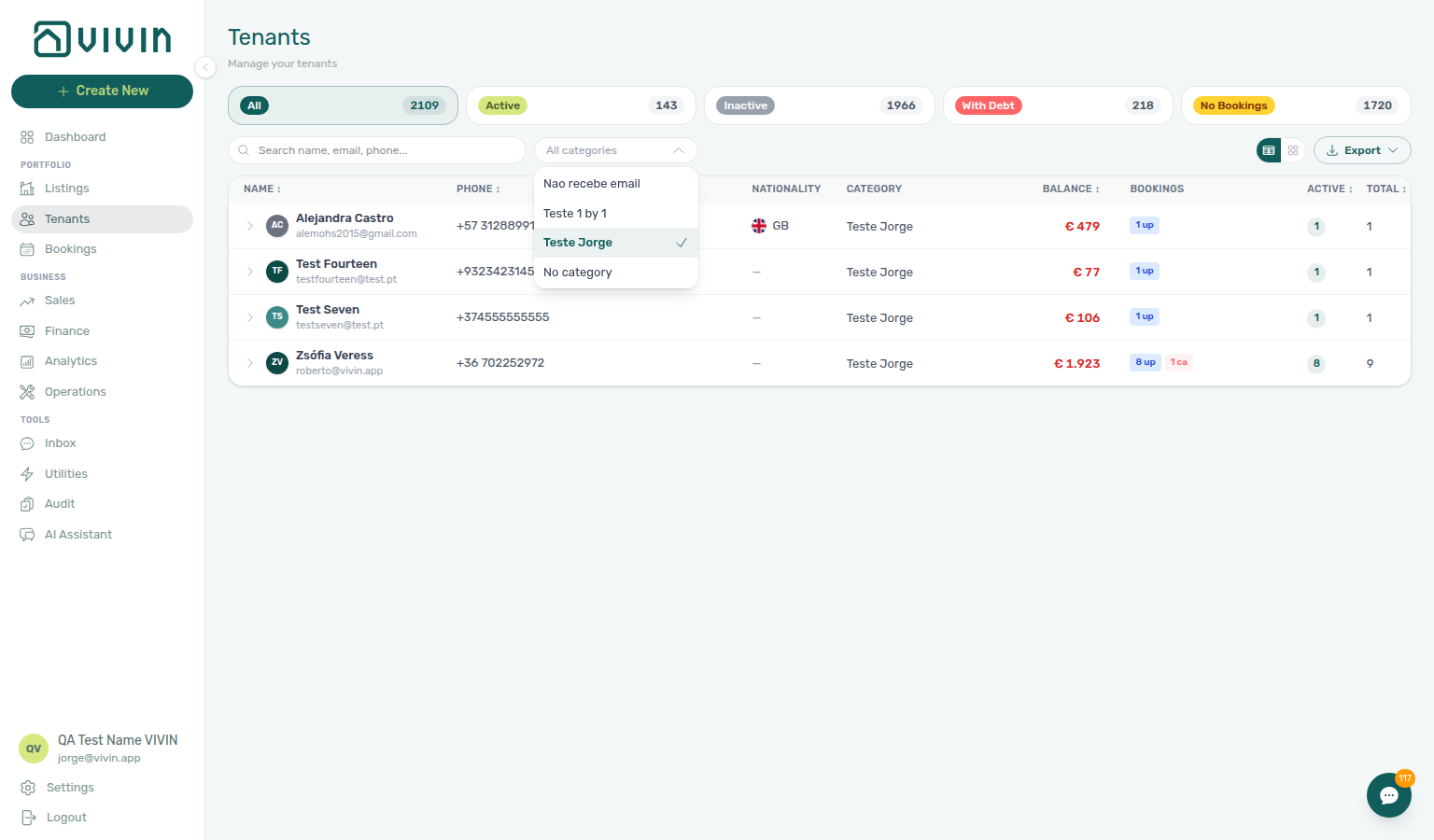
- Common Workflows — Portfolio segmentation by tenant category — Operator habit hub
Reject/revert mistaken receipts
Receipt-cleanup vocabulary pairs with Glossary — Credit note (payment reject/revert), Glossary — Credit note warning (reject/revert) (modal banners and Not issued credit note queue), Glossary — Pending manual in-payment (Finance), and Financial & payments cluster rows.
Four ledger corrections share the same Transactions surfaces — pick the action that matches receipt status and whether Finance already invoiced the charge:
| Question | Start here | Notes |
|---|---|---|
| Duplicate still pending (never approved) | Reject payment on booking Transactions, or Reject selected on Finance → Transactions | Ledger Reject is bulk-only — no per-row reject icon on Finance |
| Duplicate already approved | Revert payment on booking Transactions or Finance row menu | Rolls allocations and balances back |
| Wrong row, not yet invoiced | Delete payment on Finance → Transactions when enabled | Disabled for vIBAN / provider platform or invoiced allocations |
| Reject / Revert on an invoiced charge | Finance → Transactions — Not issued credit note filter → Issue credit notes (N) | Red / blue modals reference this queue — not a spreadsheet |
| Surface | Use it for | |
| ------------------------------------------------------------------------------------------------------------------------- | --------------------------------------------------------------------------------------------------------------------------------------- | |
| Bookings — Transactions | Per-row Reject payment / Revert payment on one reservation (bookings-detail-transactions-reject-modal-credit-note-banner.png) | |
| Finance → Transactions — bulk bar | Reject selected — ledger Reject is bulk-only (finance-transactions-bulk-reject-selected-bar.png) | |
| Finance → Transactions — invoice filter pills | Not issued credit note lists reversals still needing provider push | |
/notifications row-click | Duplicate Payment received alert → booking Transactions before Approve both rows | |
| Finance → Contract Values | Top debtors inflated by duplicate — confirm pair on Transactions, not collections outreach | |
| Symptom | Likely cause | Fix |
| ---------------------------------------------------- | --------------------------------------------------------------------------------------------------------- | ------------------------------------------------------------------------------------------------------------------------------------------------------------------------------------------ |
| Duplicate bank transfer still pending | Never approved — same ledger state as Pending manual receipt approval | Reject payment / Reject selected — do not Approve |
| Duplicate already approved | Wrong amount or wrong booking slipped through month-end | Revert payment on booking Transactions or Finance row menu |
| Delete payment disabled on Finance | vIBAN / provider platform rail or invoiced allocation | Revert or Issue credit notes after reject/revert on invoiced charges |
| Red / blue modal after Reject / Revert | Finance already invoiced the charge | Not issued credit note filter → Issue credit notes (N) |
| Total Debt unchanged after cleanup | Receipt still pending or credit note not issued | Pair Pending manual receipt approval + Finance — Issuing credit notes |
| Total Debt still high — duplicate never rejected | Both rows approved by mistake | Revert the duplicate — then Finance debt receivables triage re-check Top debtors (bookings-detail-transactions-revert-modal-info-banner.png) |
| Amber Pending chip shows two identical transfers | Duplicate before any Approve | Reject selected on Finance → Transactions — Pending manual receipt approval |
- Common Workflows — Reject/revert mistaken receipts — Operator habit hub
Credit note warning (reject/revert)
When Finance may already have invoiced the charge, Reject payment and Revert payment confirmation modals surface accounting follow-up copy — a red credit note warning on Reject and a blue info banner on Revert. Vivin still rolls back the in-product allocation and creates credit-note reversal rows; the banners cue operators to clear the Not issued credit note queue on Finance → Transactions (or Set manual when accounting handles the nota de crédito outside Vivin).
| Surface | Modal / queue behaviour | Best for |
|---|---|---|
| Bookings — Transactions | Per-row Reject payment (red banner) or Revert payment (blue info) | One reservation duplicate cleanup (bookings-detail-transactions-reject-modal-credit-note-banner.png) |
| Finance → Transactions — bulk bar | Reject selected opens the same red-banner modal — ledger Reject is bulk-only | Portfolio pending duplicates (finance-transactions-bulk-reject-selected-bar.png) |
| Finance → Transactions — invoice filter pills | Not issued credit note lists reversals still needing provider push | Post-Reject / Revert accounting queue |
| Finance → Transactions — bulk bar | Issue credit notes (N) — Hostkit pacing like Issue allocation | Month-end reversal batch after invoiced cleanup |
| Finance — Transaction detail | Issue credit note to provider / Set manual per reversal allocation | One-off reversal when bulk bar is not appropriate |
| Symptom | Likely cause | Fix |
| ---------------------------------------------------- | -------------------------------------------------------------------------- | ----------------------------------------------------------------------------------------------------------------------------------------------------------------------------------------------------------------------- |
| Red banner on Reject payment confirm | Charge may already be invoiced | Proceed if duplicate is wrong — then filter Not issued credit note and Issue credit notes (N) |
| Blue info on Revert payment confirm | Approved receipt tied to exported invoice | Same queue — Finance — Issuing credit notes |
| Not issued credit note filter empty after banner | Reversal not created yet or already Issued | Refresh Finance → Transactions; check Issued credit note pill |
| Issue credit notes batch stays Pending | Hostkit rate limit | Same pacing as Bulk Hostkit invoicing — FAQ — Bulk Hostkit invoicing slow |
| Delete payment greyed out on Finance row | vIBAN / provider platform or invoiced allocation | Revert instead — banners still apply when invoiced |
| Rent cut blocked below exported month | Invoiced floor — distinct from receipt cleanup | External credit notes then Issue credit notes — Rent reduction after invoicing · Invoiced floor (rent) hub |
| Banner on Reject while row still pending | Duplicate never approved | Expected — Reject while pending; queue follow-up only if charge was invoiced before reject |
- Common Workflows — Reject/revert mistaken receipts — Operator habit hub
Key glossary terms
- Invoiced floor (rent) — Rent edits blocked below exported invoice totals; full hub: Invoiced floor (rent) hub
- Credit note (payment reject/revert) — Reject/revert modals and external accounting follow-up; modal banners: Credit note warning (reject/revert); concept walkthrough: Payment Allocation — Correcting mistaken receipts; workflow hub: Common Workflows — Reject/revert mistaken receipts
- Deposit dispute — Contested deposit retention before refund
- Partly collected security deposit — Paid above zero but below Amount on security deposit; distinct from rent Partial Paid
- Glossary — Change history — Operator-initiated edits on Listings setup and Bookings Changelog; create-time defaults excluded
- FAQ — Booking Changelog scope — Why create-time defaults do not appear as phantom edits
- FAQ — Booking Changelog scope — Operator-initiated edits only; create-time defaults excluded
- Archived booking ledger visibility — Delete Booking hides manual/provider_platform rows on Finance → Transactions; vIBAN and credit card stay visible
- FAQ — Manual payments after Delete Booking — Troubleshooting when manual rows disappear after soft-archive
- Cancel Booking vs Delete Booking — Cancel vs Delete decision table
- Provider platform Delete Booking guard — Non-rejected provider platform in-payment blocks Delete Booking until Reject or assign
- Listings — Property edit sidebar pills — Setup / Full integration / Photos pills on property and unit sidebars
- Glossary — Finance tenant category cache refresh — Recategorizing a tenant updates
booking.tenantCategoryIdimmediately; ledger tabs reflect it on reload, while Overview can lag up to ~10 minutes - SIMAR water contract ID — Cód. Local in Connections for SIMAR (Loures e Odivelas) water
- Per-booking maintenance ticket opt-out — Skip automatic CI/CO tickets on one Add booking
- Maintenance tickets not on partner POST — Marketplace POST omits ticket opt-out; property Maintenances tab copies onto the stay
- FAQ — Skip automatic check-in/out tickets for one booking — Rent-step toggle reveals per-reservation CI/CO checkboxes
- Archived property — Building-level Archive on Listings; distinct from Delete Booking
- Portfolio retirement decisions — Archive property (building) vs Cancel booking vs Delete Booking (reservation soft-archive) — three-way decision table
- Deposit lifecycle status — Payment-driven
depositStatuspill on booking Deposit tab and Finance → Deposits rows - Finance — Deposit status filter — Other filters → Deposit status multi-select on Bookings and Finance
- Finance — Deposit lifecycle status cards — Deposit lifecycle status row on Finance → Deposits; click Partial paid for collection shortfalls
- FAQ — Partly collected security deposit — Portfolio triage when Paid is above zero but below Amount
- FAQ — Partly collected security deposit — Paid above zero but below Amount on booking Deposit; Partial paid card on Finance → Deposits
- Operations — Tickets toolbar search — Paste the full sequential ticket ID (for example
S259,T27) in toolbar Search - FAQ — Find a ticket by its ID — Prefix letter + number; partial numeric-only queries can mis-rank
- FAQ — Find a ticket by its ID — Paste the full sequential ticket ID (for example
S259,T27) in Operations → Tickets toolbar Search - Operations — Property-level ticket search — Property-name matches share the top relevance tier with unit hits; building-scoped rows float first under an active Property filter
- End-of-Booking cost split — Charge Time → End of Booking splits daily overage across every occupied unit; still-staying roommates stay in the denominator
- Tenant category — Portal segments, integration defaults, and portfolio filters
- Notification row navigation — Dashboard bell and
/notificationsrow-click behaviour - Communication schedule — Emails toolbar calendar for lifecycle outreach
- Pending manual in-payment (Finance) — Approval queue before KPIs and Total Debt catch up
- Finance Deposits date range — Toolbar default window on Finance → Deposits
- Same-day turnover — Shared-unit arrival/departure overlap across check-in/out workflows
- Ignore unit preparation days — Add booking checkbox to start in the previous stay’s prep buffer
- Ignore unit preparation days not on partner POST — Marketplace POST omits the prep-buffer skip; listing
unavailabilitiesstill reject those nights - Allow check-in date in the past — Add booking checkbox to start before listing Available from
- Allow check-in date in the past not on partner POST — Marketplace POST omits the available-from skip; honour listing JSON
availableFrom - Use check in date as contract start date — Contract Info checkbox to show operational check-in on the contract
- Use check in date as contract start date not on partner POST — Marketplace POST omits the contract-date overlay; Contract Info can still tick it after import
- Save changes success (tenant portal) — Portal Details updated successfully! after Save changes / Update
- Select an amount (tenant portal) — Portal Make payment radios (Pay overdue debt, Pay next payment, Pay overdue + next payment, Pay entire balance)
- Show more (tenant portal) — Portal Services catalogue Show more / Show less on a long card description
- Confirm request (tenant portal) — Portal Services review panel after Request Service (full Description, Monthly or One-time, Total, teal Confirm request, Cancel)
- View transactions (tenant portal) — Portal Home outline button on the balance card (Payments → Transaction History)
- Make payment Back (tenant portal) — Portal Make payment left chevron (returns to Home or Payments without paying)
- Payment Due Soon (tenant portal) — Portal Make payment dialog when expanding Bank Transfer near a due date
- Sign out (tenant portal) — Portal Sign out (desktop top bar or More — End this session on this device)
- Satisfaction surveys (Preferences) — Enable satisfaction surveys on Global Settings (Tools → Surveys master switch)
- Surveys Home prompt (tenant portal) — Portal Home You have N surveys to answer + Answer (pending satisfaction surveys)
- Greeting (tenant portal) — Portal Home Hello, First name! (or Hello! when the name is empty)
- Listing address (tenant portal) — Portal Home map pin (listing street plus Floor)
- More (tenant portal) — Phone More page (Documents, Utilities, Services, Surveys, Account, Sign out)
- Balance card (tenant portal) — Portal Home overdue / outstanding / next payment card (Make payment, View transactions)
- All payments up to date (tenant portal) — Portal Home green balance-card status when nothing is overdue or outstanding
- Entry codes (tenant portal) — Portal Home Entry codes card (building / property / unit access, Show / Copy / Hide, optional Hint:)
- WiFi (tenant portal) — Portal Home WiFi card (network name, masked password, Show / Copy / Hide)
- Open requests (tenant portal) — Portal Home Open requests card (View all, Create request)
- Received status (tenant portal) — Portal Received on Home and Request History (Unassigned in Operations)
- Contract card (tenant portal) — Portal Home Contract card (Sign contract / View contract)
- Lease information (tenant portal) — Portal Home Lease information card (property, address, stay timeline)
- Contact us (tenant portal) — Portal Home Contact us card (company name, address, website)
- Logo website (tenant portal) — Portal sidebar / header Logo opens Website URL in a new tab
- Powered by VIVIN (tenant portal) — Portal Powered by VIVIN (computer sidebar and access-link screen; always Vivin’s site)
- First name (tenant portal) — Portal First name / Last name (Email on the same row is read-only)
- Phone number (tenant portal) — Portal Phone (optional +, 7–15 digits)
- Nationality (tenant portal) — Portal Nationality (searchable nationality words with flags)
- ID document details — Portal Identification ID, ID Type, ID Expiry Date, and Country of issue
- Fiscal number (tenant portal) — Portal Fiscal number and Home address
- Billing address (tenant portal) — Portal Billing address, City, Postal code, and Country (invoice street)
- Use company billing — Portal Use company details toggle for company invoices
- Send onboarding email & contract — Add Booking checkbox to generate the contract and send the welcome email at create
- Send onboarding always on partner POST — Marketplace POST always sends the welcome email and generates the contract; Add Booking can skip
- Use unit contract rents — Add Booking checkbox to copy unit contract values or type custom details
- Use unit contract rents always on partner POST — Marketplace POST always copies unit contract values; Add Booking can turn the box off
- Exclude this booking from penalty fees — Contract Info checkbox to skip account penalty rules for one stay
- Exclude from penalty fees not on partner POST — Marketplace POST omits penalty exclusion; Contract Info can still tick it after import
- Infinite scroll (directory loading) — Scroll-to-load behaviour on large directories
- Glossary — Vacant Unit Preference — Include manual blocks counts operator holds as free on Dashboard / Sales vacancy surfaces
- FAQ — AI token usage — Poll GET /ai-usage / GET /ai-usage/summary with management JWT;
landlord_chat+utility_bill_extraction; no management UI screen yet - FAQ — WhatsApp and email per booking — Bookings → Communication tab when tenant chatbot is enabled; Inbox for portfolio-wide triage
- FAQ — Finance Income status drill-down hub — Symptom table for segment vs Debt Aging
- FAQ — Finance Income status drill-down — Paid / Scheduled / In debt segment-click habit
- FAQ — Cash flow forecast drill-down hub — Symptom table for collections vs Income / Dashboard
- FAQ — Cash flow forecast drill-down — Month / Day bar-click habit