Automation & AI
Optional after core setup steps 1–15 — wire ChatBot alongside setup step 11 Emails, then read Landlord MCP / Tenant MCP when external AI clients need portfolio or booking-scoped tools. Lockout catch-up JWT refresh: Getting Started — Lockout catch-up after password recovery. Concept pairing: Concepts — Setup sequence after go-live.
Start with the Channel map (who talks to what), then Management AI Assistant (operator UI) and AI Tenant Support Chatbot. External clients: External AI clients (MCP). Habit-specific shortcuts live under Related below.
Vivin leverages artificial intelligence across the entire platform to reduce manual work, improve tenant satisfaction, and accelerate decision-making. This page explains the AI-powered capabilities and automation features available throughout the system.
Portfolio automation tools are in Landlord MCP; booking-scoped tools are in Tenant MCP; tenant self-service alongside chatbot channels is in Tenant Portal. Scheduled payment overdue Communication Rules surface operator payment overdue rows — row-click opens the booking for Handling a Late Payment — Step 1.
Channel map (who talks to what)
Channel map pairs with Landlord MCP, Tenant MCP, AI Chat, and ChatBot settings. Downstream: Management AI Assistant (in-app) vs External AI clients (HTTP /mcp).
Every surface below ultimately calls the same Core API as the management app: permissions, account scoping, and validation apply on the server regardless of whether the caller is a browser tab, an MCP client, or a messaging channel. Use this map to choose the right doc page before you wire automation.
flowchart TB
 subgraph mgmt [Management frontend]
 Modules[Modules + Account Settings]
 AIAssistant[AI Assistant /ai-chat]
 end
 subgraph external [External automation]
 LMCP[Landlord MCP /mcp]
 TMCP[Tenant MCP /mcp]
 Channels[Tenant chatbot — WhatsApp / email]
 end
 API[(VIVIN Core API)]
 Modules --> API
 AIAssistant --> API
 LMCP -->|Management JWT + MCP session| API
 TMCP -->|JWT + MCP session| API
 Channels --> API
- Modules + Account Settings — day-to-day operator work and ChatBot persona/rules configuration (Users and roles for who can edit ChatBot).
- AI Assistant — conversational Q&A for roles granted the AI / MCP permission; see AI Chat.
- Landlord MCP vs Tenant MCP — typed tools for compatible MCP clients; landlord tools are account-wide, tenant tools assume booking or tenant identity in each call. See Landlord MCP and Tenant MCP.
- WhatsApp / email — tenant-facing automated support channels (not a replacement for MCP or the in-app assistant).
Management AI Assistant (operator UI)
In-app assistant pairs with AI Chat module (/ai-chat), embedded Landlord MCP tools in-process, Portfolio KPI review for month-end reads, and AI usage API when you poll landlord_chat token cost (GET /ai-usage/summary). Contrast: External AI clients (HTTP MCP) and AI Tenant Support Chatbot (tenant channels).
Signed-in operators whose role is granted the AI / MCP permission (Role permissions; on by default for Admin and Super Admin) can use AI Chat in the management frontend (Tools > AI Assistant, route /ai-chat) to ask portfolio questions in natural language (occupancy, revenue, move-ins, coliving summaries, and similar). The Core API routes prompts through the same Landlord MCP tool surface as external MCP clients — including write tools when the signed-in user’s role permits — not a separate read-only SQL path. Access and data boundaries are enforced by the API the same way as other management features; roles without the permission do not see this entry in the shell. That assistant is distinct from the tenant-facing automation described below (chatbot, channels, and tickets).
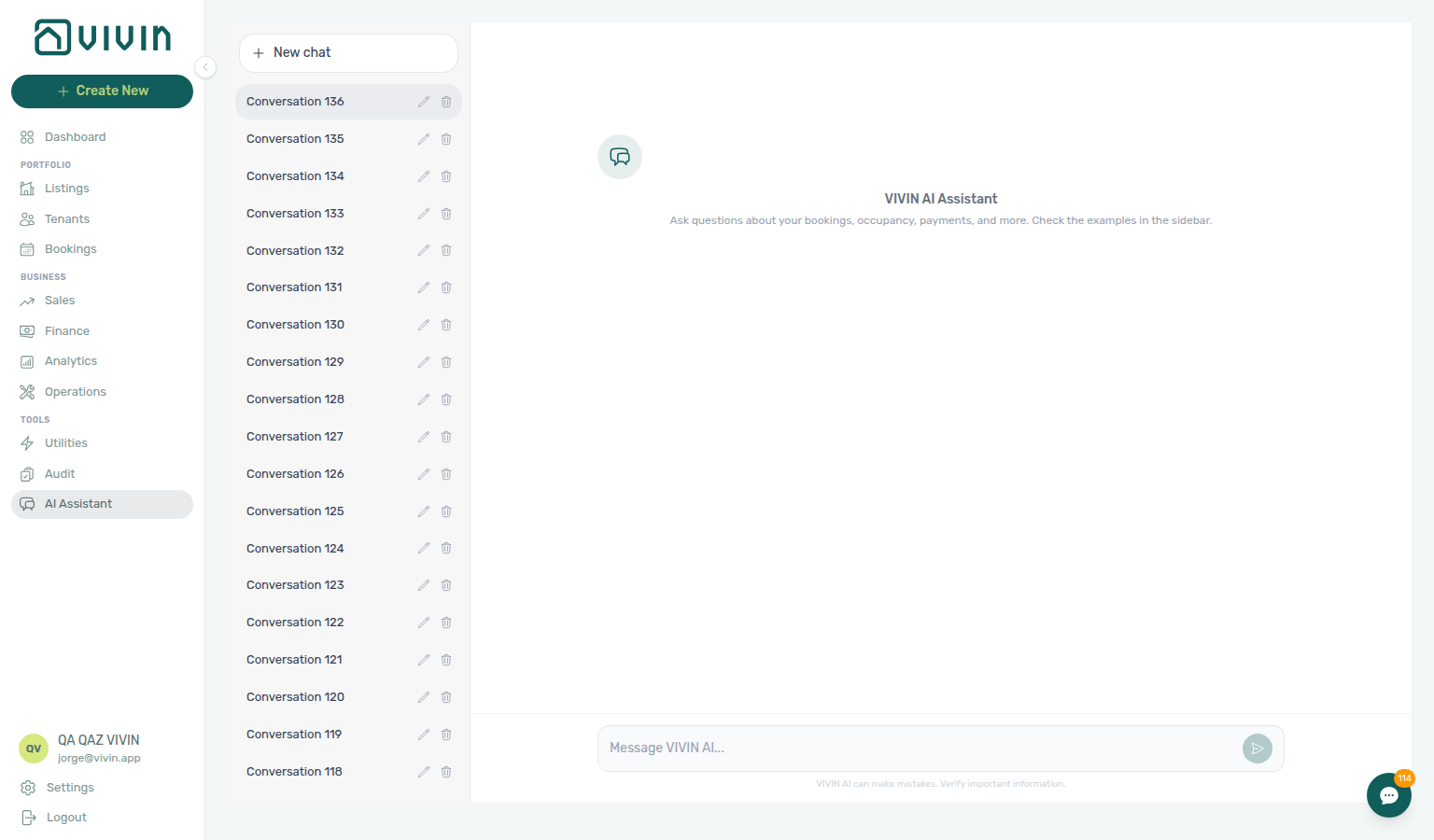
The capture shows the Tools > AI Assistant workspace: thread list on the left, the active conversation in the centre, and the prompt field at the bottom. Example prompts in the product help operators discover occupancy, revenue, and portfolio questions without leaving the shell.
For a short walkthrough (New chat, send a question, open an Examples thread, then Start a real conversation), see the video on the AI Chat module page. New chat titles the row Conversation N from your full conversation count, not the threads currently listed — AI Chat — New chat titles from the full conversation count.
External AI clients (MCP)
HTTP MCP pairs with Landlord MCP (account-scoped JWT) and Tenant MCP (booking-scoped identity). Surface-choice workflows: Workflow pairing for surface choice. Contrast: Management AI Assistant (browser) and AI Tenant Support Chatbot (WhatsApp/email).
Beyond the in-app assistant, VIVIN ships two Model Context Protocol servers in the monorepo so compatible external clients (for example IDE assistants or custom integrations) can call typed tools against the same Core API as the product:
- Landlord MCP — Account-scoped tools for portfolio, bookings, listings, maintenance, payments, and related operator workflows (management-user JWT).
- Tenant MCP — Booking- and tenant-context tools for assistants that already know which reservation or tenant identity they are serving (portal links, chatbot rules, maintenance, payments readouts).
Both servers use streamable HTTP MCP at /mcp on the configured host. After the initial Bearer JWT exchange, clients should send Mcp-Session-Id on follow-up requests.
Landlord MCP supports two authentication paths for external clients: API keys (paste Bearer token from Account Settings → AI / MCP) and OAuth 2.1 for hosted connectors (Claude.ai, ChatGPT) — see Landlord MCP — Connector OAuth and MCP OAuth (HTTP endpoints). Tenant MCP continues to use management JWT / API patterns only.
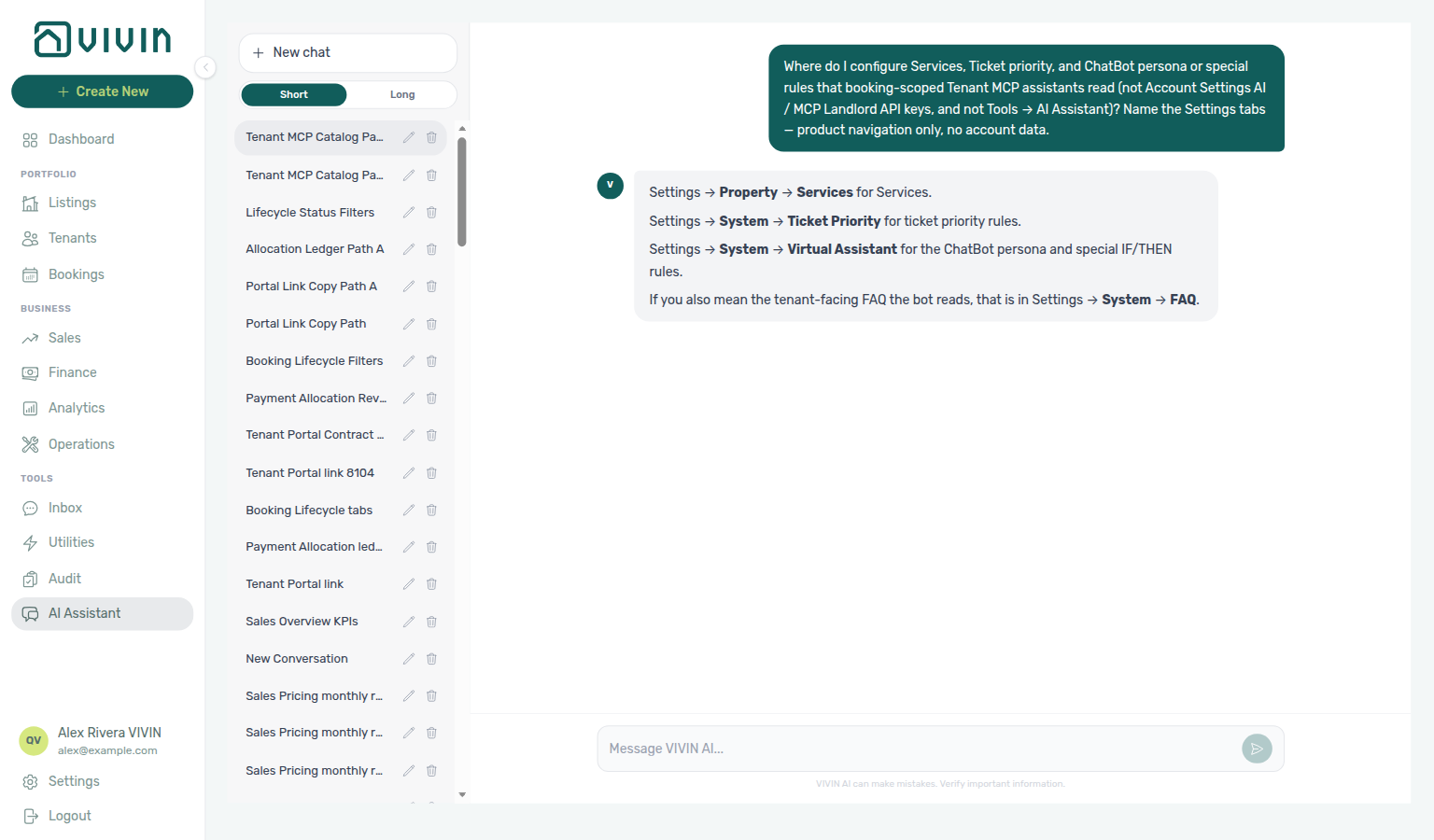
Not sure which Settings tabs power Tenant MCP catalogue tools? Ask AI Chat “Where do I configure Services, Ticket priority, and ChatBot persona or special rules that booking-scoped Tenant MCP assistants read (not Account Settings AI / MCP Landlord API keys, and not Tools → AI Assistant)? Name the Settings tabs — product navigation only, no account data.” — then open Services under Tenant Portal, Ticket priority, and ChatBot (ai-chat-product-context-tenant-mcp-reply.png, ai-chat-product-context-tenant-mcp-flow.mp4). The assistant may still say Settings → Property → Services, Settings → System → Ticket Priority, and Settings → Sistema → assistente virtual (or System → Virtual Assistant; English tab ChatBot); use Tenant Portal → Services and System → ChatBot. External MCP clients: get-vivin-context-ai.
These are HTTP MCP servers, not a replacement for WhatsApp/email chatbot channels; they are for teams wiring AI or automation outside the management UI. Workspace administrators with account_settings.mcp configure the MCP connection URL, API keys, account-wide tool permissions, and per-user overrides on Account Settings → AI / MCP (/settings/mcp) — the same domain policy applies to external HTTP clients and the in-app AI Chat assistant. See each concept page for tool lists, environment defaults, auth details, and safety notes.
Choosing Landlord MCP, Tenant MCP, in-app AI Assistant, and chatbot channels
| Surface | Primary audience | Typical scope | Where to read more |
|---|---|---|---|
AI Chat (/ai-chat) | Vivin internal operators in the browser | Same account data the signed-in user can access; embedded Landlord MCP tools (reads and writes in-process, not a separate MCP client session) | AI Chat module; Portfolio KPI review; AI usage API (landlord_chat) |
| Tenant support chatbot (WhatsApp / email) | Tenants on your configured channels | Per-conversation tenant context; persona and IF/THEN rules from Account Settings → ChatBot | ChatBot settings; Notification triage |
| Landlord MCP | External MCP clients using a management-user JWT | Portfolio-wide reads and writes (bookings, listings, tickets, and more) aligned with that user’s permissions | Landlord MCP; Portfolio KPI review — Step 7 |
| Tenant MCP | External MCP clients that already know tenant email/phone and/or bookingId | Booking-scoped answers and selective writes (maintenance, notify landlord) | Tenant MCP; Notification triage — Step 4 |
Use Landlord MCP when automation acts as an operator on the whole workspace outside the browser (HTTP /mcp clients). Use Tenant MCP when the session is tied to a specific reservation or tenant identity (support bots, custom assistants after the tenant is identified). Use AI Chat for Vivin internal staff asking ad hoc portfolio questions inside the product — it calls the same tool catalogue in-process (see AI Chat module). Poll AI usage API (GET /ai-usage/summary) during Portfolio KPI review — Step 7 when assistant or utility-bill AI adoption spikes — internal USD cost only, not tenant billing. The WhatsApp/email chatbot remains the main tenant-facing automated channel; it is separate from MCP and from /ai-chat.
Workflow pairing for surface choice
Month-end portfolio reads that compare assistant answers with live KPIs: Portfolio KPI review — Landlord MCP get-booking-summary, get-vacant-units-next-month, and list-payments in Steps 1–7; get-property, get-listing (unavailabilities), list-listings, and get-listing-pricing-table in Step 3 when Ranking isolates one asset; Tenant MCP only for per-booking outliers in Step 6–7. Channel import duplicate checks: Processing a New Booking — Step 1 — Landlord MCP list-bookings, list-listings, get-listing (unavailabilities), get-listing-calendar, and get-property; Tenant MCP list-bookings-by-email and get-listing-calendar when guests ask about blocked dates on a suspected duplicate. Overdue reminder vs chatbot due-date reads: Handling a Late Payment — Step 2 — operator Communication Rules send history in the UI; Tenant MCP get-payment-info, get-dates-and-schedule, and get-portal-links for tenant-facing schedule questions. Manual block calendar edits: Manual block hygiene — Step 4 — Landlord MCP get-listing to verify unavailabilities after operator calendar saves (no MCP write for manual blocks); Tenant MCP get-listing-calendar when portal tenants still see blocked dates. Manual block vacancy reconcile: Manual block hygiene — Step 5 — Landlord MCP get-vacant-units-next-month, get-booking-summary, list-listings, and get-listing-calendar; Tenant MCP get-listing-calendar and notify-landlord when portal availability lags operator calendars. Alert-driven collections that start from /notifications: Notification triage — Landlord MCP for ledger reads in Step 4; Tenant MCP get-payment-info and list-bookings-by-email when Inbox threads preceded the alert; get-booking-status and get-dates-and-schedule for arrival-week alerts before Step 5 Mark all as read; get-maintenance-tickets / create-maintenance-ticket for Operations ticket alerts; notify-landlord before Step 5 Mark all as read on tenant-channel escalations; Landlord MCP get-upcoming-move-ins for arrival-week General alerts; list-tickets, get-ticket, update-ticket, close-ticket, and add-ticket-comment when Operations rows still need closure before bulk clear (Cost allocation remains operator UI). Segment-wide collections escalation: Handling a Late Payment — Step 6 — Landlord MCP get-booking-summary, list-bookings, list-tenants, get-tenant, get-tenant-bookings, list-tickets, get-ticket, and add-ticket-comment before Finance → Other filters; unpaid utility overage clusters → Entering Monthly Utility Bills — Step 4 with the same segment filters; month-end lingering Pending rows → Steps 6b mesh and Portfolio KPI review — Step 7; Tenant MCP notify-landlord vs operator segment filters. Analytics maintenance spikes: Portfolio KPI review — Step 5 — Landlord MCP list-tickets, get-ticket, create-ticket, update-ticket, and add-ticket-comment; Cost allocation remains operator UI. Departure turnover prep: Managing a Check-out — Step 2 — Landlord MCP create-ticket, list-tickets, get-ticket, update-ticket, and add-ticket-comment; Tenant MCP get-maintenance-tickets / create-maintenance-ticket; Cost allocation remains operator UI. Departure inspection sign-off: Managing a Check-out — Step 3 — Landlord MCP list-tickets, get-ticket, update-ticket, and add-ticket-comment; Tenant MCP get-maintenance-tickets / create-maintenance-ticket; Cost allocation remains operator UI. Departure damage charges: Managing a Check-out — Step 4 — Landlord MCP get-booking, list-payments, and get-payment to verify damage rows (Add Charge remains operator UI); list-tickets, get-ticket, update-ticket, and add-ticket-comment for contractor damage documentation; Tenant MCP get-payment-info and notify-landlord. Confirmation receipt approval before move-in: Processing a New Booking — Step 5b — Landlord MCP list-payments / get-payment and list-bookings when several imports share a property; Tenant MCP get-payment-info, list-bookings-by-email, and notify-landlord for tenant-channel “I paid” escalations. Month-end confirmation approval: Processing a New Booking — Step 6b — Landlord MCP list-payments / get-payment and list-bookings; Approve payment remains operator UI — pair with Notification triage — Step 5 before handover to Managing a Check-in. Post-cancel ledger cleanup: Cancelling a Booking — Step 6b — Landlord MCP list-payments, get-payment, get-booking, and get-booking-summary; /notifications cleanup remains operator UI. Triage blocked by product defects: Notification triage — Step 6 — Landlord MCP get-booking-summary, list-bookings, get-booking, list-tenants, get-tenant, and get-tenant-bookings to attach context before Vivin support tickets; month-end lingering Pending rows → Portfolio KPI review — Step 7 and Steps 6b across booking workflows; read-state and row-click fixes remain operator UI / Vivin support — contrast Tenant MCP notify-landlord. Utility bill overage review: Entering Monthly Utility Bills — Step 3 — Landlord MCP get-property, list-bills, and get-bill; Cost map GET /bills/cost-map remains operator UI. Utility missing bill gaps: Entering Monthly Utility Bills — Step 5 — Landlord MCP list-bills, get-bill, and get-property for Connections account IDs; Missing toggle and Days Missing Data chart remain operator UI. Utility overage verification on bookings: Entering Monthly Utility Bills — Step 4 — Landlord MCP get-booking / list-bookings and list-bills; Tenant MCP get-payment-info, request-contract-data, and notify-landlord for portal and chatbot bill questions. Utility bill entry blocked: Entering Monthly Utility Bills — Step 6 — Landlord MCP list-bills, get-bill, get-property, get-booking, and list-bookings before Vivin support tickets; AI Upload PDF and Cost map remain operator UI — contrast Tenant MCP notify-landlord. Cancellation deposit retention: Cancelling a Booking — Step 3 — Tenant MCP get-security-deposit-info and notify-landlord; Landlord MCP list-payments / get-payment for settlement math — Mark refunded and dispute toggles remain operator UI. Availability after cancel: Cancelling a Booking — Step 5 — Landlord MCP get-listing (unavailabilities), list-listings, get-vacant-units-next-month, and get-listing-calendar; stale manual blocks still need Manual block hygiene — Step 4; Tenant MCP get-listing-calendar and get-booking-status when guests ask whether freed nights are bookable. Post-cancel ticket closure: Cancelling a Booking — Step 6 — Landlord MCP list-tickets, get-ticket, update-ticket, add-ticket-comment, close-ticket, list-bookings, and get-booking; Tenant MCP get-maintenance-tickets; Cost allocation remains operator UI — file Vivin support when Operations closure or availability restore is blocked despite correct operator steps. Departure-week settlement: Managing a Check-out — Tenant MCP get-security-deposit-info, get-payment-info, and get-booking-status in Steps 1–7; Landlord MCP get-booking-summary, list-bookings, list-tenants, get-tenant, and get-tenant-bookings for portfolio In Debt triage in Step 6; list-payments / get-payment when receipts stay pending until Step 6b (Reject selected, Issue credit notes, and approval remain operator UI); create-ticket, list-tickets, get-ticket, update-ticket, and add-ticket-comment during turnover prep and inspection (Steps 2–3; Cost allocation remains operator UI). Utility Connections after onboarding: Onboarding a New Property — Step 6 — Landlord MCP get-property vs Utilities → Connections matrix; list-bills / get-bill contrast for monthly bills (Entering Monthly Utility Bills — Step 5). Channel linking after property onboarding: Onboarding a New Property — Step 5 — Landlord MCP list-listings, get-listing (unavailabilities), get-listing-calendar, and get-booking-summary; Tenant MCP list-bookings-by-email and get-portal-links after the first import — channel toggles remain operator UI. Turnover prep before arrival: Managing a Check-in — Step 2 — Landlord MCP list-tickets, create-ticket, get-ticket, update-ticket, and close-ticket; Tenant MCP get-maintenance-tickets / create-maintenance-ticket; Cost allocation remains operator UI. Inbox search narrowing: Notification triage — Step 3 — Landlord MCP list-bookings, list-tenants, get-tenant, get-tenant-bookings, list-payments, and get-payment when search text precedes row-click triage; read-state pills remain operator UI. Portal handover on arrival day: Managing a Check-in — Step 4 — Tenant MCP get-portal-links, request-contract-data, get-payment-info, and notify-landlord; Landlord MCP get-upcoming-move-ins for batch arrival reads. Portal onboarding after confirmation: Processing a New Booking — Step 6 — Tenant MCP get-portal-links, get-booking-status, and notify-landlord; Landlord MCP get-booking, list-tenants, and get-tenant before Vivin support tickets — Resend Onboarding email and Change tenant remain operator UI. Post-departure Ended verification: Managing a Check-out — Step 7 — Tenant MCP get-booking-status, list-bookings-by-email, and notify-landlord; Landlord MCP get-booking and list-payments — dispute toggles and Mark refunded remain operator UI. Onboarding portfolio verification: Onboarding a New Property — Step 7 — Landlord MCP list-properties, list-listings, get-listing (unavailabilities), and get-property before Vivin support tickets; wizard Submit and Sales → Channels toggles remain operator UI. Calendar edit blocked after hygiene: Manual block hygiene — Step 6 — Landlord MCP get-listing, list-listings, and get-listing-calendar attach hold context; manual block create/delete remains operator UI — contrast Tenant MCP get-listing-calendar and notify-landlord. Month-end KPI reconciliation: Portfolio KPI review — Step 7 — Landlord MCP list-payments, get-payment, get-vacant-units-next-month, and get-upcoming-move-ins when Total Debt, Debt Aging, or Vacant Units disagree with Analytics; Tenant MCP get-payment-info for per-booking outliers; Services Marketplace ancillary Income remains operator UI. Arrival-week month-end approval: Managing a Check-in — Step 6b — Landlord MCP list-payments / get-payment surface Pending move-in rows; Approve payment remains operator UI — pair with Handling a Late Payment — Step 6 when segment-wide arrears persist after Step 7. MCP JWT refresh after lockout: Resetting a Management User Password — Step 3 and Troubleshooting — refresh Bearer JWT and Mcp-Session-Id before Portfolio KPI review, Handling a Late Payment — Step 6, or Managing a Check-in — Step 6; file Using in-app support when 403 persists. Scope contrast tables: Landlord MCP and Tenant MCP.
WhatsApp Genius (operator assistant)
WhatsApp Genius is the landlord-side AI assistant — distinct from the tenant-facing AI Tenant Support Chatbot (tenant WhatsApp/email) and from in-browser AI Chat. Pair phone linking on Users and roles with Landlord MCP permission semantics.
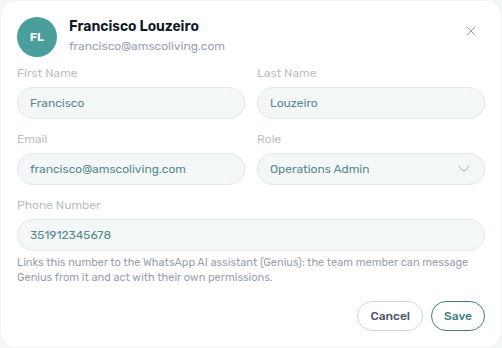
Operators message Genius from a personal WhatsApp number linked on Account Settings → Users (Phone Number on the teammate Edit card — not on Add Team Member). Vivin uses that phone number as the authorization key: the sender acts as their real team member, and tool permissions resolve from that user's role — not from a shared bot account.
| Surface | Audience | How it connects |
|---|---|---|
| WhatsApp Genius | Landlords and staff on linked phones | Users → Edit → Phone Number + WhatsApp to the Genius line |
AI Chat (/ai-chat) | Operators in the browser | Same account JWT; embedded Landlord MCP tools in-process |
| Tenant chatbot | Tenants on your support channels | ChatBot persona / IF/THEN — not Genius |
| Landlord MCP | External MCP clients | Management-user JWT over HTTP /mcp |
Setup: Open Users, click Edit on the teammate, enter Phone Number in international format, and save. The helper text explains that the number links to Genius; the card then shows a Phone Number badge with the formatted digits (tooltip: Linked to the WhatsApp AI assistant (Genius)). Two users cannot share the same phone while both have it set — the API returns a conflict if the number is already linked. Confirm the account’s Genius WhatsApp connection card on ChatBot → Bot Status (often Connected with “managed by VIVIN — no QR pairing needed”) — that card is separate from the tenant WhatsApp connection used by Inbox and booking Communication.
How Genius replies behave
Genius uses the same Landlord MCP tool catalogue as AI Chat and external MCP clients — including Finance-sourced portfolio metrics (get-finance-overview, get-revenue-summary) so money answers match Finance → Overview. Channel-specific behaviour on WhatsApp:
| Topic | What operators should expect |
|---|---|
| Account identity | Every turn includes a prompt-safe profile of the active account — company name, contact email (and contractual email when different), phone, address, fiscal ID, whether payments and operations are enabled, and whether billing is on because an invoicing connection exists. Ask “which account am I on?” and Genius answers from that context (same injection as AI Chat). Secrets (API keys, chatbot secrets, IBAN, landlord keys) are never loaded into the prompt. Those capabilities describe account configuration, not a promise of tools — the honest tool surface still wins. Edit the visible fields on General Information. |
| Product context | Every turn also prefixes a fixed VIVIN product reference (platform overview, data model, and major areas) so Genius can explain what VIVIN is and where features live before calling data tools. Same material as AI Chat; external MCP clients fetch thematic slices with the get-vivin-context-* topic tools. |
| Formatting | Replies are shaped for WhatsApp: no markdown tables, headings, or links; single-asterisk bold; one item per line. If a model still emits a GFM table, Core converts it to readable lines before send. |
| Language | The entire reply (including confirmation questions) stays in the language of the user’s latest message — no hardcoded English “Are you sure?”. |
| Honest tool surface | The prompt describes the tools actually attached this turn: no tools → Genius says it cannot access account data; reads only → it states upfront it cannot make changes and points to the matching VIVIN screen; writes allowed → it names only the domains that truly have write tools. Disabled tools are declined plainly (no retry loops). Product-context answers still work when data domains are Off — they do not require portfolio tools. |
| Multi-step reads | Ranking or windowed portfolio questions may need several tool calls in one reply (different dates, scopes, or pages). Genius iterates instead of stopping after the first truncated sample. Prefer server aggregates (including vacancy propertyBreakdown and dailyBreakdown, bookings received on get-booking-summary, ticket status / All-card / Unassigned-card / Draft-card / In-progress-card / Closed-card / Cancelled-card priority counts on get-ticket-status-counts, maintenance closure rate on get-maintenance-closure-rate (named window, including 45 days, 50 days, and 90 days), and operational cost summary on get-cost-summary (totals, including a June 2026 named month, an April 2026 named month, by category, by category in June, excluding a category, and excluding Maintenance, and excluding Manutenção in June, and excluding uncategorized in June, and excluding maintenance in April, and excluding maintenance and uncategorized in April, and an April 1–15 custom window, and an April 16–30 custom window, and a February 2026 named month, and a February 1–14 custom window, and a February 15–28 custom window, and a January 2026 named month, and a March 2026 named month, and a May 2026 named month)) over summing capped lists — see Landlord MCP — Large tasks and completeness, Bookings received, Ticket status counts, Maintenance closure rate, 45-day window, 50-day window, 90-day window, Operational cost summary, and June 2026, and April 2026. |
| Dates on figures | Period-bearing answers (revenue windows, vacancy ranges, bookings received) should name the exact dates counted — not only “this week” or “the current period.” Relative phrases resolve against the account calendar already injected into the turn. If the data covers a different window from the one asked, Genius says so before the number. |
| Metric polarity | Better/worse is for the landlord: occupancy rising is good; vacancy or free nights rising means more unsold inventory (opportunity to fill), not an improvement. Integration blocks are earning on another platform — not lost revenue. |
| Near-ties & caveats | Equal or ~2% values are a tie — quote both numbers before any practical pick. Lead with the one caveat that changes the decision (tie, implausible swing, or truncated coverage). See AI Chat — Dates, polarity, ties, and caveats (ai-chat-trust-protocol-flow.mp4). |
| Scope | Genius stays on property-management topics for this account — it declines unrelated general-knowledge / implementation questions in one short sentence. |
Tune which domains Genius can call on Account Settings → AI / MCP (account + per-user overrides ∩ role). Destructive writes still require explicit confirmation in the user’s language before a second identical tool call.
Troubleshooting: If Genius does not recognize a number, confirm the phone is saved on the correct Users card, matches the WhatsApp sender exactly (including country code), and the user account is still active. See FAQ — WhatsApp Genius does not recognize my number. If Genius names the wrong company or cannot answer “which account?”, check General Information company fields and FAQ — Genius / AI Chat account identity. If Genius cannot explain what VIVIN is or where a feature lives, see FAQ — Genius / AI Chat product context. If revenue figures look “wrong” vs Analytics charts, compare against Finance instead — FAQ — Genius revenue vs Analytics. If “how much will I receive until day X?” looks like a whole-month income expected total, ask for cash by due date — FAQ — Expected receipts between two dates. If “unpaid deposits in August” looks like all-time tenant debt, ask for the Contract Values deposit card split — FAQ — Unpaid deposits on Contract Values. If “unpaid rent in August” looks like all-time tenant debt or the Deposit card, ask for the Contract Values rent card split — FAQ — Unpaid rent on Contract Values. If “unpaid admin fees in August” looks like all-time tenant debt, the Rent card, or the Deposit card, ask for the Contract Values admin fee card split — FAQ — Unpaid admin fees on Contract Values. If “unpaid cleaning fees in August” looks like all-time tenant debt, the Rent card, the Deposit card, or the Admin fee card, ask for the Contract Values cleaning fee card split — FAQ — Unpaid cleaning fees on Contract Values. If “unpaid others in August” looks like all-time tenant debt, the Rent card, the Deposit card, the Admin fee card, the Cleaning fee card, or the Exit fee card, ask for the Contract Values others card split — FAQ — Unpaid others on Contract Values. If “unpaid exit fees in October” looks like all-time tenant debt, the Rent card, the Deposit card, the Admin fee card, the Cleaning fee card, or the Others card, ask for the Contract Values exit fee card split — FAQ — Unpaid exit fees on Contract Values. If “how many in-debt rent lines are not yet invoiced?” looks like the Rent card’s full in debt chip, ask for in debt AND not yet invoiced rent lines — FAQ — In-debt rent lines not yet invoiced. If “how many in-debt rent lines are already invoiced?” looks like the Rent card’s full in debt chip or the Not Invoiced list, ask for in debt AND already invoiced rent lines — FAQ — In-debt rent lines already invoiced. If “how many in-debt admin fee lines are not yet invoiced?” looks like the unpaid-admin-fee in debt + still scheduled card split, ask for in debt AND not yet invoiced admin fee lines — FAQ — In-debt admin fee lines not yet invoiced. If “how many in-debt cleaning fee lines are not yet invoiced?” looks like the unpaid-cleaning-fee in debt + still scheduled card split or the Cleaning fee card’s full in debt chip, ask for in debt AND not yet invoiced cleaning fee lines — FAQ — In-debt cleaning fee lines not yet invoiced. If “how many in-debt cleaning fee lines are already invoiced?” looks like the Cleaning fee card’s full in debt chip or the Not Invoiced list, ask for in debt AND already invoiced cleaning fee lines — FAQ — In-debt cleaning fee lines already invoiced. If “how many in-debt others lines are not yet invoiced?” looks like the unpaid-others in debt + still scheduled card split, ask for in debt AND not yet invoiced others lines — FAQ — In-debt others lines not yet invoiced. If “how many bookings did I receive?” looks wrong vs an OTA portal, remember VIVIN counts creation / import time — FAQ — Bookings received. For a recurring vacancy, debt, or check-in summary on a cadence you choose, see Scheduled reports (Genius secretary).
Proactive alerts (Genius)
Account Settings → Genius does not include a proactive-alerts card. Use Scheduled reports (Genius secretary) (or ask Genius / AI Chat) for recurring vacancy, open-debt, upcoming-check-ins, and Finance overview digests. FAQ redirect: How do I configure Genius proactive alerts?.
Scheduled reports (Genius secretary)
Scheduled reports use the same Landlord MCP tools as AI Chat and WhatsApp Genius. Delivery needs a linked Phone Number for WhatsApp and/or the user’s email for email. Tune the Scheduled reports tool domain on AI / MCP → Tool permissions.
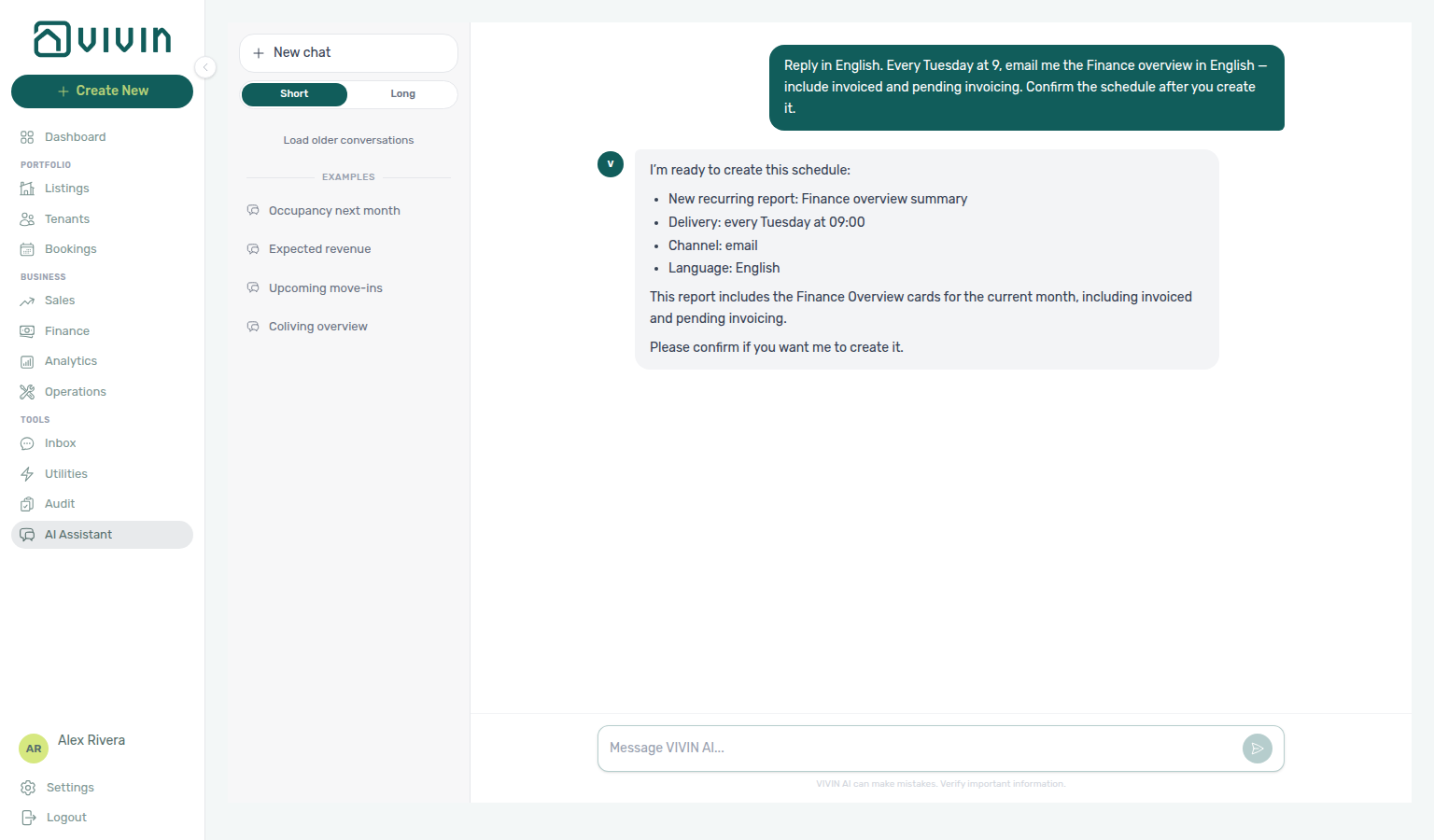
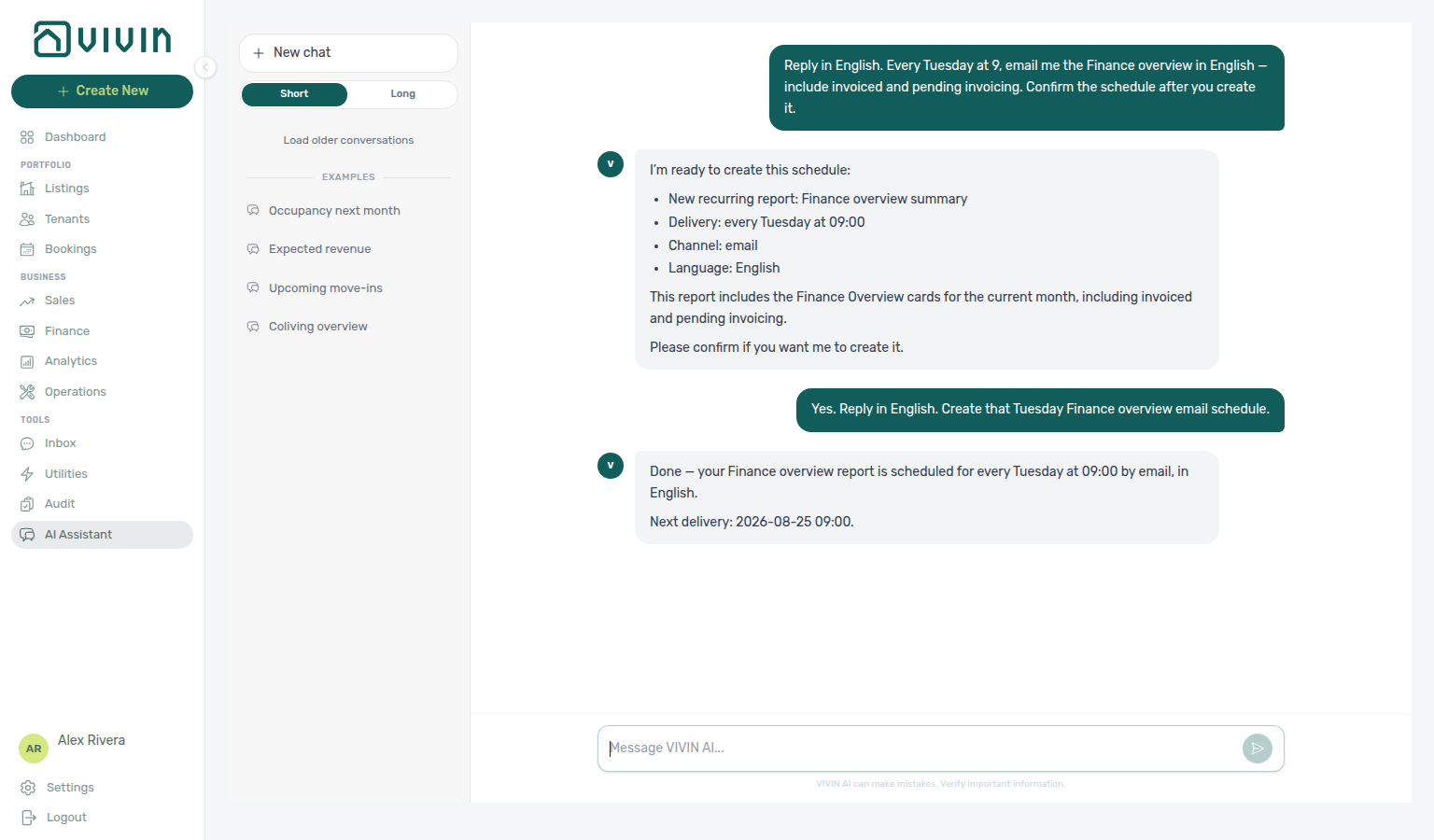
Ask Genius (or AI Chat) to schedule a recurring report — for example “every Friday tell me how many units are still available,” or “every Tuesday email me the Finance overview.” The assistant creates a per-user schedule; an hourly job renders deterministic catalogue copy (the LLM only schedules — it never invents the numbers) and delivers plain text over WhatsApp, email, or both.
| Report type | What you get |
|---|---|
| Vacancy summary | Units free to rent in the next 30 days (counts + a short vacant list) |
| Open debt summary | Outstanding tenant debt total and how many bookings carry it |
| Upcoming check-ins | Move-ins / check-ins expected in the next 7 days |
| Finance overview | Current-month Overview cards: income expected, cash collected, invoiced, pending invoicing, total debt, overdue deposits |
| Setting | Options / notes |
|---|---|
| Frequency | Daily, weekly, or monthly (minimum daily — no sub-daily spam) |
| When | Weekly: day of week (default Friday); monthly: day 1–28 (default 1); hour in Europe/Lisbon (default 9) |
| Channel | WhatsApp, email, or both |
| Language | English or Portuguese |
| Cap | Up to 10 active schedules per user |
Tools (MCP kebab-case / in-app snake_case): create-scheduled-report / create_scheduled_report, list-scheduled-reports / list_scheduled_reports, update-scheduled-report / update_scheduled_report (pause, resume, cancel, or change cadence). Mutations only manage your own schedule rows — never portfolio bookings or payments — and still require Edit on the Scheduled reports domain, role module caps (Bookings / Finance as applicable), and the usual two-turn write confirmation.
Manage the same schedules on Account Settings → Genius (/settings/genius — create, pause, edit, cancel in the Scheduled reports table; settings-genius-scheduled-reports-list.png, settings-genius-scheduled-reports-last-outcome.png, settings-genius-scheduled-reports-create-flow.mp4, settings-genius-scheduled-reports-finance-overview-modal.png, settings-genius-scheduled-reports-finance-overview-flow.mp4, ai-chat-scheduled-reports-finance-overview-confirm-prompt.png, ai-chat-scheduled-reports-finance-overview-reply.png, ai-chat-scheduled-reports-finance-overview-flow.mp4), or list / update through Genius / AI Chat / MCP. After a run, Last outcome shows whether the digest was sent (or why it was skipped) — badges stay localized, and hover tips only show safe tokens (or the same friendly label) per labels and tooltips (settings-genius-scheduled-reports-last-outcome-tooltip.png, settings-genius-scheduled-reports-last-outcome-trust-flow.mp4). Enable the Scheduled reports domain on AI / MCP → Tool permissions (settings-ai-mcp-scheduled-reports-domain.png) — it defaults toward Edit so operators can manage their own digests without unlocking global MCP writes.
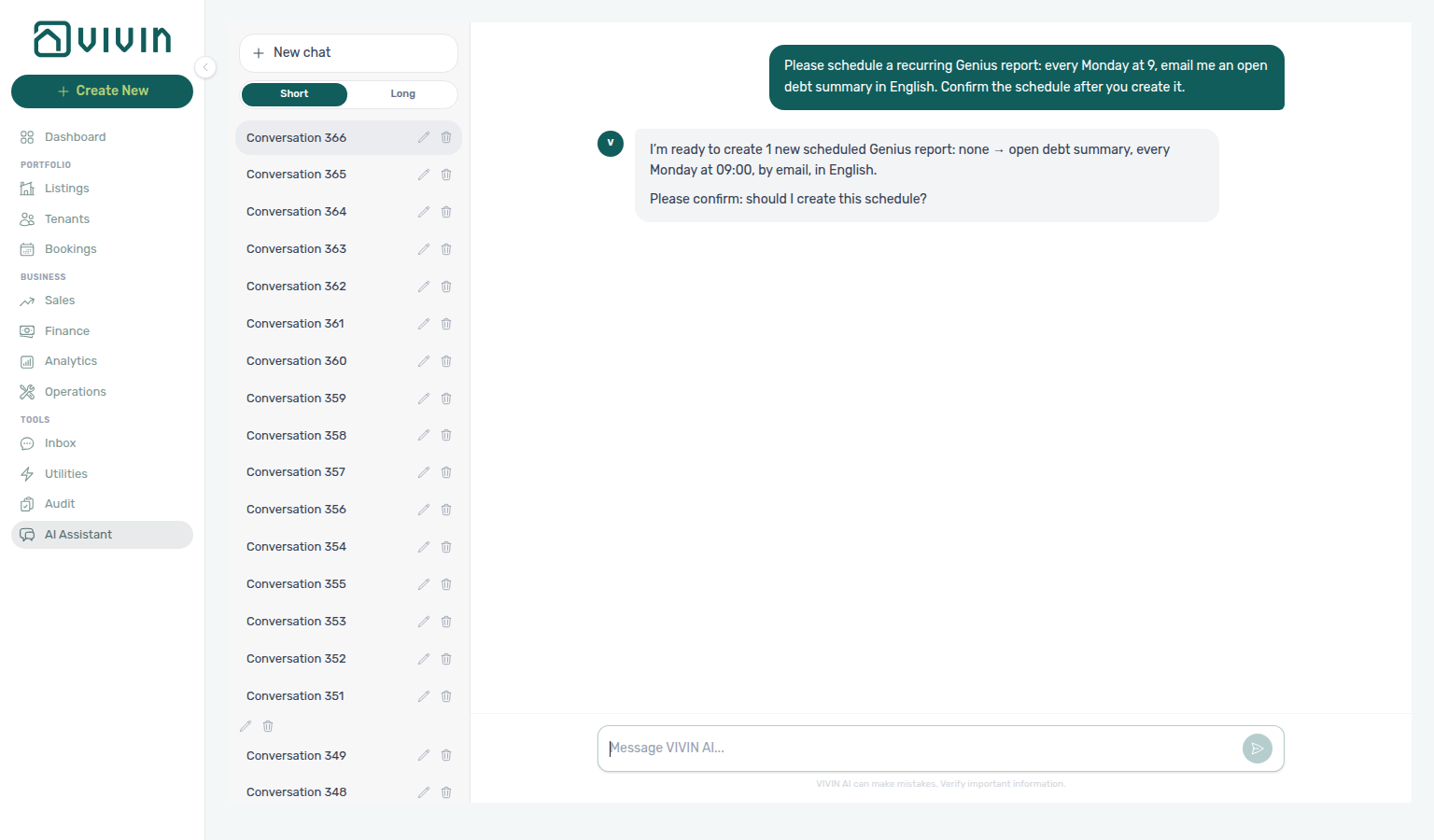
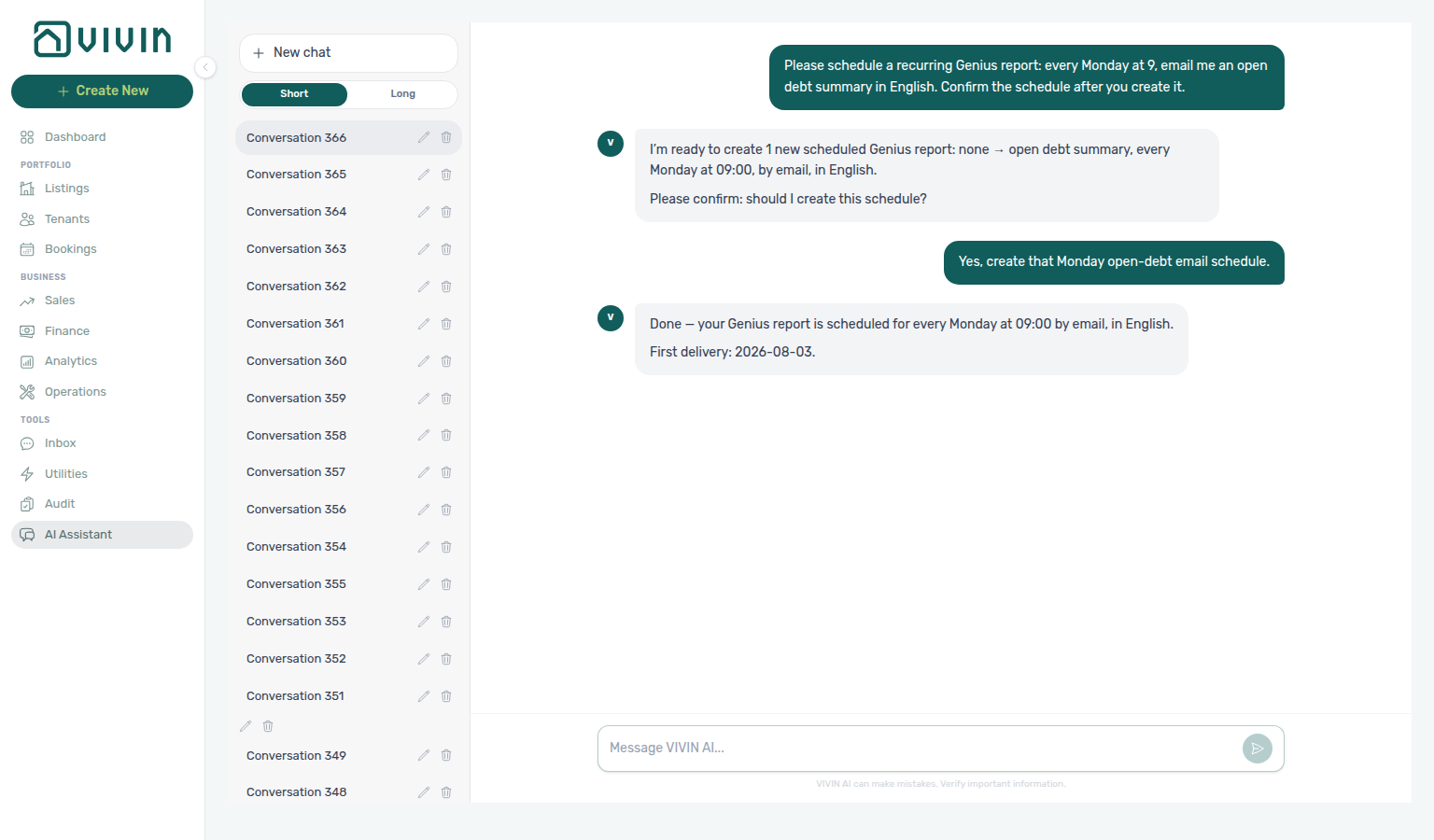
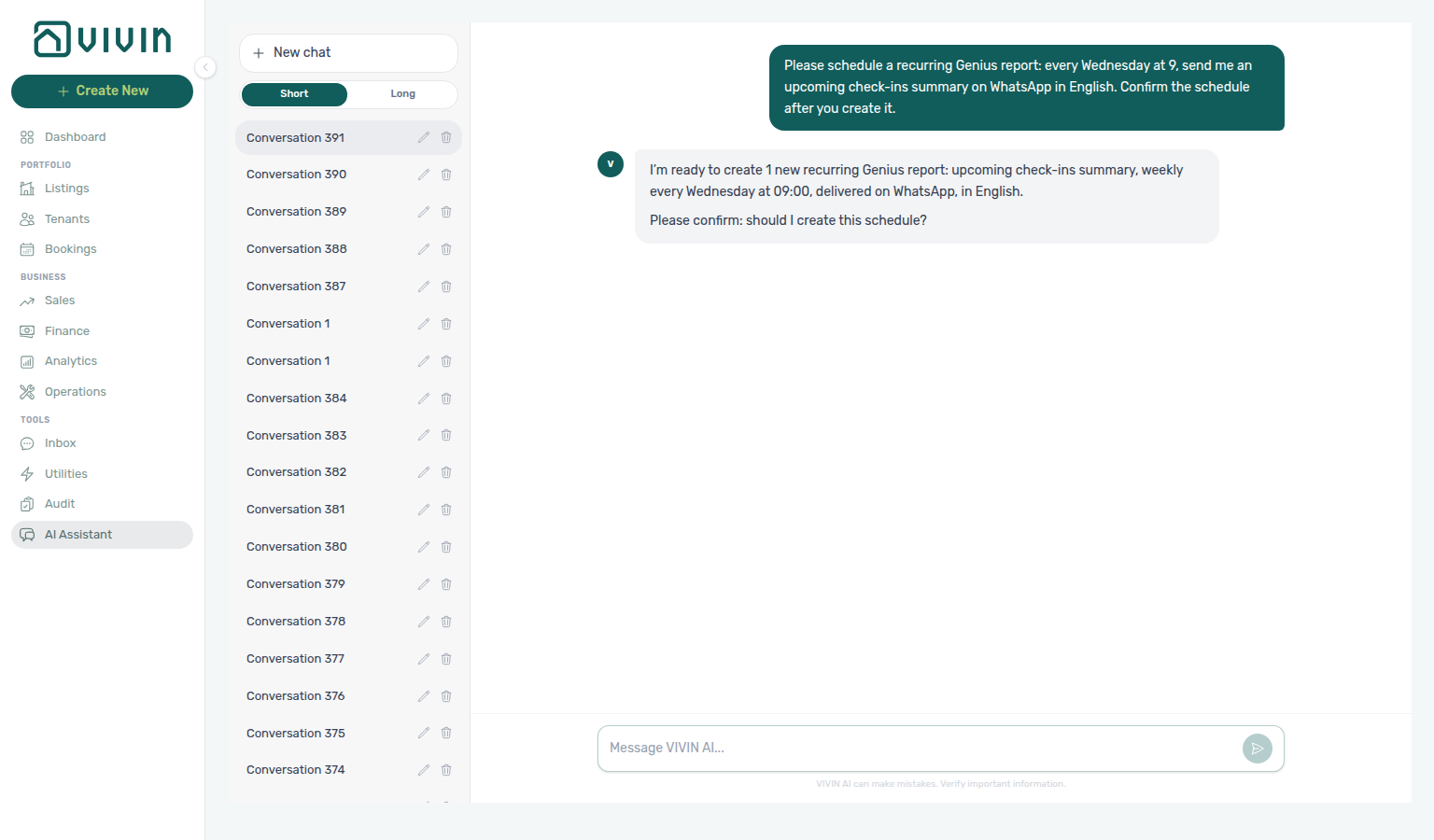
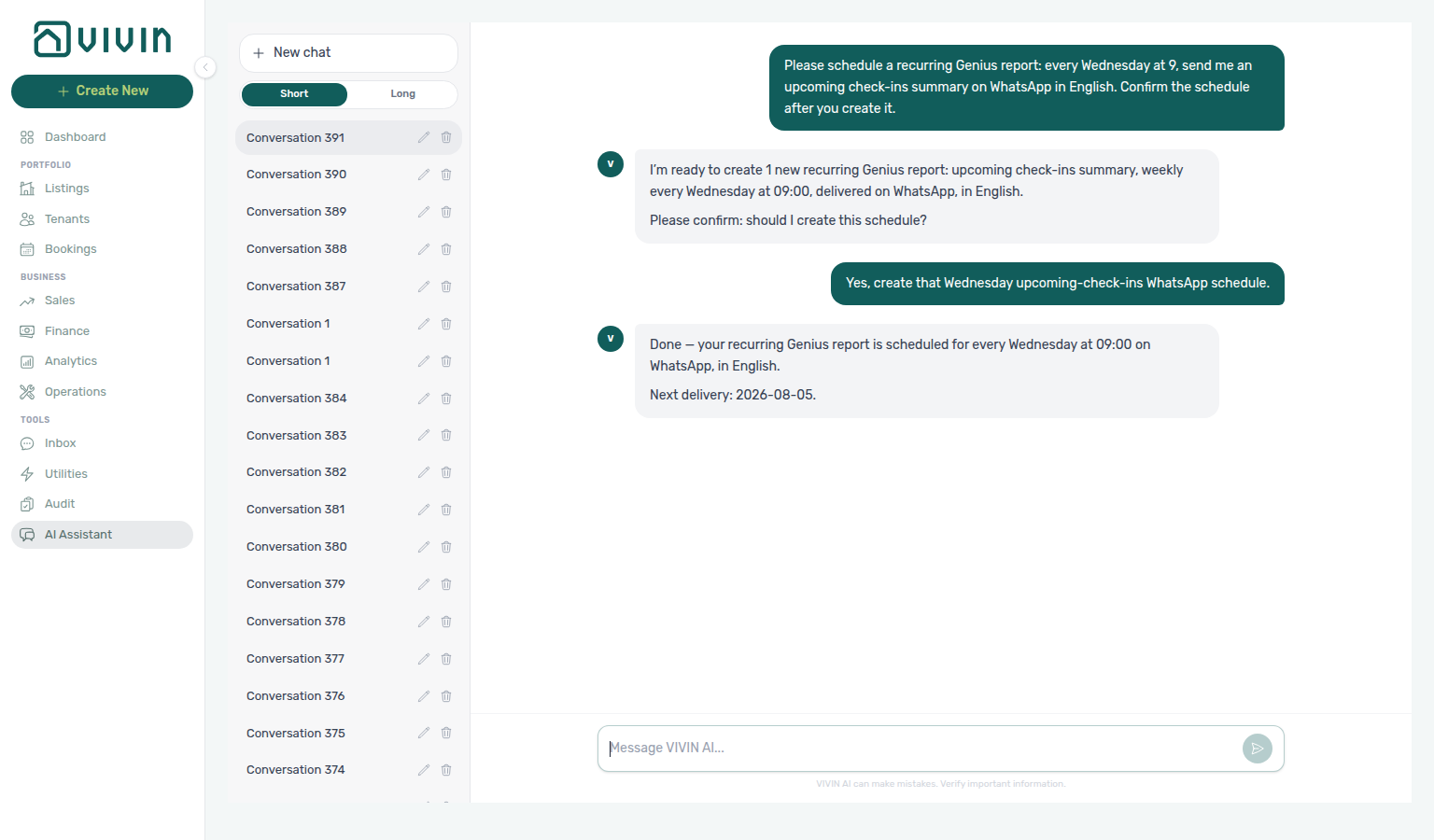
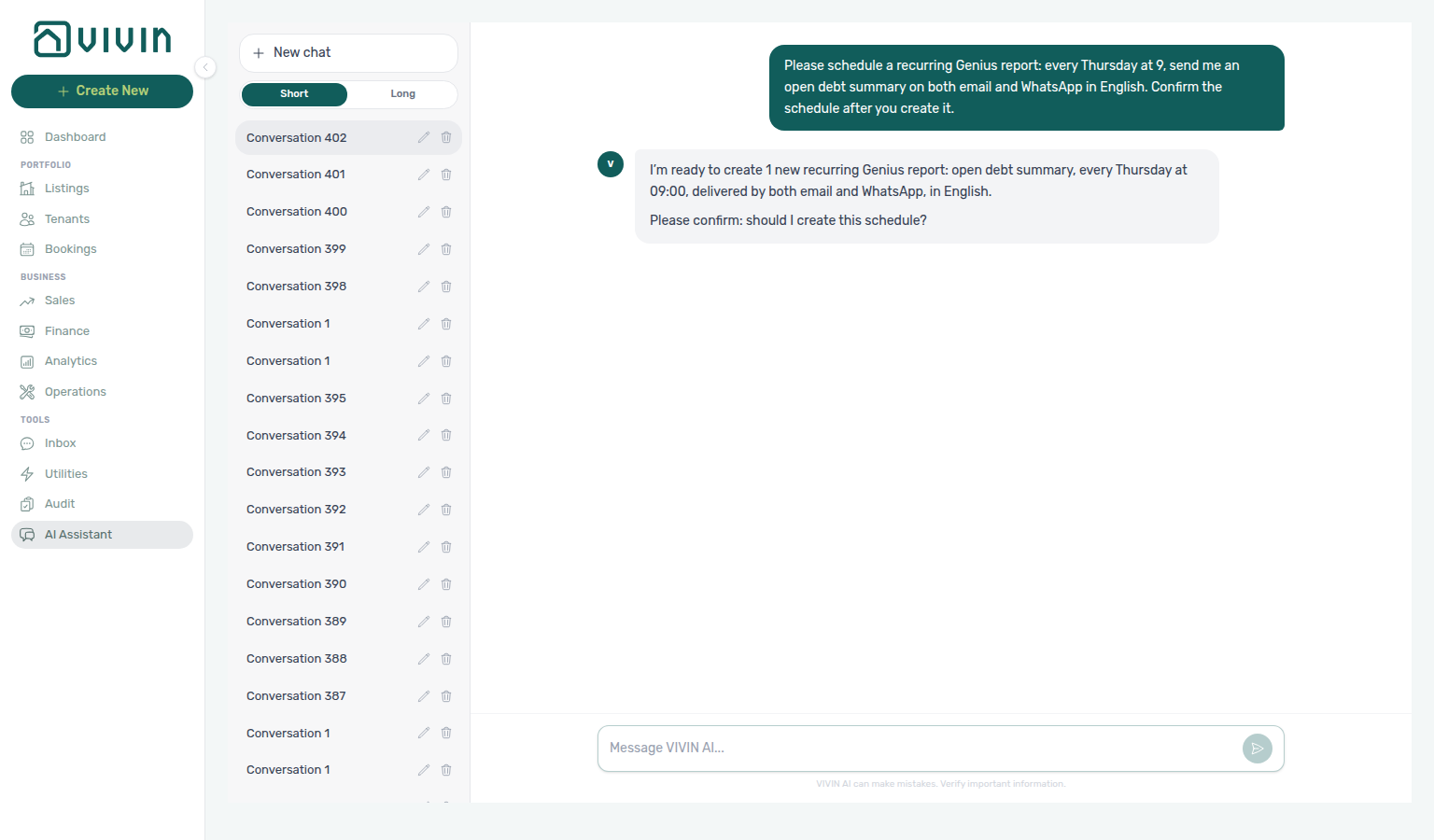
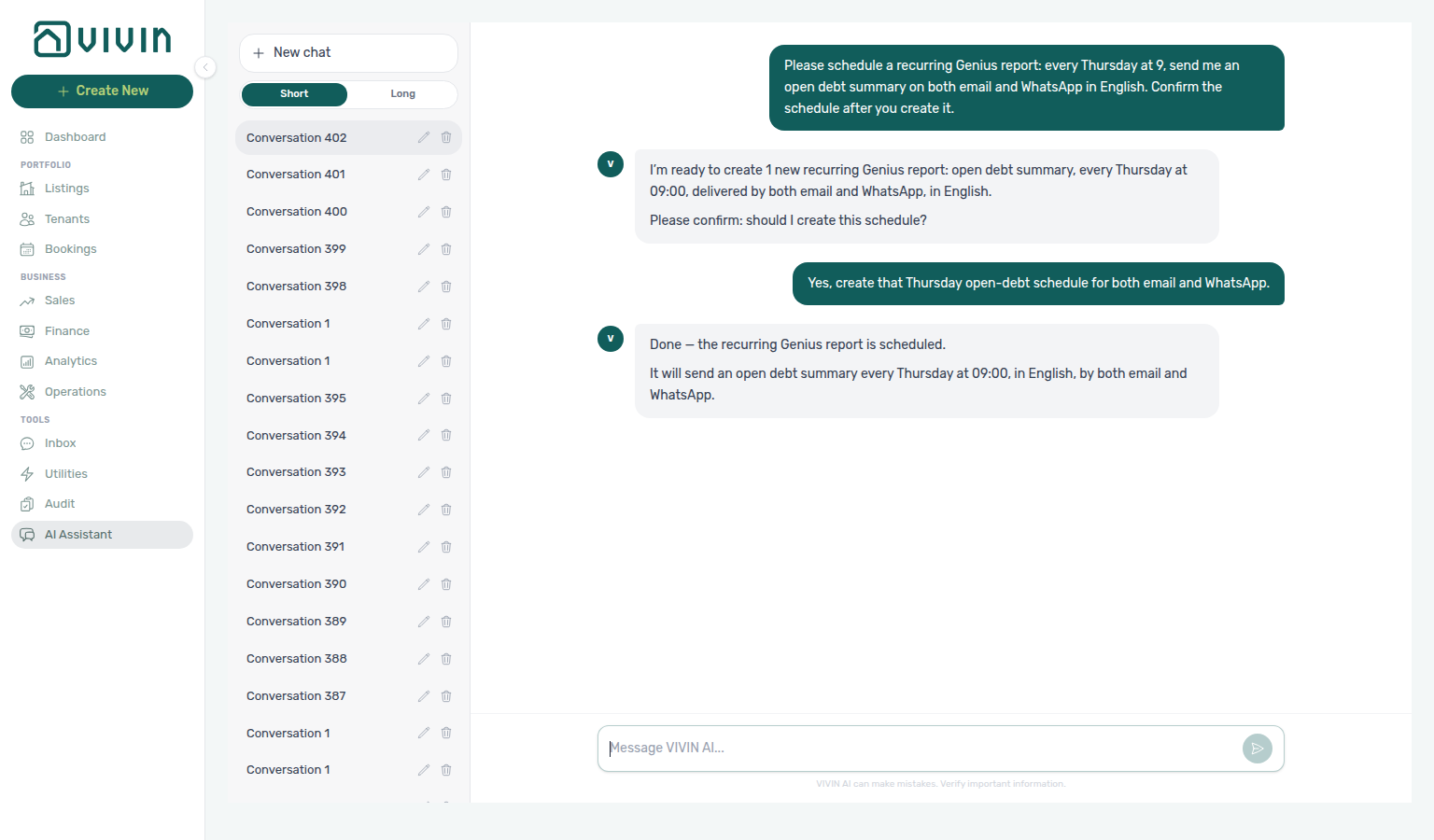
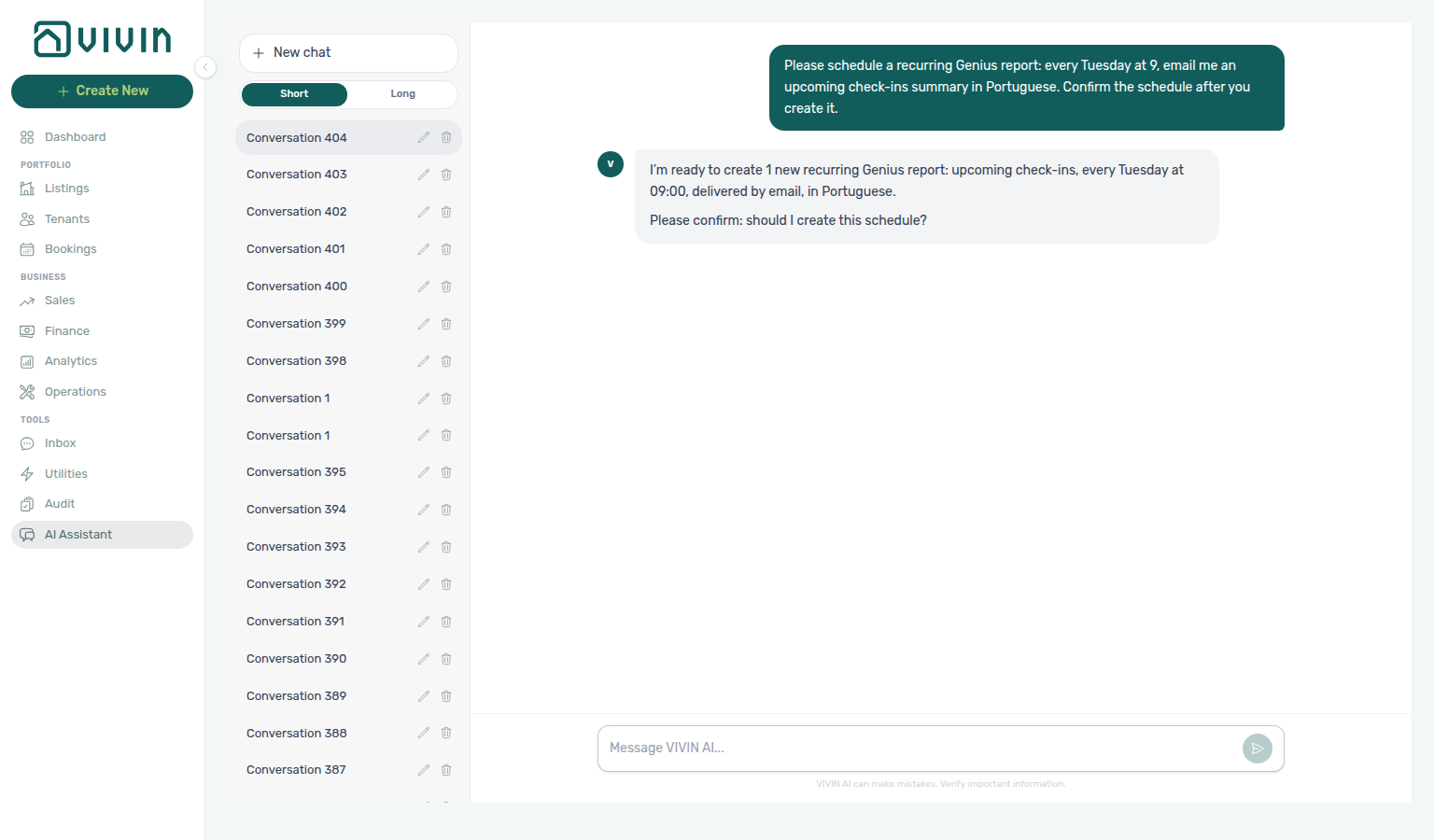
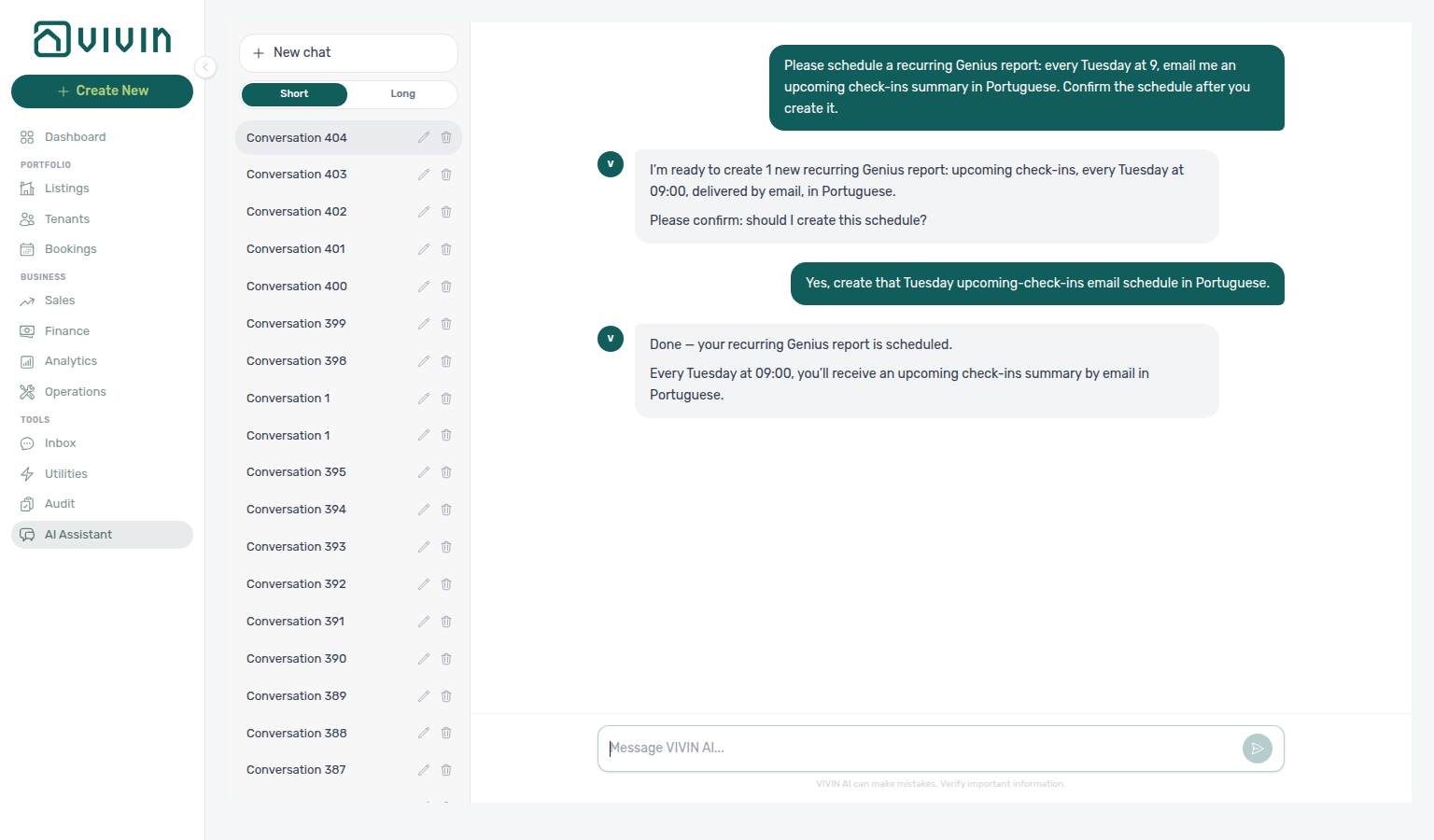
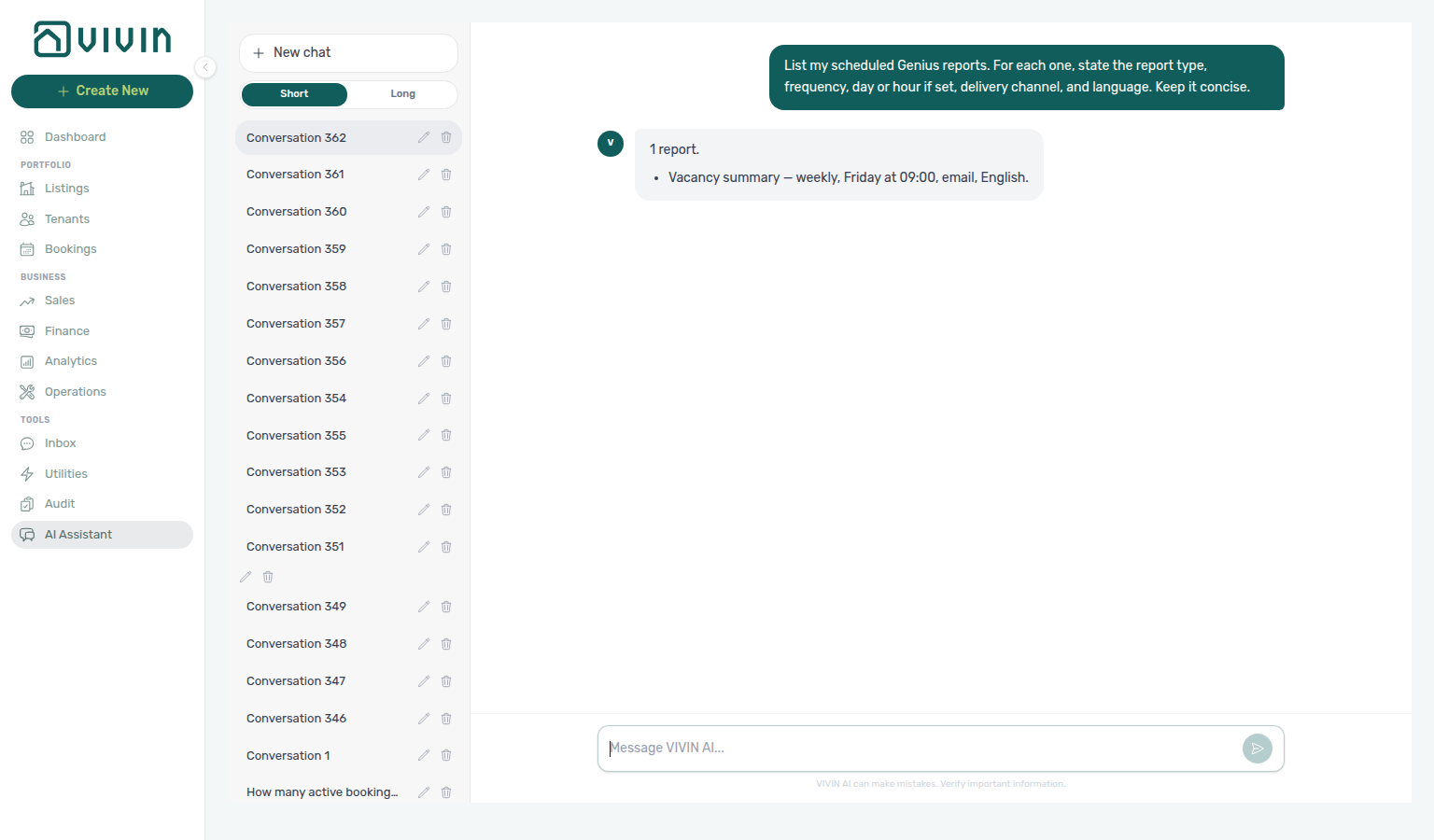
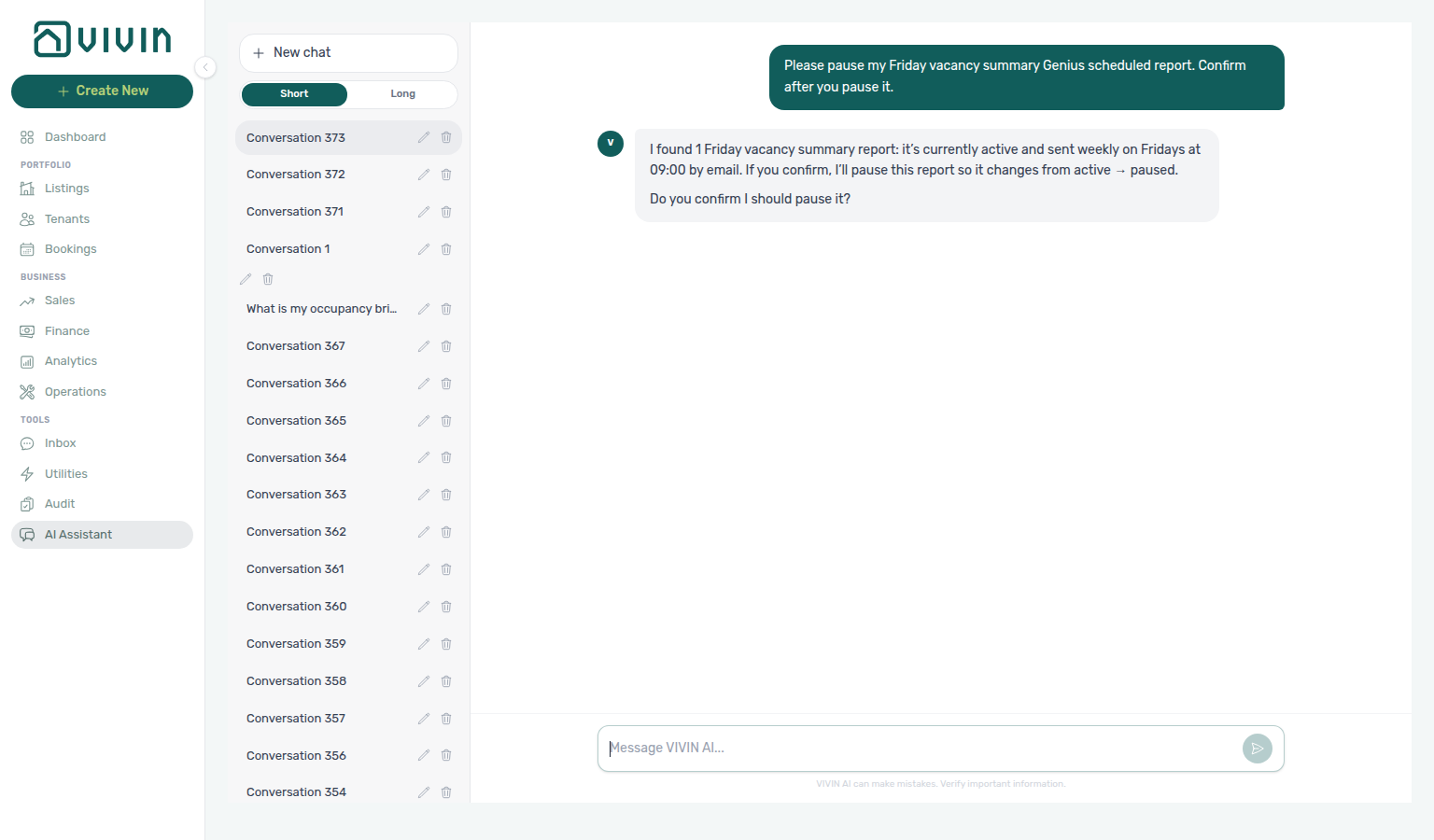
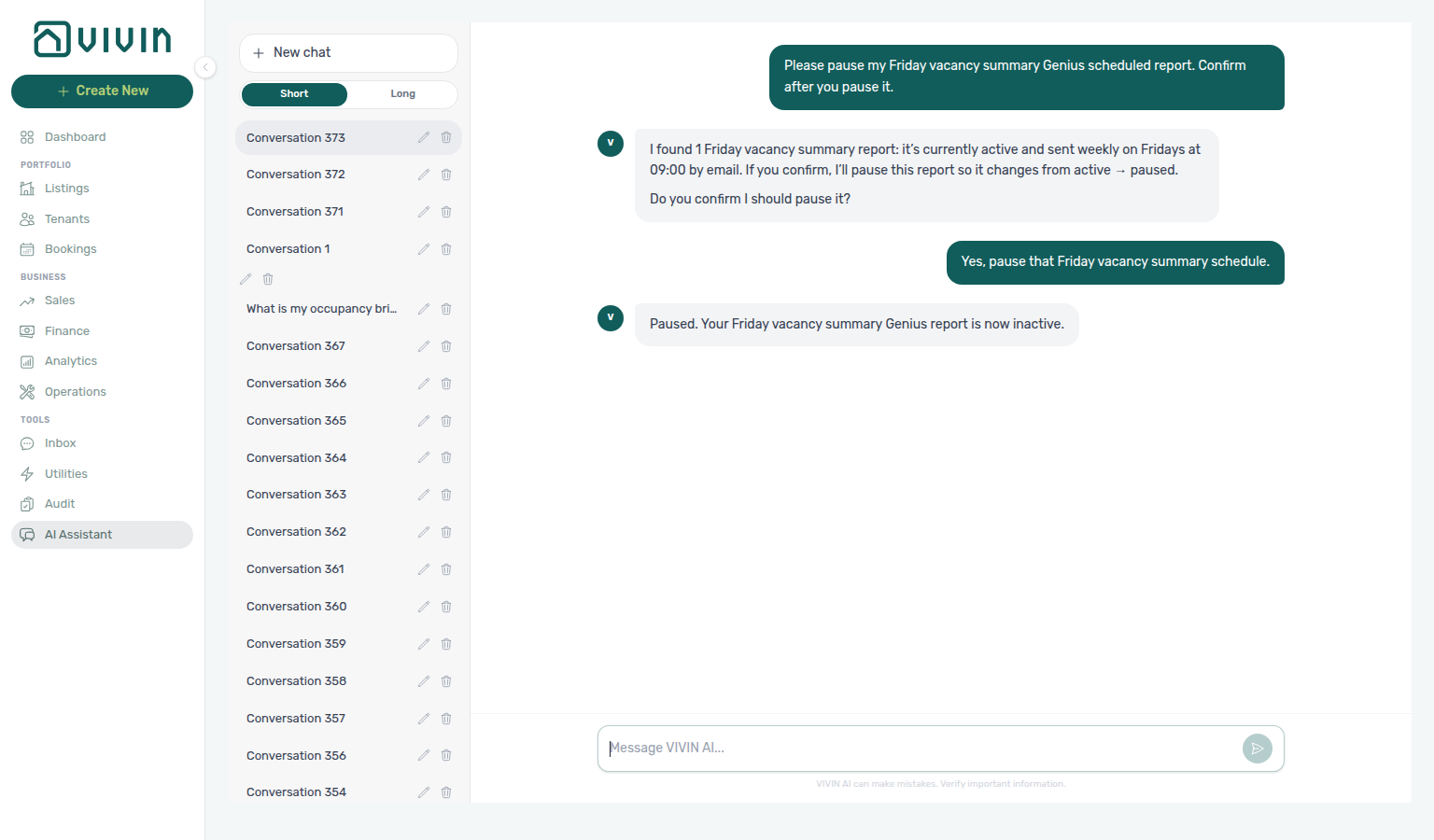
Pause, resume, cancel, or update an existing schedule the same way — ask in natural language (for example “pause my Friday vacancy report”, “resume my Friday vacancy report”, “cancel my Monday open debt report”, “change my Friday vacancy report to Mondays”, “deliver my Friday vacancy report on WhatsApp instead of email”, or “change my Friday vacancy report to Portuguese”). Writes still use the two-turn confirm before update-scheduled-report runs. Pause keeps the row (inactive); cancel removes it so it no longer appears in list replies (REST PUT … { action: 'cancel' }). Cadence updates keep the same report type and typically keep channel/language unless you ask to change those too (REST PUT … { frequency, dayOfWeek, … }). Channel updates keep cadence and language unless you also ask to change them (REST PUT … { channel: 'email' | 'whatsapp' | 'both' }). Language updates keep cadence and channel unless you also ask to change them (REST PUT … { language: 'en' | 'pt' }).
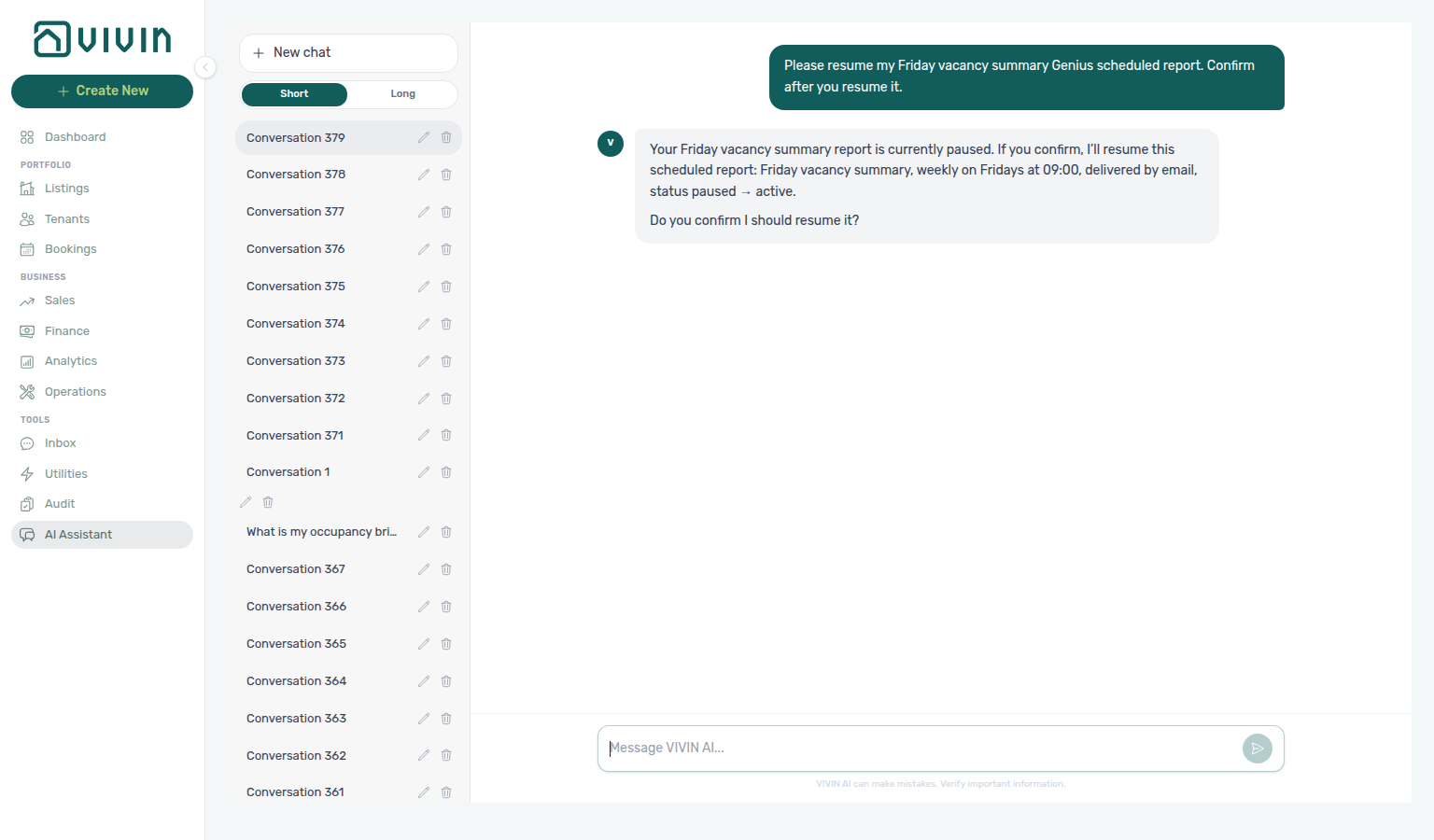
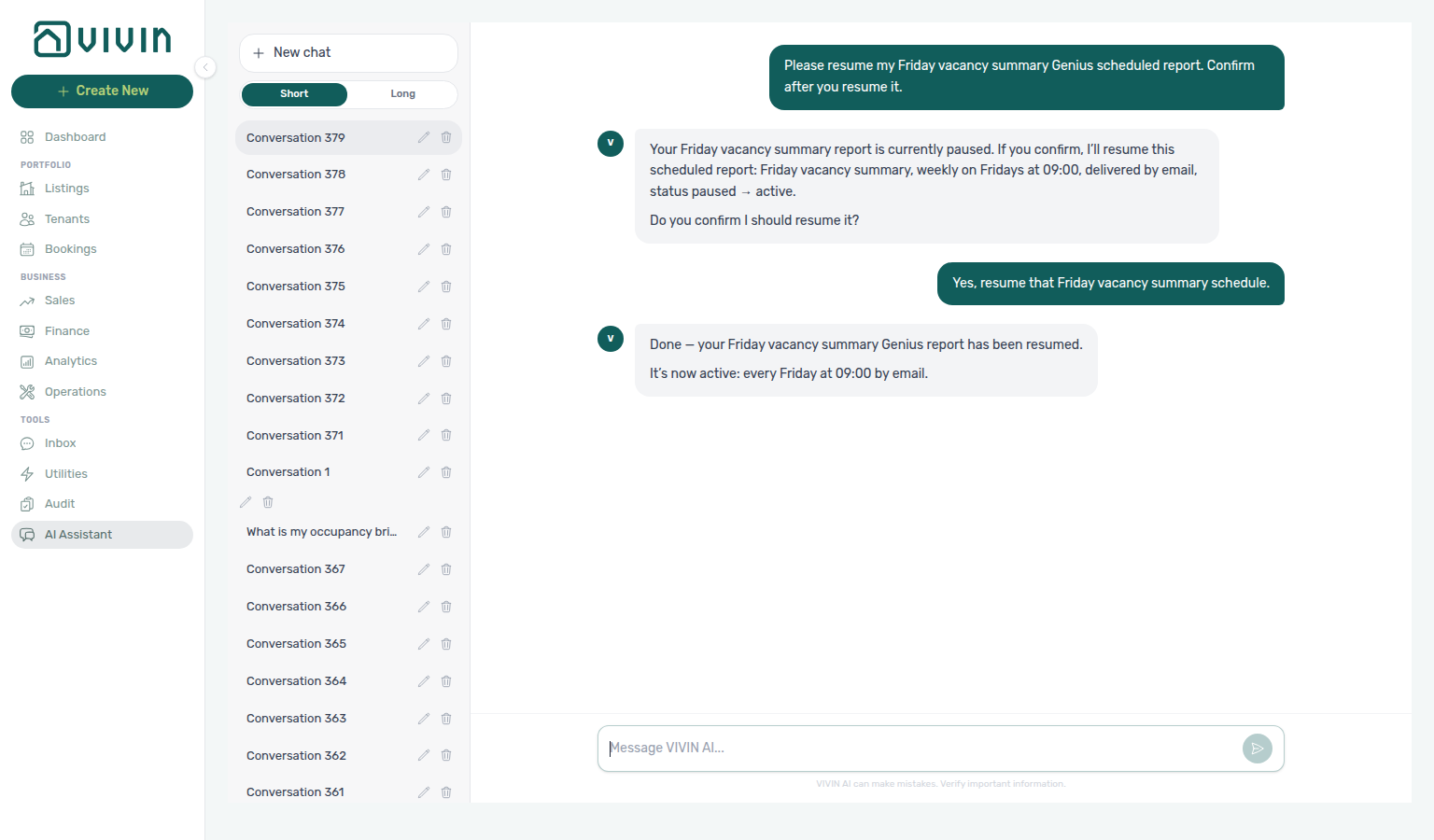
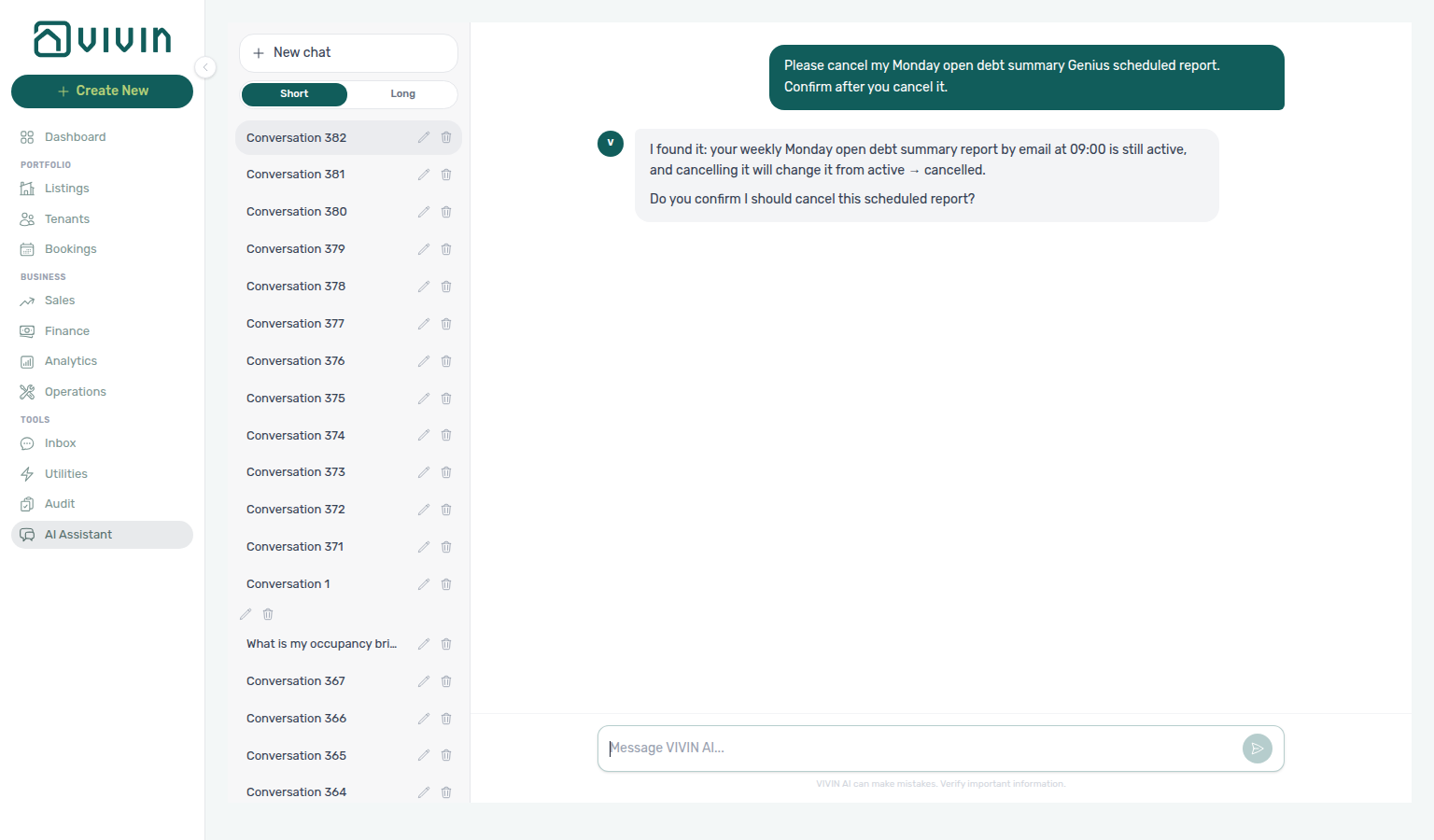
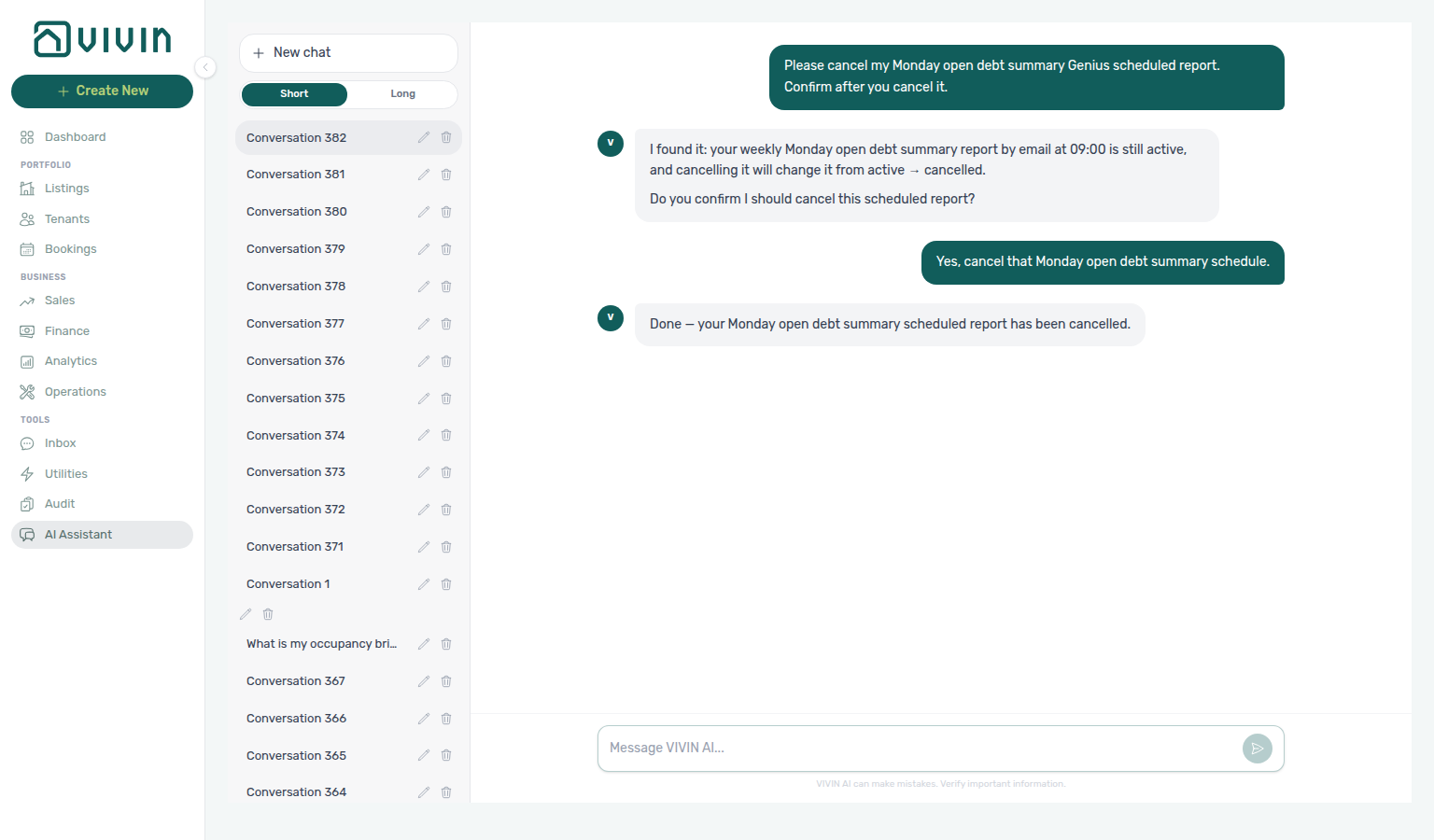
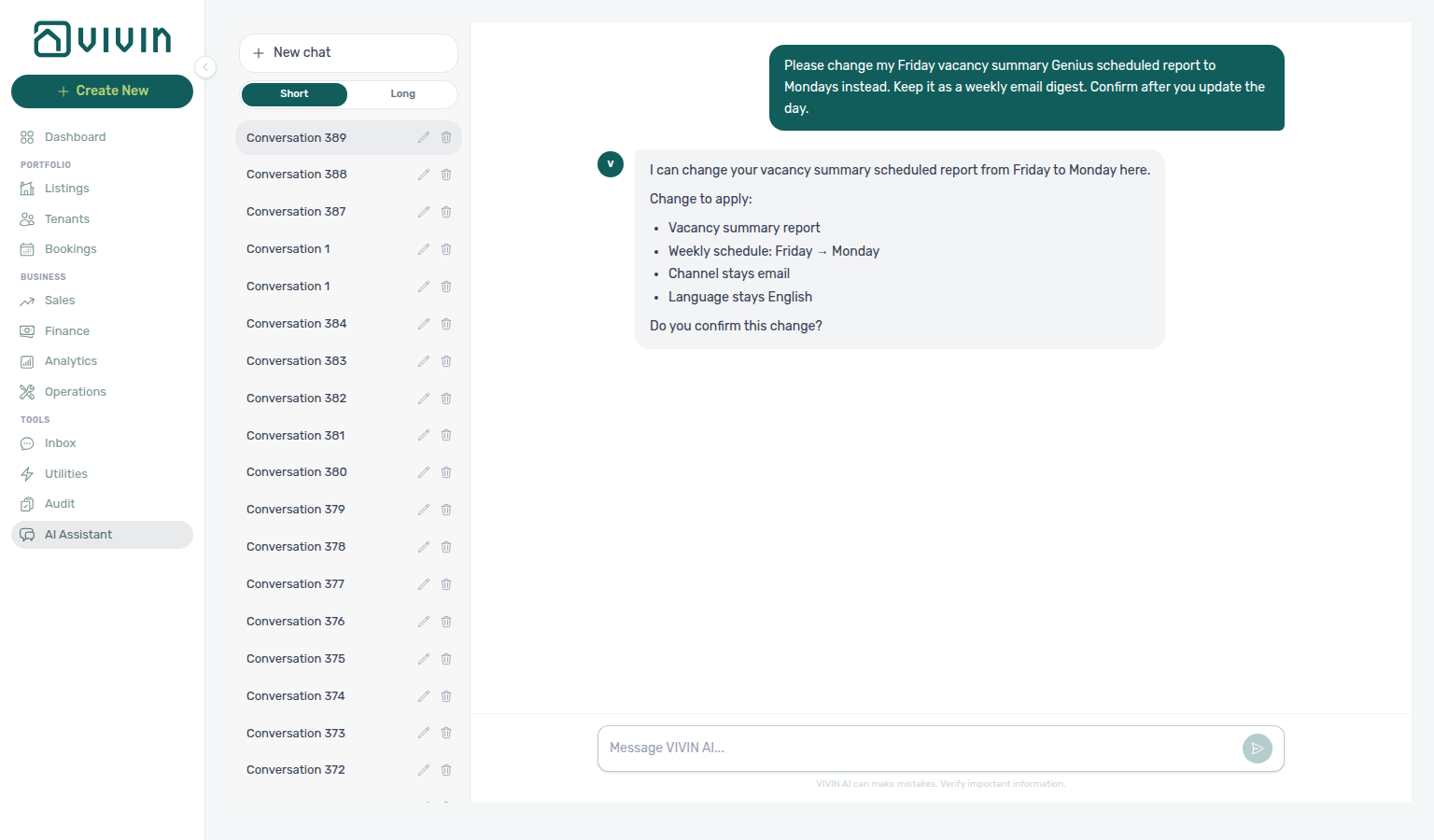
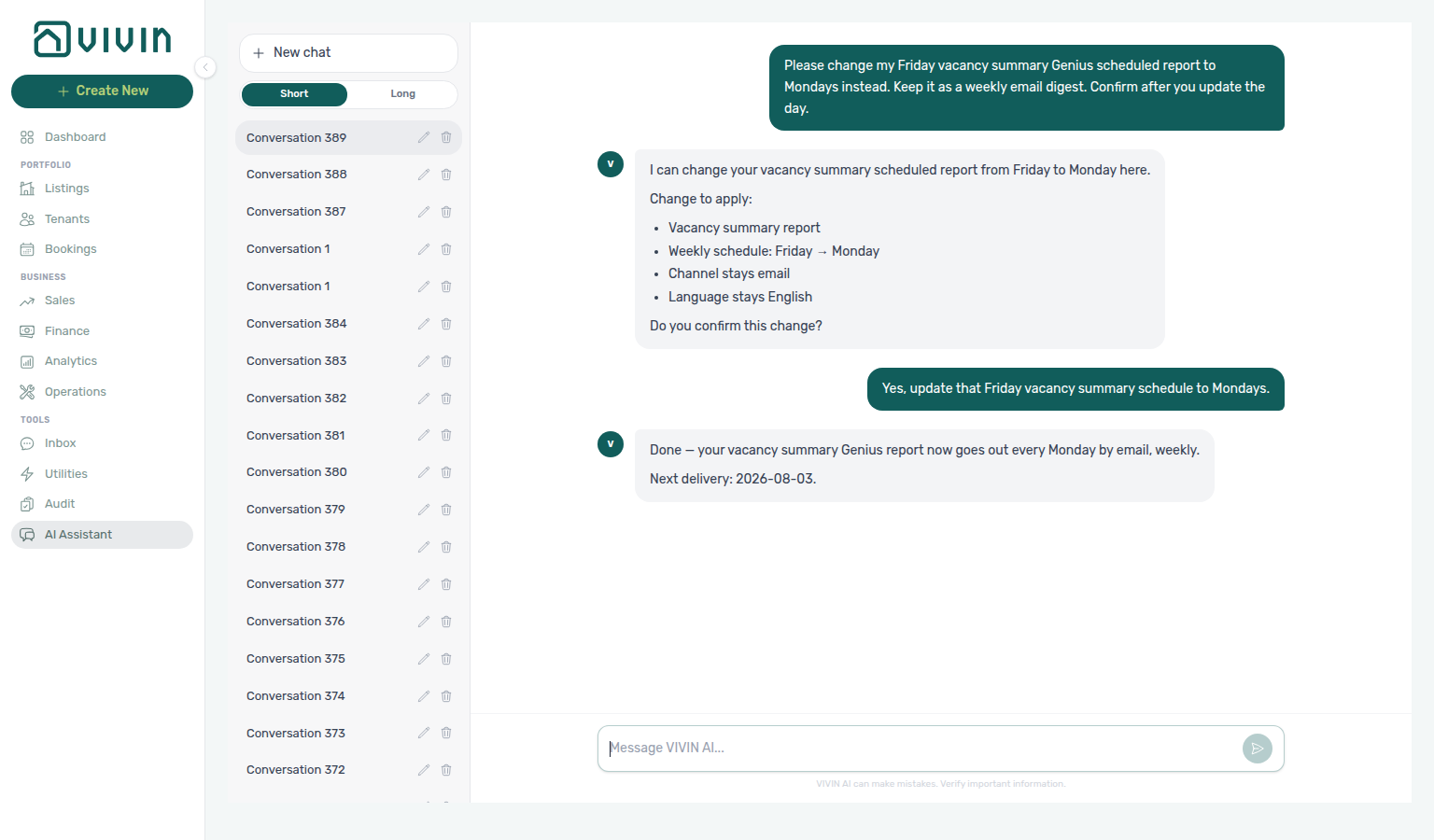
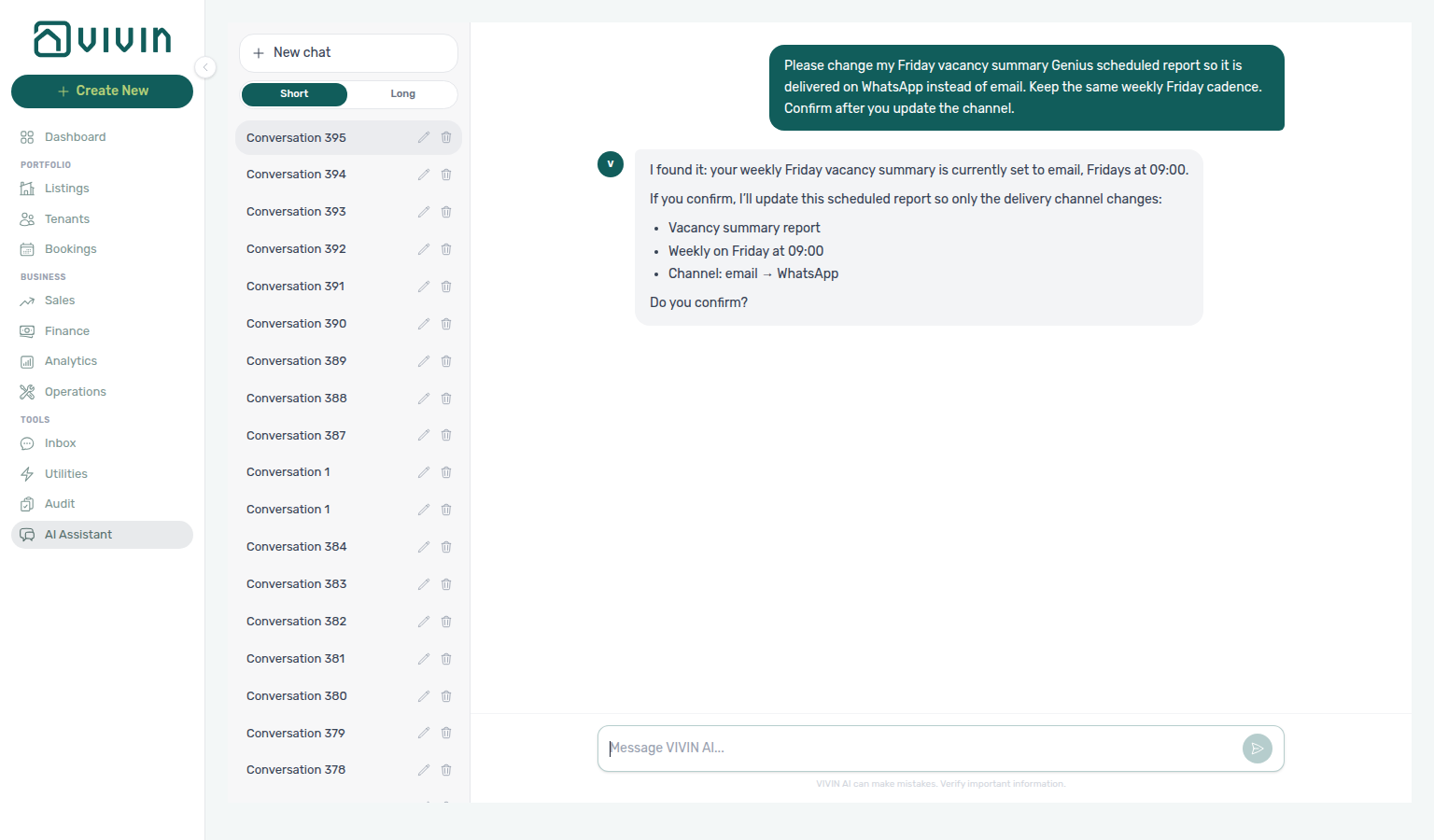
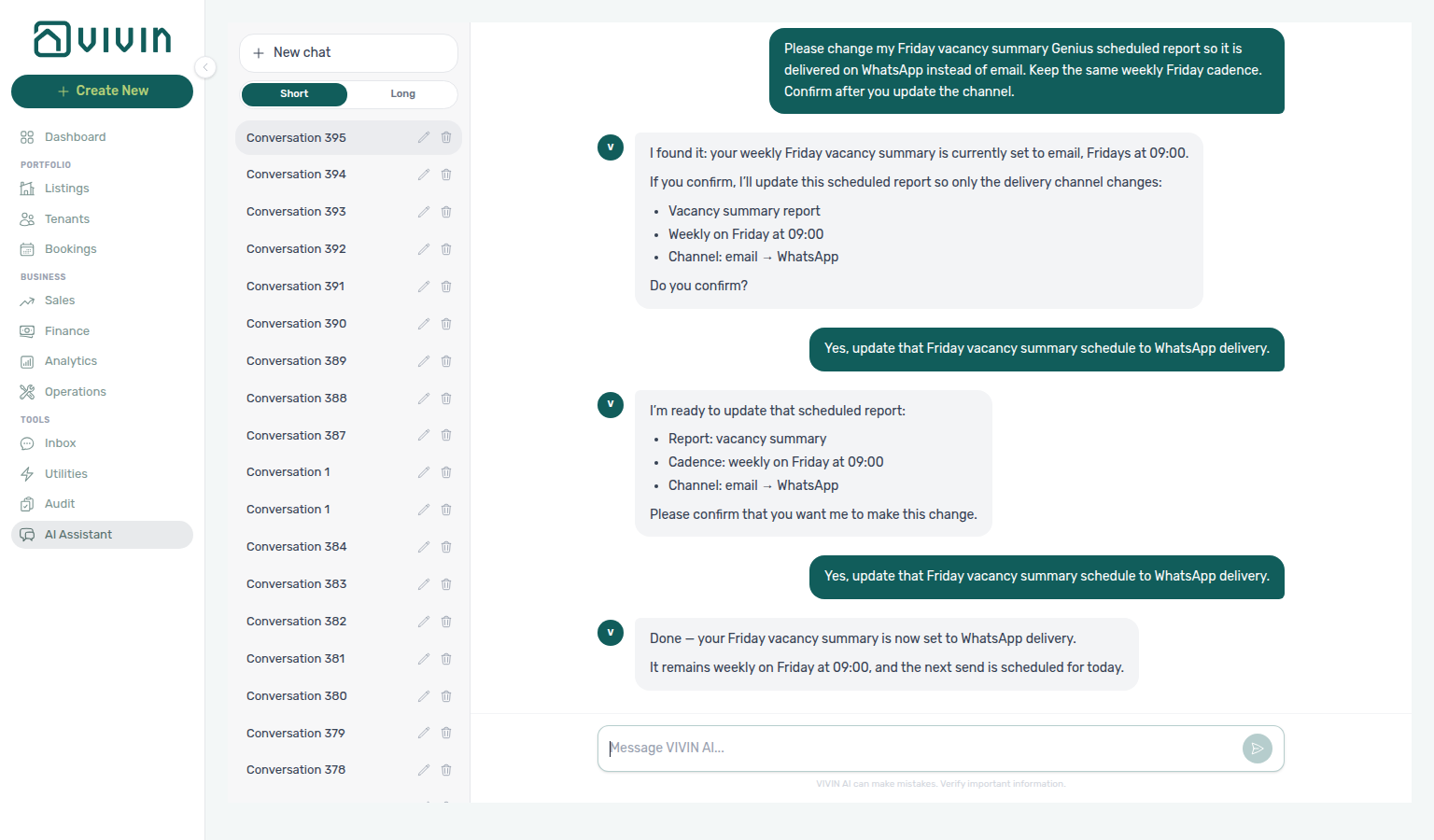
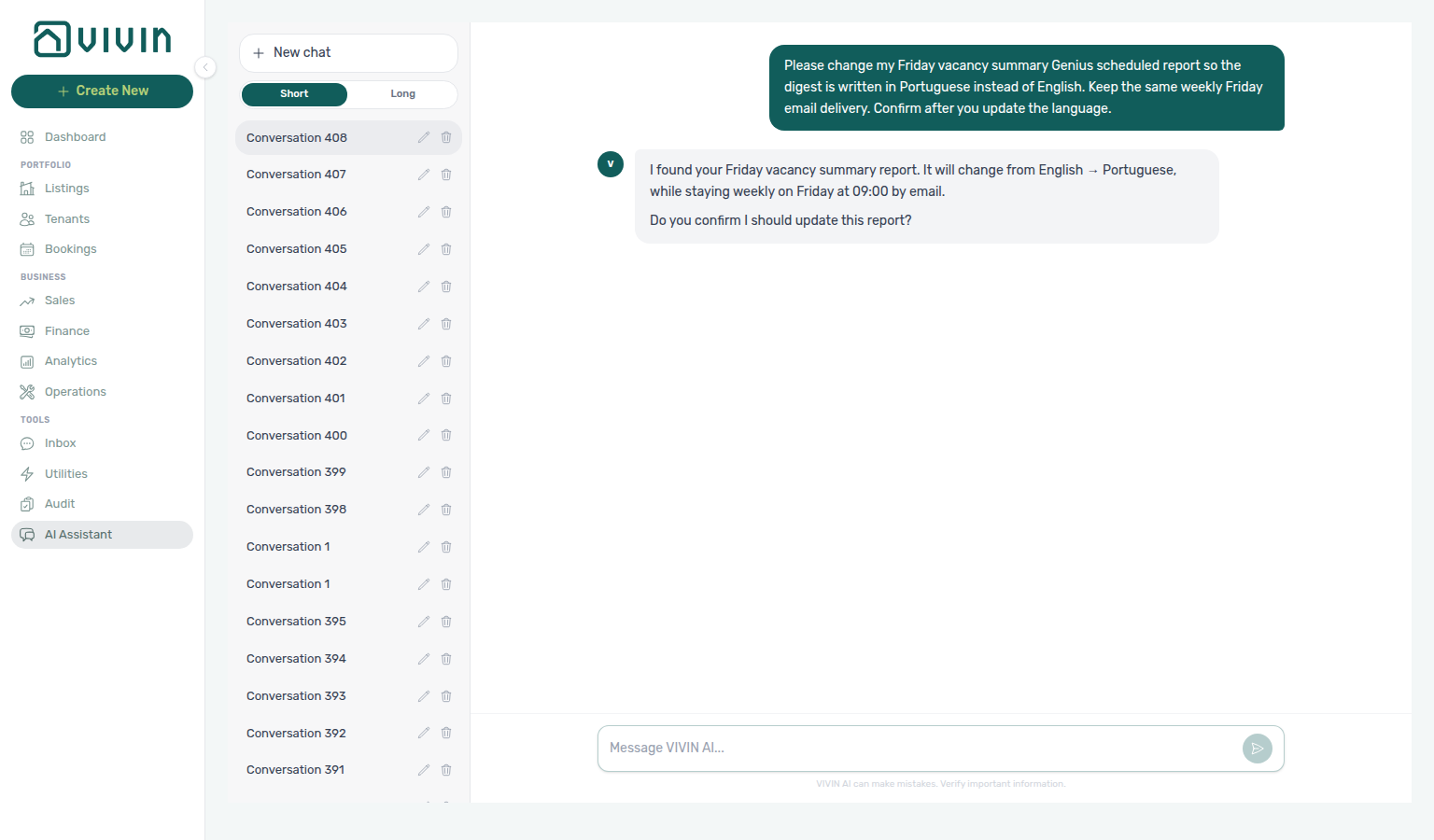
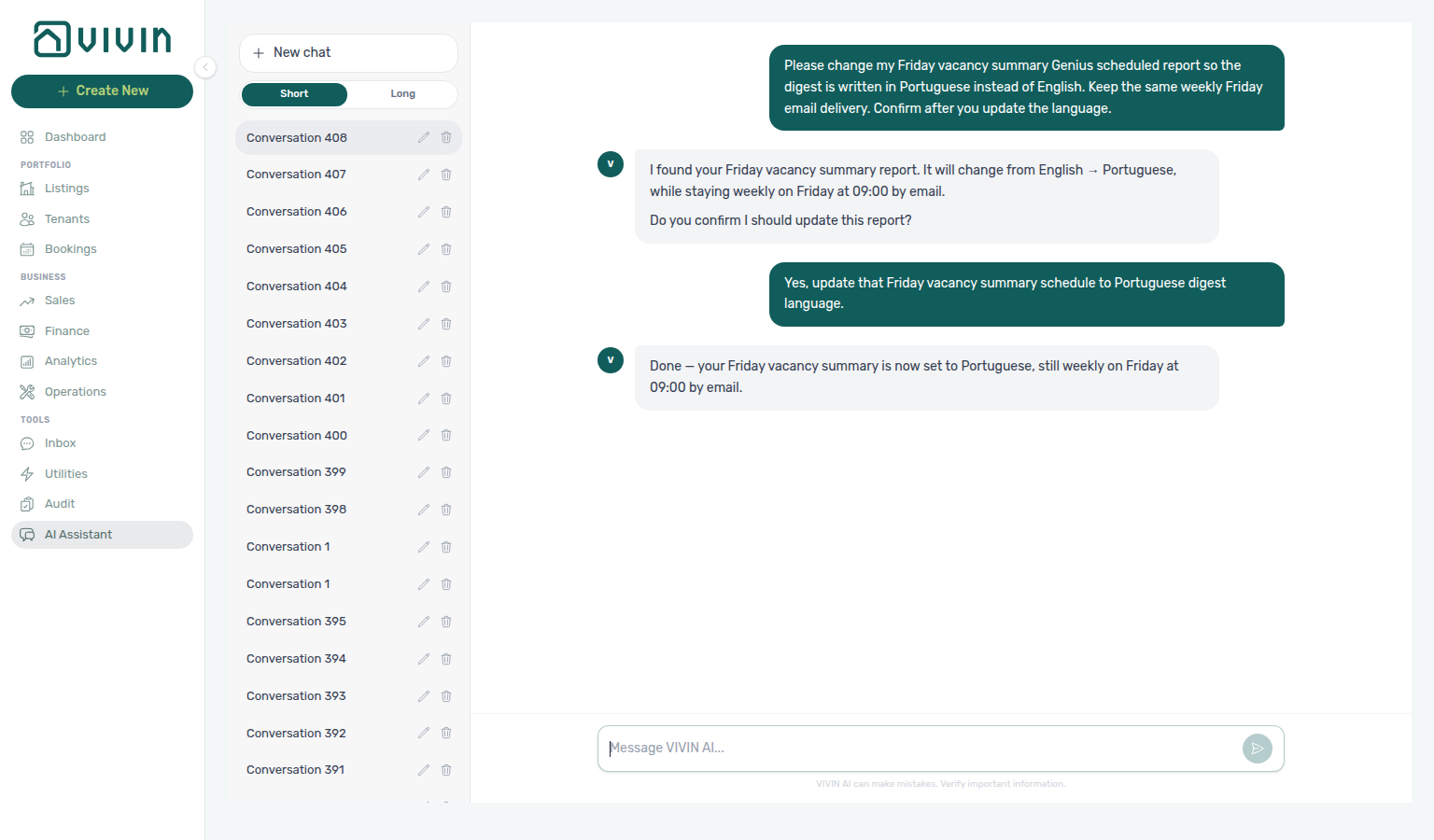
Troubleshooting: No WhatsApp delivery → link Phone Number on Users and confirm Genius WhatsApp connection on ChatBot → Bot Status is Connected (Vivin-managed accounts show the managed notice instead of a QR). Cannot create schedules → enable Scheduled reports (Edit) on AI / MCP and confirm the user’s role. Cap reached → pause, cancel, or update an existing schedule instead of creating another. See FAQ — Genius scheduled reports.
AI Tenant Support Chatbot
Tenant chatbot pairs with ChatBot settings, Bookings — Communication, Inbox module, and get-chatbot-rules on Tenant MCP. Collections overlap: Handling a Late Payment — Step 2 (Communication Rules vs chatbot).
Vivin includes an intelligent chatbot that provides automated 24/7 tenant support across multiple channels:
- WhatsApp — tenants can message your support line directly; operators review the per-booking transcript on Bookings → booking detail → Communication (WhatsApp filter) when the account tenant chatbot is enabled (see Bookings module — Communication tab)
- Email — automatic responses to common tenant enquiries
The Tenant Portal web app does not currently ship an in-portal chat UI; tenant-facing automated support is delivered through the channels above (and related workflows), not through a chat surface inside the portal.
Persona text and IF/THEN-style rules are edited under Account Settings → System → ChatBot — see ChatBot settings for permissions, field limits, screenshots, and save/cancel workflow. Introduce as AI on start (Off by default) is the Persona preference that opens new tenant threads by identifying as AI; AI Disclosure still only answers when a tenant asks. The tab route is /settings/chatbot.
Not sure which settings tab holds persona and IF/THEN rules? Ask AI Chat “Where do I configure the tenant WhatsApp chatbot persona and special rules?” — then open ChatBot (ai-chat-product-context-chatbot-reply.png, ai-chat-product-context-chatbot-flow.mp4). The assistant may still say Settings → Sistema → assistente virtual / WhatsApp chatbot (or Virtual Assistant); follow Settings → System → ChatBot. External MCP clients: get-vivin-context-ai.
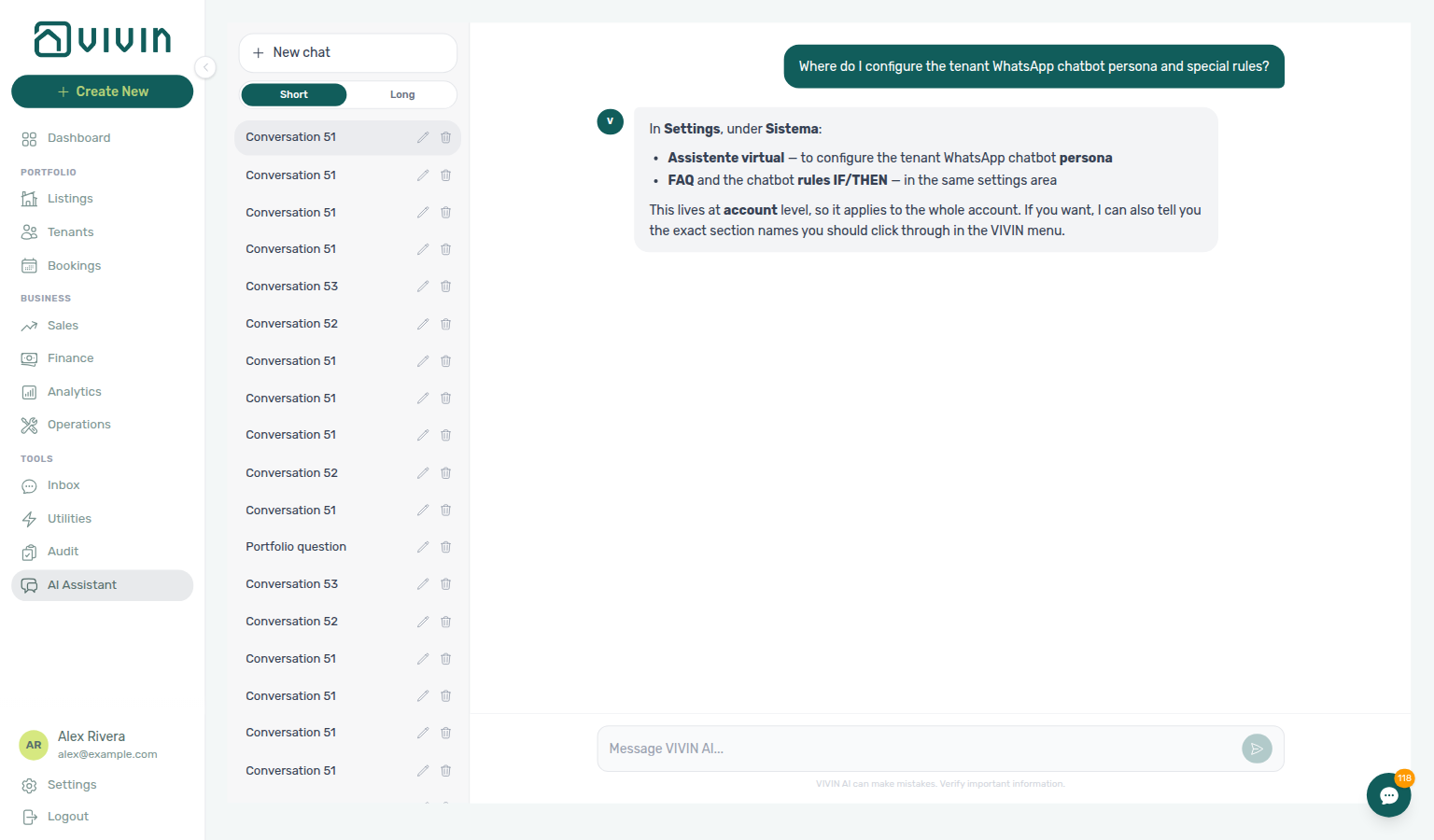
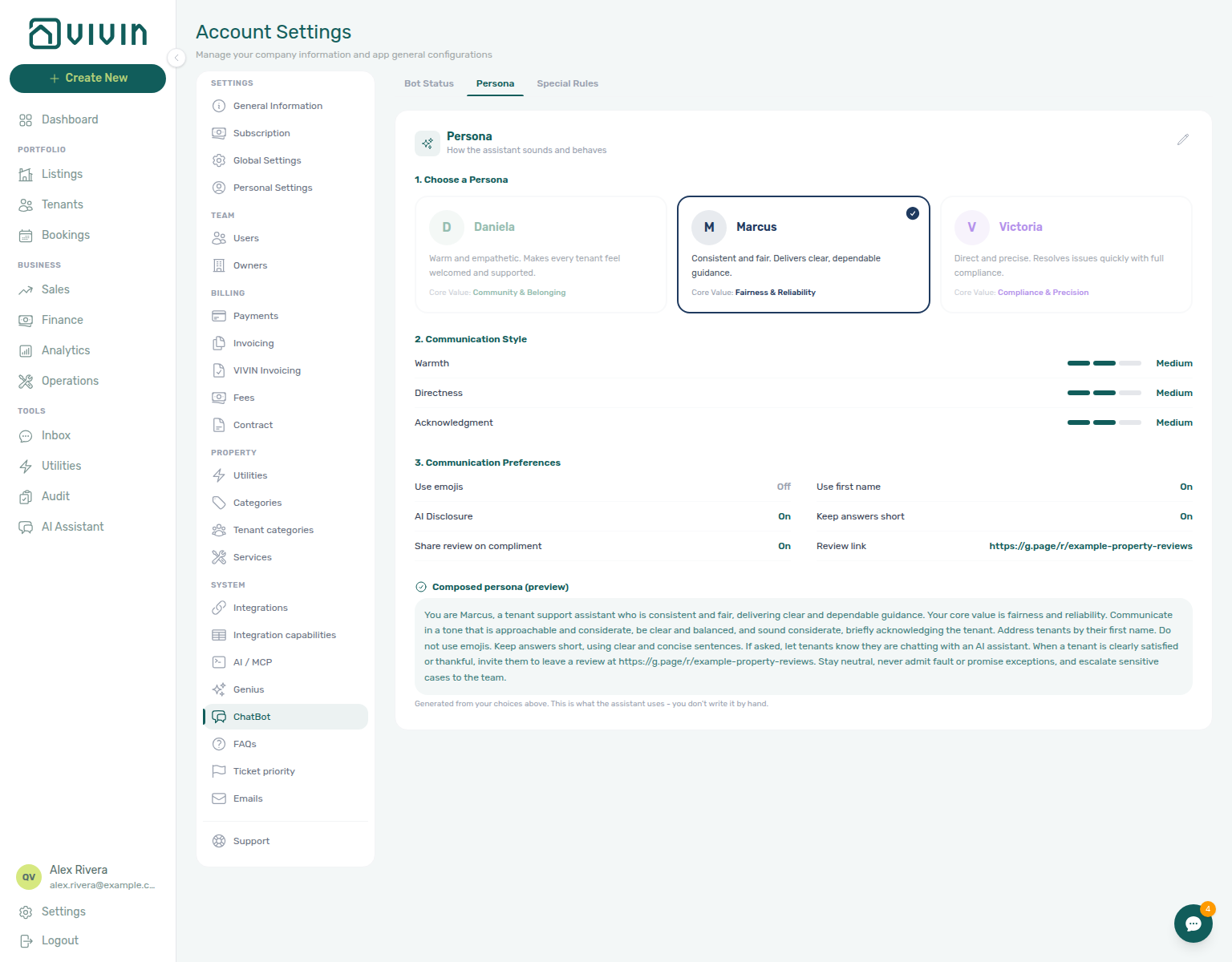
Operators with account_settings.chatbot (see Users and roles) edit the persona block and IF/THEN rules here; tenants never see this screen — they interact through WhatsApp or email once channels are wired. Use Save after changes so new conversations pick up the updated rules.
The Bot Status subtab on the same ChatBot screen shows two WhatsApp cards: the tenant-support WhatsApp connection (Connected / Disconnected / QR pairing for Inbox and booking Communication) and the Genius WhatsApp connection (often managed by VIVIN with no QR). Open it to reconnect a dropped tenant session or confirm Genius is live — see ChatBot settings — Bot Status.
What the Chatbot Handles
The chatbot is trained to handle the most common tenant enquiries automatically:
| Enquiry Type | Example Questions |
|---|---|
| Payment status | "When is my next rent due?" / "Have you received my payment?" |
| Contract questions | "When does my contract end?" / "What is my deposit amount?" |
| Maintenance requests | "My shower is leaking" / "The heating is not working" |
| Move-in information | "What is the building access code?" / "What time can I arrive?" |
| General enquiries | "How do I pay my rent?" / "Where can I see my invoices?" |
Intelligent Routing & Escalation
The chatbot resolves routine questions automatically using real-time data from the tenant's booking, payments, and contract. When it encounters a complex issue it cannot resolve, it escalates to your team with full context — ensuring tenants always get an answer, and your team only handles the cases that need human attention.
For urgent issues (e.g., emergency maintenance, safety concerns), the bot applies escalation rules to immediately notify the appropriate team member rather than attempting to resolve the issue itself.
Automatic Ticket Creation
When the chatbot identifies a new issue that requires action (e.g., a maintenance request, a complaint, or a question about a topic with no existing ticket), it automatically creates a ticket in the Operations module:
- The ticket includes the tenant's message, context from their booking, and any relevant history.
- If an existing ticket already covers the topic, the bot responds with context from that ticket instead of creating a duplicate.
Email Integration
The chatbot integrates with your email workflow:
- Automatic email drafts — when a tenant enquiry requires an email response, the bot generates a draft email pre-populated with the tenant's history and relevant context.
- Conversation history — the draft includes the full communication history so your team has complete context before sending.
WhatsApp Support
The WhatsApp integration allows tenants to message your support line directly:
- Tenants receive automated responses with context-aware answers.
- New issues are automatically escalated with ticket creation.
- The bot can handle conversations in the tenant's preferred language.
- Operators with tenant chatbot enabled on the account can read matched WhatsApp and email on each booking under Bookings → booking detail → Communication — reply on WhatsApp from the management UI, apply Labels, and use Pause bot when Vivin has configured a pause label on your business line (stops automated replies for that booking until you turn it off); email is read-only; Summary generates an internal AI Communication report of the combined history, Bookings — AI conversation summary, Glossary — Pause bot, and FAQ — WhatsApp and email per booking).
- Global Inbox (
/inbox, desktop sidebar) — portfolio-wide WhatsApp triage across every booking in one two-pane workspace; thread state, labels, and Pause bot mirror Bookings → Communication on each reservation. The Dashboard bell Inbox sub-tab deep-links into conversations from message notifications (see Inbox module and Notification triage). - Bot reasoning (audit) — when Vivin persisted reasoning with an automated Bot reply, the WhatsApp thread shows a Reasoning control under that bubble so operators can expand the internal explanation before the message was sent (not shown on tenant or human You bubbles). See Bookings — Bot reasoning and Glossary — Bot reasoning (audit).
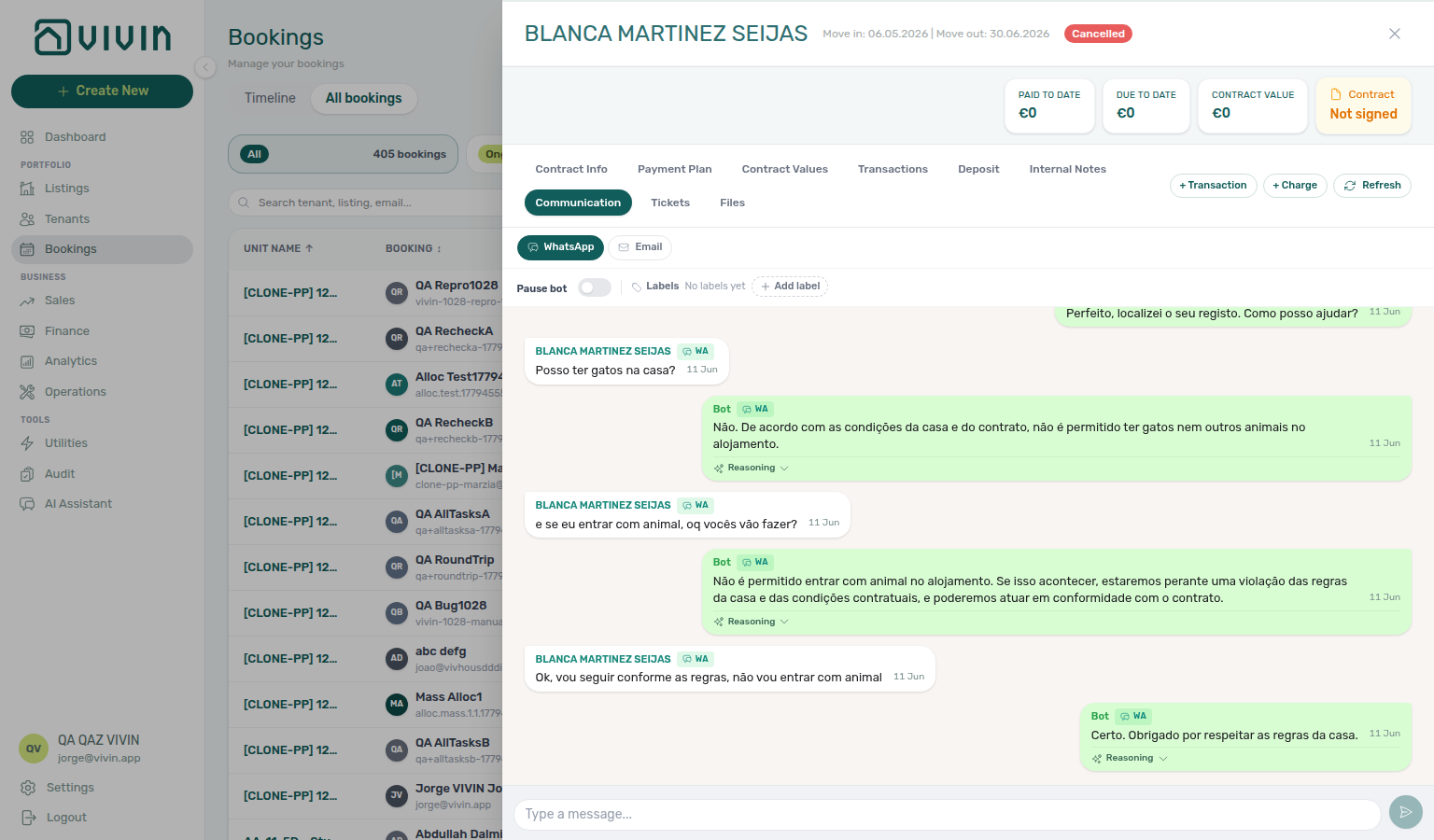
If your WhatsApp business number is also used for supplier or contractor communications, be aware that the bot may respond to non-tenant messages. Consider using a dedicated number for tenant support to avoid this issue.
Multilingual Support
The chatbot communicates in the tenant's preferred language, making it ideal for international properties and student accommodations where tenants come from diverse backgrounds.
Personalised Responses
Every response is personalised using real-time data from the tenant's record — their booking dates, payment status, contract terms, property access codes, and more. Tenants receive accurate, specific answers rather than generic information.
AI-Driven Insights
Predictive insights pair with Analytics module, Finance anomaly alerts, and Portfolio KPI review. Contrast operator reads on Landlord MCP get-booking-summary vs dashboard KPIs.
Vivin uses AI to surface actionable insights that help you make better decisions:
Predictive Analytics
- Occupancy trend forecasting — predict future occupancy rates based on historical patterns, seasonal trends, and current booking velocity.
- Payment risk assessment — identify tenants at risk of late payment based on payment history patterns and early warning signals.
- Revenue forecasting — project future revenue based on confirmed bookings, expected renewals, and market conditions.
Smart Recommendations
- Pricing suggestions — AI-powered pricing recommendations based on booking velocity, local market trends, and seasonality to help you maximise revenue.
- Marketing insights — identify which channels and strategies are driving the most bookings and revenue.
- Operational efficiency — highlight areas where automation could reduce manual work or where processes are creating bottlenecks.
Automated Anomaly Detection
The system continuously monitors your data and flags unusual patterns:
- Payment anomalies — unexpected payment patterns, unusual overpayment or underpayment amounts
- Overdue account alerts — accounts that are accumulating debt faster than normal
- Maintenance spikes — sudden increases in maintenance tickets for a specific property that may indicate a systemic issue
Workflow Automation
Workflow automation pairs with Communication Rules, Bookings contract pipeline, and Processing a New Booking. Payment overdue triggers: Notifications — Payment overdue alerts → Handling a Late Payment — Step 1.
Vivin automates end-to-end workflows to eliminate manual steps and ensure consistency:
Automated Booking-to-Contract Pipeline
When a booking is confirmed on any channel, Vivin can automatically:
- Create the booking record with all tenant and contract details
- Generate the payment schedule based on property contract settings
- Generate the rental contract with smart data insertion (tenant name, unit details, dates, pricing, and custom clauses)
- Send the contract for digital signature via email — tenants sign from any device
- Store the signed contract in the booking record, searchable and accessible per tenant, property, or date range
This entire pipeline can run without any manual intervention.
Rule-Based Triggers
Configure automatic actions that fire based on events:
| Trigger | Automated Action |
|---|---|
| Payment overdue | Send payment reminder via email and push notification — operator in-app Payments rows: Notifications — Payment overdue alerts; collections follow-up: Handling a Late Payment — Step 1 |
| Rent due date approaching | Send upcoming payment notification to tenant |
| Booking confirmed | Generate contract and send for signature |
| Check-in approaching | Create cleaning/preparation ticket, send access codes |
| Check-out approaching | Send departure instructions, schedule inspection |
| Utility bill exceeds ceiling | Generate tenant overage charge and notification |
Bulk Operations
Perform actions across your entire portfolio in one step:
- Bulk pricing updates — update rates across all channels and marketplaces instantly
- Bulk invoice generation — generate invoices for all active bookings in a single operation
- Bulk notifications — send announcements or reminders to all tenants across properties
AI Invoice Reader (Utilities)
Utilities AI reader pairs with Utilities → Bills, Entering Monthly Utility Bills, list-bills / create-bill on Landlord MCP, and internal cost polling on AI usage API (utility_bill_extraction feature). Escalation when extraction fails: Entering Monthly Utility Bills — Step 6.
The AI Invoice Reader automatically processes utility bills:
- Detects and reads utility bills (water, electricity, gas, internet) from uploaded documents — SIMAR (Loures e Odivelas) water uses Cód. Local for property matching, not the meter number; see Glossary — SIMAR water contract ID
- Identifies the correct property and billing period without manual input
- Extracts key data — provider name, billed amount, consumption values, and billing dates
This eliminates the tedious manual process of entering utility bills one by one. Operators upload bills from Utilities > Bills (+ Add Bill and document upload); the ledger, filters, and Received state are documented on the Utilities module page.
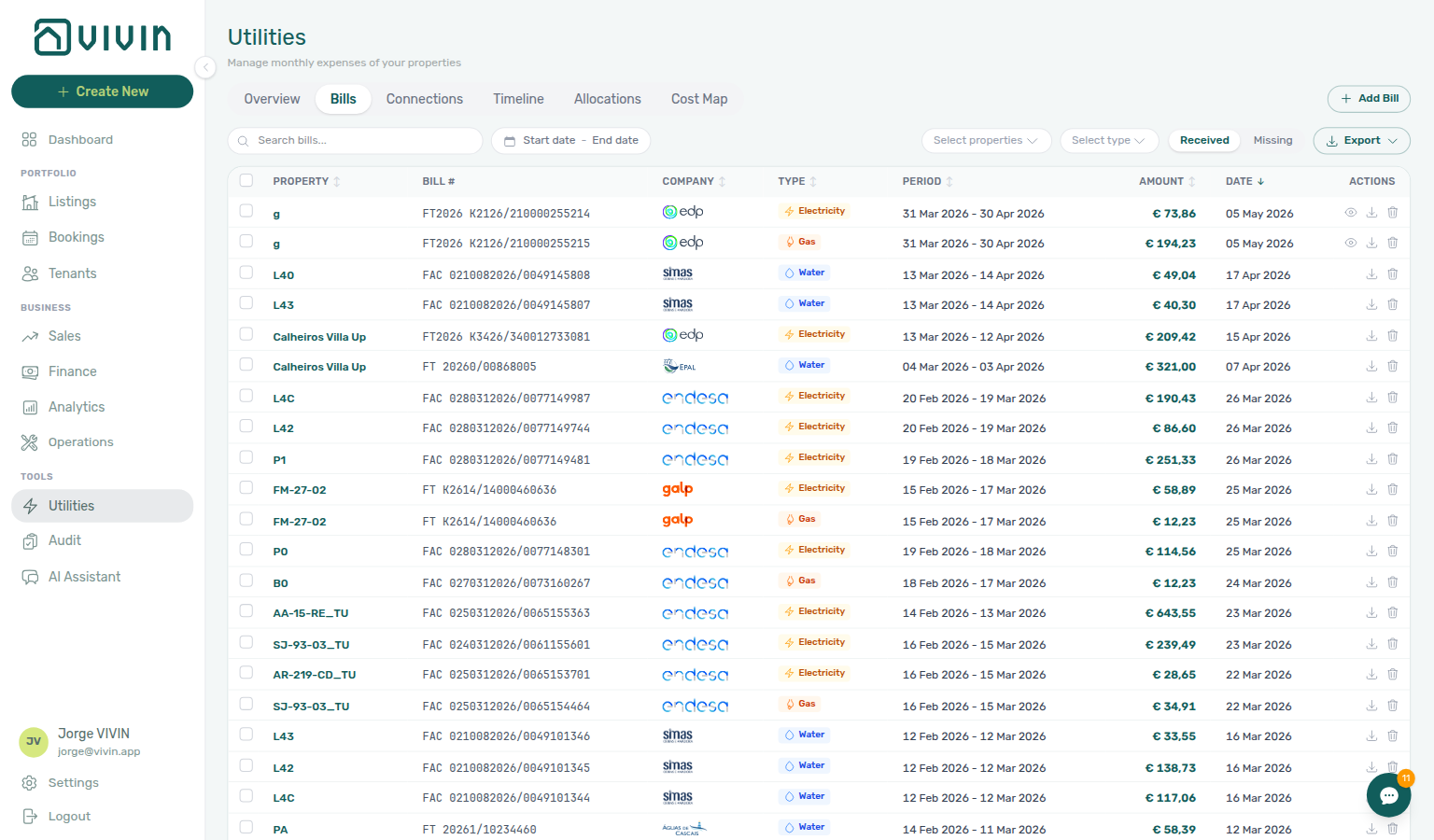
See Utilities Module for connections, timeline, allocations, and the full AI reader workflow.
From Utilities > Bills, open Add Bill and use the Upload PDF tab to drop PDFs (or switch to Manual Entry when you need to correct a row). The modal shows per-file progress while extraction runs. When it finishes, N processed successfully means the invoice is on Received — you can Close before overage rows finish appearing on Allocations. Already uploaded means that statement is already on the ledger. See Utilities — After you upload. Vivin internal accounts can also use + Create New > Tools > Upload Utility Bills for batch PDF upload from any screen (dedicated Upload Bills dialog — see Create New Menu).
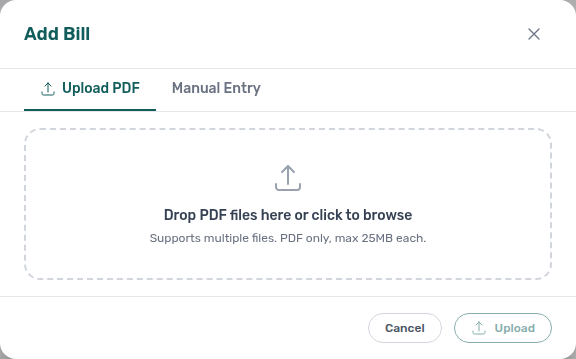
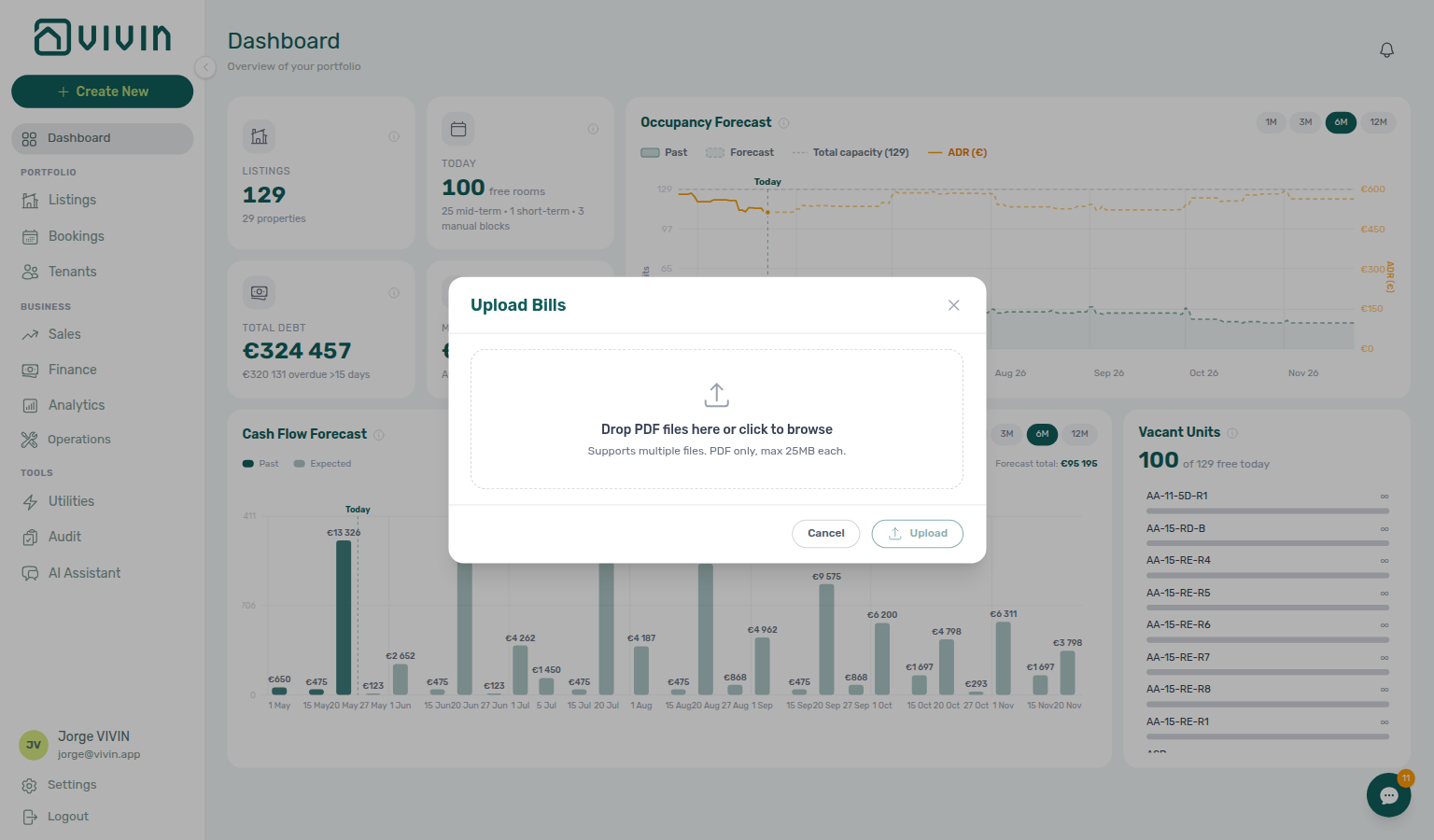
For the full monthly bill-entry workflow (including ledger review), see Entering Monthly Utility Bills and the walkthrough video on that page.
FAQ Generator, ticket priority analysis, and cash-flow invoice analysis
These three operator tools share the estimate → confirm pattern and meter distinct ai_usage.feature values.
| Surface | Where | Metered feature | Docs |
|---|---|---|---|
| FAQ Generator | Settings → FAQs | faq_generation | Draft FAQs from WhatsApp / email / IF/THEN history — nothing publishes until you toggle; published rows appear on portal Requests |
| Analyze tickets | Settings → Ticket priority | ticket_priority_analysis | Suggests inactive keyword (and exception) rows from past tickets; Activate before they feed the chatbot / get-ticket-priority-rules |
| AI Invoice Analysis | Operations → Cash Flows | cashflow_invoice_analysis | Reads cash-flow attachments (not utility bills — contrast AI Invoice Reader) |
Poll GET /ai-usage/summary?feature=… for month-end cost review — AI usage API.
Where AI Appears in the Platform
Platform map pairs with module hubs in the table below — start from Channel map when choosing operator vs tenant vs external surfaces.
| Module | AI Capability |
|---|---|
| Landlord / Tenant MCP | External MCP clients calling Core-backed tools — Landlord MCP (account-scoped) and Tenant MCP (booking-scoped); distinct from in-app AI Chat |
AI Assistant (/ai-chat) | Operator-facing AI Assistant in Tools — ask questions about occupancy, revenue, move-ins, portfolio overview (roles granted AI / MCP; see AI Chat module) |
| Sales | Overview KPIs and availability views; Multicalendar timeline (/sales/multicalendar); Pricing monthly rent grid (/sales/pricing); Channels for per-unit marketplace links — see Sales module |
| Finance | Payment risk detection, anomaly alerts, automated reminders |
| Utilities | AI invoice reading, automatic property matching, data extraction |
| Bookings | Automated contract generation, digital signature workflow |
| Operations | Automated ticket creation, smart scheduling |
| Tenant Portal | Tenant self-service (contract, payments where enabled, documents, requests); AI-assisted support via WhatsApp/email — not an in-portal chat UI |
Automation & AI section cross-reference
Use the sections above for this concept. Related module and workflow pages are linked inline where they help the next step.
Related
Related below links this concept to modules, workflows, settings, and escalation paths.
Documentation map & escalation
- Introduction — Platform overview and how documentation sections connect
- Getting Started — Recommended setup sequence before you enable chatbot channels or Communication Rules
- Concepts — Underlying models behind MCP scope, portal self-service, and payment allocation
- Modules — Operator workspaces where automation surfaces (Bookings, Finance, Operations, Inbox)
- Common Workflows — Procedures that apply automation concepts during onboarding, collections, and turnover
- Account Settings — Workspace-wide ChatBot persona, Communication Rules, and integration defaults
- API Reference — Partner HTTP contracts, webhooks, and management JWT auth for MCP clients
- Glossary — Term definitions used across automation docs
- FAQ & Troubleshooting — Quick answers when chatbot, MCP, or Communication Rules disagree with live behaviour
- Get Help & Support — Escalation when automation is blocked by account state or permissions
- Using in-app support — Vivin product tickets when bot pairing or MCP sessions fail
Navigation & bookmarks
Bookmark routes pair with Management Frontend Deep Links and Concepts hub — Navigation & bookmarks.
- Management Frontend Deep Links — AI Assistant — Bookmark
/ai-chatfor the AI Assistant - Management Frontend Deep Links — Inbox — Bookmark
/inboxfor portfolio-wide WhatsApp triage - Management Frontend Deep Links — Account Settings — Bookmark
/settings/chatbotand/settings/emails - Create New menu — Operator shortcuts into AI-assisted utility upload and Operations tickets
- FAQ — Permission denied toast — Red You do not have permission to perform this action. toast when RBAC blocks a save; fix in Users → Role Permissions
- Settings > Interface language — Operator UI locale before you walk staff through chatbot pairing
Operator AI surfaces (in-app assistant & MCP)
- AI Chat module — AI Assistant using Landlord MCP tools in-process (hub)
- Landlord MCP — External MCP clients with account-scoped portfolio tools (hub)
- Tenant MCP — External MCP clients with booking-scoped tenant tools (hub)
- Management session authentication — Operator JWT sign-in for scripts and MCP bootstrap
- Users and roles —
account_settings.chatbotand AI Chat visibility by role - API Reference — Webhooks & notifications — Event-driven automation alongside scheduled Communication Rules
Tenant messaging, chatbot channels & escalation
- Settings > Chatbot — Persona, IF/THEN rules, and Status Bot WhatsApp pairing (hub)
- Bookings > Communication tab — Per-booking WhatsApp/email transcript, Pause bot, and Reasoning audit
- Inbox module — Portfolio-wide WhatsApp workspace with Dashboard bell Inbox sub-tab deep links (hub)
- Tenant Portal — Tenant self-service alongside chatbot channels (no in-portal chat UI today)
- FAQ — Tenant contract signing blocked — No PDF yet, mandatory Your Details gates, category locks, or Lease purpose; portal signing vs paper upload on Contract Info
- Notification triage — Step 6 — Clear payment or booking alerts surfaced by Communication Rules and chatbot hand-offs; Tenant MCP
get-payment-info/notify-landlordin Steps 4–5 when Inbox threads preceded operator alerts;get-booking-statusandget-maintenance-ticketsbefore Step 5 bulk Mark all as read; Vivin support when row-click or read-state APIs block triage (Step 6) - Managing a Check-in — Step 4 — Portal handover: Tenant MCP
get-portal-links,request-contract-data,get-payment-info; Landlord MCPget-upcoming-move-ins - Notifications — Payment overdue alerts — Operator Payments category rows when scheduled charges are overdue
- Handling a Late Payment — Step 6 — Segment-wide collections escalation after Communication Rules and chatbot channels fail
- Managing a Check-out — Step 6b — Approve departure-week receipts before Ready To Refund when automation surfaces pending balances
- Managing a Check-in — Step 6b — Month-end Pending move-in receipt approval: Landlord MCP
list-payments/get-payment; operator Approve payment remains UI-only - Resetting a Management User Password — Troubleshooting — Refresh Bearer JWT and
Mcp-Session-Idafter management password rotation before MCP-dependent workflows resume - Notifications module — Full
/notificationshistory with row-click navigation (hub) - Settings > Preferences — In-app notifications — Account-wide payment or booking alert masters
Communication rules, contracts & workflow automation
- Settings > Emails — Communication Rules matrix that powers most tenant-facing automation (hub)
- Settings > Tenant categories — Segment Communications / Email toggle and default for integrations before Communication Rules audience scoping
- Emails — Audience tenant categories — Include only / Exclude filters paired with Bookings, Finance, and Tenants portfolio filters
- Processing a New Booking — Step 5b — Confirmation receipt approval: Landlord MCP
list-payments/list-bookings; Tenant MCPget-payment-infoandnotify-landlord - Processing a New Booking — Step 6b — Month-end Pending confirmation receipt approval: Landlord MCP
list-payments/get-payment; operator Approve payment remains UI-only - Processing a New Booking — Confirmation-to-contract automation after partner imports (hub)
- Booking Lifecycle — Computed Upcoming → Ongoing → Ended / Canceled status model (hub)
- Bookings > Contract tab — Automated contract generation and digital signature workflow
- Payment Allocation — Credit note warnings when automated payment reminders surface already-invoiced mistaken receipts
- Integrations & Distribution — Marketplace calendar sync and channel imports are separate from MCP and in-product AI assistants
- Onboarding a New Property — Step 5 — Channel linking: Landlord MCP
list-listings,get-listing(unavailabilities),get-listing-calendar, andget-booking-summary; Tenant MCPlist-bookings-by-emailafter first import - Services Marketplace — Ancillary tenant revenue automation distinct from Communication Rules
AI-assisted operations (utilities, tickets, finance signals)
- Utilities module — AI invoice reader, Bills Included ceilings, and tenant overage charges (hub)
- Entering Monthly Utility Bills — Step 4 — Utility overage verification: Landlord MCP
get-booking/list-bills; Tenant MCPget-payment-info,request-contract-data, andnotify-landlord - Entering Monthly Utility Bills — Step 6 — Vivin support when AI extraction or overage posting fails after self-serve Steps 1–5
- Cancelling a Booking — Step 3 — Cancellation deposit retention: Tenant MCP
get-security-deposit-info; Landlord MCPlist-payments—Mark refundedremains operator UI - Cancelling a Booking — Step 6 — Post-cancel ticket closure and Vivin support when Operations closure or availability restore is blocked
- Cancelling a Booking — Step 6b — Post-cancel
/notificationscleanup and month-end Pending settlement receipts - Entering Monthly Utility Bills — Monthly operator workflow paired with AI bill upload (hub)
- Onboarding a New Property — Step 6 —
get-propertyutility IDs vs Utilities → Connections matrix;list-bills/get-billcontrast (Entering Monthly Utility Bills — Step 5) - Operations module — Automated ticket creation, Draft ticket queues, and linked cash flows (hub)
- Finance module — Payment risk signals, anomaly alerts, and automated reminder context (hub)
- Portfolio KPI review — Reconcile automated Finance signals (pending manual receipts, debt aging) each week; Landlord MCP
get-booking-summary(Step 1),list-bookings/get-vacant-units-next-month(Step 3),get-listing-pricing-table(Step 4), Tenant MCP per-booking outliers (Steps 6–7); Step 6 Services Marketplace ancillary Income before segment-wide portal or Communication Rule changes - Manual block hygiene — Step 6 — Vivin support when Audit row-click, Calendar edits, or Multicalendar blocks persist;
get-listing/get-listing-calendarattach hold context (no MCP write for manual blocks) - Onboarding a New Property — Step 7 — Portfolio verification after go-live; first-booking Pending receipts via Processing a New Booking — Step 5b/6b
- Managing a Check-out — Step 6 — Portfolio In Debt triage: Landlord MCP
get-booking-summary,list-bookings,list-tenants,get-tenant, andget-tenant-bookingsbefore Ready To Refund; reject/credit-note and approval remain operator UI - Managing a Check-out — Step 7 —
get-booking-statusfor Ended (ended); Vivin support when status or dispute toggles fail after Step 6b - Managing a Check-out — Deposit Mark disputed / Resolve dispute actions available to MCP tools with
bookings.dispute - Audit module — Portfolio-wide Manual Blocks and Discounts contract-value review (hub)
Deeper workflow reads
Communication rules, contracts & workflow automation above. Each workflow sub-guide reciprocates with [Deeper workflow reads](../concepts/automation-and-ai.md#deeper-workflow-reads) anchors on Automation & AI bullets —
- Onboarding a New Property — Chatbot persona, Communication Rules, and channel linking before first reservation
- Processing a New Booking — Confirmation-to-contract automation after partner imports
- Entering Monthly Utility Bills — AI bill upload and overage verification paired with Utilities automation
- Portfolio KPI review — Reconcile automated Finance signals (pending manual receipts, debt aging) each week
- Notification triage — Clear payment and message alerts after Communication Rules fire
- Handling a Late Payment — Automated payment reminders and overdue alert triage
- Using in-app support — Vivin product tickets when chatbot, AI Assistant, or MCP automation fails
Deeper concept reads
- Landlord MCP — Account-scoped portfolio automation for external AI clients
- Tenant MCP — Booking-scoped automation for tenant-facing assistants
- Tenant Portal — Tenant self-service alongside chatbot and MCP channels
- Integrations & Distribution — Partner webhooks and Communication Rules complement marketplace cards
Deeper API reads
- Management session authentication — JWT bootstrap for Landlord MCP and in-management AI Assistant
- Authentication — Bearer token contracts shared by MCP tools and partner HTTP
- Webhooks & Notifications — Inbound channel POSTs versus outbound operator notifications
- Full listing feeds — Partner catalogue context for portfolio automation that lists inventory
Operator habit hubs
Day-to-day operator habits (lockout catch-up, pending receipts, payment triage, handoffs, and related playbooks) live on the Common Workflows habit hub.
Deep-link anchors for habit hubs
Lockout catch-up after password recovery
Pending manual receipt approval
Reject/revert mistaken receipts
Portfolio segmentation by tenant category
Notification row-click navigation
Payment alert to receivables triage
Confirmation alert triage
Finance debt receivables triage
Finance Income status drill-down
Cash flow forecast drill-down
Key glossary terms
- Pause bot (Communication tab) — Stop automated WhatsApp replies for one booking until you turn it off
- Bot reasoning (audit) — Expand internal explanation under automated Bot bubbles on WhatsApp
- Draft ticket (display status) — Far-future Operations prep jobs auto-created from Listings Maintenances
- Glossary — End-of-Booking cost split — Charge Time → End of Booking splits daily overage across every occupied unit; still-staying roommates stay in the denominator
- Glossary — Change history — Operator-initiated edits on Listings setup and Bookings Changelog; create-time defaults excluded
- Glossary — Archived booking ledger visibility — Delete Booking hides manual/provider_platform rows on Finance → Transactions; vIBAN and credit card stay visible
- Glossary — Full term list
Module documentation hubs
- Dashboard module — Post-login Today, Total debt, Vacant Units, and forecast KPI snapshot with bell notification triage (hub)
- Analytics module — Month-range portfolio KPI charts with rankings and heatmaps (hub)
- Sales module — Portfolio availability, monthly rent editing, and channel manager connections (hub)
- Bookings module — Reservation lifecycle, Payment plan, Deposit, and Communication tabs (hub)
- Tenants module — Tenant directory, profile sidebars, and With Debt segmentation (hub)
- Listings module — Property wizard, Channels tab, and unit management (hub)
- Properties workspace — Legacy
/propertiesURL redirects into Listings (hub) - Booking engine details — Rich marketplace payload editor via the Full integration pill (hub)
- Account Settings — Workspace-wide financial policies, templates, integrations, and operational defaults (hub)
- API Reference hub — Partner HTTP contracts, Swagger onboarding, and partial vs full feeds (hub)