Integration field capabilities
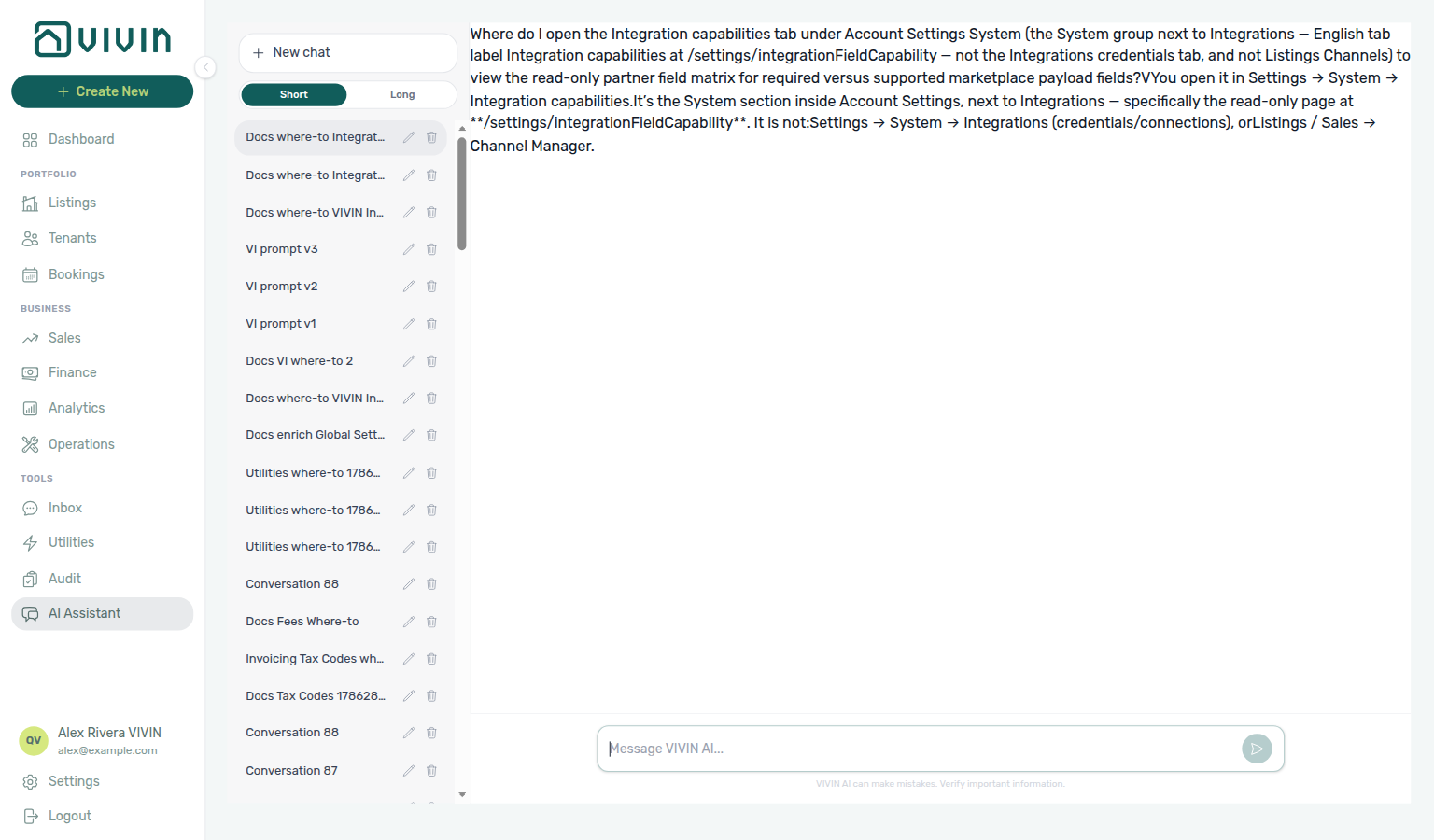
Ask AI Chat “Where do I open the Integration capabilities tab under Account Settings System (the System group next to Integrations — English tab label Integration capabilities at /settings/integrationFieldCapability — not the Integrations credentials tab, and not Listings Channels) to view the read-only partner field matrix for required versus supported marketplace payload fields?” — then open Settings → System → Integrations (ai-chat-product-context-integration-field-capability-reply.png, ai-chat-product-context-integration-field-capability-flow.mp4). Account Settings no longer lists a separate Integration capabilities sidebar item; the old /settings/integrationFieldCapability bookmark opens Integrations, where partner field coverage lives on the connection cards. The assistant may still say Settings → System → Integration capabilities or point you to a matrix inside a marketplace card; follow Settings → System → Integrations instead. Same grounding external MCP clients get from get-vivin-context-platform. Distinct from per-unit links on Listings → Channels.
The Integration capabilities reference (bookmark /settings/integrationFieldCapability) explains the read-only partner field matrix for which property and listing (unit) detail fields from the booking-engine payload editor are supported per marketplace, and whether a partner marks a field as required when publishing. In the current Account Settings sidebar that matrix is reached via Integrations (connection-card coverage), not a standalone System tab.
Use it when you are preparing Property & listing details (booking engine) content and need to know what a channel expects before you edit fields in Listings → Full integration pill. Credentials, toggles, and calendar rules still live on Integrations and per-unit Channels.
Read this matrix during Getting Started — Recommended Setup Sequence steps 11–12 alongside Integrations and Tenant categories default for integrations before you link units on Listings → Channels in step 13 — full tab map: Recommended setup order. Finish steps 14–15 and Onboarding a New Property — Step 7. Partner payload reference: API Reference — Property & Unit Mapping. Workflow pairing after go-live: Account Settings — Setup sequence after go-live.
Use Filters to narrow by integration, then read Reading the matrix for required vs supported fields. Credentials still live on Integrations — see How this relates to other settings. Habit-specific shortcuts live under Related below.
Open Account Settings → System → Integrations at platform.vivin.app/settings/integrations (partner field coverage on connection cards). The older bookmark /settings/integrationFieldCapability opens the same Integrations tab. Requires the integration-related settings permission (account_settings.integrations). See Deep Links — Account Settings.
Read-only matrix — connect platforms on Integrations first, then link units on Listings → Channels using external IDs this matrix references. Month-end partner payload triage pairs with Portfolio KPI review — Step 7 and optional AI usage API (landlord_chat when AI Chat helped close field gaps). Hub: Recommended setup order.
Who can open it
Same integration-settings permission family as Integrations — audit Users and roles — Role Permissions before sharing the matrix URL with channel coordinators.
The sidebar entry appears under Account Settings → System when your role includes integration settings access (same permission family as Integrations). Without it, the tab is hidden and the URL shows the standard permission state.
Filters
Integration depth switches between partial calendar feeds and full outbound payloads — see Integrations & Distribution and API Reference — partial vs full feeds before narrowing columns.
Three controls narrow the matrix:
| Filter | Purpose |
|---|---|
| Integration depth | Full integration — outbound full-feed payloads and property/listing details entities (with optional Details entity filter). Partial integration — calendar/listing pull surfaces; combines all detail layers and hides the entity filter. |
| Integration | Multi-select marketplace columns (for example Uniplaces, Spotahome, Housing Anywhere). All shows every platform in the matrix. |
| Details entity | (Full integration only.) All, Property details, or Listing details to limit rows to one payload layer. |
The hint text under the filters explains how to read checkmarks and Req labels for the active depth mode.
Reading the matrix
Amber warning cells mean a partner-required field is missing from Vivin's payload — fill gaps in Property & listing details (booking engine) or on Listings — Channels before publishing.
Each row is a field (and, when Details entity is All, the entity layer is shown in the first column). Each column is an integration platform.
| Cell | Meaning |
|---|---|
| Checkmark | The field is supported for at least one sync direction (inbound or outbound) for that platform in the current mode. |
| Req under a check | The partner feed marks the field as required when publishing, and the field is present in the integration payload. |
| Warning icon (Full integration only) | The partner requires the field, but it is not yet included in this integration payload — a coverage gap to address in product data or engineering. |
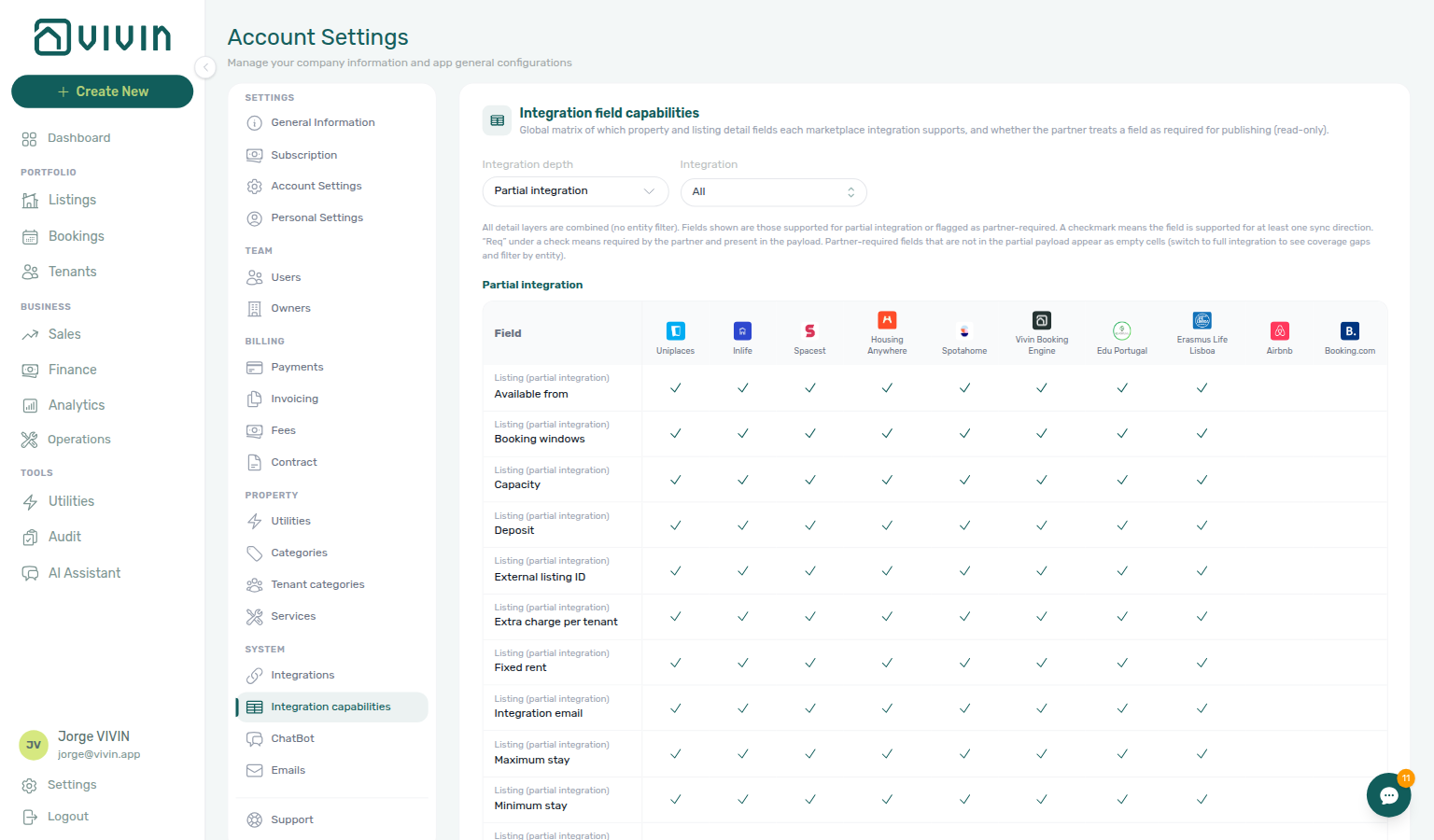
| Empty cell (Partial integration) | Partner-required fields that are outside the partial payload may appear empty; switch to Full integration to see gap warnings and filter by entity. |
On Full integration, an amber warning triangle in a cell means the partner marks that field required for publishing, but the field is not yet present in Vivin’s outbound payload for that platform. Fix the data in Property & listing details (booking engine) (the Full integration pill on the property or unit) or escalate to engineering when the matrix shows a gap you cannot fill from Listings. Empty cells on Partial integration may hide the same issue — switch depth to Full and read the warning row.
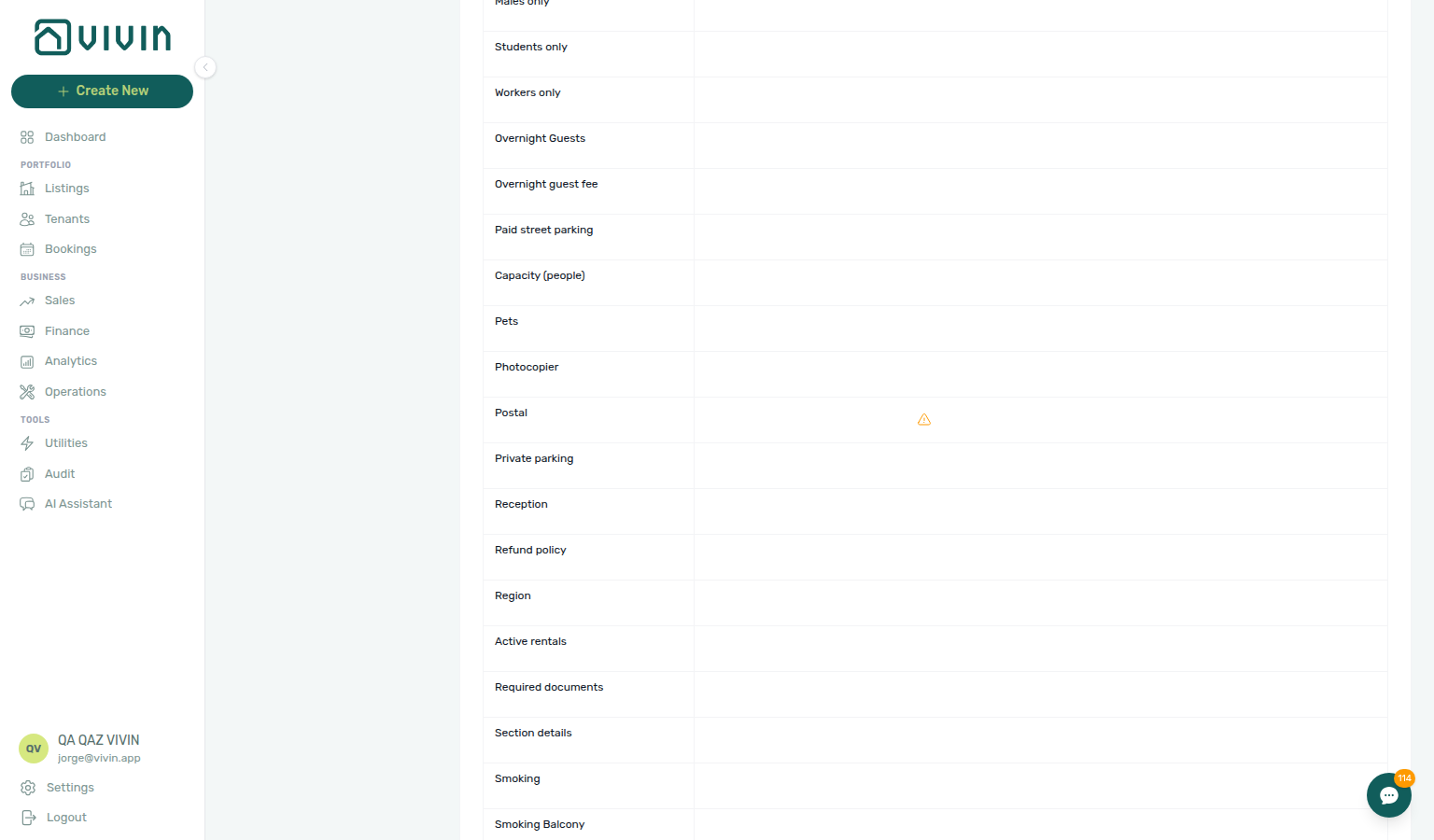
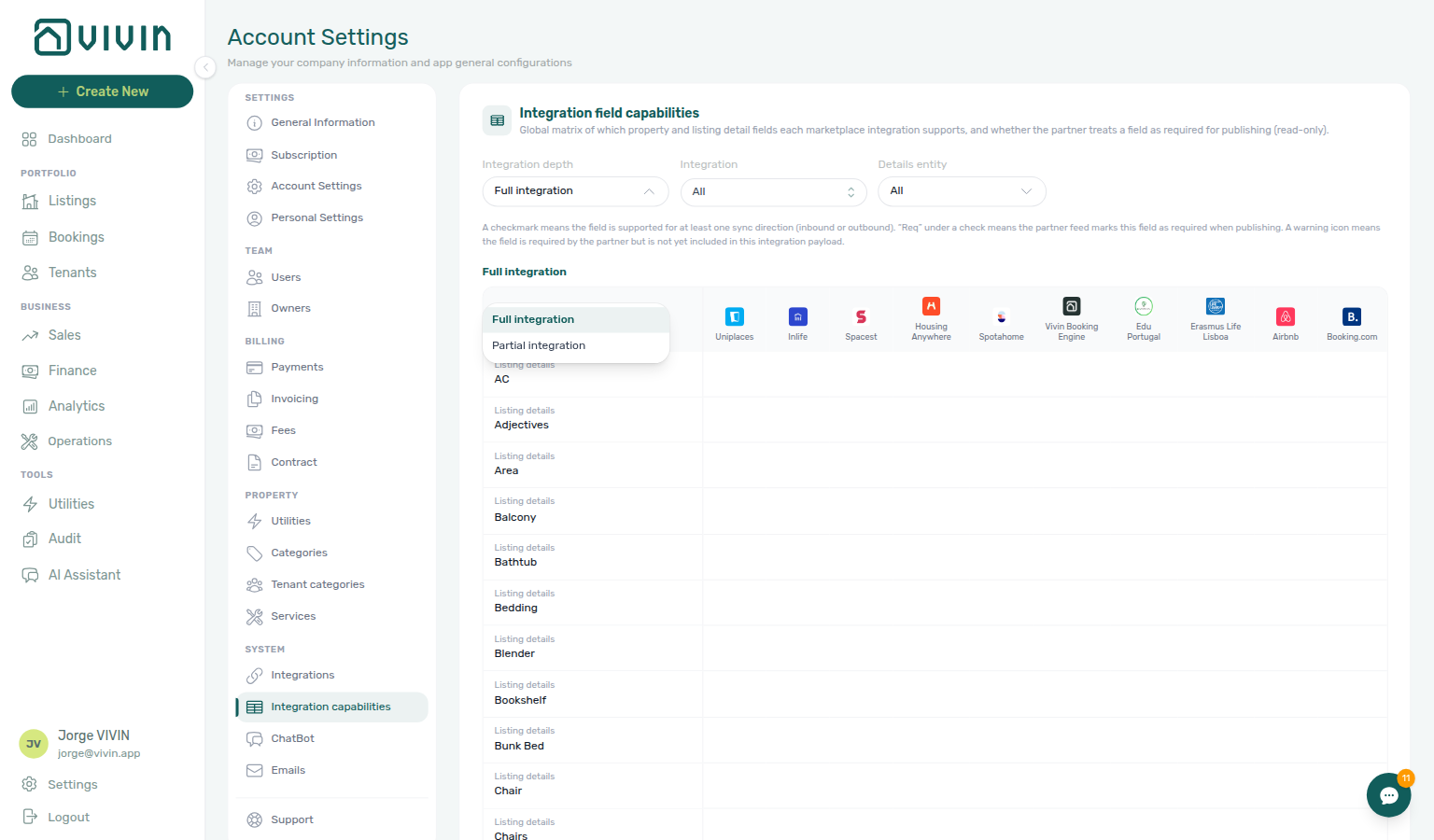
The capture above uses Full integration with all platforms and entities visible at desktop width (~1536px). Scroll horizontally when many integrations are selected.
Partial integration view
Partial depth hides entity filters — pair calendar-style surfaces with API Reference — Listings & Availability and API Reference — iCal feeds when full-feed warnings are empty.
Partial integration lists fields supported on calendar-style or partial listing feeds, or flagged as partner-required for that depth. There is no Details entity filter — all layers are combined in one table.
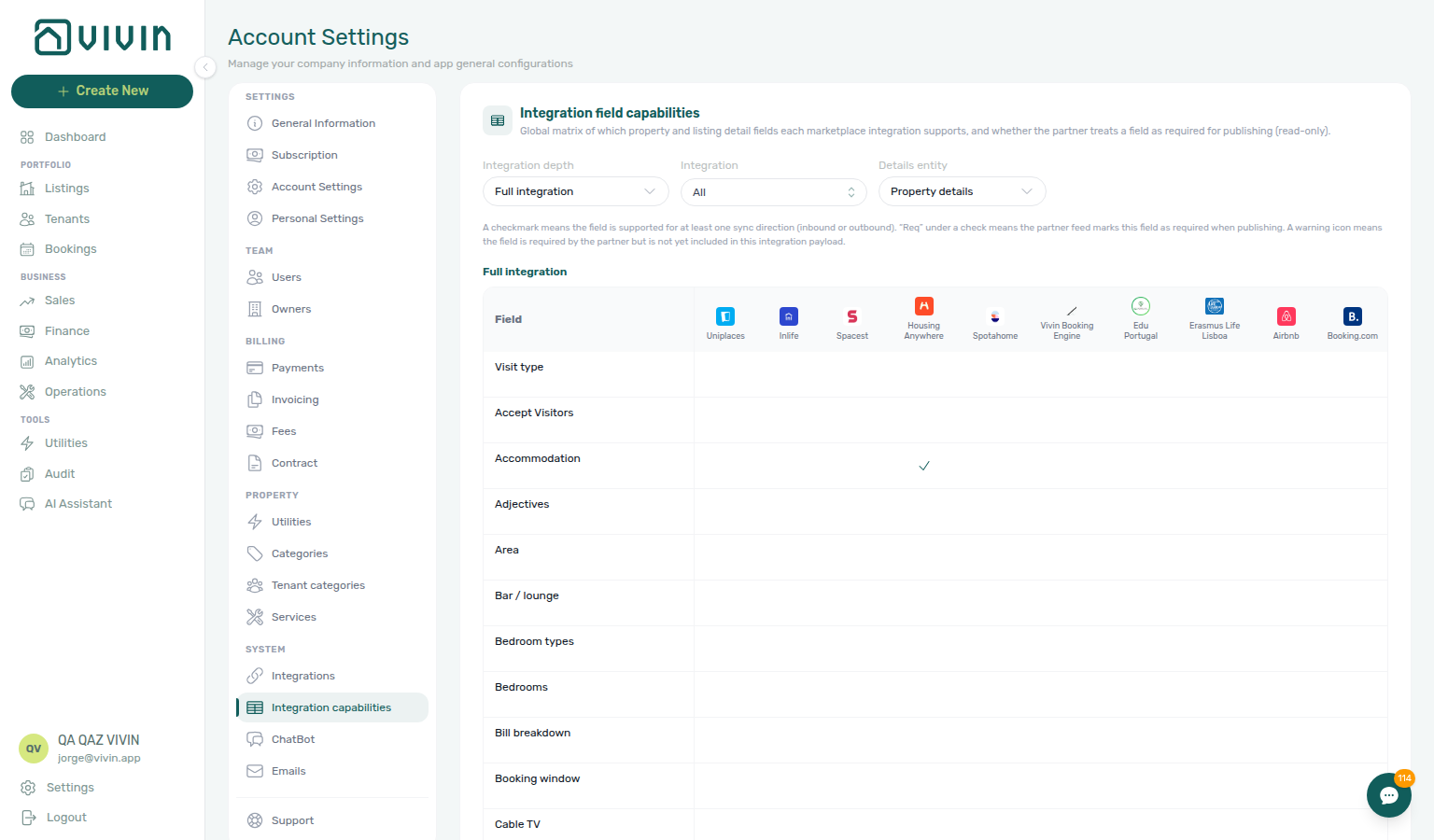
Property-only rows
Property-layer rows match the Full integration pill on buildings in Listings — complete them during Onboarding a New Property before linking unit channel IDs.
On Full integration, set Details entity to Property details to limit rows to the property payload layer — the same fields you edit with the Full integration pill on a property in Listings (Profile & copy, Location & geography, Rules & host, and related tabs).
Listing-only rows
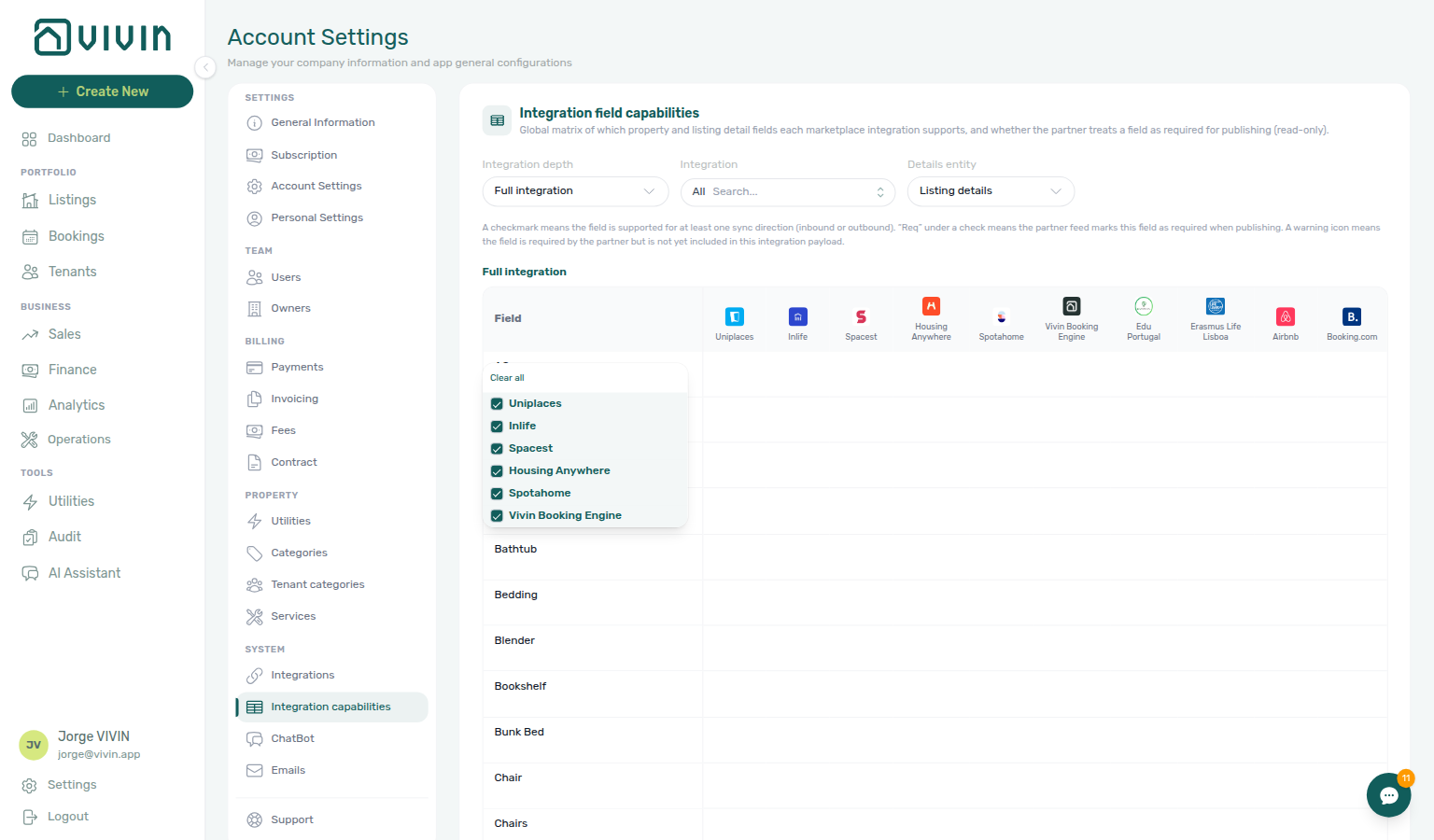
Unit-scoped rows align with Sales → Channel Manager sync actions and API Reference — Full listing feeds outbound payloads.
On Full integration, set Details entity to Listing details to focus on unit-scoped payload fields (the same layer you edit with the Full integration pill on a unit in Listings).
How this relates to other settings
Credentials and calendar cutoffs stay on Integrations — set Tenant categories default for integrations and Emails audiences before high-volume channel imports assign segments automatically.
| Surface | Role |
|---|---|
| Integrations | Connect platforms, API keys, markups, and account-wide calendar cutoffs. |
| Listings → Channels | Link each unit to external listing IDs. |
| Booking engine details | Edit the property/listing payload fields this matrix describes (the Full integration pill). |
| Sales → Channel Manager | Day-to-day per-listing channel status and sync actions. |
The matrix data is maintained in the product codebase; operators cannot edit cells from this screen. If filters produce No matrix rows, widen Integration or Details entity, or switch Integration depth — empty results usually mean no rows match the current filter combination, not that integrations are disconnected.
Integration field capabilities section cross-reference
Use the sections above for this settings area. Related setup pages are linked from Related below when present, or from Account Settings.
Related
Related below links this Account Settings tab to modules, workflows, concepts, and escalation paths.
Documentation map & escalation
- Account Settings hub — Tab pairing matrix across workspace configuration
- Deep Links — Account Settings — Bookmarkable
/settings/integrationFieldCapability - FAQ & Troubleshooting — Operator questions when matrix filters or channel sync disagree with Listings
- Glossary — Term definitions used across settings and module docs
Upstream & downstream workflows
- Onboarding a New Property — Connect integrations (Step 5) before linking unit channel IDs
- Processing a New Booking — Verify partner-mapped fields before the first channel import confirms
- Cancelling a Booking — Availability webhooks after early termination changes partner calendars
- Managing a Check-out & Deposit Refund — Channel calendar release after partner stays reach Ended status
- Manual block hygiene — Calendar holds reflected in partial vs full partner payloads
- Notification triage — Clear integration or listing alerts after payload edits sync to partners
- Handling a Late Payment — Step 1 — Identify overdue charges when partner field gaps cause payment-plan mismatches after sync or a payment overdue alert row-click brought you here
- Notifications — Payment overdue alerts (in-app) — Operator Payments category rows when scheduled charges are overdue on channel-imported bookings
Deeper workflow reads
See Upstream & downstream workflows above for the same guides.
Related Account Settings tabs
- Integrations — Platform connections and credentials
- Tenant categories — Default for integration-created tenants before channel imports assign segments automatically
- Emails — Lifecycle emails fire for imported bookings once field-capability gaps are resolved
- Preferences — In-app notifications — Account-wide integration or listing alerts after field-capability edits sync to partners
- Services — Partner imports do not create portal service catalogue entries; configure separately
Operator modules
- Listings — Channels tab — Unit-level external IDs after matrix confirms required partner fields
- Listings module — Portfolio inventory where operator-edited fields sync to partner payloads
- Sales → Channel Manager — Day-to-day per-listing sync after platforms are connected
- Booking engine details — Payload editor from Listings (Full integration pill)
- Audit — Discounts tab — Cross-portfolio discount export when partner field gaps cause contract-value mismatches after sync
Deeper concept reads
- Integrations & Distribution — Partial vs full partner feeds and calendar strategy
- Tenant Portal — Field-capability matrix describes partner payloads; portal modules and branding are configured under Preferences and General Information
- FAQ — Tenant contract signing blocked — No PDF yet, mandatory Your Details gates, category locks, or Lease purpose; portal signing vs paper upload on Contract Info
- Services Marketplace — Partner imports do not create portal service catalogue entries
- Payment Allocation — Two-layer receipts, invoiced-floor rent edits, and credit note reject/revert warnings
- Booking Lifecycle — Computed Upcoming → Ongoing → Ended / Canceled status model
API & companion guides
- API Reference — Property & unit mapping — UUID ↔ external ID lookups that full partner feeds depend on
- API Reference — Full listing feeds — HTTP surface for full-integration payloads this matrix describes
- API Reference — Listings & Availability — Partial
ListingDtoreads when Integration depth is partial - API Reference — iCal feeds — Calendar export depth when matrix shows partial sync only
- API Reference — Creating Bookings — Write surface after field-capability mapping is verified
- API Reference — Booking Engine API — White-label
PUT /listingfields this matrix describes for the booking engine integration - API Reference — Webhooks & notifications — Inbound events when field-capability gaps block partner payloads
- AI usage API — Operator JWT ledger when month-end partner payload triage used AI Chat (
landlord_chat)
Operator habit hubs
Day-to-day operator habits (lockout catch-up, pending receipts, payment triage, handoffs, and related playbooks) live on the Common Workflows habit hub.
Deep-link anchors for habit hubs
Lockout catch-up after password recovery
Pending manual receipt approval
Reject/revert mistaken receipts
Portfolio segmentation by tenant category
Notification row-click navigation
Payment alert to receivables triage
Confirmation alert triage
Finance debt receivables triage
Handling a Late Payment collections
Finance Income status drill-down
Cash flow forecast drill-down
Key glossary terms
- Credit note (payment reject/revert) — Accounting follow-up when partner payload edits follow already-invoiced import receipts; concept walkthrough: Payment Allocation — Correcting mistaken receipts; workflow hub: Common Workflows — Reject/revert mistaken receipts
- Glossary — End-of-Booking cost split — Charge Time → End of Booking splits daily overage across every occupied unit; still-staying roommates stay in the denominator
- Glossary — Change history — Operator-initiated edits on Listings setup and Bookings Changelog; create-time defaults excluded
- Glossary — Archived booking ledger visibility — Delete Booking hides manual/provider_platform rows on Finance → Transactions; vIBAN and credit card stay visible
- Glossary — Finance tenant category cache refresh — Recategorizing a tenant updates
booking.tenantCategoryIdimmediately; ledger tabs reflect it on reload, while Overview can lag up to ~10 minutes - Glossary — SIMAR water contract ID — SIMAR (Loures e Odivelas) water bills use Cód. Local in Connections — not Nº de Contador; leading zeros stripped
- Glossary — Full term list
Module documentation hubs
- Integration field capabilities — Read-only partner payload matrix (this page)
- Utilities module — Bills Included ceiling model, Connections, AI bill upload, and tenant overage charges on payment plans (hub)
- Operations module — Maintenance tickets, cash flows, check-in/out coordination, Draft ticket queues, and linked cash flows (hub)
- Dashboard module — Post-login Today, Total debt, Vacant Units, and forecast KPI snapshot with bell notification triage (hub)
- Analytics module — Month-range portfolio KPI charts (Overview, Revenue, Occupancy, ADR, RevPAR, Maintenance) with rankings and heatmaps (hub)
- Listings module — Property wizard, Channels tab, Archived inventory, and unit management (hub)
- Properties workspace — Legacy
/propertiesURL redirects into Listings (hub) - Finance module — Portfolio ledgers (Overview, Income, Contract Values, Transactions, Payouts, Deposits) with payment approval and deposit settlement (hub)
- Tenants module — Tenant directory, profile sidebars, With Debt segmentation, and table expand for linked bookings (hub)
- Sales module — Portfolio availability, monthly rent editing, and channel manager connections (hub)
- Inbox module — Portfolio-wide WhatsApp workspace with Dashboard bell Inbox sub-tab deep links (hub)
- Notifications module — Full
/notificationshistory with search, filters, and row-click navigation (hub) - AI Chat module — AI Assistant using Landlord MCP tools for portfolio Q&A (hub)
- Audit module — Portfolio-wide Manual Blocks and Discounts contract-value review (hub)
- Account Settings — Workspace-wide financial policies, templates, integrations, and operational defaults (hub)
- API Reference hub — Partner HTTP contracts, Swagger onboarding, and partial vs full feeds (hub)