Management Frontend Deep Links
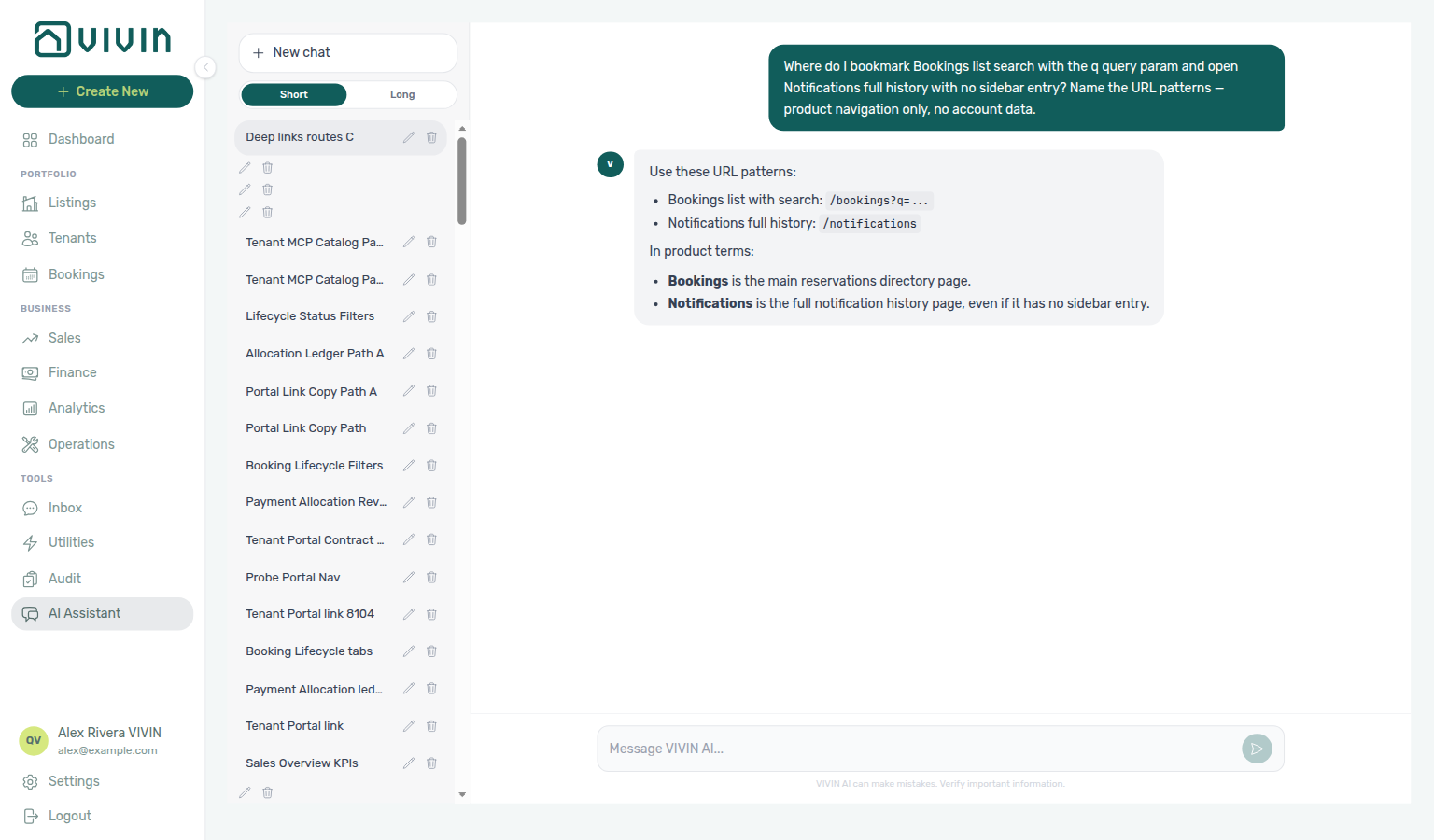
Ask AI Chat “Where do I bookmark Bookings list search with the q query param and open Notifications full history with no sidebar entry? Name the URL patterns — product navigation only, no account data.” — then open /notifications and /bookings?q=… (ai-chat-product-context-deep-links-reply.png, ai-chat-product-context-deep-links-flow.mp4). The assistant typically lists /bookings?q=… and /notifications, and notes that Notifications has no sidebar entry. Same grounding external MCP clients get from get-vivin-context-overview (or get-vivin-context-operations / get-vivin-context-bookings-tenants). Distinct from the compact Dashboard bell slide-over and from Tools → Inbox WhatsApp triage.
Bookmark management routes after Getting Started — Recommended Setup Sequence steps 1–15 and shell orientation in Understanding the Interface Layout. Setup tab URLs pair with Account Settings — Recommended setup order. Concept pairing: Concepts — Setup sequence after go-live.
Bookmark daily modules from Bookings and Finance; settings routes under Account Settings. Invalid URLs: Invalid, legacy, and mistyped URLs. Habit-specific shortcuts live under Related below.
The management frontend at platform.vivin.app supports direct navigation via URL routes. Use these links to bookmark pages, share links with your team, or open specific views from emails and notifications.
+ Create New shortcuts land on routes documented here — see Create New Menu; integration and channel tabs pair with Integrations & Distribution; /ai-chat and /inbox routes sit in Automation & AI — poll internal LLM cost on AI usage API (landlord_chat) when assistant adoption spikes; portfolio segmentation bookmarks include /settings/tenantCategories and module tenant-category anchors on Bookings, Finance, and Tenants.
All routes except /login and /reset-password require you to be logged in. Access to specific modules depends on your role and permissions.
Some URLs need a real ID instead of placeholders such as :bookingId or :propertyId. In the tables below, Route is always a working link to platform.vivin.app; Description shows the path pattern or suffix to substitute your ID (a browser cannot open a literal :bookingId segment as a generic link).
Public Routes
| Route | Description |
|---|---|
| platform.vivin.app/login | Login page |
| platform.vivin.app/reset-password | Password reset (use link from reset email) |
Dashboard
| Route | Description |
|---|---|
| platform.vivin.app | Dashboard (default landing after login) |
Analytics (KPI Dashboard)
The sidebar entry Analytics (under Business, after Finance and before Operations; URL /analytics) opens the portfolio KPI workspace. The page loads metrics for a configurable date range. For a narrative tour of each tab, see the Analytics module.
Routes under /analytics require the Analytics module permission (analytics.module). Without it, you see the standard permission-denied state.
| Route | Description |
|---|---|
| platform.vivin.app/analytics | KPI dashboard — Overview when no tab segment is in the URL |
| platform.vivin.app/analytics/overview | Overview tab |
| platform.vivin.app/analytics/revenue | Revenue tab |
| platform.vivin.app/analytics/occupancy | Occupancy tab |
| platform.vivin.app/analytics/adr | ADR tab |
| platform.vivin.app/analytics/revpar | RevPAR tab |
| platform.vivin.app/analytics/maintenance | Maintenance tab |
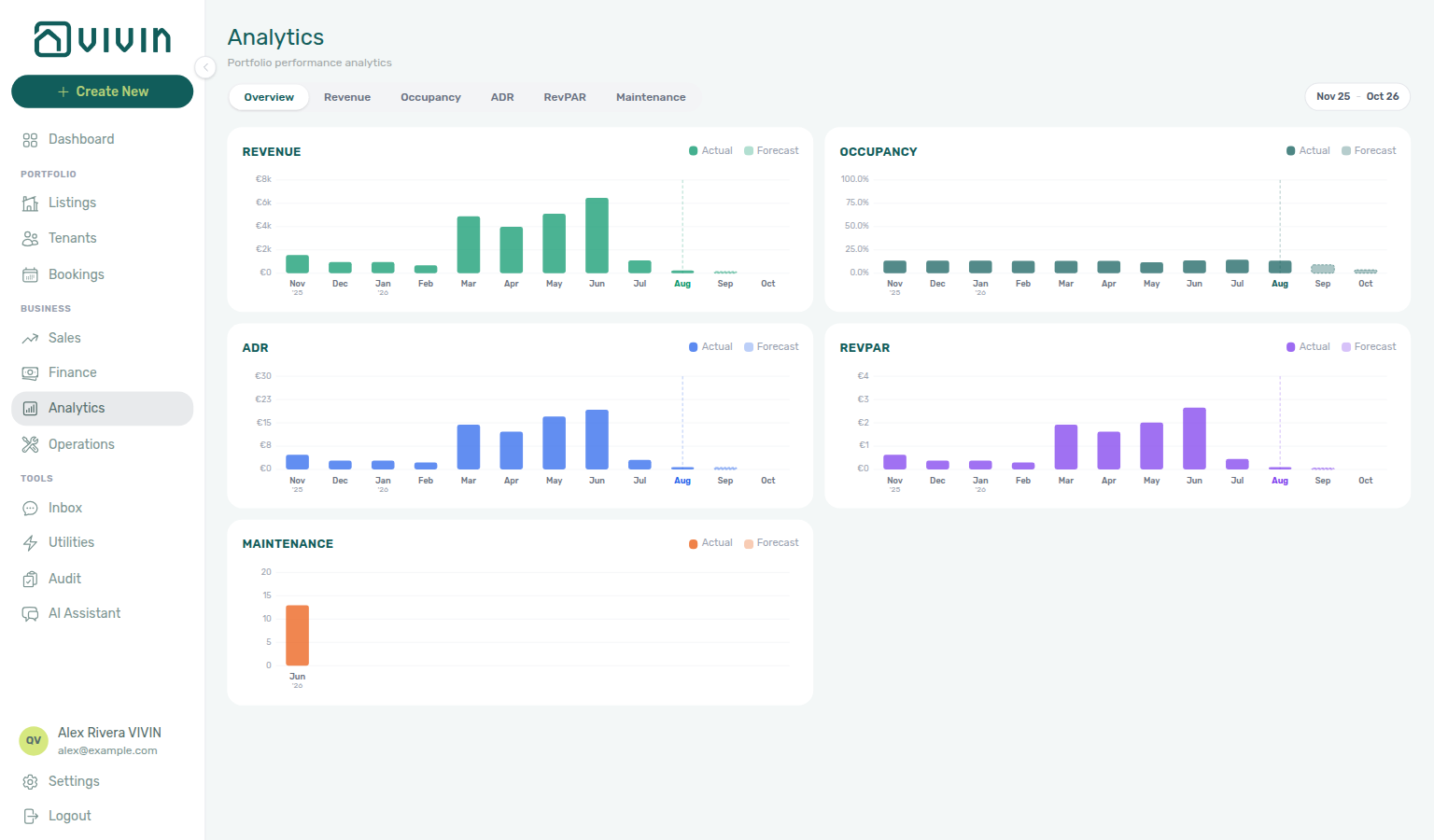
If the path contains an unknown tab segment (for example /analytics/foo), the app redirects to /analytics/overview with replace so the address bar matches the tab you see. See Invalid, legacy, and mistyped URLs for the same behaviour on other tabbed modules.
The workspace uses the same management shell as other modules: tab strip for Overview, Revenue, Occupancy, ADR, RevPAR, and Maintenance, plus date-range and aggregation controls. The toolbar month-range control opens a calendar popover with 6M, 12M, and YTD quick presets (rolling multi-month windows for 6M / 12M, calendar year-to-date for YTD); every tab shares the range until you change it — see Analytics module — Layout and controls and the month-picker screenshot there.
For calendar-centric revenue and pricing tooling (a different surface), use Sales.
Audit
Tools → Audit in the sidebar requires the Listings module permission (same guard as Listings). The Audit workspace has two tabs: Manual Blocks (unavailabilities) and Discounts (discounted contract values).
| Route | Description |
|---|---|
| platform.vivin.app/audit | Audit — defaults to the Manual Blocks view |
| platform.vivin.app/audit/manual-blocks | Manual Blocks tab (explicit path used in-app) |
| platform.vivin.app/audit/discounts | Discounts tab — portfolio-wide discounted contract values |
Manual Blocks
Both /audit and /audit/manual-blocks land on the Manual Blocks tab: a single table scoped by the toolbar filters so you can scan property, unit, date range, Created by (multi-select property managers — the menu stays open while you add a second teammate; pair with Date range after staff turnover), and reason text for blocks that might be stale, duplicated, or mis-described — without opening each unit’s Calendar in Listings one by one. Click column headers (Unit, End, Nights, Reason, Created) for server-side sort across the full filtered set. For filters, export, and row actions, see the Audit module. For a step-by-step hygiene pass, see Manual block hygiene. For overview context, see Modules — Audit and the Glossary — Manual unavailability.
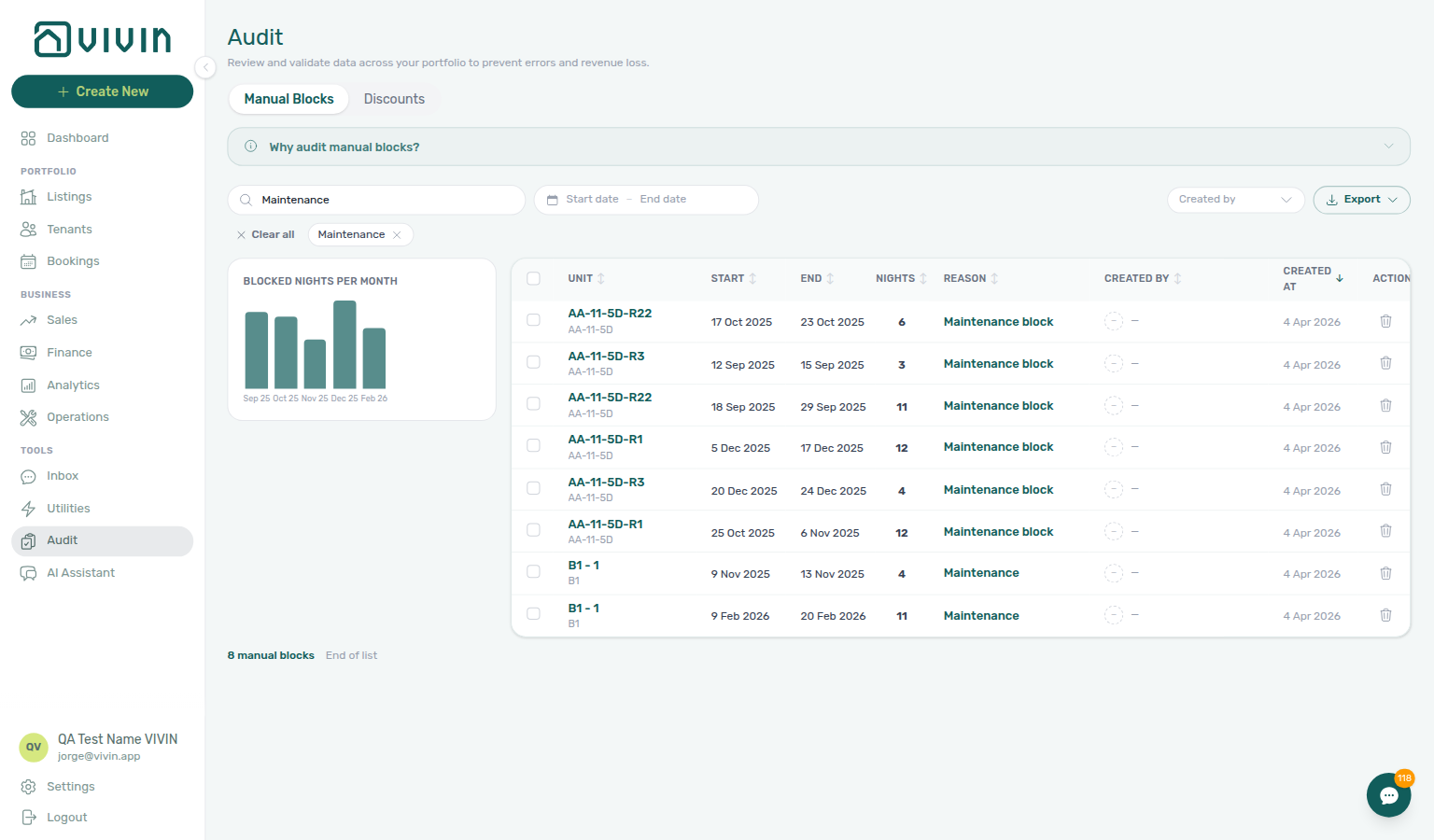
For a short walkthrough (search → scroll → open a row in the unit sidebar), see the video on the Audit module page.
Discounts
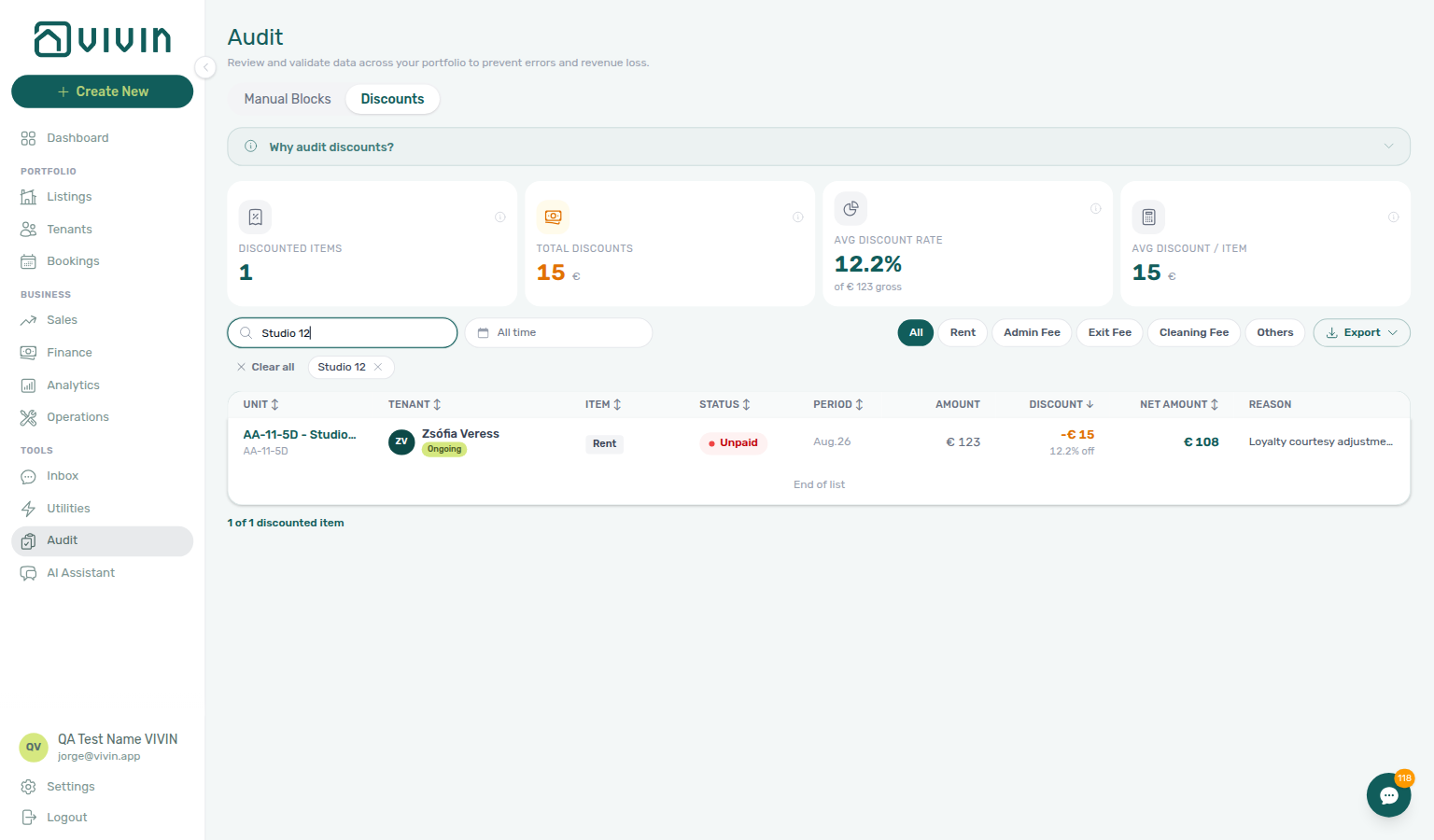
The Discounts tab at /audit/discounts lists every contract value with a discount applied — KPI summary cards, Search, optional date range (empty = all time), payment type pills, server-side sort, infinite scroll, and Export. Click a row to open the booking Contract Values sidebar on the highlighted line. Full reference: Audit — Discounts tab.
Bookings
| Route | Description |
|---|---|
| platform.vivin.app/bookings | Bookings list (All tab) |
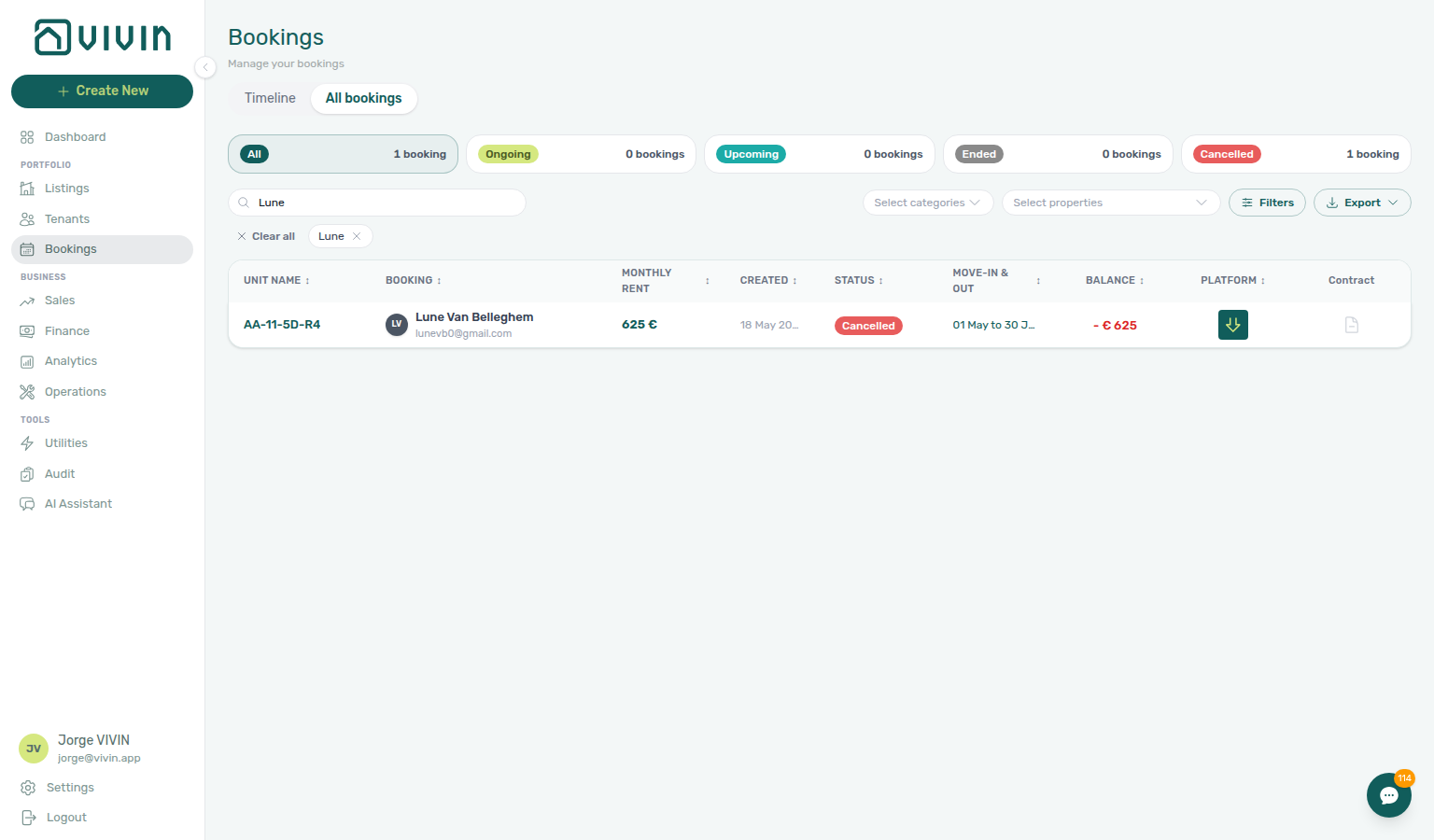
/bookings?q=<search term> | Bookings list with toolbar Search pre-filled (bookmarks and deep links; see Bookings — Bookmarkable search) |
/bookings/list/:bookingId | List view with a booking detail sidebar open (replace :bookingId with the booking UUID). Same outcome as /bookings/:bookingId (normalized below). |
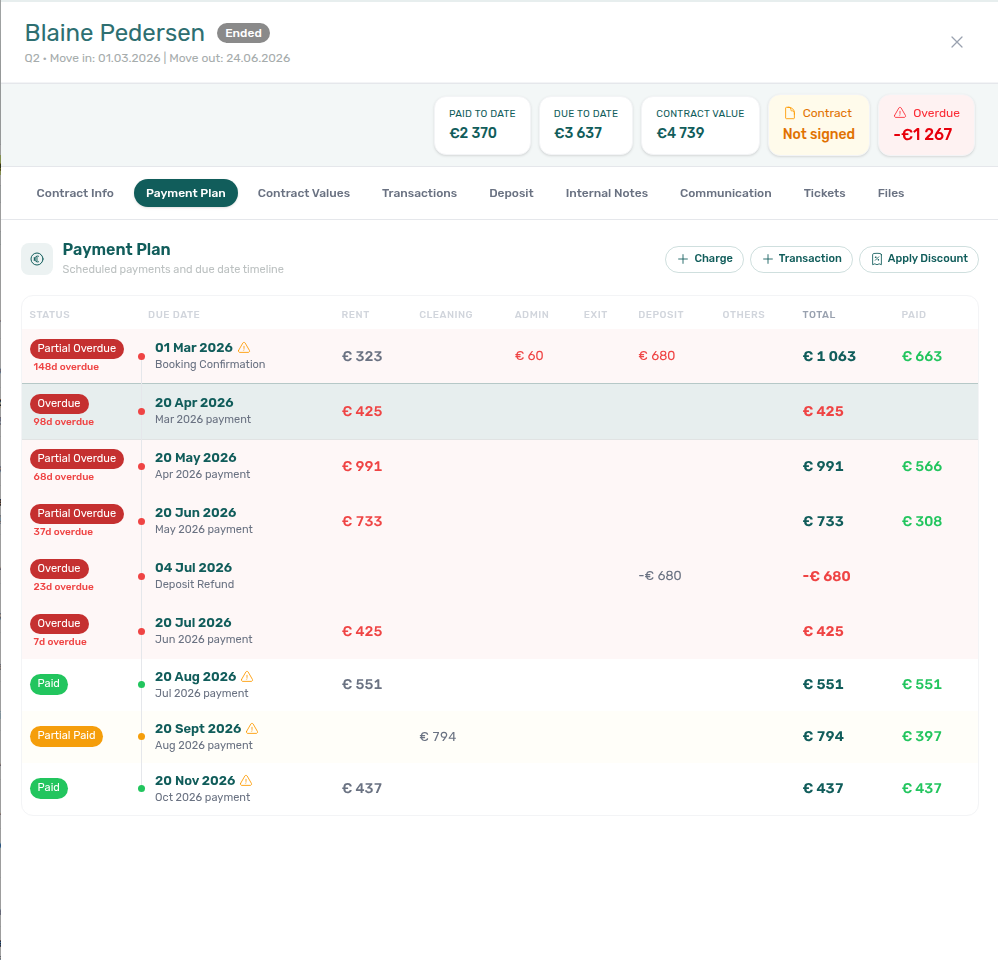
/bookings/list/:bookingId?tab=payment-plan | Opens the booking sidebar on Payment Plan (query param — used by VIVIN Auditor and shareable bookmarks). |
/bookings/list/:bookingId?tab=payment-plan&paymentId=<paymentUuid> | Same as above, and scrolls + highlights the due-date row that contains that scheduled payment id. |
/bookings/list/:bookingId?tab=communication | Opens the booking sidebar on Communication. Optional &channel=email or &channel=whatsapp pre-selects the channel. |
| platform.vivin.app/bookings/timeline | Bookings timeline (Gantt chart; Day / Week / Month — see Bookings > Timeline) |
/bookings/timeline/:bookingId | Timeline with a booking detail sidebar open (replace :bookingId with the booking UUID). |
The list URL opens the grid with tabs and filters; the timeline URL opens the horizontal timeline layout. Both support opening a booking in the sidebar when you append the booking id segment as in the table above.
On Timeline, the listing axis loads in pages (about 50 unit rows per batch) as you scroll vertically — distinct from the list view’s row chunks. Ended and canceled stays are omitted from the Gantt; use the list or /bookings?q= for those records. See Bookings — Loading listing rows (timeline view) and Booking lifecycle — Timeline view.
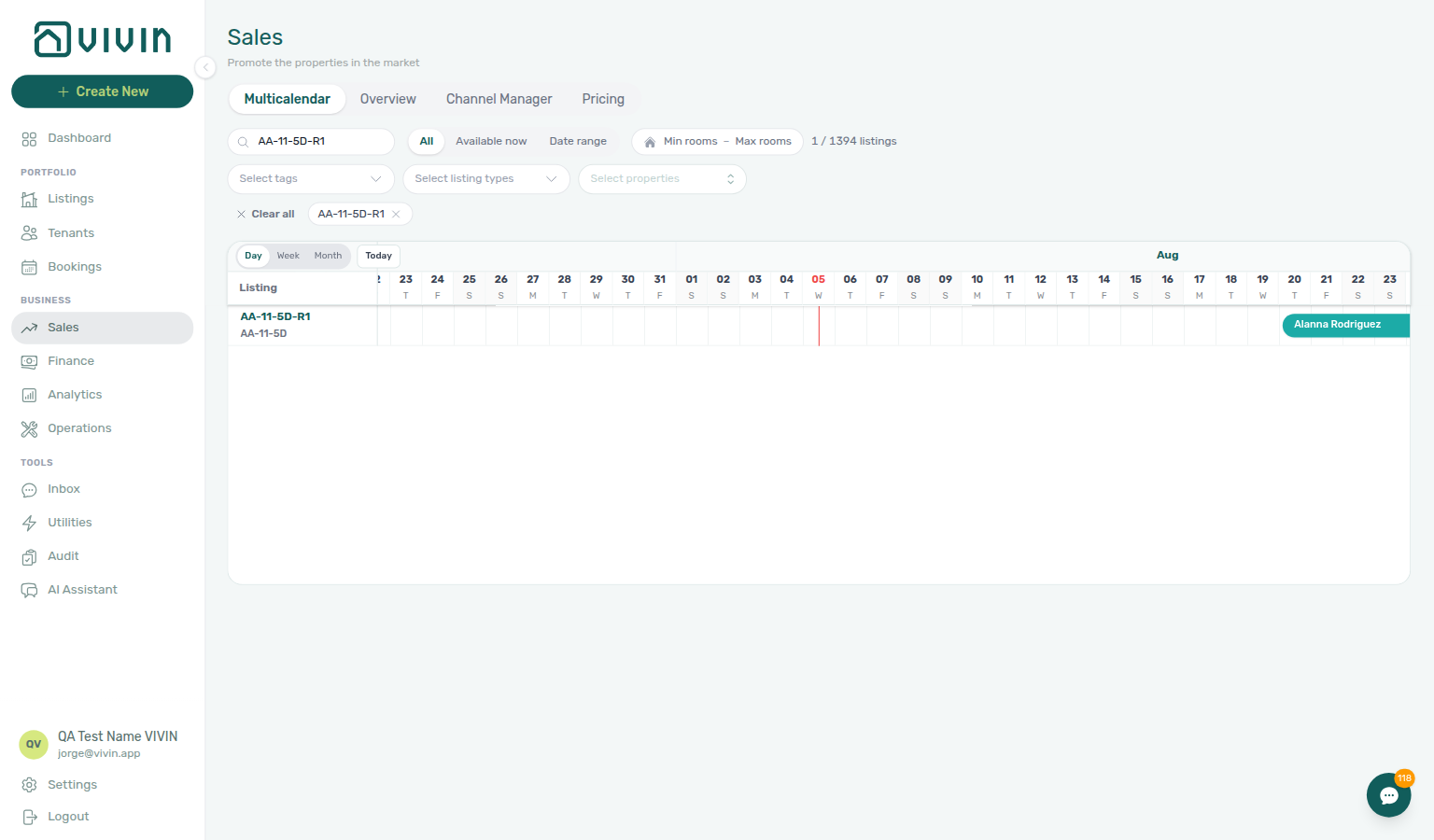
For a Sales-scoped unit × time Gantt without rent cells (same Day / Week / Month controls and booking-bar sidebar opens), use Sales → Multicalendar at /sales/multicalendar — helpful for same-day turnover overlap checks while you stay in availability context. Portfolio-wide manual holds: Audit (Manual block hygiene).
Sidebar tabs are usually chosen inside the open booking panel. Two query-param deep links also select a tab without a path segment:
| Query | Effect |
|---|---|
?tab=payment-plan | Opens Payment Plan. Add &paymentId=<uuid> to highlight that charge’s due-date row (VIVIN Auditor “open in management” links use this shape). |
?tab=communication | Opens Communication. Optional &channel=email or &channel=whatsapp. |
Other tabs (Contract Info, Comments, Files, and others) still have no URL selector today — open /bookings/list/:bookingId, then click the tab. If the account tenant chatbot is disabled, Communication opens with an unlock empty state until Vivin enables the integration. See Bookings — Payment Plan tab, Bookings — Communication tab, and ChatBot settings.
VIVIN Auditor (internal Admin UI) builds https://platform.vivin.app/bookings/list/<bookingId>?tab=payment-plan&paymentId=<paymentId>. The management app is single-account per session — the link only resolves when you are signed in as a user of that booking’s account. Otherwise the app shows a safe “no access” toast and falls back to the bookings list (or prompts login first).
Tenants
| Route | Description |
|---|---|
| platform.vivin.app/tenants | Tenants list |
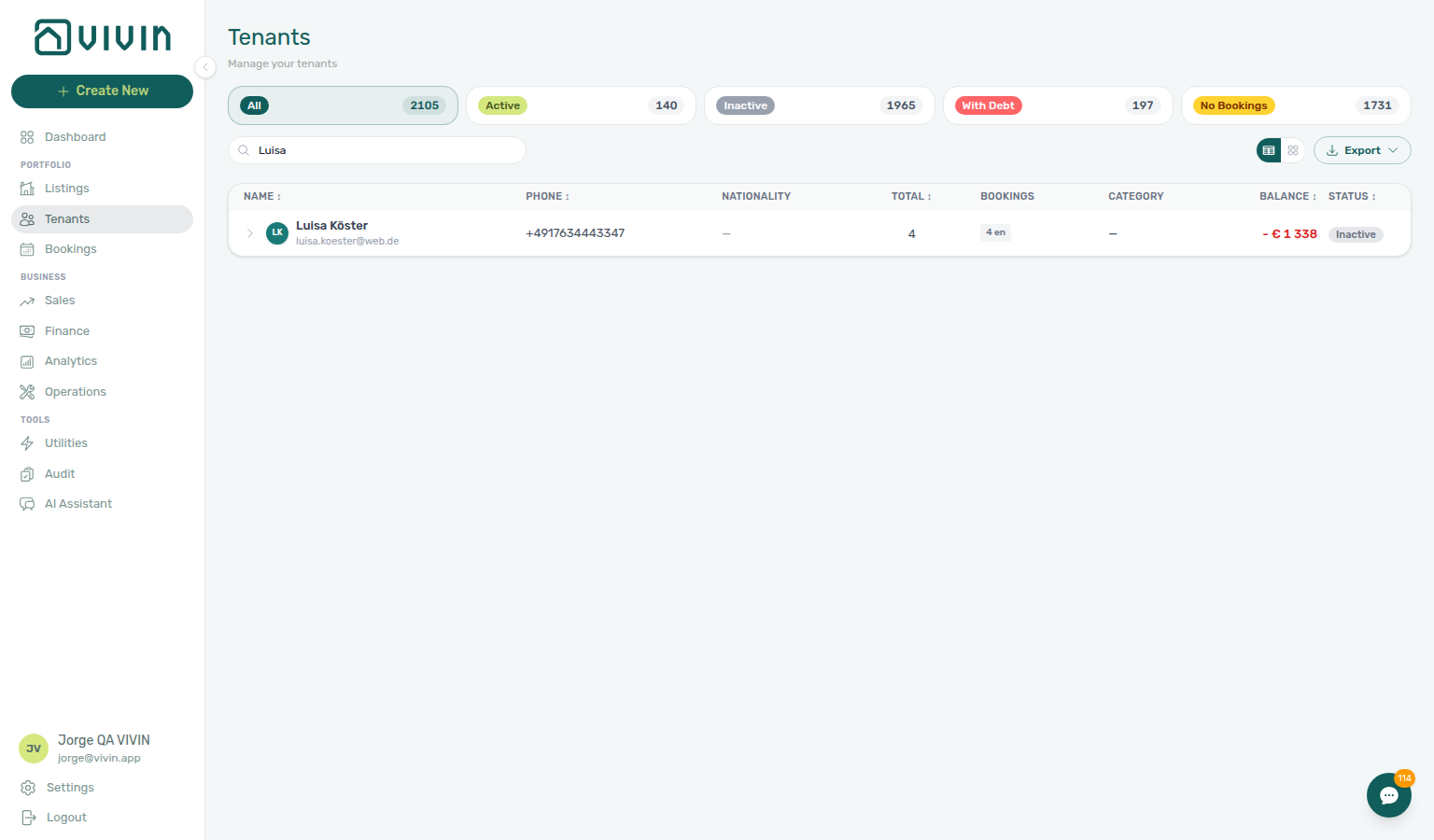
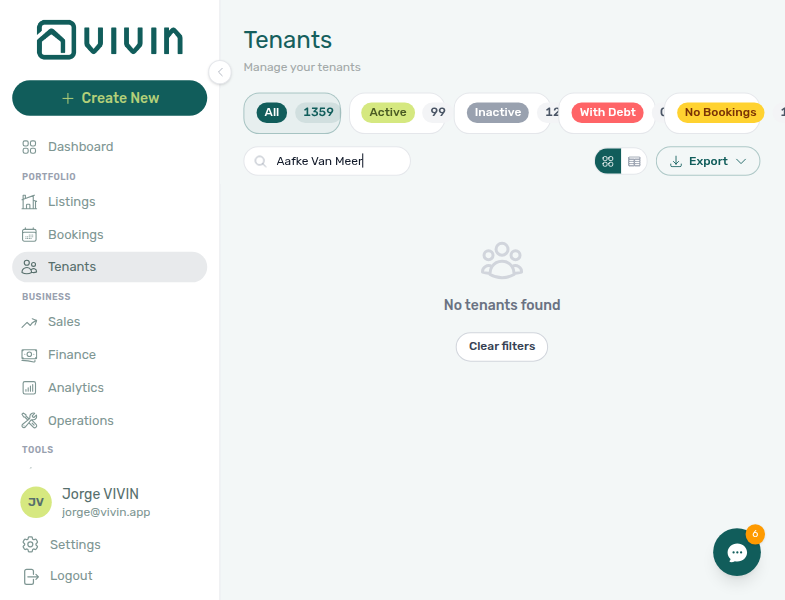
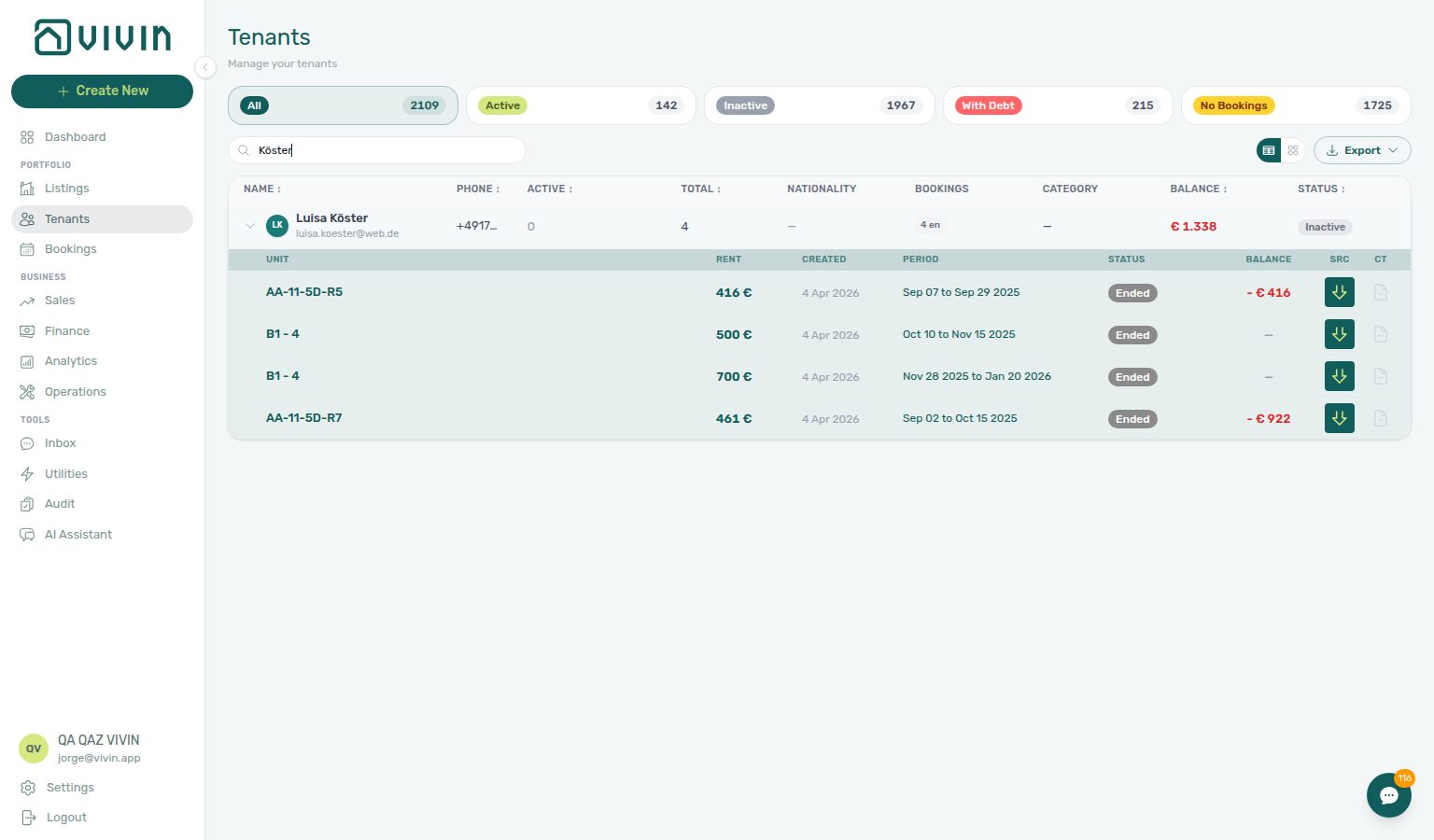
/tenants?q=<search term> | Tenants list with the toolbar Search field pre-filled (URL syncs as you type; see Tenants module — Bookmarkable search) |
/tenants/<tenantId> | Opens the tenant directory with that tenant’s profile sidebar (replace <tenantId> with the tenant UUID from exports or the URL after you open a row). Requires Tenants module permission; unknown IDs show the standard not-found state. See Tenants module. |
The /tenants route opens the tenant directory (grid or table layout, with search and filters depending on your viewport). Which actions you see follow your Tenants module permissions. In table view, expand a row chevron for an inline booking sub-table; click the tenant name for the profile sidebar or a sub-row for the booking sidebar — see Glossary — Tenants table expand.
Legacy /properties URLs (redirect to Listings)
Older /properties paths redirect into the Listings module. They do not open a separate workspace.
| Route | What happens |
|---|---|
| platform.vivin.app/properties | Redirects to /listings |
| platform.vivin.app/properties/archived | Redirects to /listings/archived |
/properties/view/:propertyId | Redirects to /listings/property/:propertyId/edit |
For /properties/all/view/:propertyId, /properties/active/view/:propertyId, /properties/inactive/view/:propertyId, or /properties/archived/view/:propertyId, the destination is the same: /listings/property/:propertyId/edit.
Paths like /properties/active or /properties/inactive without view/… are not special-cased; they redirect to /listings (same as bare /properties). Use Listings filters and tabs for the view you need.
See Legacy /properties URLs for the full explanation.
Listings
| Route | Description |
|---|---|
| platform.vivin.app/listings | Listings — Portfolio tab (active properties and units) |
| platform.vivin.app/listings/archived | Listings — Archived tab (archived properties; unarchive from the property sidebar) |
| platform.vivin.app/listings | Property sidebar: use path /listings/property/:propertyId (replace :propertyId). |
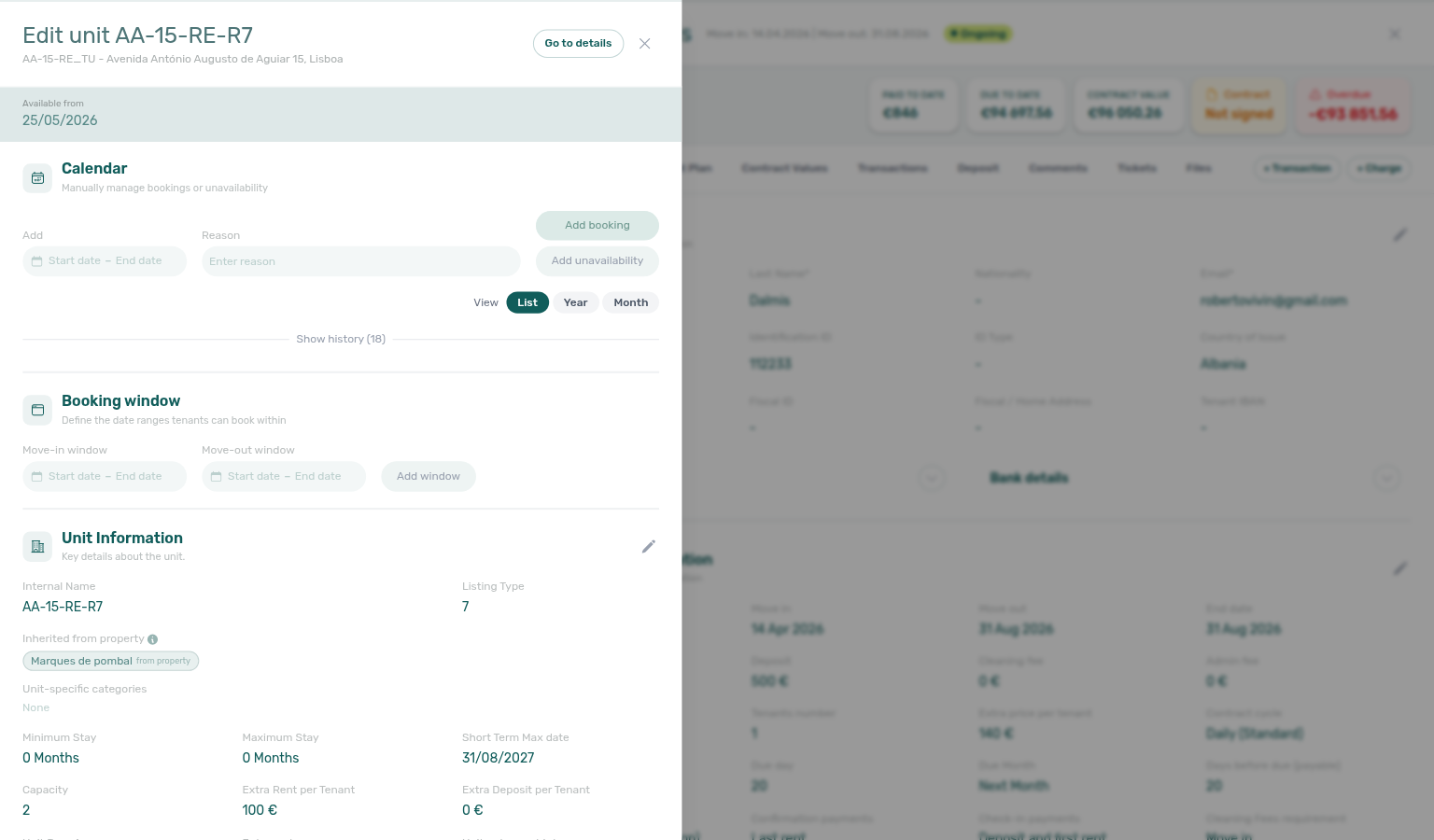
| platform.vivin.app/listings | Unit sidebar (no property in path): /listings/unit/:listingId or /listings/units/:listingId (plural alias — same unit editor). |
| platform.vivin.app/listings | Full-page listing detail: /listings/:id (replace :id with the listing UUID). See Listings — full-page unit detail. |
At /listings you land in the Listings workspace: the property and unit hierarchy in the main area, with sidebars for property or unit context when you drill in (see Listings).
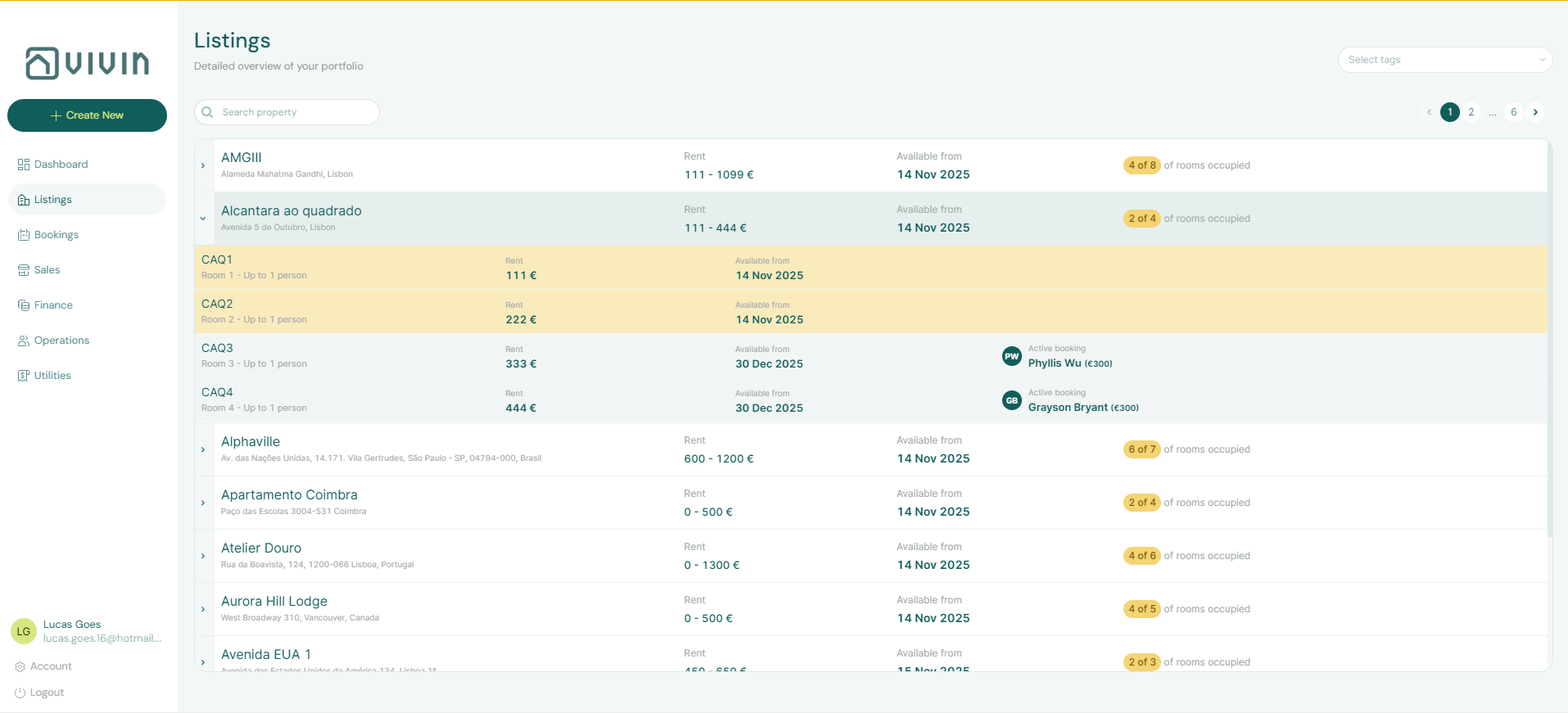
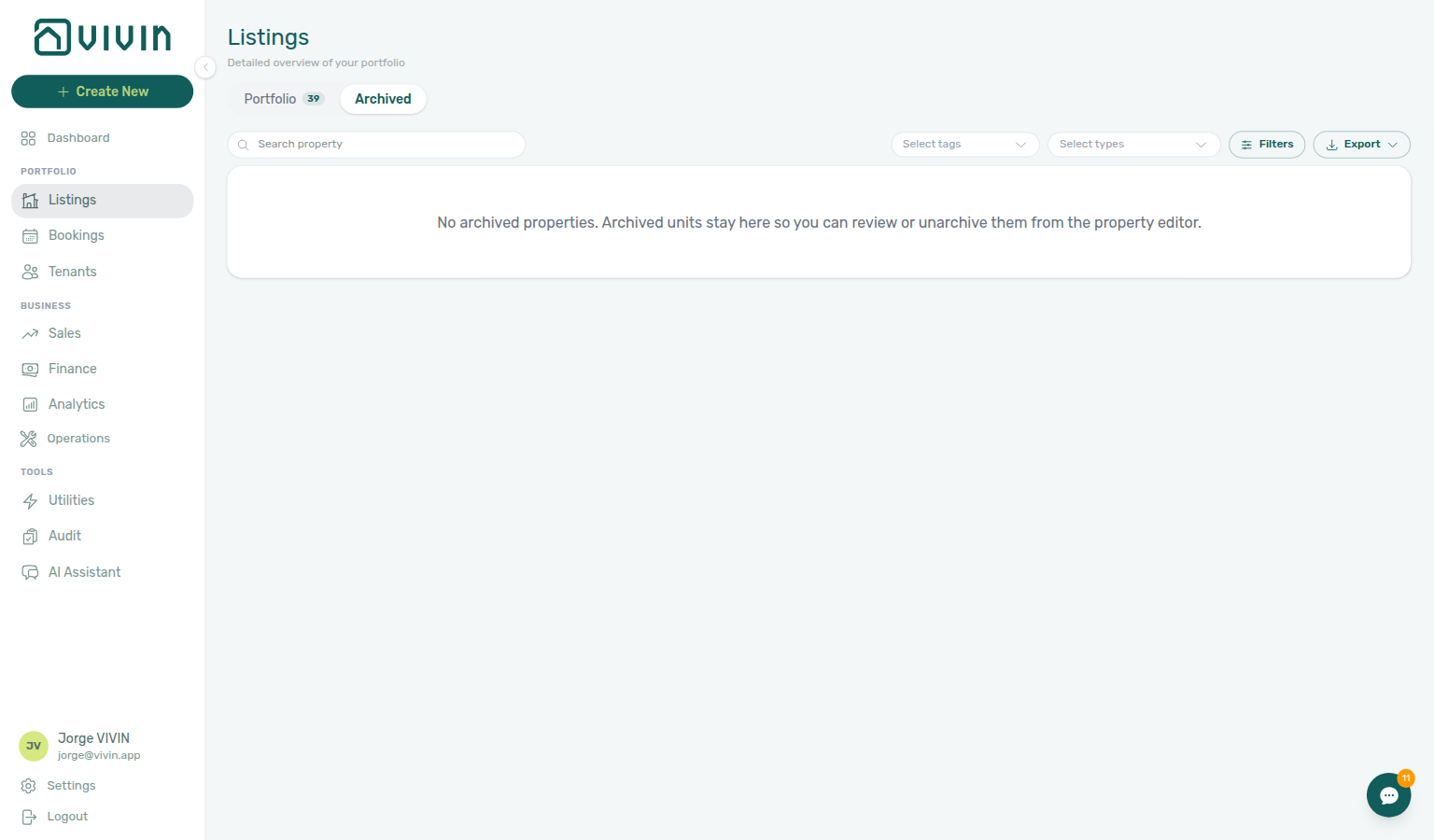
Use the Archived pill (or /listings/archived) for properties removed from the active Portfolio tab; legacy /properties/archived bookmarks land on the same screen. When you have no archived properties yet, the tab shows an empty state that still links to unarchive from the property editor — see Listings — Archived properties.
Booking engine details layer (query params)
The Property Details / Listing Details editors open from the Full integration pill in the Listings property or unit sidebar (or Photos for gallery-only work). When you need a bookmark or hand-off link that lands directly in that layer, append the query flags below (replace placeholder IDs with real UUIDs from your account).
Path pattern (after https://platform.vivin.app) | Opens |
|---|---|
/listings/property/:propertyId/edit?propertyDetails=1 | Property sidebar on Full integration (booking-engine / marketplace payload tabs) — skips opening the Setup pill first |
/listings/property/:propertyId/unit/:listingId?listingDetails=1 | Unit sidebar on Listing Details |
/listings/unit/:listingId?listingDetails=1 | Same Listing Details layer when you only know the listing id (unit opened from /listings/unit/…) |
These patterns match what legacy /booking-engine-details/… bookmarks redirect to. See Property & listing details (booking engine) and Legacy booking-engine detail routes (redirects) below.
Manual unavailability and the unit availability calendar are managed from the unit sidebar’s Calendar section after you open a unit (for example /listings/property/:propertyId/unit/:listingId or /listings/unit/:listingId). There is no separate /availability URL—see Listings — viewing unit availability and unavailability.
Finance
| Route | Description |
|---|---|
| platform.vivin.app/finance | Finance overview |
| platform.vivin.app/finance/income | Income tab |
| platform.vivin.app/finance/contractValues | Contract values tab |
| platform.vivin.app/finance/transactions | Transactions tab |
| platform.vivin.app/finance/payouts | Payouts tab |
| platform.vivin.app/finance/deposits | Deposits tab |
| platform.vivin.app/finance/ownerReports | Owner Reports tab |
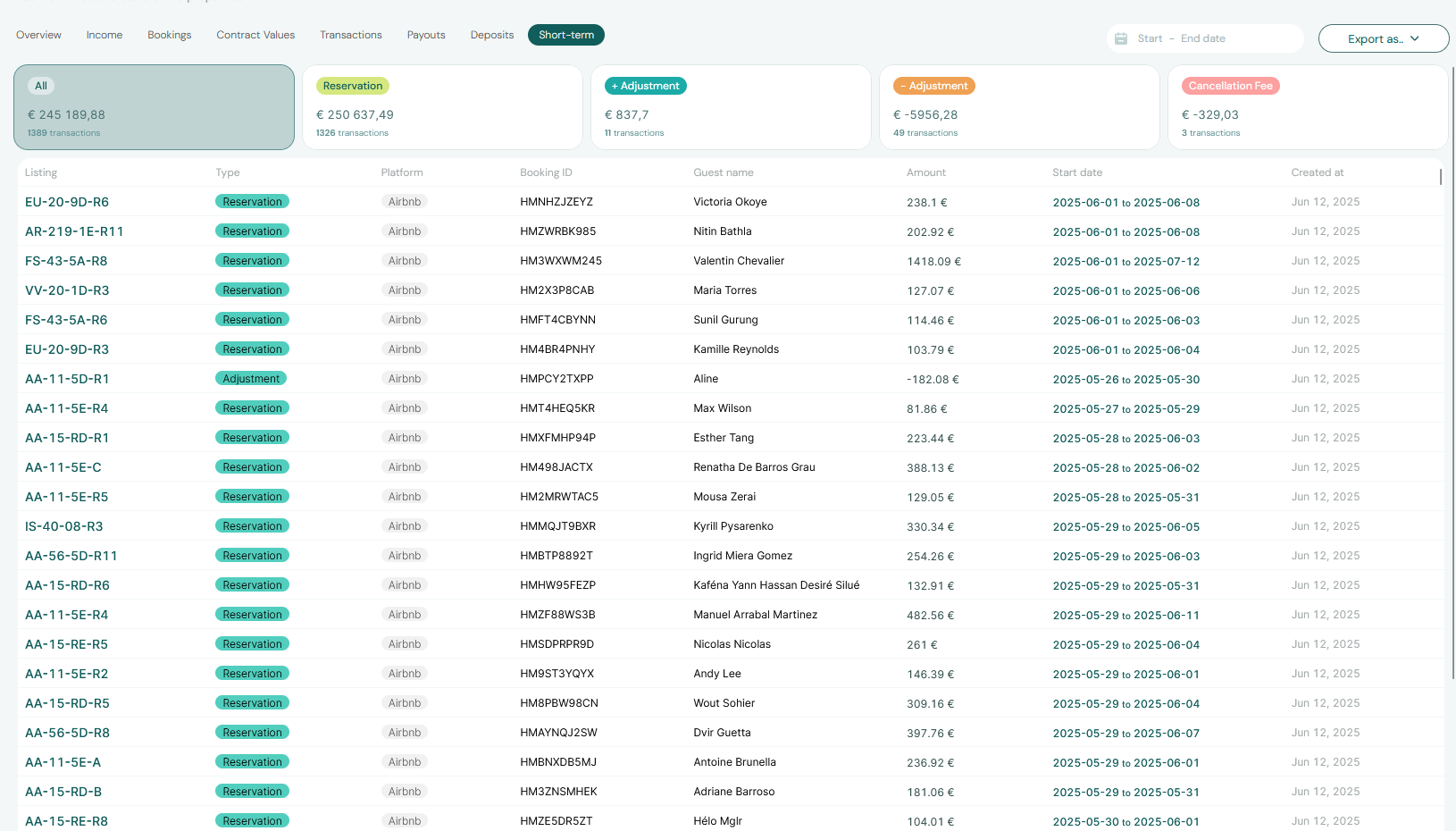
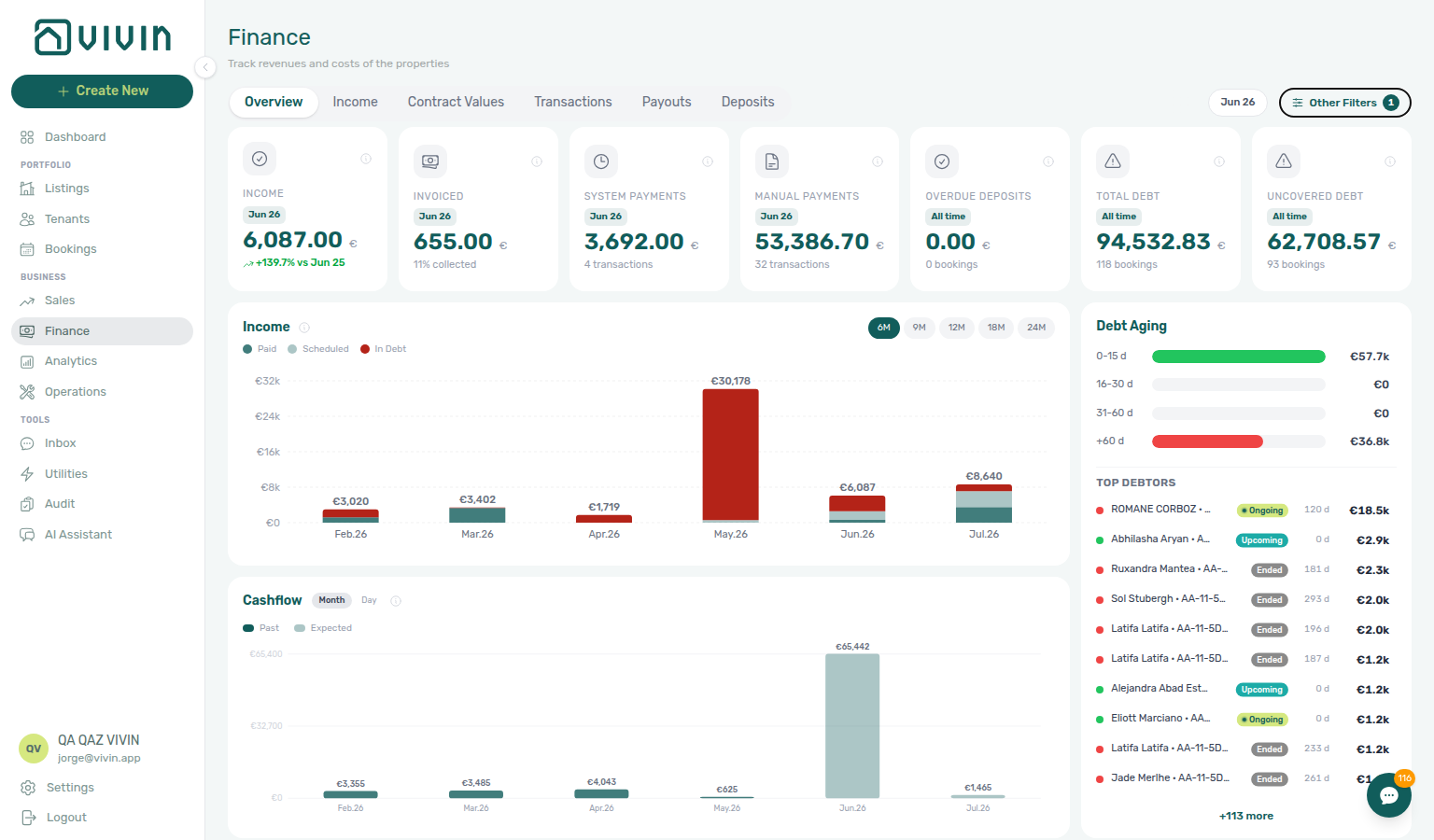
The Deposits tab toolbar applies a date range (default roughly the last three months through today). Rows appear when check-in, check-out, or Refund Due Date intersects that window — clear or widen the range before triaging older move-outs, disputes, or Export. Refund Due Date follows your account Deposit Refund Deadline in Settings → Payments. See Finance > Deposits and Glossary — Finance Deposits date range.
Routes under /finance/transactions, /finance/payouts, and /finance/deposits require the Approve payments permission. Owner Reports (/finance/ownerReports) also needs the account master switch Enable Owner Reports under Preferences → Owner Reports (off by default). With the switch on, the tab is visible with Finance access; Generate report / Delete report still need Approve payments. With the switch off, the tab is hidden and the URL opens Overview. See Finance > Access, tabs, and toolbar.
On /finance/transactions, filter Pending to triage operator-recorded receipts, then Approve payment, bulk Reject selected, or Revert payment on confirmed rows. Reject and Revert confirmation modals warn about credit notes when charges were already invoiced — see Payment Allocation — Correcting mistaken receipts and Finance > Row actions. Bookmark /finance/transactions/:detailId to open a specific ledger row in the transaction detail sidebar.
On /finance/contractValues, use Open booking to jump to the booking Contract Values tab with the clicked charge ring-highlighted. Rent Edit amount on the booking issues a credit note when you lower a fully invoiced line (blocked only when the line is partly invoiced) — see Bookings — Edit amount, Finance — Invoiced floor and rent edits, and FAQ — Lower rent below invoiced.
Operations
| Route | Description |
|---|---|
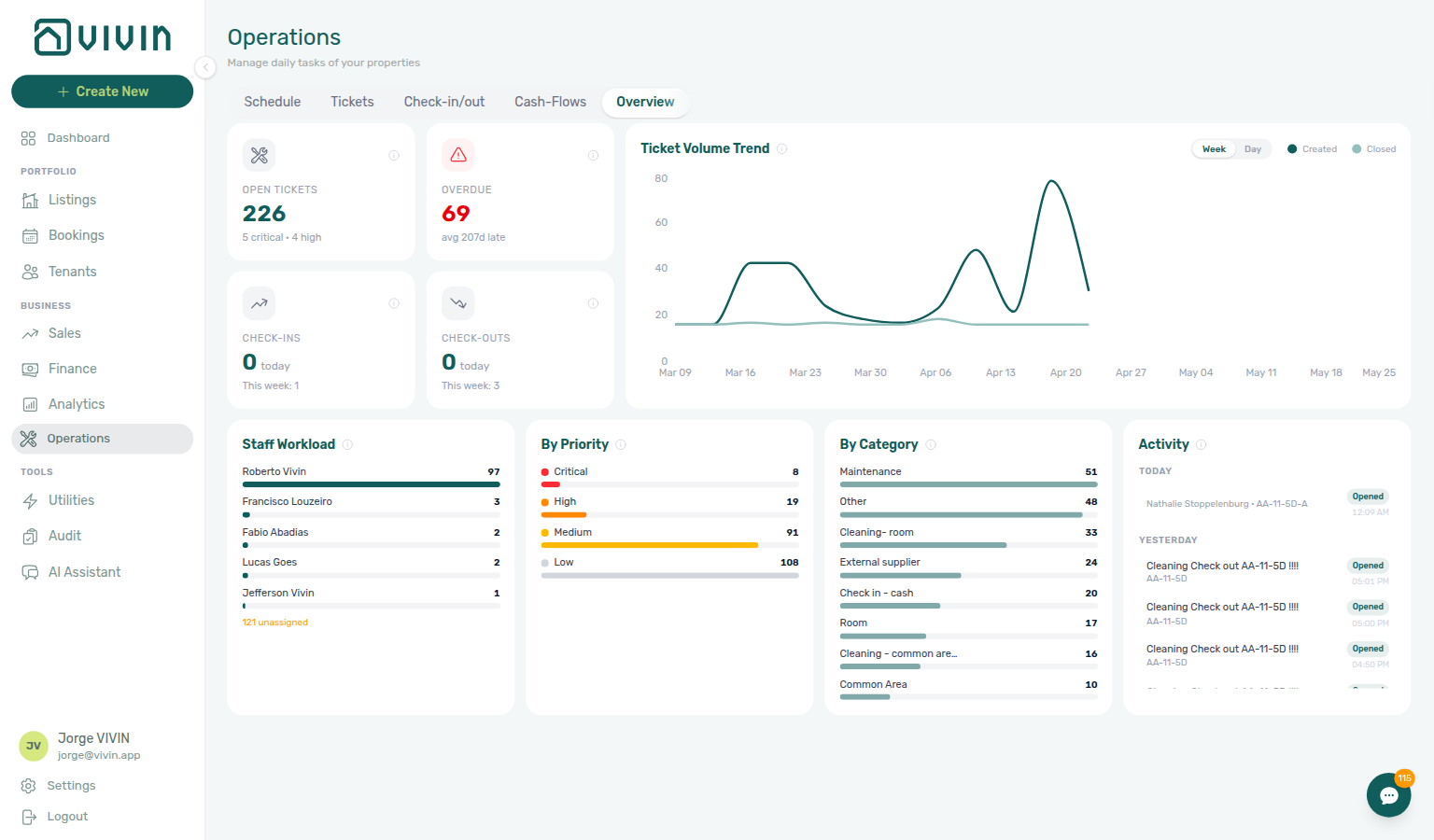
| platform.vivin.app/operations | Operations overview |
| platform.vivin.app/operations/schedule | Schedule tab (visible only to Vivin internal accounts; hidden for typical operator accounts and tenant portal users) |
| platform.vivin.app/operations/planning | Planning day dispatch board (requires Planning (schedule board) / operations.planning; otherwise redirects to overview) |
| platform.vivin.app/operations/tickets | Tickets tab |
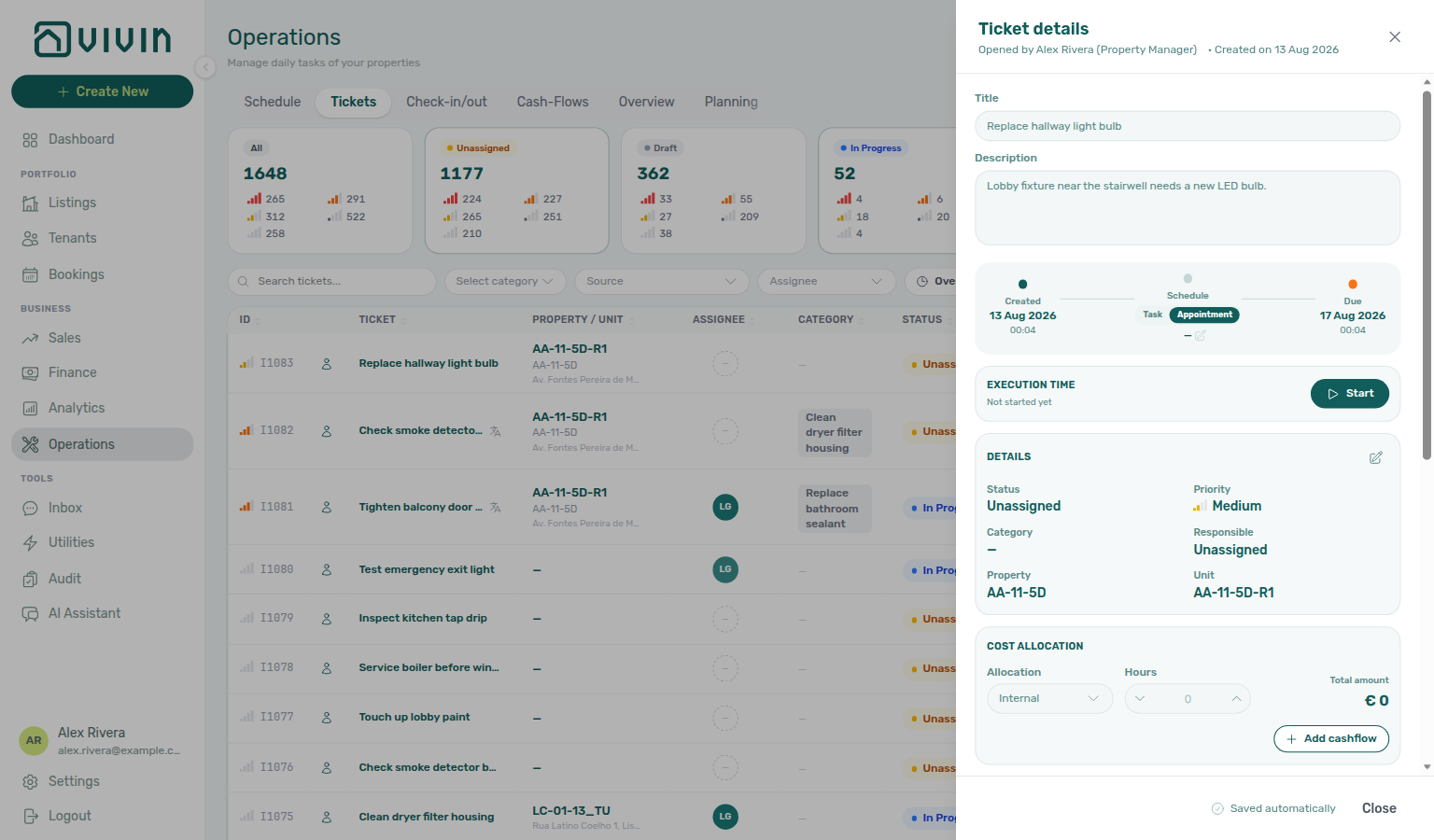
https://platform.vivin.app/operations/tickets?ticket=<ticketId> | Opens the Tickets tab and the Ticket details sidebar for that maintenance ticket (used by assignment email See ticket) |
| platform.vivin.app/operations/check-in-out | Check-in & check-out tab |
| platform.vivin.app/operations/cash-flows | Cash flows tab |
Ticket email deep link (?ticket=)
When Vivin emails a team member about a maintenance ticket (assignment or unassigned-ticket alerts), the message includes a See ticket button. That link opens /operations/tickets?ticket=<ticketId> — the Tickets tab with the matching Ticket details sidebar already open. After the sidebar loads, the app clears the query param so the address bar settles on /operations/tickets.
Paste the same pattern into bookmarks or chat when you want a colleague to land on one ticket without searching the list. Opening ?ticket= on another Operations tab (for example Overview) still redirects to Tickets with that ticket selected. This is not the Vivin product-support drawer (?support=<ticketId>) — see Support for those links.
?ticket=), and review the ticket in the details sidebar.See Operations — Assignment email See ticket and FAQ — See ticket from a maintenance email.
/operations/check-in-out requires operations.see_checkin_checkout in addition to Operations module access. Without it, the tab is omitted from the strip and the URL redirects to /operations. Grant See Check-in/Check-outs in Users > Role Permissions when coordinators need arrival/departure planning.
/operations/planning requires operations.planning (Planning (schedule board)). It is off by default for every role — grant it under Users > Role Permissions for supervisors who dispatch work on the day board. See Operations — Planning.
On an actual mobile phone user agent, operators with Operations access who open /bookings, /finance, or other non-Operations routes are redirected to /operations. iPads and narrow desktop browsers keep the full module list. Bookmark /operations/tickets, /operations/check-in-out, or /notifications when field staff need those surfaces on phones. See FAQ — Phone shows Operations only and Operations — Mobile and narrow layouts.
Sales
| Route | Description |
|---|---|
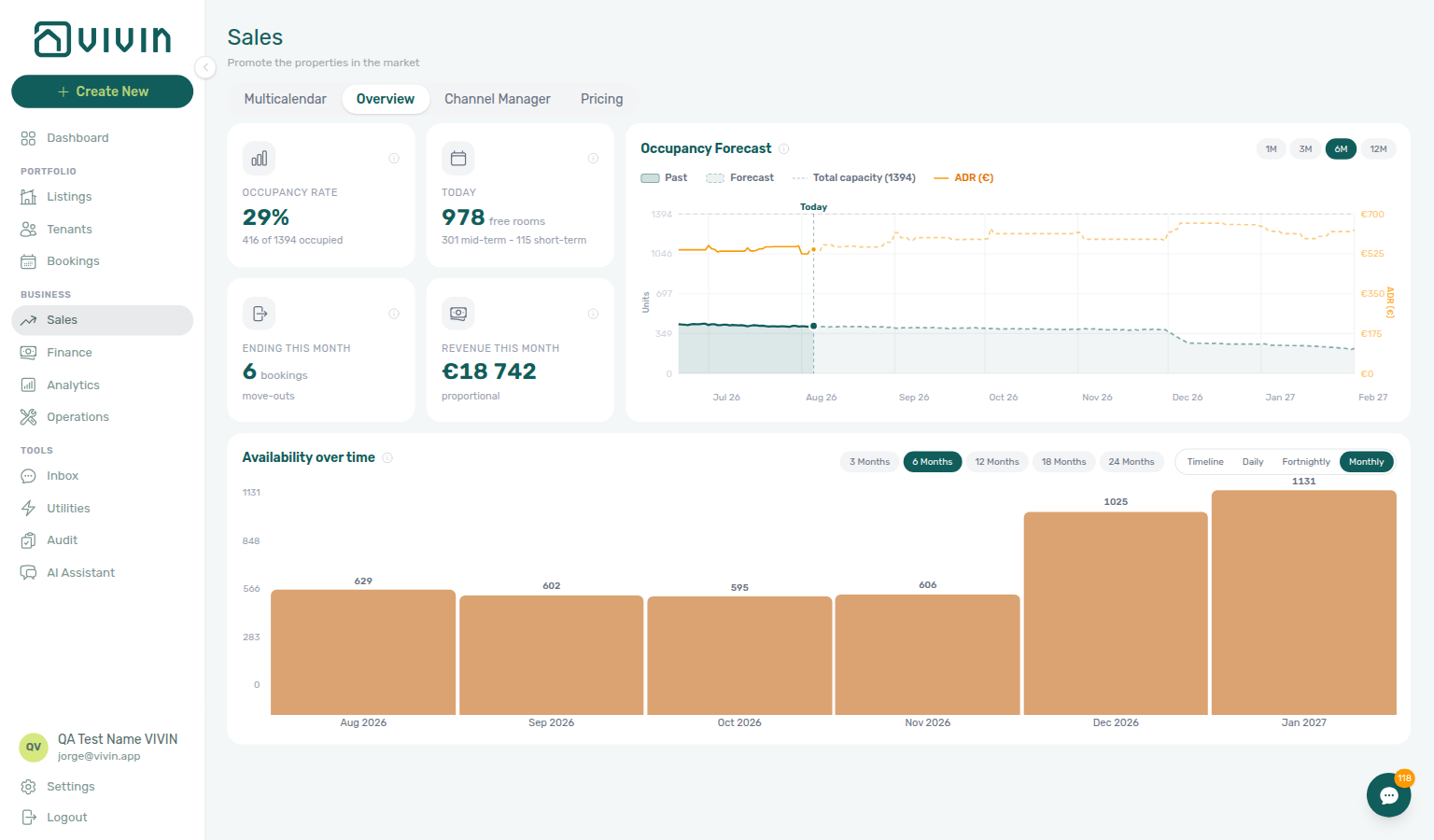
| platform.vivin.app/sales | Sales overview |
| platform.vivin.app/sales/overview | Overview tab |
| platform.vivin.app/sales/multicalendar | Multicalendar tab — availability timeline (route id multicalendar) |
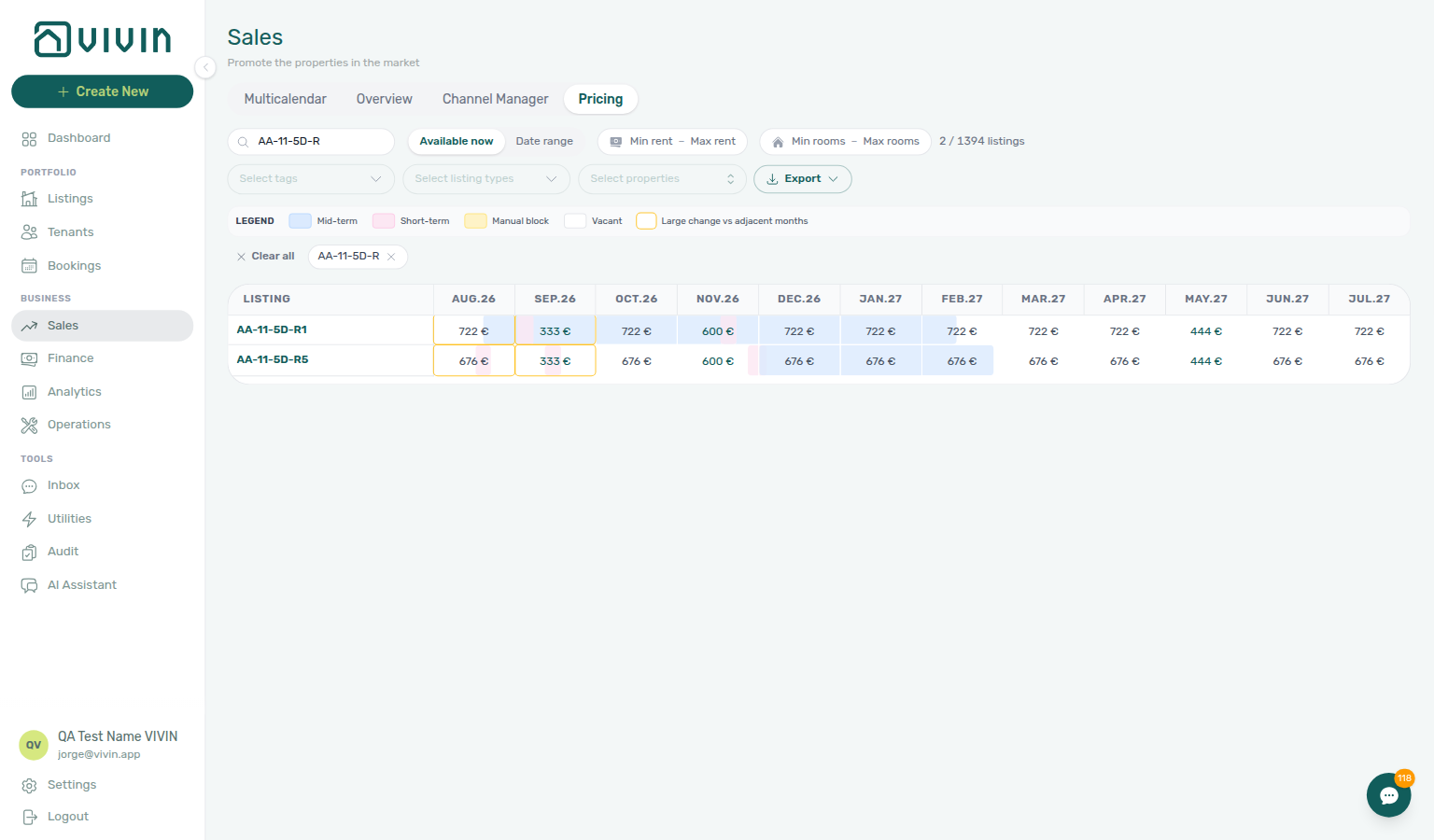
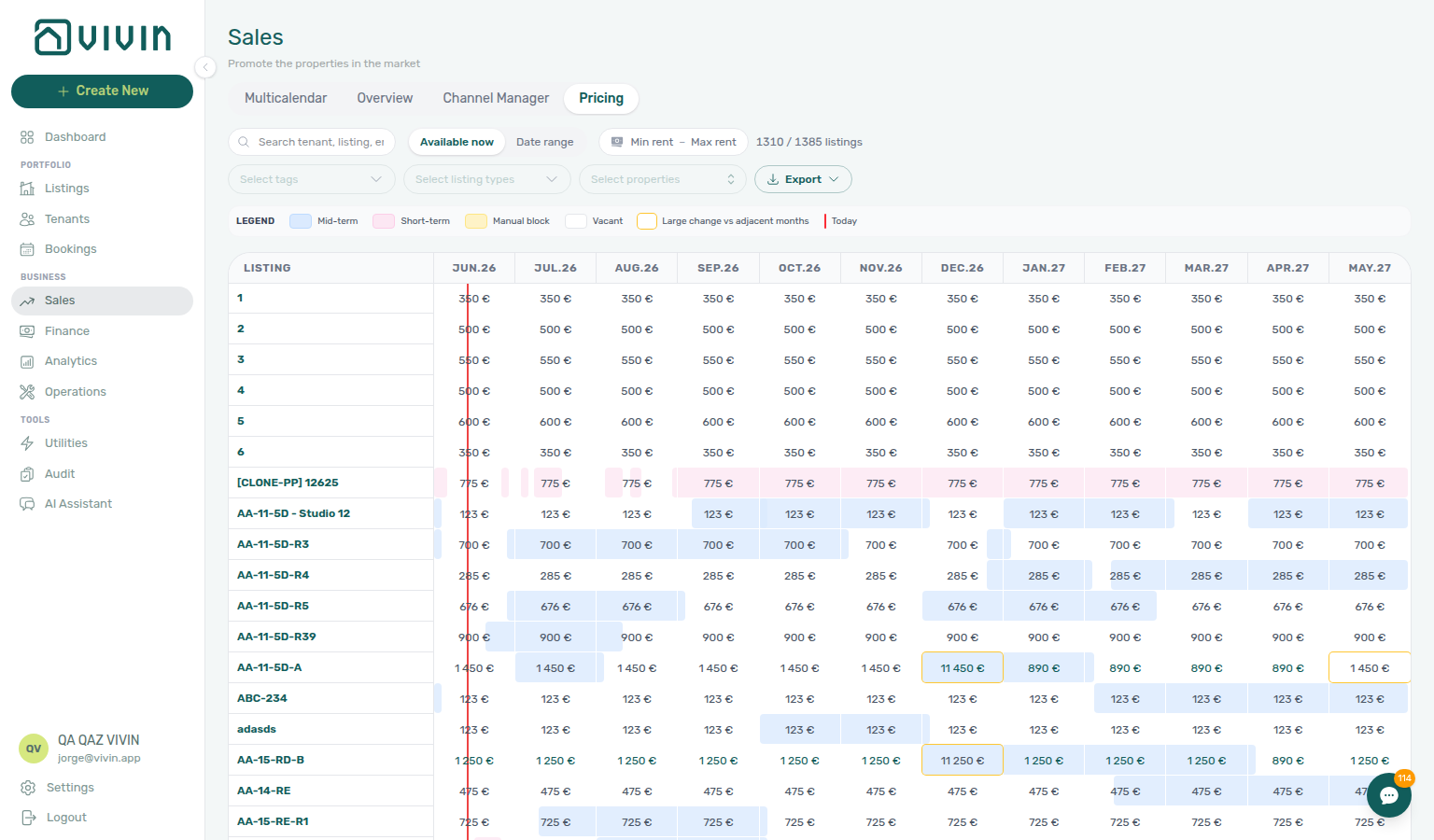
| platform.vivin.app/sales/pricing | Pricing tab — monthly rent grid (route id pricing) |
| platform.vivin.app/sales/channels | Channel manager tab |
The app may redirect legacy bookmarks: /sales/calendar → /sales/pricing (Pricing grid), and /sales/channel-manager → /sales/channels.
On Multicalendar, Pricing, and Channels, Select properties scopes the grid; chosen buildings appear as removable chips under the toolbar. See Multicalendar tab, Pricing toolbar filters, and Channels toolbar filters.
Account Settings
The Account Settings sidebar groups tabs under System, Team, Billing, and Tenant Portal. The bare /settings URL opens Global Settings. Older bookmarks for folded tabs still work — Vivin redirects them to the tab that now holds that content. On every settings URL below, Search settings at the top of the settings sidebar jumps to a tab or card by name.
| Route | Description |
|---|---|
| platform.vivin.app/profile | My profile — name and read-only email (/profile; not the same as Personal Settings below) |
| platform.vivin.app/settings | Global Settings (root) — company identity, branding, booking defaults, fees, utilities, and related cards (Account Settings hub) |
| platform.vivin.app/settings/general | Legacy bookmark — redirects to Global Settings (/settings); company cards are documented under General Information |
| platform.vivin.app/settings/personal | Personal Settings (System) — per-user interface language, email delivery toggles (payment notification emails and BCC on tenant communications), and tab order for the management shell. Same tab, one URL; the user guide walks it under Interface Language. |
| platform.vivin.app/settings/preferences | Same root as /settings — Global Settings (Preferences) |
| platform.vivin.app/settings/subscription | Subscription |
/settings/subscription?expandCheckout=1 | Subscription with the hosted checkout payment panel expanded (used from Global Settings → Subscription when billing action is required; see Subscription settings) |
| platform.vivin.app/settings/users | Users and roles |
| platform.vivin.app/settings/owners | Owners |
| platform.vivin.app/settings/payments | Payments — Select properties / Select categories on Rent adjustment Step 2 stay open while you add a second building or booking tag; the teal tenant name opens booking details on top of the preview |
| platform.vivin.app/settings/invoicing | Invoicing |
| platform.vivin.app/settings/vivinInvoicing | Legacy bookmark — redirects to Integrations; VIVIN Invoicing issuer setup is on the connection card (VIVIN Invoicing settings) |
| platform.vivin.app/settings/fees | Legacy bookmark — redirects to Global Settings; fee toggles and labels are Fee visibility / Custom fee names cards |
| platform.vivin.app/settings/utilities | Legacy bookmark — redirects to Global Settings; chargeable utility types are the Utilities card |
| platform.vivin.app/settings/contract | Contract templates |
| platform.vivin.app/settings/categories | Categories — listing/booking/ticket catalogs plus the Tenants (tenant categories) card |
| platform.vivin.app/settings/tenantCategories | Legacy bookmark — redirects to Categories; tenant segments live on the Tenants card (Tenant categories) |
| platform.vivin.app/settings/tenantPortal | Portal settings (Tenant Portal section) — tenant edit toggles, portal modules, and mandatory signing fields (Portal settings) |
| platform.vivin.app/settings/services | Services (Tenant Portal section) |
| platform.vivin.app/settings/faqs | FAQs (Tenant Portal section) — FAQ catalogue and FAQ Generator (FAQs settings); meters faq_generation |
| platform.vivin.app/settings/integrations | Integrations — connections, field coverage on each card, and invoicing providers |
| platform.vivin.app/settings/integrationFieldCapability | Legacy bookmark — redirects to Integrations; matrix detail remains in Integration capabilities |
| platform.vivin.app/settings/chatbot | Tenant support chatbot — persona, IF/THEN rules, and Ticket priority subtab; not the operator AI Assistant at /ai-chat |
| platform.vivin.app/settings/ticketPriority | Legacy bookmark — redirects to ChatBot; ticket priority keywords live as a ChatBot subtab (Ticket priority settings) |
| platform.vivin.app/settings/mcp | AI / MCP — Landlord MCP connection URL, API keys, tool permissions, per-user overrides, audit trail, assistant activity, Genius WhatsApp, and scheduled reports (AI / MCP settings); Vivin-internal rollout gate matches /ai-chat |
| platform.vivin.app/settings/genius | Legacy bookmark — redirects to AI / MCP; scheduled reports live on that tab (Genius settings) |
| platform.vivin.app/settings/communications | Email templates / Communications — Communication Rules and Booking lifecycle emails; Select smart locks… stays open while you add a second Nuki device; All tags stays open while you add a second booking label; Select tenant categories… stays open while you add a second named segment |
Support
In-app Vivin support tickets (not the same as Operations tickets). Requires the Support permission on your role; without it, these routes are not available.
| Route | Description |
|---|---|
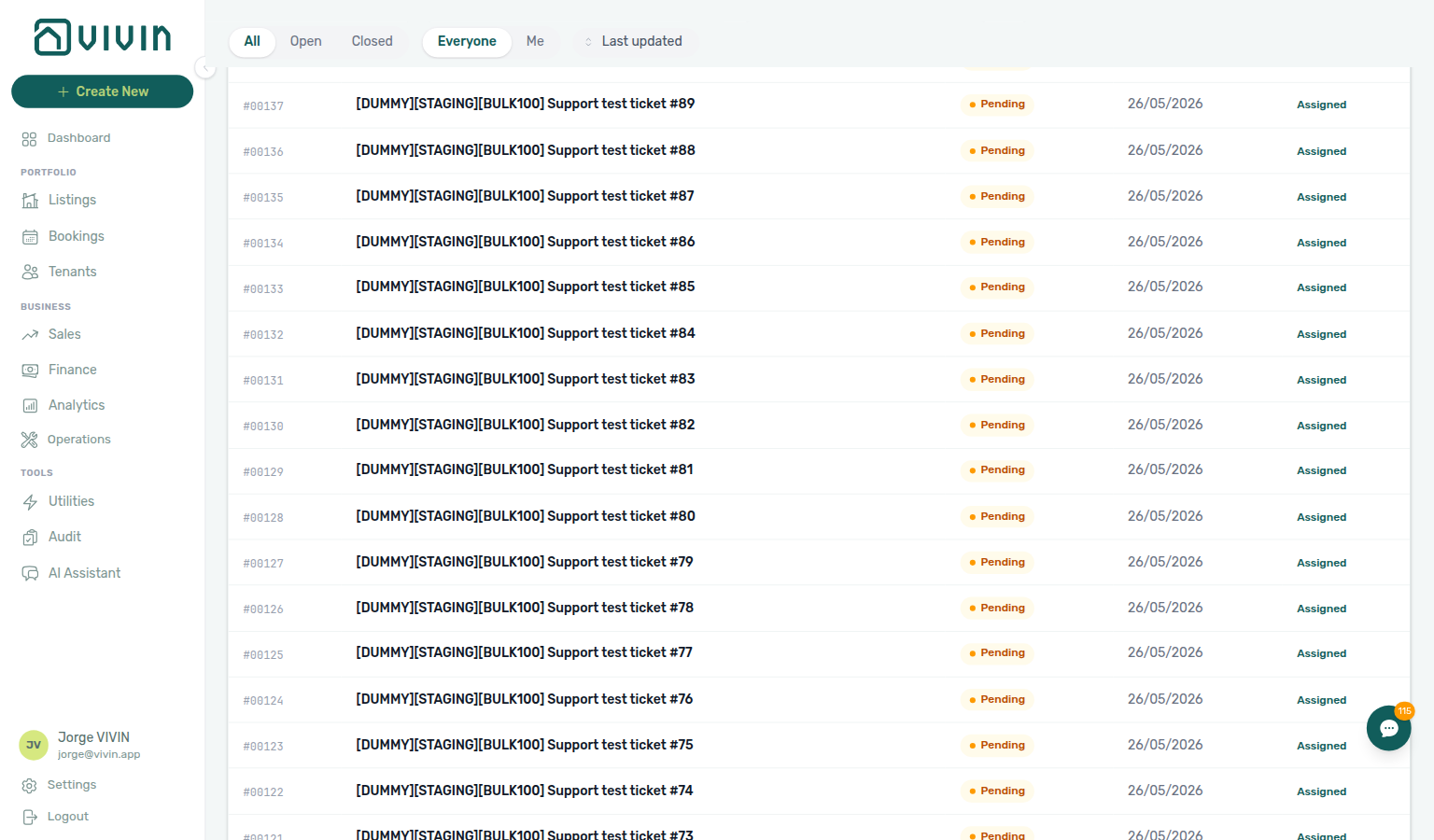
| platform.vivin.app/settings/support | Support inbox — search, sort, scroll-to-load ticket batches, status and scope filters, New Ticket, and default assignee for new tickets (see Using in-app support). |
https://platform.vivin.app/settings/support/<ticketId> | Opens that ticket’s thread directly — replace <ticketId> with the id from the inbox, a notification, or a shared link (same path pattern as legacy /support/<ticketId> redirects). |
https://platform.vivin.app/<any-module>?support=<ticketId> | Opens the Help & Support drawer on whatever module route you are on (for example /bookings?support=<ticketId>) and loads that ticket’s thread — useful in notification links that should keep operators on their current screen. Requires Support permission. |
On the inbox page, New Ticket opens the New Support Ticket modal (fields and behaviour: Using in-app support > New Support Ticket modal).
With Support access, you can also use the floating Help & Support button (bottom-right) from any screen; it opens the same ticket experience without changing the URL first. Append ?support=<ticketId> to any management URL when a link should open the drawer on that page (the query stays in the address bar until you close the drawer). See Using in-app support.
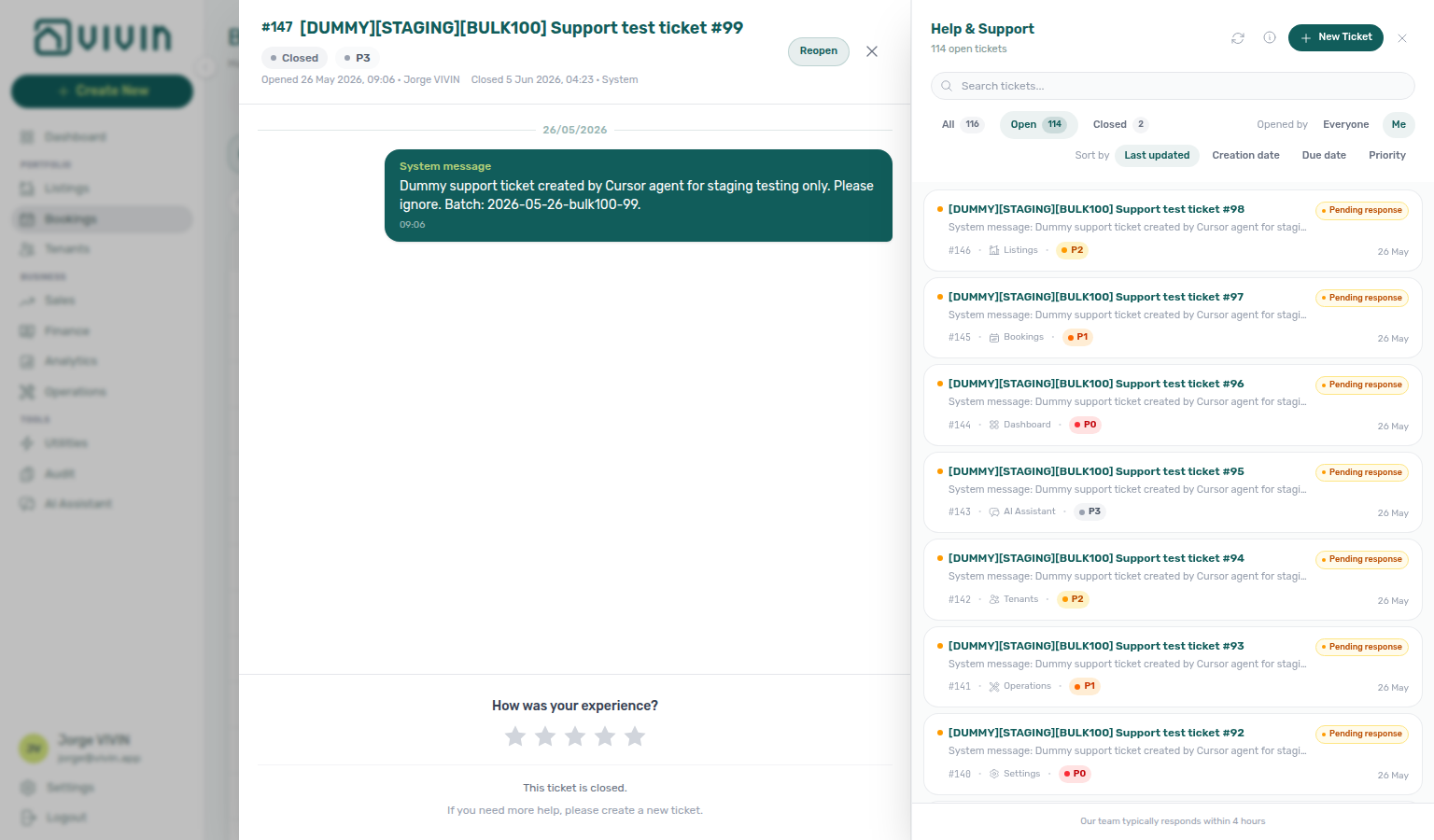
The Help & Support drawer uses Active and Closed view chips with a composed Status multi-select and Sort by pills. Status stays open while you add a second workflow state. The full /settings/support page keeps All, Open, and Closed chips where Open matches only literal Open — use All on the full page for every non-closed ticket. See Using in-app support > Drawer filters.
Legacy paths /support and /support/:ticketId redirect to /settings/support and /settings/support/:ticketId.
Utilities
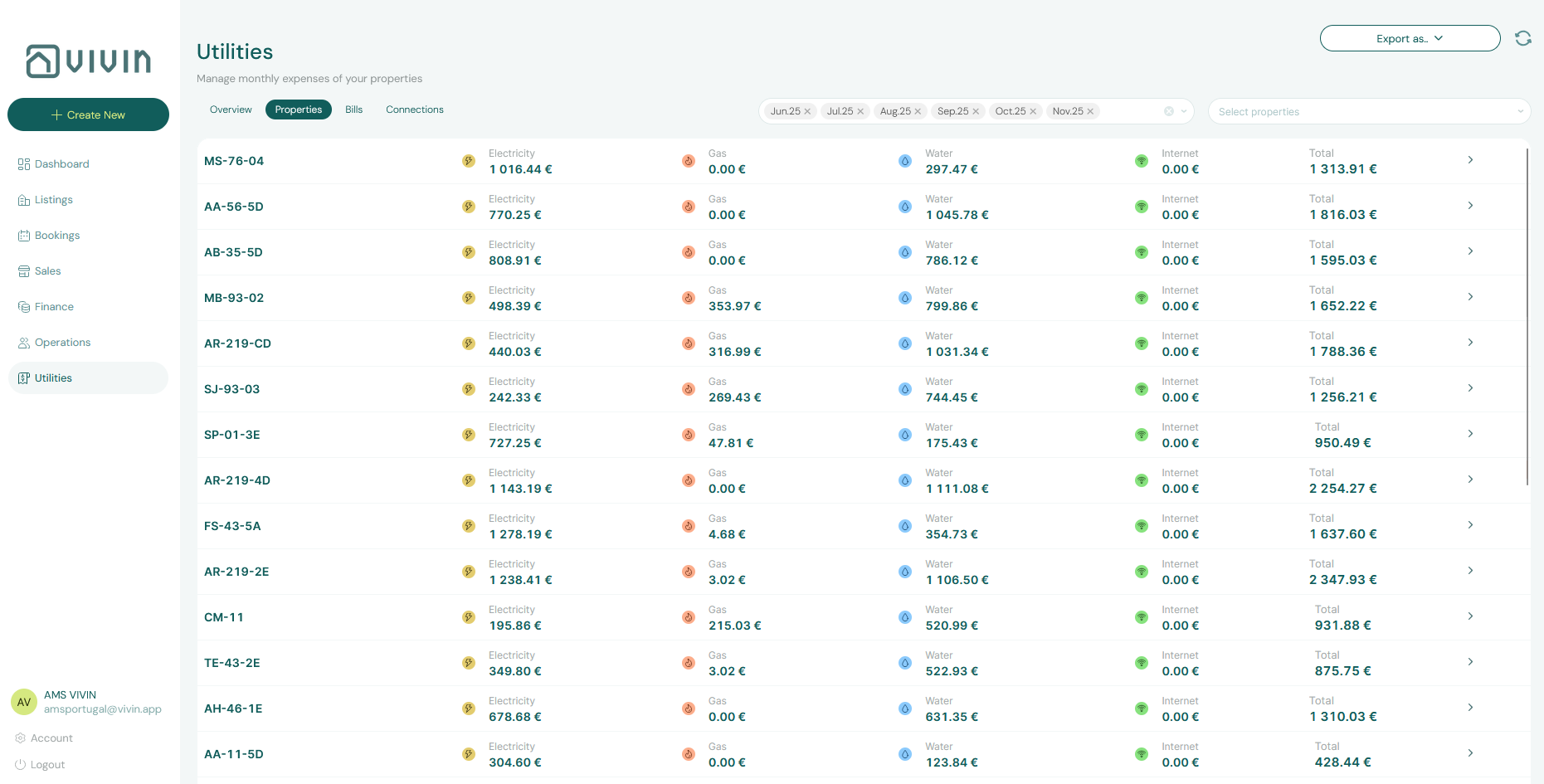
The Utilities module opens on the Overview tab at /utilities when no tab segment is provided. Other in-app tabs follow the header control order: Connections, Bills, Timeline, Cost map, and Allocations.
| Route | Description |
|---|---|
| platform.vivin.app/utilities | Overview tab (default) |
| platform.vivin.app/utilities/connections | Connections tab |
| platform.vivin.app/utilities/bills | Bills tab |
| platform.vivin.app/utilities/timeline | Timeline tab |
| platform.vivin.app/utilities/cost-map | Cost map tab |
| platform.vivin.app/utilities/allocations | Allocations tab |
/utilities/propertiesand/utilities/overviewredirect to/utilities(Overview) for backward compatibility. Use the routes in the table above for new bookmarks or operational links.
AI Assistant (AI Chat)
The sidebar label is AI Assistant under Tools; the URL path remains /ai-chat. Available to roles granted the AI / MCP permission (on by default for Admin and Super Admin); other roles get the standard permission state. See the AI Chat module.
| Route | Description |
|---|---|
| platform.vivin.app/ai-chat | AI Assistant — conversational portfolio insights |
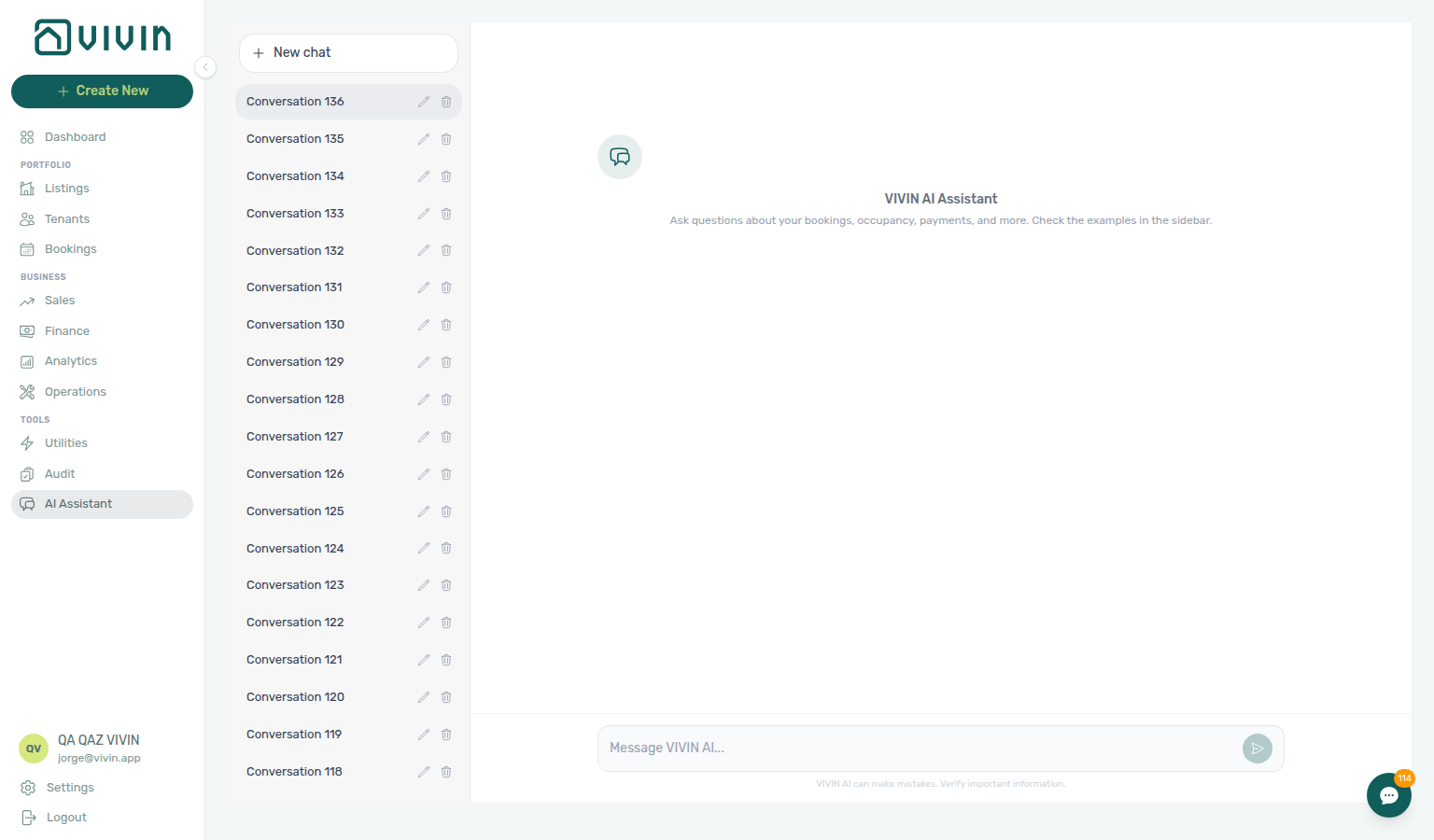
The route opens the two-pane AI Assistant workspace (New chat, Your conversations, Examples, and the message composer). Only roles granted the AI / MCP permission see Tools > AI Assistant; see the AI Chat module for workflows and the optional walkthrough video.
Inbox (WhatsApp)
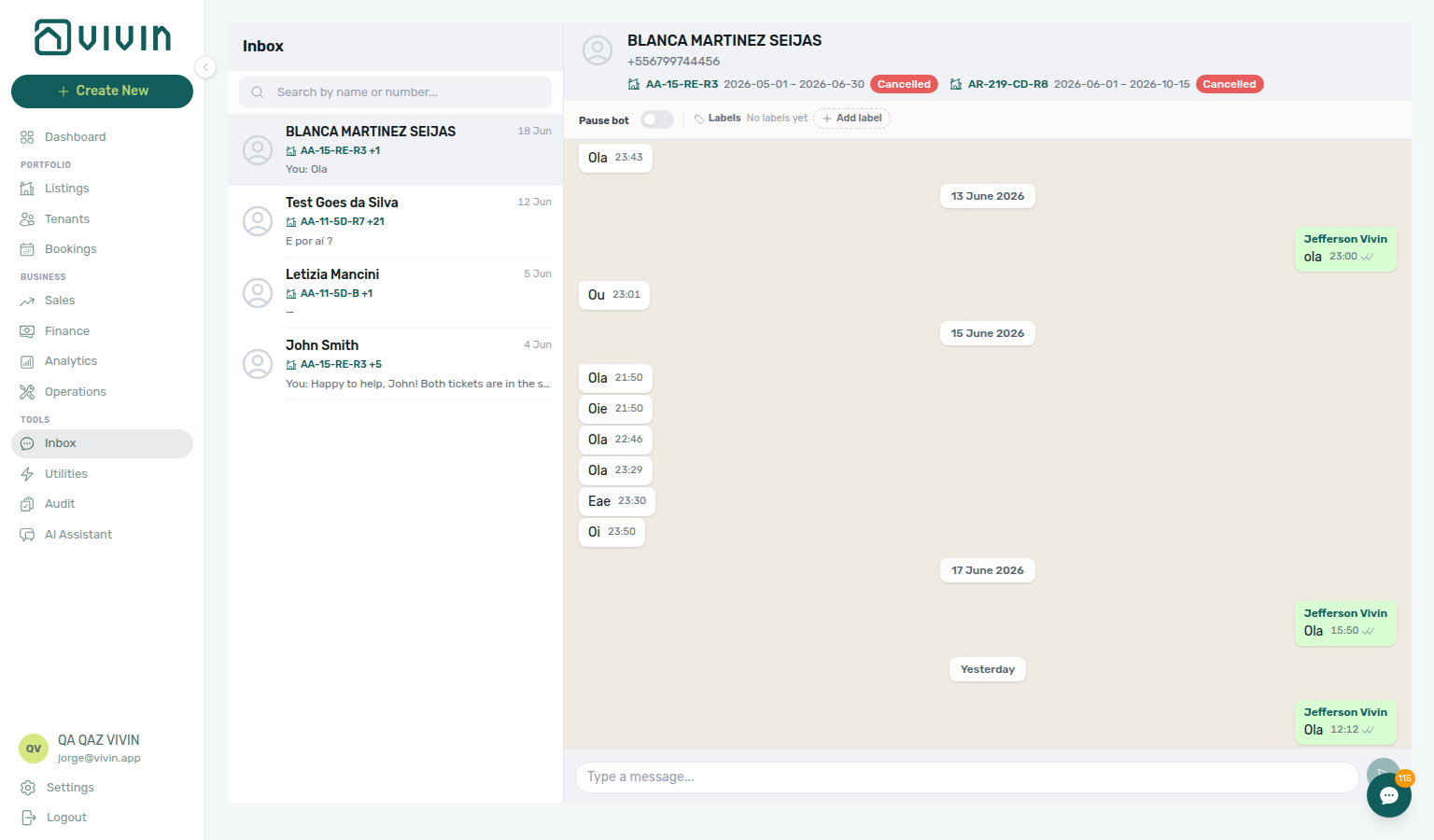
Global WhatsApp conversations across every booking — WhatsApp Web–style two-pane layout with search, listing context on each row, booking details in the thread header, labels, and reply composer. Requires Bookings module permission and a connected Status Bot line. Ships with the WhatsApp global inbox release.
| Route | Description |
|---|---|
| platform.vivin.app/inbox | Portfolio-wide WhatsApp inbox |
/inbox?contact=<phoneDigits> | Open a specific conversation (for example from a Dashboard bell Inbox notification) |
Open Tools → Inbox in the sidebar on desktop when your role includes Bookings access; on mobile, bookmark /inbox or follow a notification deep link. The browser tab reads VIVIN | Inbox on /inbox and /inbox?contact=… — see Inbox — Browser tab title. Conversation state mirrors Bookings → Communication → WhatsApp on each reservation. See Inbox module.
Notifications
The /notifications page is the full platform alert history: search, All / Unread / Read filters, Mark all as read, and complete history with an End of list marker when every matching row is loaded. On the full page, clicking a row marks unread items read when applicable and, when the notification includes a target, navigates to the related booking, tenant, listing, or property (see Notifications module — Open the related booking, tenant, or listing). Operator Payments category rows include payment overdue alerts — after a row-click lands on a booking, continue with Handling a Late Payment — Step 1. On desktop Dashboard only, the header bell opens a compact slide-over with General and Inbox sub-tabs when the global inbox release is active — Inbox rows with a link navigate to conversations; General rows without a link open in-panel detail. There is no Notifications entry in the left sidebar — operators open platform.vivin.app/notifications from a bookmark, a shared link, or after discovering the route from Getting Started. The sidebar adds Inbox (/inbox) for WhatsApp triage on desktop. See the Notifications module and Inbox module for UI behaviour and screenshots.
| Route | Description |
|---|---|
| platform.vivin.app/notifications | Full notification history — search, read-status filters, per-row Mark as read, and Mark all as read in the main content area |
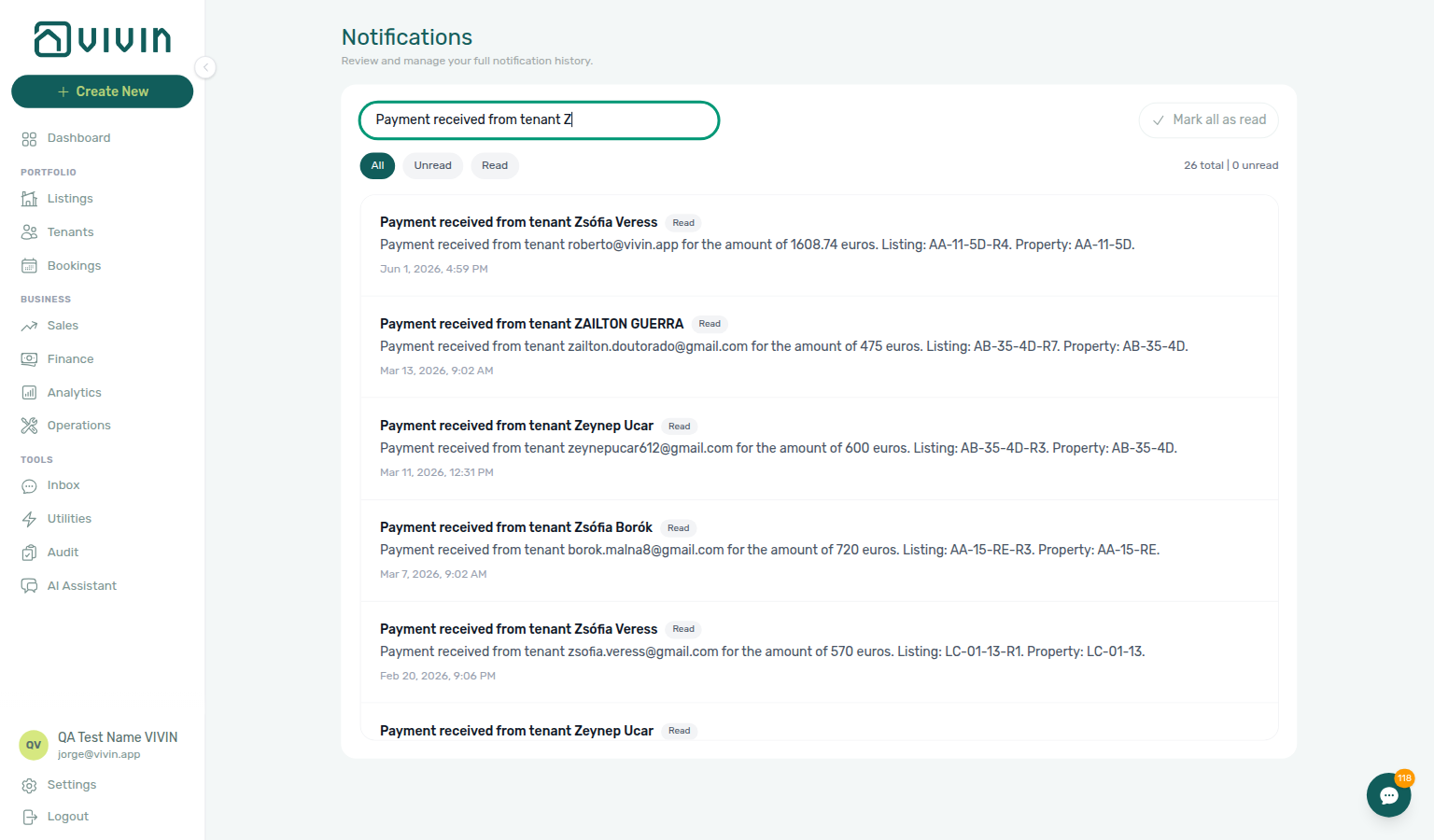
Opening /notifications always lands on the All filter first. Unread and Read are chosen with the pill controls on the page — they are not separate URL paths or query strings, so bookmarks and shared links cannot deep-link directly into a pre-selected filter. After the page loads, pick the pill you need (see Notifications module).
This route opens the Notifications module: search, All / Unread / Read filters, and the full history (bookings, payments, tickets, and system alerts). It complements the Dashboard header bell, which only opens a compact slide-over of recent items on desktop — see Notifications module for behaviour details and the Dashboard bell capture.
Row-click navigation — On /notifications only (not the Dashboard bell General tab without a deep link), clicking a row opens the related entity when the payload includes bookingId, tenantId, listingId, propertyId, or a backend link. For payment overdue rows, the destination is usually the related booking sidebar — continue with Handling a Late Payment — Step 1. Walkthrough: Notification triage — Step 4; FAQ: Notification row-click navigation; reference: Glossary — Notification row navigation; broken targets: Broken entity deep links.
Legacy booking-engine detail routes (redirects)
These paths redirect into Listings (property or unit sidebar, with the booking-engine details layer opened when query params are present). Editing happens from Listings; there is no standalone “BE Details” list page anymore.
| Route | Behavior |
|---|---|
| platform.vivin.app/booking-engine-details | Redirects to /listings |
| platform.vivin.app/listings | Legacy URL …/booking-engine-details/property/:propertyId redirects to /listings/property/:propertyId/edit?propertyDetails=1. |
| platform.vivin.app/listings | Legacy URL …/booking-engine-details/listing/:listingId resolves the listing and redirects to the unit under Listings with ?listingDetails=1. |
See Property & listing details (booking engine).
Invalid, legacy, and mistyped URLs
Tabbed modules keep the browser URL aligned with the tab on screen. When a bookmark or shared link contains an unknown :tab segment, the app replaces the history entry with a safe default — you are not left on a broken path while the UI silently shows a different tab.
| Module | Valid tab slugs (summary) | Unknown :tab normalises to |
|---|---|---|
| Finance | overview (default /finance), income, contractValues, transactions, payouts, deposits | /finance (Overview) |
| Operations | overview, schedule (Vivin internal), tickets, check-in-out, planning (when Planning (schedule board) is granted), cash-flows | /operations, except check-in / check-out → /operations/check-in-out when your role includes that tab; /operations/planning redirects to overview without the permission |
| Sales | overview, multicalendar (availability timeline), pricing (monthly rent grid), channels; alias calendar → pricing, channel-manager → channels (see Sales info block; four-tab layout on Sales module) | /sales (Overview) |
| Utilities | overview, connections, bills, timeline, cost-map, allocations; legacy properties / duplicate overview → /utilities | /utilities (Overview) |
| Account Settings | general (default /settings), users, owners, payments, … — full table above | /settings (General) |
| Analytics | overview, revenue, occupancy, adr, revpar, maintenance | /analytics/overview |
Bookings, Listings, and Tenants use list, filter, and sidebar URL patterns instead of a single module tab strip; invalid entity ids are handled separately (below).
Legacy path redirects (properties, booking-engine-details, support, sales pricing, and similar) are documented in the module sections above and on Legacy /properties URLs.
Other normalized URLs
These paths are not separate modules; the app replaces the browser location so bookmarks and shared links still work.
| You open | You land on |
|---|---|
/account | /settings (Account Settings root) |
/settings/emails | /settings/communications (legacy tab slug) |
/bookings/:bookingId | /bookings/list/:bookingId (booking detail sidebar on the list route) |
/finance/transactions/:detailId | /finance/transactions/:detailId — opens the Transactions tab with the transaction detail sidebar for that ledger row (requires Approve payments permission) |
/listings/manual-blocks | /audit/manual-blocks (manual availability blocks moved to Audit) |
Broken entity deep links
When an id in the path does not exist or is outside your account scope, the app shows a short not found message and returns you to the parent list (URL updated with replace where noted):
| You open | Feedback | You land on |
|---|---|---|
/tenants/:tenantId (missing tenant) | Tenant not found. toast | /tenants |
/listings/property/:propertyId/... (missing property) | Property not found. toast | /listings |
/listings/unit/:listingId, /listings/units/:listingId, or /listings/property/:propertyId/unit/:listingId (missing or deleted unit) | Unit not found. toast | /listings |
/listings/:listingId (full-page unit detail; missing unit) | In-page Listing not found with Back to listings | Stay until you choose Back to listings (or navigate away) |
/booking-engine-details/listing/:listingId (missing unit) | Silent redirect (no stuck loading state) | /listings |
/finance/transactions/:detailId (id not in the loaded transactions set for your filters) | Transaction not found. toast | /finance/transactions |
Unit sidebar bookmarks (/listings/unit/…, /listings/units/…, and property-scoped /listings/property/…/unit/…) use the same toast-and-return pattern as properties: once the unit lookup finishes, a missing or deleted unit shows Unit not found. and replaces the URL with /listings. Soft-deleted units that still open inside an already-loaded portfolio row can show an unavailable panel in the sidebar instead — that is a different path from a cold deep link.
Full-page /listings/:listingId keeps you on the detail route with Listing not found and a Back to listings control (it does not toast). Legacy /booking-engine-details/listing/:listingId resolves the unit then redirects into Listings; if the unit cannot be loaded, you go straight to /listings without hanging on a loading skeleton.
Finance transaction links only apply on the Transactions tab; a :detailId on another Finance tab is stripped when you switch tabs. See Finance, Listings, and Tenants.
Management Frontend Deep Links section cross-reference
Use the sections above for this concept. Related module and workflow pages are linked inline where they help the next step.
Related
Related below links this concept to modules, workflows, settings, and escalation paths.
Documentation map & escalation
- Introduction — Platform overview and how documentation sections connect
- Getting Started — Interface layout and recommended setup sequence before you share bookmarkable routes
- Concepts — Underlying models behind lifecycle, payments, and integrations referenced in route tables
- Modules — Screen-by-screen reference for each management workspace these URLs open (hub)
- Common Workflows — Procedures that pair with bookmarked module tabs during month-end or turnover
- Account Settings — Workspace-wide
/settings/*routes documented in Account Settings above (hub) - API Reference — Partner HTTP contracts (distinct from management UI deep links in this guide)
- Glossary — Term definitions used across deep-link and module docs
- FAQ & Troubleshooting — Quick answers when a bookmark lands on permission-denied or not-found states
- Get Help & Support — Escalation when deep links need Vivin role or module changes
- Using in-app support — Vivin product tickets when
/settings/supportaccess is blocked
Navigation & create shortcuts
- Create New menu — Modals and wizards that do not have their own bookmarkable URL; topic table: Create New Menu section cross-reference
- FAQ — Permission denied toast — Red You do not have permission to perform this action. toast when RBAC blocks a save; fix in Users → Role Permissions
- Settings > Interface language — Personal UI locale before you share deep links with multilingual operators
- Management session authentication — JWT sign-in for scripts that open the same bookmarkable routes headlessly
Portfolio KPI, audit & analytics bookmarks
- Analytics module —
/analyticstab bookmarks for month-end portfolio review (hub) - Dashboard module — Post-login landing and bell notification triage (hub)
- Portfolio KPI review — Bookmark Analytics, Dashboard, Sales, and Finance tabs for month-end reconciliation
- Audit — Manual Blocks —
/audit/manual-blocksdeep link after stale holds suppress Vacant Units - Audit — Discounts tab — Bookmark
/audit/discountsfor month-end discount KPI and export review - Manual block hygiene —
/audit/manual-blocksdeep link hygiene pass
Bookings, tenants, listings & legacy redirects
- Bookings module —
/bookings/list/:bookingIdsidebar tab bookmarks for payment and deposit triage (hub) - Bookings — Tenant categories — Toolbar Tenant categories multi-select on
/bookings(no separate URL segment; pair with/bookingsbookmarks) - Booking Lifecycle — Computed status model and Timeline routes (hub)
- Tenants module —
/tenants?q=and/tenants/:tenantIdprofile sidebar routes (hub) - Tenants — Tenant category filter — Toolbar All categories dropdown on
/tenants - Listings module — Property wizard, Archived tab, and unit sidebars (hub)
- Properties workspace — Legacy
/propertiesredirects documented alongside Listings routes (hub) - Booking engine details — Bookmarkable query params for the Full integration pill (hub)
Finance, operations & sales routes
- Finance module —
/finance/*tab bookmarks including Deposits and Transactions (hub) - Finance — Tenant category filter — Other filters → Tenant → Tenant category on every Finance tab that honours Other filters
- Finance > Deposits —
/finance/depositsbookmark; default date range and deposit dispute actions - Finance > Owner Reports —
/finance/ownerReportsmonthly owner settlement bookmark - Payment Allocation —
/finance/transactions/:detailIdreject/revert and credit note follow-up (hub) - Operations module —
/operations/tickets, Assignment email See ticket (?ticket=), and linked cash flows on ticket sidebars (hub) - Managing a Check-in — Bookmark Operations and Communication routes during arrival week
- Sales module —
/sales/multicalendar,/sales/pricing, and/sales/channelsbookmarks (hub) - Integrations & Distribution — Sales → Channels and Listings Channels tab routes for per-unit marketplace linking (hub)
Settings, support, messaging & automation routes
- Settings > Tenant categories —
/settings/tenantCategoriesbookmark for portal segments, integration defaults, and Communication Rules audience - Settings > Integration field capability —
/settings/integrationFieldCapabilityand partner payload depth - Settings > Chatbot —
/settings/chatbotpairing route for WhatsApp tenant channel setup (hub) - Settings > Emails — Legacy
/settings/emailsredirects to/settings/communications - Settings > Preferences — In-app notifications — Account-wide category masters paired with
/notificationsand bell deep links - Inbox module —
/inboxdeep link when bell Inbox rows route to WhatsApp threads (hub) - Notifications module — Full
/notificationshistory with search and row-click navigation (hub) - Notifications — Payment overdue alerts — Operator Payments category rows that row-click into Bookings or Finance follow-up
- Notification triage — Dashboard bell vs
/notificationsand row-click navigation into Bookings, Finance, or Inbox - AI Chat module —
/ai-chatbookmark for internal assistant sessions (hub) - Landlord MCP — External MCP clients may open the same routes after portfolio tool calls (hub)
- Tenant Portal — Bookmark booking-scoped portal URLs operators copy from Contract Info (
id+codequery params); segment gates: Portal access by tenant category - FAQ — Tenant contract signing blocked — No PDF yet, mandatory Your Details gates, category locks, or Lease purpose; portal signing vs paper upload on Contract Info
- Services Marketplace — Tenant add-on catalogue and portal purchase flows paired with Settings > Services
- Tenant MCP — Booking-scoped automation that surfaces the same portal links and chatbot rules as
/inboxand booking Communication routes
Deeper workflow reads
Bookmark routes in sections above. Each workflow sub-guide reciprocates with [Deeper workflow reads](../concepts/deep-links.md#deeper-workflow-reads) anchors on Deep Links bullets —
- Notification triage — Dashboard bell vs
/notificationsand row-click navigation into Bookings, Finance, or Inbox - Handling a Late Payment — Step 1 —
/finance/transactionsand booking sidebar bookmarks for overdue triage - Managing a Check-in — Bookmark Operations and Communication routes during arrival week
- Managing a Check-out & Deposit Refund —
/finance/depositsand booking Deposit tab bookmarks during departure week - Portfolio KPI review — Bookmark Analytics, Dashboard, Sales, and Finance tabs for month-end reconciliation
- Manual block hygiene —
/audit/manual-blocksdeep link hygiene pass - Onboarding a New Property — Bookmark Listings Channels and
/settings/integrationsduring property go-live
Deeper concept reads
- Create New Menu — Global + slide-out shortcut targets after bookmarked routes
- Integrations & Distribution —
/settings/integrationsand channel-manager routes paired with marketplace strategy - Automation & AI —
/ai-chatand/inboxroutes in the channel map - Tenant Portal — Booking-scoped portal URLs operators copy from Contract Info
Deeper API reads
- Management session authentication — Sign-in before bookmarked
/settings/*and module routes resolve - Authentication — Bearer scoping when deep links land on integration-backed screens
- Property & Unit Mapping —
externalIdverification on Listings → Channels deep links - API Reference hub — Partner HTTP contracts for
/settings/integrationsand channel-manager bookmarks (API hub subsection index; API guide cross-reference) - AI usage API — No
/ai-usagemanagement route in the browser — poll HTTP after signing in
Operator habit hubs
Day-to-day operator habits (lockout catch-up, pending receipts, payment triage, handoffs, and related playbooks) live on the Common Workflows habit hub.
Deep-link anchors for habit hubs
Lockout catch-up after password recovery
Pending manual receipt approval
Reject/revert mistaken receipts
Portfolio segmentation by tenant category
Notification row-click navigation
Payment alert to receivables triage
Confirmation alert triage
Finance debt receivables triage
Finance Income status drill-down
Cash flow forecast drill-down
Key glossary terms
- Notification row navigation — Which notification types open a booking sidebar tab vs
/inbox - Glossary — End-of-Booking cost split — Charge Time → End of Booking splits daily overage across every occupied unit; still-staying roommates stay in the denominator
- Glossary — Change history — Operator-initiated edits on Listings setup and Bookings Changelog; create-time defaults excluded
- Glossary — Archived booking ledger visibility — Delete Booking hides manual/provider_platform rows on Finance → Transactions; vIBAN and credit card stay visible
- Glossary — Finance tenant category cache refresh — Recategorizing a tenant updates
booking.tenantCategoryIdimmediately; ledger tabs reflect it on reload, while Overview can lag up to ~10 minutes - Glossary — SIMAR water contract ID — SIMAR (Loures e Odivelas) water bills use Cód. Local in Connections — not Nº de Contador; leading zeros stripped
- Glossary — Full term list
Module documentation hubs
- Utilities module —
/utilitiestab bookmarks for bill and cost-map triage (hub) - Tenants module — Tenant directory, profile sidebars, and table expand (hub)
- Audit module — Portfolio-wide Manual Blocks and Discounts contract-value review (hub)
- API Reference hub — Partner HTTP contracts and partial vs full feeds (hub)