Vivin Booking Engine integration
White-label engine routes share the same operator prerequisites as partial listing pulls — complete Getting Started — Recommended Setup Sequence steps 11–13 (Integrations, Integration field capability, Listings + Property & listing details (booking engine) for write payloads) before PUT /listing or POST /property-listing. Set Tenant categories default for integrations on steps 11–12; validate POST /bookings imports on step 14 and Onboarding a New Property — Step 7. Guide pairing after go-live: Setup sequence after go-live (hub: API Reference — Setup sequence after go-live).
Start with Authentication and Endpoints overview, then Unavailability to before you map calendar blocks, then Update listing (write) and Submit bookings for white-label flows. Shares partial reads with Listings & Availability (units without a usable positive rent are omitted) and POST /bookings with Creating Bookings; write routes need the same externalId mapping in Property & Unit Mapping. Habit-specific shortcuts live under Related below.
The vivin-booking-engine-integration prefix serves direct / white-label booking sites that embed Vivin availability and submit confirmed reservations without a third-party marketplace in the middle. It shares the partial listing and booking patterns documented in Listings & Availability and Creating Bookings, and adds write routes for catalogue sync and coliving housemate display.
Open https://<api-host>/vivin-booking-engine-integration (exact host from onboarding) to inspect CreateInlifeProperty, IntegrationUpdateListingDto, and response models interactively.
Operator-facing branding, visits, and instant-booking behaviour are covered in Integrations & Distribution and Property & listing details (booking engine).
Operator content that feeds the API
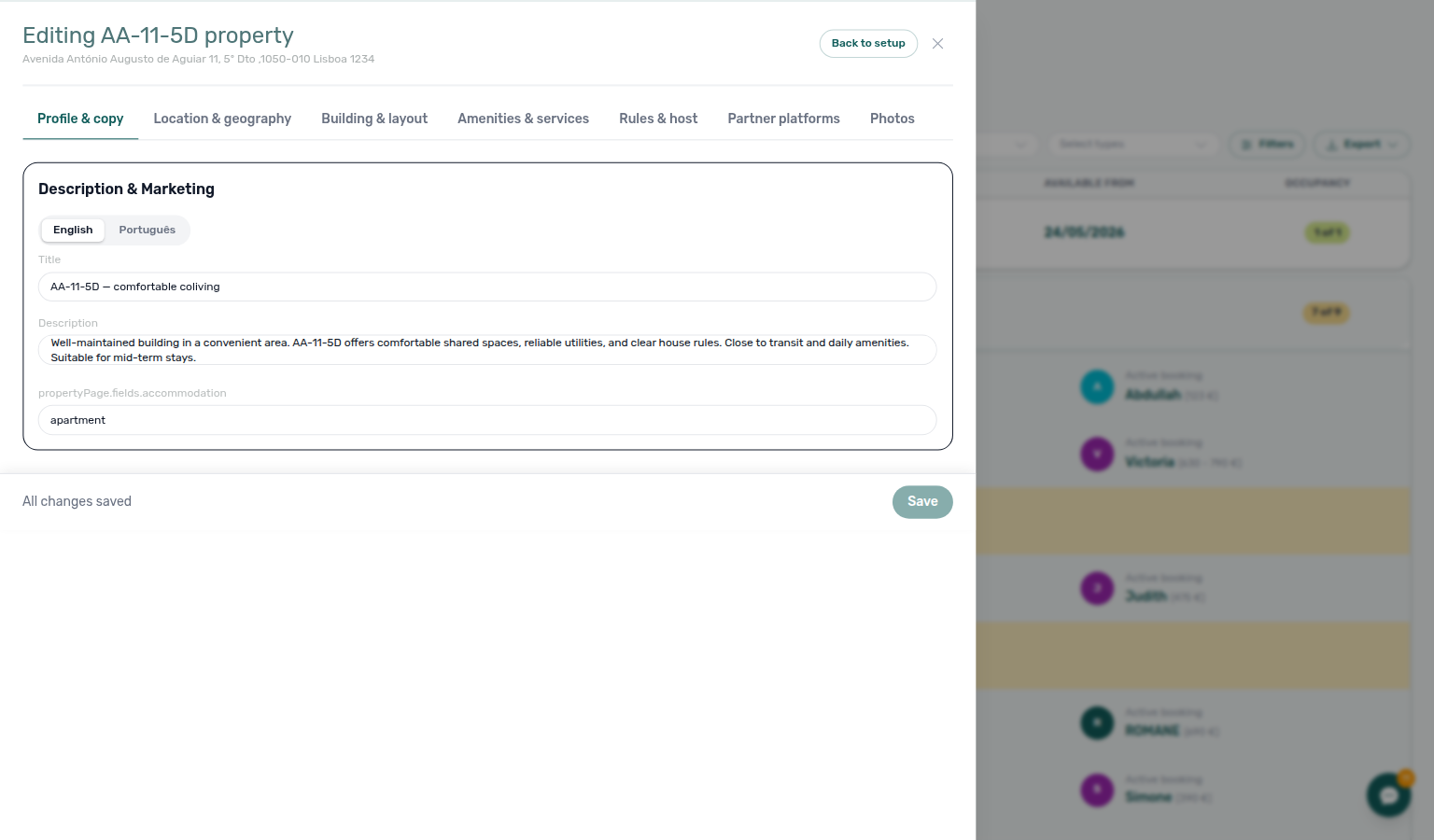
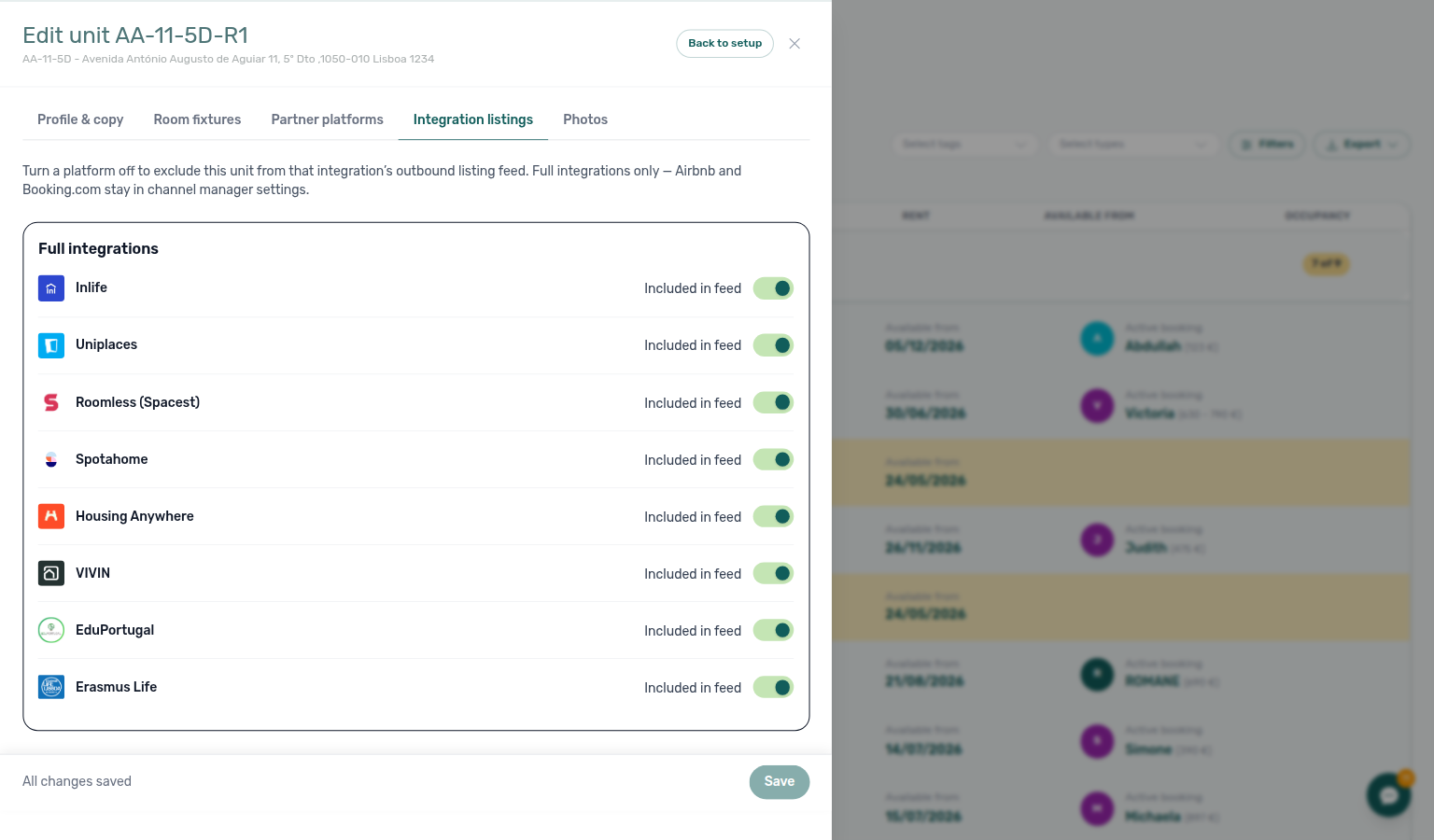
White-label sites should read bilingual copy, amenities, rules, and photos operators edit under Listings → Full integration and Photos. Those fields map into full catalogue JSON and into POST /property-listing create payloads. They do not appear on partial GET /listings — that pull is the shared calendar/pricing ListingDto. PUT /listing writes stay, rent, and calendar back into Vivin; it does not add a gallery to the partial pull. See Listings & Availability — Catalogue fields.
Try requests in Swagger
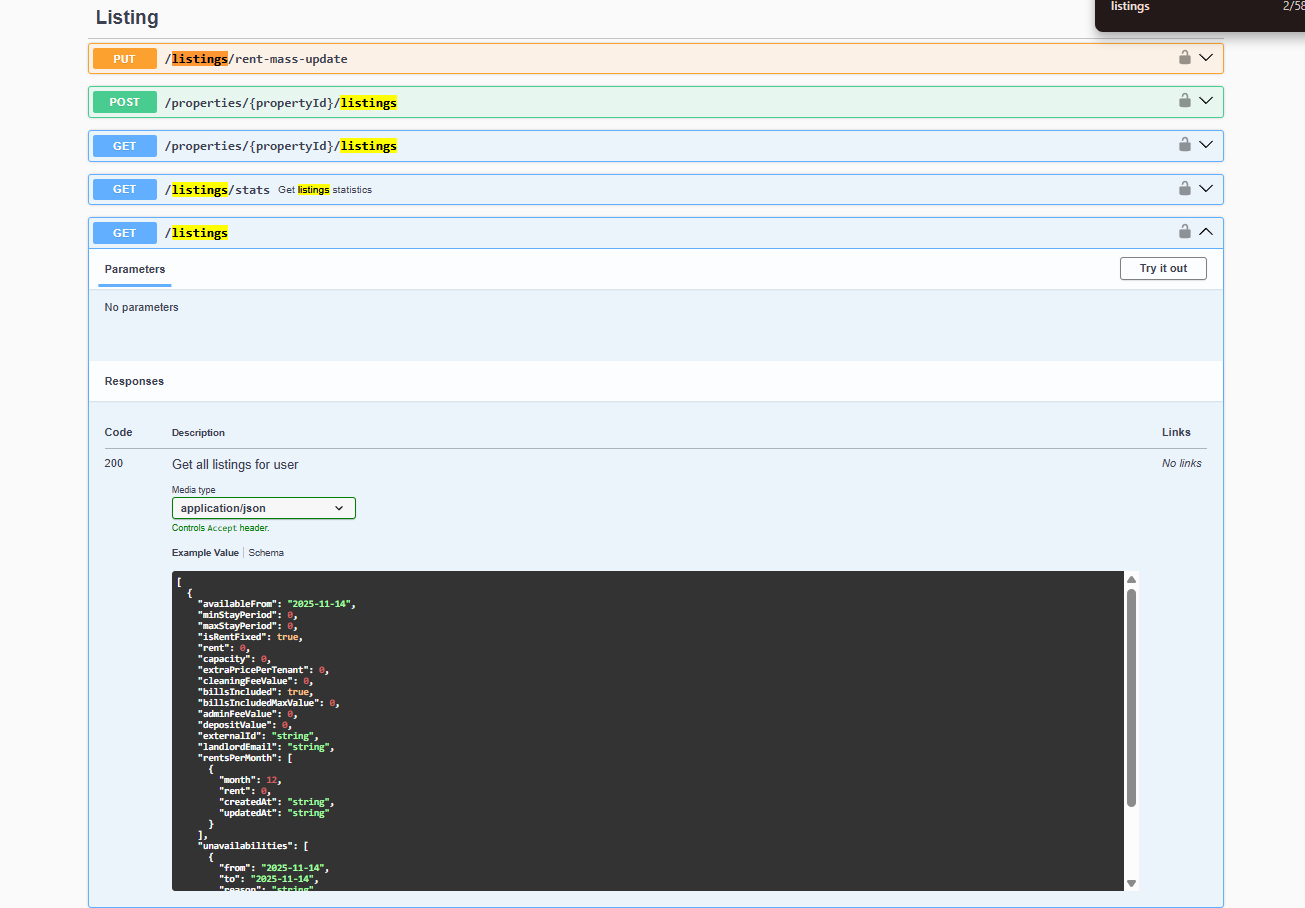
Authorize with your booking-engine Bearer key, then expand listings, bookings, and write groups (PUT /listing, POST /property-listing, GET …/housemates):
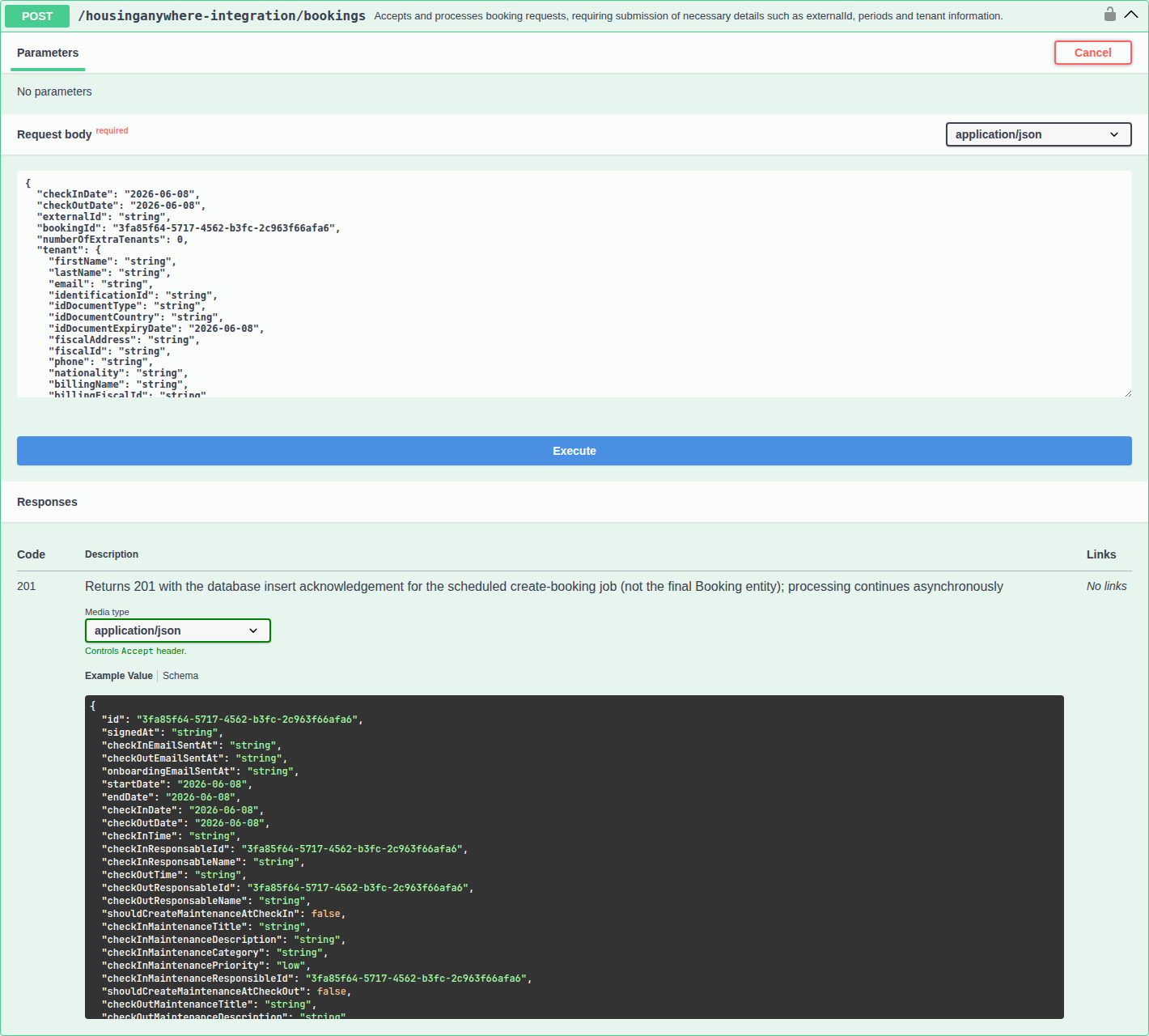
Booking submission uses the same POST …/bookings pattern as other integrations — see the dedicated capture on Creating Bookings:
Authentication
Bearer keys are account-scoped — rotate compromised keys through Vivin support before retrying write routes. 401/403 recovery: Error Handling.
All routes use Bearer authentication with the API key Vivin issues for your booking-engine integration (same header as other partner prefixes — see Authentication).
POST /property-listing additionally resolves the target account from that key server-side.
Endpoints overview
| Method | Path | Purpose |
|---|---|---|
GET | /listings | Partial listing catalogue (ListingDto[]) — calendar, pricing, blocks |
GET | /listings/:externalId | Single partial listing |
PUT | /listing | Push rent, fees, capacity, and unavailabilities for one mapped listing |
POST | /bookings | Submit a confirmed reservation (queued job — same semantics as other platforms) |
POST | /property-listing | Create a property and one or more listings from an engine payload |
GET | /listings/:externalId/housemates | Current residents for coliving / housemate UI |
Partial listings (read)
Partial ListingDto reads share semantics with Listings & Availability — marketing copy originates in Booking engine details. Calendar-only subscribers: iCal feeds.
Same contract as Listings & Availability:
GET /vivin-booking-engine-integration/listings HTTP/1.1
Host: api.vivin.app
Authorization: Bearer YOUR_API_KEY
GET /vivin-booking-engine-integration/listings/{externalId} HTTP/1.1
Host: api.vivin.app
Authorization: Bearer YOUR_API_KEY
Poll on the same 15–30 minute cadence recommended for other partial feeds; honour unavailabilities before showing a unit as bookable. to is the last blocked night — see Unavailability to.
Unavailability to is the last blocked night
White-label sites read the same ListingDto.unavailabilities as other partial feeds. to is inclusive: it is the last night the unit cannot be booked, not the check-out / first-free day. Full field table: Listings & Availability — Last blocked night.
When you convert a Vivin stay to a site calendar:
| Hub booking | Listing feed |
|---|---|
| Check-out (tenant leaves; unit free again that day when preparation days are 0) | Listing availableFrom |
| Last occupied night | Unavailability to |
Example: check-out 23 December, no preparation days → to is 22 December. The first night a new guest can start is 23 December. If the site treats to as check-out, it shows the unit free on 22 December (still occupied).
Prefer listing availableFrom for the next move-in date. Use unavailabilities only to paint blocked nights (from through to inclusive).
Operators comparing the hub to a live site: FAQ — Booking site first available day. Marketplace catalogues (Uniplaces, Spotahome, Housing Anywhere, Inlife) paint the same inclusive last night under partner field names — Full listing feeds — Last blocked night. Calendar subscribers (Airbnb, Booking.com, Google Calendar) read exclusive DTEND on iCal feeds — that named day is the free-again morning, not listing JSON to. The same last-night vs free-again split appears in the hub as Audit — End vs free-again day.
Update listing (write)
externalId must exist before PUT /listing — provision with Property & Unit Mapping or POST /property-listing. Operator sync status: Sales — Channel Manager.
Push pricing and calendar blocks from the booking engine back into Vivin for a listing you already mapped.
PUT /vivin-booking-engine-integration/listing HTTP/1.1
Host: api.vivin.app
Authorization: Bearer YOUR_API_KEY
Content-Type: application/json
Request body (IntegrationUpdateListingDto)
| Field | Type | Description |
|---|---|---|
externalId | string | Your listing reference (must already exist in Vivin) |
landlordEmail | string | Integration Email from Settings → Integrations for the Booking Engine card. On reads, copied onto every listing. On writes, accepted on the body but not saved to the card — edit Integration Email to change what partners receive — Listings & Availability — Landlord email |
availableFrom | ISO date | Earliest move-in (check-out aligned). Prefer this over treating unavailabilities[].to as check-out — see Unavailability to. |
minStayPeriod / maxStayPeriod | number | Stay bounds in months. 0 means no bound on that side. 12 is twelve months, not unlimited — Listings & Availability — Maximum stay |
isRentFixed | boolean | Fixed vs seasonal rent |
rent | number | Monthly rent (EUR). On reads, after platform markup (rounded up). When isRentFixed is false this is the highest month in rentsPerMonth, not a leftover base — Listings & Availability — Variable rent headline. On writes, send the amount you want stored. |
capacity | number | Max tenants |
extraPricePerTenant | number | Surcharge per extra occupant (EUR / month). On reads, this is 0 when capacity is 1 and is not marked up — Listings & Availability — Extra price per tenant, Platform markup |
cleaningFeeValue | number | Property cleaning fee (EUR). On reads, the stored amount; 0 when Cleaning fee is off. Frequency is not published — Listings & Availability — Cleaning fee. Exit fee is not on this body — Listings & Availability — Exit fee |
billsIncludedMaxValue | number | Cap on included bills (EUR) |
adminFeeValue | number | Flat admin fee (EUR). Partial reads also return adminFeeMode / adminFeeTiers — see Listings & Availability — Admin fee |
depositValue | number | Deposit (EUR). On reads, this is the computed security deposit (Fixed amount, or Half / 1 / 2 Rents × unit rent — the highest month when isRentFixed is false). Extra Deposit per Tenant is not included — Listings & Availability — Computed deposit |
rentsPerMonth | { month, rent }[] | Seasonal pricing when isRentFixed is false |
unavailabilities | { from, to, reason? }[] | Blocked ranges. to is the last blocked night (inclusive) — same contract as reads. |
Response: true when the listing update is accepted.
externalId must match an existing integration mapping. Creating net-new inventory uses POST /property-listing instead.
Create property and listings
Rich create payloads mirror Full listing feeds shape — operator wizard first: Onboarding a New Property. Sandbox accounts may return empty bodies on success HTTP — confirm with Vivin.
Provision a new property plus units from a rich engine payload (addresses, media, visit windows, listing copy — schema in Swagger as CreateInlifeProperty).
POST /vivin-booking-engine-integration/property-listing HTTP/1.1
Host: api.vivin.app
Authorization: Bearer YOUR_API_KEY
Content-Type: application/json
Response (CreatePropertyListingResponseDto):
| Field | Type | Description |
|---|---|---|
property | Property object | Created property record |
listings | Listing[] | Created unit listings |
The server ties the new records to the account resolved from your API key. Onboarding may disable creation for specific sandbox accounts (empty property / listings response) — confirm with Vivin if you receive null bodies on success HTTP status.
Submit bookings
Queue semantics match Creating Bookings — post-submit lifecycle: Booking Lifecycle & Validations and Processing a New Booking. Unpaid schedules: Notifications — Payment overdue alerts → Handling a Late Payment — Step 1.
Identical queue semantics to other integrations:
POST /vivin-booking-engine-integration/bookings HTTP/1.1
Host: api.vivin.app
Authorization: Bearer YOUR_API_KEY
Content-Type: application/json
See Creating Bookings for the request body, idempotency expectations, and post-submit lifecycle (Booking lifecycle & validations).
Housemates (coliving)
HousemateDto windows come from active bookings on the mapped listing — operator context: Bookings module and tenant-facing copy in Tenant Portal.
Expose who currently lives in a unit for “meet your future housemates” widgets.
GET /vivin-booking-engine-integration/listings/{externalId}/housemates HTTP/1.1
Host: api.vivin.app
Authorization: Bearer YOUR_API_KEY
Response: array of HousemateDto:
| Field | Type | Description |
|---|---|---|
name | string | Tenant display name |
nationality | string | null | When stored on the profile |
moveIn / moveOut | ISO date | Active booking window |
photo | string | null | Reserved — may be null today |
age / occupation / gender | various | null | Reserved — may be null today |
Only current residents on active bookings for that listing are returned.
Booking Engine API section cross-reference
Use the endpoints and fields above. Related integrator pages are linked inline where useful.
Related
Related below links public booking-engine HTTP to setup, companion API guides, operator workflows, and escalation paths.
Setup sequence after go-live
Complete Account Settings — Recommended setup order before partner traffic.
- Setup steps 1–10 — Complete operator workspace basics (Recommended setup order) before requesting partner Bearer keys; property managers automating outside the browser use Management session authentication after step 3 (Users)
- Setup steps 11–12 (Integrations, Integration field capability, Tenant categories default for integrations) — Channel credentials, calendar horizons, and payload field expectations before
[email protected]onboarding; operator context: Integrations & Distribution - Setup step 13 (Listings) — Property wizard,
externalIdmapping, and Channels tab before first partner listing reads or writes - Setup steps 14–15 (Bookings, Tenants) — Validate imported reservation shape and tenant segments after partner traffic
- After steps 13–15 — Onboarding a New Property — Step 7 go-live verification before escalating partner pull, webhook, or mapping defects
- After steps 11–12 — provision white-label engine credentials and complete Booking engine details before
PUT /listing,POST /property-listing, or enginePOST /bookingstraffic - Partner credential requests — Email
[email protected](distinct from in-app Vivin support tickets in Get Help & Support)
Documentation map & escalation
- Getting Started — Recommended Setup Sequence before partner HTTP traffic;
- API Reference hub — Hub pairing matrix across integration guides;
- Integrations & Distribution — White-label positioning and channel map
- Glossary — Term definitions used across API and operator docs (hub: Setup sequence after go-live)
- FAQ & Troubleshooting — Public engine errors and operator escalation paths (hub: Setup sequence after go-live)
- Get Help & Support — Escalate when credentials or sandbox provisioning block engine traffic (hub: Setup sequence after go-live)
Upstream & downstream workflows
- Onboarding a New Property — Operator wizard before
PUT /listingand housemates endpoints see live inventory - Processing a New Booking — Operator confirmation workflow after
POST /bookingssucceeds in the background - Managing a Check-in — Operator arrival workflow after engine bookings land in the hub
- Managing a Check-out & Deposit Refund — Engine-created stays whose deposit refund queue appears on Finance → Deposits
- Notification triage — Clear booking-created alerts after white-label reservations land in the hub; payment overdue → Handling a Late Payment — Step 1
- Handling a Late Payment — Step 1 — Collections when engine
POST /bookingssucceeds but confirmation or move-in charges stay unpaid
Operator UI & payload editing
- Listings — Photos pill — Gallery operators maintain for the engine and full catalogues; omitted from partial
GET /listings - Booking Engine details module — Operator content editing (Full integration pill)
- Settings > Tenant categories — Default segment for tenants created from booking-engine traffic
- Settings > Tenant Portal — Portal settings — Account-wide portal toggles for white-label tenants after engine reservations land
- Settings > Emails — Lifecycle and payment Communication Rules for white-label engine reservations
- Settings > Contract templates — PDF generation variables for white-label reservations
Deeper concept reads
- Tenant Portal — Tenant-facing contract signing and payments after white-label reservations land
- FAQ — Tenant contract signing blocked — No PDF yet, mandatory Your Details gates, category locks, or Lease purpose; portal signing vs paper upload on Contract Info
- Services Marketplace — Ancillary charges on payment plans for engine-created stays
- Payment Allocation — Two-layer receipts, invoiced-floor rent edits, and credit note reject/revert warnings
- Booking Lifecycle — Computed Upcoming → Ongoing → Ended / Canceled status model, list filters, and Timeline
- Tenant MCP — Booking-scoped automation on white-label reservations after
POST /bookingssucceeds
Deeper workflow reads
See Upstream & downstream workflows above for the same guides.
Operator habit hubs
Day-to-day operator habits (lockout catch-up, pending receipts, payment triage, handoffs, and related playbooks) live on the Common Workflows habit hub.
Deep-link anchors for habit hubs
Lockout catch-up after password recovery
Pending manual receipt approval
Reject/revert mistaken receipts
Portfolio segmentation by tenant category
Notification row-click navigation
Payment alert to receivables triage
Confirmation alert triage
Finance debt receivables triage
Handling a Late Payment collections
Finance Income status drill-down
Cash flow forecast drill-down
Key glossary terms
- Glossary — Credit note (payment reject/revert) — Reject/revert warnings when confirmation receipts are already invoiced
- Glossary — Deposit lifecycle status — Booking engine checkout creates deposit schedule lines; refund
depositStatusis operator-managed after reservation exists - Glossary — End-of-Booking cost split — Charge Time → End of Booking splits daily overage across every occupied unit; still-staying roommates stay in the denominator
- Glossary — Change history — Operator-initiated edits on Listings setup and Bookings Changelog; create-time defaults excluded
- Glossary — Archived booking ledger visibility — Delete Booking hides manual/provider_platform rows on Finance → Transactions; vIBAN and credit card stay visible
- Glossary — Finance tenant category cache refresh — Recategorizing a tenant updates
booking.tenantCategoryIdimmediately; ledger tabs reflect it on reload, while Overview can lag up to ~10 minutes - Glossary — Full term list
Companion API guides
Companion guides share Bearer authorization or error shapes with this page — start from API Reference hub.
- Creating Bookings —
POST /bookingsbody and queue behaviour - Property & unit mapping —
externalIdsetup - Listings & Availability — Partial
GET /listingsreads that complement booking-engine writes - Full listing feeds — Partner-shaped publish payloads that share the same rich content as the booking engine
- Webhooks & Notifications — Push events when white-label reservations succeed in the background
- Error Handling — Public engine endpoints and validation failures
- Authentication — Bearer key before
PUT /listingand reservation endpoints - AI usage — Operator JWT ledger when reconciling white-label import volume with internal LLM spend (integration Bearer keys return
401) - Deep Links — Operator routes after white-label reservations land
Module documentation hubs
for screen-by-screen operator follow-up.
- Bookings module — Operator UI for reservations created via
POST /bookings(hub) - Sales — Channel Manager — Operator channel status after
PUT /listingupdates sync outward (hub) - Finance module — Portfolio ledgers once engine-sourced stays accumulate Contract Values (hub)
- Utilities module — Operator bill entry and tenant overage when actual costs exceed
billsIncludedMaxValuewritten viaPUT /listing(hub) - Audit module — Cross-portfolio discount export when white-label reservations include mid-stay repricing on payment plans (hub)
- Notifications module — Account-wide booking alerts when engine imports land in
/notifications(hub); Payment overdue alerts when white-label schedules are overdue - Account Settings — Workspace-wide financial policies, templates, integrations, and operational defaults (hub)