Property & listing details (booking engine)
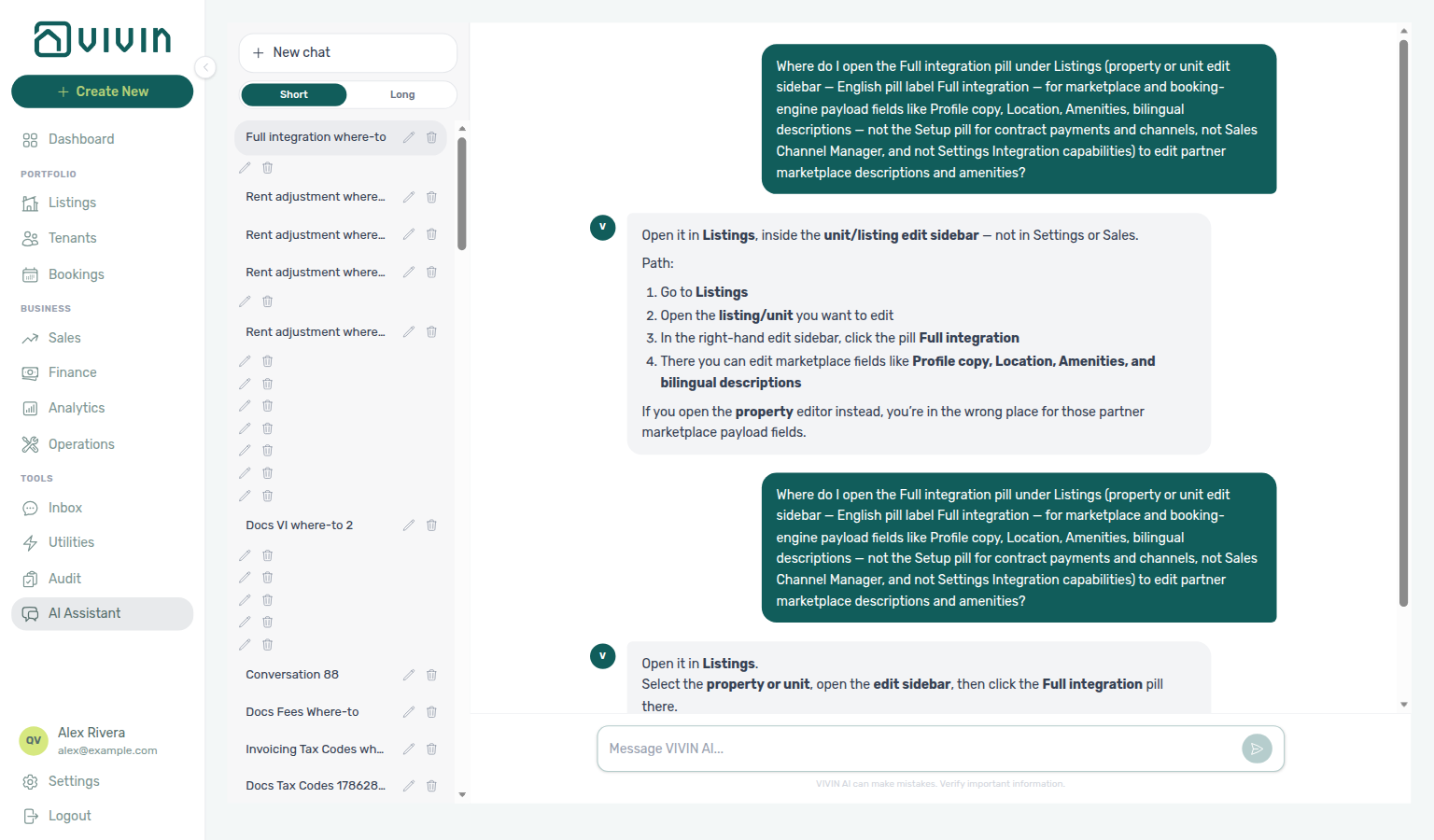
Ask AI Chat “Where do I open the Full integration pill under Listings (property or unit edit sidebar — English pill label Full integration — for marketplace and booking-engine payload fields like Profile copy, Location, Amenities, bilingual descriptions — not the Setup pill for contract payments and channels, not Sales Channel Manager, and not Settings Integration capabilities) to edit partner marketplace descriptions and amenities?” — then open Listings, edit the unit (or property), and choose the Full integration pill (ai-chat-product-context-full-integration-reply.png, ai-chat-product-context-full-integration-flow.mp4). The assistant typically says Listings → open the unit/listing edit sidebar → Full integration (unit-level marketplace fields such as amenities and bilingual copy). Property-level Full integration still holds building Profile, Location, and related tabs — see How to edit. Same grounding external MCP clients get from get-vivin-context-properties-listings. Distinct from operational Setup on the same sidebar, from Sales → Channel Manager, and from the read-only matrix on Integration capabilities.
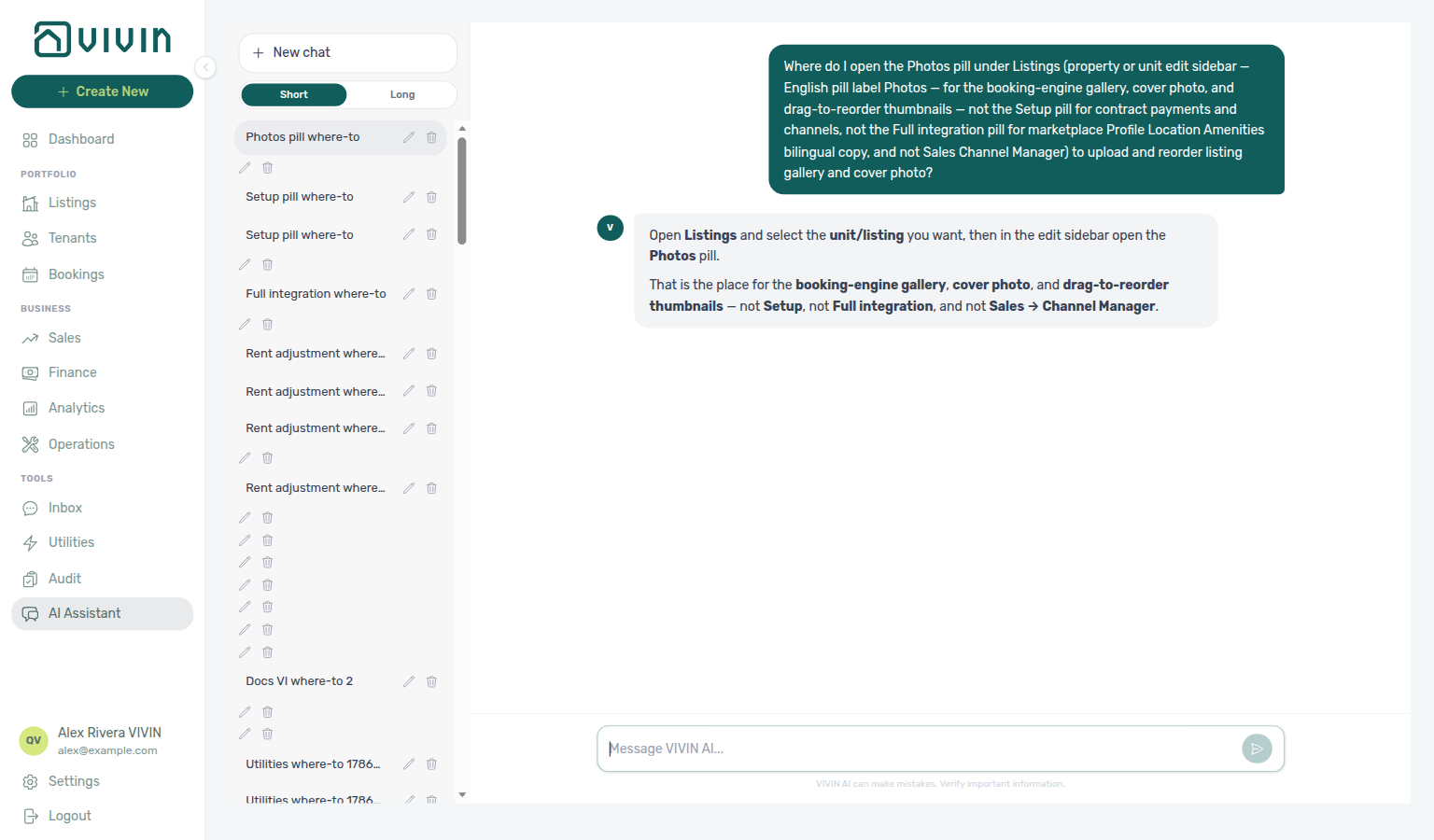
Need the gallery instead? Ask “Where do I open the Photos pill under Listings (property or unit edit sidebar — English pill label Photos — for the booking-engine gallery, cover photo, and drag-to-reorder thumbnails — not the Setup pill for contract payments and channels, not the Full integration pill for marketplace Profile Location Amenities bilingual copy, and not Sales Channel Manager) to upload and reorder listing gallery and cover photo?” — then open Listings → Photos (ai-chat-product-context-photos-reply.png, ai-chat-product-context-photos-flow.mp4). The assistant typically says Listings → Photos. Guide: Listings — Photos pill.
Rich marketplace copy is edited from Listings (step 13) on the property or unit sidebar Full integration pill — complete Integrations (step 12) before partner feeds consume this payload.
Confirm Who can open the details editor, then How to edit from the Setup / Full integration / Photos pills in the Listings sidebars. Tab reference: Tab reference (property details) and Tab reference (listing / unit details). Hide a unit from one marketplace with Integration listings. Guide subsection map: Booking engine details guide subsection index (payload tabs + Related subsections). Habit-specific shortcuts live under Related below.
There is no standalone hub at /booking-engine-details anymore — start from Listings. Open a property or unit in the edit sidebar, then choose the Full integration or Photos pill. To bookmark or hand off a link that opens Full integration immediately, append ?propertyDetails=1 or ?listingDetails=1 as described in Deep Links > Booking engine details layer. Legacy /booking-engine-details/* URLs redirect into Listings with the same query flags.
Return to inventory setup in Listings; distribute through Sales → Channels and partner feeds in API Reference. White-label and channel bookings with unpaid schedules can surface payment overdue rows — row-click opens the booking for Handling a Late Payment — Step 1. When overdue rows cluster on one tenant category, scope Bookings — Tenant categories or Finance — Tenant category filter before account-wide portal or reminder changes — see Glossary — Tenant category. Partner PUT /listing routes use integration Bearer keys — contrast management JWT on AI usage API (operator cost ledger only, not partner traffic).
Rich property and listing (unit) information used by the white-label booking engine and distribution channels—descriptions, amenities, rules, multilingual copy, and related fields—is edited from the Listings module, not from a separate hub page.
Who can open the details editor
Every operator with Listings edit access can open the Full integration and Photos pills in the property and unit edit sidebars. Those pills edit the same integration and marketplace payload that powers the white-label booking engine and full partner feeds — you no longer need a separate full-page module or a Vivin-internal-only Full integration pill control.
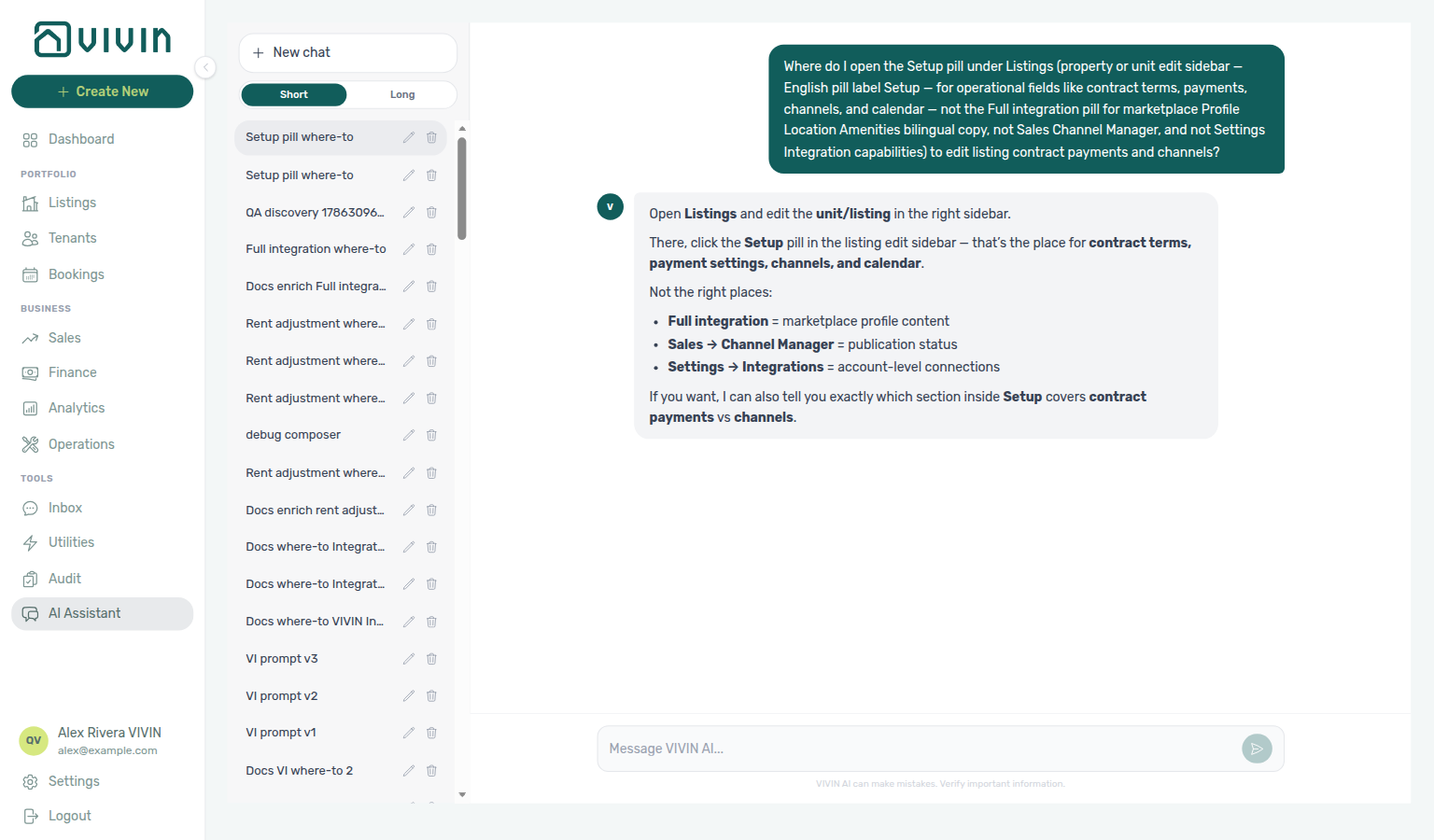
The Setup pill on the same sidebar still holds operational fields (contract terms, payments, channels, calendar, and similar) documented under Listings — Editing Properties and Editing Units. Ask AI Chat “Where do I open the Setup pill under Listings … to edit listing contract payments and channels?” (ai-chat-product-context-setup-reply.png, ai-chat-product-context-setup-flow.mp4) when you need that operational path instead of marketplace payload fields.
How to edit
The product groups these fields under the Full integration pill because they shape the integration and marketplace payload for that property or unit. Section cards inside the pill (Profile, Location, Amenities, and so on) mirror how partner exports are structured — not the same grouping as the Setup pill’s operational tabs.
Property-level details
- Open Listings and open a property (Edit property).
- In the sidebar pill row, choose Full integration (or Photos for gallery-only work).
- Use the grouped section cards (see Tab reference (property details) below) and the English / Portuguese language control where bilingual blocks exist.
- Save from the sticky bar at the bottom of the Full integration view. Switch back to Setup with the Setup pill when you need contract or payment defaults.
Listing (unit)-level details
- Open Listings and open a unit in the listing sidebar.
- Choose Full integration or Photos in the pill row.
- Use the grouped section cards (Tab reference (listing / unit details)) and bilingual fields as needed.
- Save from the sticky bar; use Setup for rent, channels, and calendar work on the same unit.
Legacy URLs (redirects)
Old bookmarks still work; they redirect into Listings:
| Legacy path | Redirect |
|---|---|
/booking-engine-details | /listings |
/booking-engine-details/property/:propertyId | /listings/property/:propertyId/edit?propertyDetails=1 |
/booking-engine-details/listing/:listingId | /listings/property/:propertyId/unit/:listingId?listingDetails=1 (property id is resolved from the listing) |
When /booking-engine-details/listing/:listingId cannot resolve the unit (deleted, mistyped, or outside your account), Vivin sends you to /listings instead of leaving a loading skeleton on screen. Missing property or unit ids on the Listings routes themselves follow Deep Links — Broken entity deep links.
See Deep Links, including bookmarkable Listings URLs with propertyDetails=1 / listingDetails=1 when you want to open this layer without opening Full integration first.
Tab reference (property details)
Property tabs feed Full listing feeds and partner blocks — field support matrix: Integration field capabilities. Coliving toggle affects Spotahome/Inlife exports.
When you open the Full integration pill on a property, the editor uses a horizontal tab strip. English UI labels (default) are shown below; other interface languages translate the same tab keys.
| Tab (English UI) | Typical content |
|---|---|
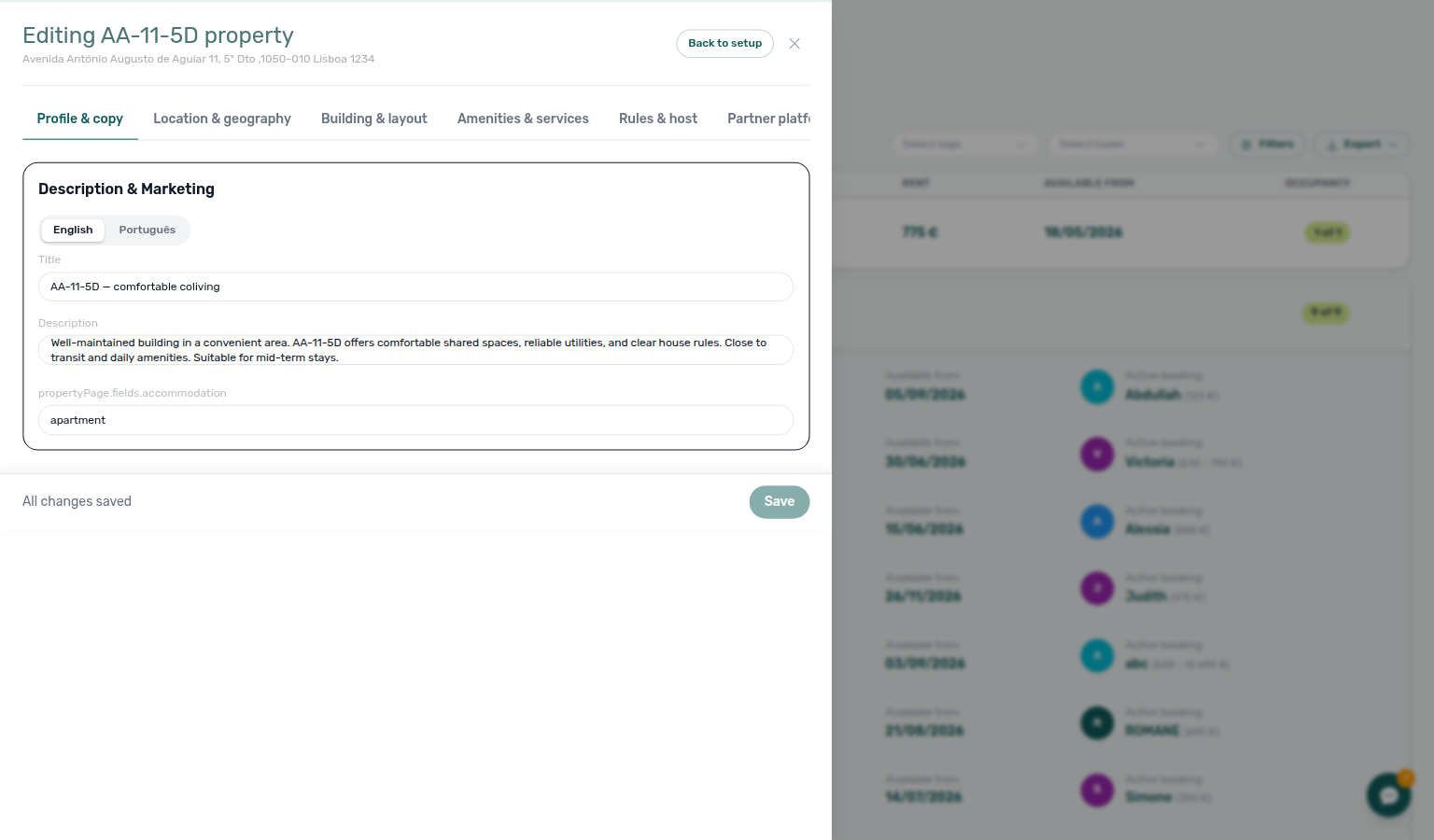
| Profile & copy | Titles, descriptions, marketing copy, notes, and bilingual headline fields |
| Location & geography | Address core, City / Region, coordinates, neighbourhood and distance metadata. Inlife’s full catalogue only publishes units whose City (then Region) maps to a recognised Inlife city — Recognised cities. |
| Building & layout | Capacity, room counts, layout characteristics, quality level |
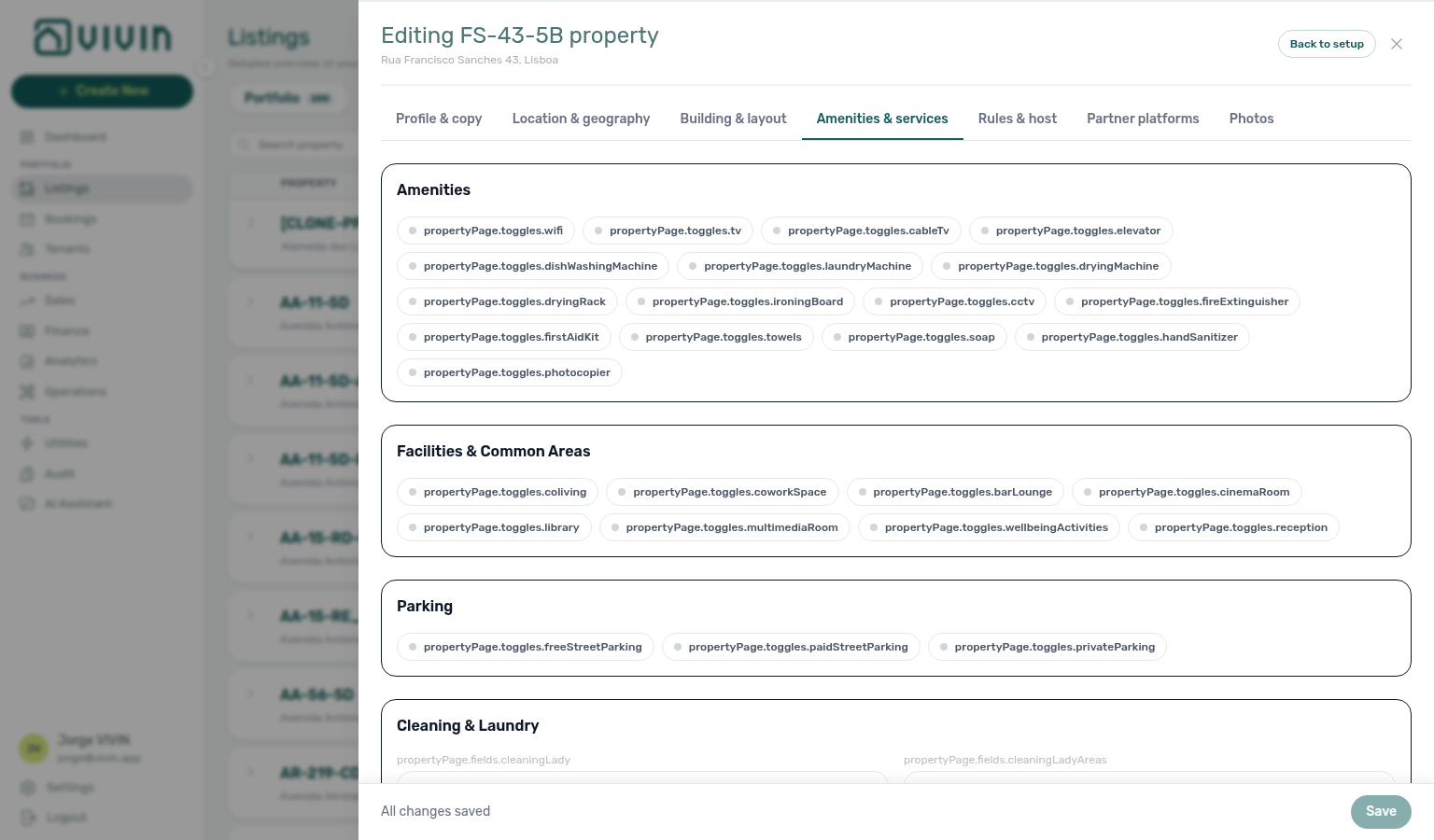
| Amenities & services | Amenity selections, facilities, parking, cleaning and laundry-related fields |
| Rules & host | House rules, visit settings, host profile, refund and booking-window style data |
| Partner platforms | Partner-feed-specific blocks (for example Housing Anywhere, Spotahome) |
| Photos | Booking-engine photo gallery for the property |
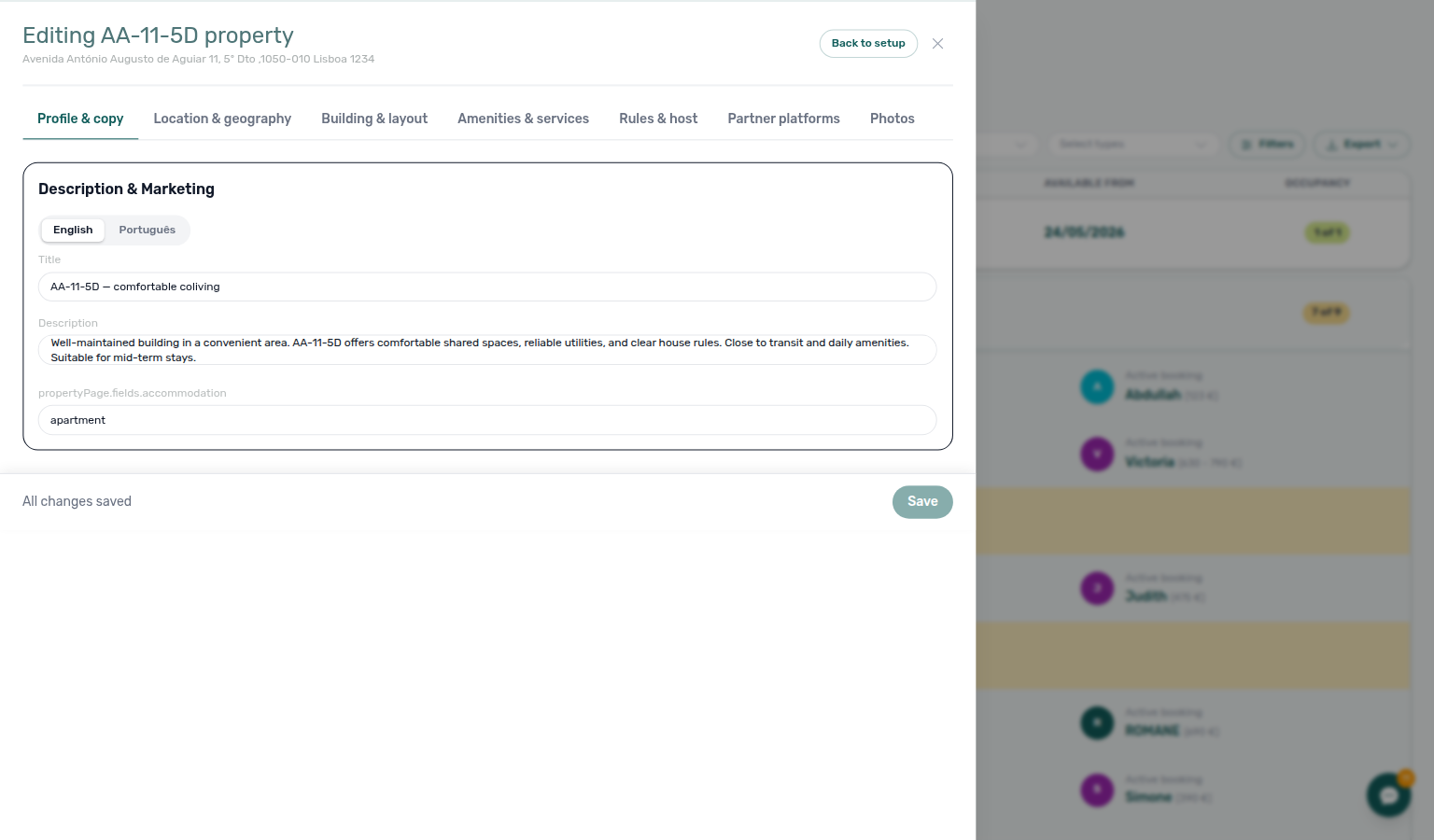
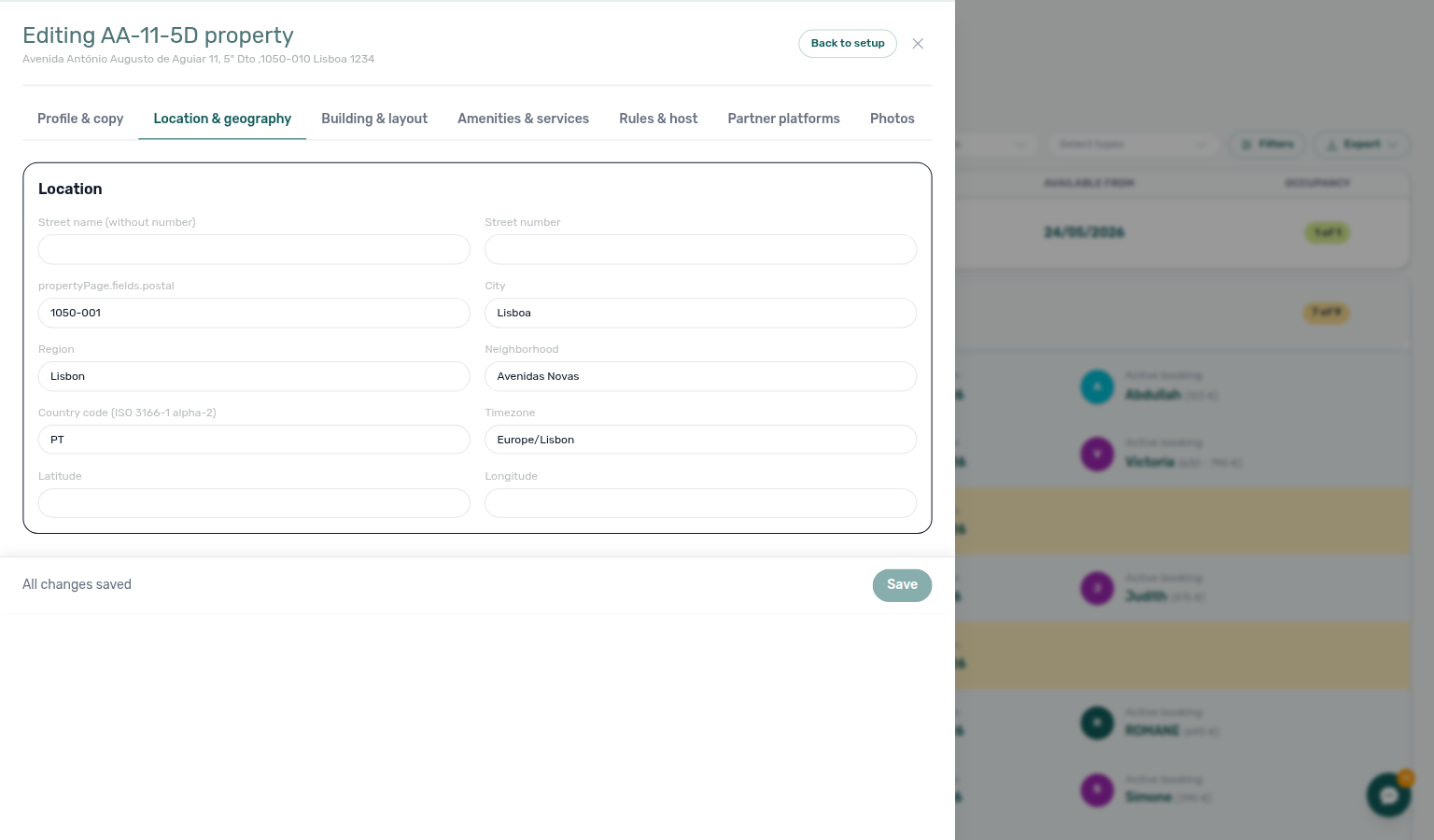
Inlife reads City, then Region, from this tab. Set City to a recognised name (Lisbon / Lisboa, Porto, Madrid, and the other cities on Full listing feeds — Recognised cities) before you expect the unit on Inlife’s catalogue. Neighborhood does not select the region. An address suggestion on Setup → Address fills the same fields.
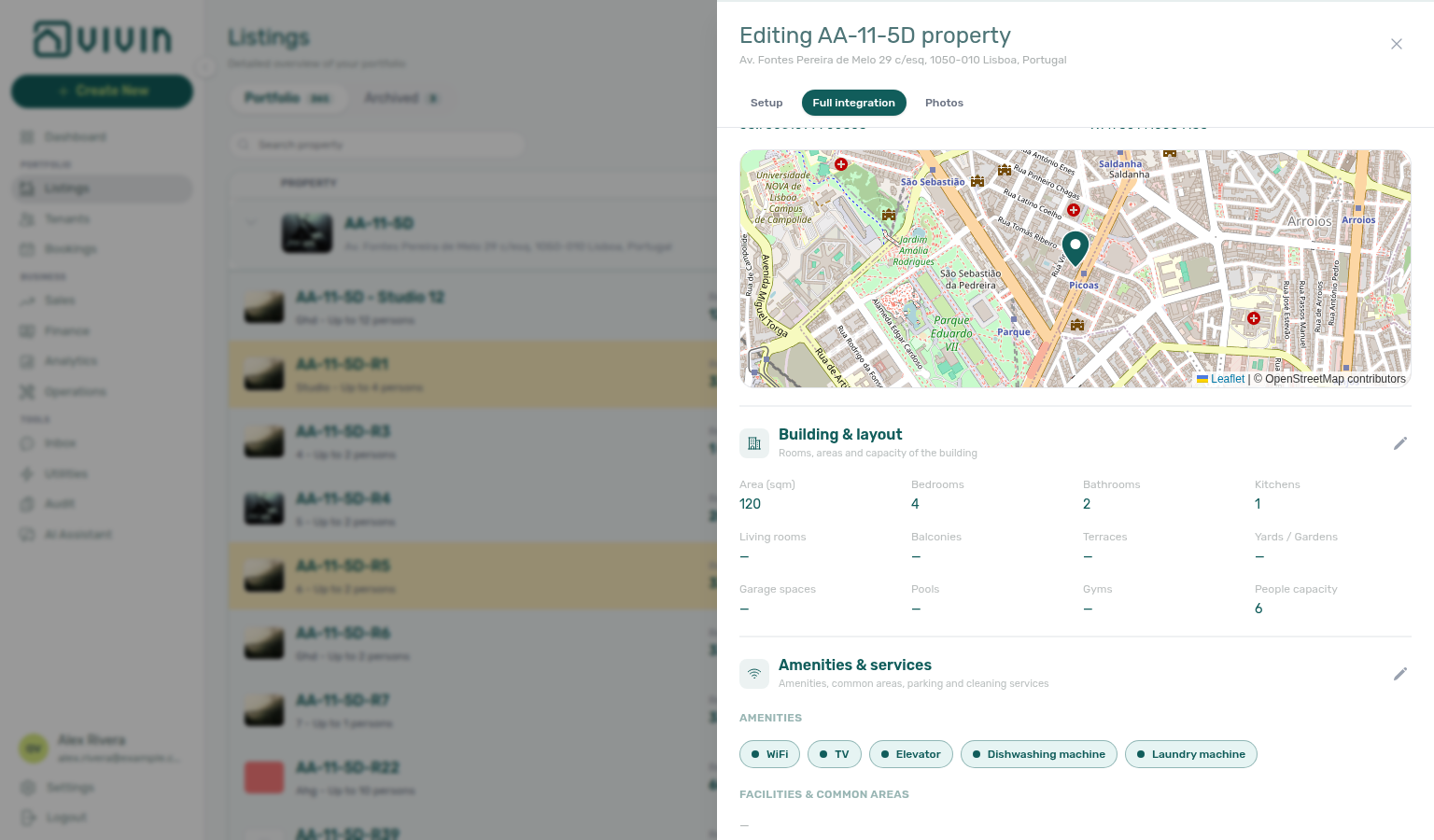
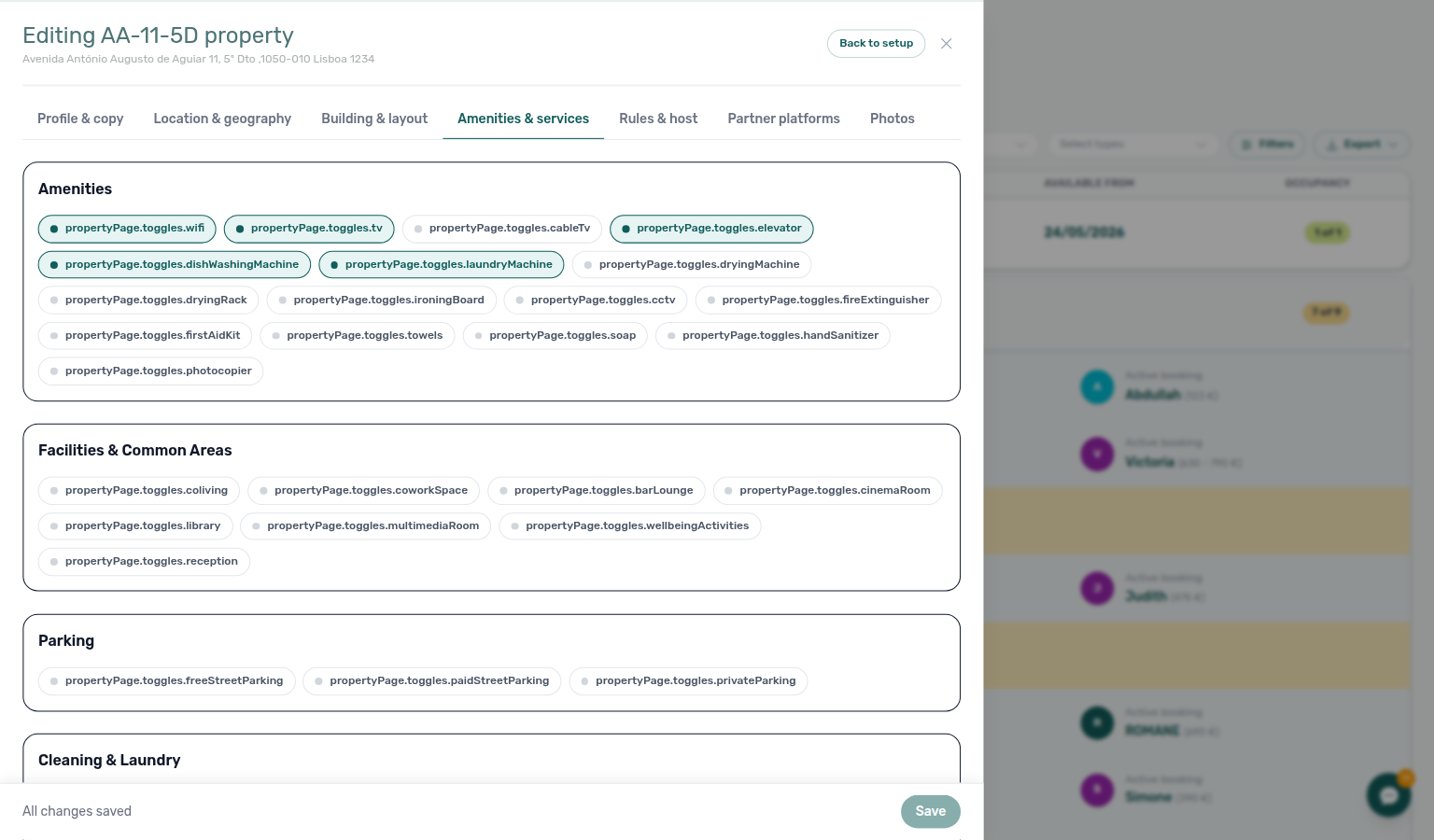
Under Facilities & Common Areas on the Amenities & services tab, the Coliving toggle marks the property as a coliving building in partner export payloads (for example Spotahome and Inlife feeds). Turn it on when the integration should classify the listing as coliving rather than a standard apartment or house.
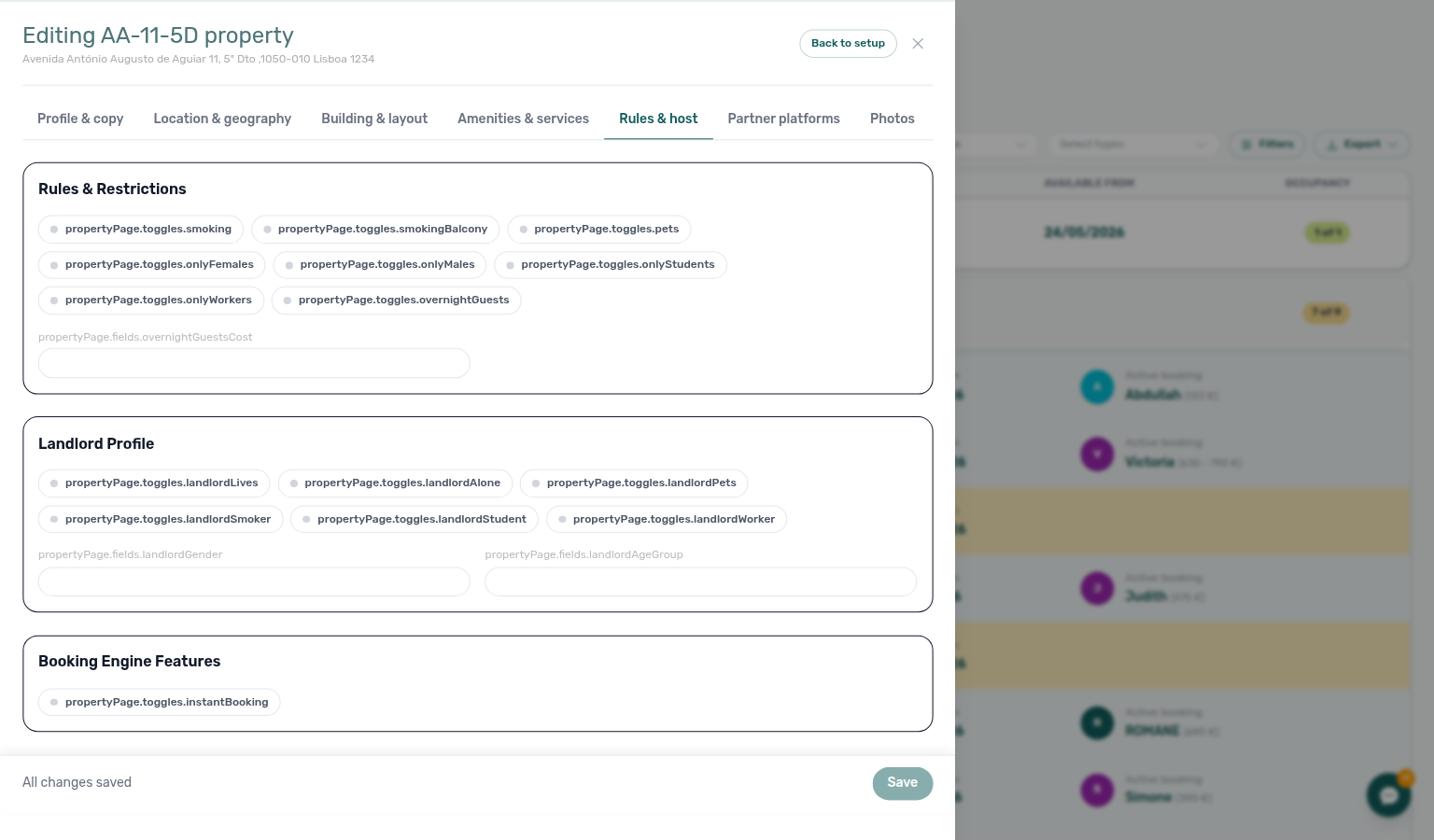
In the Rules & host section (pencil Edit Rules & host), Booking Engine Features includes an Instant booking chip. When selected at property level, partner full feeds (for example Spotahome) can export instant-booking eligibility for listings on that building. The chip alone does not set every rule — unit-level fields on Partner platforms still control age limits and how far ahead instant confirmation is allowed.
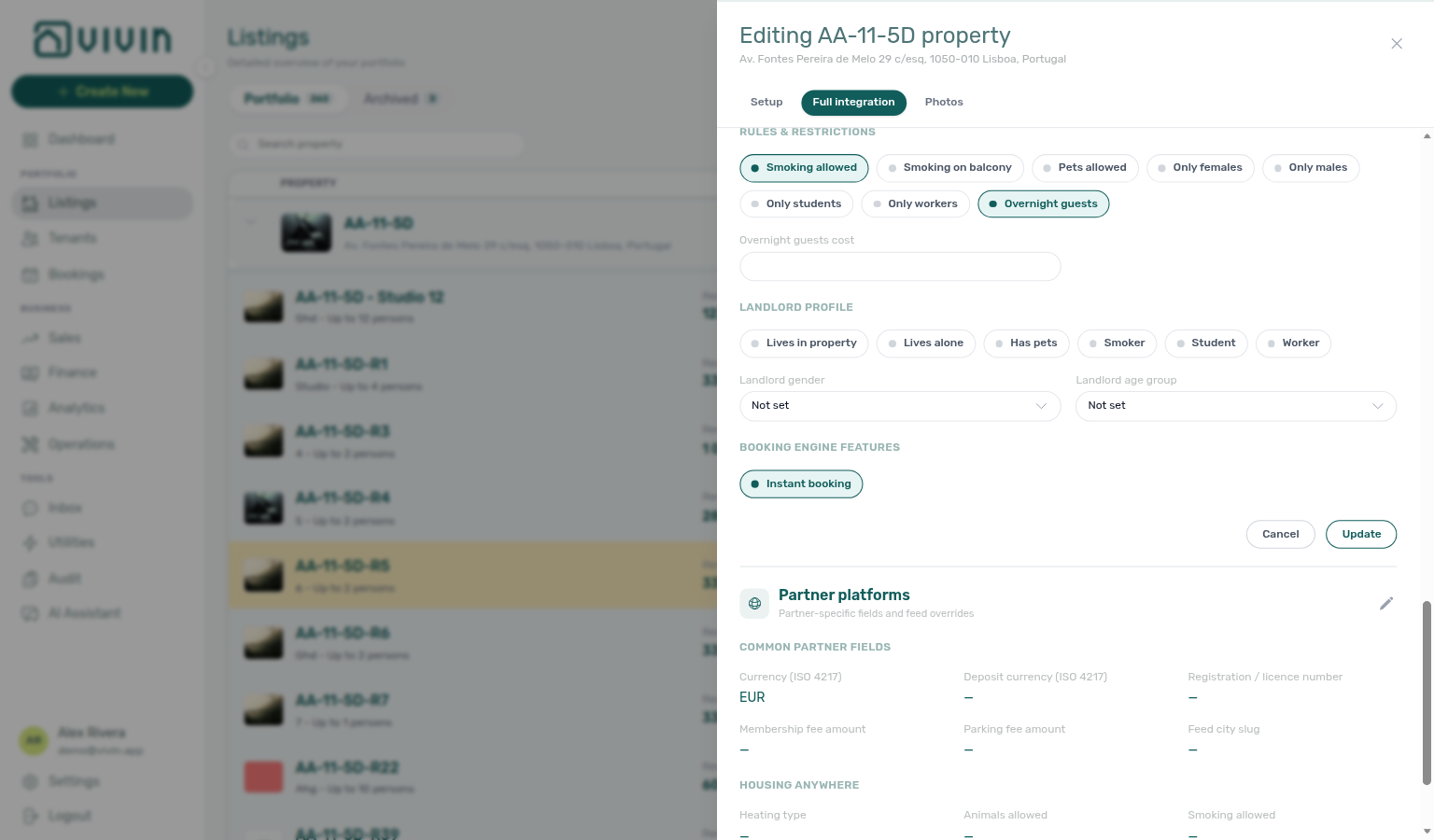
On Partner platforms, you edit partner-feed-specific blocks (for example Housing Anywhere or Spotahome sections) that apply at property level before units inherit or override them:
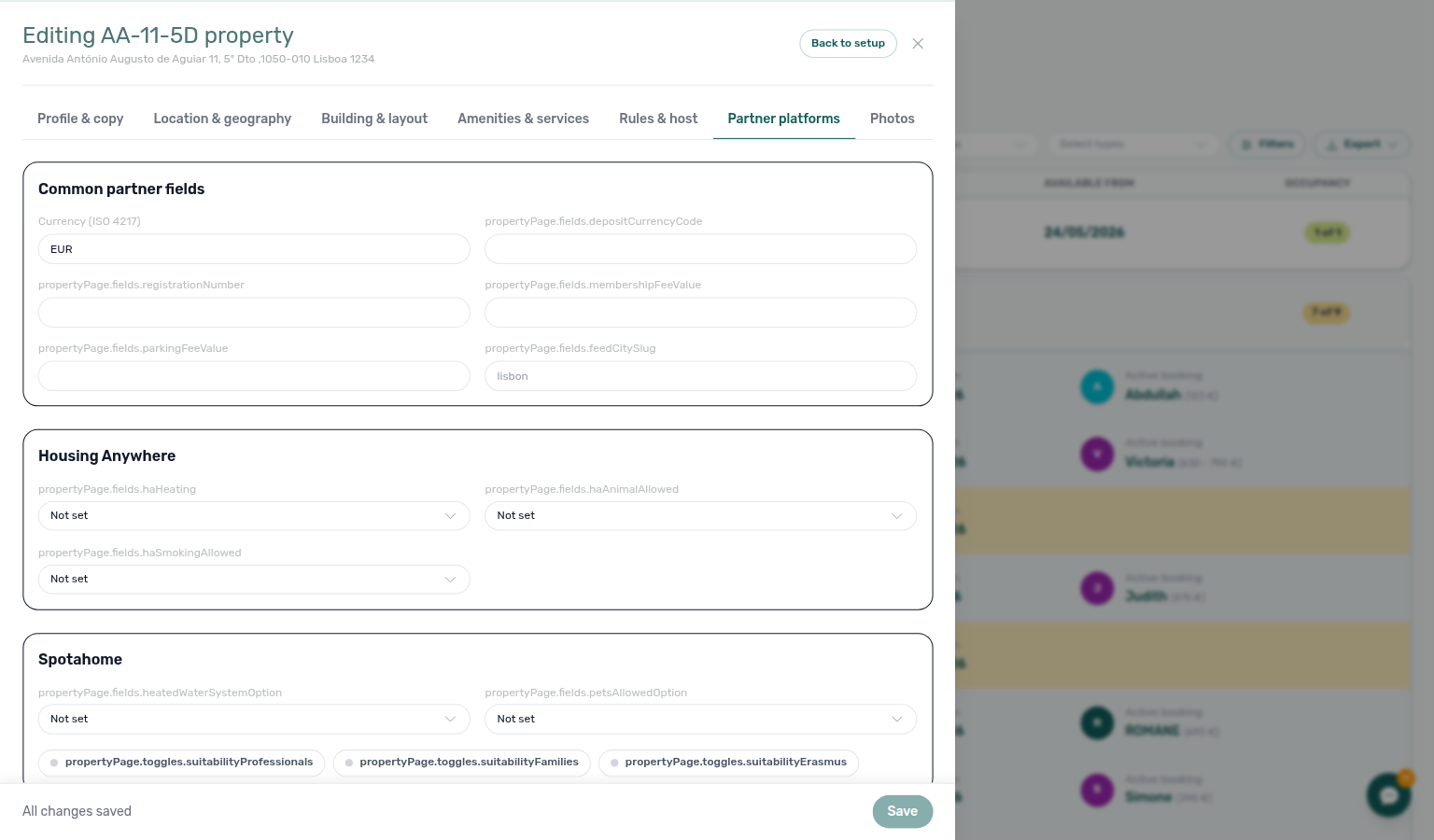
On that Partner platforms card, Membership fee amount and Parking fee amount feed the Housing Anywhere full catalogue costs object (membership-fee / parking, in cents). They do not appear on the Housing Anywhere partial costs[] array — Full listing feeds — euros vs cents.
English / Portuguese fields appear where the product supports bilingual content for that surface.
Tab reference (listing / unit details)
Unit tabs scope partner overrides below property defaults — Integration listings toggles pair with Settings > Integrations. Instant-booking eligibility: Instant Booking (property + unit).
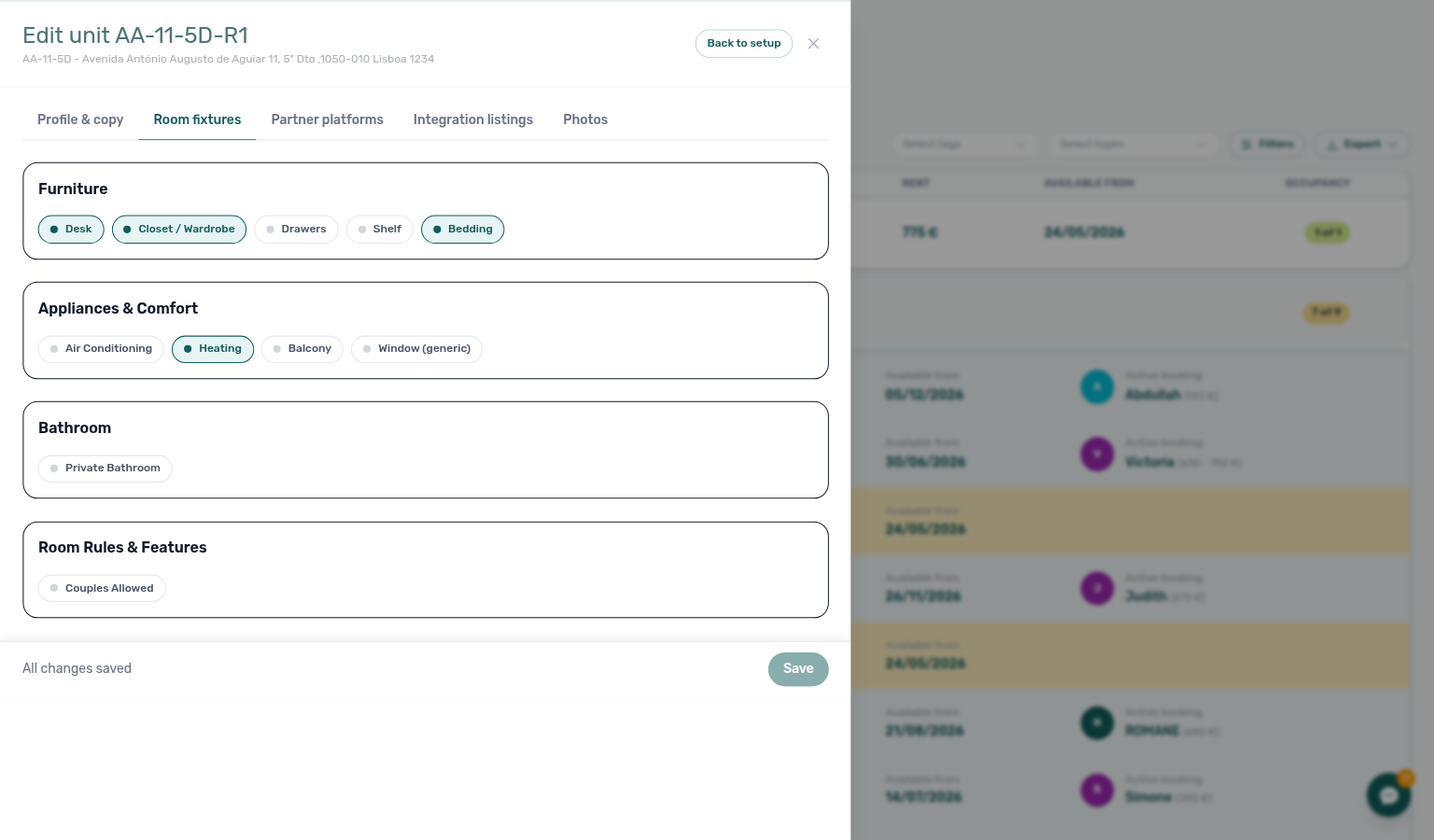
For a unit (listing) opened via the Full integration pill, the tab strip is narrower than on the property. English UI labels (default):
| Tab (English UI) | Typical content |
|---|---|
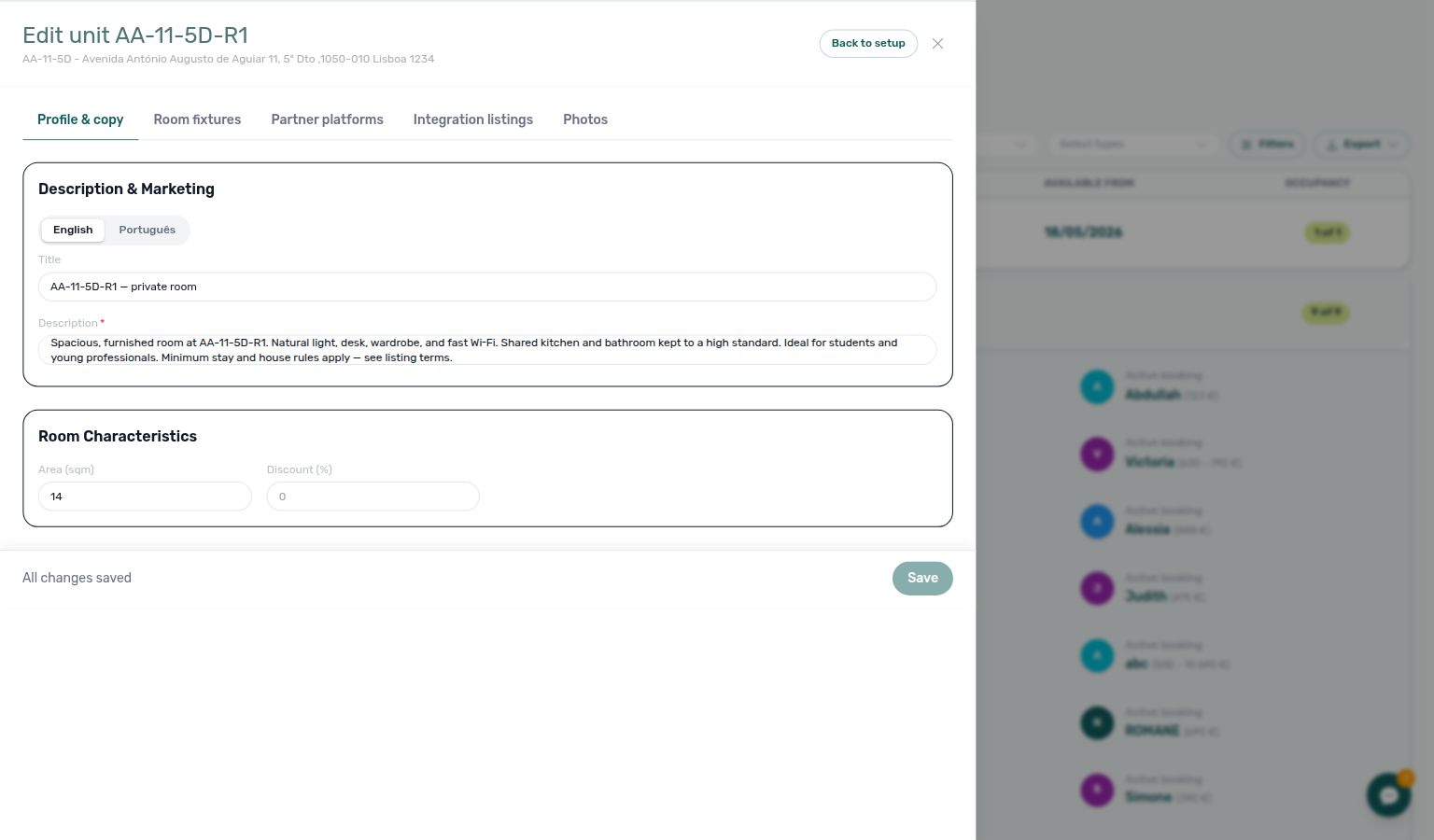
| Profile & copy | Listing headline, descriptions, and bilingual copy blocks |
| Room fixtures | Room characteristics, furniture, appliances, kitchen, bathroom, room rules |
| Partner platforms | Partner-feed fields scoped to this unit |
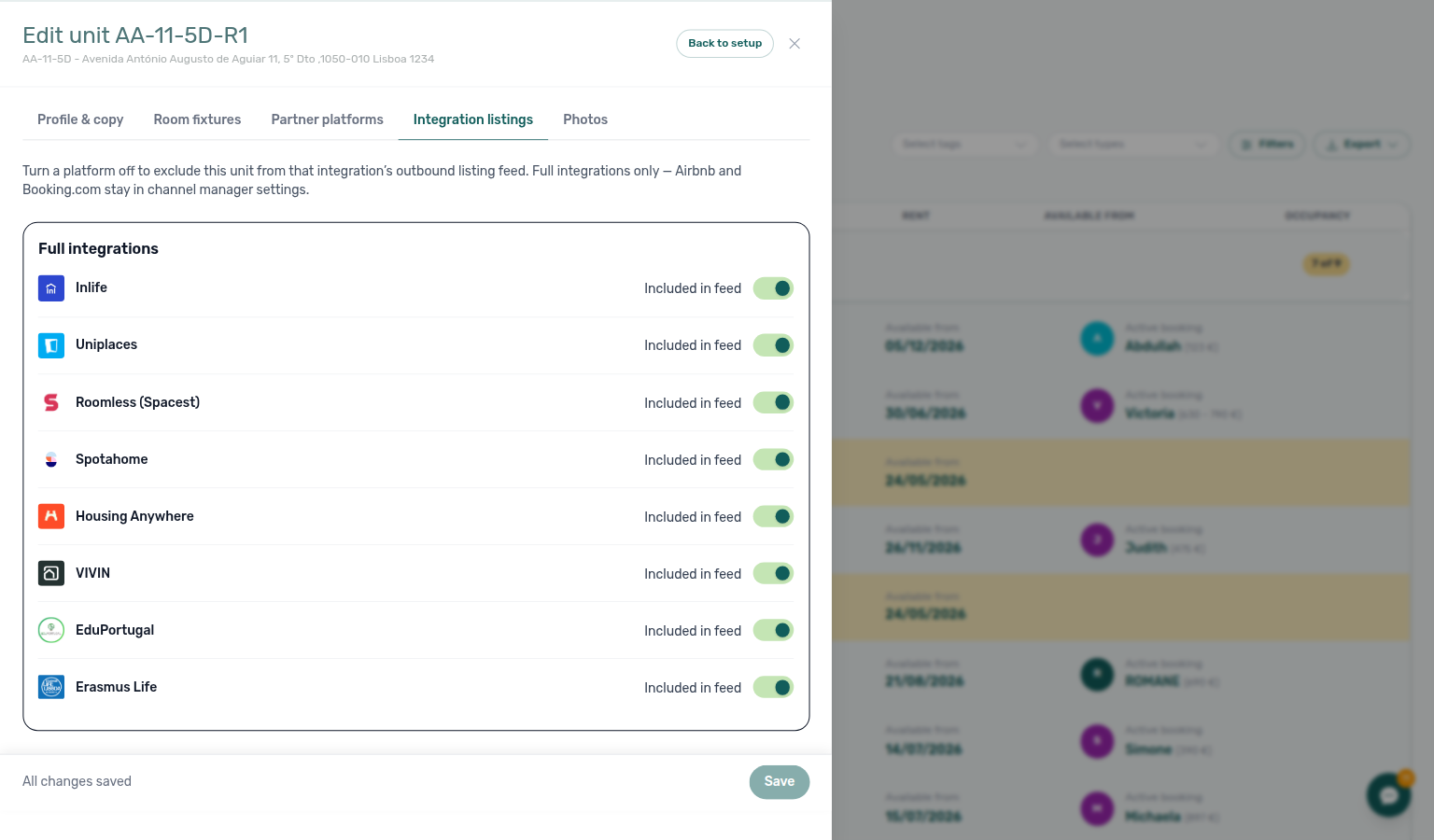
| Integration listings | Per-platform Included in feed / Excluded from feed switches — hides the unit from that partner’s listing pull (partial and full) |
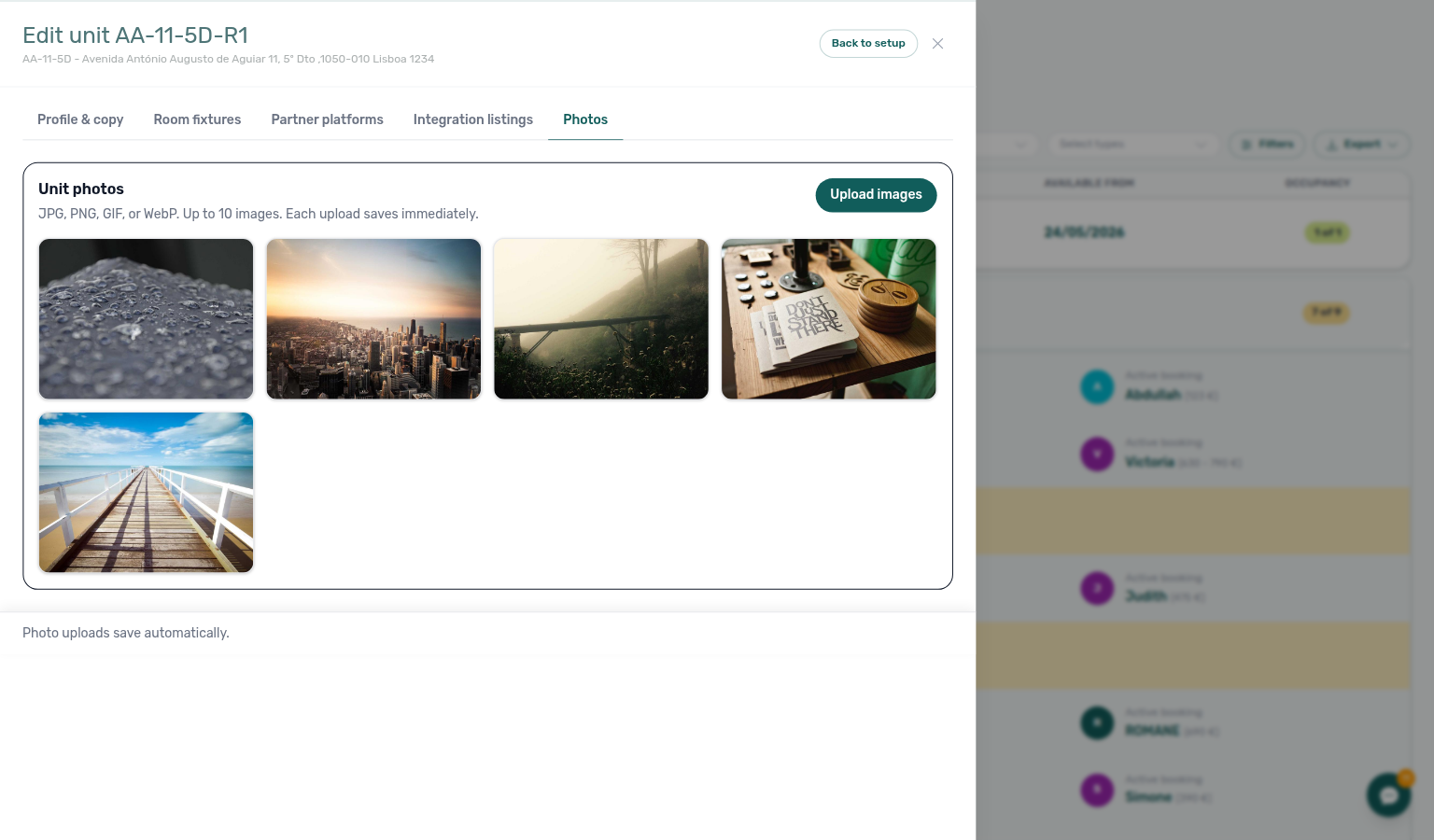
| Photos | Booking-engine photo gallery for the unit |
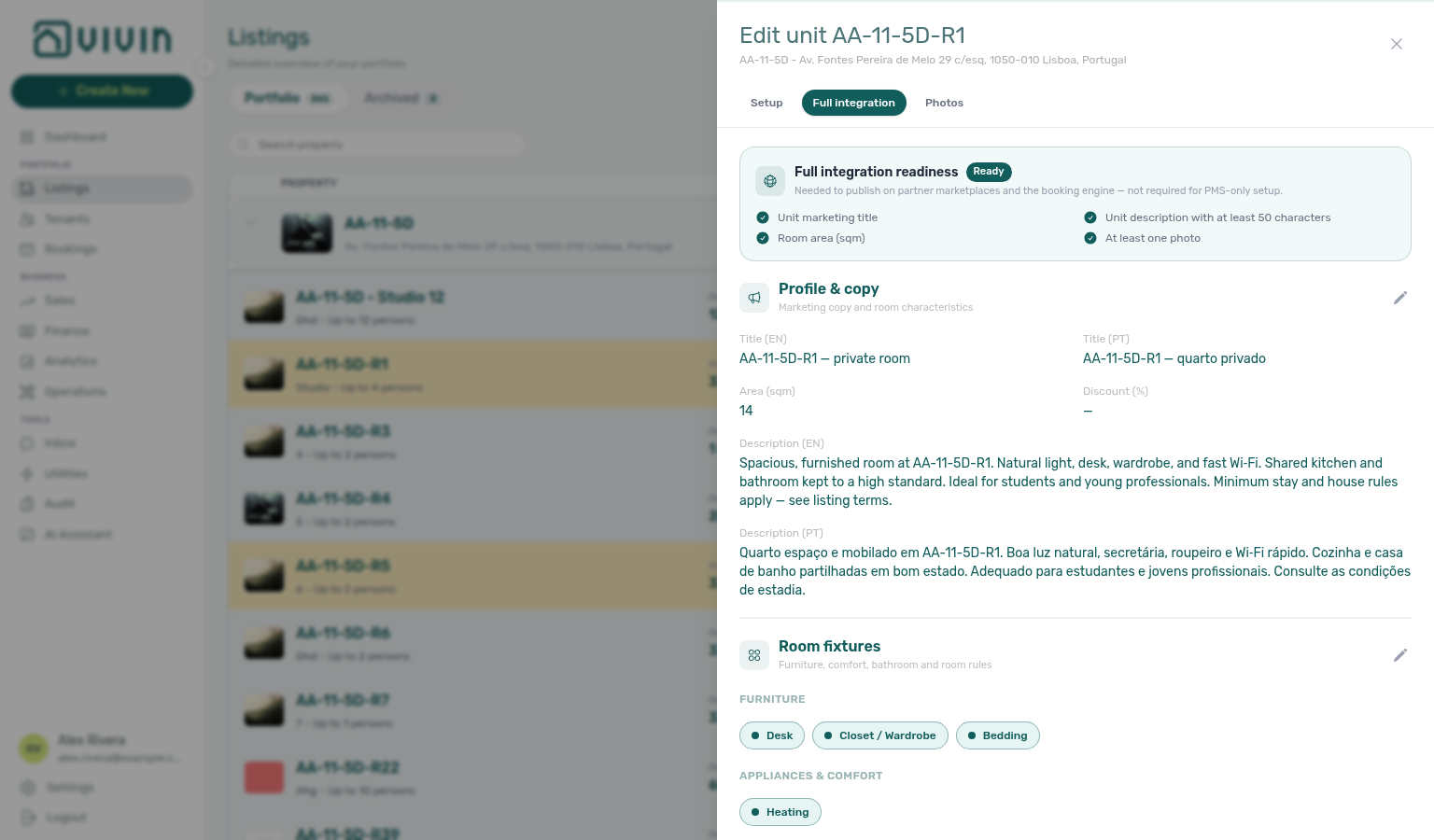
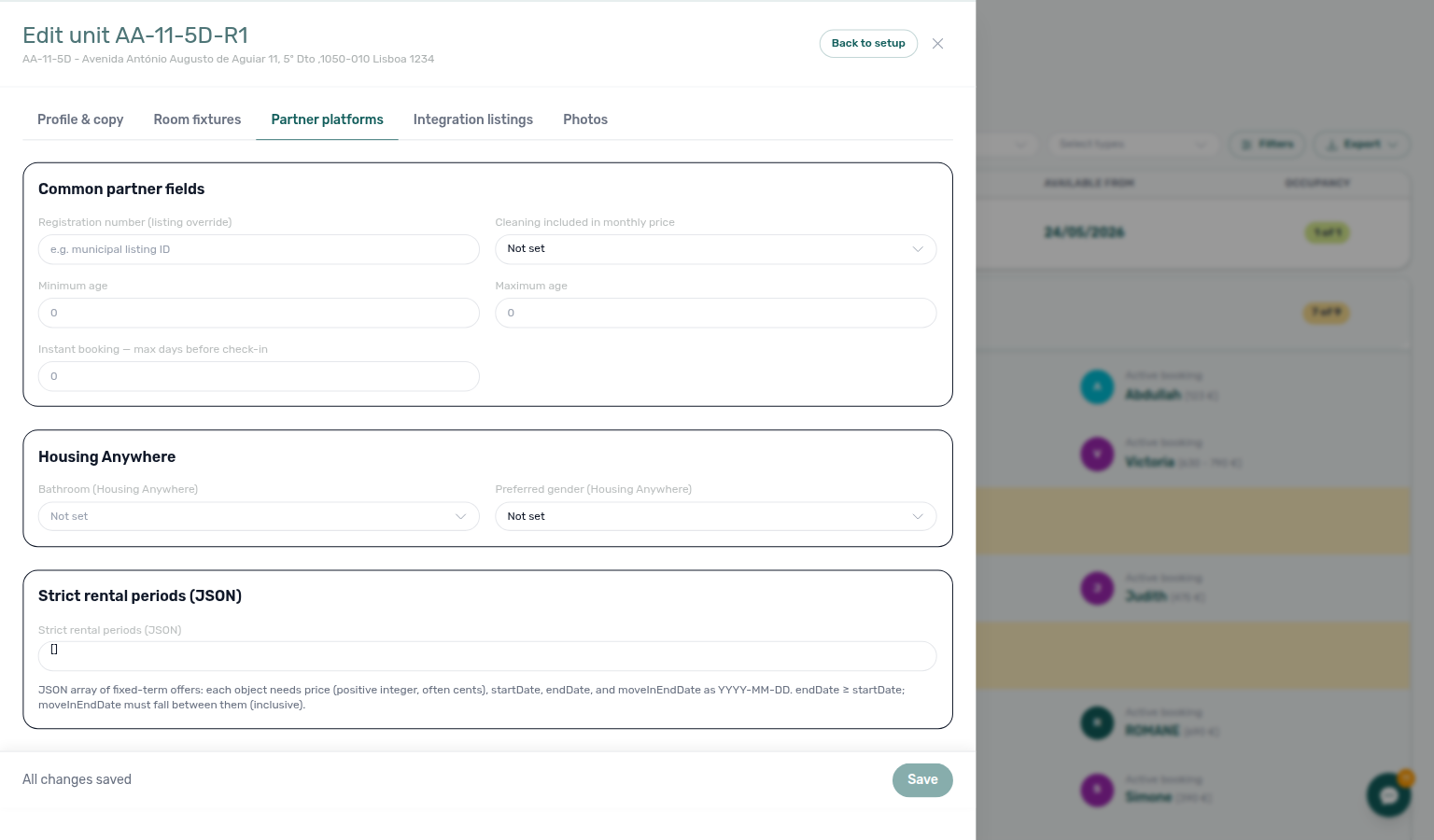
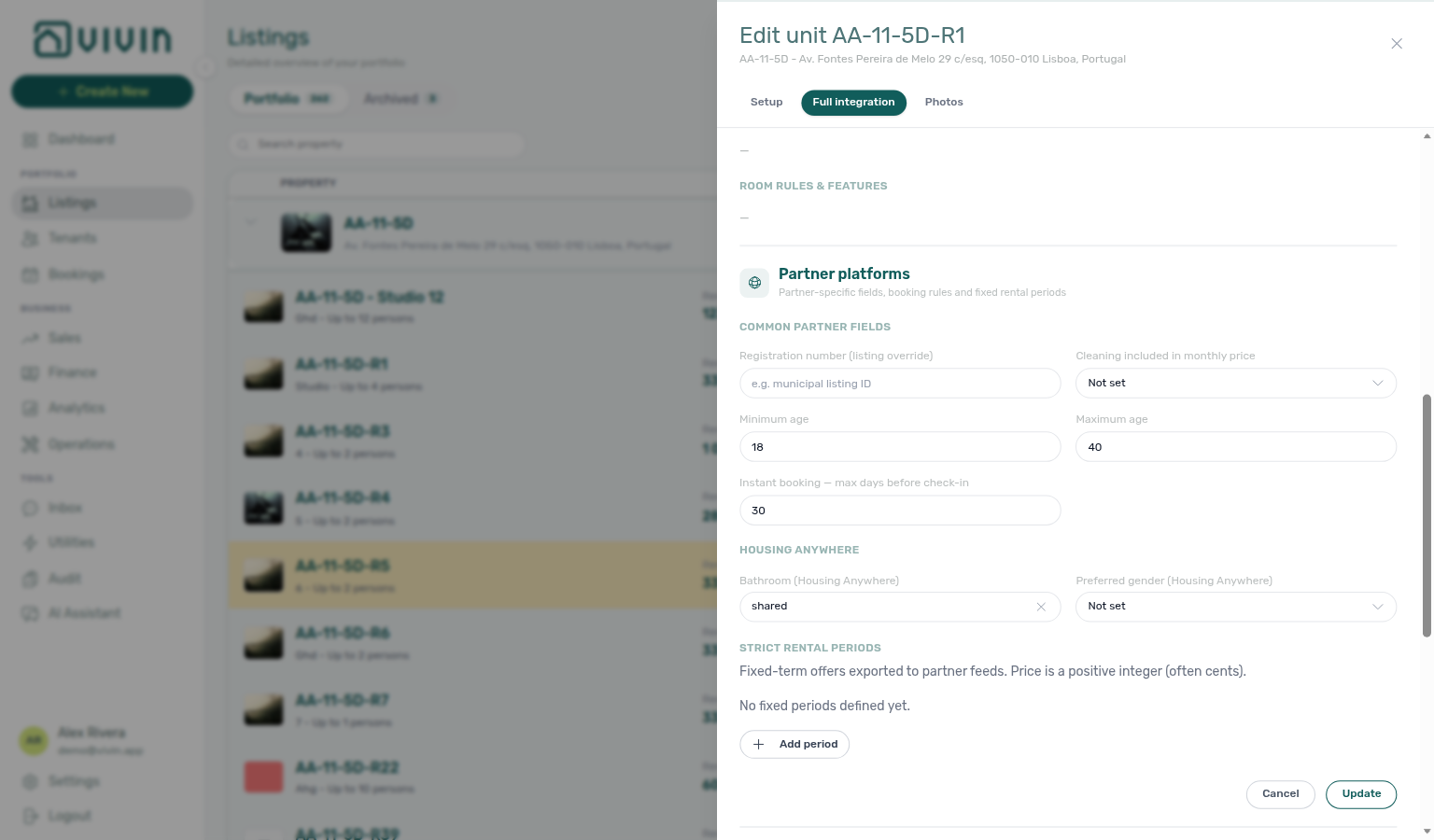
When Instant booking is enabled on the parent property, open the unit Partner platforms section (pencil Edit Partner platforms) and set eligibility under Common partner fields:
| Field (English UI) | Purpose |
|---|---|
| Minimum age / Maximum age | Tenant age window for instant confirmation on this unit. |
| Instant booking — max days before check-in | Latest day (relative to move-in) a tenant can still book instantly; leave empty when the partner should apply its own default. |
Couples allowed lives under the unit Room fixtures section (room rules), not on Partner platforms. Housing Anywhere–specific fields on the same partner section (for example Bathroom (Housing Anywhere) and Preferred gender (Housing Anywhere)) feed the partner payload separately; see Integration field capabilities.
Integration listings
Partner listing keys still live on Listings → Channels. Integrators: Listings & Availability — Integration listings.
Each unit can stay in Vivin and still be left off one marketplace’s listing pull. Open Listings → unit → Full integration → Integration listings.
New units default to Included in feed. A switch you never touched is on — you do not opt in.
Turn a platform to Excluded from feed when this unit should not appear on that partner’s listing JSON. Vivin then omits it from:
- That marketplace’s calendar and booking import (even when Channels already has an ID)
- That marketplace’s full catalogue, when the platform has one
- New bookings arriving from that marketplace
The card lists Inlife, Uniplaces, Roomless (Spacest), Spotahome, Housing Anywhere, VIVIN (white-label booking engine), EduPortugal, and Erasmus Life. The intro on the tab is explicit: this is for those listing feeds, not for Airbnb or Booking.com — those stay under Settings → Integrations and Sales → Channel Manager.
Click Edit on the Full integrations card, flip the switch, then Confirm or Save on the sticky bar.
What this is not
- Not a Channels mapping (that is the partner’s listing ID).
- Not turning off the platform card for the whole account on Settings → Integrations.
- Not Inlife’s city filter (full catalogue only) — Recognised cities.
- Not “no usable rent” (both pulls omit unpriced units).
Operators: FAQ — Listing missing from a marketplace pull.
Use Save on the sticky bar before leaving; Back to setup returns you to the standard Listings editor for that property or unit.
Work tab-by-tab as needed; the sticky Save persists changes for the whole details view. When both English and Portuguese fields exist for a block, fill the languages you publish — empty language-specific fields may leave gaps in localized booking surfaces.
What you see in the app (no separate module)
There is no standalone Booking engine details list page — you always arrive from Listings (property or unit edit sidebar) or from a bookmark that includes propertyDetails=1 / listingDetails=1 (see Deep Links).
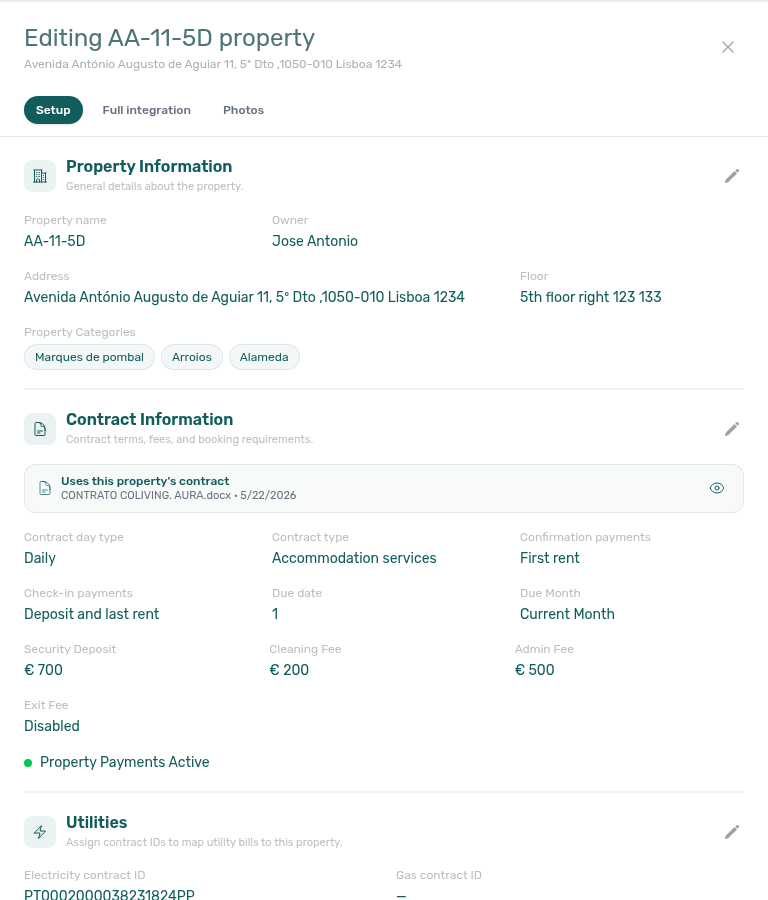
The screenshot above shows the Setup pill’s general-info fields. Above the scrollable body, a pill row switches between Setup, Full integration, and Photos:
- Setup — Operational property fields (this guide’s General Information, Contract, Payments, and related sections).
- Full integration — Partner payload editor with a Full integration readiness card, grouped section cards, bilingual copy controls, and Save / discard in a sticky bar. An amber dot on the pill means required partner fields are still missing.
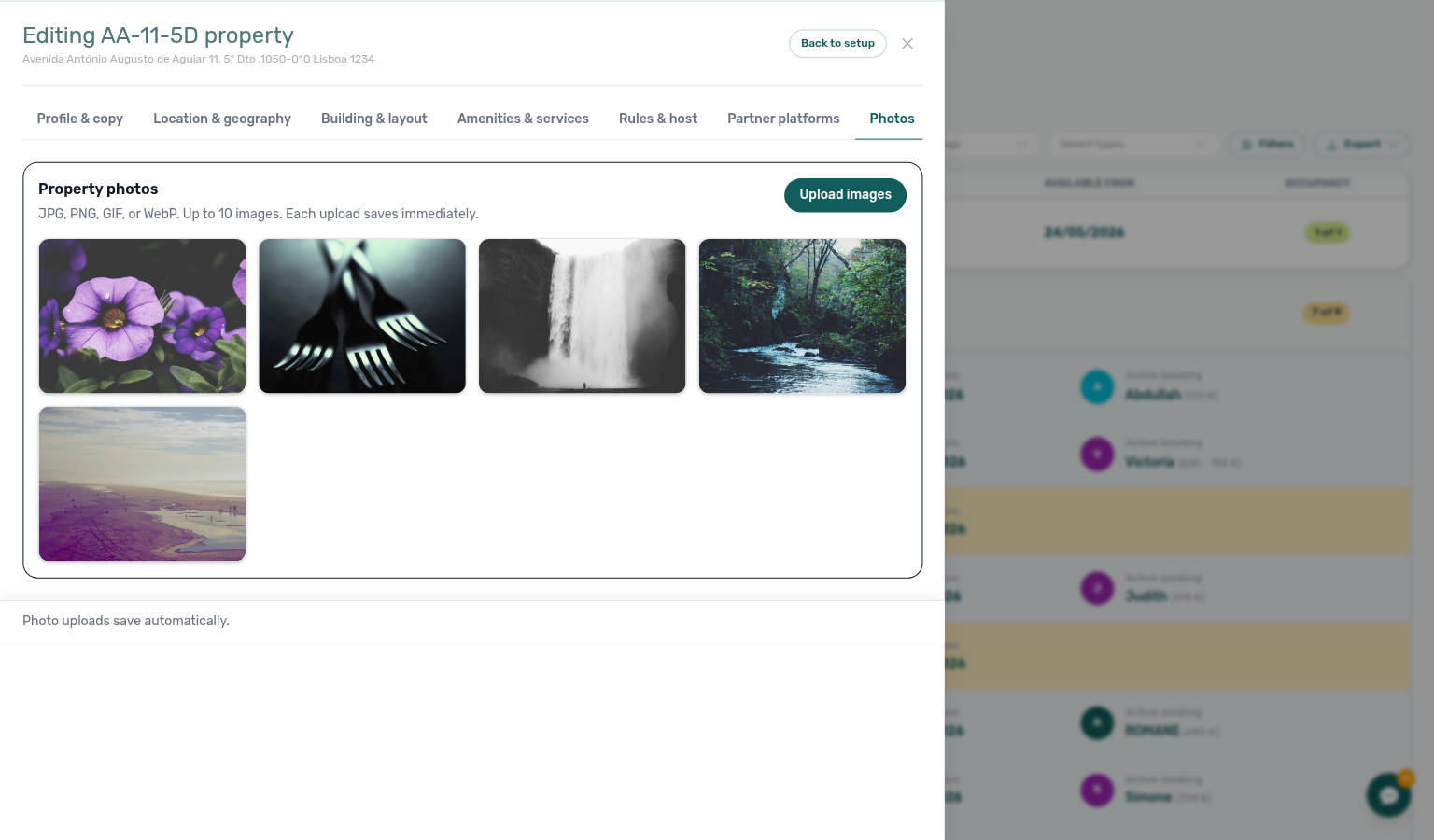
- Photos — Drag-to-reorder gallery; the first image is the cover (also drives the portfolio thumbnail on the property row).
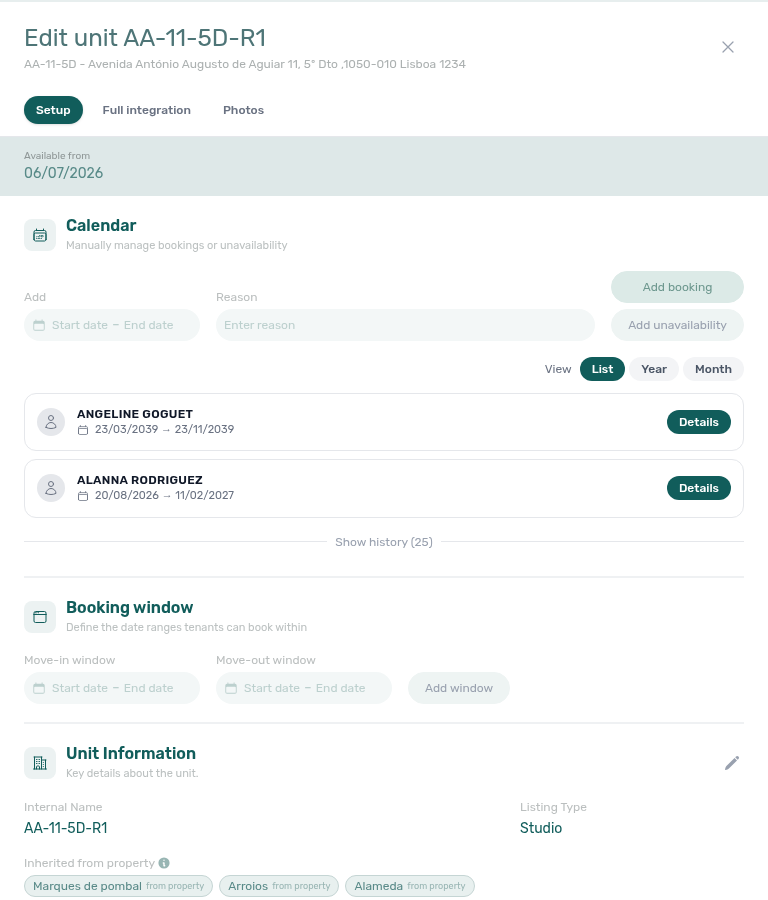
Once Full integration is active, the layout is consistent for both property and unit paths:
- Readiness card — Checklist of marketing title, description, address, coordinates, currency, photos, and (on units) area/description minimums before full feeds publish.
- Section cards — Profile, Location, Amenities, Partner platforms, and related blocks match the tab tables below; expand a card, edit fields, then Save that section or use the sticky Save for the whole pill.
- Language — Where bilingual blocks exist, use the English / Portuguese control before editing copy that is exported per language.
- Photos pill — Uploads save immediately; drag thumbnails to reorder. The first photo is labelled Main / cover.
Surface area (m²)
Every property and every unit holds its own surface area in square metres. It is one of the fields the readiness checklist requires, so a unit without it does not publish to the full partner feeds — the Full integration pill keeps its amber dot until you fill it in.
| Where | Section | Field |
|---|---|---|
| Property → Full integration | Building & layout | Area (sqm) — total area of the building |
| Unit → Full integration | Profile & copy | Area (sqm) — area of that room or apartment |
Set both. They are separate numbers and partners use them differently: the room area is what a guest compares between listings, while the total is what describes the building.

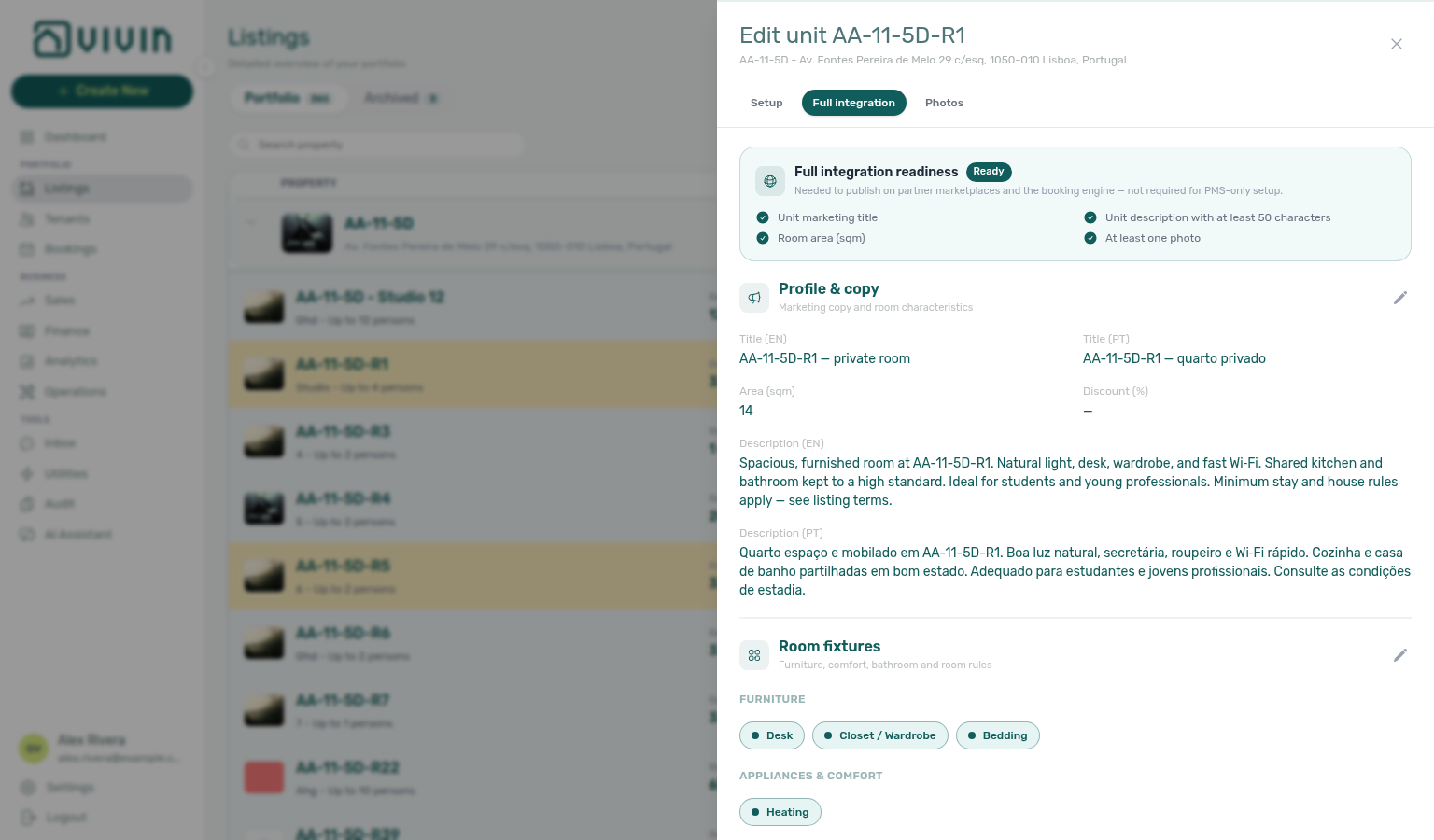
Once entered, the area is exported to the partner feeds automatically, and it becomes available to your lease templates as a contract variable — see Contract — Surface area variables and FAQ — Surface area tokens.
If you are onboarding a portfolio from a spreadsheet, fill the unit area while you are already in Profile & copy for each unit — it is the same section as the title and description, so one pass covers all three and clears the readiness checklist item Room area (sqm) in one visit.
The wider Building & layout and Profile & copy captures below show the same fields in the full Full integration editor chrome at desktop width (~1536px).
Instant Booking (property + unit)
The property Instant booking chip gates partner instant confirmation — unit ages and the max-days window live on Partner platforms. Channel status after sync: Sales — Channel Manager.
Instant Booking is a partner-export feature, not a separate management module. Operators configure it in two layers:
- Property → Full integration → Rules & host → Booking Engine Features — select the Instant booking chip for the building. When off, outbound full feeds omit instant-booking eligibility even if unit fields are filled in. Confirm with Update on that section.
- Unit → Full integration → Partner platforms → Common partner fields — set Minimum age, Maximum age, and Instant booking — max days before check-in. Confirm with Update. Put Couples allowed on Room fixtures when that rule applies.
This editor is the source of truth for full-feed instant-booking metadata that partners read after sync. After you Update each section, allow integration sync to pick up the new payload. Channel visibility still depends on Sales — Channel Manager and your connected marketplaces.
What gets configured
Same content as before at property and listing level (descriptions, amenities, rules, booking-engine flags, instant-booking eligibility, etc.). That data powers:
- The white-label booking engine on your site
- Marketplace integrations when listing data is synced
- Tenant-facing content where applicable
Booking engine details guide subsection index
Booking engine details section cross-reference
Use the sections above for this module. Related pages are linked from Related below when present, or from Modules.
Related
Related below links this module to settings, concepts, workflows, and escalation paths.
Documentation map & escalation
- Modules hub — Hub pairing matrix across operator workspaces
- Common Workflows — Task-oriented guides that reference the Full integration pill during onboarding
- Glossary — Term definitions referenced in payload and partner export docs
- FAQ & Troubleshooting — Quick answers when payload edits disagree with live partner feeds
- Get Help & Support — Escalate when integration sync or permissions block payload edits
Upstream & downstream workflows
- Onboarding a New Property — Optional Step 4 Full integration pill after the property wizard saves
- Manual block hygiene — Availability holds that still suppress partner calendars after payload sync
- Notification triage — Clear integration or listing alerts after payload edits sync to partners
- Handling a Late Payment — Step 1 — Collections on engine-sourced bookings with unpaid schedules; upstream path from Notifications — Payment overdue alerts
- Entering Monthly Utility Bills — Monthly overage workflow after utility bills exceed Bills Included ceilings
Deeper workflow reads
See Upstream & downstream workflows above for the same guides.
Navigation & bookmarks
Bookmark routes pair with Management Frontend Deep Links and Create New menu.
- Deep Links — Booking engine query params — Bookmarkable
?propertyDetails=1/?listingDetails=1routes - Create New menu — Inlife Full Import — Bulk import shortcut into this editor (Vivin internal accounts)
- Listings module — Standard property and unit setup sidebars (Back to setup return path)
Concepts & settings that shape this module
- Integrations & Distribution > White Label Booking Engine
- Notifications — Payment overdue alerts — Operator Payments category rows when white-label or partner bookings have unpaid schedules
- Settings > Tenant categories — Segment portal rules and Finance — Tenant category filter when engine-sourced overdue alerts cluster on one cohort
- Settings > Integrations
- Settings > Integration field capabilities — Which payload fields each marketplace supports (read-only matrix)
- Settings > Emails — Lifecycle check-in templates that append Access Lockers codes after payload sync
- Settings > Preferences — In-app notifications — Account-wide integration or listing alerts after payload edits sync to partners
- Booking lifecycle — Computed stay status partners expose separately from booking-engine marketing copy
- Payment Allocation — Two-layer receipts, invoiced-floor rent edits, and credit note reject/revert warnings (hub)
Operator habit hubs
Day-to-day operator habits (lockout catch-up, pending receipts, payment triage, handoffs, and related playbooks) live on the Common Workflows habit hub.
Deep-link anchors for habit hubs
Lockout catch-up after password recovery
Pending manual receipt approval
Reject/revert mistaken receipts
Check-out ledger cleanup before refund
Utility overage collections
Cancellation collections before void
Check-out collections before refund
Handling a Late Payment collections
Check-out vs cancellation
Deposit missing on Finance Deposits
Notification row-click navigation
Payment alert to receivables triage
Finance debt receivables triage
Finance Income status drill-down
Cash flow forecast drill-down
Confirmation alert triage
New inventory to first booking handoff
Property setup to first arrival handoff
Confirmation to check-in handoff
Check-in to check-out handoff
Check-out final utilities handoff
Same-day turnover coordination
WhatsApp per-booking messaging
Bot reasoning (audit)
ChatBot settings
Rent reduction after invoicing
Month-end invoicing (fixed date)
Bulk Hostkit invoicing
Occupancy KPI to block hygiene handoff
Partly collected security deposit
Portfolio segmentation by tenant category
Directory list refresh
When a list needs a refresh instead of showing rows, use Retry or reload the page. Zero rows after a successful load means your filters matched nothing — widen filters or clear search.
See FAQ — Directory list refresh and Glossary — Directory list refresh.
Key glossary terms
- Glossary — End-of-Booking cost split — Charge Time → End of Booking splits daily overage across every occupied unit; still-staying roommates stay in the denominator
- Glossary — Change history — Operator-initiated edits on Listings setup and Bookings Changelog; create-time defaults excluded
- Glossary — Archived booking ledger visibility — Delete Booking hides manual/provider_platform rows on Finance → Transactions; vIBAN and credit card stay visible
- Glossary — Finance tenant category cache refresh — Recategorizing a tenant updates
booking.tenantCategoryIdimmediately; ledger tabs reflect it on reload, while Overview can lag up to ~10 minutes - Glossary — SIMAR water contract ID — SIMAR (Loures e Odivelas) water bills use Cód. Local in Connections — not Nº de Contador; leading zeros stripped
- Glossary — Per-booking maintenance ticket opt-out — Add booking checkboxes skip automatic CI/CO tickets for one reservation only; property rule unchanged
- Glossary — Full term list
API & partner surfaces
- Booking Engine API — Public
PUT /listingand reservation endpoints that ingest this editor - API Reference — Full listing feeds — Partner-shaped publish feeds that ingest this editor’s output
- API Reference — Listings & Availability — Partial
GET /listingscalendar and pricing (marketing fields go to full listing feeds, not this pull) - API Reference — iCal feeds — Outbound calendar URLs partners copy after payload edits sync
- Property & unit mapping —
externalIdcontract partners use before editing payloads here - AI usage API — Management JWT cost ledger (contrast integration Bearer keys on partner listing routes above)
Module documentation hubs
- Sales — Channel Manager — Marketplace links after payload edits sync to partners
- Sales — Pricing tab — Live rent operators edit after payload sync to partners
- Listings — Step 3 Extra payments — Bills Included ceilings are property setup fields, not booking-engine payload tabs
- Audit module — Portfolio-wide Manual Blocks and Discounts contract-value review (hub)
- Utilities module — Operator bill entry and tenant overage when actual supplier costs exceed
billsIncludedMaxValueceilings partners read from partial pulls (hub) - Finance module — Portfolio ledgers once engine-sourced stays accumulate Contract Values (hub)
- Finance — Tenant category filter — Reconcile Contract Values In Debt for the same segment after engine-sourced overdue triage
- Bookings module — Reservation lifecycle after white-label or partner bookings land (hub)
- Bookings — Tenant categories — Mirror segment filter when Finance Overview still shows the old segment
- Tenants — Tenant category filter — Profile-count cross-check before changing portal rules account-wide
- Tenant Portal — Tenant-facing pages that render marketing fields edited here (hub)
- FAQ — Tenant contract signing blocked — No PDF yet, mandatory Your Details gates, category locks, or Lease purpose; portal signing vs paper upload on Contract Info
- Account Settings — Workspace-wide financial policies, templates, integrations, and operational defaults (hub)
- API Reference hub — Partner HTTP contracts, Swagger onboarding, and partial vs full feeds (hub)